Farming Simulator 25 mods
77,695 results- 15 per page
- 30 per page
- 45 per page
- 60 per page
-
See more per page
Bigger pages, fewer clicks - and no ads anywhere.
Go Pro
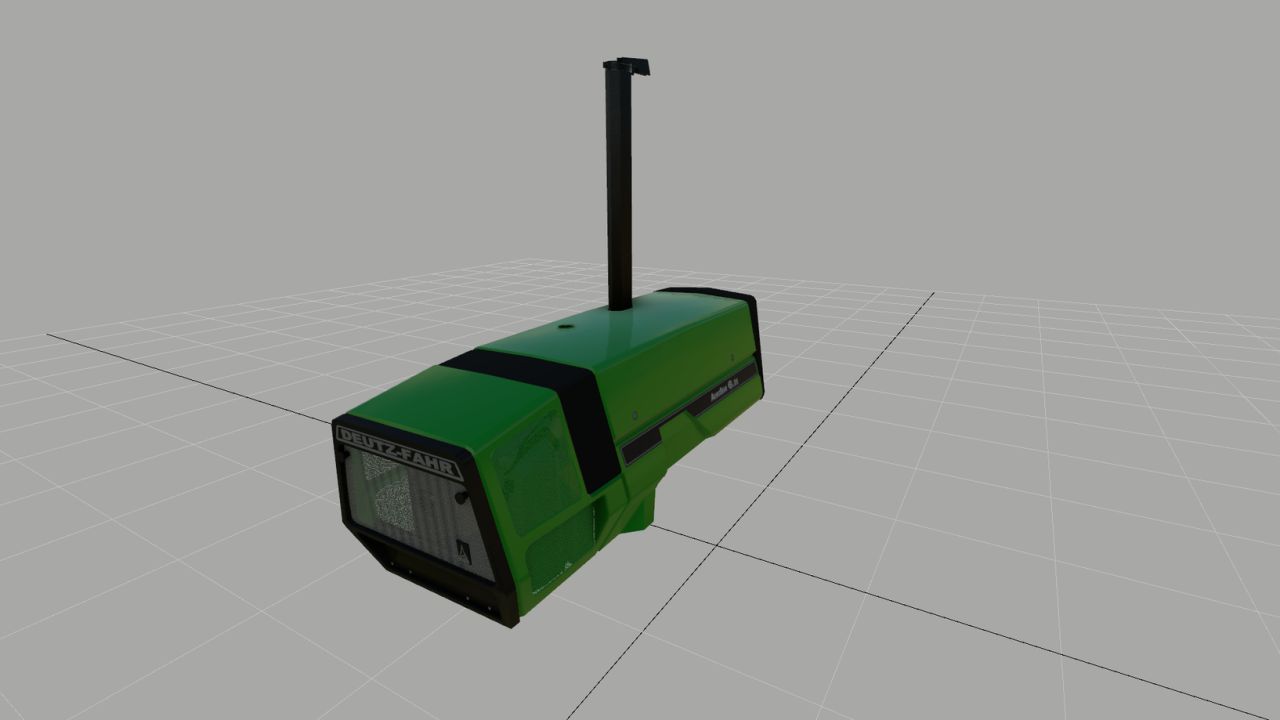
Deutz 681 Motorhaube (Fertigteil) V1.0.0.0
Deutz 681 Motorhaube (Fertigteil) V1.0.0.0 Hier habe ich eine Deutz-Dunstabzugshaube gebaut, die optisch meinen Erwartungen entspricht, und vielleicht gefällt sie ja auch dem einen oder anderen von euch. Und er kann es für sein eigenes 681er-Modell verwenden. Im Grunde ist alles auf dem gleichen Stand wie in FS25; allerdings bilden sich keine Regentropfen auf der Motorhaube. Ich weiß, wie ich das Problem beheben kann, finde aber kein UV-Toolkit, um die UVs in Blender zu verschieben. Ich wäre sehr dankbar, wenn mir jemand dabei helfen könnte. Ansonsten viel Spaß mit der Motorhaube, und ich hoffe, dass du dein Modell damit optisch aufwerten kannst. Tags: Im Grunde
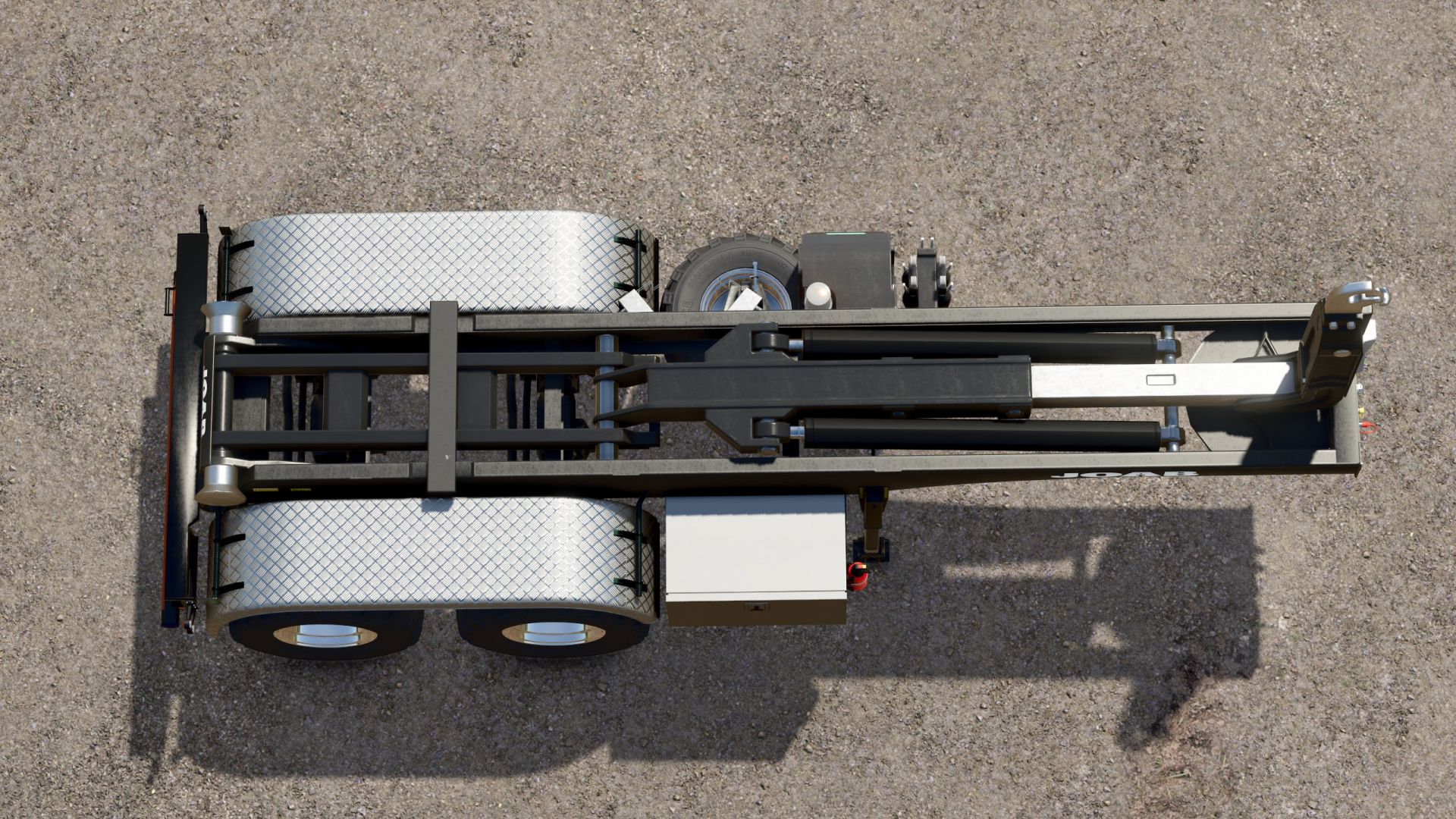
Hakenliftanhänger V1.0.0.1
Hakenliftanhänger V1.0.0.1 Hakenlift-Sattelanhänger Bevor ich meinen Scania vorstelle, präsentiere ich zunächst einen HKL-Anhänger. Da ich für Feldarbeiten gerne landwirtschaftliche Reifen verwende, diese aber nicht direkt auf den Scania montieren möchte, habe ich diesen Anhänger entwickelt. Es passt perfekt zum Mercedes Heizomat, da es speziell für diesen Zweck entwickelt wurde. Ich werde die ITRunner-Container verwenden, die es schon seit Jahren gibt. Mein Scania-Paket wird in den nächsten Tagen online verfügbar sein, nachdem ich es gründlich getestet habe. Dort finden Sie auch eine große Auswahl an Containern. Der Trailer bietet nur grundlegende Konfigurationsoptionen: Felgenfarbe und die Wahl zwischen Kunststoff- und Riffelblechkotflügeln. Ich denke, das ist ausreichend. V1.0.0.1 Ein Rollkollisionsfehler wurde behoben. Farbauswahl hinzugefügt Die Rollen bewegen sich nun beim Anheben des Containers – 100 % kompatibel mit den Containern des Scania Transportpakets Tags: Der TrailerDie RollenMercedes HeizomatScania Transportpakets
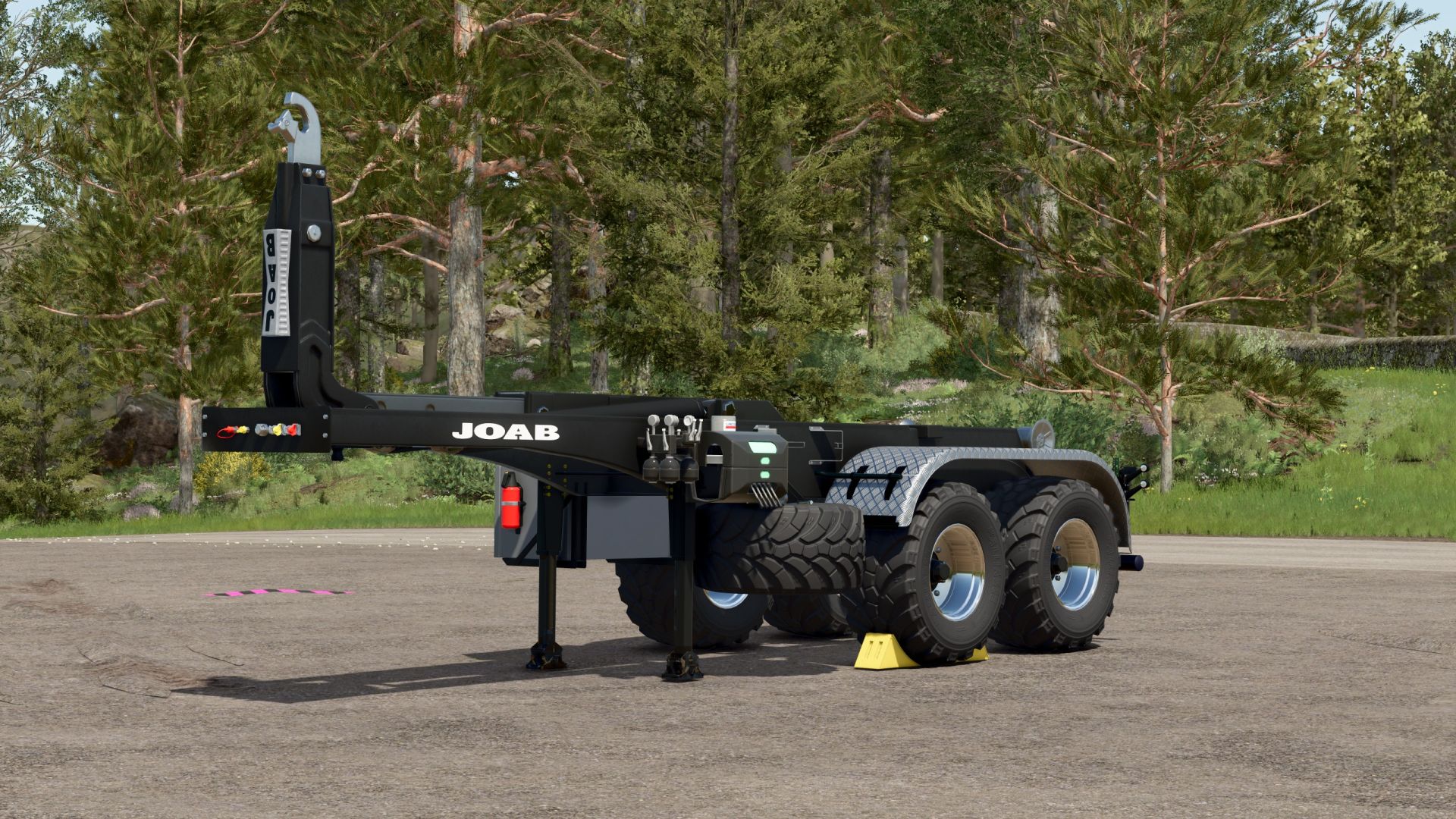
Hooklift trailer V1.0.0.1
Hooklift trailer V1.0.0.1 Hooklift semi-trailer Before I release my Scania, I’ll first present an HKL trailer. Since I like to use agricultural tires for fieldwork, but don’t want to fit agricultural tires to the Scania itself, I’ve created this trailer. It fits the Mercedes Heizomat perfectly, as it was specifically designed for that purpose. I’ll be using the ITRunner containers, which have been around for years. My Scania pack will be available online in the next few days after I’ve thoroughly tested it, and you’ll find a large collection of containers there as well. The trailer only offers basic configuration options: rim color and the choice between plastic and checker plate fenders. I think that’s sufficient. V1.0.0.1 Fixed a roll collision error Color choice added Rollers now move when the container is pulled up – 100% compatible with the containers from the Scania Transport Pack Author: Ap0lLo Report bugs in the comments and help modders improve this mod. Always check the comments, you can find a solution. DOWNLOAD MOD

Camera follows steering angle – head tracker replacement V1.0.0.7
This mod is essentially a “head tracker replacement.” It follows the vehicle’s steering angle in the interior view. Simply copy the mod into your mods folder and activate it in your save game! The mod offers the following features: Control of the viewing angle in the interior view based on the steering angle (similar to the previous VCA mod); “A quick look”: using key or joystick assignments to look up/down/left/right/backward (similar to the option in the previous VCA mod); Adjustment of the camera’s “seating position” up/down/left/right/forward/backward (similar to a head tracker, but the adjustment is made directly in the game). Settings can be adjusted in the menu: Camera guidance enable/disable: Camera guidance while stationary: enable/disable (specifies whether the steering angle is also taken into account when stationary) Rotation sensitivity: sets the sensitivity of how the script reacts to the steering angle Maximum rotation angle: determines how far the camera rotates in the corresponding direction Quick look – horizontal: determines how far the “quick look” allows the camera to rotate left/right Quick look – vertical: determines how far the “quick look” allows the camera to rotate up/down Quick look reset speed: determines how quickly the camera returns to the steering angle after the “quick look” Rotate view 180°: determines how quickly the camera rotates 180 degrees Steering dead zone: sets the “dead zone” until the camera reacts to the steering input Activate rear view in reverse: on/off –> determines whether the camera “looks behind” as soon as reverse gear is engaged. You can freely assign key bindings in the settings. I deliberately avoided using predefined ones to prevent conflicts with other active mods. The camera position itself can be adjusted as follows (I have predefined the key assignments here; they are set using the mouse wheel): Mouse wheel up/down: Camera position up/down; L-Shift + mouse wheel up/down: Camera position forward/backward; L-Ctrl + mouse wheel up/down: Camera position left/right This mod has been tested in single-player and multiplayer modes. To start download click the filename. To open archive files use one of these programs: WinRAR, 7-Zip, WinZip. Some mod archives may need to be extracted before the mods will work.

Agra GPS V1.1
AgraGPS expands Farming Simulator 2025 with an optional GPS screen and a user interface for managing courses. What does AgraGPS offer for pre-configured vehicles? -A full lane guidance screen that displays the lane guidance lines completely. -The area worked by the attached device is displayed and recorded, so that the area worked can still be seen even after saving or leaving the field when work is resumed. -Optional GPS terminal screen for the cabin. Multiple screens are possible and can be operated separately. – The display shows the worked area, field boundaries, and the steering assist lines. – Recording of the worked area. – Recording per field and work type, linked to the tractor and loadable for other tractors, also for AI helpers and players in multiplayer. – Terminal with overview map and extensive settings: Opens with “Alt left + G” (can be changed in the control menu) New: – GPS window added for vehicles without a screen or external view player. Adjustable like the screens via the GPS menu. Opens with “Alt left + H” (changeable in the control menu). – The GPS window can be docked left, right, top, or bottom and resized via the GPS menu. – GPS screen and window colors can be personalized via the GPS menu and are linked to the vehicle type. – Recording of worked areas revised. Shared recording only occurs if two tractors have the same recording loaded. – AI helper recording can now be enabled separately for each helper. – Automatic deletion after X days removed. – The screen can now be operated without text and LED strip attributes. To do this, set the attribute value “onlyMapLayer” to “true” in the XML file. Note on the recording process: – A field recording always starts, regardless of the task being performed in the field, even without active guidance. – When you start a task in the field, recording starts automatically and your vehicle is linked to the recording. – If an AI helper or other player wants to perform the same task in the field, they must load the existing recording. Both vehicles will then record the work in the recording. – If the AI helper or other player does not load the recording, a new recording will start, even if the task is the same. – After completing the field, the task should be completed (in the GPS menu). The task will then be saved and can be accessed later (to see if the entire area has been worked). – Once an area is completed, it can no longer be loaded, only viewed and deleted. – Incomplete areas can be loaded into a vehicle at any time. To start download click the filename. To open archive files use one of these programs: WinRAR, 7-Zip, WinZip. Some mod archives may need to be extracted before the mods will work.
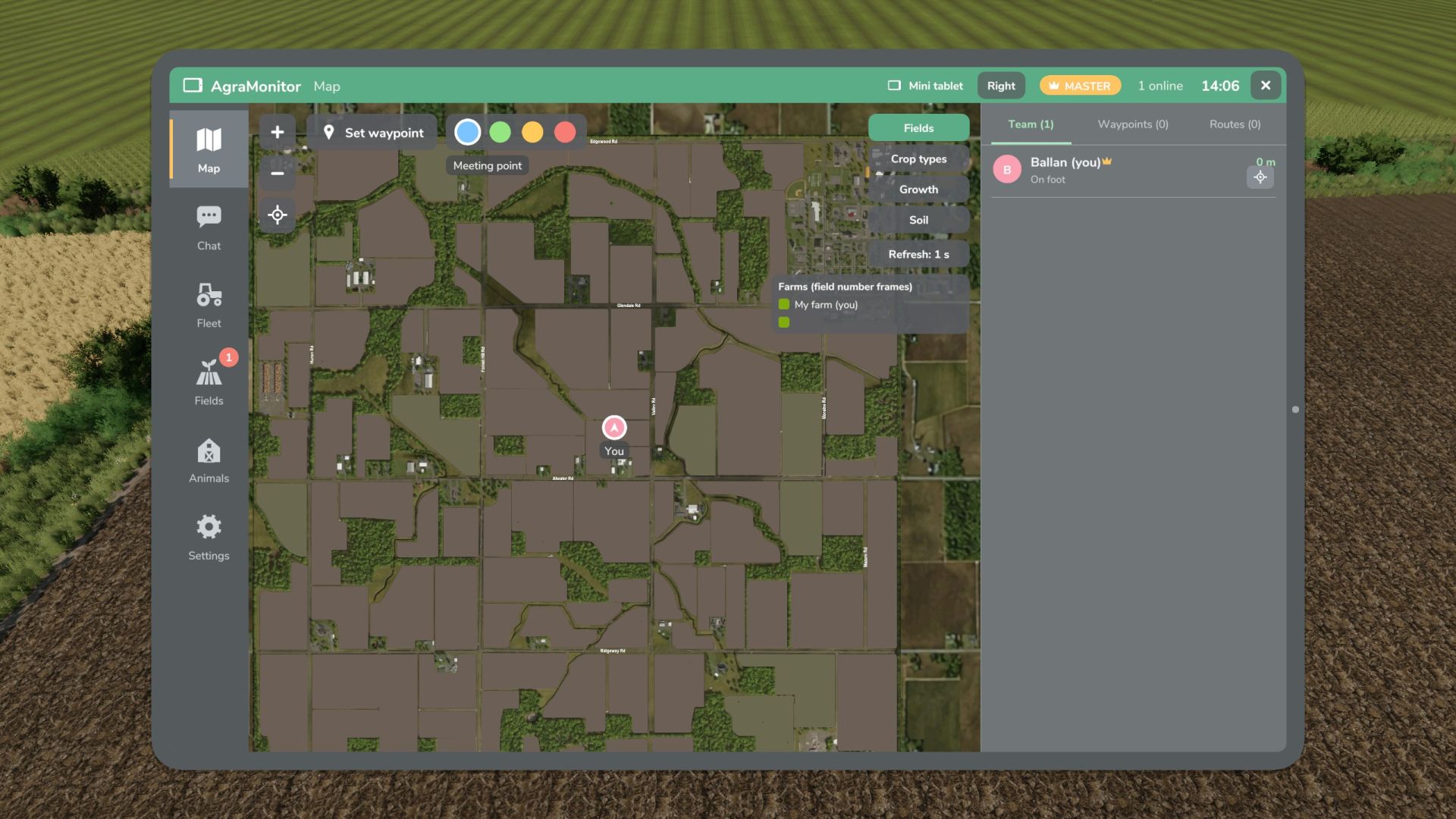
Agra Monitor V1.1
Agra Monitor V1.1 This mod allows you to manage various modules on your farm, such as animals, fields, AI helpers, multiplayer players, etc. An optional display can be installed in vehicles. Fleet tool for multiplayer and singleplayer games. Live map showing all players, AI helpers, vehicles, fuel levels, and brief information. Waypoints with navigation across the map’s roads (AutoDrive network or AI roads). Team chat and direct messages. Fleet overview, vehicle inventory with damage, operating hours, age, fuel level, etc. “Mini-tablet” function at the edge of the HUD. Field management: fields with crop, growth, and soil condition. Animals: stables with animals and their parameters. Notifications with adjustable thresholds. Notifications for AI helpers, animals, fields, and messages. Display for prepared vehicles with map, player/AI helper information, and brief messages. Tablet: Left Alt + A, Mini-tablet: Left Alt + S (changeable in the control menu) V1.1.0.0 New: Field view on the cockpit display Field view can be switched on and off in the field view section of the app Field view added to the app. The field view controls the map on the tablet, mini-tablet, and cockpit display. Changes: The control of the field view in the Map area has been removed. DEBUG: Feedback needed, as the field view on the cockpit display is still in testing! Please report: FPS drops, stuttering, or lag with the field view active on the cockpit display. Helpful: Compare field view ON/OFF and indicate what hardware you are using (CPU/GPU). Feedback is welcome via the comments, even if it is working well. The reason for this is that I am not entirely satisfied with the resolution, but my skills limit me from improving it. If it is satisfactory as is, I will leave it. If not, I need help from someone with shader experience. Author: Guner348, Guner348 Report bugs in the comments and help modders improve this mod. Always check the comments, you can find a solution. DOWNLOAD MOD
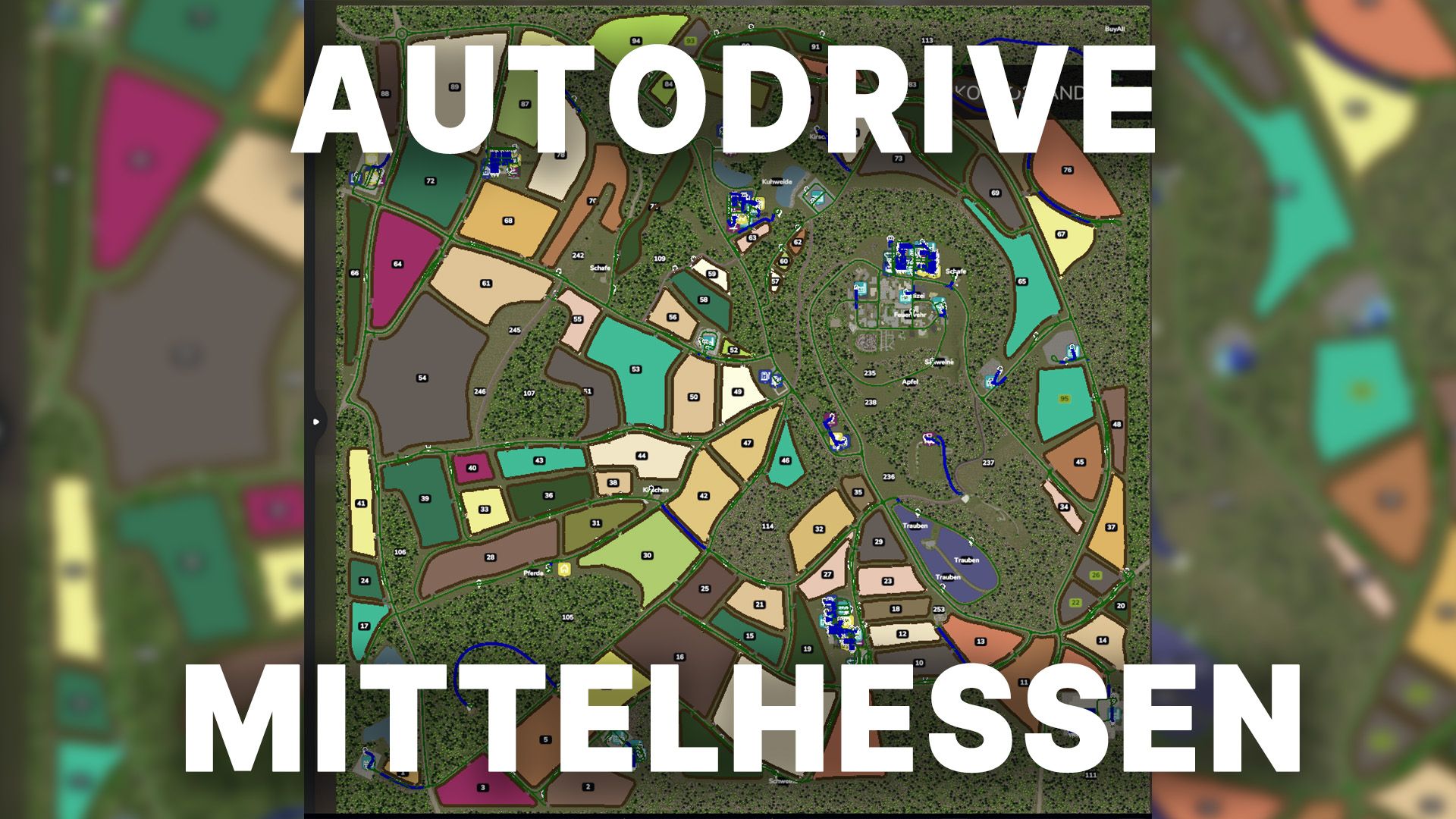
Autodrive Mittelhessen V1.0
Autodrive Mittelhessen V1.0 So finally they’re here: the AD courses for Mittelhessen These courses are best suited for medium-sized devices. Most of the network also works smoothly for larger devices; however, there’s absolutely no guarantee that you’ll be able to access every section, as there are a few bottlenecks. The following was recorded: All main roads and secondary roads All productions All sales and shopping outlets All fields including catch lines All animal pastures Explanation of symbols: Anl. = Delivery / unloading Ent. = Removal / Loading of pallets PXX (Tractor) = Very short parking space for a maximum of one tractor PXX (Short) = Short parking space, maximum one small trailer or attachment for the tractor PXX (drive-through hall) = designed for long vehicles and with gates at both the front and rear PXX (workshop) = Parking space that can be used normally but also contains a workshop trigger. Farm XXX (BL) = Bunker silo left BR is the same only for the right bunker Courtyard XXX (P) = Parking spaces of the respective courtyard Farm XXX (K) = Compost silo of the farm Required mods: Mittelhessen Autodrive Author: Benderspielt Report bugs in the comments and help modders improve this mod. Always check the comments, you can find a solution. DOWNLOAD MOD
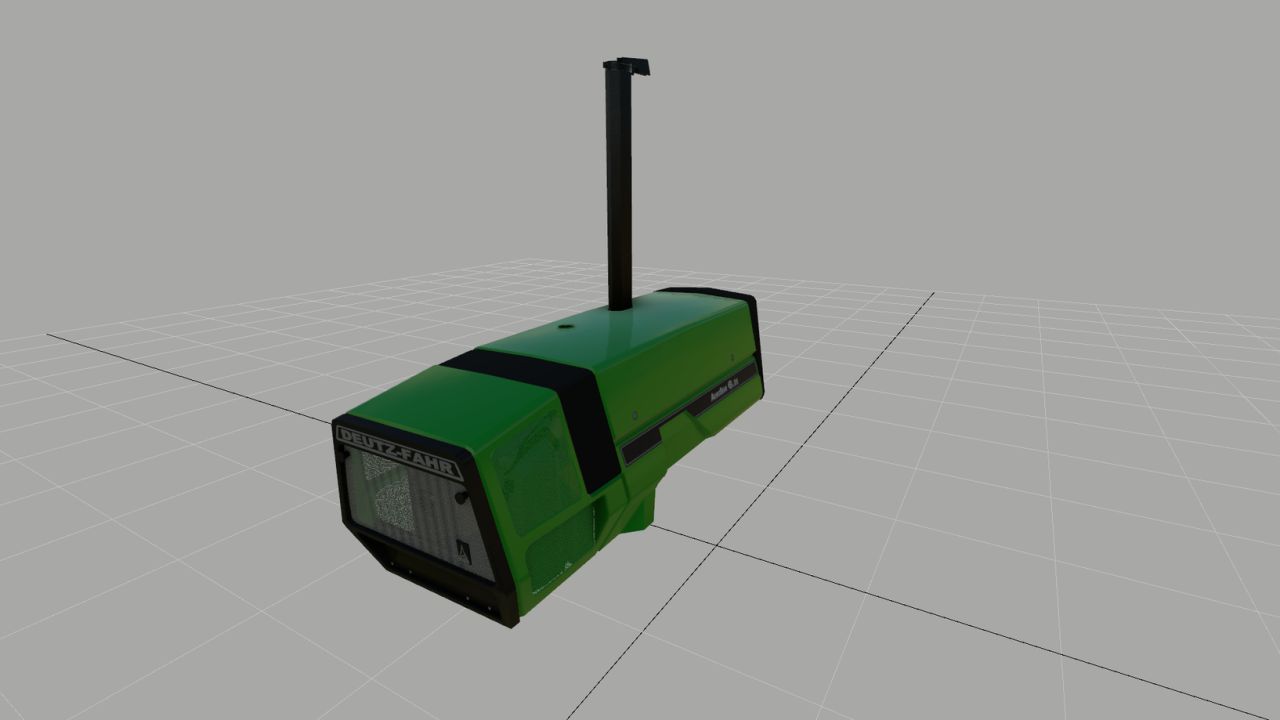
Deutz 681 Hood (Prefab) FS25
Here I've created a Deutz hood that visually meets my expectations, and perhaps one or two of you will like it. And he can use it for his own 681 model. Basically, everything is on par with FS25; however, no raindrops form on the hood. I know how to fix this, but I can't find a UV toolkit to move the UVs in Blender. If anyone can help me with that, I would be very grateful. Otherwise, have fun with the hood, and I hope you can visually enhance your model with it.
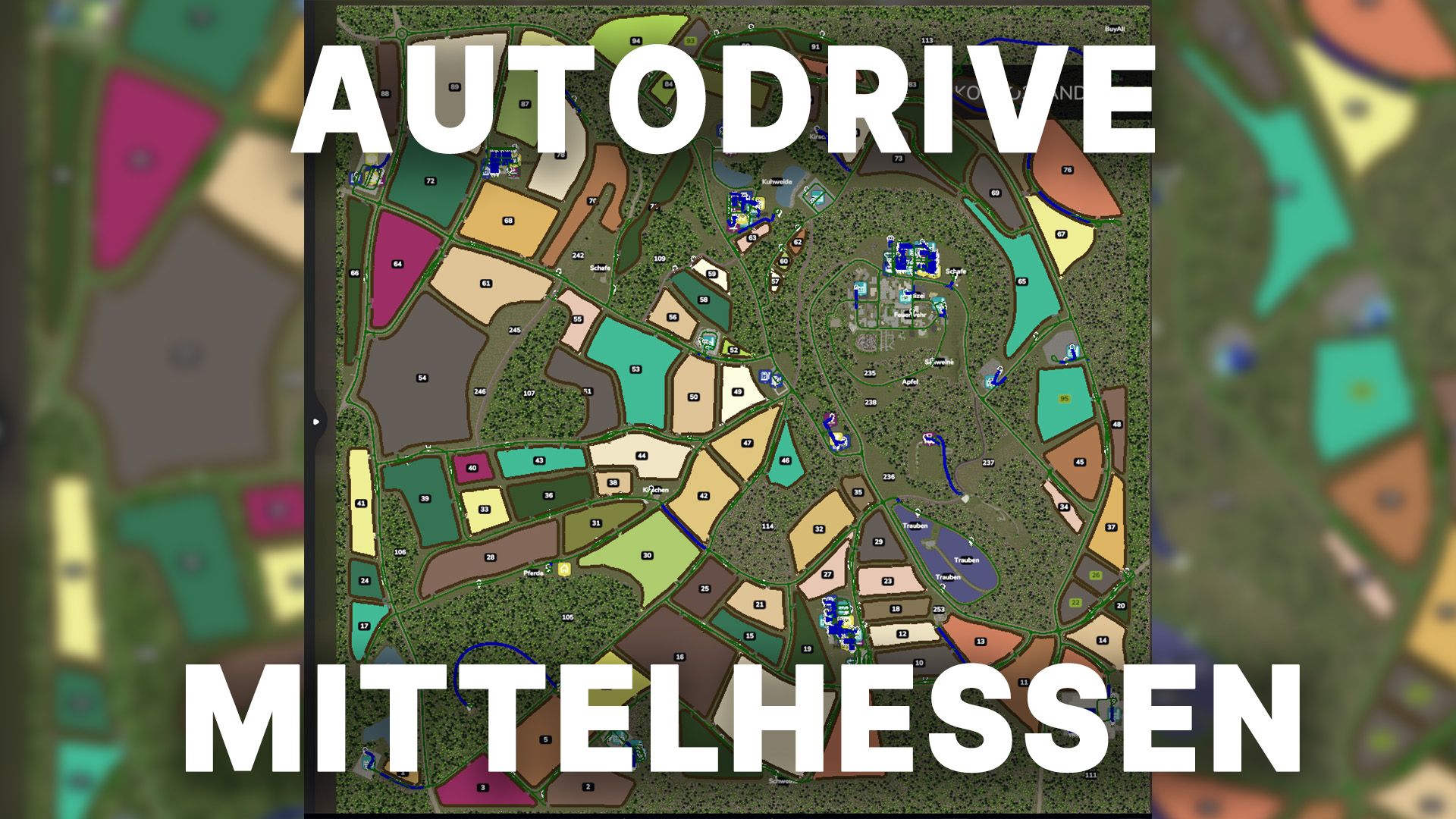
Autodrive Mittelhessen FS25
So finally they're here: the AD courses for Mittelhessen These courses are best suited for medium-sized devices. Most of the network also works smoothly for larger devices; however, there's absolutely no guarantee that you'll be able to access every section, as there are a few bottlenecks. The following was recorded: All main roads and secondary roads All productions All sales and shopping outlets All fields including catch lines All animal pastures Explanation of symbols: Anl. = Delivery / unloading Ent. = Removal / Loading of pallets PXX (Tractor) = Very short parking space for a maximum of one tractor PXX (Short) = Short parking space, maximum one small trailer or attachment for the tractor PXX (drive-through hall) = designed for long vehicles and with gates at both the front and rear PXX (workshop) = Parking space that can be used normally but also contains a workshop trigger. Farm XXX (BL) = Bunker silo left BR is the same only for the right bunker Courtyard XXX (P) = Parking spaces of the respective courtyard Farm XXX (K) = Compost silo of the farm
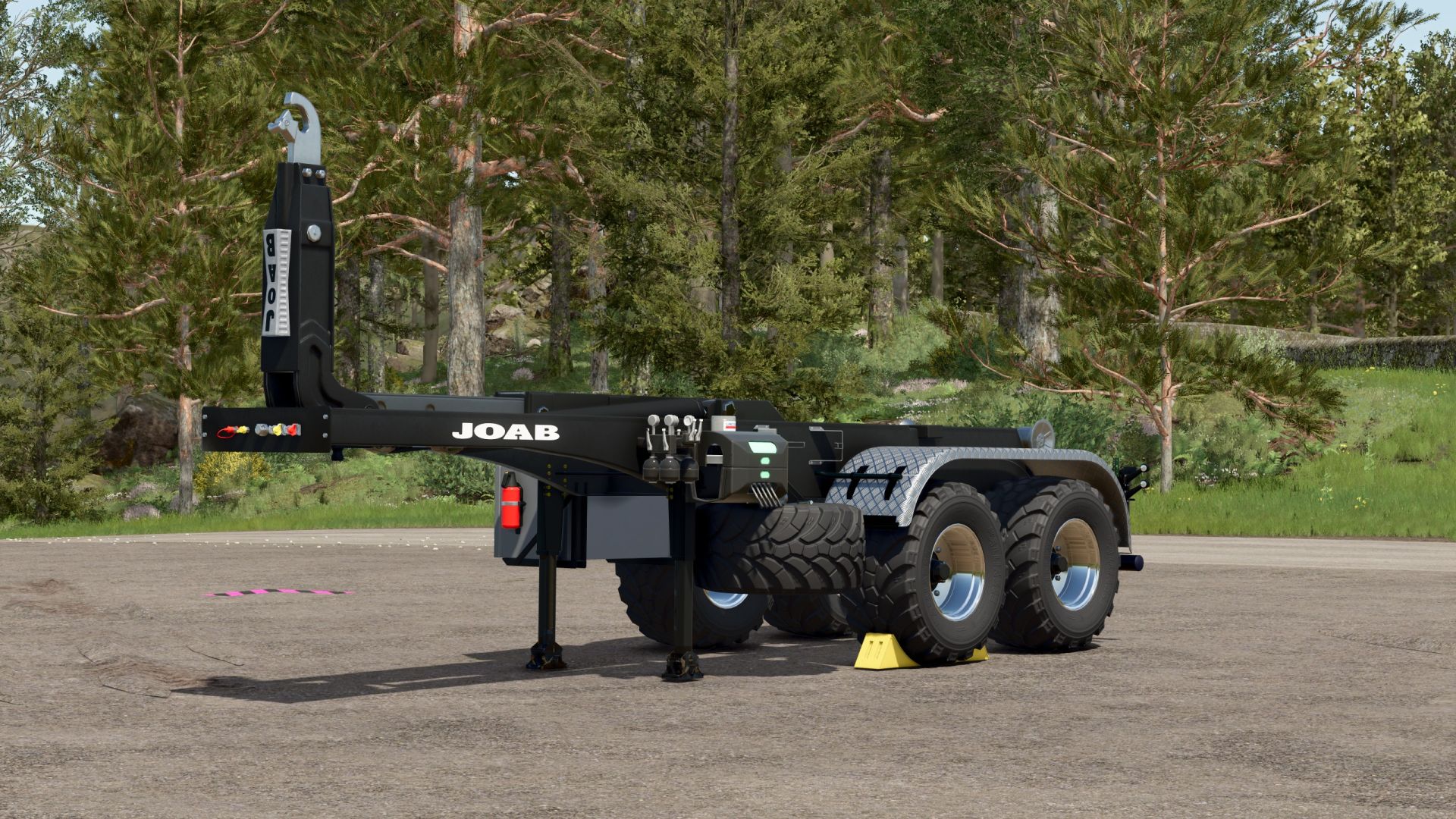
Hooklift trailer FS25
Hooklift semi-trailer Before I release my Scania, I'll first present an HKL trailer. Since I like to use agricultural tires for fieldwork, but don't want to fit agricultural tires to the Scania itself, I've created this trailer. It fits the Mercedes Heizomat perfectly, as it was specifically designed for that purpose. I'll be using the ITRunner containers, which have been around for years. My Scania pack will be available online in the next few days after I've thoroughly tested it, and you'll find a large collection of containers there as well. The trailer only offers basic configuration options: rim color and the choice between plastic and checker plate fenders. I think that's sufficient. =) Fixed a roll collision error Color choice added Rollers now move when the container is pulled up - 100% compatible with the containers from the Scania Transport Pack
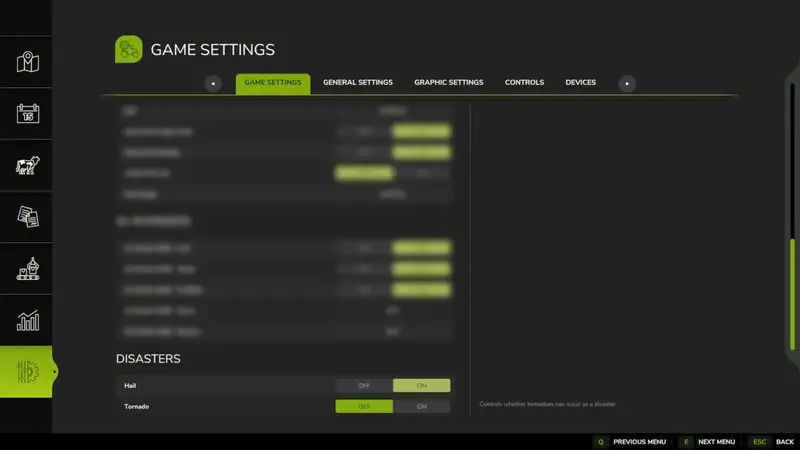
Katastrophensteuerung
Erweitert die Optionen umseparate Ein-/Aus-Schalter für Hagel und Wirbelstürme. So können einzelne Katastrophen unabhängig voneinander aktiviert oder deaktiviert werden, anstatt sie nur über die globale Option „An / Nur visuell / Aus“ zu steuern. Erweitert die Optionen umseparate Ein-/Aus-Schalter für Hagel und Wirbelstürme. So können einzelne Katastrophen unabhängig voneinander aktiviert oder deaktiviert werden, anstatt sie nur über die globale Option „An / Nur visuell / Aus“ zu steuern.
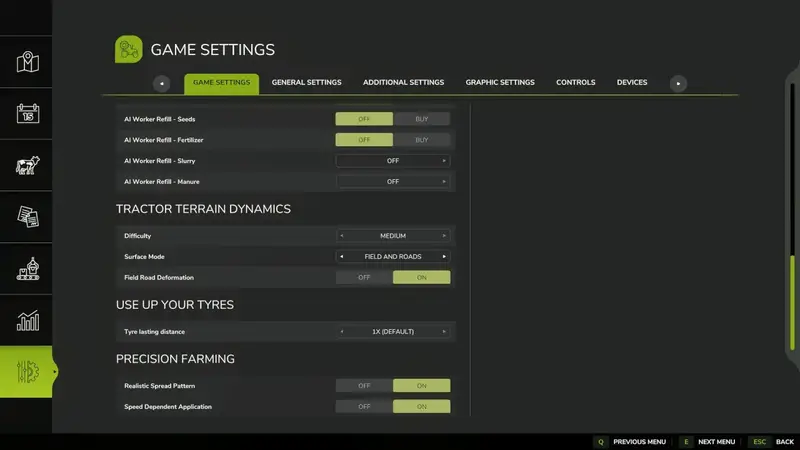
TTD – Traktor-Geländephysik
TTD – Tractor Terrain Dynamics erweitert die Physik von Fahrzeugen und Anbaugeräten um eine detaillierte Simulation von Boden, Wetter und Reifen. Die Standardeinstellungen funktionieren automatisch, sodass keine aufwendige Konfiguration erforderlich ist.Der Boden ist ein zentraler Faktor: Regen erhöht die Feuchtigkeit, weiche oder nasse Flächen reduzieren die Bodenhaftung, und gepflügte oder bearbeitete Böden erhöhen den Widerstand. Asphalt und Beton bieten dagegen nahezu uneingeschränkte Traktion.17 Boden- und Oberflächentypen mit unterschiedlicher Haftung, Feuchtigkeit und FahrwiderstandRealistischer Schlupf und Radeinsinken abhängig von Bodenart, Belastung, Geschwindigkeit und ReifenUnterschiedliche Reifen und Laufwerke – schmale Reifen rutschen leichter, während Breitreifen, Zwillingsreifen und Raupenlaufwerke mehr Grip bietenRealistischer Antrieb mit Gängen, die unter Last gehalten werden, sowie realistischer Differenzial- und HydraulikberechnungWiderstand von Anhängern und Anbaugeräten wird direkt auf den Traktor übertragenKI-Fahrzeuge reagieren ebenfalls auf Untergrund, Wetter und BodenverformungHUD-Anzeige für Bodenfeuchtigkeit, Haftung, Widerstand, Schlupf und RadeinsinkenDie Modi Feld, Feld + Straßen und Nur Straßen ermöglichen verschiedene physikalische Schwerpunkte. Bei aktivierter Bodenverformung hinterlassen Räder Spuren und verändern natürliche Oberflächen. Beschädigte Flächen können mit den spielinternen Terraforming-Werkzeugen manuell repariert werden.Kompatibilität: UseYourTyres wird optional unterstützt, damit Reifenverschleiß die Bodenhaftung beeinflusst. Auch More Realistic kann parallel genutzt werden. Wird bereits eine andere Bodenphysik-Mod verwendet, sollte TTD auf „Nur Straßen“ gestellt werden, um Konflikte auf Feldern zu vermeiden.Multiplayer: Die Physikdaten werden zwischen Host und Clients synchronisiert. Die Unterstützung für dedizierte Server ist in dieser Beta enthalten.Diese Beta-Version lädt zum Testen auf verschiedenen Oberflächen und bei trockenen sowie nassen Bedingungen ein. Feedback zu Haftung, Schlupf, Performance und Kompatibilität hilft bei der Weiterentwicklung. TTD – Tractor Terrain Dynamics erweitert die Physik von Fahrzeugen und Anbaugeräten um eine detaillierte Simulation von Boden, Wetter und Reifen. Die Standardeinstellungen funktionieren automatisch, sodass keine aufwendige Konfiguration erforderlich ist. Der Boden ist ein zentraler Faktor: Regen erhöht die Feuchtigkeit, weiche oder nasse Flächen reduzieren die Bodenhaftung, und gepflügte oder bearbeitete Böden erhöhen den Widerstand. Asphalt und Beton bieten dagegen nahezu uneingeschränkte Traktion. Die Modi Feld, Feld + Straßen und Nur Straßen ermöglichen verschiedene physikalische Schwerpunkte. Bei aktivierter Bodenverformung hinterlassen Räder Spuren und verändern natürliche Oberflächen. Beschädigte Flächen können mit den spielinternen Terraforming-Werkzeugen manuell repariert werden. Kompatibilität: UseYourTyres wird optional unterstützt, damit Reifenverschleiß die Bodenhaftung beeinflusst. Auch More Realistic kann parallel genutzt werden. Wird bereits eine andere Bodenphysik-Mod verwendet, sollte TTD auf „Nur Straßen“ gestellt werden, um Konflikte auf Feldern zu vermeiden. Multiplayer: Die Physikdaten werden zwischen Host und Clients synchronisiert. Die Unterstützung für dedizierte Server ist in dieser Beta enthalten. Diese Beta-Version lädt zum Testen auf verschiedenen Oberflächen und bei trockenen sowie nassen Bedingungen ein. Feedback zu Haftung, Schlupf, Performance und Kompatibilität hilft bei der Weiterentwicklung.
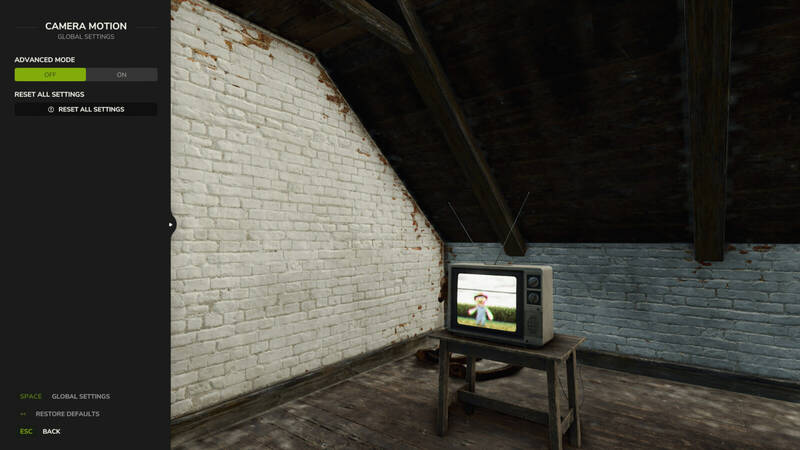
Kamerabewegung – Flüssige Kameraeffekte
Diese Erweiterung sorgt für natürlichere Kameraeffekte und verbessert das Verhalten der Spieler- und Fahrzeugkamera. Die Kamera reagiert weich auf Beschleunigung, Bremsen, Kurvenfahrten und unebenes Gelände.Vier Profile für Fahrzeug- und Spielerkameras in der ersten und dritten PersonStärke der Bewegung mit einem Regler einstellen oder einzelne Effekte im fortgeschrittenen Modus fein abstimmenNatürliche Kopfbewegungen in der Kabine sowie seitliches Neigen in der ersten Person aktivierenKameraversätze für jedes Fahrzeug individuell konfigurierenEinstellungen werden automatisch gespeichertSteuerung:F9 öffnet die EinstellungenDie erste seitliche Maustaste (Mouse 4) drücken oder gedrückt halten, um sich je nach Einstellung seitlich zu neigenAndere Mods, die die Spieler- oder Fahrzeugkamera verändern, können die Kameraeffekte beeinträchtigen. Diese Erweiterung sorgt für natürlichere Kameraeffekte und verbessert das Verhalten der Spieler- und Fahrzeugkamera. Die Kamera reagiert weich auf Beschleunigung, Bremsen, Kurvenfahrten und unebenes Gelände. Andere Mods, die die Spieler- oder Fahrzeugkamera verändern, können die Kameraeffekte beeinträchtigen.
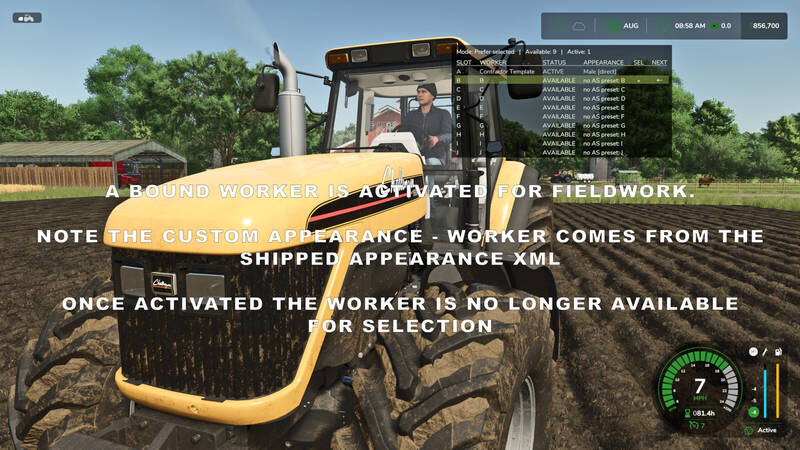
Helferprofile
Helferprofile erweitert den Standard-Helferpool auf 20 dauerhafte KI-Helferplätze (A–T). Eine übersichtliche Statusanzeige und das zweitabige Menü Helper Management erleichtern die Verwaltung des Farmteams.Helferverwaltung: Wähle pro Spielstand verfügbare Helfer aus und schalte einzelne Helfer im Team ein oder aus. Deaktivierte Helfer können nicht ausgewählt oder neu eingestellt werden. Aktive Helfer bleiben geschützt, und mindestens ein Helfer muss im Team verfügbar bleiben.Flexible Auswahl: Wechsle per Tastenkürzel zwischen verfügbaren Helfern. Der Modus Selected bevorzugt den ausgewählten Helfer, während First Free den ersten verfügbaren Helfer in der Teamreihenfolge einstellt.Übersicht: Eine konfigurierbare Overlay-Tabelle zeigt den ausgewählten Helfer, den nächsten erwarteten Helfer sowie den Status aller Helfer. Position, Größe, Erscheinungsbild und die Seitenansicht der Anzeige lassen sich anpassen.Erweiterungen: Mit AvatarSwitcher können gespeicherte Erscheinungsprofile einzelnen Helfern zugeordnet werden. HelperPayroll ergänzt Rollen- und Lohninformationen in der Anzeige. Beide Zusatzmods sind optional.Standardsteuerung: ; wechselt den Helfer, Shift + ; den Einstellungsmodus, Strg rechts + ; öffnet die Helferverwaltung und Alt rechts + ; blendet die Overlay-Anzeige ein oder aus. Alle Tastenbelegungen können geändert werden.Nur für das Einzelspieler-Spiel. Nicht mit Hired Helper Tool oder anderen Hilfer-Erweiterungen mit konkurrierender Helferverwaltung kompatibel. Bei Konflikten deaktiviert sich Helper Profiles für die aktuelle Sitzung. Helferprofile erweitert den Standard-Helferpool auf 20 dauerhafte KI-Helferplätze (A–T). Eine übersichtliche Statusanzeige und das zweitabige Menü Helper Management erleichtern die Verwaltung des Farmteams. Nur für das Einzelspieler-Spiel. Nicht mit Hired Helper Tool oder anderen Hilfer-Erweiterungen mit konkurrierender Helferverwaltung kompatibel. Bei Konflikten deaktiviert sich Helper Profiles für die aktuelle Sitzung.
Individuelle Unwettersteuerung
Fügt neue Einstellungen hinzu, mit denen Hagel und Tornados unabhängig voneinander aktiviert oder deaktiviert werden können. Damit müssen Unwetter nicht mehr gemeinsam über die globale Option des Spiels gesteuert werden.So lässt sich festlegen, welche Unwetter in deinem Spiel auftreten sollen. Fügt neue Einstellungen hinzu, mit denen Hagel und Tornados unabhängig voneinander aktiviert oder deaktiviert werden können. Damit müssen Unwetter nicht mehr gemeinsam über die globale Option des Spiels gesteuert werden. So lässt sich festlegen, welche Unwetter in deinem Spiel auftreten sollen.
- 15 per page
- 30 per page
- 45 per page
- 60 per page
-
See more per page
Bigger pages, fewer clicks - and no ads anywhere.
Go Pro