Farming Simulator 25 mods
77,695 results- 15 per page
- 30 per page
- 45 per page
- 60 per page
-
See more per page
Bigger pages, fewer clicks - and no ads anywhere.
Go Pro
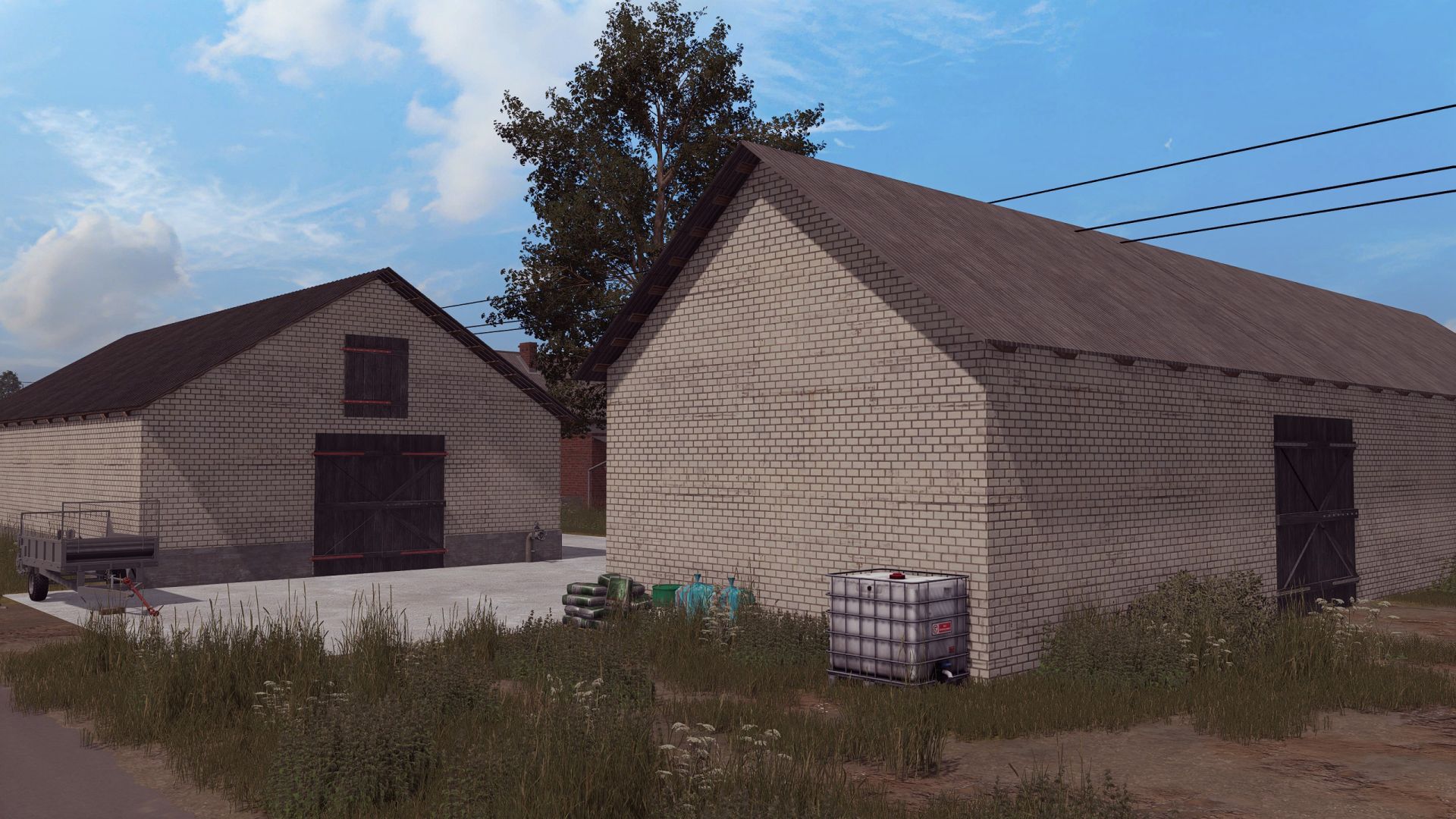
Polish Farm Buildings with Cow Shed FS25
Cow barn -price 50000 -dailyUpkeep 100 Buildings -price 150000 -dailyUpkeep 100 Converted from FS 19 added missing building collision
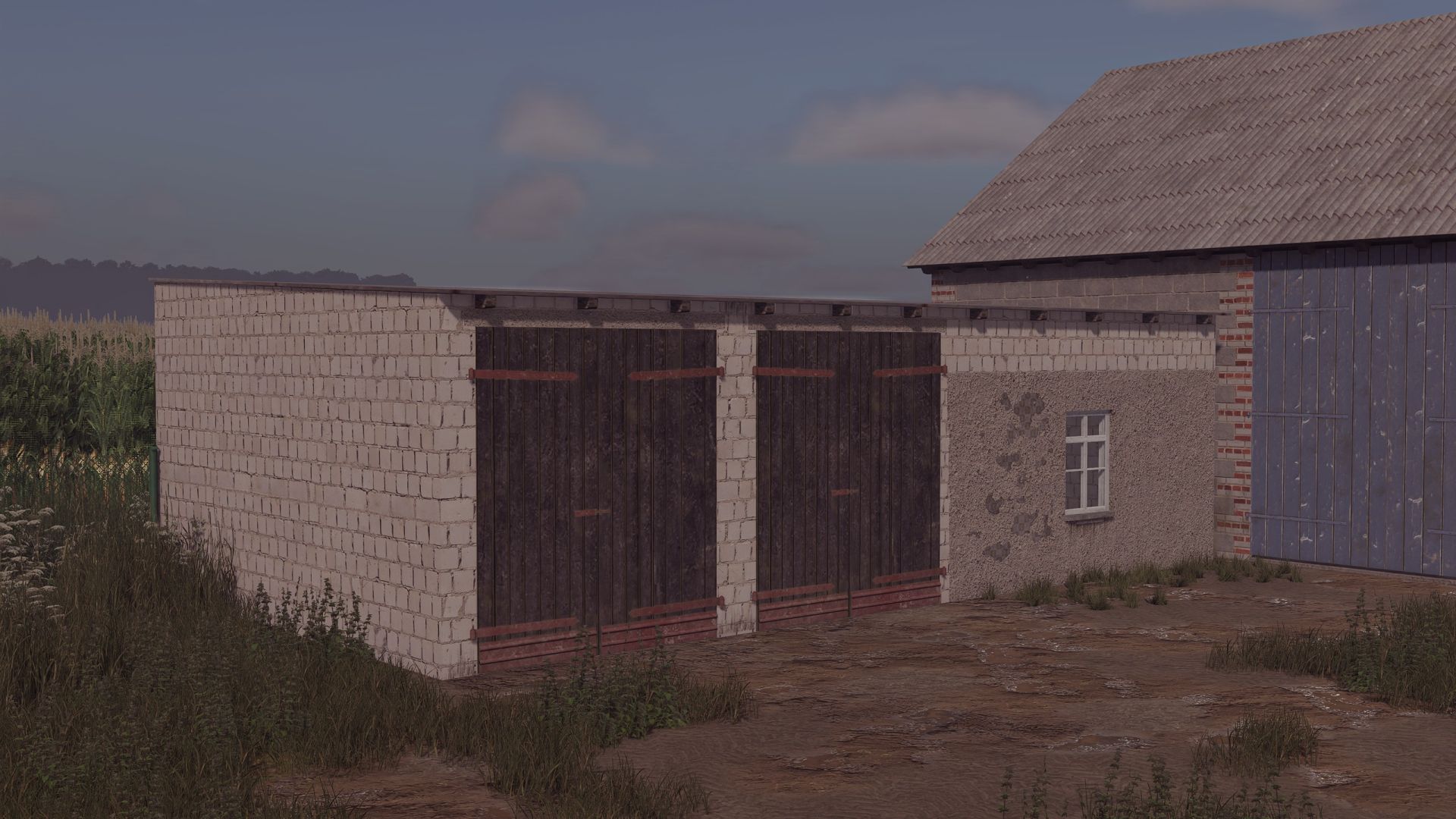
Old Bobcok Garage FS25
Old garage, for agricultural machinery. Price: 20 000$ Daily cost: 10$ converted from FS22 fixed a collision issue
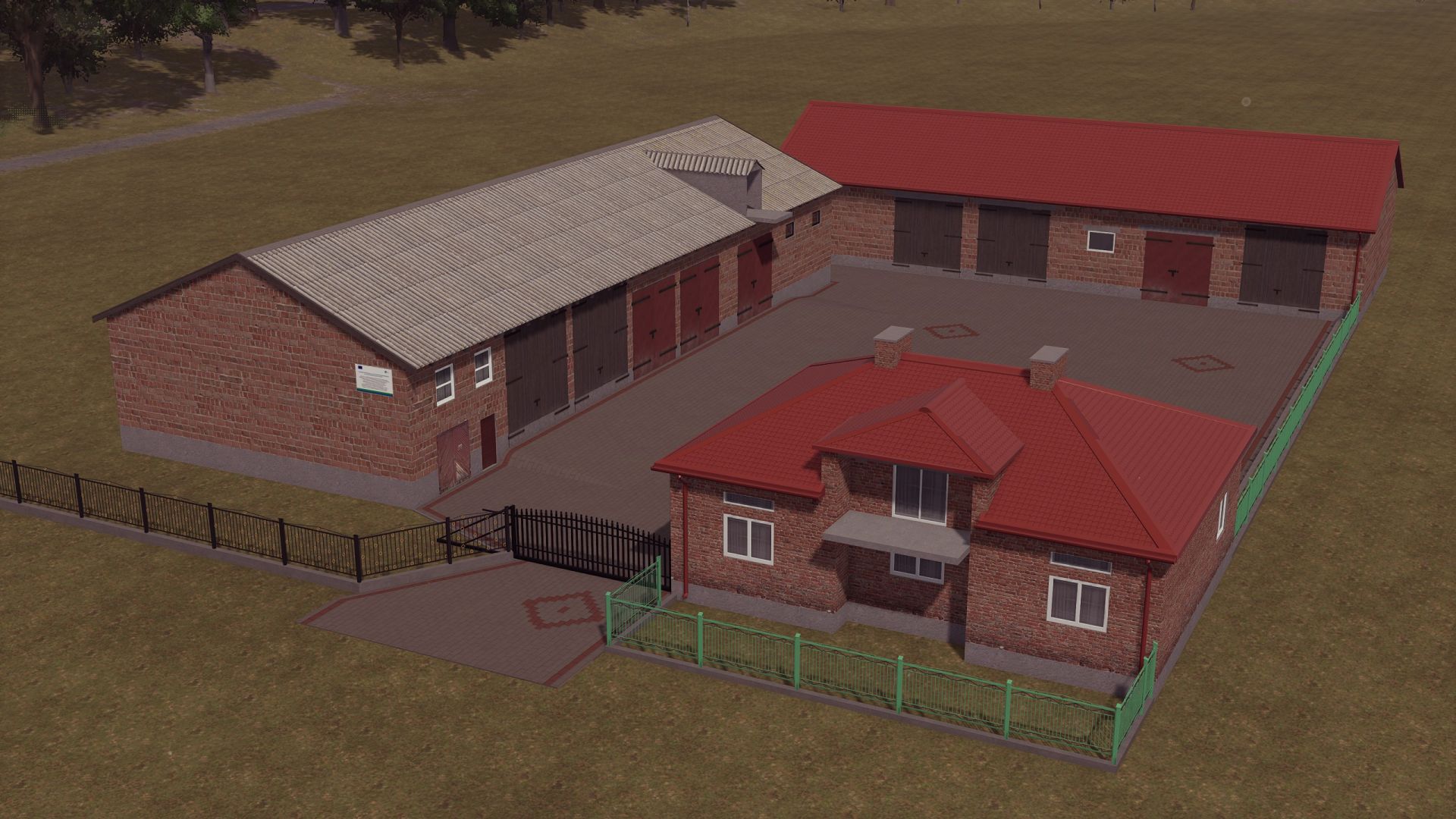
Building with a House FS25
Building (this is a conversion from FS19) Building - Price: €100,000 - Daily cost: €20 fixed an issue with collisions and textures
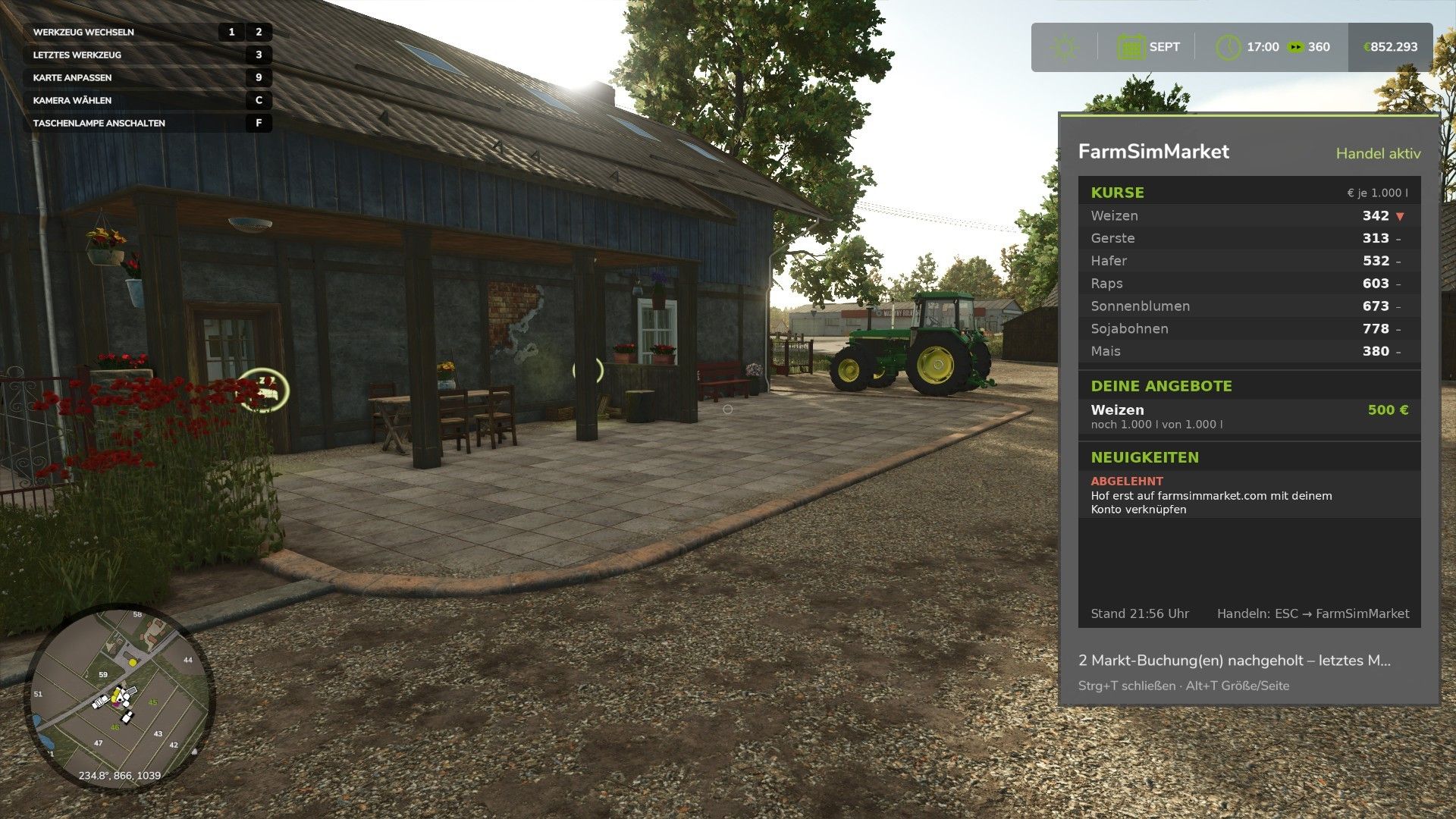
FarmSimMarket – Player Market & Rankings FS25
OPEN BETA – Trade with real players instead of only with the game! FarmSimMarket connects your farm with farmsimmarket.com – a marketplace for all LS25 players. WHAT THE MOD CAN DO - Player marketplace: Sell or buy crops, milk, pallets, bales and vehicles from other players – directly in the game (ESC → FarmSimMarket) or on the website. - Market tablet (Ctrl+T): Prices, your offers and news at the edge of the screen while you keep playing – even in a vehicle. - No extra building required: Purchased goods go into your existing silos and storage facilities, or appear as pallets/bales at the shop’s drop-off area. - Leaderboards & farm profile: Compare your farm with other players. - Contract marketplace: Post or accept contract work – with field access permissions on shared servers. - Multiplayer & dedicated servers, rented servers (G-Portal, Nitrado …) via the server bridge. HOW TO GET STARTED 1. Do not unpack the ZIP; place it in the Mods folder and activate it in your savegame. 2. Create an account at farmsimmarket.com and enter the code from the game. 3. To trade, start the small FarmSimMarket helper (farmsimmarket.com/download, Windows, no installation required). ⚠️ OPEN BETA – PLEASE READ FarmSimMarket is still at a very early stage. Most things work, but there may still be occasional errors or something may not work from time to time. Make a backup of your savegame before your first trade. What does not work yet or has barely been tested: - PC (Windows) only – no consoles; the helper only runs on Windows. - Trading only works with the helper or server bridge (without one, the goods remain where they are; nothing is lost). - Multiplayer and the contract marketplace’s field access permissions have barely been tested. - Rented servers via the server bridge are still being tested. - Prices move very little at first – they are generated by player trading. - Website currently available only in German. Found a bug? Please report it on Discord in #fehler-melden with a short description and the log.txt (Documents\My Games\FarmingSimulator2025): https://discord.gg/6squZxh88M Website & helper: https://farmsimmarket.com/download New in 0.33: - New DLC “Beans & Alpacas”: 28 new goods on the market (bananas, coffee cherries, coffee, banana and alpaca products, pigments, resin, paint buckets, iron and copper ore, fungicide), alpacas at the animal market - Quarry rocks and natural wall stones from “Highlands Fishing” - Delivery storage as a selection list in the ESC menu, filter for suitable storage facilities, permanently exclude storage facilities from the market - Delivery storage now detects all storage facilities (including shares of map silos, bulk storage halls and mod storage) - Offers expire after 7 days (reminder one day beforehand, extend them on farmsimmarket.com) - App 0.4.0: Private chat with other players Version 0.32 – major update (mod + website) NEW - Delivery storage can be selected: In the ESC menu, you decide which silo, shed, stable or production facility purchased goods go to first – sales will also be made from there first - Sugar beet pulp can now be traded on the market - Cooperative contracts: A cooperative delivers or purchases as a whole – its members share the quantity, and the farm that delivers gets paid CHANGED - In-game money is unrestricted: No balance is checked anymore, money mods are allowed, and money no longer counts towards any leaderboard or achievement - In return, the daily limit decreases the more money you have (highest balance of the last 30 days), and for each commodity you can buy no more than a quarter of the available supply within 24 hours – so nobody can buy the market empty - Registration is now only possible with the linking code from the game Simply replace the old ZIP in the Mods folder. All information: farmsimmarket.com 0.31.1.0 – New: Pallets and bales in a single-object storage facility (bale and pallet storage) are now counted – you can see them on farmsimmarket.com under Storage. They can be listed after being taken out of storage. New in 0.31: Diesel and liquid lime can now be traded on the exchange – liquid lime requires the “Liquid Lime” mod. Are you missing a product on the exchange? Write it in the “Produkt-Wünsche” channel on our Discord. Fixed in 0.29: - A loan taken out is no longer counted as “Other Income” and no longer triggers a money suspicion - English: Buttons, tabs and headings in the ESC menu sometimes remained in German - Contract work and vehicle sales: Combinations (e.g. Premos with Bale Shredder) could never be picked up — attached equipment is now automatically detached Version 0.28 – New: Stock exchange menu styled like the game's price page (Market & Trade, My Offers, All Offers tabs; list of goods with stock levels and a scrollbar, with the exchange price, Sell option and the cheapest offers to buy for each good). Welcome window on first launch (link farm, money rules, Discord). In-game update notice when a new version of the mod or helper is available. Fixed: Game time on the website now updates live and applies to each farm in multiplayer. All details: farmsimmarket.com/download.php Version 0.27 – New: fully in English when the game is not running in German · Bunker silo as a delivery destination (chaff/silage directly into the selected bunker silo, including multi-compartment bunker silos from DLCs) · Wood from the “Holzlager Silo” mod can be traded · Prize money from events · In-game stock market with mouse-wheel scrolling, commodity icons and bunker silo overview · Bales and pallets directly into your own object storage. Fixed: Goods in silo extensions (e.g. barley) are recognized · Goods now only go into storage facilities that accept them · German/English mixed together · Incorrect money suspicion after sales. Changed: Goods are no longer placed at the shop – purchases are only possible if they fit into your own storage facility.
Farm radios & Proxy chat FS25
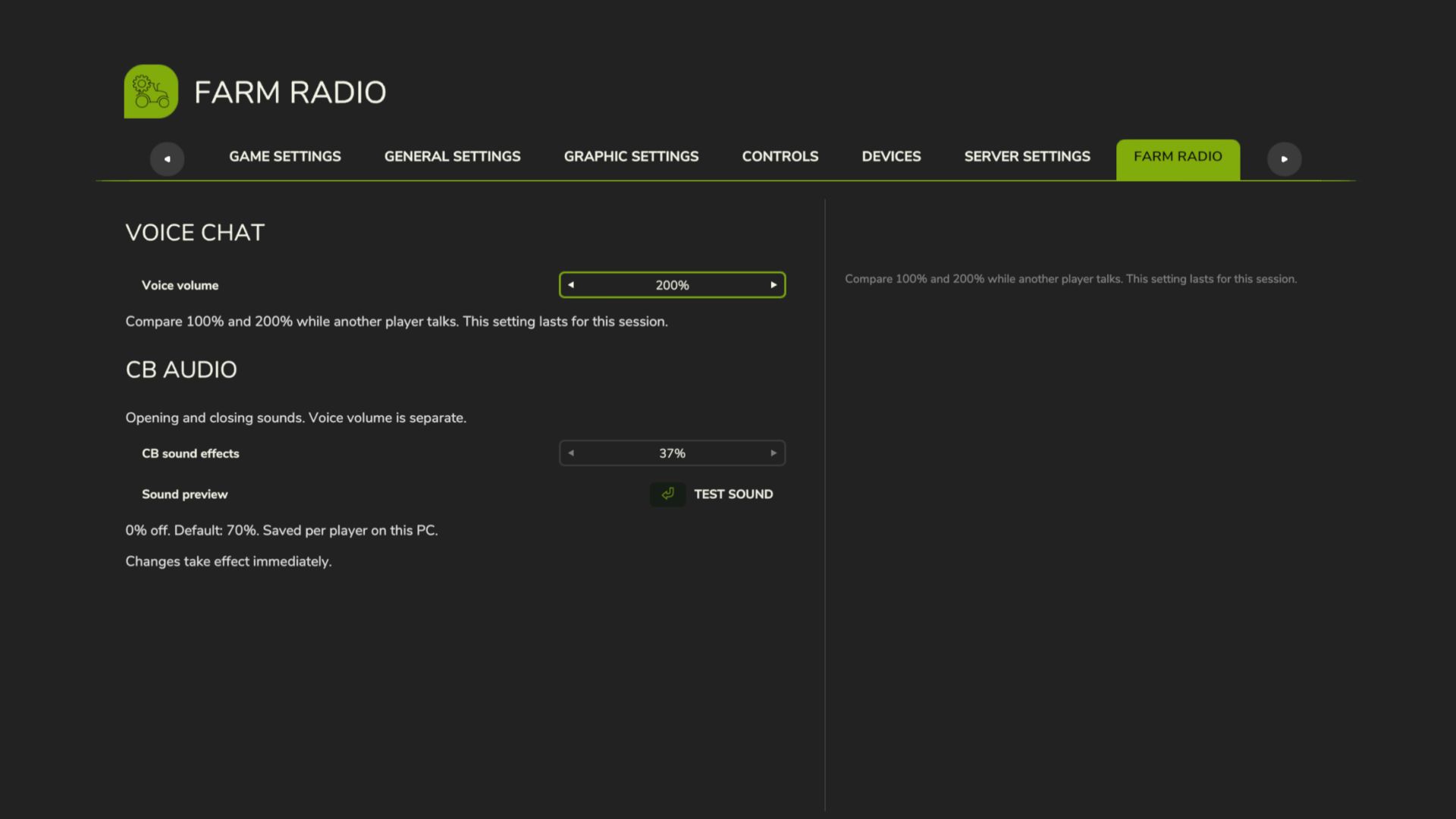
Farm Radio for Farming Simulator 25 Keep your crew connected with farm-based radio communication and proximity voice for Farming Simulator 25 multiplayer. Coordinate with your own farm across the map, contact neighboring farms through the Repeater channel, or speak with players nearby. A compact radio display shows transmission activity, while character animations bring the handheld radio into the game. Getting Started - Install and enable the same mod version on the multiplayer host/server and all participating players. - Enable in-game voice chat and check your microphone settings. - Join a farm to access the Local and Repeater radio channels. Radio Controls - Local — hold Comma (,): Speak to members of your own farm, regardless of distance. - Repeater — hold Forward Slash (/): Speak to players across all farms, including your own. - Proximity voice: Speak with nearby players using the game’s voice activation or normal push-to-talk setting. Radio channels are available only to players assigned to a farm. Players without a farm cannot transmit or receive radio calls. Changing Key Bindings Open Settings → Controls and look under Player for: - Farm Radio (hold) - Repeater Radio (hold) Both controls can be reassigned independently of the game’s normal voice-chat control. Reading the Radio Display - Local highlights in your farm color while you transmit on the Local channel. - Repeater highlights red while you transmit on the Repeater channel. - Your own name and speaker icon match your outgoing channel color. - Incoming calls from your farm highlight the speaking member. - Incoming Repeater calls from another farm display that farm’s name and color. Existing voice mute and block settings remain respected. Test Release Feedback Please report audio issues, vehicle key-binding problems, animation glitches, or incorrect display indicators. Include a short description, your game log, and a screenshot or recording where possible. This build includes an experimental voice-volume increase. The audible result may vary and remains under testing. Boosted volumes, added a menu to adjust volumes in settings.
CCM Bunker Tools V1.0.0.0
CCM Bunker Tools V1.0.0.0 Standardmäßige Bunkersilos erkennen Silage oder CCM automatisch. Wenn nur noch maximal 10 % des Inhalts vorhanden sind, kann der Rest manuell aus dem geöffneten Silo mit *Strg + Entf* endgültig entfernt werden. Erforderlich: CCM Production Pack oder eine Karte mit geeigneten CCM-Fülltypen. Erweitert Standard-Bunkersilos um eine automatische CCM-Erkennung. Die erste gekippte Ladung bestimmt, ob normale Silage oder CCM produziert wird. Nachdem das Silo vollständig geleert wurde, steht die Auswahl wieder zur Verfügung. Wenn der verbleibende Betrag nicht mehr als 10 % beträgt, können Sie den Rest manuell und endgültig aus Ihrem geöffneten Silo entfernen, indem Sie die linke Strg-Taste + Entf drücken. Diese Taste kann frei belegt werden. Mod-Abhängigkeit: Erfordert kompatible CCM-Fülltypen, beispielsweise über das CCM Production Pack von Kastor / DS-Agrarservice. Dies muss separat installiert und im Spielstand aktiviert werden. Erforderliche Mods: CCM Produktionspaket Tags: CCMDiese TasteErforderliche ModsStrg Entf
AUSSEERLAND 4X V1.4.0.2
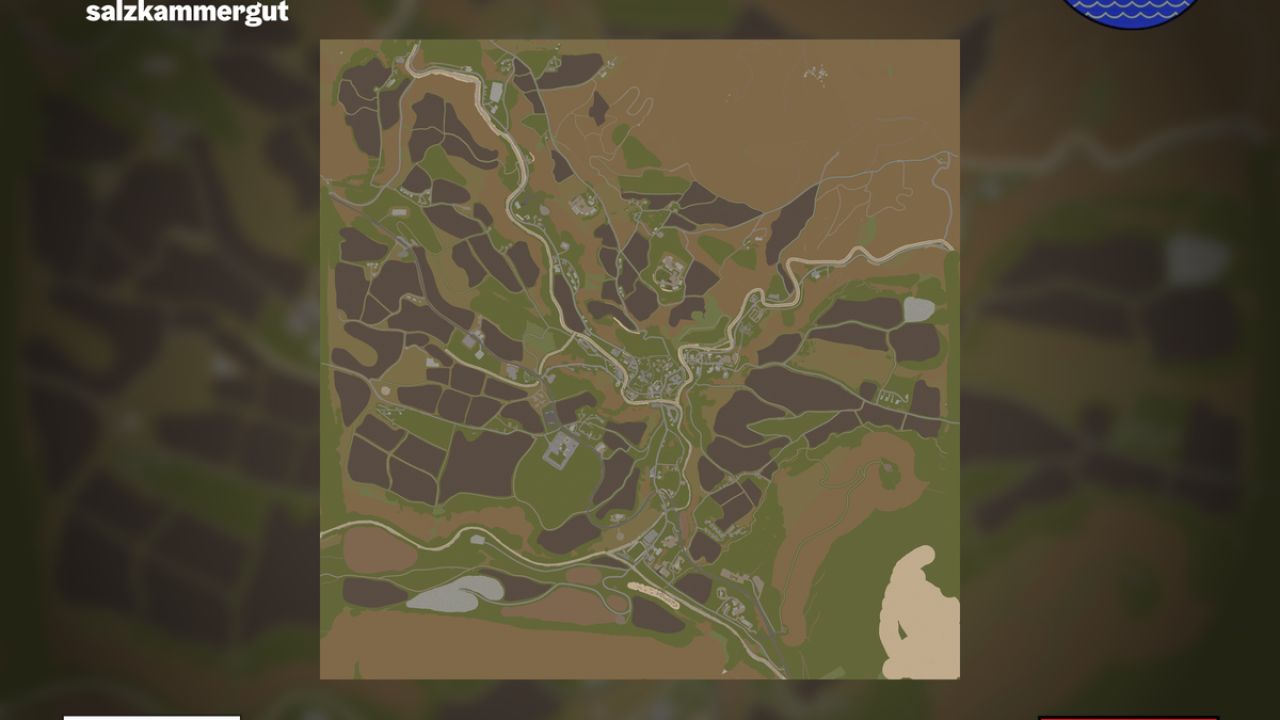
AUSSEERLAND 4X V1.4.0.2 Nachbildung der Region Ausseerland Salzkammergut mit realistischem Straßenverlauf, verschiedenen Obstsorten, 255 Bodenwinkeln und vielem mehr AUSSEERLAND 4-fache Karte (Englische Version unten, Französische Übersetzung unten) Willkommen im Ausseerland, einer malerischen Region im geografischen Zentrum Österreichs. Diese Karte umfasst das Gebiet um Bad Aussee und reicht bis an die Grenzen von Altaussee und Grundlsee. Die in den Alpen gelegene Region zeichnet sich durch ein abwechslungsreiches Terrain aus, das von flach über hügelig bis hin zu teils sehr steil reicht. Sie können Folgendes erwarten: Mehrfruchtanbau: Roggen, Triticale, Dinkel, Grünroggen, Klee, Luzerne, Sommerweizen, Sommergerste Weitere Bodenwinkel: 255 Winkel Mehrere benutzerdefinierte Mods Realistische Nachbildung von Straßenlayouts Bereit für Präzisionslandwirtschaft Verschiedene Städte und Dörfer 122 Felder (durchschnittlich rund 3 Hektar) 11 Waldgebiete (über 130.000 Bäume wurden verwendet) 5 vorgefertigte Bauernhöfe (können auch abgerissen werden) 3 separate Gebäudebereiche Mehrere Wald- und Entwicklungsgebiete 2 Tankstellen 1 Viehhändler 1 Geschäft KI-gesteuerte Autos und Fußgänger Österreichische Kennzeichen für Fahrzeuge und Ausrüstung Bis zu 8 Verkaufsstellen, abhängig von den verkauften Waren 11 Produktionsstätten (Bäckerei, 2 Getreidemühlen, Kalkwerk, Molkerei usw.) V1.4.0.2 Für das Update ist kein neuer Spielstand erforderlich: Die Downloads sind jetzt getrennt –> die Karte und das zugehörige Modpack müssen nun separat heruntergeladen werden. Die Download-Links verweisen jetzt auf meine Dropbox, sodass Sie den Download nicht mehrmals bestätigen müssen. Visueller Vertrieb aus den Abhängigkeiten entfernt Bitte entfernen Sie alle Skript-Mods aus Ihrem Spielstand, die Folgendes beinhalten: Erhöhung der Obergrenze für die Anzahl der Tiergehege Erhöhen Sie die Begrenzung der Anzahl der Füllarten. Erhöhen Sie die Begrenzung der Produktionsanzahl. Erhöhen Sie die Obergrenze für die Anzahl der Bäume Beschränkungen für Bäume, Füllarten, Tiergehege und Giants-Produktionen werden umgangen. Daher ist kein separates Skript mehr erforderlich. maxAnimalsLimitIncrease aus den Abhängigkeiten entfernt (benutzerdefiniertes Skript direkt in die Karte integriert) 2 Bushaltestellen hinzugefügt Alle rund 2200 Wegweiser wurden im Gelände aufgestellt. KI-Fußgänger-Splines geprüft/korrigiert KI-Verkehrs-Splines geprüft/korrigiert Tags: Diese KarteIhrem SpielstandMehrfruchtanbau RoggenRegion Ausseerland Salzkammergut
Financial Dashboard FS25
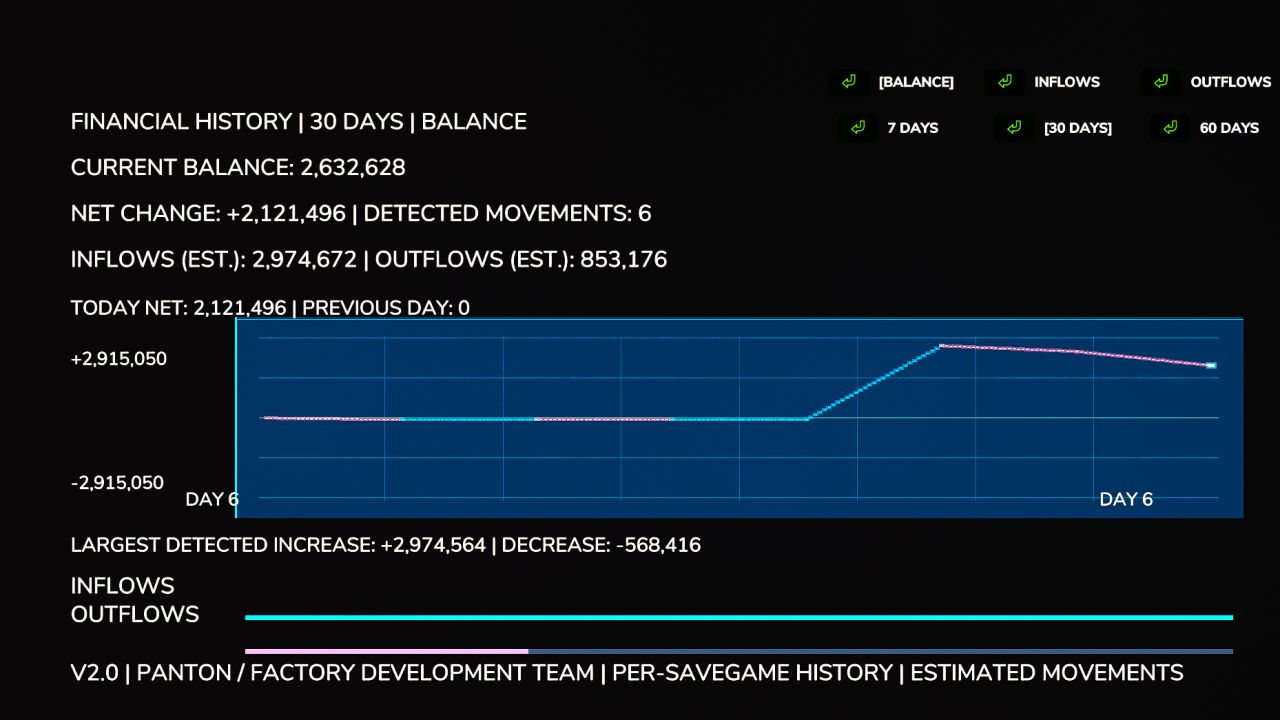
Financial Dashboard introduces a dedicated financial overview directly into the Farming Simulator 25 in-game menu, allowing you to monitor your farm's financial performance through a clean, easy-to-read interface. Whether you're managing a small family farm or a large agricultural operation, Financial Dashboard helps you visualize how your money changes over time. Features Live Financial Graph: Track your farm's balance movements with a visual graph that responds to gains and losses. Zero-Centered Tracking: Your starting balance is used as the baseline, so existing money isn't incorrectly counted as profit. Color-Coded Performance: Cyan/green indicates positive financial movements, while pink/red indicates negative movements. 7-30/60-Day Views: Switch between two selectable history windows. Current Balance: View your farm's available funds directly in the dashboard. Estimated Inflows and Outflows: Monitor detected money gained and spent. Largest Transactions: See the largest detected balance increases and decreases. Integrated Menu: Access the dashboard through its own tab in the FS25 pause menu. Important Information Financial Dashboard tracks balance changes during the current gameplay session. Historical graph data is not saved between game sessions. The dashboard records changes in your farm's balance rather than categorizing individual transactions. Inflow and outflow figures are estimates based on detected balance movements. The initial financial baseline is established when you first open the dashboard. Compatibility: Farming Simulator 25 — PC. Designed and tested for single-player use. Multiplayer and dedicated server compatibility have not been verified. Version: 2.0.0.0 Multiplayer compatible. Developer: Panton (Factory Development Team) Copyright & Licensing © 2026 Panton (Factory Development Team). All rights reserved. Financial Dashboard 2.0 is an independently developed mod for Farming Simulator 25. Unauthorized redistribution, reuploading, modification, or republishing of the original mod files is prohibited without prior permission from the author, except where permitted by applicable law or existing licenses. Officially authorized distribution platforms may host and distribute the mod under their respective terms. For redistribution requests, modifications, or other licensing inquiries, please contact the original author. For full licensing terms, please refer to the LICENSE.txt file included in the mod ZIP. - Added license.txt (Copyright / takedown's) - Small patch Fix for issue's related to the menu - Future update's include (New Icon, Redefined Line's & Text.) Added - Added persistent financial history. Financial records are now saved individually for each savegame and restored after restarting the game. - Added automatic financial tracking when loading a savegame, without requiring the dashboard to be opened first. - Added separate graph modes for Balance, Inflows, and Outflows. - Added a 7-day history view, alongside the existing 30-day and 60-day views. - Added daily net financial change statistics, including comparisons with the previous in-game day. - Added estimated total inflows and outflows based on detected balance changes. - Added tracking of the largest detected financial increase and decrease. - Added detection of balance changes caused by compatible external mods, including money trainers. Improved - Completely redesigned the graph with a modern blue financial-terminal appearance. - Improved graph readability with refined gridlines, clearer trend lines, and highlighted endpoints. - Improved graph scaling to display both positive and negative financial movements. - Redesigned the inflow and outflow indicators with thinner bars and less intrusive colors. - Improved graph labels, text sizing, and spacing to prevent overlapping information. - Improved financial history management with automatic cleanup of older records. - Improved live financial tracking so new balance changes are reflected without waiting for the next in-game day. Fixed - Fixed financial history being lost when closing or restarting Farming Simulator 25. - Fixed financial history not loading correctly due to farm ID handling. - Fixed savegame persistence issues by integrating financial history saving with the game's save process. - Fixed graph layout issues involving overlapping labels and statistics. - Fixed visual inconsistencies introduced during the graph redesign. - Preserved compatibility with the existing ESC menu, sidebar navigation, and Save/Quit functionality. Changed - Updated the mod version from 1.0.0.0 to 2.0.0.0. - Updated the mod description and documentation to reflect the new financial tracking features. - Financial history is now stored in a dedicated `financialDashboard.xml` file within each savegame.
Real Glass FS25
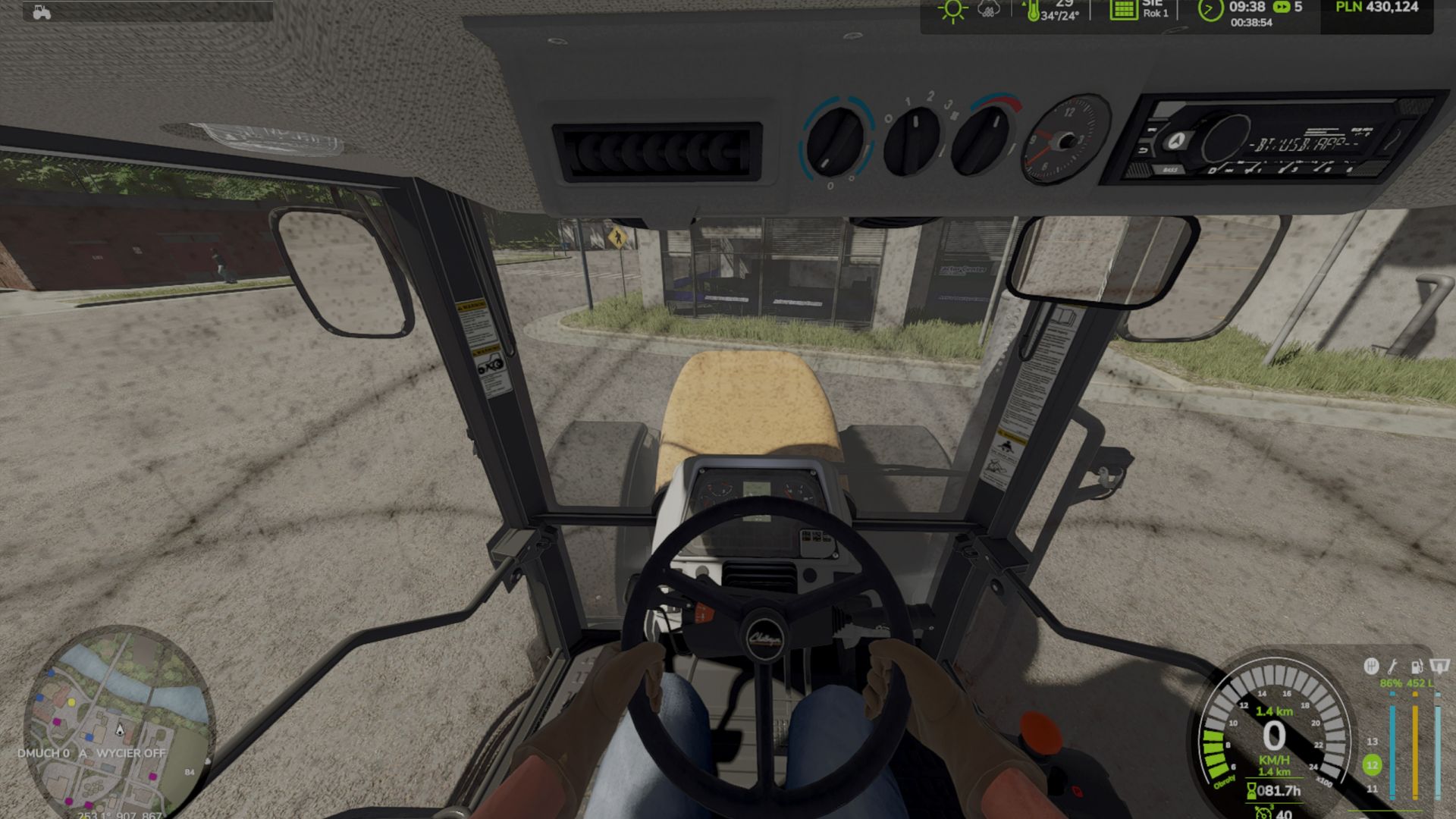
If something does not work, please write exactly in the comments: which vehicle it concerns, what exactly happens, whether you are in the cab and whether you are using IC (Interactive Control). Alternatively, you can contact me on Discord at qareq_qareq – I will fix it as quickly as possible. Window dirt is now realistic: it accumulates based on the kilometers driven on fields and roads – more heavily on wet fields, more slowly on asphalt. While stationary, the windows do not get dirty by themselves. On large tractors, the dirt is visible from the outside (previously, it was often barely noticeable). The dirt film sticks to doors and windows – with no “ghost effect” on the windows next to the cab and without impairing visibility. Reworked window detection: More vehicles now get dirty, including vehicles that previously did not accumulate any dirt at all. The Interactive Control (IC) panel is not blocked by RealGlass. Windshield washer fluid HUD: A narrow bar next to the fuel gauge; it is hidden in menus and in the shop. Refilling from a canister using the “R” key (press once, do not hold it) – the tank fills itself within approximately 15 seconds. In the shop: Windshield washer fluid. HUD and fluid – The windshield washer fluid level is displayed next to the fuel gauge (third column: damage | fuel | fluid). – An icon of a windshield with a drop and a percentage value. – The HUD is hidden in menus and in the shop. – Clicking “R” while near the bottle automatically fills the tank in approximately 15 seconds (the “R” key does not need to be held down) – Filling works both from the tractor and on foot; this also applies when using HUDPlus. Bottle in the shop – After purchase, it is placed on the ground and can be picked up with the left mouse button (LMB), just like other objects. – It is visible in the shop and in the item overview. – Physics and collision have been improved (no floating, no falling through the map). Windows and large tractors – Dirt is now also visible on large cabs (previously, it was barely visible there). – The windows also get dirty from the inside, not just from the outside. – GPS system screens and other displays in the cab do not get dirty. Controls – All key bindings for RealGlass can be adjusted under “Options > Controls”. – Fan: Right Ctrl key + H (the “H” key alone no longer activates the GPS or the worker). Performance – Better performance on weaker PCs and in multiplayer mode (applies to films/overlays). only on the tractor you are sitting in and on nearby machines Dirt builds up again over several kilometers, not immediately Dry field: light dust after approx. 5 km Wet field: mud builds up faster, but not immediately Dirt road: only slightly Asphalt: almost nothing
FarmSimBot – your FS25 Discord bot FS25
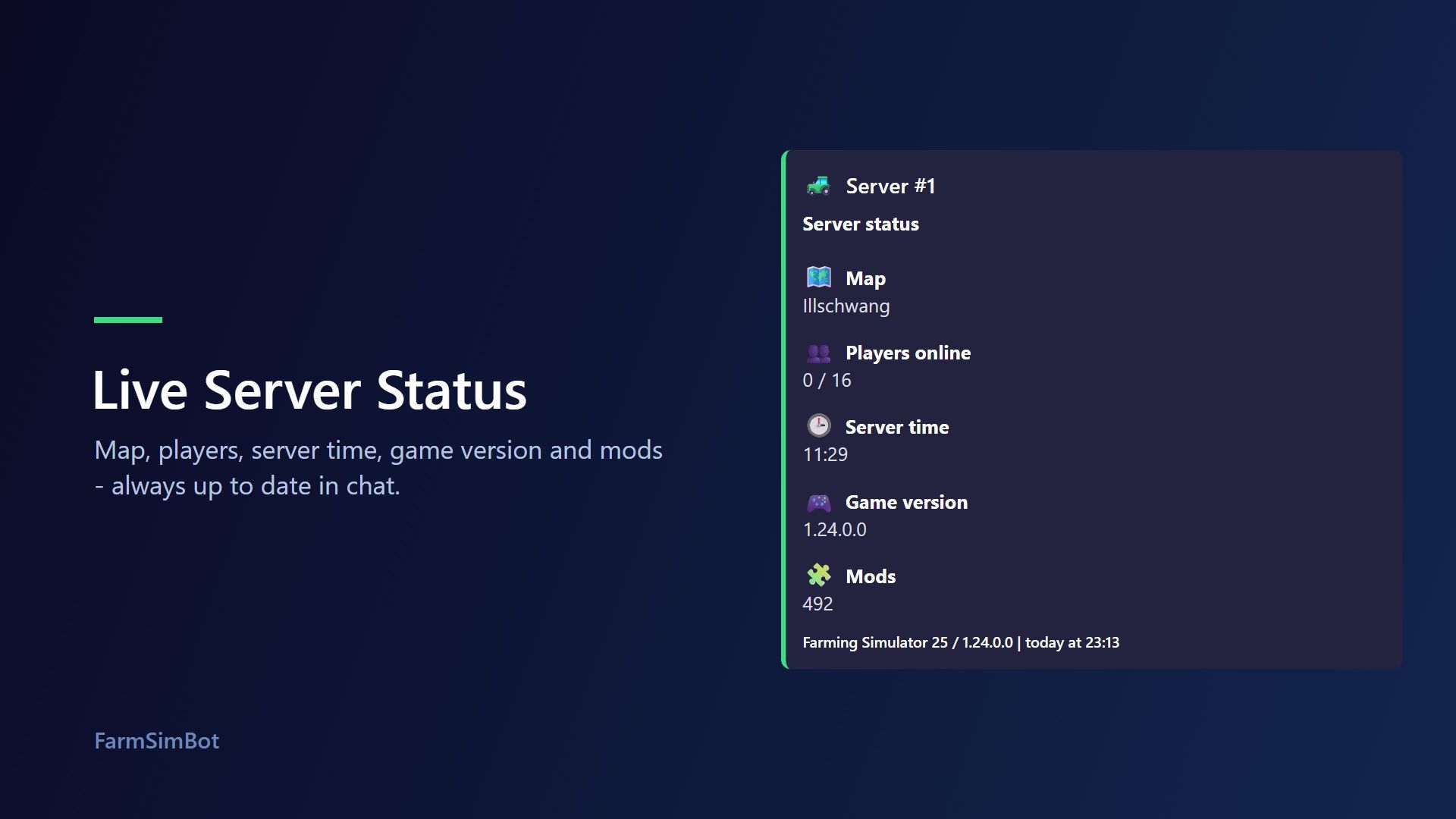
FarmSimBot – your FS25 Discord bot FarmSimBot shows the status of your Farming Simulator 25 server right in Discord and connects your community with the SimuTools mod database. Everything is set up conveniently in the web panel. Features Please note that some FarmSimBot features are paid. - Live server status: A message that updates automatically, with players, map, server time, game version and mods. It also notifies you when someone joins or leaves the server. - Mod watch: Notifications about new, removed and updated mods on your server, optionally with a download button. - Mod comparison: /modcheck compares the mods on your server with the database and shows outdated versions. /modsearch searches mods by name or author. - ModUpdater: New mods from the SimuTools database are posted with image, rating and link in a channel of your choice. - World management: Notifications about month changes and fields that are ready to harvest. - Live map: A map in Discord with players, vehicles, pallets and bales. - Application system: An "Apply" button for your Discord. Applicants answer your questions by private message (text, buttons, age check, speed test). Then your team votes, decides directly, or applicants are accepted automatically. The bot assigns the role, runs trial periods and shows statistics in the panel. (New, Community tier) - Multiple LS25 servers per Discord server and a custom design for the status message. - Your own bot name and bot image on your server. - Community features: Level system with role rewards, birthdays and small games such as quiz, hangman and word scramble. Set up in three steps - Invite the bot to your Discord server. - Log in to the panel with Discord and select your server. - Enter the statistics feed of your LS25 server and choose the channel for the status message. - Server control added (LS25 servers can be started, stopped, or restarted via Discord commands; the server’s status can also be viewed) - Server control: (For the LS25 server, users can be added via Discord commands with customizable permissions; the user then automatically receives their login credentials via private message) - Mod Watch: Made the link limit customizable - Server status message can now be displayed as an image - Other minor adjustments and improvements Added an image version of Server Stats using an image editor - Added a test system (tests all of the bot's features for a certain period of time) - Improved and expanded the ticket system - Miscellaneous bug fixes and improvements New Functions and More - - Ticket System, Serverlist, LogHelper, etc.. - New Functions and More (see on Dashboard) Application System Added (Adds an application system to your Discord) - Yes/No dialogs - Text boxes - Speed test - and more Users click the button in a channel and receive a private message; after answering the questions, the user is either accepted based on the settings, or a vote is initiated to decide whether they should be accepted
New Holland TC 5.90 FS25
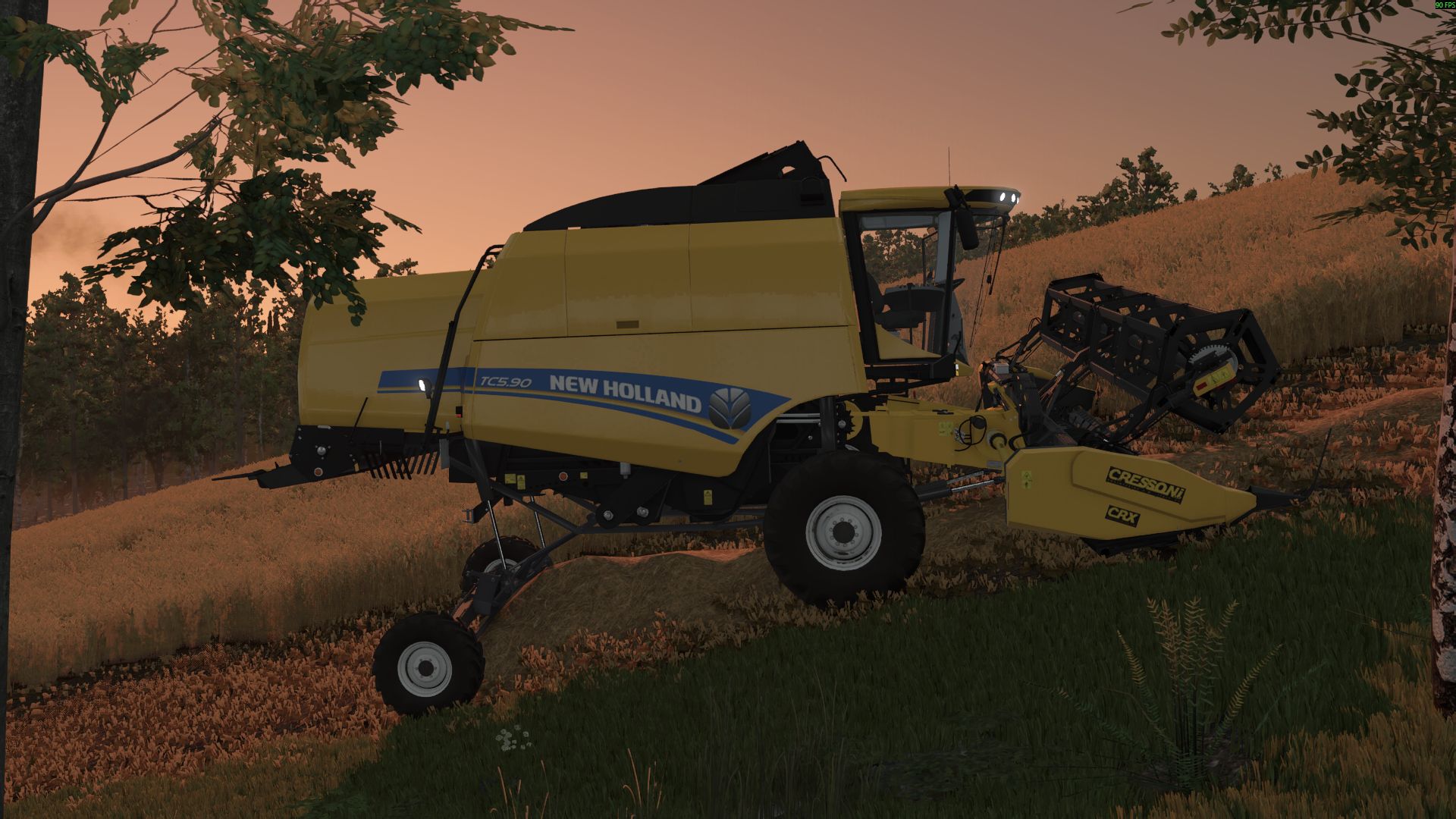
New Holland TC 5.90 Hillside: - Engine power: 258HP - Fuel tank: 220 l - Grain tank: 6400 l - Maximum speed: 40 kph - Price: $150,000 -fix some bug -add engine sound
Stani's building category FS25
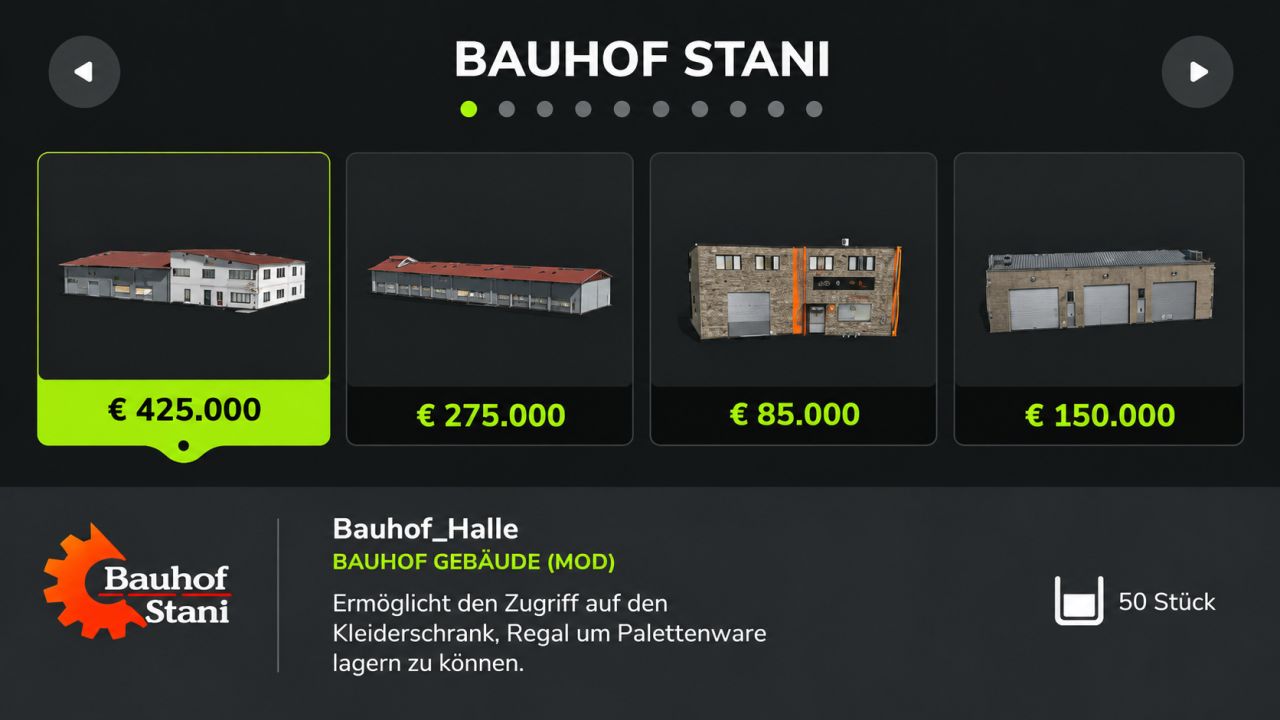
Good Morning, I have something nice for you or we, dear Samofgaming, has built an own category in the LS25 for us. You just have to insert the mod into your mod folder and also activate this in the game, then you will find all of our buildings in your own category 🙂 P.S The buildings that have been to the DL so far will be updated for the next few weeks! Added: - Decorations - Production - Administration/Education - Added by Rudi's crane rental
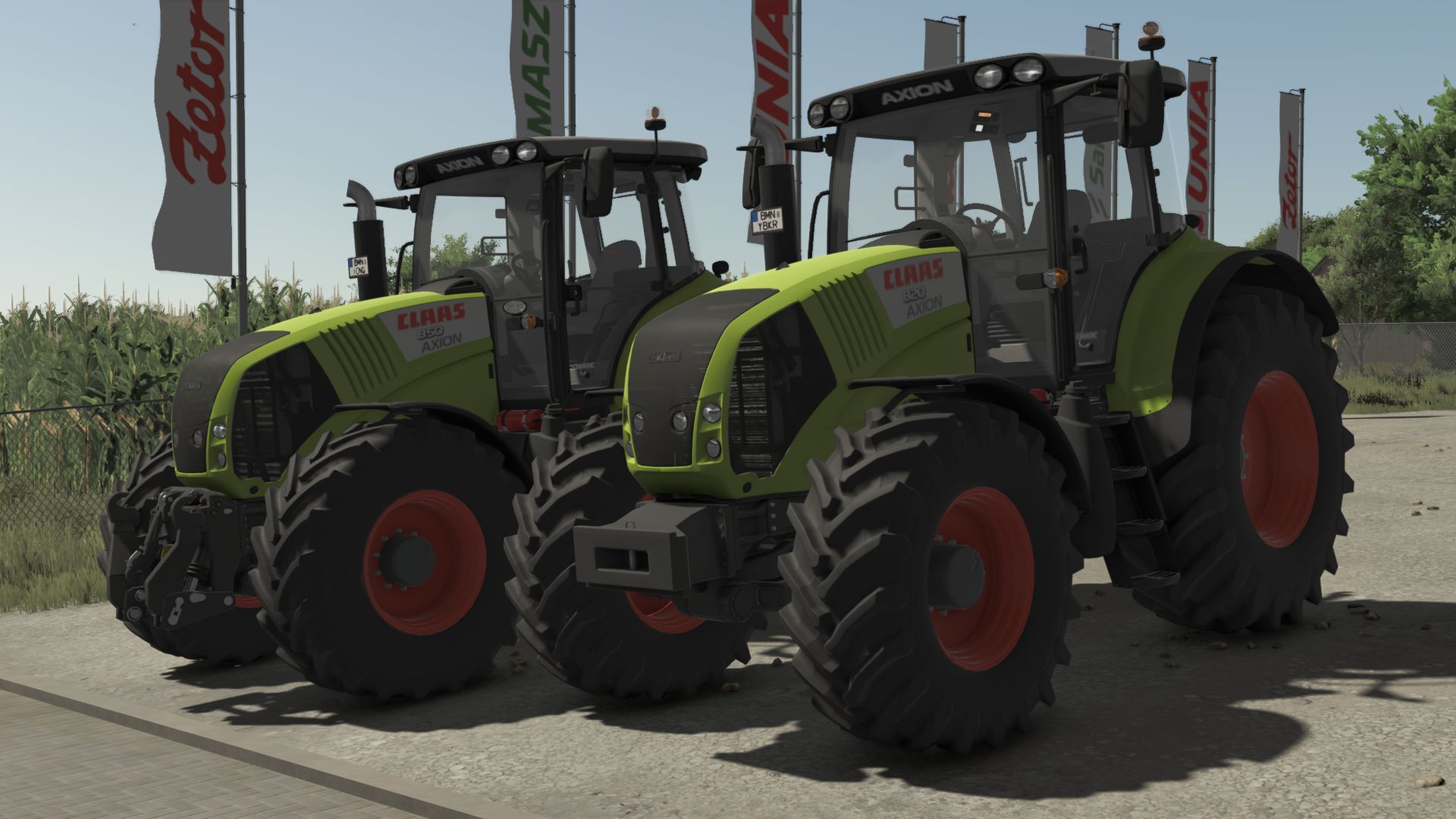
CLAAS Axion 800 Cebis FS25
Price: 122400 $ Manufacturer: CLAAS Model: 800 Axion Production: 2006 - 2016 Standard engine: DPS 6,87 litres Max speed: 50 km/h Configurations: - Models: From Axion 820 - 197HP to Axion 850 264HP - Wheels: TRELLEBORG NOKIAN MICHELIN MITAS CONTINENTAL BKT VREDESTEIN - light configuration - beacon lights configuration - configuration of side signs - front weight and front hydraulic configuration - work lights configuration - Precision Farming configuration - front fender configuration - back fender configuration - Interactive control - Increased modDesc version - Color corrected - Fixed colors - Increased modDesc version
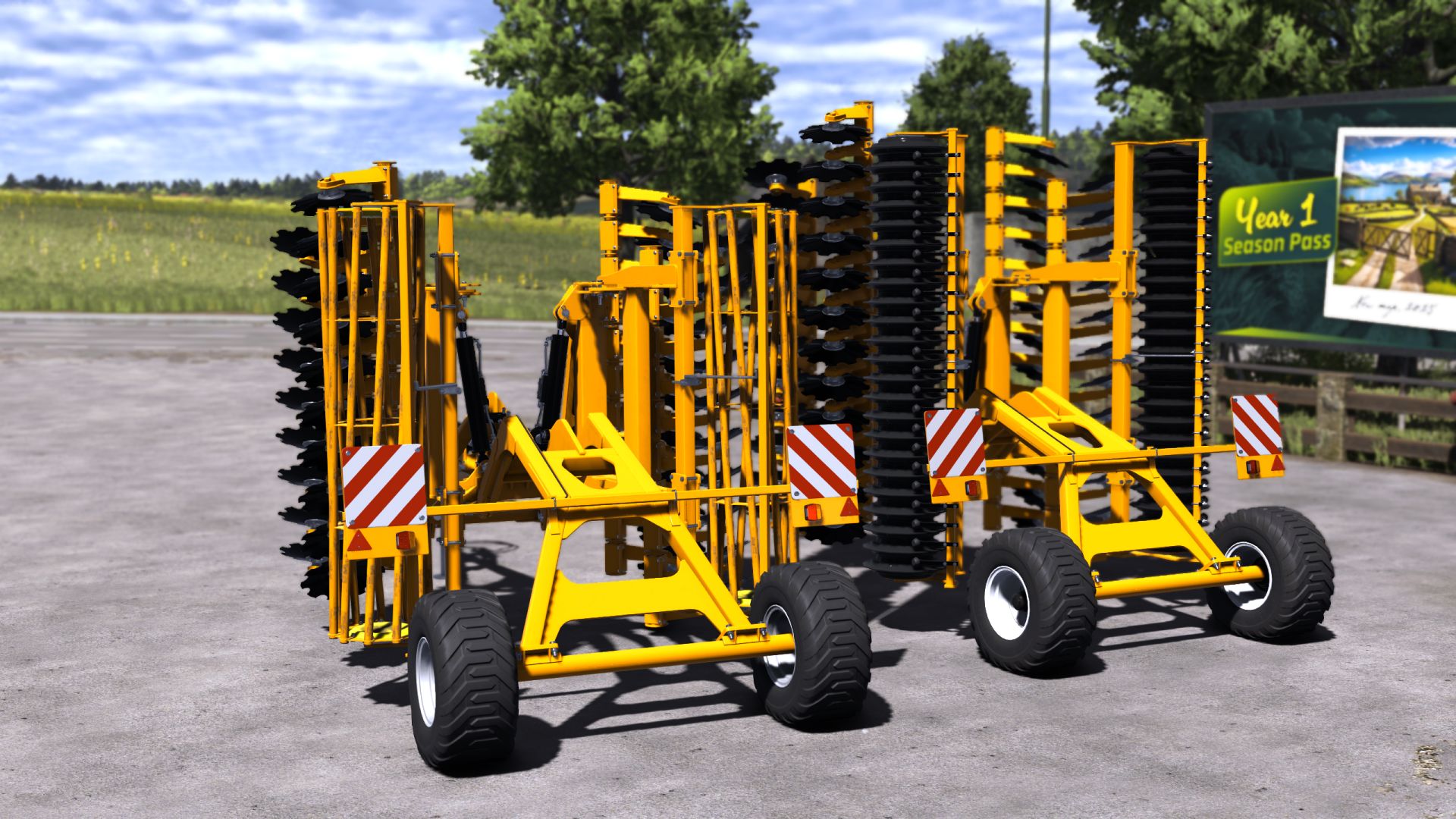
Staltech Pack FS25
***Price: 34000-39000 €*** ***Max working speed: 18 kph*** ***Working width: 5m-6m*** ***Horsepower Needed: 150hp-180hp*** ***2 options roller*** - Added Vehicle Years support - ModDesc changes - DescVersion changed - Version changed
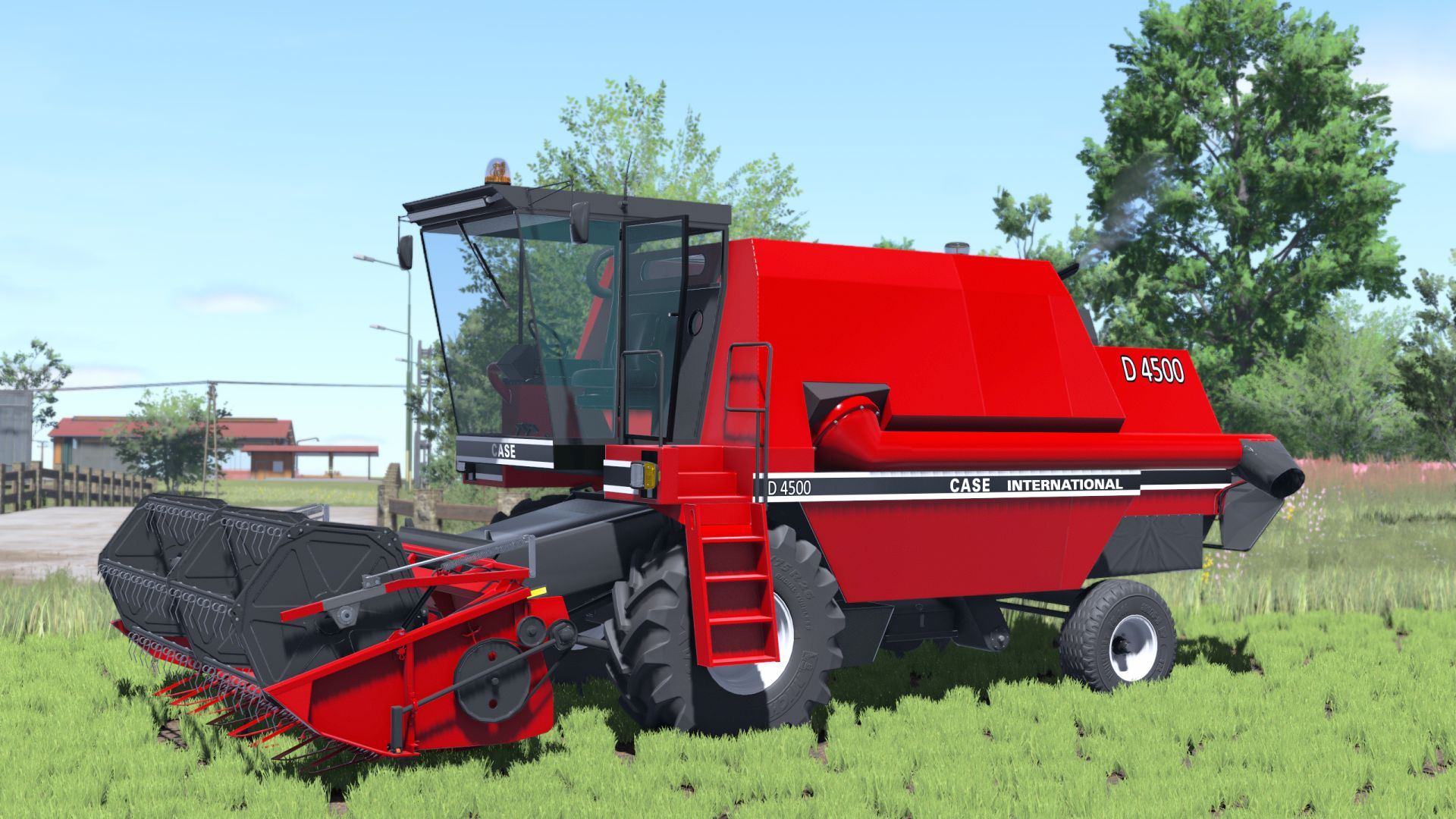
Case IH D4500 FS25
*Rim color *Capacity: 8000 l - Added Vehicle Years support - ModDesc changes - DescVersion changed - Version changed *Added Interactive Control support *Added seat color
- 15 per page
- 30 per page
- 45 per page
- 60 per page
-
See more per page
Bigger pages, fewer clicks - and no ads anywhere.
Go Pro