Farming Simulator 25 mods
77,381 results- 15 per page
- 30 per page
- 45 per page
- 60 per page
-
See more per page
Bigger pages, fewer clicks - and no ads anywhere.
Go Pro
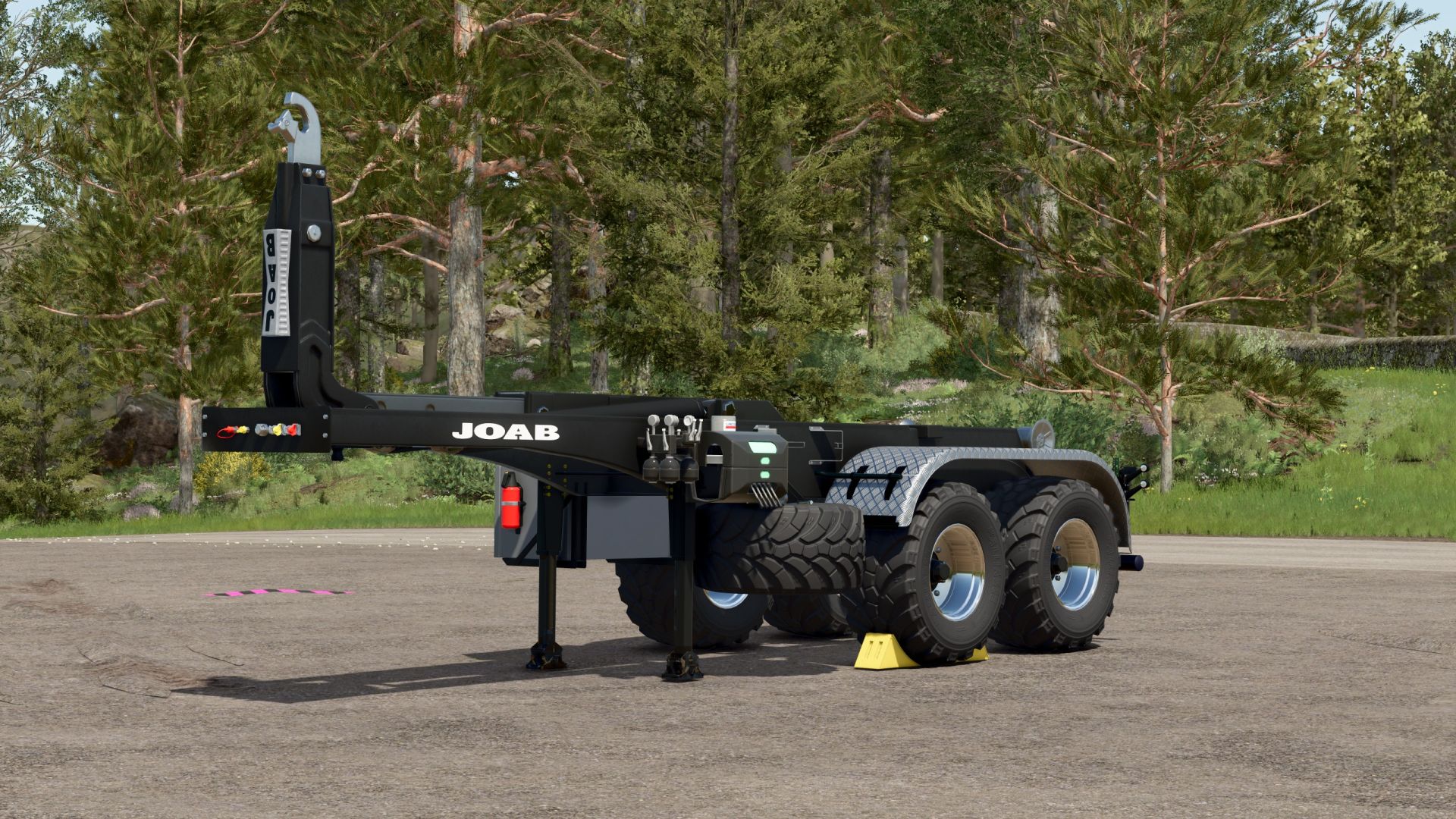
Hooklift trailer V1.0.0.1
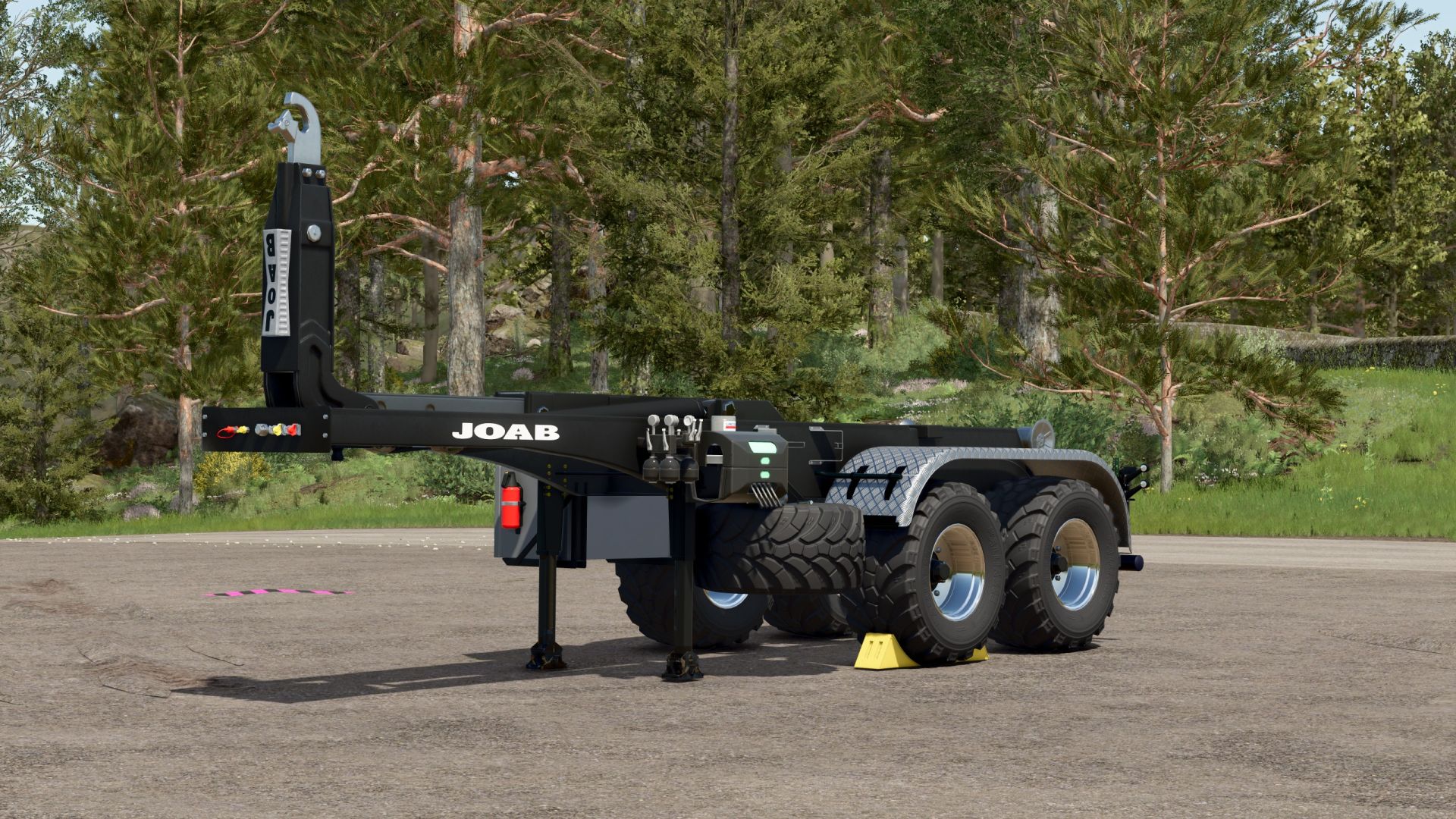
Hooklift trailer V1.0.0.1 Hooklift semi-trailer Before I release my Scania, I’ll first present an HKL trailer. Since I like to use agricultural tires for fieldwork, but don’t want to fit agricultural tires to the Scania itself, I’ve created this trailer. It fits the Mercedes Heizomat perfectly, as it was specifically designed for that purpose. I’ll be using the ITRunner containers, which have been around for years. My Scania pack will be available online in the next few days after I’ve thoroughly tested it, and you’ll find a large collection of containers there as well. The trailer only offers basic configuration options: rim color and the choice between plastic and checker plate fenders. I think that’s sufficient. V1.0.0.1 Fixed a roll collision error Color choice added Rollers now move when the container is pulled up – 100% compatible with the containers from the Scania Transport Pack Author: Ap0lLo Report bugs in the comments and help modders improve this mod. Always check the comments, you can find a solution. DOWNLOAD MOD
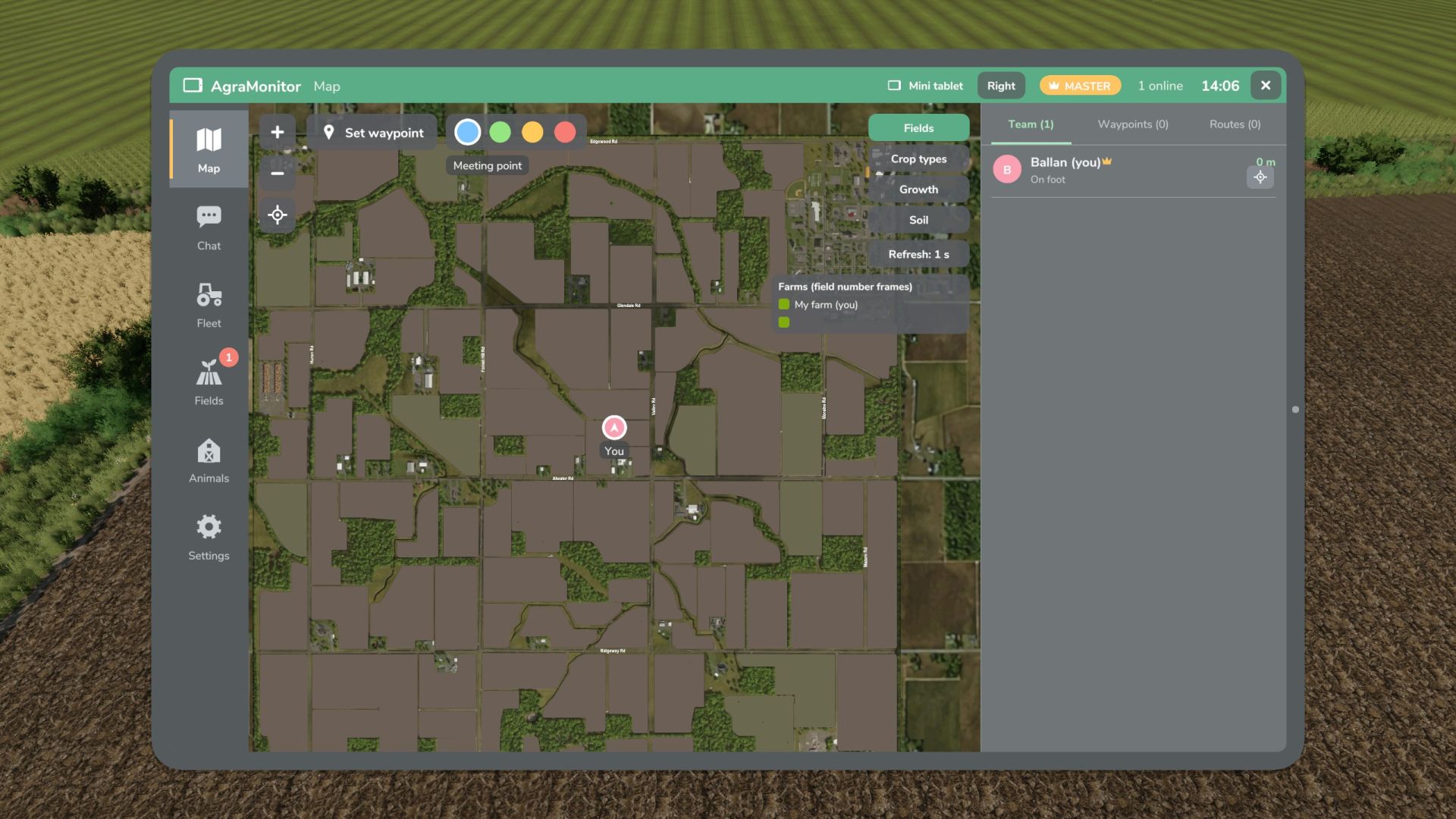
Agra Monitor V1.1
Agra Monitor V1.1 This mod allows you to manage various modules on your farm, such as animals, fields, AI helpers, multiplayer players, etc. An optional display can be installed in vehicles. Fleet tool for multiplayer and singleplayer games. Live map showing all players, AI helpers, vehicles, fuel levels, and brief information. Waypoints with navigation across the map’s roads (AutoDrive network or AI roads). Team chat and direct messages. Fleet overview, vehicle inventory with damage, operating hours, age, fuel level, etc. “Mini-tablet” function at the edge of the HUD. Field management: fields with crop, growth, and soil condition. Animals: stables with animals and their parameters. Notifications with adjustable thresholds. Notifications for AI helpers, animals, fields, and messages. Display for prepared vehicles with map, player/AI helper information, and brief messages. Tablet: Left Alt + A, Mini-tablet: Left Alt + S (changeable in the control menu) V1.1.0.0 New: Field view on the cockpit display Field view can be switched on and off in the field view section of the app Field view added to the app. The field view controls the map on the tablet, mini-tablet, and cockpit display. Changes: The control of the field view in the Map area has been removed. DEBUG: Feedback needed, as the field view on the cockpit display is still in testing! Please report: FPS drops, stuttering, or lag with the field view active on the cockpit display. Helpful: Compare field view ON/OFF and indicate what hardware you are using (CPU/GPU). Feedback is welcome via the comments, even if it is working well. The reason for this is that I am not entirely satisfied with the resolution, but my skills limit me from improving it. If it is satisfactory as is, I will leave it. If not, I need help from someone with shader experience. Author: Guner348, Guner348 Report bugs in the comments and help modders improve this mod. Always check the comments, you can find a solution. DOWNLOAD MOD
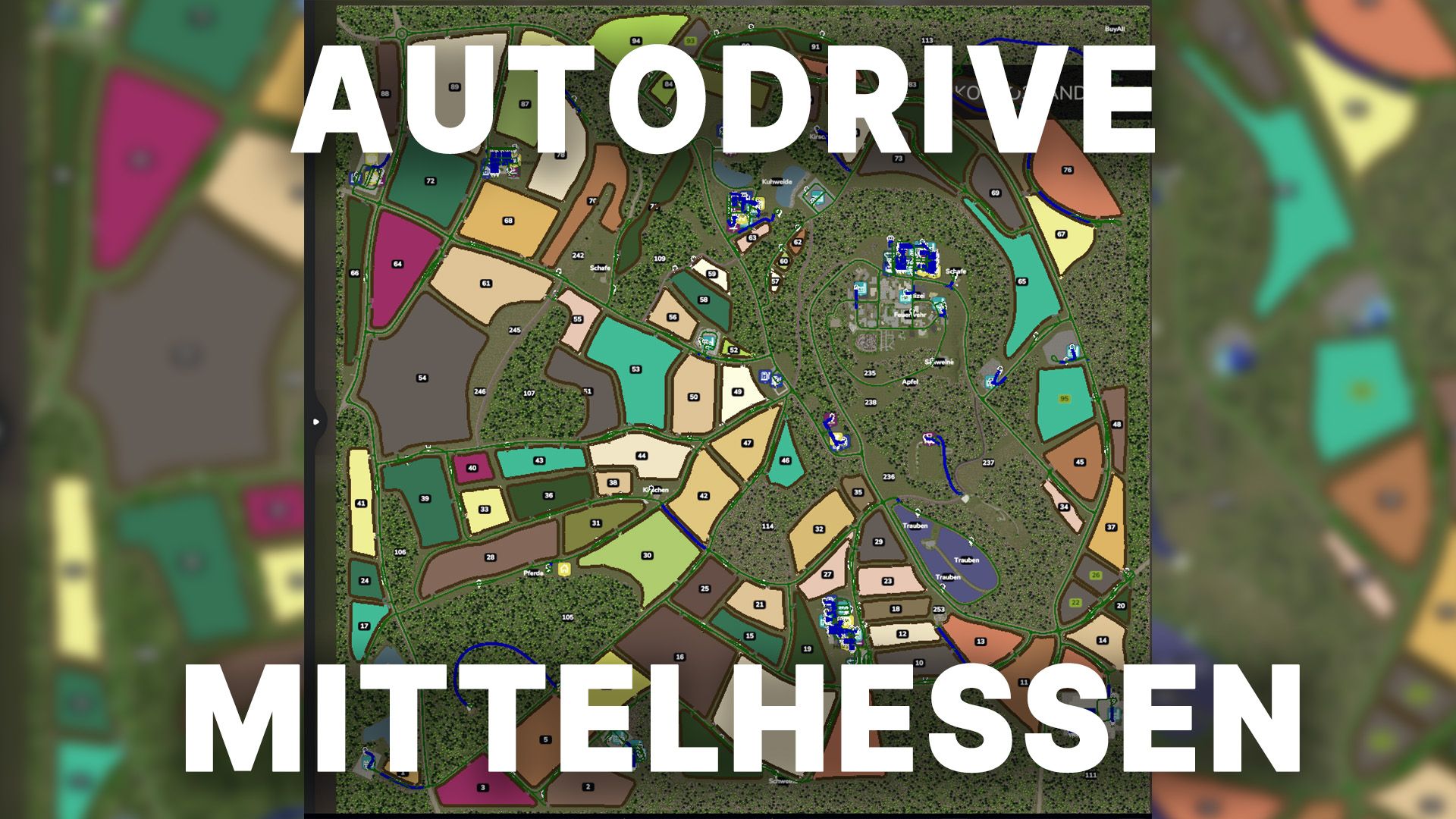
Autodrive Mittelhessen V1.0
Autodrive Mittelhessen V1.0 So finally they’re here: the AD courses for Mittelhessen These courses are best suited for medium-sized devices. Most of the network also works smoothly for larger devices; however, there’s absolutely no guarantee that you’ll be able to access every section, as there are a few bottlenecks. The following was recorded: All main roads and secondary roads All productions All sales and shopping outlets All fields including catch lines All animal pastures Explanation of symbols: Anl. = Delivery / unloading Ent. = Removal / Loading of pallets PXX (Tractor) = Very short parking space for a maximum of one tractor PXX (Short) = Short parking space, maximum one small trailer or attachment for the tractor PXX (drive-through hall) = designed for long vehicles and with gates at both the front and rear PXX (workshop) = Parking space that can be used normally but also contains a workshop trigger. Farm XXX (BL) = Bunker silo left BR is the same only for the right bunker Courtyard XXX (P) = Parking spaces of the respective courtyard Farm XXX (K) = Compost silo of the farm Required mods: Mittelhessen Autodrive Author: Benderspielt Report bugs in the comments and help modders improve this mod. Always check the comments, you can find a solution. DOWNLOAD MOD
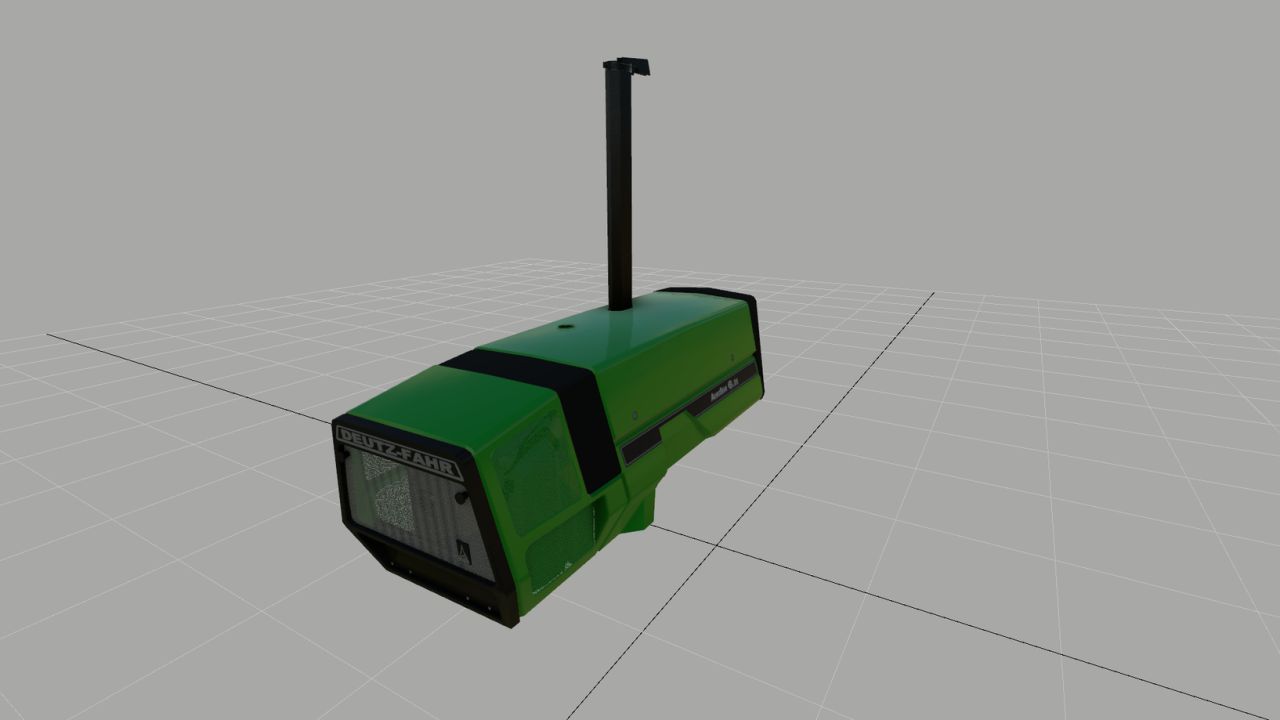
Deutz 681 Hood (Prefab) FS25
Here I've created a Deutz hood that visually meets my expectations, and perhaps one or two of you will like it. And he can use it for his own 681 model. Basically, everything is on par with FS25; however, no raindrops form on the hood. I know how to fix this, but I can't find a UV toolkit to move the UVs in Blender. If anyone can help me with that, I would be very grateful. Otherwise, have fun with the hood, and I hope you can visually enhance your model with it.
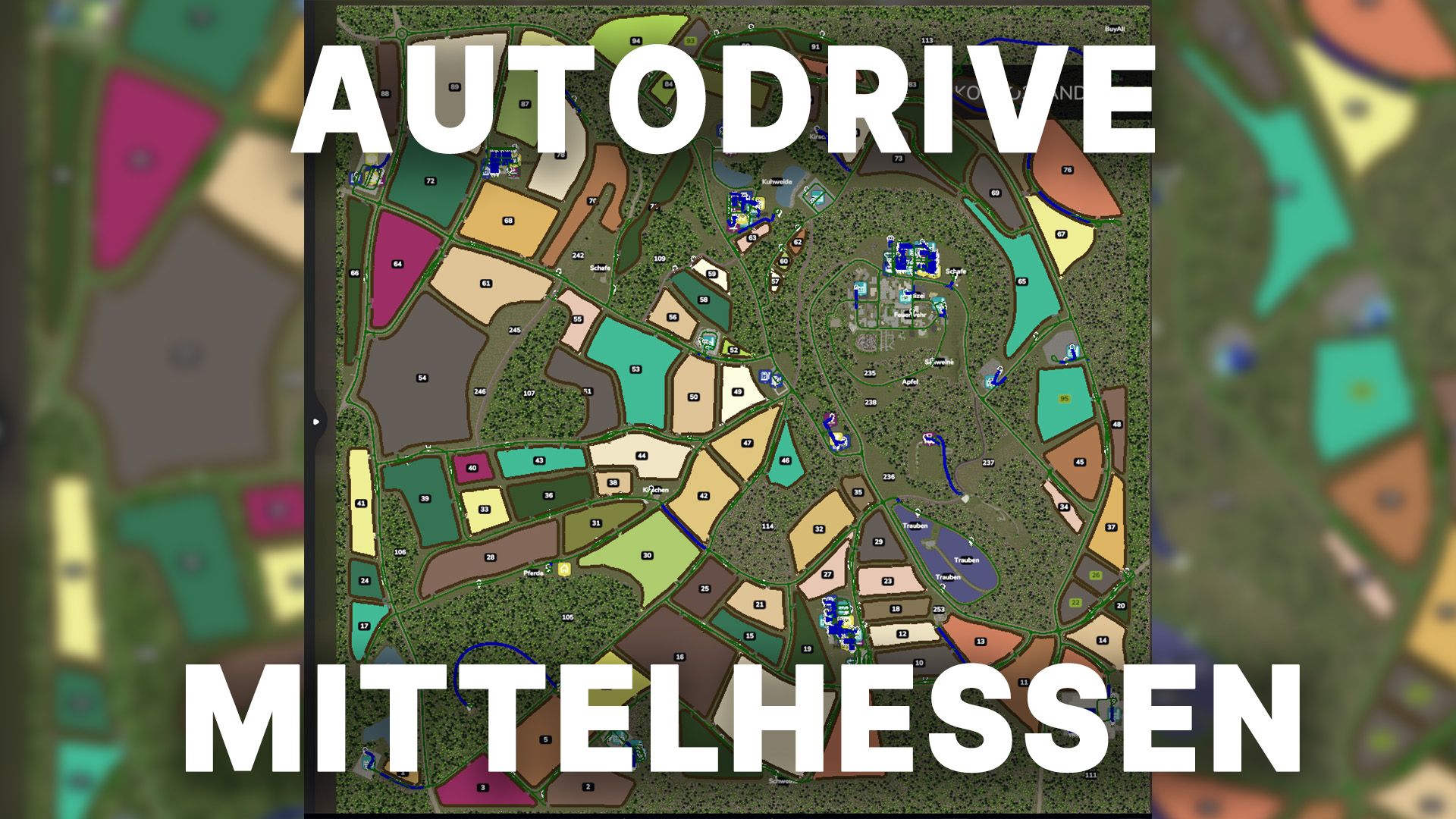
Autodrive Mittelhessen FS25
So finally they're here: the AD courses for Mittelhessen These courses are best suited for medium-sized devices. Most of the network also works smoothly for larger devices; however, there's absolutely no guarantee that you'll be able to access every section, as there are a few bottlenecks. The following was recorded: All main roads and secondary roads All productions All sales and shopping outlets All fields including catch lines All animal pastures Explanation of symbols: Anl. = Delivery / unloading Ent. = Removal / Loading of pallets PXX (Tractor) = Very short parking space for a maximum of one tractor PXX (Short) = Short parking space, maximum one small trailer or attachment for the tractor PXX (drive-through hall) = designed for long vehicles and with gates at both the front and rear PXX (workshop) = Parking space that can be used normally but also contains a workshop trigger. Farm XXX (BL) = Bunker silo left BR is the same only for the right bunker Courtyard XXX (P) = Parking spaces of the respective courtyard Farm XXX (K) = Compost silo of the farm
AUSSEERLAND 4X FS25
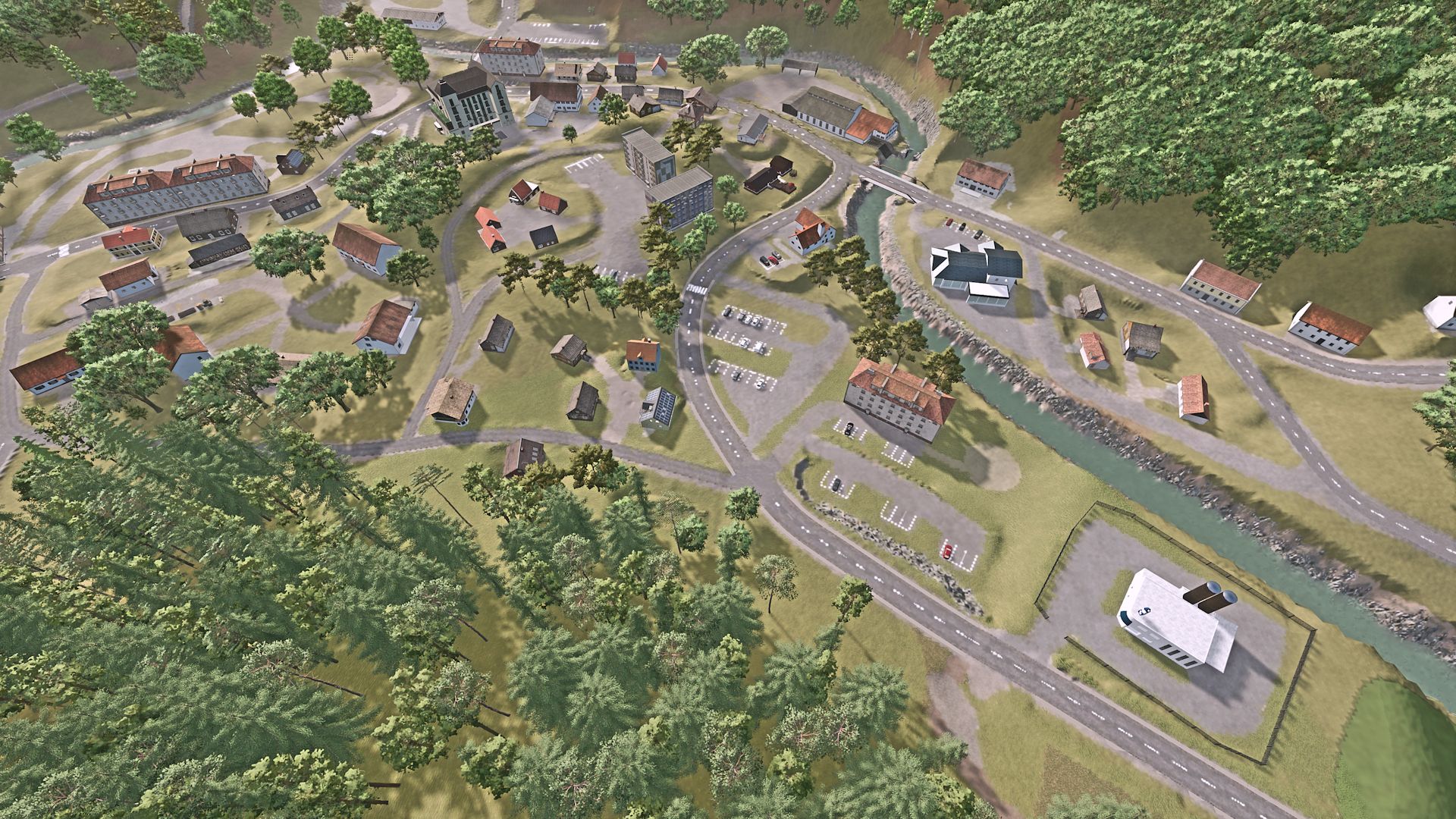
eplica of the Ausseerland Salzkammergut region with real road layouts, multifruit, 255 ground angles and much more AUSSEERLAND 4-fold Map (English version below, French translation below) Welcome to the Ausseerland , a picturesque region in the geographical center of Austria . This map covers the area around Bad Aussee, extending to the borders of Altaussee and Grundlsee. Located in the Alps, the region features a varied terrain, ranging from flat to hilly and sometimes very steep. You can expect: Multifruit: Rye, Triticale, Spelt, Green Rye, Clover, Alfalfa, Spring Wheat, Spring Barley More soil angles: 255 angles Several custom mods Realistic reproduction of road layouts Precision Farming Ready Various towns and villages 122 fields (averaging around 3 hectares) 11 forest areas (over 130,000 trees have been used) 5 pre-built farms (can also be demolished) 3 dedicated building areas Several forest and development areas 2 gas stations 1 livestock dealer 1 shop AI cars and pedestrians Austrian license plates for vehicles and equipment Up to 8 points of sale, depending on the goods being sold 11 production facilities (bakery, 2 grain mills, lime works, dairy, etc.) No new savegame is required for the update: Downloads are now separate --> the map and associated modpack must now be downloaded separately. -Download links now point to my Dropbox, so you don't have to confirm multiple times to download. -Visual Sales removed from dependencies -Please remove any script mods from your savegame that: + Increase the limit on the number of animal pens + Increase the limit on the number of fill types + Increase the limit on the number of productions + Increase the limit on the number of trees -Limits for trees, fill types, animal pens, and Giants productions are bypassed. Therefore, a separate script is no longer needed. -maxAnimalsLimitIncrease removed from dependencies (custom script built directly into the map) -2 bus shelters added -All approximately 2200 road guideposts have been placed on the terrain. -AI pedestrian splines checked / corrected -AI traffic splines checked / corrected HOTFIX: NO NEW SAVEGAME NECESSARY if version 1.4.0.0 is used. Fixed a bug that caused frame drops. 1.4.0.0: +++ NEW SAVEGAME REQUIRED +++ Environment.xml adjusted for Patch 1.24 Added several purchasable cow pastures (including animals). Agricultural trade: decorative bales realigned, entrance sign repositioned, grass and ground corrected. Removed excess mods from "required mods" (Depencies). Adjusted 3 balers for alfalfa and clover. Redrawn and revised forest areas. Revised PDA. Corrected trigger position at: G+R Carpentry, Unimarkt, Billa. Reduced various view distances for decorative objects. Courtyards: Alpine: various terrain adjustments, decoration revised; Salt House: various terrain adjustments, stone walls removed Moa Lois: Terrain adjusted at sheds and cowshed, decorations reworked, manure slab removed. Schöffelding: Bunker silos repositioned, meadow added to cow pasture (recognized as a meadow in the barn). BGA: Redesigned. Terrain changes: Bridges slightly modified, terrain along rivers adjusted, puddles on roads removed during rain. Recycling center: Terrain adjusted at manure slabs and decorations, terrain flattened in the northern part. Area around "Careerstartpoint": Curbs repositioned at the small cafe, building and texture changed, stone walls redesigned at the upper church, traffic islands added at the gingerbread bakery, ground texture changed at the BP gas station. Decorations: Vehicle dealer: Sales ramps redesigned, entrance sign added. Map background: Textures changed, background (mountains) adjusted. Warehouse: Collision at tanks and silo shed corrected. Unloading triggers at selling stations: Symbols partially repositioned, trees above field 15 removed, hedge fences removed and replaced (= one less mod), floating parked decorative cars grounded, more pedestrian paths added. Existing signage modified : Waymarkers, speed limits, etc. added/modified. Various fences and gates removed or repositioned. Forest near the small fire station in the north: Bushes added. Various road marker posts moved or deleted. Terrain and decoration adjustments at the 3 wayside shrines and chapels. Various guardrails and directional arrows (signs) added. Productions: Gingerbread bakery added . Winery added . Aussee grain mill: Now accepts all grain types for flour production . Feed mixer: Loading trigger under the pipe extended further down so that Fendt implement carriers can also be loaded; feed recipes "organized and updated". Distillery: Mineral fertilizer added as fertilizer at the orchard, various model adjustments. Version 1.3.0.6 === NO new savegame is required for this update === Map general: Unnecessary textures and models removed, map size less than 1.48GB Nights made darker. Moonlight set a little darker. Gameplay: Manure and digestate PURCHASING added to warehouse Added manure decoration to warehouse Manure and digestate PURCHASE added to “Fertilizer & Feed GMBH”. Added “Vogelsang” manure nozzle to “Dünger & Futtermittel GMBH” decoration Tree scalings set by the "Forrest Creator" script were undone. The harvester should now function properly again To apply the tree changes, delete splitShapes.gmss from the savegame. This means that all trees are available again, properly scaled and harvestable. Fixed a bug where some translations could not be loaded, added and updated the following languages: Native: German, English AI-Translated: French, Italian, Spanish, Portuguese, Hungarian, Polish, Russian, Czech Autodrive initial courses updated Resource storage (included in modpack): Added shopping triggers Unloading trigger moved, marking adjusted Filling trigger for vehicles/devices enlarged and position adjusted Added storage option for silage additives Added collision to liquid tanks Decoration slightly adjusted. Changed texture on resource storage building Version 1.3.0.5 !!!A NEW SAVEGAME is needed for this update!!! Adjustments to Patch 1.21 Added CCM feeding --> needs this mod from Modhub: https://farming-simulator.com/mod.php?mod_id=360184&title=fs2025 Fixed a problem on the MP server where the pre-placed silos and farm gas stations could not be used after purchasing land various terrain adjustments Added several road decals (tire tracks, oil stains...) Grass removed from roads and under bridges in various places 2 road marker posts corrected Added 2 pairs of zebra crossing signs Bridges checked and slightly adjusted small lake adapted to terrain Grass removed from Hof Podenhaus double garage and pallet storage Hof Wagner: Shelter added and terrain/foliage adjusted Forest areas expanded and "decorated" with smaller trees Version 1.3.0.2 NO NEW SAVEGAME is required for this update: Changes Map: Trees Removed from the forest path in the northern part of the map (the trees that have already been cut down could reappear under certain circumstances) Map background revised in the northern and southern parts of the map Map boundary reset in the north (you couldn't drive through the entire forest) Rivers flow faster and have more “plasticity”. Added collisions at bus shelters (now the AI pedestrians also go up the level) Fog and light settings minor fixes. a few flying signs and traffic control poles "grounded" Changes due to template from WEEKEND FARMERS: New textures for hay bales Swath collection with a (loader wagon) pickup and chopper now produce the same yield minor fixes in the visual and yield areas Changes included Autodrive courses: Hof Wagner: Driving silos as well as earth cellars and resource storage are connected Dead ends and debugs solved minor fixes (further updates will follow soon) Modpack changes: Stone fence at brewery is now visible from further away. Known errors in the terrain. However, these would require a new save game. That's why it hasn't been fixed yet, but can easily be fixed in-game by users: For small lakes: terrain must be adjusted Road to the right from CarrerStartpoint: grass on the side of the road Bridge in the south: grass on the road Bridge in the north: grass on the road Fire station building near Hof Obertressen: Grass in the building Steep street "Bluatschwitz" from the town center towards the north: add grass near the chapel, gravel path. Part of uneven spots on "bypass road" (dark asphalt) Feel free to report errors via Discord or here in the comments. The map is constantly being developed, but I'm alone so it may take a while. Version 1.3.0.1 HOTFIX HOTFIX === new savegame is required. Added correct precision farming soil map --> The old soil map did not recognize the layers correctly Added missing ambience sounds --> Thanks for the feedback to JMK Start farm including starting fur park added --> Available when new save game is created Added missing house at field 34 Version 1.3.0.0 a NEW SAVEGAME is absolutely necessary Complete conversion of the map to the Weekend Farmers template. More types of fruit Compost own productions A NEW SAVEGAME IS REQUIRED Numerous new improvements, the most important ones being: Mod size reduced, numerous unused files removed. New ground textures added and made paintable Textures of the multifruits have been replaced - thanks WEEKENDFARMERS for the awesome template! Starting farm including starting vehicle fleet added - thanks to SoSi-Modding Janni1101 for the help Obertressen Farm (Farmland 23): newly designed Hof Salzhaus (Farmland 133): Silos replaced and new farmhouse added. BGA (Farmland 130): new farmhouse added Forest paths revised +++ If trees are standing on side paths, this is intended for clearing. The road to the recycling center was leveled. Various terrain and texture improvements were implemented in clusters of houses/settlements. Football pitch replaced with Giants' standard pitch from EU map Guideposts that were pointing in the wrong directions have been corrected. Custom models added, including: + Cow barn from Felsbrunn + large pigsty + sheep barn + chicken coop + bale storage + stationary feed mixer for cow and pig feed + storage for consumables + storage for root crops added (Thanks for the permission) BP petrol station reskinned in German where possible (permission from SNAKEBIZZLE has been granted) Skatepark equipped with Colli Missing labels and translations added New production windmill set up in the town All plots of land on which production facilities were built are now also available for purchase. Various trees and signs removed/replaced Version 1.0.6.0 NEW SAVEGAME IS NEEDED Original Austrian road guide posts with integrated snow poles added - thanks to TAZ-Modding for creating the model Fences, gates and walls in production as well as in purchasing and sales points renewed and improved OPENING HOURS gates: 0700-1800 in-game time - outside of this you can open the gate as usual Forest floor textures and decorative grass/bushes remade and added Various terrain corrections Added/edited traffic islands AI traffic splines revised in places. Removed unnecessary textures and files from map folder Version 1.0.1.0 NEW SAVEGAME IS NEEDED Added map background Farmlands partly enlarged for more design freedom Terrain smoothed in places Some streets widened Field paths worked more wood mission spots added including AD courses there (you will find AD courses updated shortly HERE) Added traffic signs and traffic islands Trees removed in places, new trees added, forest roads are now largely passable (including wooden mission spots) Hof Moa Lois: Terrain at Hohhaus/Silo adjusted Hof Podenhaus: Terrain at Milchtrigger is set back, so there is more space to turn around Decorative cars at Billa turned the right way round Decorative cars placed correctly at school building Manor: Grass removed from driveway, grass removed from cowshed Football stadium: Floating parking markings placed on terrain Terrain at DIXI-Wcs Kleiner See straightened Terrain at Dekohaus near shop raised At the chocolate and popcorn factory: terrain changed, giving more space to reach the triggers Streets and sidewalks have been adjusted in various places so that they should no longer float Hospital: Grass removed from building, parking deck and driveways Version 1.0.0.2 Fixed a bug in which it was not possible to dump in some yard silos Version 1.0.0.1 Gate at shop removed
Hooklift trailer FS25
Hooklift semi-trailer Before I release my Scania, I'll first present an HKL trailer. Since I like to use agricultural tires for fieldwork, but don't want to fit agricultural tires to the Scania itself, I've created this trailer. It fits the Mercedes Heizomat perfectly, as it was specifically designed for that purpose. I'll be using the ITRunner containers, which have been around for years. My Scania pack will be available online in the next few days after I've thoroughly tested it, and you'll find a large collection of containers there as well. The trailer only offers basic configuration options: rim color and the choice between plastic and checker plate fenders. I think that's sufficient. =) Fixed a roll collision error Color choice added Rollers now move when the container is pulled up - 100% compatible with the containers from the Scania Transport Pack
Katastrophensteuerung
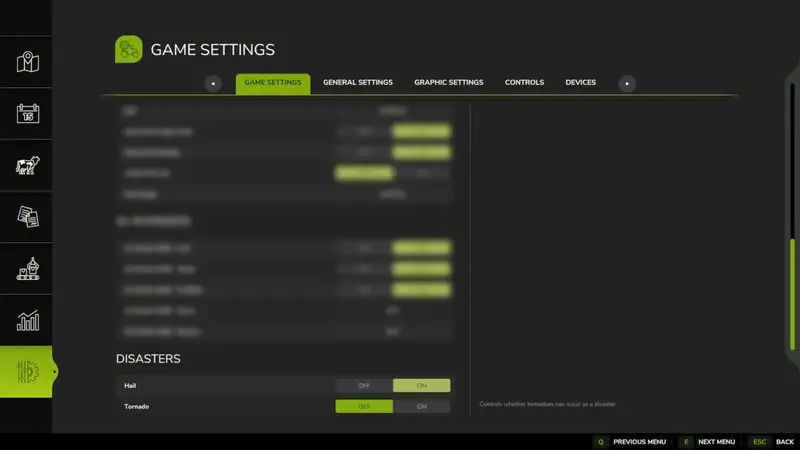
Erweitert die Optionen umseparate Ein-/Aus-Schalter für Hagel und Wirbelstürme. So können einzelne Katastrophen unabhängig voneinander aktiviert oder deaktiviert werden, anstatt sie nur über die globale Option „An / Nur visuell / Aus“ zu steuern. Erweitert die Optionen umseparate Ein-/Aus-Schalter für Hagel und Wirbelstürme. So können einzelne Katastrophen unabhängig voneinander aktiviert oder deaktiviert werden, anstatt sie nur über die globale Option „An / Nur visuell / Aus“ zu steuern.
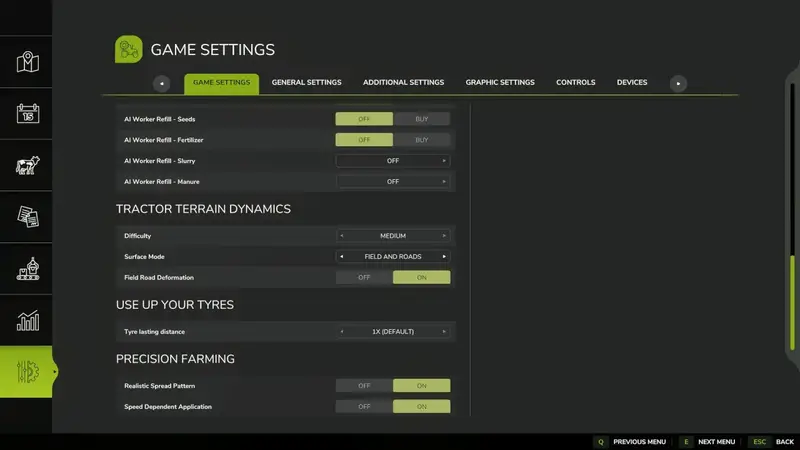
TTD – Traktor-Geländephysik
TTD – Tractor Terrain Dynamics erweitert die Physik von Fahrzeugen und Anbaugeräten um eine detaillierte Simulation von Boden, Wetter und Reifen. Die Standardeinstellungen funktionieren automatisch, sodass keine aufwendige Konfiguration erforderlich ist.Der Boden ist ein zentraler Faktor: Regen erhöht die Feuchtigkeit, weiche oder nasse Flächen reduzieren die Bodenhaftung, und gepflügte oder bearbeitete Böden erhöhen den Widerstand. Asphalt und Beton bieten dagegen nahezu uneingeschränkte Traktion.17 Boden- und Oberflächentypen mit unterschiedlicher Haftung, Feuchtigkeit und FahrwiderstandRealistischer Schlupf und Radeinsinken abhängig von Bodenart, Belastung, Geschwindigkeit und ReifenUnterschiedliche Reifen und Laufwerke – schmale Reifen rutschen leichter, während Breitreifen, Zwillingsreifen und Raupenlaufwerke mehr Grip bietenRealistischer Antrieb mit Gängen, die unter Last gehalten werden, sowie realistischer Differenzial- und HydraulikberechnungWiderstand von Anhängern und Anbaugeräten wird direkt auf den Traktor übertragenKI-Fahrzeuge reagieren ebenfalls auf Untergrund, Wetter und BodenverformungHUD-Anzeige für Bodenfeuchtigkeit, Haftung, Widerstand, Schlupf und RadeinsinkenDie Modi Feld, Feld + Straßen und Nur Straßen ermöglichen verschiedene physikalische Schwerpunkte. Bei aktivierter Bodenverformung hinterlassen Räder Spuren und verändern natürliche Oberflächen. Beschädigte Flächen können mit den spielinternen Terraforming-Werkzeugen manuell repariert werden.Kompatibilität: UseYourTyres wird optional unterstützt, damit Reifenverschleiß die Bodenhaftung beeinflusst. Auch More Realistic kann parallel genutzt werden. Wird bereits eine andere Bodenphysik-Mod verwendet, sollte TTD auf „Nur Straßen“ gestellt werden, um Konflikte auf Feldern zu vermeiden.Multiplayer: Die Physikdaten werden zwischen Host und Clients synchronisiert. Die Unterstützung für dedizierte Server ist in dieser Beta enthalten.Diese Beta-Version lädt zum Testen auf verschiedenen Oberflächen und bei trockenen sowie nassen Bedingungen ein. Feedback zu Haftung, Schlupf, Performance und Kompatibilität hilft bei der Weiterentwicklung. TTD – Tractor Terrain Dynamics erweitert die Physik von Fahrzeugen und Anbaugeräten um eine detaillierte Simulation von Boden, Wetter und Reifen. Die Standardeinstellungen funktionieren automatisch, sodass keine aufwendige Konfiguration erforderlich ist. Der Boden ist ein zentraler Faktor: Regen erhöht die Feuchtigkeit, weiche oder nasse Flächen reduzieren die Bodenhaftung, und gepflügte oder bearbeitete Böden erhöhen den Widerstand. Asphalt und Beton bieten dagegen nahezu uneingeschränkte Traktion. Die Modi Feld, Feld + Straßen und Nur Straßen ermöglichen verschiedene physikalische Schwerpunkte. Bei aktivierter Bodenverformung hinterlassen Räder Spuren und verändern natürliche Oberflächen. Beschädigte Flächen können mit den spielinternen Terraforming-Werkzeugen manuell repariert werden. Kompatibilität: UseYourTyres wird optional unterstützt, damit Reifenverschleiß die Bodenhaftung beeinflusst. Auch More Realistic kann parallel genutzt werden. Wird bereits eine andere Bodenphysik-Mod verwendet, sollte TTD auf „Nur Straßen“ gestellt werden, um Konflikte auf Feldern zu vermeiden. Multiplayer: Die Physikdaten werden zwischen Host und Clients synchronisiert. Die Unterstützung für dedizierte Server ist in dieser Beta enthalten. Diese Beta-Version lädt zum Testen auf verschiedenen Oberflächen und bei trockenen sowie nassen Bedingungen ein. Feedback zu Haftung, Schlupf, Performance und Kompatibilität hilft bei der Weiterentwicklung.
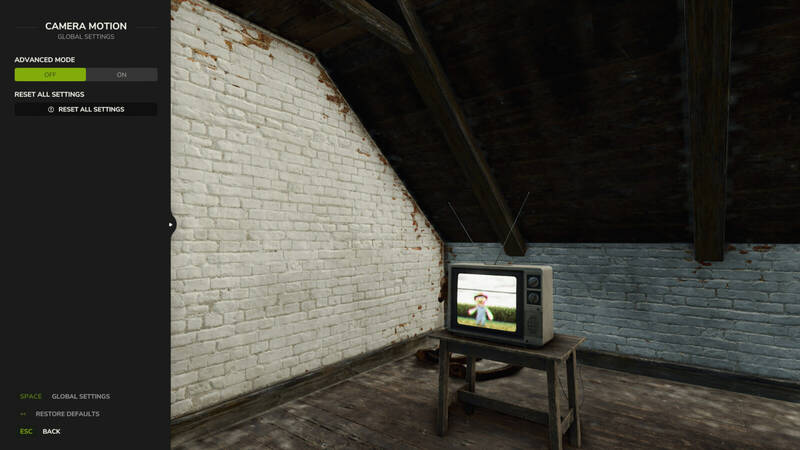
Kamerabewegung – Flüssige Kameraeffekte
Diese Erweiterung sorgt für natürlichere Kameraeffekte und verbessert das Verhalten der Spieler- und Fahrzeugkamera. Die Kamera reagiert weich auf Beschleunigung, Bremsen, Kurvenfahrten und unebenes Gelände.Vier Profile für Fahrzeug- und Spielerkameras in der ersten und dritten PersonStärke der Bewegung mit einem Regler einstellen oder einzelne Effekte im fortgeschrittenen Modus fein abstimmenNatürliche Kopfbewegungen in der Kabine sowie seitliches Neigen in der ersten Person aktivierenKameraversätze für jedes Fahrzeug individuell konfigurierenEinstellungen werden automatisch gespeichertSteuerung:F9 öffnet die EinstellungenDie erste seitliche Maustaste (Mouse 4) drücken oder gedrückt halten, um sich je nach Einstellung seitlich zu neigenAndere Mods, die die Spieler- oder Fahrzeugkamera verändern, können die Kameraeffekte beeinträchtigen. Diese Erweiterung sorgt für natürlichere Kameraeffekte und verbessert das Verhalten der Spieler- und Fahrzeugkamera. Die Kamera reagiert weich auf Beschleunigung, Bremsen, Kurvenfahrten und unebenes Gelände. Andere Mods, die die Spieler- oder Fahrzeugkamera verändern, können die Kameraeffekte beeinträchtigen.
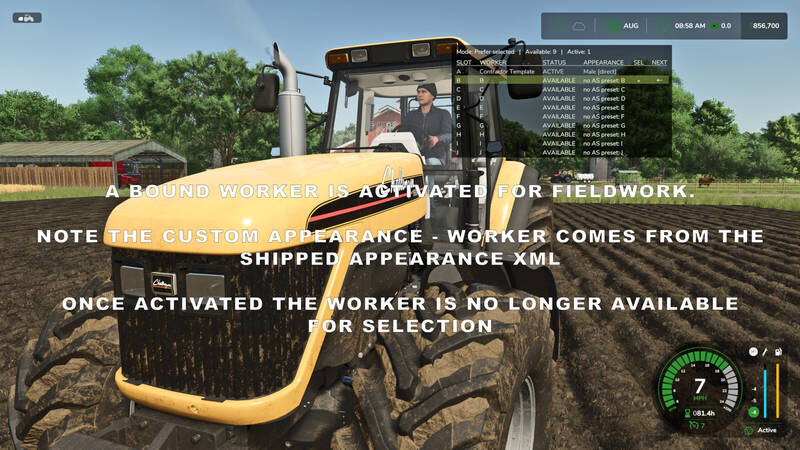
Helferprofile
Helferprofile erweitert den Standard-Helferpool auf 20 dauerhafte KI-Helferplätze (A–T). Eine übersichtliche Statusanzeige und das zweitabige Menü Helper Management erleichtern die Verwaltung des Farmteams.Helferverwaltung: Wähle pro Spielstand verfügbare Helfer aus und schalte einzelne Helfer im Team ein oder aus. Deaktivierte Helfer können nicht ausgewählt oder neu eingestellt werden. Aktive Helfer bleiben geschützt, und mindestens ein Helfer muss im Team verfügbar bleiben.Flexible Auswahl: Wechsle per Tastenkürzel zwischen verfügbaren Helfern. Der Modus Selected bevorzugt den ausgewählten Helfer, während First Free den ersten verfügbaren Helfer in der Teamreihenfolge einstellt.Übersicht: Eine konfigurierbare Overlay-Tabelle zeigt den ausgewählten Helfer, den nächsten erwarteten Helfer sowie den Status aller Helfer. Position, Größe, Erscheinungsbild und die Seitenansicht der Anzeige lassen sich anpassen.Erweiterungen: Mit AvatarSwitcher können gespeicherte Erscheinungsprofile einzelnen Helfern zugeordnet werden. HelperPayroll ergänzt Rollen- und Lohninformationen in der Anzeige. Beide Zusatzmods sind optional.Standardsteuerung: ; wechselt den Helfer, Shift + ; den Einstellungsmodus, Strg rechts + ; öffnet die Helferverwaltung und Alt rechts + ; blendet die Overlay-Anzeige ein oder aus. Alle Tastenbelegungen können geändert werden.Nur für das Einzelspieler-Spiel. Nicht mit Hired Helper Tool oder anderen Hilfer-Erweiterungen mit konkurrierender Helferverwaltung kompatibel. Bei Konflikten deaktiviert sich Helper Profiles für die aktuelle Sitzung. Helferprofile erweitert den Standard-Helferpool auf 20 dauerhafte KI-Helferplätze (A–T). Eine übersichtliche Statusanzeige und das zweitabige Menü Helper Management erleichtern die Verwaltung des Farmteams. Nur für das Einzelspieler-Spiel. Nicht mit Hired Helper Tool oder anderen Hilfer-Erweiterungen mit konkurrierender Helferverwaltung kompatibel. Bei Konflikten deaktiviert sich Helper Profiles für die aktuelle Sitzung.
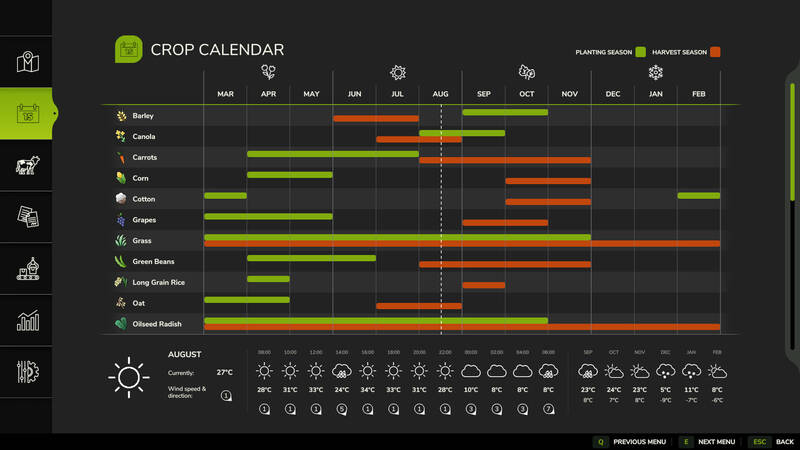
Individuelle Unwettersteuerung
Fügt neue Einstellungen hinzu, mit denen Hagel und Tornados unabhängig voneinander aktiviert oder deaktiviert werden können. Damit müssen Unwetter nicht mehr gemeinsam über die globale Option des Spiels gesteuert werden.So lässt sich festlegen, welche Unwetter in deinem Spiel auftreten sollen. Fügt neue Einstellungen hinzu, mit denen Hagel und Tornados unabhängig voneinander aktiviert oder deaktiviert werden können. Damit müssen Unwetter nicht mehr gemeinsam über die globale Option des Spiels gesteuert werden. So lässt sich festlegen, welche Unwetter in deinem Spiel auftreten sollen.
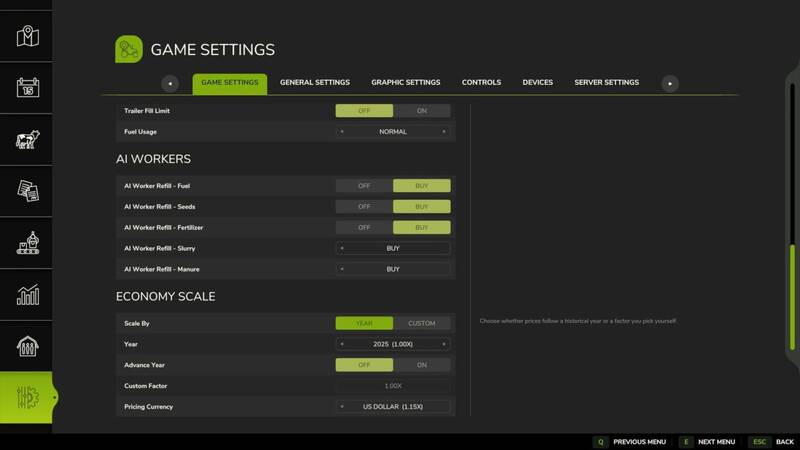
Wirtschaftsskalierung
Economy Scale passt die Finanzwerte des Spiels anhand eines ausgewählten Jahres oder eines benutzerdefinierten Skalierungsfaktors an.Die Zeit kann im Verlauf eines Spielstands automatisch voranschreiten. Bei jedem Januarbeginn steigen die Preise schrittweise, sodass sich die Wirtschaft über einen langen Spielstand langsam weiterentwickelt.Das Mod ist für die Zusammenarbeit mit Vehicle Years und Through the Years ausgelegt. Ist Through the Years installiert, wird das Jahr automatisch übernommen und die Einstellungen für Jahr und Zeitfortschritt werden deaktiviert. Alternativ kann weiterhin ein eigener Skalierungsfaktor verwendet werden.Automatische jährliche Preisentwicklung im EinzelspielFlexible Skalierung durch ein ausgewähltes Jahr oder einen eigenen FaktorUmrechnung in Euro, Pfund oder US-DollarIm Einzelspiel folgt die Währung automatisch der SpieleinstellungIm Mehrspieler wählen Host oder Administrator die Währung unabhängig von der Anzeige der einzelnen Spieler Economy Scale passt die Finanzwerte des Spiels anhand eines ausgewählten Jahres oder eines benutzerdefinierten Skalierungsfaktors an. Die Zeit kann im Verlauf eines Spielstands automatisch voranschreiten. Bei jedem Januarbeginn steigen die Preise schrittweise, sodass sich die Wirtschaft über einen langen Spielstand langsam weiterentwickelt. Das Mod ist für die Zusammenarbeit mit Vehicle Years und Through the Years ausgelegt. Ist Through the Years installiert, wird das Jahr automatisch übernommen und die Einstellungen für Jahr und Zeitfortschritt werden deaktiviert. Alternativ kann weiterhin ein eigener Skalierungsfaktor verwendet werden.
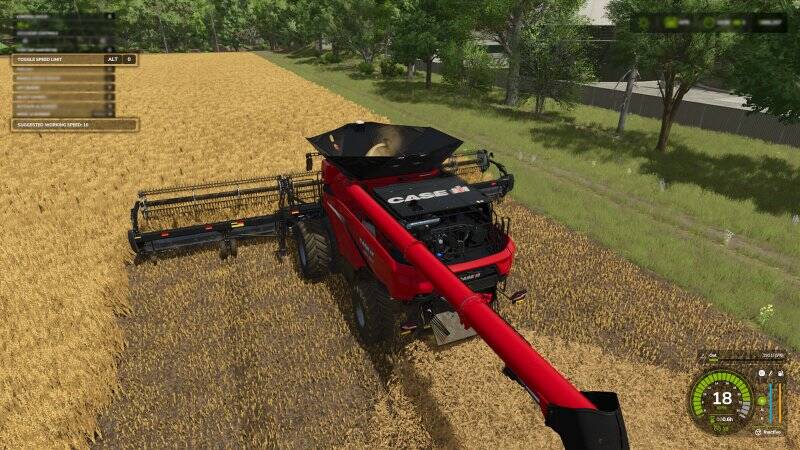
Realistisches Tempolimit mit individueller Deaktivierung
Dieses Mod ergänzt ein realistisches Tempolimit für Fahrzeuge und Arbeitsgeräte. Für jedes Fahrzeug lässt sich die Geschwindigkeitsbegrenzung einzeln deaktivieren, sodass stattdessen die Geschwindigkeitsregelung verwendet werden kann.Standardmäßig bleibt das Limit aktiv. Leistung und Masse begrenzen weiterhin die mögliche Höchstgeschwindigkeit. Das ist besonders auf großen Feldern hilfreich. Die Override-Einstellung wird im Spielstand gespeichert.Standardsteuerung: Links Alt + 0 Dieses Mod ergänzt ein realistisches Tempolimit für Fahrzeuge und Arbeitsgeräte. Für jedes Fahrzeug lässt sich die Geschwindigkeitsbegrenzung einzeln deaktivieren, sodass stattdessen die Geschwindigkeitsregelung verwendet werden kann. Standardmäßig bleibt das Limit aktiv. Leistung und Masse begrenzen weiterhin die mögliche Höchstgeschwindigkeit. Das ist besonders auf großen Feldern hilfreich. Die Override-Einstellung wird im Spielstand gespeichert. Standardsteuerung: Links Alt + 0
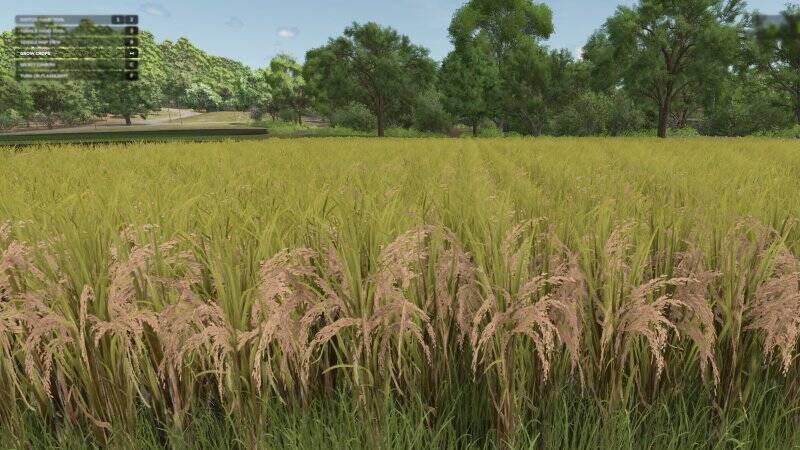
Jetzt Wachsen
Mit „Jetzt Wachsen“ kannst du das Wachstum von Feldfrüchten und Bäumen jederzeit per Tastendruck beschleunigen.Zwei Wachstumsmethoden:Lokales Wachstum: Stelle dich auf ein Feld oder einen bepflanzten Bereich. Nur dieser Bereich wird sofort weiterentwickelt. Der gewünschte Bereich muss mindestens 1 Meter vom Feldrand entfernt liegen, damit er erkannt wird.Globales Wachstum: Alle Feldfrüchte auf der Karte werden mit einer leichten Verzögerung weiterentwickelt. Bei dieser Methode wird die Option für saisonales Wachstum automatisch auf „Aus“ gesetzt.Bei manchen Feldfrüchten sind zwei Tastendrücke erforderlich, um die nächste sichtbare Wachstumsstufe zu erreichen.Standardtastenbelegung:Aktuelle Feldfrucht: RücktasteAlle Feldfrüchte: Linke Umschalttaste + RücktasteBäume: Linke Alt-Taste + Rücktaste Mit „Jetzt Wachsen“ kannst du das Wachstum von Feldfrüchten und Bäumen jederzeit per Tastendruck beschleunigen. Zwei Wachstumsmethoden: Bei manchen Feldfrüchten sind zwei Tastendrücke erforderlich, um die nächste sichtbare Wachstumsstufe zu erreichen. Standardtastenbelegung:
- 15 per page
- 30 per page
- 45 per page
- 60 per page
-
See more per page
Bigger pages, fewer clicks - and no ads anywhere.
Go Pro