Farming Simulator 25 mods
79,169 results- 15 per page
- 30 per page
- 45 per page
- 60 per page
-
See more per page
Bigger pages, fewer clicks - and no ads anywhere.
Go Pro
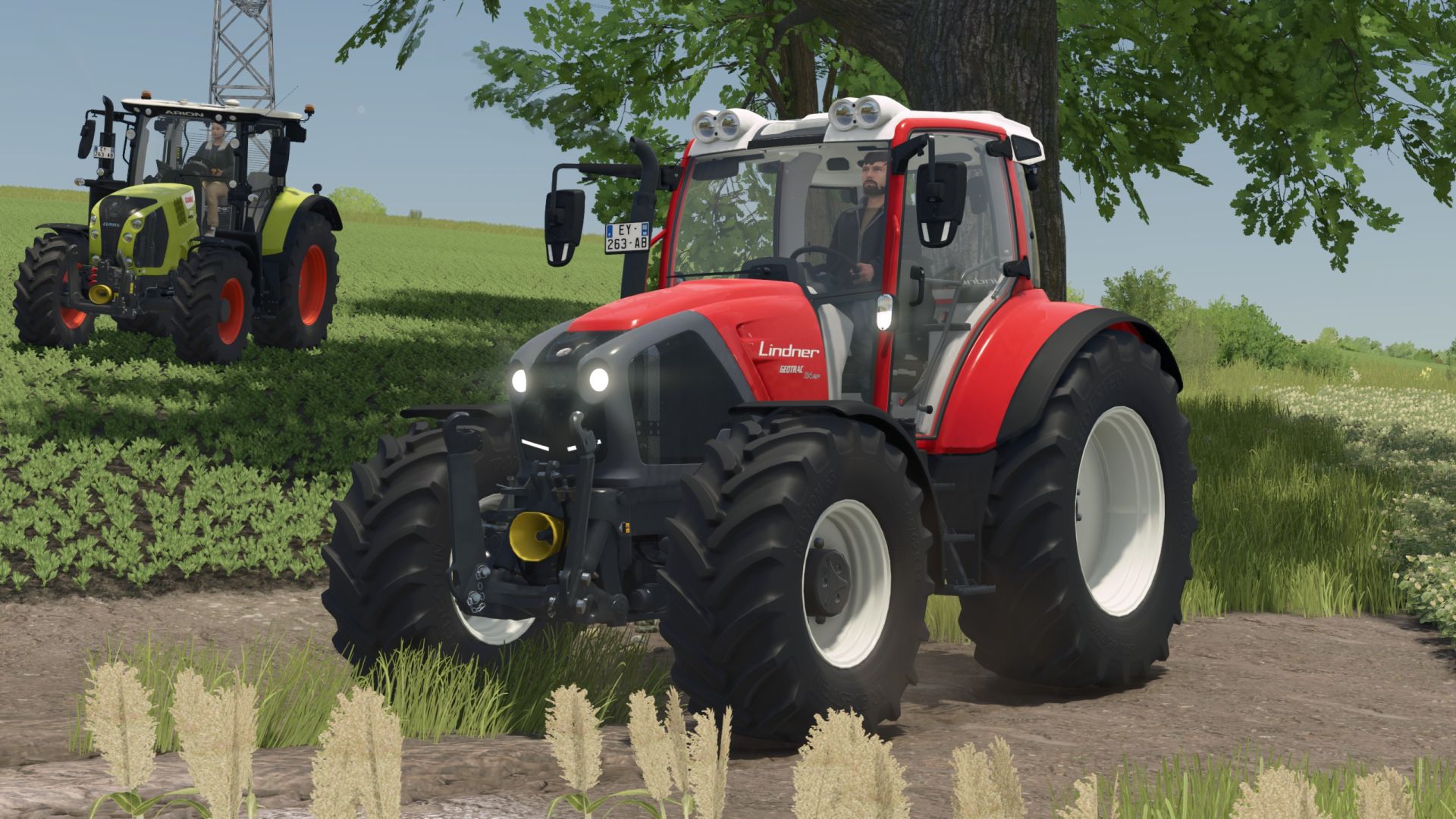
Lindner Geotrac 134 EP Rust Edition FS25
Price: $125,000 Power: 144 hp Top speed: 50 km/h Rust added for wear shader Free configurations Changelog 1.1.0.0 Moddesc updated
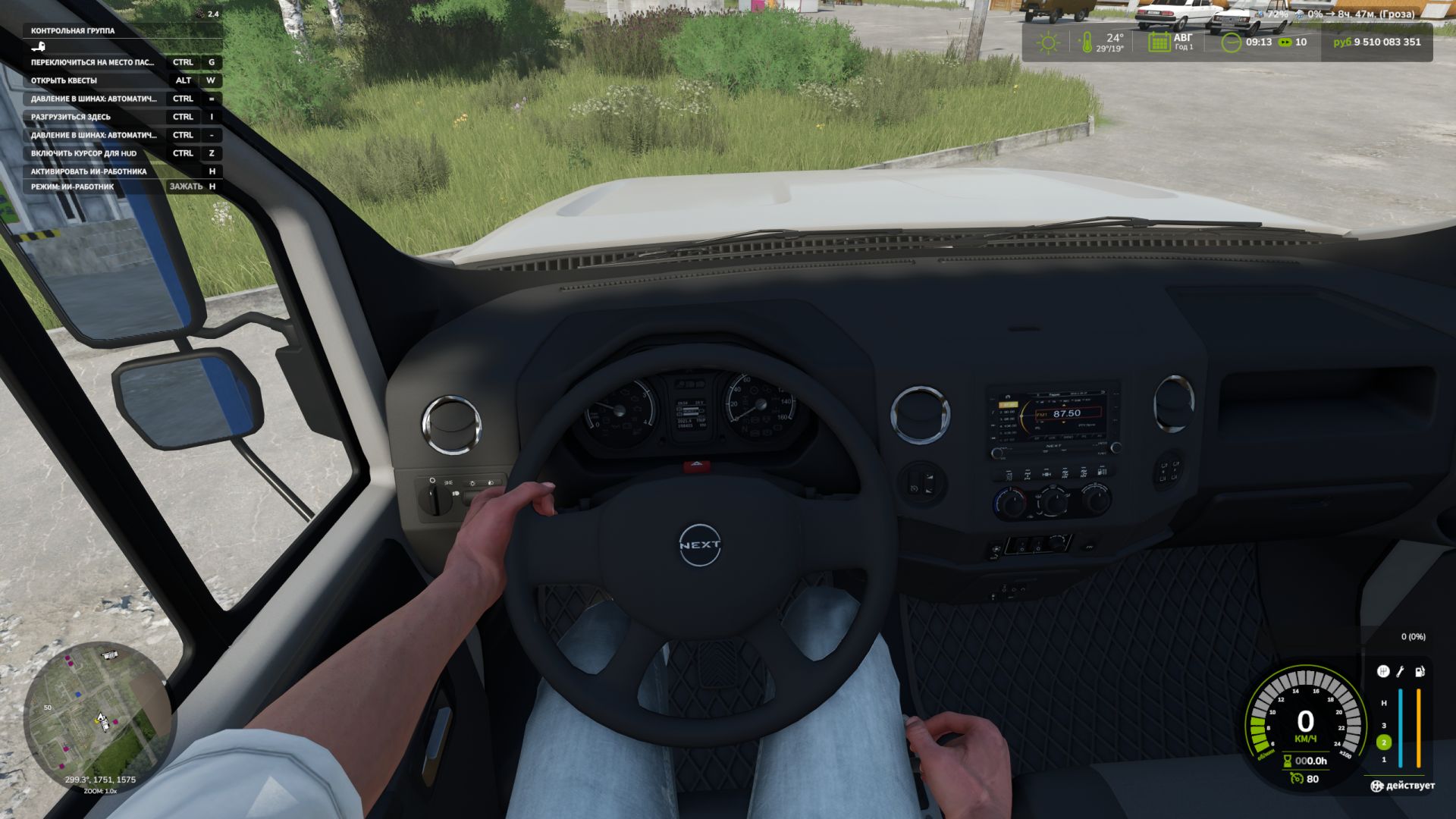
Ego-Perspektive-Spielerkörper V1.0.8.0
Ego-Perspektive-Spielerkörper V1.0.8.0 Die Erweiterung „First-Person Player Body“ fügt in Farming Simulator 25 eine „vollständige“ Charakterdarstellung im Ego-Modus hinzu. Beim Blick nach unten sieht der Spieler nun seinen animierten Körper, Beine und Arme, während die Bewegungen der Spielfigur korrekt zusammen mit der Kamera dargestellt werden. Der Kopf bleibt hinter der Kamera, sodass er die Sicht nicht behindert, trägt aber dennoch zur Schattenbildung bei. Die Mod verbessert außerdem die Ego-Perspektive in Fahrzeugen. Bei Verwendung der Innenraumkamera wird das standardmäßige sitzende Fahrermodell angezeigt. Die Kamera kann der Augenanimation und den Bewegungen der sitzenden Figur folgen. Die Mod-Einstellungen umfassen: Zu Fuß Sichtbarkeit des Spielerkörpers. Seitliche Kamerabewegung. In Fahrzeugen Sichtverhältnisse für den Fahrer. Kameraposition – Standardeinstellung oder Augenhöhe. Die Kamera folgt den Bewegungen des Fahrers. V1.0.8.0 Die Anpassung an Beam Eye Tracker kann in den Einstellungen aktiviert oder deaktiviert werden. Neue Hand-über-Hand-Lenkfunktion, in den Einstellungen aktiviert. Tags: Die AnpassungDie KameraDie ModFarming Simulator
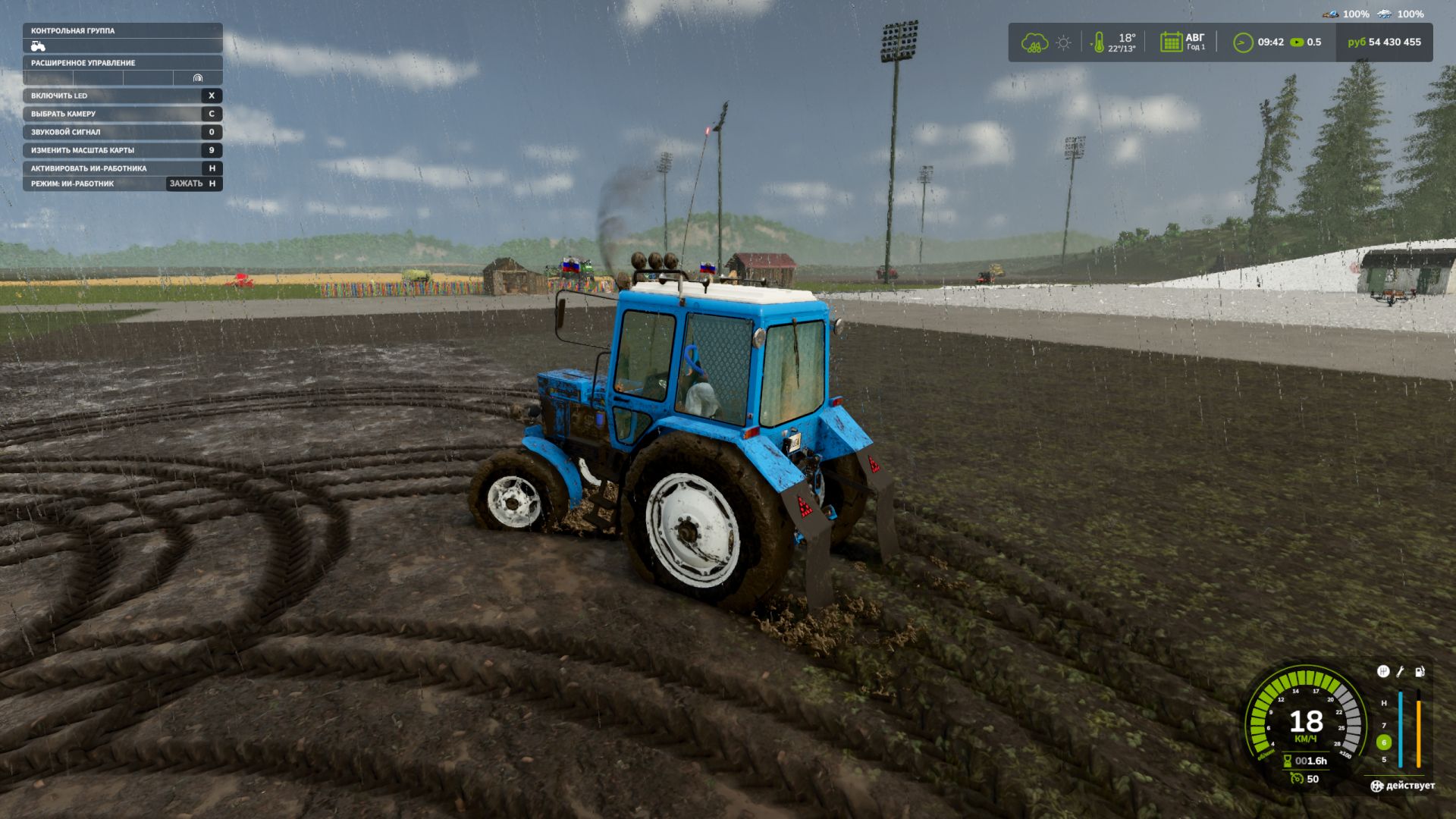
Schlammsystemphysik V1.3.6.0
Schlammsystemphysik V1.3.6.0 Mud System Physics ist eine fortschrittliche Physik-Modifikation für den Landwirtschafts-Simulator 25, die die Interaktion von Landmaschinen mit dem Boden bei Regenwetter völlig neu definiert. Was bewirkt die Modifikation? Die Mod fügt ein dynamisches Schmutzsystem hinzu, das Folgendes beeinflusst: – Radverhalten – Oberflächenhaftung – Visuelle Effekte – Geländegängigkeit des Fahrzeugs – Zustand der Felder und Böden Jede Fahrt im Regen oder auf einem feuchten Feld birgt das Risiko, stecken zu bleiben, und ist nicht nur ein schönes Bild… Hauptmerkmale!!! "Echte" Schlammphysik Der Verschmutzungsgrad wird anhand der Luftfeuchtigkeit in Echtzeit berechnet! Räder können: – Slip – den Halt verlieren – Im Schlamm stecken bleiben Je schwerer die Ausrüstung, desto höher das Risiko, stecken zu bleiben. Wechselwirkung mit Feldern Schlamm verhält sich auf verschiedenen Ackerböden unterschiedlich, beispielsweise ist Schlamm auf gepflügten Feldern am zähflüssigsten! Möglichkeit zur Entfernung der Vegetation im tiefen Schlamm (optional) Flexible Einstellungen! Die Modifikation ist über das Spielmenü vollständig anpassbar: – Schlammsystem ein-/ausschalten – Stärke des Viskositätseffekts – Einfluss des Regens – visuelle Effekte – Entfernung der Vegetation Und vieles mehr. (Es gibt mehr als 20 verschiedene Knöpfe und Schalter.) REIFENPUNKTSYSTEM, REIFENDRUCKMESSUNG UND VIELES MEHR… Viel Spaß beim Spiel! Die Verwendung des Mod-Codes außerhalb des Systems ist untersagt. Ebenso die Weitergabe auf anderen Seiten, jedoch nicht über den Link des Autors! V1.3.6.0 Es wurden Optimierungen vorgenommen. (Sie sind nicht bedeutend, können aber das Spielerlebnis verbessern.) Liste unten. Der leere visuelle Reifencache wurde bei jedem Aufruf neu aufgebaut (behoben). Die unveränderte Reifenverformung wurde konstant in den Shader geschrieben (fixiert). Unnötige Aktualisierungen zur physikalischen Reibung entfernt Das hydraulische Raster im lokalen Feuchtigkeitsmodus wurde optimiert und in Aufgaben unterteilt. Alles, was mit TractorTerrainDynamics zu tun hat, wurde vorübergehend entfernt. Verbesserte Kompatibilität mit Real Physics Tire Wear Tags: Die ModifikationDie VerwendungEchte SchlammphysikViel Spa

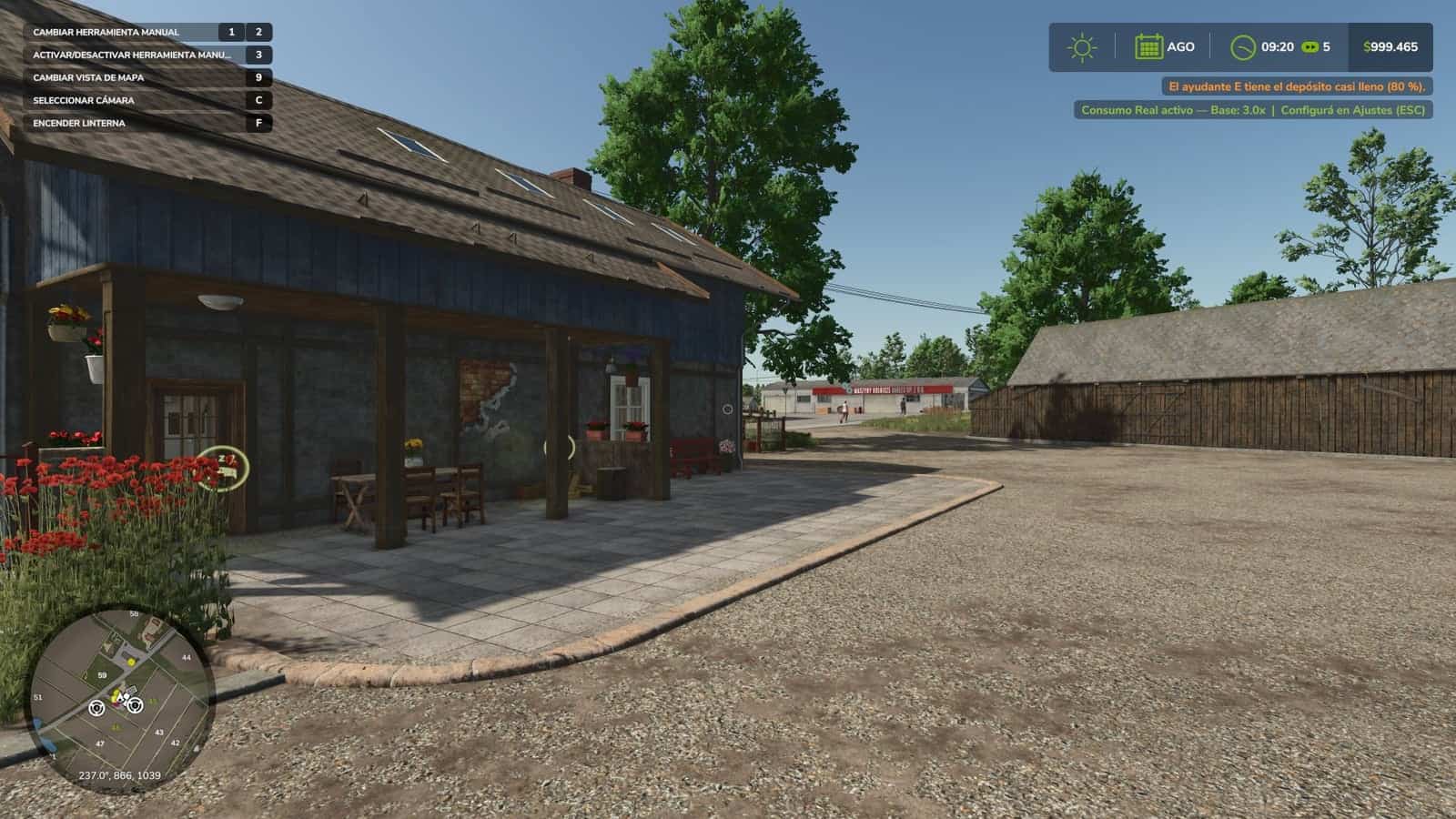
Real Fuel Consumption V1.5.0.0
Real Fuel Consumption turns your farm’s fuel usage into a realistic and challenging system. It uses a dynamic calculation that reads each vehicle’s real state in real time. Features All options are configured from the Game Settings menu (ESC), with no commands or unusual keys. Compatible with all vehicles and mods. Multiplayer and Dedicated Server compatible. Settings are saved per savegame. Load bonus: the engine consumes more under real stress, including climbing hills, pulling heavy implements and towing loads. Work type bonus: each task consumes differently, like real life. RPM sensitivity: higher engine RPM means more consumption. Specifications Base Multiplier: configurable from 1.0x to 3.0x, with a default of 1.5x. Plowing / Cultivating: +40%. Harvesting: +35%. Baling: +25%. Mowing / Tedding: +20%. Spraying / Fertilizing: +15%. Sowing: +10%. For balanced realism, use 1.5x. For a hardcore challenge, use 2.5x or 3.0x with Load Sensitivity set to High. Changelog V1.5.0.0ENGINE MODE KEY, front loader arm would no longer move.The mode was changed with J, but J is the game’s default key for raising and lowering the front loader arm, and is also used by other implements. When two controls share the same key, the game only keeps one active, which caused the loader arm to stop moving for many players.The engine mode is now assigned to Alt+J. If you were using J, the mod will automatically change it once and notify you on screen. If you had already assigned it to another key, your setting will be kept.The key can be changed at any time under Options > Controls.MORE REALISTIC FUEL CONSUMPTIONTractors, harvesters and self-propelled machines now consume fuel according to the power being produced by the engine: loaded vehicles, uphill driving and working consume more; unloaded vehicles consume much less.A large tractor at full load burns around 64 l/h, instead of the previous 183 l/h.Plowing, cultivating and discing consume more depending on working width, speed and depth, compatible with Variable Working Depth.Mud and cultivated soil increase consumption compared to stubble or roads.The additional consumption only affects fuel usage: it does not slow the machine down or change how it handles.Trucks, cars, electric vehicles and methane-powered vehicles continue using the game’s original calculation.ENGINE MODESECO reduces engine RPM and smooths throttle response: it saves fuel when there is excess power available, while at full load the savings are minimal.POWER provides faster throttle response.Engine modes no longer reduce power or limit top speed.SETTINGSNew Consumption setting: Real, the default, or x1.25 to x3 for increased difficulty.New Realistic Traction & Rolling Resistance setting, enabled or disabled.Base Multiplier, Load Sensitivity, Work Type Bonus and RPM Sensitivity have been removed: the calculation now handles everything automatically.HUDFuel consumption is displayed below the fuel gauge, using the same size as the ADS reading, with the number shown in the color of the selected engine mode: green ECO, gray STANDARD, red POWER. It appears instantly.Electric vehicles display consumption in kW, while methane vehicles display kg/h.The icon and reading follow the game’s HUD scale.REPORT (Ctrl+J)Liters per hectare while working in the field, liters per 100 km on the road, and engine running time while stationary.Each vehicle displays the correct fuel unit and fuel price.FIXESDedicated Server: clients no longer always see 0.0 l/h.If Advanced Damage System increases fuel consumption, this mod no longer stops working on that vehicle. Both consumption values are now combined.Vehicles excluded from Advanced Damage System no longer lose their fuel consumption display.Truck brake air pressure no longer consumes fuel as if it were actual fuel consumption.Compatible with savegames from 1.4.x: no new game is required, and the accumulated report data is preserved.Previous consumption settings are not carried over: every savegame starts with Real consumption.Multiplayer and Dedicated Server supported. V1.4.0.0 Fixed: disabling the engine modes left the vehicle without power permanently. Fixed: the mode change key continued to work with the function disabled. Dashboard icons unified with the other GN Realism mods. Compatibility with Advanced Damage System; the fuel consumption reading no longer overlaps. Minor correction to the Modes icon. V1.3.1.0New: fuel report (Ctrl+J inside a vehicle): liters, engine hours, average l/h, ECO/STANDARD/POWER share and estimated cost for that vehicle, session and total, plus the farm total. Counted on the server and saved per vehicle; dedicated-server ready.Fixed: the l/h readout kept showing the last driving value while the engine was off. It now shows 0.0 l/h whenever the engine is not running.
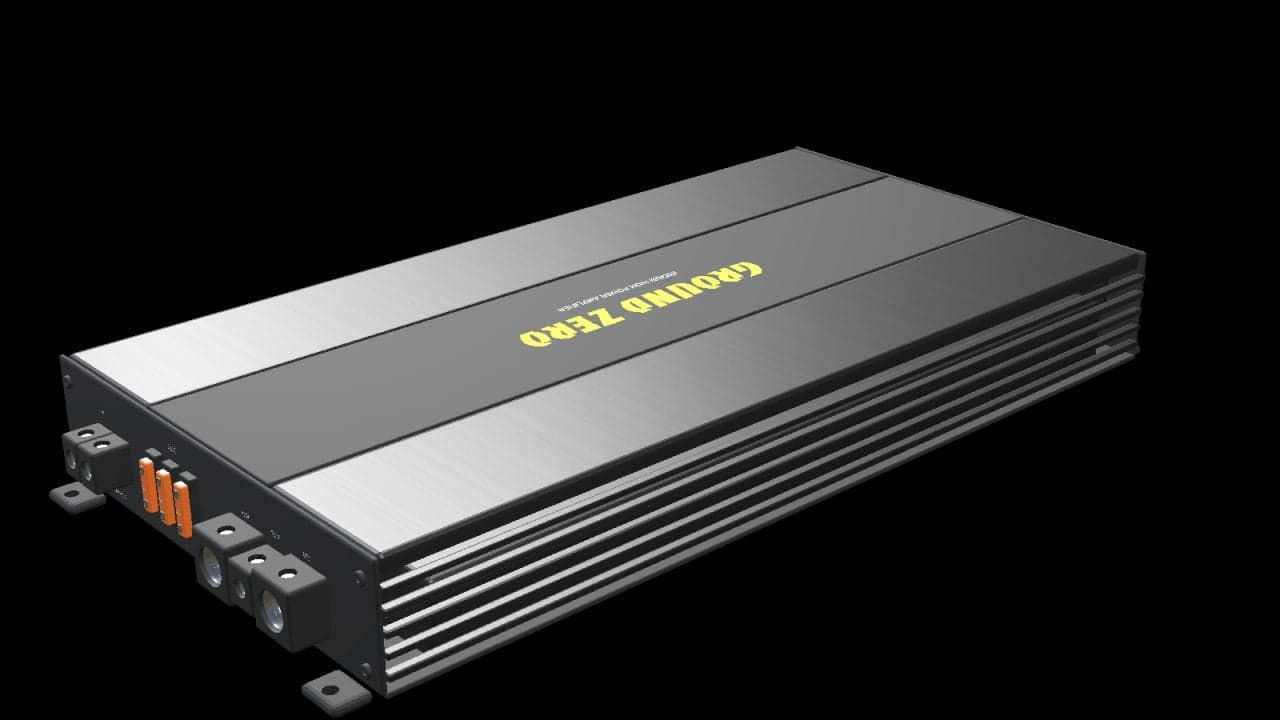
Ground Zero GZIA 1.1500D (Prefab) V1.0.0.0
Add a detailed car-audio setup to your Farming Simulator 25 vehicle with this Ground Zero amplifier prefab. Features Black housing with a brushed-metal finish. Centre panel with yellow Ground Zero branding. Cooling fins along both sides. Detailed RCA sockets, adjustment controls and connection terminals. Three fuses and four mounting feet with drilled holes. Real-scale model with separate materials and two detail levels. The complete package includes the I3D model, DDS textures, editable Blender source, preview images and installation guides in English, Swedish and Norwegian. Static decoration without audio playback, interactive controls, illuminated LEDs or separate collision. Cables and an external remote controller are not included. Specifications Nominal housing length: 360 mm Nominal housing width: 192 mm Nominal housing height: 49 mm Overall length including mounting feet: 388 mm Installation Import the prefab into your vehicle mod using GIANTS Editor 10 and follow the included guide. This is a prefab for modders, without a separate shop entry. Check placement and appearance in your vehicle after installation. Changelog Version: 1.0.0.0 GE previews show GIANTS Editor. Studio previews are supplemental Blender renders, not gameplay screenshots.
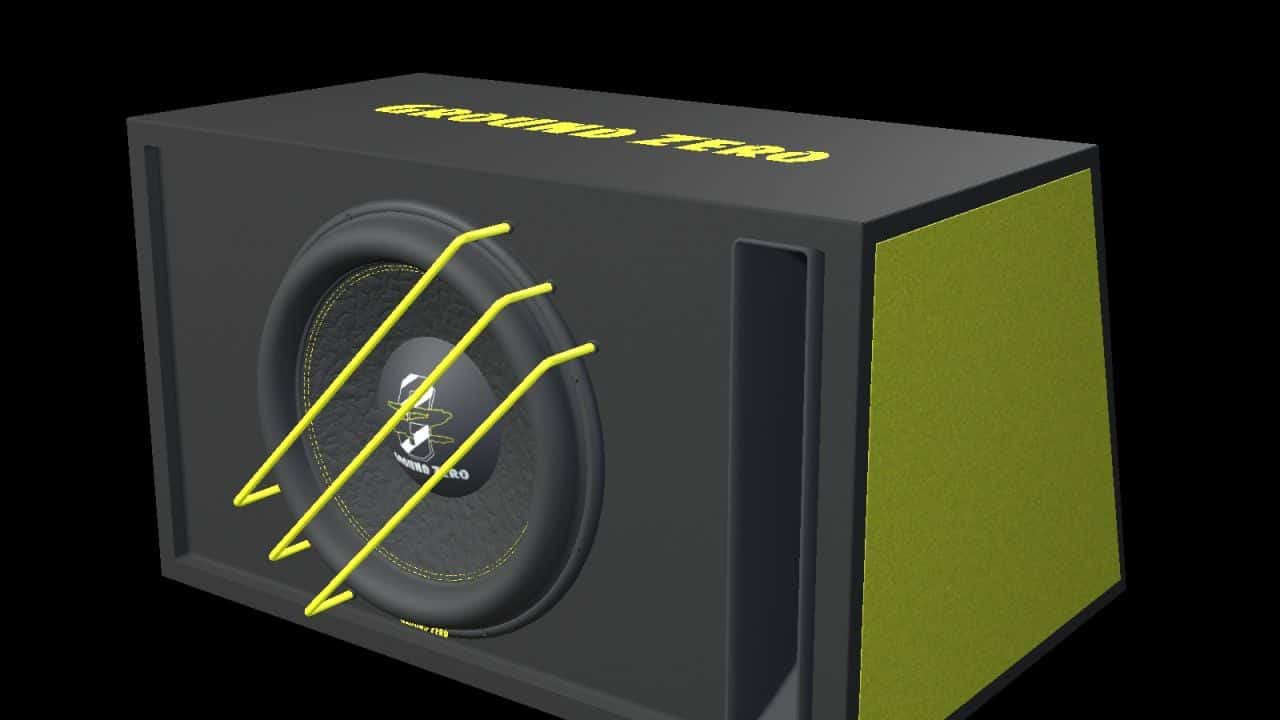
Ground Zero GZRB 30SPL (Prefab) V1.0.0.0
Add a detailed car-audio setup to your Farming Simulator 25 vehicle with this Ground Zero subwoofer enclosure prefab. Features One 12-inch subwoofer. Three yellow protective bars. Open bass-reflex port. Black carpet covering, yellow side panels and Ground Zero branding. Side connection terminal with four contacts. Real-scale model with separate materials and two detail levels. The complete package includes the I3D model, DDS textures, editable Blender source, preview images and installation guides in English, Swedish and Norwegian. Specifications Width: 650 mm Height: 380 mm Depth: 450 mm at the bottom / 330 mm at the top Installation Import the prefab into your vehicle mod using GIANTS Editor 10 and follow the included guide. This is a prefab for modders, without a separate shop entry. Function Static decoration without audio playback, speaker animation or separate collision. Check placement and appearance in your vehicle after installation. Version: 1.0.0.0 GE previews show GIANTS Editor. Studio previews are supplemental Blender renders, not gameplay screenshots.
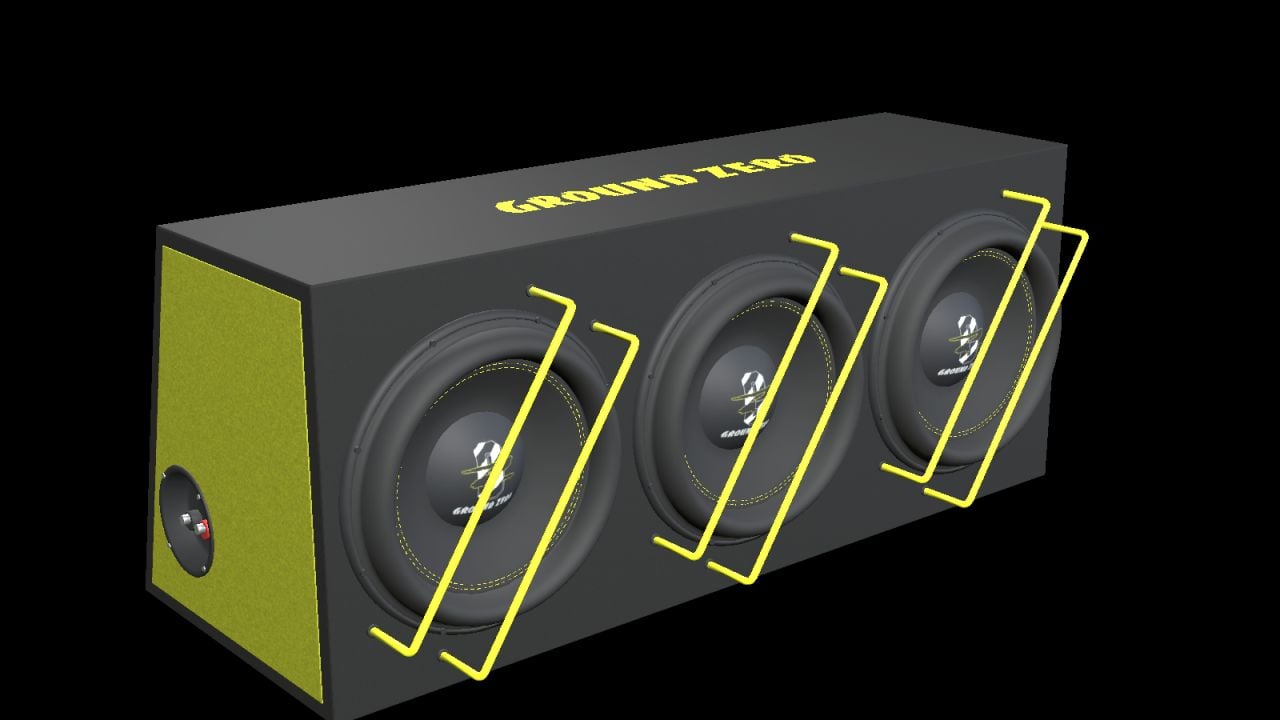
Ground Zero GZIB 3.2500SPL (Prefab) V1.0.0.1
Add a detailed car-audio setup to your Farming Simulator 25 vehicle with this Ground Zero subwoofer enclosure prefab. Features Three 10-inch subwoofers. Six yellow protective bars. Black carpet covering, yellow side panels and Ground Zero branding. Recessed side connection terminal. Real-scale model with separate materials and two detail levels. Specifications Width: 830 mm Height: 340 mm Depth: 320 mm at the bottom / 240 mm at the top The complete package includes the I3D model, DDS textures, editable Blender source, preview images and installation guides in English, Swedish and Norwegian. Installation Import the prefab into your vehicle mod using GIANTS Editor 10 and follow the included guide. This is a prefab for modders, without a separate shop entry. Function Static decoration without audio playback, speaker animation or separate collision. Check placement and appearance in your vehicle after installation. Version 1.0.0.1 GE previews show GIANTS Editor. Studio previews are supplemental Blender renders, not gameplay screenshots.
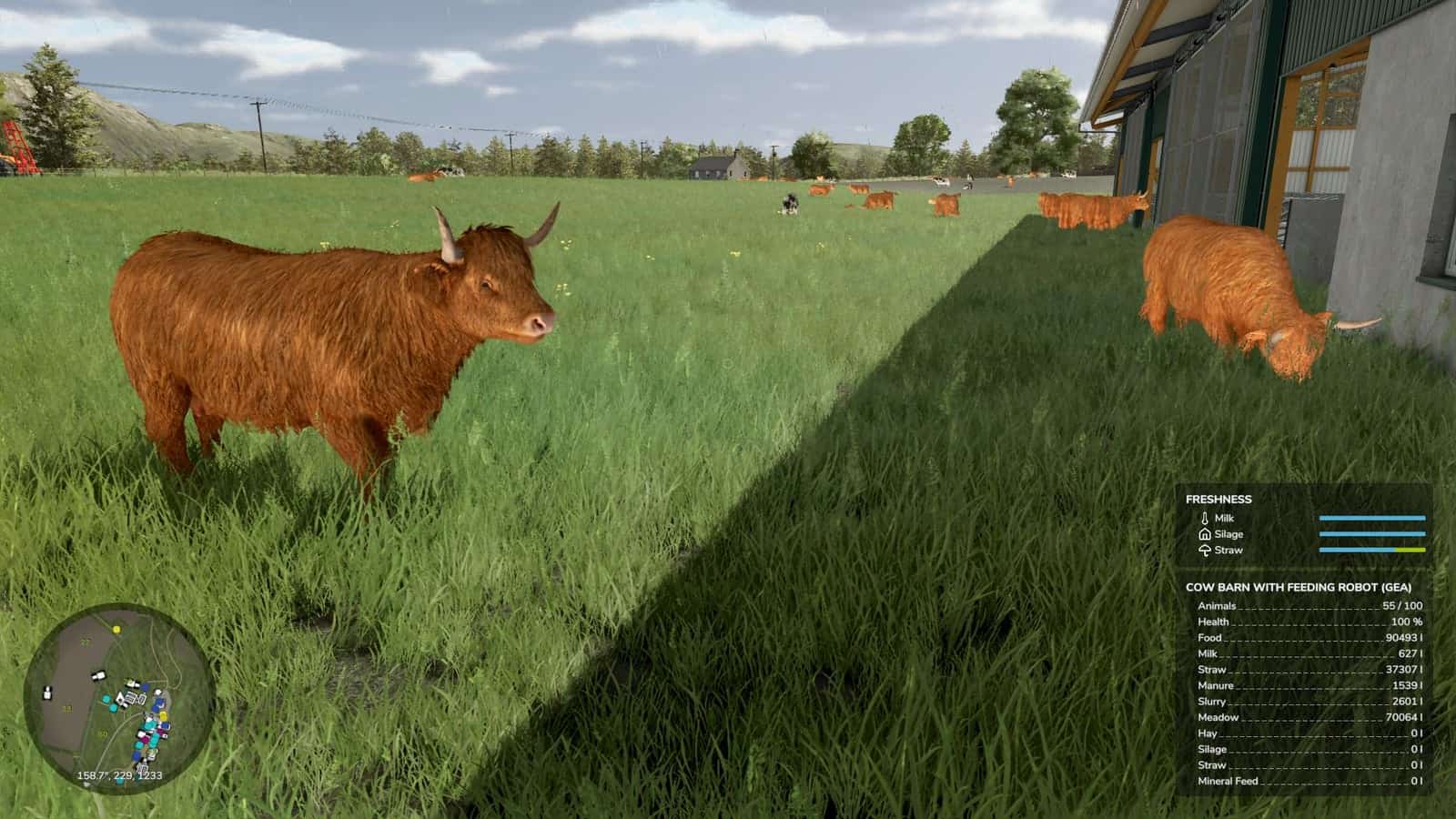
Fresh / Perishable products V1.1.0.0
Fresh adds shelf life to your products. Crops age over time and will spoil if not sold or used. Your harvested crops, processed goods, and baled forage have realistic shelf lives. Leafy vegetables spoil quickly, while grains and canned products last much longer. Products left too long will expire and be lost. Shelf lives can be customized via the Fresh Menu. Usage:Install the mod and play normally. Open Fresh Menu with Right Shift+F to view inventory, stats, and settings. Check expiry by looking at any vehicle, bale, or storage. Customize shelf lives in Settings if the defaults do not suit your playstyle. User guide: https://rittermod.github.io/FS25_Fresh/Found a bug? Open an issue at https://github.com/RitterMod/FS25_Fresh/issues Features Fresh Menu, opened with Right Shift+F Inventory Overview: see all perishables at a glance with their oldest ages Product Details: per-storage age breakdown with freshness buckets Storage Details: per-product breakdown with age distribution and category filter Loss Statistics: track what you have lost and when Shelf Life: effective shelf life per storage class Settings: customize shelf lives and storage class benefits Storages are automatically classified as Exposed, Sheltered, Indoor, Cooled, Frozen, or Disabled Each class applies an aging speed multiplier. Better storage means slower spoilage Bales, pallets, big bags, and parked vehicles under a building roof age as Sheltered Vehicle loads follow their cover: Sheltered while the tarp is closed, Exposed while it is open. Tankers and closed hoppers age as Sheltered Override storage class per storage via Settings. The Loose Items setting sets the minimum class for bales and pallets outside a storage Set a per-product max benefit class to cap how much a storage class can help Age distribution bars appear near placeables, vehicles, and bales, with color-coded freshness Storage class icons appear in the HUD, expiring soon table, and loss log Expiry countdown on vehicles and bales Expiring amount and time remaining per fill type on placeables and husbandries Warning highlight when products are near expiration, with a configurable threshold Notification when products expire and are removed 100+ products with realistic shelf lives: perishable produce spoils in days, grains last months, and canned products up to 3 years 130+ non-expiring products pre-configured 4 bale types: Fresh Grass (days), Hay (18 months), Straw (24 months), Silage (12 months) Wrapped grass bales begin aging after fermentation completes Difficulty presets: Very Easy, Easy, Normal, Hard, or Custom for individual control Configure shelf life for any product, including basegame, DLCs, maps, and mods Enable or disable expiration globally or per product Configurable warning threshold: 6h, 12h, 24h, 48h, or 72h Reset all settings to defaults with one click Optional external config file, customDefaults.xml, to add or override shelf life, storage class, and aging for any crop, including custom map or mod crops, without editing the mod. It is update-safe and server-side in multiplayer Per-savegame settings In multiplayer, the host or admin controls settings for all players All expirations are recorded in the loss log Daily notifications summarize your farm’s losses View loss history in the menu Vehicles: trailers, tankers, combine tanks, etc. Bales and pallets: on the ground and in storage buildings Placeables: silos, productions, husbandries, and object storage Each harvest or production run is tracked as a separate batch with its own age Oldest items are retrieved first from storage (FIFO) Expired products are automatically removed Batch ages are preserved during transfers between containers Multiplayer support, server-authoritative Ages are saved with your game No loose item tracking for loose grass, grains, etc. on the ground Silo extensions are tracked separately rather than as a shared pool Limitations and known issues: There is no loose item tracking for loose grass, grains, etc. on the ground. Silo extensions are tracked separately rather than as a shared pool. Changelog V1.1.0.0Fresh now checks for roofs too. Bales, pallets, and big bags set down under a shed, carport, or barn roof age as Sheltered, and so do trailers parked under one. A covered trailer load ages as Sheltered while its tarp is closed. Expiry times in the menus and info boxes now follow the batch that runs out first and respect your aging settings. Added roof detection for loose bales, pallets and big bags. One set down under a shed, carport or barn roof now ages as Sheltered instead of Exposed Added covered vehicle loads. A compartment with a load heap ages as Sheltered while the tarp or cover over it is closed and Exposed while it is open, including compartments that share one tarp with the covered ones Added roof detection for parked vehicles. A trailer parked under a shed roof, with nobody in it or its tractor, ages as Sheltered Changed the Loose Items storage setting to a minimum class. A bale or pallet under a roof stays Sheltered even when the setting is Exposed Removed the admin console commands that edit stock, ages, expiry and storage classes from release builds. Set storage classes in the Fresh settings menu instead Fixed pallets and big bags on multiplayer clients showing a storage class that ignored the Loose Items setting. Aging on the server was already correct Fixed tankers, sprayers, and closed hoppers aging as Exposed. A load with no open heap now ages as Sheltered Fixed the Overview’s Next Expiry showing the oldest batch’s time when a newer batch in faster-spoiling storage runs out first Fixed the Product Details and Storage Details tabs showing a vehicle’s oldest batch time instead of the batch that runs out first Fixed expiry times ignoring the Storage aging setting when it is off, and the Expires in lines and age bars still showing when expiration is off Updated the storage classes guide and FAQ to explain which buildings count as a roof V1.0.1.0 Added optional external config, modSettings/FS25_Fresh/customDefaults.xml, to add or override shelf life, storage class and aging multipliers for any crop, including custom map or mod crops, without editing the mod. It is update-safe, re-read each launch, and server-side in multiplayer Added user guide documentation for the custom defaults config file, including setup, precedence, schema, and multiplayer Added Ukrainian localization Improved stability: a rare error while aging or expiring one item no longer interrupts the rest of the hourly/daily update Fixed near-empty containers under 1 L, such as a combine grain-tank leftover, showing as “0 L” rows in the inventory menus and skewing the displayed expiry Fixed inventory and loss-statistics amounts ignoring locale number formatting. Thousands separators now display correctly for non-English languages, such as 1.234 L V1.0.0.0 Added Storage Details tab, with per-product breakdown, age distribution, storage class, expiry times, and 4-category filter with shop icons Added Product Details tab, with per-storage breakdown and age distribution across Fresh/Good/Warning/Critical buckets Added storage class icons to HUD, expiring soon table, and loss log with thick stroke variants for small-size legibility Added custom menu icons for all 6 tabs, using Lucide icons Added German localization Updated all translations, French, Italian, Swedish, and German, to cover new detail tabs and storage features Improved settings UX: the master Enable switch greys out all other settings, and dependency toggles hide or show related controls and sub-tabs Improved menu polish: keyboard/controller navigation, table spacing, naming consistency, and removed “(preview)” labels Localized all remaining hardcoded English strings Rebalanced frozen multiplier from 0.05 to 0.10, changing the life extension from 20x to 10x Adjusted shelf lives and storage class limits for 15+ products to better reflect real-world storage behavior Fixed incorrect maxBenefitClass for Lettuce, Potatoes, Sugarcane, Salmon/Trout Fry, and Butter Fixed storage list showing empty product entries for containers with zero fill level Fixed dedicated server not recognizing third-party mod products on startup Fixed client HUD not showing freshness for products configured only via user settings User guide: https://rittermod.github.io/FS25_Fresh/Source code and issue tracker: https://github.com/rittermod/FS25_Fresh
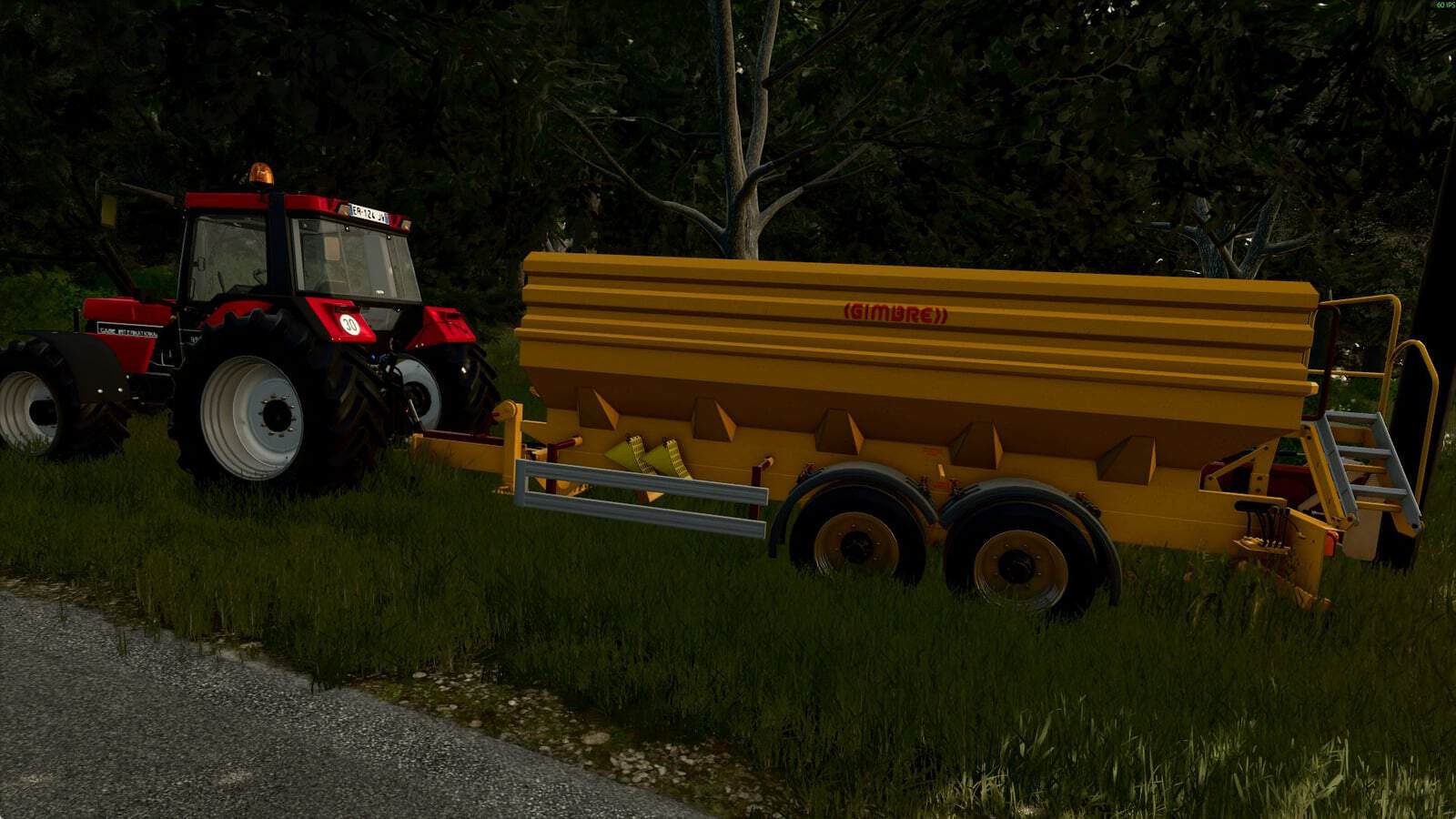
Gimbre grape harvesting bin V1.0.0.0
Gimbre grape trailer, a reskin of the original grape trailer from Farming Simulator 25 in Gimbre’s colors. Specifications Price: €39,000
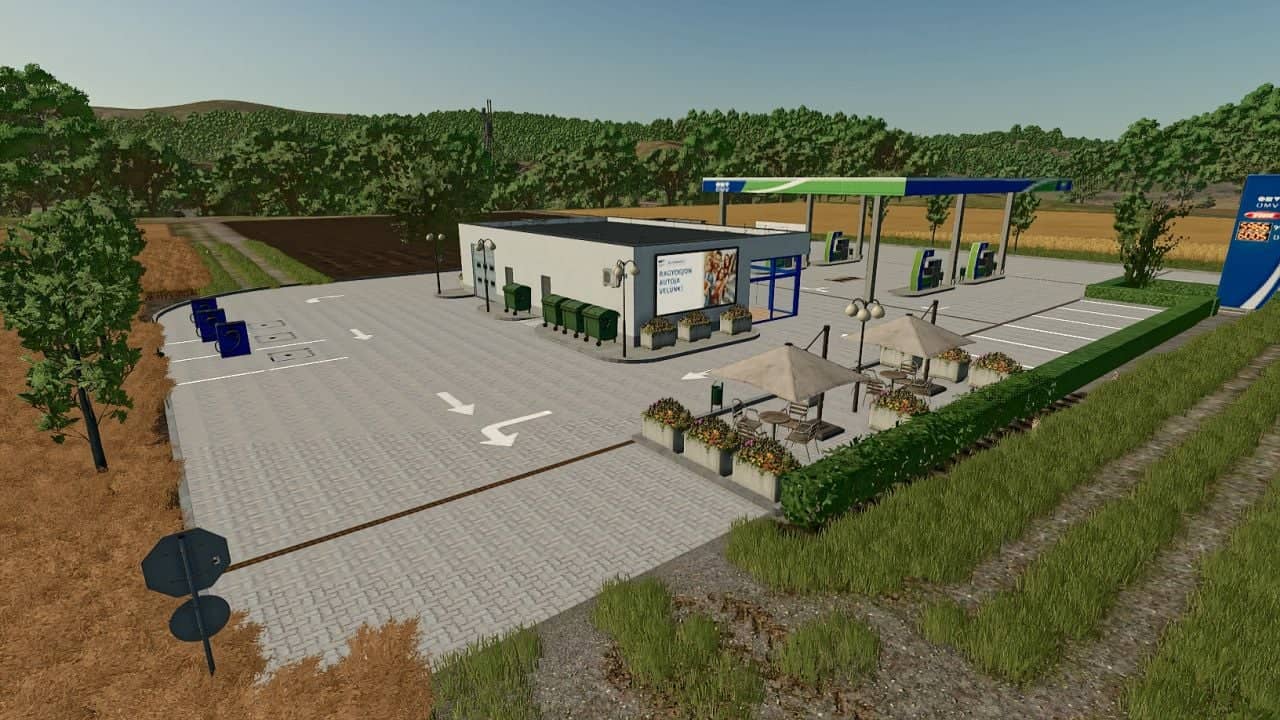
OMV Gas Station V1.2.0.0
A functional OMV fuel station in Hungarian style for refueling vehicles. The electric vehicle charging station must be placed separately in the designated area next to the fuel station. Specifications Price: €140,000 Daily Upkeep: €10
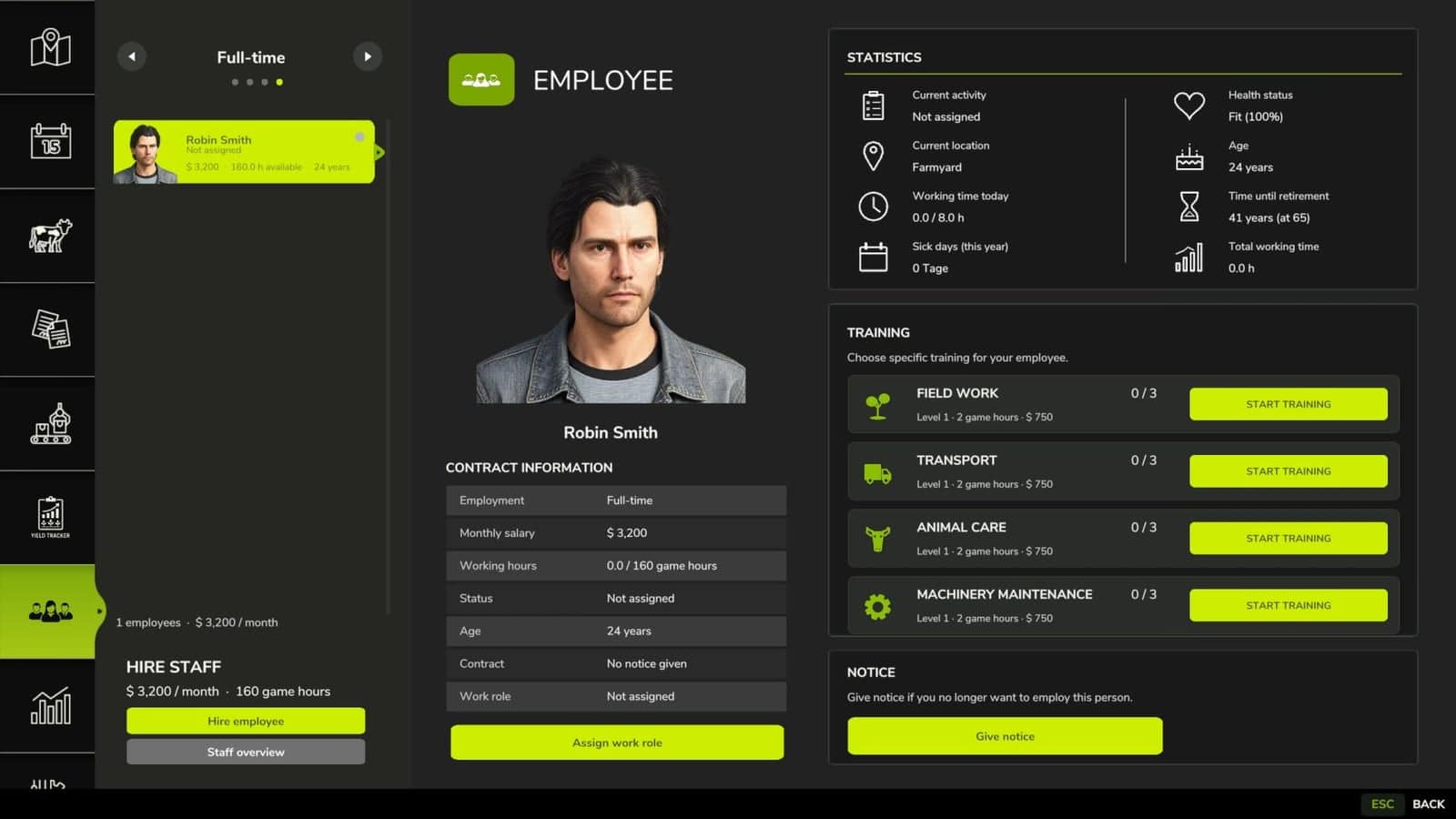
Employees V2.0.0.0
The “Employees” mod expands the game with a personnel system. Employees can be hired, assigned to different work areas, and developed through training. They also handle tasks such as animal husbandry and machine maintenance. Contract types, salaries, illnesses, retirement, and temporary workers support more realistic personnel planning. Features Employee Management: Up to 10 fixed employee profiles with their own name, age, and assigned AI helper. Four contract types: Casual for €600/month and 40 in-game hours, part-time for €1,600/month and 80 hours, full-time for €3,200/month and 160 hours, and temporary workers for €120 per assignment. Temporary Workers: Available for 8 in-game hours from the time of request, then automatically leave the farm. They receive no further training and work at full performance level. Job Categories: Each employee can be assigned fieldwork, transport, animal husbandry, or machinery operation. New employees start with “Unassigned.” AI Helper Linking: Fieldwork is only assigned to employees with fieldwork skills. GoTo, Delivery, Conveyor Belt, and Transport jobs require Transport. Employee Selection in Single Player: When starting a suitable AI job, a selection of available employees appears. Automatic Selection in Multiplayer: A suitable employee is automatically selected. The employee with the lowest percentage of their allocated hours is given priority. Real employee names: Instead of “AI Helper A/B/C…”, the employee’s name is displayed for managed jobs. Working hours: Regular employees use their monthly hour allowance while performing AI tasks. Once this allowance is exhausted, the job is terminated. Monthly salaries: Salaries are deducted at the end of the month. At the same time, the hour allowance of regular employees is reset. Terminations: An employee can be terminated. Termination occurs after three month-ends, and the termination can be withdrawn beforehand. Aging: Employees age over the course of the game. Retirement: Employees retire at age 65. A warning is issued three months in advance. The vacated position can then be rehired with the employee’s original starting age. Illnesses: Regular employees have a 3% monthly chance of becoming ill. Four illnesses: colds, gastroenteritis, flu, and back problems with varying recovery times. Recovery in game time: Illness expires after in-game hours. Sick employees cannot be deployed or trained. Ongoing work and maintenance are terminated. Training: Fieldwork, transport, animal husbandry, and machine technology each have 3 levels. Training costs: Level 1 costs €750, Level 2 costs €1,500, and Level 3 costs €2,250. Training duration: The three levels take 2, 5, and 8 in-game hours, respectively. Performance levels: Without training, a normal employee works at 25%, then at 50%, 75%, and 100%. Fieldwork and Transport: The training level affects the actual AI driving speed and the vehicle’s speed limit. Animal Husbandry and Machinery: Higher training reduces the required working time. Automatic Animal Checks: An animal caretaker automatically checks the herds at 8:00 AM and 5:00 PM. Occupied Sheds Only: Empty barns and pastures are skipped. 20% Threshold: Feed, water, and bedding are only replenished when the respective stock level falls below 20%. 95% Target: The animal caretaker then attempts to raise the stock level to 95%. Fair Feed Distribution: If there is not enough feed available, herds in need are considered together, instead of the first barn found receiving all the feed. Feed from Farm Stores: The mod searches for usable feed in various locations, including regular silos, silo extensions, bale storage, pallet storage, big bags, and object storage facilities. Hof Bergmann Support: The storage logic takes into account the special Hof Bergmann pallets and ObjectStorages. Pet Food: Special fill types such as dog/cat food can also be accommodated. Water: The animal caretaker fills suitable water troughs directly and free of charge. No water is taken from a farm storage area. Bedding: The mod recognizes both straw and wood shavings, depending on what the respective barn actually supports. Wood Shavings on Hof Bergmann: Even stored wood shavings pallets in the ObjectStorage can be recognized as stock and removed. Stock Protection: If feed or bedding is not accepted by the barn, the mod attempts to return the reserved stock instead of simply making it disappear. Manure: Existing manure is moved to the nearest accessible manure slab on the farm. Farm Separation: The automatic supply only accesses stocks and holdings to which the respective farm has access. Mechanical Technician: Works automatically between 8:00 AM and 5:00 PM. Repair Threshold: Vehicles are selected for maintenance when they reach approximately 20% damage. Vehicle Selection: Preference is given to a damaged vehicle belonging to the operator that is not currently being driven, is not in motion, and is not performing an active AI job. Maintenance Duration: This depends on the Mechanical Technician’s training level and only continues during working hours from 8:00 AM to 5:00 PM. Vehicle Lockout During Maintenance: The vehicle cannot be entered, tabbed through, used, or normally attached during maintenance. Repair Display: The remaining repair time is displayed in the vehicle information. Repair costs: Before and upon completion, the system checks whether the farm can afford the repair. Staff overview: The employee menu displays employees by contract type and job description, as well as status, age, available hours, and other contract information. Status indicators: These include “Available,” “On Duty,” “Training,” “Sick,” “Hours quota reached,” “Maintenance task,” and “Assign job description.” Multiplayer: The actual employee logic runs server-side. Multiplayer synchronization: Employees, contracts, working hours, age, roles, training, illnesses, active AI jobs, and maintenance are transferred to the clients. Farm security in multiplayer: A client may only perform administrative actions for employees on their own farm. Synchronized actions: Hiring, changing job descriptions, starting training, resigning, and retracting resignations are sent to the server. Multiple farms: Animal care and machinery maintenance are managed separately for each farm in multiplayer. Savegame support: Employees, development, illnesses, training, maintenance, and animal check times are saved in a separate employees.xml file. Changelog V2.0.0.0– The training course only starts the next day at 8 a.m.– The employee can continue working until then.– The ongoing work will be interrupted at the start of the training course.– Training hours are from 8 a.m. to 5 p.m. (no longer at night). 1.9.0.0Small fix for the farm miner:– The zookeeper automatically lets the chickens, ducks and geese out of the barn at 8 a.m. and locks them back in at 5 p.m. 1.8.0.0– Seasonal workers added (thanks @Lenni-zockt).– Seasonal workers were added in version 1.8.0.0. They can be hired in March and must be employed until the end of October.– Seasonal workers receive €200 less per month, but they also only work at 80% speed. 1.7.0.0– Employees can be transferred to another job (thanks Dvexx).– From casual to part-time and to full-time.– From part-time to full-time.– Please note: Switching from full-time to part-time or casual employment is not possible. The employee must be given notice of termination beforehand. V1.6.0.0– Spanish translation added (thanks, Merlu7).– Remaining translation entries from the script added to the translation files (thanks, Merlu7).Attention: All AutoDrive users (version 3.0.1.3.RC) must download the FS25_EmployeesRC.zip file; otherwise, it will not work. V1.5.0.0– English translation fixed (thx @Sauge).– French translation added.– AutodriveFix.lua inserted.

Renault Master 2020 Pack V1.0.0.0
The 2020 Renault Master “all-in-one” version for FS25 combines five FS22 Renault Master packs into a single mod with 22 company liveries and a plain version. It features a deployable and flashing traffic warning sign, an animated dashboard, authentic Renault paint colors, and FS25 materials and optimization. This complete conversion combines the Colas/Aximum, Eiffage, Rental, NGE, and Vinci packs. All liveries are available directly in the shop. Features 22 company liveries as well as a plain version. The company liveries retain their original white color, regardless of the color selected in the shop. Plain version with customizable color. Several beacon configurations: no equipment, 2 beacons, or 1 beacon + Triflash bar. The Triflash bar can be unfolded and folded using the game’s fold/unfold control. The Triflash flashes in a double-flash pattern when the beacons are activated, synchronized with the roof beacons. Animated speedometer with a needle going up to 210 km/h. Animated tachometer. Illuminated instrument cluster at night. Functional mirrors. Low beams. High beams. Low beams remain on when high beams are activated. Fog lights. Daytime running lights. Tail lights brighten during braking. Brake lights. Reversing light. Turn signals. Hazard lights. 6-speed automatic transmission. Each engine has its own torque curve. All materials use FS25 shaders. Gloss paint, plastics, chrome, windows, interior, dirt, and wear. Rain effects. Snow effects. In-game license plates. Refueling capability at gas stations. Multiplayer: yes. Fuel: diesel. Liveries Colas Aximum Eiffage: Public Works Rail Construction Road Energy Systems Rental: Intermarché Carrefour Leclerc U NGE: Guintoli EHTP TSO Agilis Soriat Infranet Vinci: Eurovia Signature ETF Cardem Jean Lefebvre Solid color options Mineral White (QNG) Urban Grey (KPW) Bright Red (719) Volga Blue (RNQ) Agave Blue (DQG) Pearlescent Black (676) Star Grey (KNH) Blue-Grey (J47) All other in-game colors are also available. Engines dCi 135 (standard) dCi 150 dCi 180 Interactive Control compatibility With the FS25_interactiveControl mod, you can unfold and fold the warning light panel directly from the cab. Interactive Control is not mandatory. Without this mod, the standard game controls allow you to do exactly the same thing. Specifications Price: €35,000 Category: Cars Power: 135 to 180 hp Top speed: 120 km/h Required mods: none Interactive Control: optional, not required, but can be used if present. If you had previously installed the old Renault Master packs, FS22 versions converted to FS25, you can delete them. This new mod replaces them all. Changelog v1.0.0.0 FS25 conversion of my 5 Renault Master FS22 packs. All 5 packs are now combined into a single mod. 22 liveries available. Materials completely reworked for FS25 shaders. Added the 8 official Renault Master paint colors. Added all standard in-game colors. Warning light panel unfolds using game controls. Warning light panel flashes along with the beacons. Animated dashboard displaying speed and engine RPM. High beams added. Brake lights intensify when braking. In-game license plates. Refueling capability at gas stations. Model optimized, lighter compared to the FS22 version.

Combine Blockage FS25
The mod is global and installs itself in any vehicle that has a cutting unit. Simulates header utilization during harvesting. Utilization depends, among other things, on the driving speed and the actual amount of crop the header is taking in. Up to approximately 6 km/h, utilization increases to about 80%. At around 7 km/h, header utilization can already reach 100%. From approximately 8 km/h at 100% utilization, the header can become completely clogged. At high utilization, additional malfunctions can occur (inclined conveyor and threshing drum). After a load event, the random check is only reactivated when the utilization drops to approximately 60% or less. In the event of a cutting unit blockage, the cruise control is deactivated, the cutting unit is switched off, and the blockage must be cleared manually. The default key combination is Left Alt + B. In the event of a drum blockage, the combine harvester stops, the cruise control is deactivated, the combine is switched off, and the header is disengaged. Default key: Left Alt + T. In the event of a conveyor blockage, the cruise control is deactivated, the combine harvester is switched off, and then the combine harvester must be switched back on. Default key: Left Alt + S. The HUD displays the current "cutter utilization," including its status (NORMAL or HIGH). Blockages are indicated with clear warning messages such as CUTTER CLOGGED, DRUM CLOGGED, or INCLINED CONVEYOR BLOCKED. If an AI helper is active, the blockage detection system is deactivated to prevent the helper from getting stuck due to malfunctions.
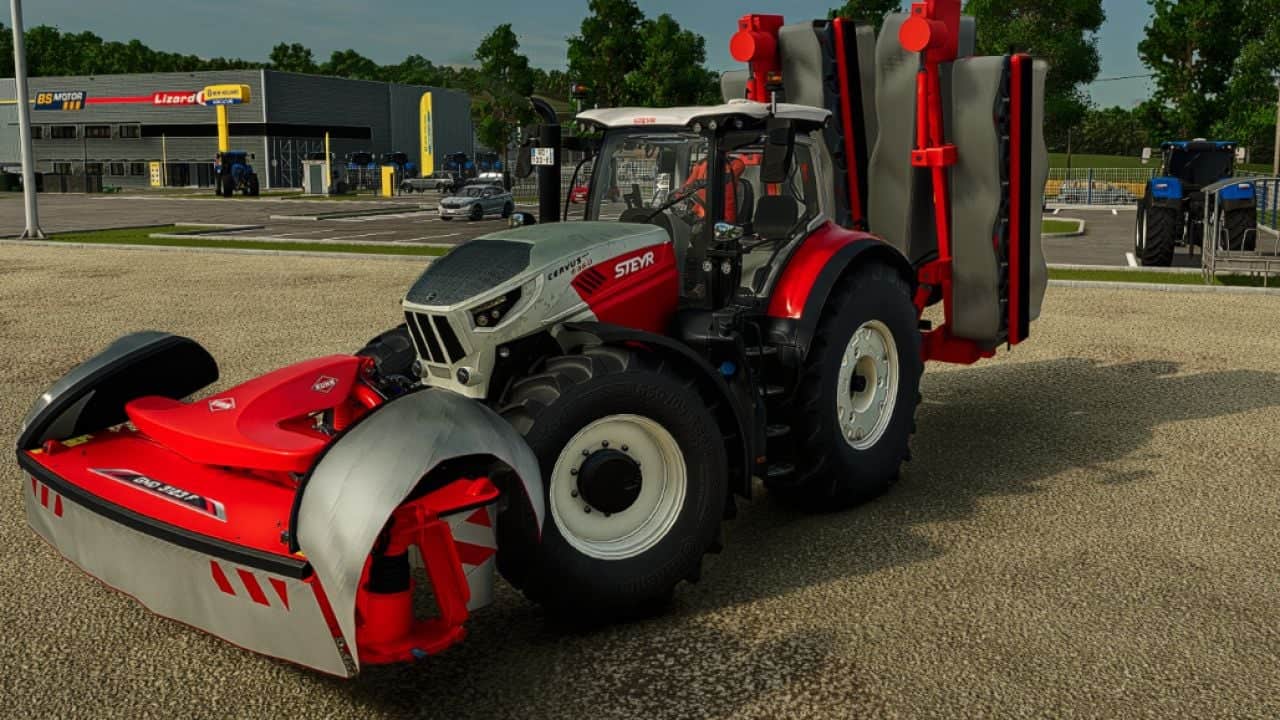
GM Green Monsters 145
The GM Green Monsters 145 is a rear mower for Farming Simulator 25, equivalent to Kuhn GMD 15030. It has four cutterbars and is designed for large areas, with two-stage folding, flexible covers and customizable colors. Features Hydraulic folding for transport. Articulation of the outer cutterbars to follow the terrain. Flexible covers with GREEN MONSTERS lettering. Independent choice of colors for the frame, covers and lettering. Progressive dirt accumulation and cleaning with a pressure washer. Parking stands deploy when unhitched and are concealed when hitched. Specifications Combined working width: 14.50 m with a 3.10 m front mower. Recommended power: 240 hp. Working speed: 22 km/h. Store price: €125,000. Weight: 3,600 kg. Hitch: rear three-point hitch. Rear set only: a 3.10 m front mower, sold separately, is required to cover the central strip. Changelog Version: 0.7.3.0
- 15 per page
- 30 per page
- 45 per page
- 60 per page
-
See more per page
Bigger pages, fewer clicks - and no ads anywhere.
Go Pro