Farming Simulator 25 mods
79,169 results- 15 per page
- 30 per page
- 45 per page
- 60 per page
-
See more per page
Bigger pages, fewer clicks - and no ads anywhere.
Go Pro

Shared market V Beta 3
A shared in-game market for buying and selling stored bulk goods, bales and pallets – online with other players or offline as an additional trading platform. The Shared Market adds a dedicated market page to the game. There you can see current market stocks and prices, as well as your farm’s inventory. Stored goods can be bought or sold directly through the market page. – Bulk goods – Bales (fermenting bales must be fully fermented to be sold) – Pallets The inventory levels are read from the warehouses that you own. Market Overview: The market page displays all important information at a glance: – Available goods – Current market stock – Buy and sell prices – Own farm storage – Stored quantity – Free storage space – Fermentation status of bales – Total amount of a transaction – Market fee The type selection allows you to switch between bulk goods, bales, pallets and fermentable bales. Fermenting bales are displayed with their current fermentation status. Sales are only possible after fermentation is fully complete. Buying and Selling: When buying, you select a compatible storage location on your farm and the desired quantity. The goods are then stored directly in the selected storage location. When a sale is made, the selected quantity is taken from the corresponding farm storage. Income and expenses appear with separate entries in the financial overview. Before completing a transaction, a dialog box displays: – Selected goods – Desired quantity – Price per liter, bale or pallet – Market fee – Total amount – Available market stock – Free storage space A market fee of 2.5% applies to transactions. Online Trading: For online trading, the Shared Market Client software is also required. This can be downloaded from the BayernGamers homepage. With the client active, you gain access to the shared market inventory and online prices. This allows you to trade goods with players from other servers and game saves. The client must be running and connected to use the online market. You can find the client download here: SharedMarketClient Download Offline Mode: The Shared Market can also be used without the Shared Market Client. In this case, it functions as an additional local marketplace for your products. Trading with players on other servers or save games is not possible in offline mode. Online market inventory and prices are also unavailable. Standard key layout within the marketplace page: – B: Buy – S: Sell – T: Change product type All buttons can be changed in the game settings. Beta Information: This is a beta version. Errors, changes, and interruptions to the online service are possible. Backing up your game progress is recommended before use. BETA 2 Pallet purchase reworked, isolated call stack loops fixed.
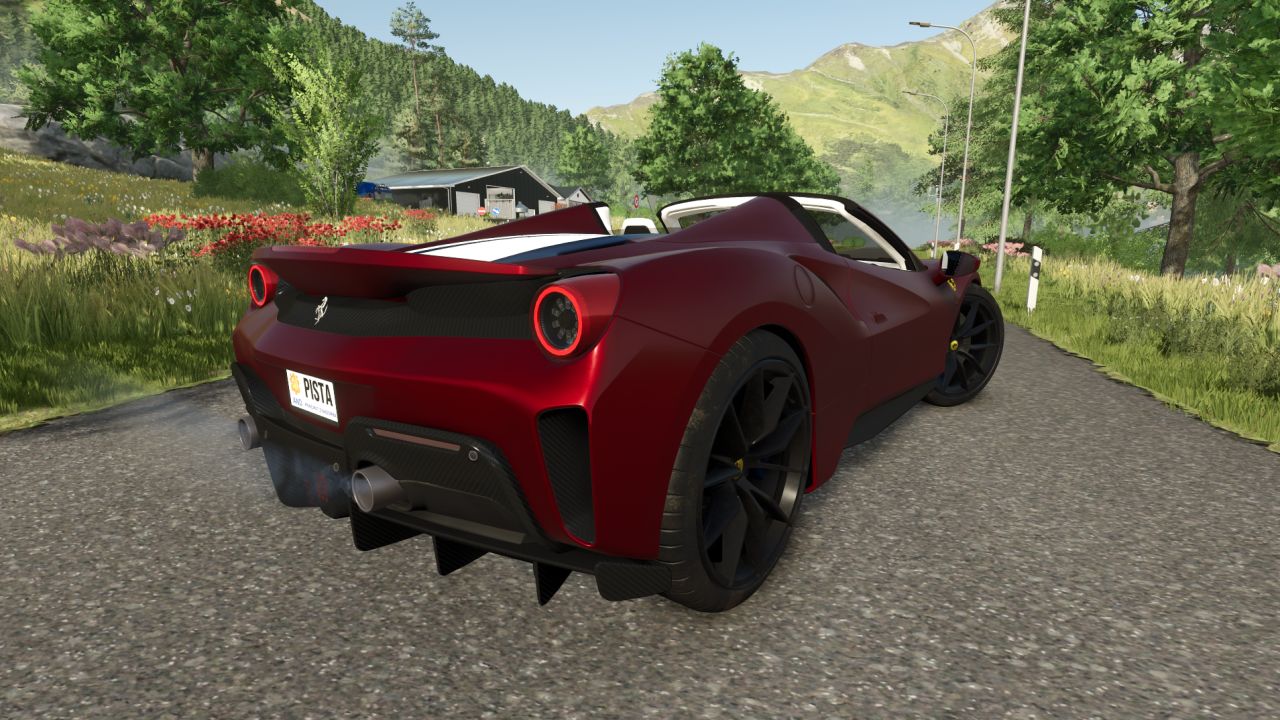
Ferrari 488 Pista Spider V1.0.0.0
Ferrari 488 Pista Spider V1.0.0.0 2020 Ferrari 488 Pista Spider (nächstes Update ohne Spider): Motor: V8-Biturbo; Geschwindigkeit: 340 km/h; Kraftstofftankinhalt: 60 l; Kosten: 650.000 €; 5 wählbare Gehäuse- und Felgenfarben; Vollständig farblich gestaltbarer Innenraum; Verstellbare Federung; Funktionierendes Dashboard.

Combine Blockage V1.1
The mod is global and installs itself in any vehicle that has a cutting unit. Simulates header utilization during harvesting. Utilization depends, among other things, on the driving speed and the actual amount of crop the header is taking in. Up to approximately 6 km/h, utilization increases to about 80%. At around 7 km/h, header utilization can already reach 100%. From approximately 8 km/h at 100% utilization, the header can become completely clogged. At high utilization, additional malfunctions can occur (inclined conveyor and threshing drum). After a load event, the random check is only reactivated when the utilization drops to approximately 60% or less. In the event of a cutting unit blockage, the cruise control is deactivated, the cutting unit is switched off, and the blockage must be cleared manually. The default key combination is Left Alt + B. In the event of a drum blockage, the combine harvester stops, the cruise control is deactivated, the combine is switched off, and the header is disengaged. Default key: Left Alt + T. In the event of a conveyor blockage, the cruise control is deactivated, the combine harvester is switched off, and then the combine harvester must be switched back on. Default key: Left Alt + S. The HUD displays the current “cutter utilization,” including its status (NORMAL or HIGH). Blockages are indicated with clear warning messages such as CUTTER CLOGGED, DRUM CLOGGED, or INCLINED CONVEYOR BLOCKED. If an AI helper is active, the blockage detection system is deactivated to prevent the helper from getting stuck due to malfunctions. Marcus (Cobra Modding)
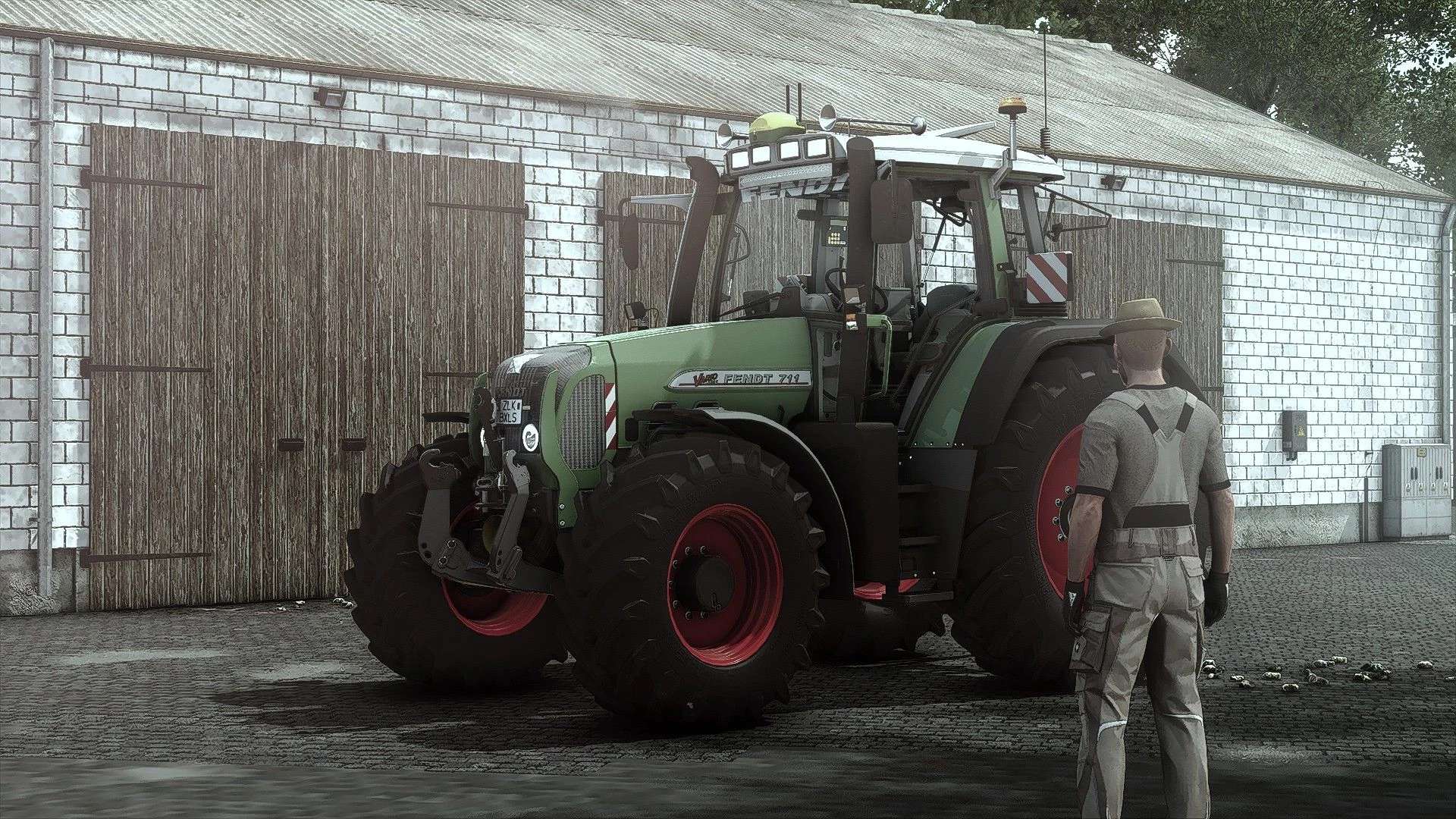
Fendt 700/800 Vario TMS Edit V1.0.0.5
Fendt 700/800 Vario TMS Edit V1.0.0.5 V1.0.0.5 Feste Blinker Vorschlag für eine 360-LED-Lichtkonfiguration hinzugefügt. Preis: 107.000 US-Dollar Leistung: 115 – 212 PS Weitere Vorschläge: Konfiguration für Warnleuchten Typ Normal/LED (2 Optionen für normale Leuchten und 2 für LED-Leuchten) Konfiguration für die vordere LED-Leiste Konfigurationen: – Hauptfarbkonfiguration mit allen Fendt-Basisfarben – Felgenfarbkonfiguration – Frontlader-Anbaugerät – Fronthydraulik – Auspuff – Vorderteile – Motorhaubendetails – Leuchtfeuer Motorkonfigurationen: 1. Generation: – 711 Vario – 712 Vario – 714 Vario – 716 Vario – 815 Vario – 817 Vario – 818 Vario 2. Generation: – 712 Vario TMS – 714 Vario TMS – 716 Vario TMS – 718 Vario TMS – 818 Vario TMS – 820 Vario TMS Konfigurationen: Auspuffabdeckung Vorderteile Motorhaubendetails Leuchtfeuer Lenkradknauf Teppich Antenne Warnschilder Details der Vorderseite Front-LED-Tagfahrlicht GPS-Dashboard Befestigungselemente Frontlader (Quicke, Hauer, Fendt Cargo (von Modhub, Cargo4), MP Lift) Radkonfigurationen (+ Gewichte + Dual-Optionen) 540_65R28 580_70R42 540_65R28 650_65R42 600_60R30 710_60R38 540_65R30 650_75R38 540_65R30 650_65R42 600_65R28 710_70R38 600_65R28 650_85R38 Erforderliche Mods: Interaktive Steuerung Dashboard Live RealGPS Präzisionslandwirtschaft Fahrzeugjahre Variabler Reifendruck Tags: Erforderliche ModsFendt CargoInteraktive SteuerungPS
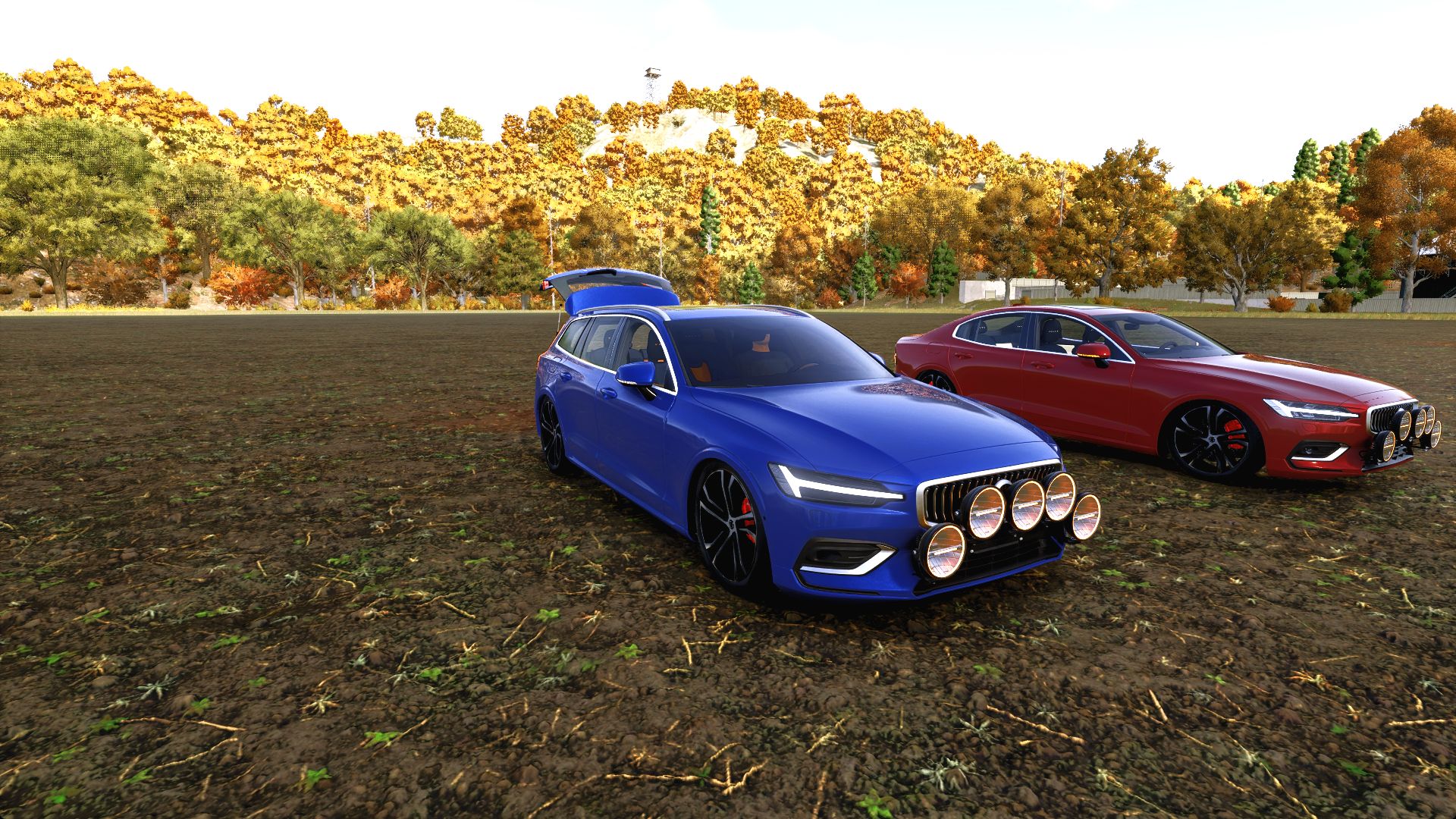
Volvo S/V60 Edit V1.0.0.0
Volvo S/V60 Edit V1.0.0.0 Zwei Volvo-Karosserievarianten, ein umfangreiches Individualisierungspaket: die S60 Limousine und der V60 Kombi, mit NLM-Lackierungen, Fünf-Lampen-WRC-Installationen, konfigurierbaren Innenausstattungen und detaillierten Ground Zero Audio-Einbauten. BELEUCHTUNG UND AUSSENBEREICH WRC Rally 5-Halterung mit fünf Zusatzscheinwerfern (Strands Ambassador, BriodLights Olympus, OZZ XR2 P9 oder LuminaLights Ninja). Auch Varianten ohne Zusatzscheinwerfer oder nur mit Halterung erhältlich. Die Zusatzscheinwerfer schalten sich nach dem Fernlicht des Fahrzeugs ein. Die Ninja-Scheinwerfer beinhalten ihre Startsequenz. Optionale farbige Beleuchtung, Unterbodenbeleuchtung und eine zufällige Lichtshow. Die Farben umfassen Weiß, Bernstein, Blau, Grün, Orange, Lila und Rot. Die werkseitigen Rückleuchten behalten ihre Originalfarben. Die Blinker leuchten nun in Gelb, wobei die normalen Blinker Vorrang haben. Sequenzielle Frontindikatoren. Zur Farbauswahl von NLM gehören unter anderem Tiefblau, Lila, Kupfer, Limette, Burgunderrot, Metallic-Schwarz, Glanzschwarz, Mattschwarz und Nardograu. Fünf verschiedene Fensterglas-/Tönungsoptionen, drei verschiedene Scheinwerferglasoptionen und Serienfelgen oder Felgen im S90-Design. INNERE Stoff/Leder, Vollleder oder perforiertes Leder als Polsterung. Unabhängige Farben für Sitzeinsätze, Polster, Türverkleidungen/Armlehnen und Ziernähte, jeweils zwölf Farben pro Bereich. Optionale Fußmatten mit blauer LED-Umrandung und Volvo-Emblemen. Volvo-Stickereien auf den Kopfstützen und kleine, blau beleuchtete Embleme auf den Rückseiten der Kopfstützen. Türen, Fenster und Heckklappe lassen sich individuell über die interaktive Steuerung bedienen. Die Kollisionserkennung für Türen folgt der Bewegung der Türen; die Kollisionserkennung für Glas folgt der Bewegung der Fenster. GROUND NULL Das V60-System verfügt über ein Dreifach-Subwoofer-System GZIB 3.2500SPL. Das S60-System nutzt das kleinere Gehäuse GZRB 30SPL. Beide Systeme sind mit einem Verstärker GZIA 1.1500D, sichtbarer Verkabelung, Montagehinweisen und Kabeldurchführungen aus Gummi ausgestattet. Jeder Subwoofer ist von einem LED-Ring umgeben. Verstärker und Gehäusebeschriftung sind in der gewählten Farbe gehalten. Die Audiobeleuchtung kann entweder in der eigenen Farbe des Fahrzeugs oder in der Fahrzeugbeleuchtung erfolgen. Die Audioanlage ist rein visuell und spielt keine separate Musik ab. STANDARD-STEUERUNGEN J: Farbbeleuchtung aktivieren/deaktivieren und zur Werkseinstellung zurückkehren. K: Ändere die Leuchtfarbe. Linke Umschalttaste + K: Start/Stopp der zufälligen Lichtshow. Interaktive Kontrollmarkierungen: Türen, Fenster und Heckklappe. Landwirtschafts-Simulator 25, PC/Mac. Version 5.4.0.4. Erfordert interaktive Steuerung durch Vertex Dezign. NLM-Bearbeitung: NorthernLight Modding. Original Volvo S60/V60: Jonas2203. Original S90 Felgenmodell/Texturen: lazercar24. BriodLights Olympus Modell/Texturen: JB Modding. LightExtension: GtX / LS-Modcompany. Interaktive Steuerung: Vertex-Design. Erforderliche Mods: Interaktive Steuerung Tags: Die BlinkerErforderliche ModsInteraktive SteuerungZur Farbauswahl
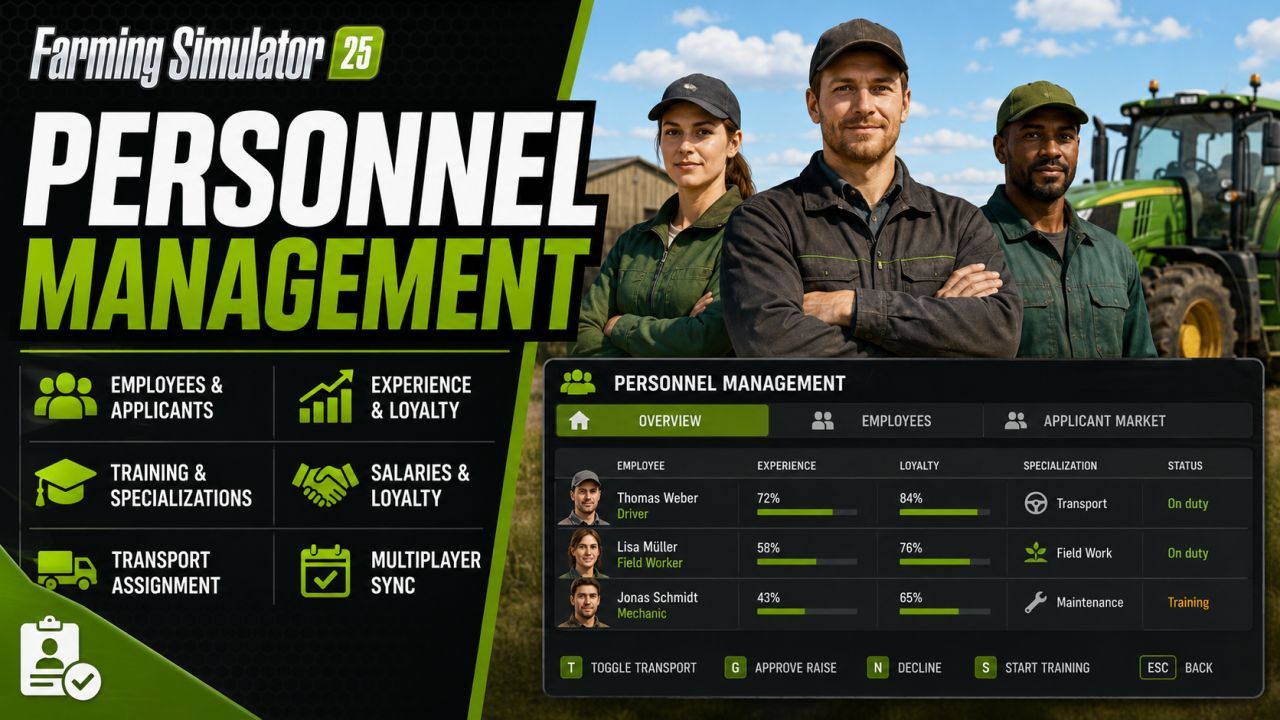
Personnel Management FS25
Personnel Management for Farming Simulator 25 adds an employee system with applicants, salaries, loyalty, experience, specializations, training, resignations and helper assignment, including savegame configuration and multiplayer sync. The overview of personnel management extends the AI-powered assistants to include named employees, applicants, and long-term personnel development. Employees possess experience, reliability, loyalty, salary, sick days, and specializations. These values influence assistant work, transport orders, fuel and material consumption, wear and tear, salary demands, and terminations. Menu and Settings: Open the ESC menu and select Personnel Management. The page contains Overview, Employee Management, and the Applicant Market. Entries are selected with the mouse. ENTER executes the main action, T toggles the transport assignment, G approves an outstanding salary request, N rejects it, S starts a training session if permitted, and ESC returns to the Overview. Work and Transport: When a normal AI helper task is started, the mod opens a staff selection window instead of launching an anonymous helper. Transport orders are managed via the staff management: Assign a transport worker before an A-to-B transport order by pressing T. Salaries, Dismissals, and Terminations: Employees receive monthly salaries. These are based on the number of days worked per month, the economic situation, and the employee's performance. Dismissed employees remain available during their notice period and are only removed from the company after their salary has been paid at the appropriate month-end. Low loyalty can trigger warnings, salary demands, and termination. Experience and reliability: Employees gain experience after completing tasks. Extensive experience is now a long-term goal; very high levels should be rare. Inexperienced employees may work more slowly and cause additional wear and tear or moderately higher consumption of fuel, seeds, fertilizer, liquid fertilizer, herbicide, slurry, digestate, and manure. Reliability impacts short-term dips in performance and sick days. Specializations and Training: Employees can progress in multiple specializations simultaneously. The highest amount of progress is displayed. When a specialization reaches 100%, it is considered learned. Training is a strategic decision: one training session per employee per year, only on the first day of each month. For training on one day per month, it must begin by 12:00 PM. The trained employee is unavailable for the remainder of the month. The cost depends on the monthly salary and specialization; training typically yields approximately 30% progress. Configuration and Multiplayer: The toggleable gameplay effects can now be changed in the game settings via the ESC menu. The savegame configuration file remains available and retains the same values. The mod is multiplayer-ready; employee data, applicants, assignments, salaries, and key status values are synchronized across farms. In a completely new and unsaved game, the ESC menu entry will only appear after saving and reloading. Overview Personnel Management expands the AI helper system with named employees, applicants and long-term staff development. Employees have experience, reliability, loyalty, wages, sick days and specializations. These values influence helper work, transport assignments, fuel and material consumption, wear, wage demands and resignations. Menu and hiring Open the ESC menu and choose Personnel Management. The page contains an overview, employee management and the applicant market. Employee and applicant entries are selected with the mouse. ENTER performs the main action, T toggles transport duty, G grants an open raise request, N declines it, S starts training when it is allowed, and ESC returns to the overview. Work and transport When normal AI helper work is started, the mod opens an employee selection window instead of starting an anonymous helper. Transport jobs are controlled through employee management: assign transport duty with T before starting an A-to-B transport job. Wages, dismissal and resignations Employees receive monthly wages. Wages depend on days per month, economy difficulty and employee quality. Dismissed employees remain available during the notice period and are removed only after payroll at the correct monthly change. Low loyalty can cause warnings, wage demands and resignations. Experience and reliability Employees gain experience after completed work. High experience is now a long-term goal and very high values should be rare. Inexperienced employees can work more slowly and can cause additional wear or moderate additional consumption of fuel, seeds, fertilizer, liquid fertilizer,herbicide, slurry, digestate and manure. Reliability affects short performance drops and sick days. Specializations and training Employees can develop progress in several specialization areas at the same time. The highest open progress is shown in the employee entry. When one progress reaches 100%, the specialization is learned. Training is a strategic decision: one training per employee and year, only on the first day of a month. With one day per month, training must start at 12:00. A trained employee is unavailable for the rest of the month. Training costs are based on the monthly wage and the trained specialization and usually add about 30% progress. Configuration and multiplayer The configurable gameplay effects can now be changed in the game settings in the ESC menu. The savegame configuration file remains available and keeps the same values. The mod is prepared for multiplayer; employee data, applicants, assignments, wages and important status values are synchronized per farm. In a completely new and unsaved savegame, the ESC menu entry may appear only after saving and reloading the savegame. Technical stability -Full employee chronicles remain in the savegame, but are no longer copied and sent to clients with every state update. -The personnel overview still receives the totals and latest events it needs; its chronicle values are recalculated only after a change. -Data for no longer registered farms remains in the savegame but is no longer processed by regular personnel checks or network states. -The full chronicle is no longer normalized or sorted during normal runtime. Saving no longer creates a full working copy. -Added the missing localization for the “Release blocked employee” input action in every supported language. -Replaced unsupported Unicode minus signs in the German, English, and French Help texts with font-compatible minus signs. New Help Page: A new “Help” tab has been added to the “Personnel Management” menu. It contains a detailed in-game guide in all 21 supported languages. AutoDrive and Courseplay The simultaneous handover of multiple vehicles from AutoDrive to Courseplay has been fixed. Each vehicle retains its own reserved worker during an automatic handover. Duplicate worker reservations for different vehicles are prevented. Savegames and Worker Data Savegame path resolution and the associated diagnostic messages have been improved. Overwriting an existing helperPersonnel.xml after a failed loading attempt is now prevented. The saving of personnel data has been adapted to the FS25 save process. The main and backup files are written directly and then validated, without leaving new temporary files in the savegame. Loading from a validated backup has been added in case the primary helperPersonnel.xml is corrupted or unreadable. Hotfix Fixed an issue where the Dismiss button was not displayed in the employee menu. Fixed an issue where the dismissal confirmation appeared again when attempting to dismiss an employee who was already serving their notice period. Fixed an issue where stale, unregistered farm data could cause incorrect farm resolution in multiplayer, resulting in personnel actions being rejected. Version 1.1.0.0 is a major feature, interface, multiplayer and code-structure update. It replaces the former ESC-menu page with a dedicated personnel-management interface, expands applicants and long-term employee development, adds detailed statistics and chronicles, introduces player-defined transport priorities and central salary-request management, and strengthens multiplayer security and server-side validation. Full Changelog: https://github.com/Dude23-mods/FS25_Personnel_Management/releases/tag/v1.1.0.0 Added and stabilized FollowMe integration. FollowMe jobs now open the Personnel Management employee selection. The selected employee is correctly assigned to the FollowMe vehicle. FollowMe job messages now use the name of the assigned employee. FollowMe jobs are shown as active work in the employee menu. Pure FollowMe driving without a trailer or implement now displays a suitable activity, for example “FollowMe with ”. FollowMe jobs with an attached implement try to detect the matching activity, such as tillage, sowing, fertilizing, plant protection, harvesting or transport. Field display in the employee menu has been improved for FollowMe jobs. Non-field-related FollowMe driving is now shown accordingly as not field-related. FollowMe working time now contributes to the assigned employee’s experience. FollowMe jobs now contribute to the matching specialization. Start and stop handling for FollowMe jobs has been made more robust. Internal cleanup after completed FollowMe jobs has been improved. Temporary diagnostic output from the test versions has been removed or disabled. Internal code structure has been cleaned up and clearly redundant duplicate functions have been reduced. ReadMe documentation updated to version 1.0.3.0 Mod version increased to 1.0.3.0 Multiplayer fix: Fixed an issue where hiring workers could fail on dedicated servers. Server-side farm data is now initialized and synchronized more reliably before hire/dismiss actions.
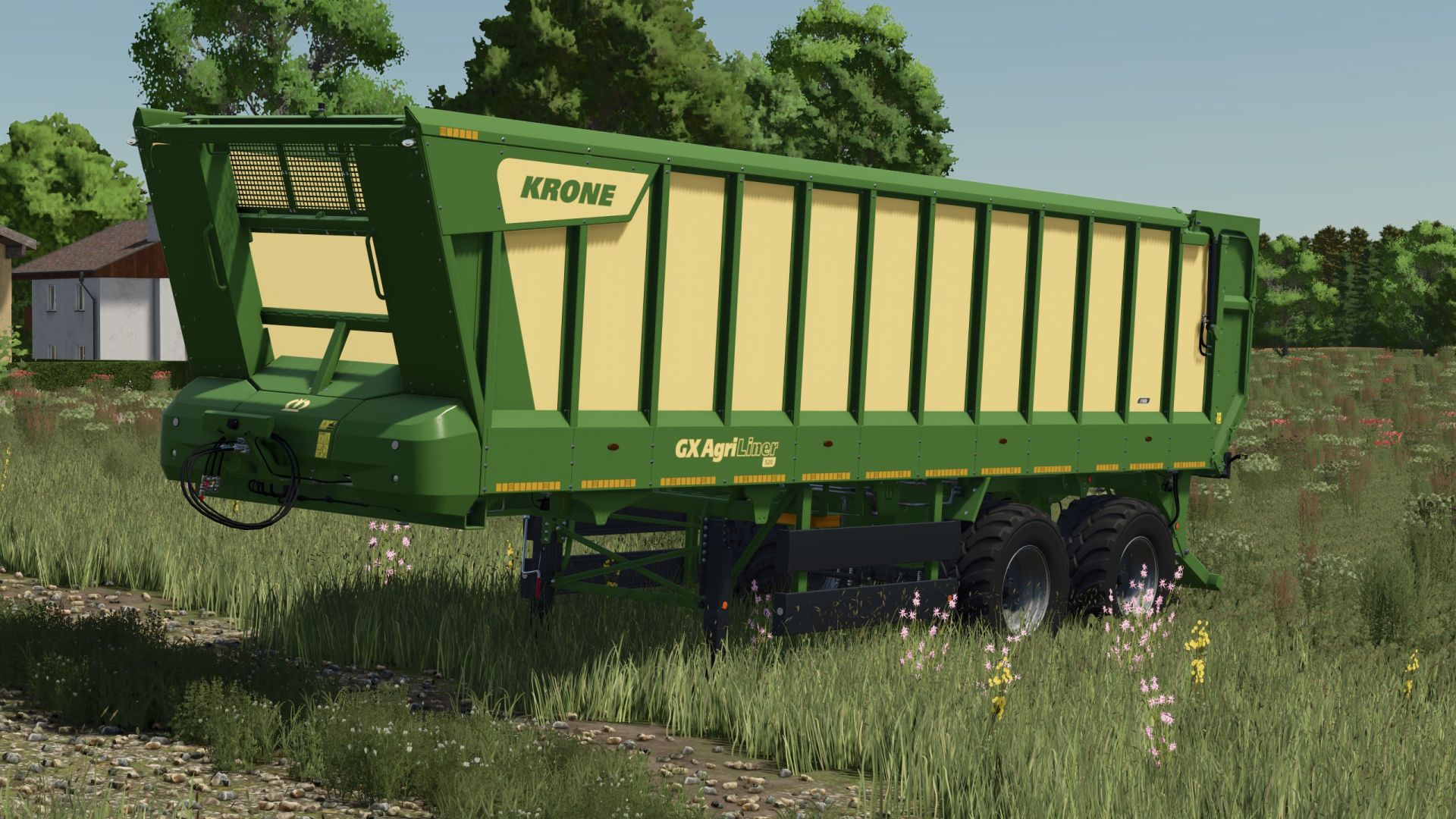
Krone GX Agriliner 520 Rust Edition FS25
A Krone GX Agriliner 520 with grate added for wear shader Price: $95,000 Capacity: 55 m³ Free configurations Changelog 1.1.0.0 Capacity corrected
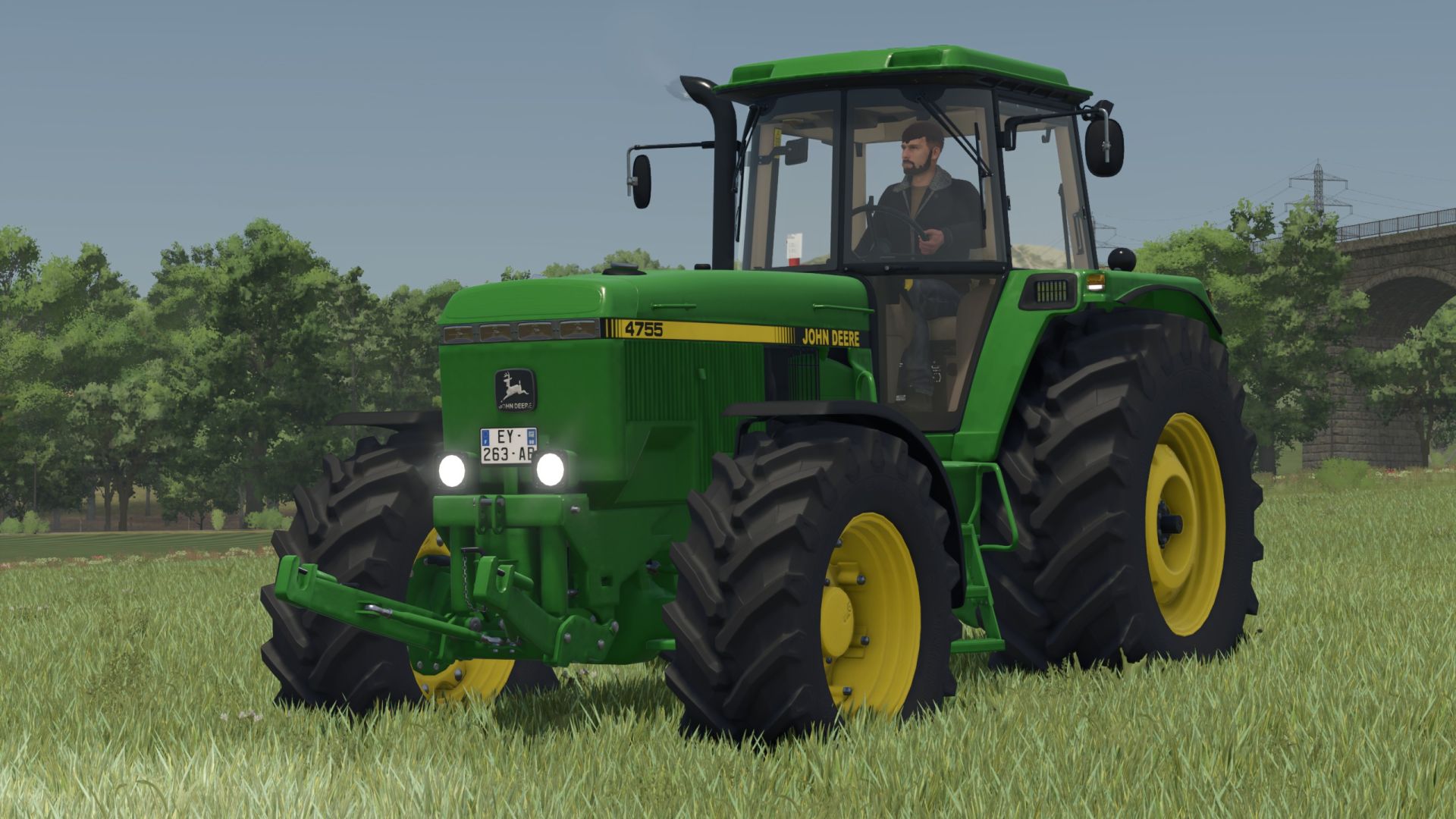
John Deere 4755 Rust Edition FS25
This legendary John Deere 4755 got a Rust Shader to reflect its age when deteriorating Price: $74,000 Power: 190 hp Top Speed: 35 km/h Rust added for wear shader Configurations available for free

Village Bank FS25
Own banking system with separate village bank menu The bank name adapts to the map, so village bank > your map name. Multiple bank accounts: In addition to the farm account, additional accounts can be created and renamed. A total of up to 10 accounts are possible. Different symbols can be selected for the accounts. Money can be transferred between your own accounts. When making purchases, you can choose which account to pay from. Transaction overview for transfers, financing, leasing payments and other bank transactions. Fixed-term deposits/savings accounts with up to 8 simultaneously running accounts. Available maturities and interest rates: 1 year at 1% p.a. 5 years at 5% p.a. 10 years at 10% p.a. Vehicle financing with terms of 12 to 96 months. Selectable down payment of 10%, 20% or 30%. Selectable final rate of 10%, 20% or 30%. Financing interest rate of 5.5% p.a. A liquidity/creditworthiness check is carried out before financing is granted. Vehicle leasing with terms of 24, 36, 48 or 60 months. 10% down payment for leasing. A lease interest rate of 4% has been deposited. After the lease ends, the vehicle can be purchased for its residual value or returned. Business loan via the normal LS25 loan scheme. Loans can be taken out and repaid in €5,000 increments. The normal credit limit of the game balance is taken into account. Dunning and arrears system for financing and leasing contracts. If installments cannot be paid, they will be listed as outstanding. If there are 3 outstanding payments, the vehicle in question will be confiscated and removed from the game. The contract and any remaining debt will then be terminated without refund. Vehicles with ongoing financing or leasing cannot simply be sold. Integrated vehicle insurance. Three options: no insurance, partial coverage, or comprehensive coverage. Partial comprehensive insurance reimburses 50% of the repair and painting costs. Comprehensive insurance reimburses 100% of repair and painting costs. Insurance premiums are based on the vehicle's value. Partial comprehensive insurance costs 1.2% of the vehicle's value per year. Comprehensive insurance costs 2.4% of the vehicle's value per year. The minimum contribution is €2 per month. Tariff changes will take effect from the next game month. Insurance premiums and reimbursements are recorded. Multiplayer support. Accounts, investments, financing, leasing agreements and other data are stored in the savegame. -Consumer goods can only be purchased directly (no financing or leasing). -Account selection after purchase was corrected
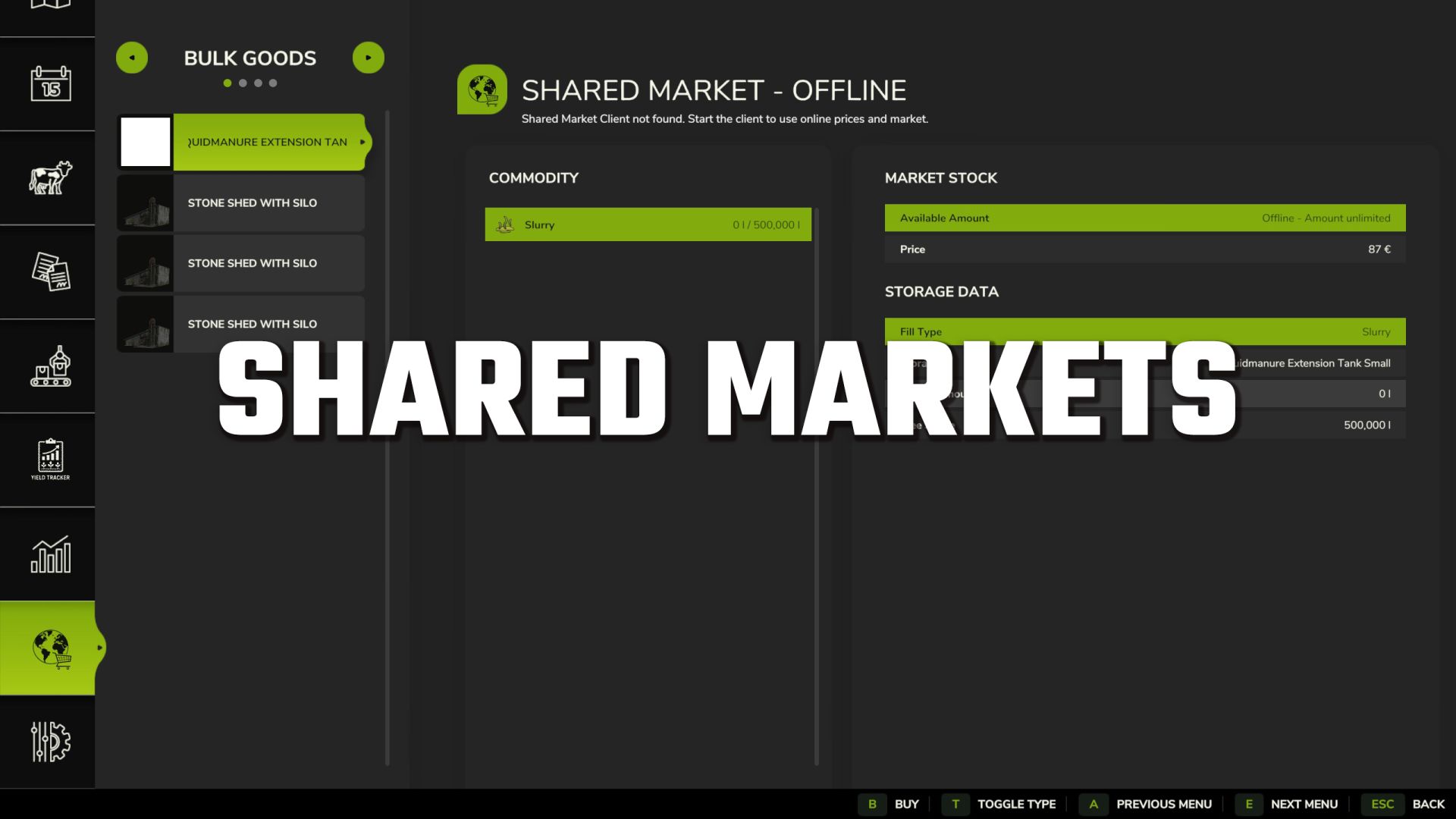
Shared market FS25
A shared in-game market for buying and selling stored bulk goods, bales and pallets – online with other players or offline as an additional trading platform. The Shared Market adds a dedicated market page to the game. There you can see current market stocks and prices, as well as your farm's inventory. Stored goods can be bought or sold directly through the market page. Supported by: - Bulk goods - Bales (fermenting bales must be fully fermented to be sold) - Pallets The inventory levels are read from the warehouses that you own. Market Overview: The market page displays all important information at a glance: - Available goods - Current market stock - Buy and sell prices - Own farm storage - Stored quantity - Free storage space - Fermentation status of bales - Total amount of a transaction - Market fee The type selection allows you to switch between bulk goods, bales, pallets and fermentable bales. Fermenting bales are displayed with their current fermentation status. Sales are only possible after fermentation is fully complete. Buying and Selling: When buying, you select a compatible storage location on your farm and the desired quantity. The goods are then stored directly in the selected storage location. When a sale is made, the selected quantity is taken from the corresponding farm storage. Income and expenses appear with separate entries in the financial overview. Before completing a transaction, a dialog box displays: - Selected goods - Desired quantity - Price per liter, bale or pallet - Market fee - Total amount - Available market stock - Free storage space A market fee of 2.5% applies to transactions. Online Trading: For online trading, the Shared Market Client software is also required. This can be downloaded from the BayernGamers homepage. With the client active, you gain access to the shared market inventory and online prices. This allows you to trade goods with players from other servers and game saves. The client must be running and connected to use the online market. You can find the client download here: SharedMarketClient Download Offline Mode: The Shared Market can also be used without the Shared Market Client. In this case, it functions as an additional local marketplace for your products. Trading with players on other servers or save games is not possible in offline mode. Online market inventory and prices are also unavailable. Standard key layout within the marketplace page: - B: Buy - S: Sell - T: Change product type All buttons can be changed in the game settings. Beta Information: This is a beta version. Errors, changes, and interruptions to the online service are possible. Backing up your game progress is recommended before use. Please submit bug reports with a complete log.txt, map used, game type – singleplayer, multiplayer or dedicated server – and a brief description of the steps taken in the bug tracker or in the forum in the relevant support topic. Goods that are not in your warehouse can be hidden in the list view. Pallet purchase reworked, isolated call stack loops fixed.
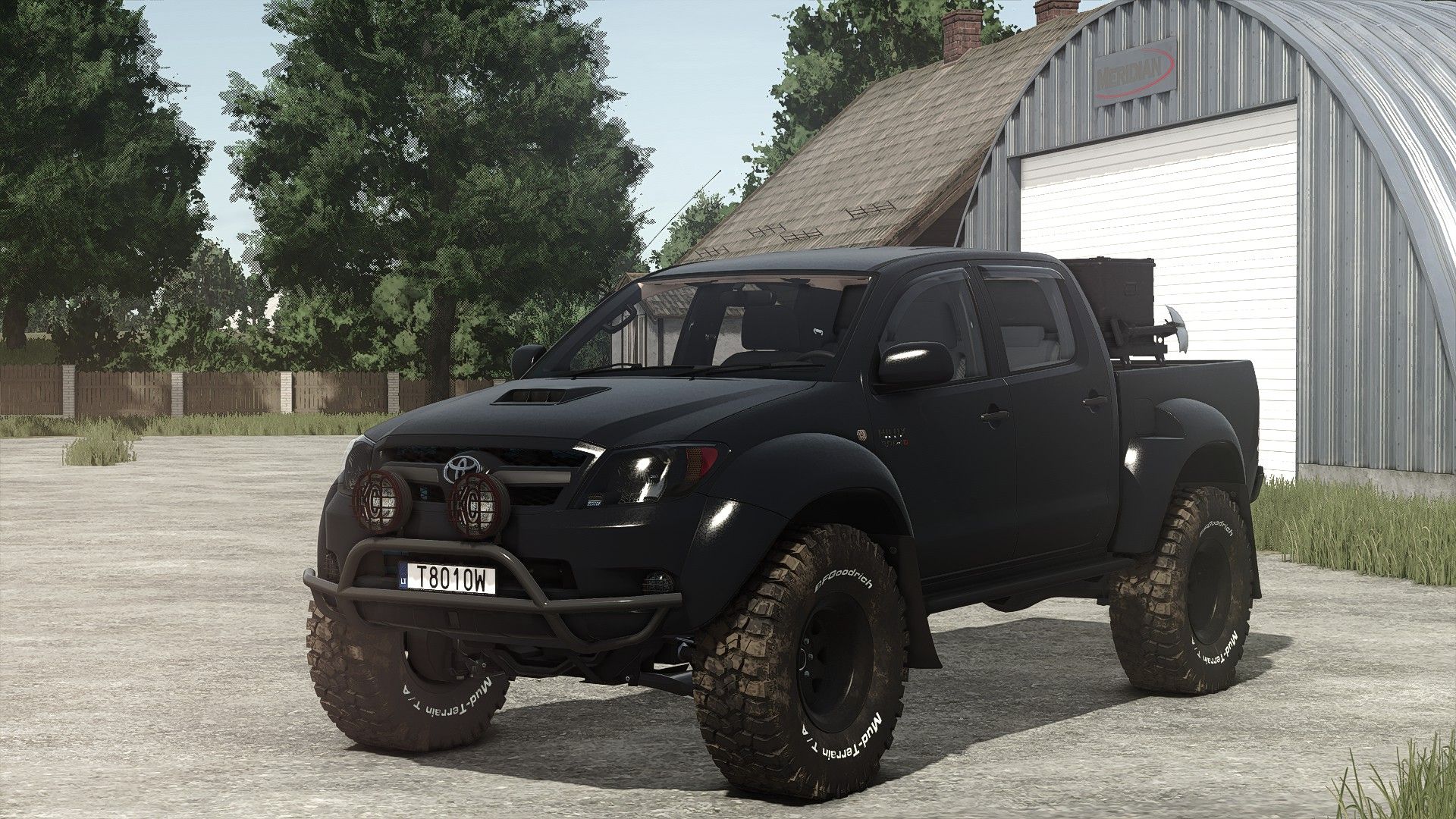
Toyota Hilux Arctic V1.5.0.8
Toyota Hilux Arctic V1.5.0.8 V1.5.0.8 Zusätzliche Rundumleuchten für die Auswahl des Konvoi-Dachkennzeichens V1.5.0.7 Konfiguration der Konvoi-Kennzeichen hinzugefügt Textkonfiguration für Konvoi-Kennzeichen hinzugefügt Die Designkonfigurationen wurden auf Ja/Nein-Typ geändert. Änderungen der Emitter Änderungen der Lichtintensität Die Charakterposition wurde angepasst, um besser mit der First-Person-Spielerkörper-Mod von BMProd zu harmonieren. Preis: 50.000 $ Motorleistung: 171 PS Geschwindigkeit: 180 km/h 2 Felgentypen Auswählbare Farben Anhängerkupplung Passagiersitze für Mehrspieler V1.5.0.5 Der Konfiguration wurden die „speziellen“ Farben Grün, Blau und Rot hinzugefügt. Neue Mod-/Shop-Symbole (FS25-Version) Erforderliche Mods: Interaktive Steuerung Fahrzeugjahre Tags: Erforderliche ModsInteraktive SteuerungPS
Komatsu Harvester 911.5 X3M FS25
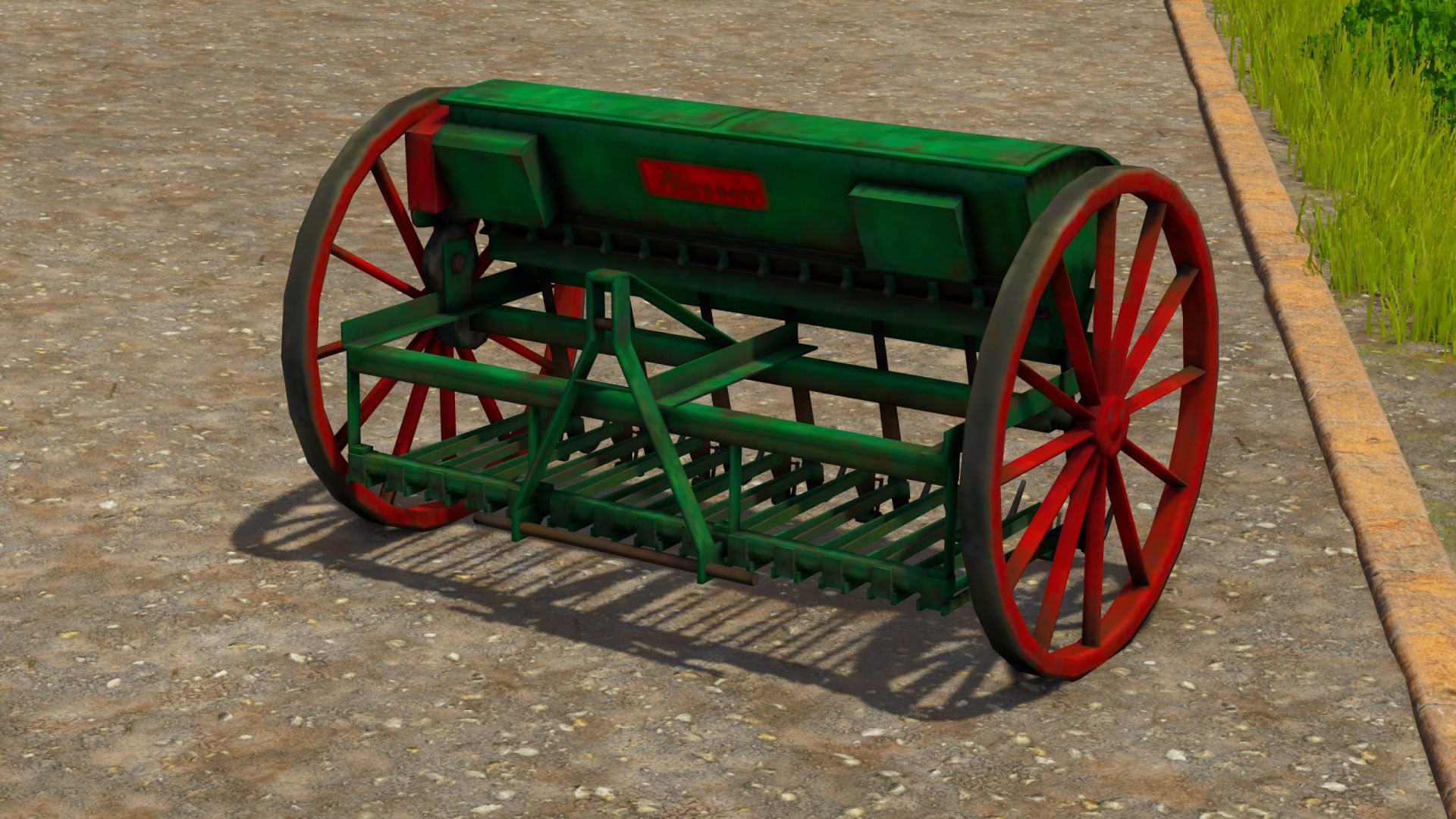
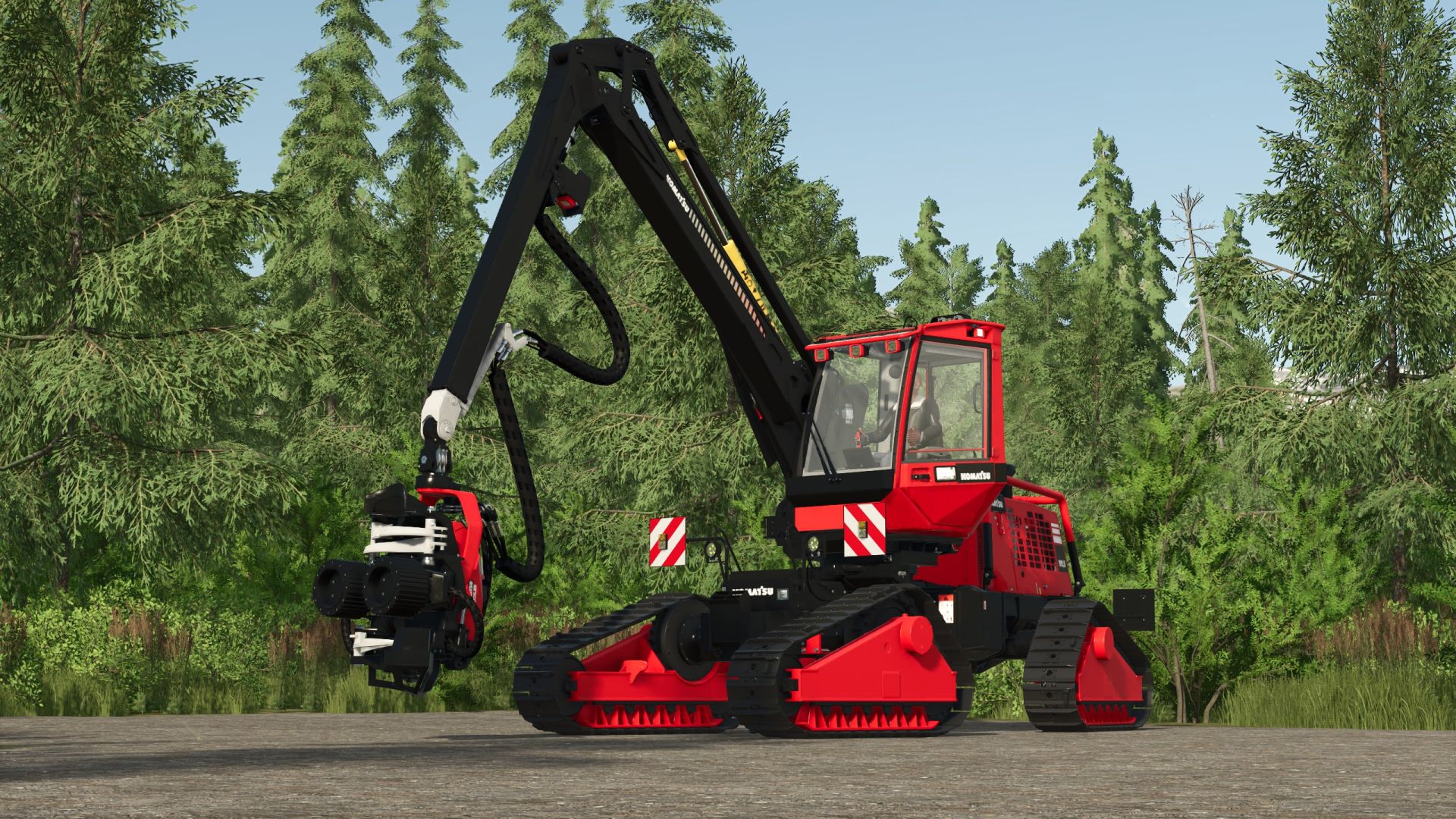
A Komatsu 911.5 X3M, a wood cutter on tracks to be able to go on rough terrain Price: $375,000 Power: 228 hp Top speed: 20 km/h File optimized configurations released All pruning lengths 0.5 1 1.5 2 2.5 3 3.5 4 4.5 5 5.5 6 6.5 7 7.5 8 8.5 9 9.5 10 10.5 11 11.5 12 12.5 13 13.5 14 14.5 15 15.5 16 16.5 17 17.5 18 18.5 19 19.5 20 20.5
Lizard GS300 Rust Edition FS25
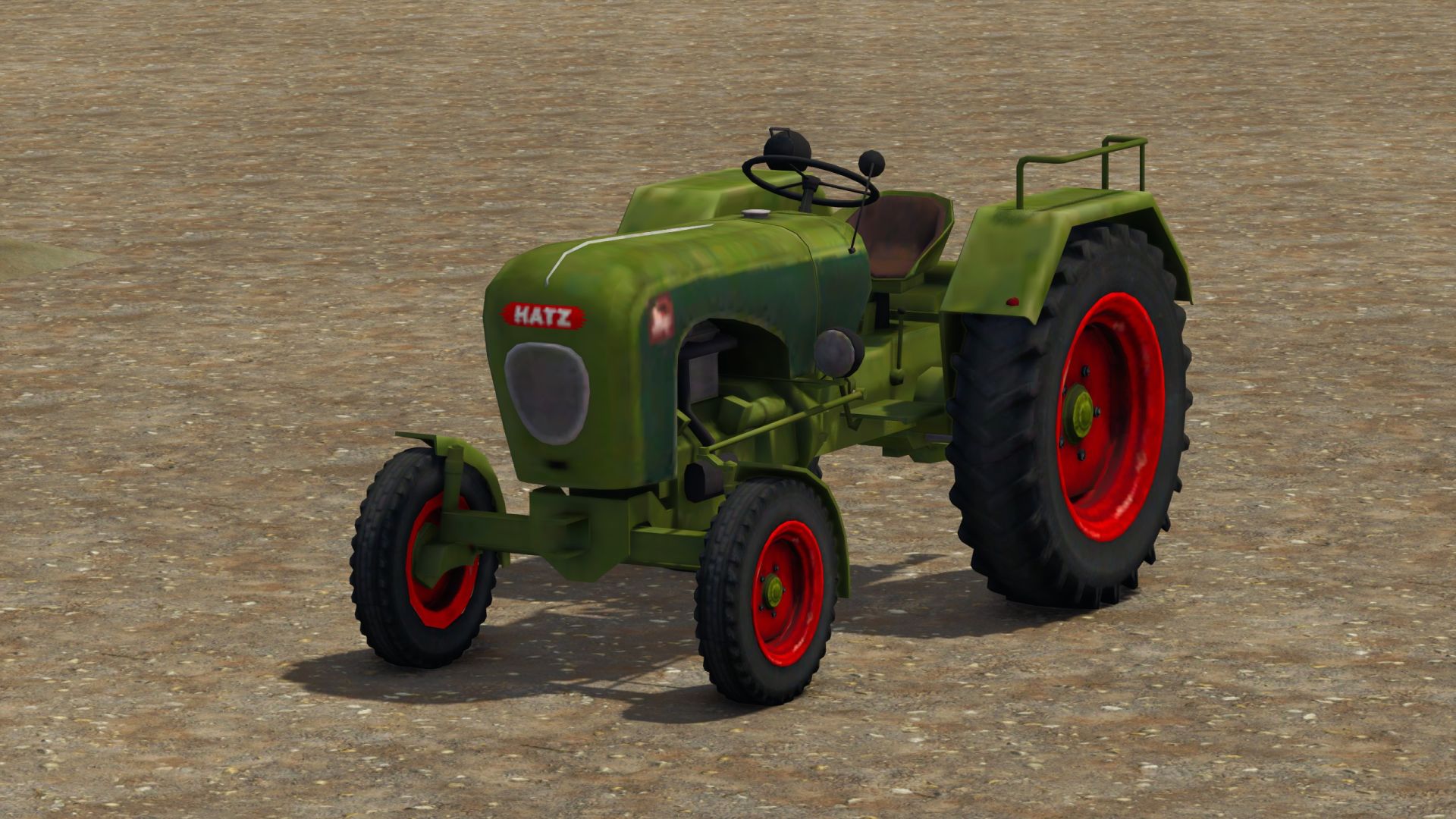
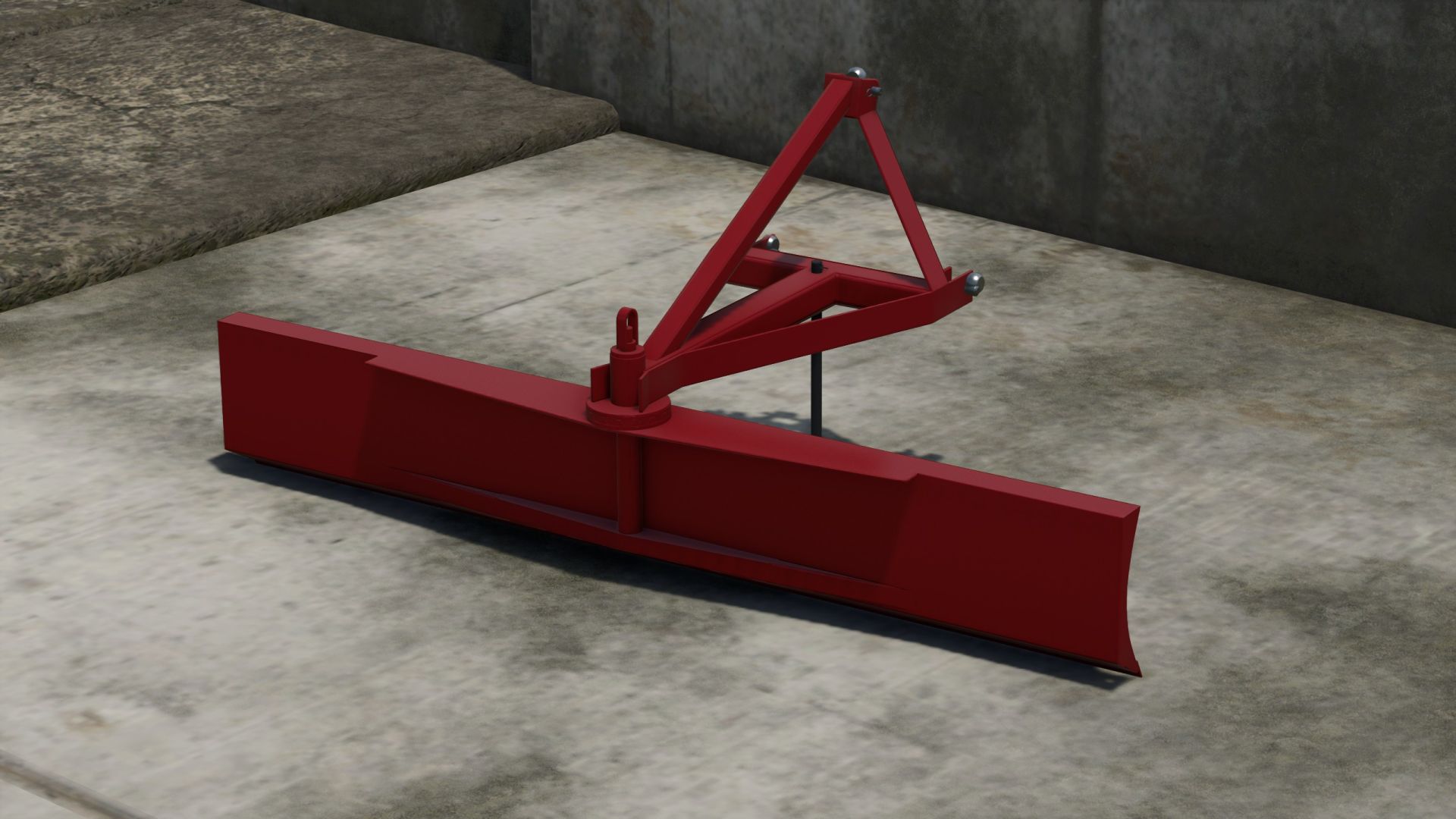
Lizard GS300 Cost: $1430 Can be used as a leveler Added rust for the wear shader
- 15 per page
- 30 per page
- 45 per page
- 60 per page
-
See more per page
Bigger pages, fewer clicks - and no ads anywhere.
Go Pro