Farming Simulator 25 mods
78,272 results- 15 per page
- 30 per page
- 45 per page
- 60 per page
-
See more per page
Bigger pages, fewer clicks - and no ads anywhere.
Go Pro
Realistic Physics v1.0 BETA 2
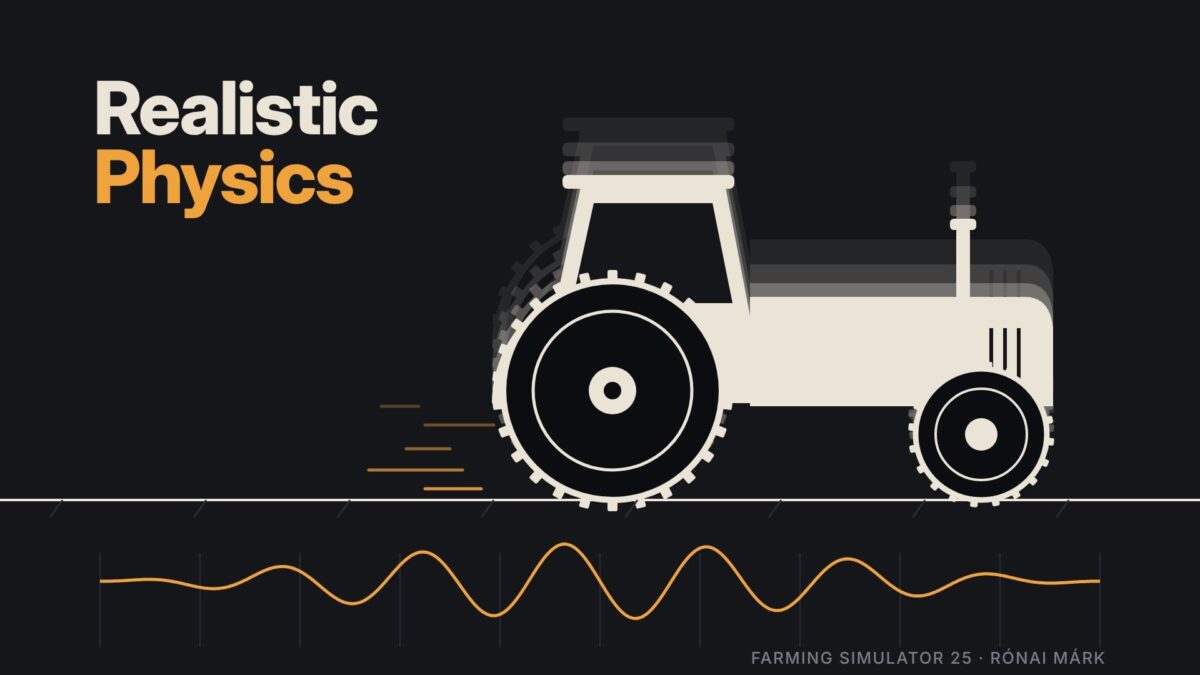
This is the new, rewritten version of the Realistic Physics mod, and it has the same name as the old one. If the old one stays in, the two clash and your vehicles will behave strangely. Only one of them can be in the game, never both! The mod is still in beta, so some bugs may turn up. What it does Suspension tuning: every vehicle category and type gets its own suspension settings, so a big tractor, a small tractor, a trailer and a car all feel different instead of sharing one generic setup. It works on mod vehicles too. Wheel spin hopping: if you spin the wheels, the machine bounces. Hard ground and roads make it bounce the most, and soft field soil barely does. How much it hops also depends on how hard the wheels are spinning, how heavy the vehicle is loaded, and how much weight you’re pulling. It fades out as you pick up speed, so it won’t shake you around at normal driving speed. Good to know It’s a beta, so some vehicles may not feel right yet. I’m tuning things all the time. If you find something odd, tell me which vehicle it was and what you were doing, and I’ll look into it Version 1.0 BETA 2: * The weak bounce of spinning wheels * Trailer suspension * Vehicles being prone to tipping over * Tractors with swing arm suspension, such as John Deere or Fendt, level themselves automatically

Windows Applications Ingame Screen v1.0 BETA 2
With this mod, you can display Spotify or other applications on any ingame screen. A multi language guide will be added in a future update: for now, it is available in German. Version 1.0 BETA 2: * Added 8K and 120 FPS options * Added English tutorial

Farmland Splitter v0.0.6.0 BETA 2
Ever wanted to reshape the map’s farmlands or split big fields directly from inside the game? Farmland Splitter brings map-editing capabilities straight into your gameplay session! With this tool, you can redefine, cancel, or create new farmlands from scratch (within the available ID limits). You could literally take a blank map and build your own custom map layout directly ingame leveraging FS25’s extensive placeables library and terrain editing tools, now combined with fully customizable farmlands. Key Features: Single Player, Pc Only In-Game Customization: Create, modify, or delete farmlands and field boundaries dynamically. Safe & Non-Destructive: All changes are stored safely inside your savegame folder. The original map files remain completely untouched Intuitive Interface: Features a clean, self explanatory menu. Blank Canvas Friendly: Perfect for custom map projects or heavily tailored career saves. How to Use: Open Menu: Press Right Shift + Right Ctrl + F12. Navigate & Edit: Use the simple on-screen controls to adjust farmlands. Apply Changes: mportant: Any modification will only take effect after pressing the F key. Exit Menu: Press Esc. What’s Coming Next? (In Development) This mod is part of a larger toolkit I’m working on to make full in-game map creation a reality. Currently in progress: In-game Pedestrian & Traffic Spline Creator Savegame-to-Map Compiler: A lightweight standalone tool that automatically integrates your saved game edits directly into a publishable map file. Together with existing placeable systems and terrain tools, full map creation without leaving the game is almost here! Version 0.0.6.0 BETA 2 What’s Changed Tools & Keybindings (Keys 1-5) 1. Create farmland 2. Edit farmland 3. Delete farmland 4. Create field 5. Edit field Cutting and extending have been removed, and the dedicated “delete field” option is gone. A field is now only deleted alongside its parent farmland. Colors Farmland: Everything related to farmlands (boundaries, drawn shapes, deletion markers) is light blue. Fields: Everything related to fields is pink. Active Tool & Cursor: Displayed in green. Counter UI Farmlands: Formatted as Farmlands: max used free (e.g., max 254 in red, used 244 in yellow, and free 10 in green). Fields: Follows the exact same format. The maximum limit matches the number of farmlands, as you can have at most one field per farmland.
Equipment Demo v0.1.12.0 BETA 2
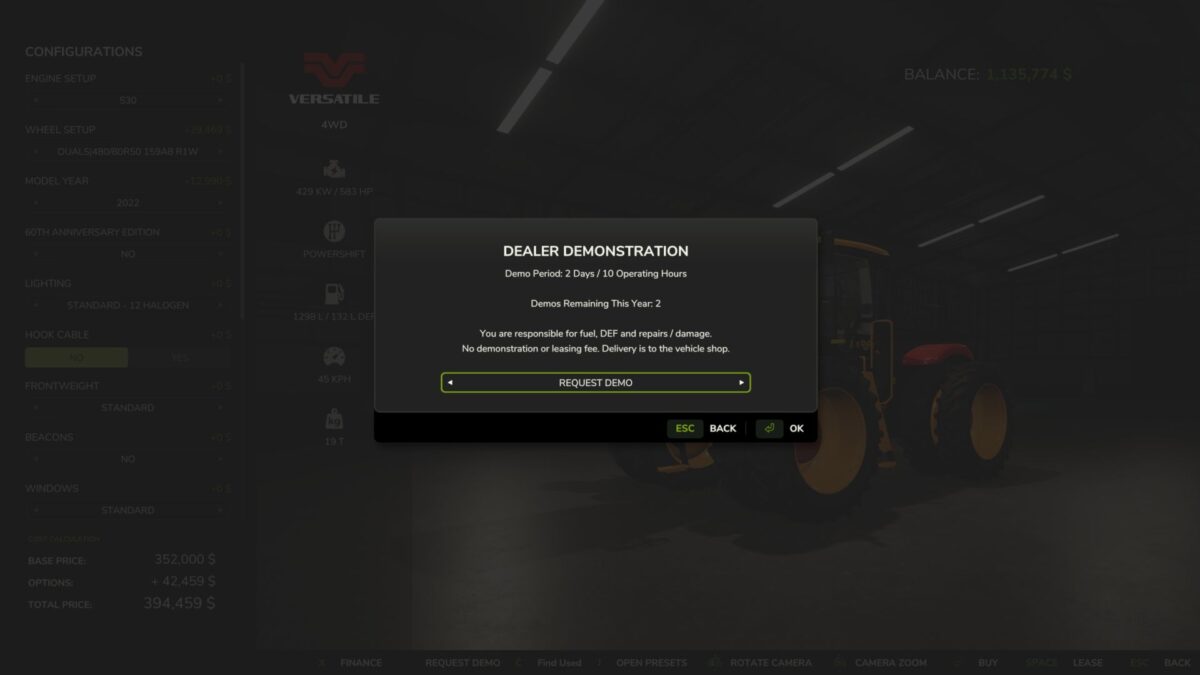
Want to see how a tractor handles your implements or how a combine performs on your farm before spending the money? Equipment Demo lets you request free dealership demonstrations directly from the shop. Choose your configuration, request a demo, and put the equipment to work. Features Two free demos per in-game year, with up to two active at once. Try equipment together, such as a combine and header. Each item uses one demo allowance. Two in-game days or ten operating hours per demo, whichever comes first. No demo or leasing fee. Normal fuel, DEF and repair costs still apply. Simple shop controls: Request Demo changes to Return Demo on that equipment’s shop page. Buy the machine you tested, keeping its configuration, hours, wear, dirt and contents. Save and continue later. Demo progress and yearly usage persist across reloads. Demo equipment cannot be sold. Version 0.1.12.0 BETA 2: * Demo usage now tracks the machine’s native FS25 operating hours meter instead of maintaining a separate operating hours clock * Existing saves are migrated without resetting their current demo limits * Improved handling of operating hour data after saving/reloading * Demo machines now use the actual current FS25 vehicle value when you choose to purchase them, including the game’s normal depreciation factors. Custom price rounding and price caps have been removed * Enforced the intended limit of 2 equipment demos per year * Demo duration remains 2 ingame days OR 10 operating hours, whichever comes first * Existing return safety systems and protections against selling demo equipment remain in place * This remains a single-player public test build * 126 automated behavioural/compatibility checks and 5 separate GIANTS SDK source replays are passing
Placeable Color Picker Fix v1.0
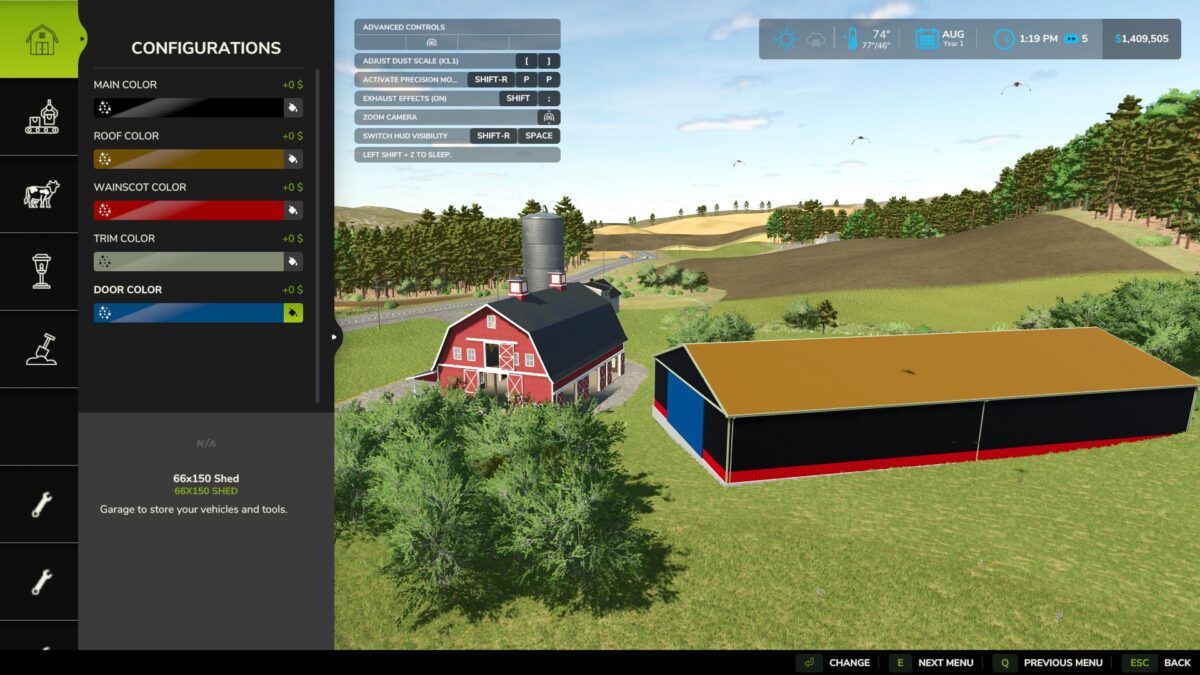
Following the Farming Simulator 25 v1.25.0.0 update, some players experienced issues accessing the Custom Color Picker when customizing placeable buildings. Placeable Color Picker Fix restores access to the existing custom color selection menu, allowing players to customize supported buildings without encountering the known color-picker error. Features Restores Custom Color Picker functionality on affected placeables Uses the original in-game color selection interface Preserves existing custom colors Does not modify original game files Supports single-player and multiplayer Tested with FS25 v1.25.0.0 Compatibility Platform: PC only Game: Farming Simulator 25 Multiplayer: Supported Compatibility Notice: Do not use Enhanced Color Selection (FS25_EnhancedColorSelection). Extended Material Color Picker has been tested alongside this fix and worked successfully.
Farm Assistent v2.0.3.0
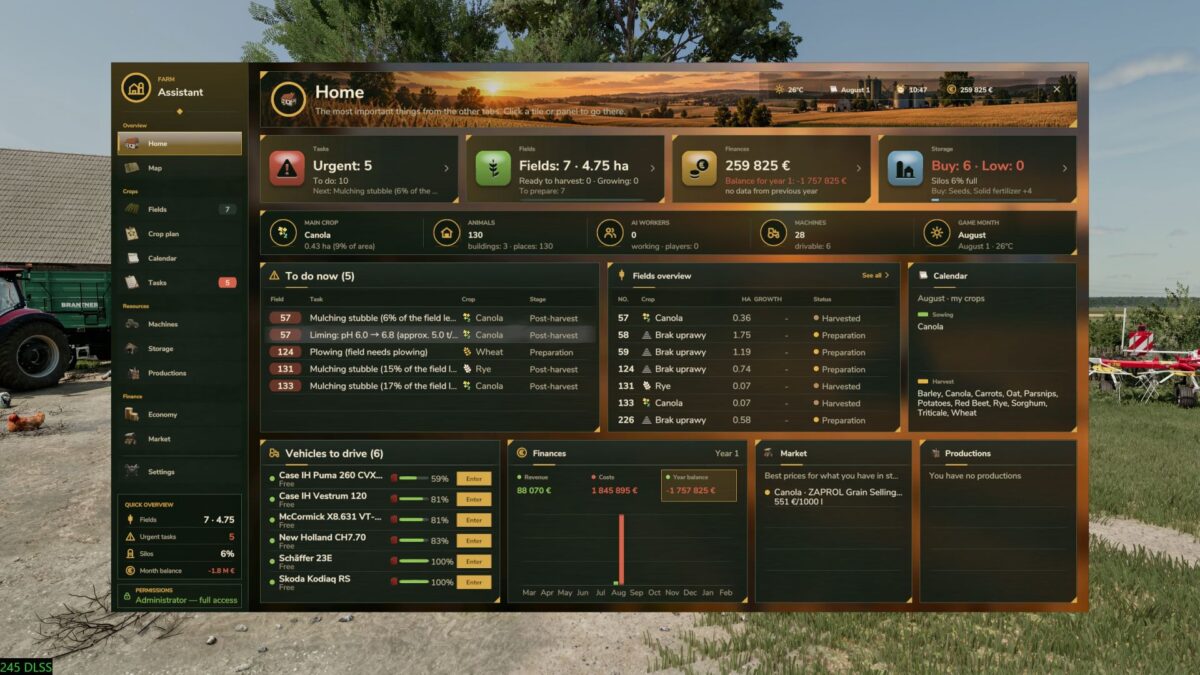
FarmAssistent – Your Complete Farm Management Assistant Take full control of your farm with FarmAssistent! FarmAssistent is an advanced farm management and planning tool for Farming Simulator 25. It combines field monitoring, intelligent work recommendations, crop rotation planning, financial information, storage management and much more into one modern, easy-to-use interface. Whether you’re managing a small farm or a large agricultural operation, FarmAssistent helps you organize your work, make better decisions and stay one step ahead. Main Features Advanced Field Management Monitor all your fields in one place. Check crop types, growth stages and field conditions. Track fertilization, weeds, stones, plowing and soil requirements. Precision Farming integration for nitrogen and pH information. View field status and recommended actions. Intelligent Field Work Planner Automatically analyzes field conditions. Recommends the next agricultural operations. Displays urgent, planned, blocked and pending tasks. Helps you choose suitable soil cultivation methods. Keep track of completed and skipped operations. Multi-Year Crop Rotation Planner Generate crop rotation plans for multiple years. Uses crop availability and seasonal calendars from the game. Supports crop rotation rules and catch crops. Helps organize sowing and harvesting schedules. Validates generated plans against available crop information. Interactive Farm Map Overview of your fields and their current conditions. Different map layers for easier farm monitoring. Field status information directly on the map. See which fields are currently being worked by AI helpers. Farm Economy & Market Monitor important financial information. Check current selling prices. Compare selling opportunities. View estimated gross margins per hectare. Review seasonal farming activity. Storage, Production & Machinery Monitor stored crops and available resources. Check production facilities and required supplies. View machinery fuel levels and condition. Keep important farm information in one place. Agricultural Calendar & Weather View sowing and harvesting periods. Plan agricultural operations according to the season. Receive warnings about upcoming precipitation and freezing temperatures. Stay informed about important field activities. Field Journal & Seasonal Reports Track harvesting, preparation and sowing history. Review activities for individual fields. View yearly summaries of harvested and sown crops. Receive end-of-year notifications. Modern Interface Modern graphical interface with detailed dashboards. Four selectable interface themes. Field information and task indicators. Custom icons and visual status indicators. Configurable HUD displaying useful information during gameplay. English and Polish language support. Multiplayer Support FarmAssistent supports multiplayer and dedicated servers. Farm information is shared through the server. Farm settings, crop plans and task statuses are managed by the server administrator or host, while other players have read-only access. Important Information FarmAssistent is a management and advisory tool, not an automatic farming system. It helps you decide what to do next, but does not automatically operate machinery, purchase equipment, sell crops or perform field work. Precision Farming integration is available when the DLC is installed. How to open: Left Shift + G Game: Farming Simulator 25 Version: 2.0.3.0 Multiplayer: Supported Dedicated servers: Supported Languages: English / Polish Author: Bleh Version 2.0.3.0: * Improved stubble mulching detection * Corrected field status after mulching * Improved seasonal summaries and notifications * Added field journals and seasonal reports in the 2.0 series * Added weather warnings and AI helper field tracking * Improved interface performance and usability

Custom Shop V1.0
Customize your vehicles directly on the car lifts (NOT the car racks) ALL my buildings AND vehicles now function fully with the LED Remote. Hang your vehicle from the ceiling using the podium button on the loft. Real dyno that straps vehicles down, and shows REAL power stats on the screen. This is a pretty basic project so decided to let it go for free as i have way too many upcoming releases YOU MUST HAVE MY CATEGORIES MOD INSTALLED To start download click the filename. To open archive files use one of these programs: WinRAR, 7-Zip, WinZip. Some mod archives may need to be extracted before the mods will work.

Baller 4048 V1.0
Wanna flex that tax return check? Flex on Walter with this fly a** joint Not my mod, i dont even farm. Chvck Farms Mod was made by Outpost Dairy To start download click the filename. To open archive files use one of these programs: WinRAR, 7-Zip, WinZip. Some mod archives may need to be extracted before the mods will work.

Dutra D4K-B90 V1.3.0.1
Configurations: -Engine Configuration: 135–155 hp. -Beacon: Yes/No. -Isaria Pro Compact: Yes/No. -Body color: Customizable. -Front axle color: Customizable. -Rim color: Customizable. -Wheels: Customizable. Ricsi_Modding,Petya20 Oszlanczi Tamas To start download click the filename. To open archive files use one of these programs: WinRAR, 7-Zip, WinZip. Some mod archives may need to be extracted before the mods will work.

Placeable Cemetery Details Pack V1.0
A Placeable Cemetery Details Pack for you to create your own cemeteries for halloween. TK Modding (Trevor D Keown) To start download click the filename. To open archive files use one of these programs: WinRAR, 7-Zip, WinZip. Some mod archives may need to be extracted before the mods will work.

Real Farm Ops Draft V1.0
In the base game, a ground-engaging implement pulls back with the same fixed force whenever it’s in the ground, no matter how fast you go or what the soil is like. A plough at 11 km/h pulls the same as at 7 km/h, and dry baked ground pulls the same as wet clay. What this changes Draft now follows three things: Speed, using the ASABE D497 draft equations farm engineers use. A plough at 11 km/h pulls about 1.5× what it does at 7 km/h. A chisel rises more gently. Soil water: dry, hard ground pulls hardest, friable ground is easiest, and wet, sticky ground climbs again as soil clings to the steel. Uses Mud System Physics’ field wetness when it’s installed. Compaction: Visual Mud Tracks’ topsoil hardness and subsoil compaction. A plough pan loads the plough and subsoiler, and a hard crust loads cultivators and discs. Mowers, tedders and rakes get a small extra load in wet crop too, since wet grass really does drag harder through a cutterbar or rake. Why it feels right The mod only changes how hard the implement pulls back. Everything else happens in the game’s physics: engine load, fuel use, wheel slip and sink, and wear all follow on their own. That means it works with Real Fuel Consumption, Mud System Physics and Advanced Damage System without patching any of them. To start download click the filename. To open archive files use one of these programs: WinRAR, 7-Zip, WinZip. Some mod archives may need to be extracted before the mods will work.

Fence Distance Hotfix V0.0.1
Lets husbandry mods be placed again after FS25 patch 1.25 changed the validation of the distance between fence posts. Patch 1.25 added a minimum length for a fence segment, based on the shortest panel of that fence. A pasture with a built-in fence checks every built-in segment while you place it. If one segment is shorter than the minimum, the pasture cannot be placed anywhere: the cursor shows “Distance too short”, and nothing appears in the log. This mod lets those segments through again while you place a pasture. Notes This is a temporary fix that gives husbandry mod authors time to update their mods for patch 1.25 without hurry. It will be retired in a while, once authors have had time to update. Once the husbandry mods you use are updated, you no longer need this mod. Features Pastures place again – a pasture whose built-in fence has a short segment can be placed, as before patch 1.25 Should work for every pasture – with no settings and no changes to the husbandry mod Short segments look as before 1.25 – a segment too short for one panel gets no fence panel Your own fences keep the new rule – fences you draw with the fence tool, including a pasture’s customizable side, still need the 1.25 minimum length Nothing is saved – the mod writes no savegame data, and pastures placed with it still load after you remove it Singleplayer only – this version does not support multiplayer Limitations Singleplayer only; multiplayer is not supported yet A short built-in segment gets no fence panel, so a visible fence shows a gap there, as it did before patch 1.25. To get a panel on that segment, the husbandry mod itself needs an update. Usage Enable the mod for your savegame, then place the pasture as usual. There is nothing to configure. The mod only changes the fence length check while you place a pasture. Every other placement check still applies, for example owned land, collisions with other objects, and the fence tool’s own checks. To start download click the filename. To open archive files use one of these programs: WinRAR, 7-Zip, WinZip. Some mod archives may need to be extracted before the mods will work.

Feed Calculator V1.0.0.6
Features Automatic feed consumption calculation • Calculates monthly feed consumption • Works per-husbandry and per-animal cluster (Breed Types) • Fully based on true animal husbandry data (age, sub-type, input curves, lactation…) Integrated UI Display • Shows Monthly consumption, and Time Remaining • Integrated directly into the in game Animals Menu Supports all animal types • Vanilla FS25 animals • Supports multiple husbandry’s (e.g., same or different type) Enhanced Animals System Compatible • Automatically accounts for EAS lactation & production modifiers • Integrates seamlessly into the Enhanced Animal Systems mod Multiplayer Supported • Safe for dedicated servers (Multiplayer compatible) • Recalculates asynchronously to take account of changes in animal numbers This release corrects how feed figures are calculated. If you run any animal overhaul mod, or play with months longer than one day, the numbers you were seeing were wrong — these are the fixes. Meadow grass is finally counted Barns with a pasture now include the standing grass in their feed total, and the grazing row tells you how long the pasture alone would carry the herd. Previously grazing was ignored completely, so a pasture barn looked emptier than it was. Figures now match what the barn actually gets through Demand and output are read from the rate each husbandry publishes, and only fall back to the animal age curves when there isn’t one. On a stock game these are the same number. The difference shows with animal mods, which rebuild those rates from per-animal values the age curves cannot express. Realistic Livestock, for example, scales each animal’s intake by lactation, pregnancy, its genetic metabolism and its own food scale. Reading the published rate picks all of that up with nothing to enable or configure, and the same applies to mods that change milk, manure, slurry or wool output. Two calculation bugs fixed Everything was out by the length of a month. The animal curves are litres per day, not per month. Monthly totals are now the daily rate multiplied by the month length. On a 3-day month every figure was a third of what it should have been. The feed use multiplier did nothing to the display. It changed what animals really consumed, but the panel kept reporting the unscaled rate. Changing it now updates the figures immediately. Straw and Slurry rows were showing no monthly figure at all. Rows are now matched on the fill type the game attaches to them rather than their translated caption, so they work in every language. Time remaining truncates instead of rounding up — a part day of feed is no longer reported as a full month. The feed row is shorter, so the time remaining no longer gets clipped off the end. Settings now appear on dedicated servers. The controls were being cloned from a settings row the game hides on clients, so they were built correctly and never drawn. If the controls can’t be built for any reason, the section header is withdrawn rather than left sitting there empty, and the reason is written to the log. Under Settings → Game, both off by default: Scale feed use to month length — ties husbandry throughput to the number of days in an in-game month Feed use multiplier — a straight multiplier on feed, water, bedding and produce Settings from earlier versions are converted automatically on first load. Troubleshooting New console command nxFeedReport prints a per-husbandry breakdown — herd size, daily and monthly demand, trough and pasture stock, grazing cover, and which source each figure came from. Please include it with any bug report. Under the hood The mod has been rebuilt on a new internal structure Consumption scaling no longer reimplements the game’s feeding logic; it adjusts the rate the stock code reads and restores it afterwards Errors are no longer swallowed, so genuine faults show up in the log Mod title is now “Feed Calculator” Changelog v1.0.0.5: NEW: Meadow grass support. Barns with a pasture now show grazing demand and how long the standing grass will last NEW: Feed row splits stored feed into trough and pasture so you can see where the cover is coming from NEW: Console command nxFeedReport prints demand and grazing cover for every husbandry CHANGED: The mod has been rebuilt from the ground up on a new internal structure CHANGED: The scaling setting is now two independent controls, “Scale feed use to month length” and “Feed use multiplier”, replacing the old four mode selector. Existing savegame settings are converted automatically on first load IMPROVED: Condition rows are matched by the data the game itself attaches to them rather than by their translated captions, so every row is recognised in any language IMPROVED: Feed on hand is read through the animal food system, which correctly includes pasture stock and third party storage IMPROVED: Throughput scaling no longer reimplements the game’s feeding logic; it adjusts the rate the stock code reads and restores it afterwards FIXED: Feed, water, bedding and produce figures were out by the number of days in a month. The game’s animal curves are litres per day, not per month, so monthly totals are now the daily rate multiplied by the month length FIXED: Time remaining is truncated rather than rounded up, so a part day of feed is no longer reported as a full month FIXED: Menu errors can no longer propagate out of the husbandry panel Changelog v1.0.0.4: – NEW: In-game settings menu (Settings → Game) with Vanilla / Auto / Manual / Hybrid scaling and 0.25x – 10x multiplier – NEW: Server-side scaling hooks for husbandry food, water, straw, milk, manure, slurry and pallet outputs – NEW: Settings persist per-savegame and sync to clients in multiplayer – NEW: Conditions panel now shows monthly throughput per row; water and straw also show time remaining – IMPROVED: EAS lactation factor read per-month from subType.lactation table (more accurate than cluster.lactationFactor) – IMPROVED: EAS detection re-evaluated at runtime instead of at file load – IMPROVED: Uses live daysPerPeriod from environment instead of planned value – IMPROVED: Reads cluster getters first (compatible with RealisticLivestock and similar mods) – FIXED: Debug log spam disabled by default (gated behind a debug flag) – Improved compatibility with third-party animal mods – Enhanced calculation accuracy for individual animal systems – Fixed time remaining display for single-day months To start download click the filename. To open archive files use one of these programs: WinRAR, 7-Zip, WinZip. Some mod archives may need to be extracted before the mods will work.


- 15 per page
- 30 per page
- 45 per page
- 60 per page
-
See more per page
Bigger pages, fewer clicks - and no ads anywhere.
Go Pro