Farming Simulator 22 mods
50,233 results- 15 per page
- 30 per page
- 45 per page
- 60 per page
-
See more per page
Bigger pages, fewer clicks - and no ads anywhere.
Go Pro
Straw Harvest Height Priority FS25
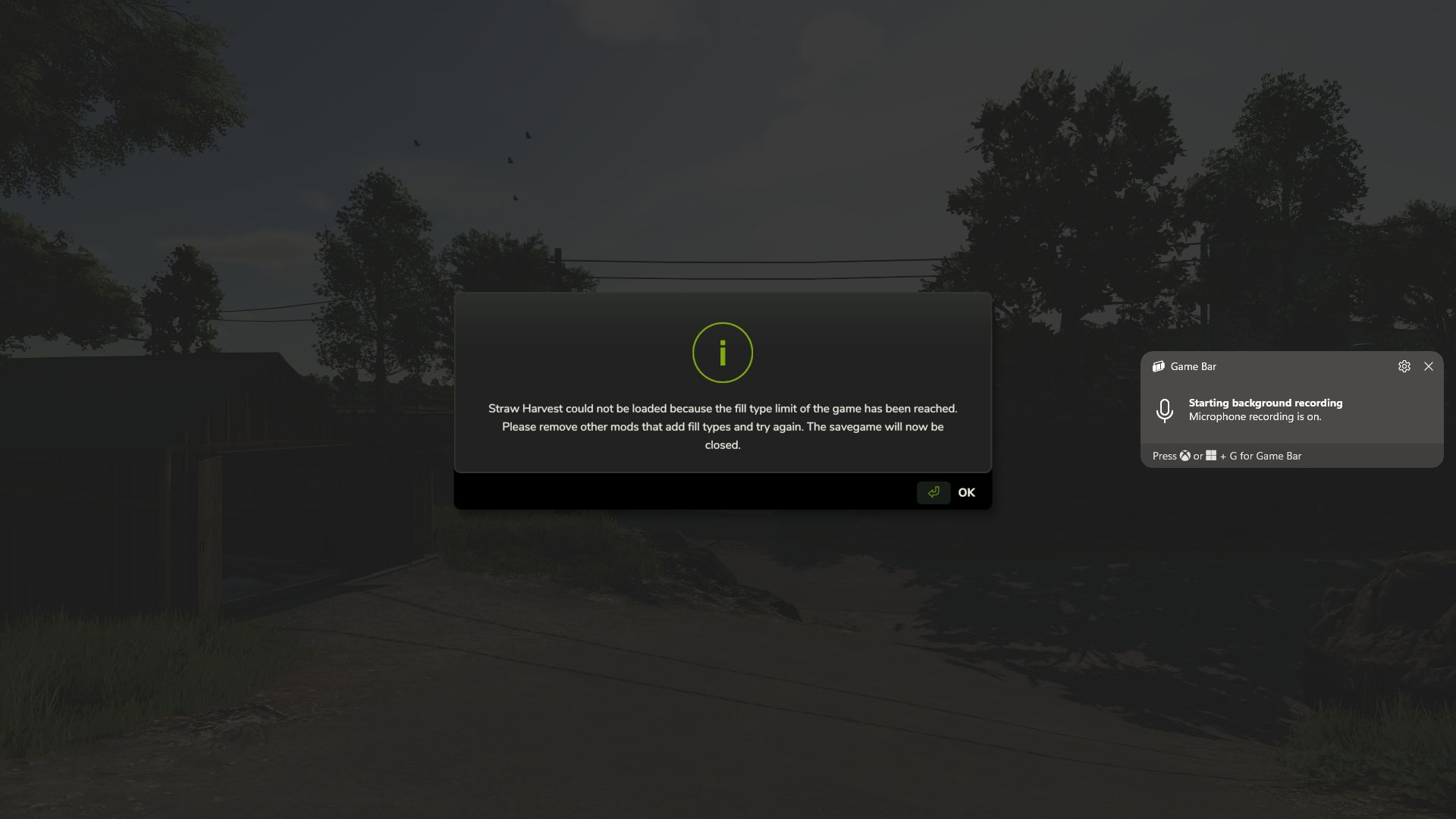
FS25_StrawHarvestHeightPriority Version: 1.0.0.0 Game: Farming Simulator 25 Tested With: FS25 v1.24.0.0+ What this fix does After the FS25 1.24 update, some heavily modded saves began failing to load with a message stating that the fill type limit had been reached, even when a FillType Extender was installed. In the affected saves tested, the actual problem was not the normal FillType limit. The map had reached its DensityMap HeightType limit, preventing Straw Harvest from registering the ground materials it requires. This fix gives priority to: HAY_PELLETS STRAW_PELLETS That allows Straw Harvest to register its required pellet materials and lets the savegame continue loading instead of being closed during startup. Important: This is a workaround This mod does not truly increase the map's DensityMap HeightType capacity. It: does not edit the map does not edit the savegame does not convert a 63-HeightType map into a 127-HeightType map does not change the physical density-map channels stored in the map Instead, it changes which materials receive priority when the available ground HeightType slots are already full. What happens to the other fill types? Because Straw Harvest is being given priority, some other custom materials may lose their DensityMap HeightType slot. This does not normally mean the FillType itself is removed from the game. A dropped material can generally still work in systems that support that FillType, including: trailers silos productions storage facilities sell points fill triggers supported machinery and fill units The main thing it loses is the ability to exist as a loose physical pile on the ground. For example, a material may still be loaded into a trailer, transported, stored in a silo, and used by a production, but you may not be able to dump it directly onto the terrain as a loose pile and later scoop it back up. Any mod or gameplay feature that specifically depends on that material existing as a ground pile may therefore be affected. Materials seen losing ground HeightType support during testing Depending on the map and mod setup, affected materials may include things such as: MAIZESTALKS_PELLETS SILO_GRASS SILO_CLOVER SILO_ALFALFA GRASS_FERMENTED ALFALFA_FERMENTED CLOVER_FERMENTED LIMESTONE COAL SOIL DIRT GRAVEL_FINE GRAVEL_COARSE GRAVEL_MIXED GRAVEL_TUMBLED SAND TOPSOIL POTSOIL CHARCOAL IRONORE SEPARATED_MANURE The exact materials affected will depend on the map and which mods are loaded. Recommendation If you do not use the Straw Harvest Pack, the better option for now is to leave Straw Harvest disabled instead of using this workaround. That avoids reserving HeightType slots for HAY_PELLETS and STRAW_PELLETS, leaving those limited ground-material slots available for the other custom materials used by your map and mods. If you do need Straw Harvest, this fix allows the save to load, but the tradeoff is that some lower-priority custom materials may no longer be able to form loose piles on the terrain. Installation Place ZZZ_FS25_StrawHarvestHeightPriority.zip directly into your Farming Simulator 25 mods folder. Do not rename the mod. The ZZZ_ prefix is intentional and helps ensure the mod loads at the correct point in the mod-loading order. When you should use this mod Use this fix if: your save stopped loading after the FS25 1.24 update Straw Harvest reports that the FillType limit has been reached you already have a FillType Extender installed the save closes during loading because Straw Harvest cannot register its pellet materials you need Straw Harvest enabled you understand that some other custom materials may lose ground-pile support When you probably should NOT use it Do not use this workaround unless you need it. If you do not use Straw Harvest, disabling Straw Harvest is currently the cleaner option because it avoids sacrificing DensityMap HeightType slots used by other custom materials. Tested successfully Tested successfully on Farming Simulator 25 v1.24.0.0 with Straw Harvest enabled on a heavily modded save that previously failed during startup. With this fix enabled: the save loaded successfully Straw Harvest no longer closed the save during loading HAY_PELLETS and STRAW_PELLETS were able to register other custom FillTypes remained available for normal fill systems, although some lost loose-ground-pile support due to the map's existing HeightType limit Final note: This is intended as a temporary compatibility fix until a better solution is available from GIANTS, Straw Harvest, the map author, or another method that safely increases the actual DensityMap HeightType capacity without modifying the map.

Plowing with a cultivator FS25
Adds an "Operating mode" configuration to compatible cultivators with two options: "Cultivation" and "Plowing". In "Plowing" mode, the implement works like a regular cultivator and leaves cultivated soil behind, but the field is also considered plowed and no longer requires plowing. In "Plowing" mode, the standard "Allow create fields" function is available, so the cultivator can be used to create new fields.
Dog Companion FS25
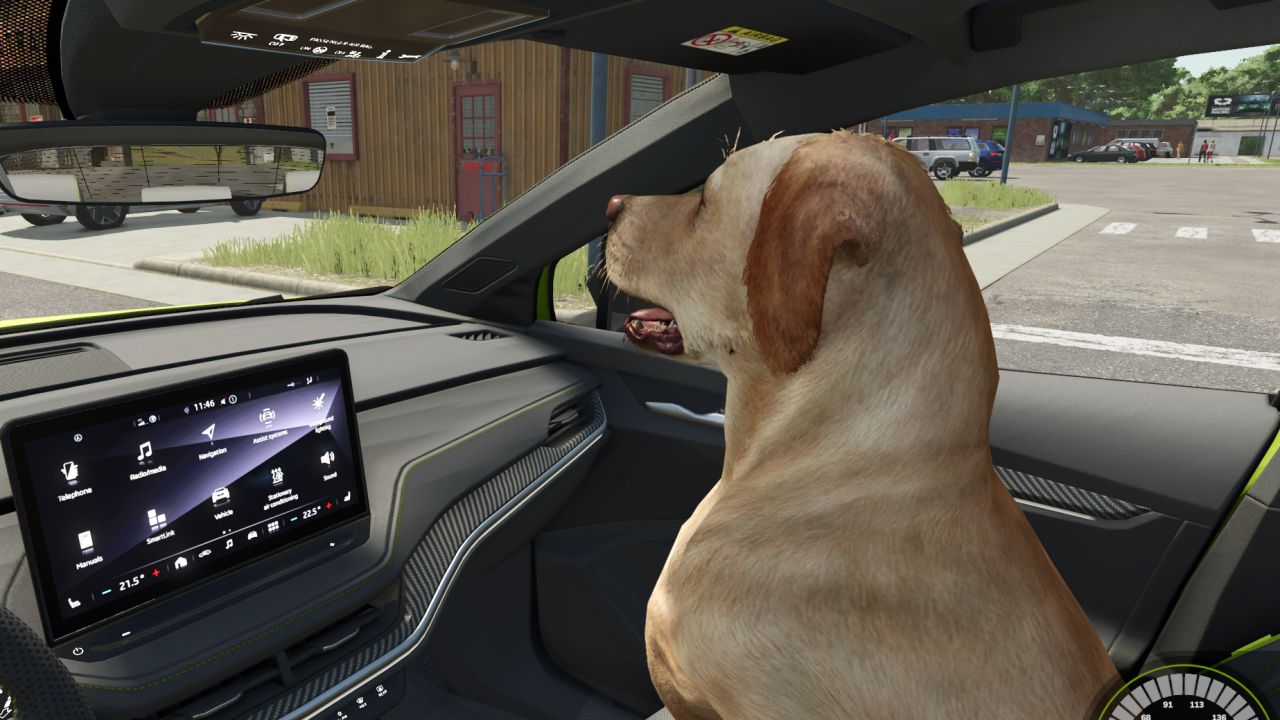
DogCompanion is a mod that makes dogs much more useful and interactive! With this mod, your dog can follow you everywhere, ride with you in a vehicle and even be carried. Using different keys on your keyboard, you can also give it simple commands, such as staying in place or following you. DogCompanion thus adds a new dimension to having your dog as a companion and makes your adventures even more enjoyable!
IAE feeder FS25
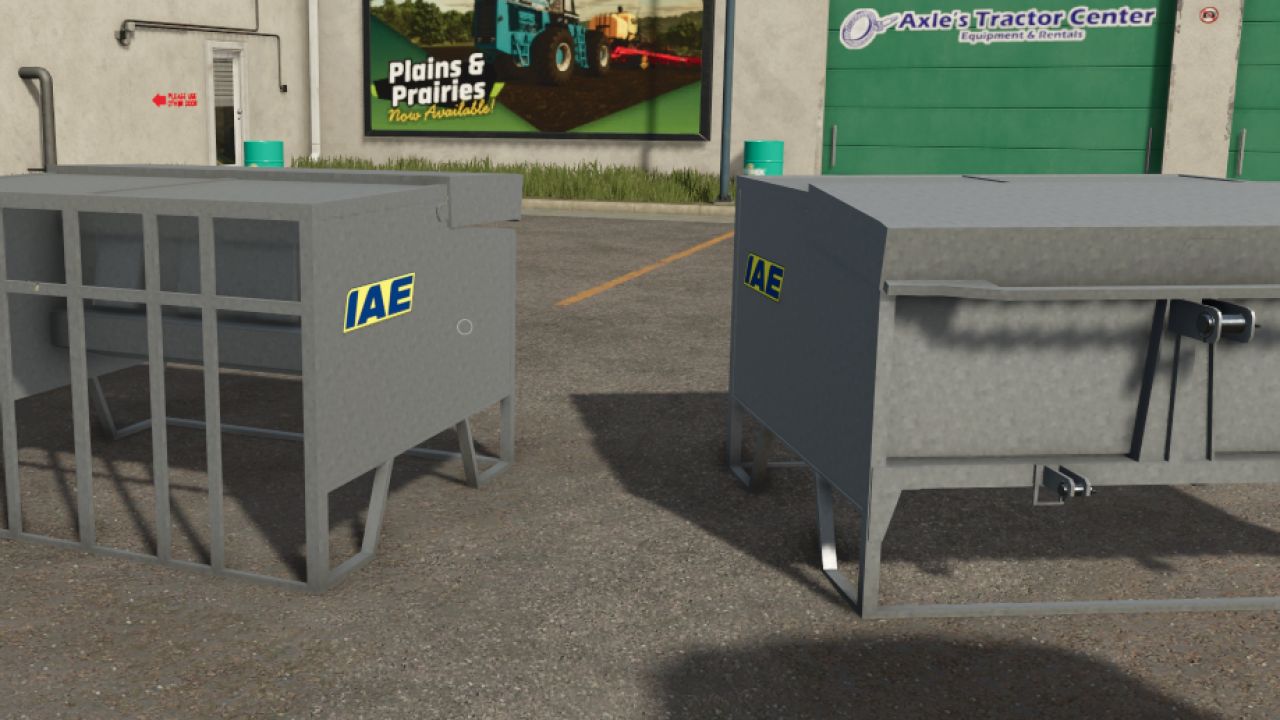
Hello, I’m sharing this beautiful mod with you. - Added an opening animation - Price: €950 IAE calf feeder. The mod works like a weight, but you can’t feed with it; it’s just for decoration.
MMZ 771 Sigara (Homemade Tank) FS22
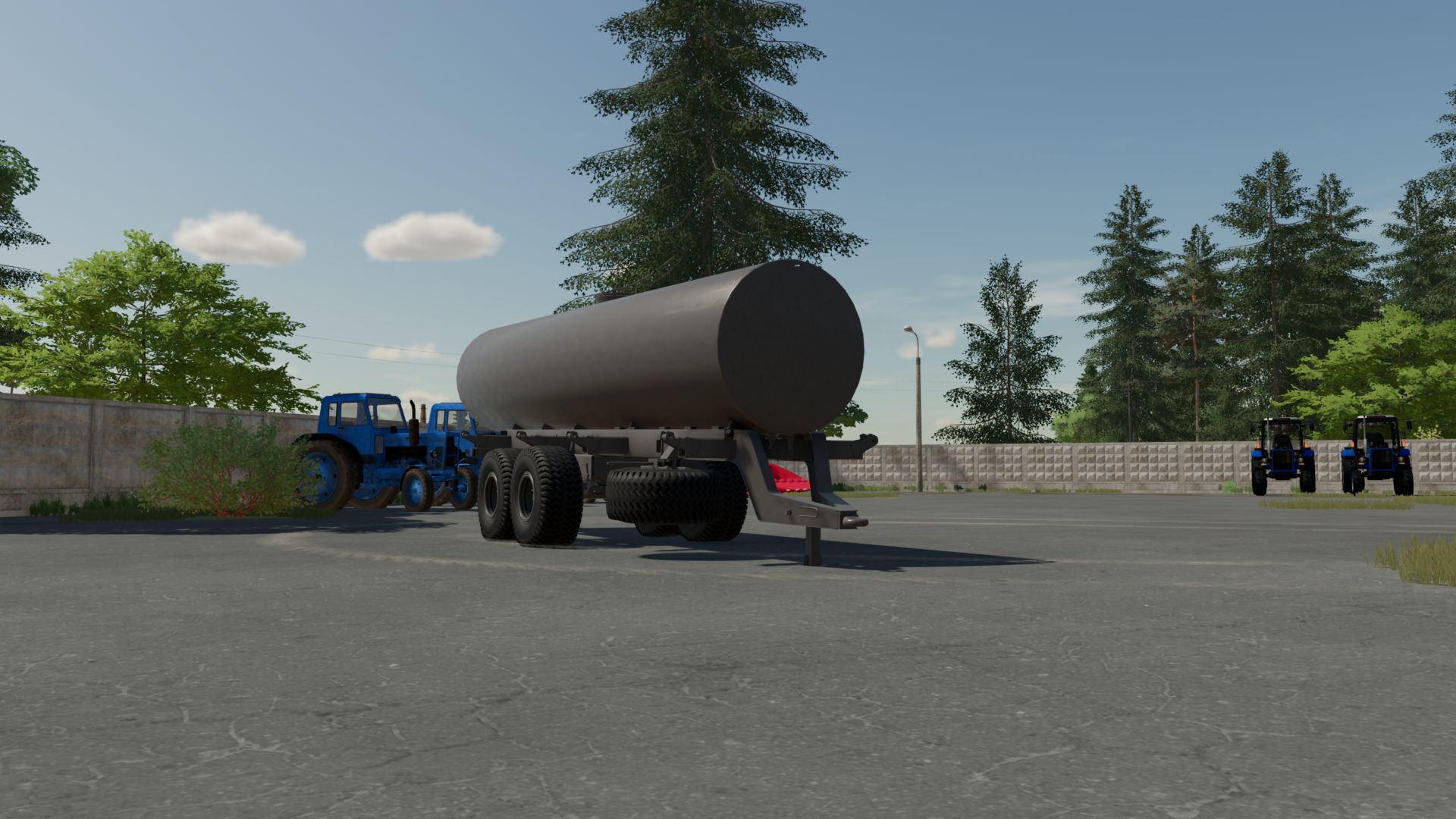
-Trailer-mounted tank based on the MMZ-771 trailer. A homemade metal tank installed on the trailer's reinforced frame. Suitable for coupling with MTZ, T-150 and other tractors of the corresponding traction class. -Category: Miscellaneous -Volume: 8000 l -Clean log
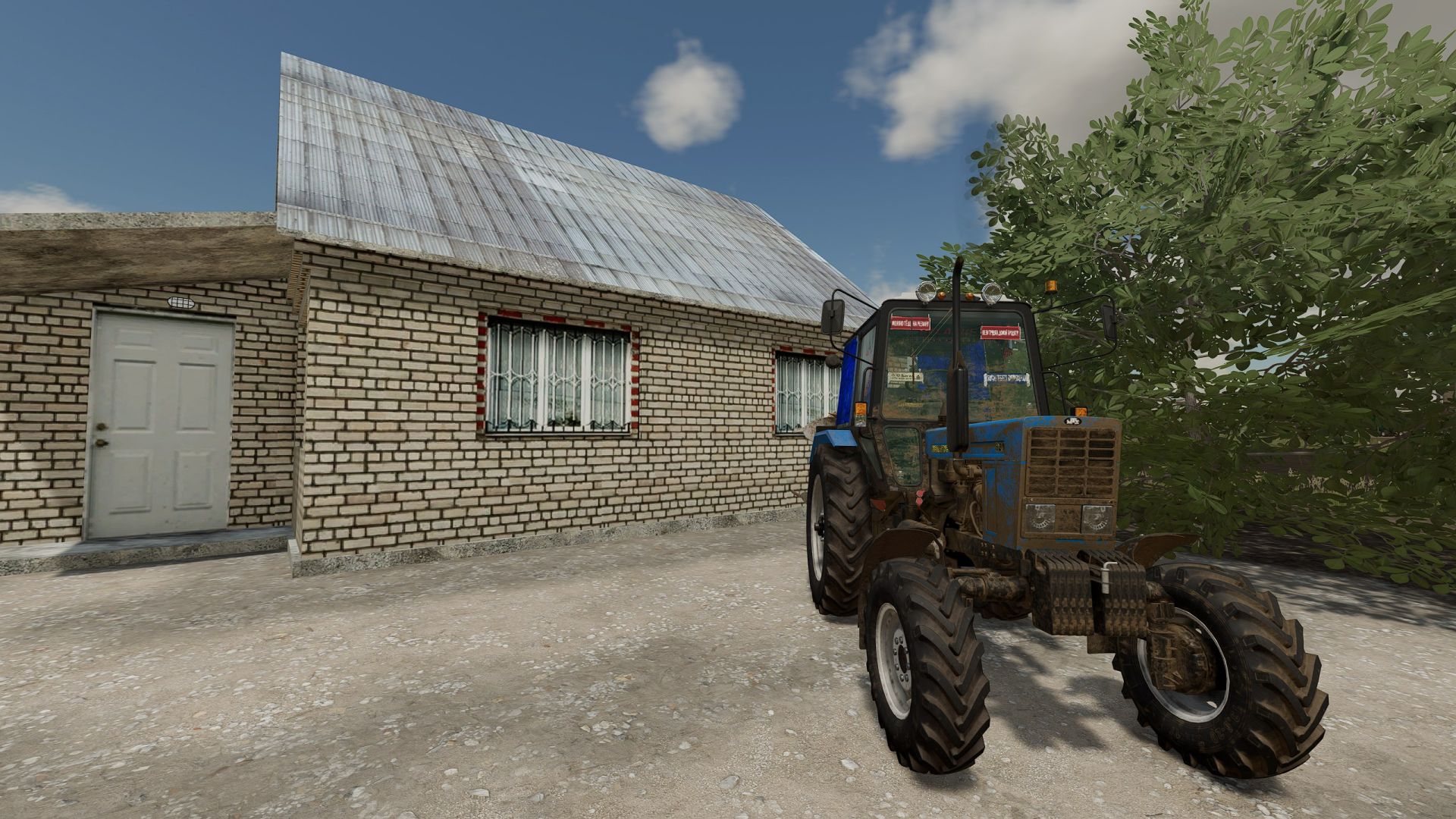
MTZ 82.1 FS22
- Manufacturer: MTZ; - Model: 82.1; - Engine: D-243; - Price: €12,000; - Engine power: 81 hp; - Maximum speed: 34 km/h; - Tuning added.
Realistic 4x4 Traction System FS25
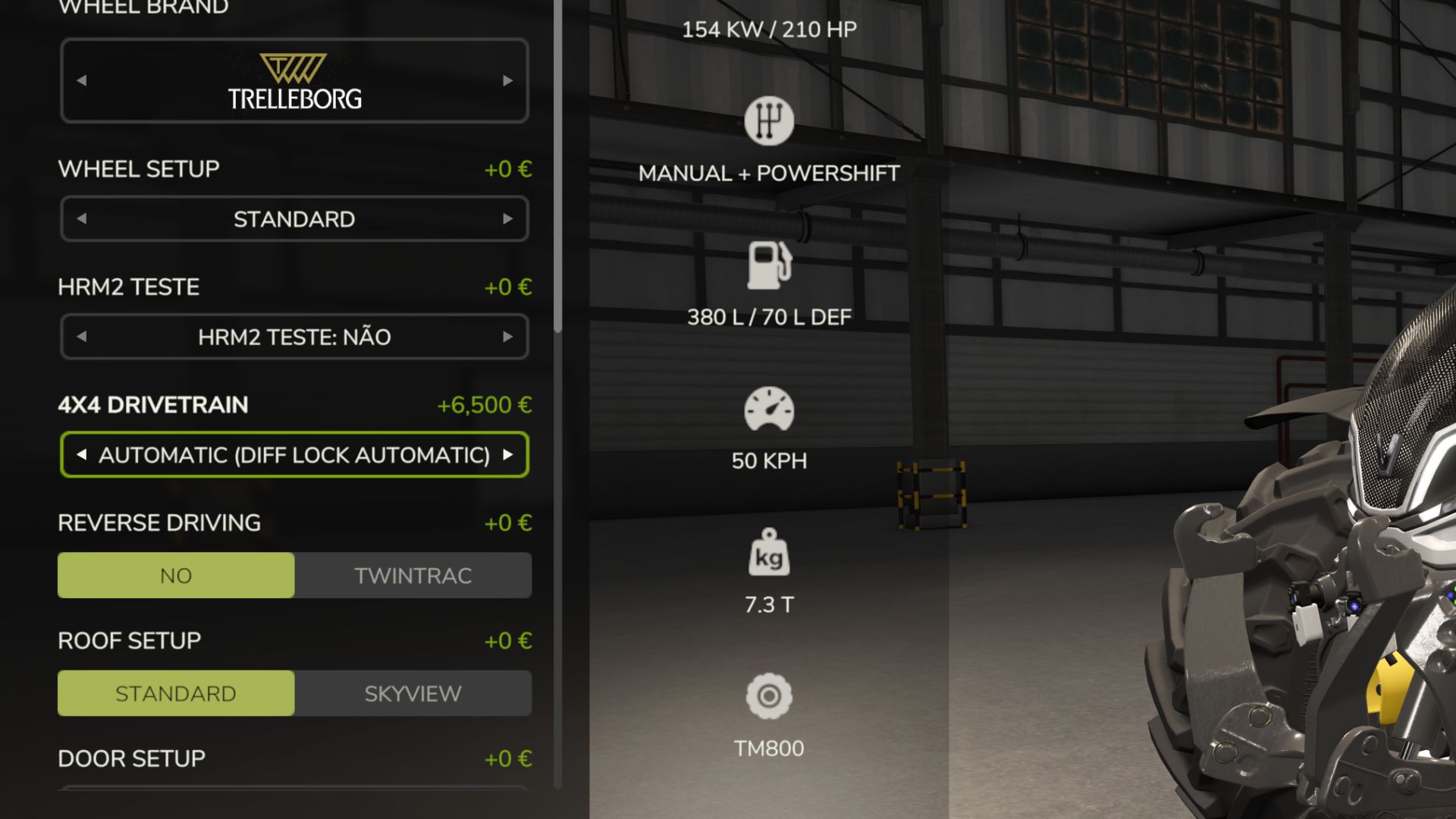
REUPLOADING TO OTHER SITES IS PROHIBITED WITHOUT MY CONSENT!! Multiplayer in development, playable but may contain bugs Take real control of your tractor’s traction — engage 4x4, lock the differential and let the system react to actual wheel slip, not just to an assigned key. This mod adds a fully switchable 4x4 traction system to compatible vehicles (tractors, trucks, harvesters, cars): engage/disengage the front axle when needed and toggle a differential lock that trades turning radius for maximum grip in mud, snow or during heavy work. Features Real rear-wheel slip detection — automatic modes react to actual wheel-slip physics, not just speed Four driving modes, assigned to each vehicle by default: Manual — always in control Semi-automatic — engages with actual wheel slip, while manual control is always available Automatic — the same logic, adjusted for vehicles with factory-fitted automatic 4WD (CVT/IVT transmissions) Intelligent — continuous, proportional engagement in the Fendt style (without abrupt switching on/off) Native tyre-pressure simulation during engagement — no dependency on any other mod On-screen HUD with real-time status and adjustable position in the game Settings menu Zero XML changes to any vehicle — the system integrates automatically into all compatible vehicles NEW / FIXED - Differentials now really work: rebuilt on the drivetrain node exactly like the game creates them (in FS25 the locks previously had no effect) - Separate FRONT / CENTER / REAR diff locks (Ctrl+Alt+K / Ctrl+Alt+J / Ctrl+Alt+L) + quick cycle (Ctrl+K) — all rebindable - Locked center respects the real front-axle lead (tyre size ratio + 2.5%): no more rear wheels spinning while the front axle brakes the tractor - 2WD leaves the front axle free - CTIS tyre pressure per axle from the real axle load and tyre load tables (with Soil Draft Physics); realistic -3.5% rolling radius instead of -15% (no more "flat" tyres) - CTIS automatically disabled on tracked tractors - New translations: DE, FR, ES, IT, PL, RU (plus EN, PT, BR) with google, errors are expected!!! TESTED TOGETHER (no conflicts) - Precision Farming 1.5.1.0 - Soil Draft Physics (beta) – optional; when installed, CTIS tyre pressure is calculated from the real axle load - Realistic Mechanical Systems (RMS) 0.10.0.0 - Realistic Weather 1.2.0.0 - Fendt 1000 Vario Series, John Deere 8R Pack / 6R Large / Ripper 2100, Case IH Magnum CVX, Kubota M7, JCB Fastrac 4000, CLAAS Lexion 8000 - Real Three Point Attacher, Remove Frontloader Axle Locking, Vehicle Speed Sync, DashboardLive, Real Vehicle Cams, Universal Autoload - Maps: Riverbend Springs, Redstone County NOT RECOMMENDED TOGETHER (they also change wheels/differentials) - Mud System Physics, REA Plus, Tractor Terrain Dynamics, Variable Tire Pressure - EnhancedVehicle: turn off its differential/drive-mode functions if you use both New - Physical traction prediction (tractors with GPS): compares the required force (slope, rolling resistance, effort from LOWERED implements) with rear axle grip, according to the soil type and ground moisture. - Front axle engagement by clutch on a ramp (~0.4 s), without jolts. - Differential lock in 3 positions (Ctrl+K): open / rear / rear + front, with progressive engagement. - Auto/smart: engages with the implement lowered in the field, when wheels are slipping, downhill with a load and at low speed under load; disengages during tight headland turns and at road speed; remains engaged for at least 6 s (no "flashing on and off"). - Automatic locks while working; they release when turning, braking or above 15 km/h (in all modes, for safety). - Maximum speed with 4x4 engaged: 25 km/h (tractors/harvesters), 40 km/h (trucks/cars). - No mode engages 4x4 above 20 km/h, not even with Ctrl+J. - Tyre pressure (Fendt) follows field/road conditions, like the real VarioGrip. - New HUD: live wheel slip, padlocks on locked axles and the REASON for each decision; Fixed - The terrain prediction remained high (e.g. 27%) simply because a heavy implement was attached, even when lifted. - Braking activated 4x4 and the locks (wheel slip while braking no longer counted as a lack of traction). - Multiplayer: Ctrl+J in automatic modes was undone by the dedicated server. - Semi-automatic mode never disengages on its own (only the player can do so). Multiplayer in development, playable but may contain bugs Compatibility tested with the MudSystemPhysics and Tractor Terrain Dynamics mods Behaviour fixes: Continuous-track tractors (only 2 tracks, e.g. John Deere 8RT, Fendt Vario MT) are no longer affected by the 2WD/4WD system — it makes no mechanical sense for them. Fixed the actual difference between "semiauto" and "auto" modes: semiauto now only engages automatically and never disengages automatically (this is always left to the player). Terrain anticipation GPS now always reads, even above road speed (previously it always stayed at 0% in this situation). Fixed implement mass reading (it was reading tonnes as if they were kg — underestimating the actual weight by 1000x). Fixed false triggering of "smart" mode when braking and shifting into reverse. Fixed being "stuck to the ground" when lowering a heavy implement (differential lock reacted too quickly to the initial spike). Automatic system (semiauto/auto) now reacts much faster to real and sustained wheel slip — previously it could take dozens of seconds. Fixed rapidly switching between 2WD/4WD when stopped in the field. Fixed false triggering of semiauto when starting from a standstill (a normal and brief wheel-slip spike at the moment of take-off). The "smart" mode (Fendt) has been isolated from the binary engagement logic — preventing interference between the smart mode's own hysteresis and the new detections. New features: Detection of "fieldwork in progress" (via the game's native GPS) and automatic "arming": when stationary/almost stationary in a field with the implement lowered for more than 2 seconds, 4WD engages directly. Experimental support for engine load as an additional signal (disabled by default, available in DriveModeConfig.lua). Features from previous versions (already included in this version): Proprietary GPS/terrain-elevation anticipation system, without depending on another mod — only on each brand's top-of-the-range tractors (Fendt VarioGuide, John Deere JDLink, Case AFS Connect, New Holland IntelliSteer, Deutz-Fahr Agrosky, CLAAS EASY) Proper 4WD terminal (Ctrl+Shift+G) — Status/Telemetry/Settings tabs, with wheel-slip thresholds and anticipation strength adjustable live, per vehicle Per-tractor telemetry (total hours, hours in 4WD, hours with differential locked, number of engagements, distance in 4WD, GPS anticipations) — saved in the savegame, with a reset button Savegame persistence of the 4WD state (engaged/differential locked) and adjusted Settings Renewed HUD — capsule-style bars with glow, pulsing halo on active elements, without text overlap Fix for the tyre-pressure conflict with FS25_MudSystemPhysics Extended support for brands/models: John Deere 6R/8R/9RX, New Holland T8/T8000, Deutz-Fahr Series 7/8, CLAAS Xerion, McCormick X8 VT-Drive MULTIPLAYER (tested on a real dedicated server): - Differential detection on dedicated servers fixed; it previously always failed on the client side - Toggling 4x4 (Ctrl+J) now synchronizes correctly between the server and clients - Manual differential lock (Ctrl+K) now synchronizes correctly between the server and clients - Automatic modes (auto/semiauto/smart) are calculated by the server and synchronized with all clients - A player joining in the middle of a session immediately receives the correct state of every vehicle REALISM: - Ctrl+K (manual differential lock) respects a speed limit for engagement—it only locks when stationary or moving slowly, just like in a real transfer case GENERAL: - Internal diagnostic code removed - Documentation and store description reorganized Fendt Vario Grip Smart unchanged for now. looking more details how it works New Features Automatic differential lock In "Auto" and "Smart" drive modes, the center differential lock now engages and disengages by itself under severe wheel slip, at low speed only (never on the road). "Semi-Automatic" and "Manual" modes still require Ctrl+K. Shop upgrade: Semi-Automatic → Automatic Tractors configured as "Semi-Automatic" now show a new configuration option in the store's Customize screen, letting you pay to upgrade that specific unit to full "Automatic" behavior (automatic diff lock included). This was added because many players didn't realize Semi-Automatic and Automatic tractors behave differently — the option is now labeled clearly: Semi-Automatic (Diff Lock Manual) — free, default Automatic (Diff Lock Automatic) — paid upgrade Known Issues there are several things that may need a tweak or fix. not all vehicles have real or near real specs this was not tested in deept with other mods including mod tractors or maintenance scripts except my maintenance mod, so compatibility not full confirmed with other mods yet Fixes Excluded 3 grape harvesters with independent hydraulic wheel motors (ERO Grapeliner Series 7000, New Holland Braud 9070L, Gregoire GL) — these vehicles are always all-wheel-drive by design (four independent hydraulic motors, no mechanical differential to switch), so the mod no longer applies to them as well as to crowlers and tracked vehicles. Crawlers and tracked vehicles no longer get 4x4 system Documentation Clarified the real difference between "Semi-Automatic" and "Automatic" modes in the in-game HUD hints, configuration comments, and readme: both engage/disengage the 4x4 itself automatically based on real wheel slip — the actual difference is that only "Automatic" (and "Smart") also lock the differential automatically. Compatibility Singleplayer only. No changes to save-game compatibility — existing installs can update directly. Keybinds changed to Shift+Ctrl+J/K/N to avoid conflicts with other mods Auto/semi-auto response is much faster (confirm delay cut from 2.5s to 0.9s) The 2WD↔4WD switch in manual/semi-auto/auto is now a short smooth ramp instead of an instant on/off — no more jolt or momentary speed loss when the front axle engages under load Optional soft compatibility with Hyper Realistic Maintenance 2, if you also run it (see below) — fully standalone otherwise
Loading Screen Video Pack FS25
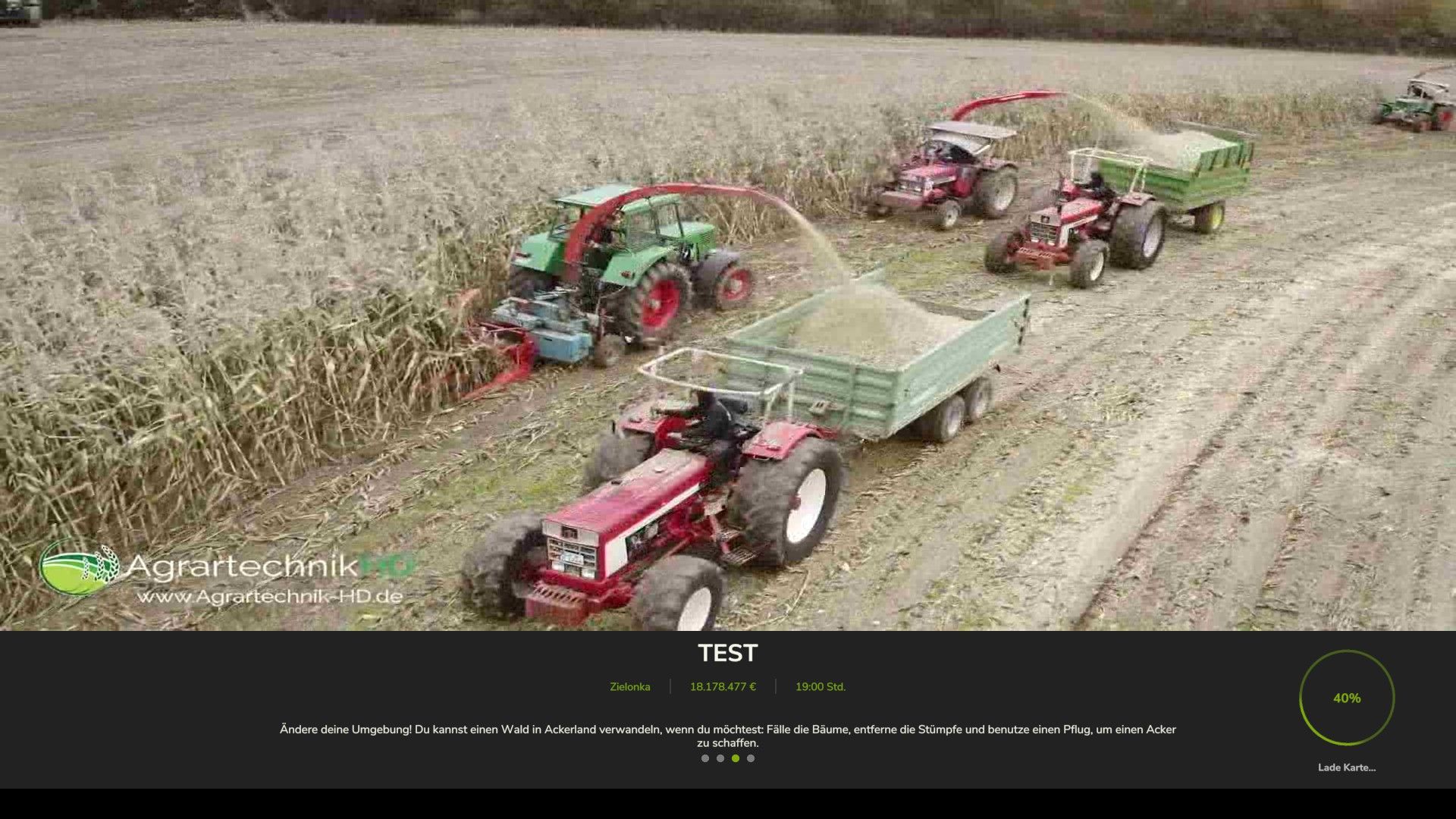
This mod replaces the standard loading screen with a custom video that plays while loading into the game. There are 4 different versions of the mod, each featuring a different video: 🚜 Oldtimer – Old machines in action 🌾 Forage – Forage harvesting in mud 🌽 Harvest – Combine harvesting 🚜 Plow – Plowing and soil preparation Choose the version that matches your style and enjoy a more dynamic loading experience in Farming Simulator 25! -> Help / Support: https://discord.gg/VhtyW9Gw2c -> Original / Played Videos: - https://youtu.be/EeXjERcNX8g?si=ieUrPdNhHVVS2ZF1 - https://youtu.be/aw8bSizOwGs?si=FhYsH67g40_5d6Ou - https://youtu.be/kZ_7lt406rQ?si=iribyYNeJKqXJlOE - https://youtu.be/pZeusnptFZc?si=7qSkmkeAySFtBRP9 ❗Only use one version of the mod at a time.❗ ❗VERSION: 1.24.1.0❗ => Compatible with GameVersion 1.24.x ❗VERSION: 1.23.1.0❗ => Compatible with GameVersion 1.23.x
All-in-One Easy-to-Install Texture Pack FS25
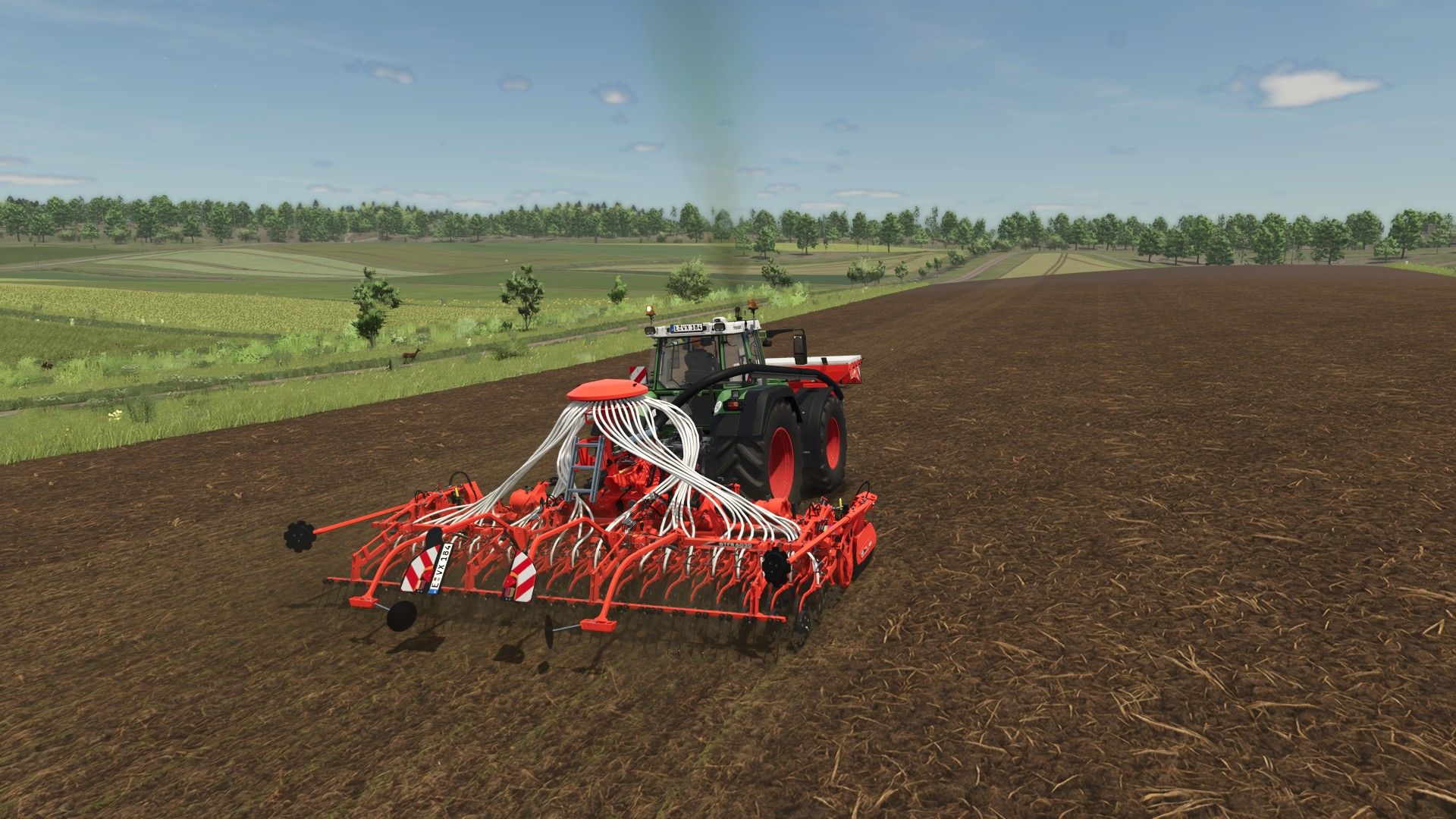
-> This is an All in One and Easy to Install Texture Pack. -> It makes the Game look better and more realistic by changing the Textures. -> How to Install / Uninstall: https://youtu.be/CRpDzbfUXrs -> Help / Support: https://discord.gg/VhtyW9Gw2c -> If you´re playing Multiplayer everyone should install it to avoid complications. ❗In some Cases need the Textures to be Implemented in the Map-File itself to work! Join the Discord!❗ ❗VERSION: 1.24.3.8❗ => Compatable with GameVersion 1.24.x ❗VERSION: 1.23.3.8❗ => Compatable with GameVersion 1.23.x ❗VERSION: 1.21.3.8❗ => Compatible with GameVersion 1.21.x ❗VERSION: 1.20.3.8❗ => Compatible with GameVersion 1.20.x ❗VERSION: 1.19.3.8❗ => Compatible with GameVersion 1.19.x ❗VERSION: 1.18.3.8❗ => Compatible with GameVersion 1.18.x ❗VERSION: 1.17.3.8❗ => Compatible with GameVersion 1.17.x -> Added better crop spawning -> Many bugfixes => Big Update! - All NEW more REALISTIC Ground Textures - New Textures - Many Fixes -> New Cultivation Texture -> New FillPlane Texture => Very IMPORTANT Update! -> New Textures -> Many Bugfixes => Complete Texture Auverhaul -> All new Ground, FillPlane and Foliage Textures -> New Tutorial coming soon! -> Added new Textures - Grass - Chaff - Cultivated - Directsown + Small Bugfixes -> Added realistic Temperatures -> Added realistic Temperatures for Europe -> Added realistic Temperatures the US (Asia coming soon) -> Update for Patch 1.10! -> Added new Textures -> Added new Straw Texture -> Added new Hay Texture -> Added new Features -> Added new wild Animals -> Added Wolfs Bears Crows Deers Foxes Storks -> Bug Fixes -> Fixed Files => Update for Game Version 1.9 -> New Textures -> Performance Improvements -> New Pictures -> Updated Storepage => Updated Textures -> New StubbleTillage Texture -> Fixed Issues -> Fixed invisible Ground Textures on most Maps => The Problem can still occur on ModMaps even without the Pack! -> HD-Resolution Texture Update -> Compatable with Game-Version 1.7 -> Performance Improvements -> New Pictures -> Updated Storepage -> Added new Grass Textures -> Removed Tire-Physics (Use Realistic-Weather-Mod instead) -> Updated the StubbleTillage-Texture to a higher Resolution => Updated Textures for even more Realism -> Added new Textures (Ground, FillPlane and Foliage) -> Improved old Textures -> Added Hight and Normal Maps for realistic 3D-Effect => From now only Updates when new Textures are added, the Pack is done so far! -> Enjoy! -> Fixed Ground Deformation in Uninstall-File -> Fixed Mud Tracks on Roads -> Added new Textures -> Fixed some Problems -> Updated Ground Deformation
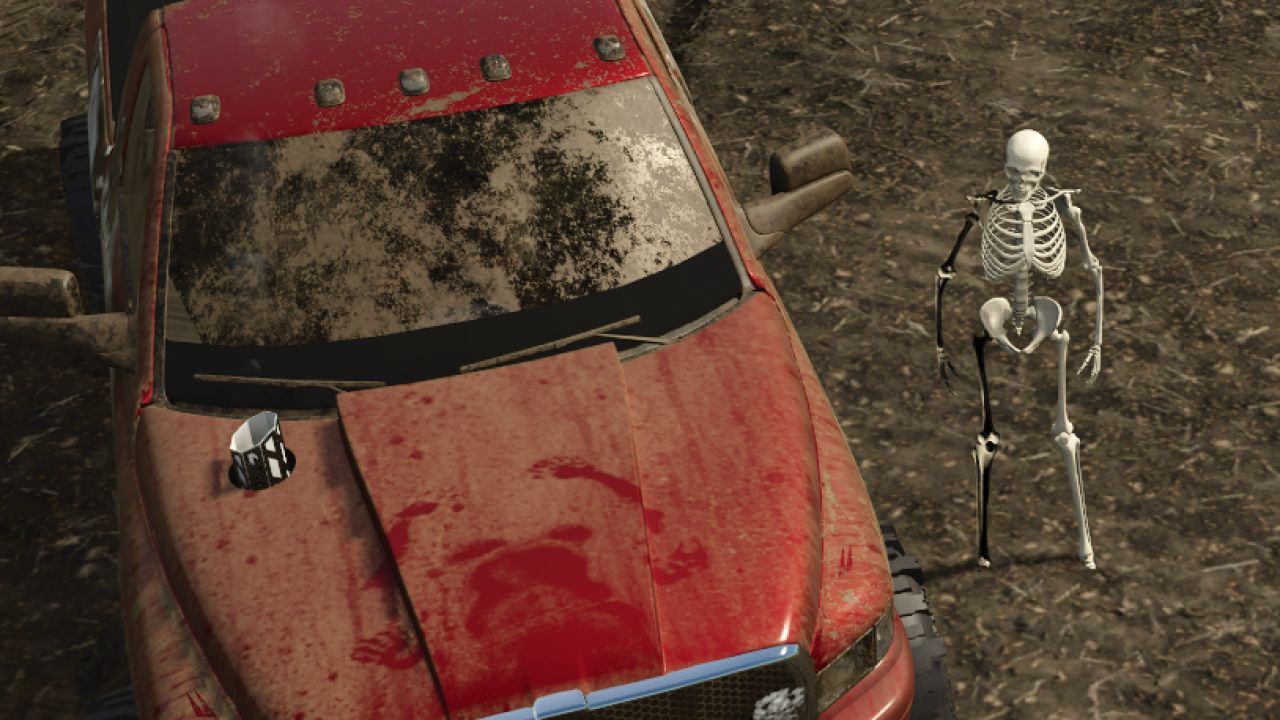
Skelly bones (Skeleton Player) FS25
It’s spooky season! Why have a boring skin when you’re playing your favorite game and driving your favorite SavageAF truck, when you can have the bone-chilling, rock-hard body... of a skeleton! Meet Skelly. Go into your wardrobe and it’s selectable there. Not all clothes work well with it, if you even want to wear clothes at all. There are a few different selections—you just have to play around with it.
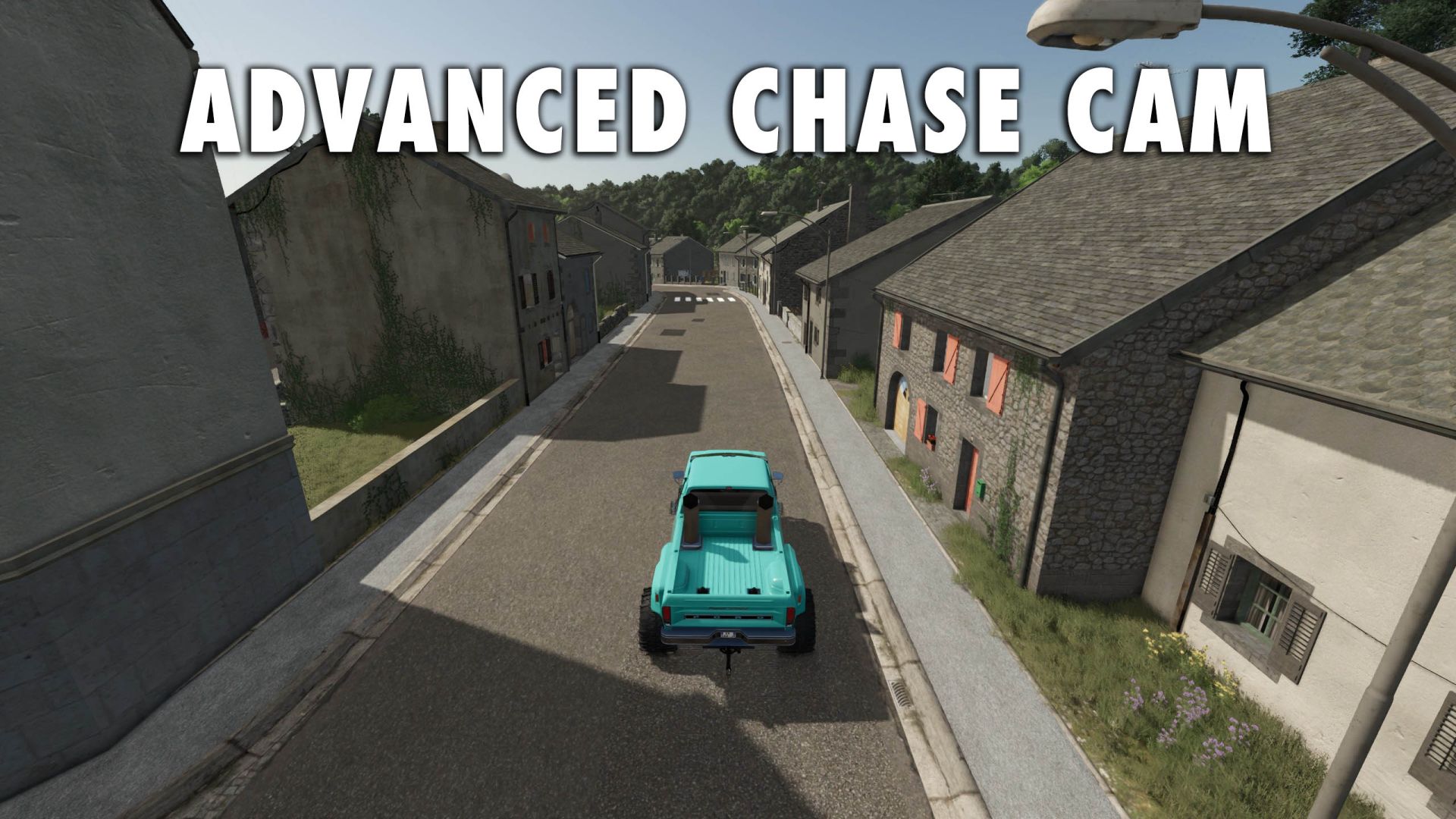
Advanced Chase Cam FS25
The base game chase camera is less than desirable. This mod fixes the position of the camera and makes it much more functional. Changes the Chase Camera to behave more like racing games. Changes how the third person Chase Camera is positioned without affecting the Cab camera. You can customize the behavior of the camera, all done within General Settings > Advanced ChaseCam. If you just want the camera height adjustment WITHOUT any auto-alignment or reverse cameras, you can turn all other settings off and this mod will only change the camera height position. - Camera Height: the camera sits above the vehicle so the vehicle sits low on the screen rather than in the exact middle of the screen. Settings: High (Good all around, default) or Low (not great for combines). - Chase Camera Dynamics: Normal (Default) holds its heading briefly, then catches up smoothly if you keep turning. Relaxed is slower and lets the camera trail more. Off is the base game camera. - Free Cam Auto Alignment: swings the camera back behind the vehicle when driving straight after you look around. Immediate (Default), Delayed (good if you like to manually control the camera for a side profile shot but still want the camera to auto-align) or Off (no auto-align). This setting only applies to Free cam (mouse, right stick). The camera will still auto-align if Chase Camera Dynamics is on. - Reverse Camera (on by default): Automatically turns the camera around while reversing, automatically returns facing forward about 1 second after reversing ends. If turned off, other Reverse Camera settings are also off. - Reverse Camera Auto Center: Off (default) - Camera does not recenter if free cam is used, On - springs the camera back to center after looking around with free cam in reverse. - Reverse Camera Turn Speed: Adjusts how quickly the camera changes in and out of reverse. Smooth (default), Fast or Instant.
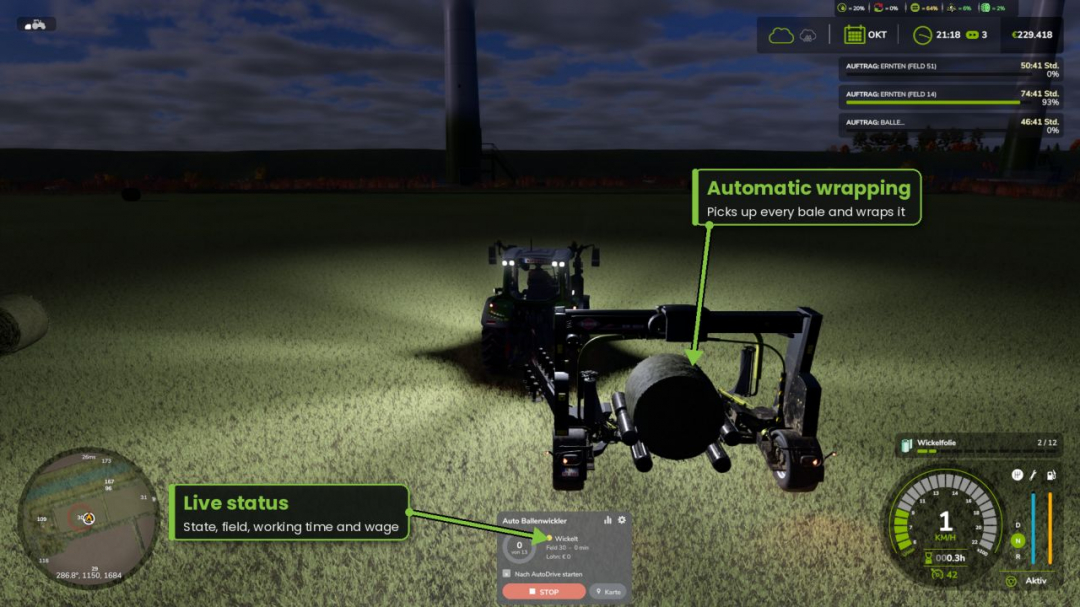
Auto Bale Wrapper V1.0.9
AUTO BALE WRAPPER v1.0 Your own AI assistant for towed, self-loading bale wrappers. Simply attach the wrapper, press start – the helper locates all unwrapped bales in the field, wraps them, and stops when finished. No courses, no setup.FEATURES Detects all unwrapped bales on the field (round and square), skips already wrapped ones Plans its own paths around bales, trees, and obstacles, staying within the field Dynamic speed: faster on straight sections, slower in curves, brakes late before the bale Obstacle sensor for vehicles, players, and objects Multiple helpers on one field share the bales automatically Drop spot on the map: select a location and direction, bales are neatly arranged there Optional: drop bales at the field edge Statistics: number of bales, working time, driver wages – total and per field AutoDrive handover: starts automatically when AutoDrive reaches the field Adjustable driver wages (0-100%), 6 HUD colors, automatic lights Modern, movable HUD with progress ring Multiplayer and dedicated server compatibleCONTROLS Ctrl+J to start/stop | Ctrl+L for mouse cursor | Ctrl+K to show/hide HUD (configurable in controls menu)REQUIREMENTS No other mods required. AutoDrive is optional. In multiplayer, all players need the mod.V1.0.9.0 Improvements: When encountering "bales not reachable," the helper now makes up to 3 new attempts (short pause, resets failed attempts and temporary obstacles) without manual restart New: When reversing, the helper first straightens the rig if needed and locks the hitch, preventing the tractor from jackknifing into its own wrapper New: Reversing stops automatically if the rig begins to jackknife.
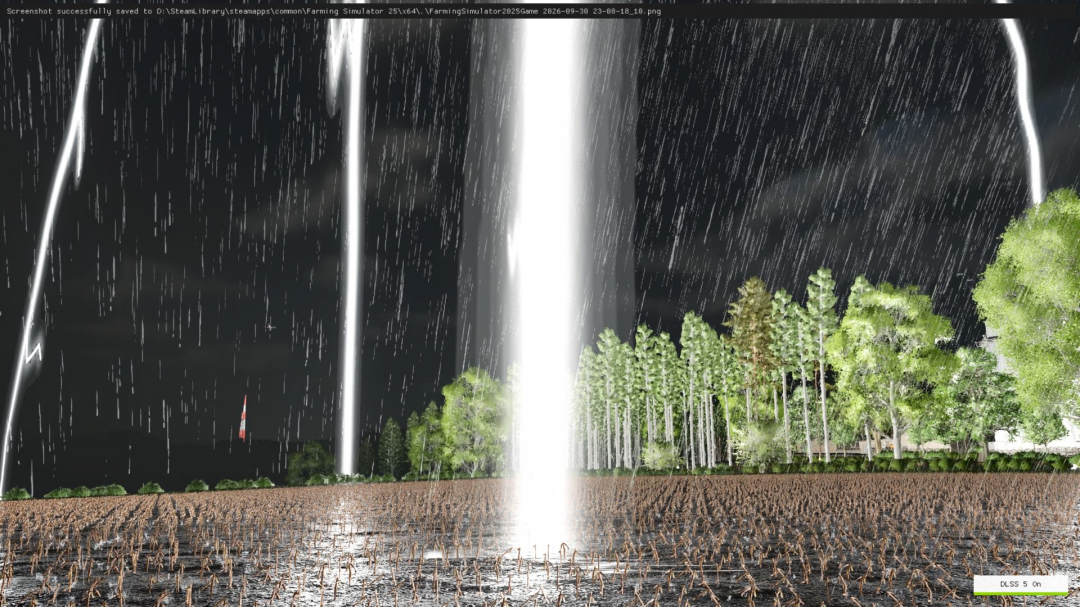
Realistic Storm System V1.0
Enhance the atmosphere and realism of thunderstorms in Farming Simulator 25 with the Realistic Storm System. This mod introduces a dynamic lightning system that makes storms feel more powerful, immersive, and natural. Lightning strikes can occur at various locations across the map and are synchronized in multiplayer. FEATURES: Dynamic lightning during rain, realistic lightning clusters with 5–6 bolts appearing simultaneously, multiple flash sequences for a natural effect, three different visual lightning effects, large and highly visible bolts, ground impact effects, lightning can strike anywhere on the map, randomized distance and position for a natural storm experience, thunder delay based on distance, dynamic thunder volume, long-distance thunder during storms, multiplayer synchronization, and a console command for manual testing of lightning strikes. CONSOLE COMMAND: gsRealisticStormStrike — manually triggers a lightning strike to test effects and thunder. The system works alongside the game's rainy weather, creating a more immersive storm atmosphere without replacing the standard weather system. Enjoy a more dramatic and atmospheric thunderstorm on your farm!
Color Adjustment v1.0
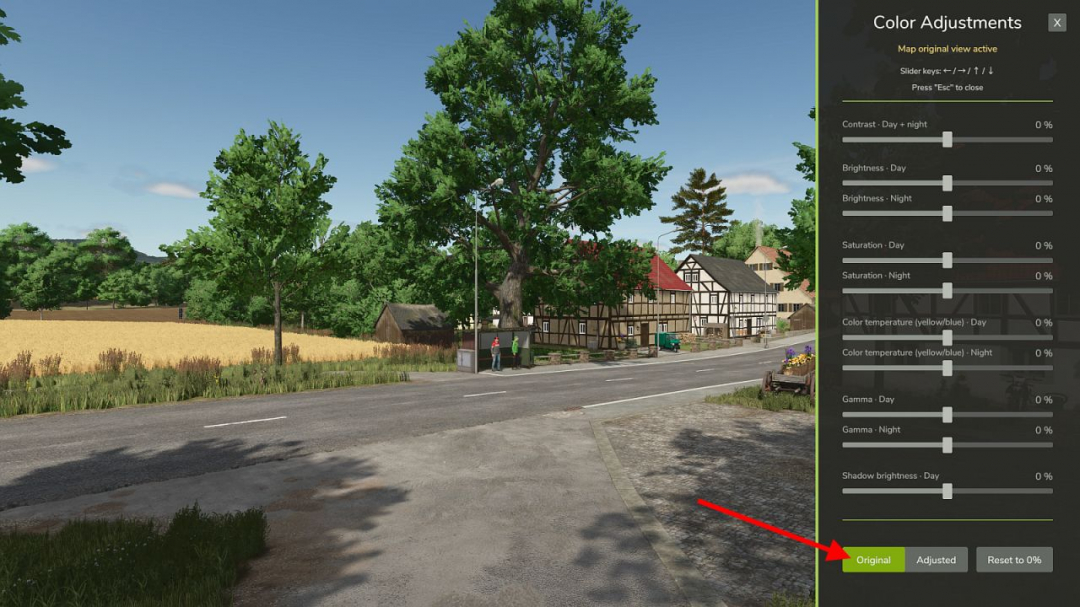
The "Color Adjustment" mod allows you to fine-tune the color grading of the current map directly within the game. Available sliders: Contrast – day and night Brightness – day Brightness – night Saturation – day Saturation – night Color temperature – day Color temperature – night Gamma – day Gamma – night Shadow brightness – day All sliders range from ?100% to +100% in 1% steps. At 0%, the map remains unchanged.Key features: Separate settings for day and night Custom settings for each map Direct access to FS color grading No FPS loss HUD colors remain consistent Clear, user-friendly sidebar Compatible with ReShade and NVIDIA Game Filter Supports DLSS 5 Neural RenderingThe mod utilizes the game's color grading system, allowing the GIANTS Engine to create smooth color transitions during dawn and dusk, even with differing day and night settings.Please note: The bottom "Shadow brightness" slider affects other dark areas and colors besides shadows. This slider is only active during daytime. The "Original / Adjusted" toggle allows you to compare the map's original colors with your current settings. The "Reset to 0%" button resets all sliders after confirmation. Your settings are saved automatically per map and will be used as defaults for new maps. In multiplayer, only your own view is affected. The mod does not alter what other players see.Default shortcut to toggle the dialog: Right Shift + V You can customize this shortcut in Options > Controls.
Buckeye, Arizona V1.0
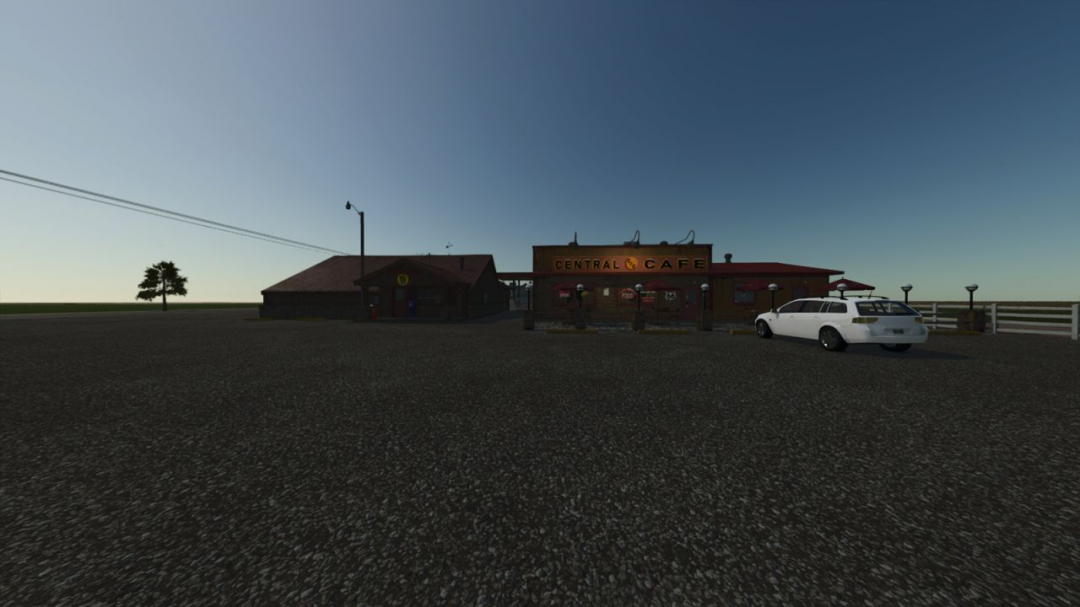
Buckeye, Arizona is a realistic recreation of a real area in the American Southwest. It features authentic desert terrain, custom lighting, and weather patterns to match the region. The map includes numerous fields covering over 50 acres each, along with a small forest area along the northern border. Designed to closely resemble the real location, the map also incorporates production and selling points. I created this map to offer the FS25 community an authentic American Southwest farming experience.
- 15 per page
- 30 per page
- 45 per page
- 60 per page
-
See more per page
Bigger pages, fewer clicks - and no ads anywhere.
Go Pro