1 / 6
Color Adjustment v1.0
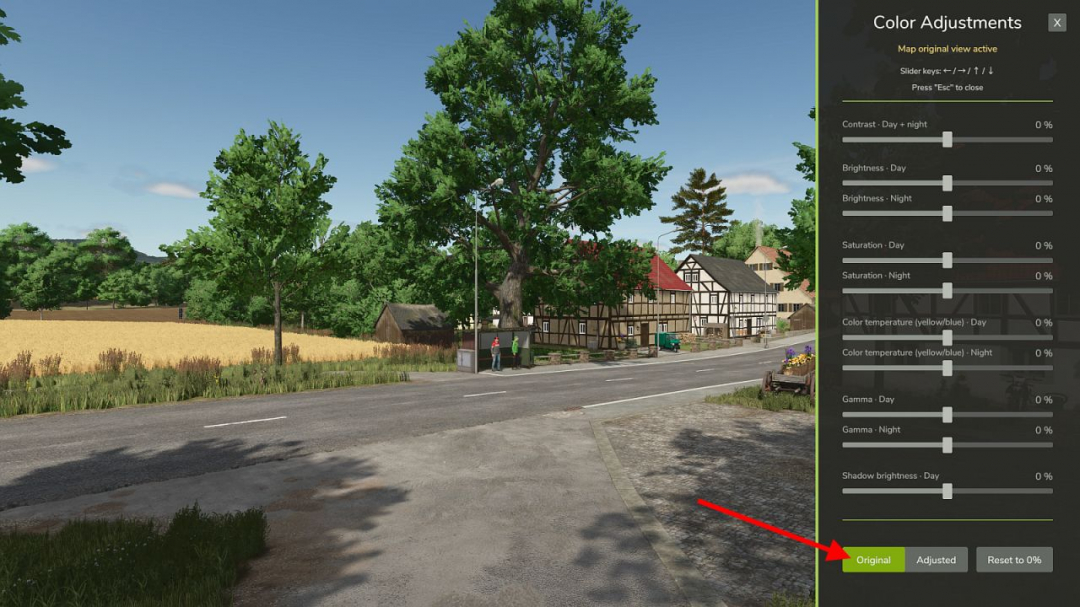
The "Color Adjustment" mod allows you to fine-tune the color grading of the current map directly within the game. Available sliders: Contrast – day and night Brightness – day Brightness – night Saturation – day Saturation – night Color temperature – day Color temperature – night Gamma – day Gamma – night Shadow brightness – day All sliders range from ?100% to +100% in 1% steps. At 0%, the map remains unchanged.Key features: Separate settings for day and night Custom settings for each map Direct access to FS color grading No FPS loss HUD colors remain consistent Clear, user-friendly sidebar Compatible with ReShade and NVIDIA Game Filter Supports DLSS 5 Neural RenderingThe mod utilizes the game's color grading system, allowing the GIANTS Engine to create smooth color transitions during dawn and dusk, even with differing day and night settings.Please note: The bottom "Shadow brightness" slider affects other dark areas and colors besides shadows. This slider is only active during daytime. The "Original / Adjusted" toggle allows you to compare the map's original colors with your current settings. The "Reset to 0%" button resets all sliders after confirmation. Your settings are saved automatically per map and will be used as defaults for new maps. In multiplayer, only your own view is affected. The mod does not alter what other players see.Default shortcut to toggle the dialog: Right Shift + V You can customize this shortcut in Options > Controls.
Download Links
Report a problem
Color Adjustment v1.0
Advertisement
Remove ads