Farming Simulator 22 mods
50,233 results- 15 per page
- 30 per page
- 45 per page
- 60 per page
-
See more per page
Bigger pages, fewer clicks - and no ads anywhere.
Go Pro
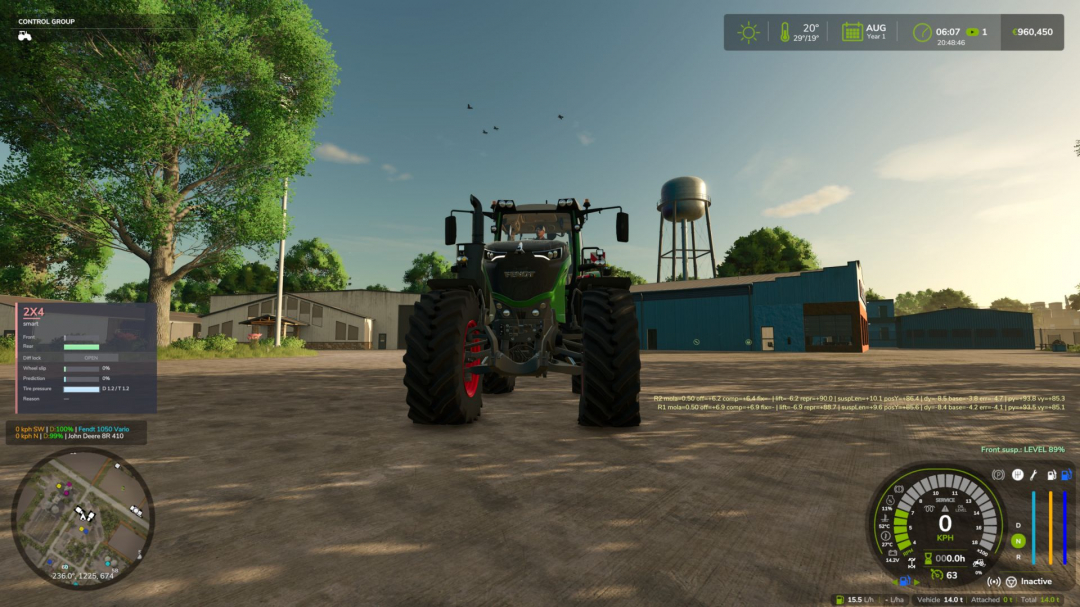
Hydraulic Suspension System BETA v1.0
Ever noticed that the tractor front axle in the game feels like a steel beam? Hit a rock and the whole tractor jumps, the wheel barely moves. This mod gives tractors the hydraulic front suspension they have in real life.Suspension that really works The wheel moves up and down over bumps and rocks, and you can see the links, cylinders, and shaft moving. The tractor is much more stable and comfortable.Automatic leveling Just like real tractors: add front weights or a heavy implement and the front returns to the right height by itself in a few seconds.Every brand with its own system John Deere ILS and TLS, Fendt, Claas PROACTIV, Terraglide (Case IH / New Holland / Steyr), MF Quadlink, Valtra, Deutz-Fahr, and McCormick. Each one behaves differently, some softer, some firmer.Driving modes – AUTO – levels by itself – WORK – firmer when working in the field or when the front starts bouncing – LOCKED – stiff axle for front loader work or heavy transport – MANUAL – raise and lower the front yourself (only on JD ILS and Fendt, like in real life)Keys Ctrl+Alt+U – change mode Ctrl+Alt+? / ? – raise / lower the front (manual mode) (can be changed in control options) Only works on tractors that have this system in real life: medium and large tractors from the listed brands. Small tractors and crawlers stay as they are.BETA VERSION The mod is still being tested, especially in multiplayer. Lots of work needs to be done, but so far it is playable. Tweaks and fixes will be released based on user feedback and suggestions. If you find a problem, please send me your log.txt file. In multiplayer, I need the logs from both the host and the joining player.
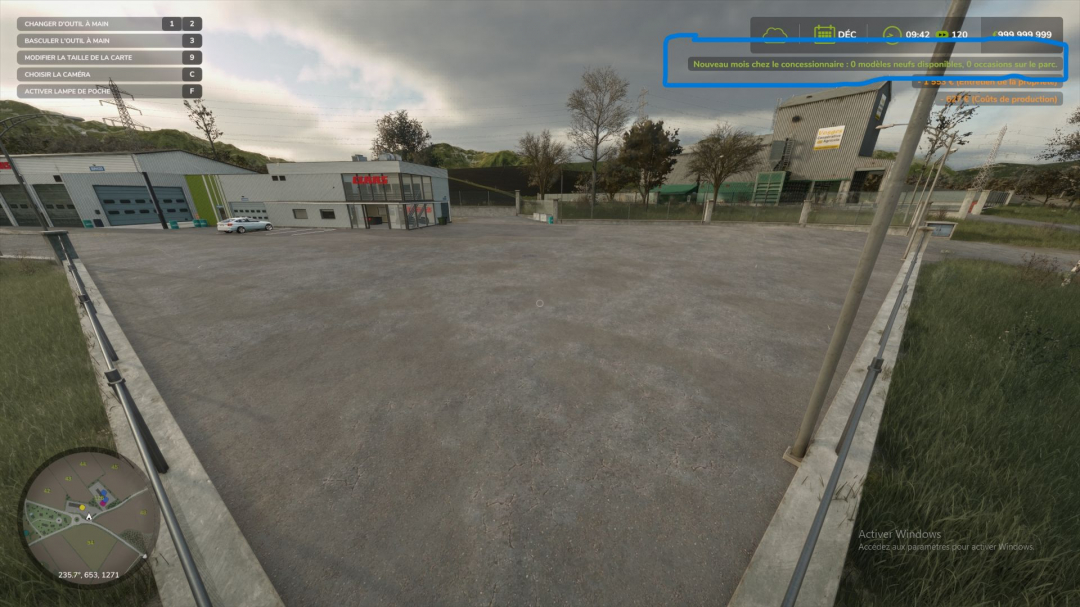
Dealer Stock (New & Used) V1.0
Gone are the days of the magical dealership that delivers 50 identical tractors at the click of a button. With this mod, your dealership has actual inventory—limited in quantity and restocked monthly in-game. It also manages a used equipment lot that you can visit on foot to inspect machines before buying them.New equipment: limited stock Each month, only a selection of models is available—roughly 35% per store category—with at least one model per category included. Each model in stock has a limited quantity, ranging from 1 to 3 units. Machines costing over €250,000 have half the available quantity, with a minimum of 1. Stock levels are visible in the store: in the list, each item displays “In stock (x2)” or “Out of stock”; the purchase button indicates “Buy (2 in stock).” A model that is sold out or not currently in stock displays “Out of stock”: it cannot be purchased or leased until the following month. With every delivery, the stock decreases, and a notification indicates how many units remain or if the last one was just sold. Failed purchases incur no cost. If delivery fails due to a lack of space or funds, the stock remains intact. Supported categories: tractors and vehicles, harvesters, trailers, loaders, tillage, seeding, haymaking, baling, forestry, sugar beet and potato equipment, vegetables, special crops, vineyards and olives, and precision farming. Unsupported categories (always freely available): objects, pallets, bales, animals, hand tools, weights and miscellaneous accessories, and buildings.Vehicles added by other mods are handled automatically, just like base-game vehicles. Used equipment: the dealership lot Every month, eight used machines are physically parked on the dealership lot: tractors, implements, trailers, etc. Each used item has a unique history: an age ranging from 1 to 15 years; operating hours consistent with the machine’s age and type; mechanical wear, visible in the vehicle’s condition; paint scratches and dirt, visible on the 3D model. The older the machine, the more wear it shows. The price is realistic: it is calculated using the game’s resale formula—based on age, hours, and condition—plus a 20% dealer margin. The final price falls between 10% and 85% of the new price. To make a purchase, walk up to a machine; its name and price will appear. A detailed info sheet displays the age, hours, mechanical condition, paint condition, and price. Once you confirm, the amount is deducted, and the machine is yours. Unsold used machines are locked: you cannot board them, attach them to other equipment, or cycle to them using the Tab key until they have been purchased. At the start of each new month, unsold items leave the lot and are replaced by a new batch. Placing the used equipment lot Walk to your chosen location, stand at the front-left corner, face the area where the lot will be, and press Alt + L. The machines will align to your right in 40-meter rows. Until a lot is defined, used machines will appear in the shop’s delivery zone. Be sure to set up your lot early on to avoid interfering with new equipment deliveries. Controls (on foot) Key Action Alt + L Set the used vehicle lot location (multiplayer administrator only) Alt + K Show monthly stock summary and list of used vehicles with prices Game action key Near a used vehicle: open purchase detailsThe Alt + L and Alt + K key bindings can be changed in the game’s control settings.Multiplayer The server handles everything: monthly generation, stock, purchases, and saving. Players receive the stock automatically, including those who join mid-game. Stock is shared by everyone: if a player buys the last unit, none remain for anyone else. Each used vehicle purchase is charged to the buying player’s farm. If two players target the same machine, the first one to buy it wins. Only the administrator can move the used vehicle lot. SavingEverything is saved with the game session: new stock and remaining quantities, used vehicles currently on the lot (including their condition), and the lot location.Settings Upon first launch, the mod creates the file `Documents/My Games/FarmingSimulator2025/modSettings/FS25_DealerStock.xml`. In multiplayer, the server’s file is the one that counts.
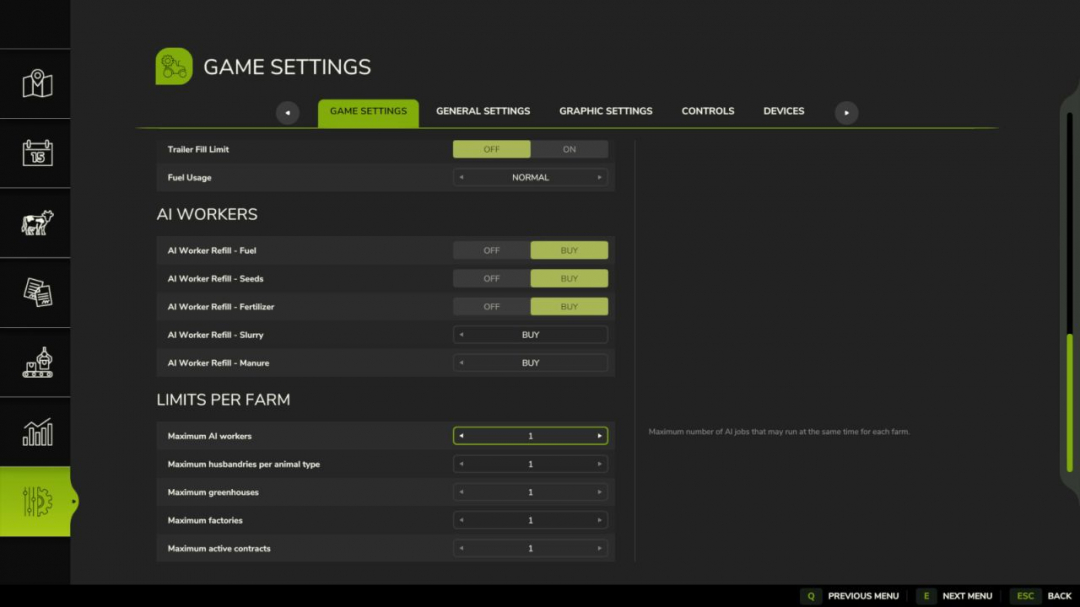
Farm Limit Manager V1.0
Farm Limit Manager allows server administrators to set configurable per-farm limits for multiplayer sessions. Administrators can assign values from 0 to 10 for: - Simultaneous AI workers per farm - Animal husbandries per animal type and farm - Greenhouses per farm - Factories per farm - Active contracts per farm. The settings are accessible via a dedicated Game Settings tab and are protected by administrator permissions. Limits are saved with the savegame and synchronized in multiplayer. Existing buildings are never removed when a limit is decreased; only new jobs and purchases are blocked.

FS25 Steering Wheel Hand Fix
FS25 Steering Wheel Hand Fix Hand Fix corrects the driver’s hand position on the steering wheel in Farming Simulator 25. When you turn the wheel, the hands maintain a natural grip instead of rotating into the wrong position. This mod requires First Person Player Body by BMProd. Install and enable both mods to use Hand Fix.

FS25 Shaders by xs3f.
FS25 Shaders by xs3f. Hi, I’m releasing my ReShade preset for Farming Simulator 25. – I’m using the lighting preset by Czarny317. (https://ls-portal.eu/pl/oswietleniepreset-czarny317/) – My in-game brightness is set to 0.8. – ReShade version: 6.8.0. Place the .ini file (included in the .zip archive) into the x64 folder within the Farming Simulator 25 installation directory.

FS25 Silage Compaction Monitor v1.2.0.0
FS25 Silage Compaction Monitor v1.2.0.0 Take the guesswork out of silage making in Farming Simulator 25! The Silage Compaction Monitor is a quality-of-life mod that adds a real-time information HUD to your screen whenever you are working in a bunker silo. No more endlessly driving back and forth wondering if your tractor is heavy enough or how much longer it will take. Key Features: – Real-Time HUD: Automatically appears when you enter an active bunker silo while inside a vehicle. – Total Vehicle Mass: Accurately displays the combined weight of your tractor, weights, and attached implements in Tons. – Efficiency Indicator: The mass display is color-coded to let you know if your setup is too light (Red/Orange), good (Yellow), or perfect for the job (Green). – Time Estimation: Provides a dynamic estimated time remaining until 100% compaction, based on your current vehicle’s weight. – Progress Tracking: Clearly shows current compaction percentage and total silage volume. – Smart Detection: Warns you if you are on foot and need to enter a vehicle. Changelog: v1.1.0.0 -Added a new option in the in-game settings menu. You can now freely move and adjust the position of the monitor on your screen to suit your playstyle! -Resolved an issue with the weight count. The monitor now accurately tracks and displays the correct weight data for flawless compaction tracking. Changelog: v1.2.0.0 -Fixed HUD visibility in adjacent covered bunker silos.
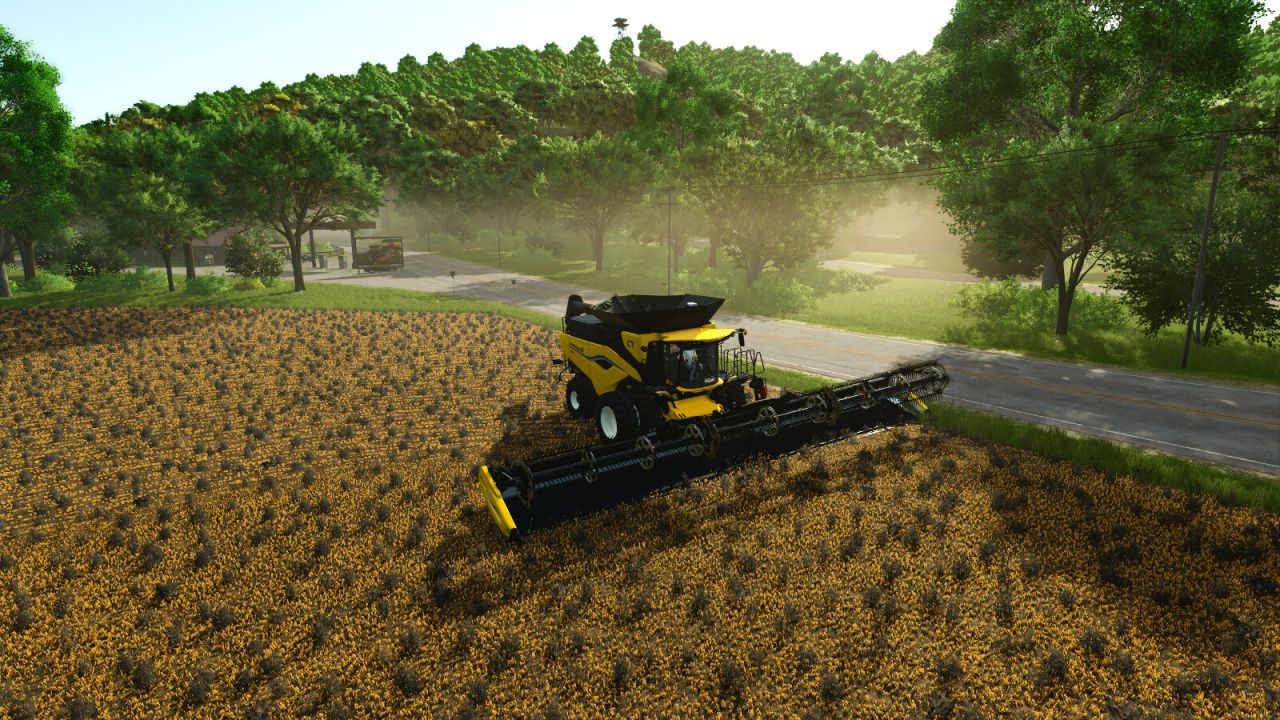
Live Visual Tuner FS25
Customize the appearance of Farming Simulator in real time with a compact, draggable in-game panel. Fifteen visual adjustments are organized across Basic, Advanced and Fine Tuning pages: - Brightness, contrast, saturation, shadows and details - Exposure, gamma, highlights, color temperature and bloom - Midtones, tint, shadow contrast, highlight contrast and bloom reach Create and name up to three visual profiles. Saved profiles can be loaded, edited or deleted at any time and remain available on other maps. Controls: - Open or close the panel: Left Alt + 7 - Click or drag a bar to adjust it - Hold the middle mouse button to look around while the panel is open - Arrow keys: select and adjust - R: restore the original map image The panel follows the game's UI scale, can be moved by dragging its orange header and remembers its position. All settings are stored locally on this computer. The mod does not change gameplay, weather, time or the image seen by other players. Multiplayer is supported and every player keeps their own visual configuration. No external dependencies are required.
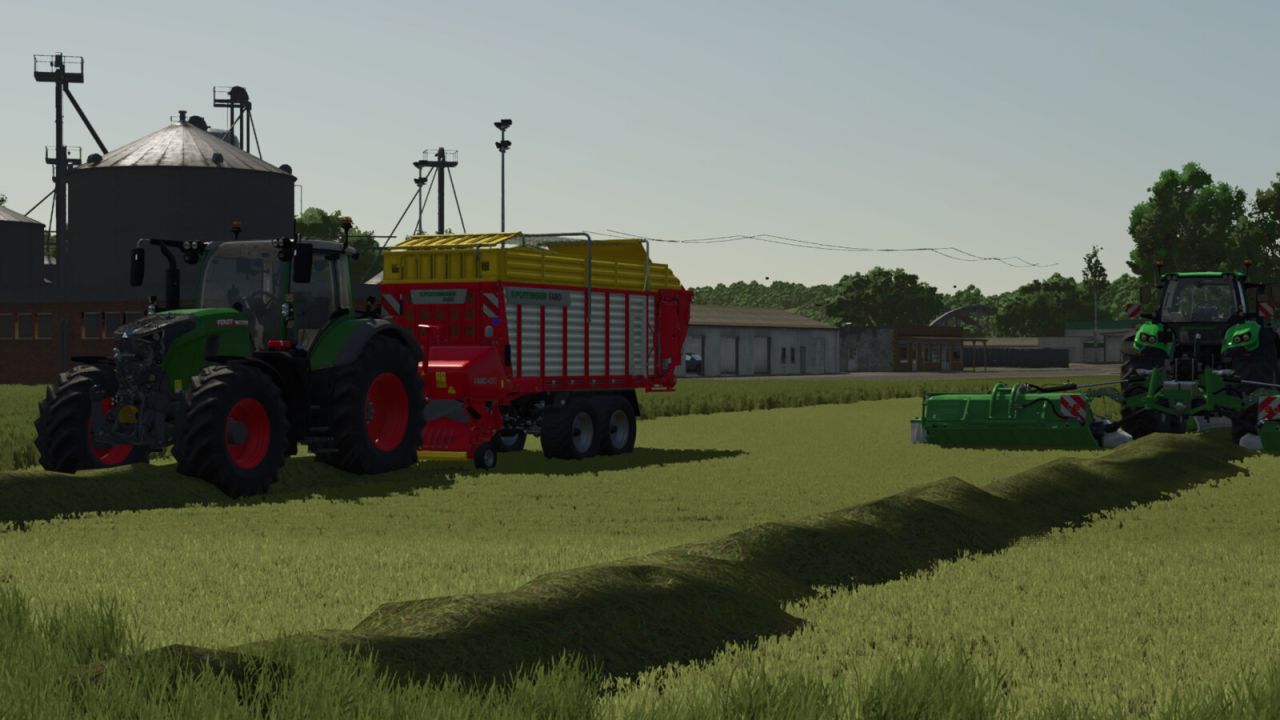
Forage Wagon Compression FS25
Forage Wagon Compression for Farming Simulator 25. Switched-on forage wagons gain 60% capacity. A second fill bar shows the compressed load. Compression progressively reduces working speed by up to 10 km/h and adds up to 0.75 to the consuming load value. Switching off preserves the load. Includes savegame persistence and multiplayer synchronization. Settings: xml/compression.xml. Automatically enabled for supported forage wagons.
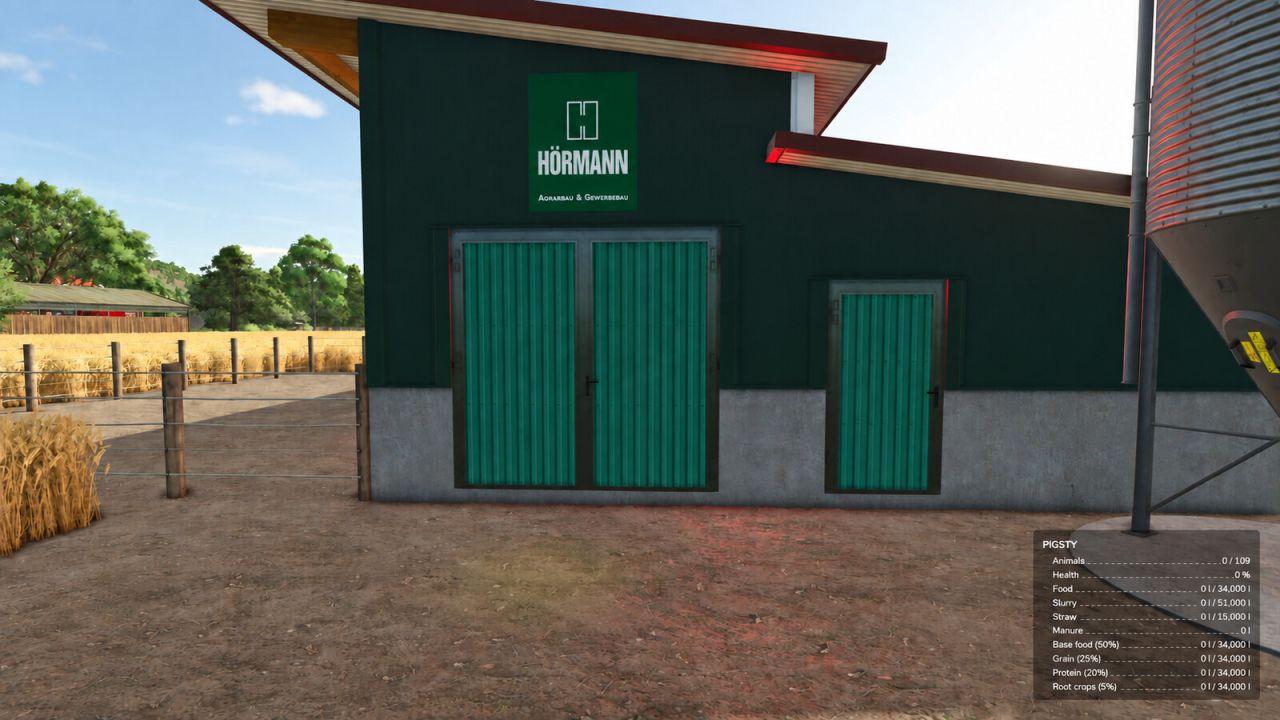
Animal Storage Overview FS25
Animal Storage Overview adds current fill levels and maximum capacities directly to the standard Farming Simulator 25 animal menu. Features: - Shows current and maximum capacity for water, total feed, feed groups, straw, meadow and available animal outputs. - Uses the real capacities supplied by the selected husbandry, including modded buildings and map-specific husbandries. - Works inside the existing standard animal menu. No extra page, dialog or window is added. The mod only reads the husbandry data provided by the game. If a building does not expose a capacity, no artificial value is displayed. The same current and maximum values are also shown in the standard husbandry information box at the bottom right when you are near the animal facility.
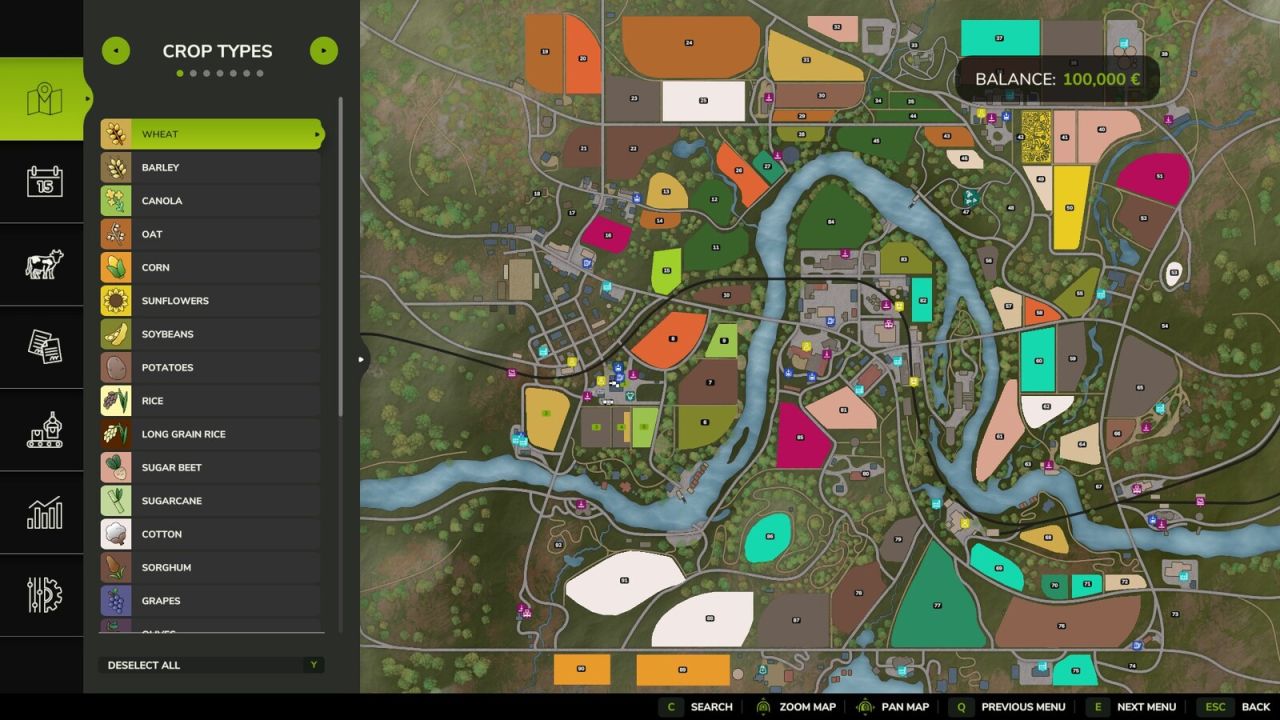
Field Finder FS25
Field Finder adds a Search button to the map tab: enter a field number and the map view centers on it. Ideal for quickly relocating a specific field, farmyard or forest on large maps.
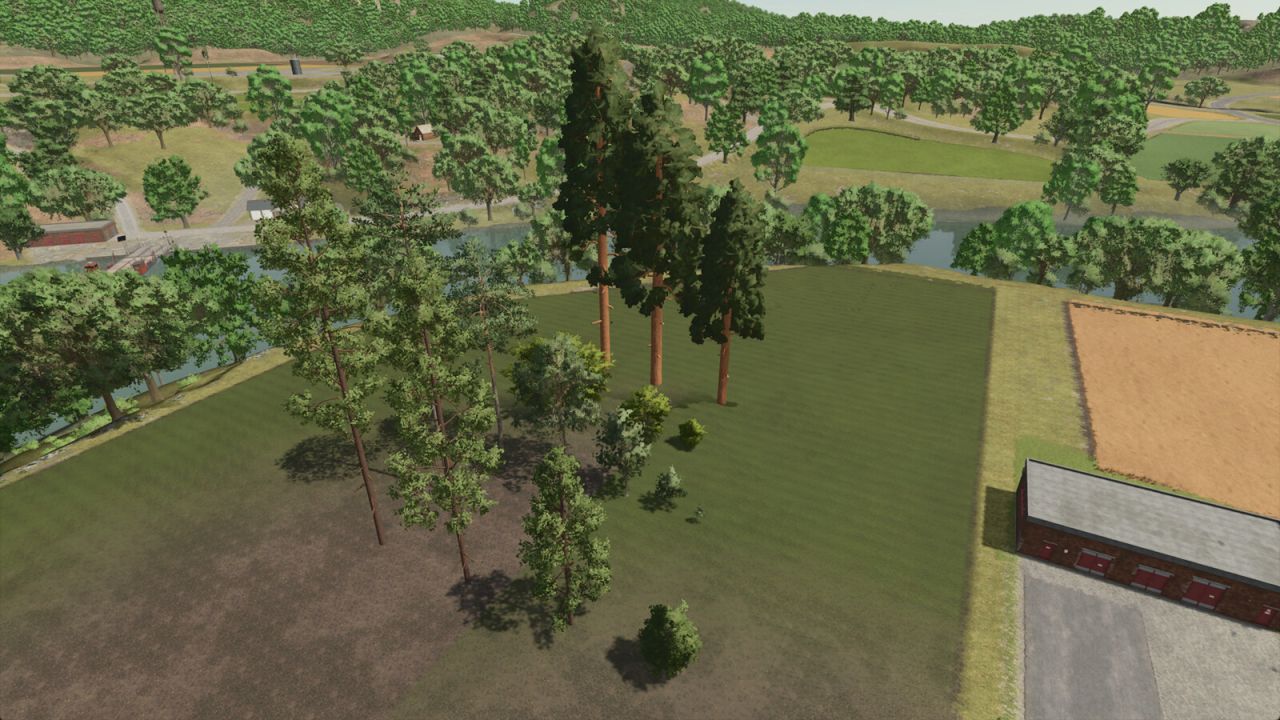
Silverrun Trees FS25
Adds trees from Silverrun Forest to any map. Giant Sequoia, Pagoda Dogwood, Ponderosa Pine, and Lodgepole Pine. All trees can be placed through the build menu. Tree saplings are added to the existing sapling pallets via the ingame store. Growth times: * Giant Sequoia: 21 months * Pagoda Dogwood: 12.6 months * Ponderosa Pine: 24 months * Lodgepole Pine: 13 months Small Sequoia Category: Trees Price: $1,800 Daily upkeep: $0 Medium Sequoia Category: Trees Price: $2,900 Daily upkeep: $0 Large Sequoia Category: Trees Price: $3,600 Daily upkeep: $0 Small Pagoda Dogwood Category: Trees Price: $20 Daily upkeep: $0 Medium Pagoda Dogwood Category: Trees Price: $50 Daily upkeep: $0 Large Pagoda Dogwood Category: Trees Price: $200 Daily upkeep: $0 Pine Sapling Category: Trees Price: $10 Daily upkeep: $0 Young Pine Category: Trees Price: $20 Daily upkeep: $0 Small Pine Category: Trees Price: $140 Daily upkeep: $0 Medium Pine Category: Trees Price: $650 Daily upkeep: $0 Large Pine Category: Trees Price: $800 Daily upkeep: $0 Old Pine Category: Trees Price: $1,400 Daily upkeep: $0 Young Ponderosa Pine Category: Trees Price: $80 Daily upkeep: $0 Small Ponderosa Pine Category: Trees Price: $1,100 Daily upkeep: $0 Medium Ponderosa Pine Category: Trees Price: $1,900 Daily upkeep: $0 Large Ponderosa Pine Category: Trees Price: $2,700 Daily upkeep: $0 - Fixed the growth time of the Giant Sequoia. It is now 21 months. - Added tree prices to the mod description.
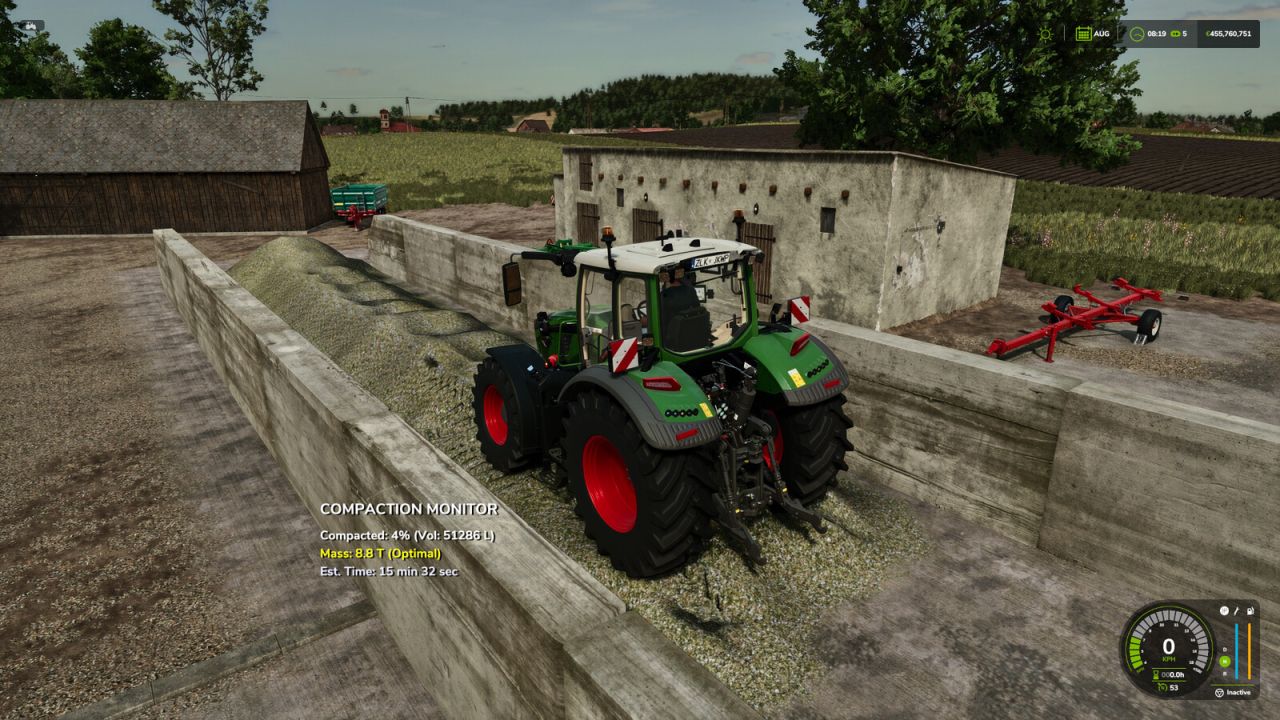
Silage Compaction Monitor FS25
Take the guesswork out of silage making in Farming Simulator 25! The Silage Compaction Monitor is a quality-of-life mod that adds a real-time information HUD to your screen whenever you are working in a bunker silo. No more endlessly driving back and forth wondering if your tractor is heavy enough or how much longer it will take. Key Features: - Real-Time HUD: Automatically appears when you enter an active bunker silo while inside a vehicle. - Total Vehicle Mass: Accurately displays the combined weight of your tractor, weights, and attached implements in Tons. - Efficiency Indicator: The mass display is color-coded to let you know if your setup is too light (Red/Orange), good (Yellow), or perfect for the job (Green). - Time Estimation: Provides a dynamic estimated time remaining until 100% compaction, based on your current vehicle's weight. - Progress Tracking: Clearly shows current compaction percentage and total silage volume. - Smart Detection: Warns you if you are on foot and need to enter a vehicle. -Fixed HUD visibility in adjacent covered bunker silos. -Added a new option in the in-game settings menu. You can now freely move and adjust the position of the monitor on your screen to suit your playstyle! -Resolved an issue with the weight count. The monitor now accurately tracks and displays the correct weight data for flawless compaction tracking.
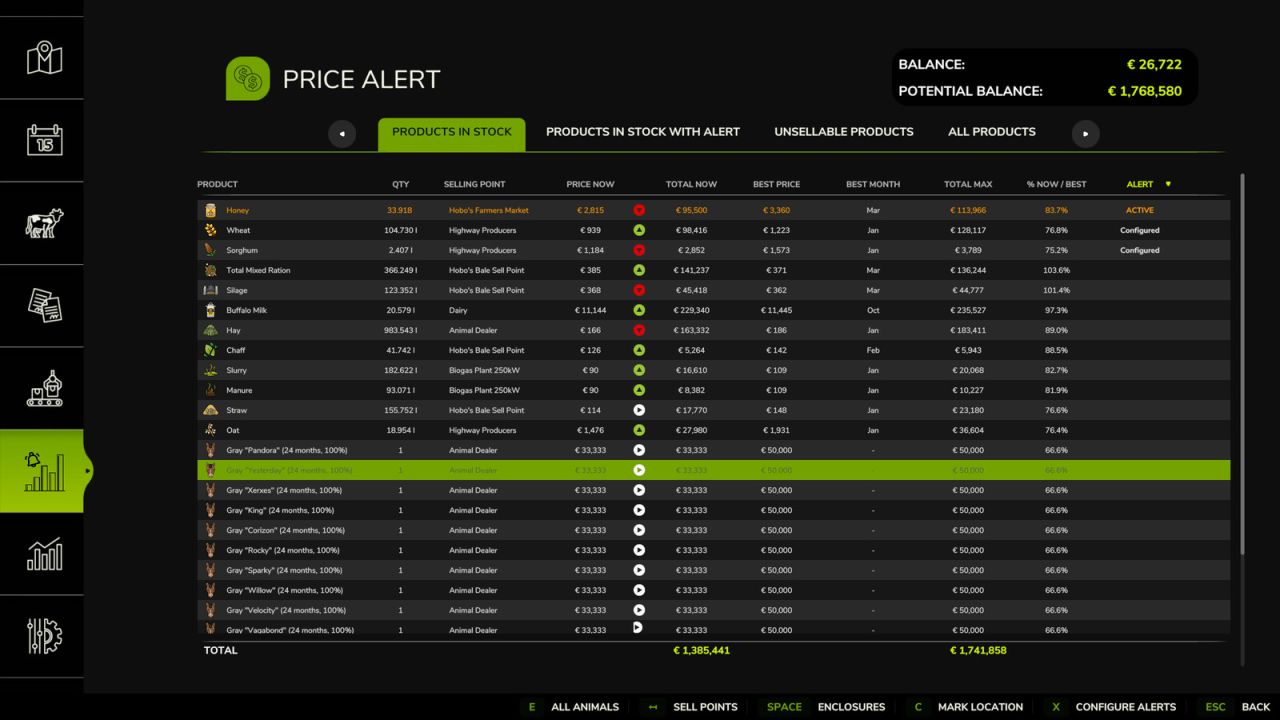
Price Alert FS25
Monitor selling prices, set alert thresholds and let Price Alert tell you when it is time to sell a product or an animal. The mod provides information panels integrated into the game menu for products in stock and the ability to configure custom alert thresholds. It also includes: quick teleport to storages and sell points, a visual price trend indicator, real-time data refresh while the menu is open, and map localization of bales and pallets, wherever you left them. - Fixed a game freeze during native sleep when a “stop time” alert is triggered - Fixed an inaccurate alert for husbandies with multiple groups of the same animal breed - Added the horse’s name to the table when assigned - Fixed some cases where the animal selling point was not detected - Added a “Visit location” button for quick teleportation to storage facilities and selling points - Added automatic data refresh every 5 seconds while the menu is open - The “Show/Hide animals” button now distinguishes between profitable and production animals; the setting is remembered after restarting - Added a visual price trend indicator (rising, falling, stable, high demand) - Added map localization for bales and pallets left around fields or on the ground - Fixed some column-sorting display issues - Various internal code optimizations

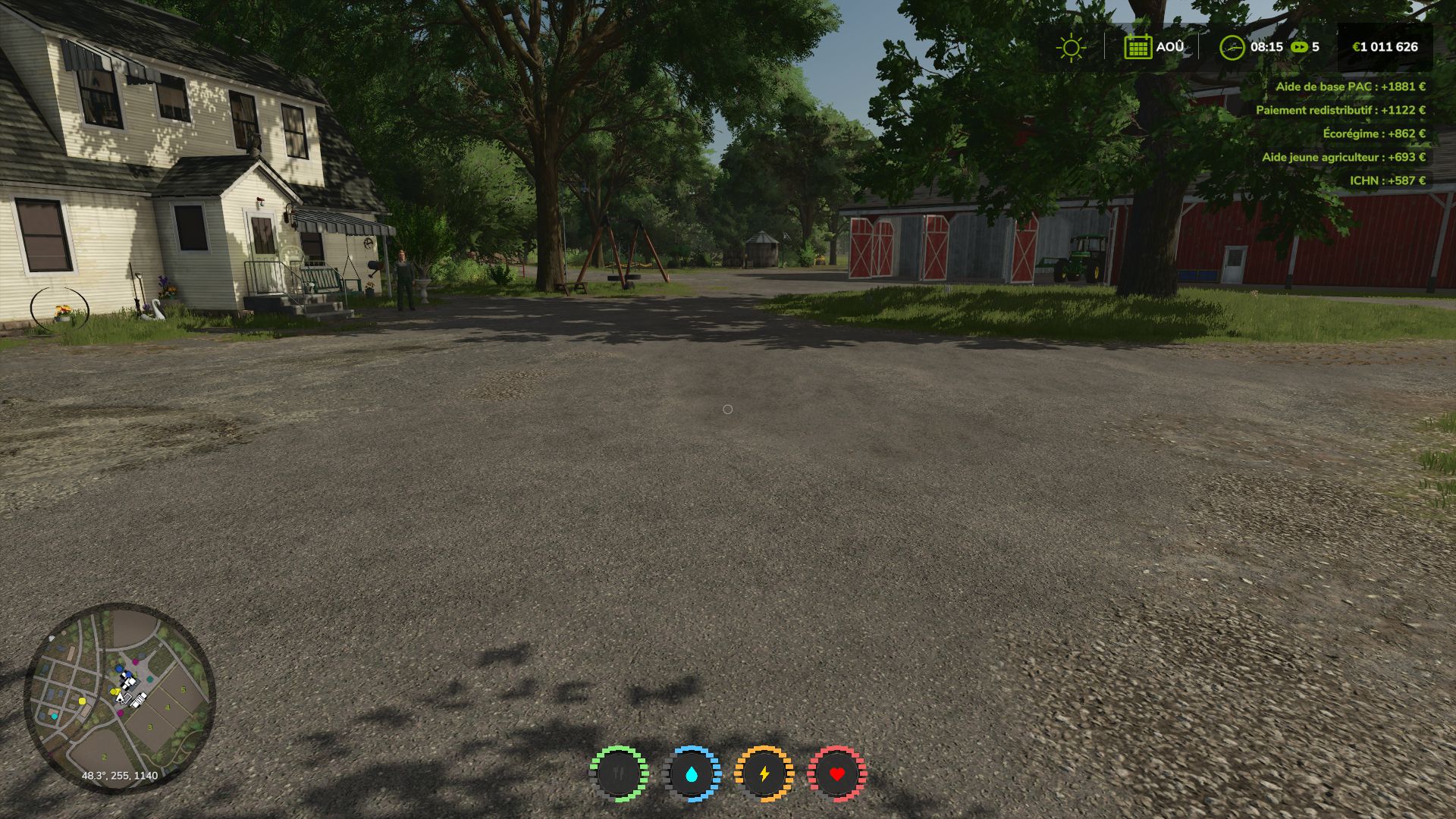
Agricultural financial subsidies FS25
Subsidies are paid at the end of the month, a small, more realistic and RP-oriented addition to your games. Standalone mod: install and play. See screenshot in the top right.
- 15 per page
- 30 per page
- 45 per page
- 60 per page
-
See more per page
Bigger pages, fewer clicks - and no ads anywhere.
Go Pro