Farming Simulator 22 mods
50,233 results- 15 per page
- 30 per page
- 45 per page
- 60 per page
-
See more per page
Bigger pages, fewer clicks - and no ads anywhere.
Go Pro

FS25 Shop Sounds v1.1.0.0
FS25 Shop Sounds v1.1.0.0 Stop buying tractors you have never heard. Shop Sounds plays the real engine sound right in the shop: start the engine, rev it to full throttle, put it under load and compare vehicles back to back – before you spend a single euro. ENGINE SOUND PREVIEW IN THE SHOP Always wanted to know how a tractor sounds before you buy it? Now you can. Select a vehicle and the engine starts on its own, or press to switch it on and off. It is the vehicle’s own engine sound from the game, not a generic sample. Don’t want the automatic preview? Switch it off with – Shop Sounds remembers your choice. REV IT UP AND PUT IT UNDER LOAD Idle sounds nice, but what does it sound like when it has to work? Rev from idle to full throttle with [,] and [.], add or take away engine load with and . Geared tractors even shift through the gears while you rev, just like on the field. CVT tractors stay smooth. COMPARE ENGINE SOUNDS BACK TO BACK Tired of going back to the list after every vehicle? Press / and jump straight to the previous or next vehicle without leaving the configuration screen – with the automatic preview on, the next engine is already running. Implements and trailers without an engine are included too, so you can browse the whole category. WORK SOUNDS FOR HARVESTERS Want to hear the threshing unit, not just the engine? Press on harvesters and other machines with a work sound – the engine pulls up to working speed like in the field. SIT IN THE CAB AND HEAR IT FROM INSIDE Together with the Shop Vision mod you can take a seat in the cab right in the shop. Shop Sounds switches to the inside sound: the outside engine sound steps back and the vehicle’s own cab sounds take over. Click the engine start IC point in the cab and the engine starts – Shop Sounds takes care of the whole sound. WORKS WITH YOUR SOUND MODS With More Motor Sounds installed, you hear every engine sound variant live in the shop as you click through it. With Tire Sound installed, press to preview the tire sound – a simplified example, the real mod fine-tunes the sound to row-crop or dual tires while driving, which the shop cannot reproduce. Too loud or too quiet? [-] and [=] set the preview volume and it stays that way. And on the Fendt Katana with DashboardLive installed there is a little easter egg waiting for you. No settings needed. Works in singleplayer and multiplayer. Hotkeys (shop configuration screen): Engine on/off Automatic sound preview on/off [,] [.] Rev down / up Less / more load Previous / next vehicle Machine work sound on/off Tire sound on/off (with Tire Sound) [-] [=] Quieter / louder (German keyboard: [ß] [´]) All functions can also be clicked in the button bar at the bottom. Changelog v1.1.0.0: – Works together with the new Shop Vision mod: inside sound in the cab view, engine start via IC point in the cab, button bar adapts to the Shop Vision buttons and hides with the menu – Engine sound layers now play at the same volume and pitch as in the game – Fixed: the game could freeze for up to a minute when switching vehicles in the shop – Fixed: a permanent humming drive sound on some harvesters (e.g. CLAAS Jaguar)

FS25 Manual Hydraulic Control v1.1.0.0
FS25 Manual Hydraulic Control v1.1.0.0 Manual Hydraulic Control allows you to raise and lower the hydraulic lifts manually, just like in real life, and to hold them at any height. This is useful, for example, when a shed entrance is too low: the implement can be lowered slightly so that you can drive through. The mod also enables a more active style of play: for example, a plow can be fully lowered and will then plow. The base-game “V” key for raising and lowering remains available, so both control styles can be combined. Stepless, manual height adjustment of the hydraulics via keypress (hold to move, release to stop). Control always applies to the hydraulics selected with the “G” key (front or rear). The working state (e.g. for plowing or cultivating) is set automatically as soon as the implement touches the ground, and released again when it is lifted. The original automatic raise/lower function remains fully usable. Controls are only active while the engine is running. While lifting manually, the engine speed is raised slightly because the hydraulics need power, just like on a real tractor. Additionally, the automatic lift when attaching an implement is disabled, so the implement stays at its current height. This function can be toggled on or off via a key at any time. The setting applies from the next attaching operation onwards. Default controls (customizable in the menu): – Numpad 8 = Raise – Numpad 2 = Lower – Numpad 5 = Toggle automatic lift on attach on/off


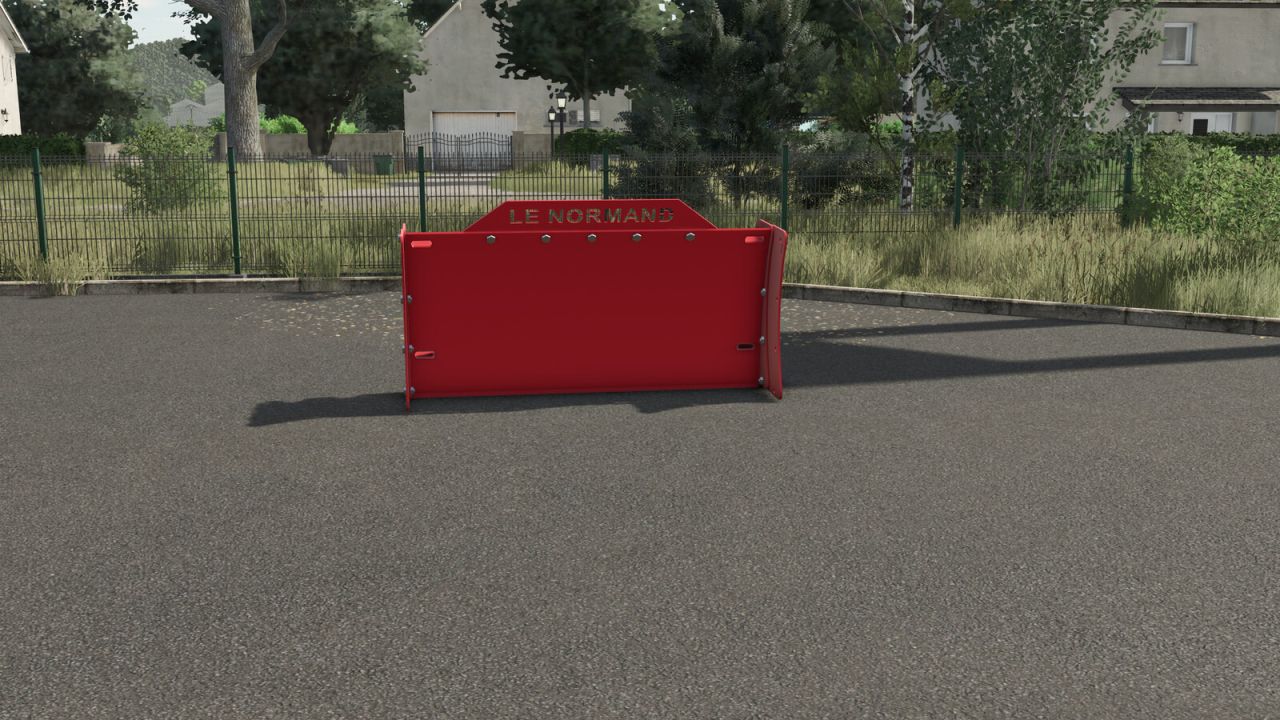
Le Normand Silage Blade FS25
Silage blade for tractors, designed and manufactured in France. - Silage blade: Price: 4,000 $ Working width: 2.50 m Category: Levelers
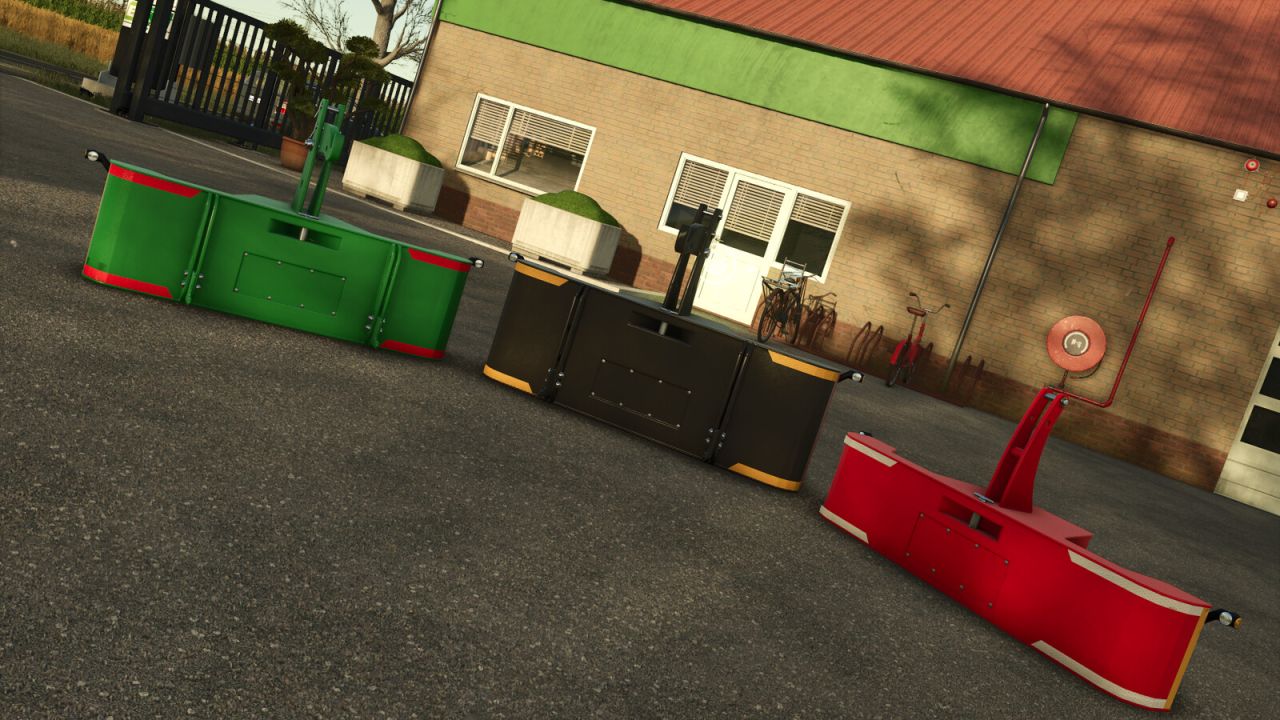
Traktorsafe MTS / HTSP Front Weight Pack FS25
Eight front weights from Traktorsafe's MTS and HTSP series. Four weight classes from 500 to 1,500 kg provide the right ballast for small, medium and heavy tractors. MTS series Compact front weights with a front hitch for attaching trailers. HTSP series Front weights with an additional lower link, to which compatible implements can be attached directly at the front of the weight. A foldable locking hook with a safety pin is also included. Features: - 8 models in 4 weight classes: 500, 900, 1,200 and 1,500 kg - Weight height and tilt (like a top link) can be adjusted by mouse control - Configurable main color - Individually configurable reflector colors (front and side) - Working side marker lights - Electric connection - Dirt and wear effects - Multiplayer compatible Included models: MTS 500 kg – $900 MTS 900 kg – $1,500 MTS 1200 kg – $2,000 MTS 1500 kg – $2,500 HTSP 500 kg – $900 HTSP 900 kg – $1,500 HTSP 1200 kg – $2,000 HTSP 1500 kg – $2,500
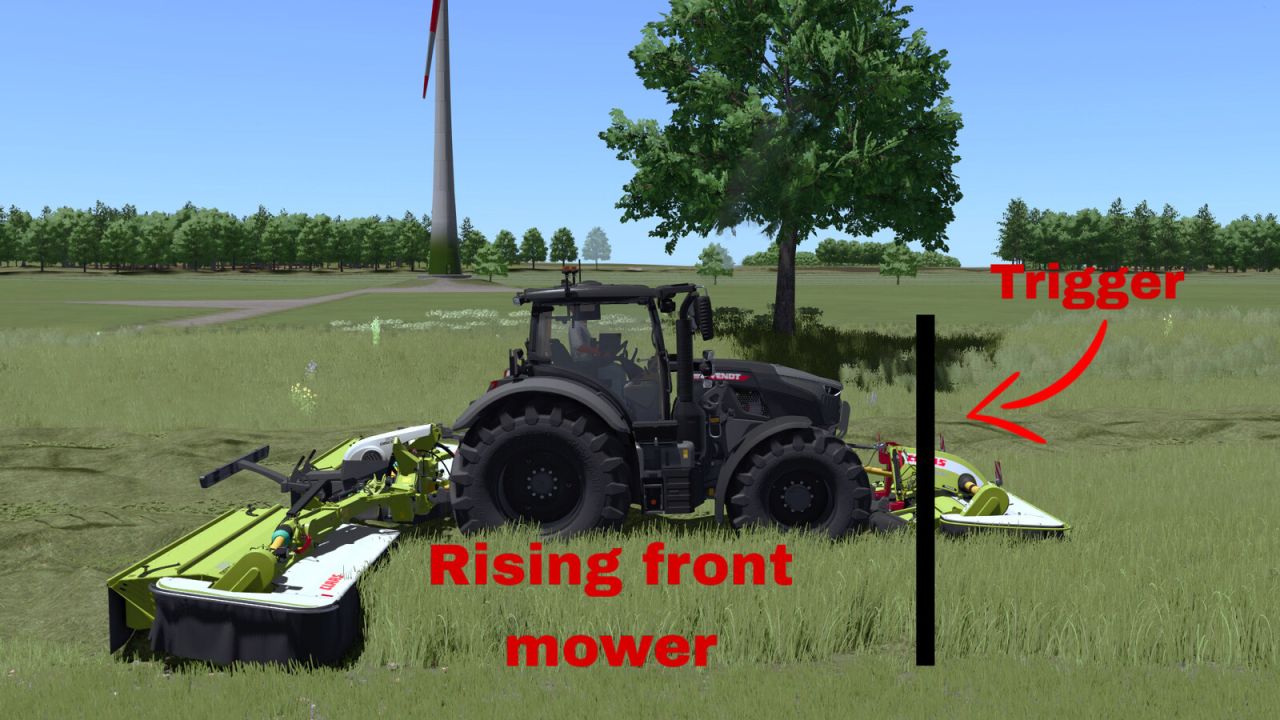
Linked Hydraulics FS25
Linked Hydraulics synchronizes front and rear mower hydraulics by working position. Lower or raise the front mower first. The compatible rear mower will perform the same action automatically when it reaches the same working position. Usage: Left Alt + K - Toggle Linked Hydraulics. Left Alt + J - Move the rear mower lowering lead forward. Left Alt + N - Move the rear mower lowering lead backward. Tap J/N for precise 0.10 m adjustment or hold the key for continuous adjustment. The lowering lead is useful for mowers that lower slowly. It only affects lowering; raising always uses 0.00 m lead. A temporary line shows the adjusted lowering position and disappears after 3 seconds. All key bindings can be changed in the controls menu. Linked Hydraulics is disabled by default.

Manual Machine Hydraulics Control FS25
Manual, stepless linkage and implement folding control. Numpad +: raise | Numpad -: lower Numpad *: unfold | Numpad /: fold Manual linkage and folding can be enabled independently in the game settings. With manual linkage enabled, an attached implement stays at its current height. Controls require a running engine. [PLEASE NOTE] When using semi-mounted machines and combine harvesters with headers, it is advisable to also use the default V button, so that the machine can adapt to the ground. For tractors with manual gear changes, the Numpad + and Numpad - keys can be assigned simultaneously to change gears. If manual lifting or lowering does not work, change the modifier or gearbox function assignments in the game’s control settings.
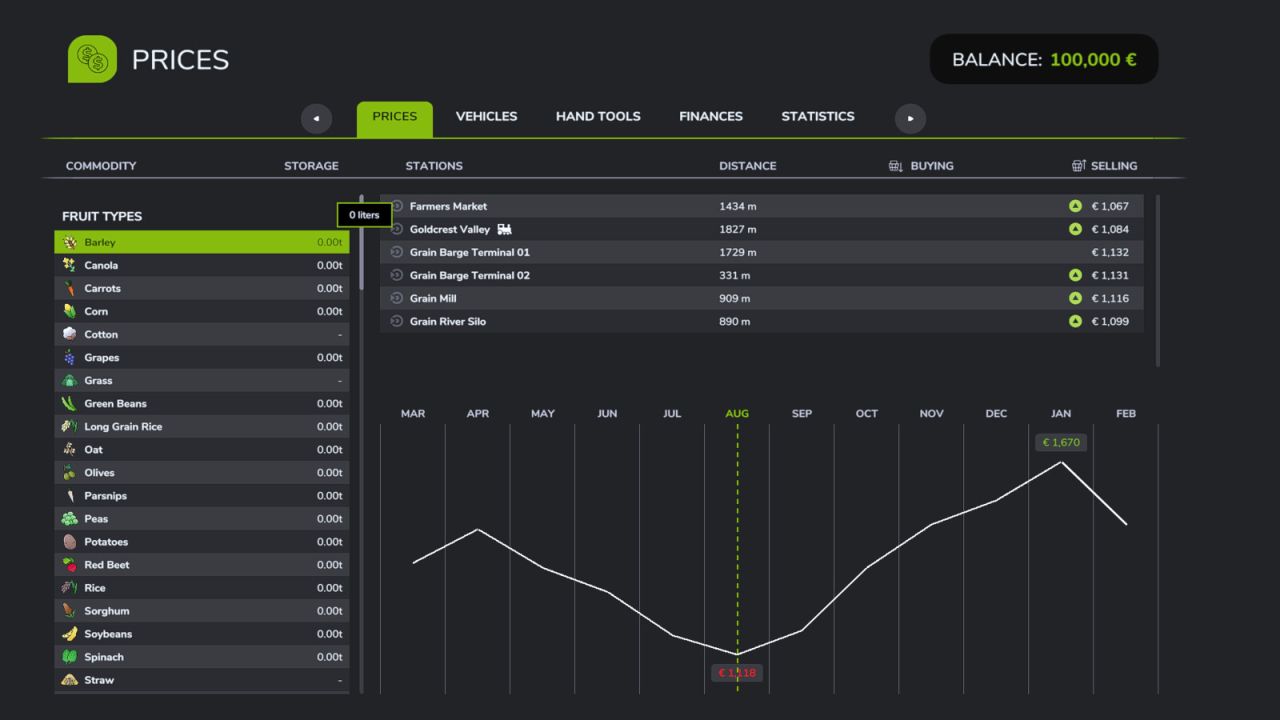
Liters To Tonnes FS25
Displays fill levels and prices in tonnes instead of liters. Affects: - the fill level display (HUD box on vehicles, trailers and silos) - the Prices menu (storage amount and sell/buy prices) - the Animals menu (food and condition) Liquids such as water, slurry, milk or diesel are still shown in liters. The game settings let you choose whether prices are shown per tonne (1 t = 1000 kg) or per 0.1 t (100 kg).
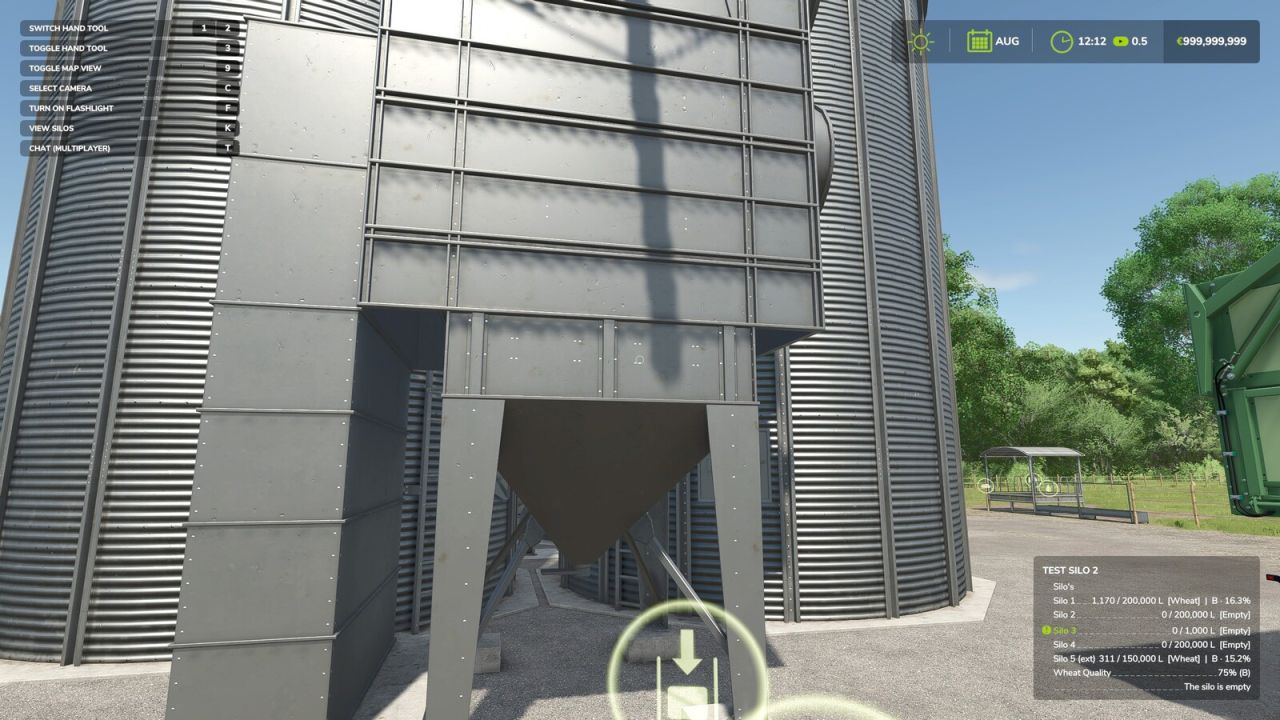
RealSilo – Realistic Silo Compartments FS25
RealSilo divides your silos into separate compartments, each for one type of product. Instead of mixing everything into one large storage, you decide how many compartments a silo gets and how much each one can hold. How it works: - Go to an existing silo or place a new one, you can now configure the silo. In multiplayer the admin must do this. - Grain that was already in a silo before the mod was activated is preserved and distributed across compartments as soon as you configure the silo for the first time. - Select the active compartment from the overview. Only the active compartment can now receive or unload grain. - Use the Transfer function to move grain between compartments at an adjustable speed. - Silo extensions are supported and appear as extra compartments in the same menu, these can also be configured. - In multiplayer only the admin (logged in via the multiplayer menu) can change the silo settings. Other players can use the silo normally and view the compartment overview. Please report problems on GitHub: https://github.com/JoVink82/FS25_realSilo - Fixed all compartments of all silos showing the same moisture/quality percentage for connected players after saving and restarting the server; the server now sends each compartment's own saved value. - The key to open the silo menu can now be changed in Options > Controls (default R).
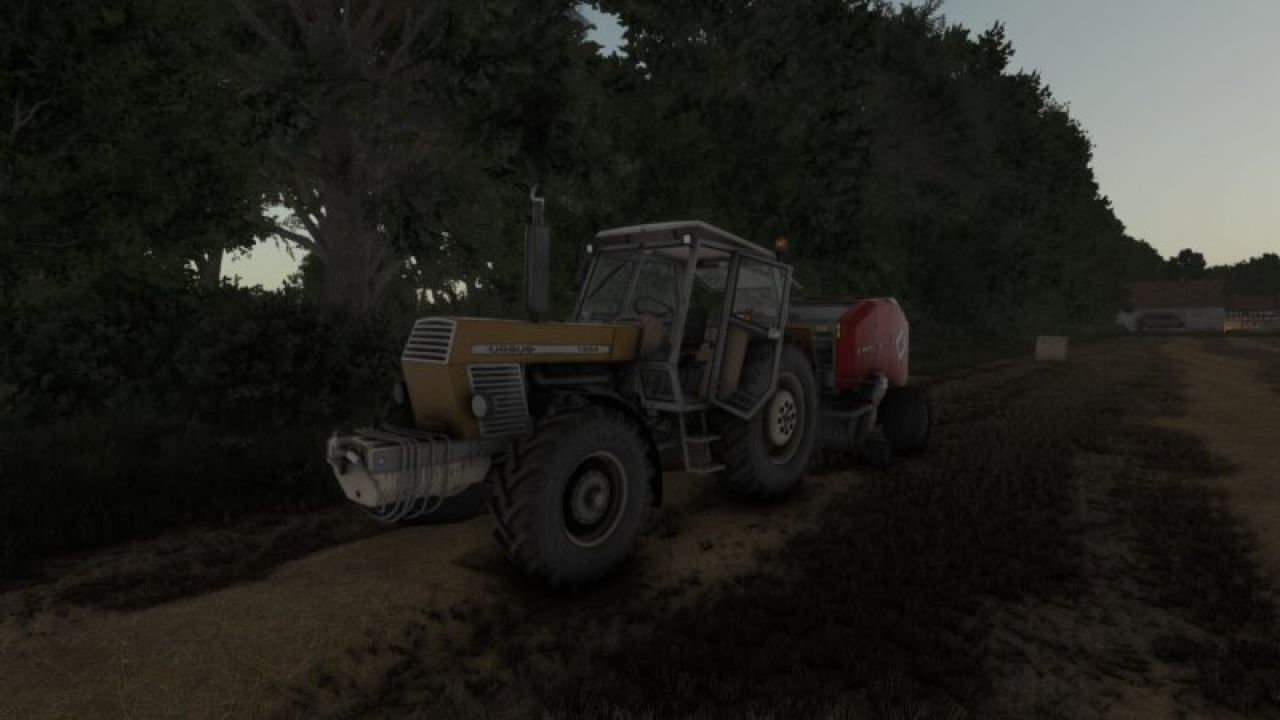
Shader By xs3f. FS25
Hi, I'm releasing my ReShade preset for Farming Simulator 25. - I'm using lighting by Czarny317. (https://www.kingmods.net/en/fs25/mods/58702/oswietlenie-preset-czarny317-shader) - I have the in-game brightness set to 0.8. - ReShade version: 6.8.0. Place the .ini file contained in the .zip file into the x64 folder within the Farming Simulator 25 installation directory.

Dancing Girl 2 V1.0
Animated Dancing Girl. It looks great in party spots, pubs, homes, and clubs. You can haul it around anywhere and sell it at any time. It’s listed in the “Misc” category. Credits: honved4 1.9/5 - (8 votes) Download mod File File size FS22_dancing_girl2 9 MB
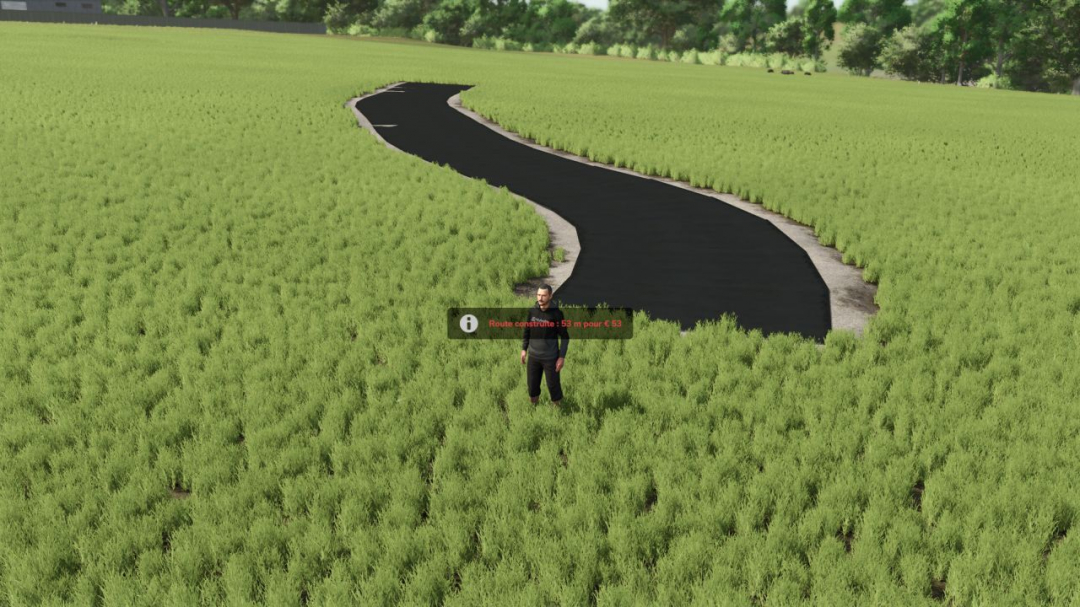
Road Builder V1.1
Road Builder – FS25Tired of dirt paths? Create your own paved roads directly in-game, anywhere on the map!FeaturesRoad follows the natural terrain with minimal earthworkFlat turns, without circuit-style bankingAdjustable width from 3 to 8 metersGrass, stones, and fields are automatically removed beneath the roadRealistic cost: €1 per meterCan be removed with 75% refundRoads are saved with the gameMultiplayer compatible (landscaping rights required)Controls (in road mode)Alt+R: activate / exit road modeAlt+E: place a pointAlt+X: remove the last pointAlt+Z: change the widthAlt+B: buildAlt+V: change the textureAlt+Delete (press twice): delete the nearby roadGood to knowWhen a road is deleted, the terrain remains leveled and the ground is repainted with grass. It is not possible to build through a building. The road geometry is inspired by XPModder’s SplineToRoad script (Spline-Road-Toolkit). Many thanks to him for sharing his work with the community: without him, this mod would not exist.Have fun everyone, and feel free to leave your feedback and screenshots of your finest roadsV1.1.0.0New: choose the surface with Alt+V (6 surfaces):dark or light asphaltdark or light asphalt with road markings (edge lines and a dashed center line)dirt pathgravel pathDirt and gravel paths at €0.50/m
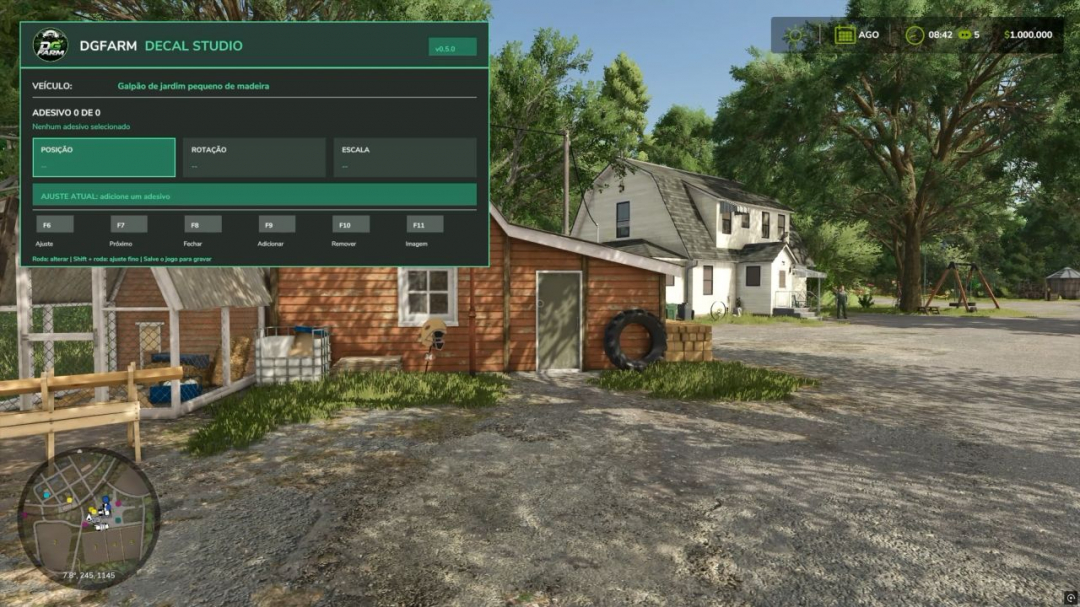
DGFarm Decal Studio BETA 2 v1.0
Discover DGFarm Decal Studio v0.4.0 for Farming Simulator 25! In this video, I showcase the full functionality of the mod, allowing you to add custom images and decals to FS25 vehicles. Learn how to install, configure, and utilize the main tools available. - Add custom images - Adjust position, size, and rotation - Customize different vehicles - Save your creations in the game Developed for Farming Simulator 25Version shown: 0.4.0 Compatibility: Farming Simulator 25 PC/MacBETA 2 In this video, I highlight the main new features of version 0.5.0 of the mod, which enables you to add custom images and stickers to vehicles, machinery, trailers, and implements in Farming Simulator 25. NEW FEATURES IN VERSION 0.5.0: - New layout inspired by DGFarms visual identity - Reorganized and more intuitive interface - Multilingual support in Brazilian Portuguese and English - Language automatically selected based on game settings - Simplified controls during editing - Updated catalog with 17 images - Support for adding your own images - Adjustments for position, size, proportion, and rotation NEW CONTROLS: - Ctrl+F8: open or close the panel - F6: select the adjustment - F7: select the next applied sticker - F9: add a sticker - F10: remove the selected sticker - F11: change the image - In vehicle: use mouse wheel to make adjustments - Inside the vehicle: use Ctrl + mouse wheel - Shift + mouse wheel: fine adjustment
Cellar V1.0.0.1
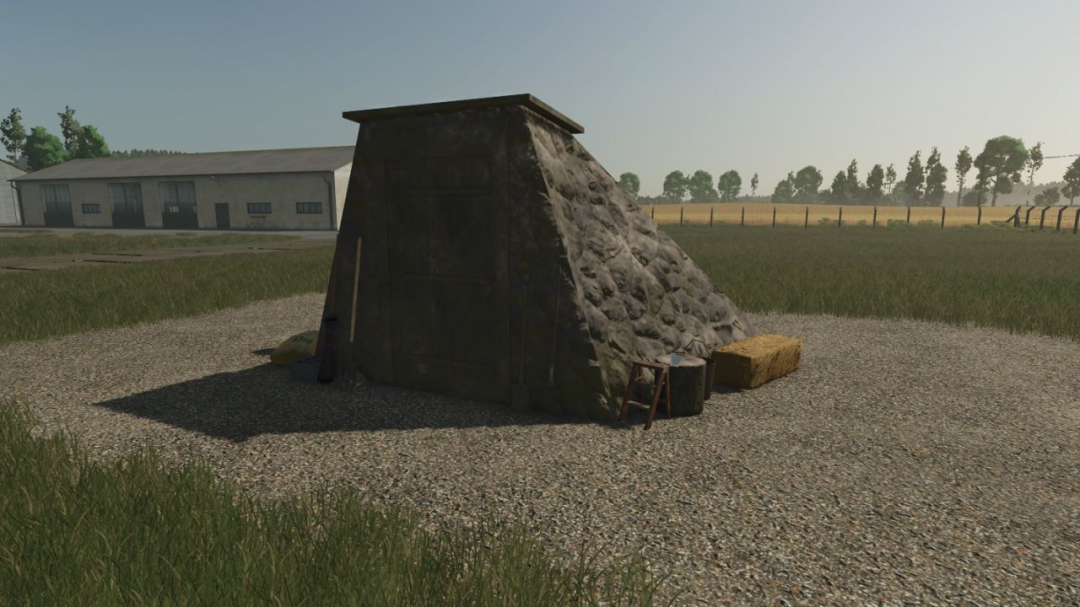
Wine Cellar StorageThis is an underground cellar storage mod for your farm. Simply place supported items—such as pallets, big bags, and bales—in front of the cellar entrance trigger, and the system automatically stores them down below with full visual representation.How it works: Storage: Drop your items at the front entrance trigger to store them underground. Accessing the cellar: Walk up to the entrance and press the key to teleport down into the basement. Unloading: Inside the cellar, interact with the storage trigger using the key to open the menu and retrieve your stored goods. Spawn location: Retrieved items will spawn back outside on the surface, marked clearly by the warning stripes area. The storage capacities have been calibrated for realistic farm management, with further fine-tuning planned for future updates.V1.0.0.1 Storage included.
- 15 per page
- 30 per page
- 45 per page
- 60 per page
-
See more per page
Bigger pages, fewer clicks - and no ads anywhere.
Go Pro