Farming Simulator 22 mods
50,233 results- 15 per page
- 30 per page
- 45 per page
- 60 per page
-
See more per page
Bigger pages, fewer clicks - and no ads anywhere.
Go Pro
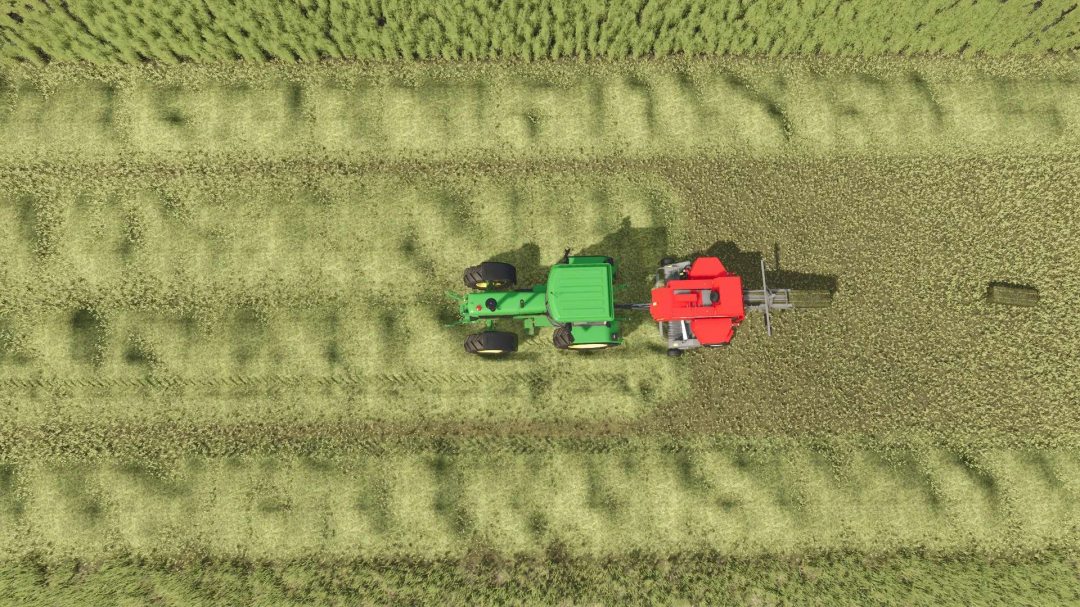
Increased Baler Pickup Width v1.0
I created this to provide a bit more forgiveness when baling, without turning the baler into a 30-foot-wide vacuum cleaner. There are already mods claiming to increase pickup or working width, but during testing, I found that some only change the listed working width or work area values. They don't consistently expand the actual area where the baler collects material from the ground. In my tests, the machine still had to be almost directly over the grass or windrow before it would pick anything up. This mod adjusts the baler's real pickup work area, allowing it to collect material outside the physical width of the pickup. **What it does:** - Adds approximately 5 meters of total pickup width - Extends about 2.5 meters on each side of the baler - Works with the baler's actual material pickup area - Compatible with grass, hay, straw, and other baleable windrow materials - Designed for base game balers and should work with most normally configured modded balers - Does not change bale size, capacity, speed, or production - Does not make the pickup ridiculously wide Initially, I tested this at a much larger width, and it worked, but it felt too aggressive. This version has been scaled back to keep baling easier while still remaining reasonably realistic.
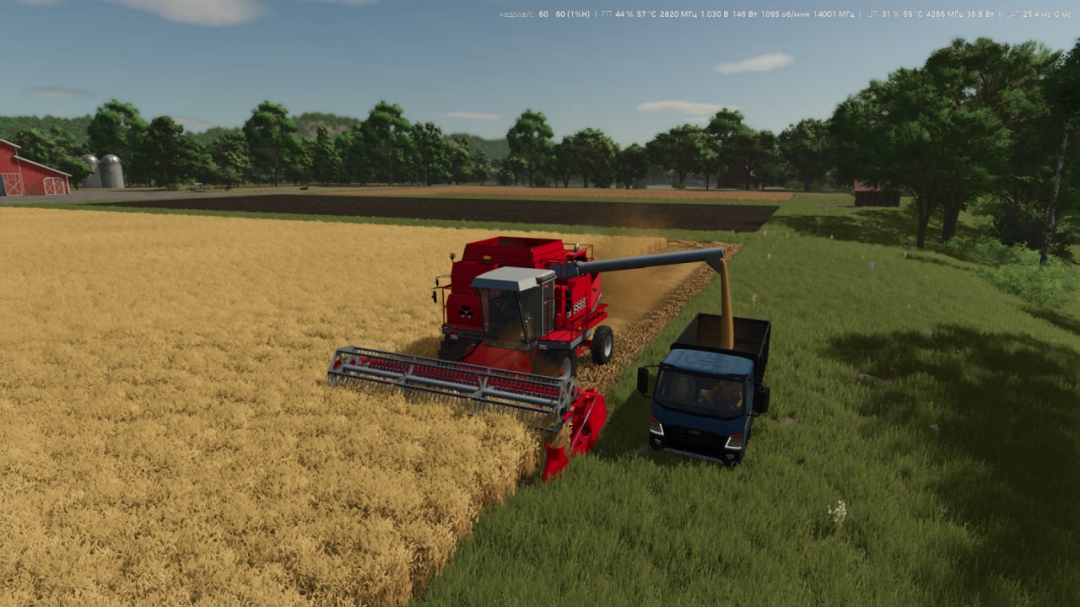
Follow Me (Coop Edition)
Everyone knows the "Follow Me" mod by Decker_MMIV, right? It’s a great helper tool, but it was previously limited to single-player mode. That is exactly what I set out to fix. The major update to the mod is full multiplayer support. Now, "Follow Me" can be used in both single-player and multiplayer games. ⏺ Added full "Follow Me" functionality for multiplayer games. ⏺ Follower vehicles correctly track leader vehicles for both the host and connected players. ⏺ Added network controls to manage the follower vehicle directly from the leader vehicle: ⏺⏺ adjust distance; ⏺⏺ adjust lateral offset; ⏺⏺ pause and resume movement; ⏺⏺ select action upon filling. ⏺ Distance and lateral offset settings are synchronized across all game participants. ⏺ Players joining an active session receive the current status of all active "Follow Me" vehicles. Minor optimizations for multiplayer mode have also been implemented: ⏺ Improved handling of obstacles and stops for follower vehicles. ⏺ Improved pathfinding, especially around turns and for vehicles with non-standard geometry. ⏺ Added safeguards against invalid following chains (e.g., two vehicles trying to follow each other in a circle). ⏺ Improved performance for long chains of multiple follower vehicles. ⏺ Added full Russian localization for the interface, tooltips, and mod description. ⏺ Removed obsolete elements from older versions of "Follow Me" and improved overall stability.
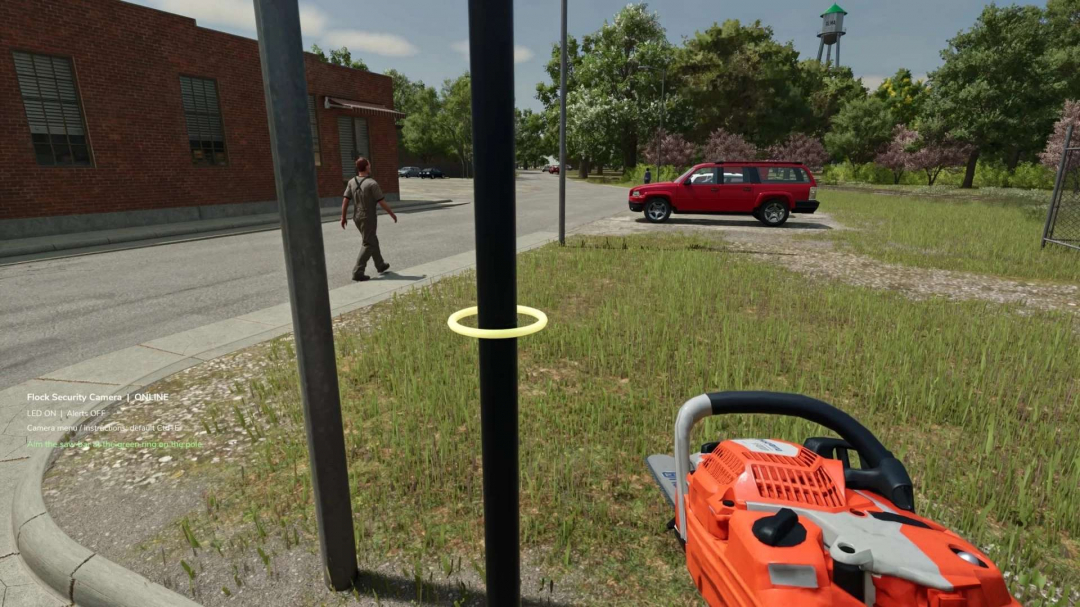
Flock Camera v1.0
Brand: Flock Model: Camera Release Date: 9/18/26 Located under the decoration tab in my store category! Features - Fully placeable security camera - Custom camera naming up to 40 characters - Live camera view - Per-camera alert settings - Vehicle detection system - Additional farm vehicle detection option - Saved event history - Stores the latest 30 events per camera - Adjustable LED modes - Activity LED on vehicle detection - Breakable and cuttable camera pole - Scripted chainsaw cutting system - Repairable after being knocked down - Camera settings save with your game - Fallen state saved with your game - Event history saved with your game - Multiple cameras can be placed and managed individually Alert Options - Off - All Vehicles - Other Farms Only - Damage alerts - 20-second vehicle detection cooldown LED Modes - On - Activity - Off Default Controls - Left Ctrl + E — Camera menu - Left Ctrl + V — Live camera view / return to player - Left Ctrl + L — Change LED mode - Left Ctrl + R — Repair fallen camera - Esc — Exit live camera view Controls can be customized via the Farming Simulator controls menu. Cutting - Equip a chainsaw - Approach the upright camera pole - Aim at the green guide ring - Hold the normal chainsaw cut control for 3 seconds - The upper pole and camera will fall - The lower section remains in the ground - Move nearby vehicles away before repairing Notes - PC only - Alerts are OFF by default - Alerts are configured separately for each camera - Live view works when standing near the camera - Put away your hand tool before entering live view - Walking is disabled while viewing the camera - Camera view automatically ends if the pole falls - Fallen cameras do not detect vehicles or use the LED until repaired - No video files are recorded - Best tested on level ground

Czech Language Pack V2.3.2
This translation package supports numerous mods and maps. When a mod translated here is activated, the translation loads automatically and is applied seamlessly. You can also create your own versions for languages like PL, FR, IT, and more. The script will add or override translations for activated mods from the translations folder: – "mapdir"/translations/ Alternatively, you can specify a separate folder: – "mapdir"/modTranslations/ Files must follow the pattern "modname"_"lang".xml. Czech translations for the mods: FS25_AdditionalFilltypes – v1.1.1.0 FS25_additionalGameSettings – v1.0.0.5 FS25_Alma_Missouri – v1.1.0.1 FS25_AnimalFoodCalculator – v1.0.0.0 FS25_AnimalPackage_vanillaEdition – v1.0.0.0 FS25_BR163_Brazil – v1.0.0.2 FS25_Claas_Axion_900 – v1.0.0.1 FS25_ClaasJaguar800 – v1.0.0.0 FS25_ClaasLexion500 – v1.0.3.0 FS25_ClaasPack – v1.1.0.0 FS25_CMV – v1.0.0.0 FS25_Configure_Maintenance – v1.0.0.0 FS25_ContractBoost – v1.1.0.0 FS25_CultivatorSettings – v2.0.1.0 FS25_CustomLogos – v1.2.0.1 FS25_DefModPack – v1.2.1.1 FS25_EasyDevControls – v1.2.0.0 FS25_EnhancedAnimalSystem – v1.1.0.1 FS25_EnhancedLoanSystem – v1.0.0.0 FS25_FarmlandOverview – v1.0.2.0 FS25_Fastrac_4000_ICON – v1.2.0.2 FS25_Fastrac_8000_ICON – v1.1.0.3 FS25_Fendt700Vario_Gen6 – v1.3.0.0 FS25_Fendt700VarioSeries – v1.3.0.0 FS25_Fendt900Vario_S4 – v1.3.0.0 FS25_FendtVario_900Gen7 – v1.1.0.2 FS25_FendtWeightsPack – v1.1.0.0 FS25_FLC253 – v1.0.0.1 FS25_FlieglTimberRunnerAutoload – v1.0.0.0 FS25_Geistal – v1.0.0.0 FS25_Greenhouse_Wood – v1.0.0.2 FS25_Hinterkaifeck – v5.0.0.5 FS25_InfoDisplayExtension – v1.2.2.0 FS25_infusionproductionpack – v1.1.0.0 FS25_Jungheinrich_EFG_S50_PRO – v1.0.0.1 FS25_Lunow_crossplay – vv1.0.0.0 FS25_MAN_19_322 – v1.0.0.1 FS25_Meat_Production – v1.1.0.0 FS25_ObjectStorageExtension – v1.0.1.0 FS25_pinnacle6x4Pack – v>1.1.0.0 FS25_PlaceableOverview – v1.0.1.0 FS25_ProductionControl – v1.0.0.2 FS25_ProductionPointLeasing – v1.0.0.0 FS25_RealisticAnimalLosses – v1.0.0.0 FS25_RefreshContracts – v1.0.0.0 FS25_RepairPickup – v1.2.0.0 FS25_rootCropStorage – v1.0.0.0 FS25_roundBalerExtension – v1.2.1.0 FS25_stopFullCombine – v1.1.0.0 FS25_ToolInclinationHelper – v1.0.0.6 FS25_TreeSaplingPalletPack – v1.0.0.1 FS25_TSStockCheck – v1.0.0.2 FS25_useYourTyres – v1.0.0.3 FS25_VIPOrderManager – v1.2.1.0 FS25_VolvoFH16Tipper – v1.0.0.1 FS25_enhancedMixerWagons – v1.0.0.0 FS25_GarageMenu – v1.0.0.3 FS25_CropRotation – v1.0.0.0 Map and mods depending on Pichonniere Valley map: FS25_The_Pichonniere_Valley – v1.1.0.1 FS25_The_Pichonniere_Buildings_Pack – v1.1.0.0 FS25_Straw_Shed_Old – v1.0.0.1 FS25_Ivoy_Straw_Hangar – v1.0.0.0 FS25_Ivoy_Piggery – v1.0.0.0 FS25_Ivoy_Farm_Garage – v1.0.0.0 FS25_Ivoy_Cereal – v1.0.0.1 Map and mods depending on Kingdom Of Wallachia map: FS25_bigGarage – v1.0.0.1 FS25_CowBarnEuropeanModernPack – v1.0.0.0 FS25_FoodMixerSilo – v1.1.0.0 FS25_LongShed – v1.0.0.0 FS25_OldCornDryer – v1.0.0.1 Map and mods depending on CIZKOV map: FS25_ArtisanalChipsFactory – v1.0.0.0 FS25_BigWhiteCowBarn – v1.1.1.0 V2.3.2.0 Update changes only the numbering of the translation in CLP: FS25_HofBergmann – 1.5.0.0 Beta1 ? v1.5.0.0 Beta2
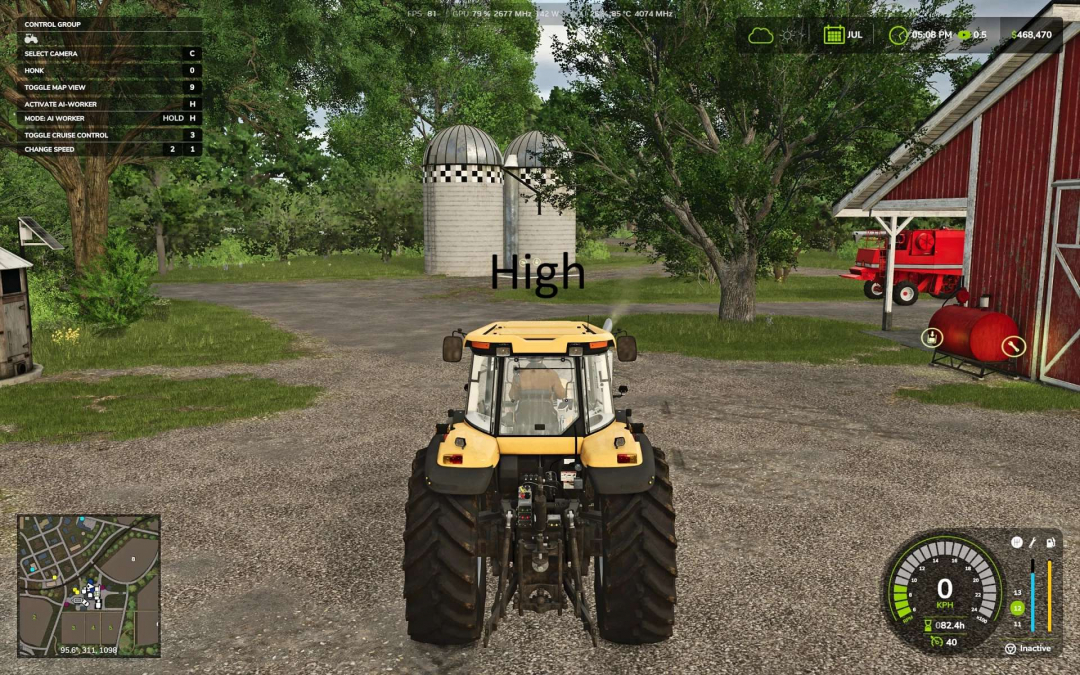
Advanced ChaseCam v1.0
The base game chase camera isn't very effective. This mod improves its position and makes it much more functional. It modifies the Chase Camera to behave more like in racing games. It adjusts the third-person Chase Camera position without affecting the in-cab view. You can customize the camera behavior through General Settings > Advanced ChaseCam. If you only want to adjust the camera height without auto-alignment or reverse camera features, you can disable all other settings. This mod will then only change the camera height. - Camera Height: The camera is positioned above the vehicle, so the vehicle appears lower on the screen rather than centered. Settings: High (good overall, default) or Low (less suitable for combines). - Chase Camera Dynamics: Normal (default) briefly maintains its heading before smoothly catching up when turning. Relaxed is slower, allowing the camera to trail more. Off uses the base game camera. - Free Cam Auto Alignment: Moves the camera behind the vehicle when driving straight after looking around. Immediate (default), Delayed (ideal if you want manual control for side shots but still auto-align), or Off (no auto-align). This applies only to Free cam (mouse, right stick). The camera will auto-align if Chase Camera Dynamics is enabled. - Reverse Camera (enabled by default): Automatically rotates the camera when reversing and returns to forward view one second after reversing stops. Turning it off disables all reverse camera features. - Reverse Camera Auto Center: Off (default) means the camera won't recenter if using free cam. On recenters the camera after looking around in reverse. - Reverse Camera Turn Speed: Adjusts how fast the camera moves in and out of reverse. Options: Smooth (default), Fast, or Instant.

Employees V1.4
The "Employees" mod enhances the game with a comprehensive personnel system. You can hire employees, assign them to various work areas, and develop their skills through training. They handle tasks such as animal husbandry and machine maintenance. Different contract types, salaries, illnesses, retirement, and temporary workers allow for more realistic personnel management. Employee Management: Up to 10 fixed employee profiles, each with their own name, age, and AI helper. Contract Types: Casual (€600/month, 40 hours), Part-time (€1,600/month, 80 hours), Full-time (€3,200/month, 160 hours), and Temporary (€120 per assignment). Temporary Workers: Available for 8 in-game hours from request and then automatically leave the farm. They work at full performance without further training. Job Categories: Assign employees to fieldwork, transport, animal husbandry, or machinery operation. New employees start as "Unassigned." AI Helper Linking: Fieldwork requires fieldwork skills; GoTo, Delivery, Conveyor Belt, and Transport jobs require Transport skills. Employee Selection in Single Player: When starting a suitable AI job, available employees are shown for selection. Automatic Selection in Multiplayer: The system automatically assigns the employee with the lowest percentage of their allocated hours. Real Employee Names: Instead of generic "AI Helper A/B/C," the actual employee's name is displayed. Working Hours: Regular employees use their monthly hours for AI tasks; jobs end once the allowance is exhausted. Monthly Salaries: Deducted at month’s end, and the hours allowance resets. Terminations: Employees can be terminated after three months; this can be canceled beforehand. Aging and Retirement: Employees age over time and retire at 65, with a warning three months prior. Vacant positions can be rehired at the original age. Illnesses: Regular employees have a 3% monthly chance of falling ill, with illnesses like colds, gastroenteritis, flu, and back problems, each with different recovery times. Recovery: Illnesses last for in-game hours; sick employees cannot be deployed or trained, and ongoing work is halted. Training: Available in four levels for fieldwork, transport, animal husbandry, and machinery, costing €750, €1,500, and €2,250 respectively, with durations of 2, 5, and 8 hours. Performance Levels: Without training, employees work at 25%, then 50%, 75%, and 100%. Training improves AI driving speed, vehicle speed limits, and reduces work time. Animal Husbandry and Machinery: Higher training levels reduce required working time. Animal Checks: Automatically performed at 8:00 AM and 5:00 PM, focusing only on occupied sheds. Stock Management: Feed, water, and bedding are replenished when levels drop below 20%, aiming to raise them to 95%. The system distributes resources fairly among herds. Feed Sources: The mod searches various storage locations, including silos, bale storage, pallets, big bags, and object storage. Special Storage: Supports Hof Bergmann pallets and ObjectStorages, including pet food. Water and Bedding: The animal caretaker fills water troughs directly; bedding options include straw and wood shavings, which can be recognized from storage pallets. Stock Protection: The system attempts to return reserved stock if barn acceptance fails. Manure: Moved to the nearest accessible manure slab. Farm Separation: Only stocks accessible to the respective farm are used. Mechanical Technician: Performs automatic repairs between 8:00 AM and 5:00 PM, prioritizing damaged vehicles not in use. Repair Process: Vehicle repair depends on technician’s training level, with progress shown in vehicle info. Repairs are only performed during working hours, and costs are checked beforehand. Staff Overview: Displays employees by contract type, role, status, age, available hours, and other details. Status Indicators: Include "Available," "On Duty," "Training," "Sick," "Hours quota reached," "Maintenance task," and "Assign job description." Multiplayer: Employee logic runs server-side; synchronization ensures consistent data across clients. Farm Security: Players can only perform administrative actions on their own farm’s employees. Actions Synchronization: Hiring, role changes, training, resignations, and retractions are sent to the server. Multiple Farms: Animal care and machinery maintenance are managed separately per farm. Savegame Support: Employee data, development, illnesses, training, maintenance, and animal checks are saved in a dedicated employees.xml file. Version Updates: - V1.4.0.0: Added CourseplayFix.lua; only visual change to driver appearance. - Version 1.3.0.0: Added English language support.
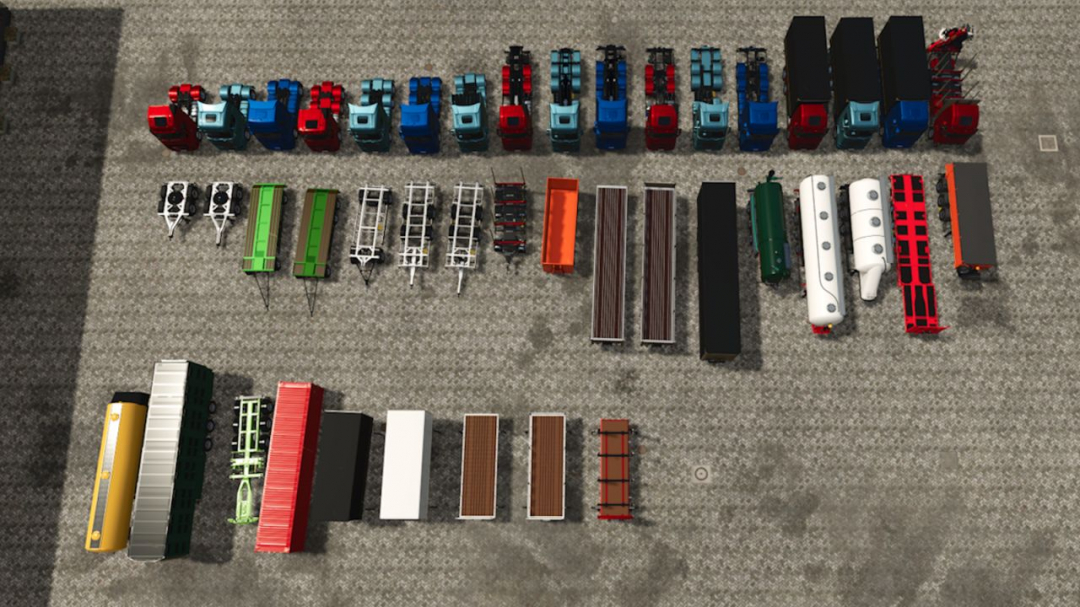
Vehicle Pack V1.0.0.2
Included are: - Volvo FH16 in 4×2 and 6×4 configurations, as well as HKL, box, swap body, and Riedler vehicles - Scania S in 4×2, 6×4, and 8×4 configurations, plus HKL, box, and swap body vehicles - MAN TGX 2020 in 4×2 and 6×4 configurations, along with HKL, box, and swap body vehicles The package also features: - 11 semi-trailers for bulk goods, liquids, pallets, timber, and animal transport, including low loaders - 2 container trailers with matching containers - 2 different dolly systems for trucks and tractors - 5 swap bodies This collection expands your fleet with a variety of realistic and versatile vehicle variants for a wide range of transport tasks. All vehicles offer extensive customization options with numerous attachments and lighting setups. Custom decals can be added via the "ChangeDecals" folder. Common features: - Integrated Mercedes-Benz DLC camera (when DLC is enabled) - Integrated RealGPS - Interactive Control (IC) - Mouse control Note: You can access basic game information via Settings ? Help. Use the arrows next to Base Game to browse through and find additional details. Version 1.0.0.2 updates: - Fixed decal error on the windscreen of Scania; side windows can now be painted - Corrected RealGPS display alignment on MAN models - Adjusted camera positions on all Scania models - Fixed mirrored Volvo decal of the Volvo lady - MAN: Added optional wind deflector configuration for HKL and swap-body models - Scania: Added optional wind deflector with small or large variants for HKL - Reduced engine sound volume in external view for Volvo, Scania, and MAN - Improved braking behavior for MAN and Scania, stopping faster - Palfinger FLC-253 Pack: Added in-game help - Reworked light stages and controls for Volvo, MAN, and Scania - Corrected shop spawn positions for MAN and Scania - MAN: Added front auxiliary lights - Universal Autoload: Added in-game help - Volvo, MAN, and Scania: Added exhaust flap control
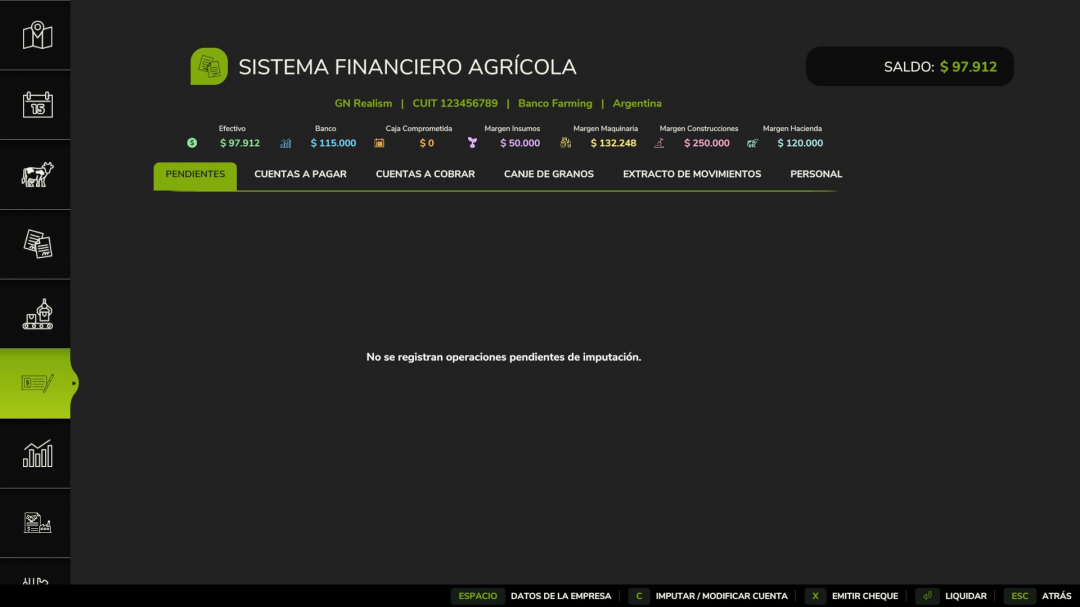
Agricultural Financial System v1.2
Major update over the previously released 1.0.2.0, version 1.2.0.0 introduces new features and improvements. Two new credit categories—Construction (starting at $250,000) and Livestock (starting at $120,000)—alongside Inputs ($50,000) and Machinery ($100,000), each with their own credit limits. Farms now have individual credit lines with each supplier per category, and timely payments boost that specific credit line by 15%, without affecting others. In multiplayer, credit earned by one farm cannot be used by another. Construction purchases can now be made on account via the construction screen, with the fourth button enabling this option. Livestock purchases on account now function correctly; previously, the button charged immediately. Paying later costs money: you can choose payment terms of Cash, 30, 60, or 90 days, with surcharges of 0%, 2%, 5%, or 10%. These surcharges are displayed before confirmation. A 25% down payment on machinery or construction reduces the surcharge by half. Purchases not assigned a payment term are billed immediately, with the supplier invoicing at 30 days plus late fees. If a purchase exceeds your credit limit, a promissory note is offered before the transaction, with clear terms. Rejecting it cancels the purchase. Promissory notes last up to 180 days with a 30% surcharge, and their costs are higher than current account payments. The credit limit is reserved at purchase time; promissory notes are marked in orange and cannot be settled with grain. Overdue receivables are no longer collected automatically; you can choose to deposit funds into your bank account (with a 4% fee) or collect cash at the factory counter in person. If you don’t visit, the payment is deposited after a few days. Wages are now accumulated and settled monthly, including base wages plus 35% labor costs. Unpaid payroll after the due date prevents workers from accepting new jobs. The new Personnel tab shows the current month. Grain barter agreements are now displayed as contracts with seven clauses, status stamps, and signatures. Only one active contract per farm is allowed. Paying off the barter debt in cash terminates the contract without penalty, and the transaction is recorded in the statement. In multiplayer and dedicated servers, ATM deposits and withdrawals are no longer discarded. Client information is saved and displayed instantly, with bank balances and credit limits synchronized immediately. Clients cannot create, pay, collect, or modify transactions for other farms. The mod tab remains visible in the menu bar. The interface has been improved with icons for balance and credit limit rows, and the ATM interface has been redesigned. Company information can now be accessed from any tab, and lists are sorted by the nearest due date. Purchases at stations now display product names in the game’s language. Financial data is saved with the game, and if you exit without saving, transactions are discarded. Fixes include correct credit line increases for livestock purchases, stable credit categories after assigning purchases, and no credit line creation upon payroll settlement. Grain barter agreements no longer generate errors. Compatibility with save games from version 1.0.2.0 is maintained, with no need for new games; previous credits are preserved. Multiplayer and dedicated server support are included. This mod simulates real farm finances: buying on account, earning credit, and managing cash flow realistically. You can enter your company details—name, tax ID, bank or lender, and town—which appear on finance panels like a real invoice header. Each supplier and customer is named accordingly, with their own history and credit limits, and detected map customers can be renamed. Data is saved with your game and synchronized in multiplayer. Current accounts with suppliers feature a 'Charge to Current Account' button next to 'Buy,' allowing you to buy now and pay later without moving money until the due date. It works with tractors, implements, seeds, fertilizer, pallets, and placeables, with standard 30-day terms, up to 60 days depending on the supplier. Early payments receive a 3% monthly discount. Two credit lines—Supplies ($50,000 start) and Machinery ($100,000 start)—must be earned. Purchases are classified based on real shop data, e.g., fertilizer spreaders draw on Machinery, seeds on Supplies. Paying on time increases your limit by 15%, up to 8 times the initial amount; late payments do not increase it. If the purchase exceeds your margin, it is rejected. When your current account isn’t enough, you can formalize with a promissory note, with terms up to 270 days, meant to be paid with harvest proceeds. The maximum exposure is twice your earned limit minus any open notes. Overdue accounts reduce your available credit to zero across all types and promissory notes. The earned limit is restored upon settlement. Overdue balances accrue 3% penalty interest monthly. Refinance options are available with a 15–25% surcharge, up to twice per debt. Unpaid promissory notes go into enforcement, preventing further credit until settled. Sales do not pay instantly; they settle on terms based on the product, similar to real life. If a customer is late, their receivable can be delayed 7 to 21 days with a valid reason, and you’ll receive a notification. This can happen once per account and simply prevents you from assuming uncollected funds. The 3D ATM is a placeable object for deposits, withdrawals, and balance checks, keeping cash and bank accounts separate. Grain exchange contracts allow future grain commitments for supplies, with cancellation penalties. Features include a cash-flow panel with five color-coded figures, an event log, serially numbered vouchers for current accounts and promissory notes, adaptable payment terms, multiplayer and dedicated server support, and translations into multiple languages. Made with a passion for realistic farming simulation. Version 1.0.2.0 introduced post-dated cheques (30/60/90 days) for current account entries, with penalties for bounced cheques, and restrictions after multiple bounces. Animal purchases on current account now allow choosing Cash or Current Account at the dealer. Grain exchange is valued 5% above market. UI improvements include named tabs and a more compact layout. Multiplayer clients now receive daily notices and full statements, including late and overdue notices.
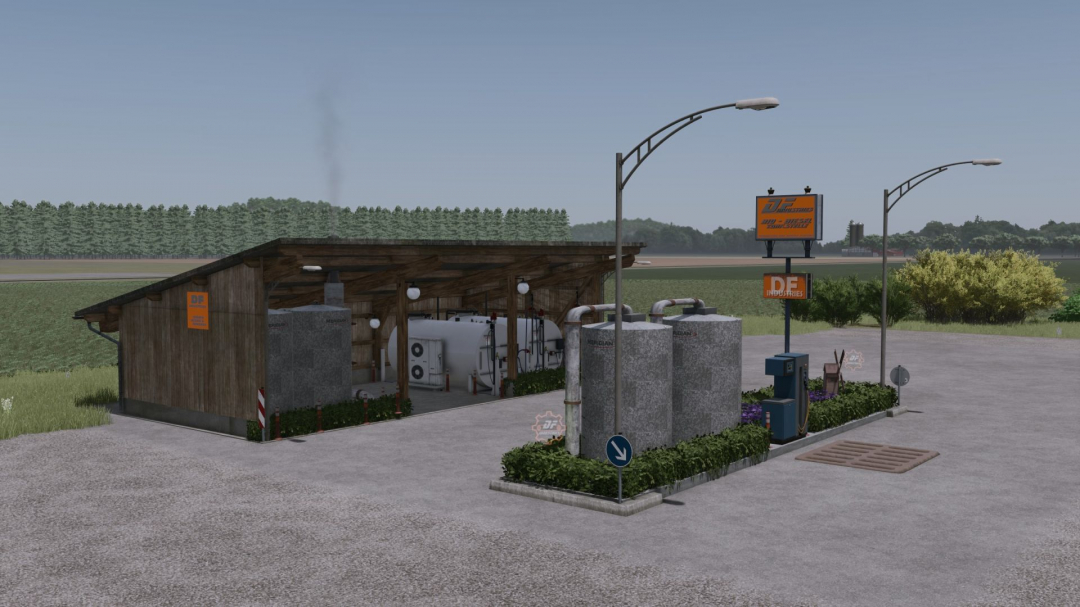
DF Industries Stationary Biodiesel Production V1.0.1
DF Industries – Stationary Biodiesel Production Expand your agricultural operation with a modern and highly efficient production facility from DF Industries! With this compact biodiesel system, you become independent of fluctuating fuel prices at the dealer and can use your own harvest directly for fuel production. The system was specifically designed for medium to large farms and, thanks to its atmospheric night lighting and detailed construction, blends seamlessly into any landscape. **How it works:** Deliver your harvests to the receiving station. The integrated press tanks process the raw materials fully automatically into high-quality biodiesel, which you can use directly on site to fuel your vehicles or sell for a profit. **Special features:** Custom-designed trigger icons in the distinctive DF Industries look, realistic sound effects during operation, and automatic atmospheric LED lighting at dusk and night. **Technical specifications:** Purchase price: €185,000 Maintenance costs: €45/day **Input materials:** Rapeseed, sunflowers, soybeans, corn. **Output materials:** Biodiesel. **Changelog (version 1.0.0.0):** Initial Release Economic balancing: Purchase price set at €185,000 and daily maintenance costs at €45. Production activated: Full integration of biodiesel production including functioning recipes for rapeseed, sunflowers, and soybeans. Branding: Integration of custom, luminous DF Industries gear triggers for improved orientation at night. Lighting concept: Dynamic night lighting added, which automatically adjusts to the in-game time. Log error-free: The mod has been extensively tested and runs completely error-free (clean log).
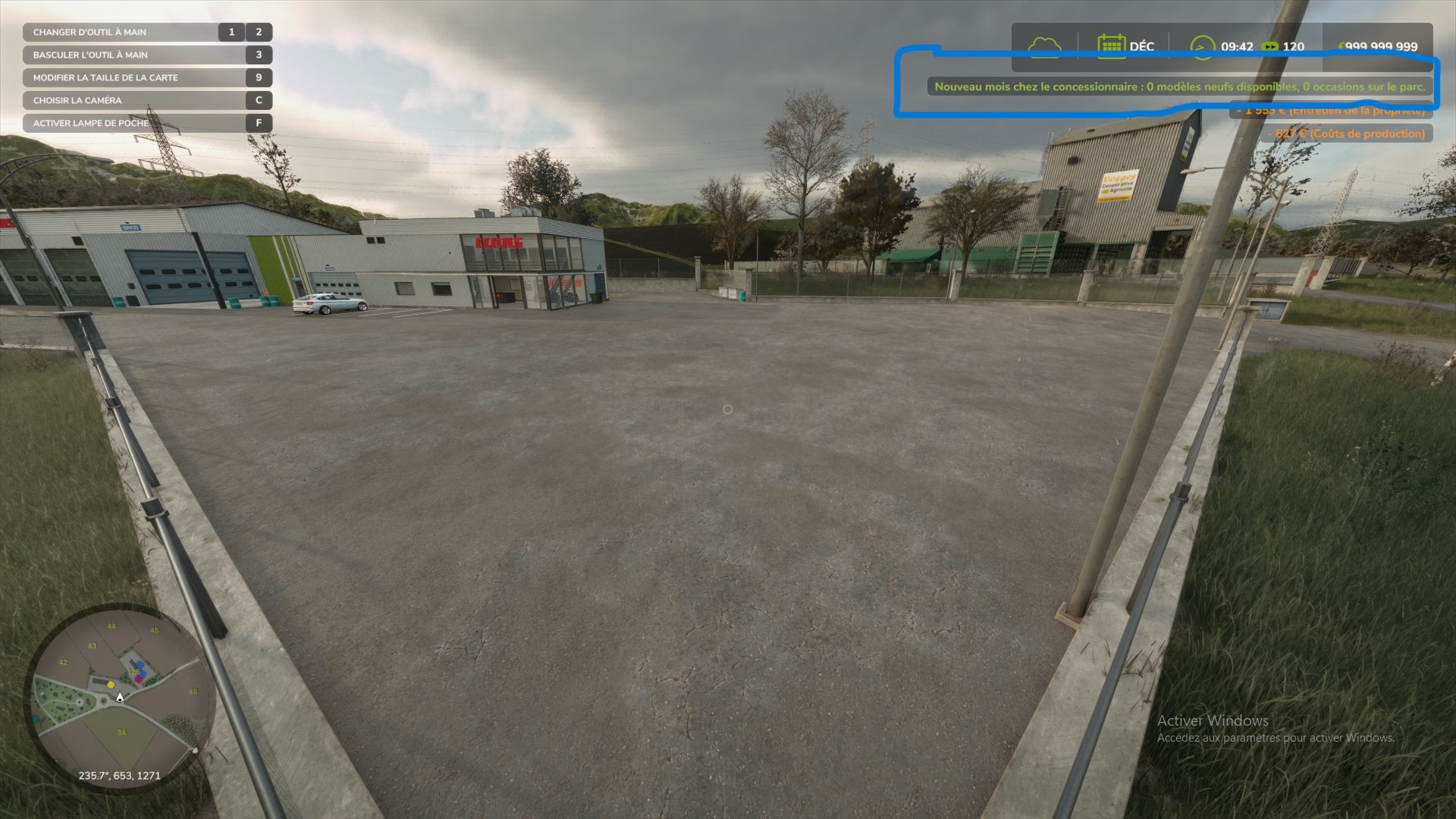
Dealer Stock (New & Used) FS25
Gone are the days of the magical dealership that delivers 50 identical tractors at the click of a button. With this mod, your dealership has actual inventory—limited in quantity and restocked monthly in-game. It also manages a used equipment lot that you can visit on foot to inspect machines before buying them. New equipment: limited stock Each month, only a selection of models is available—roughly 35% per store category—with at least one model per category included. Each model in stock has a limited quantity, ranging from 1 to 3 units. Machines costing over €250,000 have half the available quantity, with a minimum of 1. Stock levels are visible in the store: in the list, each item displays "In stock (x2)" or "Out of stock"; the purchase button indicates "Buy (2 in stock)." A model that is sold out or not currently in stock displays "Out of stock": it cannot be purchased or leased until the following month. With every delivery, the stock decreases, and a notification indicates how many units remain or if the last one was just sold. Failed purchases incur no cost. If delivery fails due to a lack of space or funds, the stock remains intact. Supported categories: tractors and vehicles, harvesters, trailers, loaders, tillage, seeding, haymaking, baling, forestry, sugar beet and potato equipment, vegetables, special crops, vineyards and olives, and precision farming. Unsupported categories (always freely available): objects, pallets, bales, animals, hand tools, weights and miscellaneous accessories, and buildings. Vehicles added by other mods are handled automatically, just like base-game vehicles. Used equipment: the dealership lot Every month, eight used machines are physically parked on the dealership lot: tractors, implements, trailers, etc. Each used item has a unique history: an age ranging from 1 to 15 years; operating hours consistent with the machine's age and type; mechanical wear, visible in the vehicle's condition; paint scratches and dirt, visible on the 3D model. The older the machine, the more wear it shows. The price is realistic: it is calculated using the game's resale formula—based on age, hours, and condition—plus a 20% dealer margin. The final price falls between 10% and 85% of the new price. To make a purchase, walk up to a machine; its name and price will appear. A detailed info sheet displays the age, hours, mechanical condition, paint condition, and price. Once you confirm, the amount is deducted, and the machine is yours. Unsold used machines are locked: you cannot board them, attach them to other equipment, or cycle to them using the Tab key until they have been purchased. At the start of each new month, unsold items leave the lot and are replaced by a new batch. Placing the used equipment lot Walk to your chosen location, stand at the front-left corner, face the area where the lot will be, and press Alt + L. The machines will align to your right in 40-meter rows. Until a lot is defined, used machines will appear in the shop's delivery zone. Be sure to set up your lot early on to avoid interfering with new equipment deliveries. Controls (on foot) Key Action Alt + L Set the used vehicle lot location (multiplayer administrator only) Alt + K Show monthly stock summary and list of used vehicles with prices Game action key Near a used vehicle: open purchase details The Alt + L and Alt + K key bindings can be changed in the game's control settings. Multiplayer The server handles everything: monthly generation, stock, purchases, and saving. Players receive the stock automatically, including those who join mid-game. Stock is shared by everyone: if a player buys the last unit, none remain for anyone else. Each used vehicle purchase is charged to the buying player's farm. If two players target the same machine, the first one to buy it wins. Only the administrator can move the used vehicle lot. Saving Everything is saved with the game session: new stock and remaining quantities, used vehicles currently on the lot (including their condition), and the lot location. Settings Upon first launch, the mod creates the file `Documents/My Games/FarmingSimulator2025/modSettings/FS25_DealerStock.xml`. In multiplayer, the server's file is the one that counts.
Factory Contracts FS25
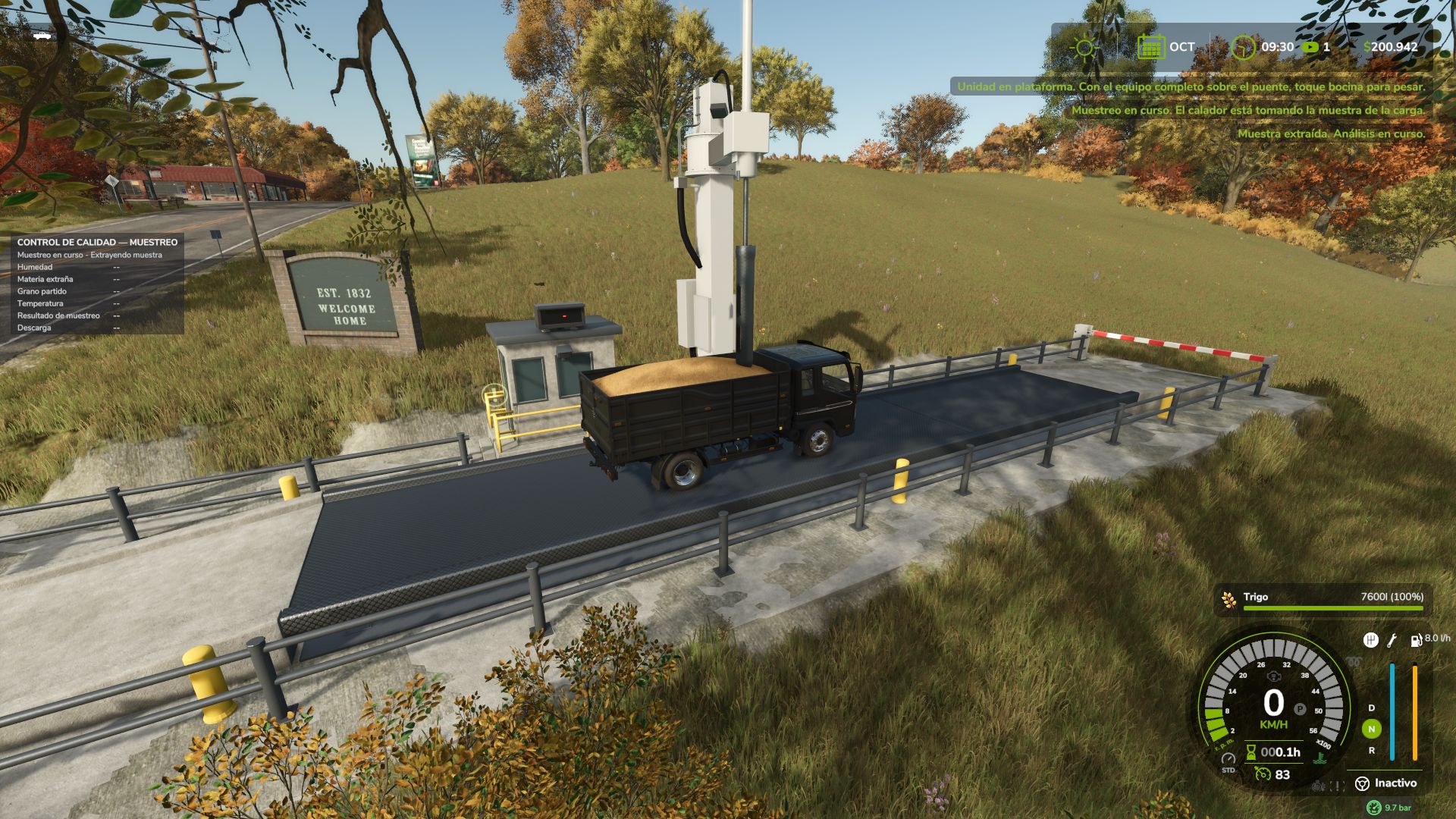
Does a flour mill pay on the spot for any truck that tips into its pit? No real buyer works like that. Real agricultural trade for Farming Simulator 25: supply contracts with your map's buyers, a truck weighbridge that certifies every delivery, quality sampling, transport documents, settlements and raw material orders for your factories. Based on GAFTA/FOSFA contracts, Rosario Grain Arbitration Chamber receiving standards and shrink tables, legal-for-trade weighing. Works on ANY map, mod products included. 📋 SUPPLY CONTRACTS, NOT SPOT SALES Buyers publish contracts on the Purchase Board: quota per period (1 period = 1 game month, scales with days-per-month), duration, price vs today's quotation (fixed, or deferred: each delivery at that day's quotation), delivery mode (bulk, pallets, bales), quality requirement, settlement method, sometimes an advance. By family (grains/oilseeds, industrial crops, forage, livestock, food, industrial goods, energy). 🤝 NEGOTIATION AND COMMITMENTS The buyer accepts, rejects or counter-offers (up to three rounds, by letter). Push too hard and it withdraws until next period. Each period is fulfilled, partial or not delivered. Undelivered volume is charged as a % of its value; the contract stays in force. An on-screen strip shows this month's quotas: due, buyer, expiry. Early termination follows the grain trade: today's replacement value minus your price on undelivered volume, plus unamortised advance; if the market fell below your price, you only refund the advance. ⚖️ THE TRUCK WEIGHBRIDGE Placeable: 20 x 4 m deck, operator booth, animated barriers, traffic light, animated sampling probe, floodlights, ANPR camera, guardrails, outdoor display of your vehicle's real mass, sounds. Symbolic price, no upkeep: it stands for the public/plant weighbridge. 🚛 HOW A DELIVERY WORKS 1. Register your company (trading name, tax ID, consignor or haulier). 2. Issue the transport document (plates, harvest year, quantity, origin pre-filled; you type the driver). One document, one journey. 3. Show it at the window: document, validity, companies, unit, contract, product checked. Barrier up, green light. 4. Drive on with the whole combination and sound the HORN: barrier closes, weighing starts (waits if the trailer is still under it). 5. The probe samples moisture, foreign matter, broken grain, temperature. Approved (with or without deductions): gross ticket. Rejected: leave without unloading. 6. Unload at the contracted plant. No cash at the pit: it counts toward your contract; above quota, spot price. 7. Return empty, horn again: tare recorded, ticket closed at net weight, delivery credited and settled. Exit barrier lowers itself. Pallets and bales are counted, weighed and checked for packaging, not probed. ❓ In and back, one weighbridge? Trade weight is net: loaded, then empty. In real trade the legal instrument belongs to the plant, elevator or town. The TICKET certifies weight, the UNLOADING at the selling point certifies destination: one weighbridge serves every buyer; unload elsewhere and it isn't credited. The open ticket travels with the truck: tare can be weighed at any weighbridge; big maps can have several. No ticket? Ordinary spot sale; the contract doesn't move. 🌾 QUALITY AND MOISTURE Standards: wheat/barley 14 %, maize 14.5 %, soybean 13.5 %, sunflower 11 %. Above that: drying, official shrink table (water + handling loss), drying fee. Excess foreign matter is discounted, not rejected. 💰 SETTLEMENTS AND RATING Per delivery, monthly, quarterly, end of campaign or contract, with statement (quantity, deductions, drying, commission, net). Advances recovered from later settlements. Supplier rating A to D: quotas, quality, documentation. Good ratings bring more offers and better premium. 🏭 RAW MATERIAL ORDERS Publish an order: factory, product, quantity, period, price. In multiplayer other farms can take it or counter-offer; otherwise up to three market companies quote within a few game hours: pick, negotiate or reject all. Price includes margin, freight, urgency surcharge: buying costs more than producing. Reserved on agreement, paid per truck received; track each truck (preparing, loading, on the road, at the weighbridge). Between farms the supplier issues the transport document. Rescinding costs 10 % of what's left. Periods are commercial days (30 per month); the order shows game time (1 day/month = 24 h). 🌐 MULTIPLAYER AND DEDICATED SERVER Server-authoritative. Each player works for their farm; notices reach only that farm, in their language. Any farm can use another's weighbridge; the ticket goes to the truck's owner. 🎮 No new key bindings: Supply Contracts tab in pause menu, interaction key at the window, horn starts weighing. ⚙️ EN, ES, DE, FR, IT • Compatible with Agricultural Financial System (GN Realism): settlements and purchases on current account Made with a passion for realistic farming simulation. 🚜
M1083 FMTV 6x6 General Utility Truck FS22
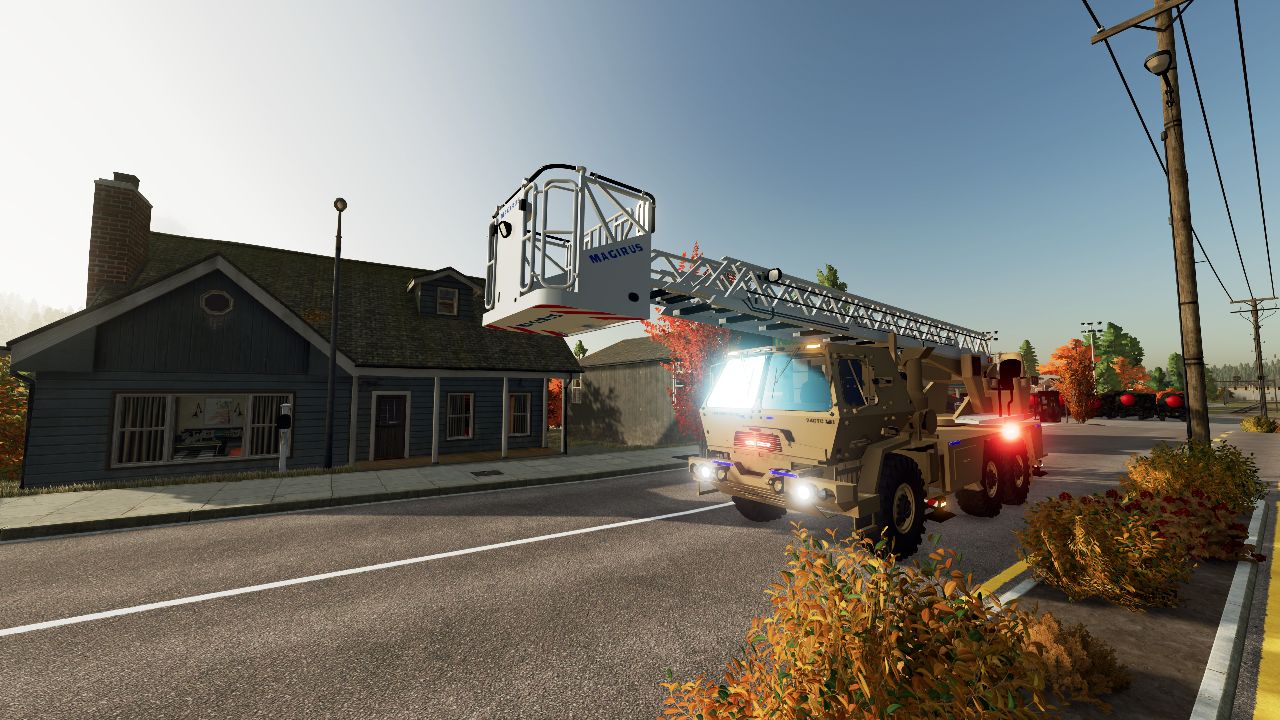
M1083 FMTV 6x6 General Utility Truck: Comprehensive Technical and Operational Analysis Detailed Technical Characteristics High-Mobility 6x6 Chassis: Built on a standardized, modular 6x6 heavy tactical truck platform designed with permanent all-wheel drive, high ground clearance, and central tire inflation systems (CTIS) to navigate extreme off-road terrains, mud, and sand. Powerplant and Drivetrain: Powered by a high-output electronic diesel engine mated to an automatic transmission and sophisticated transfer case, ensuring optimal torque management and ease of operation across varying load conditions. General Utility Cargo Bed: Features a spacious flatbed cargo area equipped with drop-sides, a tailgate, and fold-down troop seats, allowing rapid conversion between freight logistics and personnel transport. Integrated Material Handling: Many variants include a self-recovery winch system and compatibility with hydraulic load-handling cranes to facilitate autonomous loading and unloading of supplies in austere environments. Tactical Utility and Operational Doctrine Frontline Logistical Resupply: Serves as the backbone for tactical transport, moving ammunition, rations, fuel, and essential equipment from brigade support areas directly to forward-deployed combat units. Personnel Transport: Configured to safely haul squads of fully equipped troops with reinforced rollover protection structures (ROPS) and canvas troop carrier covers. Modular Versatility: Engineered as the foundational platform for numerous mission profiles, including command posts, shelters, workshops, and specialized weapon system carriers.
DGFarm Decal Studio FS25
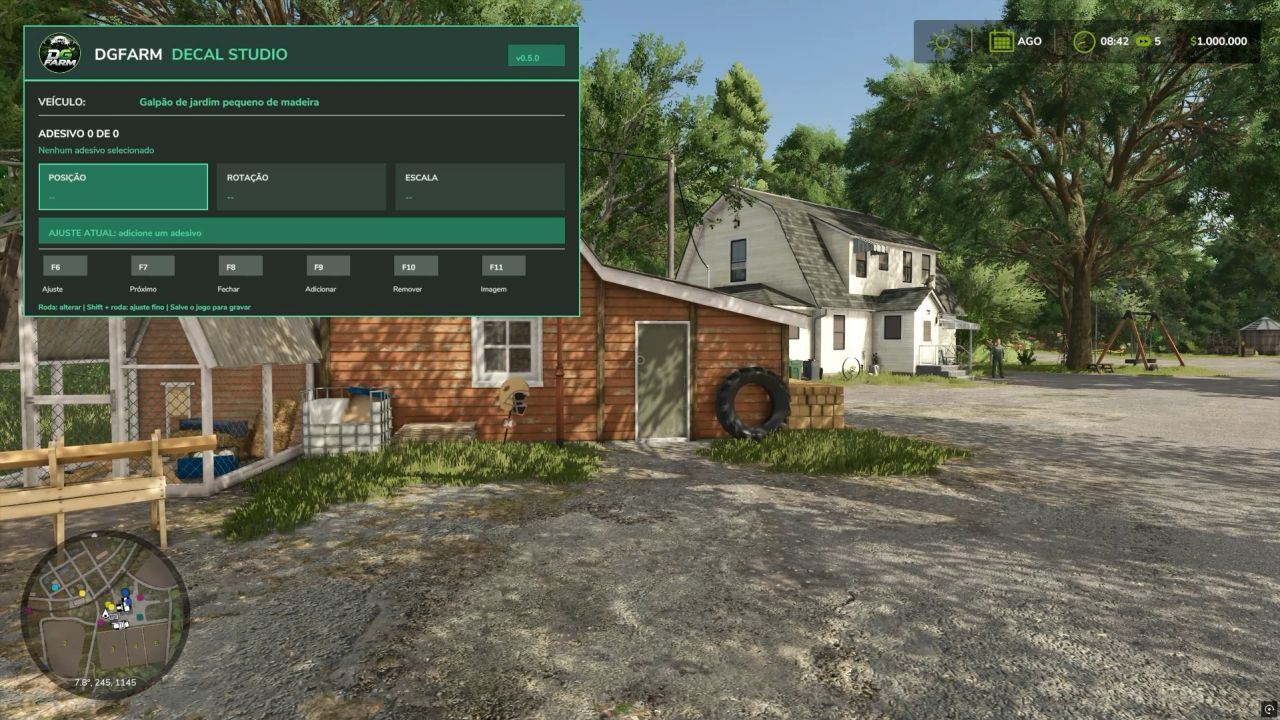
🚜 Discover DGFarm Decal Studio v0.4.0 for Farming Simulator 25! In this video, I present the mod's complete functionality, allowing you to add custom images and decals to FS25 vehicles. You will see how to install, configure and use the main tools available. ✅ Add custom images ✅ Adjust position, size and rotation ✅ Customize different vehicles ✅ Save your creations in the game ✅ Developed for Farming Simulator 25 📥 OFFICIAL DOWNLOAD: 💬 JOIN THE DGFARM COMMUNITY: https://discord.gg/DJtBfD9vbF Have you encountered a problem or have a suggestion? Send your report to our Discord server. Version presented: 0.4.0 Compatibility: Farming Simulator 25 — PC/Mac ⚠️ Download only through DGFarm's official channels. #FarmingSimulator25 #FS25 #DGFarm #ModsFS25 #FarmingSimulator #ModFS25 In this video, I present the main new features of version 0.5.0 of the mod that allows you to add custom images and stickers to vehicles, machines, trailers, and implements in Farming Simulator 25. ✨ NEW FEATURES IN VERSION 0.5.0: ✅ New layout inspired by DGFarm’s visual identity ✅ Reorganized and easier-to-understand interface ✅ Multilingual support in Brazilian Portuguese and English ✅ Language selected automatically according to the game settings ✅ Simplified controls during editing ✅ Updated catalog with 17 images ✅ Support for adding your own images ✅ Position, size, proportion, and rotation adjustments 🎮 NEW CONTROLS: • Ctrl+F8: open or close the panel • F6: select the adjustment • F7: select the next applied sticker • F9: add a sticker • F10: remove the selected sticker • F11: change the image • On foot: use the mouse wheel to make adjustments • Inside the vehicle: use Ctrl + mouse wheel • Shift + mouse wheel: fine adjustment
Dynamic PTO speed FS25
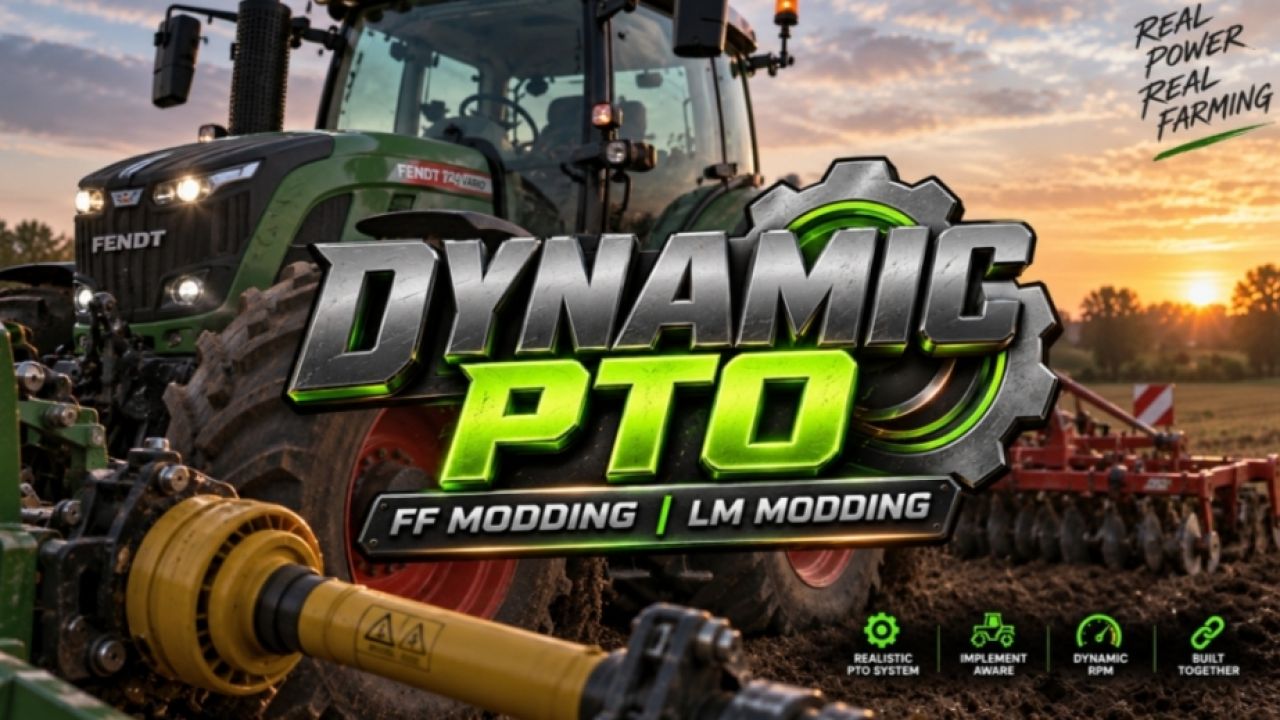
Dynamic PTO Speed (Dynamic PTO) This mod brings realistic dynamics to your tractor’s PTO! Instead of a fixed PTO speed, the working speed of all implements adapts directly to the engine speed. The higher the engine revs, the faster mowers, choppers, balers or conveyor belts operate. This creates a natural working experience close to real farming. --- ⚙️ Main Features & Hand Throttle Live calculation: The PTO speed is calculated in real time from the current engine speed and the tractor’s gearing. Precise hand throttle: The engine no longer automatically revs up to maximum speed. The modes (540, 540E, 1000, 1000E + AUTO) set the target. The engine speed can be fine-tuned with `Ctrl + Up / Down` and is saved when exiting. Real manufacturer data: A database automatically detects the correct speed (e.g. 1000 RPM for large balers/mower combinations; 540 RPM for round balers/tedders). Front & rear: Independent detection of front and rear PTOs with seamless switching using `Ctrl + Alt + E`. --- 🚜 Dynamic Implement Behavior Mowers & choppers: React directly to the throttle and reach maximum throughput at high engine speed. Balers & forage wagons: Operate proportionally to the engine speed. An integrated overload and stalling system for balers provides additional realism. Conveyor belts & overload wagons: Transport material precisely according to the engine speed. --- 🖥️ HUD & Convenience Smart display: The compact in-cab HUD shows engine speed, PTO RPM, mode and status. It only appears when an implement is attached and automatically hides in menus. Mouse control: The control panel can be opened with a key to select modes directly. The mouse is released again immediately after closing. Customizable: The HUD can be moved with `Ctrl + P` and hidden with `Alt + H`. Positions are saved automatically. --- 💻 Technology & Compatibility Full support: Completely compatible with LS25, fully multiplayer-ready (including synchronization) and available in German and English. No conflicts: Fully compatible with AutoDrive, Courseplay, QuickVehicleSelect and Realistic Harvesting. The F1 help adapts dynamically. Included: Mod structure (`modDesc.xml` + Lua scripts), sample implement XML and HUD overlay. Bugs fixed and stability improvements 🆕 Newly Added Hand Throttle Added a new hand throttle system for PTO control. The engine no longer automatically revs up to maximum speed when the PTO is engaged. Selecting 540 / 540E / 1000 / 1000E now sets the corresponding target PTO speed. PTO speed can be fine-tuned using Ctrl + Up / Ctrl + Down. The selected PTO speed is saved when exiting the vehicle. The hand throttle can be enabled or disabled via: ESC → Settings → Hand Throttle 🛠️ Fixed PTO implement detection: Fixed an issue where the Case IH LB436 HD was incorrectly detected as a 540 RPM implement. The LB436 HD is now correctly recognized as a 1000 RPM implement. 1000 / 1000E modes remain available when using a tractor that supports them. Mouse & HUD: Fixed an issue where mouse control was incorrectly hijacked from other mods, including: AutoDrive, Courseplay, QuickVehicleSelect, and Realistic Harvesting. The mouse cursor now only appears when the Dynamic PTO panel is open. The mod only hides the mouse cursor if it was the one that originally displayed it. Engine speed: Fixed an issue where the engine would automatically rev to maximum speed upon PTO engagement. Selecting 540 / 540E / 1000 / 1000E now correctly affects both engine and PTO speeds. Fixed a PTO HUD issue where pressing Ctrl + Up / Ctrl + Down changed the PTO speed without updating the value displayed in the HUD. The HUD now updates correctly when the PTO speed is adjusted. Added Automatic 540 / 540 ECO / 1000 / 1000 ECO selection based on the attached implement. Front and rear PTO implement detection. Dynamic PTO RPM based on engine speed and the tractor's original PTO ratio. New in-cab PTO HUD with RPM, PTO speed and status. Selectable AUTO / 540 / 540E / 1000 / 1000E modes. HUD only appears when the attached implement actually requires PTO. Alt + H to show/hide the HUD. New OPEN button for PTO controls. Mouse control is only enabled while the PTO button panel is open. CLOSE button to close the panel and release the mouse. HUD and F1 controls now update when PTO keybinds are changed. Dual PTO support with FRONT / REAR follow selection. Ctrl + Alt + E to switch between FRONT and REAR. New Dynamic PTO RPM settings for: Auto PTO Show HUD Attach popups Safety warnings Dynamic output Baler overload Debug log ECO ratio 1000 RPM power threshold Minimum / maximum output HUD position reset PTO attach notifications and safety warnings. Baler overload and stall detection. Implement database based on real manufacturer PTO specifications. Improved 1000 RPM detection for large square balers, triple mowers, large loader wagons, power harrows, chippers and chasers. Improved 540 RPM detection for round balers, small square balers, tedders, rakes and alpine wagons. English and German language support. Multiplayer synchronization for PTO mode, AUTO and FRONT / REAR selection. Updated F1 help controls. Fixed Dedicated servers no longer display the HUD or settings overlays. 1000 RPM implements are no longer incorrectly forced to 540 RPM by Giants XML values. PTO detection now follows real manufacturer specifications when XML ptoRpm values are below 750. Fixed Case IH LB436 HD being detected as 540 RPM instead of 1000 RPM. Fixed Kuhn GMD 8730 / GMD 3123 F being detected as generic 540 RPM mowers. Fixed Samasz KDD 941 being detected as 540 RPM instead of 1000 RPM. Fixed large square balers being forced to 540 RPM by generic baler detection. Fixed the PTO HUD not opening correctly. Fixed Ctrl + P hiding the HUD when opening the controls. Fixed the HUD button row disappearing during mouse control. Fixed false PTO conflicts between front and rear equipment. Fixed two PTO implements locking out PTO control. FRONT / REAR follow can now be selected. Fixed settings showing OFF when saved as ON. Fixed HUD reset not working correctly and taking control of the mouse in the pause menu. Fixed the HUD disappearing behind the F1 / driving HUD. Fixed F1 keybinds not updating after changing controls. Fixed the mouse remaining active while the compact HUD is displayed. CLOSE and the PTO HUD key now correctly release mouse control. Added • Automatic 540, 540E, 1000 and 1000E selection • Live PTO RPM based on engine RPM and the tractor's PTO ratio • New compact PTO HUD showing RPM, mode and status • Clickable PTO mode buttons • Moveable HUD with Ctrl + P • Alt + H to show/hide the HUD • HUD only appears when PTO equipment is attached • New Dynamic PTO settings • PTO warnings and attach notifications • Dynamic implement work speed • Baler overload and stall system • Improved detection for balers, BiG Pack, Quadrant and chaser bins • English and German language support • Multiplayer sync for PTO mode and Auto mode • New PTO keybinds Changed • ECO mode works as a target without changing the original PTO ratio • Unknown implements keep the normal FS25 behaviour • Default HUD position moved next to the speedometer • HUD stays visible while driving and with the F1 menu open • HUD hides in shops, maps, construction and pause • Settings and HUD position are saved automatically Fixed • Settings showing the wrong ON/OFF state • Incorrect Dynamic PTO tooltips • HUD reset not working correctly • HUD disappearing and not coming back • HUD issues with menus and the F1 help list • Incorrect 540/1000 PTO detection • Dynamic output affecting vehicle and pickup speeds • Square balers and chaser bins being detected as 540 instead of 1000 Coming Soon More Dynamic PTO features and improvements are already in development. Stability improvements and better visibility Stability improvements and bug fixes. Important: the mod is currently not multiplayer-compatible. We are working on a version that can also be used in multiplayer.

Hyundai H100 V1.0
Milk Tanker option Tent Option Ferrous Option Normal Option Max 120Kmh Credits: fs246 5/5 - (1 vote) Download mod File File size FS22_Hyundai_H100 43 MB
- 15 per page
- 30 per page
- 45 per page
- 60 per page
-
See more per page
Bigger pages, fewer clicks - and no ads anywhere.
Go Pro