Farming Simulator 22 mods
50,154 results- 15 per page
- 30 per page
- 45 per page
- 60 per page
-
See more per page
Bigger pages, fewer clicks - and no ads anywhere.
Go Pro

Tomos 14V V1.0
A small bike, perfect for running errands or taking a short ride after work Maximum power – 5 hp. Maximum speed – 60 km/h. Color selection, traces, dust. Credits: VRBIN Download mod File File size FS22_Tomos_14V_v1 3 MB

Karpaty V1.1
A small bike to run errands. Maximum power – 2 hp. Maximum speed – 40 km/h. Speedometer, optional grips/fenders, color selection, chain drive, dust effect, and animations for the clutch and footrests. Washable. Credits: SleutjesModding 3/5 - (1 vote) Download mod File File size FS22_Karpaty_v1_1 6 MB

Get Farming Simulator 22 Full Version Popup Removal V1.1
Works for English and Russian languages only, other languages will be implemented in future a simple mod that removes annoying popup that asks to buy full version of game, inspired from FS25 NotToday mod with adapted API and reworked code Dont forget to activate it on mods list! Changelog: + V1.1.0.0 Added 6 more supported languages German Polish Czech Spanish Italian French Might have issues so share any of them Credits: AsmoGuy 3.7/5 - (3 votes) Download mod File File size FS22_Popup_removal_v1_1 994 KB
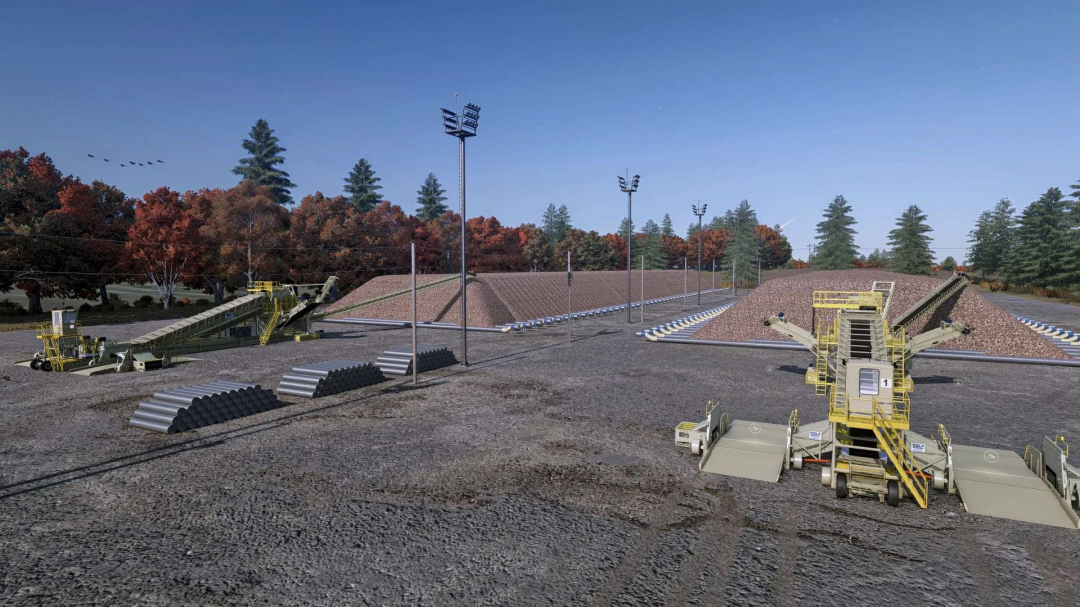
Kringstad Ironworks Sugar Beet Piler v1.0
This update for OS Farms Mapping and Moddings Kringstad Ironworks Piler introduces a new script that makes selling sugar beets a much more immersive experience! Thanks to OS for allowing me to edit and release this version of the piler! The included script, called "Tare Dirt Management," adds a fully multiplayer-compatible tare dirt system along with enhanced visuals and functionality to the piler. The mod also includes a decorative beet pile placeable.This new tare dirt system features: – Tare generation based directly on the amount of sugar beets delivered. – Farm-specific tare tracking, enabling multiple farms to use the same beet piler independently in multiplayer. – Tare dirt storage at the piling station that can be loaded back out and hauled to the field. – Each farm can only collect the tare dirt associated with its own deliveries. – An info trigger to view your farm’s current tare balance. – Any leftover tare dirt at the end of the day is automatically disposed of and charged back to the responsible farm as a tare disposal fee. – Supports public/unowned beet pilers, allowing multiple farms to deliver beets and manage their tare without owning the production point. – New production unload animations, including gate/conveyor covers and boom movement animations. – Both stations of the piler can be used to unload sugar beets and load tare dirt, each with independent animations and effects. – Designed with multiplayer support so each farm’s deliveries, tare balance, collection, and disposal costs remain separate. – The amount of tare dirt generated and the fee can be adjusted within the general settings tab to suit player preferences. Here’s a short video demonstrating the script functions in action!
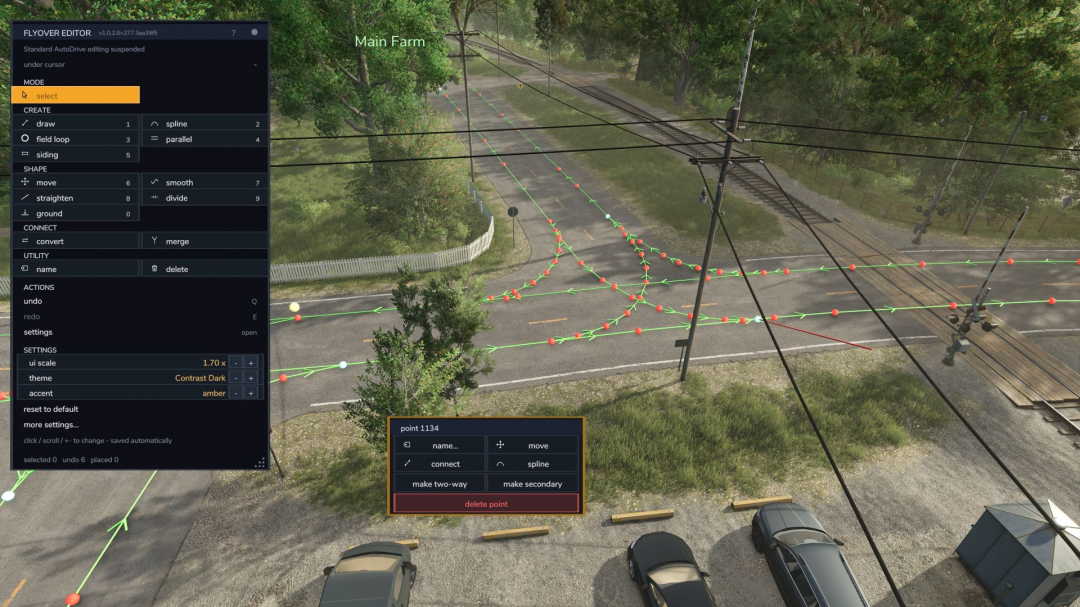
AutoDrive top-down flyover editor V1.0.2.1
A top-down flyover editor for AutoDrive route networks in Farming Simulator 25 — build and repair routes from above, on foot or in a vehicle, without driving every metre of them. It runs as a companion mod beside stock AutoDrive: it does not modify AutoDrive’s files, it attaches at runtime, and it refuses to load (and explains why) if AutoDrive isn’t present. The field loop can now automatically search for boundaries of tilled or custom fields. The move tool can now be used to copy, move, rotate, and automatically connect placable or pre-built junctions. V1.0.2.1 A quick update with a few bug fixes and accessibility improvements, as well as backend cleanup for the new field loop function in AutoDrive 3.0.1.4, which was just released. Required mods: AutoDrive
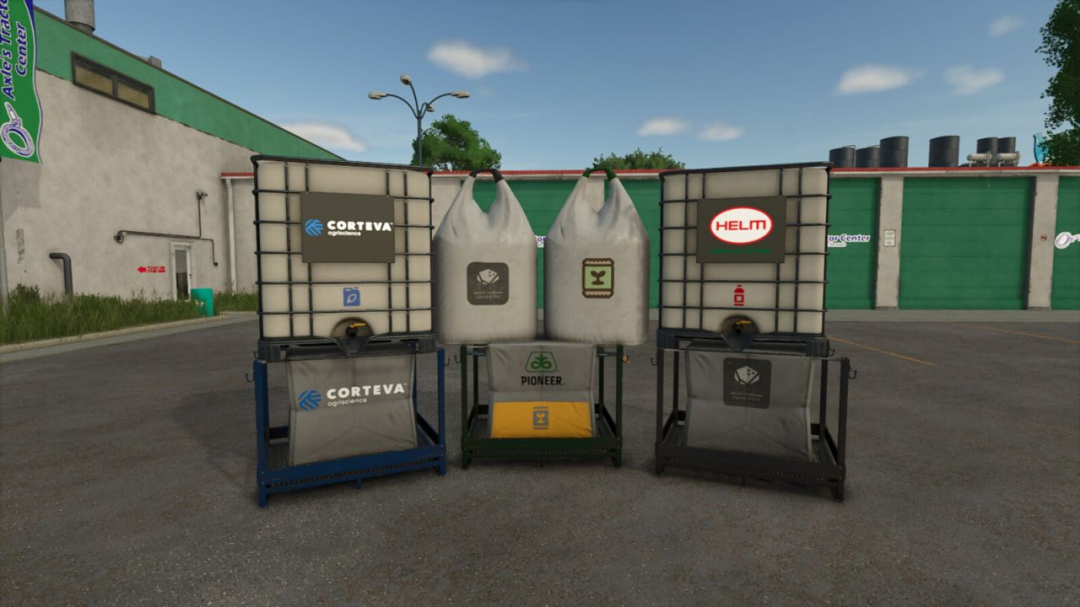
Enhanced Filling V1.0
Enhanced Filling improves the filling and pallet unloading processes while maintaining the standard Farming Simulator fill system. Continuous Fill automatically switches to another compatible nearby source when the current bag, pallet, tank, or other container becomes empty. Instant Fill is optional and allows compatible sources to transfer materials almost instantly. When limited to field equipment, Instant Fill can speed up spreaders, sprayers, seeders, and planters using field-input materials. Instant Dumping is also optional and enables trailers, tanks, and other dischargeable equipment to unload almost instantly, while still respecting normal discharge targets and storage or selling rules. Lowest Source First prioritizes the compatible source with the least remaining material, helping to clear partially used bags and pallets before full ones. Auto Cycle Fill Units automatically continue filling from compatible units on the same vehicle or implement as each one becomes full. Fill Type Choice prompts you to select the desired material when multiple options are available nearby; you can also manually cycle the preferred type using Left Alt + R. Partial Pallets First enhances the unload-pallet function by topping up nearby compatible partially filled pallets, crates, boxes, or big bags before creating a new container. Extended Refill Range increases the detection distance for compatible refill sources to 10, 20, 30, or 50 meters, including silos and filling/loading stations. Limiting the range to Field Equipment restricts this extension to spreaders, sprayers, seeders, and planters using field-input materials. Instant Fill remains unaffected by range restrictions. Compatibility: If Bulk Fill is active, it continues handling continuous source switching, while Enhanced Filling can still prompt for material selection. Instant Fill, Auto Cycle Fill Units, and Partial Pallets First remain available. Hotkeys: Left Alt + R cycles through preferred fill types; this action can be customized in the Controls menu.
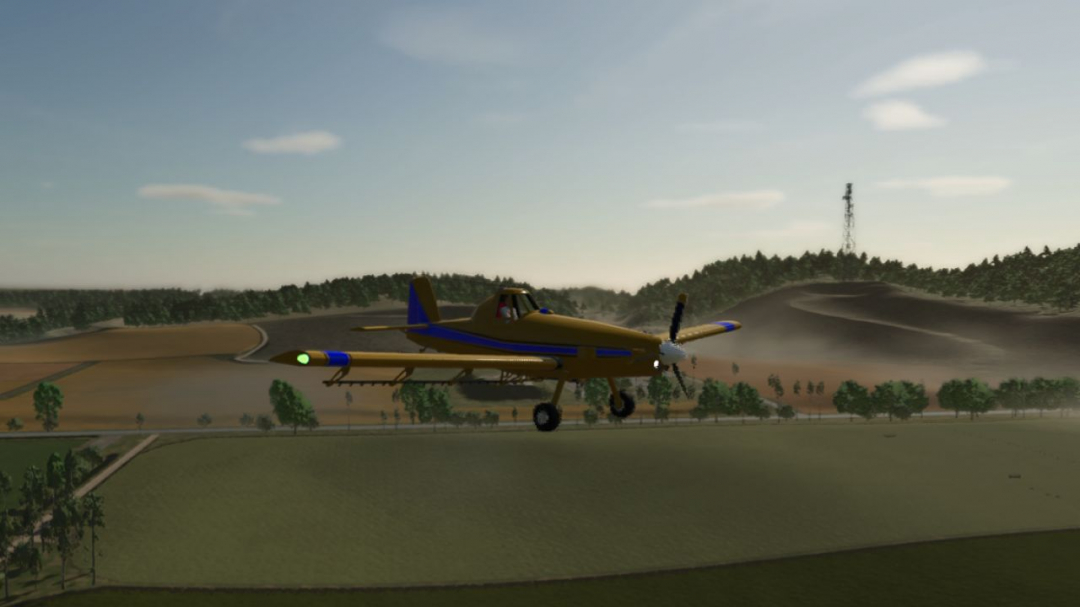
CropDuster AT-602 V1.0.0.1
The controls operate similarly to the An-2 aircraft: up = left mouse button, down = right mouse button; forward = W, backward and brake = S, right = D, left = A. Refill spray: R button; spraying: B button.V1.0.0.1 You can customize more colors.
Lizard EV Charger V1.0
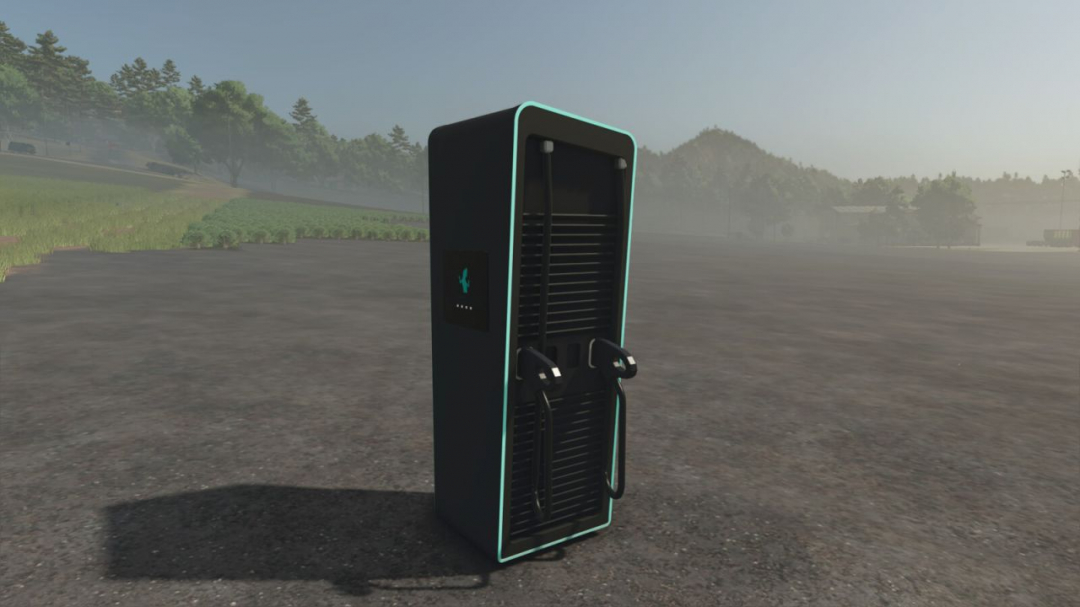
Lizard EV Charger Category: Placeables – Miscellaneous Price: $7,500 Monthly upkeep: $5 Configurations: Neon strip colourThe world’s leading electric charger. The best design and performance for the electric revolution, straight from the heart of the Alps. 400 kW, two charging cables. Park an electric vehicle next to it to charge its battery. Customisation: choose the colour of the neon strips in the shop (the full game colour list or any custom colour).
Vehicle Overview V1.0.1.1
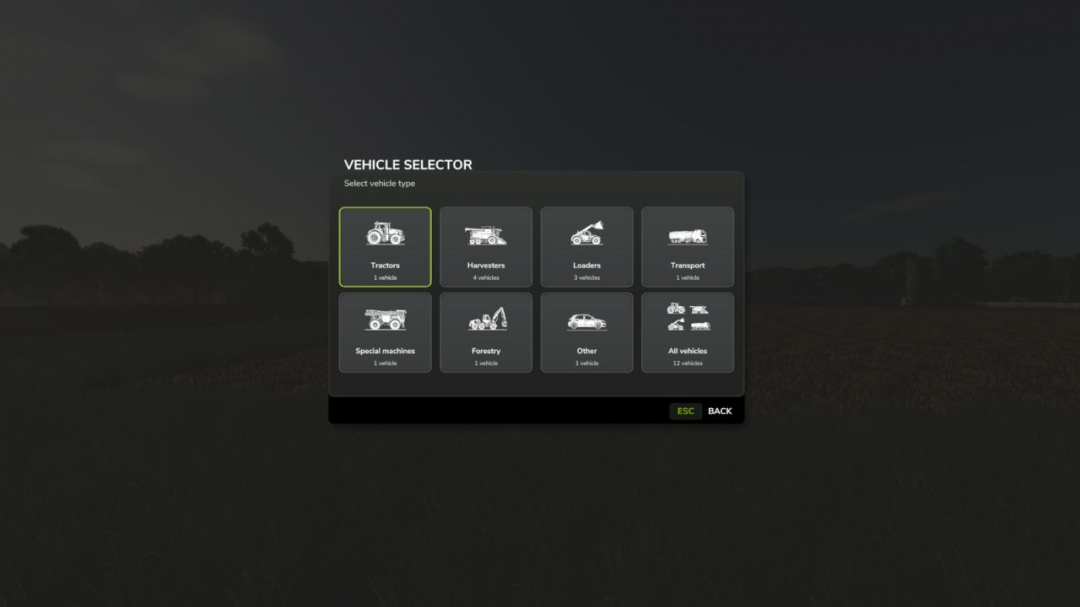
Vehicle Selector offers a quick and clear way to display all enterable vehicles on your farm and switch directly to the desired vehicle with a single click. Open the menu with Left Alt + V. Then simply click on a vehicle tile to close the menu and switch directly to the selected vehicle. The vehicles are automatically divided into the categories Tractors, Harvesters, Loaders, Transport, Special Machines/Self-Propelled, Forestry and Miscellaneous. The currently controlled vehicle is highlighted in cyan, while vehicles with an active AI worker are marked in yellow. This allows you to immediately see which machines are currently in use. Harvesters with a limited internal grain tank also display the current fill level directly on the vehicle tile, including color-coded warnings as the fill level increases. The manufacturer and model are displayed on every tile. Larger vehicle fleets are automatically distributed across multiple pages. Tip: For particularly quick access, the Vehicle Selector can also be assigned to a mouse thumb button or another freely assignable key. The standard method of switching vehicles with the TAB key remains unchanged.V1.0.1.1 Completely revised and modernized vehicle selection menu New unified tile design in the style of the Farming Simulator user interface New, consistent category icons for all vehicle classes Categories: Tractors, Harvesters, Loaders, Transport, Special Machines/Self-Propelled, Forestry and Miscellaneous The currently controlled vehicle and its category are now highlighted in cyan Vehicles with an active AI worker are highlighted in yellow Grain tank fill level for suitable harvesters is now directly visible on the vehicle tile Color-coded warnings as the grain tank fills up Manufacturer and model are displayed directly on the vehicle tiles Automatic page navigation for larger fleets No tile is automatically preselected when opening the menu Improved English and German localization Default key binding remains Left Alt + V A freely assignable key or mouse button remains possible Normal vehicle switching with TAB remains unchanged Various graphical cleanups and minor optimizations Unnecessary mipmaps removed from GUI-only textures Old labels and files no longer required have been removed from the release. Please change the mod name from Vehicle Overview to Vehicle Selector. The mod has been completely switched to the new name. The user interface, internal mod name, file name, GitHub repository and current release now consistently use Vehicle Selector.
Southern Hemisphere Seasons V1.0
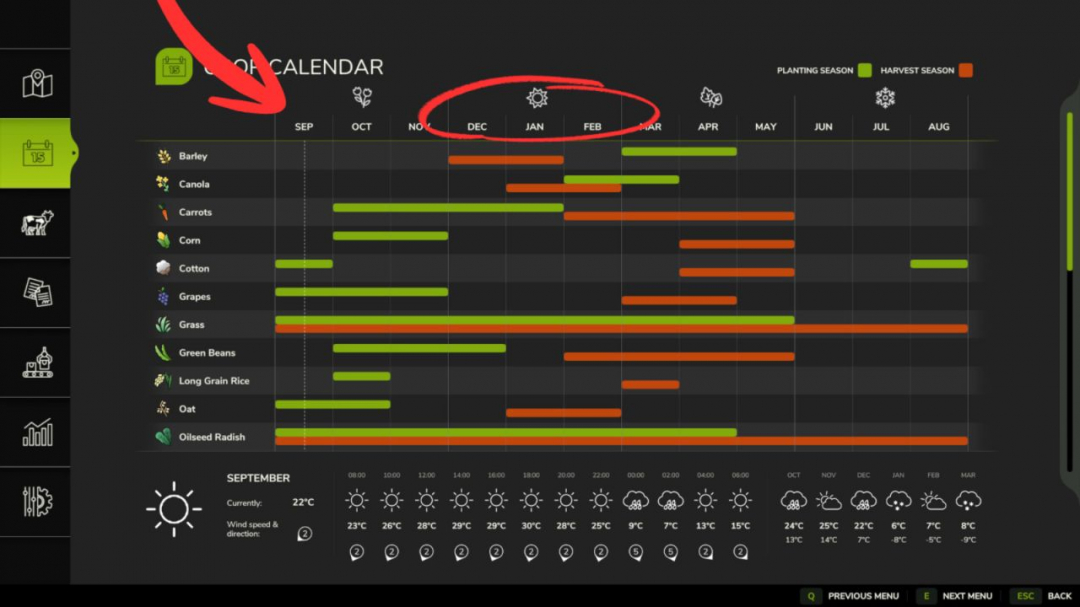
Adapt Farming Simulator 25’s climate and lighting to reflect the reality of the Southern Hemisphere! This mod adjusts solar latitude and season cycles so that sun trajectories and temperatures accurately match those of the Southern Hemisphere.Features: Realistic Southern Hemisphere solar latitude adjustment (-25.75°). New savegames start in September (Early Spring). Fully compatible with any standard or modded map.Notes: Supports singleplayer and multiplayer modes. Compatible with existing savegames.
Vehicle Control Addon (VCA) V1.0
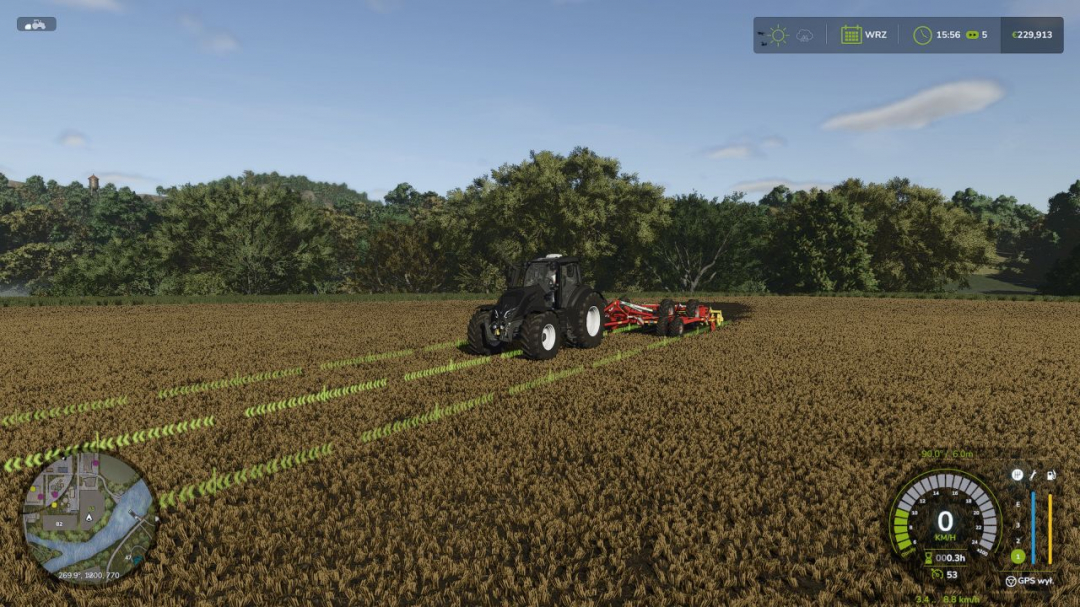
Vehicle Control Addon (VCA) is a set of features that make driving vehicles in Farming Simulator 25 easier and more customizable. Choose the settings that suit your play style, keyboard, or controller. Adaptive steering adjusts the steering response to the vehicle’s speed. The camera can rotate according to the direction of travel and steering; quick glances in a selected direction are also available. GPS guidance helps maintain direction and drive the vehicle along parallel tracks. You can set the working width, offset, and the track selected when turning around. Two GPS line styles are available: classic VCA and a new version. The new line adapts its height to the terrain and crop growth stage, fades smoothly at the ends, and can be occluded by vehicles and buildings. The VCA menu has been refreshed, with the HUD and GPS line accent color matching the game’s active HUD color. Speed control offers additional options for cruise control, speed limiter, speed holding, and manual throttle. Transmission and drivetrain settings include automatic shifting, clutch, and Powershift, as well as manual control of the drivetrain and differential locks if supported by the vehicle. Additional options include traction control, handbrake, and transmission HUD. Most features are disabled by default. The vehicle settings menu opens by default with Left Ctrl + C, while GPS guidance is activated with Left Ctrl + W. Other shortcuts can be checked and customized in the game’s controls menu under Vehicle Control Addon.


- 15 per page
- 30 per page
- 45 per page
- 60 per page
-
See more per page
Bigger pages, fewer clicks - and no ads anywhere.
Go Pro