Farming Simulator 22 mods
50,154 results- 15 per page
- 30 per page
- 45 per page
- 60 per page
-
See more per page
Bigger pages, fewer clicks - and no ads anywhere.
Go Pro
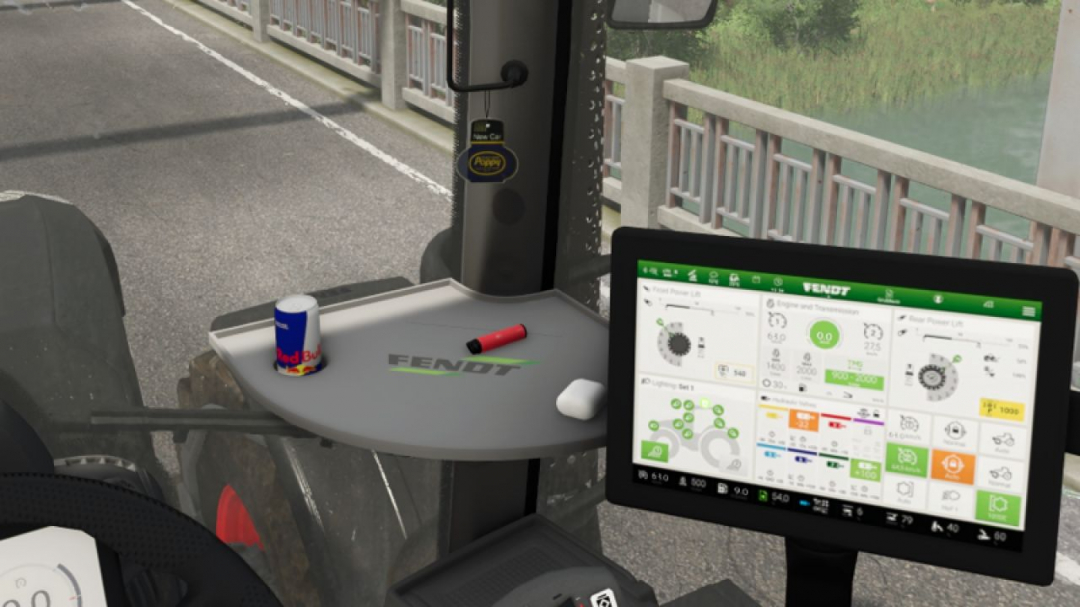
Poppy air freshener (Prefab) v1.0
A small air freshener from Poppy/New Car. The air freshener must be installed manually in GE.

FS25 Realistic Hydraulic
FS25 Realistic Hydraulic Here is a mod to manually unfold, fold, lower and raise your implements! Set your key bindings in the menu!

FS25 Forage Wagon Hay Lock beta 3
FS25 Forage Wagon Hay Lock beta 3 PURPOSE Prevents hay already collected in a forage wagon from being overwritten by grass or by another hay type. BEHAVIOUR – More of the SAME hay type collects normally. – Normal grass is ignored while hay is loaded. – Fresh Clover and fresh Alfalfa are ignored while hay is loaded when those fill types exist. – A DIFFERENT hay type is ignored while hay is loaded. – Empty wagons and wagons containing non-hay material retain normal game behaviour. SUPPORTED HAY TYPES – Hay: DRYGRASS_WINDROW – Clover Hay: DRYCLOVER_WINDROW – Alfalfa Hay: DRYALFALFA_WINDROW BETA 3 Fixed – Fixed hay being replaced by grass when collecting mixed windrows. – Replaced the previous pickup-area check with protection applied directly to actual material pickup. – Added a safeguard against queued material changing the wagon’s locked fill type. – Protected small loads below the game’s normal fill-type change threshold. Behaviour – The first supported grass or hay type collected stays locked until the wagon is emptied. – Matching material can still be collected; incompatible grass/hay remains on the ground. – Supports grass, hay, and registered clover/alfalfa windrow variants. Tested – Confirmed working on Castlereagh with the Pöttinger 8450 Windrower and Fliegl Cargos 9500 mod wagons. Diagnostics – Added limited log messages showing when protection activates and blocks incompatible pickup. BETA 2 Version 0.1.0.5 * Fixed registration for standard and custom forage-wagon vehicle types. * Grass already loaded can no longer be overwritten by Hay. * Hay already loaded can no longer be overwritten by Grass. * More of the same fill type continues to collect normally. * Supported Clover and Alfalfa variants are also kept separate. * Tested successfully with the 8450 Windrower forage wagon on the Kinlaig map.

Cellar V1.0.0.4
Wine Cellar Storage This is an underground cellar storage mod for your farm. Simply place supported items—such as pallets, big bags, and bales—in front of the cellar entrance trigger, and the system automatically stores them down below with full visual representation. How it works: Storage: Drop your items at the front entrance trigger to store them underground. Accessing the cellar: Walk up to the entrance and press the key to teleport down into the basement. Unloading: Inside the cellar, interact with the storage trigger using the key to open the menu and retrieve your stored goods. Spawn location: Retrieved items will spawn back outside on the surface, marked clearly by the warning stripes area. The storage capacities have been calibrated for realistic farm management, with further fine-tuning planned for future updates. An animated mouse has found its way in; it’s down there in the depths of the cellar. V1.0.0.4 Mouse white texture fix.

Real Physics Tire Wear V1.2.2.7
Real Physics Tire Wear V1.2.2.7 This mod expands Farming Simulator 25 with a standalone and significantly more detailed wear system for tires, rubber tracks, and steel tracks. The next generation—the next stage of evolution: 2.0! Tires and track systems (rubber or steel) wear down based on the actual distance traveled, stress caused by wheel slip, and various other factors. Your driving style, the type of ground you are driving on, weather conditions, the weight you are hauling, and the dynamic load distribution across your wheels or tracks all play a role. Wear is tracked and saved individually for every vehicle and every wheel or track unit, making it independent of the standard GIANTS vehicle wear system. This applies to all vehicles owned by your farm—whether purchased, rented, or leased. AI traffic vehicles, vehicles from other farms, or machinery “rented” specifically for a mission are not tracked. The goal of this mod is to visually display realistic wear on wheels, rubber tracks, and steel tracks, accurately reflecting the actual level of wear. It supports conventional wheeled vehicles as well as machines with rubber tracks or steel tracks. Trailers and implements with their own wheels are also included and tracked. For rubber and steel track systems, the wear of road wheels is calculated based on their actual design and displayed separately via a combined icon. Most in-game vehicles and many mods have been tested; while 100% compatibility isn’t guaranteed, it is well over 90%. There may be isolated cases where tracking isn’t possible—such as with two-wheelers, three-wheelers, or specialized machinery mods—but work on compatibility is ongoing. For specific mods, however, I require the mod itself, including its i3d files, UV masks, i3d mappings/shapes, and vehicle XML files. Only then can I determine whether it is feasible to implement. As wear increases, the visual appearance isn’t the only thing that changes; heavily worn tires lose traction, thereby affecting handling. This introduces a shift in momentum or a lag that causes the vehicle to slide—whether accelerating, braking, or turning. Tires, suspension systems, and track rollers can be replaced at the workshop; costs depend on factors such as the vehicle type, the number and size of tires or track components, and a small multiplier based on the selected reference mileage. The desired reference lifespan can be adjusted in the settings. Options include 350, 500, and 750 km for smaller or classic 2×2 maps, and 1,000, 1,500, and 2,000 km for larger 4×4 maps and correspondingly longer periods of use. It is important to note that a 1,000 km setting does not guarantee the tire or suspension will last at least 1,000 km; the reference value simply serves as the basis for calculating wear. Consequently, the tire might last less time—or potentially longer—depending on driving style, the nature of the work, and the load. Furthermore, the mod supports wear calculations for AI-controlled vehicles—specifically those using Courseplay, AutoDrive, or the built-in Giants AI. To ensure this functions smoothly, I developed an electronic immobilizer designed to lock the vehicle until the startup phase and system initialization are complete, preventing any external input during that time. This is necessary because Courseplay and AutoDrive bypass the standard startup sequence intended by Giants, which could otherwise lead to inconsistent states or unintended issues. Simply think of it as a “Parking Brake 2.0”: once the vehicle is ready to drive, the immobilizer disengages, and everything operates as usual. The mod introduces three specific penalties. First, there is a loss of traction for tires and running gear depending on their wear level. However, it remains possible to drive the vehicle to the workshop—albeit with a performance penalty and potentially without a trailer. Second, there is a speed penalty for AI-controlled vehicles. The AI cruise control speed is throttled down to as low as 20 km/h, depending on wear, to ensure the vehicle can still be steered and follow its route. At normal speeds, the AI driver (AD) is unable to compensate for the tire slippage and loss of traction. If you drive the vehicle manually, there is no speed restriction, though the corresponding performance penalties still apply. Third, there is a penalty affecting the maximum speed of rubber tracks and steel tracks. Depending on the wear of the inner rollers, the maximum speed can be reduced by up to 50%. Once the rollers are replaced, the penalty is removed. Current wear levels can be displayed directly in the HUD when using the “FS25 Lights & Symbol HUD” mod. It is therefore recommended to install the Lights & Symbol HUD alongside this mod. V1.2.2.7 4.10.26 cooperation with the real mud physic mod in coordination API integration and compatibility update Going forward, a standardized mod file name: “Reifenverschleiss.zip”; only internal version numbers in the description Language packs (German/English/Spanish/French/Russian) on l10n 10/04/2026 cooperation with the real mud physic mod API integration and compatibility update Going forward, a standardized mod name: Reifenverschleiss.zip; only internal version numbers in the description Language packs (German/English/Spanish/French/Russian) on l10n

Livestock Yield Booster V1.0.0.0
Livestock Yield Booster V1.0.0.0 This mod makes livestock production more efficient in Farming Simulator 25. It increases the production of eggs from chickens, wool from sheep, milk from cows and goats, as well as manure and liquid manure from animals, using multipliers. Players can adjust the production speed according to their preferred playstyle. Egg Multiplier: Increases the egg production of chickens. Wool Multiplier: Increases the wool production of sheep. Milk Multiplier: Increases the milk production of cows and goats. Solid Manure Multiplier: Increases the manure production of animals. Liquid Manure Multiplier: Increases the liquid manure production of animals. Dynamic Settings: Multiplier values can be changed from the in-game menu. Savegame Restart Note: The savegame must be restarted for the changes to take effect. Advantages Faster production → More income Multipliers adjustable to suit your playstyle Suitable for anything from a small farm to a large operation Language Support: Turkish, English, German, French, Italian
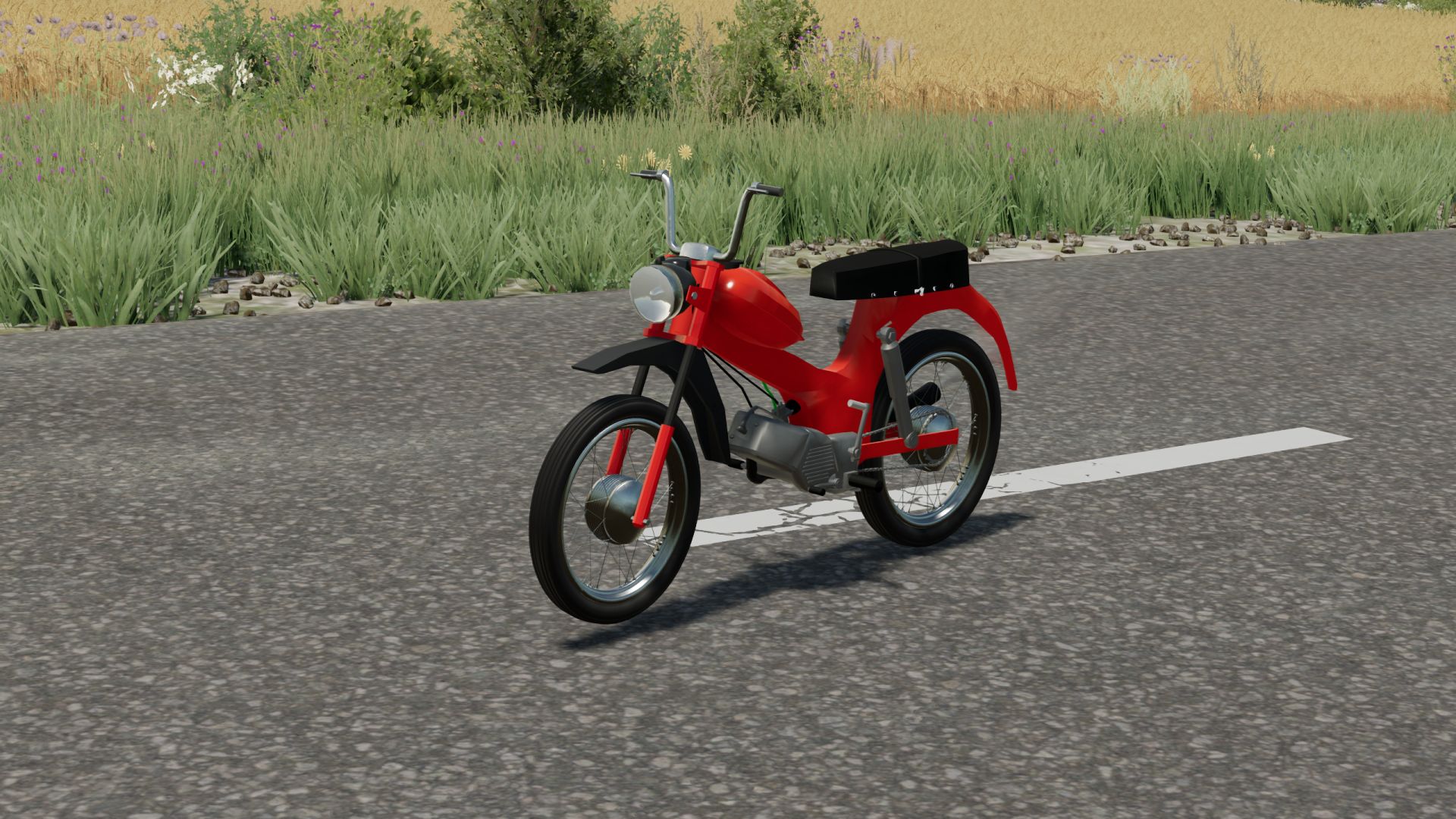
Tomos APN4 FS22
A small bike, perfect for running errands or taking a short ride after work Maximum power – 4 hp. Maximum speed – 55 km/h. Track formation, dust formation.
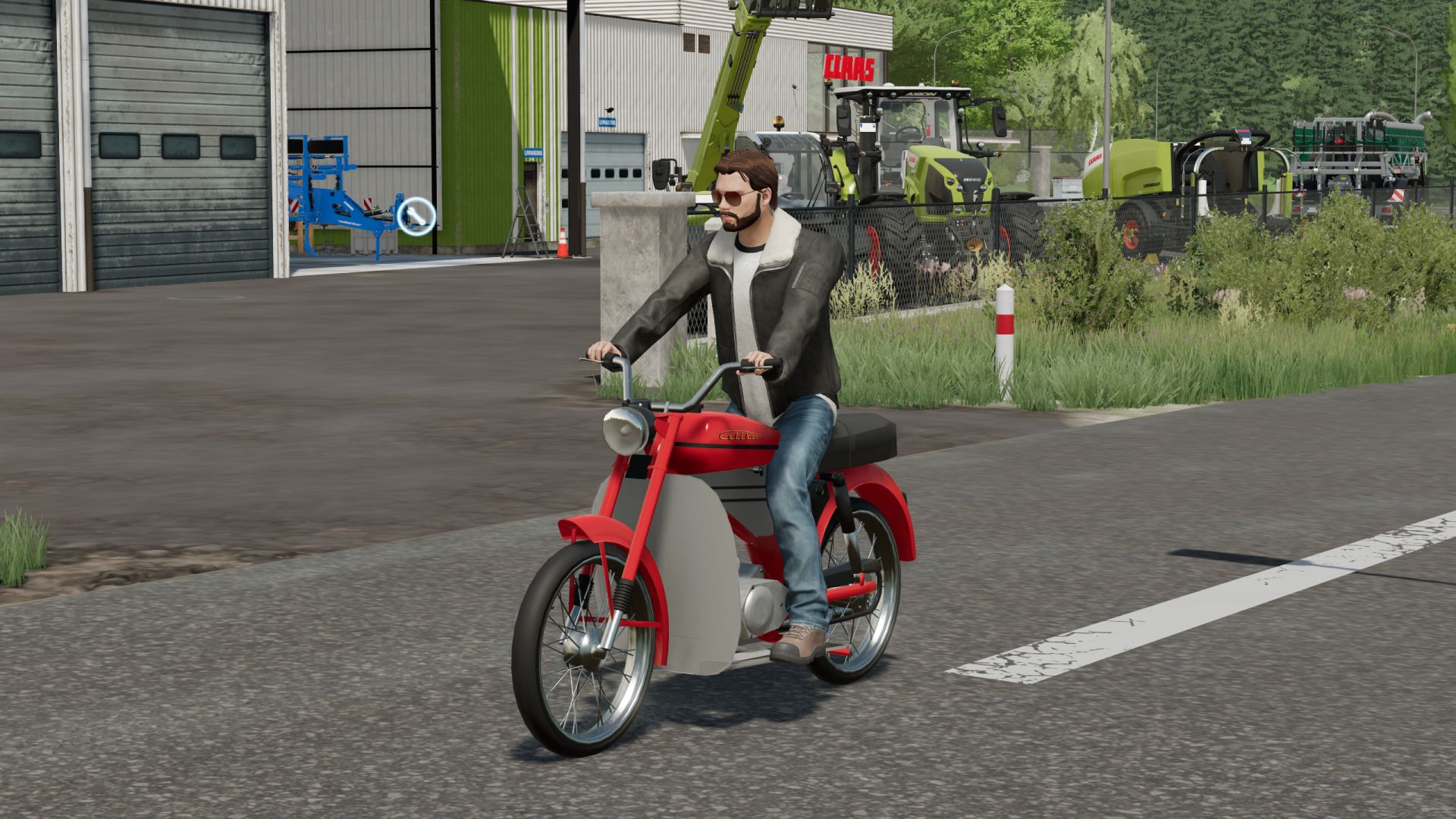
Tomos 14V FS22
A small bike, perfect for running errands or taking a short ride after work Maximum power – 5 hp. Maximum speed – 60 km/h. Color selection, traces, dust.
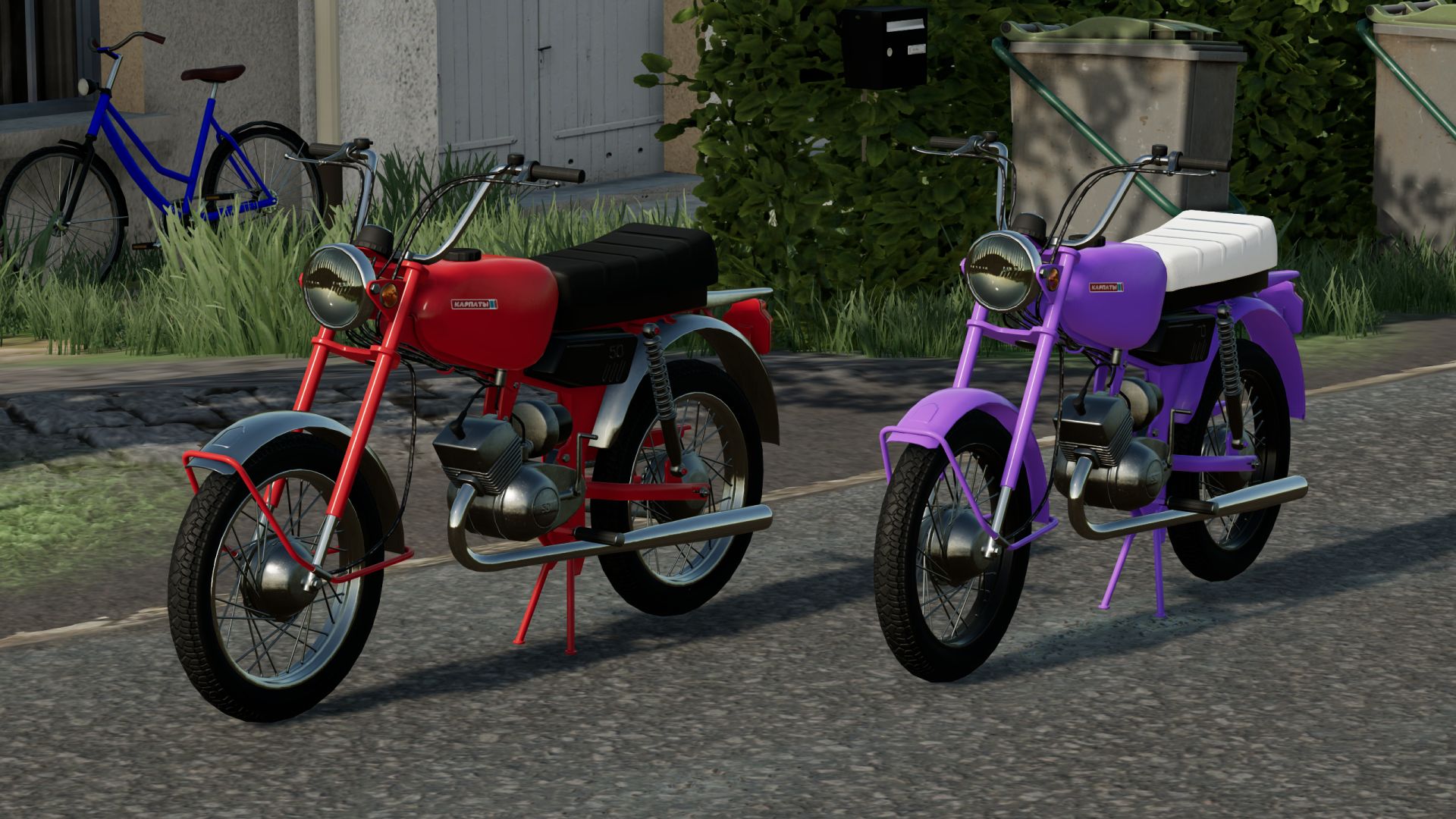
Karpaty FS22
A small bike to run errands. Maximum power – 2 hp. Maximum speed – 40 km/h. Speedometer, optional grips/fenders, color selection, chain drive, dust effect, and animations for the clutch and footrests. Washable.

First Person Player Body V1.0.8.0
First Person Player Body V1.0.8.0 First-Person Player Body adds a “full” character display in first-person mode in Farming Simulator 25. Now, when looking down, the player can see their animated body, legs and arms, while the character’s movements are correctly displayed along with the camera. The head remains behind the camera so it does not obstruct the view, but it still contributes to the formation of the shadow. The mod also improves the first-person view inside vehicles. When using the interior camera, the default seated driver model is displayed. The camera can follow the eye animation and the movements of the seated character. The mod settings include: On foot Player body visibility. Camera side-to-side movement. In vehicles Driver body visibility. Camera position — default or eye level. Camera following the driver’s animation. V1.0.8.0 Adaptation to Beam Eye Tracker can be enabled or disabled in the settings. New hand-over-hand steering setting, enabled in the settings.


Mud System Physics V1.3.6.0
Mud System Physics V1.3.6.0 Mud System Physics is an advanced physics mod for Farming Simulator 25 that completely rethinks how equipment interacts with the soil during rainy weather. What does the mod do? The mod adds a dynamic dirt system that affects: – Wheel behavior – Surface grip – Visual effects – Vehicle cross-country ability – Condition of fields and soil Every trip in the rain or on a damp field is a risk of getting stuck, and not just a pretty picture… Key features!!! “Real” mud physics Dirt is calculated from humidity in real time! Wheels can: – slip – Lose grip – Get stuck in the mud The heavier the equipment, the higher the risk of getting stuck Interaction with fields Mud behaves differently on different types of field soil, for example, plowed fields are the most viscous! Possibility of removing vegetation in deep mud (optional) Flexible settings! The mod is fully customizable through the game menu: – turn on/off the mud system – strength of the viscosity effect – influence of rain – visual effects – removal of vegetation – And much more. (there are more than 20 different knobs and switches) TIRE PUNCTURE SYSTEM AND TIRE PRESSURE AND MUCH MORE… Have a nice game! I prohibit using the mod code outside the system. As well as distribution to other sites, not via the author’s link! V1.3.6.0 Optimizations have been added. (They are not significant, but they may improve the gaming experience.) List below. The empty visual tire cache was rebuilt on every call (fixed) Unchanged tire deformation was constantly written to the shader (fixed) Removed unnecessary physical friction updates The hydraulic grid in local humidity mode was optimized and split into tasks. Temporarily removed everything related to TractorTerrainDynamics Improved compatibility with Real Physics Tire Wear


Cellar V1.0.0.3
Wine Cellar Storage This is an underground cellar storage mod for your farm. Simply place supported items—such as pallets, big bags, and bales—in front of the cellar entrance trigger, and the system automatically stores them down below with full visual representation. How it works: Storage: Drop your items at the front entrance trigger to store them underground. Accessing the cellar: Walk up to the entrance and press the key to teleport down into the basement. Unloading: Inside the cellar, interact with the storage trigger using the key to open the menu and retrieve your stored goods. Spawn location: Retrieved items will spawn back outside on the surface, marked clearly by the warning stripes area. The storage capacities have been calibrated for realistic farm management, with further fine-tuning planned for future updates. An animated mouse has found its way in; it’s down there in the depths of the cellar. V1.0.0.3 An animated mouse is scurrying around down in the basement. The ventilation system has been fixed, and collision bodies have been added to the pillars.

Fresh / Perishable products V1.1.0.0
Fresh / Perishable products V1.1.0.0 Fresh adds shelf life to your products – crops age over time and will spoil if not sold or used! Your harvested crops, processed goods, and baled forage now have realistic shelf lives – leafy vegetables spoil quickly, while grains and canned products last much longer. Leave produce sitting too long and it will expire and be lost! Customize shelf lives via the Fresh Menu. Usage Install the mod and play normally. Open Fresh Menu with Right Shift+F to view inventory, stats, and settings. Check expiry by looking at any vehicle, bale, or storage. Customize shelf lives in Settings if defaults don’t suit your playstyle. Fresh Menu (Right Shift+F) Inventory Overview: see all perishables at a glance with their oldest ages Product Details: per-storage age breakdown with freshness buckets Storage Details: per-product breakdown with age distribution and category filter Loss Statistics: track what you’ve lost and when Shelf Life: effective shelf life per storage class Settings: customize shelf lives and storage class benefits Storage Classes – Storages auto-classified: Exposed, Sheltered, Indoor, Cooled, Frozen, Disabled – Each class applies an aging speed multiplier – better storage means slower spoilage – Bales, pallets, big bags, and parked vehicles under a building roof age as Sheltered – Vehicle loads follow their cover: Sheltered while the tarp is closed, Exposed while it is open; tankers and closed hoppers age as Sheltered – Override storage class per-storage via Settings; the Loose Items setting sets the minimum class for bales and pallets outside a storage – Set per-product max benefit class to cap how much a storage class can help Visual Feedback – Age distribution bars when near placeables, vehicles, and bales (color-coded freshness) – Storage class icons in HUD, expiring soon table, and loss log – Expiry countdown on vehicles and bales – Expiring amount and time remaining per fill type on placeables and husbandries – Warning highlight when products near expiration (configurable threshold) – Notification when products expire and are removed Perishable Products – 100+ products with realistic shelf lives (perishable produce spoils in days, grains last months, canned products up to 3 years) – 130+ non-expiring products pre-configured – 4 bale types: Fresh Grass (days), Hay (18 months), Straw (24 months), Silage (12 months) – Wrapped grass bales begin aging after fermentation completes Settings & Customization – Difficulty presets (Very Easy/Easy/Normal/Hard) or Custom for individual control – Configure shelf life for any product (basegame, DLCs, maps/mods) – Enable/disable expiration globally or per-product – Configurable warning threshold (6h/12h/24h/48h/72h) – Reset all settings to defaults with one click – Optional external config file (customDefaults.xml) to add or override shelf life, storage class, and aging for any crop – including custom map/mod crops – without editing the mod (update-safe, server-side in multiplayer) – Per-savegame settings – Multiplayer: host/admin controls settings for all players Loss Tracking – All expirations recorded in loss log – Daily notifications summarizing your farm’s losses – View loss history in menu Tracking Locations – Vehicles: trailers, tankers, combine tanks, etc. – Bales and pallets: on the ground and in storage buildings – Placeables: silos, productions, husbandries, object storage How It Works – Each harvest or production run is tracked as a separate batch with its own age – Oldest items retrieved first from storage (FIFO) – Expired products automatically removed – Batch ages preserved during transfers between containers – Multiplayer support (server-authoritative) – Ages saved with your game Limitations & Known Issues – No loose item tracking (loose grass, grains, etc. on the ground) – Silo extensions are tracked separately rather than as a shared pool Fresh: Because hoarding should have consequences. V1.1.0.0 Fresh now checks for roofs too. Bales, pallets, and big bags set down under a shed, carport, or barn roof age as Sheltered, and so do trailers parked under one. A covered trailer load ages as Sheltered while its tarp is closed. Expiry times in the menus and info boxes now follow the batch that runs out first and respect your aging settings. Changes: – Added roof detection for loose bales, pallets and big bags – one set down under a shed, carport or barn roof now ages as Sheltered instead of Exposed – Added covered vehicle loads – a compartment with a load heap ages as Sheltered while the tarp or cover over it is closed and Exposed while it is open, including compartments that share one tarp with the covered ones – Added roof detection for parked vehicles – a trailer parked under a shed roof, with nobody in it or its tractor, ages as Sheltered – Changed the Loose Items storage setting to a minimum class – a bale or pallet under a roof stays Sheltered even when the setting is Exposed – Removed the admin console commands that edit stock, ages, expiry and storage classes from release builds – set storage classes in the Fresh settings menu instead – Fixed pallets and big bags on multiplayer clients showing a storage class that ignored the Loose Items setting (aging on the server was already correct) – Fixed tankers, sprayers, and closed hoppers aging as Exposed – a load with no open heap now ages as Sheltered – Fixed the Overview’s Next Expiry showing the oldest batch’s time when a newer batch in faster-spoiling storage runs out first – Fixed the Product Details and Storage Details tabs showing a vehicle’s oldest batch time instead of the batch that runs out first – Fixed expiry times ignoring the Storage aging setting when it is off, and the Expires in lines and age bars still showing when expiration is off – Updated the storage classes guide and FAQ to explain which buildings count as a roof
- 15 per page
- 30 per page
- 45 per page
- 60 per page
-
See more per page
Bigger pages, fewer clicks - and no ads anywhere.
Go Pro