Farming Simulator 22 mods
50,377 results- 15 per page
- 30 per page
- 45 per page
- 60 per page
-
See more per page
Bigger pages, fewer clicks - and no ads anywhere.
Go Pro
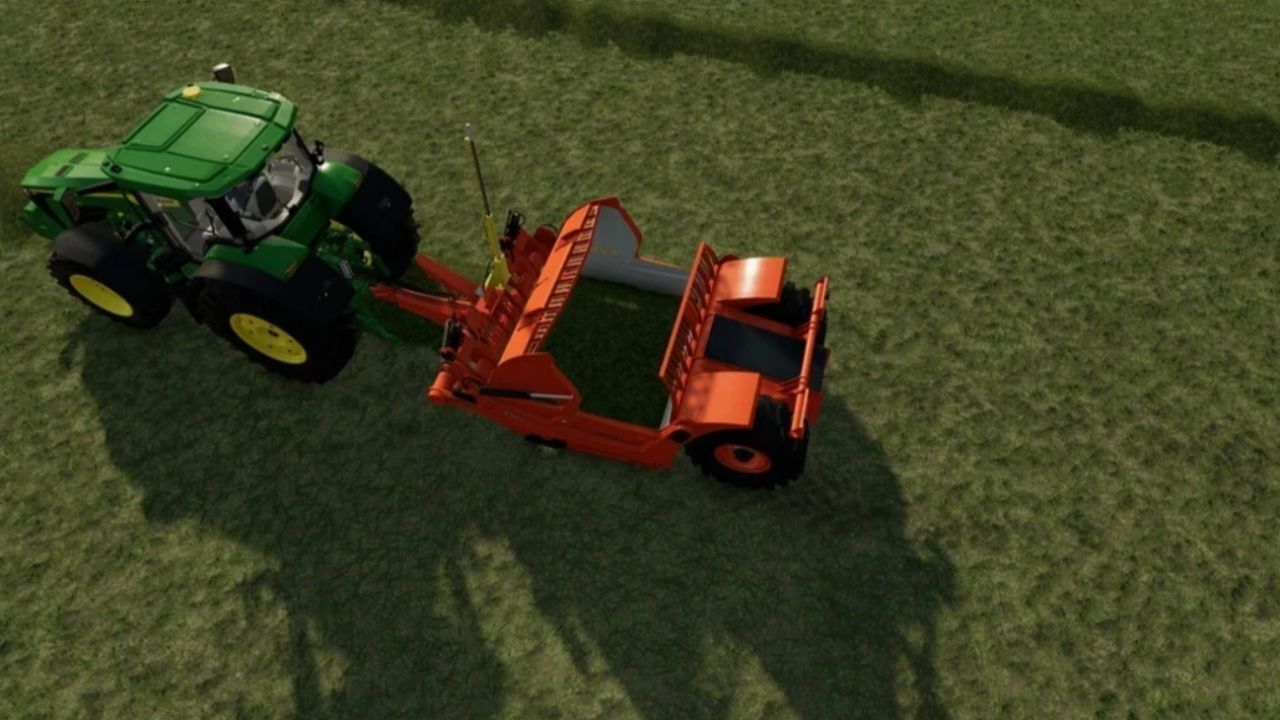
MS25 LIZARD TH51 V1.0.0.0
MS25 LIZARD TH51 V1.0.0.0 Brand: LIZARD; Category: Leveler; Price: 20 000 $; Weight: 8 700 kg; Capacity: 10 000 l; Fill types: Bulk goods, Windrows; Functions: Trailla; Designed for use with: Weights.

Zetor 5611 V1.0
56hp Configuration: fenders.. 10 000 Credits: Lukas161 mulinak 5/5 - (1 vote) Download mod File File size FS22_Zetor5611_45_by_Lukas161_mulinak 116 MB

MTZ 80-82 V1.0.0.1
MTZ 80-82 PAK-new turbine sound for d-245 engines. New wheels, stickers, tuning. Choice of 4 engines; The choice of tires is huge; Selection of the main color, design, radiator grill, cylinder, harvester, dump, weighting, cargo, hatch, cabin; Choice of decals, additional light, fenders, flaps, numbers, cargo, mudguards, heaters, dump, window protection, flags, additional barrels, front hitch; Other configurations; Interactive works. Added mount for Mplift coon Changelog: + V1.0.0.1 I replaced the attachment links; completely different ones are used there now. Credits: dangermaksyha 4/5 - (4 votes) Download mod File File size FS22_MTZ80_82UAby_ak 434 MB
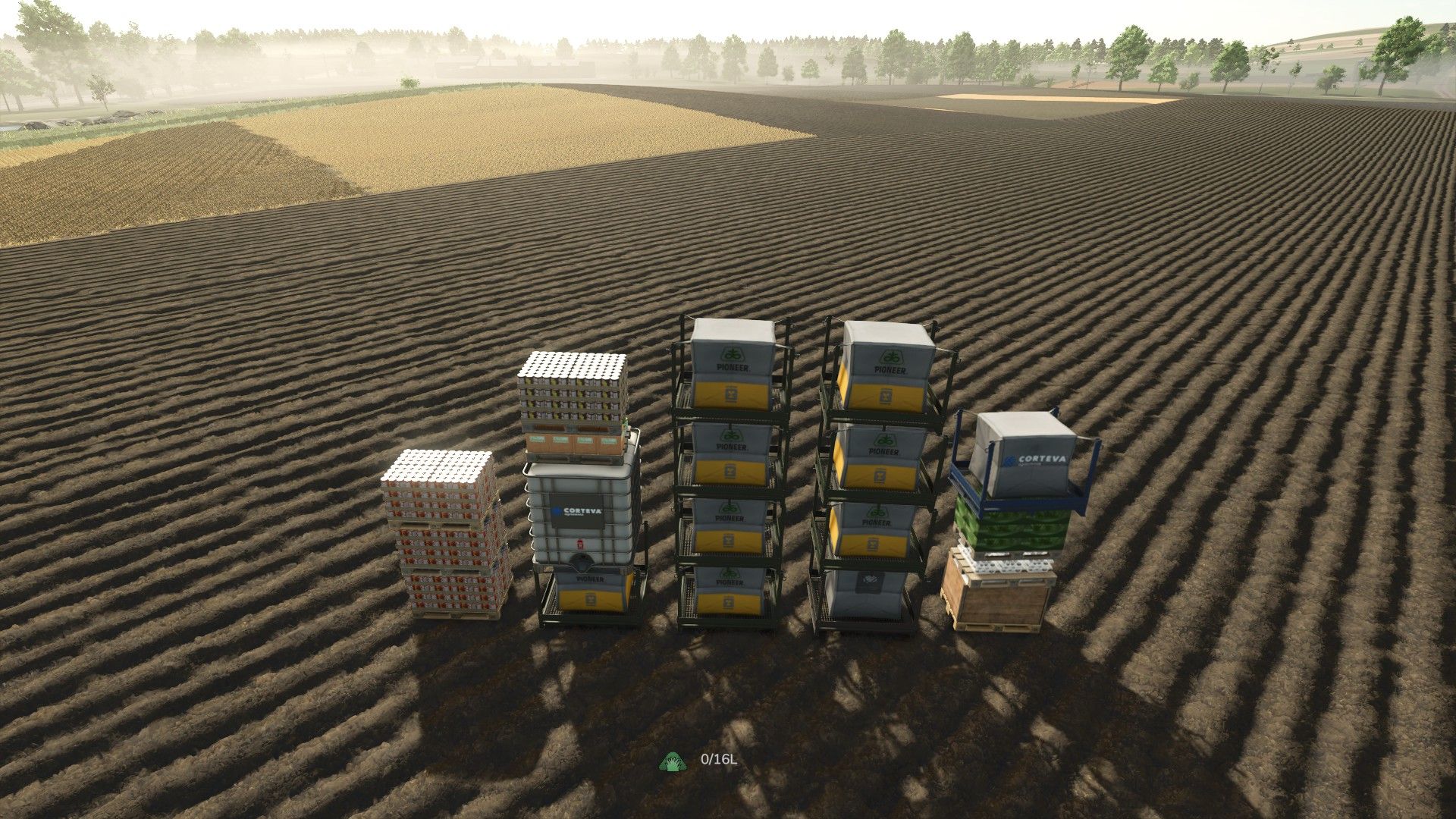
Pallet Teleporter V1.0.0.0
Pallet Teleporter V1.0.0.0 Pallets have a habit of ending up everywhere. A few at the greenhouse, a stack behind the sawmill, some at a production point you visited once, and a handful still sitting where you unloaded them three fields away. Collecting them means a long trip with a trailer and a lot of reversing. Pallet Teleporter replaces that trip with one keypress. Hit Alt + G and every loose pallet in the world is teleported in front of you and arranged into a neat grid of stacks, facing the same way you are – ready to load or sell in a single run. It is a small, self-contained script mod. No store items, no map changes, no new gameplay systems: it simply moves pallets you already own. HOW TO USE Stand, or sit in a vehicle, where you want the pallets to end up. Press Alt + G. The pallets appear a few metres ahead of you, neatly stacked and aligned with your view direction. A notification tells you how many pallets were moved and how many were skipped. Repeat any time – newly produced pallets are picked up on the next press. FEATURES – Collects every pallet on the map at once: production pallets, big bags, tree sapling pallets and pallets added by other mods. – Stacks them automatically – 4 pallets per stack, 5 stacks per row by default, both adjustable. – Same pallet types are grouped together, so stacks come out uniform instead of mixed. – The grid is centred on your view direction and always lands in front of you. – Works on foot and from the driver’s seat. In a vehicle, the pallets are placed clear of the vehicle rather than inside it. – Spacing is derived from the real dimensions of each pallet, so different pallet types never clip into each other. – Pallets standing on a trailer are unmounted and teleported as well; this can be turned off if you would rather leave loaded trailers alone. – Pallets currently held on forks or in a grab are left untouched, so nothing you are carrying gets ripped out of the machine. – Pallets are moved with the game’s own positioning routine and taken out of physics for the move, so they land settled instead of shooting across the yard. – Also available as a console command: ptTeleportPallets CONFIGURATION Open scripts/PalletTeleporter.lua in any text editor – the settings block sits at the very top of the file: – palletsPerStack – how many pallets go into one stack (default 4) – gridColumns – how many stacks per row (default 5) – spawnDistance – how far in front of you the grid starts (default 6 m) – gridMargin – extra clearance between stacks – stackGap – vertical clearance between pallets in a stack – unmountMounted – whether pallets on trailers get unmounted and teleported – debug – verbose logging to log.txt CHANGING THE KEYBIND In game: Options > Controls, look for “Teleport & stack pallets” and assign whatever suits you. The default is Alt + G. INSTALLATION Drop the ZIP into: Documents/My Games/FarmingSimulator2025/mods/ then enable the mod in the mod list. REQUIREMENTS AND LIMITATIONS – Farming Simulator 25, PC only – this is a script mod. – SINGLEPLAYER ONLY. Multiplayer is disabled on purpose: moving other players’ objects safely needs network synchronisation this mod does not implement. – No store items, no map edits, no savegame changes. – Pallets held on forks or in a grab are skipped by design. NOTES This is a convenience mod: it only relocates pallets that already exist in your world. It does not create, duplicate or delete anything. If something misbehaves, set debug = true in the script and send me the “” lines from Documents/My Games/FarmingSimulator2025/log.txt.
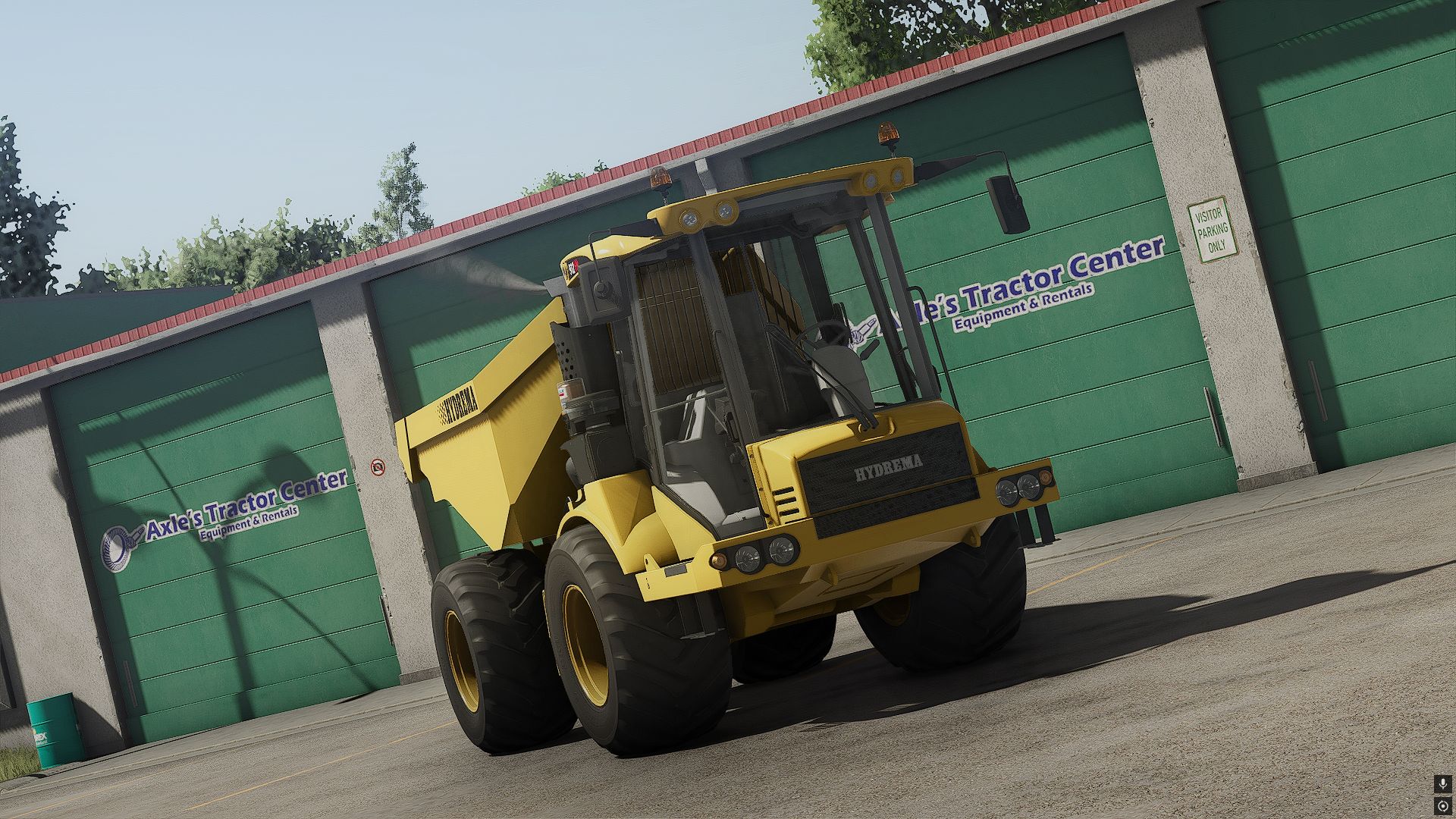
Hydrema 912 (yellow edition) V1.0.0.0
Hydrema 912 (yellow edition) V1.0.0.0 Hydrema 912 ( Yellow ) Rim Config Added Beacons Slightly Increased the emptySpeed Hydrema 912 orignally from JLMTP huge thank you to them for letting me release the yellow version of it.
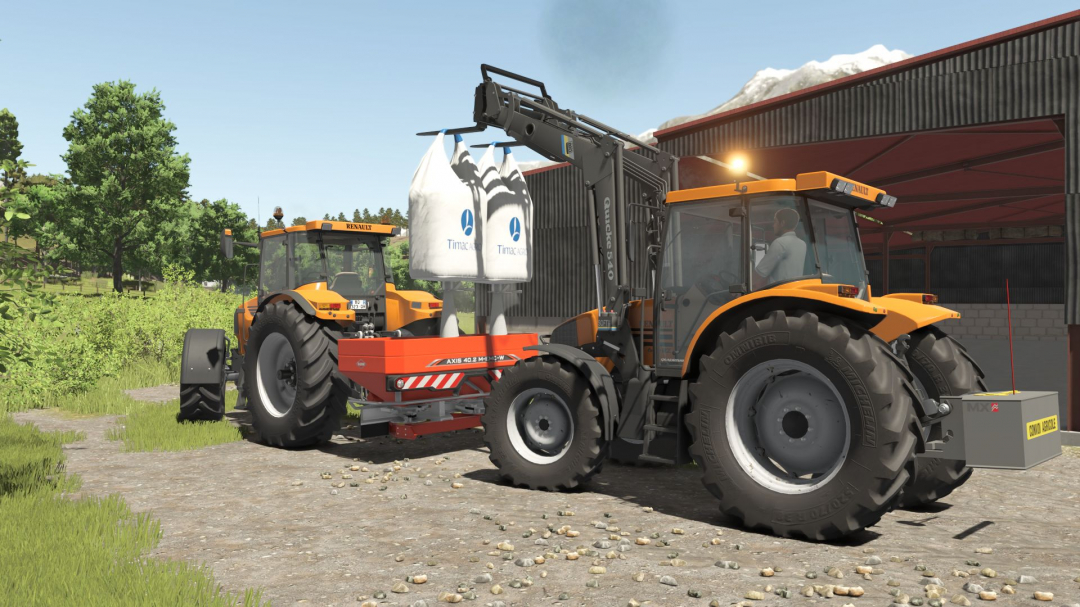
Quicke Alo 540/620/640 V1.0
Today I present this Quicke Alo 540/620/640 front loader. This loader is versatile and perfect for various tasks; it can handle bales, pallets, big bags, and more. It’s also useful for cleaning out livestock buildings, transporting grain, and other jobs. **Price from:** $5,000 **Required power:** 60 hp When configuring, you can choose between the different models (540, 620, 640) and add some stickers for a personalized touch. This mod is free of errors. If you encounter any issues, please let me know in a comment so I can update it.
LIZARD AUTOWRAP Pack V1.0
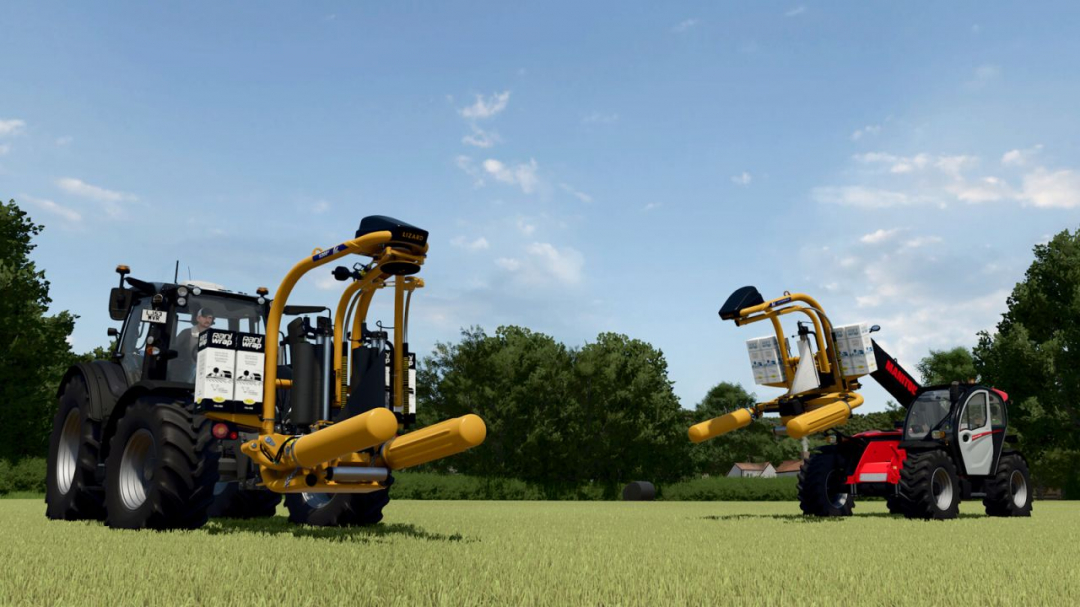
The LIZARD AUTOWRAP Pack includes two bale wrappers with options for single and twin-wrapping arms for round bales. With the S100 A and S200-V from Lizard’s S-Series, the Irish manufacturer offers some of the most versatile wrapping systems on the market. In a single operation, bales can be wrapped, transported, and stacked—eliminating the need for separate handling equipment. Enhanced by patented technologies such as variable hydraulic speed control and a telescopic cut-and-start system, this range represents Lizard’s most advanced three-point wrappers. The S100 A is the smallest model in the series, equipped with a single wrapping arm, making it ideal for small farms. The S200-V halves wrapping time thanks to its twin wrapping arms; with an empty weight starting at 720 kg and variable hydraulic speed control, it is one of the manufacturer’s most popular wrappers. Both models can be ordered with various mounting options for flexible use on tractors, front loaders, or telehandlers. An optional bale tipper allows precise placement and stacking of wrapped bales. Folding rollers ensure safe bale placement at any working height, and the film roll holder provides space for up to four spare rolls directly on the machine. Includes: - Lizard S100 AutoWrap - Lizard S200 VariWrap Lizard S100 AutoWrap: - Category: Wrapper - Price: $24,400 - Required power: 50 hp - Bale diameter: 1.25 m / 1.50 m - Weight: 720 kg Lizard S200 VariWrap: - Category: Wrapper - Price: $29,400 - Required power: 50 hp - Bale diameter: 1.25 m / 1.50 m - Weight: 985 kg Configurations: - Attachment (3-point, front loader, telehandler) - Light bar (Yes/No) - Support roller - Film color (White, Black, Green, Nature green)
Vehicle Pack V1.0
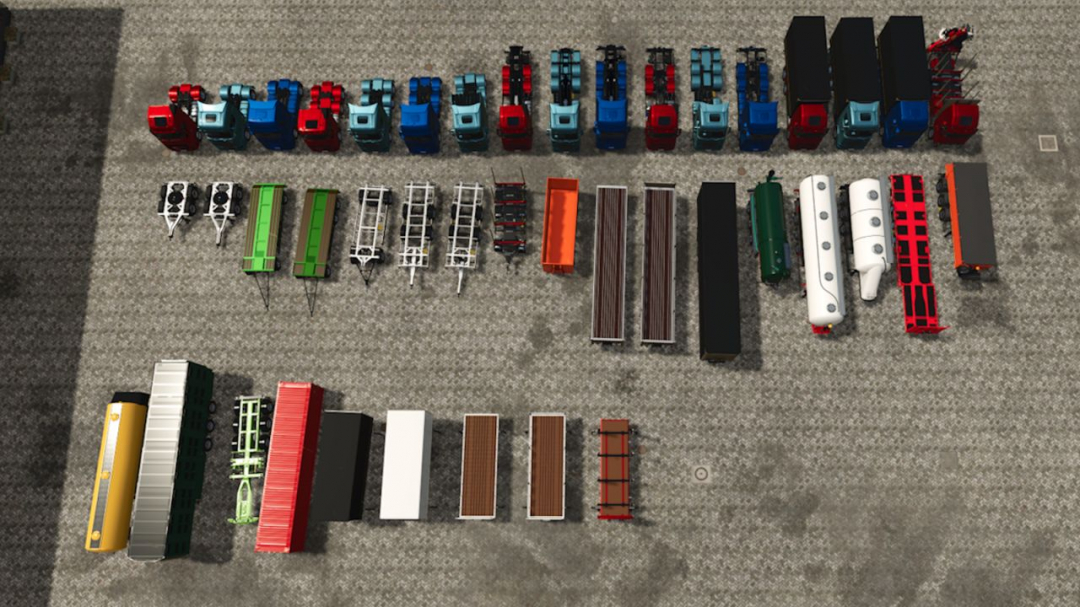
Included are: - Volvo FH16 in 4×2 and 6×4 configurations, as well as HKL, box, swap body, and Riedler vehicles - Scania S in 4×2, 6×4, and 8×4 configurations, plus HKL, box, and swap body vehicles - MAN TGX 2020 in 4×2 and 6×4 configurations, along with HKL, box, and swap body vehicles The package also features: - 11 semi-trailers for bulk goods, liquids, pallets, timber, and animal transport, including low loaders - 2 container trailers with matching containers - 2 different dolly systems for trucks and tractors - 5 swap bodies This collection expands your fleet with numerous realistic and versatile vehicle variants suitable for a wide range of transport tasks. All vehicles offer extensive customization options, including various attachments and lighting setups. Custom decals can be added via the "ChangeDecals" folder. Common features: - Integrated Mercedes-Benz DLC camera (when DLC is enabled) - Built-in RealGPS - Interactive Control (IC) - Mouse control Note: You can access basic game information through Settings ? Help. Use the arrows next to Base Game to browse through and find additional details.
Tactical Armored Vehicle / MRAP V1.0
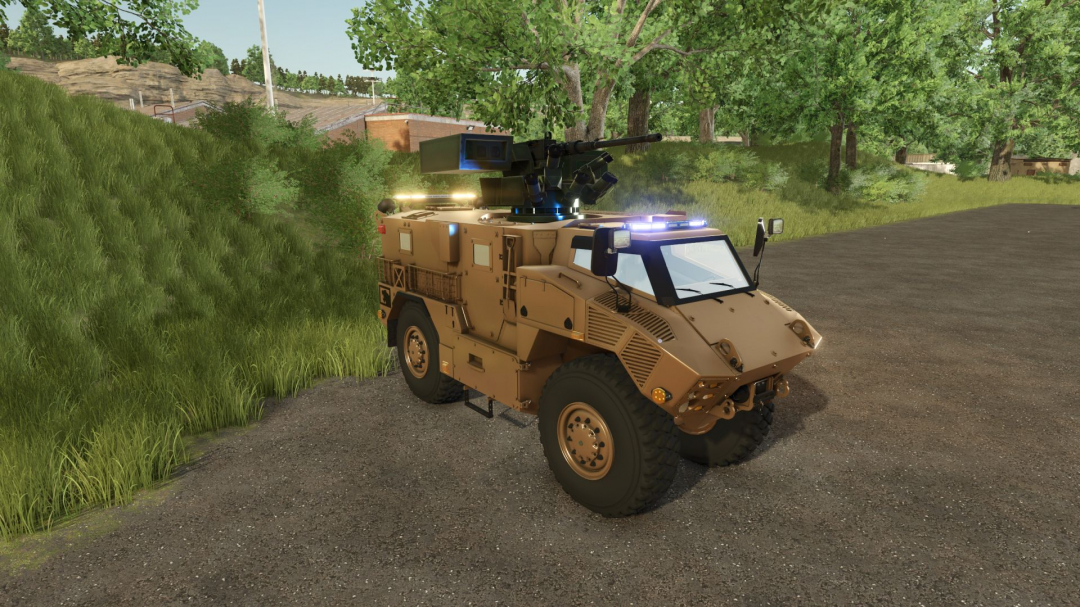
Tactical Armored Vehicle / MRAP (3D Modding View): Technical and Operational Analysis **Technical Characteristics** - V-Hull Armored Chassis: Built on a heavy tactical MRAP (Mine-Resistant Ambush Protected) platform featuring a distinctive V-shaped hull designed to deflect blast energy away from the crew compartment. - All-Terrain Drivetrain: Equipped with heavy-duty multi-axle suspension, high ground clearance, and large off-road tactical tires engineered for extreme terrain traversal. - Modular Armored Body: Features an enclosed armored personnel compartment with reinforced doors, heavy latches, and side storage or tactical equipment racks. - Weapon Station and Gizmo Elements: Fitted with a roof-mounted weapon station (including a machine gun) alongside visible 3D modeling alignment wireframes and bounding boxes indicating active development or asset configuration. **Utility** - Troop Transport and Convoy Protection: Designed to securely transport personnel through hostile or mined zones while offering high ballistic and blast protection. - Patrol and Reconnaissance: Acts as a heavily protected scout or patrol vehicle capable of operating independently in austere environments. - Custom Mod Asset Development: Serves as a 3D asset model within a development environment, tailored for integration into tactical simulations or vehicle modification projects. **Importance** - Modern Survivability Standard: Represents the evolution of modern military transport philosophy, prioritizing crew protection against improvised explosive devices (IEDs) and mines over traditional thin-skinned utility designs. - Simulation Asset Creation: Highlights the technical pipeline of importing, rigging, and configuring high-fidelity military hardware models for interactive simulation platforms. **Objective** - Ensure Crew Survivability and Mobility: Its primary mission is to provide safe, protected movement for personnel across hazardous operational theaters while maintaining high cross-country mobility.
Home made weight V1.0.0.0
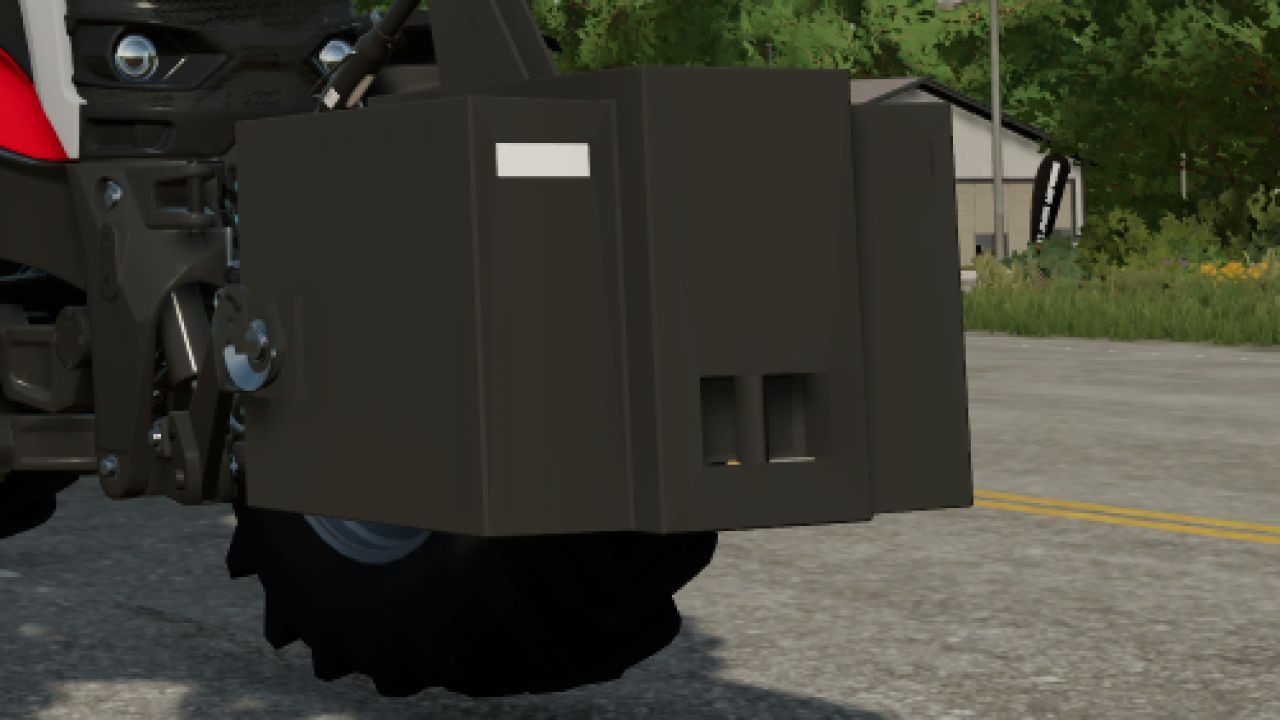
Home made weight V1.0.0.0 Homemade tractor weight, the weight is meant for pressing silage or for heavy load at the back. The weight is 2000 kg,concrete and covered in metal. Price is 1000€
Autodrive Myropillya V1.0.0.1
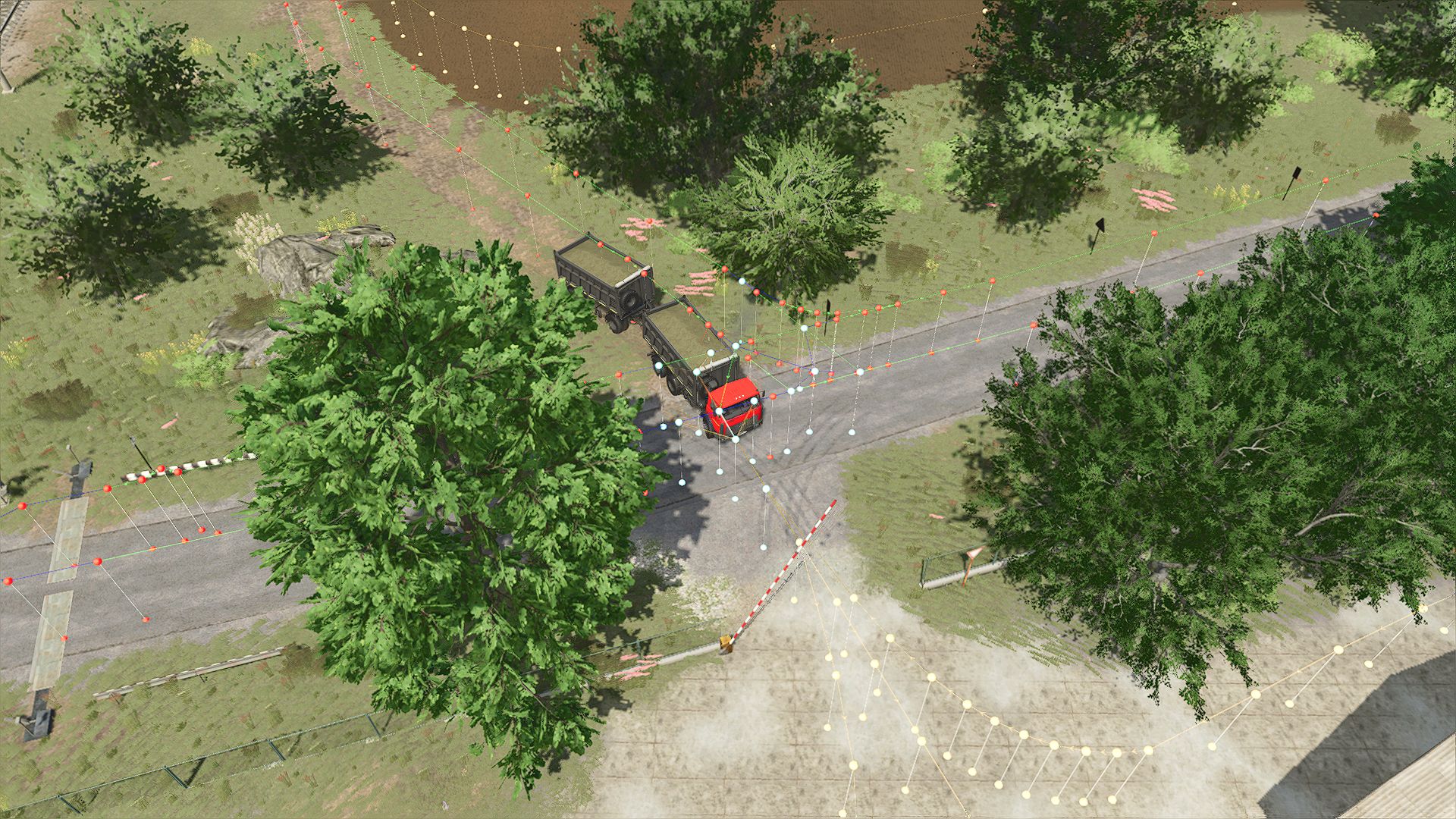
Autodrive Myropillya V1.0.0.1 Everything available on the map has been connected: sales points, purchase points, fields, gardens, houses, farms, productions and parking lots. V1.0.0.1 Minor fixes. Required mods: Myropillya Autodrive
Blackstack’s Exhaust Extension V2.0.0.0
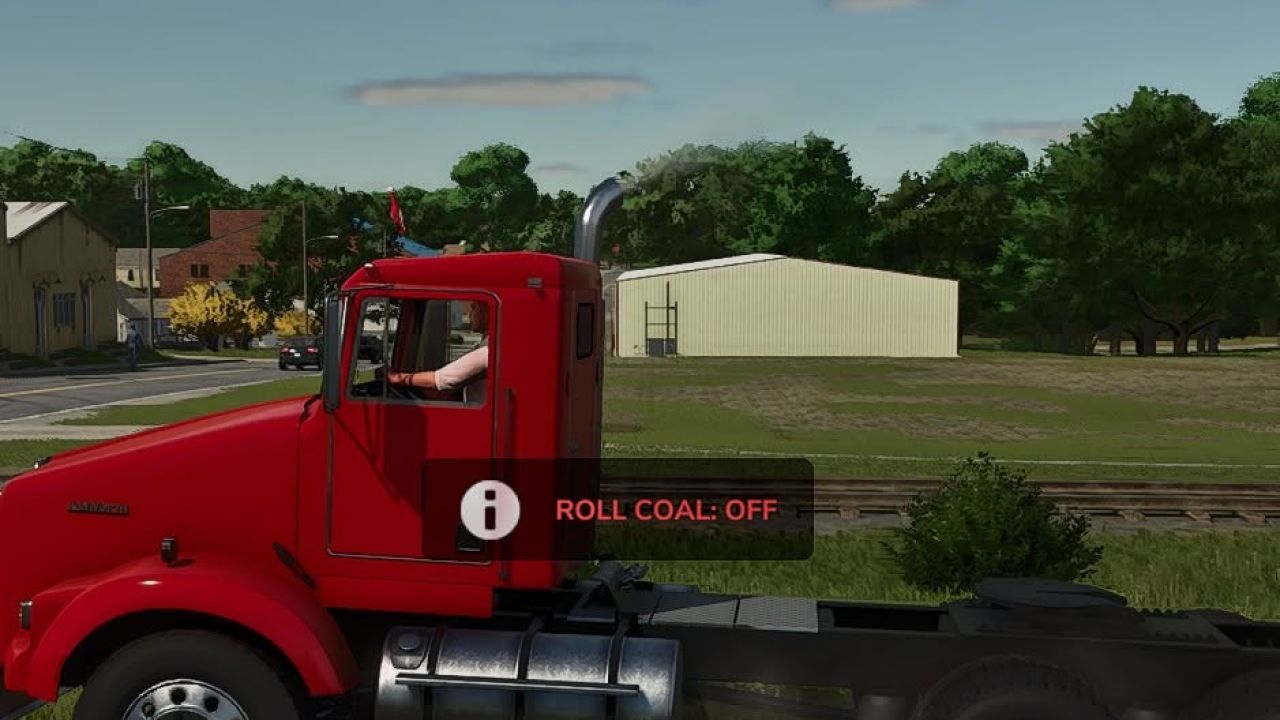
Blackstack’s Exhaust Extension V2.0.0.0 Blackstack’s Exhaust Extension v2 Built for diesel lovers who want to roll coal. This mod enables thick black exhaust smoke on any vehicle that has properly configured exhaust nodes The exhaust extension can now be toggled individually for each vehicle. This allows you to disable it on gas vehicles while keeping it active on your diesel trucks and equipment. Press C on the keyboard Each vehicle’s setting is saved and remembered, so you only have to configure it once. Designed to enhance diesel builds, performance trucks, and coal-rolling setups, this extension pushes heavier smoke output for a more aggressive and realistic diesel feel. Works with any compatible vehicle Increased black exhaust smoke Perfect for diesel performance builds Plug-and-play script extension v2.0.0.0 Added a per-vehicle ON/OFF toggle Added saved settings for every vehicle Added automatic weight-based smoke balancing Increased smoke density and particle output Added multiplayer synchronization Added keyboard and controller controls Improved compatibility and vehicle-loading stability Fixed exhaust values stacking incorrectly Turning the extension off now restores the vehicle’s original exhaust settings If the vehicle has working exhaust nodes, it’ll roll coal. Changing Your Keybinds Don’t like the default controls? You can change them directly in-game. Go to: ESC → Settings → Controls Find the Blackstack Exhaust Extension controls, select the Exhaust action, and assign whatever keyboard key or controller button you want. Keybinds can be changed at any time without editing the mod files.
Finance Your Fleet V1.0.0.1
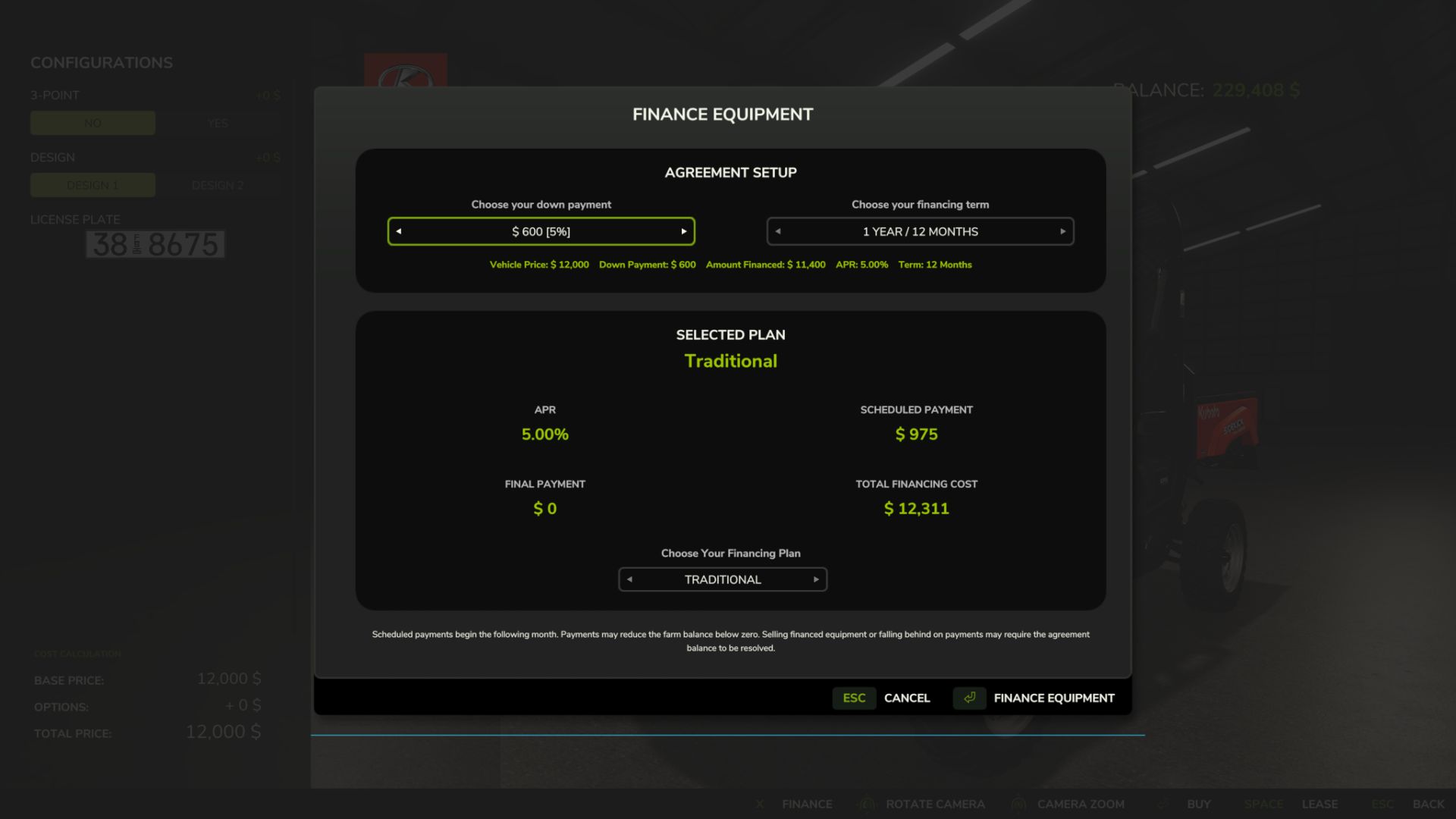
Finance Your Fleet V1.0.0.1 V1.0.0.1 Improved finance agreement save reliability. Finance data now updates immediately when agreements or payments change. Improved compatibility with large/mod-heavy setups that alter the normal save process. Added a fixed durable finance save location so renamed mod ZIPs don’t break agreement persistence. Improved preservation of payment progress and completed agreements across save/reload. No gameplay balance, finance calculations, or UI changes were made in this update. Finance Your Fleet: Equipment Financing System Finance Your Fleet adds a complete equipment financing system to Farming Simulator 25, giving players another way to purchase vehicles and equipment without paying the full price up front. Instead of buying every machine outright, Finance Your Fleet allows you to choose a down payment, select a financing term, manage monthly payments, pay off agreements early, and deal with late-payment consequences if your farm falls behind. Whether you’re starting a new farm, expanding an existing operation, or simply want a more realistic financial challenge, Finance Your Fleet adds another layer of planning and risk to equipment ownership. Important — Financing Mod Conflicts Finance Your Fleet should not be used alongside other vehicle financing systems. If another financing system is detected, Finance Your Fleet will automatically become dormant for that game session and display a warning. This helps prevent duplicate payments, conflicting agreements, and possible savegame issues. To use Finance Your Fleet, disable the other financing mod and reload your savegame. Choose How You Finance When purchasing eligible equipment, Finance Your Fleet allows you to configure the agreement before completing the purchase. Available down payments include: 5%, 10%, 20%, 30%, 40%, or 50% Your selected down payment affects the interest rate applied to the agreement. Larger deposits reduce the amount financed and provide lower interest rates. Financing terms are available from 1 to 10 years, using 12-month increments. You can also choose between several financing structures depending on how you want to balance monthly payments and the amount remaining at the end of the agreement. Traditional Higher monthly payments with no large final payment. Balanced Reduces monthly costs while leaving a manageable final payment. Reduced Monthly Further lowers regular payments in exchange for a larger final payment. Minimum Monthly Provides the lowest monthly payment while leaving the largest final payment at the end of the agreement. Finance Management Once equipment has been financed, agreements can be managed directly through the Finance Your Fleet menu. Each agreement displays important information including: Financed balance Scheduled payment Payments remaining Interest rate Final payment Agreement status Early payoff amount Finance information is also displayed directly in the vehicle information panel while viewing financed equipment. Manual Payments Finance Your Fleet allows you to make your next scheduled payment early. Making a manual payment advances the agreement by one payment and updates the remaining balance and payment count. Manual payments require enough available farm funds to cover the amount due. Early Payoff Financed equipment can be paid off before the end of the agreement. Before completing an early payoff, Finance Your Fleet displays the total amount required to settle the agreement. Once the payoff is completed, the finance agreement is removed and the equipment remains fully owned by the farm. Final Payments Depending on the financing plan selected, an agreement may include a final payment. Agreements with no final payment complete automatically after the last scheduled installment. Agreements with a remaining final payment stay active until that amount is paid. Late Payments Scheduled payments continue to process even when the farm does not have enough money available. If a scheduled payment leaves the farm with a negative balance, the agreement becomes delinquent. Consecutive late payments increase the next scheduled payment: 1st consecutive late payment — 5% surcharge 2nd consecutive late payment — 10% surcharge 3rd and later consecutive late payments — 15% maximum surcharge The surcharge is capped at 15%. If the farm returns to a positive balance after a scheduled payment, the late-payment streak is cleared and the agreement returns to normal status. Recovery & Repossession If an agreement reaches six consecutive late payment cycles, it enters Recovery. During recovery: Regular scheduled payments are paused. The agreement status changes to: RECOVERY – PAY OFF The farm is then given a one-month grace period to pay off the remaining agreement balance. If the agreement is not settled before the recovery period expires, the financed equipment is repossessed and removed from the farm. The equipment’s forced-sale value is applied against the remaining finance obligation, including any resulting surplus or shortfall. Savegame Persistence Finance Your Fleet agreements are saved and restored with the game. Agreement information such as payment progress, remaining balance, late-payment status, recovery state, final-payment information, and vehicle association is preserved across save and reload cycles. Additional persistence protection is included to help recover finance information if the normal finance save data becomes unavailable. Legacy Finance Data Import Finance Your Fleet can detect compatible finance data from a previously used financing system and offer a one-time import. When compatible legacy finance data is detected, the player can choose whether to import the existing agreements. Imported information may include: Vehicle association Remaining balance Payment progress Financing term Interest information Final payment Late-payment status Recovery status The original legacy finance data is treated as read-only during the import process. After a successful import, Finance Your Fleet uses its own finance agreement system going forward. Financing Mod Conflict Protection Finance Your Fleet includes built-in protection against running alongside other vehicle financing systems. If another financing system is detected, Finance Your Fleet automatically becomes dormant for that game session and displays a warning. This helps prevent duplicate payments, conflicting agreements, and possible savegame problems. To continue using Finance Your Fleet, disable the other financing system and reload the savegame. Current Features Equipment financing during vehicle purchase 5%–50% down-payment options Deposit-based interest rates 1–10 year financing terms Multiple financing structures Scheduled monthly payments Manual early installment payments Early payoff system Final-payment financing Finance management menu Vehicle information finance display Consecutive late-payment tracking 5% / 10% / 15% late-payment surcharge system Recovery grace period Equipment repossession Forced-sale balance settlement Savegame persistence Finance-data recovery protection Compatible legacy finance-data import Financing mod conflict protection Testing Finance Your Fleet has undergone extensive single-player testing, including: Normal financing Manual payments Insufficient-funds handling Multiple financed vehicles Late-payment escalation Late-payment reset Save/reload during delinquency Recovery-state persistence Early payoff Final-payment completion Mass repossession Missing vehicle handling Finance-save recovery Creating new agreements after previous agreements have been completed or repossessed The current build has also passed the GIANTS Farming Simulator 25 TestRunner checks used during development. Multiplayer and dedicated-server behavior are not currently part of the actively tested release scope. Installation Place the downloaded ZIP file directly into: Documents/My Games/FarmingSimulator2025/mods Do not extract the ZIP file. Enable Finance Your Fleet: Equipment Financing System when loading your savegame. If compatible legacy finance data is detected, follow the in-game prompt if you wish to import it. Important Always keep backups of important Farming Simulator savegames when testing new script mods. Finance Your Fleet changes how financed equipment, payments, delinquency, recovery, and repossession are handled. Players using large mod collections should keep regular savegame backups, especially when testing new versions. Finance Your Fleet: Equipment Financing System Developed and maintained by JerseyShoreModding Finance Your Fleet includes the changes, improvements, redesigned systems, additional features, user interface, persistence handling, migration tools, and gameplay mechanics developed for this version. Short Tagline Finance your equipment, manage monthly payments, survive late fees, and avoid repossession in this complete Farming Simulator 25 equipment financing system.
Ursus 6cyl Pack Mokrzyn V2.0.0.1
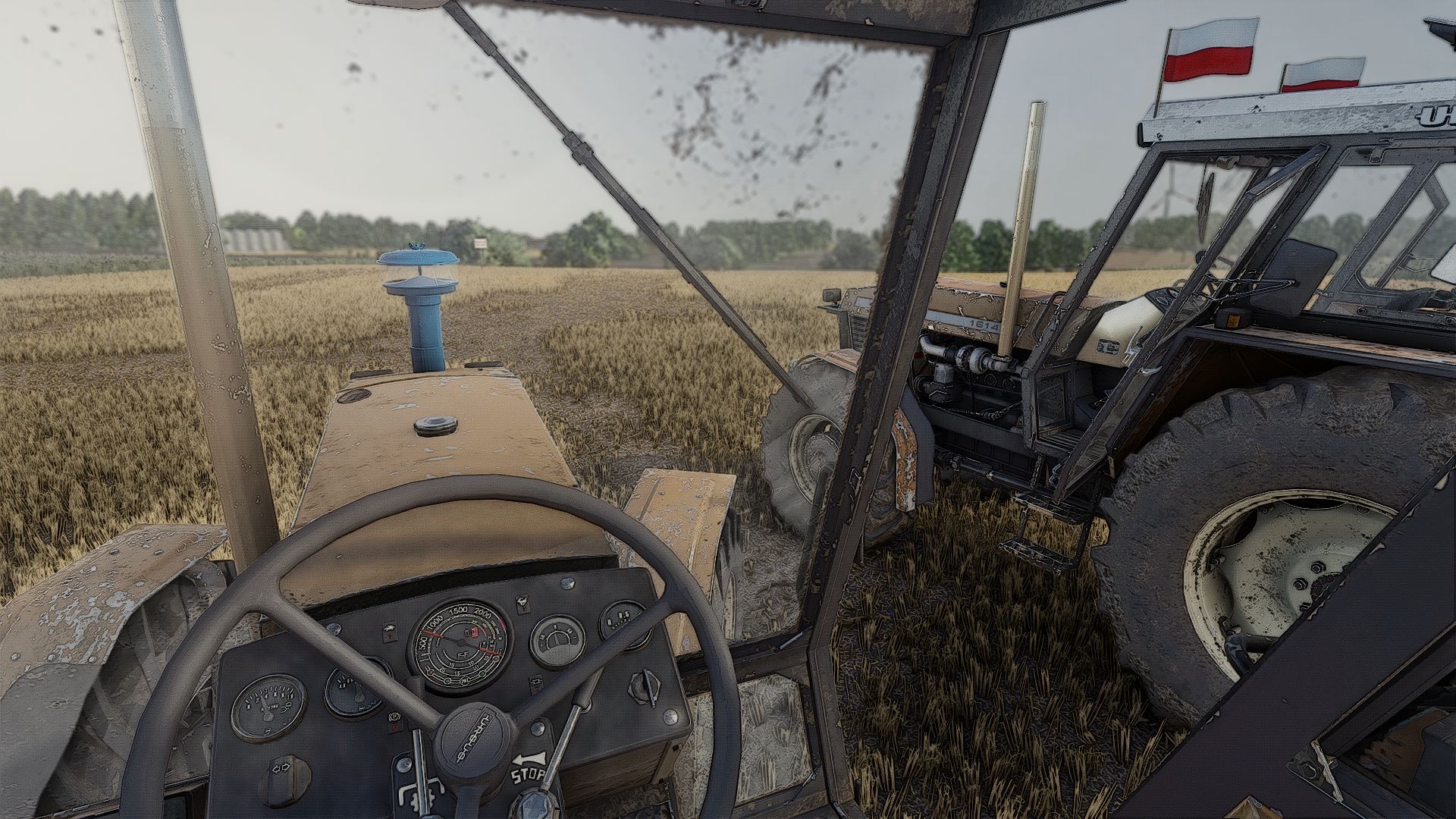
Ursus 6cyl Pack Mokrzyn V2.0.0.1 V2.0.0.1 added a new, improved turbo blow-off sound fixed the type 3 hitch on the 1224 and 1614 I ASSURE YOU THAT THE LOG IS CLEAN; if it is not, the fault lies with your mods models-1201 1204 1214 1222 1224 1604 1614 fs22-kasztan18m fs25-Derbii URSUS 6-cylinder pack Mokrzyn Addons consists of 6-cylinder tractors that work 100% correctly and have a clean log with 0 errors and 0 warnings why Mokrzyn Addons and not Mokrzyn? Because I decided to leave this 10-year-old Mokrzyn model from FS15 and added the characteristic visual features of Mokrzyn tractors to the 6-cylinder Ursus tractors repaired by me (the only clean and working ones in FS25) I added, for example: Mokrzyn lights Mokrzyn filter Mokrzyn weight Configurations: Mokrzyn lights Mokrzyn filter Mokrzyn weight airhorn flashled sticker Tires Transmission Decals Front weight Wheel weight Rear fenders Front fenders Mud guards Cab Front lights Grille Rear hitch Exhaust Steering wheel Hood Front-loader console Animations: IC/MC Color configurations: Engine Hood Fenders Cab Grille Rims Front weight Wheel weights Roof V2.0.0.0 added new filters ADDED THE WHISTLE OF A SPOOLING TURBOCHARGER TO THE TURBOCHARGED VERSIONS 1224, 1614, 1604 removed the nonsensical turbo sound from models without a turbocharger fixed the horns fixed Michelin Man added a turbocharger to the 1224 added a new roof Required mods: Interactive Control
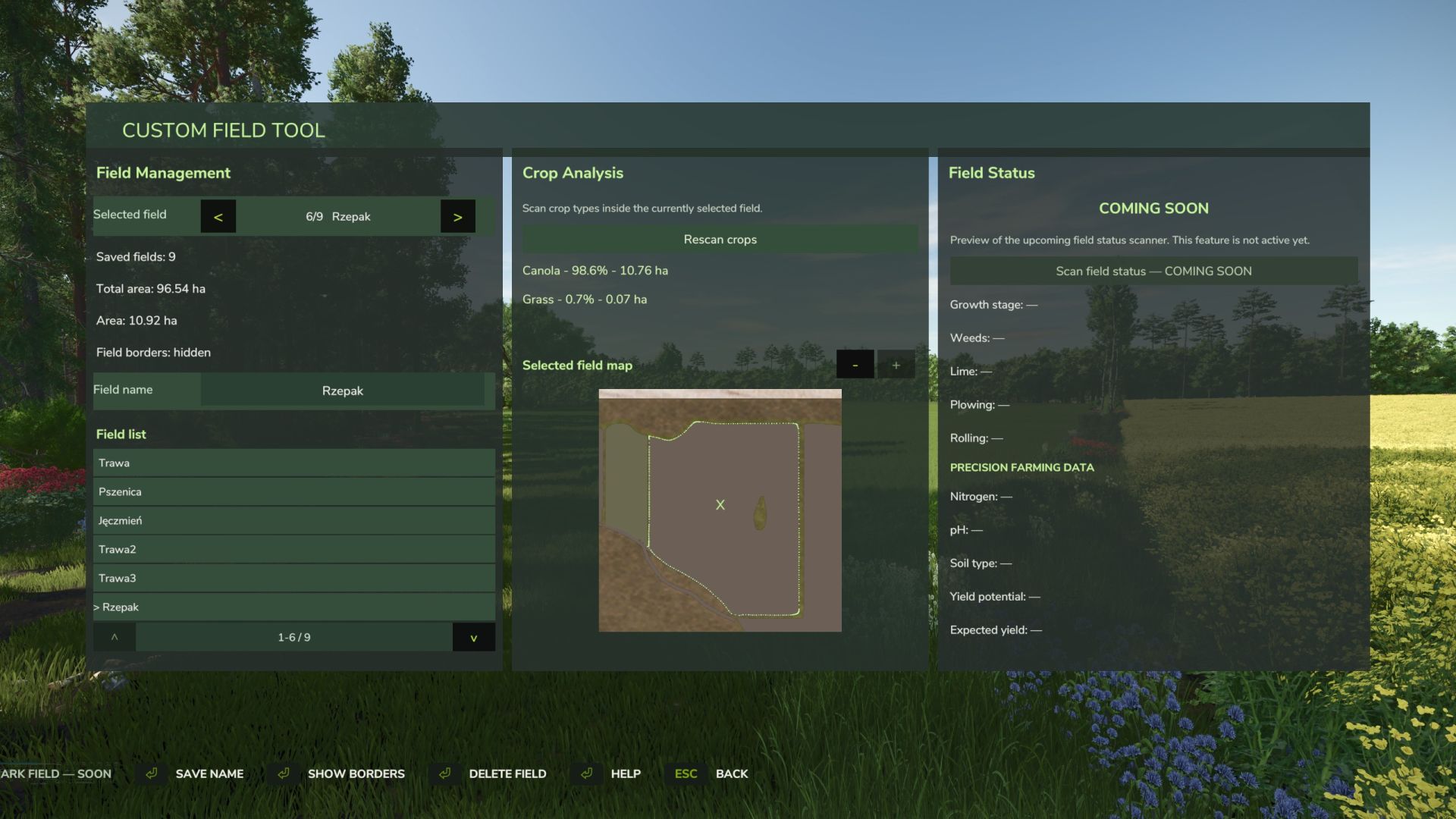
Custom Field Tool V1.2.7.0
Custom Field Tool V1.2.7.0 Custom Field Tool allows you to create, measure and manage your own custom fields anywhere on the map — including areas that are not recognized as standard in-game fields. Walk around the field boundary and place points to create an accurate outline. The mod calculates the field area, saves it to your savegame and lets you manage all created fields directly from the tablet interface. Main features: Create and save custom field boundaries Accurate field area measurement in hectares Add and undo boundary points while drawing Field point counter Name and manage saved fields Show or hide field borders Delete saved fields Dedicated field map with zoom Crop Analysis system — scan the selected field to detect crop types, coverage and occupied area Graphical Help system Support for English, Polish, German and French Rebindable controls Multiplayer support Automatic savegame integration The mod is under active development. More field analysis and Field Status features are planned for future updates. Custom Field Tool by Mosit V1.2.7.0 Added French language support. Added a new field scanning system that analyzes the currently selected outlined field and displays crop information such as crop type, coverage, and area.
- 15 per page
- 30 per page
- 45 per page
- 60 per page
-
See more per page
Bigger pages, fewer clicks - and no ads anywhere.
Go Pro