Farming Simulator 22 mods
50,366 results- 15 per page
- 30 per page
- 45 per page
- 60 per page
-
See more per page
Bigger pages, fewer clicks - and no ads anywhere.
Go Pro
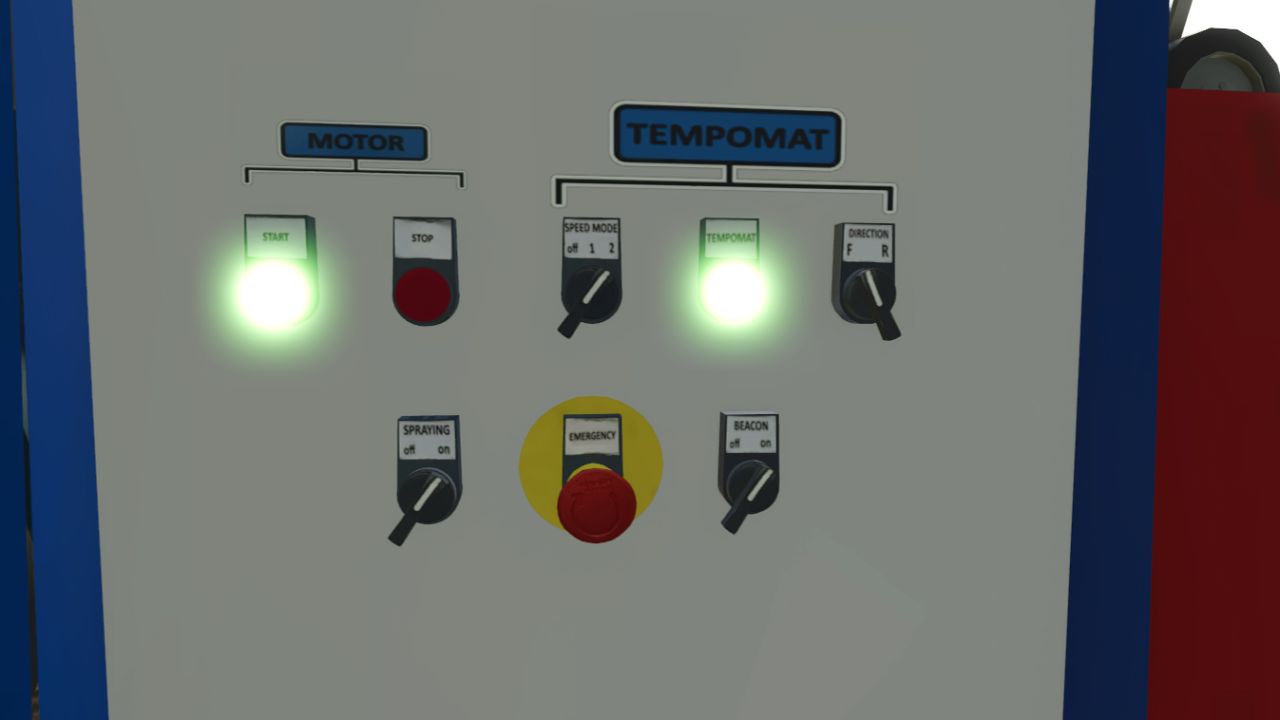
Reinke Irrigation System V2 V1.0.0.1
Reinke Irrigation System V2 V1.0.0.1 Reinke Linear Irrigation System Pack Bring realistic linear irrigation to your flatlands! This pack offers realistically priced Reinke linear move irrigation systems—smaller models are budget-friendly, while the larger setups scale accordingly. Available Widths You can place the following sizes under the placeables menu: 37 meters (Affordable entry model) 75 meters 115 meters 223 meters Placement & Terrain Requirements Flat and Clear Land: Reinke linear systems are designed for flat, obstacle-free terrain. Do not use them on hilly or sloped ground. Clear Path: Ensure there are no trees, utility poles, or obstacles in the field that the machine could collide with during operation. Placement Delay: When placing the main 228-meter pipe and hydrant, expect a short delay of about 6 seconds for it to spawn. (Note: The game may log a warning for these components, but this is entirely normal and does not affect gameplay—everything is 100% functional!) Pipes & Extensions If the default 228-meter pipe and hydrant setup is not long enough, you can extend the length using 50-meter pipe add-ons. Towing & Connection: You can tow the pipes easily using a tractor via the 3-point hitch. For the best experience handling and connecting pipes, we recommend using the Easy Development Control mod with “Super Strength” turned on. Attaching: Connect the pipes to the Reinke simply by pressing the Q key. Quick Removal Tool: A special pipe wrench tool is included. By clicking on a single pipe piece with it, you can instantly delete and clean up the entire connected pipe network for maximum convenience. Operation & Controls Guide Water Valve: Open the water valve using the Interactive Control mod before entering the Reinke. Vehicle Switch: Press the G key to switch into vehicle control mode so Interactive Control inputs take effect. Engine Setting: Make sure Automatic Motor Start is set to No (disabled). Power Up: Turn on the Reinke using the Key icon. Interactive Control Panel: Via the panel, you can now activate: Spraying / Irrigation Beacon lights Engine GPS-like alignment corrector (This aligns the machine straight based on your set angle once cruise control is engaged). Speed Settings: Stage 1: 1 km/h Stage 2: 2 km/h Stopping Procedure (Important!) Recommended Method: When the Reinke finishes its run, turn off only the engine first. This instantly engages the brakes and holds it securely in place. Alternative (Not Recommended): If you turn off the cruise control/GPS before the engine, the machine will roll backward for a short distance. Always shut down the engine first to park it properly! Pumps and hoses compatibility has been removed; it now includes only my own piping system and the Reinke irrigation unit equipped with a control panel, plus a 228-meter pipe, a 50-meter pipe extension, and a pipe tool that allows you to delete pipes with a single click. Enjoy realistic and efficient crop watering on your flat fields! V1.0.0.1 Add emergency button Add forward and reverse mode add new decals. add front attachment and rear attachment point Required mods: Easy Development Controls Interactive Control
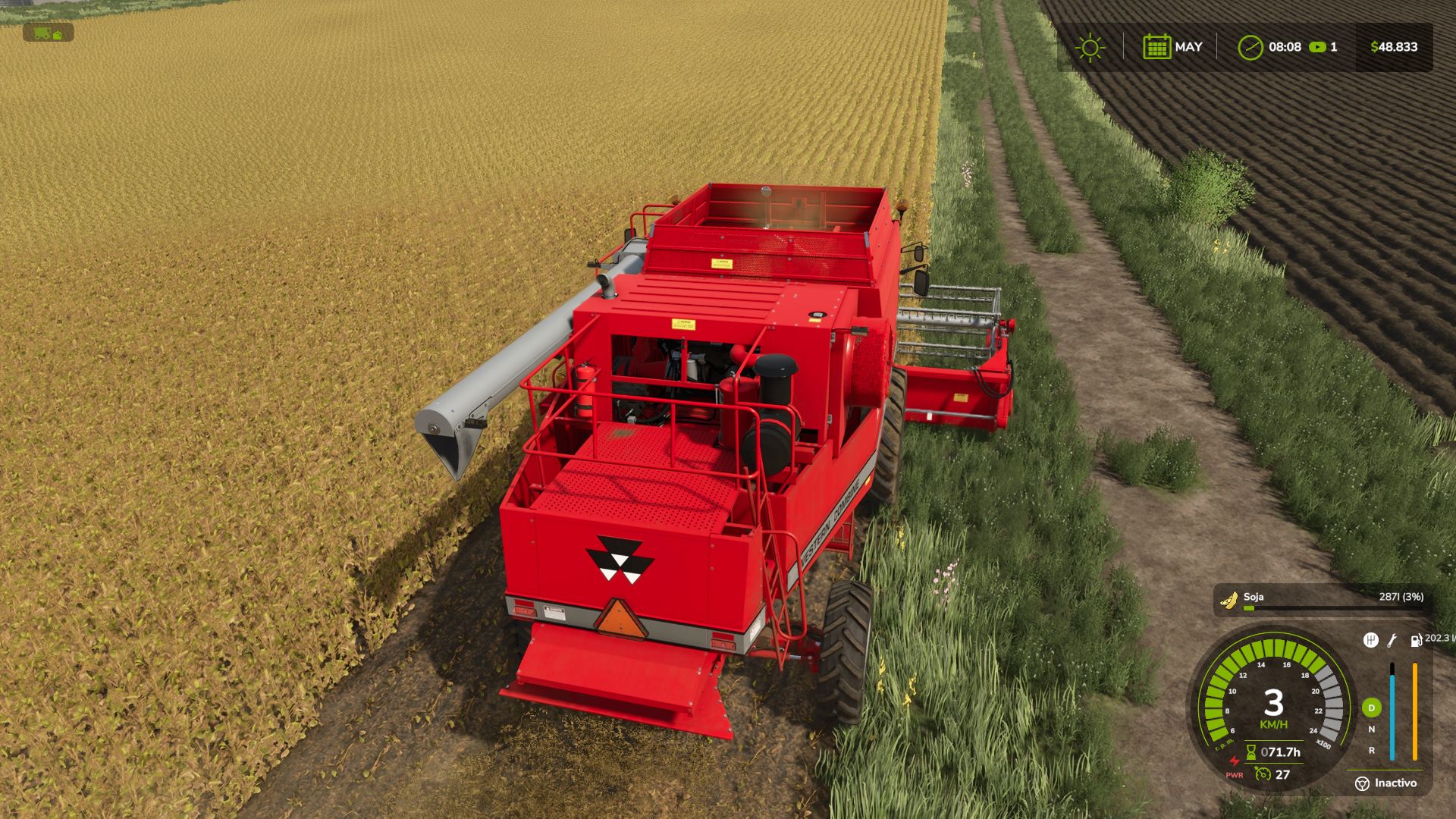
Real Fuel Consumption V1.4.0.0
Real Fuel Consumption V1.4.0.0 Real Fuel Consumption turns your farm’s fuel usage into something realistic and challenging. Unlike other mods that just multiply consumption by a fixed number, this mod uses a dynamic system that reads each vehicle’s real state in real-time. How it works: Base Multiplier configurable from 1.0x to 3.0x (default 1.5x) Load Bonus — the engine consumes more when under real stress: climbing hills, pulling heavy implements, towing loads Work Type Bonus — each task consumes differently, just like real life: Plowing / Cultivating: +40% Harvesting: +35% Baling: +25% Mowing / Tedding: +20% Spraying / Fertilizing: +15% Sowing: +10% RPM Sensitivity — higher engine RPM means more consumption Features: All options configured from the Game Settings menu (ESC), no commands or weird keys Compatible with ALL vehicles and mods Multiplayer compatible and Dedicated Server Saves your settings per savegame Tip: For balanced realism use 1.5x. For a hardcore challenge, go up to 2.5x or 3.0x with Load Sensitivity set to High. Made with passion for realistic farming simulation. V1.4.0.0 Fixed: disabling the engine modes left the vehicle without power permanently. Fixed: the mode change key continued to work with the function disabled. Dashboard icons unified with the other GN Realism mods. Compatibility with Advanced Damage System; the fuel consumption reading no longer overlaps. Minor correction to the Modes icon.
Dynamic PTO speed V1.1.0.0
Dynamic PTO speed V1.1.0.0 This mod finally brings realistic dynamics to the PTO. Instead of a fixed PTO speed, the working speed of all attached implements adapts directly to the tractor’s current engine speed. The higher the engine revs, the faster mowers, forage harvesters, balers or conveyor belts operate. Main features The PTO speed is no longer fixed, but is calculated live from the engine speed. Implements react noticeably differently to low, medium or high engine speeds. A multiplier for each implement allows individual settings for every implement. Realistic working speeds: Low engine speed → slower operation Medium engine speed → normal operation High engine speed → faster operation Technical implementation The mod is fully compatible with LS25 and uses custom scripts to link engine speed, PTO speed and implement behavior. Animations, effects and working speed are adjusted dynamically. Both vehicles and implements are enhanced through hooks in their update functions. Implement behavior Mowers spin faster and respond more directly to throttle input. Forage harvesters operate more powerfully at high engine speeds. Balers work more quickly and process material faster. Conveyor belts transport material depending on the engine speed. Each implement can be finely adjusted using its own factor. Mod contents Complete mod structure with modDesc and Lua scripts Example implement XML with dynamic PTO configuration Optional overlay displaying the current PTO RPM Mod goal “Dynamic PTO Speed” provides a much more realistic gaming experience. PTO performance finally depends on engine speed – rev higher and you work faster. This makes all implements operate more naturally, variably and closer to real-world farming. The mod is currently not multiplayer-compatible. We are working on a version that can also be used in multiplayer. V1.1.0.0 Added Automatic 540 / 540 ECO / 1000 / 1000 ECO selection based on the attached implement. Front and rear PTO implement detection. Dynamic PTO RPM based on engine speed and the tractor’s original PTO ratio. New in-cab PTO HUD with RPM, PTO speed and status. Selectable AUTO / 540 / 540E / 1000 / 1000E modes. HUD only appears when the attached implement actually requires PTO. Alt + H to show/hide the HUD. New OPEN button for PTO controls. Mouse control is only enabled while the PTO button panel is open. CLOSE button to close the panel and release the mouse. HUD and F1 controls now update when PTO keybinds are changed. Dual PTO support with FRONT / REAR follow selection. Ctrl + Alt + E to switch between FRONT and REAR. New Dynamic PTO RPM settings for: Auto PTO Show HUD Attach popups Safety warnings Dynamic output Baler overload Debug log ECO ratio 1000 RPM power threshold Minimum / maximum output HUD position reset PTO attach notifications and safety warnings. Baler overload and stall detection. Implement database based on real manufacturer PTO specifications. Improved 1000 RPM detection for large square balers, triple mowers, large loader wagons, power harrows, chippers and chasers. Improved 540 RPM detection for round balers, small square balers, tedders, rakes and alpine wagons. English and German language support. Multiplayer synchronization for PTO mode, AUTO and FRONT / REAR selection. Updated F1 help controls. Fixed Dedicated servers no longer display the HUD or settings overlays. 1000 RPM implements are no longer incorrectly forced to 540 RPM by Giants XML values. PTO detection now follows real manufacturer specifications when XML ptoRpm values are below 750. Fixed Case IH LB436 HD being detected as 540 RPM instead of 1000 RPM. Fixed Kuhn GMD 8730 / GMD 3123 F being detected as generic 540 RPM mowers. Fixed Samasz KDD 941 being detected as 540 RPM instead of 1000 RPM. Fixed large square balers being forced to 540 RPM by generic baler detection. Fixed the PTO HUD not opening correctly. Fixed Ctrl + P hiding the HUD when opening the controls. Fixed the HUD button row disappearing during mouse control. Fixed false PTO conflicts between front and rear equipment. Fixed two PTO implements locking out PTO control. FRONT / REAR follow can now be selected. Fixed settings showing OFF when saved as ON. Fixed HUD reset not working correctly and taking control of the mouse in the pause menu. Fixed the HUD disappearing behind the F1 / driving HUD. Fixed F1 keybinds not updating after changing controls. Fixed the mouse remaining active while the compact HUD is displayed. CLOSE and the PTO HUD key now correctly release mouse control.
Realistic Harvesting V1.6.0.0
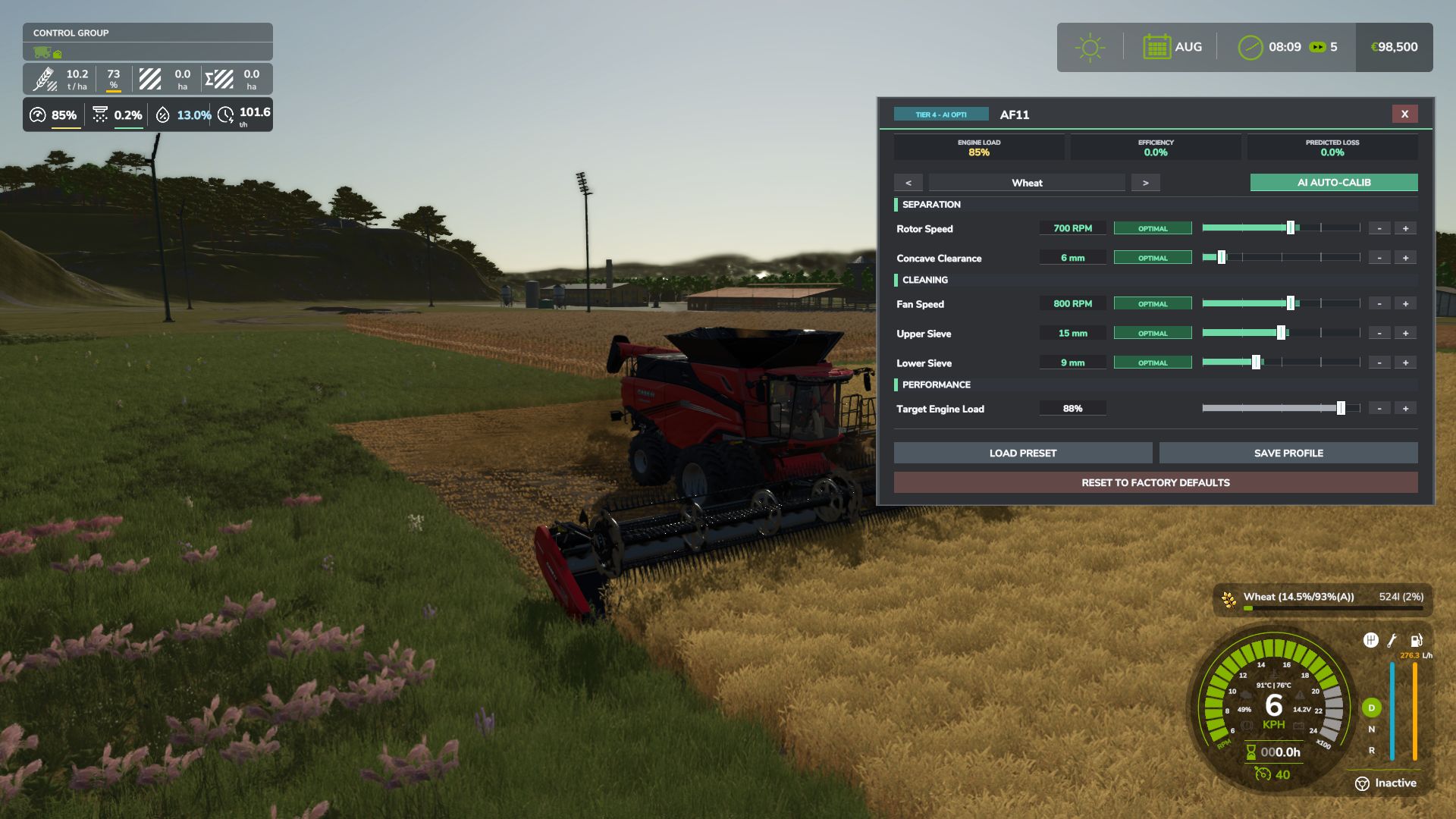
Realistic Harvesting V1.6.0.0 Realistic Harvesting for FS25 Transform your harvesting experience into true agricultural simulation! Combines can no longer unrealistically sprint at full speed through dense crops without consequences. Working speed, engine load, and yield efficiency are dynamically driven by crop density, cutting width, moisture, and your machine’s mechanical calibration. Key Features Physics-Based Engine Load & Speed: Ground speed dynamically adapts based on harvested crop mass (t/h), header width, and vehicle horsepower. Overloading the engine or using incorrect settings results in real grain loss. All Machine Types Supported: Fully calibrated physics for Grain Combines, Forage Harvesters (chaff/silage), Root & Vegetable Harvesters (potatoes, beets, carrots, parsnips, spinach, peas), Cotton, and Sugarcane. Interactive Combine Calibration (`RShift + K`): Calibrate Rotor/Drum RPM, Concave Clearance, Fan Speed, and Sieves for each crop. Correct settings ensure maximum yield and minimum loss. Workshop Upgrade Packages (Tiers 1–4): Upgrade your combine at the shop: Level 1 (Standard): Fully manual operation. Level 2 (Sensor Kit): Displays calibration guidance hints (low / optimal / high). Level 3 (Yield Monitor): Real-time yield (t/ha, bu/ac), area rate (ha/h), and moisture telemetry. Level 4 (Opti-Harvest AI): Automatic settings calibration and automated speed management. AI & Courseplay Compatibility:** AI helpers and Courseplay workers automatically utilize your saved profiles or optimal calibrations. Draggable HUD: Clean, movable on-screen display showing live Engine Load, Productivity (t/h, ha/h), Crop Loss %, and Moisture. Global Crop Profiles: Save your favorite tuning once — profiles automatically load across your combines and savegames. 3 Difficulty Modes (ESC Settings): Choose between Arcade (relaxed), Normal (balanced), or Realistic (strict physical limits and penalties). Multiplayer & Dedicated Server Note Please Note: Multiplayer synchronization has been completely overhauled in the latest update. However, this latest version has not yet undergone extensive testing on live Dedicated Servers. While fully supported, please test cautiously when running on production dedicated servers, and feel free to report any sync observations or issues on GitHub or Discord! V1.6.0.0 What’s New: Draggable Mini HUD: Left-click and drag the HUD anywhere on the screen with position saved across sessions. Magnetic HUD Snapping: Dragging the HUD near the F1 Help Menu or Precision Farming box automatically snaps it back into place with illuminated docking guides. Grape & Olive Harvester Physics: Full physical support for self-propelled vineyard machinery with specialized in-cab calibration controls (shaker RPM, conveyor speed, extractor fans). Mechanical Equipment Wear Losses: Blunt cutterbar knives and worn threshing components dynamically increase power drag and crop loss (up to 6.0%, with settings toggle). Public Integration API (RHM_Api): Clean integration endpoints for Courseplay, AutoDrive, damage mods, and custom dashboards. Audio Preview: Adjusting the buzzer volume slider in the game settings immediately plays a test beep at the selected volume. Improvements: Arcade Mode Overhaul: Harvesters operate completely unconstrained with 0% artificial load, no speed limits, zero crop losses, silenced alarms, and no penalties. Smart Cabin Overload Buzzer: Upgraded to a comfortable 3-beep burst pattern, with trigger threshold set to true engine overload (105%) and balanced cabin audio. Buzzer Volume Granularity: Smooth 0% to 100% volume slider (10% steps) with complete mute capability. In-Cab Calibration Tablet (Shift + K): Modernized with ultra-slim bezels, edge-lit glass effects, and higher telemetry contrast. Mod Package Optimization: Archive size reduced from 2.5 MB to 1.0 MB through optimized textures and streamlined help architecture. Forage Harvester Recalibration: Rotary corn header power absorption reduced to realistic 20 HP/m, establishing authentic 8.5-10 km/h harvesting speeds. Mod Compatibility: Resolved UI and cursor lock conflicts with Interactive Control, HeadTrackIC, ScandinavianCurrencies, and AdditionalGameSettings. Bug Fixes: Fixed mini HUD overlap with F1 Help Menu when custom vehicle control groups (pipe, door, ladder) or pagination mods (InputHelpPager) are active. Fixed unwanted empty gap between the Precision Farming box and HUD when the F1 menu is closed. Fixed hardcoded units on the mini HUD: speed and productivity now convert accurately to mph and ac/h under Imperial systems. Fixed NEXAT modular platform true engine horsepower resolution (1100 HP) and eliminated phantom trailed PTO loads. Fixed silage maize crop flipping between grain corn and chopped corn silage during stops and starts. Fixed rare multiplayer crashes caused by network dirty flag exhaustion on complex machinery. Fixed double-encoded text characters and mojibake across all language files. Removed: Removed legacy blinking center-screen overload warning text and its settings toggle in favor of the clean HUD and audio alarms. Removed obsolete help screen graphic files in favor of the in-cab interactive tablet. Replaced internal “RHM” acronym with the official mod title “Realistic Harvesting”.
Smart Weight HUD V1.0.0.3
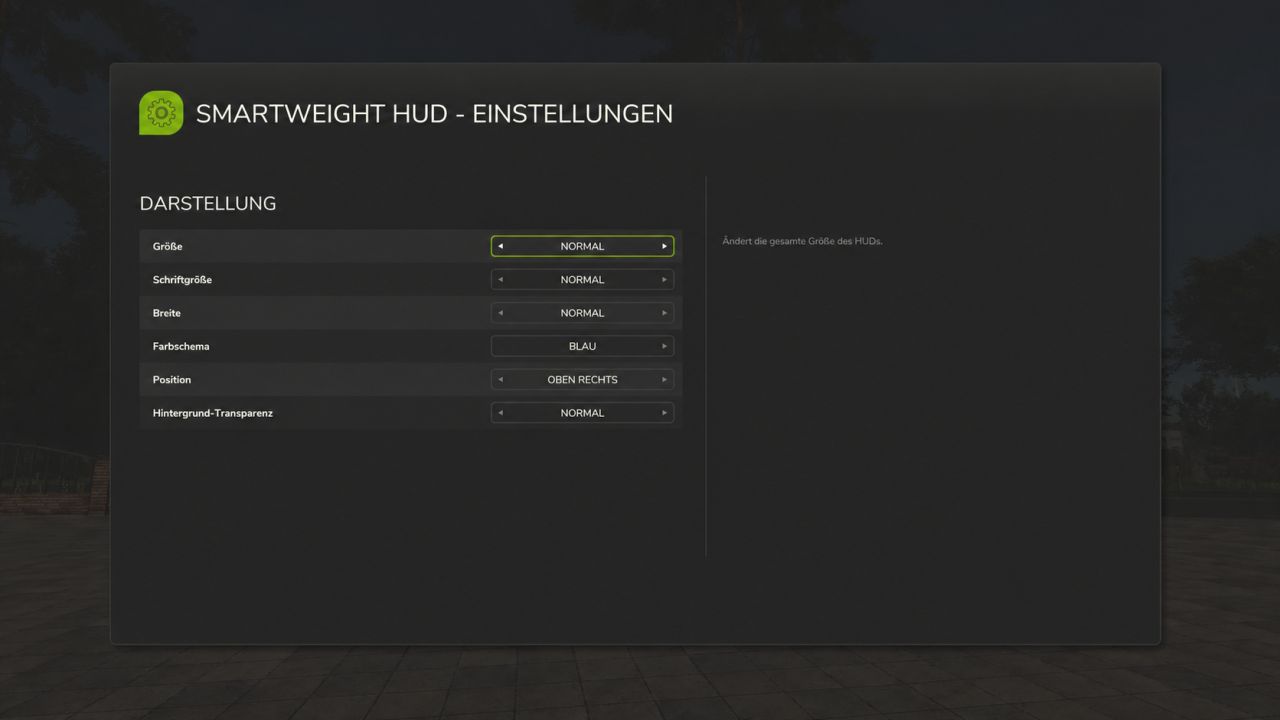
Smart Weight HUD V1.0.0.3 SmartWeight HUD – Keep an eye on weights and cargo How heavy is your vehicle combination really? SmartWeight HUD brings a compact weight and cargo overview to Farming Simulator 25. Whether it’s a grain trailer, service vehicle, or timber transporter, you can see the breakdown of empty weight, cargo weight, and total weight right while driving. Features Separate weight display for the towing vehicle and attached trailers. Empty weight, cargo weight, and total weight for each displayed vehicle, plus a grand total for the entire combination. Display of fill types, fill levels, and mixed loads with corresponding icons. Accounts for pallets, bales, and other objects secured with tension belts. Timber cargo details including log count, volume (m³), and weight. Support for tank, water, fuel, and service trailers, as well as visible integrated tanks. Corrected weight calculation for service tanks and trailers with limited physics mass: the displayed empty weight does not decrease when additional cargo is added. Timber Transport Logs on timber trucks, trailers, and forwarders are accounted for as cargo. The HUD displays the number of logs, their volume, and their weight. Log weight already transferred to the vehicle via tension belts is not double-counted. Additionally, timber loads already registered by AutoLoadWood and Universal Autoload are detected. Timber containers with fill levels retain their standard cargo calculation. Important: On standard timber transporters, logs must be secured with tension belts. Alternatively, they must already be registered in a supported autoload list. Loose, unassigned logs and wood lying next to the vehicle are not automatically counted as cargo. Your HUD, your settings Customize the HUD size, font size, width, and background transparency to suit your needs. Choose from nine screen positions and five color schemes: blue, green, orange, red, and gray. All settings are saved per player and restored after rejoining or a server restart. If the HUD is turned off, it remains off. The interface is available in German and English. Weight Warning The total weight is color-coded based on the load and weight: Green: Vehicle combination without load, up to and including 40 tonnes. White: Normal weight range with load. Red: Loaded vehicle combination from 35 tonnes up to and including 40 tonnes. Dark red with warning icon: Total weight exceeding 40 tonnes. Color transitions are smooth. The warning thresholds are fixed HUD indicators, not vehicle-specific payload checks. Multiplayer and Compatibility SmartWeight HUD supports both single-player and multiplayer modes; log synchronization has been tested on a dedicated server with a connected client. In multiplayer, the server provides the log count, wood volume, and original log weight. Unloading, switching vehicles, and joining a session with already loaded logging vehicles are all accounted for. While loading data is pending, the HUD displays a loading indicator. Front loader arms, buckets, front weights, and other front attachments are attributed to the towing vehicle. Other connected implements remain part of the total combination weight. For standalone wheel loaders, telehandlers, front loaders, and skid-steer loaders, SmartWeight HUD remains hidden so that a separate loader weighing system can be used. The mod does not alter vehicles, their driving behavior, or physical weight limits; it simply adds a display overlay. Keybindings Left Ctrl + Left Shift + W: Show/hide HUD. Left Ctrl + Left Shift + S: Open settings. Keybindings can be customized in the game settings. Version: 1.0.0.3 Author: xXDerManniXx For multiplayer, the server and all players must use the same mod version. V1.0.0.3 With this update, your personal HUD settings are permanently saved. Additionally, weight calculations have been corrected for diesel and service tanks, as well as for trailers with limited physics mass. Wood load detection has also been added including log count, wood volume, and correct data transmission in multiplayer. PERSONAL SETTINGS – All personal display options are retained after rejoining or restarting the server. – The HUD’s on/off state is also saved: if you turn the HUD off, it remains off the next time you join. – Settings are saved per player in the respective LS25 user profile and are not overwritten by other players’ settings. – Existing older settings files remain compatible. DIESEL AND SERVICE TANKS – Weight calculations for visible integrated diesel, water, and other service tanks have been corrected for cases where the vehicle does not add their contents to its own physics mass. – Transported fluids are treated as cargo and added to the displayed total mass. – Consequently, the empty weight no longer decreases when filling these cargo tanks. – The vehicle’s standard, hidden fuel tank continues not to be treated as transported cargo. – Tanks with mass calculation already enabled are not double-counted. TRAILERS AND WEIGHT CALCULATION – Fixed an issue where loading certain trailers caused the displayed empty weight to drop while the total mass remained capped at a limit. – In cases of limited physics mass, the display now accounts for the full mass, comprising the vehicle’s base weight, additional component loads, and wheel weight. – As a result, empty weight, cargo weight, and total weight align correctly, even with heavy loads. – This correction applies only to the display; the driving physics and weight limits defined by the game or vehicle remain unchanged. LOG TRANSPORT – Tree logs on log trucks, trailers, and forwarders are recognized as cargo. – The HUD displays the number of logs, the wood volume in cubic meters, and the cargo weight. – The log cargo is factored into the vehicle mass and the total weight of the vehicle combination. – Log weight already transferred to the vehicle via tension belts is not double-counted. – Previously registered log loads from AutoLoadWood and Universal Autoload are also taken into account. The same log appearing in multiple load lists is counted only once for the vehicle combination. – Wood and other fill types can be displayed together; liter values and wood volume remain separate. – Wood containers with fill levels retain their standard cargo calculation. MULTIPLAYER AND DEDICATED SERVERS – Players joining a session receive the log count, wood volume, and initial log weight directly from the server. – Fixed the “No cargo” error that occurred despite logs being strapped to the log truck in multiplayer. – Unloaded logs are removed from the display. Outdated data from previously driven vehicles is not carried over. – Data transfer accounts for joining sessions where log vehicles are already loaded. – A loading indicator appears while valid load data is pending; incomplete weight figures are not displayed as final results. – Wood data is requested only for the current vehicle combination, when the HUD is active, and at a limited polling rate. INTERFACE AND MOD PACKAGE – German and English localization for the HUD, notifications, and settings menu has been added or standardized. – Descriptions and changelogs updated. – DDS mod icon adjusted to DXT1 format without mipmaps for ModHub submission. – Clean package structure maintained: the mod ZIP contains only the necessary game files. Instructions, change logs, and test data are provided separately. UNCHANGED FEATURES The existing distinction regarding loader weighing mods remains in place. Standalone wheel loaders, telehandlers, front loaders, and skid-steer loaders remain hidden from the SmartWeight HUD. Front-mounted implements on other towing vehicles continue to be included. Operation, color schemes, and weight warnings remain unchanged. The mod does not alter vehicles or their driving dynamics. NOTE ON LOG DETECTION On standard transport vehicles, logs must be secured with tension belts. Alternatively, a supported autoload system must have already assigned the logs to the vehicle. Loose, unregistered logs and wood lying next to the vehicle are not automatically counted as cargo. INSTALLING THE UPDATE Replace the existing FS25_SmartWeightHUD.zip file with the new one. Do not unzip the file, and ensure no older version remains active simultaneously. In multiplayer, both the server and all players must use the same version (1.0.0.3). Personal settings are preserved.
Shader Krisi V2 FS25
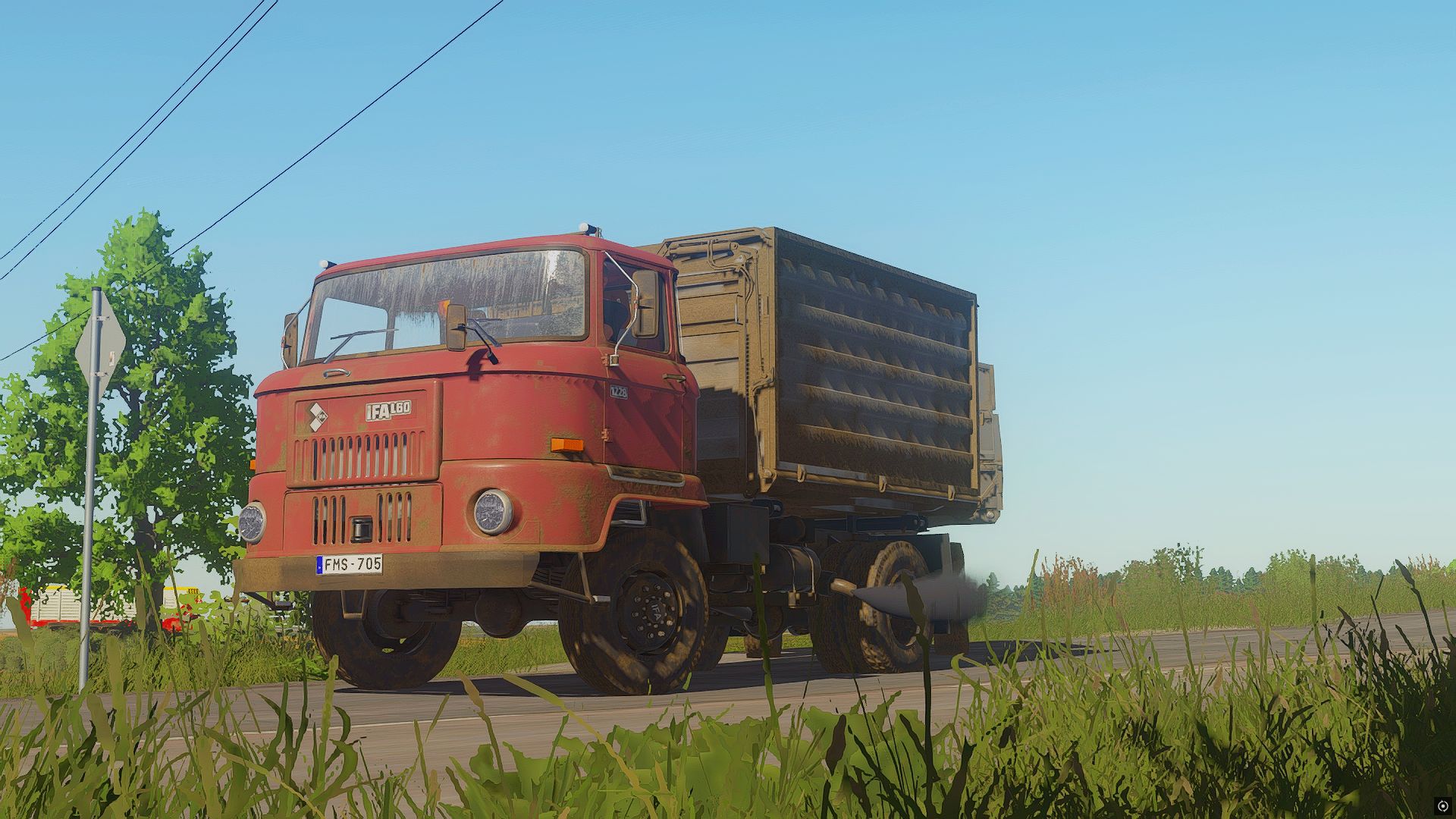
Shader Krisi V2 is the enhanced version of the custom shader for Farming Simulator 25, designed to deliver a more realistic, detailed and immersive visual experience. It improves lighting, colors, contrast, shadows and overall image clarity while maintaining a natural look. V2 brings a more refined atmosphere and better visual depth, making fields, machinery and landscapes look more vibrant and realistic. Perfect for everyday gameplay, screenshots and cinematic videos. Installation 1. Download and install **ReShade** from [reshade.me] for `FarmingSimulator2025.exe`. During the setup, select **DirectX 10/11/12** as the rendering API. 2. Extract the downloaded **Shader_KrisiV2** archive. 3. Move the included `.ini` file to the **`x64`** folder located in the same directory as `FarmingSimulator2025.exe`.
Renault 456RX FS25
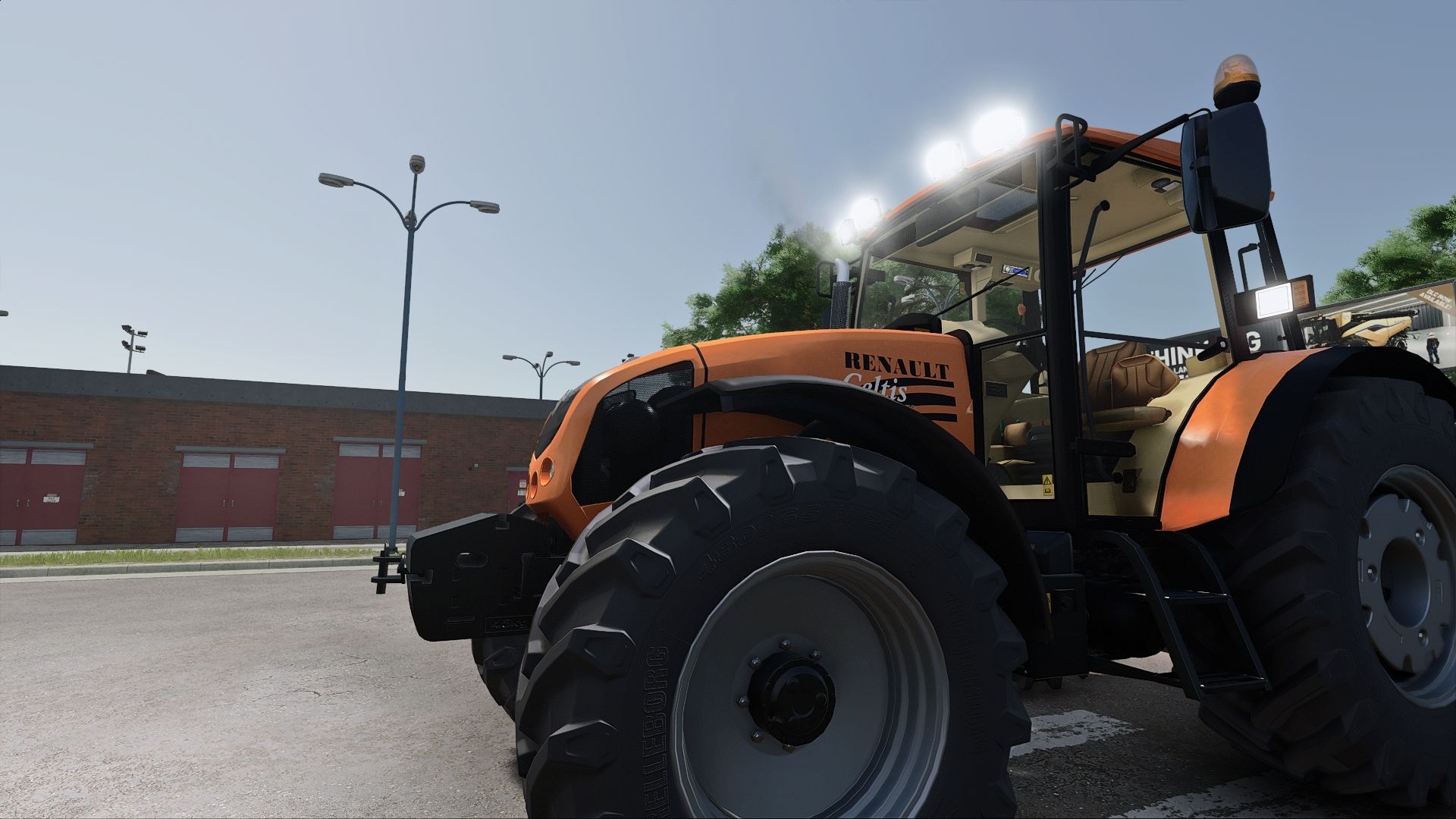
Renault 456RX FS19 : https://www.kingmods.net/pl/fs19/mods/renault-celtis-456rx FS22: https://www.kingmods.net/fr/fs22/mods/20311/renault-456rx Features: - Price: €30,000 - Power: 100 hp - Loader frame - Beacon configurations - Weight configurations
Universal Window Tint V1.0.0.0
Universal Window Tint V1.0.0.0 NMS Universal Window Tint adds Window Tint option to compatible vehicles. Tint choices: Stock / Off – $0 Light – $250 Medium – $350 Dark – $450 Limo – $550 Features: Universal support for compatible base-game and mod vehicles. Automatically bypasses vehicles that already include their own native tint configuration. Clear first-person interior visibility while keeping the selected exterior tint. Limo tint uses the approved glass-only rendering path with no cloned panes or opaque backing geometry. Windshield sticker and label handling prevents angle-dependent alpha sorting artifacts on supported vehicles. Exhaust remains fully enabled while the exhaust-side transparent sorting fix prevents smoke from revealing the cab through tinted glass, including at longer viewing distances. Multiplayer supported.
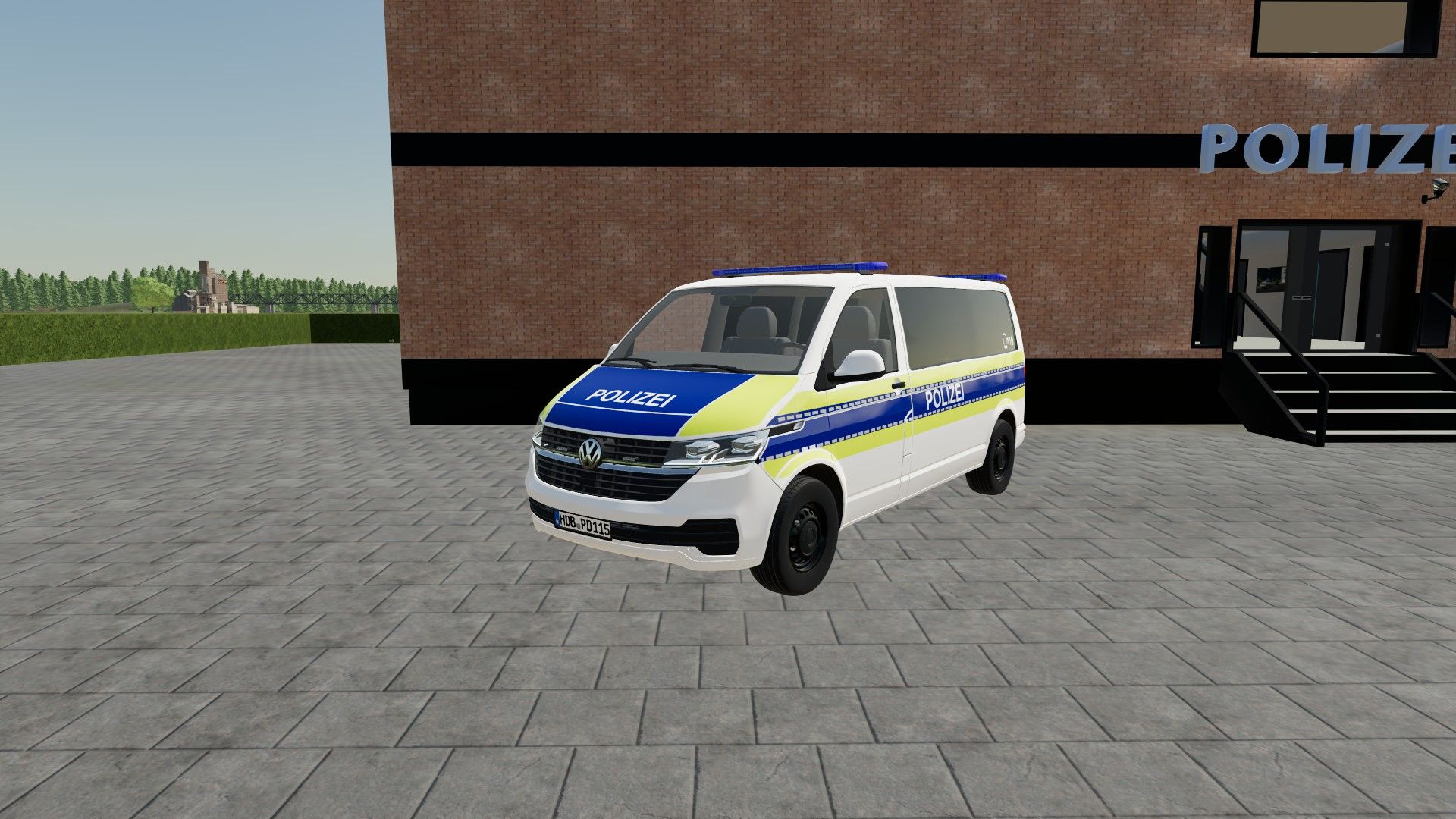
Volkswagen T6.1 Lower Saxony Police FS22
**This mod contains:** -> Chevorelt VW T6.1 Lower Saxony Police -> Dependency: https://www.kingmods.net/de/ls22/mods/79243/volkswagen-t61-long **NOTE:** This is only a texture. Please download the original mod linked above as a dependency for this mod to work. The content may not be copied, modified or re-uploaded without explicit permission. The creator assumes no liability for any damage that may occur to the system. **Credits:** -> Skin/Texture: Der Bürgermeister0815/Die Skin Schmiede -> Original vehicle: EnsarModdet
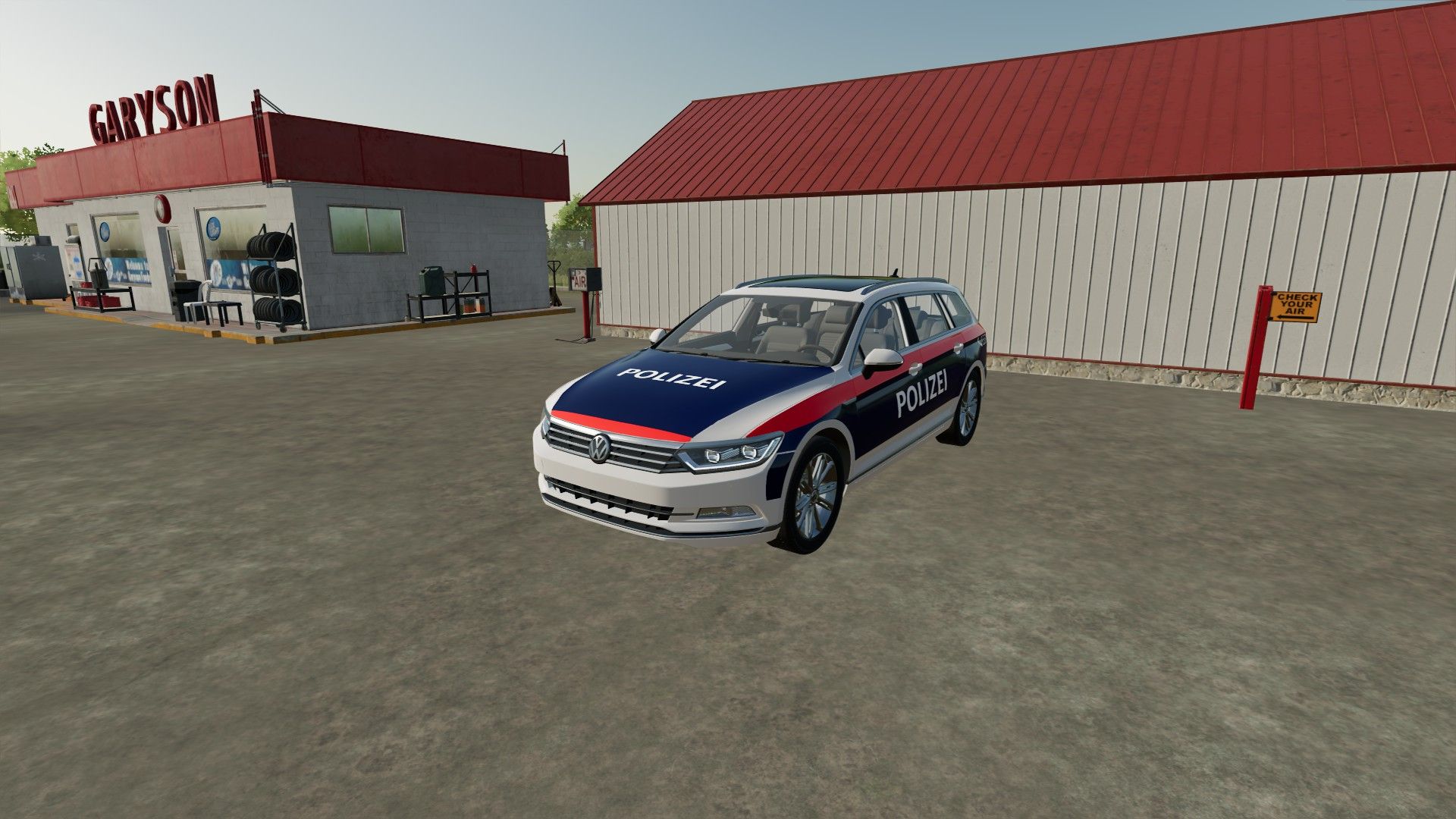
Volkswagen Passat B8 2015 Austrian Police FS22
**This mod contains:** -> VW Passat B8 2015 Austrian Police -> Dependency: https://sosi-modding.com/ls22/volkswagen-passat-b8-2015/ **NOTE:** This is only a texture. Please download the original mod linked above as a dependency for this mod to work. The content may not be copied, modified or reuploaded without express permission. The creator assumes no liability for any damage that may occur to your system. **Credits:** -> Skin/Texture: Der Bürgermeister0815/Die Skin Schmiede -> Original vehicle: Sosi-Modding
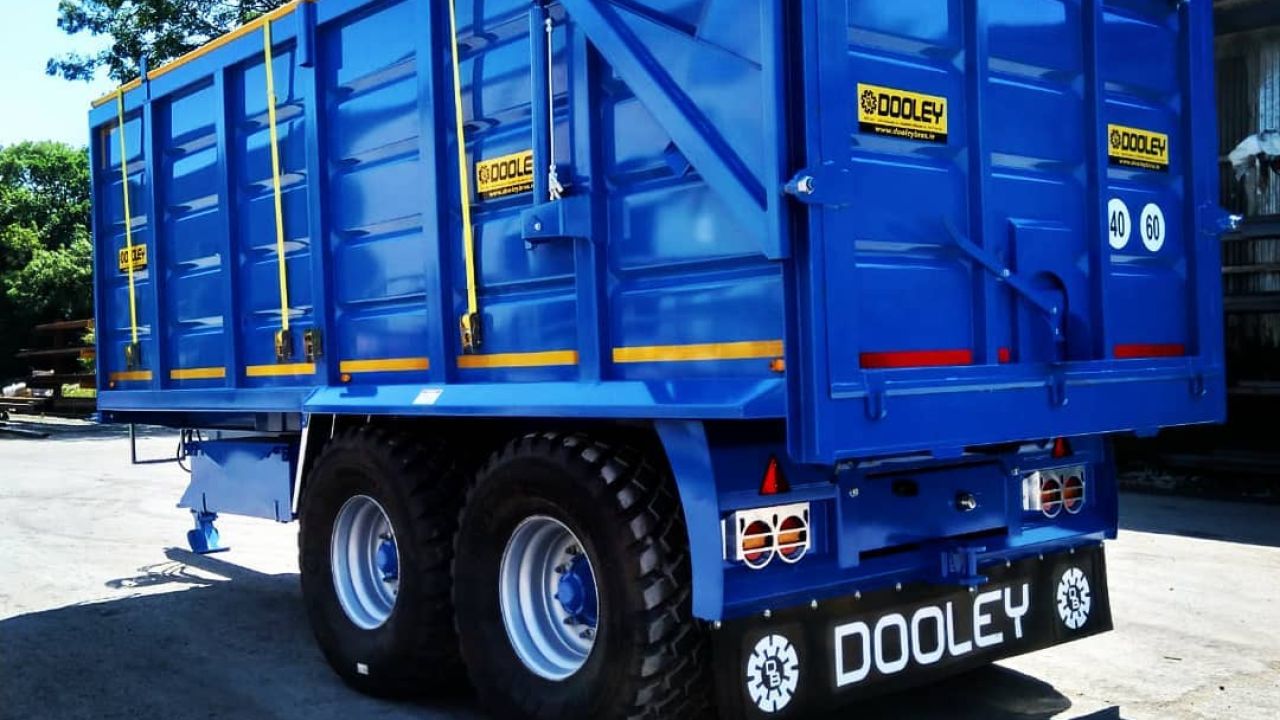
Dooley Bros Engineering Decals Pack (Prefab) V1.0.0.0
Dooley Bros Engineering Decals Pack (Prefab) V1.0.0.0 Dooley Bros Engeneering Decal pack includes Dooley Logo Dooley trailer identification decal Mudflap I3D(FS22 ONLY) Mudflap for 25 Enjoy
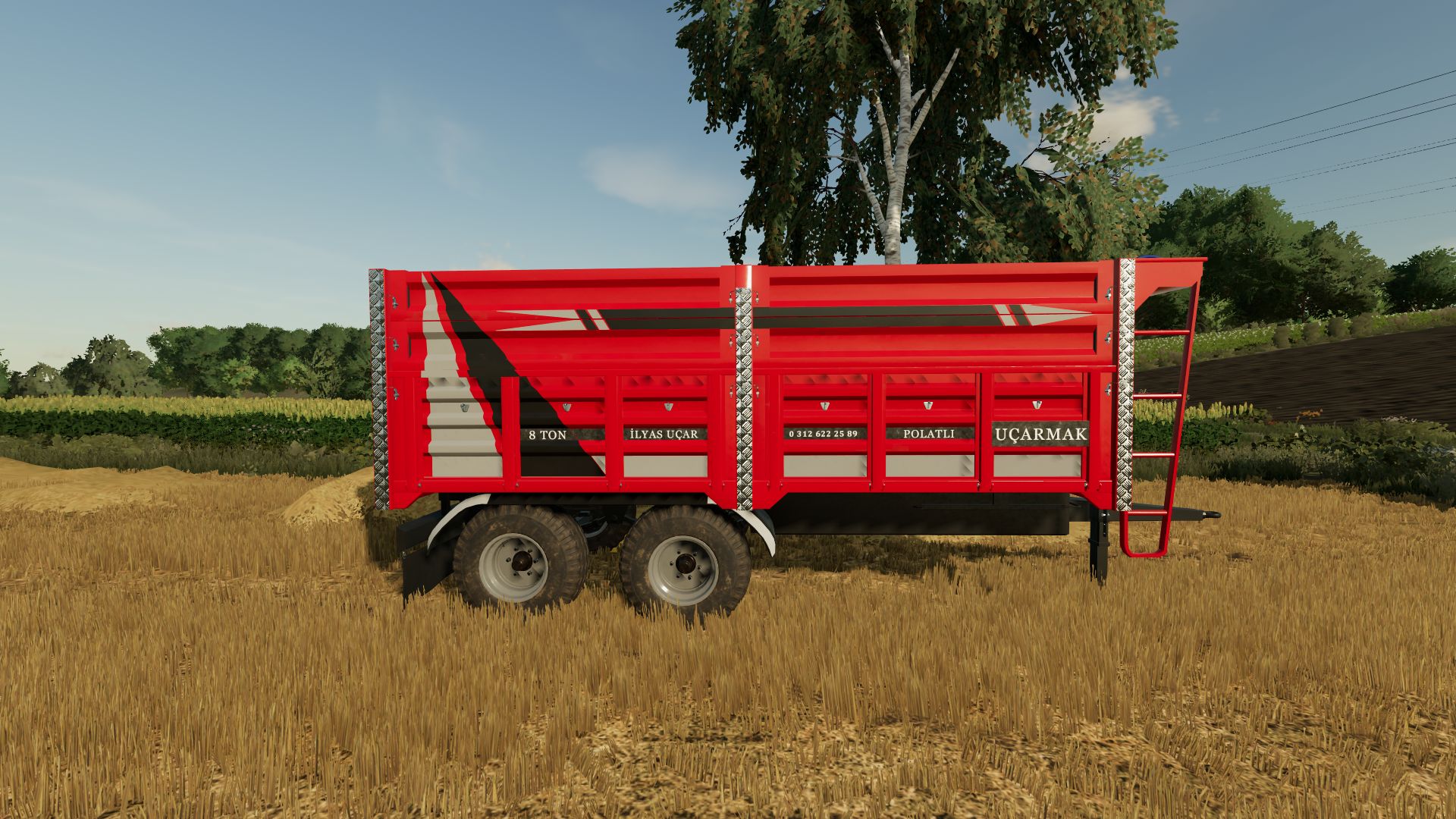
UÇAR-MAK Trailer FS22
## 🚜 Ucarmak Trailer ### 🔧 Features * Color customization * Rim color option * Wheel customization * Additional options * Various configuration options * Realistic trailer design * Different color options * Different wheel options ### 📌 Mod Information
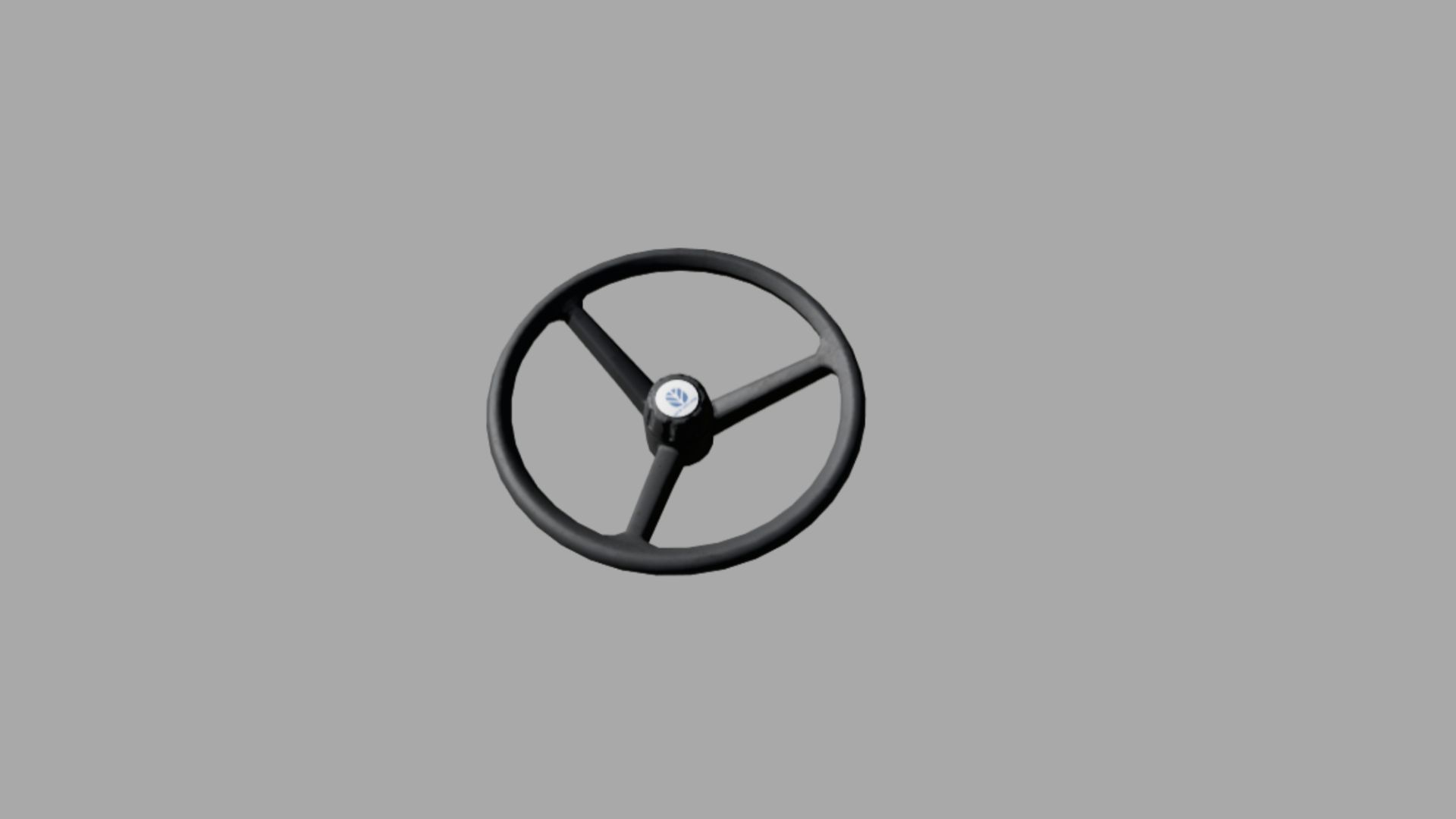
Old New Holland Steering Wheel (Prefab) FS22
Old New Holland Steering Wheel for old NH: T7000 serie, t6000 series,TSA series...
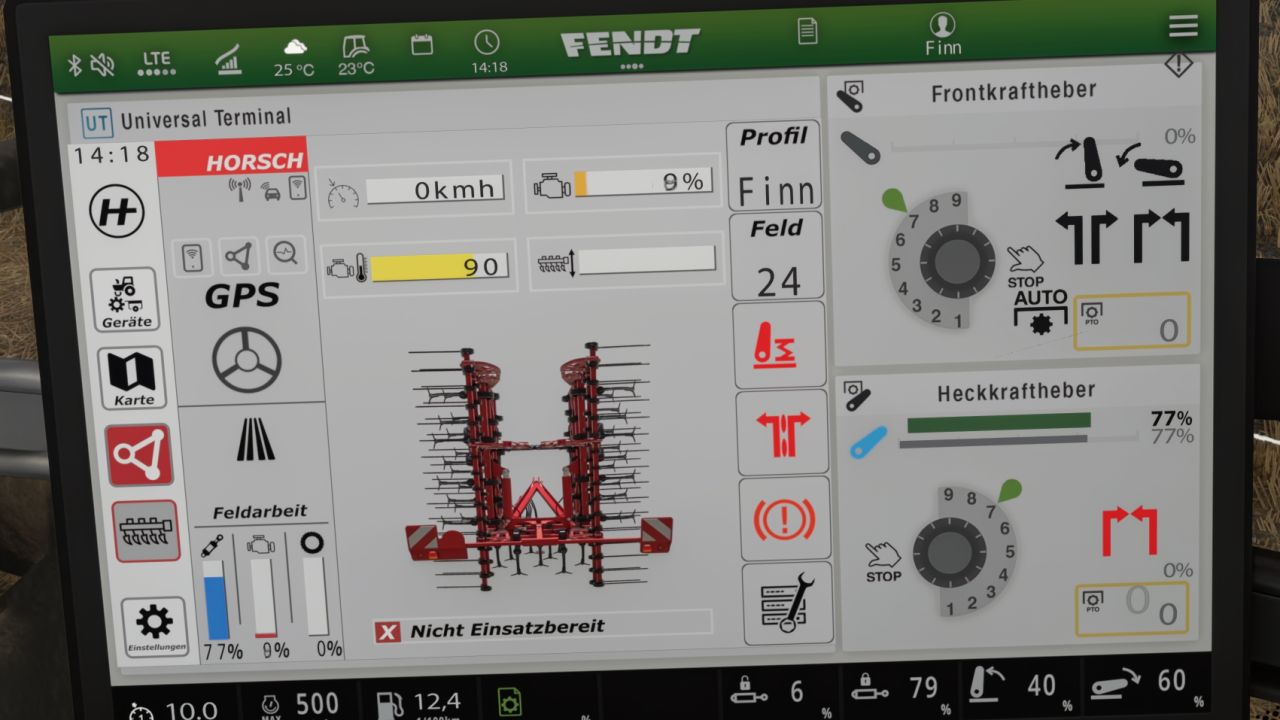
Horsch Grubber isoBUS Screen (Prefab) V1.0.0.2
Horsch Grubber isoBUS Screen (Prefab) V1.0.0.2 Horsch Cultivator ISOBUS Screen (Prefab) I am providing you with my Horsch cultivator ISOBUS screen. It displays all the important information for a cultivator. The screen is intended for a Horsch Finer 6SL cultivator, but it can also be used for other cultivators. I have included instructions for the installation itself, as well as the corresponding entry for the implement’s XML. If you notice any bugs, I would be very grateful if you could let me know so that I can fix them. V1.0.0.2 Fixed minor Bug in Guide Required mods: Dashboard Live
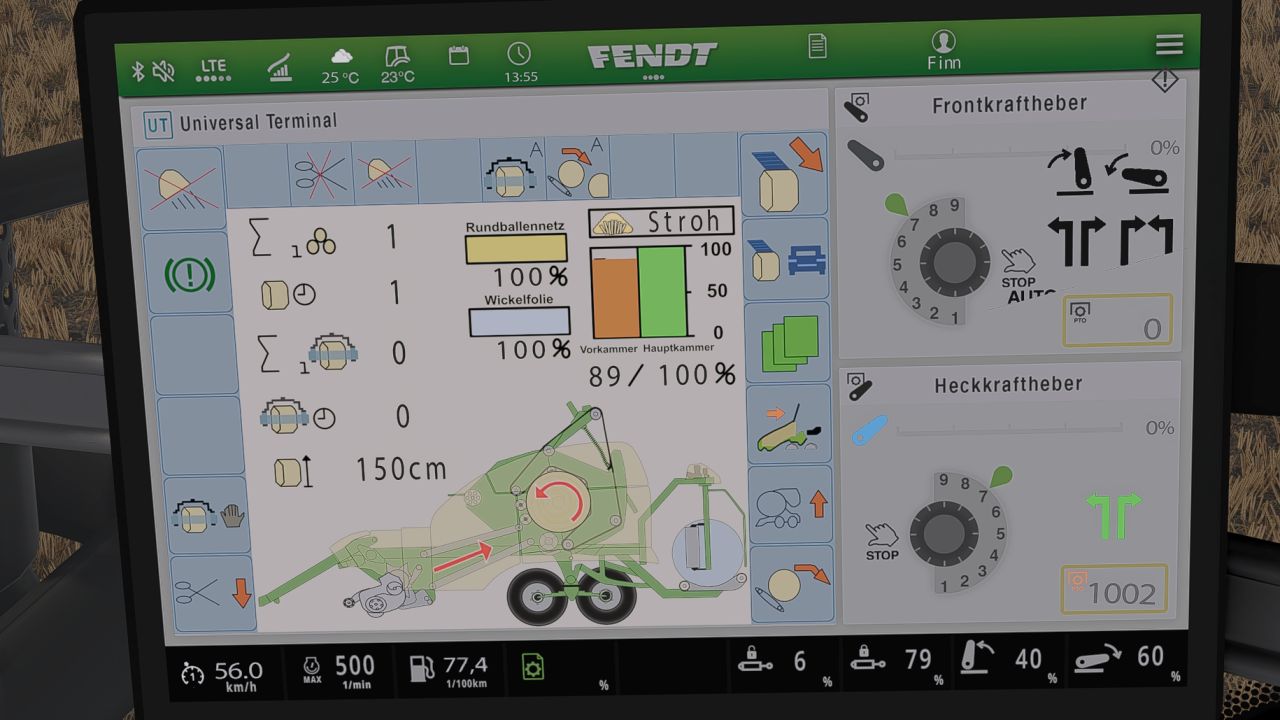
Krone Ultima isoBUS Screen (Prefab) V1.0.0.5
Krone Ultima isoBUS Screen (Prefab) V1.0.0.5 Krone Ultima isoBUS Screen – Prefab I hereby provide you with my Krone Ultima isoBUS Screen. It displays all the important information for a baler-wrapper combination. The screen is of course intended for a Krone Ultima, but it can also be used with other balers. However, changes to the XML will probably be necessary, as the fill types differ from one baler to another. For the installation itself, I have included instructions as well as the corresponding entry for the implement’s XML. If you notice any bugs, I would be very grateful if you let me know so that I can fix them. I hope you have fun with my Krone Ultima Screen! V1.0.0.5 updated Guide Required mods: Dashboard Live
- 15 per page
- 30 per page
- 45 per page
- 60 per page
-
See more per page
Bigger pages, fewer clicks - and no ads anywhere.
Go Pro