Farming Simulator 22 mods
50,366 results- 15 per page
- 30 per page
- 45 per page
- 60 per page
-
See more per page
Bigger pages, fewer clicks - and no ads anywhere.
Go Pro
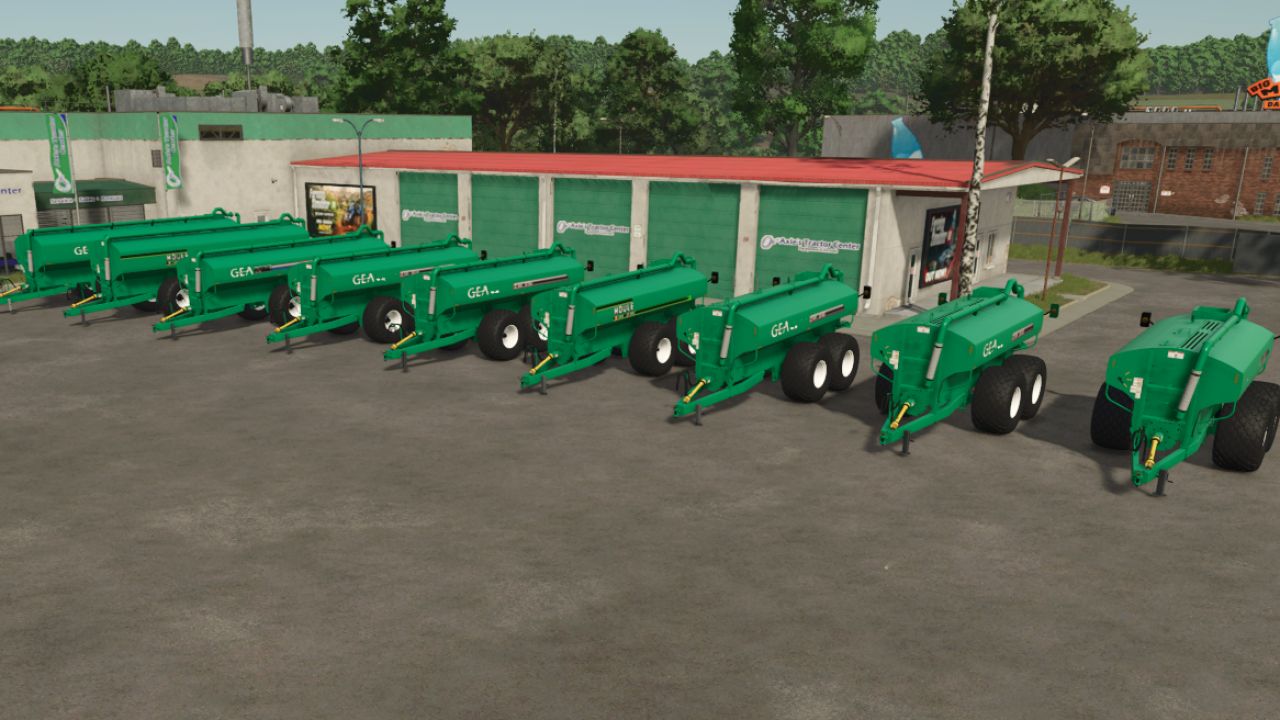
GEA Houle Manure Spreader Pack FS25
Price start from as low as $19,999 and goes all the way up to a little over $180K depending on the size, model and options you choose. You are able to configure: Wheels, Decals/different year/standard or stainless, 6 different spreading/incorporators, Filling hole, Rear working lights, extra strobes, side ladder, fenders, light caps and brake system (yes/no) (doesnt affect gameplay).
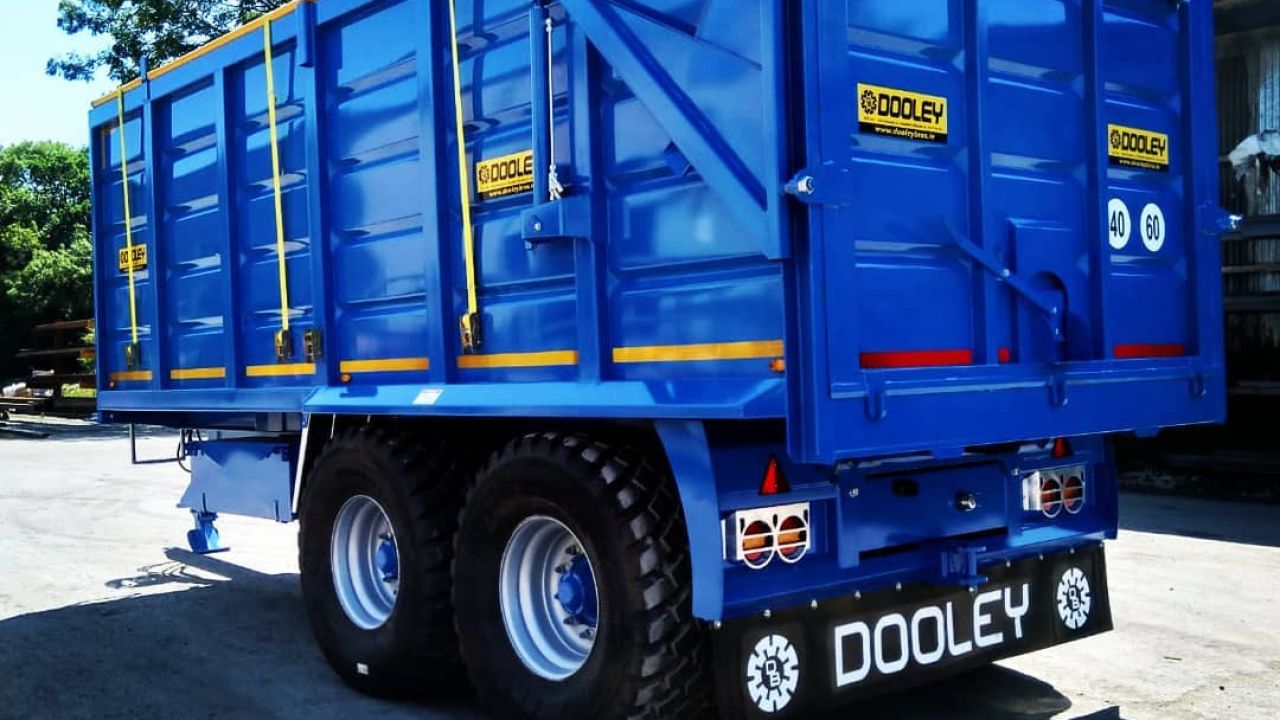
Dooley Bros Engineering Decals Pack (Prefab) FS25
Dooley Bros Engeneering Decal pack includes Dooley Logo Dooley trailer identification decal Mudflap I3D(FS22 ONLY) Mudflap for 25 Enjoy
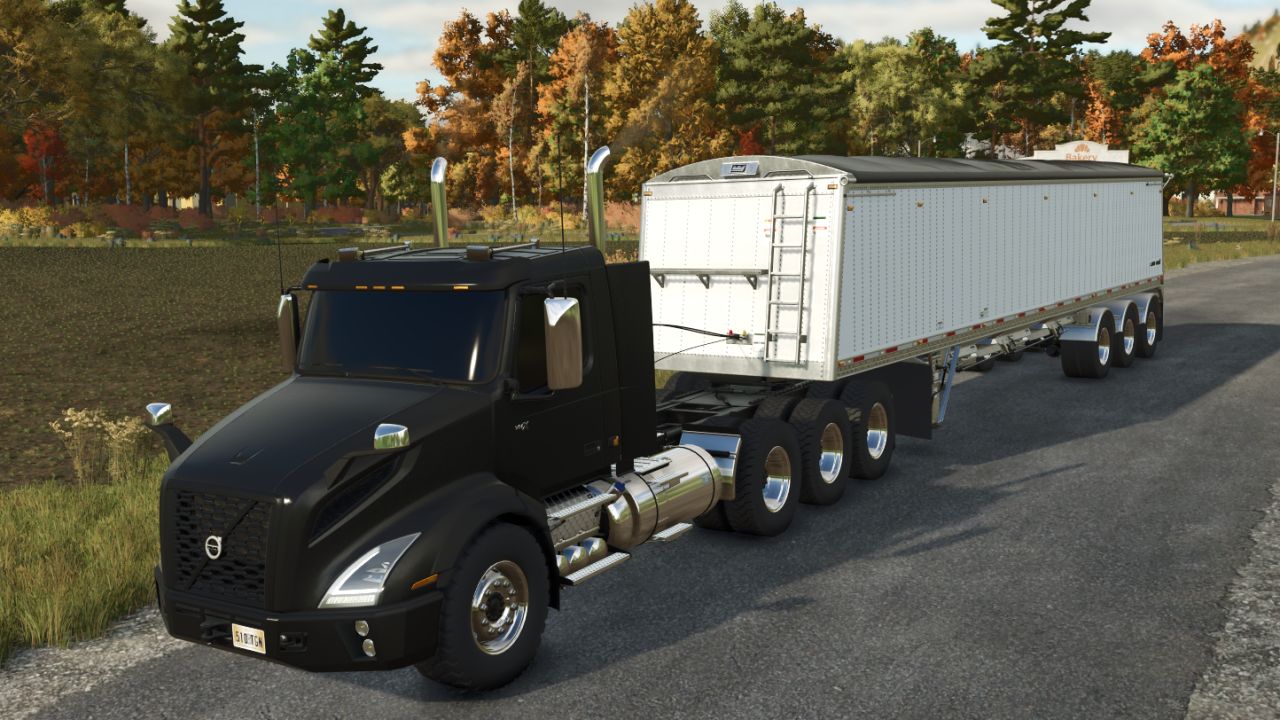
Universal Window Tint FS25
NMS Universal Window Tint adds Window Tint option to compatible vehicles. Tint choices: - Stock / Off - $0 - Light - $250 - Medium - $350 - Dark - $450 - Limo - $550 Features: - Universal support for compatible base-game and mod vehicles. - Automatically bypasses vehicles that already include their own native tint configuration. - Clear first-person interior visibility while keeping the selected exterior tint. - Limo tint uses the approved glass-only rendering path with no cloned panes or opaque backing geometry. - Windshield sticker and label handling prevents angle-dependent alpha sorting artifacts on supported vehicles. - Exhaust remains fully enabled while the exhaust-side transparent sorting fix prevents smoke from revealing the cab through tinted glass, including at longer viewing distances. - Multiplayer supported. Created by Night's Mod Shop Discord: https://discord.gg/FRuA5SBNsk
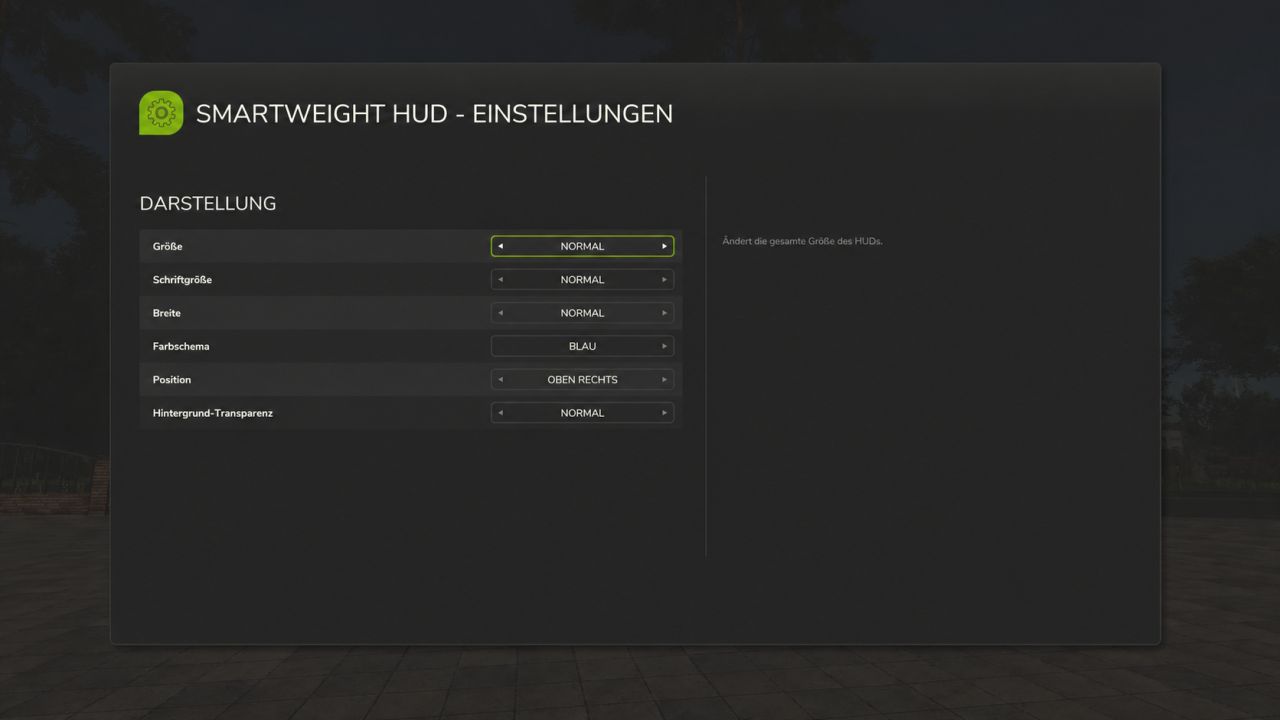
Smart Weight HUD FS25
SmartWeight HUD – Keep an eye on weights and cargo How heavy is your vehicle combination really? SmartWeight HUD brings a compact weight and cargo overview to Farming Simulator 25. Whether it’s a grain trailer, service vehicle, or timber transporter, you can see the breakdown of empty weight, cargo weight, and total weight right while driving. Features Separate weight display for the towing vehicle and attached trailers. Empty weight, cargo weight, and total weight for each displayed vehicle, plus a grand total for the entire combination. Display of fill types, fill levels, and mixed loads with corresponding icons. Accounts for pallets, bales, and other objects secured with tension belts. Timber cargo details including log count, volume (m³), and weight. Support for tank, water, fuel, and service trailers, as well as visible integrated tanks. Corrected weight calculation for service tanks and trailers with limited physics mass: the displayed empty weight does not decrease when additional cargo is added. Timber Transport Logs on timber trucks, trailers, and forwarders are accounted for as cargo. The HUD displays the number of logs, their volume, and their weight. Log weight already transferred to the vehicle via tension belts is not double-counted. Additionally, timber loads already registered by AutoLoadWood and Universal Autoload are detected. Timber containers with fill levels retain their standard cargo calculation. Important: On standard timber transporters, logs must be secured with tension belts. Alternatively, they must already be registered in a supported autoload list. Loose, unassigned logs and wood lying next to the vehicle are not automatically counted as cargo. Your HUD, your settings Customize the HUD size, font size, width, and background transparency to suit your needs. Choose from nine screen positions and five color schemes: blue, green, orange, red, and gray. All settings are saved per player and restored after rejoining or a server restart. If the HUD is turned off, it remains off. The interface is available in German and English. Weight Warning The total weight is color-coded based on the load and weight: Green: Vehicle combination without load, up to and including 40 tonnes. White: Normal weight range with load. Red: Loaded vehicle combination from 35 tonnes up to and including 40 tonnes. Dark red with warning icon: Total weight exceeding 40 tonnes. Color transitions are smooth. The warning thresholds are fixed HUD indicators, not vehicle-specific payload checks. Multiplayer and Compatibility SmartWeight HUD supports both single-player and multiplayer modes; log synchronization has been tested on a dedicated server with a connected client. In multiplayer, the server provides the log count, wood volume, and original log weight. Unloading, switching vehicles, and joining a session with already loaded logging vehicles are all accounted for. While loading data is pending, the HUD displays a loading indicator. Front loader arms, buckets, front weights, and other front attachments are attributed to the towing vehicle. Other connected implements remain part of the total combination weight. For standalone wheel loaders, telehandlers, front loaders, and skid-steer loaders, SmartWeight HUD remains hidden so that a separate loader weighing system can be used. The mod does not alter vehicles, their driving behavior, or physical weight limits; it simply adds a display overlay. Keybindings Left Ctrl + Left Shift + W: Show/hide HUD. Left Ctrl + Left Shift + S: Open settings. Keybindings can be customized in the game settings. Version: 1.0.0.3 Author: xXDerManniXx For multiplayer, the server and all players must use the same mod version. With this update, your personal HUD settings are permanently saved. Additionally, weight calculations have been corrected for diesel and service tanks, as well as for trailers with limited physics mass. Wood load detection has also been added—including log count, wood volume, and correct data transmission in multiplayer. PERSONAL SETTINGS - All personal display options are retained after rejoining or restarting the server. - The HUD's on/off state is also saved: if you turn the HUD off, it remains off the next time you join. - Settings are saved per player in the respective LS25 user profile and are not overwritten by other players' settings. - Existing older settings files remain compatible. DIESEL AND SERVICE TANKS - Weight calculations for visible integrated diesel, water, and other service tanks have been corrected for cases where the vehicle does not add their contents to its own physics mass. - Transported fluids are treated as cargo and added to the displayed total mass. - Consequently, the empty weight no longer decreases when filling these cargo tanks. - The vehicle's standard, hidden fuel tank continues not to be treated as transported cargo. - Tanks with mass calculation already enabled are not double-counted. TRAILERS AND WEIGHT CALCULATION - Fixed an issue where loading certain trailers caused the displayed empty weight to drop while the total mass remained capped at a limit. - In cases of limited physics mass, the display now accounts for the full mass, comprising the vehicle's base weight, additional component loads, and wheel weight. - As a result, empty weight, cargo weight, and total weight align correctly, even with heavy loads. - This correction applies only to the display; the driving physics and weight limits defined by the game or vehicle remain unchanged. LOG TRANSPORT - Tree logs on log trucks, trailers, and forwarders are recognized as cargo. - The HUD displays the number of logs, the wood volume in cubic meters, and the cargo weight. - The log cargo is factored into the vehicle mass and the total weight of the vehicle combination. - Log weight already transferred to the vehicle via tension belts is not double-counted. - Previously registered log loads from AutoLoadWood and Universal Autoload are also taken into account. The same log appearing in multiple load lists is counted only once for the vehicle combination. - Wood and other fill types can be displayed together; liter values and wood volume remain separate. - Wood containers with fill levels retain their standard cargo calculation. MULTIPLAYER AND DEDICATED SERVERS - Players joining a session receive the log count, wood volume, and initial log weight directly from the server. - Fixed the "No cargo" error that occurred despite logs being strapped to the log truck in multiplayer. - Unloaded logs are removed from the display. Outdated data from previously driven vehicles is not carried over. - Data transfer accounts for joining sessions where log vehicles are already loaded. - A loading indicator appears while valid load data is pending; incomplete weight figures are not displayed as final results. - Wood data is requested only for the current vehicle combination, when the HUD is active, and at a limited polling rate. INTERFACE AND MOD PACKAGE - German and English localization for the HUD, notifications, and settings menu has been added or standardized. - Descriptions and changelogs updated. - DDS mod icon adjusted to DXT1 format without mipmaps for ModHub submission. - Clean package structure maintained: the mod ZIP contains only the necessary game files. Instructions, change logs, and test data are provided separately. UNCHANGED FEATURES The existing distinction regarding loader weighing mods remains in place. Standalone wheel loaders, telehandlers, front loaders, and skid-steer loaders remain hidden from the SmartWeight HUD. Front-mounted implements on other towing vehicles continue to be included. Operation, color schemes, and weight warnings remain unchanged. The mod does not alter vehicles or their driving dynamics. NOTE ON LOG DETECTION On standard transport vehicles, logs must be secured with tension belts. Alternatively, a supported autoload system must have already assigned the logs to the vehicle. Loose, unregistered logs and wood lying next to the vehicle are not automatically counted as cargo. INSTALLING THE UPDATE Replace the existing FS25_SmartWeightHUD.zip file with the new one. Do not unzip the file, and ensure no older version remains active simultaneously. In multiplayer, both the server and all players must use the same version (1.0.0.3). Personal settings are preserved. CHANGES FROM VERSION 0.5.1.8 TO VERSION 1.0.0.0 - SmartWeight HUD released as stable version 1.0.0.0. - Multiplayer operation successfully tested on a dedicated server with a joined client. - Compatibility with specialized loader weighing systems improved. - SmartWeight HUD automatically hides when driving wheel loaders, telehandlers, standalone loaders and skid steers. - Tractors with front loaders remain fully supported. - Front loader arms, shovels, front weights and other front attachments continue to be counted as part of the towing vehicle. - Connected implements remain part of the calculated team total. - Trucks, tractors, trailers, semi-trailers, as well as tank, water, fuel and service trailers remain fully supported. - Stability tested during numerous vehicle and input context changes. - No SmartWeightHUD warnings or SmartWeightHUD Lua errors were detected in the final client test log. - Cleaned up mod package for server and platform checks. - Documentation and screenshots are no longer included within the game mod ZIP. - Mod icon changed from PNG to DDS with mipmaps.
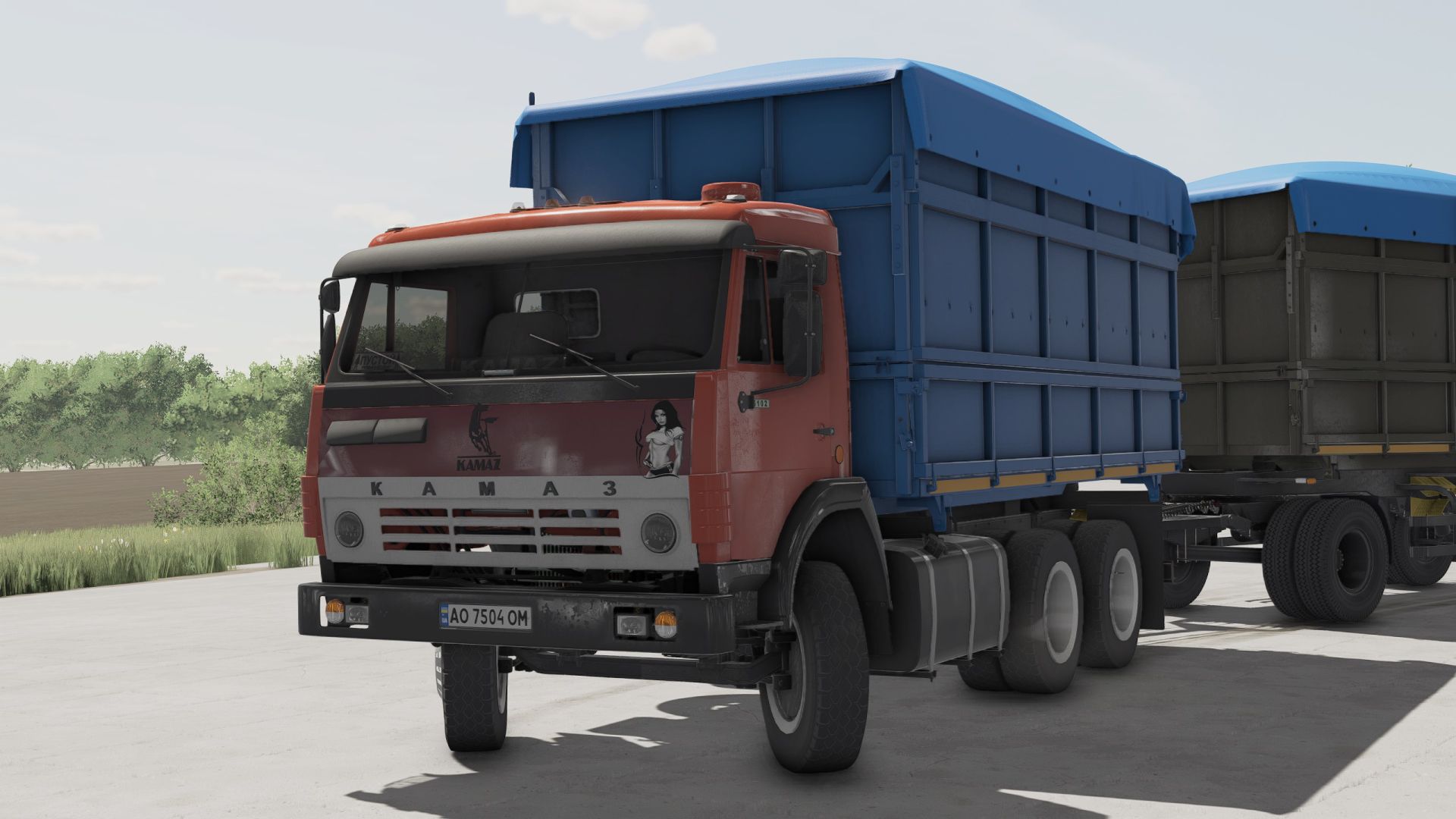
KAMAZ SELHOZNIK UA FS22
Here is my modification of Kamaz 55102 Added to Kamaz: 2 stickers toning air ducts caps scents a dog Trailer: mudguard a sticker Fixed bugs, added a sticker
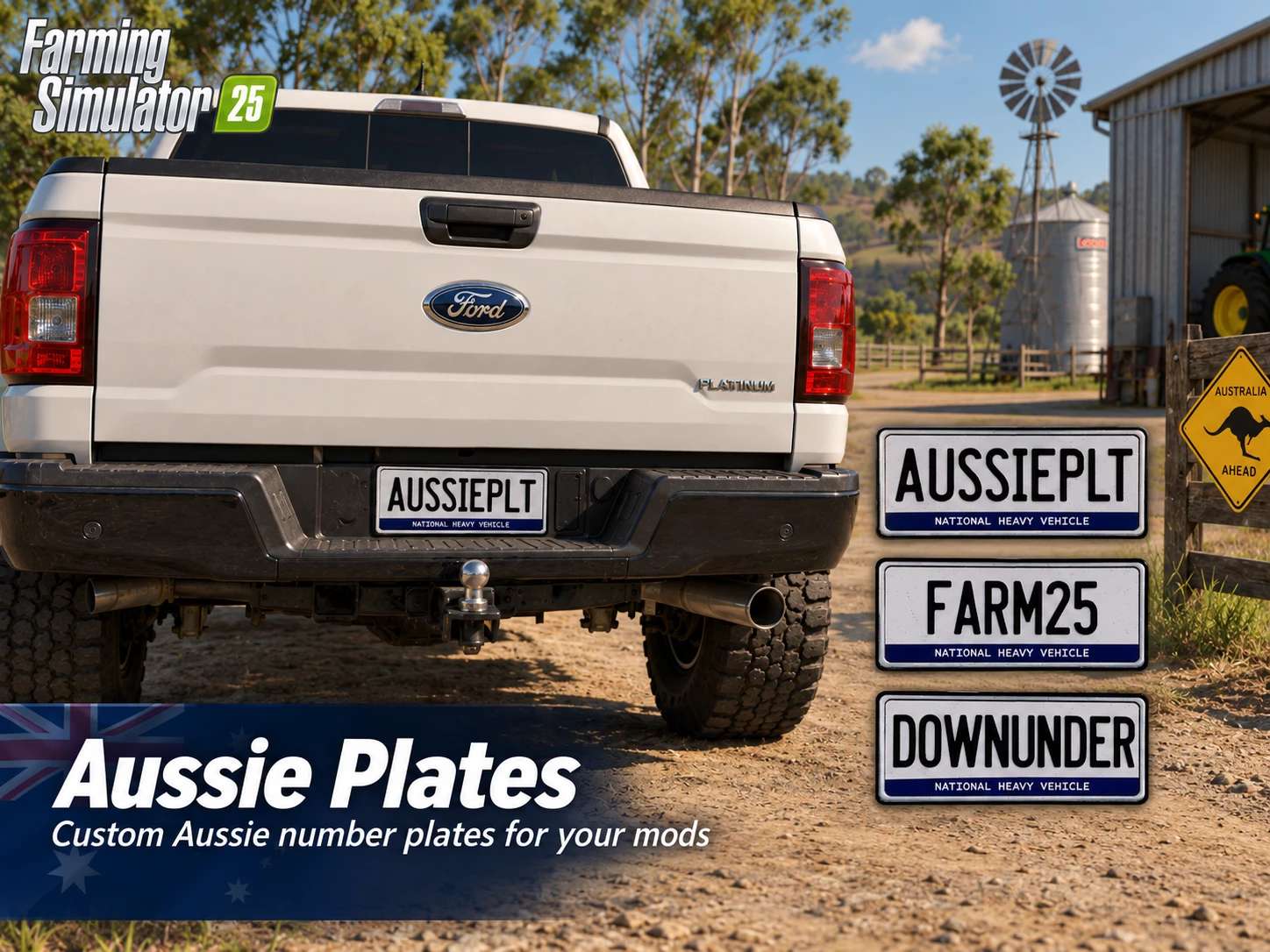
Aussie Plates v1.0.0.0
Aussie Plates v1.0.0.0 Replaces vehicle license plate with an Aussie plate texture. Credit goes to Warthog Mods for creating the base. I made a plate for the Aussies that love my mods. Here is a mod i piggy backed off the ones Malice made for some of the US states.

Adjust Camera edit V1.0
Howdy y’all, this is my first ever mod or well, edit of a mod. I took the Adjustable Camera mod by “CptCray” and added a save function so it’ll save your camera position when you save the game. I also made the camera move in a finer grid pattern. Credits: CptCray 5/5 - (1 vote) Download mod File File size FS22_AdjustableCamera_Edit 13 KB
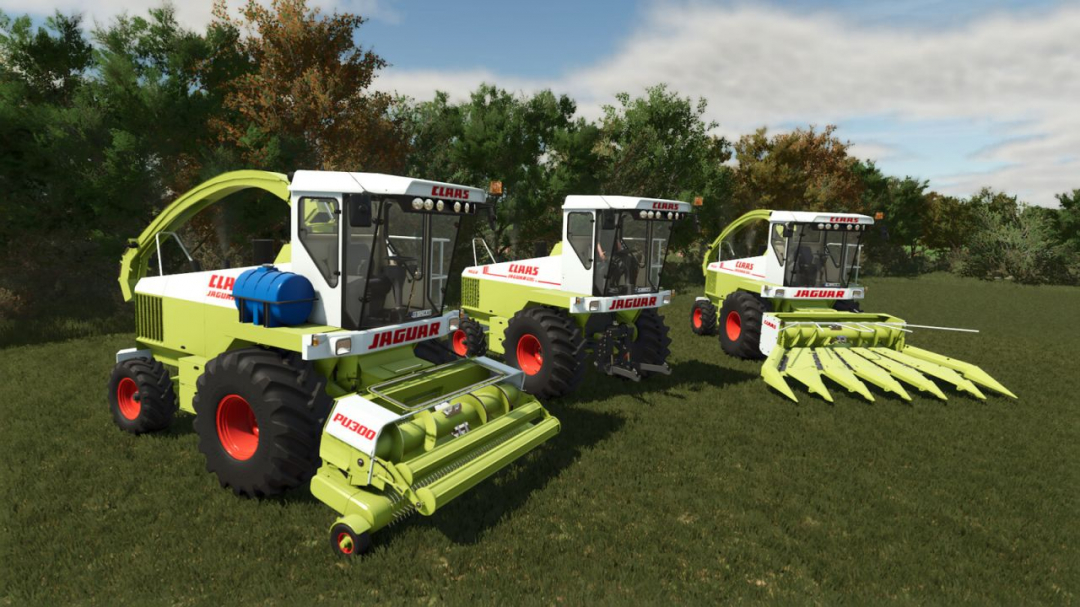
CLAAS Jaguar 695 V1.1
Claas Jaguar 695 Category: Harvesters Price: $30,000 Power: 340 hp Max. speed: 25 kph Capacity: 550 L Capacity: 80 LClaas Jaguar 695 Concept Category: Windrower Price: $32,000 Power: 340 hp Max. speed: 25 kph Capacity: 550 LClaas PU300 Grass Pickup Category: Headers Price: $12,000 Working width: 3.0 m Working speed: 14 kphClaas 6 Row Corn Header Category: Headers Price: $16,000 Working width: 5.3 m Working speed: 10 kphV1.1.0.0 Fixed wheel behavior from patch 1.19 Added new wheel rims. Included the Concept Self-propelled Mower Jaguar 695 (only 3 ever made by Custom Studio)
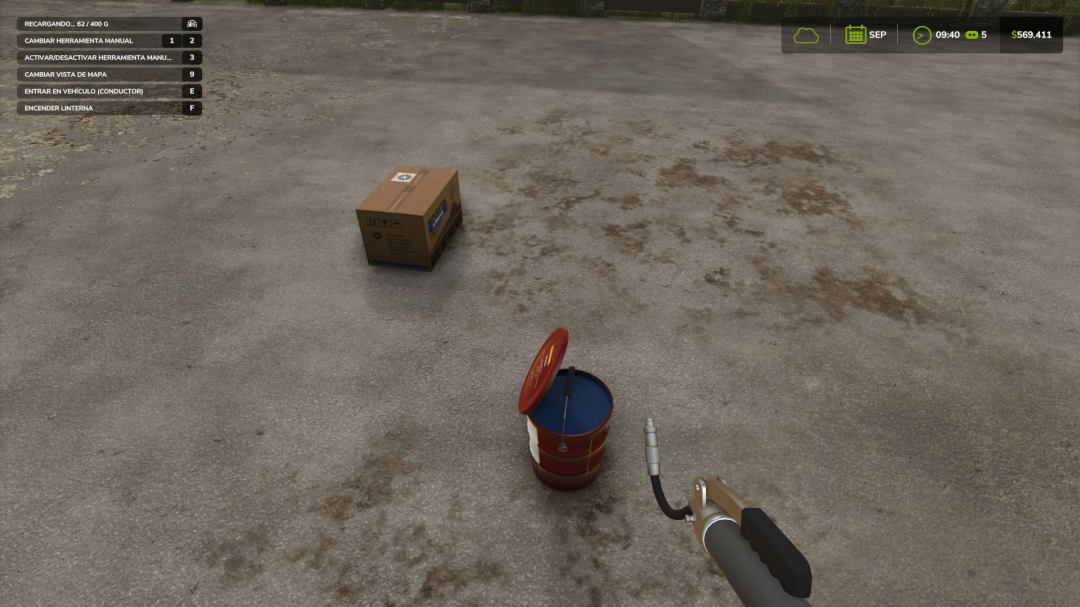
Implement Maintenance V1.1
Does your seeder work a thousand hours without anyone changing a bearing or adding grease? No real machine can withstand that. This mod introduces realistic implement maintenance: machines require lubrication, wear through use, can break if neglected, and must be repaired using spare parts, time, and money. It works automatically with ANY towed or non-motorized implement from the base game or other mods, detecting its components. No configuration required. REAL LUBRICATION Use a grease gun with standard or premium lithium EP2 grease. Premium grease provides longer lubrication intervals. Lubrication is based on actual working hours. Long-term storage can also require lubrication before returning to service.WEAR BY SYSTEM Four individual systems are simulated: Wear Parts Bearings and Transmission Hydraulic Circuits Wheels/Tires Each has its own lifespan. Wear progresses through operation and increases faster when the machine is dirty or lubrication has expired. Condition also affects normal machine wear and resale value.REAL BREAKDOWNS Machines can suffer minor, serious, or critical failures. Depending on the failed component, an implement may stop working, fail to lower or deploy, operate at reduced speed, or become immobilized. The more worn the machine, the greater the risk of failure.FIELD REPAIRS A toolbox allows temporary emergency repairs of serious failures in the field, letting you continue working with limitations. Critical failures require a workshop.YOUR OWN WORKSHOP Place a workbench with a service bay on your farm for diagnosis and repairs. Repairs can use STANDARD or faster EXPRESS service and take from hours to several days. Repairing a failure does not remove the machine's existing wear.PHYSICAL SPARE PARTS Diagnosis displays operating hours, wear of all four systems and required spare parts. Servicing requires physical wear, bearing, hydraulic or tire kits. A complete service history is stored for every machine.OEM OR AFTERMARKET Replacement parts are available as OEM or aftermarket. Aftermarket parts are cheaper but have shorter lifespans and may have a greater risk of premature failure.SUPPLIER PORTAL Use the ordering computer to purchase spare parts and select their quality and quantity. Delivery takes several days, with parts physically delivered for use in your workshop.FEATURES Automatic support for base-game and mod implements Realistic lubrication and working-hour tracking Four independent wear systems Minor, serious and critical breakdowns Emergency field repairs Workshop diagnosis and repairs Physical spare parts and supplier ordering OEM and aftermarket parts Maintenance history and savegame support Multiplayer and Dedicated Server compatible Deadlines adapt to game month length Languages: English, Spanish, German, French, and Italian Compatible with Agricultural Financial System (GN Realism)V1.1.0.0 Major update from version 1.0.1.0. All new or changed features are listed below; anything not mentioned remains unchanged.NEW HAND TOOLS Adjustable wrench and cross wrench, available in the Tools store, reusable. Mechanical work is now performed with the correct tool in hand: the tool animates, ratchet sounds play, and the progress bar advances while holding the trigger near the implement. Without the correct tool, work pauses. The adjustable wrench is used for wear parts, bearings, and hydraulics; the cross wrench is used for wheel nuts.PRICES Workbench: from $18,500 to $8,500 (daily maintenance from $25 to $10). Purchase Terminal: from $24,000 to $3,500 (daily maintenance from $30 to $5). Tools: adjustable wrench $1,500, cross wrench $1,900.WORKBENCH New table-style diagnosis: one row per system with pictogram, color-coded status, wear level, installed part (OEM / Aftermarket), remaining service life, required parts and quantity, required tool, available stock, and verdict. Maintenance is performed in stages, with the correct tool in hand and within 2.5 meters of the implement, from any side. Stages now take longer (actual work, not a single click). With the tool in hand and the implement in the service bay, the trigger can also start the service. Replacing the bearing kit properly lubricates the assembly: the lubrication interval resets to zero. More tolerant spare parts supply zone. On-screen prompts guide you when approaching the workbench: position implement, open diagnosis, cancel service.GREASE GUN & GREASE TUB The grease tub now has a lid: it can be opened and closed with its own action, remaining in the state you left it. When closed, the grease gun cannot load, and the screen indicates this. New refilling system: aim at the tub opening, hold the trigger, and grease transfers gradually, with the amount shown on screen and the plunger rod coming out in short pulls. The operation can be interrupted without losing transferred grease. Greasing action improved: the lever now actually opens and closes with each pump, with sound. On-screen prompts: refill available, refilling, lubricating, tub closed. When grease runs out, you’ll see a warning and hear a dry-metal squeal, but can continue working without lubrication.BREAKDOWNS Field failure (Level 1) is now a real breakdown: it has a functional consequence, can be repaired in the field, and generates its own work order, with low cost and short duration. The outcome depends on the failed component, including critical failures. Hydraulic leak (field or serious failure): the implement can still operate, but folding, lifting, and lowering work at a quarter speed, with hissing and a warning. Ruptured hydraulic system (critical): no pressure, no folding, lifting, or tipping. Progressive failure risk increases with wear, with no thresholds: new parts rarely fail, worn parts are increasingly likely to fail. Spare-part reliability recalibrated: aftermarket parts have a higher chance of manufacturing defects, while OEM parts can also fail but less often. Each component has its own failure sound (metal breaking, bearing rattling, hose bursting, escaping air), while critical failures trigger a loud impact sound and onboard warning. The message indicates what failed, what was lost, and what actions to take.EMERGENCY REPAIR (TOOLBOX + TOOL) No longer a single click: place the toolbox next to the implement, hold the required tool for the failed component, and repair takes about 12 seconds. Emergency repair availability depends on the component and failure type, not severity alone: wear parts and hydraulics can always be repaired; bearings and wheels up to serious failure; chassis cannot be repaired in the field. Operating margin varies by component (2 to 4 hours). A second repair on the same failure lasts 60% as long; a third is not possible. With active emergency repair, the workbench recognizes the pending repair: it opens the work order for the final repair, showing the correct component, budget, and estimated time.PURCHASE TERMINAL The catalog displays the pictogram for the selected system, and delivery time matches the purchase order list (same calculation and format). On approach, prompts appear: open supplier portal, check orders in transit, or no workbench nearby. Interface sounds when opening the catalog and diagnosis.INTEGRATED GUIDE A new 17-step guide (Alt+H, rebindable) explains every component, tool, breakdown, and consequence, using actual mod values.INTERFACE & TEXT The implement info panel always shows damage, with highlighted alerts for lubrication, breakdowns, provisional repairs, and depleted parts. Work order layout fixed (rows no longer overlap). Terminology unified across all five languages (workbench, purchase terminal, emergency repair, final repair, maintenance, purchase order). German localization now includes correct accents.V1.0.1.0 FIXES RETAINED The game's standard repair system does not apply to implements managed by the mod (clear warning shown). Tractor speed limits are respected (harrow no longer runs at 32 km/h), including limits from breakdowns, worn tires, or emergency repairs while towing. With Agricultural Financial System installed, purchase orders use available credit margin. Compatible with savegames from version 1.0.x: no new game needed. Multiplayer and dedicated server supported.


- 15 per page
- 30 per page
- 45 per page
- 60 per page
-
See more per page
Bigger pages, fewer clicks - and no ads anywhere.
Go Pro