Farming Simulator 22 mods
50,152 results- 15 per page
- 30 per page
- 45 per page
- 60 per page
-
See more per page
Bigger pages, fewer clicks - and no ads anywhere.
Go Pro
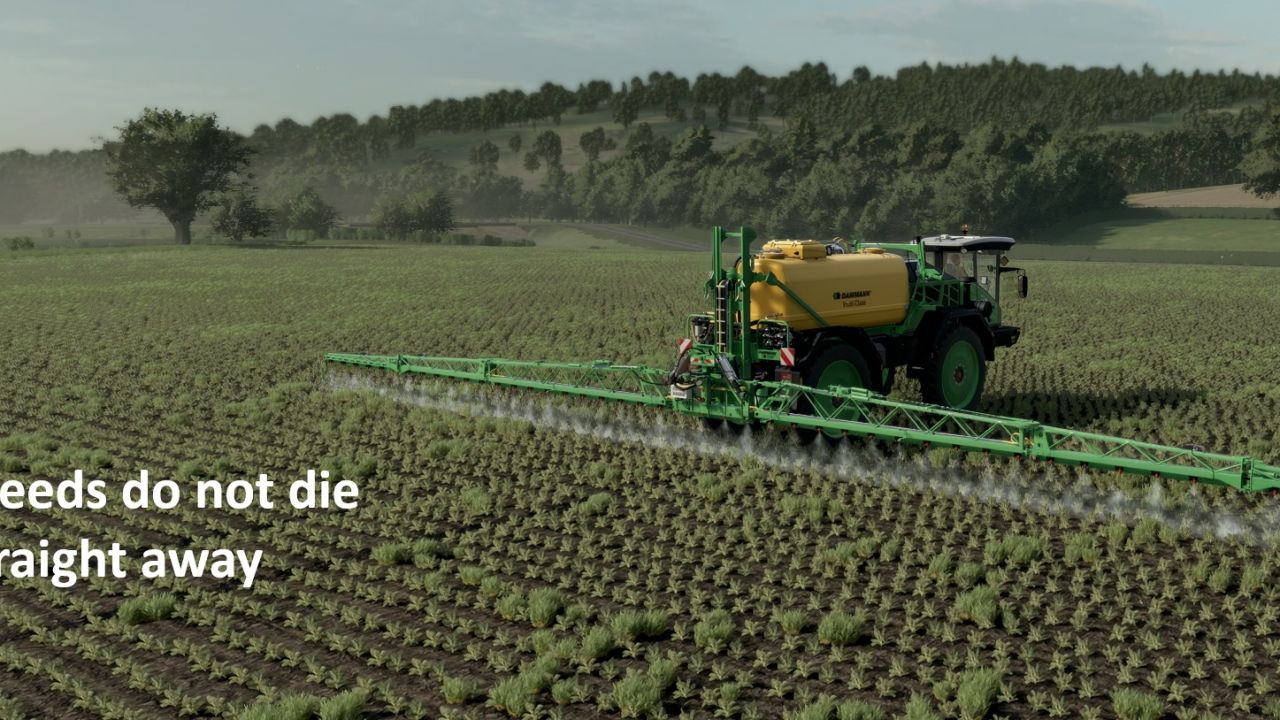
Volunteer Crops and Weeds FS25
After a combine harvests wheat, barley or oats, a stripe of volunteer grain comes up behind it, just like in real life. The following month it appears as young green wheat down the line of each combine pass, and it keeps growing until you deal with it. Volunteer crop also grows in proceeding crops such as sugarbeet and maize which need to be sprayed off (this is a replacement of normal weed system) - Volunteers only come from combines harvesting wheat, barley and oats. Stubble is left untouched. - They appear at the start of the next in-game month, as a smooth line that follows the combine's path. - They grow from small to big (wheat by default) - Spray them with any normal herbicide. They stay green for a day, then turn golden yellow, and disappear two months later. - Cultivating, ploughing or sowing removes them straight away. - Normal weeds can't grow on wheat, barley or oat stubble, so only volunteers appear there. If you switch the game's Weeds setting on, normal weeds still appear elsewhere and are sprayed off the same way. - Volunteer data is saved with your savegame. IMPORTANT: for the volunteers to look like wheat, the map's weed layer has to be drawn as wheat. On a map that still uses the standard weed look the mod still works, but the volunteers look like ordinary weeds and the yellow sprayed look is missing. See the setup guide that comes with the mod for how to prepare any map, which takes a few minutes. To INSTALL, 1. Add the FS25_VolunteerCrops in the zipped file. Place in Mod folder 2. Add the weeds folder to the map you need to edit, add a foliage folder if needed 3. Add Weed.xml (from downloaded Zip) to your maps config file 4 Edit.Point the map.i3d to the Weeds folder using notepad. For example Witcombe would become 5. Edit. In map.xml need to direct to the Weeds folder xml. For example Witcombe would become (Make sure the correct path is set for the weed.grle file. Any issues let me know. Aim is to add realism. Update with weed file. v1.3.0 Weeds are now removed as any crop other than wheat, barley or oats is harvested, such as sugar beet, potatoes and maize. New setting: HARVEST_CLEARS_WEEDS. v1.2.0 Normal weeds are now also cleared from the stubble of every other harvested crop, so weeds only stay in seeded fields. New settings: SWEEP_ALL_STUBBLE and SWEEP_CROPS_PER_HOUR. v1.1.0 Weeds and volunteers are kept out of tramlines made by the Automatic Tramline System mod. New setting: TRAMLINE_PROTECT.


FS25 Shaders by Frinks (DLSS 5)
FS25 Shaders by Frinks (DLSS 5) Hello. I’m sharing my custom shaders. They look best with DLSS 5 neural rendering. Below, I’ll provide Rajot’s guide on how to install DLSS 5. Thank you in advance.
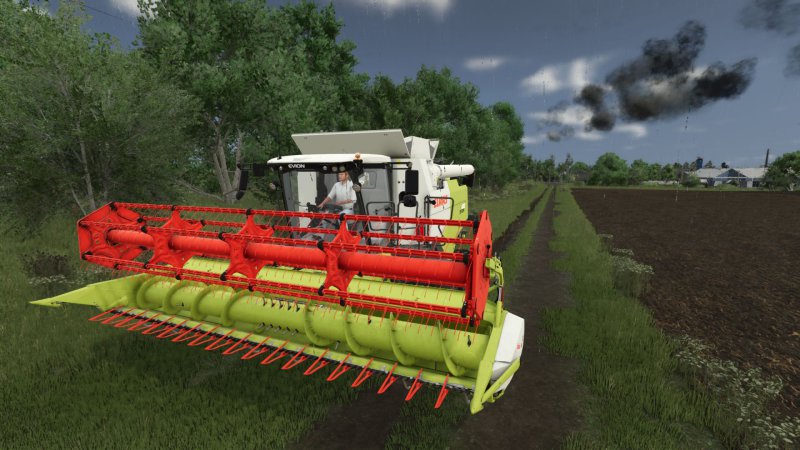
FS25 Exhaust Plus v2.0.1.0
FS25 Exhaust Plus v2.0.1.0 Exhaust Plus — advanced exhaust system for Farming Simulator 25 Exhaust Plus is realistic smoke that completely reworks the standard exhaust of vehicles in Farming Simulator 25. The mod replaces the vanilla smoke with a multi-level particle system that dynamically reacts to engine load and RPM. Open the panel: Right Alt + Q. The key combination can be changed in the control settings. V2.0.1.0 – Bug fixes – Textures recompressed to the correct format – ESC now closes the HUD properly. V2.0.0.0 – Added a new exhaust settings panel (Open the panel: Right Alt + Q.) – Standard and particle smoke can now be activated independently: you can use one effect, both, or disable smoke completely. – Added a preset editor with sliders and numeric input. Available settings include particle density, size, lifetime, speed, color and opacity, as well as the smoke’s response to engine operation. – Added separate editing for smoke layers and the initial puff. – Added three preview modes: basic flow, low load and full load. – Custom presets can be saved under a custom name and deleted. The predefined presets remain unchanged. – Created presets are saved between game sessions and are available in the general list. – Reworked network synchronization: each machine transmits its selected preset and smoke settings to other players. – Smoke intensity calculation has been moved to the server, including for AI-controlled vehicles. V1.0.6.0 – Improved behavior of smoke on vehicles. (previously, the minimum and maximum speeds were set strictly in the script, now they are read from the engine from the equipment) – Slightly improved behavior of smoke under load V1.0.5.0 – Fixed an error that was in the log when switching presets on the go – Added new LightSmoke preset – Fixed a problem where when the Vanilla preset was turned on on a vehicle, it continued to work when the engine was turned off. – Fixed a problem where if a vehicle had a launcher, a second smoke would come from there. – Improved Hud line that appears when switching presets or disabling custom smoke V1.0.4.0 – Fixed a problem when smoke was coming out on two active pipes, but only one! V1.0.3.0 – Fixed client-server-client synchronization problem. (Well, sort of) V1.0.2.0 – The default keys have been replaced by left ctrl+left shift+K and ctrl+left shift+L (they can’t be reassigned themselves, the game can’t do that, this is for new users) or you can find the file inputBinding.xml in the documents find something like this in it and delete it (it’s easier to go to the control settings and change the keys) V1.0.1.0 – Added the ability to enable or disable Custom smoke on each vehicle. (K button, or set your own in the control) – Added the ability to select a preset for a vehicle from existing ones. (L button, or set your own in the control) All states are saved in a save and loaded from it.

FS25 Silo Helper
FS25 Silo Helper Everything for your bunker silos in one mod. Controls (at a bunker silo, on foot or in a vehicle): – Ctrl(L) + B: Open the silo menu Silo helper: – Compacts the silo to 100 % or levels it Auto helper: – Set up once per silo: Compacting, leveling or both – Starts automatically as soon as a vehicle has unloaded and left the silo Silo functions: – Cover the silo, reopen it, empty it – Overview of all your silos with status and fermentation time HUD: – Fill type, fill level, compaction, fermentation and remaining time – Vehicle weight (including implements) and actual remaining distance until 100 % compaction – Freely movable and scalable, saved per player
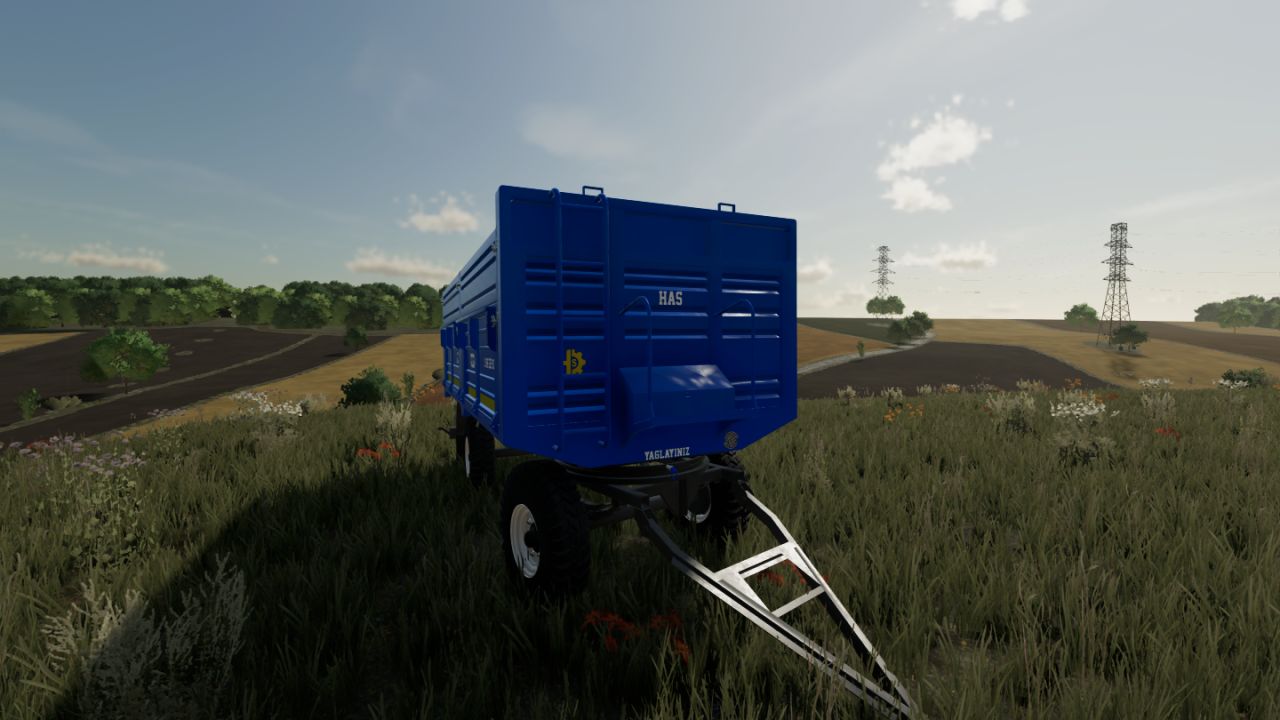
Has Sanayi Trailer FS22
Features: - Bale transport support - 4-ton additional option - 5-ton additional option - Different wheel options - Floor mat adjustment option - Trailer color options Prepared for Farming Simulator 22. Have fun! 🚜
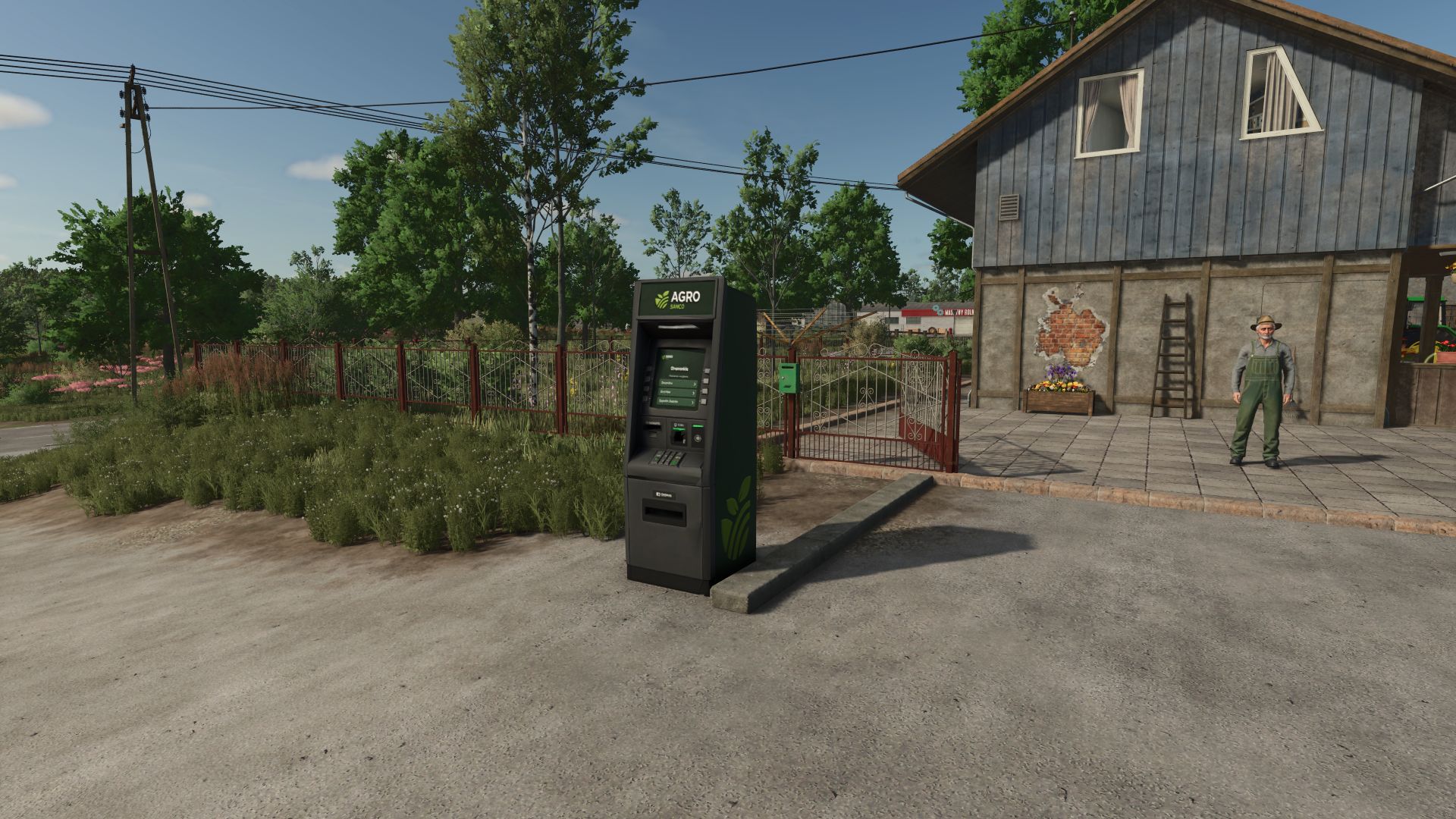
Agricultural Financial System FS25
Agricultural Financial System: current accounts, credit, taxes and cash flow 💵 Buy a tractor and the money vanishes from your pocket instantly? No farm works that way. Here you buy on account, get paid on terms, earn your credit, pay your taxes and settle your staff's wages at the end of the month. 🏢 YOUR COMPANY Company name, tax ID, bank, town and employee name, shown on the bank card, invoices, payslip and ATM. Every supplier and customer keeps the name you give it and its own history. 🏦 YOUR BANK The bank account as a home banking card, next to cash, committed funds and credit margin. Every row has its paper document: invoice, purchase order, cheque, promissory note, sale settlement or payslip, with its status stamp. Statement with Debit, Credit and Balance. Transfer money to another farm, with the bank cost of your country shown before confirming. Placeable 3D ATM of the same bank. 🛒 CURRENT ACCOUNTS Buy on credit in the shop, at the animal dealer, in construction, at buying stations and at the map's fuel stations. Cash, 30, 60 or 90 days, with a 0, 2, 5 or 10 % surcharge shown before you choose. A 25 % down payment halves it for machinery and buildings. Pay early and get 3 % per month off. 📊 ONE CREDIT LINE YOU HAVE TO EARN One line for the whole company: starts at 100,000 (50,000 or 250,000 in the settings) and grows 15 % each time you pay on time, up to 8 times. If the margin isn't enough, the purchase is rejected. 📝 PROMISSORY NOTES AND CHEQUES Above your margin, sign a promissory note: 180 days, 30 % surcharge, up to twice your earned limit. Deferred cheques at 30, 60 and 90 days. Two bounced cheques suspend your chequebook. ⚠️ ARREARS AND SEIZURE One overdue account drops your available credit to zero; the earned limit comes back when you settle. 3 % monthly penalty interest. Refinancing up to twice. An unpaid promissory note goes to seizure. 💰 RECEIVABLES Sales, contracts and animal sales are paid on terms. Collect by bank deposit or in cash at the factory counter, tax-free. Sometimes a customer pays late, always with a reason. 🧾 OPTIONAL TAXES BY COUNTRY Argentina, Brazil, Spain, Germany, France, Italy or the United States. Off by default. VAT, monthly VAT return and annual income tax with depreciation and losses. Invoicing tab like the tax authority's portal, with the invoice on paper. Contracts are invoiced to the NPC who owns the field. 🤝 INVOICES BETWEEN FARMS Invoice another farm for a job. It accepts or rejects it; you get paid when it pays. 🚜 FARM AND CONTRACTOR (optional) Two bank accounts in one company: contracts go to the Contractor, sales to the Farm. Automatic cover, free transfers, and you choose which account pays each purchase. 👷 STAFF Wages settled monthly with labour charges (Realistic 47.3 % or Low 15 %). A real payslip. Unpaid payroll: your staff won't take new jobs. 🌾 GRAIN BARTER Settle a debt with grain, valued 5 % above market, under a signed contract. ⚙️ SETTINGS Tax regime, starting credit, staff cost, commercial terms and Farm and Contractor, in the game menu. In multiplayer only the admin changes them. Works with Supply & Transport Contracts, and other mods can add their own accounts. Single player, multiplayer and dedicated server. Spanish, English, German, French and Italian. Made with a passion for realistic farming simulation. 🚜 Major update over the previously released 1.2.0.0. Everything listed below is new or changed. 💳 ONE CREDIT LINE · The four credit lines become one line for the whole company, starting at 100,000 (50,000 or 250,000 in the settings). · Your saved game adds up the credit you already earned with each supplier: nothing is lost. · Tax and payroll accounts don't use your credit margin. 🏦 BANK AND DOCUMENTS · New look: the bank account as a home banking card, next to cash, committed funds and credit margin. · Every tab shows the paper document of the selected row: invoice, purchase order, cheque, promissory note, sale settlement or payslip, with its status stamp. · The Statement is now a bank statement with Debit, Credit and Balance. · Transfer to another farm, with the bank cost of your country shown before confirming. · The ATM belongs to the same bank, has its own icon and shows the last operation on screen. · Its own sounds for the ATM, credits, debits, arrears, bounced cheques and stamps. ⚙️ SETTINGS IN THE GAME MENU · Tax regime, starting credit, staff cost (Realistic or Low), commercial terms (Realistic or Balanced) and Farm and Contractor. In multiplayer only the admin changes them. 🧾 TAXES (optional, off by default) · Argentina, Brazil, Spain, Germany, France, Italy and the United States. · VAT on every sale and purchase, monthly VAT return, annual income tax with depreciation and losses. · New Invoicing tab: the tax authority's portal with the book of invoices and the invoice on paper. · Contracts are invoiced to the NPC who owns the field. 🤝 INVOICES BETWEEN FARMS · From the Invoicing tab (C button) you invoice another farm. It accepts or rejects it in Pending. Once accepted, you get paid when they pay. 🚜 FARM AND CONTRACTOR (optional) · Two bank accounts in the same company: contracts go to the Contractor, sales to the Farm. · Automatic cover between them, free transfers, and you choose which account pays each purchase. · Helper wages on contract fields are charged to the Contractor. 👷 STAFF · Real labour charges: 47.3 % (Realistic) or 15 % (Low), instead of the fixed 35 %. · The Personnel tab shows a daily wage sheet and a real payslip. You can set the employee's name in Company Details. 💰 SALES AND CONTRACTS · Animal sales now go to Accounts Receivable like any other sale. · Contracts that pay with their own code (Supply & Transport Contracts, dead wood, tree transport and rocks) now go to Accounts Receivable. · Fuel bought at the map's fuel stations now goes on account. · Other mods can add their own instalments and fees to the current account. Compatible with save games from 1.2.0.0: no new game needed. Multiplayer and Dedicated Server supported. Major update over the previously released 1.0.2.0. Everything listed below is new or changed; anything not mentioned remains unchanged. 💳 **CREDIT LINES** · Two new categories with their own credit limits: **Construction** (starting at $250,000) and **Livestock** (starting at $120,000), in addition to **Inputs** ($50,000) and **Machinery** ($100,000). · Each farm has its own credit line with each supplier in each category. Paying on time increases that specific credit line by 15%, without affecting credit in other categories. · In multiplayer, one farm can no longer use credit earned by another farm. 🏗️ **CONSTRUCTION AND LIVESTOCK ON ACCOUNT** · Construction purchases can now be made on account. The fourth button in the construction screen activates this option. · Livestock purchases on account now work correctly. In version 1.0.2.0, the button was still charging the purchase immediately. ⏳ **PAYING LATER COSTS MONEY** · When assigning a purchase, you can choose **Cash, 30, 60, or 90 days**, with surcharges of **0%, 2%, 5%, or 10%**, respectively. The surcharge is shown in currency before confirming the option. · For machinery and construction purchases, a **25% down payment** reduces the surcharge by half. · A purchase that you do not assign to a payment term is no longer charged immediately: the supplier will invoice it at 30 days with a late-payment surcharge. 📄 **PROMISSORY NOTE** · If a shop purchase exceeds your available credit limit, a promissory note is offered **before the purchase is made**, with its terms clearly displayed. If you reject it, nothing is purchased. · **180 days with a 30% surcharge:** the monthly cost is higher than using a current account, as it should be. · The credit limit is reserved at the time of purchase. Promissory notes have their own orange color and status in the lists and cannot be settled using grain. 🏦 **RECEIVABLE PAYMENTS** · An overdue receivable is no longer collected automatically. You can choose between a **bank deposit (4% bank tax)** or collecting the payment **in cash at the factory counter**. You must personally go to the factory to collect it. · If you do not visit the counter, the payment will still be deposited into your account after a few days. 👷 **WAGES** · The hourly cost of hired workers is no longer charged immediately. It accumulates and is settled once per month as a payable account, consisting of the base wages plus **35% labor costs**. · If the payroll remains unpaid after its due date, workers will no longer accept new jobs. · New **Personnel** tab showing the current month. 🌾 **GRAIN BARTER** · A signed grain barter agreement is now displayed as a contract, with **seven clauses, status stamp, and signatures**. · Only one active contract is allowed per farm. · If you pay the barter debt in cash, the contract is terminated without penalty and the transaction is recorded in the **Statement**. 🌐 **MULTIPLAYER & DEDICATED SERVER** · ATM deposits and withdrawals made by clients are no longer discarded. · Client company information is saved and displayed instantly. · Bank balances and credit limits are synchronized with clients immediately, without waiting for the end of the day. · A client cannot create, pay, collect, or modify transactions belonging to another farm. · The mod tab no longer disappears from the menu bar. 🖼️ **INTERFACE** · Icons added to the balance and credit-limit rows, and the ATM interface has been redesigned. · **Company Information** can now be opened from any tab. · Lists are always sorted by the nearest due date. · Purchases made at purchase stations now display the product name in the game's selected language (e.g. **"Wheat Purchase"**). 💾 **SAVING** · Financial data is now saved together with the game save. · If you exit without saving, financial transactions are also discarded, just like the rest of the game. 🔧 **FIXES** · Paying livestock purchases on time now increases the livestock credit line instead of the machinery line. · Assigning a purchase to a supplier no longer changes the category of their credit line or removes previously earned credit. · Payroll settlement no longer creates a credit line. · Grain barter agreements no longer fill the error log. **Compatible with save games from version 1.0.2.0:** no new game is required, and previously earned credit is preserved in its respective category. **Multiplayer and Dedicated Server supported.** New: post-dated cheques (30/60/90 days) to settle an open current-account entry ("Issue Cheque" button). A bounced cheque adds a 5% surcharge, goes overdue and lowers the supplier limit; a second bounce suspends cheque issuing for 90 days. New: animal purchases on current account — choose Cash or Current Account when confirming at the dealer. Grain exchange is now valued 5% above market price. UI: named tabs (Pending, Payables, Receivables, Grain Exchange, Statement) and a more compact layout. Multiplayer: clients now receive the daily notices (automatic debits, overdue, seizure, late customers) and the full statement, including when joining later. The daily summary is per farm.


Massey Ferguson 5150 V1.0
Price: 50,000$ 160hp. Max speed: 40 kph Credits: ahmetmodstik Download mod File File size FS22_MF5400 117 MB

Peugeot 5008 2025 GN V1.0
– No interior – License plate selection – Custom – UDIM – Simple IC (protect) Features: – Price: 43500 – Power: 180 Credits: MG COMMUNITY FS jessy35 squir3d Download mod File File size FS22_Peugeot_5008_2025_GN 35 MB

Yugo 55 V Beta 2
This is my first mod ever made. This mod is not finished yet and i’m posting this yugo in beta version because i want to see your feedback about this mod. I will continue to work on this mod and i will post the full version when i fix some bugs. THANKS FOR SUPPORT AND THANKS FOR DOWNLOADING. Spec Info: 40KW / 55 hp 120 kph price: 700€ Changelog: + BETA 2 now the speedometer works and I fixed some other small bugs Credits: Shomy Jovan89 3.7/5 - (4 votes) Download mod File File size Yugo_55_FS22 54 MB
- 15 per page
- 30 per page
- 45 per page
- 60 per page
-
See more per page
Bigger pages, fewer clicks - and no ads anywhere.
Go Pro