Farming Simulator 22 mods
50,152 results- 15 per page
- 30 per page
- 45 per page
- 60 per page
-
See more per page
Bigger pages, fewer clicks - and no ads anywhere.
Go Pro

Strands Freedom Black Raven — Position Light (Prefab) FS25
Strands Freedom Black Raven — Position Light Prefab Small lights for the finishing details on your FS25 builds. This Black Raven prefab brings round 29 mm position lights to trucks, trailers, forwarders and other custom vehicles. Choose white, amber or red, with either a flat rubber mount or an R30 mount for curved surfaces. Each version includes a recessed body, detailed lens, rubber housing and a short cable tail. Features: - Six variants: three colours and two mounting styles. - Real-scale 29 mm body. - Steady position lighting controlled by the vehicle's normal light switch. - Two levels of detail. - Ready-to-connect shared-light XML; no extra Lua required on vehicles with Lights. - English, Norwegian and Swedish installation guides and an offline XML helper. - Editable Blender meshes included. **This is a modding prefab, not a standalone shop item.** It must be installed in a vehicle using GIANTS Editor and the supplied XML instructions. These are position lights, not work lights with a projected beam. Author: **NorthernLight Modding**. Modelled from Strands product references; not an official Strands product or CAD model. The vehicle shown in the installation image is an example and is not included. - Corrected excessive dirt buildup on housing and exterior parts and outer lenses using GIANTS dirt-mask data. - Corrected dirt mapping for gradual, varied coverage instead of a uniform coating.
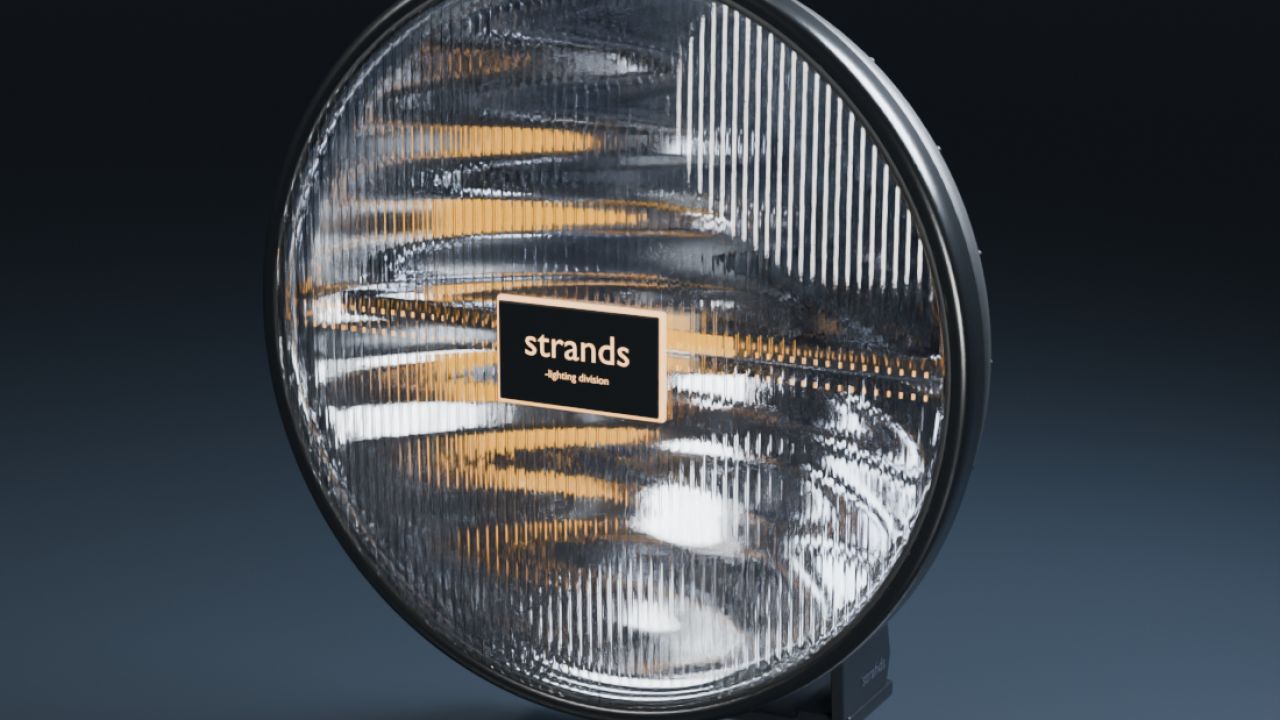
Strands IZE OG 9 (Prefab) FS25
A classic round driving light for your FS25 vehicle projects. Includes white, amber and red position variants, ribbed lens and illuminated centre logo, detailed chrome reflector, clear lens, black housing, cooling fins, cable, mounting hardware and a separate tilt pivot. Native position and high-beam controls, a real road beam and distance LOD are included. Vehicle-editing prefab: installation in GIANTS Editor is required. English, Norwegian and Swedish guides and a local XML helper are supplied. - Corrected excessive dirt buildup on housing and exterior parts and outer lenses using GIANTS dirt-mask data. - Corrected dirt mapping for gradual, varied coverage instead of a uniform coating.
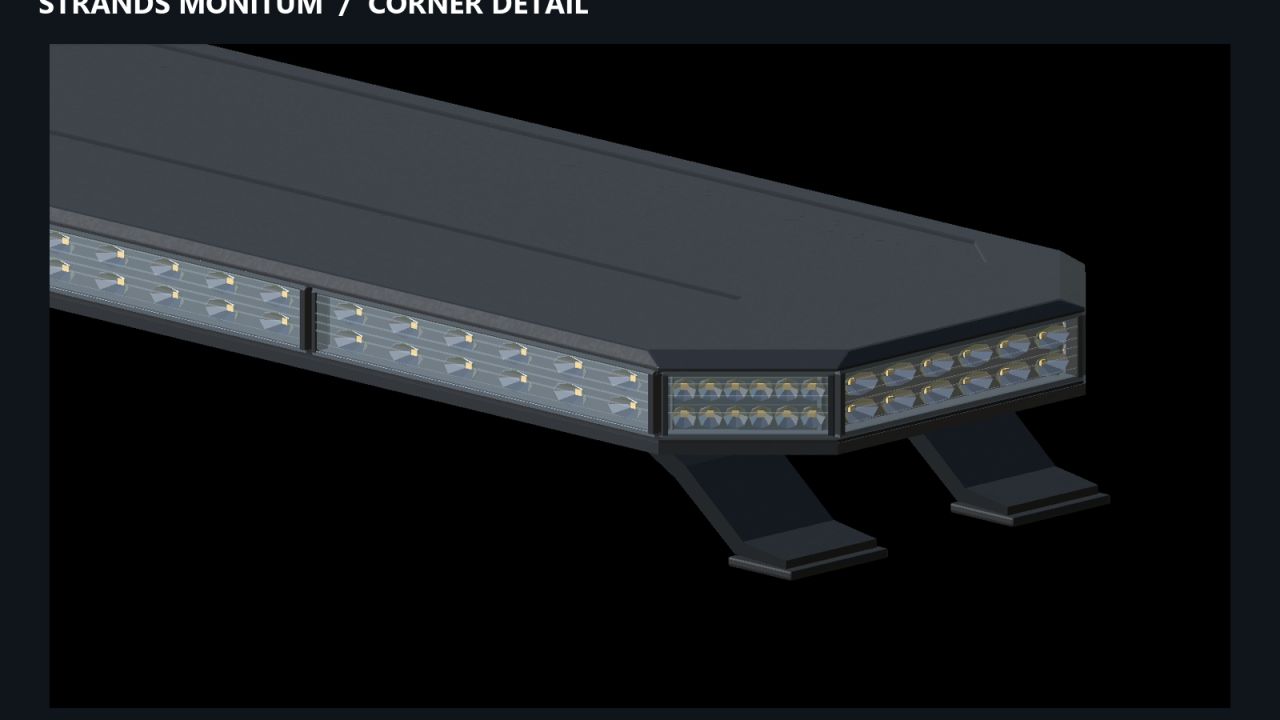
Strands Monitum Pack (Prefab) FS25
NLM Strands Monitum Pack – Prefab Equip your Farming Simulator 25 vehicles with Strands Monitum amber warning lightbars. This pack includes seven lengths for fitting to tractors, trucks and construction machinery. Features: - Seven lengths: 474, 780, 932.7, 1,238.5, 1,391.4, 1,544.3 and 1,850.1 mm. - Six fixed flash patterns: single, double and quadruple flashes, either synchronized or alternating between the left and right sides. - Optional random mode that automatically switches between the six patterns. - Independently adjustable mounting feet for positioning in GIANTS Editor. - Operated using the vehicle’s standard beacon controls. - XML files and connection examples for every size. - Included XML helper that runs locally in your browser. - Installation guides in English, Swedish and Norwegian. The six fixed patterns require no additional Lua script. Random mode uses the included script for PC/Mac. Flash patterns are adapted for FS25. Installation: This is a prefab pack for modding. It must be installed on a vehicle using GIANTS Editor and connected through the vehicle’s XML. Placing the archive directly in your mods folder will not add a purchasable item. Follow the included installation guide. Enable Realistic Beacon Lights in the game settings to illuminate the ground and surrounding surfaces. Created by NorthernLight Modding You are welcome to use and modify this prefab in your own projects. Retain credit to NorthernLight Modding for the original work and identify your own changes separately. - Corrected excessive dirt buildup on housing and exterior parts and outer lenses using GIANTS dirt-mask data. - Corrected dirt mapping for gradual, varied coverage instead of a uniform coating. - Removed dirt from sealed internal optics and light-emitting components. - Added a dedicated KingMods product presentation in English, Swedish and Norwegian.
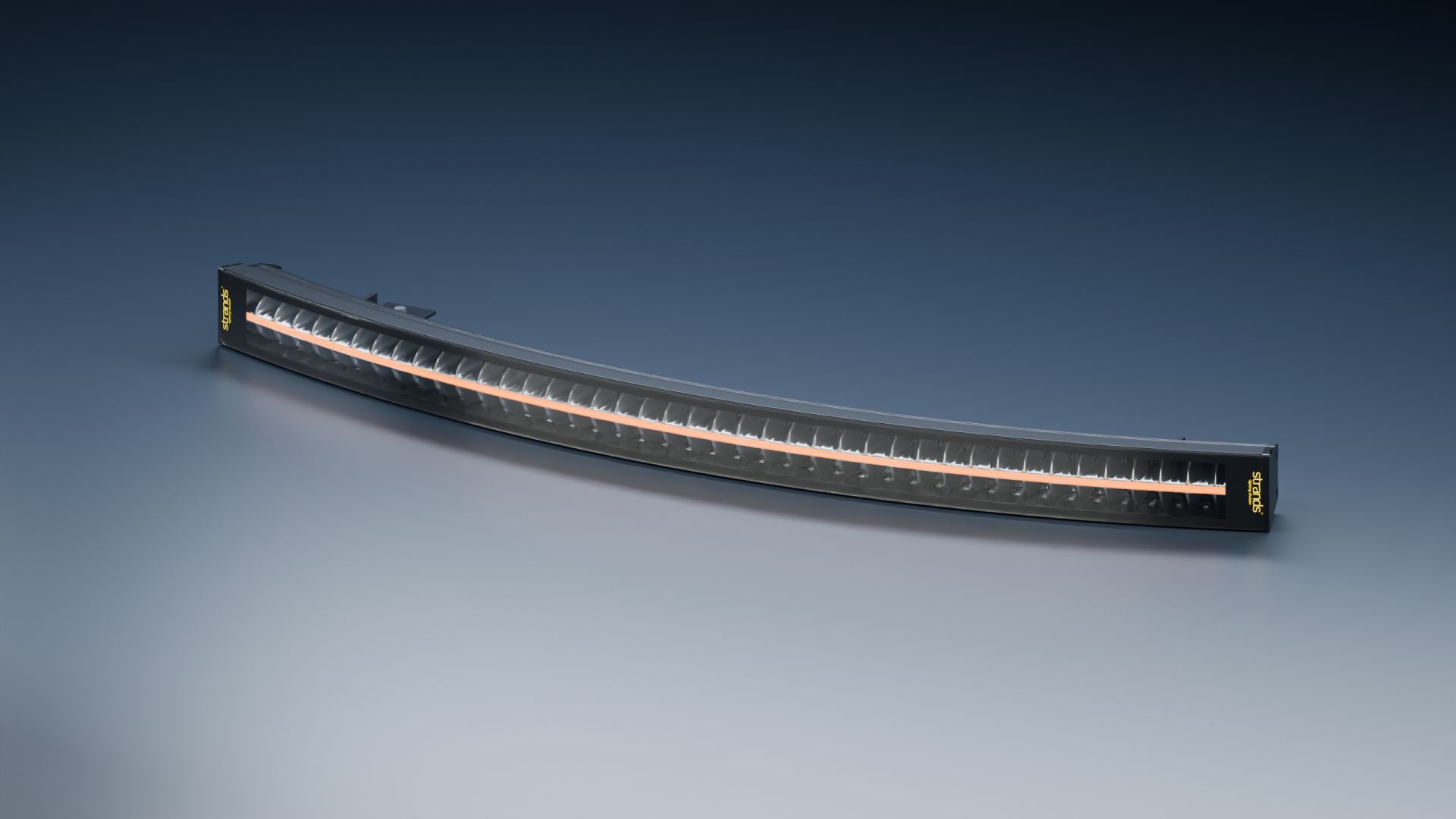
NLM Arctic Curve 44″ (Prefab) FS25
**NLM Arctic Curve 44″ – Prefab** A custom curved LED light bar for Farming Simulator 25, inspired by the Strands Siberia Outlaw design. Developed around the Komatsu 895’s front windscreen, the Arctic Curve follows the cab’s shape and spans the space between the A-pillars. Its approximately 1,124 mm width makes it suitable for forestry machines and other custom vehicle projects where the dimensions fit. Features: - Curved housing with two rows of 42 reflector cells. - Amber position light and white high beam. - Position lighting connected to the first light setting. - Separate rear mounting brackets and adjustable lamp tilt. - Detailed optics, cooling fins and two levels of detail. - White lighting can also be configured as front work lights. The package includes the model, textures, editable Blender sources, XML examples and complete installation instructions in Swedish and English. **This is a prefab for manual installation using GIANTS Editor and vehicle XML editing.** It does not appear as a purchasable item in the shop. The reference vehicle is not included. Product images include studio renders. A custom adaptation, not an official Strands production model. **Author:** NorthernLight Modding **Original design and branding:** Strands Siberia Outlaw - Corrected excessive dirt buildup on housing and exterior parts and outer lenses using GIANTS dirt-mask data. - Corrected dirt mapping for gradual, varied coverage instead of a uniform coating.
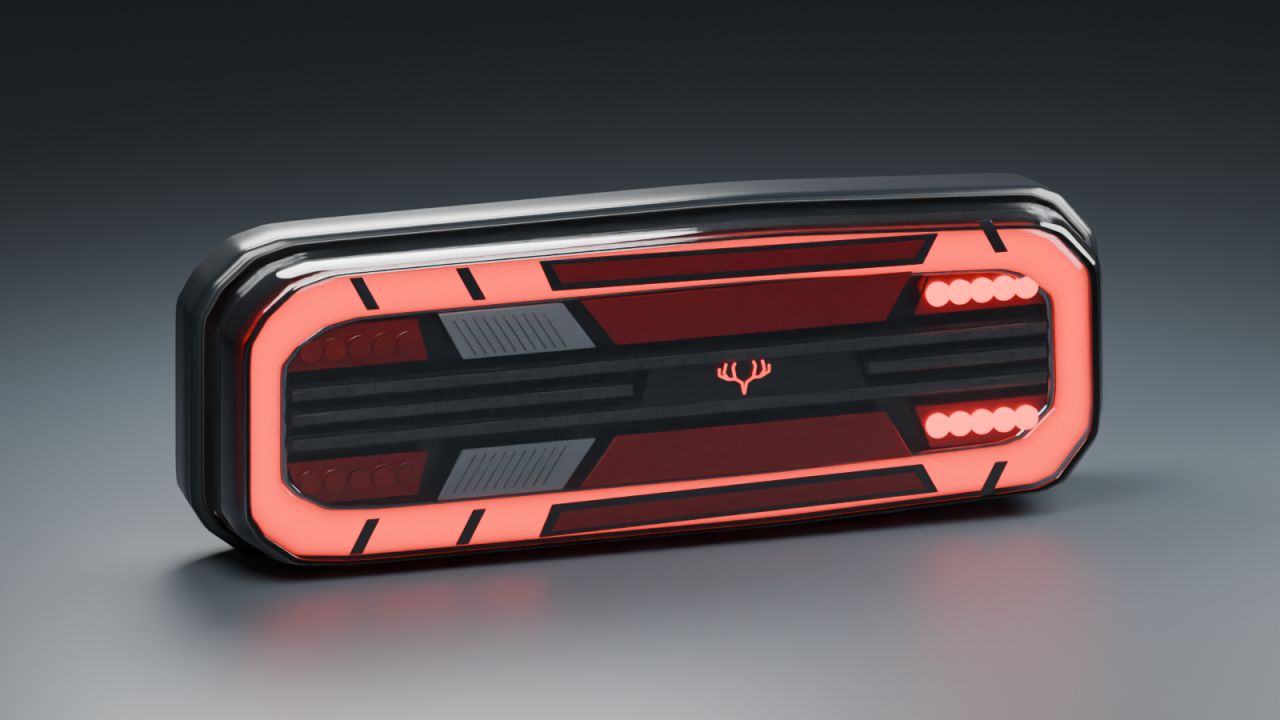
Strands Freedom Dark – Rear Light (Prefab) FS25
Strands Freedom Dark – Rear Light Prefab Bring the distinctive Strands Freedom Dark look to your Farming Simulator 25 vehicle projects. This prefab includes separate left and right truck rear lamps, modeled to the manufacturer’s published dimensions. Features: - Red position-light outline and illuminated emblem - Brake lights with large illuminated central panels - Left and right indicators with hazard-light support - White reverse lights with ground illumination - Two LOD levels and DDS textures - Editable Blender sources - Vehicle XML and complete English and Swedish installation guides The rear fog-light sections operate as additional position lights, while the large central red panels also illuminate when braking. Dimensions per lamp: 402.7 × 141.6 × 69.7 mm. Mounting-stud spacing: 152 mm. This is a prefab for modders. Installation in a vehicle using GIANTS Editor and XML editing is required. It is not a standalone shop item. Author: NorthernLight Modding - Corrected excessive dirt buildup on housing and exterior parts and outer lenses using GIANTS dirt-mask data. - Corrected dirt mapping for gradual, varied coverage instead of a uniform coating. - Removed dirt from sealed internal optics and light-emitting components.
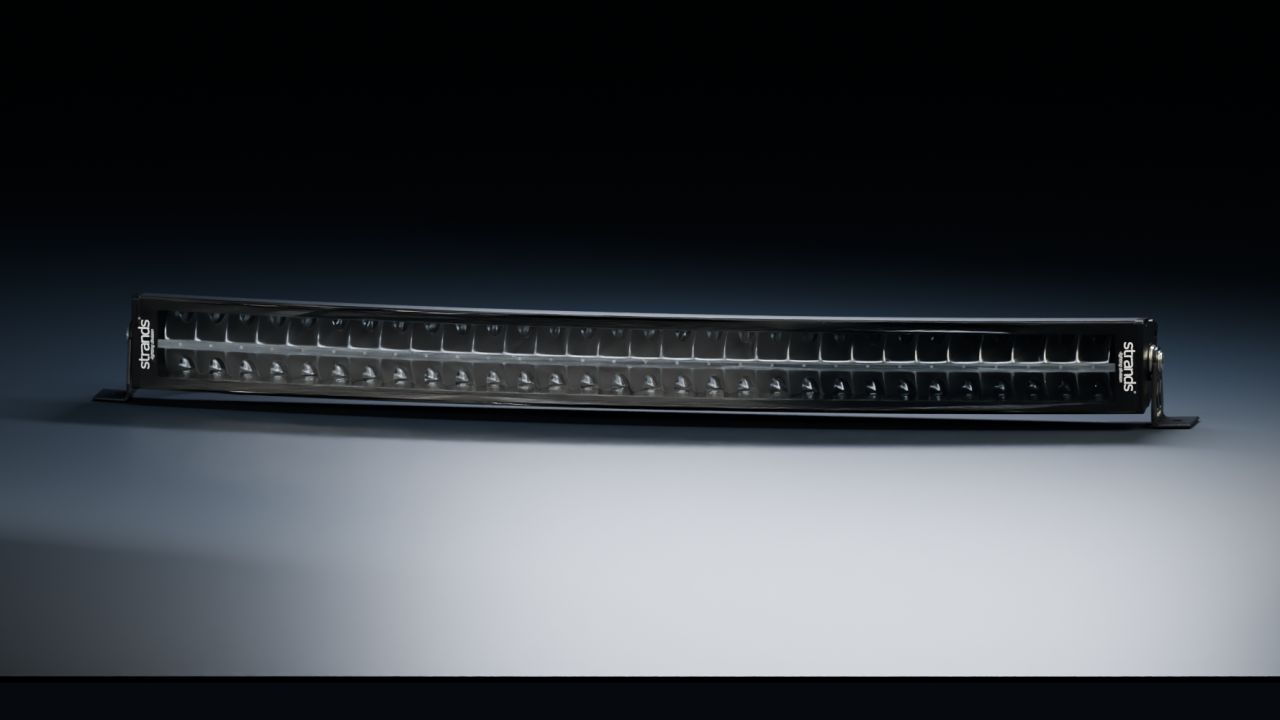
Strands Siberia DRC 32 (Prefab) FS25
A curved 32-inch LED bar for Farming Simulator 25 vehicle projects, by NorthernLight Modding. - 60 detailed indirect reflectors behind a clear front lens. - Separate white and amber position-light variants. - Real lights for the position-light wash and driving beams. - Curved aluminium housing, cooling fins, cable and adjustable side mounts. - Two levels of detail and spatial dirt masks. - Editable Blender sources, complete English/Norwegian/Swedish instructions and an offline XML helper. This is a prefab for vehicle modders, not a standalone shop item. Strands Lighting Division owns the real product and trademarks. Visual details are reconstructed from product references. - Corrected excessive dirt buildup on housing and exterior parts and outer lenses using GIANTS dirt-mask data. - Corrected dirt mapping for gradual, varied coverage instead of a uniform coating.
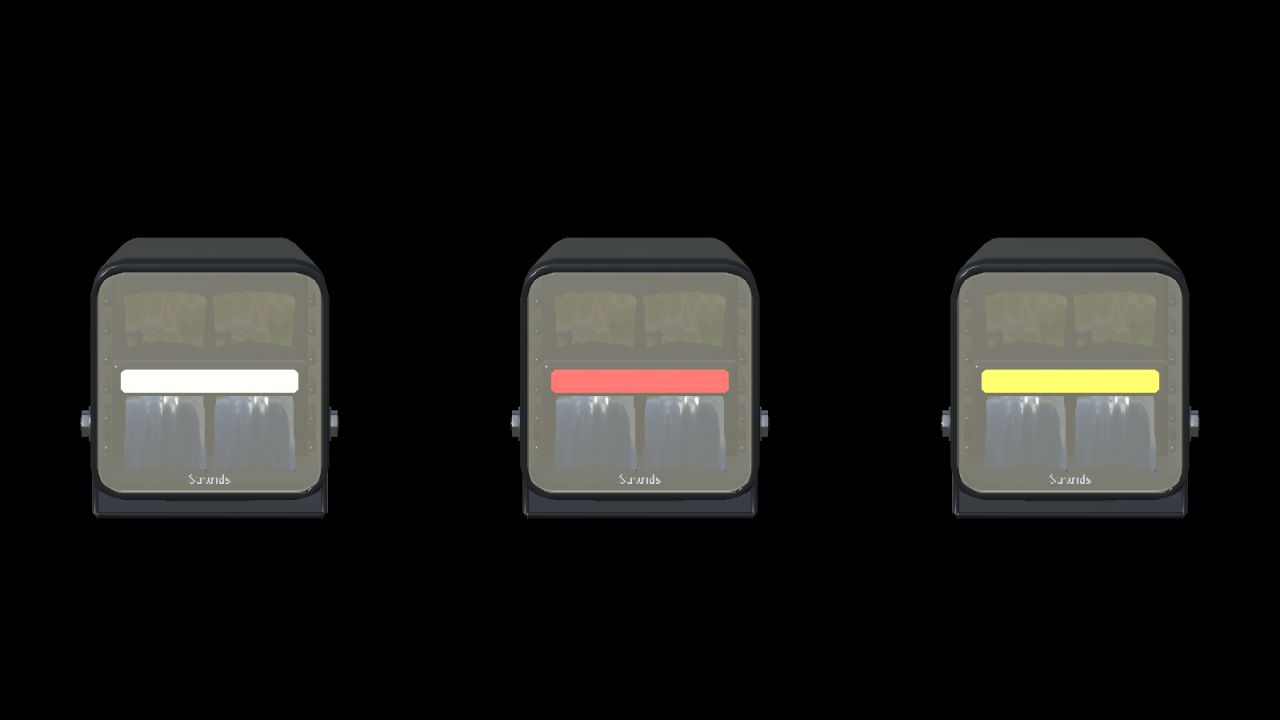
Strands Panda (Prefab) FS25
Pack of panda working light. White amber and red drl - Corrected excessive dirt buildup on housing and exterior parts and outer lenses using GIANTS dirt-mask data. - Corrected dirt mapping for gradual, varied coverage instead of a uniform coating. - Removed dirt from sealed internal optics and light-emitting components.
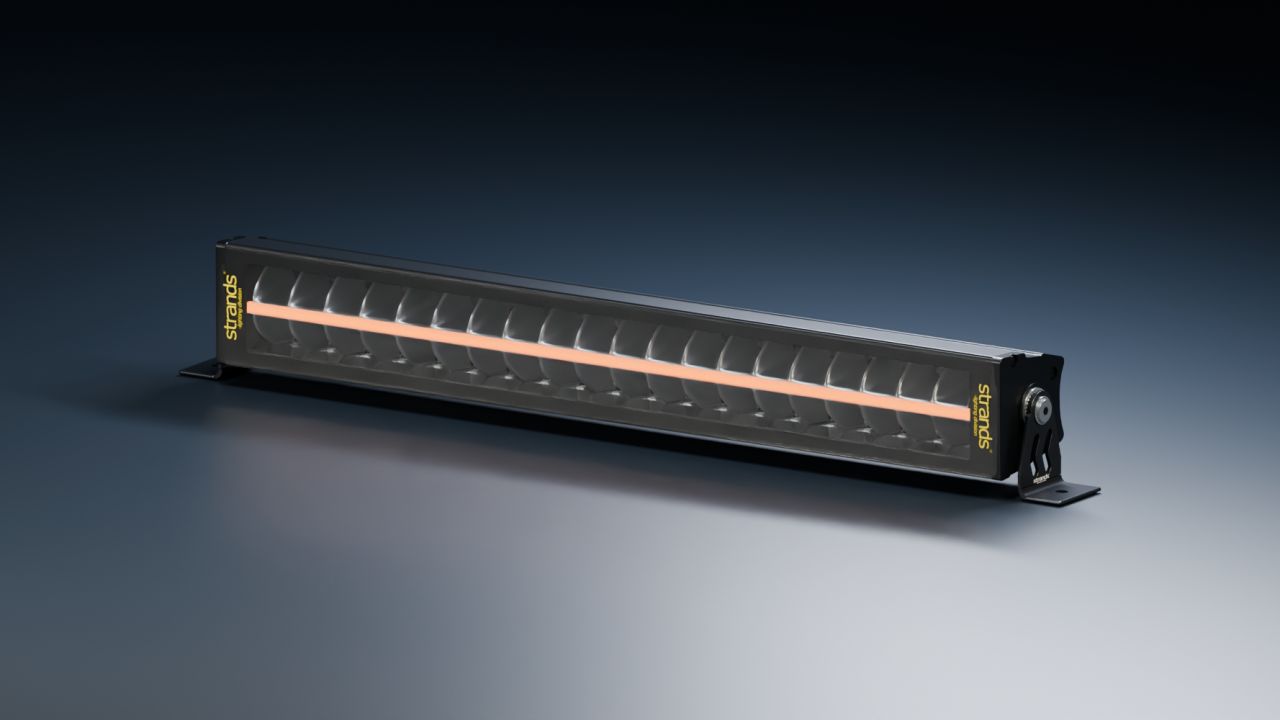
Strands Siberia Outlaw 22" (Prefab) FS25
# Strands Siberia Outlaw 22" — Prefab **Game:** Farming Simulator 25 **Type:** Prefab **Version:** 1.0.0.1 **Author:** NorthernLight Modding Add the Strands Siberia Outlaw 22" light bar to your FS25 vehicle projects. Modelled from the dimensions and reference photos of article 809167, with its shaped housing, two rows of indirect reflectors and continuous centre position light. - Amber and white position-light variants. - Functional high beam with visible light emission and real light sources. - Separate mounting brackets and an adjustable lamp pivot. - Two levels of detail. - Installation XML for position lights or daytime running lights. - English and Swedish instructions, an XML installation helper and editable Blender sources. This is a prefab for vehicle modders. Install it in a vehicle using GIANTS Editor and connect the supplied XML to the vehicle's lighting system. Extract the download and follow the included README; it is not a standalone shop vehicle. Tested in Farming Simulator 25 1.23.1.0 and GIANTS Editor 10.0.13. Both position-light colours and high-beam switching were checked in game. The model's internal details are reconstructed from photographs. Please credit **NorthernLight Modding** when using the prefab in a mod. - Corrected excessive dirt buildup on housing and exterior parts and outer lenses using GIANTS dirt-mask data. - Corrected dirt mapping for gradual, varied coverage instead of a uniform coating.

FS25 Tramline System v1.1.0.0
FS25 Tramline System v1.1.0.0 Tramline System is an advanced tramline management system for compatible seeders in Farming Simulator 25. The mod allows you to adjust tramline settings to the machine’s working width and the way you work in the field. The integrated HUD provides quick access to the most important functions directly during seeding. Mod features: – Manual mode (MANUAL) – Semi-automatic mode (SEMI) – Automatic mode (AUTO) – Adjustable spacing between tramlines – Adjustable width of a single tramline from 0.3 m to 1.0 m – Integrated HUD with clear work information – Tramline control – Half working width shutoff function – Support for compatible seeders Author: AGRO_TYTAN V1.1.0.0 -Optimized the updating of HUD elements. -Improved interface performance and prepared further performance optimizations. -Fixed FPS drops. -Fixed other bugs. -Fixed an issue with the seed hopper at the front of the tractor. V1.0.0.1 -Fixed FPS drops -Fixed other errors

FS25 GPS Plus v1.0.2.0
FS25 GPS Plus v1.0.2.0 Your GPS on CURVES! Take your farm’s efficiency to the next level with GPS Plus! Eliminate overlapping passes, skipped rows and wasted seed, fertilizer and fuel. Developed by Allan Beneck, GPS Plus equips all tractors, harvesters and sprayers with centimeter-precise guidance for Farming Simulator 25. Set your guidance line in seconds and let automated steering take control while you easily manage your speed and equipment. Key features: * Straight AB lines: Mark point A and point B to create perfectly parallel lines across the field. * Instant steering mode: Instantly create a guidance line following the vehicle’s current direction with a single key press — no need to drive to the opposite side of the field. * Fine angle adjustment (0.5°): Rotate your guidance lines in 0.5° increments for precise alignment with roads, fences and field boundaries. * Lateral line offset: Move your active track 10 cm to the left or right during work to compensate for terrain changes without resetting the line. * Smooth curve recording (curved AB mode): Record irregular contours, terraced slopes or riverbanks. The custom algorithm applies cubic spline smoothing and tangential extension. * Automatic implement width detection: With one click, attached implements (planters, cultivators, sprayers, headers) are automatically analyzed and the exact working width is set. Manual adjustment in 0.1 m increments is also available. * Automatic headland turns: When you reach the end of the field, press the turn shortcut and your machine will perform a clean 180° turn directly into the next pass. CONTROLS AND SHORTCUTS: • Right Shift + ; — Set point A / B (AB line) • Right Shift + L — Straight line in the current heading • Right Shift + ‘ — Set curved A / B line • Left Alt + W — Toggle steering / autopilot • Left Alt + A / D — 180° headland turn (left / right) • Left Alt + I — Automatically detect implement width • Left Alt + = / – — Adjust width (+ / – 10 cm) • Left Alt + Up / Down — Rotate heading (+ / – 0.5°) • Left Alt + Left / Right — Offset line (+ / – 10 cm) • Left Alt + H — Toggle guidance line visibility • Left Alt + Backspace – Reset guidance lines –> Feedback and suggestions are always welcome! If you find any bugs, vehicle incompatibilities or have ideas for future improvements, leave a comment on KingMods. V1.0.2.0 FIX * Optimized and corrected functionality for multiplayer servers. * Improved the method for executing automatic maneuvers; the tractor now calculates its turning radius in conjunction with the attached implement, adjusting the turn to ensure a more efficient alignment with the return path. V1.0.1.0 Changes and improvements made: *Fixed an issue where the guide lines were not visible. *Added a “reset” function and the ability to hide the guide lines using the [Alt + Backspace] shortcut. *After the tractor has been stationary for a while, the guide lines disappear to keep the screen clear; they reappear when the tractor moves or when a parameter is adjusted.
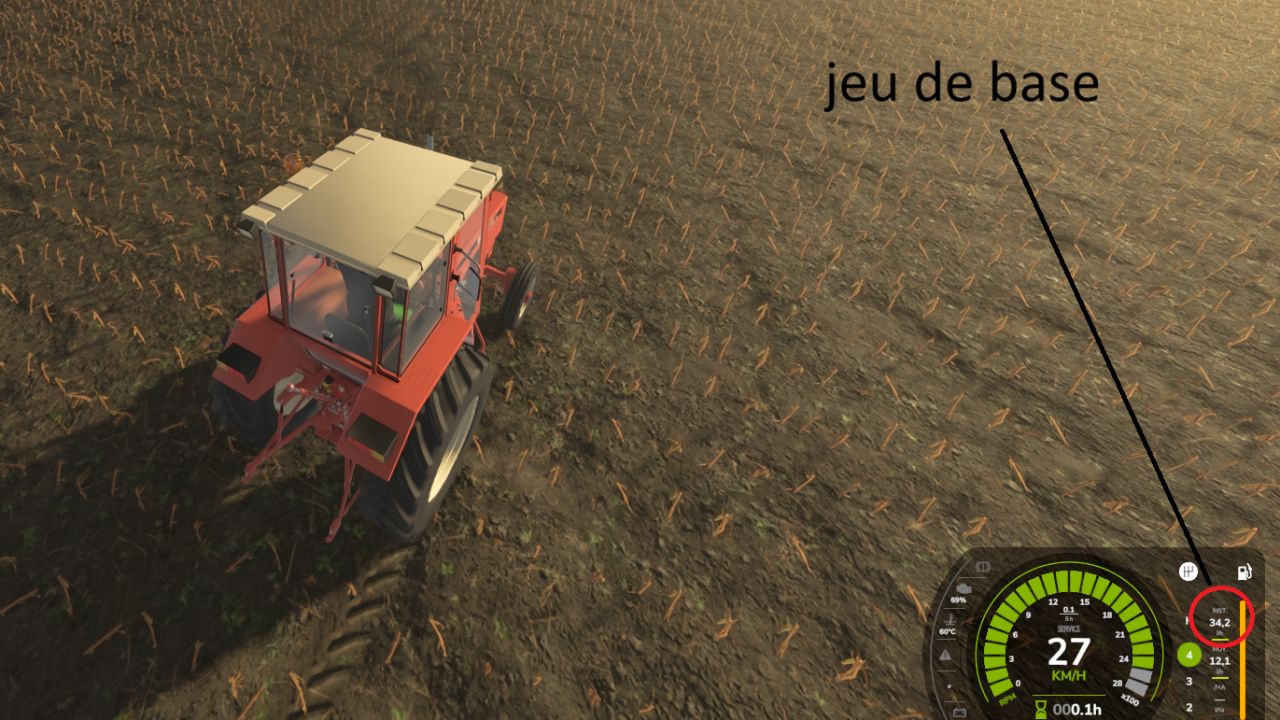
Realistic fuel consumption FS25
The game's tractors consume far too much diesel when working. This mod reduces consumption only under load, while keeping the game's consumption at idle. How it works At idle (0% load), consumption remains the same as in the base game. At full load (100%), it is multiplied by a coefficient, ×0.50 by default (approximately half as much). In between, consumption varies proportionally to the engine load. Example with the default settings 0% load: ×1.00 50% load: ×0.75 100% load: ×0.50 In my tests, a tractor travelling at 27 km/h consumed 34.2 l/h without the mod and 18.3 l/h with it. In-game settings In Settings → Game, a “Realistic consumption” section allows you to adjust: the consumption at full load, from ×0.30 to ×1.00; the consumption at idle, from ×0.50 to ×1.00. The settings are saved with each game. Features Compatible with all motorized vehicles, including those added by other mods. Only affects diesel: other consumables remain unchanged. Multiplayer compatible: the host or server sets the coefficients, while other players see the options greyed out. No new objects and no price changes. New: consumption display on the speedometer. It replaces the damage bar at the bottom right of the HUD with a small panel containing three lines: INST.: instant consumption in l/h AVG.: average consumption in l/h /HA: consumption per hectare in l/ha When you select an implement (top left), the damage bar reappears and the panel is hidden. INST. and AVG. are calculated continuously, not only when you are working. Consumption per hectare is calculated based on the width of the attached implement, the travelling speed and the hourly consumption. It only takes lowered and switched-on implements into account, and stabilizes over approximately 30 seconds. The panel blends into the speedometer’s grey background, with no additional background. The consumption settings (full load and idling) and multiplayer remain unchanged.
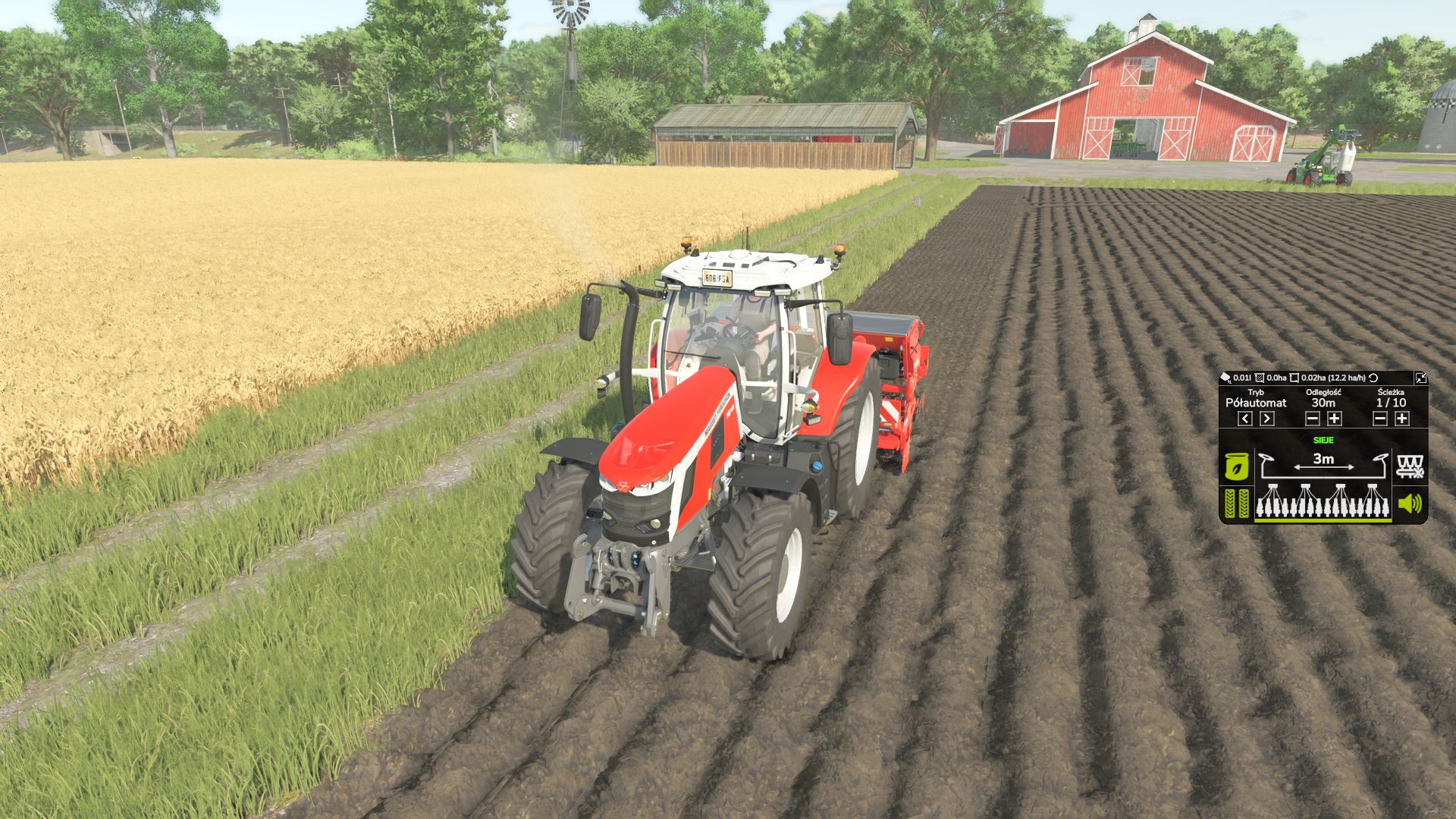
Tramline System FS25
Tramline System is an advanced tramline management system for compatible seeders in Farming Simulator 25. The mod allows you to adjust tramline settings to the machine's working width and the way you work in the field. The integrated HUD provides quick access to the most important functions directly during seeding. Mod features: - Manual mode (MANUAL) - Semi-automatic mode (SEMI) - Automatic mode (AUTO) - Adjustable spacing between tramlines - Adjustable width of a single tramline from 0.3 m to 1.0 m - Integrated HUD with clear work information - Tramline control - Half working width shutoff function - Support for compatible seeders Author: AGRO_TYTAN -Optimized the updating of HUD elements. -Improved interface performance and prepared further performance optimizations. -Fixed FPS drops. -Fixed other bugs. -Fixed an issue with the seed hopper at the front of the tractor. -Fixed FPS drops -Fixed other errors
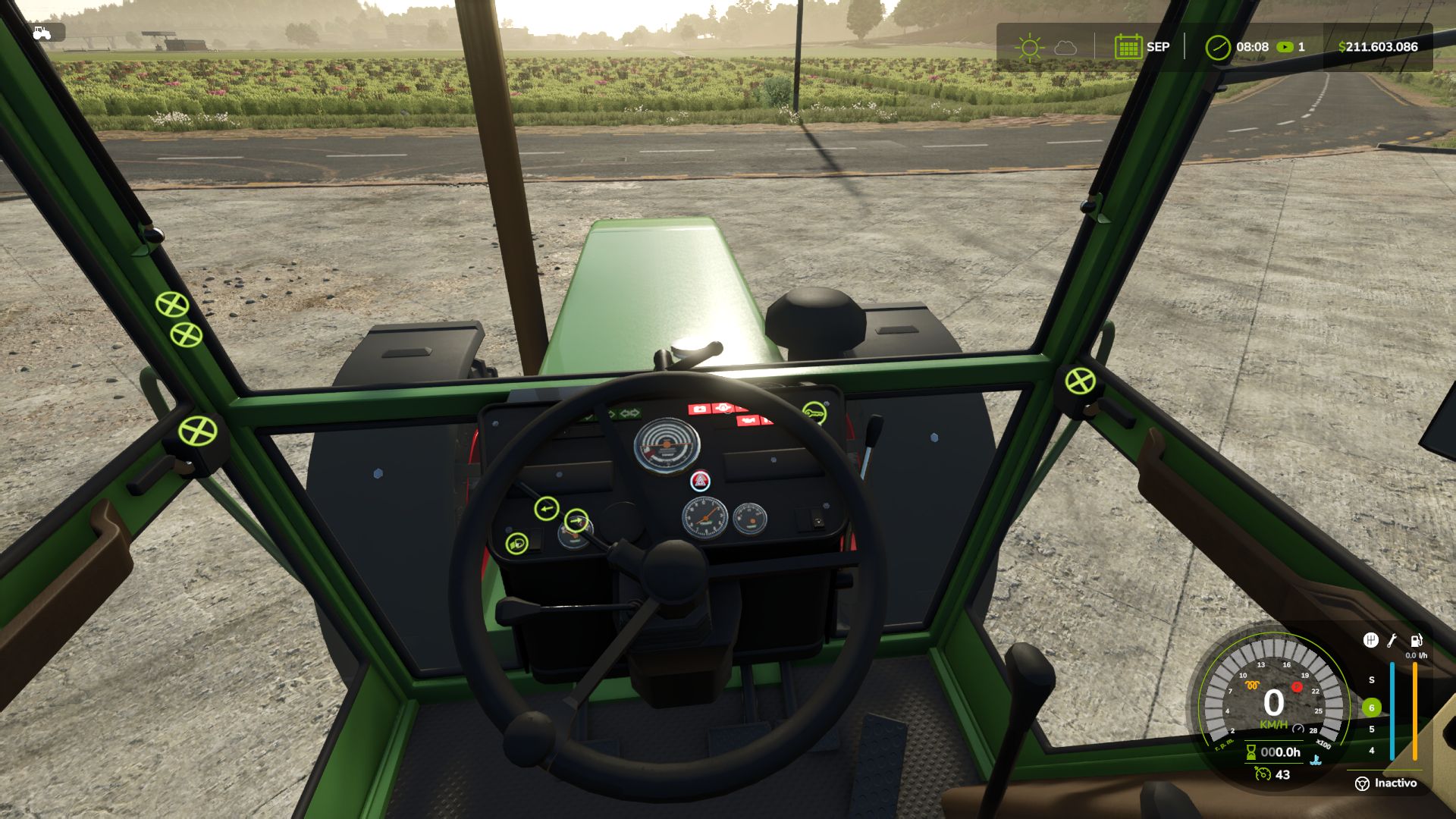
Realistic Diesel Start FS25
Tired of starting an engine with a single key press? Realistic Diesel Start turns ignition into a real diesel sequence, for every motorized vehicle. 🔑 MULTI-STAGE STARTING · Short press of the engine key: ignition ON, the dashboard powers up, with the sound of a real ignition key. · Glow plug pre-heating, with a small light next to the speedometer. It depends on the weather AND the engine temperature: in deep winter it takes a while, with a warm engine it is almost instant. · Hold the mod clutch (Alt+L) and the engine key to crank. Crank before the glow plugs are ready and it may not start and take slight damage: the starter keeps turning while you hold the key, and insisting can make it catch. · After a cold start the engine idles a few seconds before responding to the throttle. The thermometer is blue while cold and fades out at working temperature. 🚛 COMPRESSED AIR (trucks) · HUD pressure gauge. The compressor builds air while the engine runs. · Pressure bleeds off while parked: leave the truck sitting and you will have to build air before leaving. · Out of air, the spring brakes engage and lock the truck: you don't lose your brakes, you get stuck. · Low-pressure buzzer. With Realistic Brakes, a trailer with air brakes fills from the truck's air. 🖱️ INTERACTIVE CONTROL The dashboard key follows the same sequence: a click switches the ignition on, holding the click starts the engine. ⚙️ SETTINGS · In ESC > Game Settings: clutch to start, and lights without ignition. · Console: rdsConfig (damage, air system, timings) and rdsHudPos / rdsHudSinADS / rdsHudReset to move the HUD. 🔗 COMPATIBILITY · Advanced Damage System, Realistic Brakes, Diesel Fuel System (bad fuel makes starting harder, with the same starter sound) and Interactive Control. · Keyboard and gamepad. Multiplayer and Dedicated Server. AI workers are not affected. · Not compatible with other ignition / cold start mods (Real Ignition, Cold Start System, RVB's glow plug module): disable them. Credits: the ignition/contact concept was inspired by "Real Ignition" by Guner348. Made with passion for realistic farming simulation. 🚜 Update over the published 1.4.1.0. 🆕 NEW · When the engine does not start, the starter keeps cranking while you hold the key, instead of the old cough. Every 2.5 s of cranking is a new attempt: with warmer glow plugs, insisting can make it catch. Release the key and it stops. · The sound of a real ignition key when switching the ignition on and off, and a soft pedal sound when pressing the mod clutch. · Interactive Control: the dashboard key follows the mod's sequence. A short click switches the ignition on, holding the click starts the engine, and a click with the engine running stops it. Before, it started with a single click, skipping the glow plugs. 🔧 FIXED · A failed cold start no longer runs the engine for a moment and kills it: the starter turns and the engine does not catch. · The glow plug light looked dim next to Advanced Damage System's: it was drawn under the speedometer background. It now shines the same. · The icons no longer draw over menus and dialogs (such as Real Fuel Consumption's report). 🖥️ HUD · Warning lights the same size as Advanced Damage System's, and the air gauge background in the same black as the game's HUD. · The idle icon is gone. The thermometer is blue while the engine is cold and fades out once it reaches working temperature. · Default positions placed for Advanced Damage System 0.10, and others for when it is not installed. Compatible with savegames from 1.4.0.0. Multiplayer and Dedicated Server supported. ⌨️ MOD CLUTCH KEY: from L to Alt+L · To start the engine, you must hold the mod's clutch, as with most modern vehicles. This is a dedicated mod key, NOT the game's clutch, so it does not change how the vehicle is driven. · L is the game's default key for straps and bale types. When two controls share the same key, the game only keeps one active: either the clutch or the straps would stop working. · It is now assigned to Alt+L. If you were using L, the mod will automatically change it once and notify you on screen. If you had already assigned it to another key, your setting will be preserved. 🚛 TRUCK BRAKE LIGHTS (battery drain issue) · With low air pressure, the emergency brake (spring brakes) could leave the brake lights on while the truck was parked. With Real Vehicle Breakdowns, this would drain the battery. · With sufficient air pressure, the brake lights would not turn on when braking. · The game now controls the brake lights through the brake pedal, just like on a real truck. The emergency brake continues to work normally. 🌬️ TRAILER AIR SUPPLY (with Realistic Brakes 1.3.0.0) · When connecting a trailer equipped with air brakes, its air tank is filled using air from the truck. The truck's air pressure drops and the compressor raises it again. 🖥️ HUD ICONS · With a HUD scale other than 1, the icons could become misaligned from the speedometer or appear behind the gear column (with or without Advanced Damage System). They now remain correctly positioned alongside the gauge at any HUD scale. · A vehicle excluded from Advanced Damage System now displays the mod's temperature gauge. 🔧 ADVANCED DAMAGE SYSTEM · The engine would not start on some tractors, displaying "check the starting system". Now, when a difficult-starting fault occurs, hold the ignition key and the starter motor will continue cranking until the engine starts. · The start key no longer starts the engine instantly while bypassing the glow plugs, nor does it shut the engine off when released. · Tested with Advanced Damage System 0.9.2.8. Compatible with savegames from 1.3.x: no new game is required. Multiplayer and Dedicated Server supported. - Now compatible with Advanced Damage System. - More realistic glow plug preheating: in cold conditions, the duration is no longer so long. - Fixed: the air system used to freeze the Helper while filling the tank. - Fixed: the engine no longer appears to be running if the start-up did not actually occur. - New dashboard icons: glow plug, temperature, air pressure. - The icons arrange themselves automatically, whether you have Advanced Damage System or not. What's new: In-game options menu (Esc → General Settings): toggle clutch-to-start and lights-without-ignition, no console needed. Clutch requirement is now optional — disable it from that same menu if you don't want it. Fixes: Default clutch key changed from X to L (conflicted with combine functions). Sounds converted to mono — the previous format triggered a constant log warning. Background panel behind the air gauge no longer shows on tractors, only on trucks. Clutch prompt simplified to "Press the clutch fully". **New Features:** - The **clutch** must now be depressed to start the engine (**X** key, reassignable in Options → Controls). This is solely for starting the engine and has no other function. - The engine warms up based on **actual RPM/load**, not a fixed time — and loses power when cold. **Lights and hazard lights** no longer turn off automatically when the ignition is switched off. - **Air pressure gauge and thermometer** have been **redesigned** with realistic icons and more vibrant colors. - The HUD now **locks automatically** to the in-game speedometer at any resolution. - **Italian** translation. - Sounds converted to **OGG** format. - Various stability improvements. **Credits:** OGG sound and Italian translation provided by **FirenzeIT**. Thank you! v1.0.4.1 — Critical multiplayer fix 🐛 Fixed a serious bug that could freeze or force-close the game for connected players (never on the host). A function in the air system was missing from the code, causing a constant error on every client. 🔧 Hardened the air system's network sync for better overall multiplayer stability. Update is strongly recommended if you play multiplayer. Thanks to the community for the detailed bug reports that helped track this down fast! I'm continuing to improve this mod and already have more projects coming under GN Realism. 🚛🔧 🎨 New mod logo and icon. 🌍 Added French translation (now 4 languages: ES, EN, DE, FR). ⚙️ More realistic air system: - Air consumption while braking now depends on the truck's speed and load. - A well-maintained truck no longer loses pressure while parked; air leaks now depend on the truck's condition/damage (poor maintenance) 🔥 Reworked cold start: - Ambient temperature now has a much bigger effect on starting difficulty. In extreme cold the engine won't start without properly pre-heating the glow plugs; in warm weather it starts fine. - Rushing the start without pre-heating now always causes slight engine damage, in any climate. 🛠️ Other improvements: - Engine warm-up now depends on workload. - Improved stability and protection against invalid values.
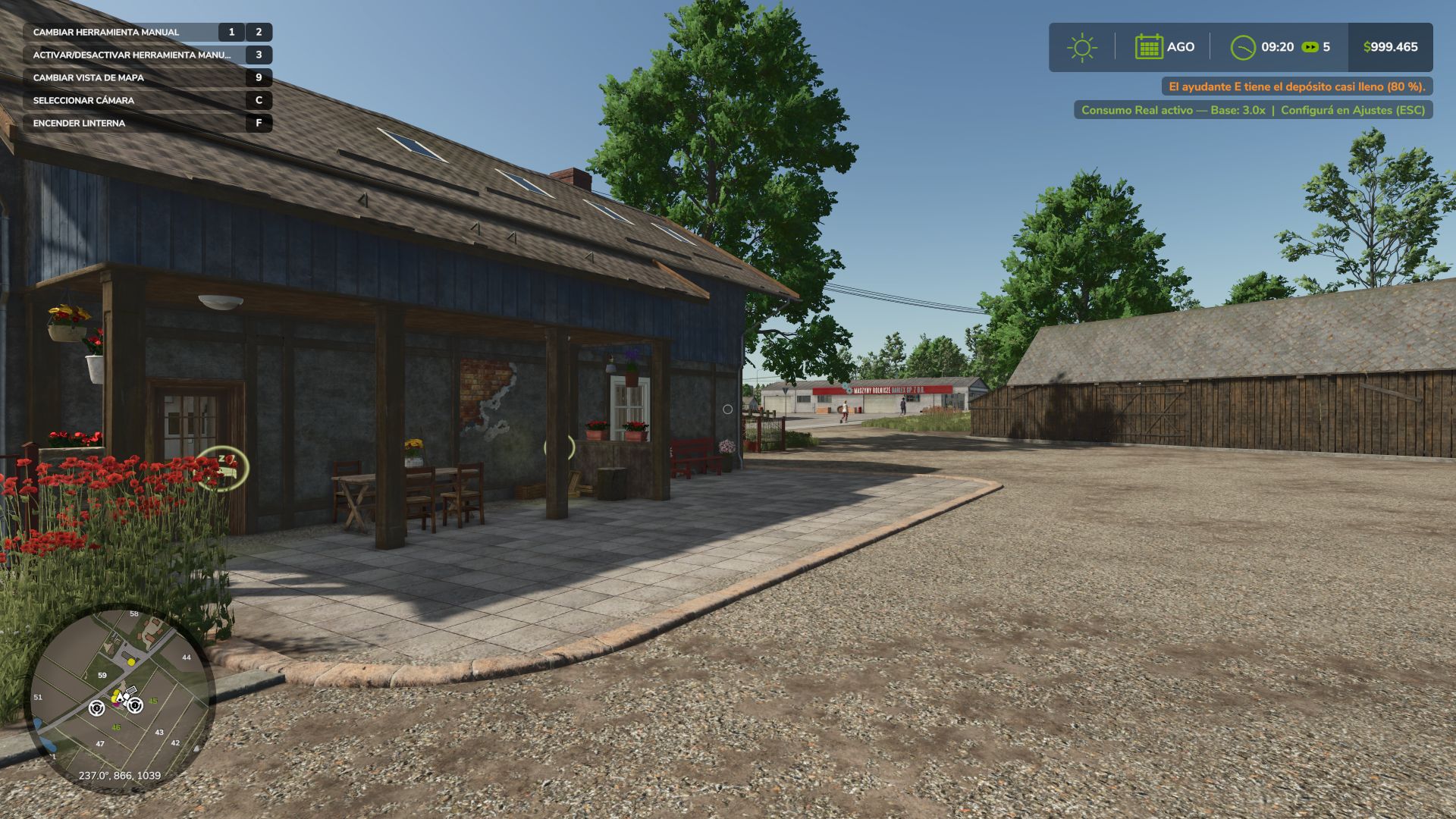
Real Fuel Consumption FS25
Real Fuel Consumption makes every tractor, combine, self-propelled machine and truck burn the diesel it really would, according to the power its engine is delivering. Not a fixed multiplier. ⛽ HOW IT WORKS · Fuel depends on the power the engine delivers (PTO, slopes, weight and draft included) and on engine speed: with the same load, fewer rpm burn less. · Real draft of plows, cultivators, disc harrows, subsoilers and seeders, by working width, speed and depth (compatible with Variable Working Depth). · Rolling resistance of each wheel by the ground it is on and its moisture: mud costs more. · Trucks: their own truck engine plus air drag and road rolling resistance. Loaded and uphill you will notice it. · It is only charged in fuel: it does not slow the vehicle down or change how it drives. · AdBlue keeps its ratio to diesel. Cars, electric and methane vehicles use the game's calculation. 🔀 ENGINE MODES (Alt+J) · ECO: limits rpm to each engine's peak-torque speed and smooths the throttle. It saves when there is power to spare; at full load it barely saves. · STANDARD: the factory engine. · POWER: faster throttle, and +10 % power in transport and with the PTO working, like John Deere's IPM. It burns what that power costs. · A dashboard switch click when you change mode. 📟 HUD · Fuel use under the fuel gauge, the same size as Advanced Damage System's reading, with the number in the mode's color (l/h; kW on electric; kg/h on methane). · Mode icon next to the speedometer, with one position with ADS and another without it. Both follow the game's HUD scale. 📊 REPORT (Ctrl+J) · Liters, engine hours, average l/h, mode split and estimated cost, per vehicle and per farm. · Liters per hectare in the field, liters per 100 km on the road, and time stopped with the engine running. ⚙️ SETTINGS (ESC > Game Settings) · Consumption: Real, or x1.25 to x3 for a harder game. · Real draft and rolling resistance, engine modes, notifications, fuel HUD and mode HUD. 🔗 COMPATIBILITY Multiplayer and Dedicated Server. Advanced Damage System: the surcharge of its breakdowns is added to the real consumption. Variable Working Depth. Made with passion for realistic farming simulation. 🚜 🆕 NEW · Trucks: they now burn fuel with a truck engine and pay for air drag and road rolling resistance, which the game did not have. Loaded and uphill you will notice it: a 40 t truck at 80 km/h uses about 32 l/100 km, and about 23 empty. · Subsoilers and seeders use what they really use (in the game a 6 m seeder barely pulled anything). · POWER gives more power, like John Deere's IPM: +10 % in transport and with the PTO working, and it burns what that power costs. · Changing the engine mode plays the click of a dashboard switch. · rfcConsumo shows liters per hectare while working, and liters per 100 km on trucks. 🔧 FIXED · The icons no longer draw over the fuel report. 🔧 CHANGED · The mode icon has one position with Advanced Damage System and another without it, and comes without letters or a message when changing mode. Compatible with savegames from 1.5.0.0. Multiplayer and Dedicated Server supported. ⌨️ ENGINE MODE KEY (front loader arm would no longer move) · The mode was changed with J, but J is the game's default key for raising and lowering the front loader arm, and is also used by other implements. When two controls share the same key, the game only keeps one active, which caused the loader arm to stop moving for many players. · The engine mode is now assigned to Alt+J. If you were using J, the mod will automatically change it once and notify you on screen. If you had already assigned it to another key, your setting will be kept. · The key can be changed at any time under Options > Controls. ⛽ MORE REALISTIC FUEL CONSUMPTION · Tractors, harvesters and self-propelled machines now consume fuel according to the power being produced by the engine: loaded vehicles, uphill driving and working consume more; unloaded vehicles consume much less. · A large tractor at full load burns around 64 l/h, instead of the previous 183 l/h. · Plowing, cultivating and discing consume more depending on working width, speed and depth (compatible with Variable Working Depth). · Mud and cultivated soil increase consumption compared to stubble or roads. · The additional consumption only affects fuel usage: it does not slow the machine down or change how it handles. · Trucks, cars, electric vehicles and methane-powered vehicles continue using the game's original calculation. ⚙️ ENGINE MODES · ECO reduces engine RPM and smooths throttle response: it saves fuel when there is excess power available, while at full load the savings are minimal. · POWER: faster throttle response. · Engine modes no longer reduce power or limit top speed. 🛠️ SETTINGS · New Consumption setting: Real (default), or x1.25 to x3 for increased difficulty. · New Realistic Traction & Rolling Resistance setting (enabled / disabled). · Base Multiplier, Load Sensitivity, Work Type Bonus and RPM Sensitivity have been removed: the calculation now handles everything automatically. 🖥️ HUD · Fuel consumption is displayed below the fuel gauge, using the same size as the ADS reading, with the number shown in the color of the selected engine mode: green ECO, gray STANDARD, red POWER. It appears instantly. · Electric vehicles display consumption in kW, while methane vehicles display kg/h. · The icon and reading follow the game's HUD scale. 📊 REPORT (Ctrl+J) · Liters per hectare while working in the field, liters per 100 km on the road, and engine running time while stationary. · Each vehicle displays the correct fuel unit and fuel price. 🔧 FIXES · Dedicated Server: clients no longer always see 0.0 l/h. · If Advanced Damage System increases fuel consumption, this mod no longer stops working on that vehicle. Both consumption values are now combined. · Vehicles excluded from Advanced Damage System no longer lose their fuel consumption display. · Truck brake air pressure no longer consumes fuel as if it were actual fuel consumption. Compatible with savegames from 1.4.x: no new game is required, and the accumulated report data is preserved. Previous consumption settings are not carried over: every savegame starts with Real consumption. Multiplayer and Dedicated Server supported. - Fixed: disabling the engine modes left the vehicle without power permanently. - Fixed: the mode change key continued to work with the function disabled. - Dashboard icons unified with the other GN Realism mods. - Compatibility with Advanced Damage System; the fuel consumption reading no longer overlaps. - Minor correction to the Modes icon. New: fuel report (Ctrl+J inside a vehicle): liters, engine hours, average l/h, ECO/STANDARD/POWER share and estimated cost for that vehicle (session and total) plus the farm total. Counted on the server and saved per vehicle; dedicated-server ready. Fixed: the l/h readout kept showing the last driving value while the engine was off. It now shows 0.0 l/h whenever the engine is not running. -The Italian translation was added thanks to user FirenzeIT 🔧 Critical Fix: Fuel Consumption and Top Speed in Power Mode A background bug was found and fixed: Power Mode was modifying an internal engine value that the game also uses to calculate real-world fuel consumption and, in some vehicles, top speed. Since each vehicle has its own RPM range, the effect varied—some consumed half the expected fuel, others much more, and some vehicles had their top speed reduced for no apparent reason. 🎨 Completely Redesigned HUD The generic colored circle has been replaced with a professional icon system, integrated into the game's native speedometer: 🍃 ECO — green leaf ⏱️ STD — gray speedometer (formerly "Normal", renamed "Standard" throughout the mod to sound more like a real dashboard) ⚡ POWER — red lightning bolt Each icon has its 3-letter code underneath (ECO/STD/PWR), in the same color, for a third layer of distinction in addition to shape and color—also intended for those who have difficulty distinguishing colors. All of this is positioned right next to the game's speedometer. The fuel consumption indicator (X.X l/h) has also been moved: it now appears next to the fuel icon already included in the game. Previously, the selected mode (Eco/Standard/Power) would revert to "Standard" every time you loaded a saved game. This has now been fixed. Thanks to everyone who tried the mod! Major update: The mod has evolved from a "dynamic fuel consumption multiplier" to a complete system with selectable Engine Modes, a configurable HUD, and support for 4 languages. 🆕 What's New in This Version Engine Modes: Eco / Normal / Power (J key) Based on the actual behavior of a tractor's ECU, not made-up numbers. Press J in any motorized vehicle to cycle through three modes: 🟢 ECO — Smooth and "lazy" throttle response: the engine doesn't rev to the redline, staying close to its efficient maximum torque band. Noticeably less power under heavy load, and speed suffers more the harder you push it. Always uses less fuel than Normal, with the greatest savings when the engine isn't pushed to its limits. 🟡 NORMAL — The vehicle's factory behavior, without any modifications. This is the baseline for comparison. 🔴 POWER — Aggressive and immediate throttle response, more torque, and a higher RPM ceiling. The engine struggles to maintain RPMs under heavy load, so a large plow or a direct seeder won't stall in hard soil. However, this does result in higher fuel consumption. A colored circle (green/amber/red) on the screen indicates the active mode—this is entirely optional and can be turned off in Settings. Clean and configurable HUD Real-time fuel consumption indicator: "Diesel: X.X l/h," without unnecessary visual clutter. Independent engine mode indicator. Each indicator can be turned on or off separately from the Settings menu (ESC)—this prevents conflicts with other mods that already display fuel consumption. Full multi-language support German and French have been added to the existing English and Spanish. The mod now supports four languages, both in the settings menu and in notifications. New icon ⚙️ Still works as always (and better verified) The heart of the mod—the dynamic fuel consumption system—remains intact and is now verified line by line as it should be. Default key: J — toggle engine mode Requires: no dependencies Multiplayer: yes, synchronized Any bugs or suggestions, please leave them in the comments. Thanks for supporting the mod! 🇦🇷 • Added Dedicated Server compatibility. AdBlue/DEF support and more fuel types What's new in this update: - Added AdBlue/DEF consumption — The mod now also increases AdBlue (DEF) consumption on modern engines that use it, not just diesel. - Methane and electric support — Gas (methane) and electric vehicles are now affected by the dynamic consumption too. - Unified system — All fuel types use the same dynamic system based on engine load, work type and RPM.
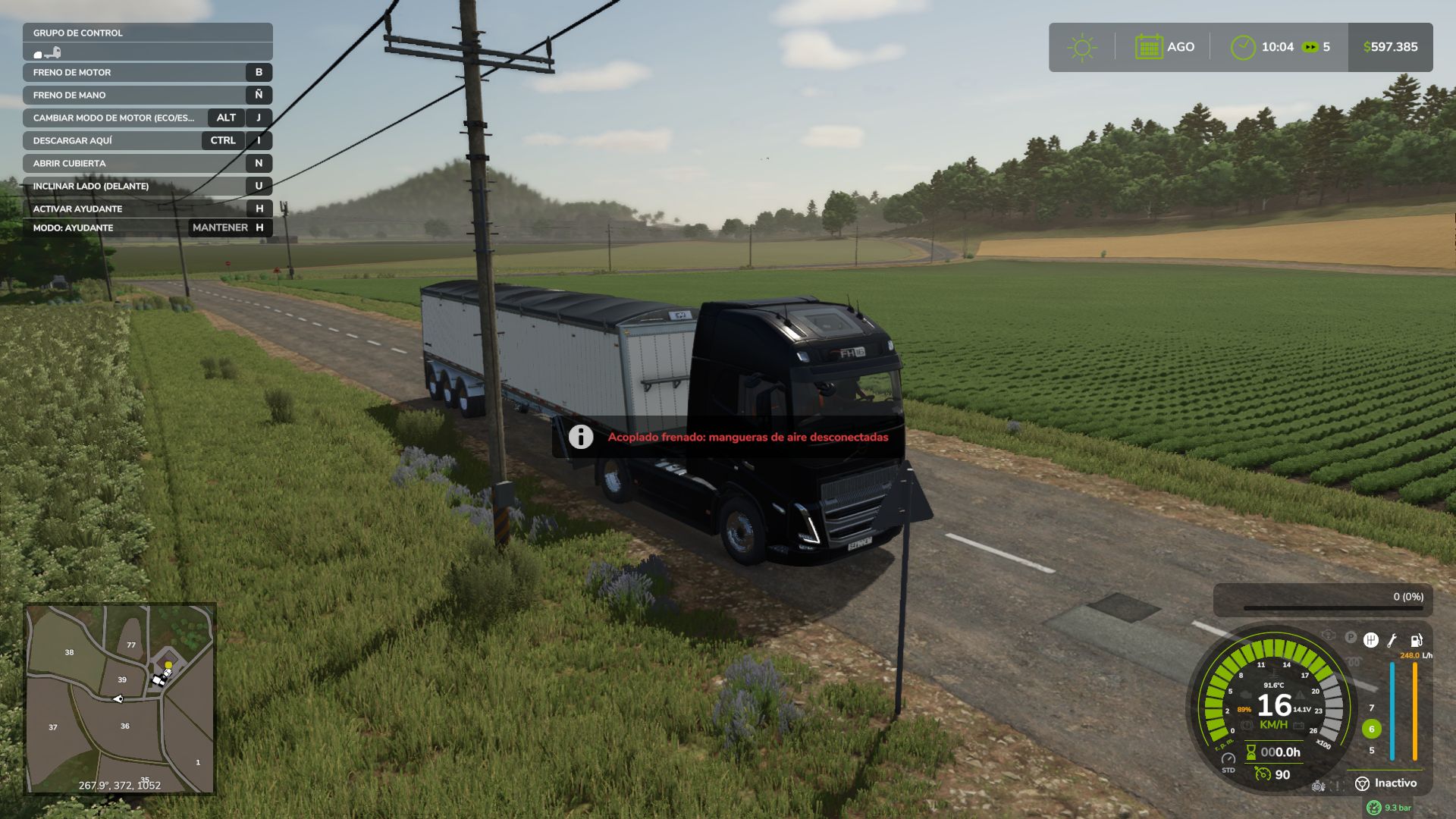
Realistic Brakes FS25
Realistic braking for trucks and tractors. A companion to Realistic Diesel Start (GN Realism), but it works perfectly on its own. 🅿️ REAL PARKING BRAKE Its holding force depends on the vehicle's weight (trailers included) and the slope. Leave a loaded truck on a steep downhill with more weight than the brake can hold and it rolls away, just like in real life. Released, the vehicle rolls on a slope even with you inside. ⛰️ HILL START AID Stop on an uphill with the parking brake released and the brakes stay applied for up to 3 seconds or until you accelerate. ⚙️ DYNAMIC ENGINE BRAKE Engine braking depends on the gear: in a high gear the vehicle keeps rolling when you lift off; shift down and the engine really holds it back. 🔧 EXHAUST BRAKE (Jake Brake) Automatic when you release the throttle, or manual with the B key. It only works with the engine running, no throttle and enough rpm. Its light turns green only while it is actually braking. 🌡️ BRAKE FADE Brakes heat up at their own rate for each vehicle type: a car cools quickly, a tractor with oil-immersed brakes is hard to overheat, and a loaded truck on a long descent can fade in a few minutes. Kept too hot for too long, the linings are damaged until you visit the workshop. If they start to heat up, a message tells you to use the engine brake or shift down. 🚛 TRAILER AIR HOSES A trailer with air brakes stays braked while its hoses are disconnected, like a real truck (with FS25_manualAttach or Interactive Control; with automatic attaching they connect by themselves). 🔊 SOUNDS Exhaust brake, brake squeal when the brakes are too hot, the truck's air parking valve or the tractor's lever ratchet, and the air exhaust when releasing the brake pedal. 📊 DISCREET HUD Small lights next to the speedometer, the same size as Advanced Damage System's: parking brake, engine brake, brake temperature (with a small number on trucks) and a brake failure light that only appears when there is damage. One layout with ADS and another without it. Never drawn over menus. ⚙️ SETTINGS (ESC > Game Settings) Engine brake mode, brake fade, the mod's parking brake, hill start aid, engine brake advice and show/hide the HUD. 🔗 COMPATIBILITY Advanced Damage System (it handles brake condition, this mod adds the heat), Realistic Diesel Start (air brakes), Enhanced Vehicle, Continue Driving After Exit, CVT Addon, AutoDrive, FS25_manualAttach and Interactive Control. The AI helper is not affected. Multiplayer and Dedicated Server supported. Translated into Spanish, English, German and French. Made with passion for realistic farming simulation. 🚜 Update over the published 1.3.0.0. Includes 1.3.0.1 and 1.3.1.0, which were never uploaded. 🆕 NEW · Hill start aid: when you stop on an uphill with the parking brake released, the brakes stay applied for up to 3 seconds or until you accelerate. After that it rolls: to keep it still, use the parking brake. · With the parking brake released, the vehicle now rolls on a slope even with you inside, and a parked truck without its parking brake rolls away. An engine brake does not hold a stopped vehicle. · Engine brake advice: if the brakes heat up on a descent, a message tells you to use the engine brake or shift down before they start to fade. · On trucks, the brake temperature as a small number under its warning light, so you can watch it rise. · New, smaller brake failure light: it only appears once the linings start to get damaged, in amber, next to the temperature light. 🔧 FIXED · Dedicated server: the parking brake and the engine brake did nothing, because the server did not see who was driving. · With Advanced Damage System, burnt brake linings could never be repaired at the workshop. Brake condition is now handled by ADS, and this mod only simulates the heat. · The AI helper no longer jerks on slopes when you left the parking brake released. · Warning lights no longer draw over menus and dialogs (such as Real Fuel Consumption's report). 🔧 COMPATIBILITY · Continue Driving After Exit: the vehicle no longer brakes by itself while that mod keeps driving it. · CVT Addon: on tractors with its transmission, the wheels no longer lock when you release the accelerator. · AutoDrive: if you are seated while AutoDrive drives, the mod no longer releases its brake at stops. ⚙️ SETTINGS · The mod's parking brake, the hill start aid and the engine brake advice can be turned off. · Fewer options: "Engine brake level" (stays at 2) and "Trailer air hoses" (always on) are gone. · Warning lights the same size as Advanced Damage System's, with one position when ADS is installed and another when it is not. 🔊 SOUNDS (trucks) · Air exhaust when releasing the brake pedal, louder the harder you braked. · Releasing the parking brake has its own sound, and applying it is louder. · The engine brake is quieter, especially inside the cab. Compatible with savegames from 1.3.0.0: no new game is required. Multiplayer and Dedicated Server supported. 🚛 TRAILER AIR BRAKE HOSES (new) · A trailer equipped with air brakes remains braked while its air hoses are disconnected, just like a real truck: without a supply of air, its spring brakes automatically apply. · Works with FS25_manualAttach and Interactive Control: first connect the trailer, then connect the air hoses, and only then will the trailer be able to move. Disconnecting the hose produces an air-release sound. · With the game's automatic coupling system, the hoses connect automatically, so nothing changes. · With Realistic Engine Start, the trailer has its own air tank and fills from the truck's air supply. The truck's air pressure drops (an empty trailer uses almost half of the available air), and the compressor takes longer because it has to fill both tanks. The trailer disconnects at 4.1 bar. · When the trailer's brakes are applied, the wheels lock up, just like a real truck with the spring brakes engaged: the truck can barely pull it, slowly and under heavy load. · The truck never loses its own brakes because of this. Trailers without air brakes, trailers pulled by tractors without air connections, and trailers operated by a Worker behave as usual. · If you try to drive with the trailer's brakes locked, a message explains why. · This feature can be disabled in the settings. 🔊 PARKING BRAKE SOUND (new) · Trucks play the sound of the air parking-brake valve; tractors and other vehicles play the mechanical ratchet sound of the lever. 🟢 ENGINE BRAKE INDICATOR · The indicator remains dim/off while the engine brake is not actually braking, including when automatic mode is armed. It only turns green when the engine brake is actively retarding the vehicle. Previously, it remained illuminated all the time. 🖥️ HUD INDICATORS · With a HUD scale other than 1, the indicators could become misaligned from the speedometer. They now remain correctly positioned alongside the gauge at any HUD scale. · A vehicle excluded from Advanced Damage System now uses the correct indicator layout without ADS. Compatible with savegames from 1.2.0.0: no new game is required. Multiplayer and Dedicated Server supported. - Fixed an issue where the engine brake did not work on any truck in some cases. - Fixed an issue where the handbrake did not work on certain occasions. - New dashboard warning lights: brighter and faintly visible when switched off. - The brake temperature and malfunction warning only appear on trucks. - Compatibility with Advanced Damage System: the icons are repositioned when the mod is active to prevent them from overlapping. Bug Fixes: - The AI no longer freezes or pauses while working in the field (cultivator, seeder, etc.) or hauling on the road. Background redesign: AI-driven vehicles are now completely excluded from the brake simulation (temperature, wear, parking brake) — only the player experiences the full physics. Fixed: A vehicle parked on a slope with the parking brake engaged no longer rolls on its own when loading a saved game. Fixed: The engine brake no longer remains active on the HUD or interferes while the AI is driving. -Engine brake Sound issues resolved - Handbrake Now it's actually saved in the game (before it always returned to "engaged"). Enhanced Vehicle Compatibility -Sound Volume reduced (it was very intrusive) and converted to OGG (73% smaller file size, no performance warnings). Clean cutoff when disengaging the engine brake — previously it would continue playing in the background. It now correctly releases when deleting a vehicle (previously it would accumulate in memory). -Updated HUD New icons for parking brake, engine brake, temperature, and malfunction, replacing the text. Earlier temperature warnings, aligned with the actual physics of brake failure. Brake failure is now indicated with the (!) icon. Position and size of each icon adjusted. -Otros Traducción al italiano.
- 15 per page
- 30 per page
- 45 per page
- 60 per page
-
See more per page
Bigger pages, fewer clicks - and no ads anywhere.
Go Pro