Farming Simulator 25 mods
79,645 results- 15 per page
- 30 per page
- 45 per page
- 60 per page
-
See more per page
Bigger pages, fewer clicks - and no ads anywhere.
Go Pro
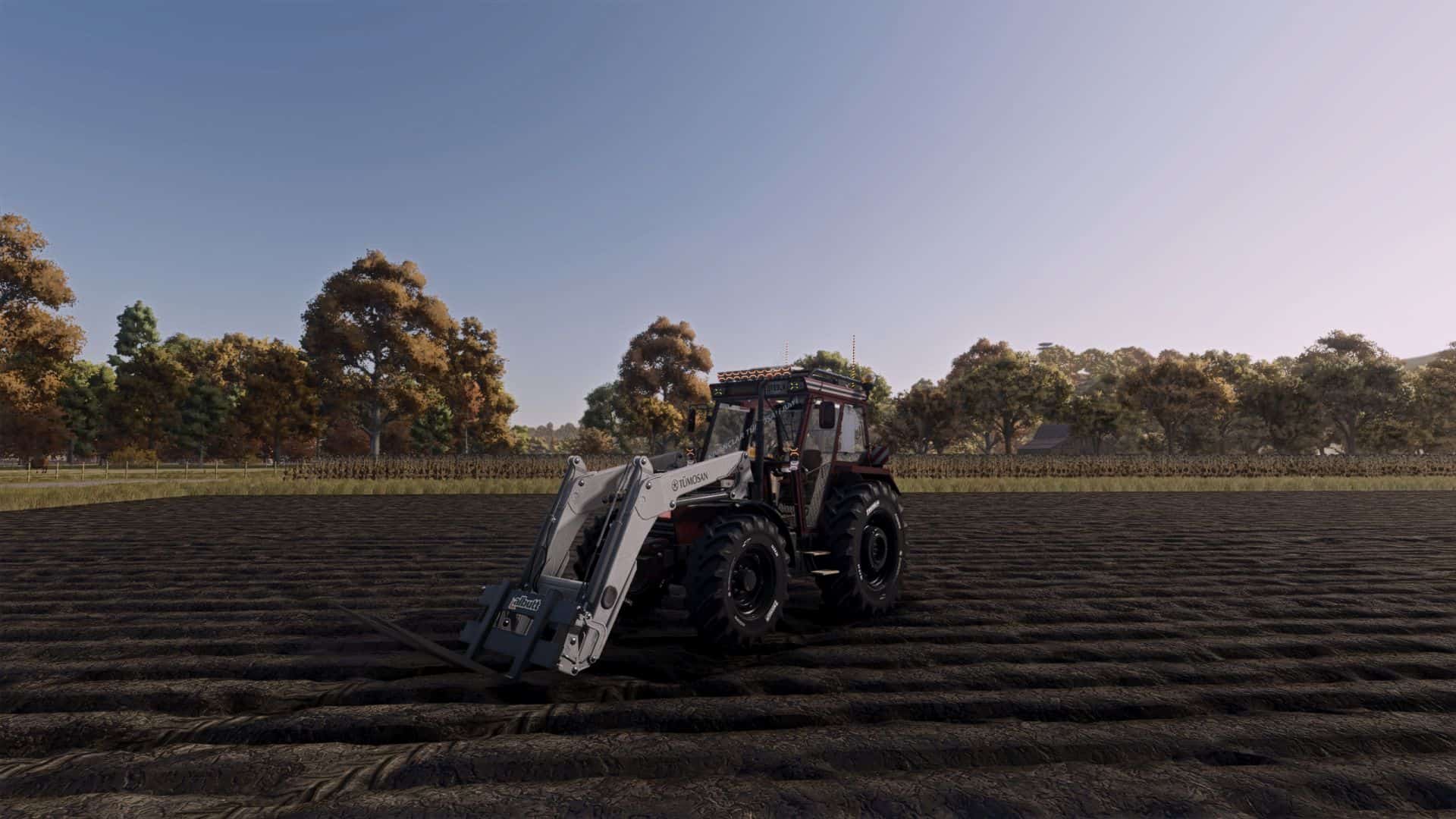
Tumosan bucket vBETA
The Tümosan bucket I made based on another bucket is now available. – Tümosan decals – 5.400

Server Restart Notification V1.0
Never again be caught off guard in the middle of fieldwork by a server restart! This mod announces scheduled restarts directly in the game – automatically, without an admin having to do anything. Features: Automatic announcement 15, 10 and 5 minutes before every scheduled restart With the final warning (5 min.), an additional message: “Admins, please save the game!” Restart times can be configured freely – any number of times per day is possible Runs entirely server-side, no intervention required Works with any Dedicated Server Setup: After the first start, the mod automatically creates a configuration file at: modSettings/FS25_RestartAnnounce/restartTimes.xml There, you can enter your own restart times, warning levels and even custom messages – no programming knowledge required. Changes are preserved even when the mod is updated. Note: This mod only announces the restart – the actual server restart still takes place through your server hosting/panel as usual.
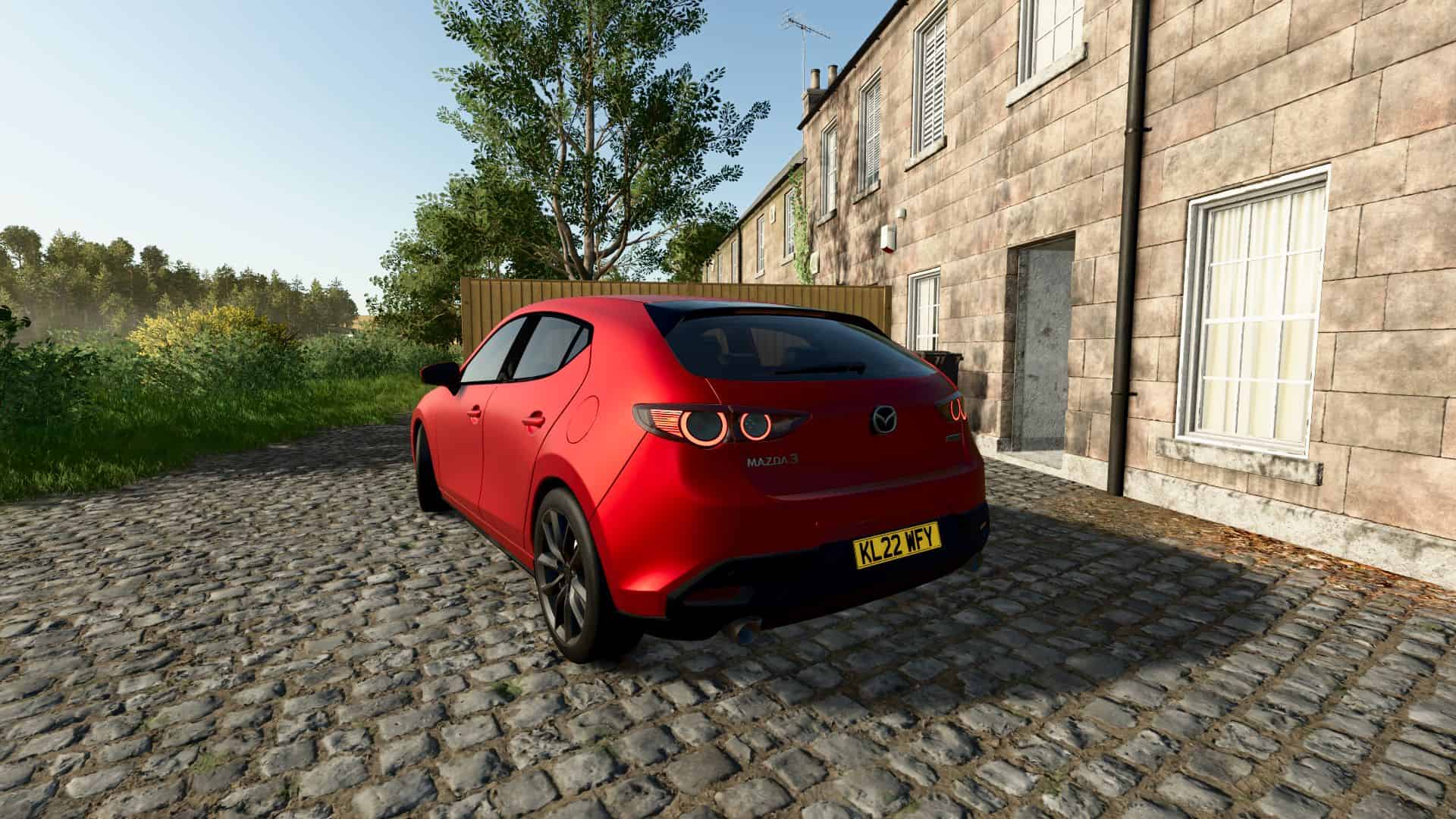
Mazda 3 v1.0
Characteristics: – Selectable Body color. – Selectable Rim color. – Selectable Caliper color. – Selectable Interior color. – Supports license plates. – Interactive Control Support. – Trailer Hitch. – Price: $22.000. Engine: – Skyactiv-G 1.5L 120HP 6-SPEED. – Skyactiv-G 2.0L 150HP 6-SPEED. – Skyactiv-G 2.5L 189HP 6-SPEED. – Skyactiv-G 2.5L Turbo 250HP 6-SPEED. Required mods: – Interactive Control
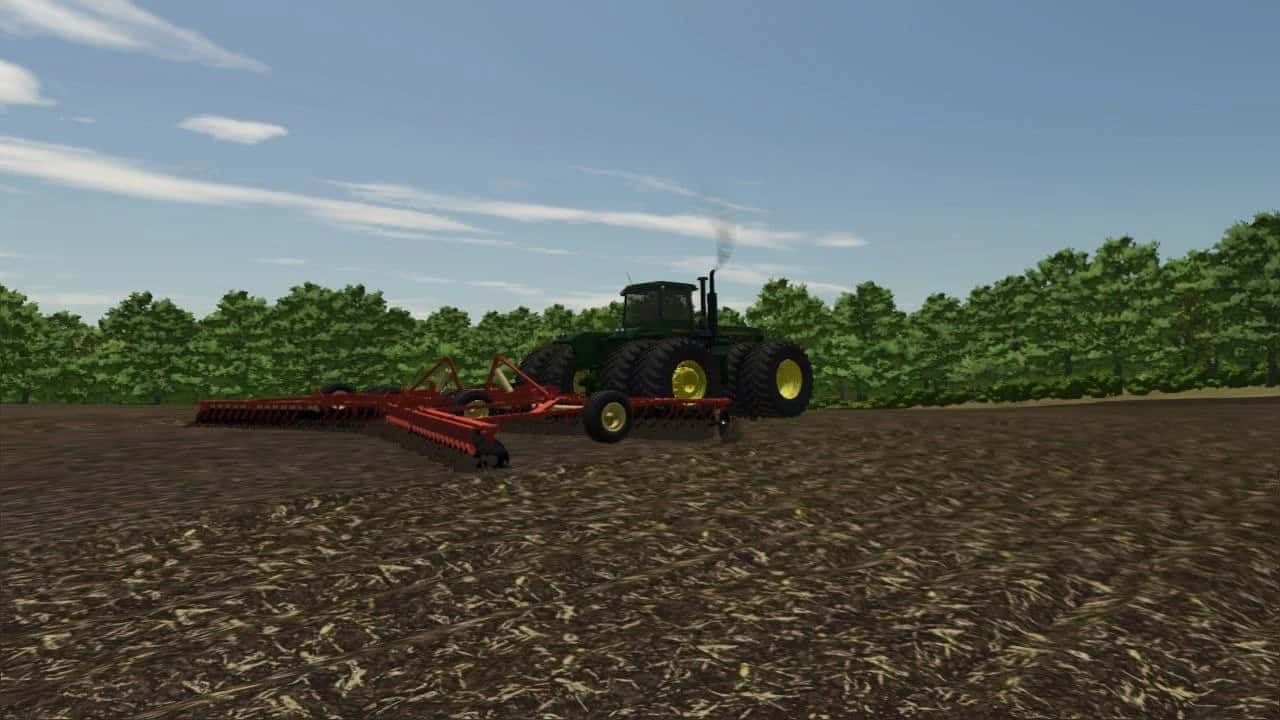
John Deere 8850 Kinze Repower and Degelman 46/57 Dozer Blade v1.0
Hey there. Welcome back to BellBuild. It’s been awhile. I come today with a better JD 8850 kinzie repower than the over saturated turd that’s out there. I converted this straight up from FS19 to FS25. I made the grill see through now so you get to see the big beutiful rad behind it. Added wear maps a good handful of tire configs. Redid the lights. Turn signals. Weight configd for front and rear or both. A choice of a front chemical tank plate a pin hitch nothing or the mount for the kit bashed Degelman dozer blade included. Interior is now lived in. The sounds are all fresh and new. Different torque and transmission adjusted accordingly. Option of a curved exhaust or a flapper stack. I. Don’t. Care. What. Issues. You. Have. With. It. Its to MY liking. If you dont like it change it yourself. Im tired of making a mod thinking its good enough and then get all you saying “it should have this instead” or as last time ans this is greatly unacceptable behavior. Threatening someone’s life over a mod just because “you took away the interior it had since fs17” when its junk. The Degelman isn’t perfect either. Its a temporary one.
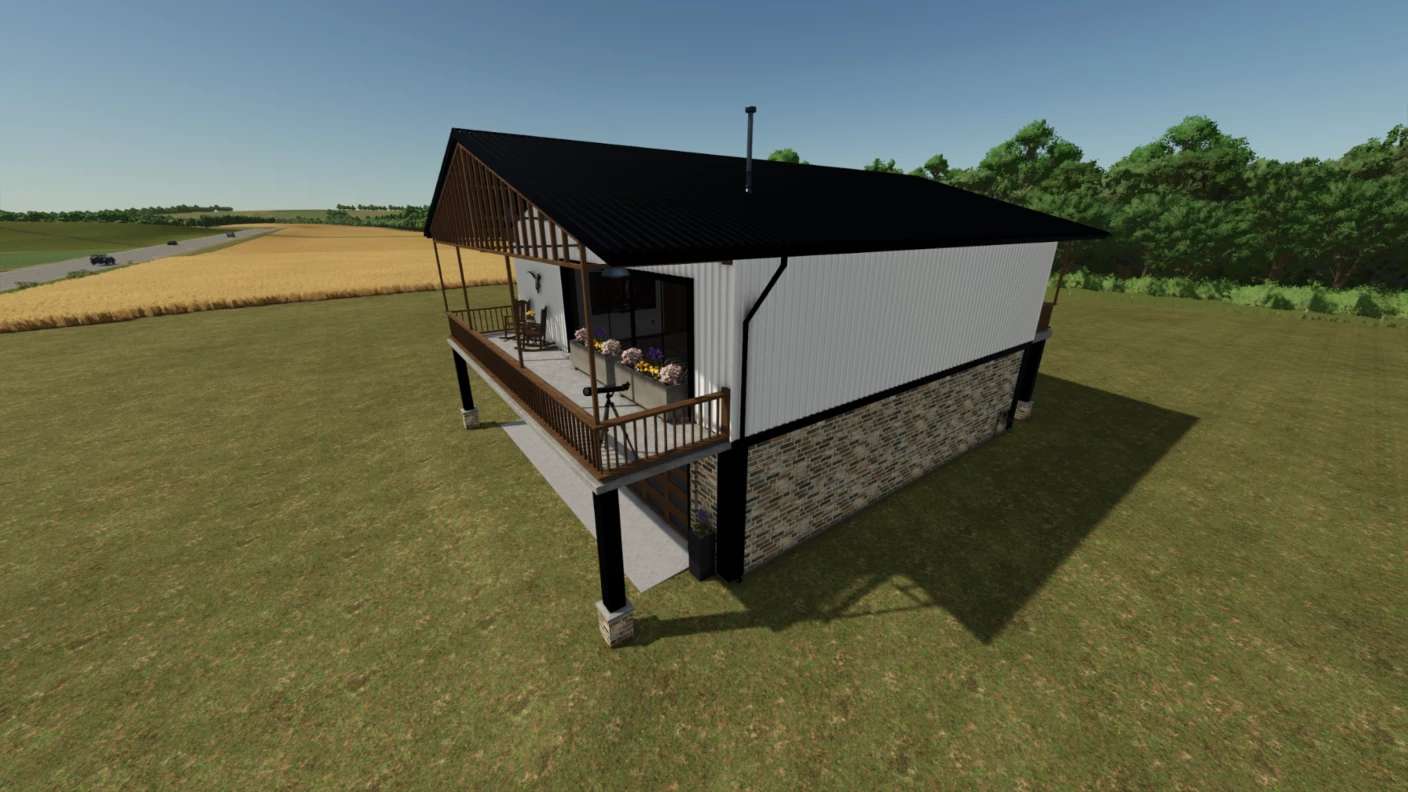
House 1Bed1Bath v1.0
This is a detailed, but simple, house consisting of 1 bedroom, 1 bathroom, Kitchen/Dining and a living room. The living areas are located on the 2nd floor while the garage takes up the entire 1st floor of the residence. The metal siding is color-selectable and this house functions as sleeping and wardrobe options as well as storage in the garage for your vehicles.

Machine Drive Controls v 1.0
This mod is to designed to make better use of controller hardware with the Moza Farming Control System specifically in mind but should work with similar hardware and or peripheals that contain toggle switches etc. MAIN FEATURE: Provides a shop configuration that makes Hydrostatic drive an option. Perfect for vehicles like combines or forage harversters, it enables stop and go braking with automatic direction change to make full use of the throttle control on the FCS controller while standard mode keeps those options turned off for non-hydrostatic vehicles. Additional features: This mod configures how the toggle switches to work like true toggle switches. It provides configurable keybinds in the control menu to separate on and off functions. For example, PTO switch, up is on, down is off. This can also apply to the rotary switches onthe FCS. IMPORTANT NOTE : Currently when selecting the toggle keybinds, when trying to set the down position the game will regeister the command as both positions. for example if the toggle is 45 and 46 it will natively set 45 but 46 registers as 45 + 46. After setting the keybinds to your liking save and quit the game then restart, The mod corrects the dual key on restart. Same applies to the rotary switch setting but if you set it from high to low it will register as one control. ( to set 34, start with switch on 35 and turn to 34. 33 to 34 results in 33 + 34. ) My current configuration: PTO on 45/46 Progressive lighting on Rotary 33 – 37 Reverser (Clogging Mod) on 38-40 Coming soon: Support for the other dials and more settings for toggle commands. Please feel free to give suggestions for command settings you need toggles for.

Volvo L90 Wheel Loaders Pack v 1.0
The Volvo L90 gets a new feature update for Farming Simulator 25 New additions: Interactive Control for even more realistic operation Color configurations allowing you to customize the L90 Various color combinations for a personal look With this update, the Volvo L90 becomes even more versatile and offers you more ways to adapt the machine to your own preferences. Whether you prefer the classic Volvo look or an individual color design, you can configure your L90 just the way you like it. More individuality. More realism. More Volvo L90.

Hat Farm and Construction Pack v 1.0
Bring popular farming, construction, tool, and trucking brands into your Farming Simulator 25 wardrobe! The Farm & Construction Backwards Flatbill Pack includes 17 custom hats, each featuring its own brand-inspired colors and design. Every hat is worn backward and is available for both male and female characters. Included designs: Carhartt Caterpillar/CAT John Deere Case IH New Holland Kubota Bobcat JCB Komatsu Hitachi Milwaukee DeWalt STIHL Mack Trucks Peterbilt Kenworth Meadows Hay & Ag Features: 17 unique backwards flatbill hats Male and female character support Individual wardrobe selection images Brand-matched colors and lettering Multiplayer supported Custom fitted FS25 hat model Installation: Download the ZIP file. Place the ZIP directly into your Farming Simulator 2025 mods folder. Make sure the Wardrobe Clothing Addon is installed and enabled. Enable the hat pack when loading your save. Find the hats in the character wardrobe under headgear. Required Mod: Wardrobe Clothing Addon by BMP

Mercedes Benz Actros CAT v 1.0
Engine options: 450–730 hp 8×4 and 4×2 chassis options Tire options Lighting, roof light, and front grille options Illuminated logo Rear-mounted equipment Bumper warning decals “Overload” sign option Chassis height adjustment option

Mobile Butcher – Realistic Livestock Addon v 1.1.0.6
This is a dedicated compatibility edition for FS25_RealisticLivestockRM. REALISTIC LIVESTOCK RM REQUIRED Only install and use this version if you are running Realistic Livestock RM. You must enable: FS25_RealisticLivestockRM FS25_MobileButcher_Realistic_Livestock_Addon WHAT IT DOES Press Left Shift + B while on foot, choose an animal pen, and select the individual animals you want to send to the Mobile Butcher. The animal list displays each animal’s: Realistic Livestock identity Sex Age Actual live weight Health Meat-quality genetics Estimated processing result The animal screen uses high-contrast Farming Simulator colors, two-line animal details, and a visible white checkmark beside selected animals. Pressing Escape or Back returns you to the husbandry picker, allowing another pen to be opened without leaving Mobile Butcher. The selected animals are removed when the order is confirmed. A butcher truck visits the farm’s Meat Pickup, and the packaged meat is released there after the configured processing time. If the truck cannot follow the map’s road network, it will appear directly at the Meat Pickup so the order can still be completed. REQUIRED SETUP Enable FS25_RealisticLivestockRM. Enable FS25_MobileButcher_Realistic_Livestock_Addon. Build one Meat Pickup from the Construction menu before placing an order. Multiplayer is disabled because it has not been tested. It can be activated in the modDesc if you wish to test it. If you do, please report any issues you encounter. PRODUCTS Cattle — Beef Water buffalo — Buffalo Pigs — Pork Chickens — Chicken Goats — Chevon Sheep — Mutton HORSES ARE NOT SUPPORTED Horses are deliberately unsupported. This is a personal choice, and they will not be added at this time. If you wish to create your own boxes and add them to the mod, that is your choice. Thank you for understanding. YIELD AND ELIGIBILITY Packaged meat is calculated separately for every selected Realistic Livestock animal using the following formula: Live weight × dressing percentage × retail yield percentage × quality factor The quality factor uses the animal’s Realistic Livestock meat-quality genetics. It is restricted by the minimum and maximum values configured in butcherConfig.xml. The preview uses the current game economy multiplier when estimating the product’s sale value. The expected processing net is guaranteed separately for every animal using its delivered replacement cost. Delivered replacement cost is calculated using the animal’s current Realistic Livestock dealer purchase price plus the Realistic Livestock delivery fee. Meat kilograms are not artificially inflated to reach the target value. DEFAULT BUTCHER FEES Cattle or buffalo — $200 per animal Pigs, sheep, or goats — $50 per animal Chickens — $6 per animal DEFAULT MINIMUM AGES Cattle and buffalo — 12 months Pigs, sheep, and goats — 6 months Chickens — 3 months Animals below 50% health are refused. Animals that Realistic Livestock marks as dead, protected from sale, or actively diseased are also refused. TRANSACTION SAFETY Every selection is checked again when the player confirms the order. Realistic Livestock animals are resolved using their stable farm ID, unique ID, and birthday-country identity. The shared legacy 0-0 ID is never used. Duplicate selections are rejected. The promised product and its product-type pallet sale bonus are reserved at the Meat Pickup before the selected animals are removed. That reservation is written to the savegame. If the game is saved and reloaded during an active butcher visit, both the reserved product and its sale bonus are recovered and placed into the normal pallet queue. CONFIGURATION The butcherConfig.xml file controls: Butcher fees Maximum animals per subtype for each visit Minimum age and health requirements Whether active diseases block processing Dressing percentage Retail yield percentage How strongly meat-quality genetics affects yield Minimum and maximum quality-factor safety limits Live-sale bonus percentage Delivered-replacement bonus percentage Truck selection Processing time Drive-in behavior Parking distance COMPATIBILITY BOUNDARY Realistic Livestock RM is a required and unchanged dependency. No files within Realistic Livestock RM are modified or overwritten. Mobile Butcher uses Realistic Livestock’s public individual-animal fields, stable identity helper, animal lookup path, and pending-removal/update workflow without inheriting its legacy animal screen. Do not use this edition without FS25_RealisticLivestockRM enabled. Required mods Realistic Livestock RM

Diesel Exhaust Fluid Additive v 1.0
Bring a Complete DEF Experience to FS25 The Diesel Exhaust Fluid System expands Farming Simulator 25’s existing native DEF functionality into a complete, usable system for properly configured diesel vehicles. Instead of DEF remaining mostly in the background, compatible vehicles can now actively use, monitor, transport, and refill Diesel Exhaust Fluid while you work. The mod is built around Farming Simulator 25’s native DEF fill type and consumer system, allowing supported vehicles to retain the game’s underlying DEF mechanics while adding the features needed to make DEF a meaningful part of vehicle operation. Keep an Eye on Your DEF Compatible diesel vehicles are automatically detected when they contain a properly configured native DEF consumer. When operating a supported vehicle, a dedicated DEF gauge appears alongside the standard vehicle HUD, allowing you to monitor the vehicle’s DEF level while you work. Diesel fuel and DEF remain completely independent, so refilling diesel will not automatically refill your DEF tank. Vehicles that do not use DEF, including gasoline-powered vehicles, remain unaffected and will not receive the DEF gauge. Functional DEF Refilling Running low on DEF? The system includes dedicated DEF refill support so compatible vehicles can be topped off separately from their diesel fuel. DEF consumption continues to use the game’s native motorized consumer system, while the mod provides the additional refill and vehicle support needed to make the system practical during normal gameplay. Included DEF Supplies Three DEF products are included in the shop: 10 L DEF Jug — $80 A portable container ideal for small top-offs, service trucks, or emergency refills. 280 L DEF Pallet — $1,250 A larger farm-shop and fleet-service supply for keeping multiple vehicles topped off. 1,000 L DEF IBC Tote — $3,200 Bulk DEF storage for farms, equipment yards, truck garages, and larger fleets. All three containers are fully functional and designed to work naturally within the Farming Simulator 25 environment. DEF Transport Support Compatible non-motorized liquid carriers that already support liquids such as water, milk, or diesel can also transport DEF. This gives you additional options for moving larger quantities of DEF around the farm or between equipment yards. Features Native FS25 DEF consumer support Automatic compatible vehicle detection Dedicated DEF HUD gauge Independent diesel and DEF tanks Native DEF consumption Separate DEF refilling 10 L DEF Jug 280 L DEF Pallet 1,000 L DEF IBC Tote Dynamic mounting and tension-belt support where applicable DEF transport support for compatible liquid carriers Clean store integration English and German localization Optimized models and textures Multiplayer supported Vehicle Compatibility Vehicles must be correctly configured with Farming Simulator 25’s native DEF fill type and DEF consumer system in order to use the vehicle-side DEF features. A compatible diesel vehicle should contain its own DEF fill unit and native DEF consumer. Vehicles without a DEF consumer will continue to operate normally and will not display the DEF gauge. Because vehicle mods are created by many different authors and may use different configurations, compatibility with every third-party vehicle cannot be guaranteed. Tested The release build has been tested for: DEF vehicle detection Native DEF consumption DEF HUD display Independent diesel and DEF levels DEF emptying DEF refilling Container interaction Store integration Compatible liquid-carrier support Savegame loading In-game operation The final release build also passed GIANTS Farming Simulator 25 TestRunner 0.9.19 with all 14 test modules passing. Diesel Exhaust Fluid System Developed by JerseyShoreModding Keep your fleet fueled. Keep your DEF topped off. And keep the equipment moving.

Butter Fly Swath Pickup v 1.0
Butterfly Swath Pickup extends mowers with swath functionality by allowing them to pick up already cut grass from the ground and integrate it directly into the newly created swath. Whenever a compatible mower is operating with swath mode enabled, the mod automatically detects existing cut grass within the working area. The material is picked up, removed from its original position and added to the swath together with the freshly cut grass. This prevents previously cut grass from being left underneath or beside the mower and creates a cleaner, more consistent swath. Features Picks up already existing cut grass Existing grass is added directly to the new swath Works automatically when swath mode is active Supports all mowers with swath functionality Compatible with base-game and modded mowers No additional mower configuration required No manual activation required Clean combination of existing and freshly cut grass Prevents unnecessary grass leftovers in the working area The mod is especially useful when driving over areas that have already been mowed or when existing swaths are located within the mower’s working area. Butterfly Swath Pickup provides cleaner swath formation and a more realistic working behavior for mowers equipped with swath functionality.

BMW E30 Touring v 1.3.0.5
Power: 200 hp Speed: 180 km/h Cost: 7800 € Selectable body and rim сolor Selectable rims Selectable trailer hitch Window tint configuration License plate configuration Animated dashboard, turn switches, gear shift lever, pedals, wipers Passenger support Version 1.3.0.5: * New interior details * Added gear shift lever animation * Added driver animations for interacting with the gear shift lever and pedals

Record S2400 Tipper Trailer v 1.0
Category: Trailers Price: 165,000 $ Capacity: from 48,000 to 49,500 L Camera (requires the Mercedes-Benz DLC) Available options: Extensions Hydraulic side extensions Bumper Body color Rim color Tires: Trelleborg, Michelin, BKT, Vredestein

Custom Hay Orders v 0.9.8.6 BETA
Turn your hay operation into a real customer-based business with Customer Hay Orders for Farming Simulator 25! Instead of simply producing bales and hauling them to a standard sell point, Customer Hay Orders lets you create customers around the map, receive randomized hay orders, and deliver the requested bales directly to their properties. Perfect for realistic hay farming, custom baling businesses, trucking operations, and multiplayer roleplay! FEATURES Create Your Own Customers Drive to any farm, house, stable, or property on the map and create your own customer delivery location. You can give each delivery point a custom name, allowing you to build your own customer list around the map. Random Customer Orders Once you have customer locations established, customers can contact you with new hay orders. New order offers are generated after a random delay of 2–24 in-game hours, so you never know exactly when the next job will come in. You can choose whether you want to accept or decline the job. Multiple Active Orders Run a real hay business by managing multiple customers at once. You can have up to 5 active customer orders simultaneously, with each order maintaining its own: Customer Delivery location Bale requirements Delivery progress Map hotspot Delivery marker Make the Delivery Accepted orders require approximately 0–30 matching bales. Load up your truck and trailer, haul the bales to the customer’s marked property, and unload them. Matching bales are automatically accepted when delivered to the customer. Savegame Support Your business doesn’t disappear when you leave the game! The mod saves your: Customer delivery locations Custom customer/location names Active orders Order progress Next customer offer timer Everything will still be there when you return to your savegame. Multiplayer Support Customer Hay Orders supports multiplayer, including synchronization of customer locations and active orders. KEYBINDS / CONTROLS ALT + J — Create & Name Customer Location Stand at the property where you want the customer delivery point and press ALT + J. You’ll be able to name and save that location as a new customer delivery point. ALT + H — View Active Hay Orders Press ALT + H to review all of your currently active customer orders. Use this to keep track of your deliveries and order progress. ALT + L — View Saved Delivery Locations Press ALT + L to view all of your saved customer delivery locations. This makes it easier to keep track of the customers you’ve created around the map. ALT + M — Delete Delivery Location Stand within approximately 25 meters of a saved customer location and press ALT + M to delete that delivery point. ALT + SHIFT + M — Delete ALL Delivery Locations Press ALT + SHIFT + M to delete all of your saved customer delivery locations. A confirmation is required before all locations are removed. BUILD YOUR OWN HAY BUSINESS Maybe a cattle farmer across the map needs another load of hay. Maybe the local horse stable is running low. Maybe one of your regular customers suddenly needs 25 bales delivered. Customer Hay Orders gives you a reason to actually produce, bale, load, transport, and deliver hay as a business rather than simply taking everything to a generic sell point. Create your customers. Accept the jobs you want. Load the trailers. Make the deliveries. And build your hay operation one customer at a time. Mod Version: Beta v0.9.8.6 Game: Farming Simulator 25 Multiplayer: Supported
- 15 per page
- 30 per page
- 45 per page
- 60 per page
-
See more per page
Bigger pages, fewer clicks - and no ads anywhere.
Go Pro