Farming Simulator 25 mods
79,502 results- 15 per page
- 30 per page
- 45 per page
- 60 per page
-
See more per page
Bigger pages, fewer clicks - and no ads anywhere.
Go Pro
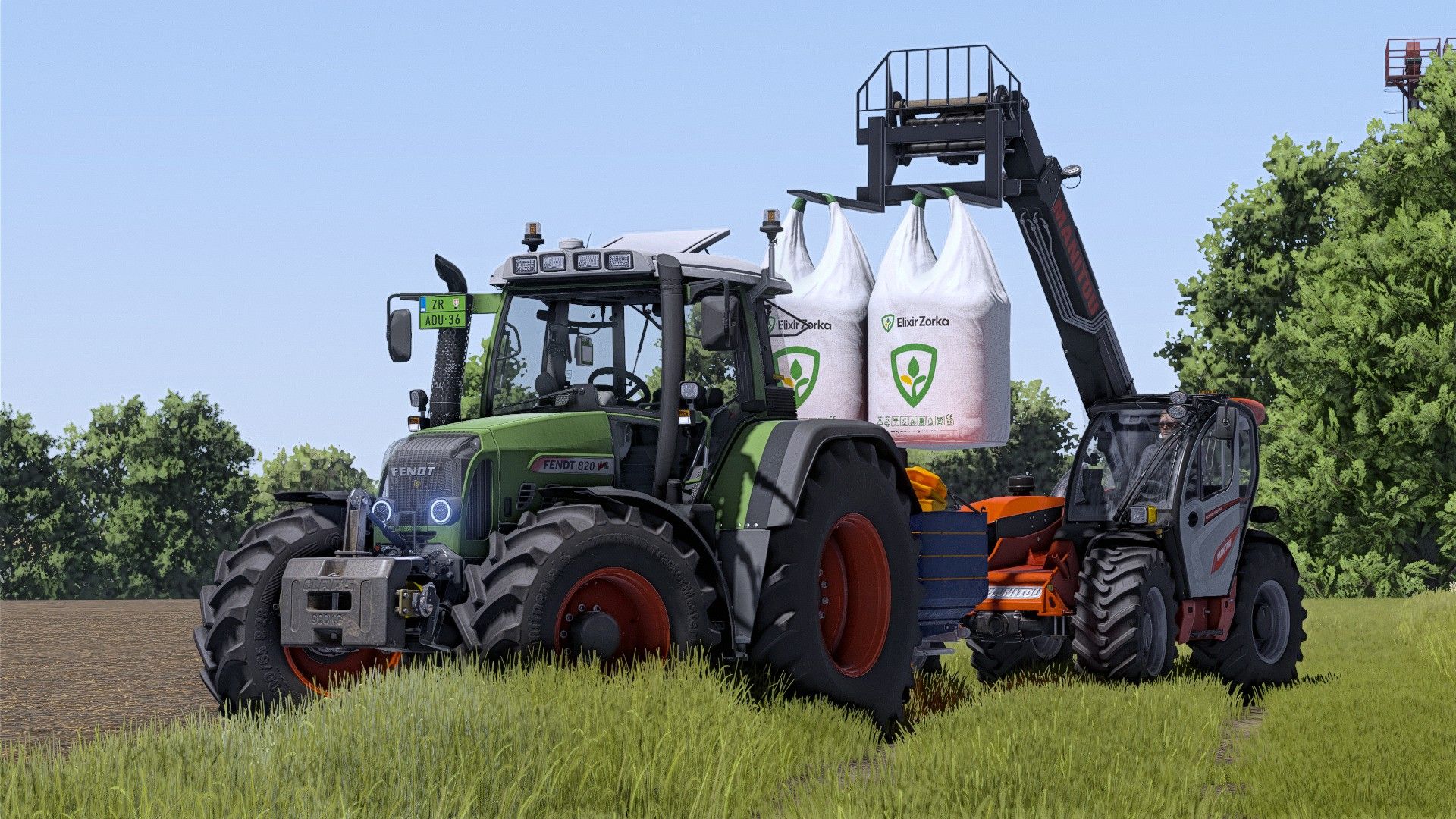
Elixir Zorka Fertilizer BigBag V1.0
Elixir Zorka Fertilizer BigBag V1.0 Price: € 820 Capacity: 1000l Author: kornel kanas Report bugs in the comments and help modders improve this mod. Always check the comments, you can find a solution. DOWNLOAD MOD
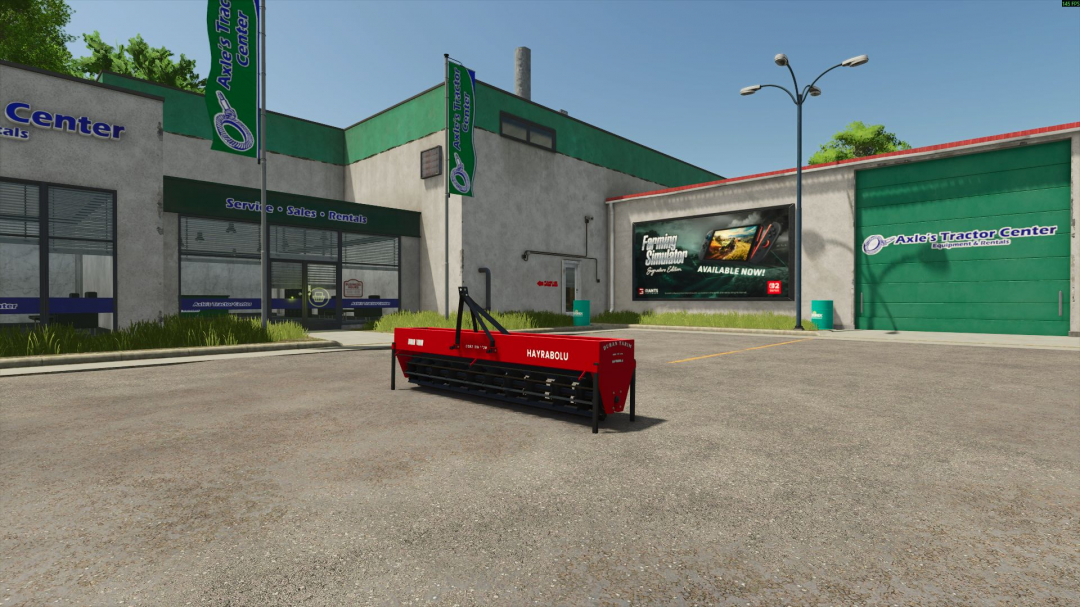
Duran Tar?m Ciguli V1.2.1
Duran Tar?m Ciguli (Straw Chopper) Machine Price: 5,000 Working Width: 3 meters Required Power: 30 hp Color Option V1.2.1.0 Fixed an issue where the Specular Map and Normal Map would become invisible when zooming out. Updated the brand file. Updated the Moddesc.xml version. Moddesc.xml has been updated. Multiplayer support added.
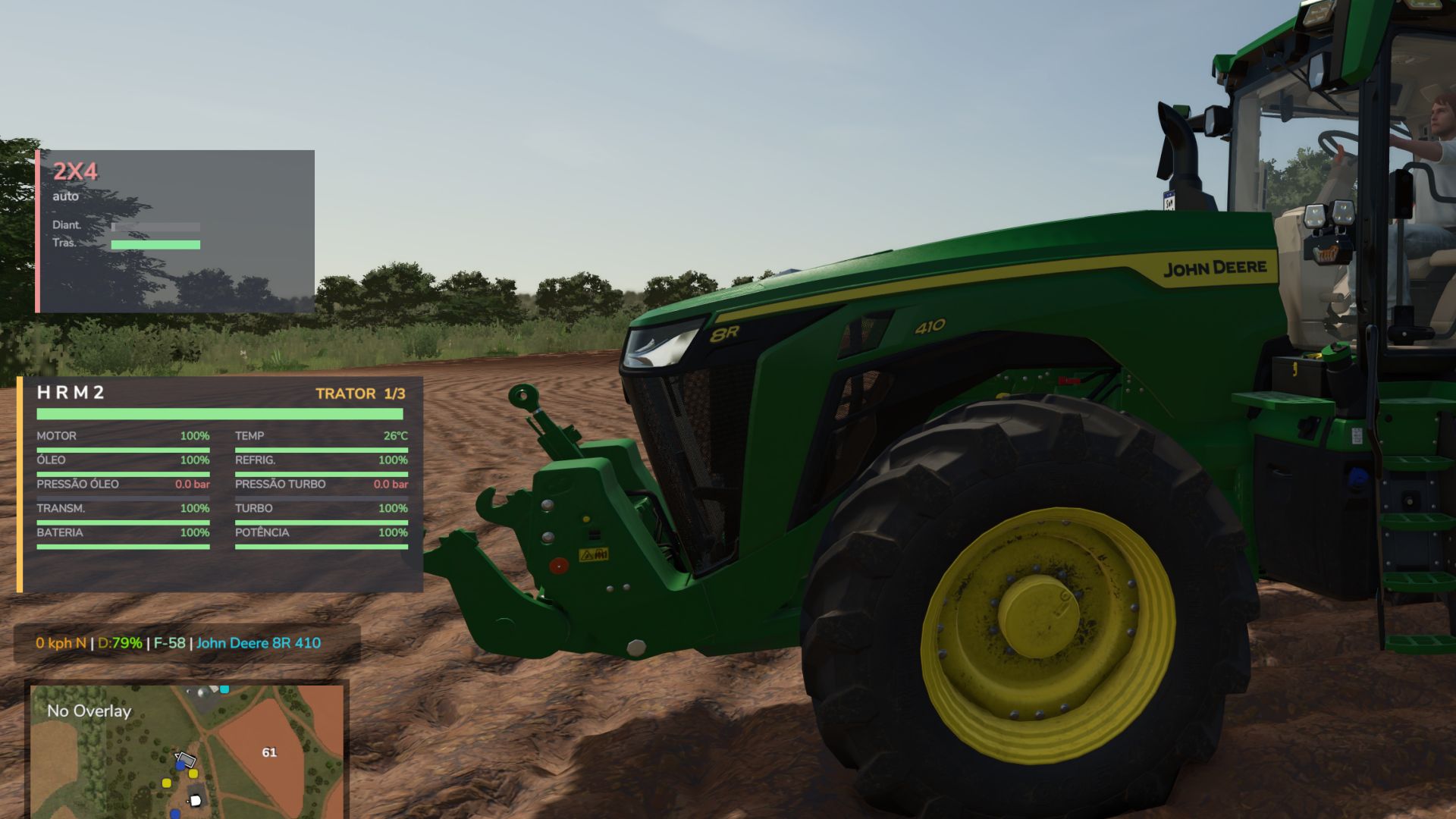
Hyper Realistic Maintenance 2 V1.0
Hyper Realistic Maintenance 2 V1.0 Your engine wears out. Your oil gets dirty. Your turbo fails if you never service it. This is what “realistic maintenance” should have meant all along. Hyper Realistic Maintenance 2 adds a deep, ongoing mechanical simulation to every motorized vehicle in your save — tractors, trucks, harvesters, and cars — with real gameplay consequences, not just cosmetic numbers. What it simulates Engine: 5 independent components (cylinder, piston, bearings, crankshaft, valves) that influence each other — cylinder wear increases blow-by, which contaminates your oil, which accelerates wear further Thermal: coolant temperature rises with load and overheats if your radiator is degraded Fluids: oil level/contamination and coolant level, both trackable and serviceable Drivetrain: clutch, gearbox, turbo, and battery/starter wear over time Failures: probabilistic breakdowns that ramp up sharply past ~35% wear on the relevant component — critical overheating above 118°C is guaranteed, not luck Per-vehicle-type behavior: tractors, trucks, harvesters, and cars wear at different, realistic rates Real effects, not cosmetic Genuine power loss — reduces actual available engine torque, you’ll feel it in the field Real no-start conditions — a dead battery or worn starter can actually stop your engine from turning over, with an on-screen warning Harvesters lose real threshing efficiency as engine health degrades Scheduled maintenance, like the real thing 10 serviceable items (engine oil, filters, hydraulic/transmission oil, coolant, grease, belts, and more), each with its own interval and a real farm-money cost — scaled automatically to the vehicle’s actual horsepower. Let service slide too long and wear accelerates up to +120%. 3-page in-vehicle HUD — overview, detailed engine diagnostics, and maintenance status — position adjustable from the in-game Settings menu. The game’s own repair screens (store, farm workshop, mobile workshop) now perform a full HRM2 service too. Compatibility Runs entirely standalone. If you also install the 4×4 Traction System mod, the two detect each other automatically — their HUDs won’t overlap, and running in 4WD/diff-lock adds a touch of extra, realistic drivetrain stress. Neither mod requires the other. Singleplayer only for now; state isn’t yet saved to the savegame (see the README for the honest list of current limitations). Author: zasty chalk Report bugs in the comments and help modders improve this mod. Always check the comments, you can find a solution. DOWNLOAD MOD
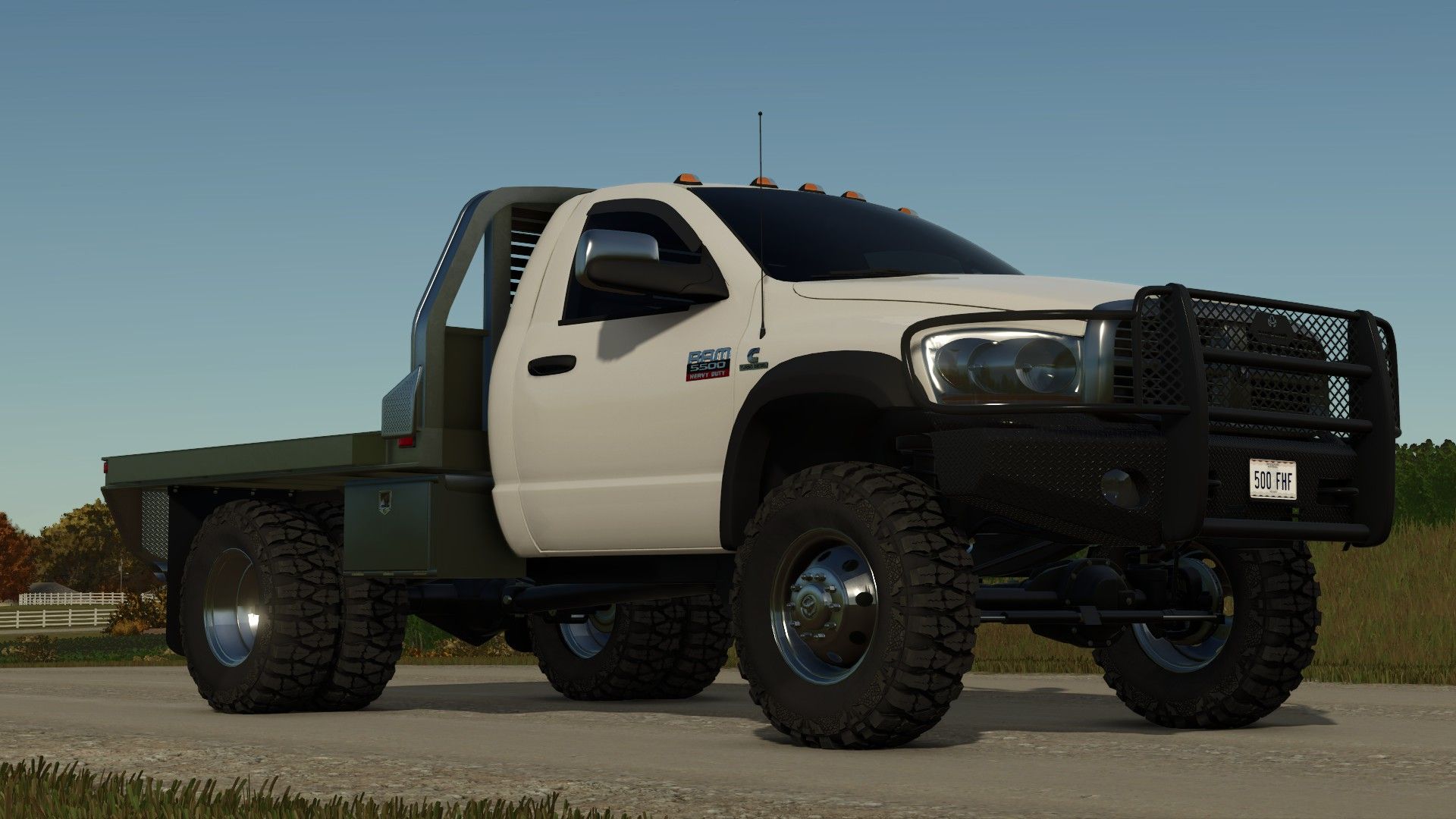
2006 Dodge Ram 3500/5500 Single Cab Flatbed V1.0
2006 Dodge Ram 3500/5500 Single Cab Flatbed V1.0 Tons of options on this truck for attachers, mudflaps, plow mount, mirrors, hood, front grille, etc. This truck works with the Western Tornado salter, Western Wide Out plow and a bunch of other plows out there. The truck is under the “cars” category in the store! Required mods: Western / Fisher Plow Pack Western Tornado salt shaker FisherV plow Author: RWRModding, Buckeye State Farms, Canada FS, Cooper Mods Report bugs in the comments and help modders improve this mod. Always check the comments, you can find a solution. DOWNLOAD MOD
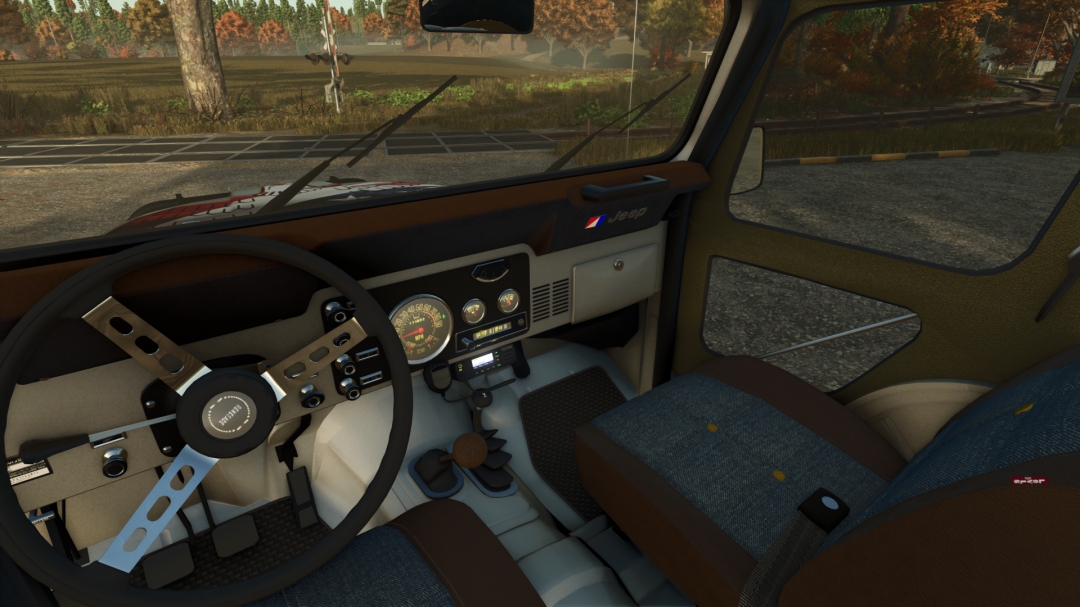
1983 Jeep CJ5 Renegade PC ONLY V1.0.2.1
Most FS players will likely be familiar with this Jeep from FS19 by Winston9587, which he released publicly. It's time for this 1983 Jeep CJ5 Renegade to appear on FS25 in a slightly modified form. Configurations: - Bumper with Bullbar + Winch - Interior Color - Adjustable Tow Bar (Fixed, No Selection) - Body Color - Wheel Color - Engine Flap Logo - Canvas Roof - Roof Color Interactive Controls: - Engine Flap - Windshield - Left/Right Doors - Radio - Sun Visors. Changelog V1.0.2.1 Fixed vehicleShader and texture file path Fixed two textures (there was a mistake in the name) Interactive Control : https://www.farming-simulator.com/mod.php?mod_id=323135&title=fs2025
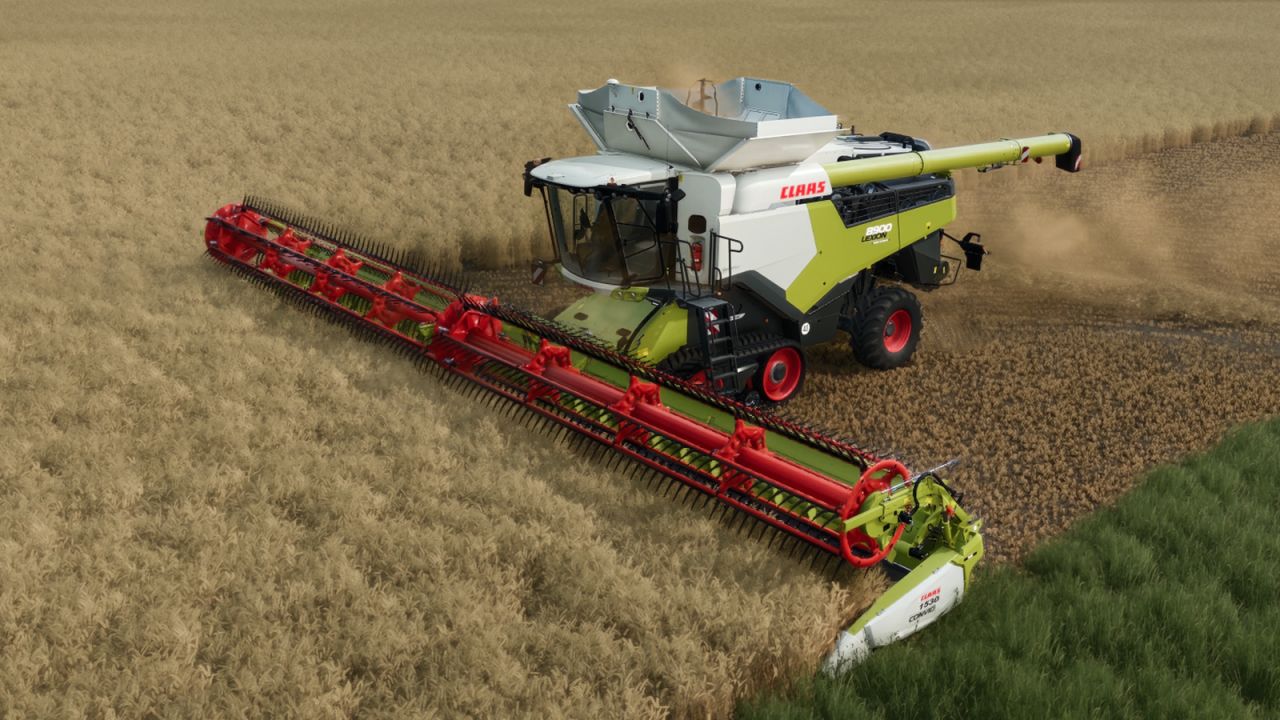
CLAAS Convio 1530 V1.0
CLAAS Convio 1530 V1.0 Price: €151,000 Working width: 15.30 m Working speed: 10 km/h Power requirement of the cutting header drive: 140 kW Capacity: no own tank/hopper Configurations: standard version, no additional shop options Best regards, Ole Author: ole22143, GIANTS Software Report bugs in the comments and help modders improve this mod. Always check the comments, you can find a solution. DOWNLOAD MOD
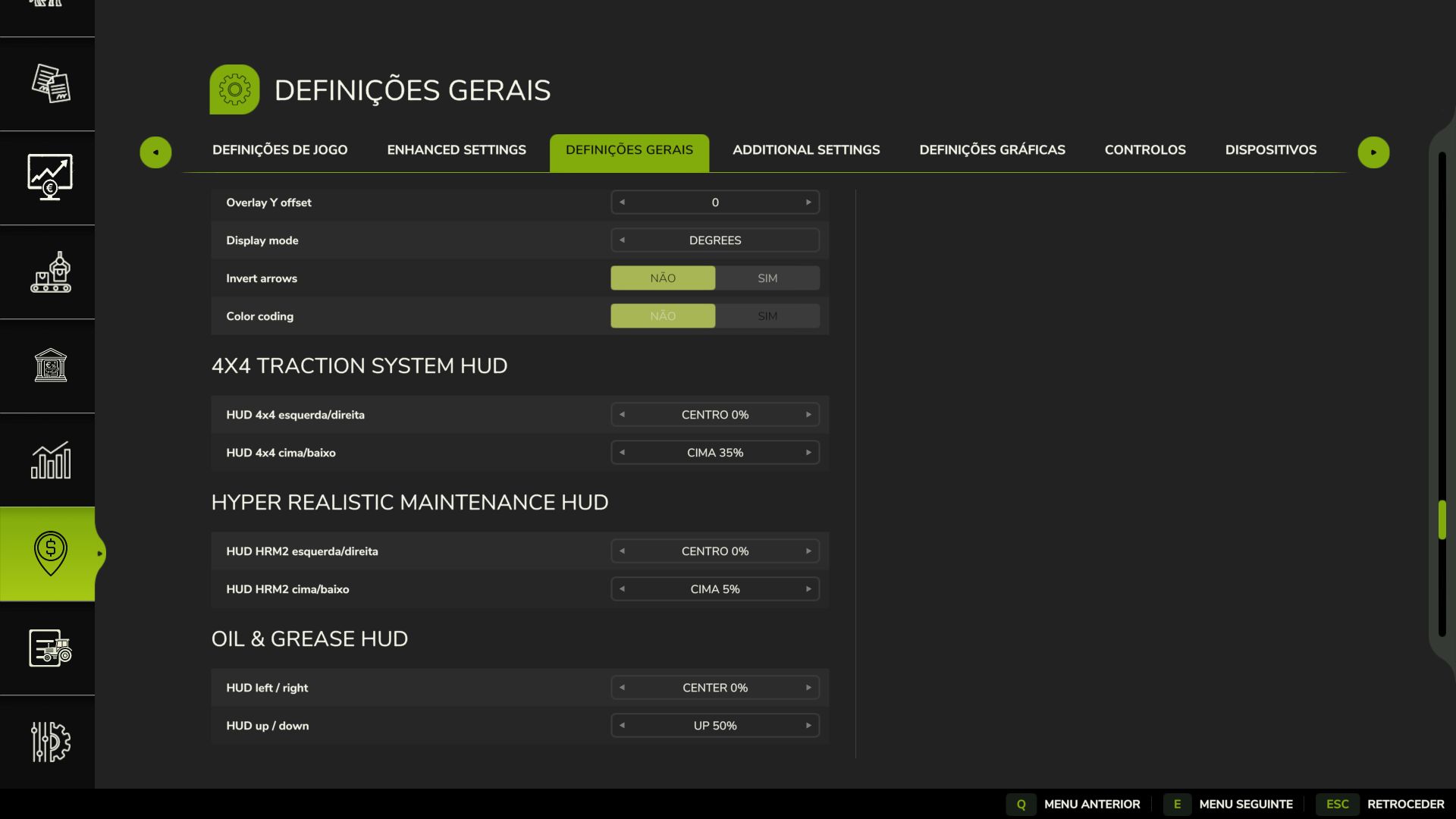
Realistisches 4×4-Traktionssystem V1.0.1.0
Realistisches 4×4-Traktionssystem V1.0.1.0 So testen Sie die Mod: 1. Wählen Sie im manuellen Modus einen Traktor mit Hinterradantrieb (2×4). 2. Bergauf oder auf weichem Untergrund beschleunigen. Die Hinterräder werden sich drehen Das Head-up-Display zeigt Radschlupf an. 3. Auf Halbautomatik oder Automatik umschalten. Die Modifikation erkennt tatsächlichen Radschlupf. Der Allradantrieb schaltet sich automatisch zu. Das Head-up-Display schaltet auf Allradantrieb um. Der Radschlupf verschwindet. 4. Smart-Modus testen (Fendt) Der Allradantrieb verstärkt sich stufenweise entsprechend dem Radschlupf. Es ist nicht einfach nur an/aus – es ist progressiv Ein Traum, dessen Verwirklichung Jahre dauerte. 4×4-Antriebssystem (v1.0.1.0) Übernehmen Sie die volle Kontrolle über die Traktion Ihres Traktors – schalten Sie den Allradantrieb ein, sperren Sie das Differenzial und lassen Sie das System auf tatsächlichen Radschlupf reagieren, nicht nur auf eine Tastenkombination. Diese Modifikation fügt kompatiblen Fahrzeugen (Traktoren, Lastwagen, Mähdreschern, Pkw) ein vollständig zuschaltbares 4×4-Traktionssystem hinzu: Die Vorderachse kann nach Bedarf ein- und ausgeschaltet werden, und eine Differenzialsperre kann aktiviert werden, die den Wendekreis gegen maximale Traktion in Schlamm, Schnee oder bei schweren Lasten eintauscht. Merkmale Echtzeit-Schlupferkennung der Hinterräder – die Automatikmodi reagieren auf die tatsächliche Schlupfphysik der Räder, nicht nur auf die Geschwindigkeit. Vier Fahrmodi, die jedem Fahrzeug ab Werk zugeordnet sind: Manuell – Sie haben immer die Kontrolle Halbautomatisch – schaltet sich bei tatsächlichem Schlupf ein, manuelle Übersteuerung jederzeit möglich Auto – gleiche Logik, abgestimmt auf Fahrzeuge mit werkseitig eingebautem Allradantrieb (CVT/IVT-Antriebe) Intelligent – stufenloses, proportionales Ein- und Ausschalten nach Fendt-Art (kein hartes Ein-/Ausschalten) Native Reifendrucksimulation beim Einschalten – keine Abhängigkeit von anderen Mods Bildschirm-HUD mit Live-Status, Position über das In-Game-Einstellungsmenü einstellbar Keine XML-Änderungen an den Fahrzeugen erforderlich – das System integriert sich automatisch in jedes kompatible Fahrzeug. V1.0.1.0 Die Tastenbelegung wurde auf Shift+Strg+J/K/N geändert, um Konflikte mit anderen Mods zu vermeiden. Die automatische/halbautomatische Reaktionszeit ist deutlich schneller (Bestätigungsverzögerung von 2,5 s auf 0,9 s reduziert). Der 2WD→4WD-Schalter im manuellen/halbautomatischen/automatischen Modus arbeitet nun mit einer kurzen, sanften Rampe anstatt eines sofortigen Ein-/Ausschaltens – kein Ruck oder kurzzeitiger Geschwindigkeitsverlust mehr beim Zuschalten der Vorderachse unter Last. Optionale Softkompatibilität mit Hyper Realistic Maintenance 2, falls Sie dieses ebenfalls verwenden (siehe unten) – ansonsten vollständig eigenständig. Tags: Der AllradantriebDie ModifikationOptionale SoftkompatibilitTraktion Ihres Traktors
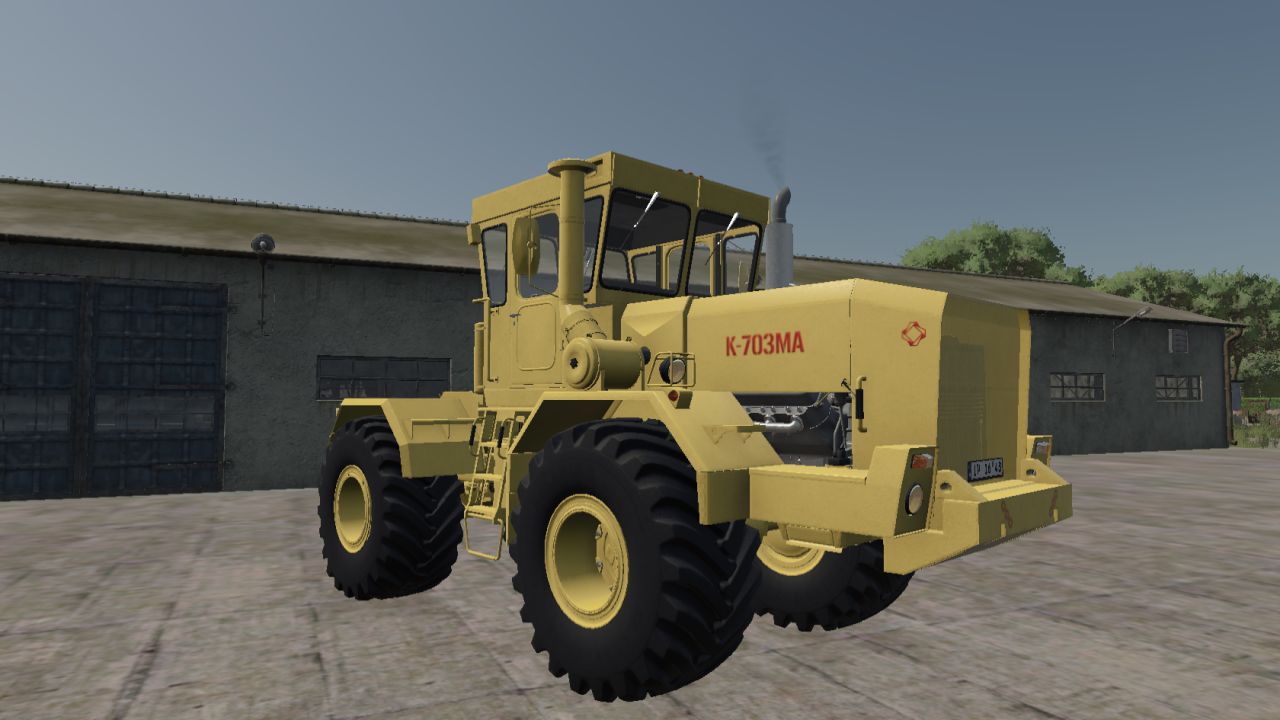
Kirovets K-703MA V1.0
Kirovets K-703MA V1.0 The K-703MA is an articulated four-wheel-drive tractor built by the Kirov Plant in Leningrad. This is a port of the FS22 version of Modding FS22VIP to Farming Simulator 25. SPECIFICATIONS Manufacturer: Kirov Plant Model: K-703MA Price: 78,000 Engine: YaMZ-238ND3 V8, 230 hp, 30 kph Alternative: YaMZ-240-BM, 350 hp, 34 kph Transmission: Manual with powershift groups FEATURES 16 paint schemes, freely combinable for body, cab, decals, exhaust, cylinders and rims Two engine options Nine fleet numbering variants, with and without decals Optional towbar and optional three-point front attacher Interactive cab controls INCLUDED IMPLEMENTS Angled dozer blade (2,550) Angled snow blade (2,550) Towing triangle (50) Required mods: Interactive Control Author: Mogulus, Modding FS22VIP, Bodik55, Region38, eFarmer(Erlan10) Report bugs in the comments and help modders improve this mod. Always check the comments, you can find a solution. DOWNLOAD MOD
NPC-Transport- und Dienstleistungsverträge V1.0.0.1
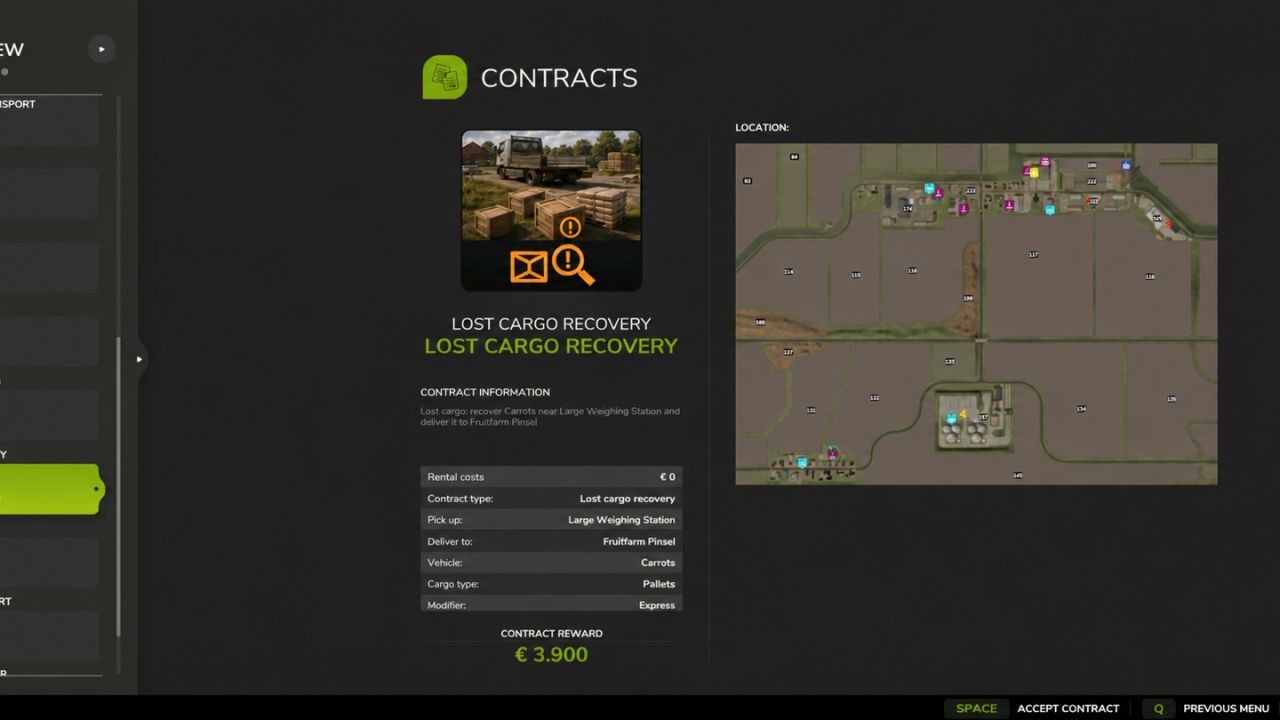
NPC-Transport- und Dienstleistungsverträge V1.0.0.1 Bringen Sie mit Transport- und Serviceverträgen von NPC mehr Abwechslung auf Ihren Hof. Transportieren Sie Schüttgut, Paletten und Ballen, Fahrzeuge, versorgen Sie Felder mit Saatgut, Dünger und Kalk, bergen Sie verlorene Fracht, liefern Sie Kuriersendungen aus und bieten Sie Notfallbetankung an. Fahrzeugpflegeaufträge ermöglichen es Ihnen außerdem, Kundenfahrzeuge zu waschen, zu trocknen und auszuliefern. Routen werden anhand der auf Ihrer Karte verfügbaren Standorte und Produkte generiert. Geeignete Ladeausrüstung für Paletten- und Ballenabholungen steht zur Verfügung, während markierte Ziele Ihre Lieferungen leiten. Verwalten Sie die Auftragsauswahl über die Spieleinstellungen und nutzen Sie die optionale GPSLite-Integration zur Navigation. V1.0.0.1 Unterhalb der Transporteinstellungen wurde eine separate Schaltfläche „Speichern“ hinzugefügt. Verbesserte Speicherung der Einstellungen durch serverseitige Überprüfung und automatische Wiederholungsversuche. Klare Meldungen zu Speicherständen, Erfolgen und Fehlern wurden hinzugefügt. Verbesserte Einstellungen werden beim Startvorgang geladen. Beschränkte Anzahl konfigurierbarer Vertragsziele auf 0–3 pro Typ, ohne bestehende Verträge zu entfernen. Die neuen Speichersteuerungen wurden in Englisch, Niederländisch, Deutsch und Französisch übersetzt. Tags: Ihren HofIhrer KarteNPCSie Felder
Kotte Garant TSV Pack FS25
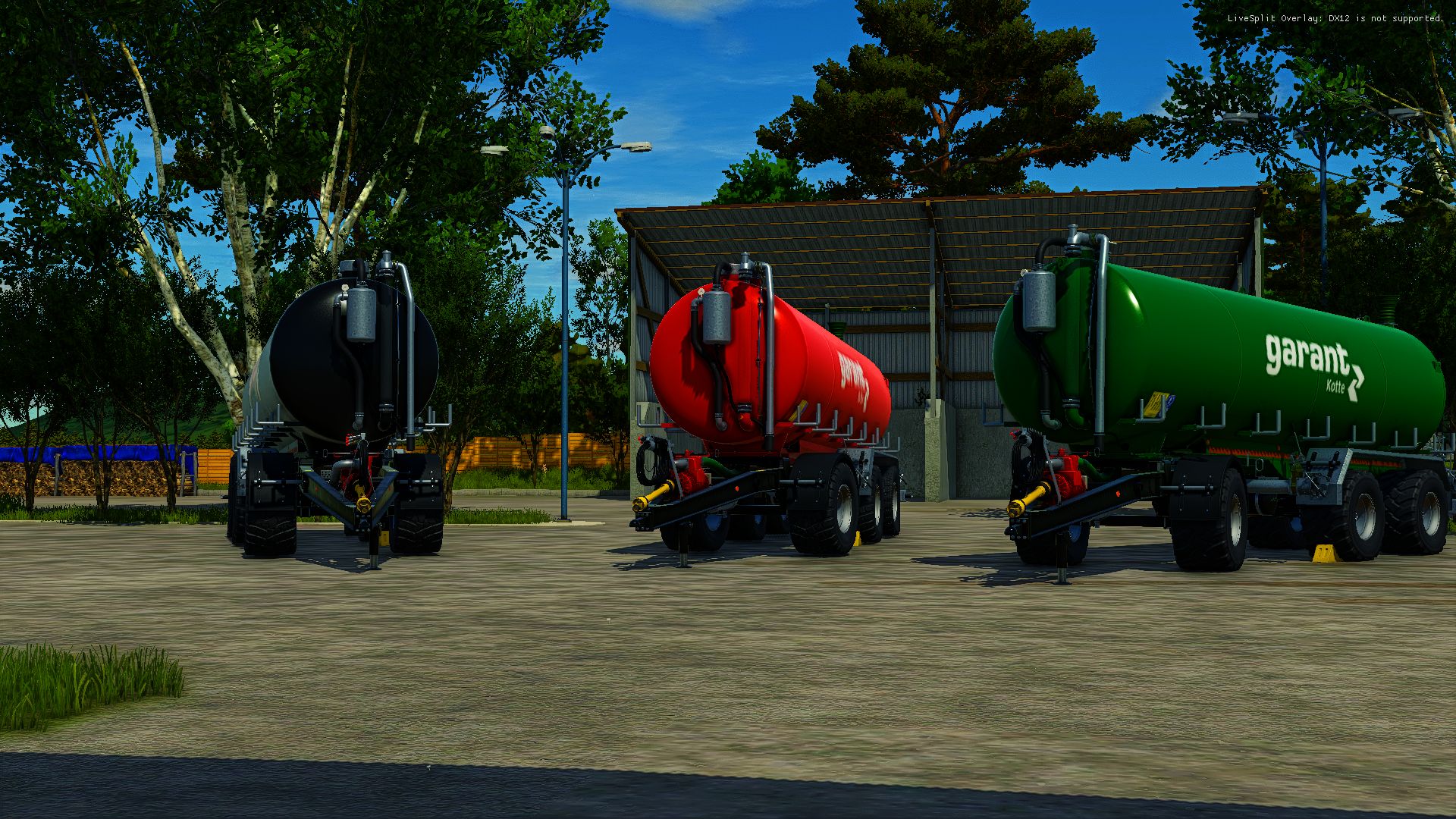
I am releasing my Kotte Zubringer Pack! 💰 Price: approx. €45,000–€55,000 🛞 Tires: BKT, Vredestein & more 🎨 Colors: All available colors ⚙️ Configuration: There are many options for individual configuration! I hope you like the pack! 🔥
Lamborghini Mach 250 VRT V1.0
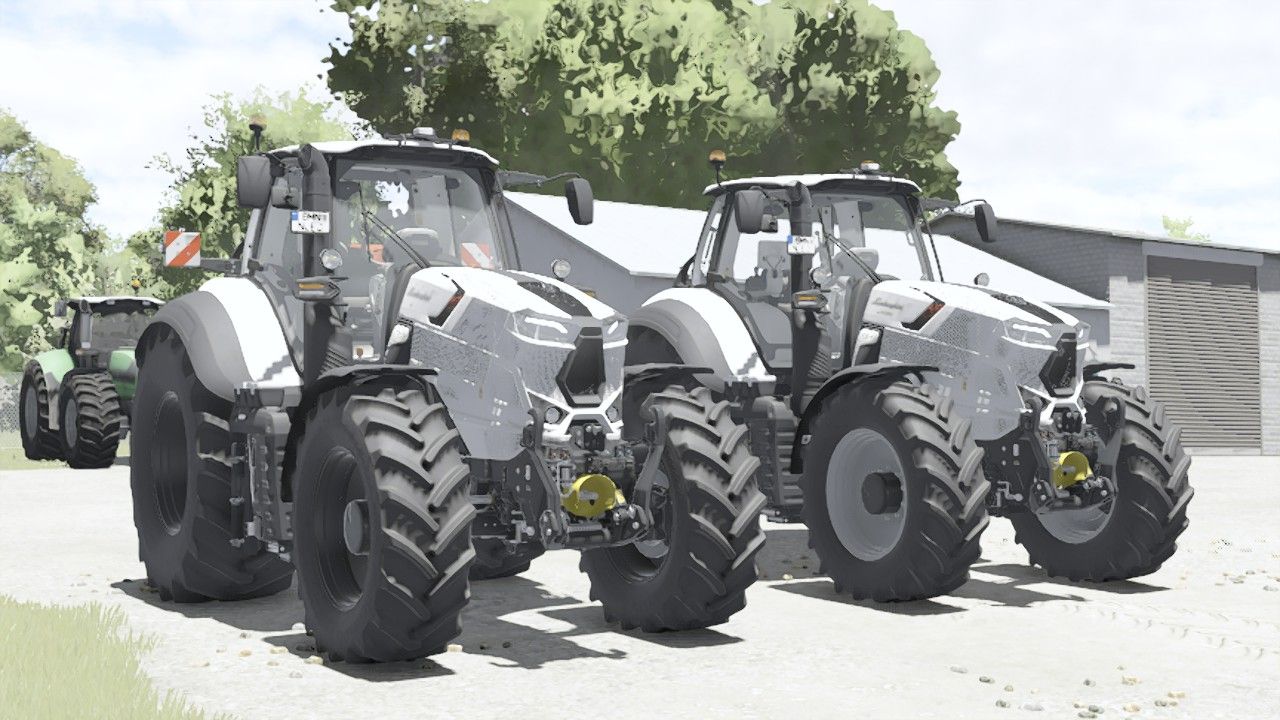
Lamborghini Mach 250 VRT V1.0 Shop Category: Medium Tractors Price: 158,500$ Engine power: 224 hp Max. speed: 60 kph Left door animated Configurations: Main Color: White, Black, Gray, Light Gray, Silver Warning signs Front loader protection Author: Mateusz41 Report bugs in the comments and help modders improve this mod. Always check the comments, you can find a solution. DOWNLOAD MOD
Lichtsymbol-HUD V1.2.2.3
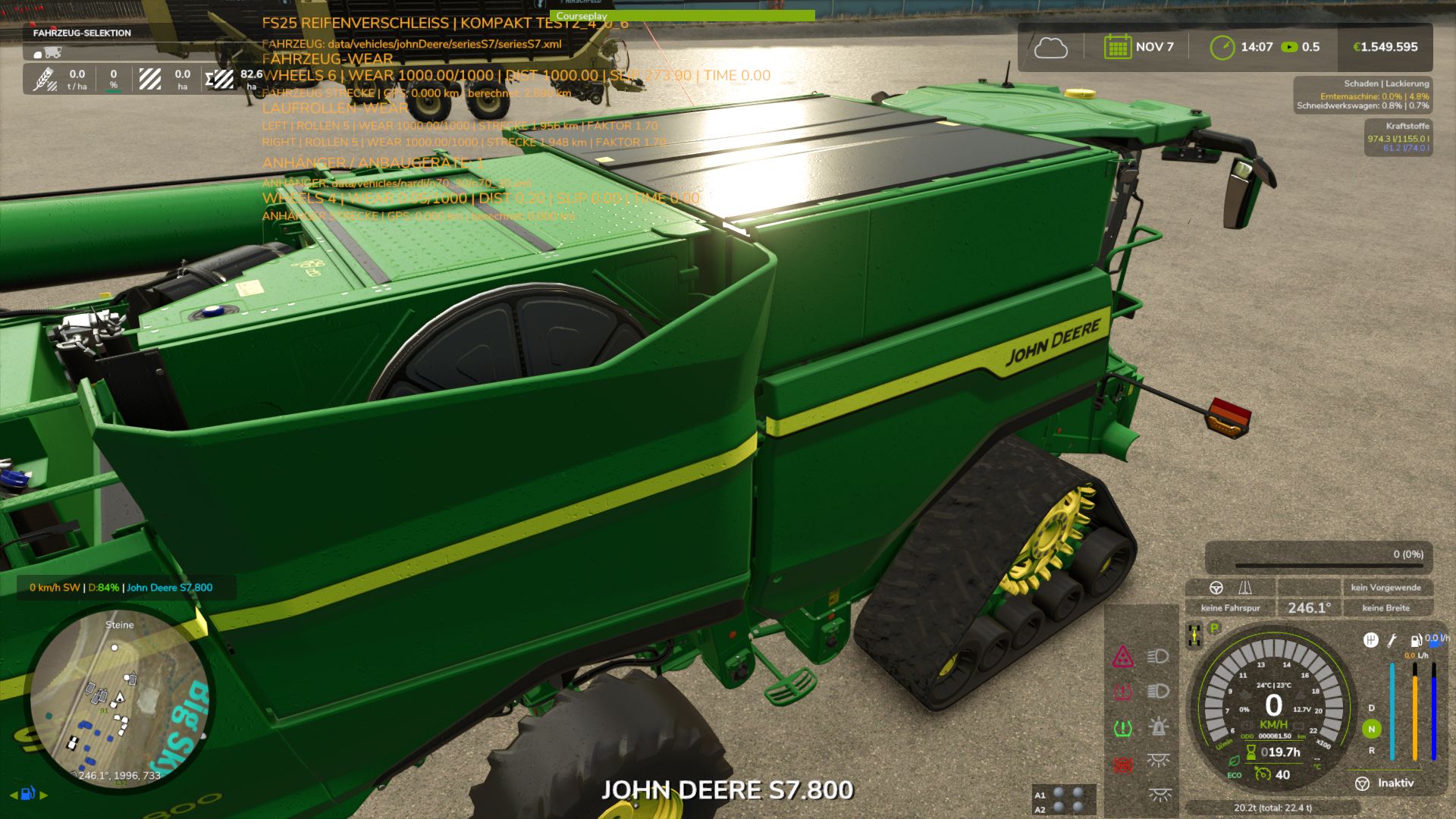
Lichtsymbol-HUD V1.2.2.3 Das Lights Symbol HUD zeigt die wichtigsten Beleuchtungs- und Fahrgestellinformationen des Fahrzeugs übersichtlich in einem separaten HUD an. Abblendlicht, Fernlicht und Arbeitsscheinwerfer Leuchtfeuer Blinker links/rechts und Warnblinker Die Indikatorpfeile folgen dem aktiven Indikatorzyklus. Schlupfanzeige für angetriebene Achsen und Räder Automatische Erkennung von Fahrgestellen und Achsen, auch bei komplexen Mehrrad-, Band- und Kettenfahrwerken Dynamische Anzeige von bis zu 6 angetriebenen Achsen Es können Achspaare oder einzelne angetriebene Räder ausgewählt werden. Drei HUD-Ansichten: Vollansicht, Kompaktansicht und Minimalansicht Minimalansicht optional mit vertikaler oder horizontaler Kugellichtleiste Kugellichtleiste mit separaten Schlupfzuständen und klarer Achsenzuordnung Einstellbare Schlupfanzeige: Direkt, Normal oder Geglättet Einstellbare Anzahl der angezeigten Achsen: 0, 2, 4 oder 6 Separater schwarzer Hintergrund für die minimalistische Kugellichtleiste Andere Veröffentlichungen auf externen Webseiten, die nicht ausdrücklich von mir genehmigt oder erstellt wurden, sind nicht gestattet. Ich biete auch keinen Support für Uploads durch Dritte an. Anzeigen für die Reifenverschleiss-Mod implementiert V1.2.2.3 Weitere Optimierungen für Achsenanzeigen und die Erkennung von Motorrädern und Trikes Tags: Automatische ErkennungDie IndikatorpfeileDynamische AnzeigeHUD
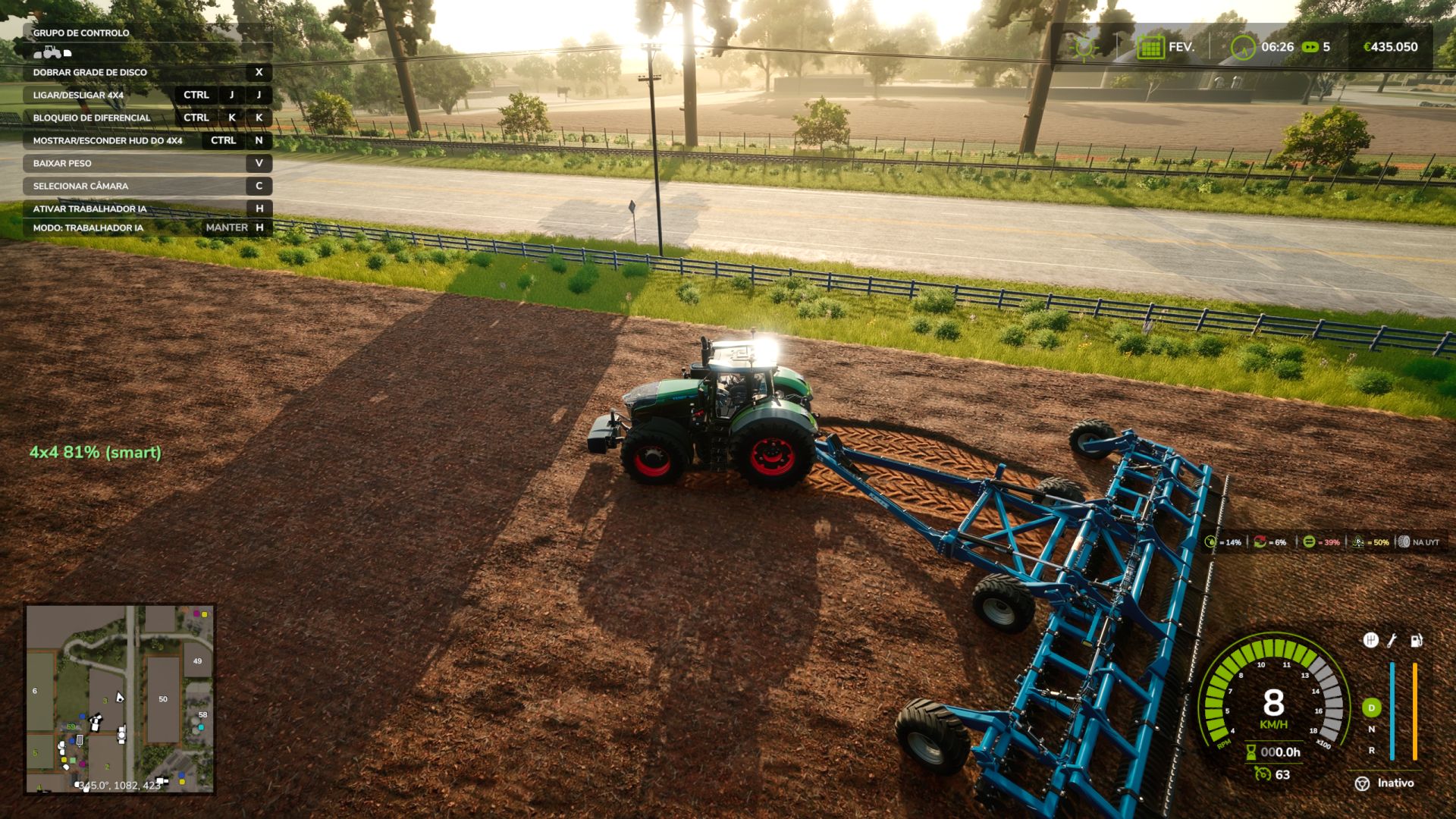
Realistic 4×4 Traction System V1.0.1
Realistic 4×4 Traction System V1.0.1 How to test the mod: 1. Choose a rear-wheel-drive (2×4) tractor in Manual mode 2. Accelerate uphill or on soft terrain The rear wheels will spin The HUD shows wheel slip 3. Switch to Semi-auto or Automatic The mod detects actual wheel slip 4WD engages automatically The HUD switches to 4WD The wheel slip disappears 4. Test Smart mode (Fendt) 4WD increases gradually according to the amount of wheel slip It is not simply on/off — it is progressive A dream that took years to become reality. 4×4 Traction System (v1.0.1.0) Take real control of your tractor’s traction — engage 4WD, lock the differential, and let the system react to actual wheel slip, not just a keybind. This mod adds a fully switchable 4×4 traction system to compatible vehicles (tractors, trucks, harvesters, cars): engage/disengage the front axle on demand, and toggle a differential lock that trades turning radius for raw grip in mud, snow, or heavy pulls. Features Real rear-wheel slip detection — the automatic modes react to actual wheel slip physics, not just speed Four drive modes, assigned per vehicle out of the box: Manual — you’re always in control Semi-auto — engages on real slip, manual override always available Auto — same logic, tuned for vehicles with factory-automatic 4WD (CVT/IVT drivetrains) Smart — Fendt-style continuous, proportional engagement (no hard on/off) Native tire pressure simulation on engagement — no dependency on any other mod On-screen HUD with live status, adjustable position from the in-game Settings menu Zero XML edits to any vehicle — the system injects itself into every compatible vehicle automatically V1.0.1.0 Keybinds changed to Shift+Ctrl+J/K/N to avoid conflicts with other mods Auto/semi-auto response is much faster (confirm delay cut from 2.5s to 0.9s) The 2WD↔4WD switch in manual/semi-auto/auto is now a short smooth ramp instead of an instant on/off — no more jolt or momentary speed loss when the front axle engages under load Optional soft compatibility with Hyper Realistic Maintenance 2, if you also run it (see below) — fully standalone otherwise Author: zasty chalk Report bugs in the comments and help modders improve this mod. Always check the comments, you can find a solution. DOWNLOAD MOD
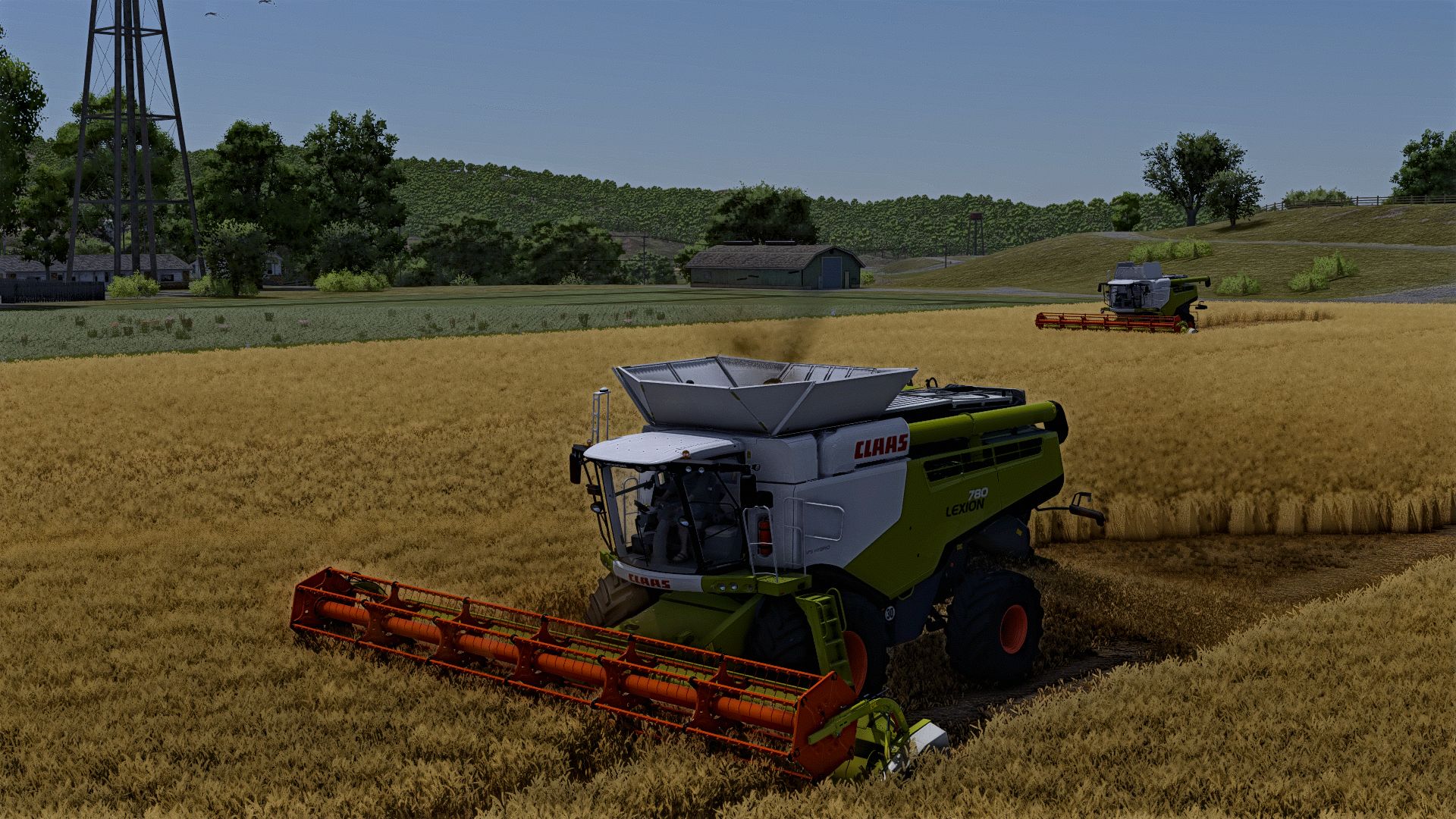
Claas Lexion 600-700 2012-2015-2017 V1.0.0.3 FS25
Farming Simulator 22 Mods · September 10, 2026 V1.0.0.3 bug fix texture improvement Here is the package mods Claas Lexion 600 of 2012: Price : 142100 € Motor configuration : Lexion 620 – 305 ch Lexion 630 – 313 ch Lexion 650 – 339 ch Lexion 660 – 336 k Lexion 670 – 390 ch Claas Lexion 600 from 2015: Price: 196500 € Motor configuration: Lexion 620 – 305 ch Lexion 630 – 313 ch Lexion 650 – 339 ch Lexion 660 – 336 k Lexion 670 – 390 ch Claas Lexion 600 from 2017: Price: 344500 € Motor configuration: Lexion 660 – 336 k Lexion 670 – 390 ch Claas Lexion 700 from 2012: Price: 200500 € Motor configuration: Lexion 740 – 366 k Lexion 750 – 415 ch Lexion 750 75 Years Claas. Lexion 760 – 449 ch Lexion 770 – 503 ch Claas Lexion 700 from 2015: Price: 319999 € Motor configuration: Lexion 740 – 366 k Lexion 750 – 415 ch Lexion 760 – 449 ch Lexion 770 – 503 ch Lexion 780 – 598 ch Claas Lexion 700 from 2017: Price: 41,000 € Motor configuration: Lexion 740 – 366 k Lexion 750 – 415 ch Lexion 760 – 449 ch Lexion 770 – 503 ch Lexion 780 – 598 ch Category: Sweatshirt-beating Training: 8000L – 13500L Settings: – Roues – Of the tracks – Motor/reserve Extensions – Tuyau – Tire brand – Names – Achoir Table – GPS – Manette – Radio CB – Conceive – Version – triggers fool added Noted the cut bars of sound not in the pack I and therefore added in the mods required the compatible bars

Improved Corn Plants Three V1.0
Improved Corn Plants Three is a Farming Simulator 25 Field & Crop mod from Sumro Gaming, and this page is written to explain the release before a player opens the download source. Improved Corn Plants Three is a maize foliage replacement mod for Farming Simulator 25. It uses the provided third corn plant XML and I3D files to change the corn plant shape, density, growth-stage layout, harvested look, and tire-track/stubble behavior without requiring manual copy-paste into the game folder. When. Improved Corn Plants Three is an original Sumro Gaming Field & Crop mod for Farming Simulator 25. It is made for players who want more realistic crop and field reactions during normal field work. The main purpose is simple: Improved Corn Plants Three is a maize foliage replacement mod for Farming Simulator 25. It uses the provided third corn plant XML and. For Improved Corn Plants Three, the important question is not only whether the file exists, but what the mod changes, when it is useful, and how safely it can be tested on a real save. Improved Corn Plants Three focuses on this feature set: Installs the third maize foliage XML, I3D, and shape files while active, Cleans stale backups from older corn foliage replacements, creates fresh per-user backups, and restores originals when the map or game closes, and Changes only maize visuals and foliage setup files, not prices, yield balance, missions, vehicles, economy, or savegame data. It installs the third refreshed maize foliage setup while the mod is active, applies updated maize XML, I3D, and shape files, cleans older corn foliage backups first, creates fresh per-user backups, and restores the original maize files when the map or game closes. This third corn package is best treated as a separate visual choice. It is not meant to stack with the other corn replacements; it gives players another maize field style to test on their preferred map. Because Improved Corn Plants Three is being documented for FS25 players, the description keeps the practical gameplay result beside the technical ZIP details instead of leaving visitors with only a title and button. It is best used on active crop saves where the player can compare field behavior before and after the mod during drilling, spraying, harvest, or headland work. The 3 screenshots on this page show Improved Corn Plants Three in-game, which helps players compare the mod visually before opening the download source. A good way to judge Improved Corn Plants Three is to repeat the same job before and after enabling it, then compare the result in normal farm conditions. For Improved Corn Plants Three, the strongest signs to check are the feature behavior, the saved game after reload, and whether the rest of the mod folder still works cleanly. The download button opens the external source page listed for this mod, so players should check that page before adding the file to a save. Install Improved Corn Plants Three by keeping FS25_ImprovedCornPlantsThree.zip packed as a ZIP and placing it in Documents/My Games/FarmingSimulator2025/mods. Enable Improved Corn Plants Three from the savegame mod list, load a backup save first, and avoid keeping old copies of the same file in the active mods folder. No separate required-mod list is shown for Improved Corn Plants Three, so the normal approach is to install FS25_ImprovedCornPlantsThree.zip by itself and then test it with the rest of the active mod folder. Note: Do not enable FS25_ImprovedCornPlantsThree together with FS25_ImprovedCornPlants or FS25_ImprovedCornPlantsSecond. Use only one corn foliage replacement mod in the same savegame. Improved Corn Plants Three multiplayer status is listed as Supported. The active gameplay logic is written in Lua, the scripting language Farming Simulator 25 uses for script mods. Lua is chosen because the game loads it directly through modDesc.xml, and using one main scripting language keeps the mod lighter, easier to update, and safer beside other scripts. For Improved Corn Plants Three, compatibility testing should include the map, any mods that touch the same gameplay area, and a save-and-reload check before the setup is trusted on a long-running farm. Improved Corn Plants Three: Test it through the relevant field state or crop stage, then drive, harvest, or reload to confirm the normal FS25 workflow still behaves as expected. While testing Improved Corn Plants Three, change only one thing at a time and write down the map name, game version, mod version, and other active scripts that affect field & crop gameplay. If the first test looks good, save the game, exit to the menu, reload the save, and repeat the same action once more. For Improved Corn Plants Three, that second pass helps catch restore problems, missing XML paths, delayed script errors, and visual changes that only appear after reload. Improved Corn Plants Three: If crop visuals or field states do not match expectations, remove other crop, tramline, texture, precision, or destruction mods and check the same field again. The final recommendation for Improved Corn Plants Three is to use it as a focused FS25 improvement, keep one active version, and check the download source whenever an update appears. The public file name for this release is FS25_ImprovedCornPlantsThree.zip, and the page lists version 1.0.0.0. If Improved Corn Plants Three improves the exact job you repeat on your farm and the log stays clean, it is a safer candidate for a main save than a mod added only from a screenshot. Improved Corn Plants Three current public version is v1.0.0.0. Keep only one copy of FS25_ImprovedCornPlantsThree.zip in your active Farming Simulator 25 mods folder. Note: Do not enable FS25_ImprovedCornPlantsThree together with FS25_ImprovedCornPlants or FS25_ImprovedCornPlantsSecond. Use only one corn foliage replacement mod in the same savegame.
- 15 per page
- 30 per page
- 45 per page
- 60 per page
-
See more per page
Bigger pages, fewer clicks - and no ads anywhere.
Go Pro