Farming Simulator 25 mods
79,502 results- 15 per page
- 30 per page
- 45 per page
- 60 per page
-
See more per page
Bigger pages, fewer clicks - and no ads anywhere.
Go Pro
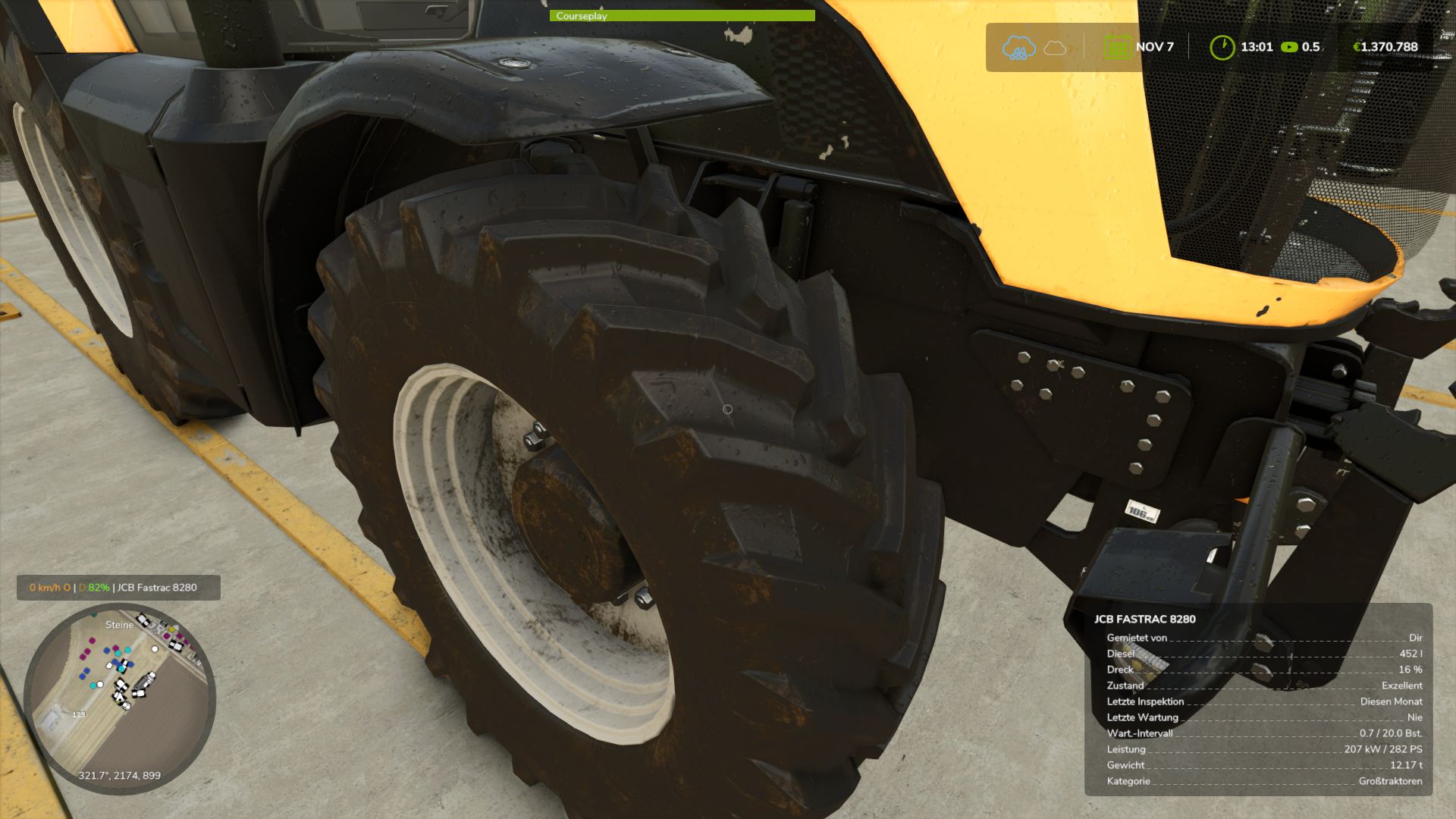
Real Physics Tire Wear V1.2.2.5
Real Physics Tire Wear V1.2.2.5 This mod expands Farming Simulator 25 with a standalone and significantly more detailed wear system for tires, rubber tracks, and steel tracks. The next generation—the next stage of evolution: 2.0! Tires and track systems (rubber or steel) wear down based on the actual distance traveled, stress caused by wheel slip, and various other factors. Your driving style, the type of ground you are driving on, weather conditions, the weight you are hauling, and the dynamic load distribution across your wheels or tracks all play a role. Wear is tracked and saved individually for every vehicle and every wheel or track unit, making it independent of the standard GIANTS vehicle wear system. This applies to all vehicles owned by your farm—whether purchased, rented, or leased. AI traffic vehicles, vehicles from other farms, or machinery “rented” specifically for a mission are not tracked. The goal of this mod is to visually display realistic wear on wheels, rubber tracks, and steel tracks, accurately reflecting the actual level of wear. It supports conventional wheeled vehicles as well as machines with rubber tracks or steel tracks. Trailers and implements with their own wheels are also included and tracked. For rubber and steel track systems, the wear of road wheels is calculated based on their actual design and displayed separately via a combined icon. Most in-game vehicles and many mods have been tested; while 100% compatibility isn’t guaranteed, it is well over 90%. There may be isolated cases where tracking isn’t possible—such as with two-wheelers, three-wheelers, or specialized machinery mods—but work on compatibility is ongoing. For specific mods, however, I require the mod itself, including its i3d files, UV masks, i3d mappings/shapes, and vehicle XML files. Only then can I determine whether it is feasible to implement. As wear increases, the visual appearance isn’t the only thing that changes; heavily worn tires lose traction, thereby affecting handling. This introduces a shift in momentum or a lag that causes the vehicle to slide—whether accelerating, braking, or turning. Tires, suspension systems, and track rollers can be replaced at the workshop; costs depend on factors such as the vehicle type, the number and size of tires or track components, and a small multiplier based on the selected reference mileage. The desired reference lifespan can be adjusted in the settings. Options include 350, 500, and 750 km for smaller or classic 2×2 maps, and 1,000, 1,500, and 2,000 km for larger 4×4 maps and correspondingly longer periods of use. It is important to note that a 1,000 km setting does not guarantee the tire or suspension will last at least 1,000 km; the reference value simply serves as the basis for calculating wear. Consequently, the tire might last less time—or potentially longer—depending on driving style, the nature of the work, and the load. Furthermore, the mod supports wear calculations for AI-controlled vehicles—specifically those using Courseplay, AutoDrive, or the built-in Giants AI. To ensure this functions smoothly, I developed an electronic immobilizer designed to lock the vehicle until the startup phase and system initialization are complete, preventing any external input during that time. This is necessary because Courseplay and AutoDrive bypass the standard startup sequence intended by Giants, which could otherwise lead to inconsistent states or unintended issues. Simply think of it as a “Parking Brake 2.0”: once the vehicle is ready to drive, the immobilizer disengages, and everything operates as usual. The mod introduces three specific penalties. First, there is a loss of traction for tires and running gear depending on their wear level. However, it remains possible to drive the vehicle to the workshop—albeit with a performance penalty and potentially without a trailer. Second, there is a speed penalty for AI-controlled vehicles. The AI cruise control speed is throttled down to as low as 20 km/h, depending on wear, to ensure the vehicle can still be steered and follow its route. At normal speeds, the AI driver (AD) is unable to compensate for the tire slippage and loss of traction. If you drive the vehicle manually, there is no speed restriction, though the corresponding performance penalties still apply. Third, there is a penalty affecting the maximum speed of rubber tracks and steel tracks. Depending on the wear of the inner rollers, the maximum speed can be reduced by up to 50%. Once the rollers are replaced, the penalty is removed. Current wear levels can be displayed directly in the HUD when using the “FS25 Lights & Symbol HUD” mod. It is therefore recommended to install the Lights & Symbol HUD alongside this mod. V1.2.2.5 The Real Mud Physics mod is now supported Various adjustments for the Mud Physics mod Author: duestereLegende Report bugs in the comments and help modders improve this mod. Always check the comments, you can find a solution. DOWNLOAD MOD
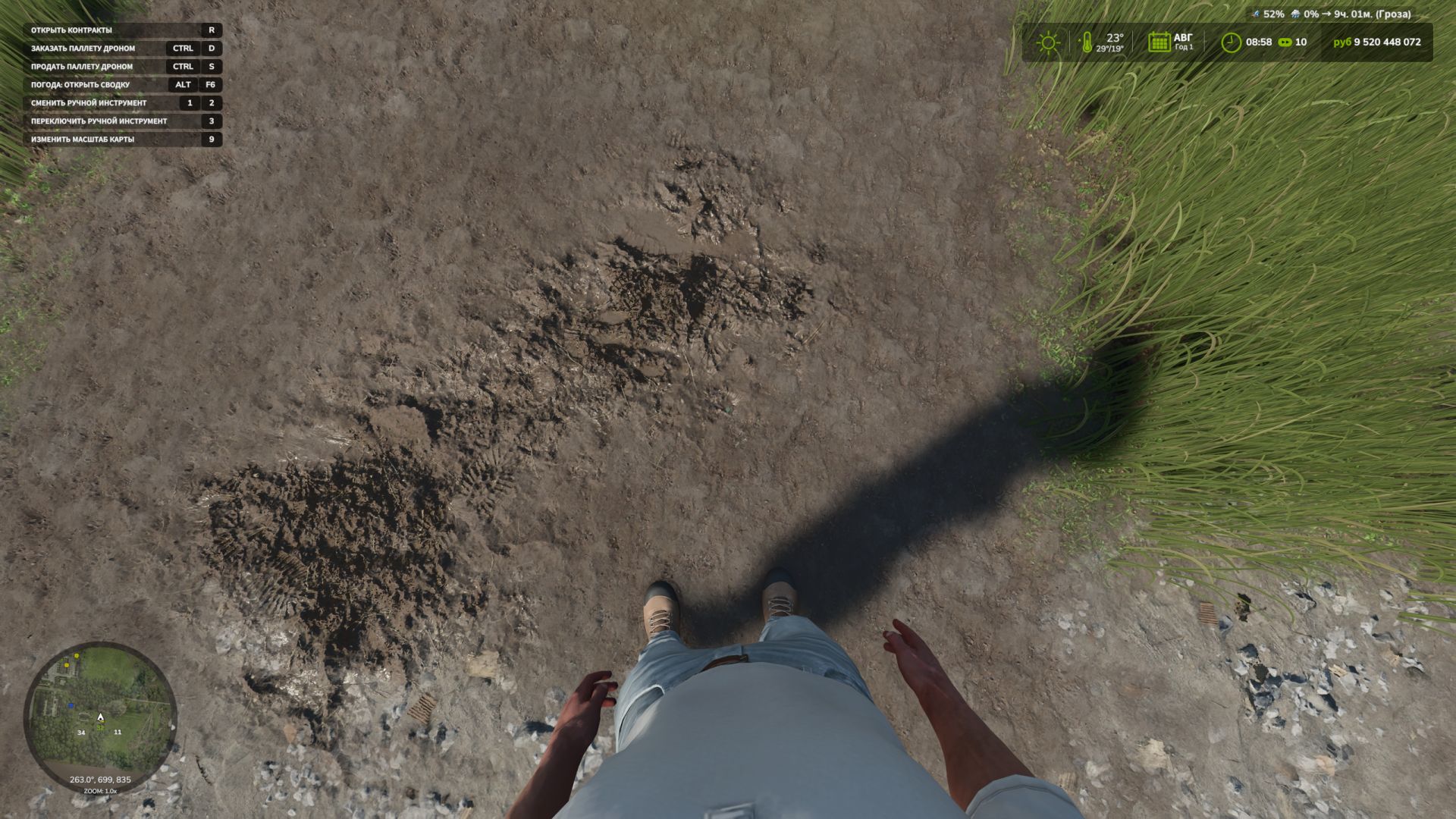
First Person Player Body V1.0.4
First Person Player Body V1.0.4 First-Person Player Body adds a “full” character display in first-person mode in Farming Simulator 25. Now, when looking down, the player can see their animated body, legs and arms, while the character’s movements are correctly displayed along with the camera. The head remains behind the camera so it does not obstruct the view, but it still contributes to the formation of the shadow. The mod also improves the first-person view inside vehicles. When using the interior camera, the default seated driver model is displayed. The camera can follow the eye animation and the movements of the seated character. The mod settings include: On foot Player body visibility. Camera side-to-side movement. In vehicles Driver body visibility. Camera position — default or eye level. Camera following the driver’s animation. V1.0.4.0 Fixed an issue causing the camera to reset after applying the game mechanics using characterTargetNodeModifier to vehicles. Author: BMProd Report bugs in the comments and help modders improve this mod. Always check the comments, you can find a solution. DOWNLOAD MOD
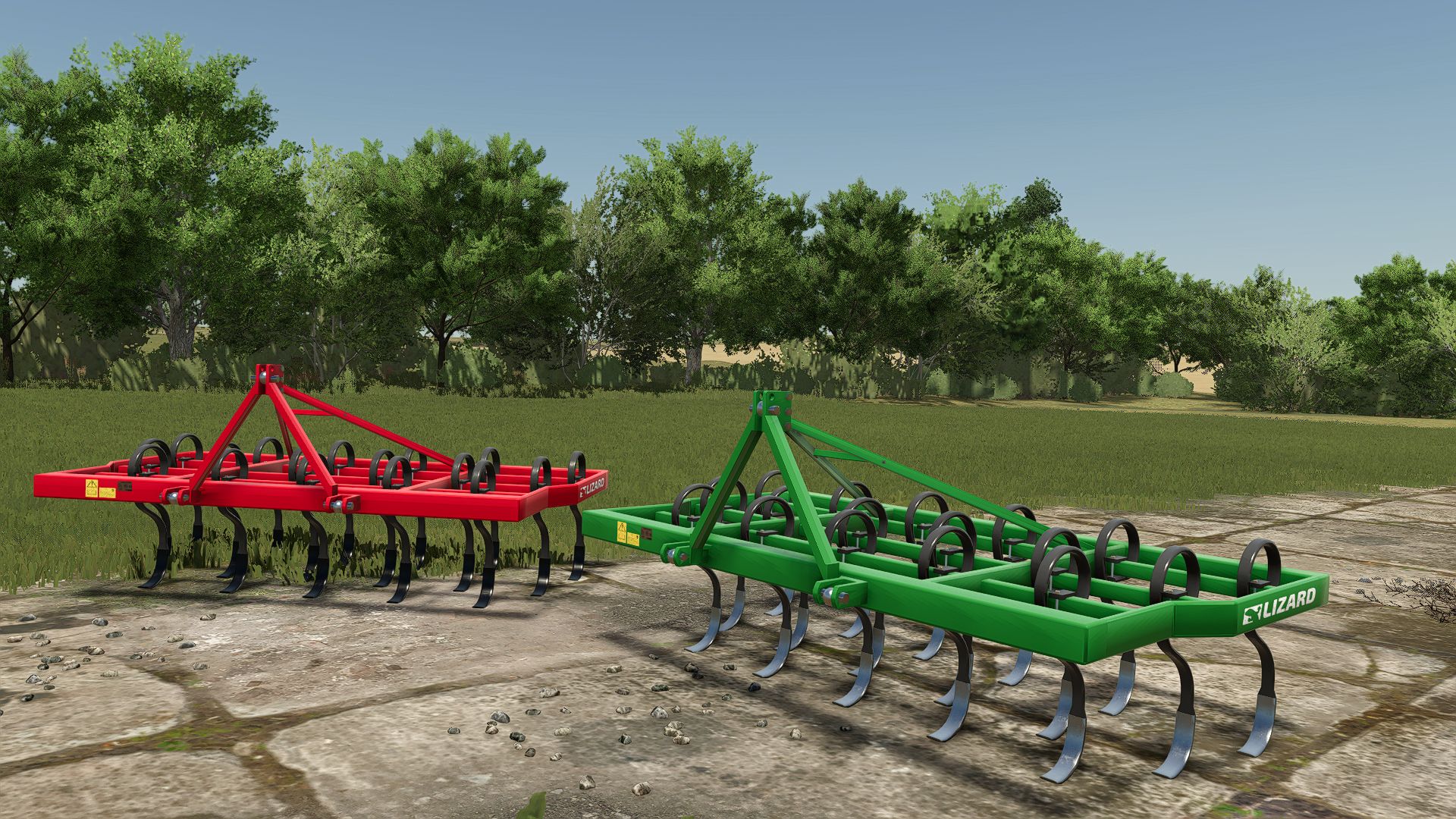
Lizard 17-tine cultivator FS25
Hello everyone, today we would like to share with you the 17-shank Lizard cultivator mod that we designed and edited together with a friend. Features: -Active rain droplets -Original design -Color options -Tine options -Animation -Details We wish you a good game. Please write any errors or missing features in the comments, and don't forget to give 5 stars ❤️
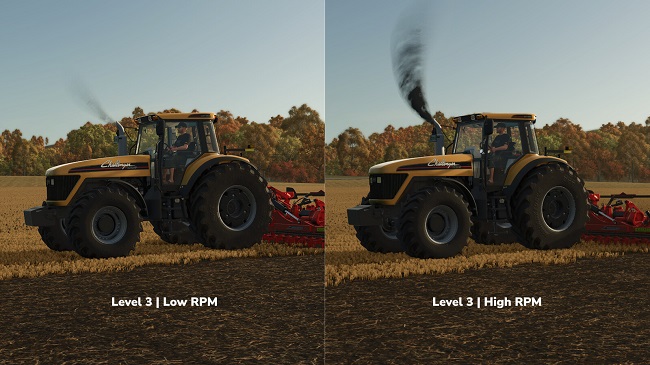
МОД Exhaust Color Configurations v1.0.0.0 (1.21.x) ДЛЯ FARMING SIMULATOR 2025
Хотите больше дыма? Более темный дым? Или что-то совершенно уникальное? Благодаря функции настройки цвета выхлопа (Exhaust Color Configurations) вы можете изменить характеристики дыма у многих транспортных средств — как непосредственно при покупке в магазине, так и позже в мастерской. Standard (Стандарт) — сохраняются исходные настройки выхлопа. Level 1 (Уровень 1) — дым становится темнее и гуще. Level 2 (Уровень 2) — интенсивность дыма немного увеличивается. Level 3 (Уровень 3) — для тех, кому нужен по-настоящему густой дым. Custom (Пользовательский) — возможность самостоятельно задать цвет, прозрачность и размер дыма. Три предустановленных уровня и до десяти пользовательских слотов можно настроить через автоматически создаваемый файл `FS25_exhaustColorConfigurations.xml`. Этот файл находится в соответствующей подпапке `modSettings`. Там же размещен файл README (на немецком и английском языках) с пояснениями параметров цвета, прозрачности (альфа-канала), масштаба и принципов работы минимальных/максимальных значений. Хотите изменить настройки позже? Транспортные средства, которыми вы уже владеете, сохранят свои текущие параметры. Чтобы применить новые значения, выберите другой уровень выхлопа в мастерской, а затем снова выберите нужный уровень или режим Custom. АВТОР МОДА: [Weekend Farmers] АВТОР МОДА: [Weekend Farmers]

La Campagne 30T V1.0.0.5 FS25
Farming Simulator 22 Mods · September 12, 2026 Name of the dumpster: The 30T campaign Dumpster Confid: 30T Wheels: Michelin Trelleborg BKT Vredestein Lizard Dumpster colors: – Red – Blue – Yellow – Orange – Black – Gray And good games to all! FYI: I had permission from the modder V1.0.0.5 Color corrections Wheel change

Improved Soybean Plants V1.0.0.1
Improved Soybean Plants is a Farming Simulator 25 Field & Crop mod from Sumro Gaming, and this page is written to explain the release before a player opens the download source. Update: This version now works on mod maps too. Earlier versions were mainly made for base-game maps, but the replacement and restore system has now been updated for mod maps as well. Improved Soybean Plants is a visual foliage replacement mod for Farming Simulator 25. It uses the same runtime replacement method as FS25_ImprovedCornPlants, but targets the base-game soybean foliage folder instead of maize. When the mod is enabled, it copies the included soybean foliage files into the Farming Simulator. Improved Soybean Plants is an original Sumro Gaming Field & Crop mod for Farming Simulator 25. It is made for players who want more realistic crop and field reactions during normal field work. The main purpose is simple: Improved Soybean Plants is a visual foliage replacement mod for Farming Simulator 25. It uses the same runtime replacement method as FS25_ImprovedCornPlants, but targets. For Improved Soybean Plants, the important question is not only whether the file exists, but what the mod changes, when it is useful, and how safely it can be tested on a real save. Improved Soybean Plants focuses on this feature set: Replaces soybean foliage visuals with refreshed texture, model, XML, crop shape, and distance foliage files while active, Creates backups of the original base-game soybean foliage files before installing the custom set, and Changes only soybean visuals, not yield, prices, growth calendar, harvesting behavior, contracts, recipes, equipment, or economy balance. It installs a refreshed soybean foliage set while the mod is active, applies updated growth-stage textures, distance foliage, XML data, and model data, backs up the original crop files first, and restores the base-game soybean visuals after the mission or game closes. Soybean is a crop where texture repetition can be easy to notice in large fields. This mod is meant to make those fields feel less flat while leaving the normal farm economy alone. Because Improved Soybean Plants is being documented for FS25 players, the description keeps the practical gameplay result beside the technical ZIP details instead of leaving visitors with only a title and button. It is best used on active crop saves where the player can compare field behavior before and after the mod during drilling, spraying, harvest, or headland work. The 2 screenshots on this page show Improved Soybean Plants in-game, which helps players compare the mod visually before opening the download source. A good way to judge Improved Soybean Plants is to repeat the same job before and after enabling it, then compare the result in normal farm conditions. For Improved Soybean Plants, the strongest signs to check are the feature behavior, the saved game after reload, and whether the rest of the mod folder still works cleanly. The download button opens the external source page listed for this mod, so players should check that page before adding the file to a save. Install Improved Soybean Plants by keeping FS25_ImprovedSoybeanPlants.zip packed as a ZIP and placing it in Documents/My Games/FarmingSimulator2025/mods. Enable Improved Soybean Plants from the savegame mod list, load a backup save first, and avoid keeping old copies of the same file in the active mods folder. No separate required-mod list is shown for Improved Soybean Plants, so the normal approach is to install FS25_ImprovedSoybeanPlants.zip by itself and then test it with the rest of the active mod folder. Improved Soybean Plants: This field and crop script should be tested with crop growth, tramline, field destruction, precision, and ground-interaction mods before it becomes part of a serious farm. Improved Soybean Plants multiplayer status is listed as Supported. The active gameplay logic is written in Lua, the scripting language Farming Simulator 25 uses for script mods. Lua is chosen because the game loads it directly through modDesc.xml, and using one main scripting language keeps the mod lighter, easier to update, and safer beside other scripts. For Improved Soybean Plants, compatibility testing should include the map, any mods that touch the same gameplay area, and a save-and-reload check before the setup is trusted on a long-running farm. Improved Soybean Plants: Test it through the relevant field state or crop stage, then drive, harvest, or reload to confirm the normal FS25 workflow still behaves as expected. While testing Improved Soybean Plants, change only one thing at a time and write down the map name, game version, mod version, and other active scripts that affect field & crop gameplay. If the first test looks good, save the game, exit to the menu, reload the save, and repeat the same action once more. For Improved Soybean Plants, that second pass helps catch restore problems, missing XML paths, delayed script errors, and visual changes that only appear after reload. Improved Soybean Plants: If crop visuals or field states do not match expectations, remove other crop, tramline, texture, precision, or destruction mods and check the same field again. The final recommendation for Improved Soybean Plants is to use it as a focused FS25 improvement, keep one active version, and check the download source whenever an update appears. The public file name for this release is FS25_ImprovedSoybeanPlants.zip, and the page lists version 1.0.0.1. If Improved Soybean Plants improves the exact job you repeat on your farm and the log stays clean, it is a safer candidate for a main save than a mod added only from a screenshot. Improved Soybean Plants current public version is v1.0.0.1. Keep only one copy of FS25_ImprovedSoybeanPlants.zip in your active Farming Simulator 25 mods folder. Improved Soybean Plants: This field and crop script should be tested with crop growth, tramline, field destruction, precision, and ground-interaction mods before it becomes part of a serious farm.
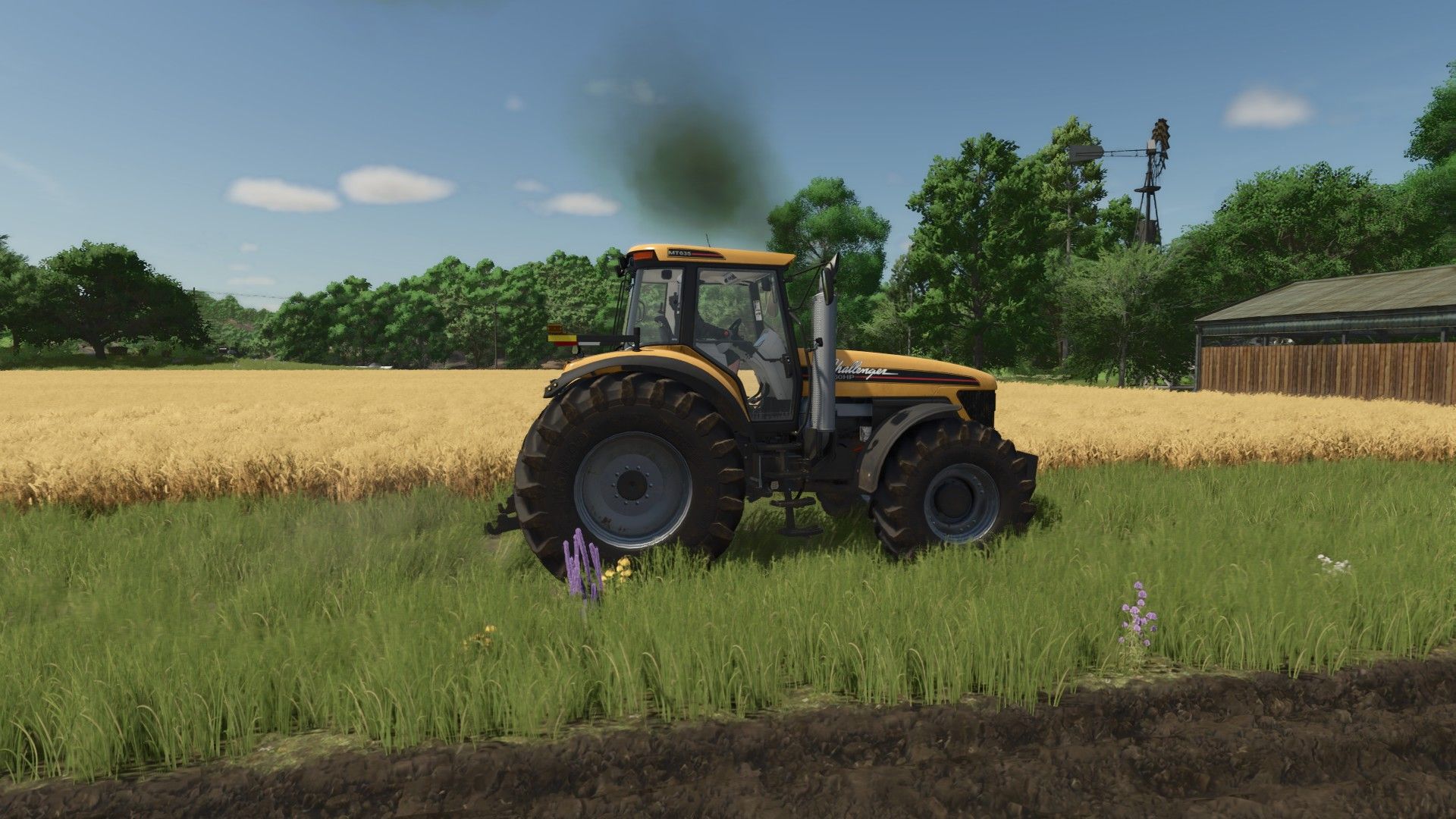
Real Exhaust Smoke BETA v1.0.0.0
Real Exhaust Smoke BETA v1.0.0.0 Dies ist eine Modifikation, an der ich für den persönlichen Gebrauch arbeite. Ich dachte aber, ich teile sie, falls jemand anderes damit experimentieren möchte. Bitte melden Sie Verbesserungsvorschläge und/oder Fehler. „Erstellt mit Unterstützung von OpenAI Codex“ Tags: Sie Verbesserungsvorschl
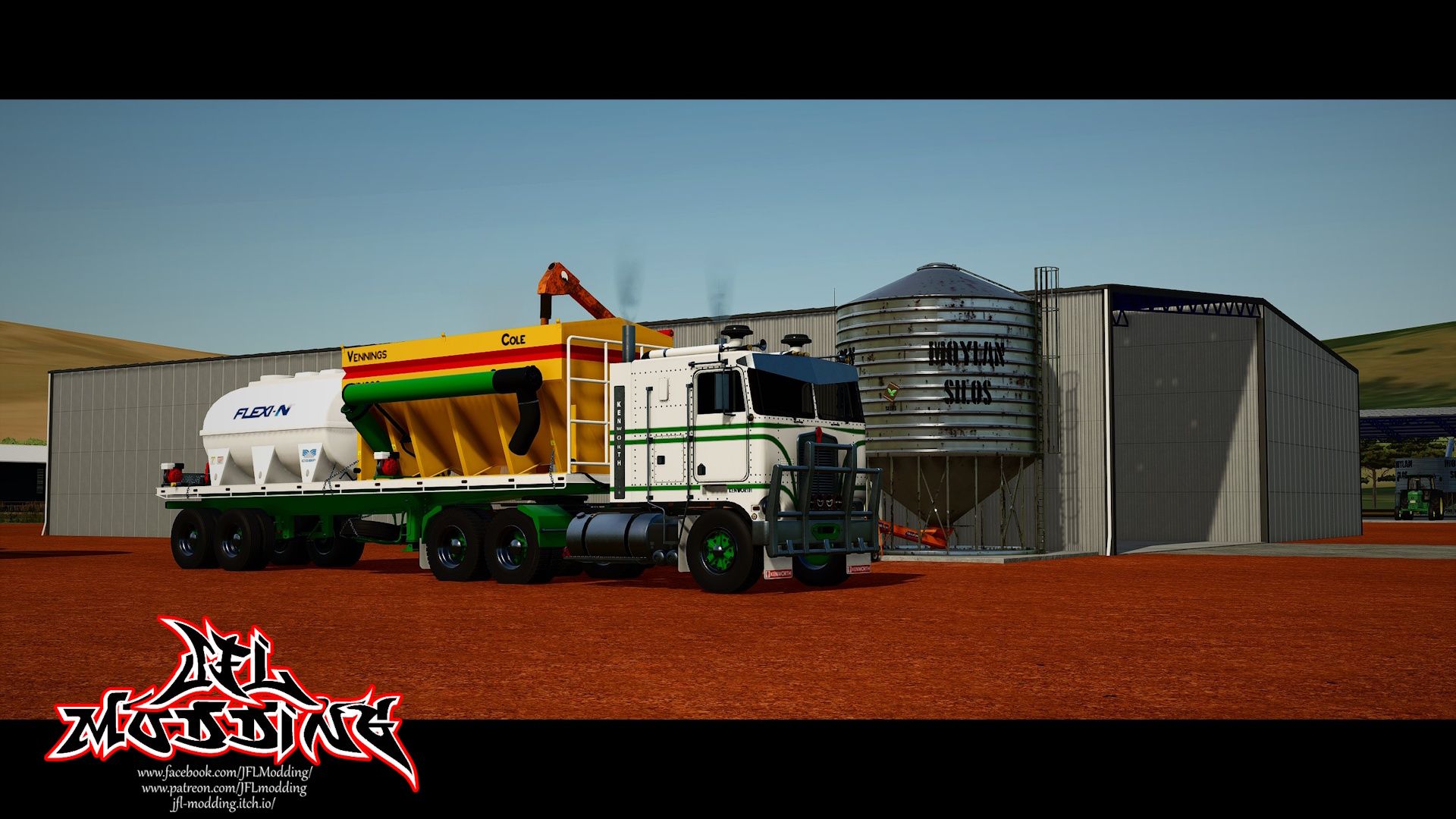
Altes Trailer-Paket v1.0.0.0
Altes Trailer-Paket v1.0.0.0 Das Paket beinhaltet Pritschenanhänger Zackenbarsch (klein und groß) Flüssigkeitstanks (klein und groß) A-Bin (klein und groß) Optionen für Pritschenanhänger Doppel- oder Einzelachse 2 Radoptionen 3 Wachen Animierte Schmutzfänger Optionen für Gruppenfische Kurzer oder langer Rutschen A-Behälter-Optionen Neue oder alte Farbe Tags: Animierte SchmutzfDas Paket
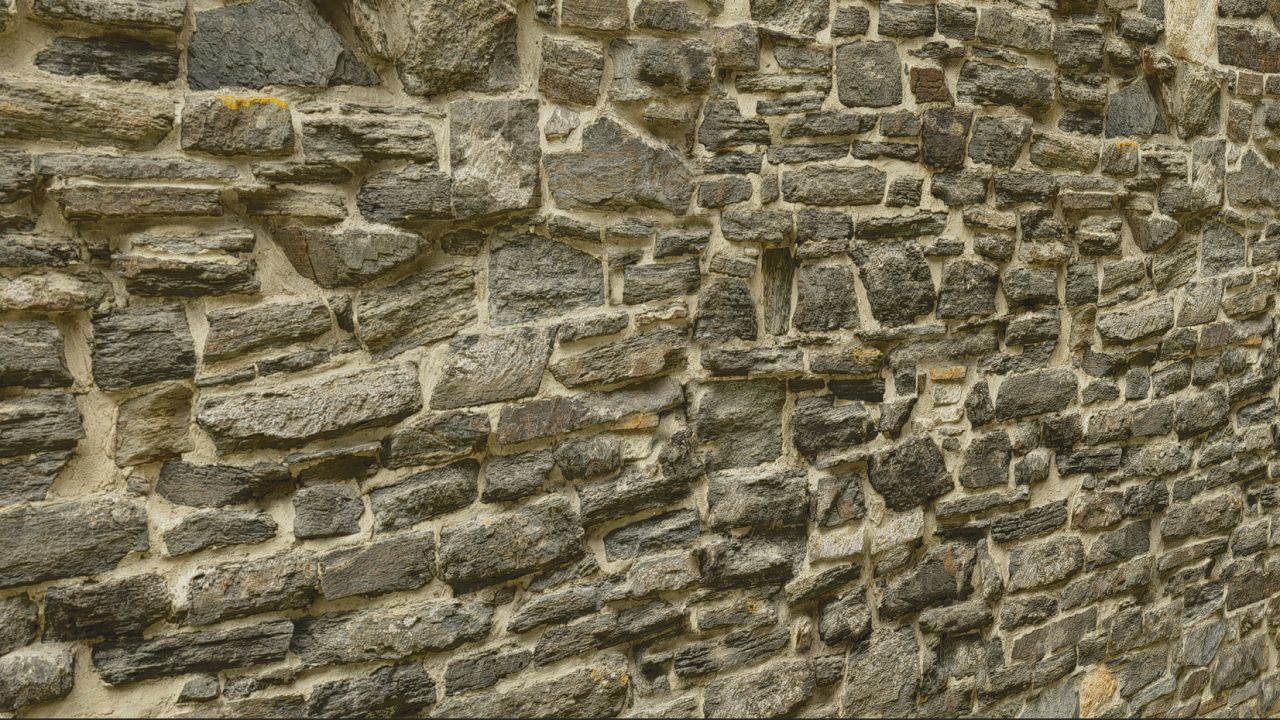
Altes Gebäude V1.0.0.0
Altes Gebäude V1.0.0.0 Hallo, ich möchte euch meine allererste Mod vorstellen, eine Kreation, die ich komplett selbst in Blender erstellt habe. Dieses Gebäude kann zur Lagerung von Materialien wie Stroh, Heu usw. genutzt werden. Die Platzierung im Spiel kostet 50.000 €. Viel Spaß damit und fröhliches Spielen!! Tags: Die PlatzierungDieses GebViel Spa
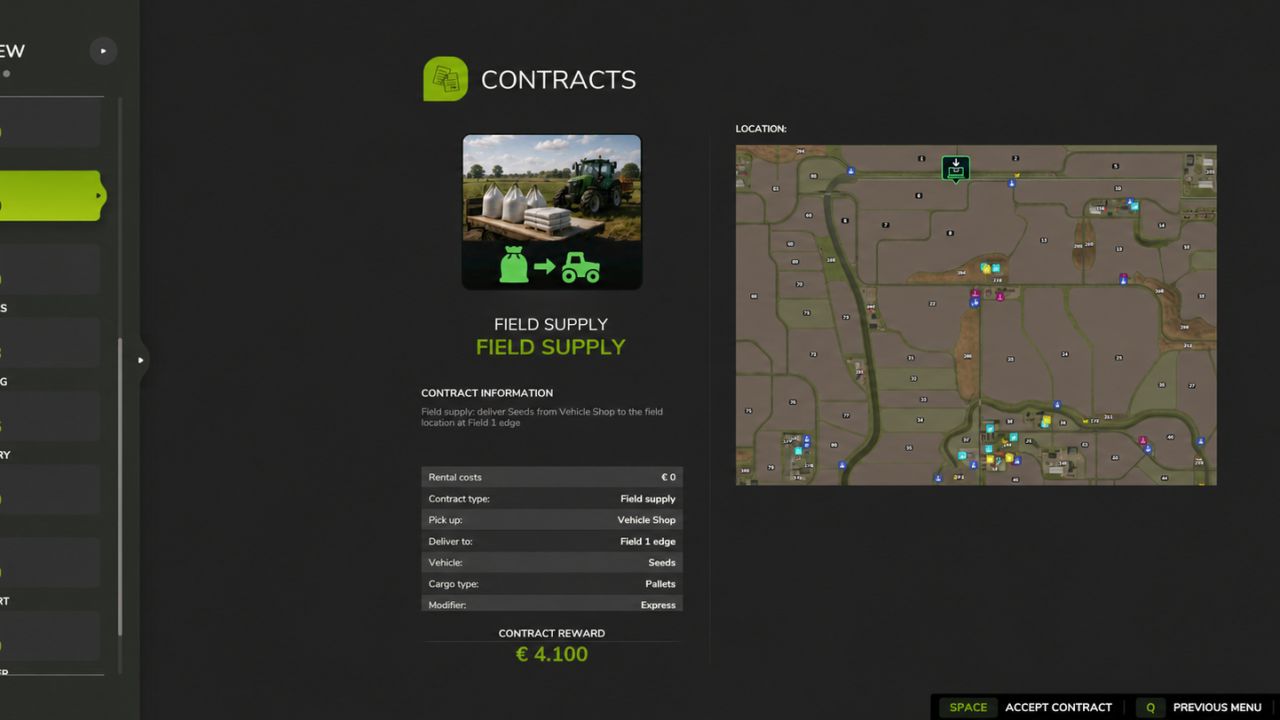
NPC-Transport- und Dienstleistungsverträge V1.0.0.2
NPC-Transport- und Dienstleistungsverträge V1.0.0.2 V1.0.0.2 Es wurde eine Einstellung für den Zahlungsschwierigkeitsgrad hinzugefügt, die nur Administratoren zur Verfügung steht: Einfach, Normal und Schwer. Neugestaltung der Vertragspreise auf Basis der geschätzten Fahrzeit, des Arbeitsaufwands, der Betriebskosten und des Wertes der Ladung oder des Fahrzeugs. Eingeführte Zahlungsspannen, einschließlich Abschlussprämien: Einfach: 3.000 € – 7.000 €. Normal: 2.000 € – 6.000 €. Schwierigkeitsgrad: 1.000 € – 5.000 €. Erhöhte Vergütung für das manuelle Beladen von Paletten und Ballen. Die automatische Entladung erhält eine geringere Bearbeitungszulage. Erhöhte Vergütung für zusätzliche Abhol- und Zustellstopps, wodurch deutlichere Unterschiede zwischen Aufträgen mit einem Stopp und solchen mit mehreren Stopps geschaffen werden. Den geschätzten direkten Entfernungen wurde ein Umwegzuschlag von 40 % hinzugefügt. Dies ist eine Schätzung, keine tatsächliche Straßennavigation. Begrenzte kurze, einstufige Betankungsverträge auf Hard bis zu 1.500 € Servicevergütung, einschließlich Boni. Die Dieselkosten werden in jedem Schwierigkeitsgrad separat erstattet. Die Treibstoffkostenerstattung ist von den Zahlungsobergrenzen und der Berechnung des Abschlussbonus ausgeschlossen. Die Abschlussprämien wurden angepasst, um die maximale Auszahlung zu berücksichtigen und den verfügbaren Bonus genauer anzuzeigen. Für die Einstellung „Zahlungsschwierigkeit“ wurden Speichern, Rückleseverifizierung und Client-Synchronisierung hinzugefügt. Bestehende Vertragsangebote bleiben beim Ändern des Schwierigkeitsgrades oder beim Neuladen eines Spielstands erhalten. Neue Preise gelten nur für neu erstellte Verträge. Übersetzungen der Zahlungseinstellungen in Englisch, Niederländisch, Deutsch und Französisch hinzugefügt. Bringen Sie mit Transport- und Serviceverträgen von NPC mehr Abwechslung auf Ihren Hof. Transportieren Sie Schüttgut, Paletten und Ballen, Fahrzeuge, versorgen Sie Felder mit Saatgut, Dünger und Kalk, bergen Sie verlorene Fracht, liefern Sie Kuriersendungen aus und bieten Sie Notfallbetankung an. Fahrzeugpflegeaufträge ermöglichen es Ihnen außerdem, Kundenfahrzeuge zu waschen, zu trocknen und auszuliefern. Routen werden anhand der auf Ihrer Karte verfügbaren Standorte und Produkte generiert. Geeignete Ladeausrüstung für Paletten- und Ballenabholungen steht zur Verfügung, während markierte Ziele Ihre Lieferungen leiten. Verwalten Sie die Auftragsauswahl über die Spieleinstellungen und nutzen Sie die optionale GPSLite-Integration zur Navigation. Tags: Einstellung ZahlungsschwierigkeitGeeignete LadeausrSie FelderSie Notfallbetankung

Realistische Ernte V1.5.2.0
Realistische Ernte V1.5.2.0 V1.5.2.0 NEU: Physikalische Leistungsbilanz-Lastberechnung! Willkürliche statische Erntefaktoren wurden vollständig eliminiert. Die Motorlast des Mähdreschers und die dynamische Drehzahlregelung werden nun über eine echte physikalische Leistungsbilanzgleichung berechnet: P_gesamt = P_Basis + P_Schneidwerk(v) + P_Prozess. NEU: Dynamische Zapfwellenabfrage für Schneidwerke! Der Stromverbrauch des Schneidwerks wird direkt aus den zugehörigen XML-/PowerConsumer-Spezifikationen abgefragt, wodurch leistungsschwache Mähdrescher bei Verwendung überdimensionierter Schneidwerke auf realistische Feldgeschwindigkeiten heruntergefahren werden. NEU: Native dynamische Ertragsanpassung (Präzisionslandwirtschaft & benutzerdefinierte Karten)! Motorlast und Geschwindigkeit passen sich in Echtzeit sanft an lokale Ertragsschwankungen an – ohne Ruckeln oder plötzliche Geschwindigkeitseinbrüche. NEU: Feldeinfahrtsglättung! Verhindert aggressive, plötzliche Verzögerungen und Drehmomentspitzen beim ersten Kontakt des Schneidwerks mit dichtem, stehendem Erntegut. NEU: Dynamische Kartenextraktion und Lokalisierung von Nutzpflanzen! Das Mähdrescher-Kalibrierungsmenü (`Rechte Umschalttaste + K`) erkennt dynamisch alle aktiven Nutzpflanzen auf der Karte und zeigt lokalisierte Namen (`ft.title`) in der Sprache des Spielers an. NEU: Sofortige dynamische Vorlagen für benutzerdefinierte Mod-Pflanzen! Kartenspezifische benutzerdefinierte Pflanzen werden automatisch klassifiziert (`Getreide`, `Wurzel`, `Futter`, `Baumwolle`) und erhalten im Handumdrehen realistische physikalische Trennvorlagen. NEU: Mehrstufige KI-Arbeiter- und Courseplay-Auto-Tuning! Wenn ein KI-Arbeiter oder ein Courseplay-Helfer den Mähdrescher bedient, werden die Einstellungen automatisch entsprechend der installierten RHM-Elektronikstufe angepasst (Stufe 1: ±18 %, Stufe 2: ±10 %, Stufe 3: ±4 %, Stufe 4: 0 % + aktives Auto-Trimmen). NEU: Priorität für KI/Kurswiedergabe beim gespeicherten Spielerprofil! Angeheuerte Helfer und die Kurswiedergabe laden automatisch das vom Spieler gespeicherte benutzerdefinierte Anbauprofil (`profiles.xml`) herunter, sofern vorhanden. NEU: Kalibrierungsmenü im Fahrerhaus während KI-/Kurssteuerung! Spieler können jetzt das Mähdrescher-Kalibrierungsmenü öffnen und anpassen (`Rechte Umschalttaste + K`), während ein KI-Helfer oder die Kurssteuerung aktiv ist. NEU: Hotkey-Umschaltung für HUD! Die Tastenkombination `Rechte Umschalttaste + H` wurde hinzugefügt, um die Telemetrie-HUD-Überlagerung schnell ein- und auszuschalten. BEHOBEN: Speicherstand wird beibehalten! Die aktiven Mähdrescherkalibrierungsregler, die gewählte Ernte und die Zielmotorlast werden dauerhaft in der Datei `vehicles.xml` gespeichert und wiederhergestellt. BEHOBEN: Multiplayer- und dedizierte Server-Synchronisierung! Vollständige Fahrzeugisolation verhindert Störungen durch die Einstellungen anderer Spieler. Nahtlose Client-Server-Profilsynchronisierung hinzugefügt, wenn die KI auf dedizierten Servern läuft. BEHOBEN: Courseplay-Kompatibilität! Probleme beim Start des Schneidwerks, beim Absenken des Schneidwerks und bei der Geschwindigkeitsüberwachung speziell für Courseplay-Bediener wurden behoben. BEHOBEN: Dreschmaschinen-Stopp-Animation! Ein Tippfehler in einer Variablenreferenz in `stopThreshing` wurde korrigiert, wodurch die umgekehrte Dreschmaschinen-Stopp-Animation wiederhergestellt wurde. BEHOBEN: Konflikt bei der Kamerasperre! Probleme mit der Kamerarotation/Zoomsperre bei Courseplay und AutoDrive wurden vollständig behoben. Optimierung: Leistungs- und Anti-Stutter-Verbesserung! Ersetzte gleitende Speicherfenster durch flache O(1)-Ringpuffer, drosselte Fahrzeughierarchiesuchen (250 ms) und speicherte Kartenpixelverhältnisse zwischen, um Mikroruckler und GC-Druck zu eliminieren. Realistische Ernte für FS25 Verwandeln Sie Ihr Ernteerlebnis in eine realistische Agrarsimulation! Mähdrescher können nicht länger unrealistischerweise mit Höchstgeschwindigkeit durch dichte Bestände rasen, ohne Konsequenzen befürchten zu müssen. Arbeitsgeschwindigkeit, Motorlast und Ertragseffizienz werden dynamisch von der Bestandsdichte, der Schnittbreite, der Bodenfeuchtigkeit und der mechanischen Kalibrierung Ihrer Maschine gesteuert. Hauptmerkmale Physikbasierte Motorlast und -drehzahl: Die Fahrgeschwindigkeit passt sich dynamisch an die Erntemenge (t/h), die Schnittbreite und die Fahrzeugleistung an. Eine Überlastung des Motors oder falsche Einstellungen führen zu realen Getreideverlusten. Alle Maschinentypen werden unterstützt: Vollständig kalibrierte Physik für Getreidemähdrescher, Feldhäcksler (Häckselgut/Silage), Wurzel- und Gemüseernter (Kartoffeln, Rüben, Karotten, Pastinaken, Spinat, Erbsen), Baumwolle und Zuckerrohr. Interaktive Mähdrescherkalibrierung (`RShift + K`): Rotor-/Trommeldrehzahl, Dreschkorbspalt, Gebläsedrehzahl und Siebe für jede Ernteart kalibrieren. Korrekte Einstellungen gewährleisten maximalen Ertrag und minimale Verluste. Werkstatt-Upgrade-Pakete (Stufen 1–4): Rüsten Sie Ihren Mähdrescher in der Werkstatt auf: Stufe 1 (Standard): Vollständig manuelle Bedienung. Stufe 2 (Sensor-Kit): Zeigt Kalibrierungshinweise an (niedrig / optimal / hoch). Stufe 3 (Ertragsmonitor): Echtzeit-Ertrag (t/ha, bu/ac), Flächenleistung (ha/h) und Feuchtigkeitstelemetrie. Stufe 4 (Opti-Harvest AI): Automatische Kalibrierung der Einstellungen und automatische Geschwindigkeitsregelung. KI- und Courseplay-Kompatibilität:** KI-Helfer und Courseplay-Mitarbeiter nutzen automatisch Ihre gespeicherten Profile oder optimalen Kalibrierungen. Verschiebbares HUD: Übersichtliche, bewegliche Anzeige auf dem Bildschirm, die die aktuelle Motorlast, die Produktivität (t/h, ha/h), den Ernteverlust in Prozent und die Bodenfeuchtigkeit anzeigt. Globale Ernteprofile: Speichern Sie Ihre bevorzugten Einstellungen einmal – die Profile werden automatisch auf all Ihren Mähdreschern und Spielständen geladen. 3 Schwierigkeitsgrade (ESC-Einstellungen): Wählen Sie zwischen Arcade (entspannt), Normal (ausgewogen) oder Realistisch (strenge physikalische Grenzen und Strafen). Hinweis zu Mehrspieler- und dedizierten Servern Hinweis: Die Multiplayer-Synchronisierung wurde im neuesten Update komplett überarbeitet. Diese neueste Version wurde jedoch noch nicht umfassend auf dedizierten Live-Servern getestet. Obwohl dies vollständig unterstützt wird, testen Sie bitte vorsichtig, wenn Sie es auf dedizierten Produktionsservern ausführen, und melden Sie jegliche Synchronisierungsbeobachtungen oder Probleme gerne auf GitHub oder Discord! Tags: Die MotorlastKIPflanzen
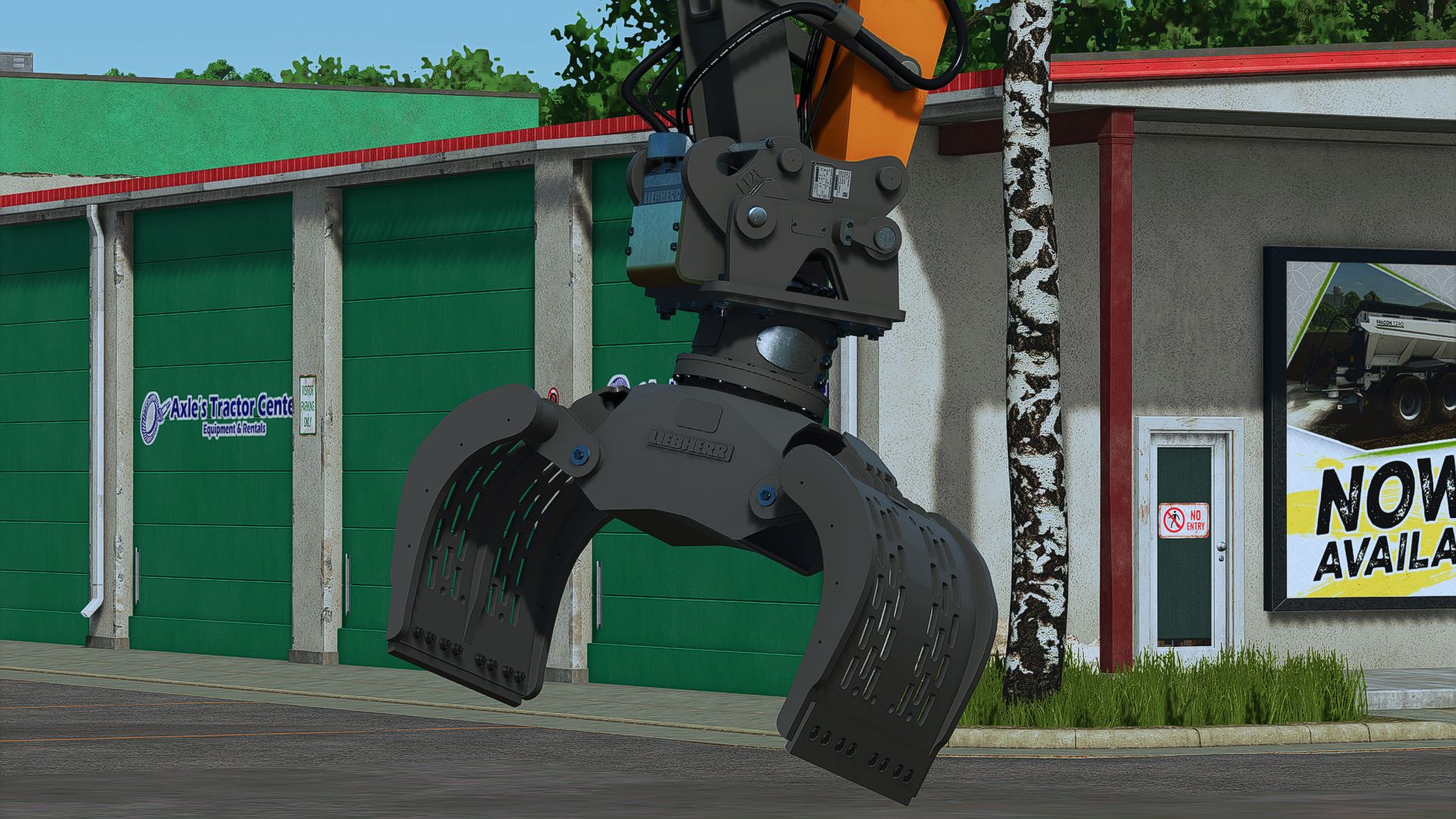
Liebherr Likufix SW48 Anbausatz V2.1.0.0
Liebherr Likufix SW48 Anbausatz V2.1.0.0 Liebherr Likufix SW48 Befestigungspaket Inhalt: UL04 Grablöffel TL04 Baggerlöffel TL045 Baggerlöffel TL05 Baggerlöffel PL04 Planierschaufel SL90 Kippschaufel GLR90 Kippschaufel TL90 Kippschaufel TR25 Tiltrotator PL25 Palettengabel SG25 600/800 Sortiergreifer LH25 Lasthaken GMZ22 Greiferschaufel für den Eisenbahnbau GMZ22 Greiferschaufel für den Tiefbau MS550H Abbruchhammer HD1200 Anbauverdichter 42000Max Bohrgetriebe Kleiner Bohrer Tiltrotator-Halterung Bohr- und Getriebehalterung Klappschalen-Eimerrahmen Richtbalken Mulcher Holzspalter V2.1.0.0 Klappgriff repariert Hinzugefügte Töne und angepasste Lautstärke Lasthaken eingestellt Warnungen behoben Erforderliche Mods: TerraFarm Tags: Erforderliche Mods

Old Trailer Pack v1.0
Old Trailer Pack v1.0 Pack includes Flatbed trailer Grouper (small and large) liquid tanks (small and large) A-Bin (small and large) Flat bed Trailer Options dual or single axle 2 Wheel Options 3 guards Animated Mudflaps Grouper Options Short or Long shute A-Bin Options New or Old paint Author: JFL Modding Report bugs in the comments and help modders improve this mod. Always check the comments, you can find a solution. DOWNLOAD MOD

Old building V1.0
Old building V1.0 Hello, I’m sharing my very first mod with you, a creation made from scratch in Blender by myself. This building can be used to store materials such as straw, hay, etc. It will cost €50,000 to place it in the game. Have fun with it, and happy gaming!! Author: thedarkness Report bugs in the comments and help modders improve this mod. Always check the comments, you can find a solution. DOWNLOAD MOD

NPC transport and service contracts V1.0.0.2
NPC transport and service contracts V1.0.0.2 V1.0.0.2 Added an administrator-only payment difficulty setting: Easy, Normal and Hard. Reworked contract pricing around estimated driving time, workload, operating costs and cargo or vehicle value. Introduced payment ranges, including completion bonuses: Easy: €3,000–€7,000. Normal: €2,000–€6,000. Hard: €1,000–€5,000. Increased compensation for manually loading pallets and bales. Automatic trigger unloading receives a smaller handling allowance. Increased compensation for additional pickup and delivery stops, creating clearer differences between single-stop and multi-stage assignments. Added a 40% detour allowance to direct-distance estimates. This is an estimate, not actual road navigation. Limited short, single-stop refuelling contracts on Hard to €1,500 service payment, including bonuses. Preserved separate diesel reimbursement in every difficulty level. Fuel reimbursement is excluded from payment caps and completion-bonus calculations. Adjusted completion bonuses to respect the maximum payment and display the available bonus more accurately. Added saving, read-back verification and client synchronization for the payment difficulty setting. Preserved existing contract quotes when changing difficulty or reloading a save. New pricing applies only to newly generated contracts. Added payment-setting translations in English, Dutch, German and French. Bring more variety to your farm with NPC transport and service contracts. Haul bulk goods, pallets and bales, transport vehicles, supply fields with seed, fertilizer and lime, recover lost cargo, complete courier deliveries and provide emergency refuelling. Vehicle-care jobs also let you wash, dry and deliver customer vehicles. Routes are generated from the locations and products available on your map. Suitable loading equipment is provided for pallet and bale pickups, while marked destinations guide your deliveries. Manage the contract selection through the in-game settings and use the optional GPSLite integration for navigation. Author: dafke Report bugs in the comments and help modders improve this mod. Always check the comments, you can find a solution. DOWNLOAD MOD
- 15 per page
- 30 per page
- 45 per page
- 60 per page
-
See more per page
Bigger pages, fewer clicks - and no ads anywhere.
Go Pro