Farming Simulator 25 mods
78,035 results- 15 per page
- 30 per page
- 45 per page
- 60 per page
-
See more per page
Bigger pages, fewer clicks - and no ads anywhere.
Go Pro

Automatische Gewinnsteuer
Diese Erweiterung belastet Gewinne aus dem Verkauf von Ernten, Produkten und Mieteinnahmen automatisch mit einer Steuer. Je nach Einstellung wird die Abgabe monatlich oder vierteljährlich berechnet.Im Allgemein-Menü lassen sich die Steuerhöhe zwischen 5 %, 10 %, 15 %, 20 %, 25 %, 30 % und 50 % sowie der Zahlungszeitraum auswählen. Quartalszahlungen erfolgen zu Beginn von Januar, April, Juli und Oktober und umfassen das jeweilige vorherige Quartal.Verkäufe von Fahrzeugen, Geräten, Gebäuden und Grundstücken werden nicht besteuert. Bei einem Verlust fällt ebenfalls keine Steuer an. Die Erweiterung sorgt damit für ein realistischeres und anspruchsvolleres Wirtschaftssystem. Diese Erweiterung belastet Gewinne aus dem Verkauf von Ernten, Produkten und Mieteinnahmen automatisch mit einer Steuer. Je nach Einstellung wird die Abgabe monatlich oder vierteljährlich berechnet. Im Allgemein-Menü lassen sich die Steuerhöhe zwischen 5 %, 10 %, 15 %, 20 %, 25 %, 30 % und 50 % sowie der Zahlungszeitraum auswählen. Quartalszahlungen erfolgen zu Beginn von Januar, April, Juli und Oktober und umfassen das jeweilige vorherige Quartal. Verkäufe von Fahrzeugen, Geräten, Gebäuden und Grundstücken werden nicht besteuert. Bei einem Verlust fällt ebenfalls keine Steuer an. Die Erweiterung sorgt damit für ein realistischeres und anspruchsvolleres Wirtschaftssystem.
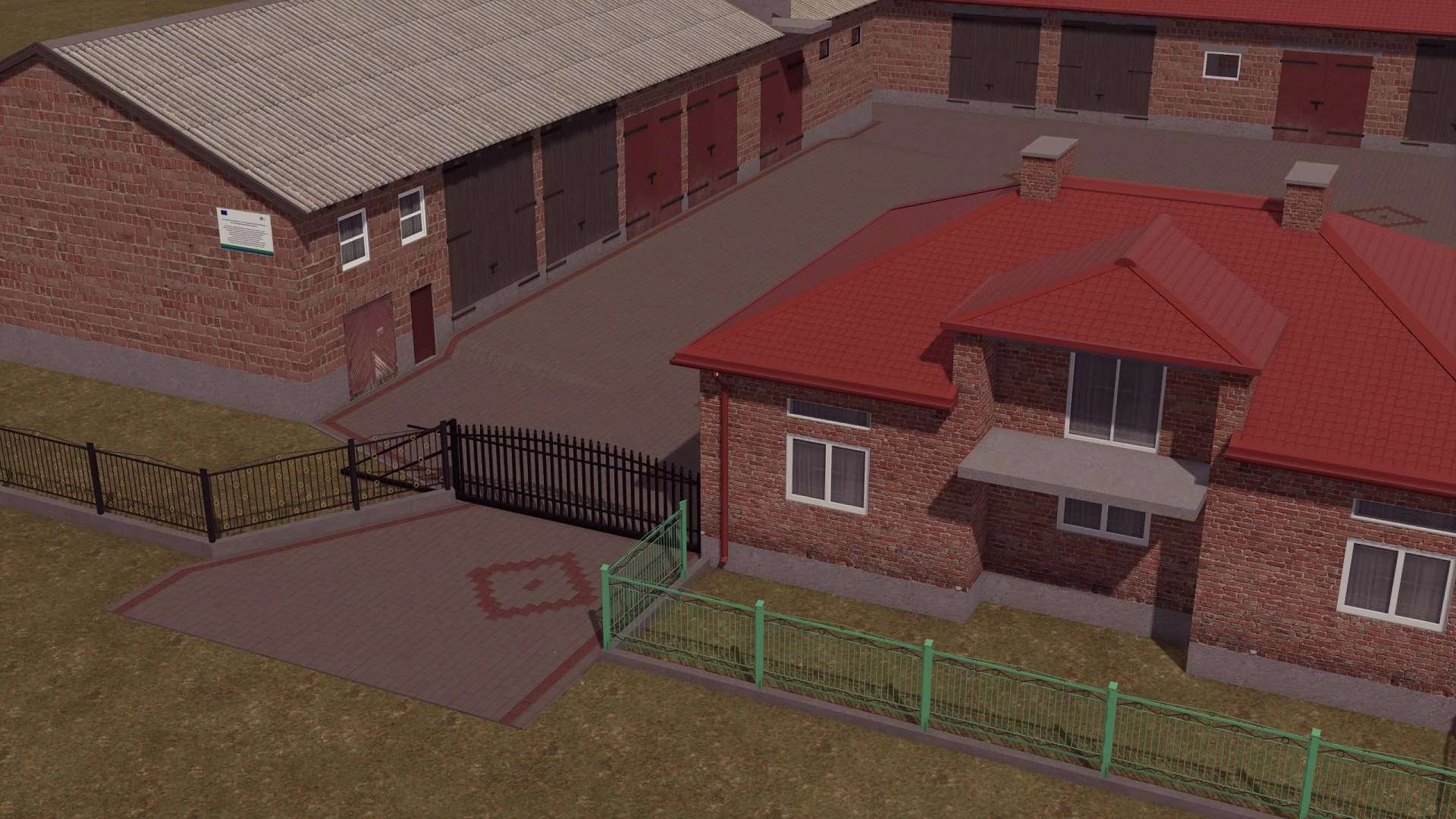
Building with a House v1.0
Building with a House v1.0 Building (this is a conversion from FS19) Building Price: €100,000 Daily cost: €20 Author: Tyee CHERYY MeneQ Report bugs in the comments and help modders improve this mod. Always check the comments, you can find a solution. DOWNLOAD MOD
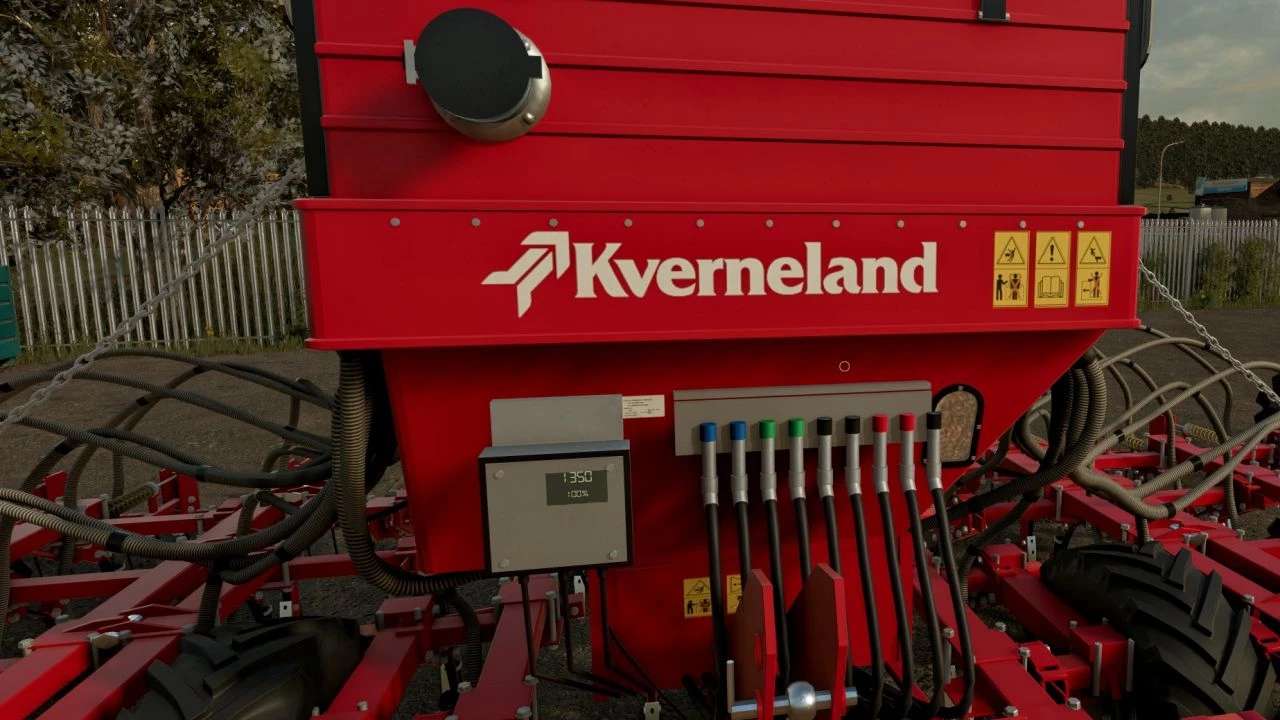
Kverneland TS-Drill v1.0.0.2
Kverneland TS-Drill v1.0.0.2 V1.0.0.2 Hopper reshaped to match the real machine: straight right side, sloped left side, front stepped in under the band, new lid colours Seed level window is now see-through, so you can see the seed inside the hopper as it empties Front tank inlet cap stays closed and opens automatically when a seed front tank is attached Seed hoses leave the hopper in one row under the band, with smoother routing Seed level window on the front left of the hopper Seed level display on the control box showing litres and % Front tank inlet with tube and flip-open cap Technical data: Working width: 6.0 m 40 coulters at 15 cm row spacing Hopper capacity: 1350 l Required power: 160 hp 3-part hydraulic folding for transport Tine drill Features: Spring tine coulters with forward-raked wear points and soil effects Covering harrow sections that pivot at their mounts and follow the ground Hydraulic hopper lid with visible seed fill level Rear stairs with a folding lower step that drops down when the lid opens Ridge markers on both wings Seed inlet for a front tank (e.g. Kuhn TF 1512, Horsch Partner 1600 FT) Rear work camera Working rear lights, brake lights and indicators Wear and dirt where the machine touches the soil Digital display Compatible with the DF2 front hopper to increase seed capacity. Author: MModing Report bugs in the comments and help modders improve this mod. Always check the comments, you can find a solution. DOWNLOAD MOD

Leboulch Gold 24000 XXL FS25
Leboulch Gold 24000 XXL, a legendary trailer of French agriculture, ideal for your small or medium-sized farm. It will accompany you in all your work. Brand: Leboulch Capacity: 25m³ - 35m³ - 43m³ Price: $41500
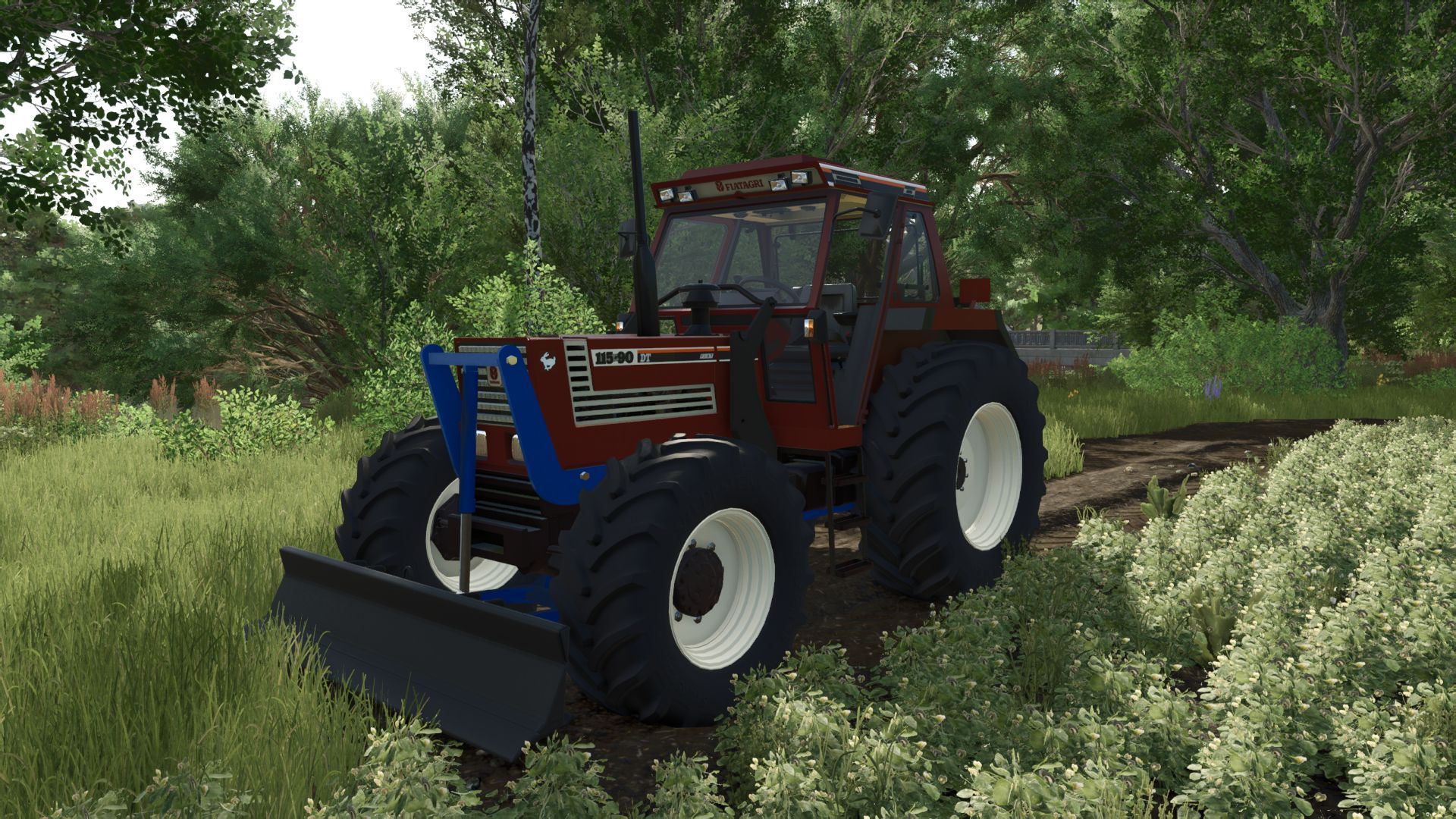
Tractor blade FS25
Small blade for my tractor's three-point hitch Features: weights or ballast - Price: 2000 -Have fun

"Poppy" bottle with support (Prefab) FS25
Here I am providing you with a Poppy + holder for the window pane. You can find the mods in the text document.
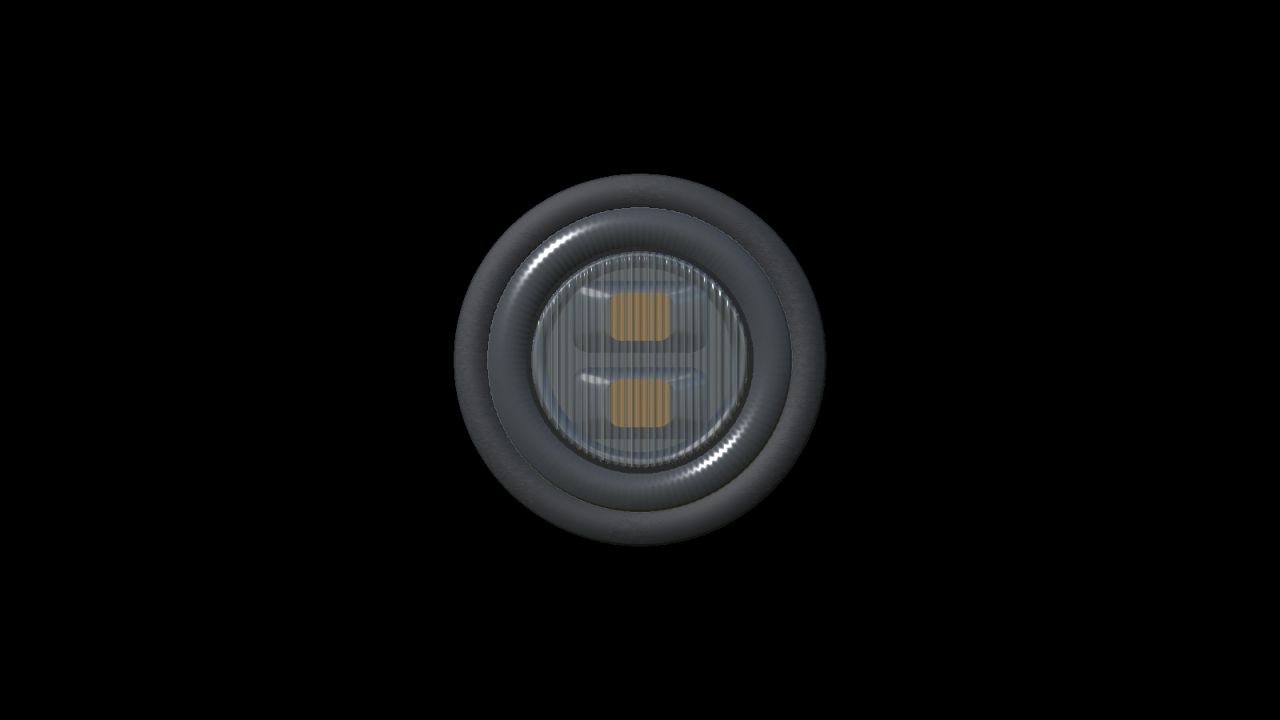
NLM Strands Dark Knight Gloria - smoked (Prefab) FS25
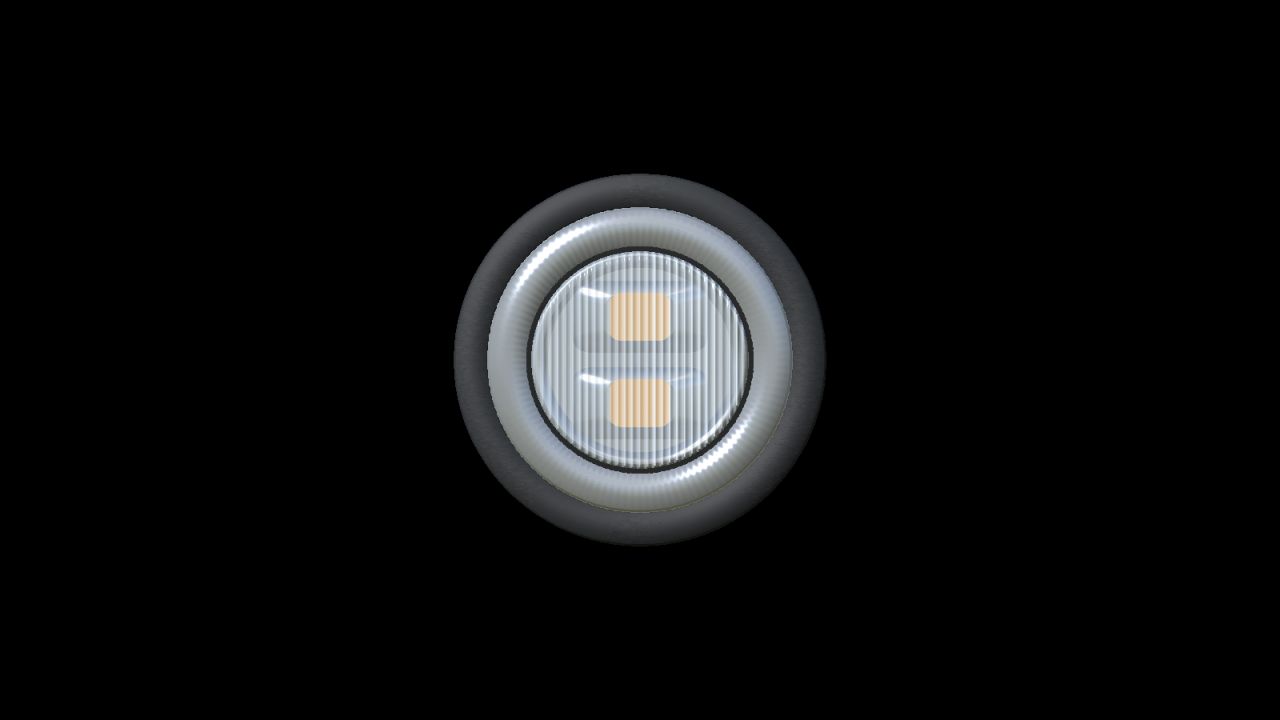
NLM Strands Dark Knight Gloria Smoked A compact amber warning-light prefab for Farming Simulator 25, based on the Strands Dark Knight Gloria 850419 with a smoked lens. Features: - Detailed fluted lens, radial prism ring and recessed cooling channels. - GIANTS dirt and wear masks. - Amber flashing with synchronized or alternating A/B groups. - Environmental light support through the game's realistic beacon lights setting. - Separate cable that can be hidden or removed in GIANTS Editor. - Two geometry LODs and a discreet NLM mark on the rear. - 44 mm rubber surround, 36 mm installation diameter and 41 mm lamp body depth. This is a prefab for modders. It must be installed and connected in a vehicle using GIANTS Editor and XML; it is not a standalone shop item. English, Norwegian and Swedish installation guides, working beacon XML and an XML helper are included. Flat panel mounting is supplied. The real product's full set of 21 flash programs and Cruise mode are not reproduced. Author: NorthernLight Modding Product design: Strands Lighting Division Game engine and native shaders: GIANTS Software Use and modifications are welcome. Credit NorthernLight Modding for the original model and identify your own changes separately.
NLM Strands Dark Knight Gloria - clear (Prefab) FS25
NLM Strands Dark Knight Gloria Clear A compact amber warning-light prefab for Farming Simulator 25, based on the Strands Dark Knight Gloria 850420 with a clear lens. Features: - Detailed fluted lens, radial prism ring and recessed cooling channels. - GIANTS dirt and wear masks. - Amber flashing with synchronized or alternating A/B groups. - Environmental light support through the game's realistic beacon lights setting. - Separate cable that can be hidden or removed in GIANTS Editor. - Two geometry LODs and a discreet NLM mark on the rear. - 44 mm rubber surround, 36 mm installation diameter and 41 mm lamp body depth. This is a prefab for modders. It must be installed and connected in a vehicle using GIANTS Editor and XML; it is not a standalone shop item. English, Norwegian and Swedish installation guides, working beacon XML and an XML helper are included. Flat panel mounting is supplied. The real product's full set of 21 flash programs and Cruise mode are not reproduced. Author: NorthernLight Modding Product design: Strands Lighting Division Game engine and native shaders: GIANTS Software Use and modifications are welcome. Credit NorthernLight Modding for the original model and identify your own changes separately.
NLM Strands FOR9T Aura 903033 (Prefab) FS25
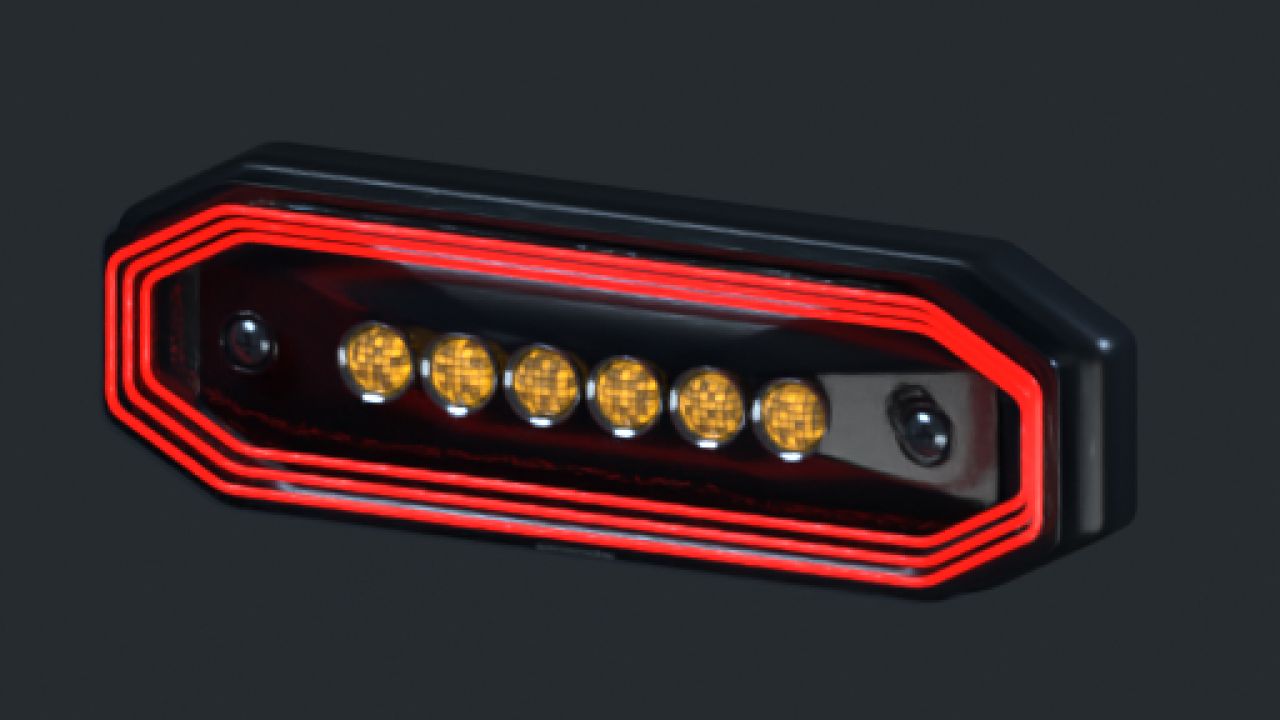
NLM Strands FOR9T Aura 903033 A position and warning light with a red position-light frame and six amber warning LEDs using double flash. The position light follows the normal vehicle lights. Warning flashes use the separate beacon control. With realistic beacon lights enabled, the warning light also casts pulsing illumination onto the surroundings. The supplied XML connects the functions to the vehicle's normal lighting system. No additional Lua script is required. The model includes two detail levels. Dirt masks have been updated using GIANTS data. Models, matching XML and installation guides in English and Swedish are included. This is a Farming Simulator 25 prefab for vehicle modders, requiring installation and configuration using GIANTS Editor and XML. Placing the ZIP in the mods folder does not create a shop item. Author and original model: NorthernLight Modding Product reference: Strands. An independent FS25 interpretation; product names and trademarks belong to their respective owners.
STRANDS BIG ENERGY XL 850971 - Clear-lens Beacon (Prefab) FS25
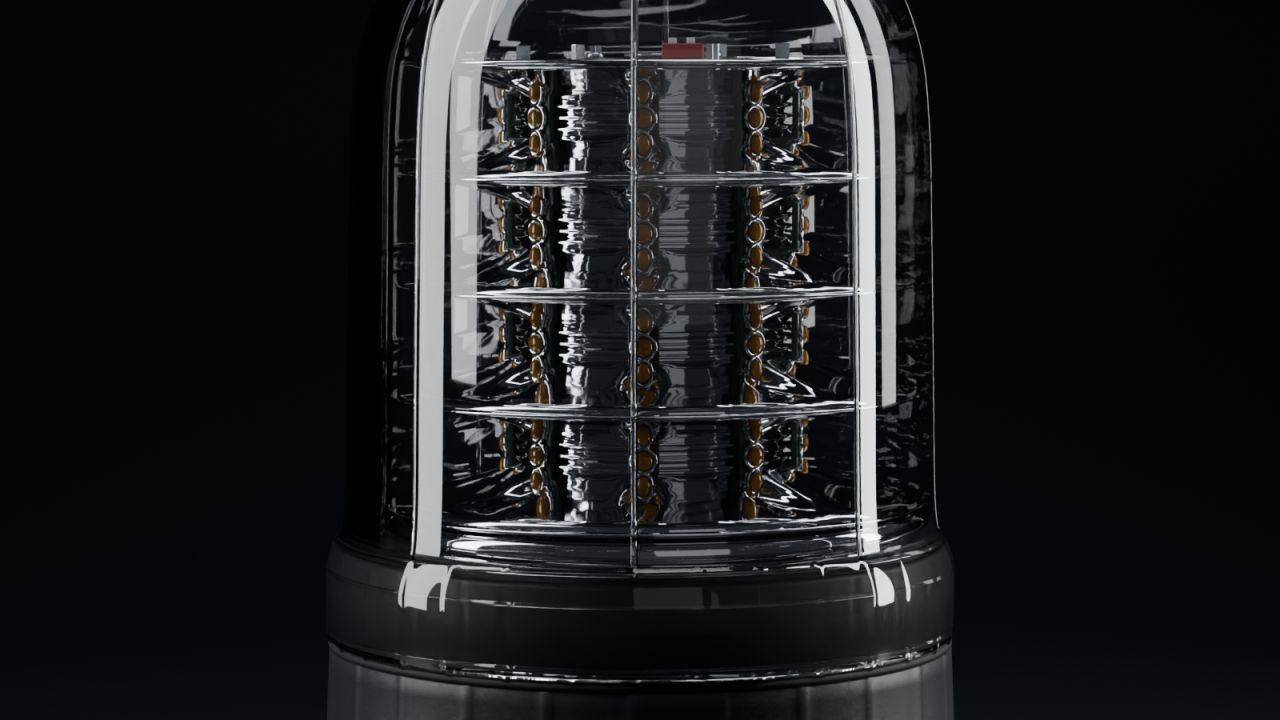
STRANDS BIG ENERGY XL 850971 — CLEAR-LENS BEACON Farming Simulator 25 prefab | Version 1.0.0.1 A tall clear-lens beacon with four tiers of amber LEDs, curved chrome optics and a ribbed black base. The transparent cover reveals the individual LED lenses and the detailed construction inside, giving work vehicles a distinctive warning light even when switched off. Choose single flash, double flash or a rotating amber light effect. All three programs use FS25's native beacon controls, with illumination on the surroundings through the Realistic beacon lights setting. Features - Clear moulded cover with raised vertical ribs and a detailed lower collar. - Four LED tiers with individual lenses, metal sockets and curved chrome reflector bays. - Surface mounting, detailed underside and cable entry. - Model dimensions: 140 mm diameter and 190 mm height. - Three XML programs: SINGLE_FLASH, DOUBLE_FLASH and ROTATE. - Near and far detail levels, native materials and amber lighting. - Complete English, Norwegian and Swedish installation guides, an offline XML helper and a separate XML example for every program. - Editable Blender modelling/studio and GIANTS-export source files in the complete pack. This prefab is intended for integration into a vehicle mod. It is not a standalone shop vehicle. The program is selected during XML installation; ROTATE moves the light effect around the stationary LED tower. The model is reconstructed from photographs of Strands article 850971, and the lighting timings are adapted for FS25. Version 1.0.0.1 refines the clear cover, curved chrome optics and individual LED sockets, with revised detail levels and Blender materials. Author: NorthernLight Modding Product reference: Strands Lighting Division, Big Energy XL 850971. Independent fan-made prefab; no manufacturer endorsement is claimed.

Precision brush V1.0
Smaller brush sizes for the landscaping tools SHORT SUMMARY Adds extra, smaller brush sizes to the Paint, Sculpt and Foliage tools of Farming Simulator 25, for much finer landscaping. DESCRIPTION Ever wished the landscaping brush could go smaller? Precision Brush adds two extra brush sizes below the old minimum to the construction menu’s landscaping tools, so you can paint ground textures, shape terrain and place plants with far more control. WHAT YOU GET – Paint (ground painting): two new smaller steps, 0.125 and 0.25 (the original smallest was 0.5) – Sculpt (terrain shaping): two new smaller steps, 0.5 and 1 (the original smallest was 2) – Foliage (plants): two new smaller steps, 0.125 and 0.25 (the original smallest was 0.5) – Works with the normal brush size controls, nothing else in the game changes HOW TO USE Open the construction menu, choose Paint, Sculpt or Foliage and keep lowering the brush size. The new steps come right after the old minimum. INSTALLATION Copy FS25_PrecisionBrush.zip (do not unzip it) into your mods folder: Documents\My Games\FarmingSimulator2025\mods Then enable the mod for your savegame. To start download click the filename. To open archive files use one of these programs: WinRAR, 7-Zip, WinZip. Some mod archives may need to be extracted before the mods will work.

Soil Deformation Save V1.0
Wheel ruts, tyre tread marks and plow furrows no longer vanish when you save and reload: they stay on your fields until the soil is worked again. Normally every save and reload wipes your wheel ruts, tyre tread marks and plow furrows. Soil Deformation Save keeps them: the marks stay on your fields exactly where you left them. WHAT IT DOES – Remembers the marks of every wheel on the ground: tractors, implements (disc harrows, rollers, …), trailers, harvesters – base game and modded vehicles alike. – Saves how far the wheels sank in as real terrain deformation and rebuilds it into the soil when you load. – The tyre tread marks and the furrows dug by the plow are saved and restored too. – No time limit: the marks stay until the soil is worked again. HOW MARKS DISAPPEAR (like in reality) – Plow, cultivator, disc harrow, subsoiler, packer, roller, ridge former and seed drills level the ground where they work. – A plow buries the furrows of earlier passes. – Direct drills do not work the soil, so they do not level the ruts (they only remove old furrows). INSTALLATION AND USE – Copy the zip file, without unpacking it, into the game’s mods folder and activate it in your savegame. – No settings, no menus, no on-screen messages – it works in the background. – You can add it to an existing savegame, but it does not know marks made before it was installed: it records from the moment you enable it. – When you load, the marks start to rebuild a few seconds after the map starts, gradually, beginning with the ones closest to the camera. – The data is stored in the file soilDeformationSave.xml in your savegame folder. GOOD TO KNOW – Marks are recorded on farmland only, not on roads. Furrows are not restored where crops have been sown since. – Restored dents can be subtler and shallower than the game’s own fresh ruts – especially on maps with a coarse terrain grid (e.g. 1 m). – Works in single player and on the server / host. Players who join a multiplayer game as clients do not see the restored marks. For multiplayer the mod must be used as a zip file. – With an extreme number of marks, the oldest ones are smoothed out first (memory limit). To start download click the filename. To open archive files use one of these programs: WinRAR, 7-Zip, WinZip. Some mod archives may need to be extracted before the mods will work.
Soil Deformation Save FS25
Wheel ruts, tyre tread marks and plow furrows no longer vanish when you save and reload: they stay on your fields until the soil is worked again. --- Normally every save and reload wipes your wheel ruts, tyre tread marks and plow furrows. Soil Deformation Save keeps them: the marks stay on your fields exactly where you left them. WHAT IT DOES - Remembers the marks of every wheel on the ground: tractors, implements (disc harrows, rollers, ...), trailers, harvesters - base game and modded vehicles alike. - Saves how far the wheels sank in as real terrain deformation and rebuilds it into the soil when you load. - The tyre tread marks and the furrows dug by the plow are saved and restored too. - No time limit: the marks stay until the soil is worked again. HOW MARKS DISAPPEAR (like in reality) - Plow, cultivator, disc harrow, subsoiler, packer, roller, ridge former and seed drills level the ground where they work. - A plow buries the furrows of earlier passes. - Direct drills do not work the soil, so they do not level the ruts (they only remove old furrows). INSTALLATION AND USE - Copy the zip file, without unpacking it, into the game's mods folder and activate it in your savegame. - No settings, no menus, no on-screen messages - it works in the background. - You can add it to an existing savegame, but it does not know marks made before it was installed: it records from the moment you enable it. - When you load, the marks start to rebuild a few seconds after the map starts, gradually, beginning with the ones closest to the camera. - The data is stored in the file soilDeformationSave.xml in your savegame folder. GOOD TO KNOW - Marks are recorded on farmland only, not on roads. Furrows are not restored where crops have been sown since. - Restored dents can be subtler and shallower than the game's own fresh ruts - especially on maps with a coarse terrain grid (e.g. 1 m). - Works in single player and on the server / host. Players who join a multiplayer game as clients do not see the restored marks. For multiplayer the mod must be used as a zip file. - With an extreme number of marks, the oldest ones are smoothed out first (memory limit). Created by Rónai Márk
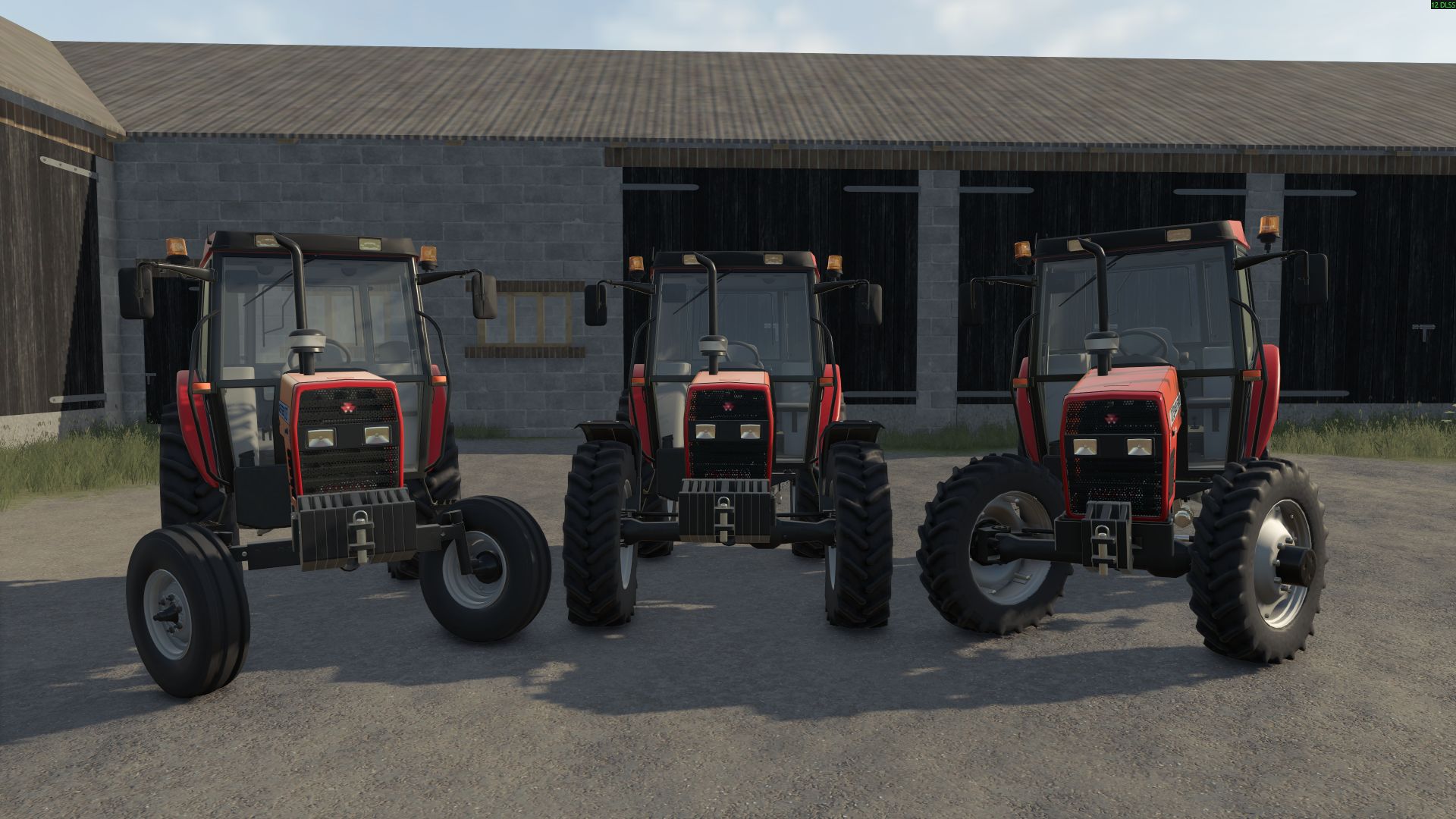
Massey Ferguson / Uzel 3000 Series FS25
Features: - Manufacturer: Massey Ferguson - Models: 3075D 3085D 3095D 3105D - Power: 75 to 105 hp - Maximum speed: 40 km/h - Base price: $21.000 Store Information: - Openable door and window -Agricultural wheels I would appreciate it if you could let me know your problems. You can contribute to me by liking and subscribing. Main Author: KZmodding

Auto Switch V1.0.3
AutoSwitch is a companion mod that automates tire pressure and differential locks and makes traction realistic. It makes Variable Tire Pressure, Enhanced Vehicle, MoreRealistic, Mud System Physics and Tractor Terrain Dynamics work together, without modifying any of them. Goal: a more realistic and efficient game. Features: – Tire pressure: with AutoDrive / Courseplay, deflate in the field and inflate on the road. Manual driving: Automatic or Manual mode. VTP’s automatic re-inflation at 30 km/h is disabled. – Differentials (Enhanced Vehicle): front + rear lock when wheel slip exceeds an adjustable threshold, unlock at half the threshold, 4WD in the field / 2WD on the road, unlock when turning, reset on game load. – Grip (MoreRealistic): grip loss on wet ground (5 levels), bonus when differentials are locked, Use Your Tyres wear taken into account. – Dual wheels: real width used by Mud System Physics, better grip on wet ground, VTP fix for tires with brand variants. – Dual-wheel racks: rear (BKT 650/65R42, €4,500) and front (BKT 540/65R30, €3,500) racks in the shop and the construction menu. Mounting / unmounting tire by tire (15 in-game minutes per tire), tractor locked during the job. – Display: recommended speed range and slip percentage next to the speedometer, slip warning. – Sowing: seeding protection, seeder filling with the lid closed, direct re-sowing on crushed strips. – Mud: recommended Mud System Physics + TTD settings offered on first launch. Using the dual-wheel racks: 1. Place the rear rack (and the front rack for the front axle) side by side. 2. Park the tractor in the ground rectangle (red, then green once correctly positioned). 3. On foot, stand on the yellow marker, press Right Ctrl + I and confirm. 4. Unmounting: same procedure with empty racks; the original tires are put back. Dual wheels must exist in the same tire brand as the tractor’s tires. Settings: Settings > General > AutoSwitch. Required mods (all mandatory): FS25_VariableTirePressure, FS25_EnhancedVehicle, FS25_AutoDrive, FS25_Courseplay, MoreRealistic, moreRealisticXmlDatabank, FS25_MudSystemPhysics, FS25_TractorTerrainDynamics, FS25_DynamicDrivePro, FS25_useYourTyres, FS25_RealisticHarvesting, FS25_CropDestructionOverhaul, FS25_MoistureSystem. Known limitations: – Wheel change is single-player only; short freeze while the tractor reloads (longer with attached implements). – A tractor without a dual-wheel configuration in its file cannot receive dual wheels. 1.0.2.0: Forage harvesters: with AutoDrive, the spout can fill the trailer from further away (an additional 5m of reach). Textures: HUD icons, the mod icon, and shop icons for tire pallets are now compressed (DXT5 format), eliminating “raw format” warnings in the log.txt file and reducing memory usage. Tire wear: “Use Your Tyres” is the only supported system; “Real Physics – Tire Wear” (Reifenverschleiß) is disabled and blocked if active (an in-game notification will appear, along with a red line in the AUTOSWITCH tab). 1.0.1.8: Differentials: In AUTO mode, with a plow lowered, the rear differential lock no longer disengages when steering (preventing it from unlocking in the middle of plowing); the front differential lock remains disengaged when the steering angle exceeds 20%. The “Straighten wheels” alert no longer appears during plowing and, in AUTO mode, clears as soon as the wheels are straightened. Lights: Settings are now available for each light type in the AUTOSWITCH tab (high beams, front work lights, rear work lights, beacons, hazard/signal lights, and others); range and brightness have been adjusted by a factor of 1.1x to 2.5x (2x for high beams and work lights, 1.1x for the rest). Blocked: “Real Physics – Tire Wear” (Reifenverschleiß) — AutoSwitch will disable it if it is active. New features since release 1.0.0.88: 1.0.1.1: Differentials: In AUTO mode, lowering a plow locks the rear differential (with an “in-ground” notification); it unlocks when the plow is raised. During plowing, the wheel-slip rule and the differential-unlock-on-turn feature no longer affect the rear differential. In MANUAL mode, behavior remains unchanged. 1.0.1.0: Cooperatives: [AS_CoopPay] entries have been restored to the log.txt file (showing the type of each point of sale, the amount to be received, and end-of-month payouts). 1.0.0.97: AUTOSWITCH tab: Now positioned immediately after “General Settings” instead of at the end of the tab bar. The page is titled “AutoSwitch” (replacing the “MISSING vtpas_tabTitle” error). The mouse scroll wheel now correctly scrolls the page (the page is now loaded from gui/AS_SettingsPage.xml rather than being a copy of the “General Settings” page). 1.0.0.96: “Use Your Tyres” and “Reifenverschleiß” (Tire Wear) used together: The “two wear mods detected” warning window from Mud System Physics no longer appears, as AutoSwitch now manages the conflict automatically (a note remains in the log.txt file). 1.0.0.95: Operating hours: The shop is open from 8:00 AM to 7:00 PM (outside these hours, the shop can still be viewed, but purchasing, renting, selling, or building is disabled, triggering a “Shop is closed” notification). Points of sale and industries are open from 6:00 AM to 10:00 PM (outside these hours, no transactions are accepted; an AutoDrive truck will wait for the facility to open, displaying a “Closed, opens at 6:00 AM” notification). “Opening Hours” section in the AUTOSWITCH tab (Yes/No and four time settings). Exceptions for individual points of sale can be defined in `modSettings/FS25_AutoSwitch/horaires.xml` (-1 = use menu settings; `open=”0″ close=”24″` = 24/7). 1.0.0.94: Tire wear: Supports either “Use Your Tyres” (1.1.0.0) or “Real Physics – Tire Wear” (1.2.2.67)—either one is sufficient. If both are enabled, “Use Your Tyres” takes priority; “Real Physics – Tire Wear” will remain loaded but will no longer affect vehicle handling (grip, snow, tracks, AutoDrive speed limits, or the 5-second immobilizer). The AUTOSWITCH tab indicates which mod is currently in use. 1.0.0.93: AUTOSWITCH tab: Clicking the tab now opens the page (the page navigation bar expects a page number, similar to “BetterContracts”); includes a header, scrolling functionality, and alternating row colors. 1.0.0.92: Menu: Added an “AUTOSWITCH” tab to the Settings bar (next to “General Settings”). Options are organized into sections (Differentials, Tires, Notifications & Alerts, AutoDrive, Display, Soil & Crops, Lights/Wind/Tracks/Weather, Finances, and Traffic & Shop). At the bottom of the tab, a list of required mods is displayed: green “OK” for active/valid mods, or a red “X” if a mod is missing, disabled, or outdated. The notification box for missing mods—previously shown in the bottom-left corner of the screen—has been removed (details can now be found in the `log.txt` file). If the tab cannot be created, the options remain under General Settings. 1.0.0.89: Dual wheels removed from the shop and workshop; they can now only be installed using tire pallets. The current configuration of a tractor remains visible when reconfiguring. A tractor that arrives with dual wheels already installed can be converted back to single wheels using a pallet (the system prioritizes the closest match for single wheels: same brand and same tire type). Setting: “Dual wheels locked in shop” (enabled by default). V1.0.0.58 Tractor Terrain Dynamics: the beta is recognized under its original name (FS25_TTD_v3_7_BETA.zip), no need to rename it or to install the ModHub version 1.0.0.0. If two TTD are installed, the newest one is used Differentials: Right Ctrl + Up Arrow (rebindable) switches between AUTO and MANUAL, mode shown above the tractor and saved. In MANUAL, AutoSwitch no longer touches the diff locks or 2WD / 4WD; back to AUTO when AutoDrive or Courseplay takes over (menu option) In MANUAL with a diff lock engaged, the wheels steer fully but the tractor only turns as far as the lock allows (50 % rear, 20 % front, 10 % both): it slides Real drivetrain of each machine read after MoreRealistic (4WD, front axle or rear axle), saved in modSettings/FS25_AutoSwitch/transmissions.xml and editable by hand (forced=”4×4″ / “front” / “rear”) Combines, forage harvesters and 2WD machines: combine or forage harvester icon on the HUD, only the driven axle locks, full steering; diff locks and reduced steering only for real 4WD Tire wear: Real Physics – Tire Wear (Reifenverschleiß 1.2.2.67, required) replaces Use Your Tyres; a worn tire grips better on roads (slick effect) Grass trampled by the wheels: growth goes back instead of being mowed (dry ground from 11 km/h, wet from 7 km/h). Crop Destruction Overhaul is no longer required Mod check: a required mod installed but not enabled in the savegame is reported in game on loading Tire pallets: no more FPS drop with several pallets, tires hidden beyond 200 m V1.0.0.42 Wheel slip: each wheel is compared to its own ground speed, turning no longer counts as slip (display and automatic diff locks); in 2WD, no slip shown on the free front wheels Display: top view of the tractor next to the speedometer (locked axles in red, 4WD in green), with each wheel’s slip, a single value per locked axle Display: the tractor and the speed range are two separate blocks, each movable with the mouse (position saved) Drivetrain: 2WD only on hard surfaces (asphalt, concrete), 4WD on paths, grass and sand like on fields Sleep: two sliders “Time in hours” (+0 to +23 h) and “Time in days” (+0 to +7); with days, wake up at 8 am on the last day (+ the chosen hours) Sleep: player stuck after sleeping several days fixed (Dynamic Market’s invisible “Market news” window), it now shows on waking up Lights: headlights, lights and beacons of other vehicles visible 5 times farther and 2 times brighter (adjustable in the menu, x1 = base game) New shop icons for the rear and front tire pallets V1.0.0.03 – Separate rear / front differential locks (15% / 30% slip, adjustable), fixed bonus of +4% rear / +3% front. – 90% steering in 4WD; locks disabled when the wheels are turned, requests rejected with a warning. – Wet-ground traction across 5 levels; VTP field bonus capped (+15%, +20% with dual wheels). – AutoDrive speed according to the terrain, in 2 km/h increments. – Implements remain stable when stationary; mud also slows down trailers and implements. – Integrated conflict resolution between mods (ModMixer no longer required). V1.0.0.02 AutoDrive speed set by the ground: 20 km/h in fields, 30 km/h on tracks, no limit on roads. Adjustable in 5 km/h steps in the settings. Simpler menu Minor fix To start download click the filename. To open archive files use one of these programs: WinRAR, 7-Zip, WinZip. Some mod archives may need to be extracted before the mods will work.
- 15 per page
- 30 per page
- 45 per page
- 60 per page
-
See more per page
Bigger pages, fewer clicks - and no ads anywhere.
Go Pro