Farming Simulator 25 mods
79,502 results- 15 per page
- 30 per page
- 45 per page
- 60 per page
-
See more per page
Bigger pages, fewer clicks - and no ads anywhere.
Go Pro
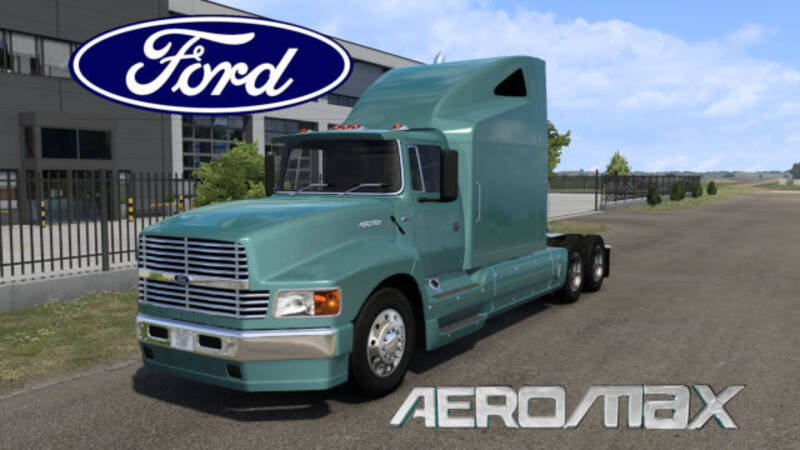
Ford Aeromax V2
This is a complete remake of an old outdated mod that was originally built for an older game version. The original author had the truck running but never fully finished it. The truck was completely disassembled, restored, and fitted with many new parts. It has been fully brought up to today's game standards. The DEF ID has been changed, along with other elements in the file structure, to prevent any conflicts with the original truck mod. For that reason, this mod will not update the original truck if you already have one. Even though both mods can coexist in the same profile, it is best to remove the older version and stick with this one. This truck mod is based on the Ford Aeromax with the extended hood, produced from 1992 to 1997. The styling of this truck was ahead of its time and can still hold its own against today's trucks. You can purchase this truck at the Ford dealer in the Mod Dealers section or at any International dealer. DEF ID: ford.aeromax
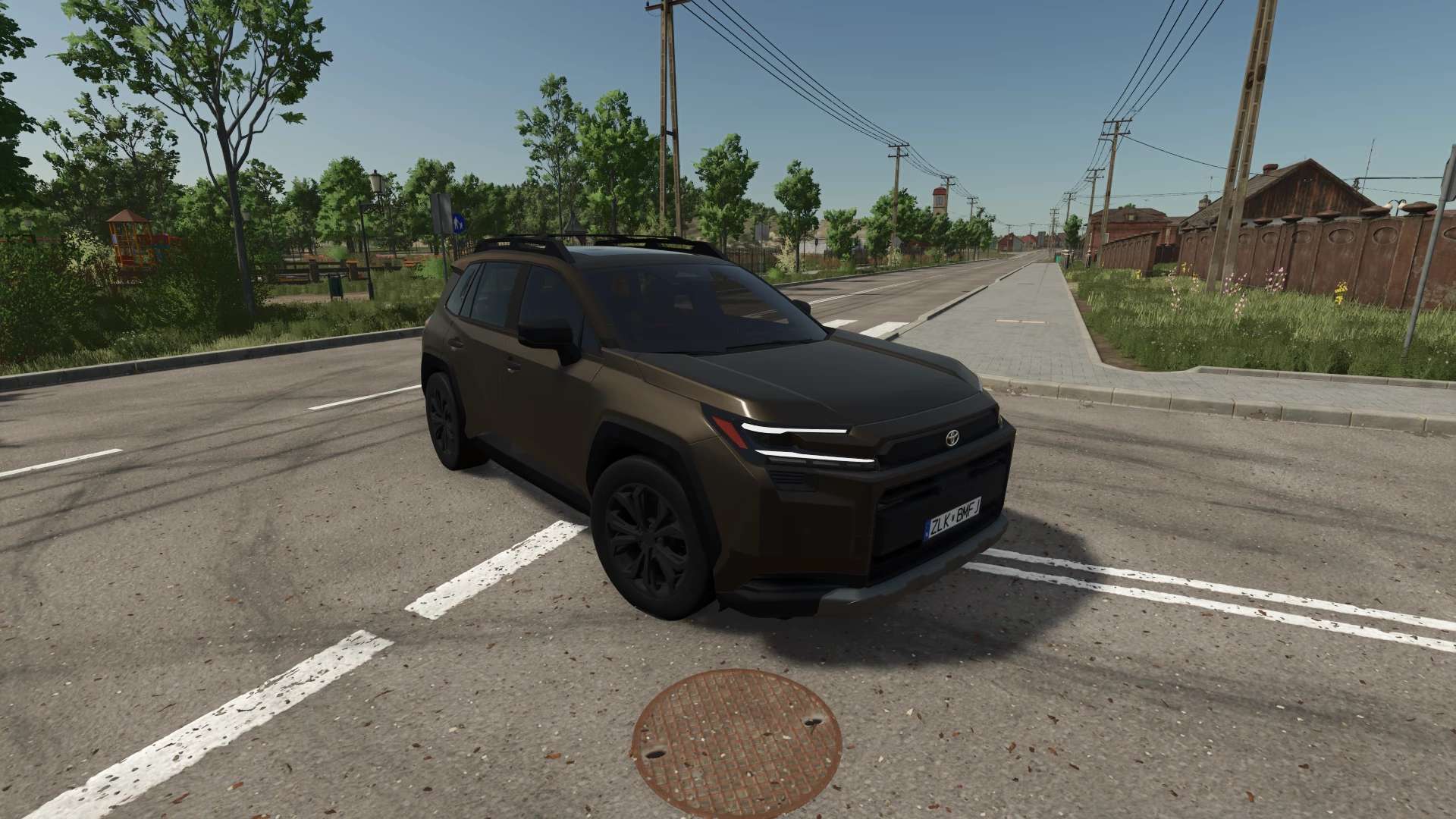
2026 Toyota RAV4 Woodland V1.0
2026 Toyota RAV4 Woodland V1.0 Characteristics: Selectable Body color. Selectable Rim color. Selectable Caliper color. Selectable Interior color. interactive Control Support. Trailer Hitch. Price: $39.000. Engine: 2.5L I4 236HP CVT. Author: DMCMODDING Report bugs in the comments and help modders improve this mod. Always check the comments, you can find a solution. DOWNLOAD MOD

Mobile Butcher – Realistic Livestock Version V1.0
This is a dedicated compatibility edition for FS25_RealisticLivestockRM. Only install and use this version if you are running Realistic Livestock RM. Press Left Shift + B while on foot, choose an animal pen, and select the individual animals you want to send to the Mobile Butcher. The animal list displays each animal’s: The animal screen uses high-contrast Farming Simulator colors, two-line animal details, and a visible white checkmark beside selected animals. Pressing Escape or Back returns you to the husbandry picker, allowing another pen to be opened without leaving Mobile Butcher. The selected animals are removed when the order is confirmed. A butcher truck visits the farm’s Meat Pickup, and the packaged meat is released there after the configured processing time. If the truck cannot follow the map’s road network, it falls back to appearing at the Meat Pickup so the order can still be completed. Packaged meat is calculated separately for every selected Realistic Livestock animal: Live weight × dressing percentage × retail yield percentage × quality factor The quality factor uses the animal’s Realistic Livestock meat-quality genetics and is restricted by the minimum and maximum values configured in butcherConfig.xml. The preview uses the current game economy multiplier when estimating the product’s sale value. The expected processing net is guaranteed separately for every animal using this stacked formula: Delivered replacement cost. Delivered replacement cost is the current Realistic Livestock dealer purchase price plus the Realistic Livestock delivery fee. Meat kilograms are not artificially inflated to reach the target value. Animals below 50% health are refused. Animals that Realistic Livestock marks as dead, protected from sale, or actively diseased are also refused. Every selection is checked again when the player confirms the order. Realistic Livestock animals are resolved using their stable farm ID, unique ID, and birthday-country identity. The shared legacy 0-0 ID is never used. Duplicate selections are rejected. The promised product and its product-type pallet sale bonus are reserved at the Meat Pickup before the selected animals are removed. That reservation is written to the savegame. If the game is saved and reloaded during an active butcher visit, both the reserved product and its sale bonus are recovered into the normal pallet queue. The butcherConfig.xml file controls: Realistic Livestock RM is a required and unchanged dependency. No files within Realistic Livestock RM are modified or overwritten. Mobile Butcher uses Realistic Livestock’s public individual-animal fields, stable identity helper, animal lookup path, and pending-removal/update workflow without inheriting its legacy animal screen. Just Joe MikoModding and ugofantocci for the Ape 50 Box Truck Version.
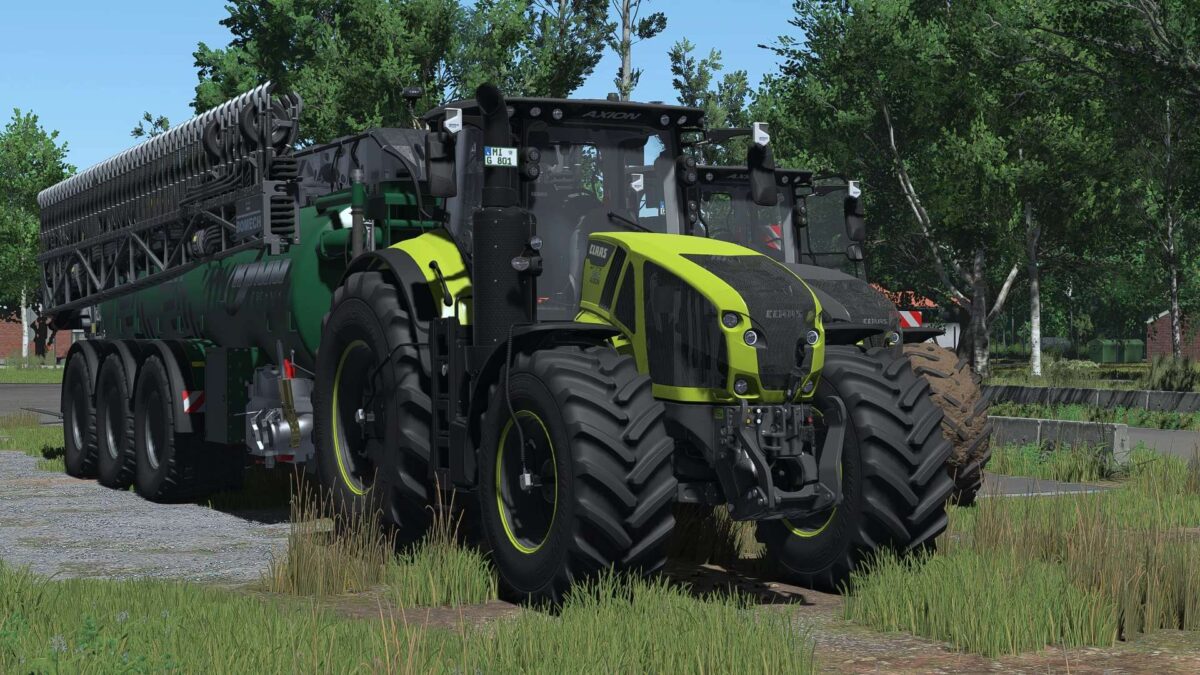
Claas Axion 900 Series v 1.0
The CLAAS AXION 900 comes packed with details, configurations, and features. From various editions and engine options to tire pressure regulation (RDA), GPS, and numerous IC functions, a lot of work has gone into this tractor. CLAAS AXION 900 – Big, powerful, and fully loaded! The CLAAS AXION 900 comes packed with details, configurations, and features. From various editions and engine options to tire pressure regulation (RDA), GPS, and numerous IC functions, a lot of work has gone into this tractor. Technical Specifications Price: €279,240 Power: 325–445 hp Top speed: 50 km/h Shop category: Large tractors Versions Original – original physics as in the base game Adjusted physics – revised and more realistic vehicle physics Editions Standard Edition – free color choice Night Edition 100 Years Special Edition Engines CLAAS AXION 920 – 325 hp CLAAS AXION 930 – 355 hp CLAAS AXION 940 – 385 hp CLAAS AXION 950 – 410 hp CLAAS AXION 960 – 445 hp Authentic engine adjustments Adjusted custom engine sound Tires & CTIS Trelleborg 650/65 R34 – 750/75 R46 710/60 R34 – 900/65 R46 710/60 R34 – 900/65 R46 + CTIS Michelin 650/65 R34 – 750/75 R46 710/60 R34 – 900/65 R46 710/60 R34 – 900/65 R46 + CTIS CTIS tire pressure regulation system with CTIS script Dedicated PTG terminal Fully animated CTIS system Unfortunately, the base game does not offer other suitable tire sizes in the dimensions required for this tractor. Interactive Control Exterior Unlock & open hood Unlock & open doors Rear hitch controllable from left & right fenders Raise & lower rear hitch Rear PTO controllable Raise & lower front hitch Interior Fold passenger seat Fold armrest Fold steering wheel Open & close rear window Lighting controls Various IC functions for implements Animations Animated antenna Animated drive lever Animated sunblind Sunblind controllable via IC Dashboard startup animation Lighting & Design Daytime running lights White CLAAS Green CLAAS Red Beacons Left Right Left & Right Hood strobe lights Color Main color Roof Grille Rim rings Rim color Additional configurations Interior mirrors Front Rear Front & Rear Exhaust Original Original (large) Original (silver) Original (silver, large) Fenders Original Wide Steering wheel Old generation New generation Floor mat No mat Standard CLAAS logo Night Edition logo 100 Years logo Warning signs Front Rear Front & Rear Terminals & Cameras Various terminal configurations GPS terminal Camera system Display for console (without DBL) Display for PC (with DBL) Recommended Mods & Requirements Here are the mods you can use for full functionality, or those that are recommended: Dashboard Live For advanced displays & a more realistic interior: Dashboard Live Vanilla Vehicles Dashboard Live RDA Script For additional functions and enhanced realism across various systems: Tire Pressure Regulation System (RDA) For all Interactive Control (IC) functions in the vehicle: Interactive Control For enhanced realism during fieldwork & sensor usage: Precision Farming What to expect The CLAAS AXION 900 isn’t just your average standard tractor. Thanks to the wide range of configurations, you can customize your AXION exactly the way you want it for your farm. Whether it’s the Standard, Night Edition, or 100 Years version; small or large tires; tire pressure regulation (RDA), GPS, cameras, various terminals, or the numerous Interactive Control functions—this machine is packed with features. Have fun with the CLAAS AXION 900 and safe driving!
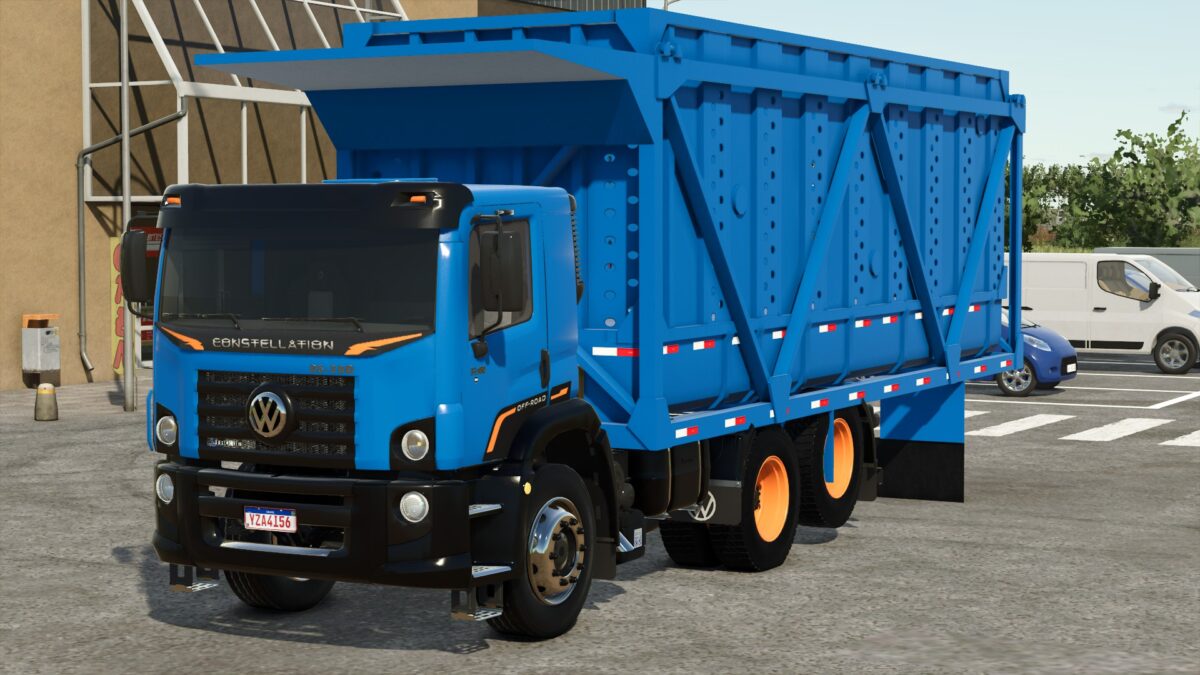
Wolkswagen Constellation Offroad v 1.0
– Speed 120 km/h – Engine Configuration Options: 250 hp, 280 hp, 390 hp, 480 hp – Many Design Configuration Options – Rim Color Configuration Options – Main Color Configuration Options – Included Trailer: Capacity 27300 liters
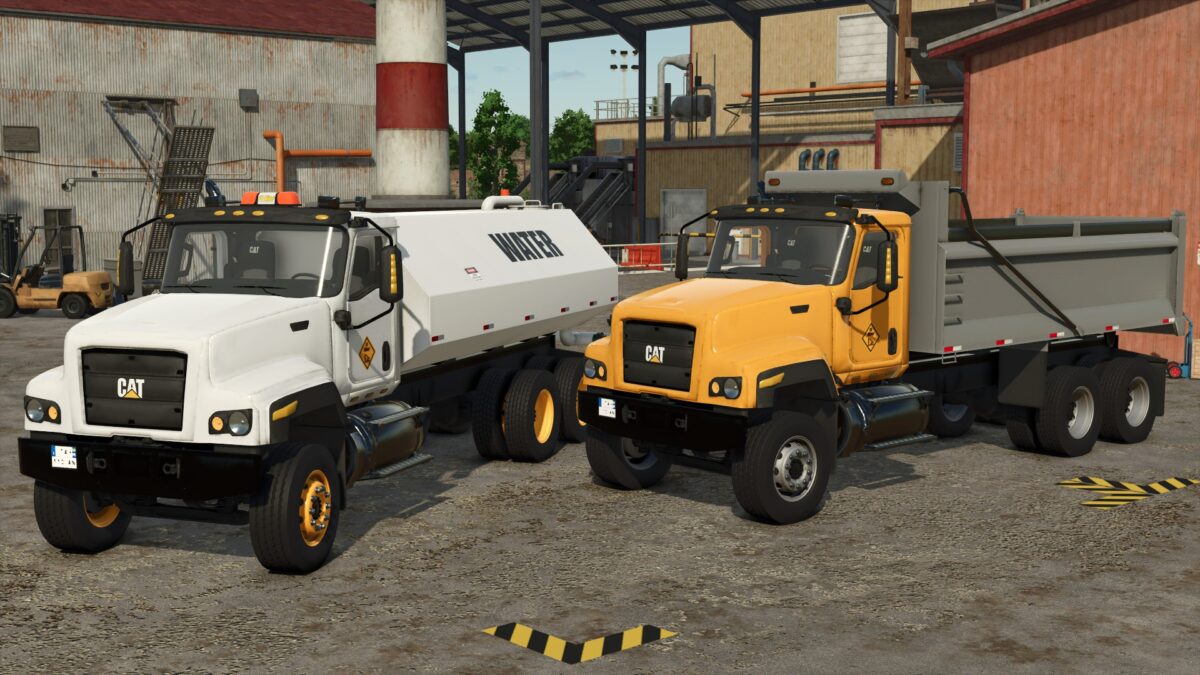
CAT 681 Dump & Water Trucks v 1.0
CAT 681 Dump Truck: – Power 425 hp – Speed 80 km/h – Capacity 28000 liters – Beacon Configuration Options – Rim Color Configuration Options CAT 681 Water Truck: – Power 425 hp – Speed 80 km/h – Capacity 20000 liters – Beacon Configuration Options – Rim Color Configuration Options
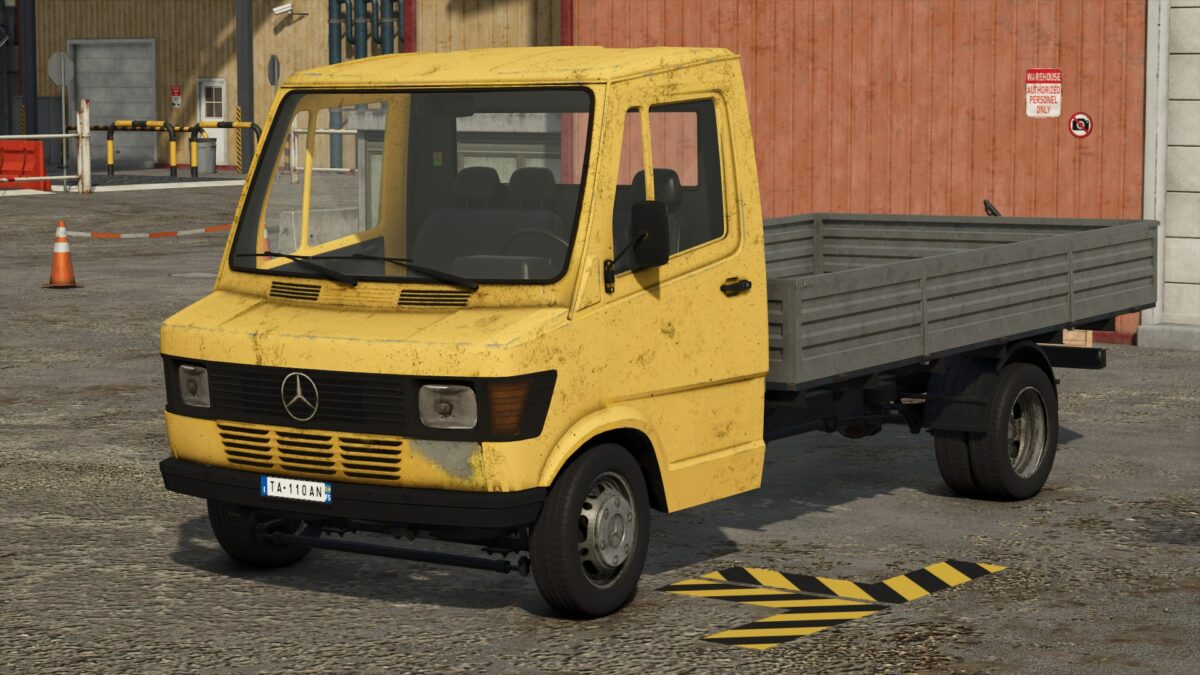
Mercedes Benz D310 Flatbed Truck v 1.0
– Power 70 hp – Speed 80 km/h – Body Configuration Options: Colorable, Iconic Yellow – Main Color Configuration Options

Realistic Weather Lite v 1.4
HOW THE MOD WORKS (Features) Dense & Dynamic Fog: Very thick and rare fog, generated randomly during rain, snow, or cold winter mornings, with a density and height much higher than the base game. Atmospheric Transitions: Climatic changes and realistic effects during bad weather. Advanced Snow Accumulation: Detailed management of snow depth on the ground and random blizzards with significant snowdrifts. Hail & Vehicle Damage: Hailstorms cause wear and visual damage to uncovered vehicles (fully compatible with advanced damage management mods like Advanced Damage System). Version 1.4: * Introduces a complete overhaul of winter mechanics, an enhanced fog simulation model based on real time environmental physics, new HUD indicators, and key compatibility updates Detailed Changes: 1. Snow System & Dynamic Accumulation Rework Intensity-Based Depth Scaling: Snow accumulation is no longer static. Depth now scales proportionally with snowfall severity. Accumulation Caps: Standard snowfall events peak at a maximum depth of 50 cm. Severe blizzards and intense winter storms can now push accumulation over 1.0 meter. Realistic Snow Fog Synergy: Snowfall no longer guarantees instant 100% dense fog. Visibility drops dynamically depending on storm severity light snow creates subtle haze (~45%), while severe blizzards trigger dense white-outs (~95%). 2. HUD & User Interface Additions Real-Time Snowfall Tracker: Added live HUD metrics displaying active snowfall status. Predicted Snow Limit Display: The HUD now calculates and displays the expected maximum snow depth (in centimeters) for the current weather event, allowing players to prepare fields and clearance equipment in advance. 3. Refined Dense Fog Physics Elimination of False Triggers: Overhauled global activation logic (fogRoll). Simple cloudy days no longer trigger accidental fog. Wind Speed Dissipation: Integrated active wind vectors. Wind speeds exceeding 5.5 m/s (~20 km/h) actively dissipate fog or prevent its formation entirely. Probabilistic Winter Fog: Removed unconditional winter fog forced density. Winter fog now strictly depends on active humidity, snowfall, or cold morning dew points (04:00-11:00 window). Dynamic Density Transitions: Implemented smoothSpeed scaling tied to game speed (timeScale), ensuring smooth visual transitions during normal gameplay (1x) and fast-forwarding, with map-wide coverage up to 120 meters. 4. Compatibility, Stability & Settings Status Temporary Settings Menu Hibernation: In-game mod settings options have been temporarily disabled in version 1.4.0.0 to prevent UI mapping conflicts and ensure maximum overall stability.
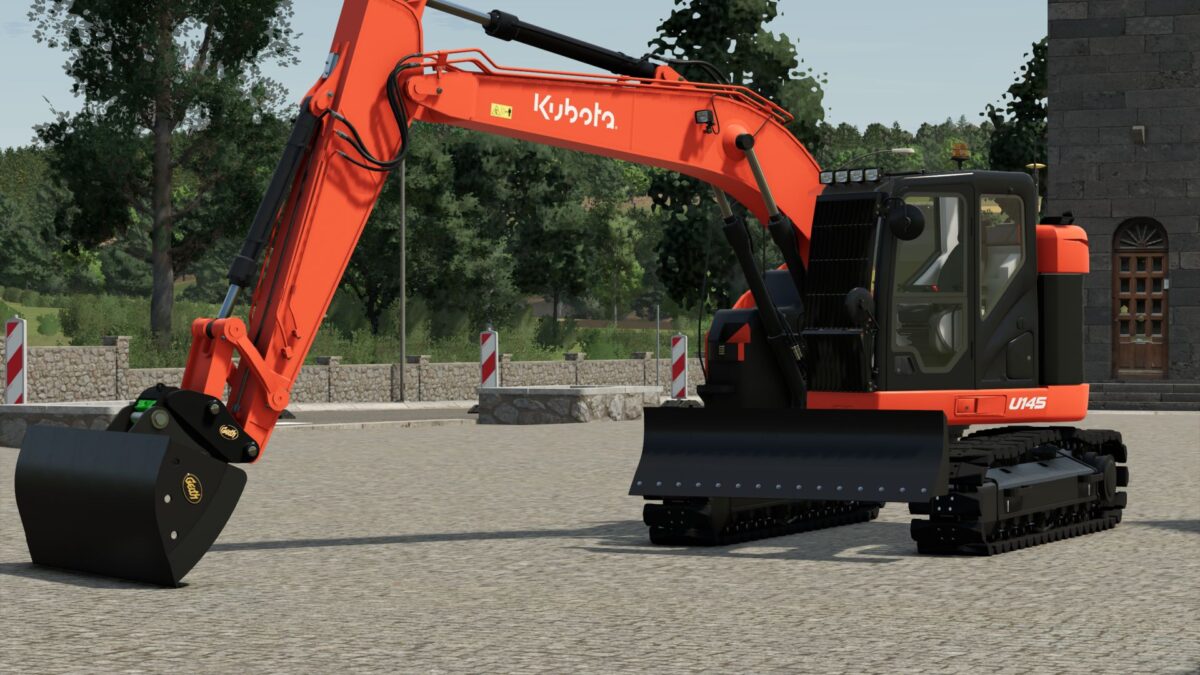
Kubota U145 v 1.0
Kubota U145, 14 ton compact excavator, ideal for your construction sites – changeable tracks – changeable colors – changeable attachments – with or without cage – beacons – GPS The excavator is based on a reworked CASE 145.
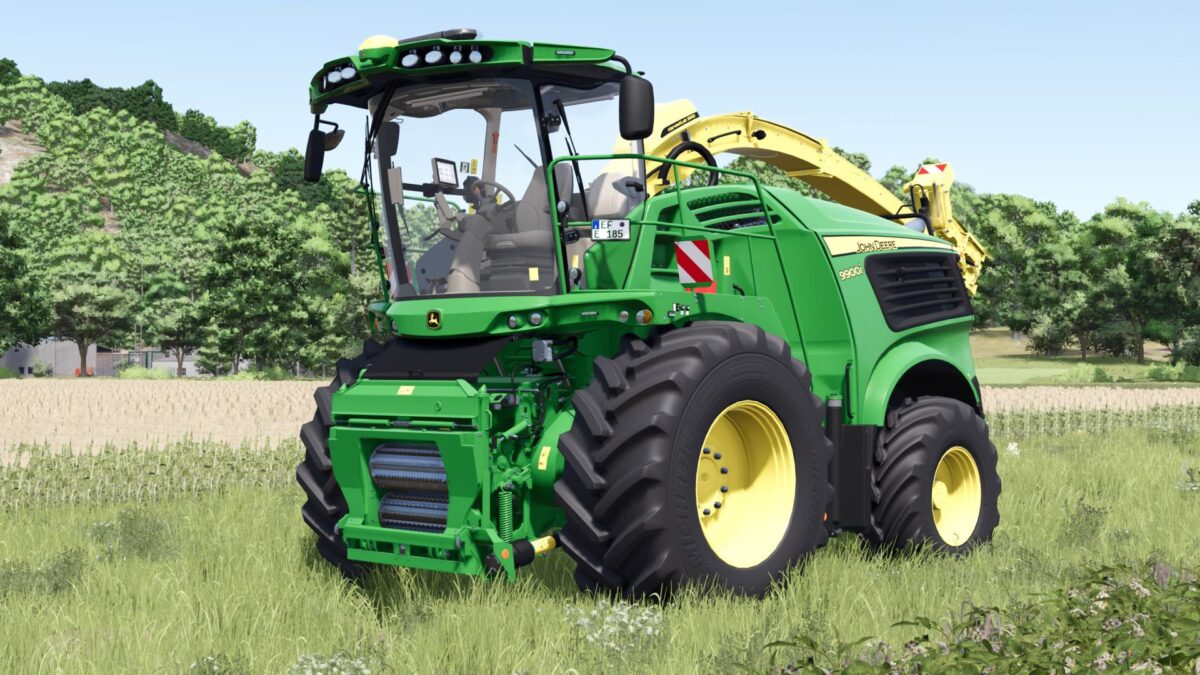
John Deere Serie 9000 VL v 1.2
A flashing bar on the roof provides plenty of light and realism. There are also four front flashers that really set the scene. And the highlight: a 75,000 liter bunker – that’ll take a lot of chopping The shredder runs smoothly, looks great, and is a real joy to use. Version 1.2: * Update for our shredder * Fixed warnings/errors * Color selection (main color, design color, hub color, rim color) * Minor additional fixes

Cloud Time Dilation v 1.0
Do you ever get annoyed with how fast clouds and cloud shadows move at higher timescales? This mod fixes the problem by keeping volumetric clouds & cloud shadows rendering at realtime, regardless of what multiplier you set. By activating the mod, volumetric cloud & cloud shadow movement will always render in realtime no matter what timescale you set, whether it’s 5x, 10x, 60x, etc. Of note, cloud speed is not altered by this mod when timescale is set to 0.5x by design. Now you can enjoy having time fly by but your clouds (and most importantly, cloud shadows) will render in realtime speed. Gone are the days of rave parties in the fields. In this mod, cloud speed is completely decoupled from wind so wind effects on foliage remain unchanged and will behave normally. This mod can be toggled on or off in General Settings. This mod will NOT work with other mods that adjust wind or foliage movement (Dynamic Wind, Crop Waving Boost). However, if you do like how Crop Waving Boost increases crop movement, created another mod that is similar but works indendently from Cloud Time Dilation called Foliage Wind Scale that allows you to fine tune how much foliage movement you want.
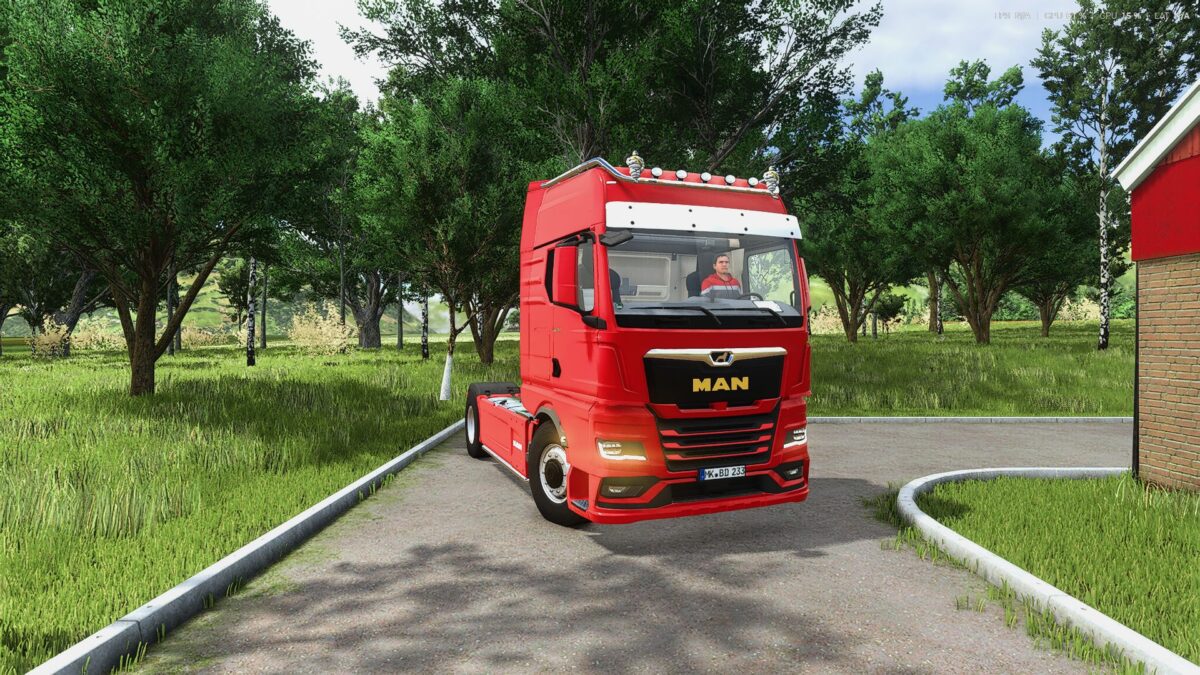
MAN TGX 2020 v 1.1
Price: 105000 Euros Maximum. Power: 500 hp Maximum speed: 80 km/h Version 1.1: * Color selection * Wheel height

Railroad Contracts v 1.0
This is a completely new mod for me. It adds the ability to create railroad contracts in ANY map you are playing on. I did use AI to help me create this, as coding is a bit over my head. IT WILL HAVE BUGS AND ISSUES. It is also a MAJOR WIP as I continue to add and refine things, but I wanted everybody to enjoy it as I am, and I think it is now at a stable point where it can be used reliably. Please feel free to let me know your ideas and thoughts, as well as any issues you may have! I currently have a general direction I want to take this in, but I am always open to input and feedback! Below is AI’s description of the mod. The mod contains a README with a MUCH more detailed description and instructions on how to operate it. Railroad Contracts adds dynamic, railroad-focused freight operations to Farming Simulator 25 using your actual industries, rolling stock, yards, terminals, and interchanges. Create custom railroad locations, run manifest, intermodal, industry, bulk, unit, interchange, and palletized freight contracts, assemble specific railcars into trains, and operate realistic loaded and empty-return movements. Contracts use commodity-appropriate equipment, railroad-style train symbols, service-based deadlines and payouts, physical railcar assignments, and persistent savegame tracking. Interchanges can use player-owned cars or supply temporary external equipment spotted directly on your railroad track. External cars remain assigned throughout the loaded movement and required empty return, while Universal Autoload-compatible railcars support palletized freight. Designed for custom FS25 railroad operations. Currently single-player only.
Grass Tramline v 1.0
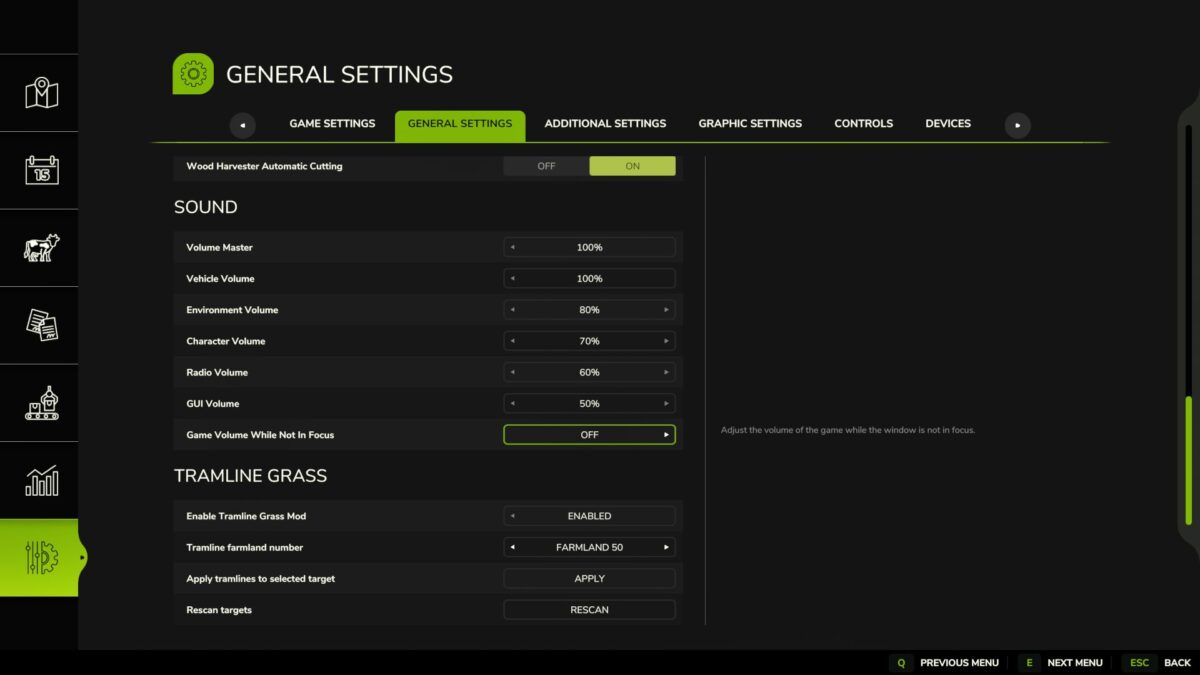
“Tramline Grass” is a mod for Farming Simulator 25 (Fields & Crops category) by Sumro Gaming. This page explains the mod before the player accesses the download source. With “Tramline Grass”, players can create tramlines through the in-game settings menu without having to reseed the field. Simply select a field number, click “Apply”, and the mod will create visible tramlines on the selected field. “Tramline Grass” is a standalone mod by Sumro Gaming for Farming Simulator 25. It is aimed at players who want more realistic crop and field behavior during normal fieldwork. The main goal is simple: players can create tramlines directly in the settings menu without having to sow new seeds. Select the field number, confirm your choice, and the mod will take care of the rest. “Tramline Grass” is not only about the file existing, but also about what the mod does, when it is useful, and how it can be safely tested in a real game. The “Tramline Grass” mod focuses on the following features: creating tramlines on the selected field through the settings menu, removing crops from the tire tracks and filling them with grass, adding tramlines on the headland (within the field), and shortening the grass after vehicles drive over it. The mod analyzes the selected field, creates tramlines, removes crops from the tire tracks, fills them with grass, and ensures that the grass remains visually shorter after vehicles pass over it. This is particularly useful on well-structured farms where the tramlines are meant to look deliberate and planned. It is not just a visible strip; the mod improves orientation in the field when spraying and during repeated passes. Since “Tramline Grass” is documented specifically for FS25 players, this article explains not only the technical details of the ZIP file, but also its practical effects on gameplay, instead of leaving visitors with nothing more than a title and a download button. Tramline creation process: This mod is best suited to active savegames with ongoing farming operations and allows players to compare field behavior before and after using the mod—for example, when sowing, spraying, harvesting, or working on the headland. The three screenshots on this page show “Tramline Grass” in the game and allow for a visual comparison before accessing the download source. A good way to evaluate “Tramline Grass” is to perform the same task before and after activating the mod and compare the results under normal operating conditions. With “Tramline Grass”, you should primarily check the feature’s functionality, the condition of the savegame after reloading, and whether the rest of the mod folder continues to function properly.
Worker Skill System v 1.0
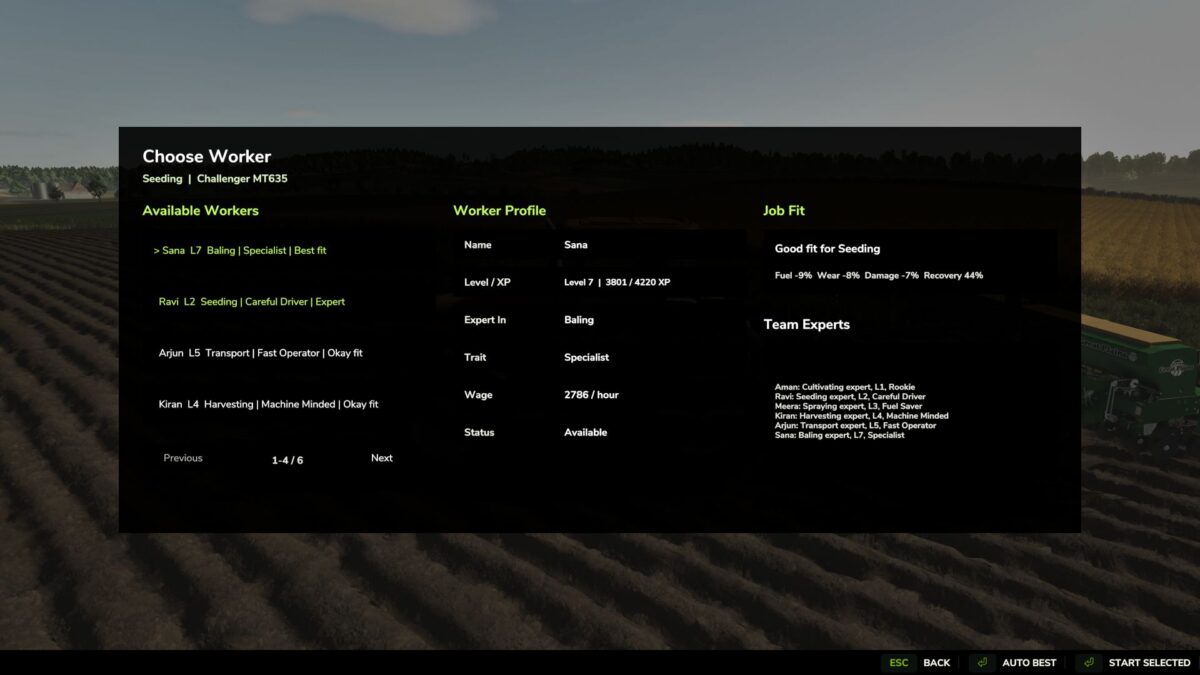
The “Worker Skill System” in Farming Simulator 25 makes the AI helpers behave like a real farm crew. Instead of starting a job with an unnamed helper, press the “H” key with an AI vehicle ready to start to open a clear selection window for workers. The screen displays several workers. Overview of the “Worker Skill System” The “Worker Skill System” is a script mod by Sumro Gaming for Farming Simulator 25. This page explains the mod before the player accesses the download source. The “Worker Skill System” makes the AI helpers in Farming Simulator 25 behave like a real farm crew. Instead of starting a job with a nameless helper, pressing the “H” key on an AI-capable vehicle opens a clear selection window for workers Details on the “Worker Skill System” Features: The “Worker Skill System” focuses on the following features: It adds permanent worker profiles (with name, level, experience points/XP, specialty, attribute, wage, availability, and saved statistics); it opens a worker selection window for AI-enabled vehicles with the press of the “H” key (including options such as “Start Selected” and “Automatically Best”); and it utilizes skill-based, individual wages as well as bonuses for higher-level workers in areas such as fuel consumption, wear and tear, damage, work accuracy, and error correction. The mod adds permanent AI worker profiles, a selection screen, skill levels, XP progression, individual wages, job suitability checks, specialist bonuses, and quick feedback on worker status during helper missions. The particular benefit of this release lies in the fact that helpers become named farm employees instead of remaining anonymous AI workers. Players can select the appropriate worker for tasks such as sowing, harvesting, baling, transporting, or spraying and track their development over time. Since the “Worker Skill System” is documented specifically for FS25 players, the description outlines not only the technical details of the ZIP file but also its practical impact on gameplay, rather than simply leaving visitors with a title and a button.
- 15 per page
- 30 per page
- 45 per page
- 60 per page
-
See more per page
Bigger pages, fewer clicks - and no ads anywhere.
Go Pro