Farming Simulator 25 mods
79,479 results- 15 per page
- 30 per page
- 45 per page
- 60 per page
-
See more per page
Bigger pages, fewer clicks - and no ads anywhere.
Go Pro
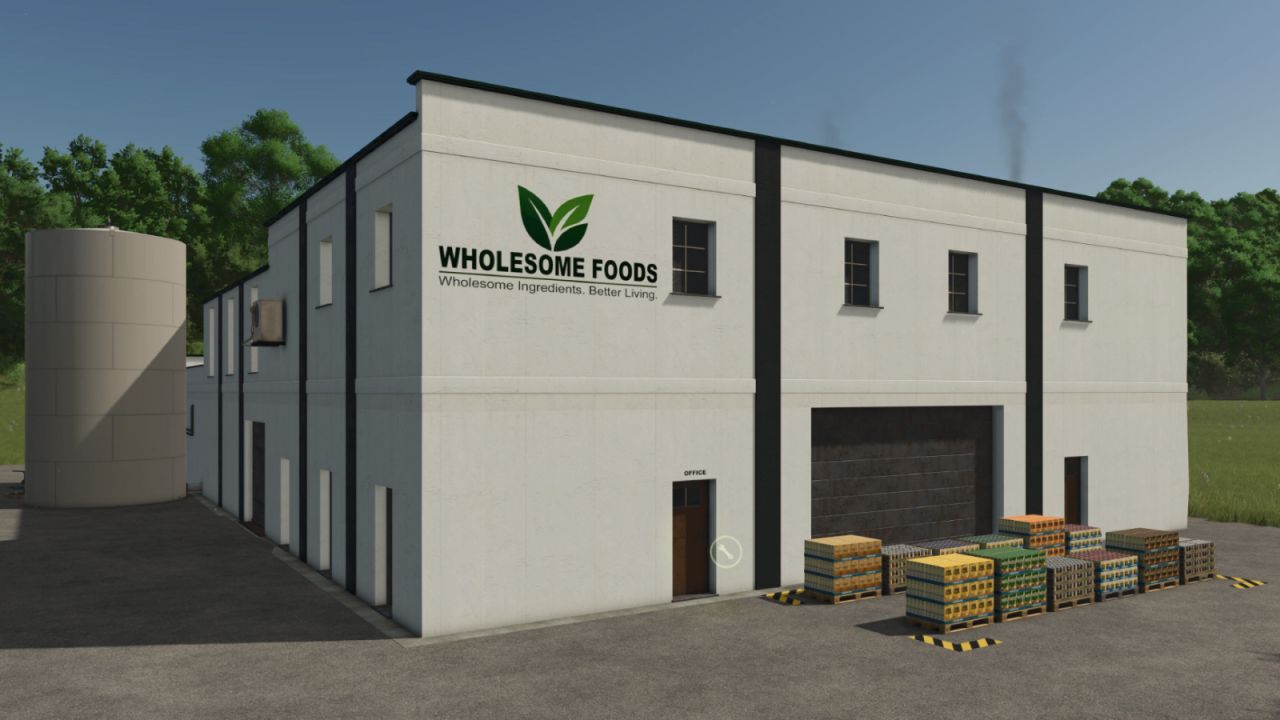
Wholesome Foods factory FS25
Taking advantage of the growing demand for healthier foods, the local farm collective purchased an old industrial building, installed modern processing equipment, and founded Wholesome Foods. Using locally sourced oats, corn, wheat, soybeans, honey, milk, sugar and other ingredients, Wholesome Foods produces a wide range of value-added products — from Frosted Corn Flakes and Oatmeal to Granola, Muesli, Protein Bars and other snacks. Turn your farm’s grain harvests into finished foods and build a complete farm-to-market production chain. Wholesome Foods adds a modern food-processing facility focused on breakfast cereals, oatmeal, granola, muesli, and snack bars. The plant receives dry ingredients at the grain hoppers, liquid ingredients at the tank receiving area, and ships finished products from the loading dock.
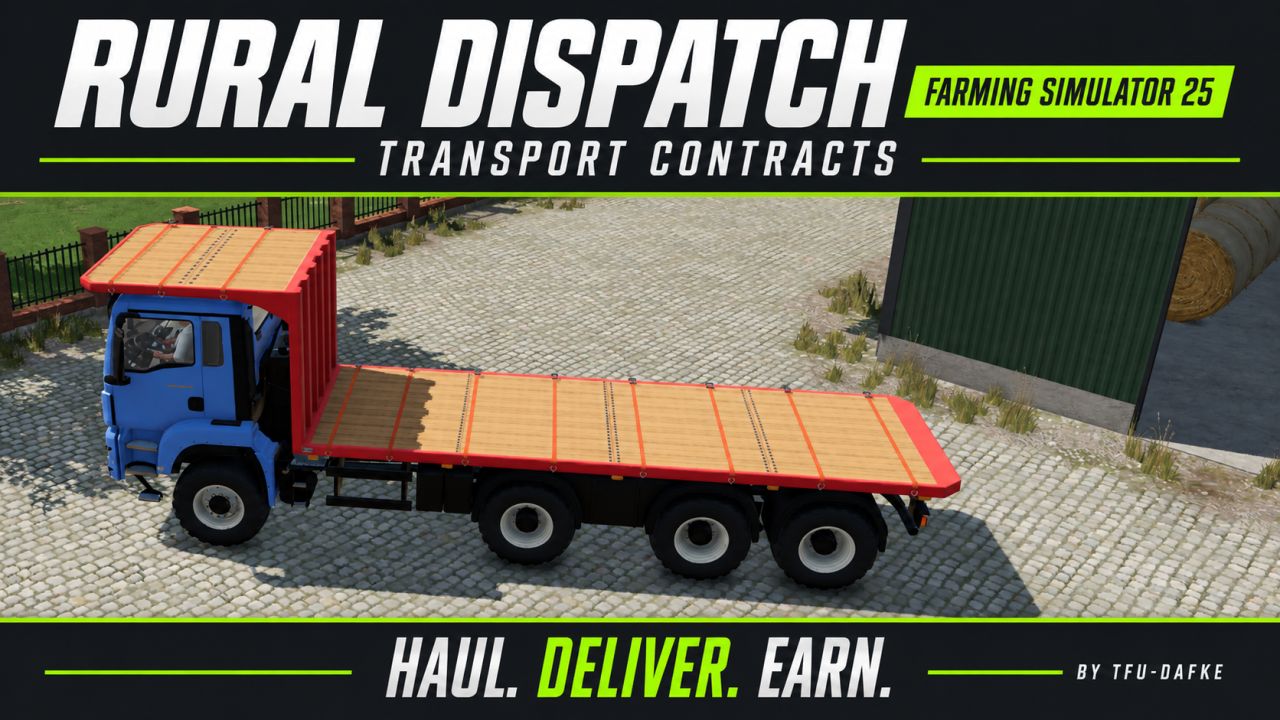
NPC transport and service contracts V1.0.0.4
NPC transport and service contracts V1.0.0.4 Bring more variety to your farm with NPC transport and service contracts. Haul bulk goods, pallets and bales, transport vehicles, supply fields with seed, fertilizer and lime, recover lost cargo, complete courier deliveries and provide emergency refuelling. Vehicle-care jobs also let you wash, dry and deliver customer vehicles. Routes are generated from the locations and products available on your map. Suitable loading equipment is provided for pallet and bale pickups, while marked destinations guide your deliveries. Manage the contract selection through the in-game settings and use the optional GPSLite integration for navigation. V1.0.0.4 Corrected access permissions for emergency refuelling contracts, allowing the contractor to enter the target vehicle and use the normal refuelling controls. Connected diesel transfer from fuel carriers to contract progress, with transfer limited to the remaining required amount. Added automatic driver exit when the refuelling contract is completed, before the NPC vehicle is removed. Kept target access restricted to the contracting farm. Normal vehicle refuelling, contract pricing and diesel reimbursement remain unchanged. Refuelling: position your farm’s diesel carrier beside the target, enter the target vehicle and use the normal refuelling action. Author: dafke Report bugs in the comments and help modders improve this mod. Always check the comments, you can find a solution. DOWNLOAD MOD

Dynamic PTO speed BETA 3 v1.0
Dynamic PTO speed BETA 3 v1.0 This mod finally brings realistic dynamics to the PTO. Instead of a fixed PTO speed, the working speed of all attached implements adapts directly to the tractor’s current engine speed. The higher the engine revs, the faster mowers, forage harvesters, balers or conveyor belts operate. Main features The PTO speed is no longer fixed, but is calculated live from the engine speed. Implements react noticeably differently to low, medium or high engine speeds. A multiplier for each implement allows individual settings for every implement. Realistic working speeds: Low engine speed → slower operation Medium engine speed → normal operation High engine speed → faster operation Technical implementation The mod is fully compatible with LS25 and uses custom scripts to link engine speed, PTO speed and implement behavior. Animations, effects and working speed are adjusted dynamically. Both vehicles and implements are enhanced through hooks in their update functions. Implement behavior Mowers spin faster and respond more directly to throttle input. Forage harvesters operate more powerfully at high engine speeds. Balers work more quickly and process material faster. Conveyor belts transport material depending on the engine speed. Each implement can be finely adjusted using its own factor. Mod contents Complete mod structure with modDesc and Lua scripts Example implement XML with dynamic PTO configuration Optional overlay displaying the current PTO RPM Mod goal “Dynamic PTO Speed” provides a much more realistic gaming experience. PTO performance finally depends on engine speed – rev higher and you work faster. This makes all implements operate more naturally, variably and closer to real-world farming. The mod is currently not multiplayer-compatible. We are working on a version that can also be used in multiplayer. BETA 3 Stability improvements and better visibility Author: FF Modding Report bugs in the comments and help modders improve this mod. Always check the comments, you can find a solution. DOWNLOAD MOD
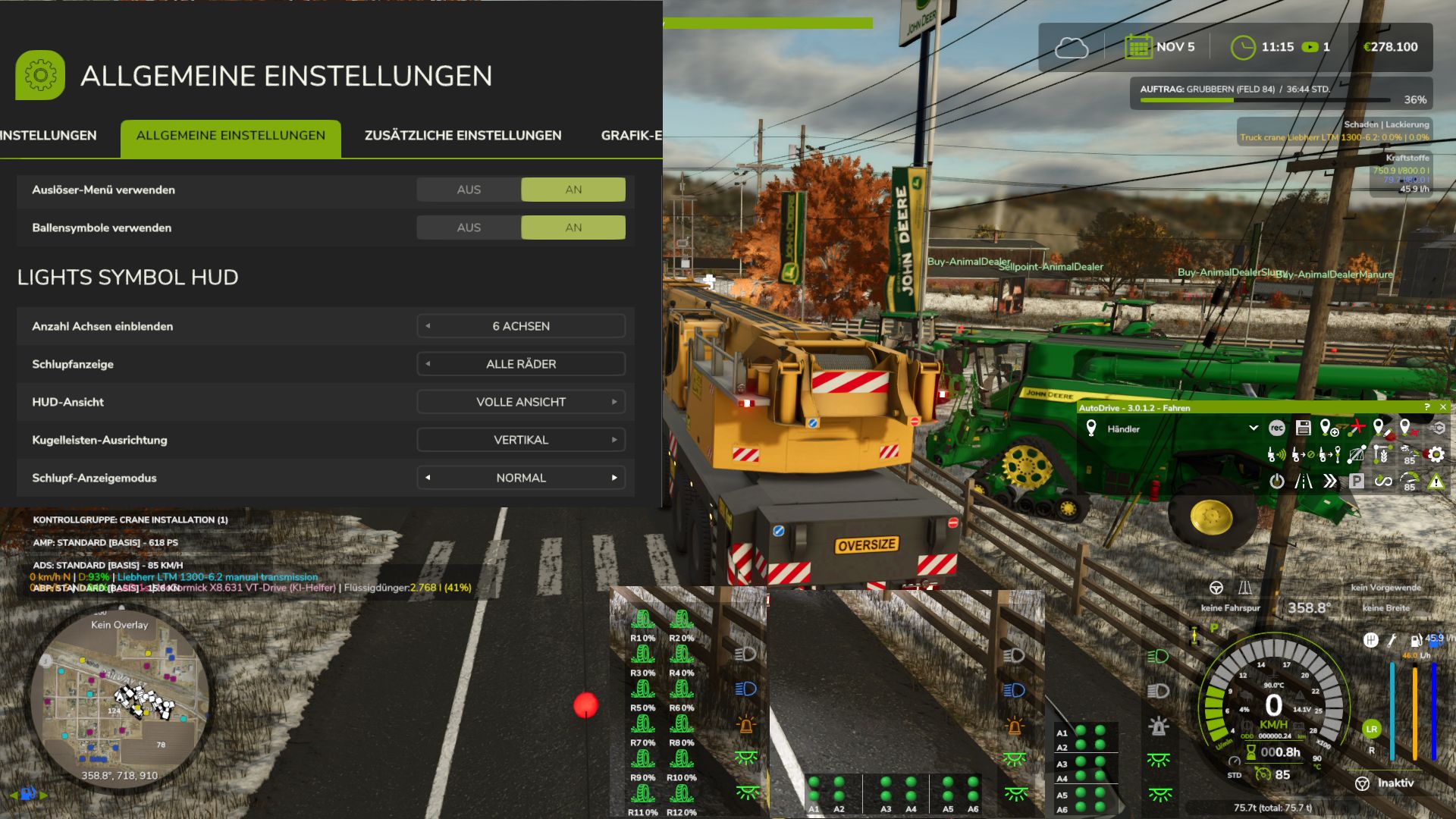
Lights Symbol HUD V1.2.2.4
Lights Symbol HUD V1.2.2.4 The Lights Symbol HUD displays the vehicle’s most important lighting and chassis information clearly in a separate HUD. Low beam, high beam and work lights Beacon light Left/right indicators and hazard warning lights Indicator arrows follow the active indicator rhythm Slip indicator for driven axles and wheels Automatic chassis and axle detection, even with complex multi-unit, belt and tracked undercarriages Dynamic display of up to 6 driven axles Selectable axle pairs or individual driven wheels Three HUD views: Full view, Compact view and Minimal view Minimal view optionally with a vertical or horizontal dot-light bar Dot-light bar with separate slip states and a clear axle assignment Adjustable slip display: Direct, Normal or Reduced Adjustable number of displayed axles: 0, 2, 4 or 6 Separate black background for the minimal dot-light bar Other publications on external sites that have not been expressly permitted or made by me are not allowed. I also provide no support for third-party uploads. Displays for the Tire Wear mod implemented The mod is not strictly required, but is recommended and can be completely hidden in-game V1.2.2.4 New engine torque display as a live bar, toggle in the settings to show/hide Torque display on the speedometer as a live bar / option in the settings to turn it on/off Author: duestereLegende Report bugs in the comments and help modders improve this mod. Always check the comments, you can find a solution. DOWNLOAD MOD
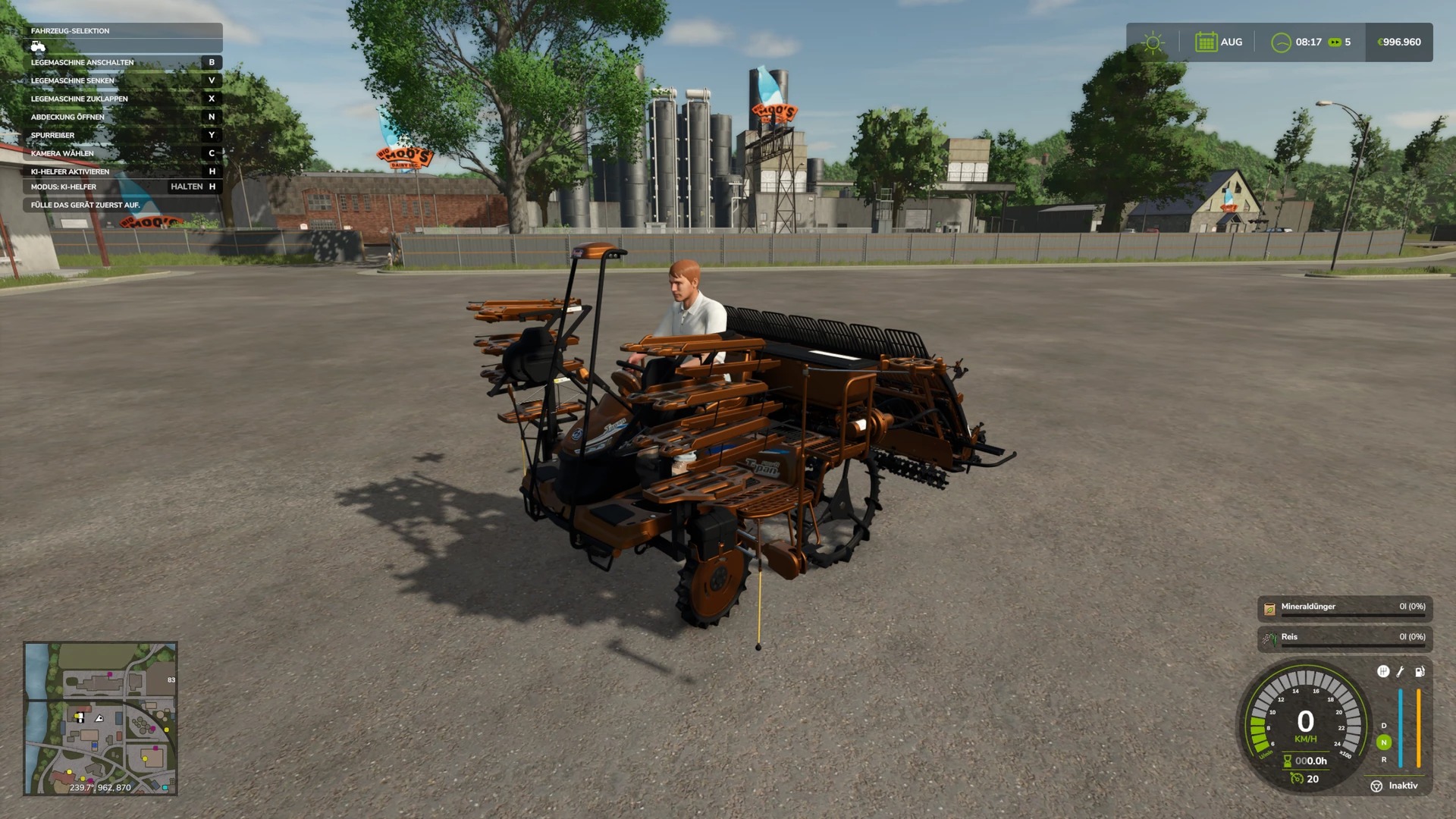
Reispflanzmaschine von Zladdi76 Multicolor v1.0.0.0
Reispflanzmaschine von Zladdi76 Multicolor v1.0.0.0 Mehrfarbig; erhöhte Motorleistung; modifizierte Geschwindigkeit; angepasstes Reparaturintervall; erhöhtes Düngemittelbehältervolumen. Leistung: 250 Höchstgeschwindigkeit: 73 Arbeitsbreite: 2,2 Preis: 25500

KimDog's Premium Sound Pack
A comprehensive standalone sound compilation featuring 37 master sound packs for trucks, including legendary engine sounds from Caterpillar, Cummins, Detroit Diesel, and Mack (both straight pipe and stock variants). Also includes multiple navigation voice packs such as TomTom, Google Maps, Morgan Freeman, Siri, and GrandTour. Fully conflict-free design ensures zero console errors and smooth performance across 362 trucks utilizing universal engine options.
Mobile Butcher – Realistische Viehversion v1.0.0.0
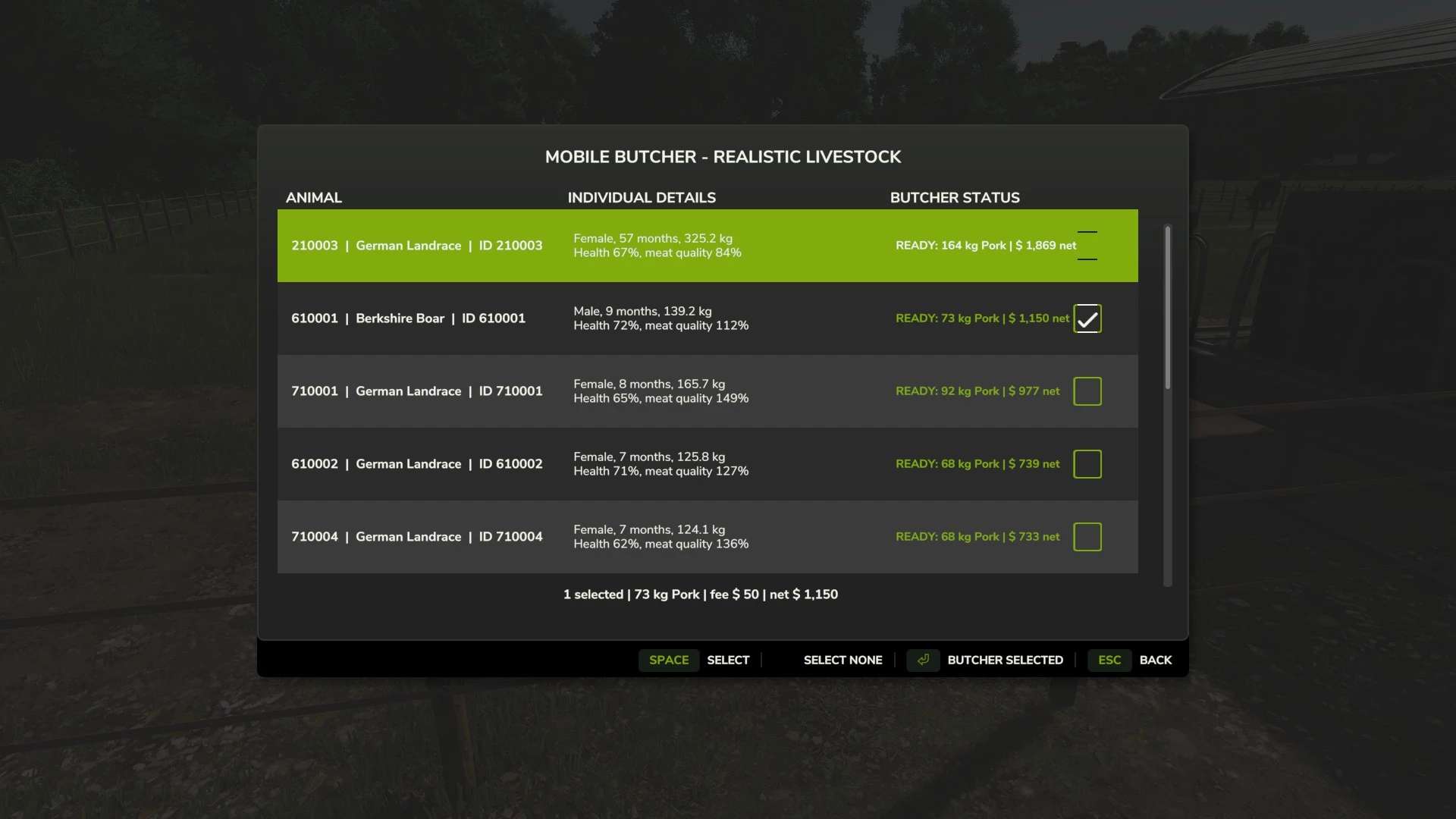
Mobile Butcher – Realistische Viehversion v1.0.0.0 Dies ist eine spezielle Kompatibilitätsversion für FS25_RealisticLivestockRM. Realistische Anforderungen an die Viehhaltung Diese Version darf nur installiert und verwendet werden, wenn Realistic Livestock RM ausgeführt wird. FS25_RealisticLivestockRM aktivieren. Aktivieren Sie dieses FS25_MobileButcher_Realistic_Livestock_Addon. Was es bewirkt Drücken Sie im Gehen die linke Umschalttaste + B, wählen Sie einen Tierpferch und anschließend die einzelnen Tiere aus, die Sie an den mobilen Metzger schicken möchten. Die Tierliste zeigt die Daten jedes Tieres an: Realistische Viehidentität Sex Alter Tatsächliches Lebendgewicht Gesundheit Genetik der Fleischqualität Geschätztes Verarbeitungsergebnis Der Tierbildschirm verwendet kontrastreiche Farben aus dem Farming Simulator, zweizeilige Tierdetails und ein gut sichtbares weißes Häkchen neben den ausgewählten Tieren. Durch Drücken der Escape- oder Zurück-Taste gelangen Sie zurück zum Tierhaltungsauswahlmenü, sodass Sie einen weiteren Stall öffnen können, ohne Mobile Butcher zu verlassen. Die ausgewählten Tiere werden nach Bestätigung der Bestellung entnommen. Ein Metzgerwagen fährt zum Fleischabholpunkt des Bauernhofs, und das verpackte Fleisch wird dort nach der festgelegten Bearbeitungszeit freigegeben. Falls der LKW dem Straßennetz der Karte nicht folgen kann, fährt er automatisch zum Fleischabholpunkt, damit die Bestellung trotzdem abgeschlossen werden kann. Erforderliche Einrichtung FS25_RealisticLivestockRM aktivieren. Aktivieren Sie diese FS25_MobileButcher ZIP-Datei. Stelle vor der Bestellung eine Fleischauswahl aus dem Baustellenmenü zusammen. Der Mehrspielermodus ist deaktiviert, da er noch nicht getestet wurde. Er kann in der Mod-Beschreibung aktiviert werden, falls du ihn ausprobieren möchtest. Bitte melde alle auftretenden Probleme. Produkte Tierische Produkte Rindfleisch Wasserbüffel, weiblich oder männlich Büffel Schweinefleisch Hühner Ziegen, weibliche oder männliche Ziege/Chevon Schaffleisch Pferde werden absichtlich nicht unterstützt. Dies ist eine persönliche Entscheidung, und sie werden derzeit nicht hinzugefügt. Wenn Sie eigene Boxen erstellen und diese dem Mod hinzufügen möchten, steht Ihnen das frei. Vielen Dank für Ihr Verständnis. Ertrag und Förderfähigkeit Der Preis für verpacktes Fleisch wird für jedes ausgewählte Tier der Realistic Livestock-Serie separat berechnet: Lebendgewicht × Schlachtausbeute × Verkaufsausbeute × Qualitätsfaktor Der Qualitätsfaktor verwendet die Realistic Livestock-Genetik der Fleischqualität des Tieres und ist durch die in butcherConfig.xml konfigurierten Minimal- und Maximalwerte begrenzt. Die Vorschau verwendet den aktuellen Spielökonomie-Multiplikator bei der Schätzung des Verkaufswerts des Produkts. Der zu erwartende Verarbeitungsertrag wird für jedes Tier, das diese kombinierte Formel verwendet, separat garantiert: Kosten für gelieferten Ersatz. Die Kosten für den gelieferten Ersatz entsprechen dem aktuellen Kaufpreis beim Händler Realistic Livestock zuzüglich der Liefergebühr von Realistic Livestock. Die Fleischmenge wird nicht künstlich aufgebläht, um den Zielwert zu erreichen. Standardmäßige Metzgergebühren Rinder oder Büffel: 200 Dollar pro Tier Schweine, Schafe oder Ziegen: 50 Dollar pro Tier Hühner: 6 $ pro Tier Standardmäßige Mindestalter Rinder und Büffel: 12 Monate Schweine, Schafe und Ziegen: 6 Monate Hühner: 3 Monate Tiere mit einem Gesundheitszustand unter 50 % werden abgelehnt. Ebenso werden Tiere abgelehnt, die von Realistic Livestock als tot, vom Verkauf ausgeschlossen oder aktiv krank gekennzeichnet sind. Transaktionssicherheit Jede Auswahl wird erneut überprüft, sobald der Spieler die Bestellung bestätigt. Die realistische Zuordnung von Nutztieren erfolgt über ihre Stall-ID, ihre eindeutige ID und ihr Geburtsland. Die gemeinsame Legacy-ID 0-0 wird nicht verwendet. Doppelte Auswahlen werden abgelehnt. Das zugesagte Produkt und der dazugehörige Palettenverkaufsbonus werden bei der Fleischabholung reserviert, bevor die ausgewählten Tiere entnommen werden. Diese Reservierung wird im Spielstand gespeichert. Wird das Spiel während eines aktiven Metzgerbesuchs gespeichert und neu geladen, werden sowohl das reservierte Produkt als auch sein Verkaufsbonus wieder in die normale Palettenwarteschlange eingefügt. Konfiguration Die Datei butcherConfig.xml steuert: Metzgergebühren Maximale Anzahl an Tieren pro Subtyp und Besuch Mindestalter und Gesundheitsanforderungen Ob aktive Krankheiten die Verarbeitung blockieren Dressingprozentsatz Einzelhandelsrendite in Prozent Wie stark die Genetik der Fleischqualität den Ertrag beeinflusst Sicherheitsgrenzen für minimale und maximale Gütefaktoren Live-Verkaufsbonus-Prozentsatz Prozentsatz der Prämie für gelieferten Ersatz. LKW-Auswahl Bearbeitungszeit Drive-in-Verhalten Parkplatzabstand Kompatibilitätsgrenze Realistic Livestock RM ist eine erforderliche und unveränderte Abhängigkeit. Es werden keine Dateien innerhalb von Realistic Livestock RM verändert oder überschrieben. Mobile Butcher nutzt die öffentlichen Einzeltierfelder von Realistic Livestock, den Stallidentitätshelfer, den Tiersuchpfad und den Workflow für ausstehende Entfernung/Aktualisierung, ohne dessen Legacy-Tierbildschirm zu übernehmen. Diese Edition darf nicht ohne aktiviertes FS25_RealisticLivestockRM verwendet werden. Tags: Aktivieren SieMobile ButcherRealistic LivestockRealistische Viehidentit
Kelly Ryan Silage Bagger v1.0
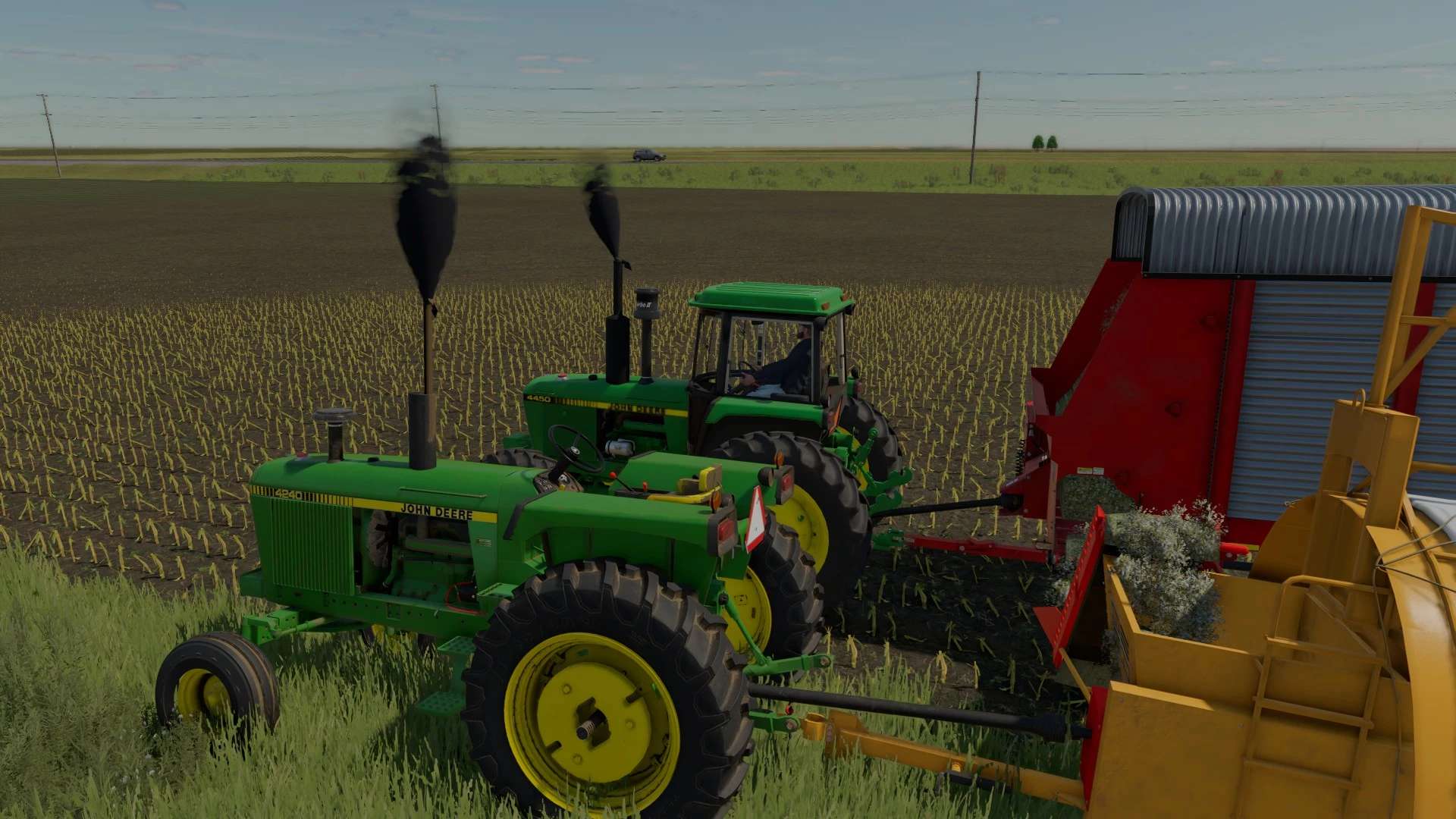
Kelly Ryan Silage Bagger v1.0 Time for the yearly mod release, amirite? Exactly as it appears, the Grazmec bagger by Connect Modding adapted to a silage bagger. All credit goes to the Connect modding crew for the fantastic work making the bagger work realistically. I reworked the bagger unit to resemble a bagger used for silage products. Nothing realistic, but if you want perfection go sub to a patreon. Converts a variety of inputs into silage, and corn and soybeans to mineral_feed. Theres a filltypes.xml in the mod that has the list of conversions, add you own or edit to your play style. Unhook the bagger from the bag, and use a bucket (shovel for some of you) near the end of the bag, and it will magically fill. Beats using the extractor. If you have questions fire them in the comments, I might respond. Bugs or problems might get resolved, who knows. Author: JMF Modding Report bugs in the comments and help modders improve this mod. Always check the comments, you can find a solution. DOWNLOAD MOD
Forage Wagon Hay Lock FS25
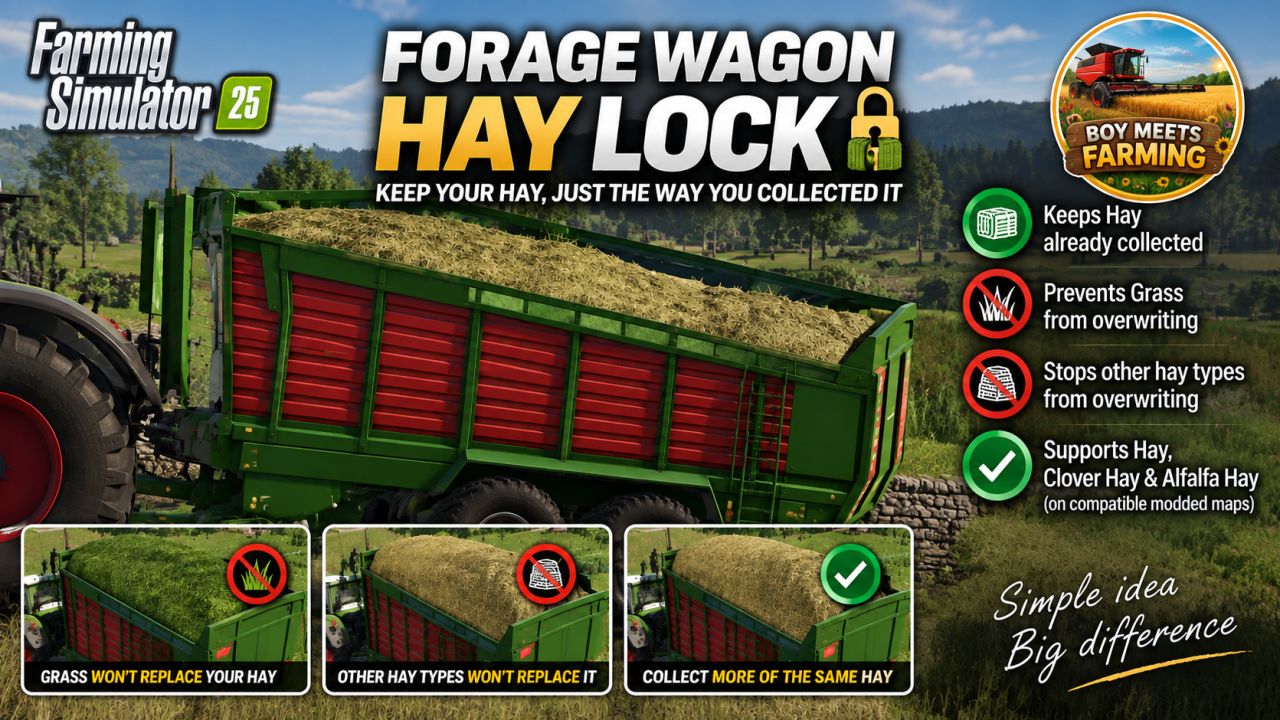
PURPOSE Prevents hay already collected in a forage wagon from being overwritten by grass or by another hay type. BEHAVIOUR - More of the SAME hay type collects normally. - Normal grass is ignored while hay is loaded. - Fresh Clover and fresh Alfalfa are ignored while hay is loaded when those fill types exist. - A DIFFERENT hay type is ignored while hay is loaded. - Empty wagons and wagons containing non-hay material retain normal game behaviour. SUPPORTED HAY TYPES - Hay: DRYGRASS_WINDROW - Clover Hay: DRYCLOVER_WINDROW - Alfalfa Hay: DRYALFALFA_WINDROW Version 0.1.0.5 * Fixed registration for standard and custom forage-wagon vehicle types. * Grass already loaded can no longer be overwritten by Hay. * Hay already loaded can no longer be overwritten by Grass. * More of the same fill type continues to collect normally. * Supported Clover and Alfalfa variants are also kept separate. * Tested successfully with the 8450 Windrower forage wagon on the Kinlaig map.
Futures Market V1.0
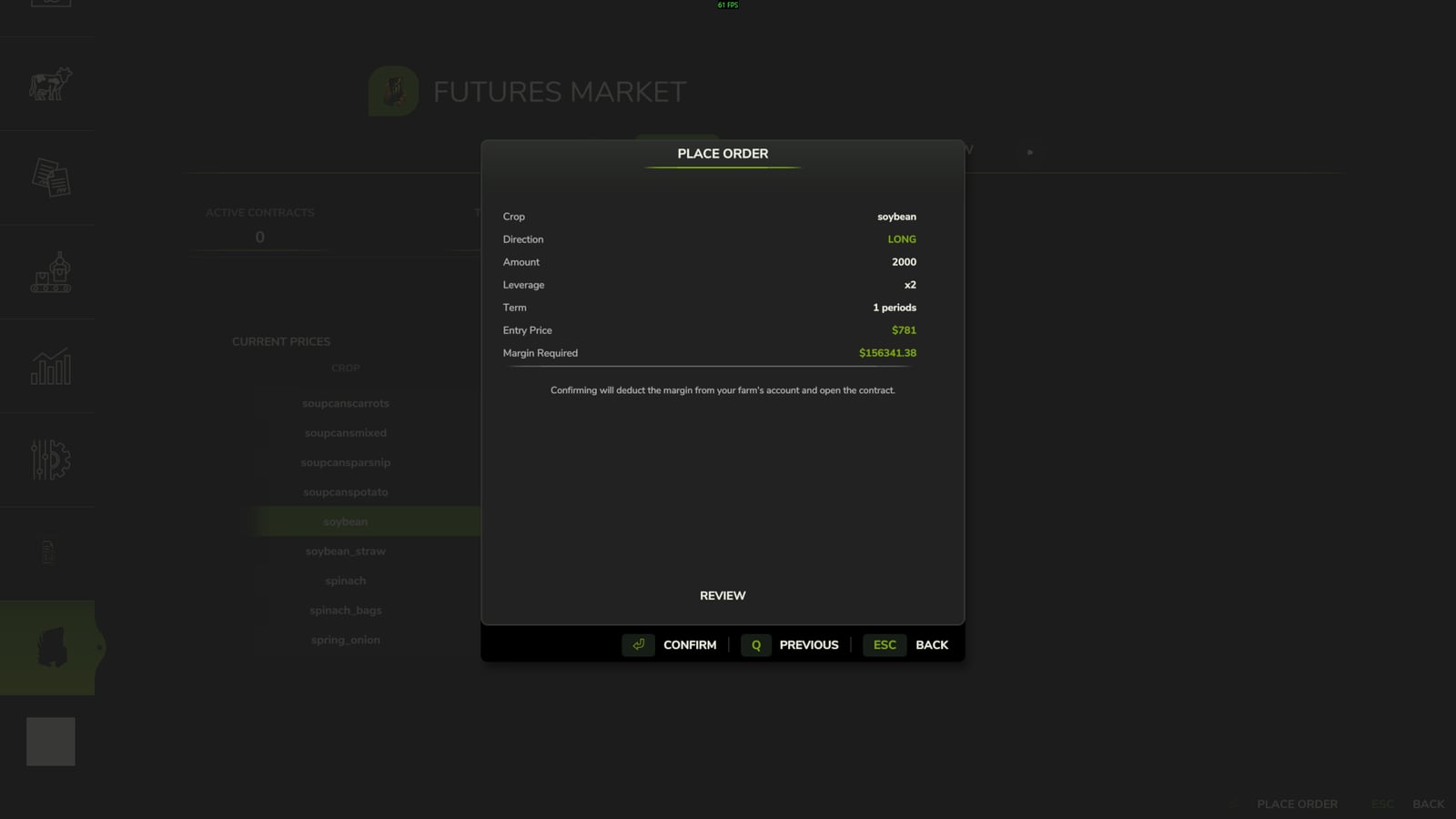
Futures Market is a simulated financial trading system integrated into Farming Simulator 25. It lets you trade commodity contracts through the game’s native interface while keeping physical crop production and sales separate from futures positions. Features Trade simulated commodity contracts directly through the game’s native interface. Take LONG or SHORT positions, use leverage, manage margin and unrealized P&L, and let contracts settle automatically at the end of their term. Trade financial futures rather than physical delivery or crop-sales contracts. Crops remain yours to grow, harvest, store, and sell normally. Speculate on commodity price movements. Take LONG positions when expecting prices to rise. If the market rises, the position gains value; if the market falls, the position loses value. Take SHORT positions when expecting prices to fall. If the market falls, the position gains value; if the market rises, the position loses value. Use futures as a hedge against physical crop price risk. SHORT positions can be used to hedge physical production against falling commodity prices. Tracked products continuously fluctuate in price. The market dynamically discovers producible fill types instead of relying on a fixed list of supported crops, allowing it to work with the commodities available in your game and map environment. Positions are monitored against available margin. If a position moves too far against the account, the margin system can trigger an automatic force-close. Every contract has a defined term and automatically settles at the end of that term. Open positions can also be closed manually before expiration. Use the dedicated Futures Market interface to view live commodity prices, market movement, available commodities, active positions, direction, quantity, leverage, margin, unrealized P&L, and contract expiration. The overview displays active contracts, total margin, and unrealized P&L. A guided order wizard walks through: Direction → Commodity → Size & Leverage → Review & Confirm. No external applications or tools are required. Designed for multiplayer and dedicated-server environments. Trading actions are server-authoritative, including opening and closing positions, keeping shared-farm trading synchronized between players. Open futures positions are saved with the game. Contracts, trading information, and active positions survive a save and reload. This is a simulated financial market inside Farming Simulator 25. It is not connected to the real Chicago Board of Trade, CME, or any external financial market. Contracts do not represent physical crop deliveries, and normal farming operations remain completely separate from futures positions. For example, if you expect to harvest a large corn crop later in the season but are concerned that corn prices could fall before selling it, you can open a SHORT corn futures position. The physical corn is still harvested and sold normally, while the futures position produces a financial gain or loss based on the simulated market movement. The goal is to offset some of the financial impact of a declining commodity price. Specifications Margin: 20% Leverage: up to 5× When opening a contract, the required margin is committed against the position instead of paying the full notional value. Leverage increases market exposure and the impact of price movement on the position, including potential gains and losses.
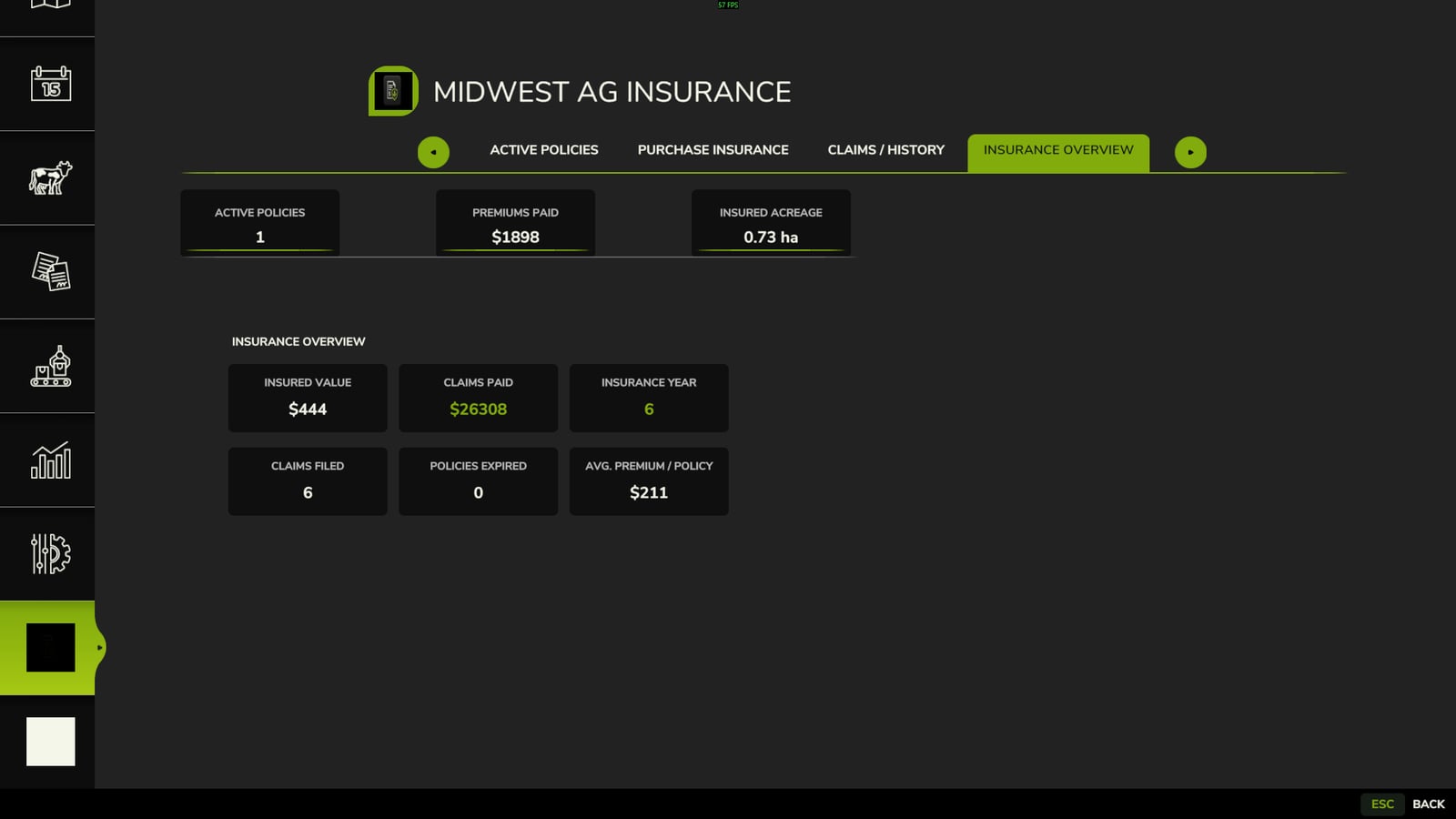
Crop Insurance V1.0
Midwest Ag Insurance is a crop insurance management system for realistic farm management in Farming Simulator 25. It provides policy management, covered-loss notifications, manual claim filing, claim review, and indemnity payouts. There are 2 files when you click download now, one is the mod, the other is a pdf with instructions on policy purchasing and claim submission along with other policy information. Features Crop insurance policies 50%, 60%, 70%, and 80% coverage options Coverage tied to the life of the current crop year Policy countdown toward the start of the applicable crop’s harvest season Hail coverage Covered-loss claim notifications Manual claim submission through the Submit Claim wizard Field selection and claim review Claim determination and indemnity processing Claim history $500 minimum payout threshold Coverage-specific indemnity factors Dedicated Midwest Ag Insurance interface Live insured value updating How to File a Claim When the system identifies a potential covered loss: 1. Claim Notification: The system notifies you that a claim may be available. 2. Submit Claim: Select Submit Claim to open the claim wizard. 3. Select the Field: Choose the field associated with the potential loss. 4. Review the Claim: Review the information presented by the claim wizard. 5. Submit: Submit the claim for processing. Approved claims are processed according to the policy’s coverage and applicable V1 claim rules. V1 Covered Event HAIL Hail is the only documented covered weather event in Version 1.0.0.0. Future versions may expand the insurance system with additional loss events and more advanced claim calculations. Coverage Levels Coverage V1 Indemnity Factor 50% 50% 60% 60% 70% 70% 80% 80% Coverage level and loss-event severity are separate components of the V1 claim calculation. Claim Processing Claims are not automatically paid when a covered event occurs. A covered event makes a potential loss claim-eligible. The player must submit the claim through the claim wizard before the claim can be reviewed and processed. Claims that fall below the $500 minimum payout threshold are denied. Specifications Mod: Midwest Ag Insurance Studio: Midwest Modding Studio Game: Farming Simulator 25 Version: 1.0.0.0 Coverage options: 50%, 60%, 70%, and 80% Minimum payout threshold: $500 Known Issues There are a few known issues that are cosmetic and one gameplay issue. The cosmetic issue is that when loading into your game, you open the insurance menu and all the text will be scrambled. Just exit the menu, then reopen and it will be fine. This will be addressed in a future update. Also, as of now it will allow you to purchase insurance on fields not owned by you. This will also be addressed in the next update.
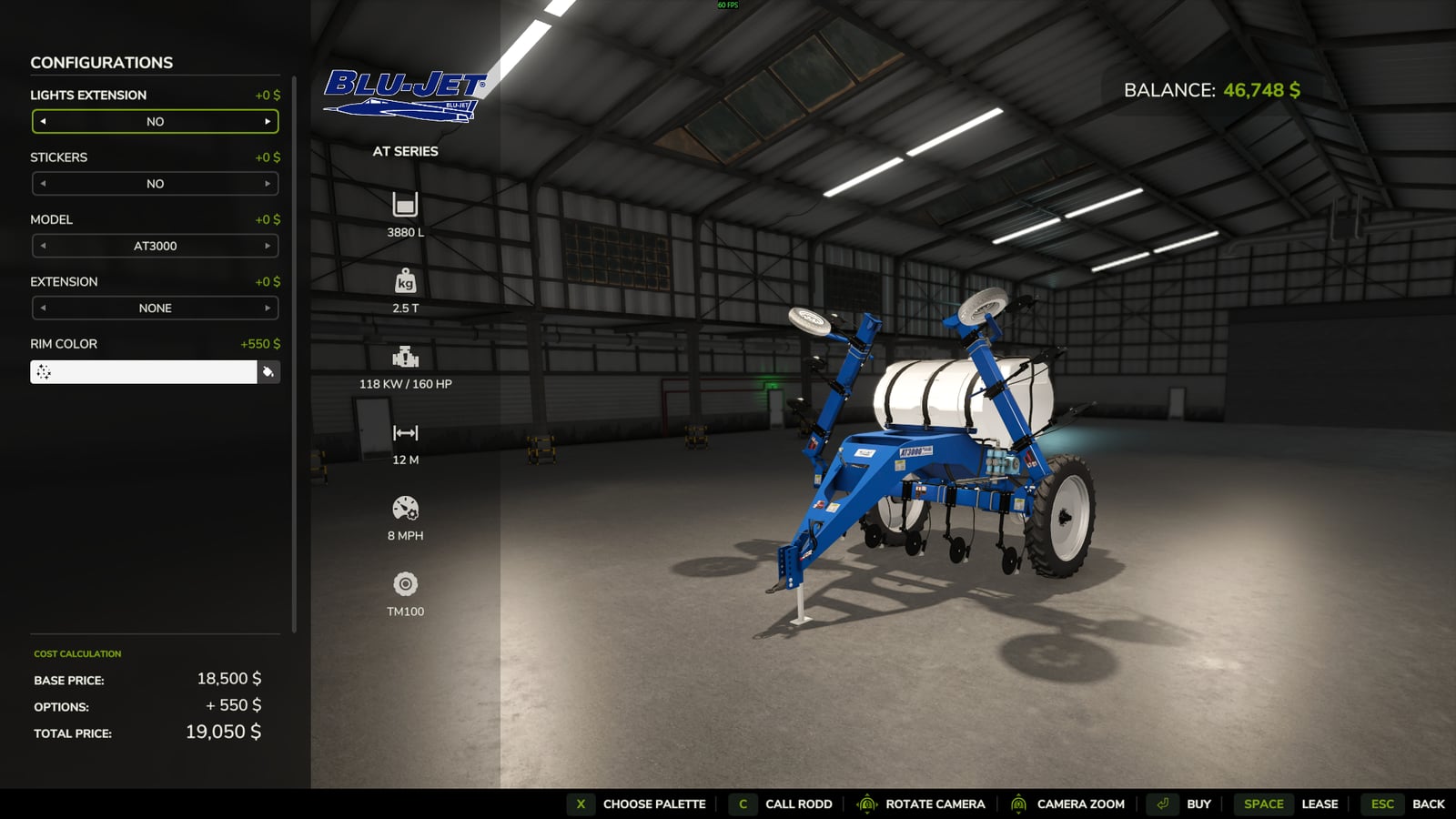
Blu-Jet AT3000/3015 V1.0.0.3
This is the Blu-Jet AT Series side-dress applicator, converted from FS22 to FS25. It has been updated to FS25 materials and will fill with base-game fill-types for fertilizer as well as the fill-types for the soil and fertilizer mod. Features Gauge tires and pump drive tire have white material mixing with the black rubber. AI workers are not functioning at the moment. Changelog V1.0.0.3 Tank Shadows: Fixed the annoying shadow issue caused by the vertex normals being rotated around the tank. Wheel Colors: Adjusted the wheel colors to better match the base-game color palette. Working Width: Corrected the working width to properly match the equipment. Tank Color Configurations: Added color configurations to the tank. Side Logos: Reworked the side logos in Blender so they properly follow the curve of the tank instead of appearing flat. More cleanup and refinement to come as development continues.
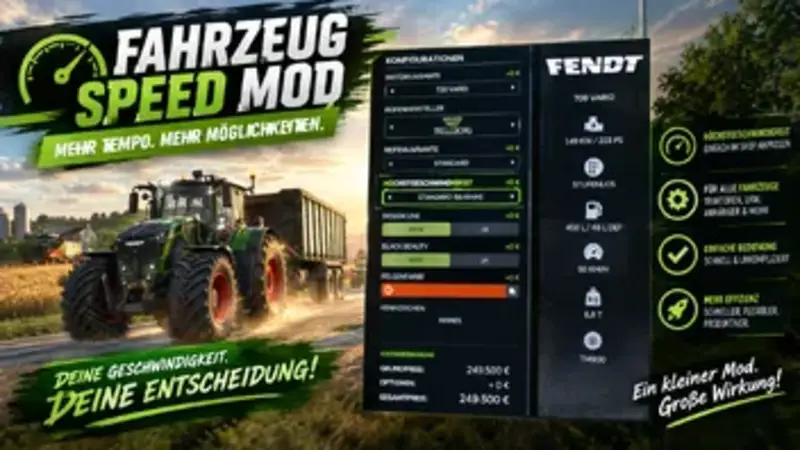
Einstellbare Fahrzeuggeschwindigkeit
Mit diesem Mod kannst du die Höchstgeschwindigkeit deiner Fahrzeuge individuell im Fahrzeug-Shop anpassen. Wähle einfach die gewünschte Geschwindigkeit beim Kauf oder bei der Konfiguration des Fahrzeugs aus und passe sie so optimal an deine Bedürfnisse und deinen Spielstil an.
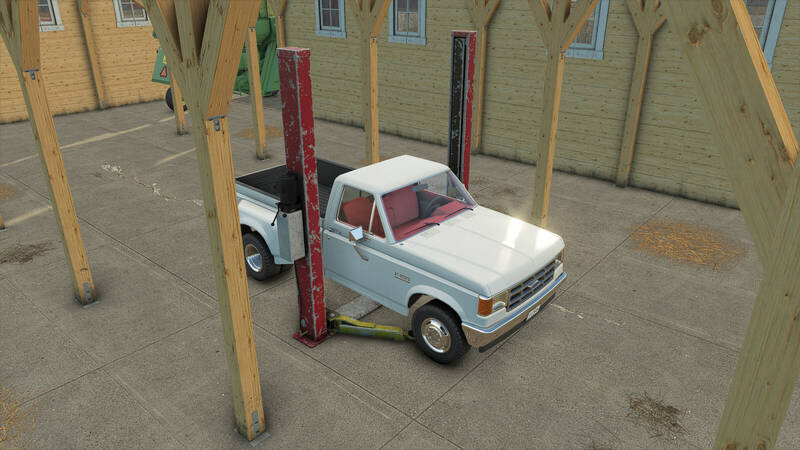
Zweisäulen-Hebebühne
Eine Zweisäulen-Hebebühne für deine Werkstatt. Hebt Fahrzeuge sicher an und ermöglicht Wartungsarbeiten am Unterboden.Konfigurationsoptionen:- Farben: Old Blue / Old Red / Färbbar- Hubhöhe: NIEDRIG / HOCH
Gras Fahrgassen
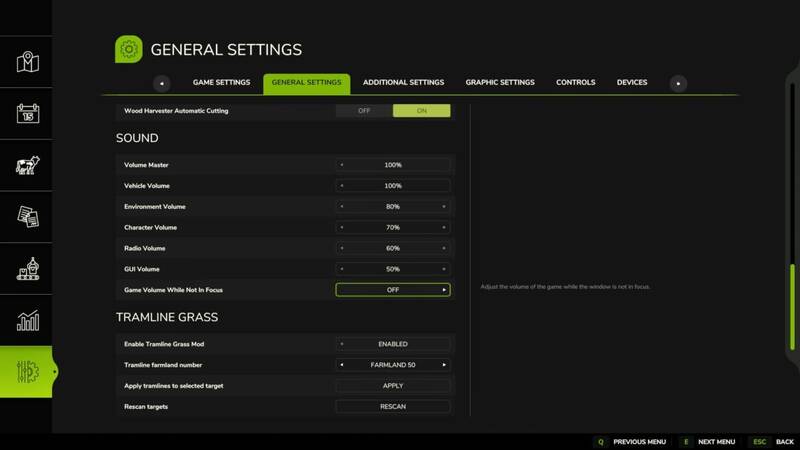
Mit diesem Mod könnt ihr Fahrgassen auf euren Feldern direkt über das Einstellungsmenü anlegen – ganz ohne erneutes Säen. Wählt einfach die gewünschte Feldnummer aus, bestätigt die Auswahl und der Mod erstellt sichtbare Fahrgassen auf dem ausgewählten Feld.Funktionsumfang:Fahrgassen werden über das Einstellungsmenü auf dem gewählten Feld erstelltPflanzen werden aus den Fahrspuren entfernt und durch Gras ersetztFahrgassen werden auch im Vorgewende (innerhalb des Feldes) angelegtDas Gras wird nach dem Überfahren kürzer dargestelltDer Mod analysiert das ausgewählte Feld, erzeugt die Fahrgassen und sorgt dafür, dass die Spuren nicht nur sichtbar bleiben, sondern auch die Orientierung beim Spritzen und bei wiederholten Überfahrten verbessern. Mit diesem Mod könnt ihr Fahrgassen auf euren Feldern direkt über das Einstellungsmenü anlegen – ganz ohne erneutes Säen. Wählt einfach die gewünschte Feldnummer aus, bestätigt die Auswahl und der Mod erstellt sichtbare Fahrgassen auf dem ausgewählten Feld. Der Mod analysiert das ausgewählte Feld, erzeugt die Fahrgassen und sorgt dafür, dass die Spuren nicht nur sichtbar bleiben, sondern auch die Orientierung beim Spritzen und bei wiederholten Überfahrten verbessern.
- 15 per page
- 30 per page
- 45 per page
- 60 per page
-
See more per page
Bigger pages, fewer clicks - and no ads anywhere.
Go Pro