Farming Simulator 25 mods
78,035 results- 15 per page
- 30 per page
- 45 per page
- 60 per page
-
See more per page
Bigger pages, fewer clicks - and no ads anywhere.
Go Pro
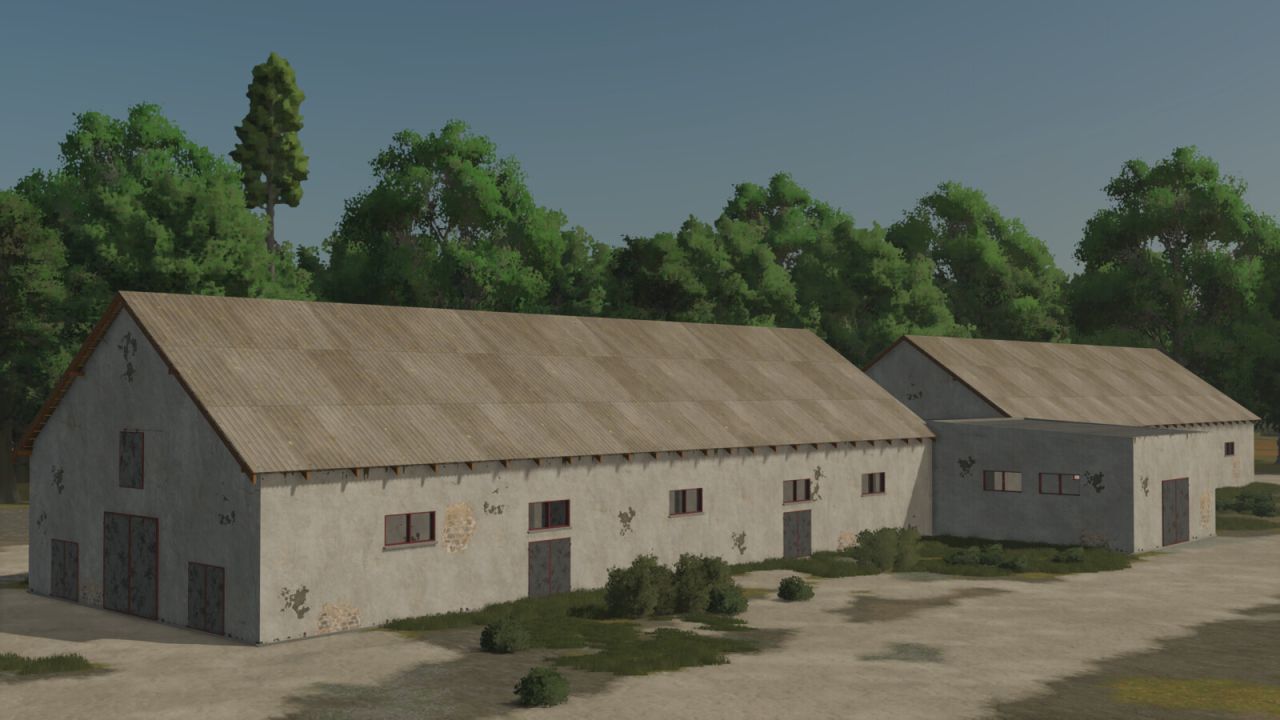
Storage PGR 85x15 FS25
Price: 90 000 $ Daily upkeep: 50 $ Area: 85x15m Placeable Storage PGR where you can store your goods.
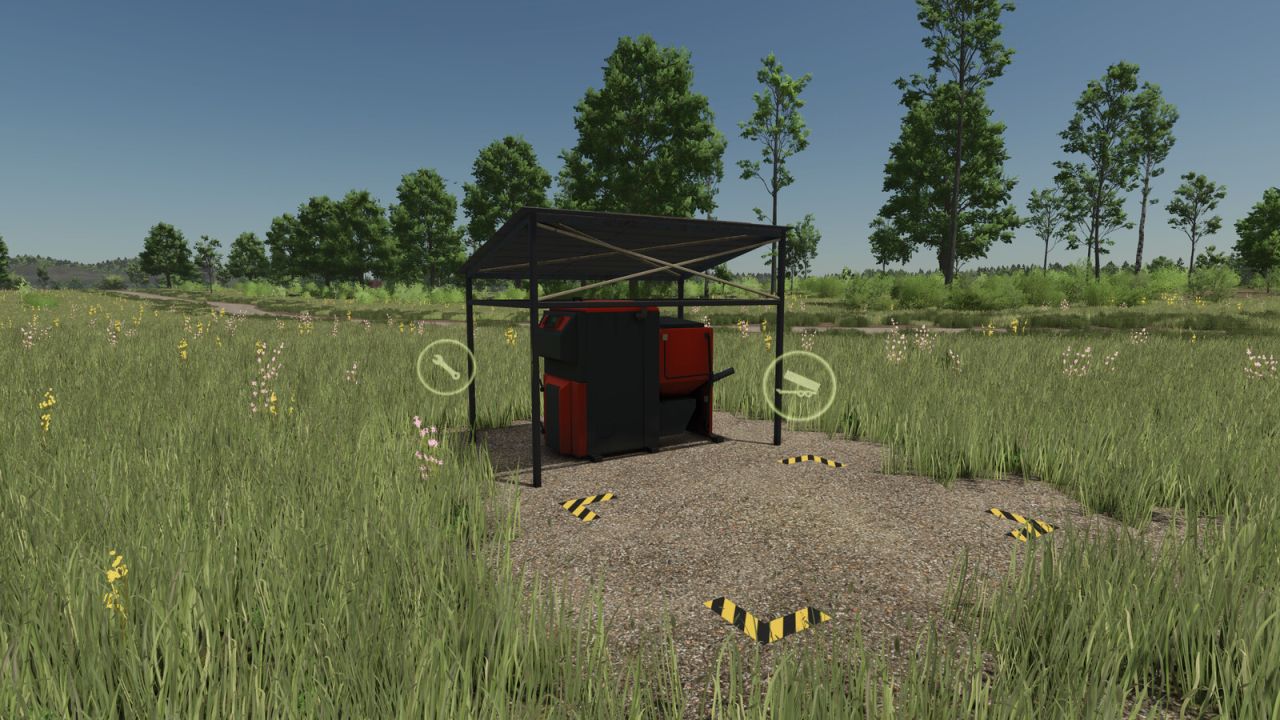
Biomass Heating Plant FS25
Category: Production Sites Price: $36,000 Daily upkeep: $150 Incoming Materials: STRAW, WOODCHIPS Outgoing Materials: ELECTRICCHARGE (direct sell) Production recipes: 240 Cycles/Month | 60$/Month STRAW 400 = ELECTRICCHARGE 60 WOODCHIPS 75 = ELECTRICCHARGE 105 -Heating plant accepts bulk and bales of straw & woodchips. -Gravel textures around the production. You can make additional profit of ~+30% for Straw. Production lines are running in share mode. If Both lines are active, you can expect ~7000$ per month in Hard economy.
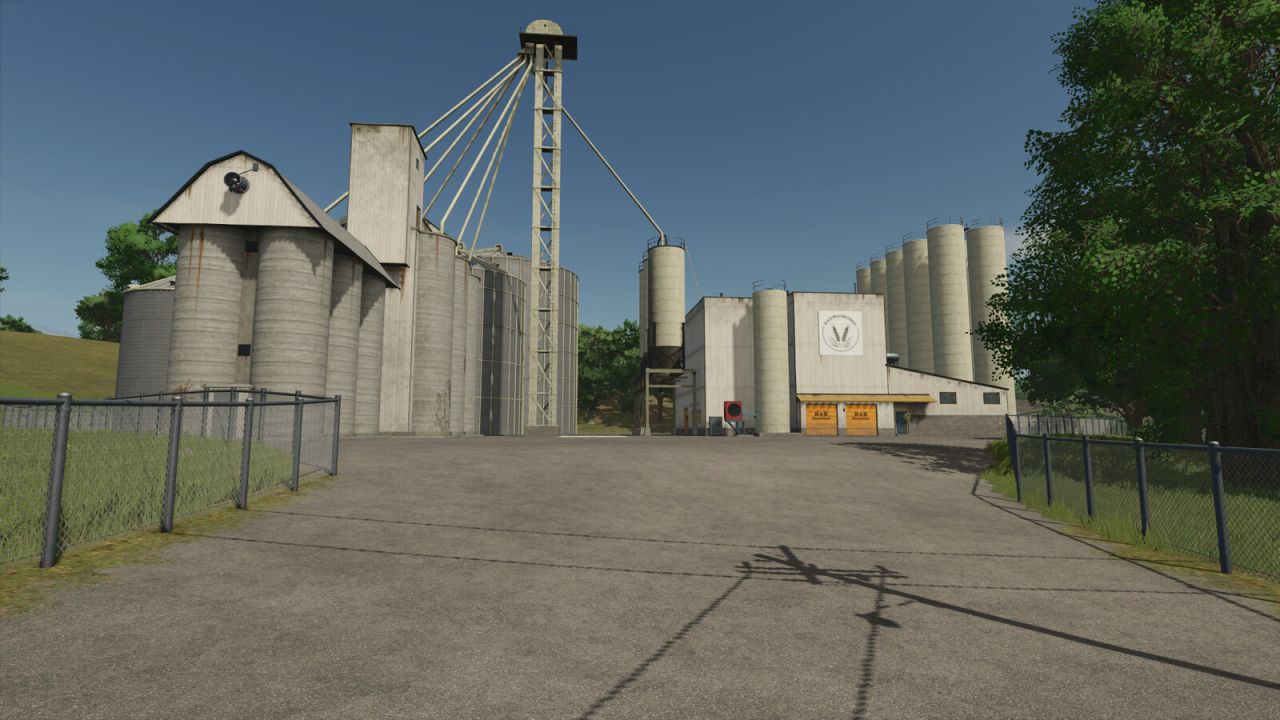
Big US Grain Mill FS25
Grain Mill - Price: 165000 $ - Daily upkeep: 150 $ - Size: 90m x 83m - Category: Factories Input: Wheat, Barley, Oat, Sorghum Output: Flour Storage capacity: - Wheat: 520000 liter - Barley: 520000 liter - Oat: 520000 liter - Sorghum: 520000 liter - Rice: 520000 liter - Longgrain rice: 520000 liter - Flour: 210000 liter - Riceflour: 160000 liter Production speed: - 1200-7200 cycles/month depending on the input product - 720 $ cost/month
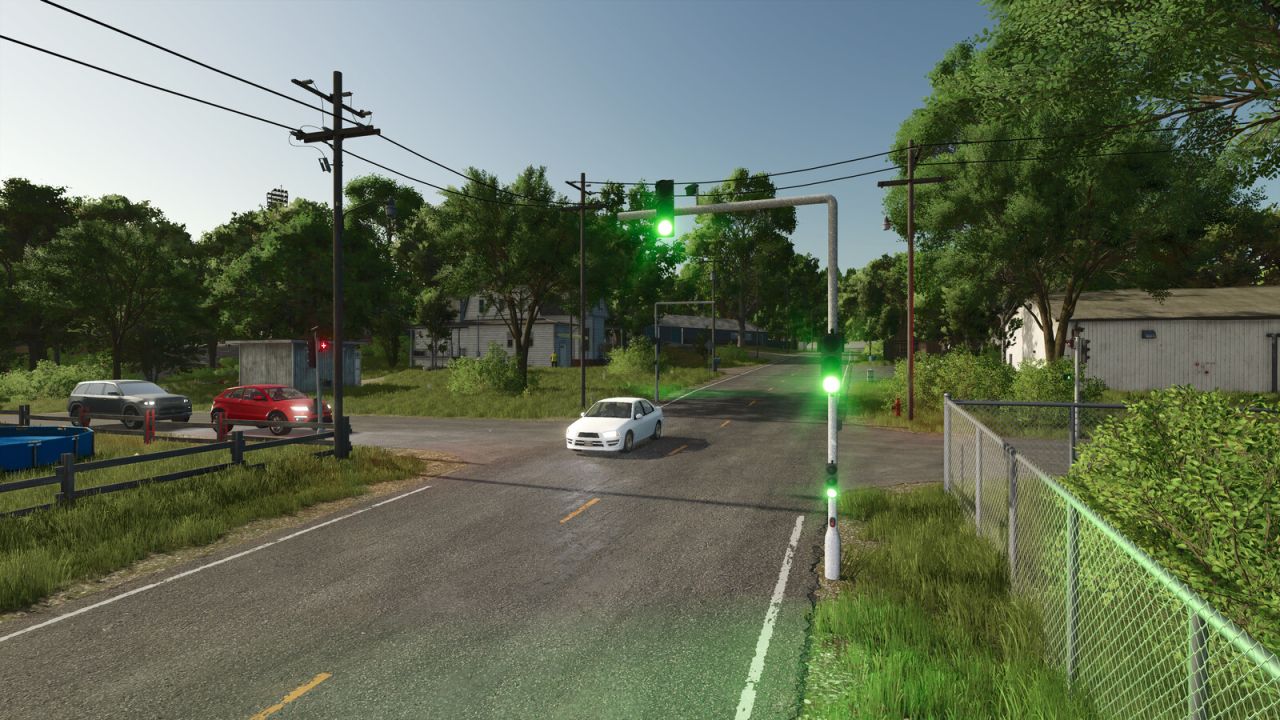
Automatic Traffic Lights FS25
Improve traffic management and realism in your simulation with these interactive traffic lights. Whether it's for securing a busy intersection, managing traffic at your farm entrance, or enhancing your role-playing sessions, this mod is the essential tool for any meticulous manager. Features: - Automatic system: Automatic adjustment of light states. Automatic traffic and convoy control! - Dynamic lighting: The lights project a realistic glow on the ground (green, orange, and red), providing optimal visibility even at night. - Purchase and Transport: The lights must now be purchased from the Vehicle Shop and transported manually to the selected location. - How does it work? To initiate the signaling sequence, you now need to enter the vehicle, just as you would when entering a tractor. The color cycle will change in a few seconds, clearing the intersection and allowing you to release or block traffic. - Traffic blockage collision: The collision zone can be shifted to either the left or right side for the following lights: - Standard Automatic Traffic Light. - Automatic Traffic Light with Forward / Right Arrow. - Automatic Traffic Light with Forward / Left Arrow. - Automatic Traffic Light with Forward / Left / Right Arrow. A button allows you to activate a visual aid to indicate which side the collision is on. - In the store: Free models (details) and paid lights have been added: New lights: - Automatic Traffic Light with Left Arrow. - Automatic Traffic Light with Forward / Left / Right Arrow. - Automatic Traffic Light with Forward / Left Arrow. - Automatic Traffic Light with Forward / Right Arrow. - Automatic Traffic Light with Right Arrow. - Automatic Pedestrian Traffic Lights. Details: - Cross lights: $0 - Pedestrian signals: $0 - Flashing directional signals: $0 - Traffic regulation camera (decorative). - Technical specifications: - Standard Automatic Traffic Light: Purchase price: $2,500. Maintenance cost: $25/day. - Automatic Traffic Light Extension: Purchase price: $5,000. Maintenance cost: $50/day. - Automatic Traffic Light Right-Turn Arrow: Purchase price: $2,500. Maintenance cost: $25/day. - Automatic Traffic Light Left-Turn Signal: Purchase price: $2,500. Maintenance cost: $25/day. - Automatic Traffic Light – Arrow, Forward / Right: Purchase price: $2,500. Maintenance cost: $25/day. - Automatic Traffic Light – Arrow, Forward / Left: Purchase price: $2,500. Maintenance cost: $25/day. - Automatic Traffic Light with Arrow Indicating Forward / Left / Right: Purchase price: $2,500. Maintenance cost: $25/day. - Automatic Pedestrian Traffic Lights: Purchase price: $1,500. Maintenance cost: $15/day. Details of additions: - Cross lights: Turn red as soon as the main signal turns red (indicating that the traffic light on the opposite side is red). - Pedestrian signals: Manage pedestrian flow at signalized intersections. - Flashing directional signals: Allow proceeding past the signal, but with heightened caution. Details of Flashing Directional Signals: - Up Left Arrow. - Up Right Arrow. - Down Left Arrow. - Down Right Arrow. - Up Straight Arrow. - Down Straight Arrow. - Up / Down Straight Arrow. - Up / Down Left Arrow. - Up / Down Right Arrow. (Please note: A slight delay may occur during traffic light synchronization). - Changes and Improvements: All 3D models have been recreated from scratch to provide better visuals and increased realism in the game. - Fixed the rotation of the green light on the upper arm of the traffic light.
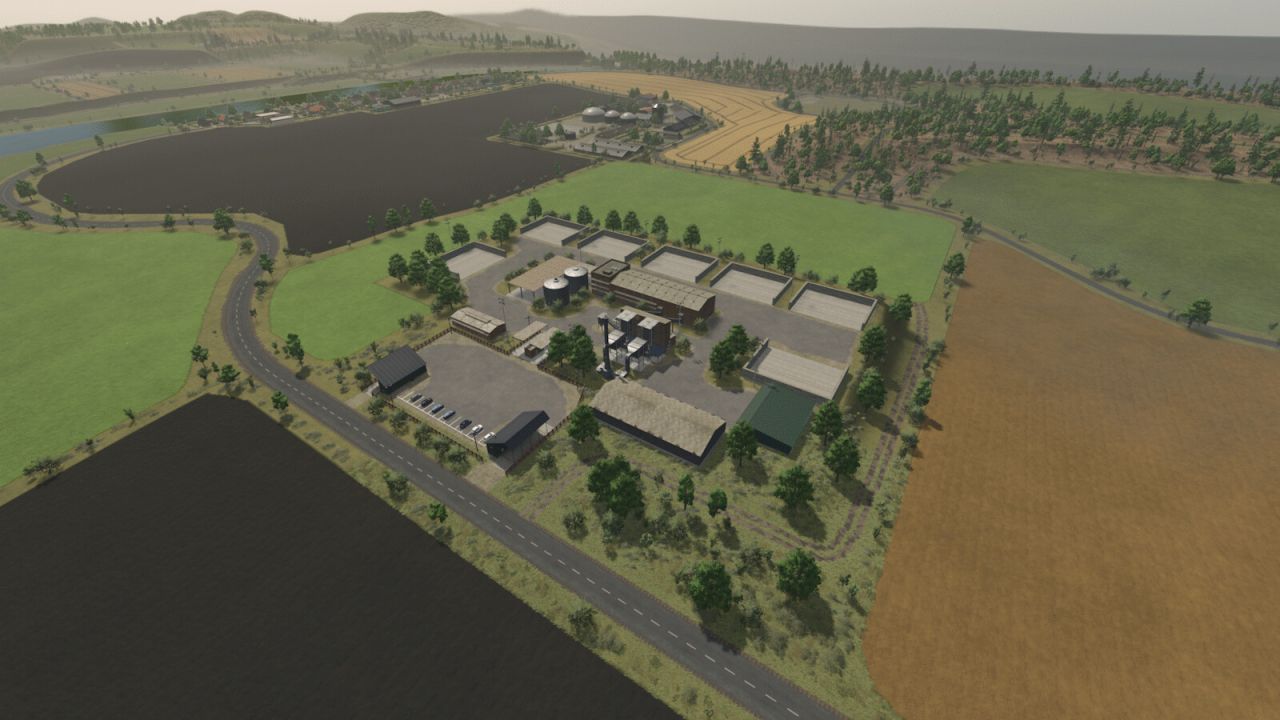
North German Country FS25
Welcome to the North German Country map. This is a fictional, four-way map of northern Germany. Key features: - 152 fields, mostly grassland. - 33 forest areas. - 7 farms with farmhouses. - 8 isolated farms. - 5 building plots, leveled but overgrown with vegetation. - Several cow pastures. - Several sheep pastures. - At the sugar factory, there are four bulk storage bunkers, available for purchase via farmland, for storing sugar beets. You also get more input materials such as lime, sugar beet pulp, stones, and raw compost. - A custom soil map for precision farming. - A fully equipped starting farm with pre-owned machinery. - Many charming little details. - Numerous production facilities and points of sale. - Crop and stubble destruction. - Farmyard decorations, including curbs, fences, etc., can be removed by selling the doghouse. - Multifruits: 8 additional crops: Rye, Triticale, Spelt, Green Rye, Vetch Rye, Field Grass, Humus Active, and Mustard. - 32 soil angles. - Pastures can be bought and sold via the farmland. - All pastures also have some water and fodder. - One biogas plant only appears in the price list and in field missions; the others are purely production facilities. - Buildings that you want to demolish now cost a demolition fee. - Custom script for more pastures with a limit of 128. - Many custom textures and decorative plants. - Many soil textures, plants, and trees in the build menu. - NO new savegame required! - Rain, hail, snow, and dust effects updated for compatibility with game patch 1.24 - Grass and field grasses regrow after mulching. - You do not need a new save file. - Digestate can be sold. - Adjusted yields of fruits, straw, and grasses. - The 1MW biogas plant now appears in field missions. - Fixed multi-fruit silos, they no longer store anything from the surrounding area. - You do not need a new save file. - Fixed occluders cache, improved performance. - Changed terrain density. - Ground angle reduced to 32°. - Row planting implemented for crops such as corn, potatoes, and sugar beets. - Some narrow sections made more Autodrive-friendly. - Weather data adjusted. - Ground textures added to the map XML. - Grass areas minimized. - Grass and weeds removed from buildings. - Water levels adjusted for improved performance. - Field, forest, and farm prices adjusted. - Many minor bugs fixed. - Multi-crop removed from the Fed missions. - All farms redesigned. - Fewer forests. - Road signs and guideposts added. - Building land added. - Some productions yield raw compost, which can be fermented into compost in a special drive-through silo. Compost can be fertilized with a manure spreader, with or without Precision Farming. - Lime works added. - Clip distances adjusted for improved performance. - The map is compatible with all DLCs. - Unfortunately, you will need a new save file. - Very important: please remove your old mods from version 1.0.0.0 of the map, as they may cause problems.
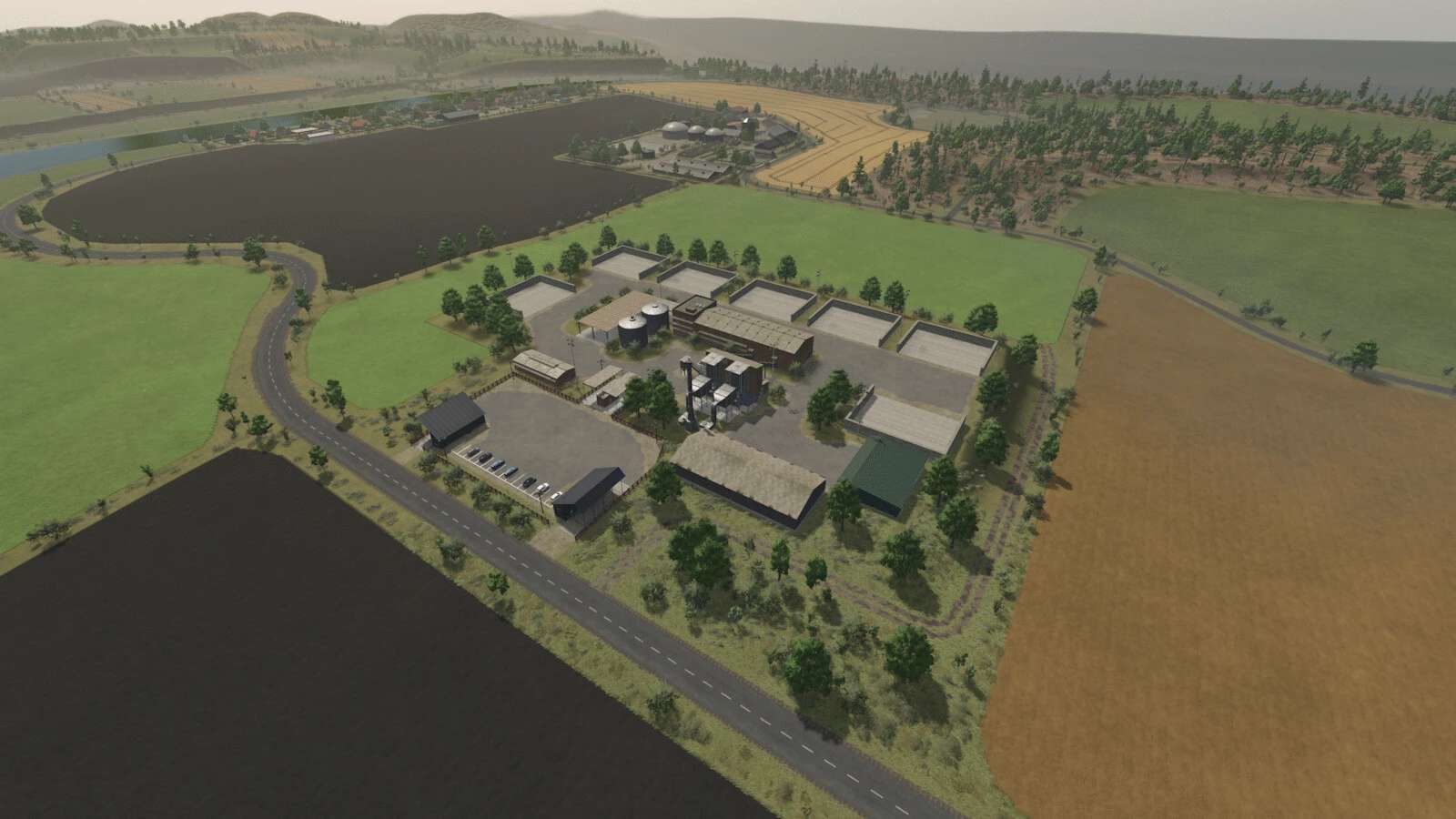
Norddeutsches Land V2.0.0.3
Norddeutsches Land V2.0.0.3 Änderungsprotokoll 2.0.0.3: – Kein neuer Spielstand erforderlich! – Regen-, Hagel-, Schnee- und Staubeffekte wurden für die Kompatibilität mit Spiel-Patch 1.24 aktualisiert. Änderungsprotokoll 2.0.0.2: – Gras und Wiesengräser wachsen nach dem Mulchen wieder nach. – Sie benötigen keine neue Speicherdatei. Willkommen auf der Karte von Norddeutschland. Dies ist eine fiktive Vier-Wege-Karte von Norddeutschland. Hauptmerkmale: – 152 Felder, überwiegend Grasland. – 33 Waldgebiete. – 7 Bauernhöfe mit Bauernhäusern. – 8 abgelegene Bauernhöfe. – 5 Baugrundstücke, eingeebnet, aber mit Vegetation überwuchert. – Mehrere Kuhweiden. – Mehrere Schafweiden. – Auf dem Gelände der Zuckerfabrik befinden sich vier große Lagerbunker, die über Ackerland erworben werden können, zur Lagerung von Zuckerrüben. Außerdem erhalten Sie weitere Ausgangsmaterialien wie Kalk, Zuckerrübenschnitzel, Steine und Rohkompost. – Eine maßgeschneiderte Bodenkarte für die Präzisionslandwirtschaft. – Ein komplett ausgestatteter Start-up-Bauernhof mit gebrauchten Maschinen. – Viele charmante kleine Details. – Zahlreiche Produktionsstätten und Verkaufsstellen. – Zerstörung von Ernterückständen und Stoppeln. – Dekorationen auf dem Bauernhof, einschließlich Bordsteine, Zäune usw., können durch den Verkauf der Hundehütte entfernt werden. – Multifruits: 8 zusätzliche Nutzpflanzen: Roggen, Triticale, Dinkel, Grüner Roggen, Wickenroggen, Wiesengras, Humus Active und Senf. – 32 Bodenwinkel. – Weideflächen können über das Ackerland gekauft und verkauft werden. – Auf allen Weideflächen gibt es auch etwas Wasser und Futter. – Eine Biogasanlage taucht nur in der Preisliste und bei Feldmissionen auf; die anderen sind reine Produktionsanlagen. – Für Gebäude, die Sie jetzt abreißen möchten, fällt eine Abrissgebühr an. – Benutzerdefiniertes Skript für mehr Weideflächen mit einem Limit von 128. – Viele individuelle Texturen und Zierpflanzen. – Viele Bodenarten, Pflanzen und Bäume im Baumenü. V2.0.0.1 – Gärreste können verkauft werden. – Angepasste Erträge von Früchten, Stroh und Gräsern. – Die 1-MW-Biogasanlage kommt jetzt bei Feldmissionen zum Einsatz. – Fest installierte Mehrfruchtsilos, in denen nichts mehr aus der Umgebung gelagert wird. – Sie benötigen keine neue Speicherdatei. Änderungsprotokoll 2.0.0.0: – Okklusions-Cache korrigiert, Leistung verbessert. – Geänderte Geländedichte. – Bodenwinkel auf 32° reduziert – Reihensaat wird für Kulturen wie Mais, Kartoffeln und Zuckerrüben angewendet. – Einige enge Abschnitte wurden für den Autodrive besser geeignet gemacht. – Wetterdaten angepasst. – Bodentexturen wurden der Karten-XML hinzugefügt. – Rasenflächen minimiert. – Gras und Unkraut wurden von den Gebäuden entfernt. – Wasserstände wurden zur Leistungssteigerung angepasst. – Preise für Felder, Wälder und landwirtschaftliche Betriebe angepasst. – Viele kleinere Fehler behoben. – Mehrfachanbau wurde aus den Fed-Missionen entfernt. – Alle Farmen wurden neu gestaltet. – Weniger Wälder. – Straßenschilder und Wegweiser hinzugefügt. – Bauland hinzugefügt. Bei einigen Produktionsverfahren entsteht Rohkompost, der in einem speziellen Durchfahrtssilo zu Kompost fermentiert werden kann. Der Kompost kann mit einem Miststreuer gedüngt werden, gegebenenfalls in Kombination mit Präzisionslandwirtschaft. – Kalkarbeiten hinzugefügt. – Die Clip-Abstände wurden für eine verbesserte Leistung angepasst. – Die Karte ist mit allen DLCs kompatibel. Leider benötigen Sie eine neue Speicherdatei. – Sehr wichtig: Bitte entfernen Sie Ihre alten Mods aus Version 1.0.0.0 der Karte, da diese möglicherweise Probleme verursachen. Erforderliche Mods: Fahrzeugschuppen Schuppen und Lagerräume Große Lagerhallen Fachwerkscheune Windkraftanlagenpaket Unterschlupf Bunker Silo Set Modular Farmhouse-Paket Band 3 Schuppenpaket Cowshed Pack Hühnerstall Kuhstall 3+0 Aufbewahrungspackung für Gülle Old Farm Paket Kuhstall 3+3 Schweinestall Alle Bodentexturen im Spiel Farmhouse-Paket Band 2 Wasserhaus Getreidemühle Schweinestall Geräteschuppen Schuppenpaket Mistbecken Dreiseitiger Bauernhof Werkstatt Tags: Der KompostMaschinenNutzpflanzen RoggenSie Ihre
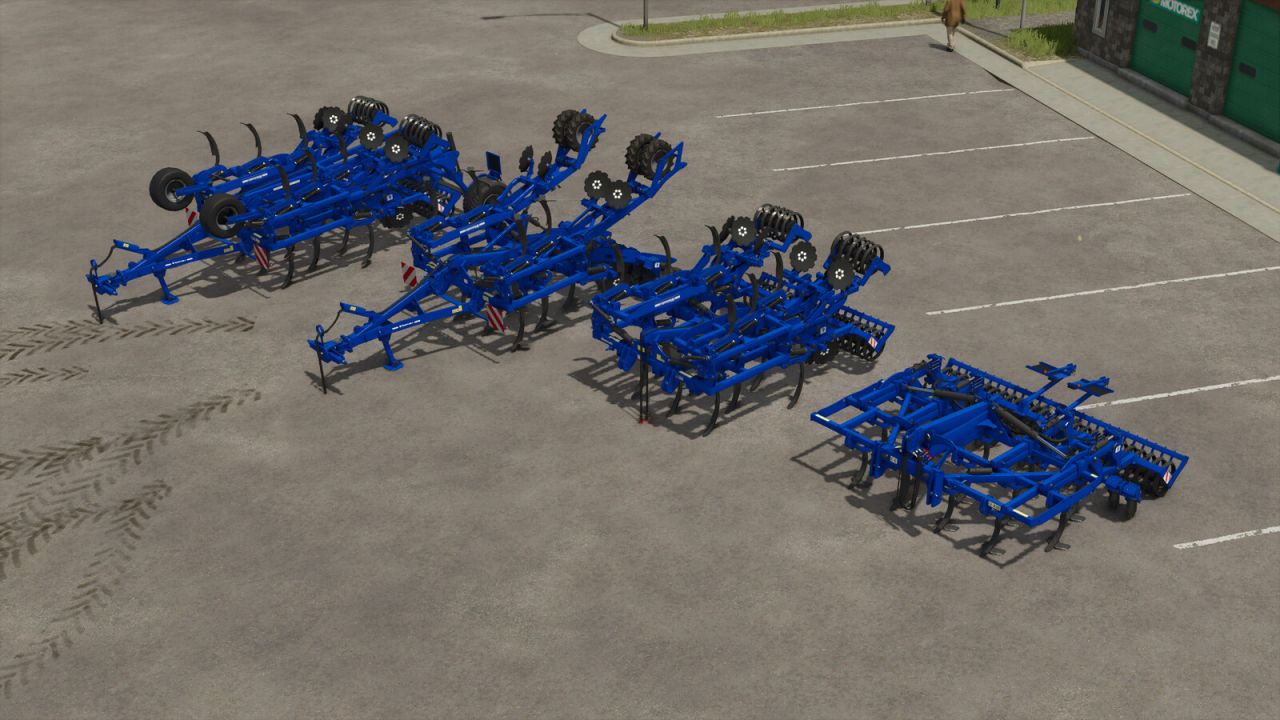
Rolmako U436 4m/4.5m Pack FS25
Multifunctional cultivators of the Polish company Rolmako - U436 H with a working width from 4 to 4.5m. The package includes 4 models of cultivators - two suspended and two semi-suspended. -Rolmako U436 4m SH [suspended version]- Price: 16350 $ Max. working speed: 13 km/h Power requirement: 170 HP Working width: 4.0 m -Rolmako U436 4m HP Premium [semi-mounted version]- Price: 16950 $ Max. working speed: 13 km/h Power requirement: 170 HP Working width: 4 m -Rolmako U436 4.5 H [Suspended version]- Price Price: 17350 $ Max. working speed: 13 km/h Power requirement: 195 HP Working width: 4.5 m -Rolmako U436 4.5 H PRO [Semi-mounted version]- Price: 18350 $ Max. working speed: 13 km/h Power requirement: 195 HP Working width: 4.5 m *Configurations: -Lifters (Yes/No) -Lighting (Yes/No) -Fenders (Yes/No) - PRO VERSION ONLY! -Support wheels (Yes/No) - PRO VERSION ONLY! *Setting the height of the support wheels (mouse control) - PRO VERSION ONLY! *Setting the height of shafts and discs (mouse control) *Additional features: [ANIMATED LATCH - randomly moving] [SET WORKING DEPTH] - CTRL+Y] -Fixed decals -Fixed flickering parts of the model - Reduced smoke emission to improve optimisation -Improved AI worker behaviour (errors at the end of runs) -Changed support wheels in the U436 4.5 H PRO version -Improved AI worker behavior
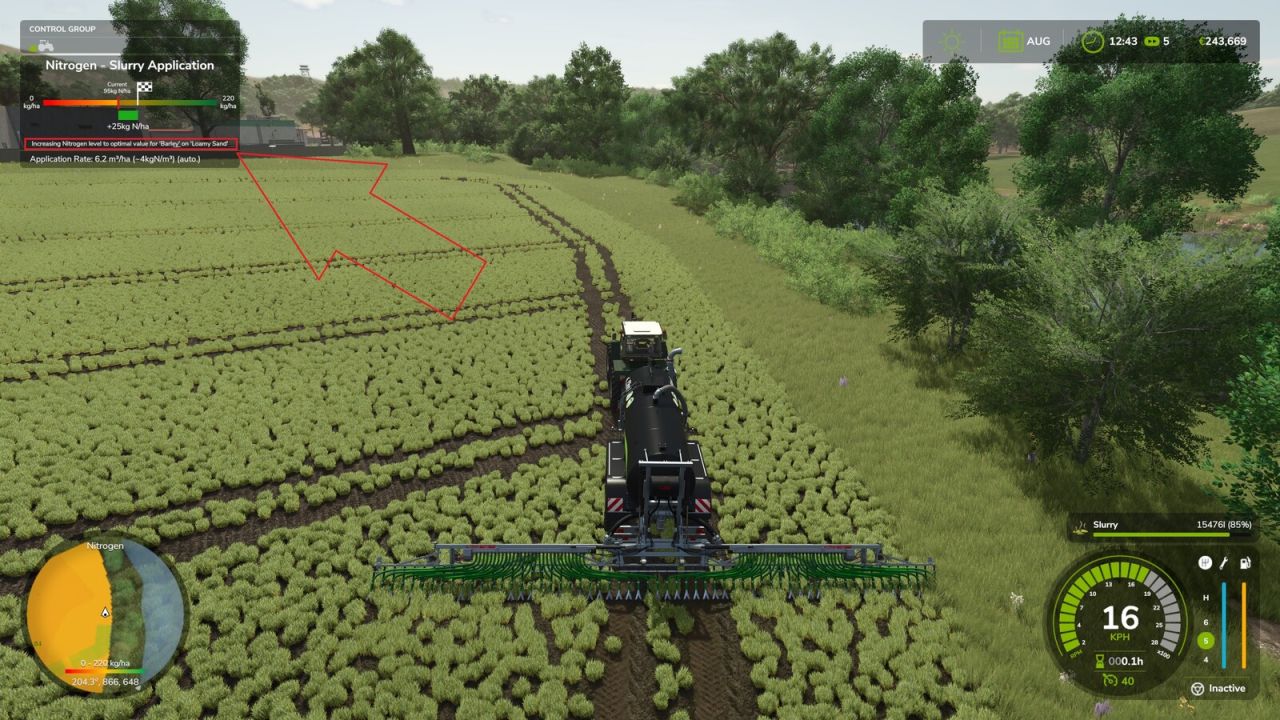
Demand-Oriented Organic Application FS25
Enables demand-oriented organic fertilization with Precision Farming for slurry, digestate and manure and adds a freely selectable target crop. While driving a vehicle combination with a compatible organic applicator, open the settings with the configurable "Select target crop" action. Default key binding: Left Ctrl + Z. The window is only available for compatible slurry, digestate and manure applicators. You can choose between Automatic and all crops loaded by the current map. A manually selected target crop is used for Precision Farming's nitrogen target calculation, so the following crop can already be fertilized before sowing. Each applicator stores its own settings across save/load. For a selected target crop, the nitrogen target can optionally be reduced by X kg N/ha or the application can be limited to a maximum of X kg N/ha per pass. The target crop, fertilization mode and nitrogen value are stored per applicator and synchronized in multiplayer. - Fixed dedicated-server savegame serialization for per-applicator target crop settings. - Fixed the mouse cursor remaining visible after closing the settings dialog. - Added a freely selectable target crop for demand-oriented organic fertilization. - Added a single GIANTS-style settings window for target crop, fertilization mode and nitrogen value. - Added "Target - X kg N/ha" mode. - Added "Max. X kg N/ha per pass" mode. - Settings are stored separately for each applicator and persist across save/load. - Added multiplayer synchronization for the per-applicator settings. - Manual target crops can be used for Precision Farming's nitrogen calculation before sowing the following crop. - Improved compatibility with Precision Farming's organic applicator logic. - Fixed a crash when refreshing Precision Farming settings in mixed vehicle combinations. - Corrected slurry, digestate and manure tank consumption when using a manually selected target crop. - Added French localization.
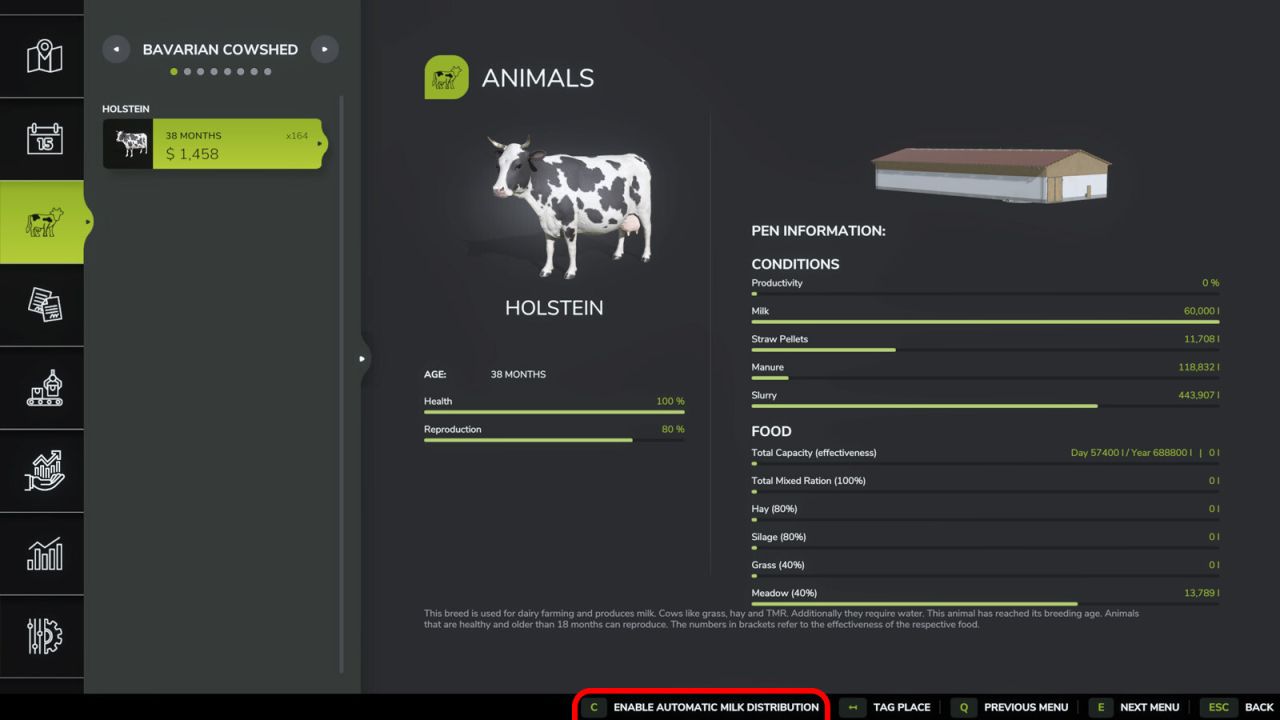
Automatic Milk Distribution FS25
Automatically distributes milk from barns to active production points. This script saves time and eliminates manual transport. You can set the daily distribution hour in the general game settings. The system supports standard cow milk and buffalo milk. You can enable or disable the feature for each barn individually in the animal menu. Optionally, transport can cost money per liter, deducted from the farm's account, configurable in the general game settings. - Added optional paid milk transport (cost per liter, configurable in the general game settings) - In-game notifications are now translated and use the game's currency and unit settings - Removed debug console commands and log output
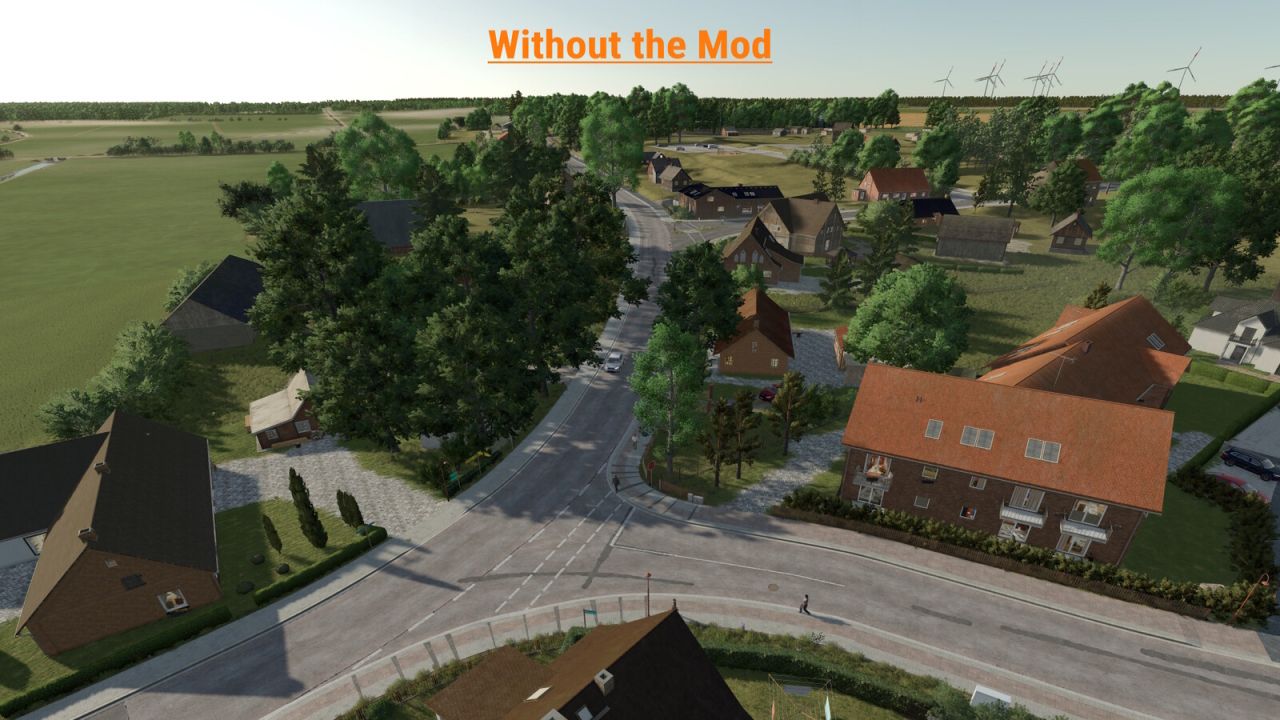
Traffic Density Control FS25
Traffic Density Control adds a dedicated section to the game settings where the AI traffic density can be adjusted. The number of active AI vehicles can be set directly in-game. Values from 15 to 150 vehicles are possible. For map creators, traffic splines can optionally use the user attribute trafficDensity or density. Example values are 0 for blocked traffic, 0.1 for very low traffic, 0.25 for low traffic, 0.5 for medium traffic and 1 for normal traffic. Splines without this user attribute keep their normal map behavior. A manual reload function is also available for singleplayer. It can reload the AI traffic once if needed, for example when vehicles are stuck or traffic behaves unusually. In multiplayer, only the host or an admin can change the number of AI vehicles. For the change to take effect, the server must be saved and restarted once after adjusting the vehicle count. Important note: A higher number of AI vehicles can, depending on the map, system performance and gameplay situation, cause performance issues, traffic jams or unusual AI traffic behavior. Therefore, increase the value carefully and test the setting individually on each map. - Collision detection for railroad crossings and traffic lights has been corrected - Fixed pathfinding for custom TrafficSystem vehicles on mod maps. - Custom AI traffic on mod maps is now supported. - New mapper function “trafficDensity” to control traffic density on individual traffic splines. - Installation instructions added as a text file.

FS25 Realistic 4×4 Traction System V2.0.0.0
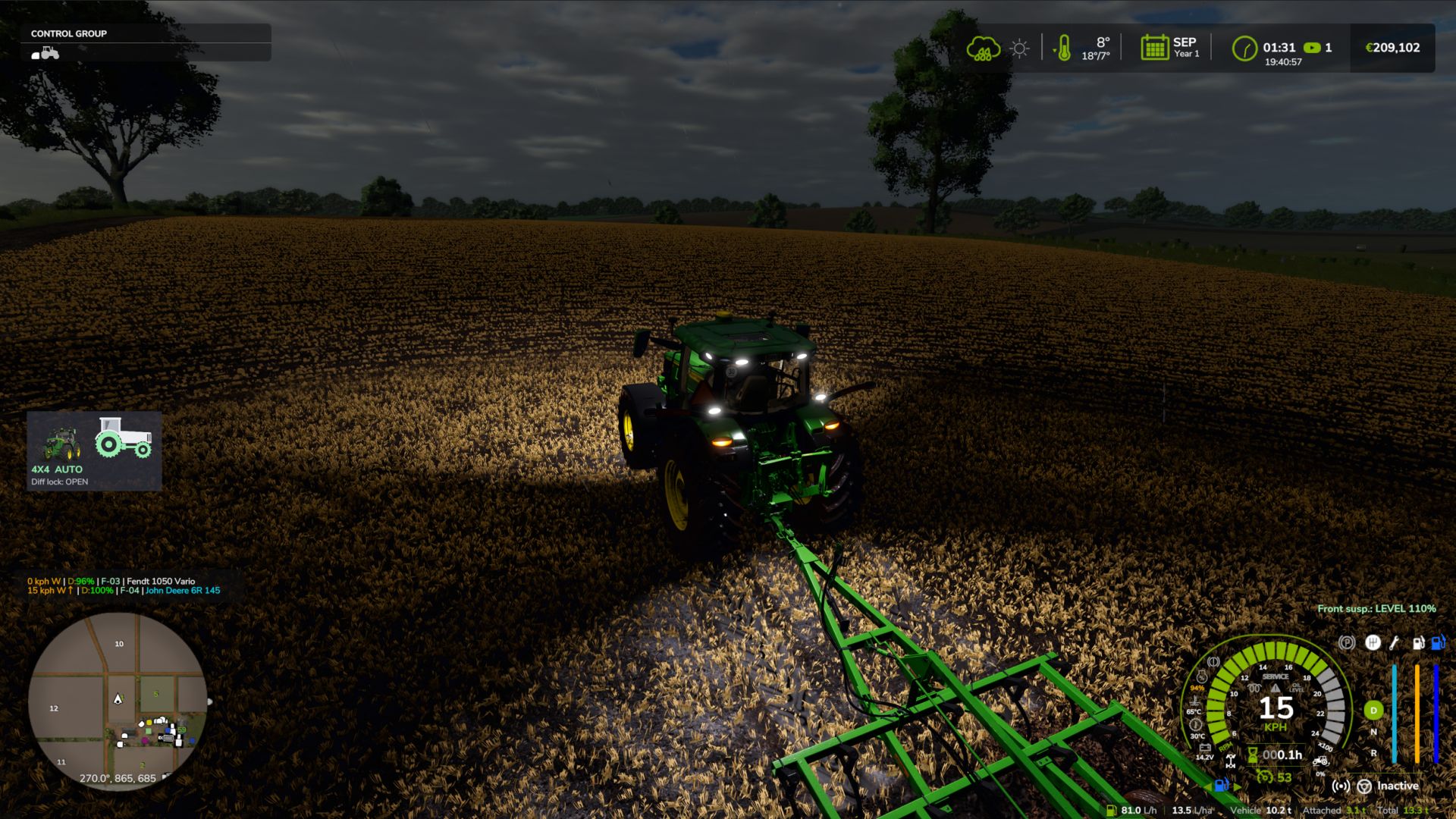
FS25 Realistic 4×4 Traction System V2.0.0.0 Multiplayer in development, playable but may contain bugs Take real control of your tractor’s traction — engage 4×4, lock the differential and let the system react to actual wheel slip, not just to an assigned key. This mod adds a fully switchable 4×4 traction system to compatible vehicles (tractors, trucks, harvesters, cars): engage/disengage the front axle when needed and toggle a differential lock that trades turning radius for maximum grip in mud, snow or during heavy work. Features Real rear-wheel slip detection — automatic modes react to actual wheel-slip physics, not just speed Four driving modes, assigned to each vehicle by default: Manual — always in control Semi-automatic — engages with actual wheel slip, while manual control is always available Automatic — the same logic, adjusted for vehicles with factory-fitted automatic 4WD (CVT/IVT transmissions) Intelligent — continuous, proportional engagement in the Fendt style (without abrupt switching on/off) Native tyre-pressure simulation during engagement — no dependency on any other mod On-screen HUD with real-time status and adjustable position in the game Settings menu Zero XML changes to any vehicle — the system integrates automatically into all compatible vehicles V2.0.0.0 All drivable vehicles now supported (except trains, boats and motorbikes). Each vehicle is recognised by its shop category and its real driveline: tractors: selectable 4×4 (as before); articulated / 4-track tractors, wheel loaders and telehandlers: permanent 4×4, locks only; 6×4 trucks: lockable inter-axle differential + locks; AWD trucks: selectable front drive; 4×2 trucks: rear lock; cars / pick-ups / UTVs: part-time 4×4 that engages on the move; combines and self-propelled: rear-axle drive on demand. Limits per vehicle type: when 4×4 and locks can engage, top speed with 4×4, automatic lock / unlock. New 4×4 window (Left Alt + J): top view of the driveline, 4×4, centre / inter-axle and front / rear locks with the mouse, mode per vehicle (saved with the savegame), tyre pressure (field / road / automatic / manual), telemetry and all settings. The menu in the game’s settings was removed (it slowed down loading); everything is in the window now. Mod and DLC tractors without a profile get their mode from the transmission (CVT / full powershift = automatic, partial powershift = semi-automatic, manual gearbox = manual). Brand profiles now apply to tractors only (Massey Ferguson combines and the Kubota R640 were set to automatic). Challenger MT600 excluded. Zasty HUD: with the HUD active, the 4×4 panel hides and the HUD shows 6X4 / AWD / 4X2 and the locks. Multiplayer: driveline and mode of each vehicle reach all players; the chosen mode is checked on the server. Keys: only Ctrl + J (4×4) and Ctrl + K (locks) remain; single locks, CTIS, tyre pressure, panel and telemetry moved to the window. Fix: the default keys were not assigned on a new installation. KEYS (default) Left Ctrl + J: 4×4 on / off Left Ctrl + K: Differential locks on / off Left Alt + J: 4×4 window (locks, tyre pressure, mode, settings) These are the default keys. If one of them is already used by the game or by another mod, go to Options > Controls and set the key you prefer, to avoid conflicts. Credits:zasty chalk, Patrik Vendelberger, Cris669 Tags: CVTDLCHUDMassey Ferguson
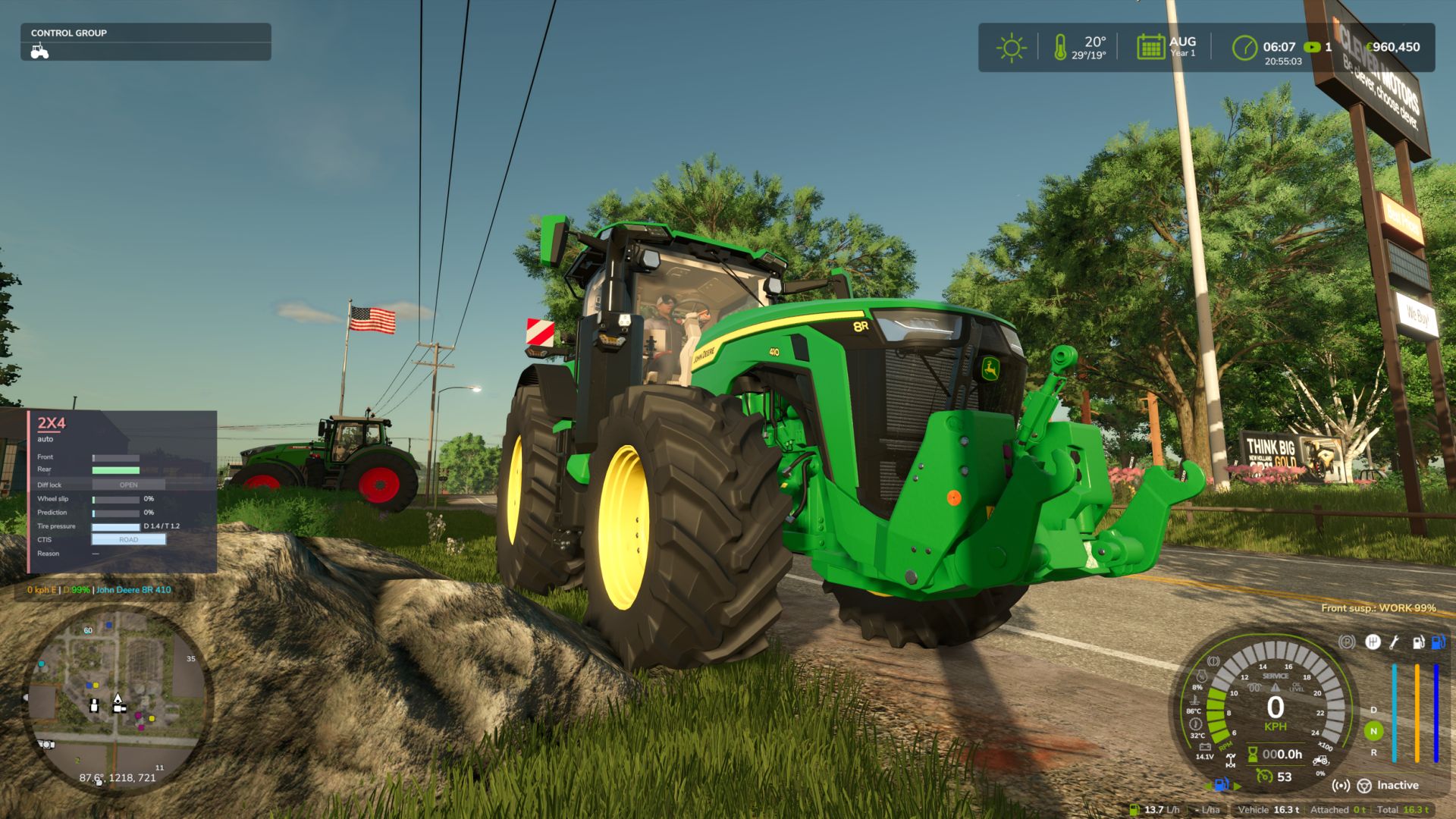
FS25 Hydraulic Suspension System V2.0.0.0
FS25 Hydraulic Suspension System V2.0.0.0 Ever noticed that the tractor front axle in the game feels like a steel beam? Hit a rock and the whole tractor jumps, the wheel barely moves. This mod gives tractors the hydraulic front suspension they have in real life. Suspension that really works The wheel moves up and down over bumps and rocks, and you can see the links, cylinders and shaft moving. The tractor is much more stable and comfortable. Automatic leveling Just like real tractors: add front weights or a heavy implement and the front returns to the right height by itself in a few seconds. Every brand with its own system John Deere ILS and TLS, Fendt, Claas PROACTIV, Terraglide (Case IH / New Holland / Steyr), MF Quadlink, Valtra, Deutz-Fahr and McCormick. Each one behaves differently, some softer, some firmer. Driving modes – AUTO – levels by itself – WORK – firmer when working in the field or when the front starts bouncing – LOCKED – stiff axle for front loader work or heavy transport – MANUAL – raise and lower the front yourself (only on JD ILS and Fendt, like in real life) Keys Ctrl+Alt+U – change mode Ctrl+Alt+↑ / ↓ – raise / lower the front (manual mode) (can be changed in control options) Only works on tractors that have this system in real life: medium and large tractors from the listed brands. Small tractors and crawlers stay as they are. BETA VERSION The mod is still being tested, especially in multiplayer. lot of work needs to be done, but so far is playable and tweaks and fixes will be released from users feedback and suggestions, If you find a problem, please send me your log.txt file. In multiplayer, I need the log from both the host and the player who joined. V2.0.0.0 – Suspension window (Left Alt + U): system, mode, height, front-loader stabiliser and live state (axle load, weight on the front, cylinders, spring, damping, warnings) with a side view of the axle. Settings and panel moved from the game’s menu into the window. – Trucks (new): rear air suspension with levelling (ECAS), up to 3 axles. Same ride height empty or loaded, manual height for loading docks and coupling, back to ride height by itself above 30 km/h. 8×4 tippers and bigger keep their leaf springs. Can be switched off. – Levelling only on tractors that have it in real life (brand, weight and minimum power, default 120 hp). Small / simple tractors get a swinging pendulum front axle without suspension instead of the game’s soft suspension. Tracked tractors are left alone. – Wheel loaders and telehandlers: Ride Control (boom suspension with accumulator) above 6 km/h, rigid below for precise work; Ctrl + U switches AUTO / OFF. – Front loader on tractors: the load really floats with the movement of the arm tip; on / off in the window. – Firmer damping on the road above 30 km/h; JCB Fastrac rear self-levelling suspension; hydraulic valve sound. – Rigid front axles (e.g. John Deere 7030) move and tilt as one piece. – No more shaking on independent suspension (JD 8R ILS) and no more little hops when switching tractors. – Panel: warnings “end stop” and “front too light – add ballast”, name of the tractor’s system; can be switched off; hides while the window is open and when Zasty HUD is active. – Cars, combines and other vehicles are left alone (shop category is checked). – Keys: Ctrl + U mode, Ctrl + Alt + Up / Down manual height (hold), Alt + U window. Removed: Ctrl + Alt + L and Ctrl + Shift + U (now in the window). – Fix: the default keys were not assigned on a new installation. KEYS (default) – Left Ctrl + U: Suspension mode (Ride Control on wheel loaders) – Left Alt + U: Suspension window – Left Ctrl + Left Alt + Up / Down arrow: Manual height (hold) These are the default keys. If one of them is already used by the game or by another mod, go to Options > Controls and set the key you prefer, to avoid conflicts. Credits:zasty chalk, Cris669, Patrik Vendelberger Tags: JDJohn DeereRide ControlTLS
CUMA – Gemeinsam genutzte Geräte V1.0.0.3
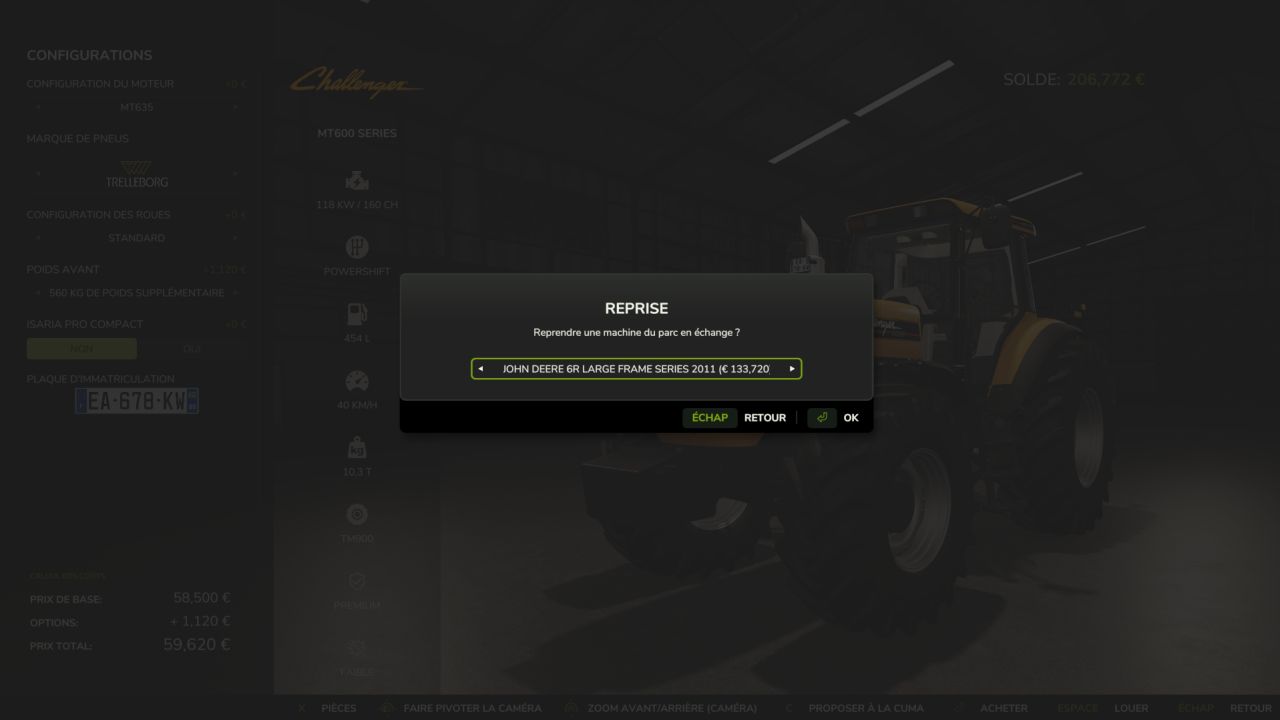
CUMA – Gemeinsam genutzte Geräte V1.0.0.3 V1.0.0.3 Es wurde eine Schaltfläche hinzugefügt, mit der die Verzögerung zwischen den Käufen angepasst werden kann. Mehrere kleinere Fehler wurden behoben. V1.0.0.2 Änderungen der Benutzeroberfläche Fehler im Zusammenhang mit dem Mausrad behoben. erhöhte Grenzwerte Mehrere Fehler behoben Was wäre, wenn Sie Ihre gesamte Ausrüstung nicht mehr selbst kaufen müssten? Diese Mod führt CUMAs (landwirtschaftliche Maschinengenossenschaften) in den Landwirtschafts-Simulator 25 ein. Sie treten einer Genossenschaft bei, zahlen einen Mitgliedsbeitrag und leihen sich Traktoren, Anbaugeräte und Maschinen stundenweise aus – genau wie im echten Leben. Im Shop-Menü des Spiels erscheint ein neuer Reiter namens „CUMA“. Die CUMA-Seite: Oben sehen Sie die in Ihrem Spielstand verfügbaren Kooperativen. In der Mitte wird die von Ihnen ausgewählte Kooperative angezeigt, inklusive Beschreibung, monatlichem Mitgliedsbeitrag, aktuellem Stundensatz und Mitgliederzahl sowie Schaltflächen zum Verlassen, Ausleihen, Verschieben in die neue Zone und Zurücksetzen. Darunter können Sie die gesamte Flotte einsehen, einschließlich Zustand, Alter, Betriebsstunden, Wert, stündlicher Mietkosten und aktuellem Status (verfügbar, in Reparatur, von einem anderen Mitglied ausgeliehen usw.). Die Geräteempfehlungen basieren auf dem vorhandenen Fuhrpark. Beispielsweise ist eine Kredo 3 Kreiselegge (165 PS erforderlich) mit den Traktoren von CUMA kompatibel (95 % Übereinstimmung), während Modelle mit 330 PS und 440 PS als „Nicht kompatibel“ gekennzeichnet sind – sie sind schlichtweg zu groß für die aktuell im Fuhrpark befindlichen Traktoren. Merkmale Mitgliedschaft und Gebühren Sie können jeweils nur einer CUMA beitreten; Sie können nach mindestens einem Jahr wieder austreten. Es wird eine monatliche Mitgliedsgebühr erhoben, die sich nach dem Wert der Fahrzeugflotte richtet, und die Gerätevermietung wird stundenweise abgerechnet. Die Stundensätze schwanken je nach Jahreszeit im Spiel (höher während der Aussaat und Ernte, niedriger im Winter) und nicht danach, wie häufig Sie Ausrüstung ausleihen. Jede CUMA zeigt ihre Mitgliederzahl an, die sich im Laufe der Zeit allmählich ändert. Genossenschaften mit Charakter Jede Spielsitzung umfasst 2 bis 4 landwirtschaftliche Genossenschaften (CUMAs) – oder mehr, falls Sie diese erstellen möchten – jede mit ihrem eigenen Profil und der entsprechenden Ausrüstung. Beispiele hierfür sind: ein kleines Dorf ohne Mähdrescher; eine Genossenschaft im Tal mit Mähdrescher und modernen Maschinen; ein großflächiger Ackerbaubetrieb mit PS-starken Traktoren und Pflügen; oder eine auf Viehzucht spezialisierte Gruppe mit Teleskopladern, Gabeln, Miststreuern und Heuerntegeräten. Die Maschinen, einschließlich modifizierter Ausrüstung, stammen direkt aus dem In-Game-Shop. Eine realistische Flotte Faktoren wie Alter, Betriebsstunden, Verschleiß, Ausfälle und Reparaturen werden simuliert. Maschinen können gelegentlich an andere Mitglieder ausgeliehen werden, und der Maschinenpark entwickelt sich im Laufe der Zeit weiter. Die Anbaugeräte sind auf die Leistung der Traktoren abgestimmt (keine überdimensionierten Geräte). Die Lieferzone Platzieren Sie die Zone über die CUMA-Seite (mithilfe der Option „Zone hierher verschieben“); ihre Ausrichtung wird an Ihrer aktuellen Kameraansicht ausgerichtet. Beinhaltet 5 gekennzeichnete Bereiche, die mit gelben und schwarzen Linien markiert sind. Vorschlag eines Kaufs Sie können den Kauf jeder im In-Game-Shop verfügbaren Maschine vorschlagen, egal ob neu oder gebraucht (über die Registerkarte "Gebraucht" im Spiel). Die Inzahlungnahme vorhandener Flottenfahrzeuge ist möglich. Sie können die Maschine konfigurieren (Motoroptionen, Funktionen, realistische Farbschemata usw.). Die Wahrscheinlichkeit, dass ein Vorschlag angenommen wird, hängt von Faktoren wie Notwendigkeit, Kompatibilität, dem Budget der Kooperative (basierend auf der Mitgliederzahl) und den potenziellen Einnahmen ab. Nach dem Einreichen eines Vorschlags müssen Sie einige Spieltage warten, bevor Sie einen weiteren einreichen können. Installation und Tipps Kopiere die .zip-Datei in deinen Mods-Ordner und aktiviere sie in deinem Spielstand. Öffne anschließend das Shop-Menü im Spiel – der CUMA-Reiter erscheint ganz unten. Verwenden Sie die Schaltfläche „Zone hier platzieren“, um den Lieferbereich festzulegen. Diese Mod befindet sich noch in der Entwicklung, weitere Updates sind geplant. Feedback ist willkommen! Tags: CUMADie MaschinenDiese ModPS
Realistisches 4×4-Traktionssystem V2.0.0.0
Realistisches 4×4-Traktionssystem V2.0.0.0 Mehrspielermodus in Entwicklung, spielbar, kann aber Fehler enthalten. Übernehmen Sie die volle Kontrolle über die Traktion Ihres Traktors – schalten Sie den Allradantrieb ein, sperren Sie das Differenzial und lassen Sie das System auf tatsächlichen Radschlupf reagieren, nicht nur auf eine zugewiesene Taste. Diese Modifikation fügt kompatiblen Fahrzeugen (Traktoren, Lastwagen, Mähdreschern, Pkw) ein vollständig zuschaltbares 4×4-Traktionssystem hinzu: Die Vorderachse kann je nach Bedarf zu- oder abgekoppelt werden, und eine Differenzialsperre kann aktiviert werden, die den Wendekreis zugunsten maximaler Traktion in Schlamm, Schnee oder bei schwerer Arbeit verringert. Merkmale Echtzeit-Schlupferkennung der Hinterräder – die Automatikmodi reagieren auf die tatsächliche Schlupfphysik der Räder, nicht nur auf die Geschwindigkeit. Vier Fahrmodi, die jedem Fahrzeug standardmäßig zugewiesen sind: Manuell – immer die Kontrolle Halbautomatisch – greift bei tatsächlichem Radschlupf ein, manuelle Steuerung ist jederzeit möglich Automatik — die gleiche Logik, angepasst an Fahrzeuge mit werkseitig eingebautem automatischem Allradantrieb (CVT/IVT-Getriebe). Intelligent – kontinuierliches, proportionales Ein- und Ausschalten nach Fendt-Art (ohne abruptes Ein-/Ausschalten). Native Reifendrucksimulation während der Fahrt – keine Abhängigkeit von anderen Mods Bildschirm-HUD mit Echtzeitstatus und anpassbarer Position im Spiel-Einstellungsmenü Keine XML-Änderungen an den Fahrzeugen erforderlich – das System integriert sich automatisch in alle kompatiblen Fahrzeuge. V2.0.0.0 Alle fahrbaren Fahrzeuge werden nun unterstützt (ausgenommen Züge, Boote und Motorräder). Jedes Fahrzeug wird anhand seiner Shop-Kategorie und seines realen Antriebsstrangs erkannt: Traktoren: zuschaltbarer Allradantrieb (wie bisher); knickgelenkte/4-Ketten-Traktoren, Radlader und Teleskoplader: permanenter Allradantrieb, nur Sperren; 6×4-Lkw: sperrbares Zwischenachsdifferenzial + Sperren; Allrad-Lkw: zuschaltbarer Vorderradantrieb; 4×2-Lkw: Hinterachssperre; Pkw/Pick-ups/UTVs: zuschaltbarer Allradantrieb während der Fahrt; Mähdrescher und selbstfahrende Fahrzeuge: Hinterachsantrieb nach Bedarf. Grenzwerte je nach Fahrzeugtyp: wann Allradantrieb und Sperren aktiviert werden können, Höchstgeschwindigkeit mit Allradantrieb, automatisches Ver- und Entriegeln. Neues 4×4-Fenster (Linke Alt + J): Draufsicht auf den Antriebsstrang, 4×4, Mittel-/Zwischenachs- und Vorder-/Hinterachssperren mit der Maus, Modus pro Fahrzeug (gespeichert mit dem Spielstand), Reifendruck (Feld/Straße/automatisch/manuell), Telemetrie und alle Einstellungen. Das Menü in den Spieleinstellungen wurde entfernt (es verlangsamte das Laden); jetzt befindet sich alles im Fenster. Traktoren aus Mods und DLCs ohne Profil erhalten ihren Modus vom Getriebe (CVT / Volllastschaltung = Automatik, Teillastschaltung = Halbautomatik, Schaltgetriebe = manuell). Markenprofile gelten jetzt nur noch für Traktoren (Massey Ferguson Mähdrescher und Kubota R640 sind auf Automatik eingestellt). Challenger MT600 ausgenommen. Zasty HUD: Bei aktiviertem HUD wird das 4×4-Panel ausgeblendet und das HUD zeigt 6×4 / AWD / 4×2 sowie die Verriegelungen an. Mehrspieler: Antriebsstrang und Fahrmodus jedes Fahrzeugs werden allen Spielern zur Verfügung gestellt; der gewählte Modus wird auf dem Server überprüft. Tasten: Nur Strg + J (4×4) und Strg + K (Verriegelungen) bleiben erhalten; Einzelverriegelungen, CTIS, Reifendruck, Bedienfeld und Telemetrie wurden ins Fenster verlegt. Behebung: Bei einer Neuinstallation wurden die Standardtasten nicht zugewiesen. TASTEN (Standard) Strg links + J: 4×4 ein/aus Strg links + K: Differenzialsperren ein/aus Linke Alt-Taste + J: 4×4-Fenster (Verriegelungen, Reifendruck, Modus, Einstellungen) Dies sind die Standardtasten. Falls eine davon bereits vom Spiel oder einer anderen Mod belegt ist, gehen Sie zu Optionen > Steuerung und wählen Sie die gewünschte Taste aus, um Konflikte zu vermeiden. Tags: Fahrzeuge HinterachsantriebHUDJedes FahrzeugVer- Entriegeln

CUMA – Shared equipment V1.0.0.3
What if you no longer needed to buy all your equipment? This mod adds CUMA cooperatives to Farming Simulator 25. Join a cooperative, pay a monthly membership fee and borrow tractors, tools and machines by the hour. A new CUMA tab appears in the shop. – Only one CUMA at a time. – Withdrawal possible after at least 1 year. – Membership fee based on the value of the fleet. – Borrowing is charged by the hour. – Rates vary depending on the season. – The number of members gradually changes. Between 2 and 4 CUMAs are generated, each with its own profile and equipment: small cooperative, arable farming, livestock farming, recent equipment, etc. Machines are selected from the in-game shop, including mods. Machines have an age, operating hours, wear, breakdowns, repairs and availability. Tools are matched to the power of the tractors. The fleet may contain tractors, seeders, plows, spreaders, haymaking equipment, balers, trailers, telehandlers, harvesters and other equipment. An area with 5 spaces can be installed from the CUMA page. Some fleet machines are displayed there. Approach them and press L to borrow them. If the area is full, a displayed machine may automatically leave to make room for the one borrowed from the menu. You can propose the purchase of a new machine by choosing: – The type of equipment – New or used – A possible trade-in – The model – Options and configurations The probability of acceptance depends on the need, compatibility, budget, number of members and expected profitability. Several in-game days are required between two proposals. Place the ZIP file in the mods folder, activate it and then open the shop. The CUMA tab appears last. Then place the delivery area from the CUMA page or via the dedicated placeable. After an update, Reset allows you to regenerate the CUMAs and their equipment. Warning: this operation deletes the existing CUMAs, their machines and their progress. Single-player only. Multiplayer is not supported. The L key cannot be remapped. Some interface warnings may appear in the log without any consequences. The mod is still being developed and will receive future updates. V1.0.0.2 – Interface changes – Fixed bugs with the mouse wheel – Increased certain limits – Fixed several bugs V1.0.0.1 A lot of improvements Creation of your own CUMA, Purchase of equipment from the CUMA directly in the shop menu Booking calendar in Multiplayer (the calendar is still in beta) To start download click the filename. To open archive files use one of these programs: WinRAR, 7-Zip, WinZip. Some mod archives may need to be extracted before the mods will work.
- 15 per page
- 30 per page
- 45 per page
- 60 per page
-
See more per page
Bigger pages, fewer clicks - and no ads anywhere.
Go Pro