Farming Simulator 25 mods
79,365 results- 15 per page
- 30 per page
- 45 per page
- 60 per page
-
See more per page
Bigger pages, fewer clicks - and no ads anywhere.
Go Pro
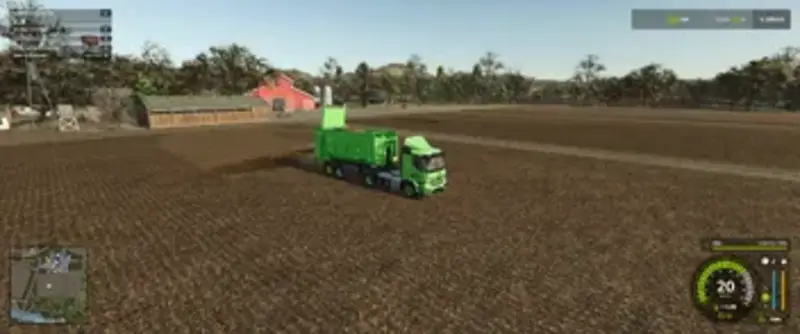
Hakenlift Auflieger
Nach einer Pause meldet sich Ap0lLo mit seiner ersten Mod für den Landwirtschafts-Simulator zurück: einen vielseitigen Hakenlift-Auflieger.Der Auflieger wurde speziell für den Mercedes Heizomat konstruiert und passt auch hervorragend an den kommenden Scania Pack. So kann die Agrar-Bereifung des Zugfahrzeugs weiterhin für die Feldarbeit genutzt werden, ohne dass zusätzliche Reifen am LKW verbaut werden müssen.Ideal in Kombination mit den bekannten ITRunner Containern, die sich seit Jahren großer Beliebtheit erfreuen.Der Auflieger bietet schlichte, aber sinnvolle Konfigurationsmöglichkeiten:Felgenfarbe wählbarWahl zwischen Kunststoff- und Riffelblech-Fendern
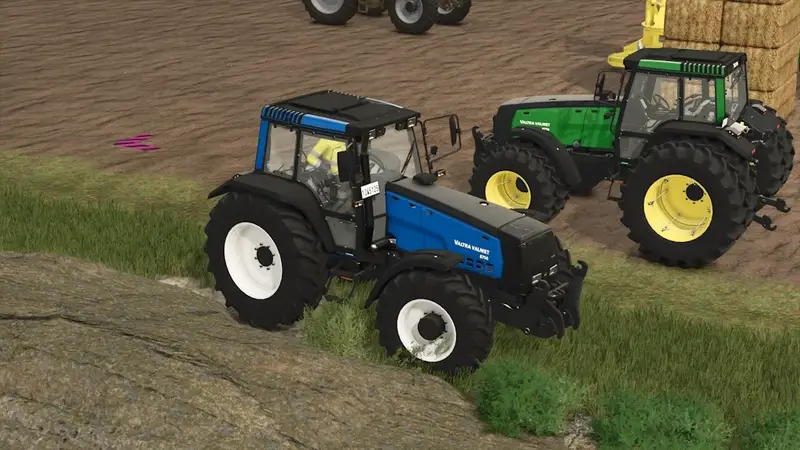
Valtra Valmet 8750 Rust Edition
Mittelgroßer Valtra Valmet 8750 Traktor mit 190 PS und einer Höchstgeschwindigkeit von 40 km/h. Das Modell verfügt über einen authentischen Rost-Wear-Shader, der dem Traktor eine schöne gealterte Optik verleiht. Freie Konfigurationsmöglichkeiten ermöglichen eine individuelle Anpassung. Credits: Adub Modding und ABP Team.
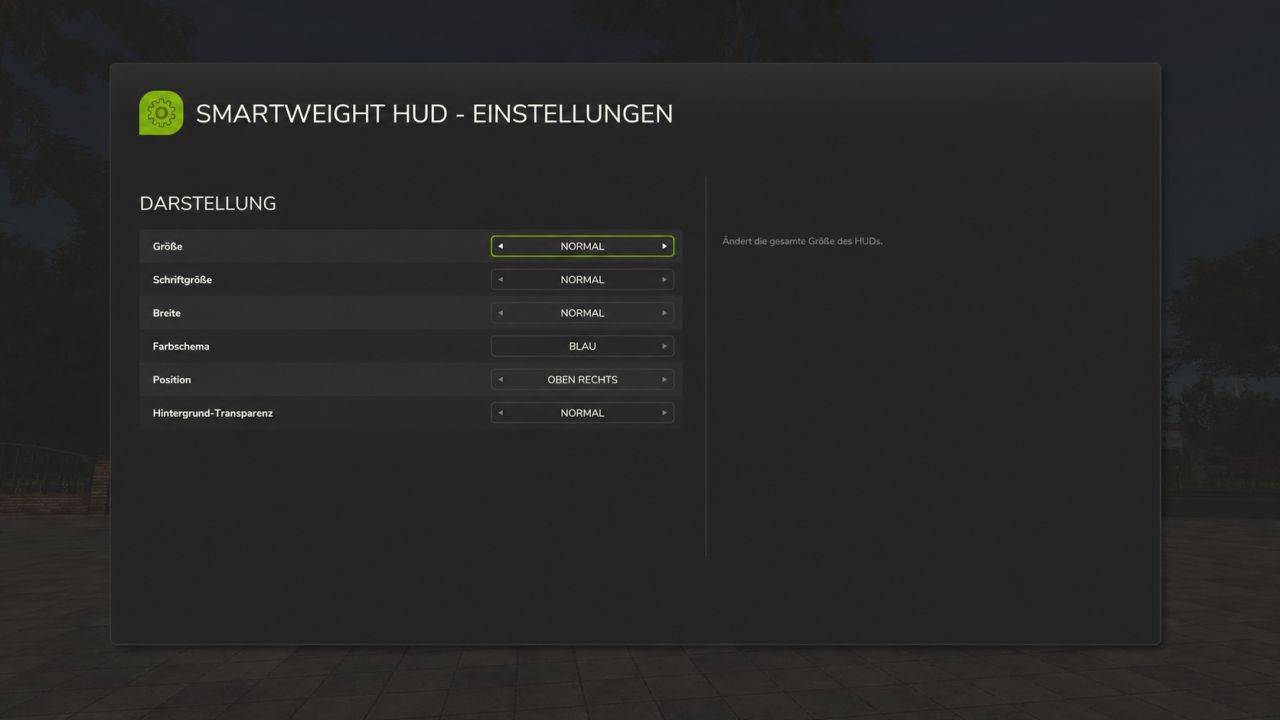
Smart Weight HUD FS25
SmartWeight HUD – Keep an eye on weights and cargo How heavy is your vehicle combination really? SmartWeight HUD brings a compact weight and cargo overview to Farming Simulator 25. Whether it’s a grain trailer, service vehicle, or timber transporter, you can see the breakdown of empty weight, cargo weight, and total weight right while driving. Features Separate weight display for the towing vehicle and attached trailers. Empty weight, cargo weight, and total weight for each displayed vehicle, plus a grand total for the entire combination. Display of fill types, fill levels, and mixed loads with corresponding icons. Accounts for pallets, bales, and other objects secured with tension belts. Timber cargo details including log count, volume (m³), and weight. Support for tank, water, fuel, and service trailers, as well as visible integrated tanks. Corrected weight calculation for service tanks and trailers with limited physics mass: the displayed empty weight does not decrease when additional cargo is added. Timber Transport Logs on timber trucks, trailers, and forwarders are accounted for as cargo. The HUD displays the number of logs, their volume, and their weight. Log weight already transferred to the vehicle via tension belts is not double-counted. Additionally, timber loads already registered by AutoLoadWood and Universal Autoload are detected. Timber containers with fill levels retain their standard cargo calculation. Important: On standard timber transporters, logs must be secured with tension belts. Alternatively, they must already be registered in a supported autoload list. Loose, unassigned logs and wood lying next to the vehicle are not automatically counted as cargo. Your HUD, your settings Customize the HUD size, font size, width, and background transparency to suit your needs. Choose from nine screen positions and five color schemes: blue, green, orange, red, and gray. All settings are saved per player and restored after rejoining or a server restart. If the HUD is turned off, it remains off. The interface is available in German and English. Weight Warning The total weight is color-coded based on the load and weight: Green: Vehicle combination without load, up to and including 40 tonnes. White: Normal weight range with load. Red: Loaded vehicle combination from 35 tonnes up to and including 40 tonnes. Dark red with warning icon: Total weight exceeding 40 tonnes. Color transitions are smooth. The warning thresholds are fixed HUD indicators, not vehicle-specific payload checks. Multiplayer and Compatibility SmartWeight HUD supports both single-player and multiplayer modes; log synchronization has been tested on a dedicated server with a connected client. In multiplayer, the server provides the log count, wood volume, and original log weight. Unloading, switching vehicles, and joining a session with already loaded logging vehicles are all accounted for. While loading data is pending, the HUD displays a loading indicator. Front loader arms, buckets, front weights, and other front attachments are attributed to the towing vehicle. Other connected implements remain part of the total combination weight. For standalone wheel loaders, telehandlers, front loaders, and skid-steer loaders, SmartWeight HUD remains hidden so that a separate loader weighing system can be used. The mod does not alter vehicles, their driving behavior, or physical weight limits; it simply adds a display overlay. Keybindings Left Ctrl + Left Shift + W: Show/hide HUD. Left Ctrl + Left Shift + S: Open settings. Keybindings can be customized in the game settings. Version: 1.0.0.3 Author: xXDerManniXx For multiplayer, the server and all players must use the same mod version. With this update, your personal HUD settings are permanently saved. Additionally, weight calculations have been corrected for diesel and service tanks, as well as for trailers with limited physics mass. Wood load detection has also been added—including log count, wood volume, and correct data transmission in multiplayer. PERSONAL SETTINGS - All personal display options are retained after rejoining or restarting the server. - The HUD's on/off state is also saved: if you turn the HUD off, it remains off the next time you join. - Settings are saved per player in the respective LS25 user profile and are not overwritten by other players' settings. - Existing older settings files remain compatible. DIESEL AND SERVICE TANKS - Weight calculations for visible integrated diesel, water, and other service tanks have been corrected for cases where the vehicle does not add their contents to its own physics mass. - Transported fluids are treated as cargo and added to the displayed total mass. - Consequently, the empty weight no longer decreases when filling these cargo tanks. - The vehicle's standard, hidden fuel tank continues not to be treated as transported cargo. - Tanks with mass calculation already enabled are not double-counted. TRAILERS AND WEIGHT CALCULATION - Fixed an issue where loading certain trailers caused the displayed empty weight to drop while the total mass remained capped at a limit. - In cases of limited physics mass, the display now accounts for the full mass, comprising the vehicle's base weight, additional component loads, and wheel weight. - As a result, empty weight, cargo weight, and total weight align correctly, even with heavy loads. - This correction applies only to the display; the driving physics and weight limits defined by the game or vehicle remain unchanged. LOG TRANSPORT - Tree logs on log trucks, trailers, and forwarders are recognized as cargo. - The HUD displays the number of logs, the wood volume in cubic meters, and the cargo weight. - The log cargo is factored into the vehicle mass and the total weight of the vehicle combination. - Log weight already transferred to the vehicle via tension belts is not double-counted. - Previously registered log loads from AutoLoadWood and Universal Autoload are also taken into account. The same log appearing in multiple load lists is counted only once for the vehicle combination. - Wood and other fill types can be displayed together; liter values and wood volume remain separate. - Wood containers with fill levels retain their standard cargo calculation. MULTIPLAYER AND DEDICATED SERVERS - Players joining a session receive the log count, wood volume, and initial log weight directly from the server. - Fixed the "No cargo" error that occurred despite logs being strapped to the log truck in multiplayer. - Unloaded logs are removed from the display. Outdated data from previously driven vehicles is not carried over. - Data transfer accounts for joining sessions where log vehicles are already loaded. - A loading indicator appears while valid load data is pending; incomplete weight figures are not displayed as final results. - Wood data is requested only for the current vehicle combination, when the HUD is active, and at a limited polling rate. INTERFACE AND MOD PACKAGE - German and English localization for the HUD, notifications, and settings menu has been added or standardized. - Descriptions and changelogs updated. - DDS mod icon adjusted to DXT1 format without mipmaps for ModHub submission. - Clean package structure maintained: the mod ZIP contains only the necessary game files. Instructions, change logs, and test data are provided separately. UNCHANGED FEATURES The existing distinction regarding loader weighing mods remains in place. Standalone wheel loaders, telehandlers, front loaders, and skid-steer loaders remain hidden from the SmartWeight HUD. Front-mounted implements on other towing vehicles continue to be included. Operation, color schemes, and weight warnings remain unchanged. The mod does not alter vehicles or their driving dynamics. NOTE ON LOG DETECTION On standard transport vehicles, logs must be secured with tension belts. Alternatively, a supported autoload system must have already assigned the logs to the vehicle. Loose, unregistered logs and wood lying next to the vehicle are not automatically counted as cargo. INSTALLING THE UPDATE Replace the existing FS25_SmartWeightHUD.zip file with the new one. Do not unzip the file, and ensure no older version remains active simultaneously. In multiplayer, both the server and all players must use the same version (1.0.0.3). Personal settings are preserved. CHANGES FROM VERSION 0.5.1.8 TO VERSION 1.0.0.0 - SmartWeight HUD released as stable version 1.0.0.0. - Multiplayer operation successfully tested on a dedicated server with a joined client. - Compatibility with specialized loader weighing systems improved. - SmartWeight HUD automatically hides when driving wheel loaders, telehandlers, standalone loaders and skid steers. - Tractors with front loaders remain fully supported. - Front loader arms, shovels, front weights and other front attachments continue to be counted as part of the towing vehicle. - Connected implements remain part of the calculated team total. - Trucks, tractors, trailers, semi-trailers, as well as tank, water, fuel and service trailers remain fully supported. - Stability tested during numerous vehicle and input context changes. - No SmartWeightHUD warnings or SmartWeightHUD Lua errors were detected in the final client test log. - Cleaned up mod package for server and platform checks. - Documentation and screenshots are no longer included within the game mod ZIP. - Mod icon changed from PNG to DDS with mipmaps.
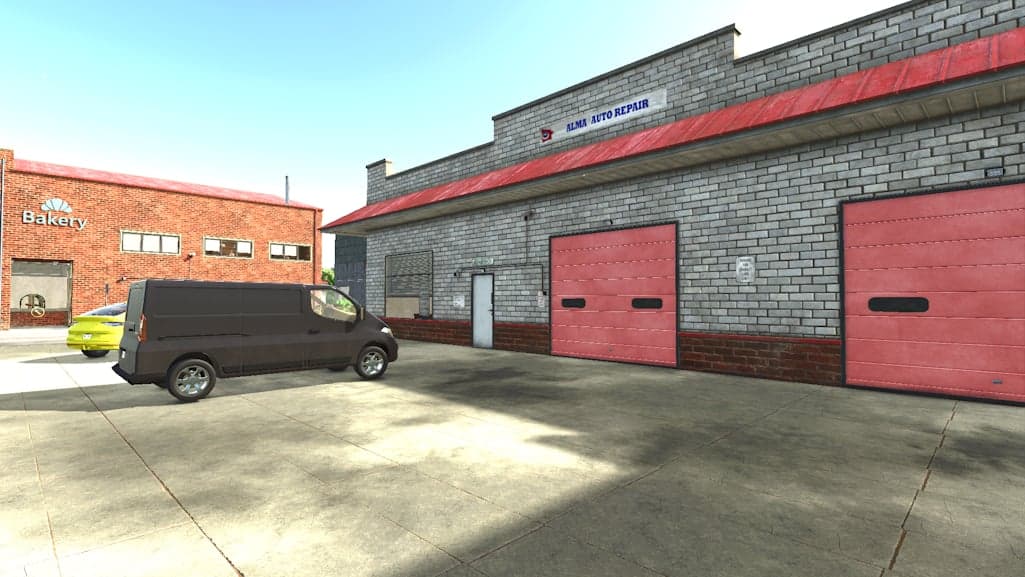
Individual Car Control V1.0
Individual Car Control lets you remove individual parked cars from the map. Stand by a car and press ‘H’ to make it disappear, press ‘H’ again to make it reappear, or press ‘I’ to restore all hidden cars. Features Remove individual parked cars from the map. No collisions are left behind. Your game save retains your options. Press ‘H’ while standing by a car to make it disappear or reappear. Press ‘I’ to restore all hidden cars. NOTE: Due to the game itself, the cars may or may not appear for a second when you load your game back up if you saved it with them disabled. This is not a script issue; this is just Giants. Just wait a second or move your character and they’ll disappear.
RMO FS25
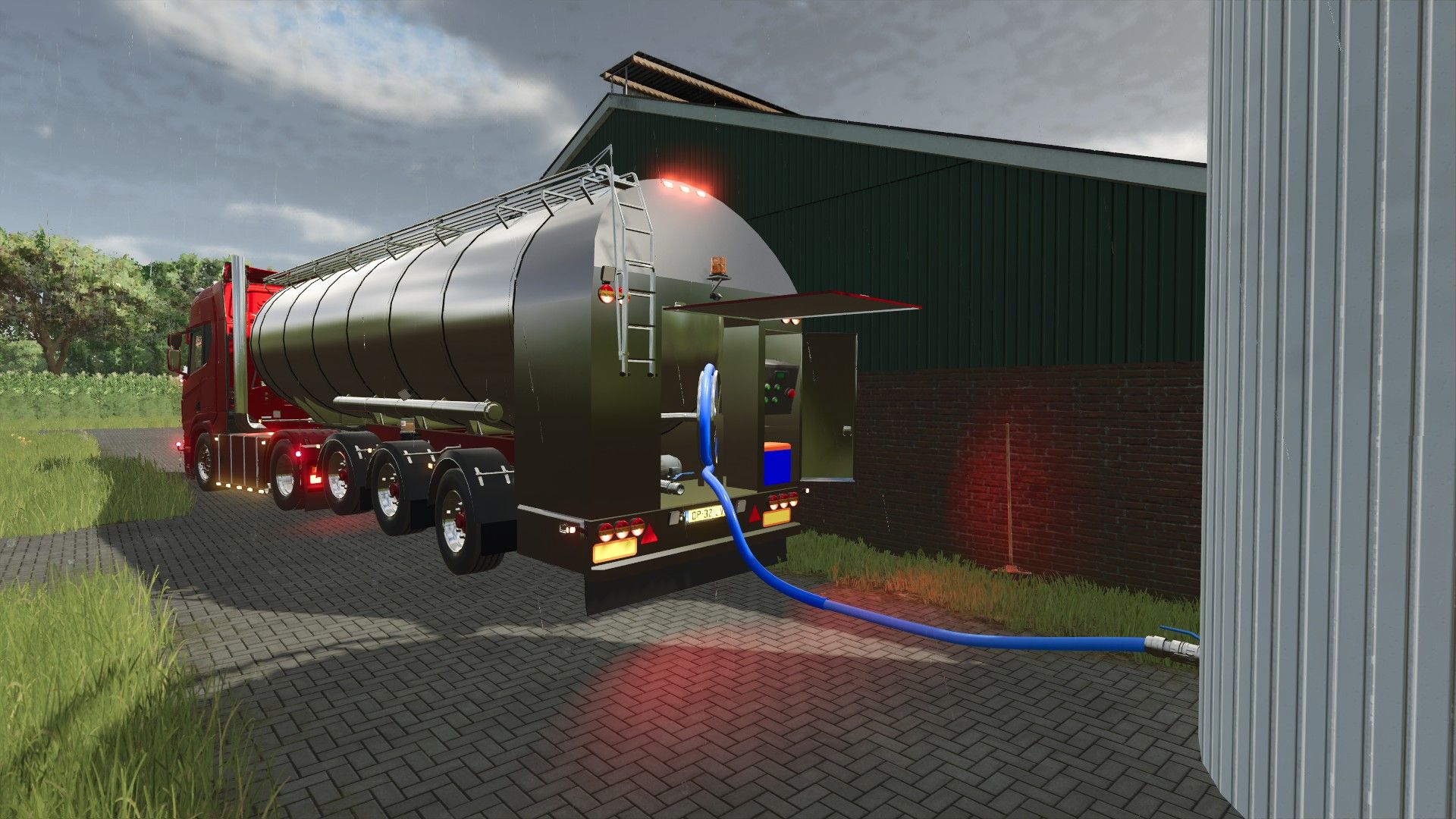
He´s back and better then ever before! The RMO trailer (short for Rijdend Melk Ontvangst) did not get an update but a complete new model from the ground up. The trailer features many colorable options which can be made into any material when using the Enhanced Color Selection. https://www.farming-simulator.com/mod.php?mod_id=350782&title=fs2025 The skins still include the 2 sorts Campina and Arla skins. For the updates: This time the pump cabinet has been detailed a bit more to actually have an inside to the model. This gave me the oppertunity to use the LSFM hose system which was priority nr 1 to make it way more realistic. The cabinet can be opened with the open cover button and the hose can be unfolded with X. IC has been installed to be able to do these things from outside. The trailer is now also equipped with automatic lifting axles which go down when a certain fill level has been reached and go up again when the fill level gets under a certain level while unloading. LSFM HOSE SYSYTEM IS REQUIRED TO BE ABLE TO USE THE HOSES! Although the trailer itself will work without https://www.kingmods.net/en/fs25/mods/79128/lsfm-hose-system Price = 120000 Capacity = 36.000L Filltypes MILK BUFFALOMILK WATER LIQUIDFERTILIZER HERBICIDE Backup link: https://modsfire.com/5eHAg0lK2dn0GiB Added support for the LSFM Hosesystem Added interior to pump chamber Added optional catwalk & hose holders Added IC Added automatic lifting axles
Krone Ultima isoBUS Screen (Prefab) FS25
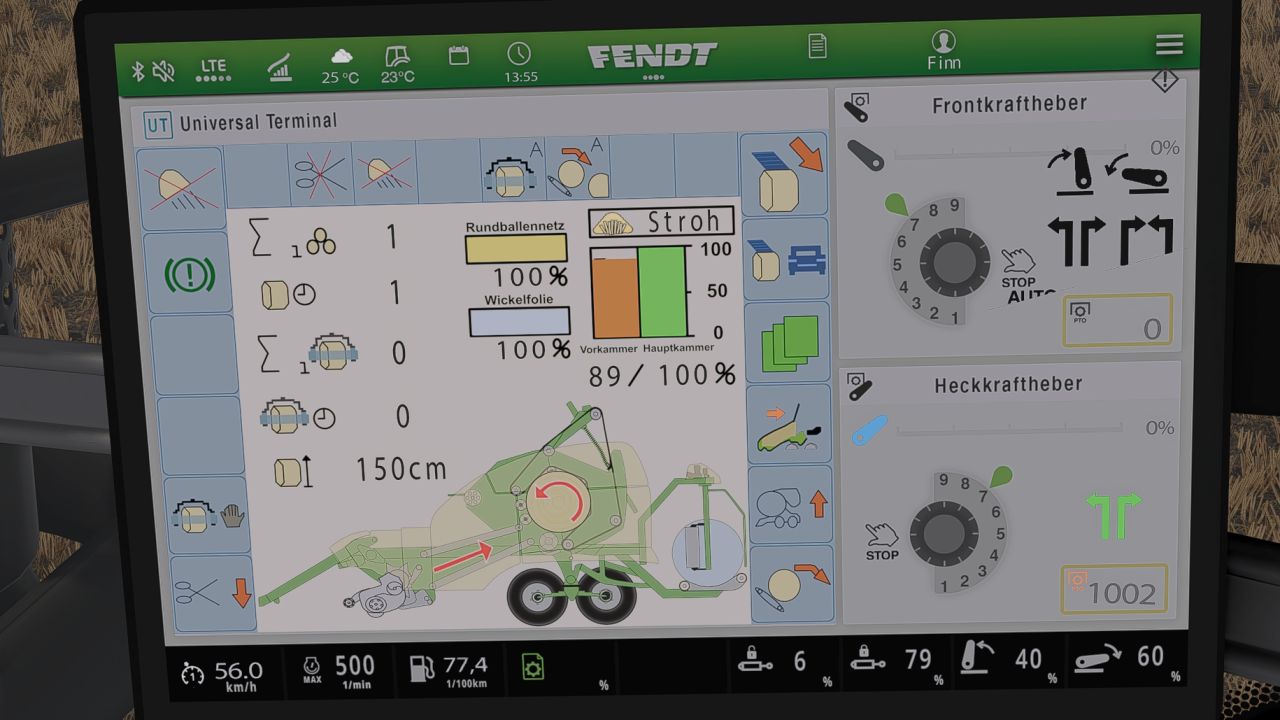
Krone Ultima isoBUS Screen - Prefab I hereby provide you with my Krone Ultima isoBUS Screen. It displays all the important information for a baler-wrapper combination. The screen is of course intended for a Krone Ultima, but it can also be used with other balers. However, changes to the XML will probably be necessary, as the fill types differ from one baler to another. For the installation itself, I have included instructions as well as the corresponding entry for the implement's XML. If you notice any bugs, I would be very grateful if you let me know so that I can fix them. I hope you have fun with my Krone Ultima Screen! ❤️ -fixed minor bug -added new function, where selfmade icons get shown at matching fillType. IMPORTANT FOR THIS FUNCTION!!! You need the newest Dashboard Live Version from GitHub. -Fixed incorrect XML path -added English translation to the instructions
Strautmann Magnon 430 CFS isoBUS Screen (Prefab) V1.0.0.1
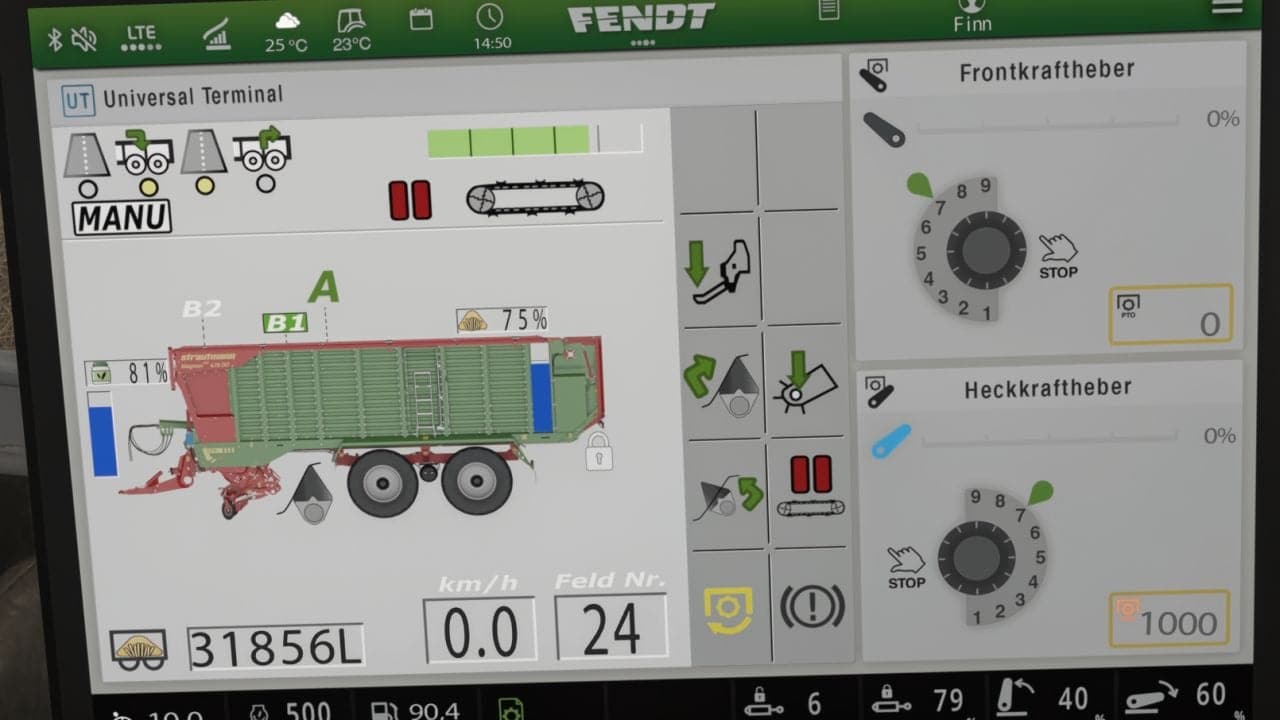
The Strautmann forage wagon isoBUS screen displays all important information for forage wagons. It is intended for the Strautmann Magnon 430 CFS forage wagon, but it can also be used for other forage wagons. For installation, instructions and the corresponding entry for the implement’s XML are included. If you notice any bugs, please let me know so they can be fixed. YOU NEED: Dashboard Live Changelog V1.0.0.1improved Guide
Pedestrian Control V1.0
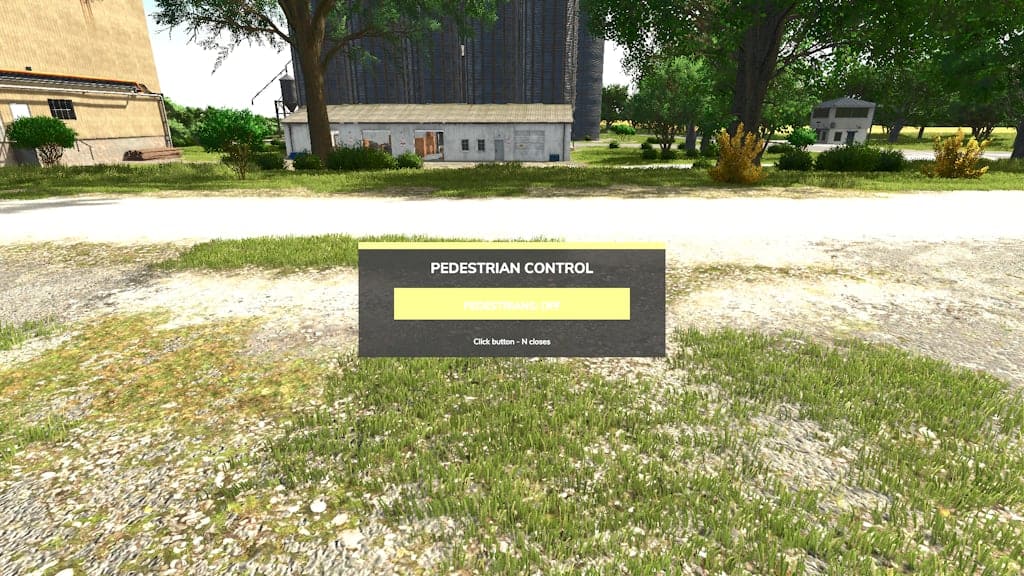
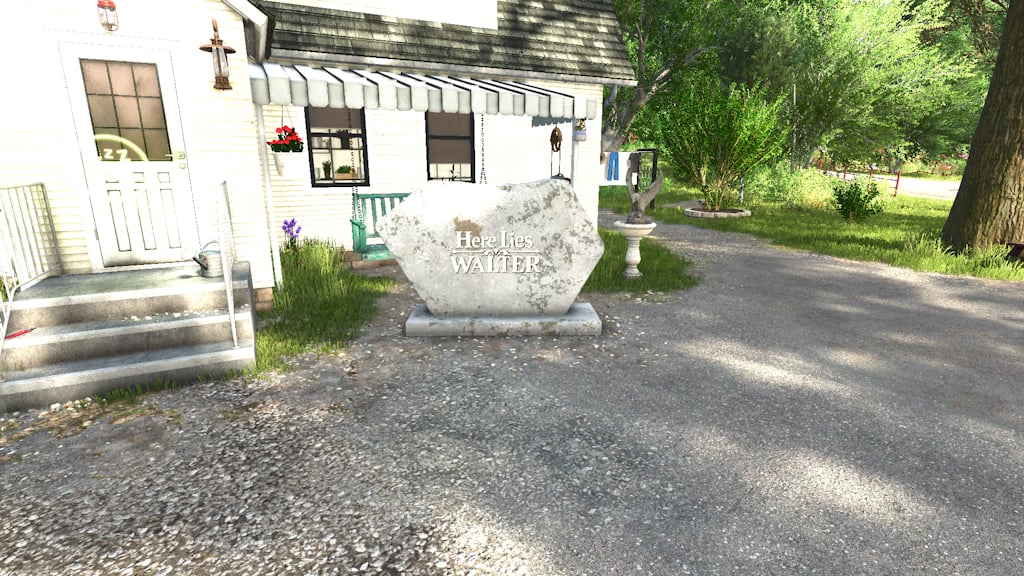
You can remove all pedestrians from a map with this script. It should work on all maps and has been tested on Alma, MO along with all of Giants maps. Features While in the game, press ‘N’ to open the toggle button. Choose on/off, then press ‘N’ again to close the button. Your save game will retain your choice.
NPC Control V1.0
This simple script hides all NPCs from your map. It is primarily targeted against the main NPC, so modded maps may still show NPCs inside buildings or certain areas if they are built into the map. It should work on all maps and has been tested on Alma, MO, along with all of Giants maps. While in the game, press ‘M’ to open the toggle button. Choose on/off, then press ‘M’ again to close the button. Your save game will retain your choice.
Kenworth K108 v1.0
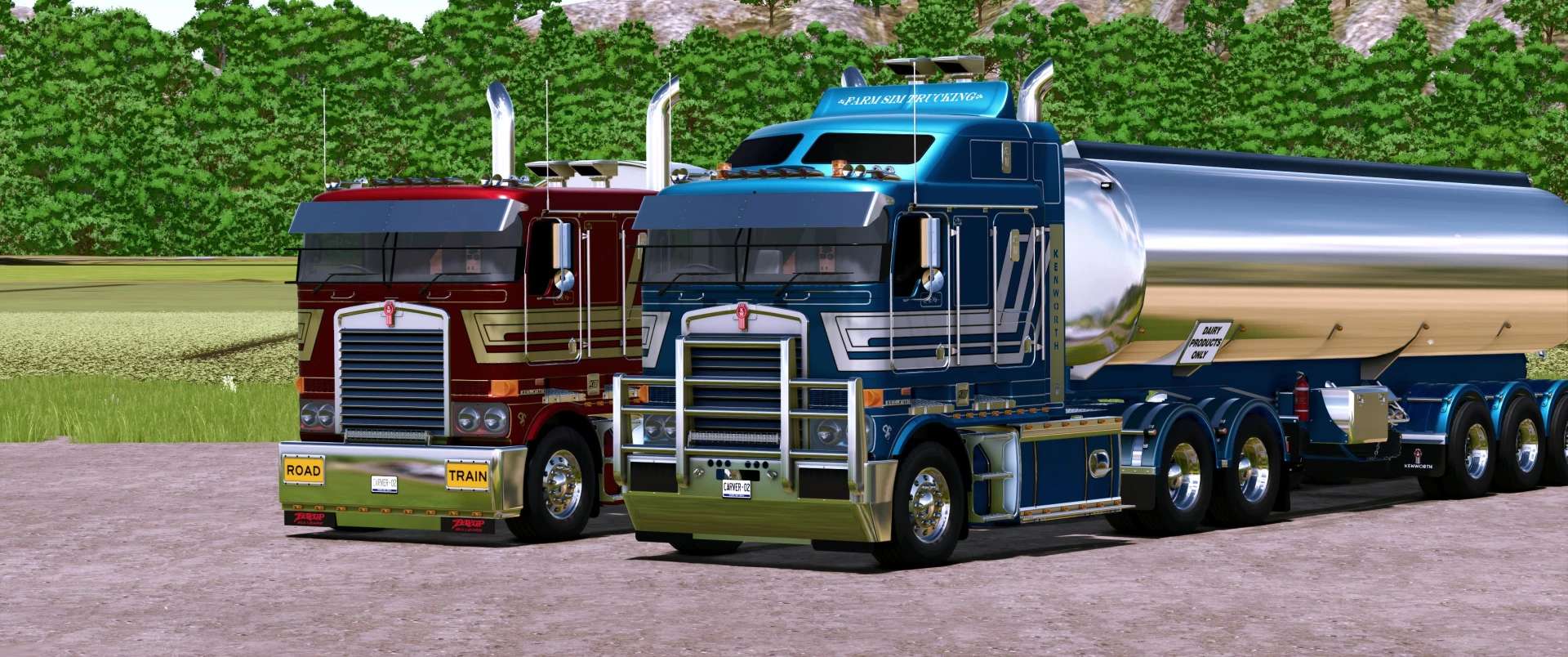
Kenworth K108 v1.0 Kenworth K108 converted and updated from 22 to FS25. Many new upgrades in this version. Added color changeable skins this time around. New bumpers and many more things are colorable. Requires interactive control to change road signs on the bumper. Added a passenger for multiplayer. Compatible with my Tipper and dog trailer mod and Kennedy Trailers mod. Kenworth K108 Prime Mover Category: Trucks Price: $85,750 Power: 525 hp Max. speed: 95 kph Capacity: 1,700 L Kenworth K108 Tipper Category: Trucks Price: $85,750 Power: 525 hp Max. speed: 95 kph Capacity: 1,700 L Author: Carver02 Report bugs in the comments and help modders improve this mod. Always check the comments, you can find a solution. DOWNLOAD MOD
Aussie Plates v1.0
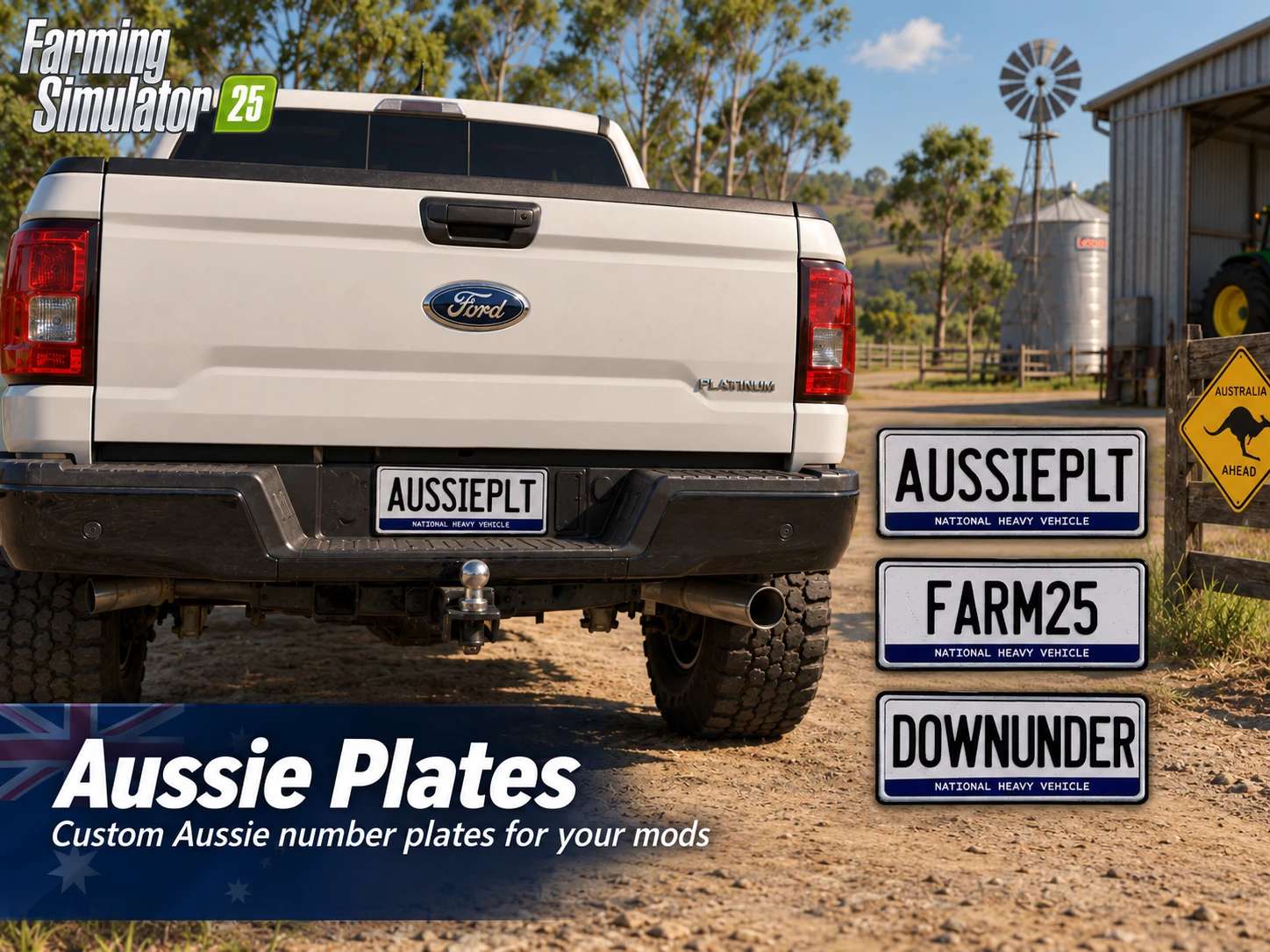
Aussie Plates v1.0 Replaces vehicle license plate with an Aussie plate texture. Credit goes to Warthog Mods for creating the base. I made a plate for the Aussies that love my mods. Here is a mod i piggy backed off the ones Malice made for some of the US states. Author: Carver02 Report bugs in the comments and help modders improve this mod. Always check the comments, you can find a solution. DOWNLOAD MOD
New Holland CR 9.90 v 1.0.0.2
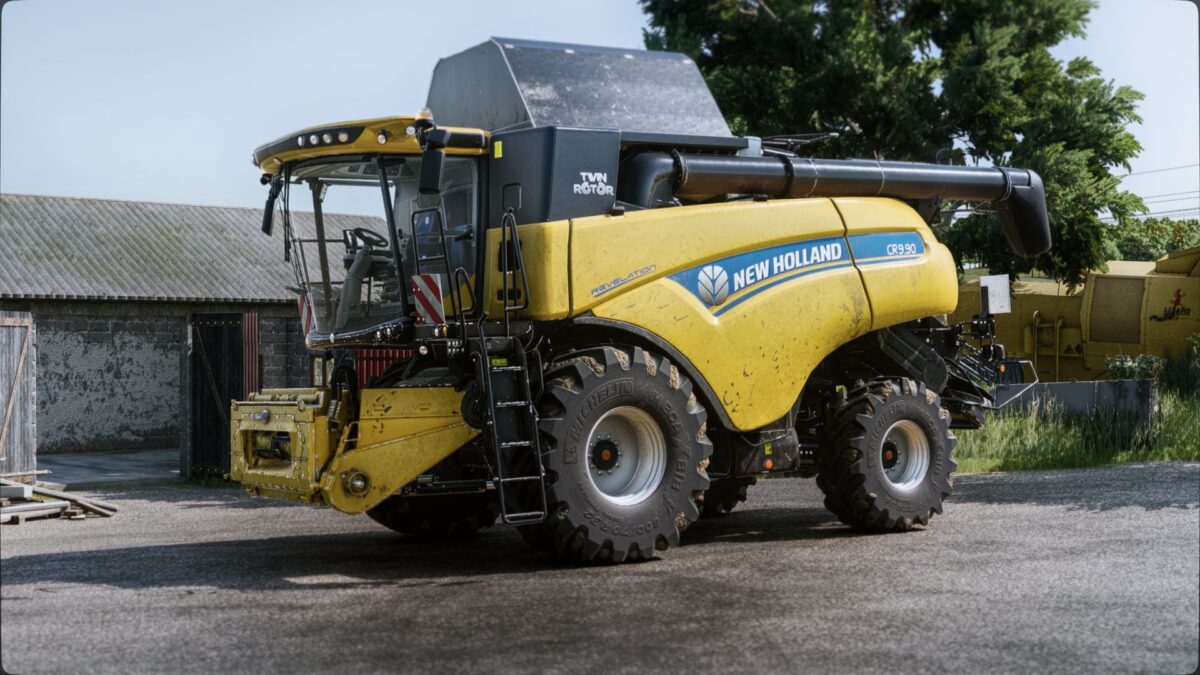
Price: 372,000 (depending on configuration) Power: 571 HP Max speed: 40 KPH (depending on configuration) Grain hopper capacity: 10,200-11,500 L Configurations for grain hopper, wheels, design and pipes; Module Specifications adjustment of textures with display distance LED rotating beacon replaced by bulbs Changed the reverse beep to be louder and more realistic Version 1.0.0.2: * Bug fix * Script improvement * Better tractor behavior
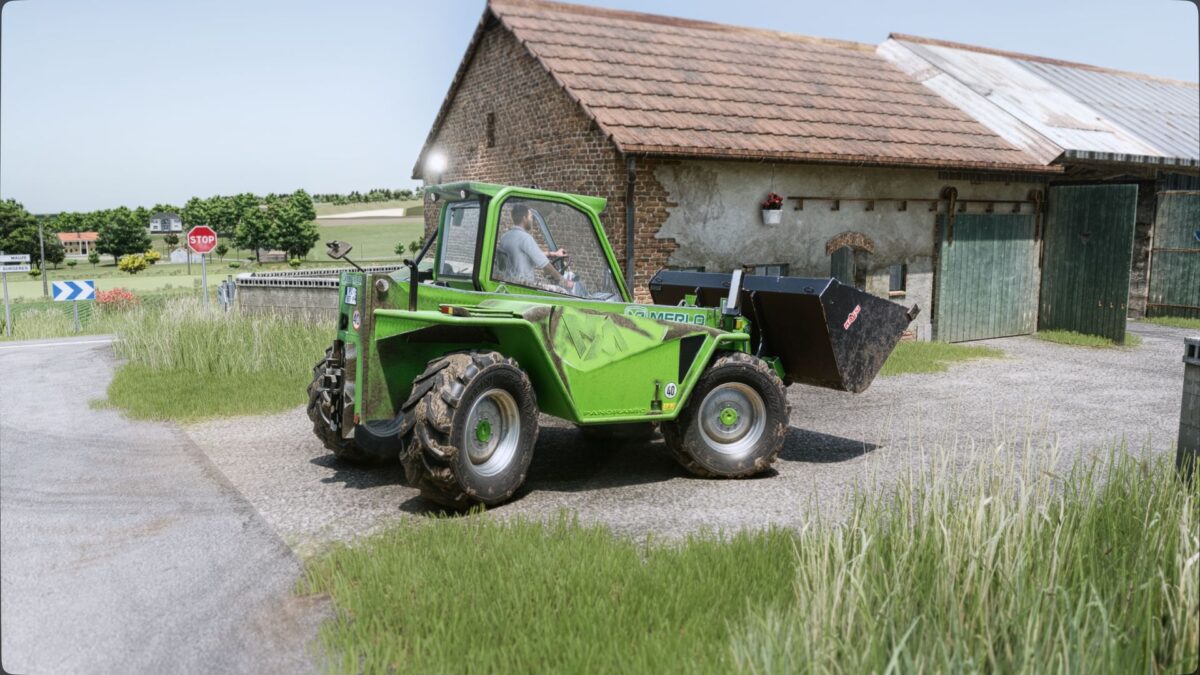
Merlo P41.7 Turbofarmer v 1.0.0.2
Category: Telescopic forklifts Price: €90,000 Power: 140 HP Maximum speed: 40 km/h Capacity: 140 L Features: Body color configurations Wheel color configurations Design configurations Rear weight 3-point rear hitch Wheel configurations Suspension cabin Full animation Module Specifications Adjusted the wheel hubs to make it more realistic Base creator: ARM-Team Version 1.0.0.2: * Bug fix * Script improvement * Better tractor behavior
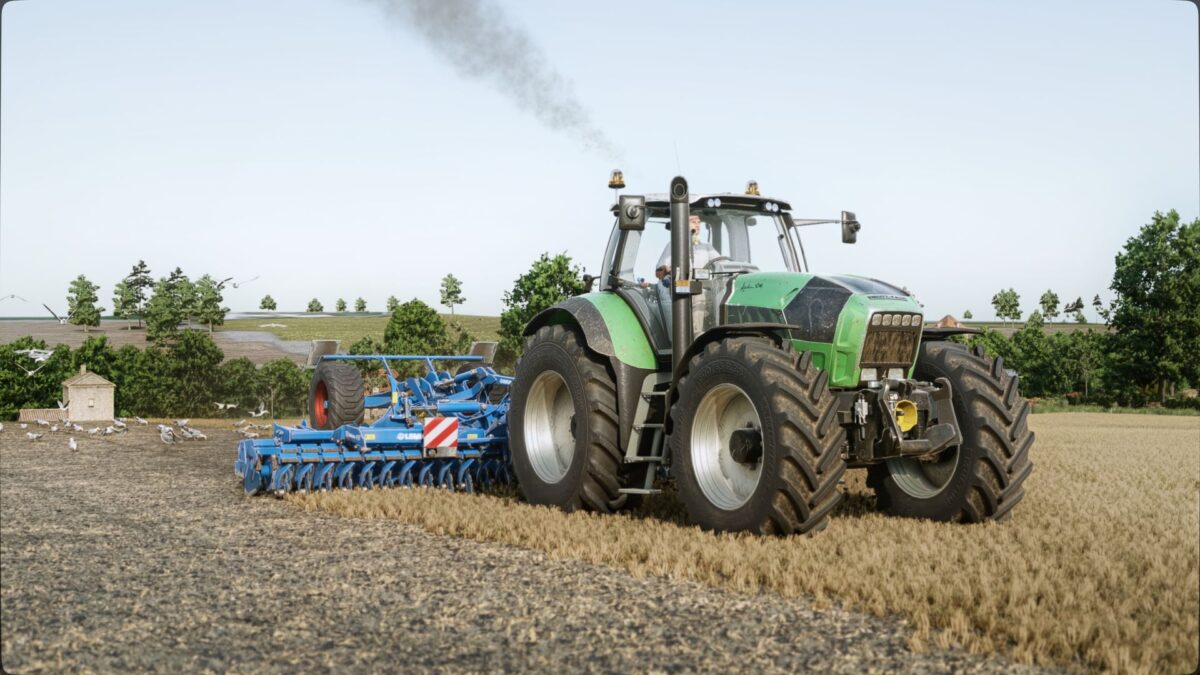
Deutz Fahr X710/720/730 v 2.0.0.6
Price: €85,000 to €100,500 depending on configuration Power: 246 hp to 308 hp Realistic engine sound A real GPS Interactive control compatible Version 2.0.0.6: * Bug fix * Script improvement * Better tractor behavior

Real Emergency AI Traffic Pack
This mod adds on-duty versions of all SCS stock police and emergency vehicles equipped with beacons and personalized siren sounds to the AI traffic across the base map states. Each vehicle features a custom siren sound to create a more immersive and realistic traffic experience. Recommended companion mods: Real Traffic Density and Real AI Traffic FMOD Sound.
- 15 per page
- 30 per page
- 45 per page
- 60 per page
-
See more per page
Bigger pages, fewer clicks - and no ads anywhere.
Go Pro