Farming Simulator 25 mods
78,035 results- 15 per page
- 30 per page
- 45 per page
- 60 per page
-
See more per page
Bigger pages, fewer clicks - and no ads anywhere.
Go Pro
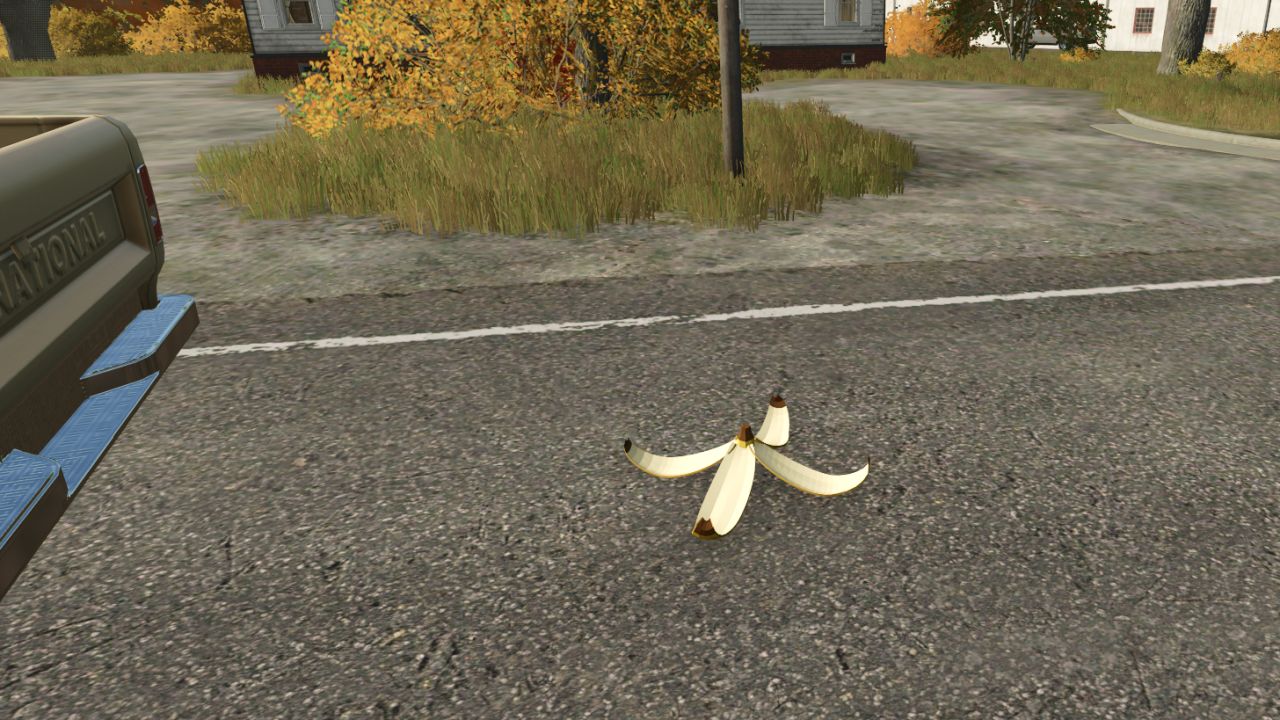
Banana Peel Spinout v1.0
Banana Peel Spinout v1.0 Toss a banana peel from your vehicle and let another player, hired worker, or passing traffic find it. It’s a separate mod, so you can bring the shenanigans to any save. Features: Toss a peel while driving with Left Ctrl + B (controls configurable) Player and hired-worker vehicles spin when they hit a peel Trailers can trigger a spin for the towing vehicle and its train Ambient road traffic gets an experimental visual spin effect Peels disappear after a hit or expire after 45 seconds Multiplayer support; the server and all players need the same mod Pedestrians, horses, and trains aren’t supported Traffic spins are visual only: traffic keeps its normal route and speed. How to install: Download the .zip. Don’t unzip it. Put it in Documents / My Games / FarmingSimulator2025 / mods. Turn the mod on when you load or start a save. Find everything under Ashmere in the shop and in build mode. Author: Ashmere Report bugs in the comments and help modders improve this mod. Always check the comments, you can find a solution. DOWNLOAD MOD
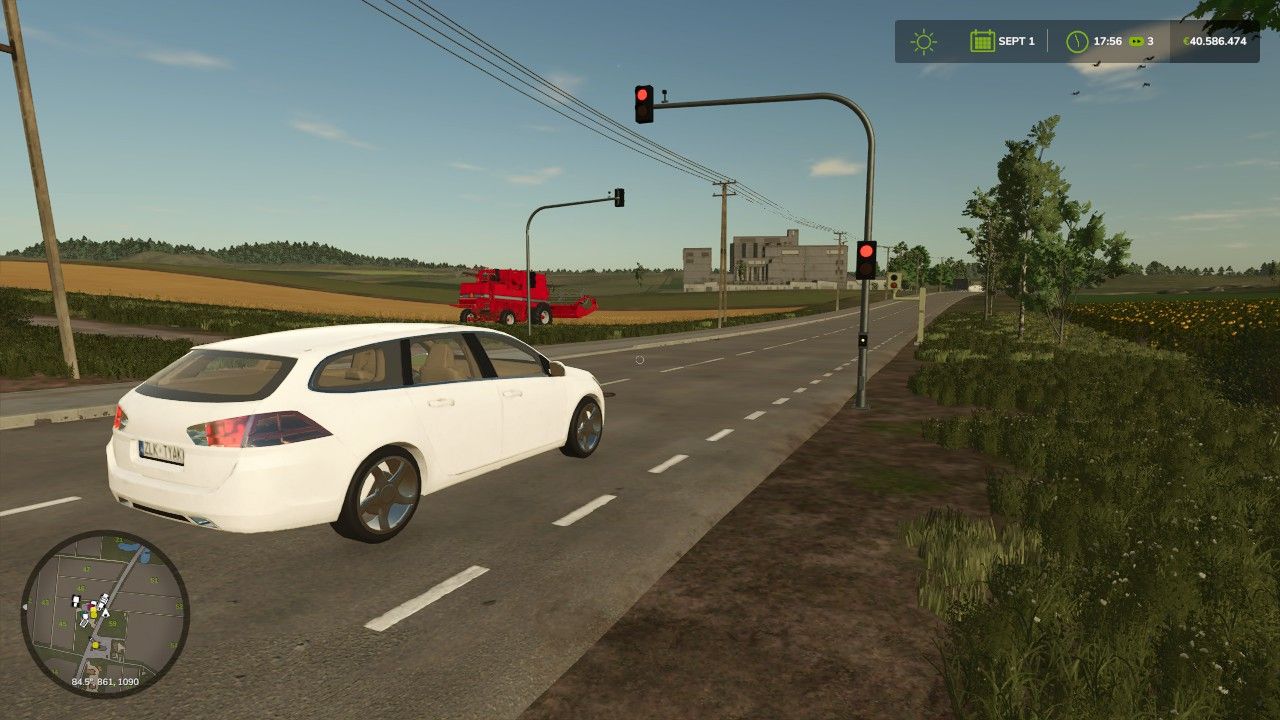
Small orange-red traffic light V1.1
Small orange-red traffic light V1.1 V1.1.0.0 AI stopping area at red added Traffic clearance when the traffic light is completely switched off Barrier remains active when switched off during the amber phase ScriptHub Modding construction category optionally integrated Practical testing of the AI function in-game is still pending Small Orange-Red Traffic Light A compact orange-red traffic light for Farming Simulator 25. Perfectly suited for: Intersections Fire station and business exits Access roads Construction areas Road and map building The traffic light can be placed freely and is especially suitable for players who want to enhance their map with small, realistic traffic details. FS25 | Placeable | Decoration / Traffic Author: ScriptHub Modding Report bugs in the comments and help modders improve this mod. Always check the comments, you can find a solution. DOWNLOAD MOD
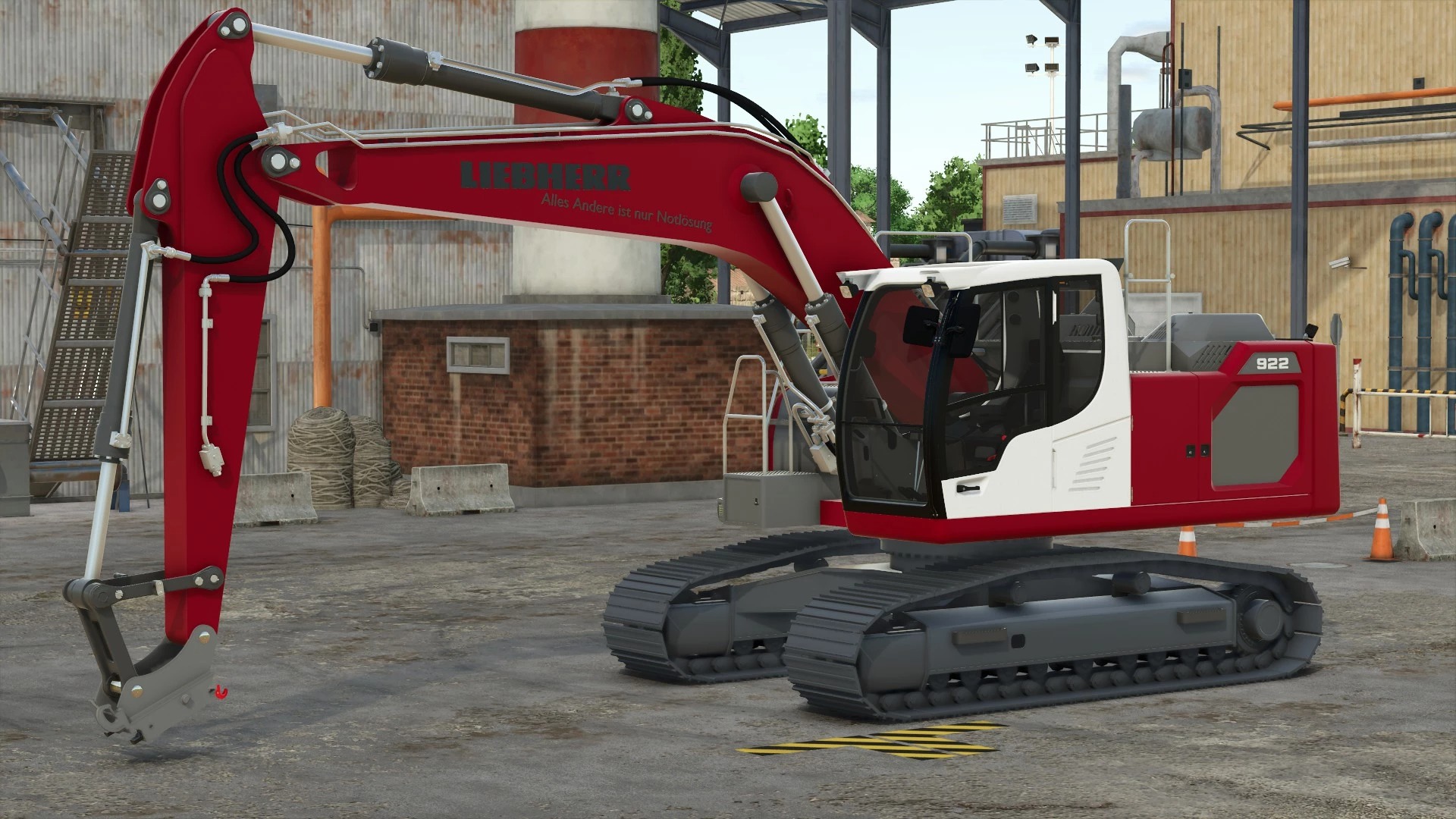
Liebherr R922 Safari Edit v2.0
Liebherr R922 Safari Edit v2.0 Version 2.0 (Safari Edit): Increased Power from 163 hp to 245 hp Increased Speed from 9 km/h to 14 km/h Features: Power 245 hp Speed 14 km/h Cage Configuration Options Main Color Configuration Options Cabin Color Configuration Options Author: glxnn5h, Luca, Safari Report bugs in the comments and help modders improve this mod. Always check the comments, you can find a solution. DOWNLOAD MOD
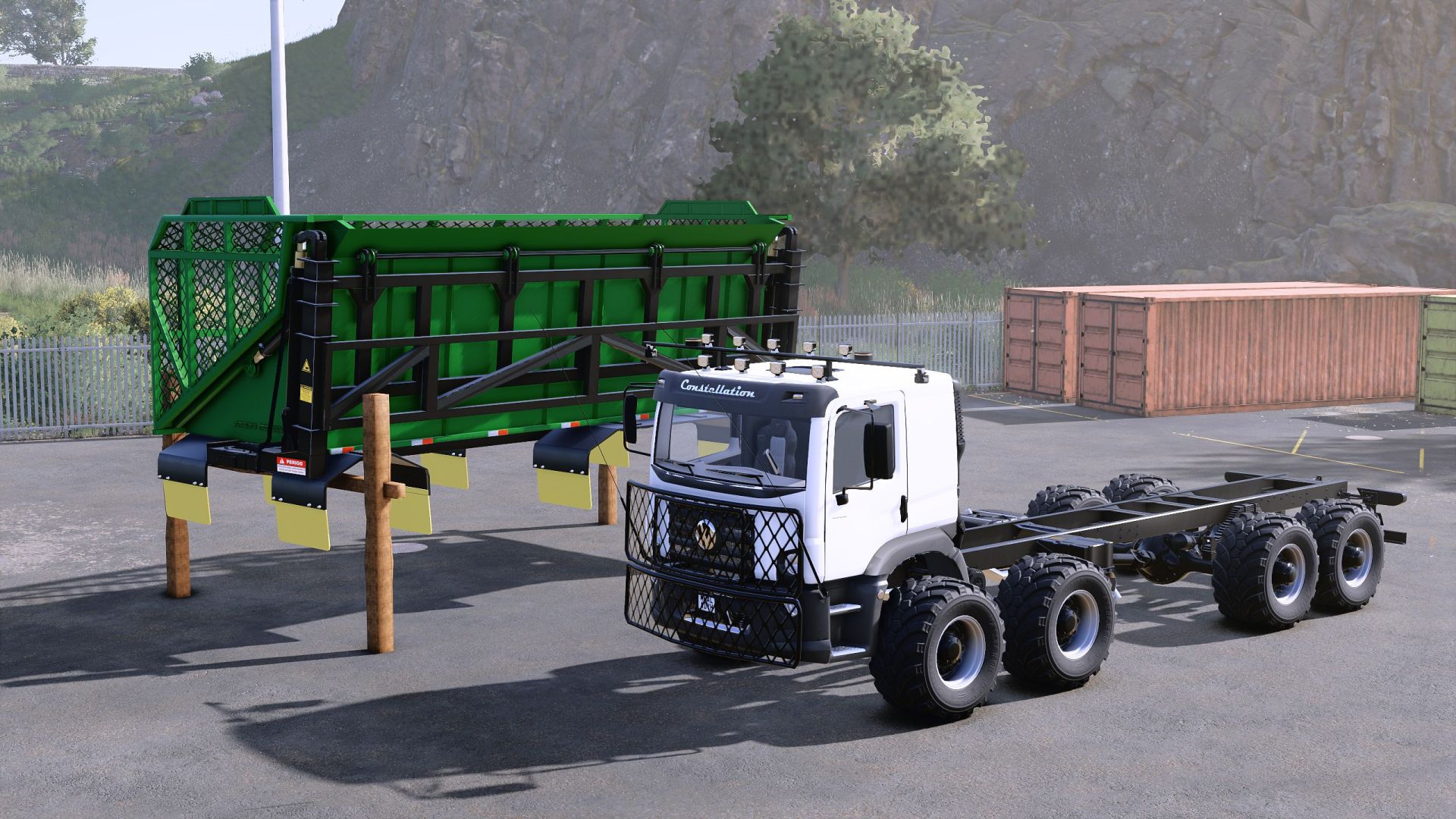
Volkswagen Constellation Grüner Edition V1.0.0.1
Volkswagen Constellation Grüner Edition V1.0.0.1 Anlässlich der bevorstehenden Veröffentlichung des Beans & Alpacas DLCs, der eine von Brasilien inspirierte Karte enthält, teile ich diese Modifikation des Volkswagen Constellation mit seiner Karosserie aus Zuckerrohr – obwohl jedes Material akzeptiert wird. Der Autor ließ sich für diese Mod von den Mercedes-Lkw der Firma Grunner inspirieren. Ich habe Übersetzungen in verschiedene Sprachen hinzugefügt (falls Übersetzungsfehler enthalten sind, bitte ich um Benachrichtigung, da ich nur fließend Spanisch und Englisch spreche und daher Fehler oder ungenaue Übersetzungen in anderen Sprachen vorkommen können). Die Zuckerrohrkarosserie ist auch mit dem Volkswagen Titan desselben Erstellers kompatibel; ich habe die Karosserie noch nicht mit anderen Lkw dieses Erstellers getestet, aber sie sind wahrscheinlich kompatibel – oder vielleicht nicht alle. Volkswagen Constellation 25.000 Kategorie: Lkw Preis: 120.000 US-Dollar Leistung: 250–460 PS Höchstgeschwindigkeit: 95 km/h Fassungsvermögen: 1.075 l Lizard Sugar Wagon Kategorien: Zuckerrohrtransport, sich wandelnde Systeme Preis: 55.000 US-Dollar Kapazität: 65 m³ V1.0.0.1 Vorbereitung auf den Bohnen & Alpakas DLC Die Motorengeräusche wurden verbessert Die Motoreinstellungen wurden organisiert Die Möglichkeit, die mittlere Achse anzuheben und abzusenken, wurde wiederhergestellt. Es wurde ein Problem mit der Zuckerplattform behoben, bei dem das Material beim Entladen am Fahrzeugaufbau kleben blieb. Die Option zum Aktivieren von GPS wurde hinzugefügt (erfordert die Installation des RealGPS-Mods zur Anzeige der GPS-Daten). Die Möglichkeit, den Frontschutz auszublenden oder anzuzeigen, wurde hinzugefügt. Die ModDesc-Version wurde aktualisiert, um dem neuesten Patch 1.25 zu entsprechen. Tags: Die OptionGPSLizard Sugar WagonVolkswagen Constellation

Open My Door (IC) V1.1
Open My Door (IC) V1.1 Automatically opens and closes driver doors via Interactive Control when approaching, entering, starting the engine and leaving the vehicle. Multiplayer-compatible. Open My Door (OMD) – Automatic Driver Doors with Interactive Control Hello everyone, Tired of having to operate the driver’s door manually every time? Open My Door automates the opening and closing of your vehicle doors via Interactive Control – whether you are entering, exiting or simply walking past. Features Automatic opening & closing: When you walk towards the driver’s door, it opens automatically. When you move away again, it closes by itself. Adjustable closing behavior: When entering (default): The door closes immediately upon entry. When starting the engine: The door remains open after entering and only closes once the engine is running. Automatic exit behavior: The door opens immediately when leaving (E) and closes as soon as you move away. Full compatibility: Multiplayer-compatible (status synchronization via the IC API) and compatible with Cab Cinematic (FS25_CabCinematic). Requirements Farming Simulator 25 Mod: Interactive Control (VertexDezign) Vehicles with IC support for the driver’s door Installation Copy the archive file (FS25_openMyDoor.zip) to your mods folder: Documents/My Games/FarmingSimulator2025/mods/ Activate both mods (Interactive Control & Open My Door) in the savegame before starting the game. In-game settings Under ESC -> Game Settings -> Open My Door (OMD), you can adjust the behavior: Automatic approach detection: On / Off Trigger distance: 1.5 m to 3.5 m (closes automatically at distance + 1.0 m hysteresis) Closing mode: When entering / When starting the engine Feedback and error messages are welcome here in the thread! This is my first mod, so please be a little lenient! V1.1.0.0 – Bugfix (Error: C stack overflow): Fixed recursive source() calls in OpenMyDoor.lua during g_specializationManager:addSpecialization(…) when the mod starts. – Bugfix (ON/OFF slider in the settings menu): Clones of BinaryOptionElement now correctly initialize onGuiSetupFinished() as well as the internal references textElement and sliderElement, so the switch no longer incorrectly displays ON when set to OFF. – New feature (Open door when engine stops): Added a new option to the settings menu (openOnMotorStop) that automatically opens the driver’s door when the engine is switched off to allow the player to exit (and closes it again if the engine is restarted without exiting). Required mods: Interactive Control Author: Cadyx Report bugs in the comments and help modders improve this mod. Always check the comments, you can find a solution. DOWNLOAD MOD
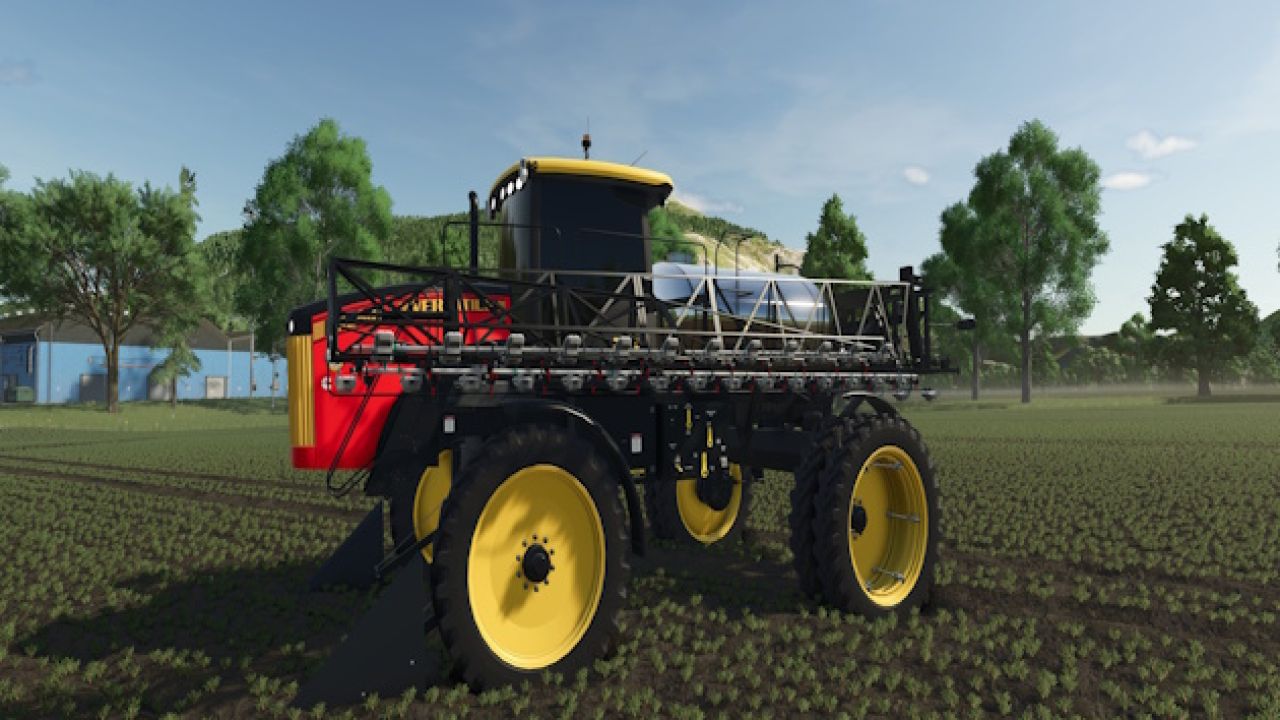
Versatile SX280 FS25
Versatile SX280 Sprayer | Farming Simulator 25 Bring the Versatile SX280 to your Farming Simulator 25 fleet. This self-propelled sprayer combines 280 hp, a 4,540-litre tank and a 30.6-metre working width for liquid fertilizer and herbicide applications. Fold the booms for transport, head to the next field, and operate the sprayer from its cab. Make the SX280 your own with tank, roof and rim colors, four window-tint choices, selectable beacon lights, and optional front crop dividers. Inside, the sprayer monitor displays tank information, speed and operating status. Interactive Control adds cab controls for ignition, spraying, boom folding, cruise control, lights, radio functions and steering-wheel tilt, plus CB controls and a channel sound. With Precision Farming installed, optional equipment includes ISARIA PRO Compact crop sensing, PTx Trimble WeedSeeker 2 spot spraying and pulse width modulation. Precision Farming is optional; Interactive Control is required for this release. SPECIFICATIONS - Power: 280 hp - Engine configuration: Cummins QSB6.7 - Tank capacity: 4,540 L - Working width: 30.6 m - Working speed: up to 25 km/h - Maximum road speed: 57 km/h - Products: liquid fertilizer and herbicide - In-game base price: $185,000 FEATURES - Tank, roof and rim color options; four glass tints; beacon choices and front crop dividers. - Folding booms, spray effects, cab monitor, and Interactive Control functions. - Optional Precision Farming equipment. REQUIREMENTS - Farming Simulator 25 on PC. This mod uses custom scripts. - Required: Interactive Control (FS25_interactiveControl). - Optional: Precision Farming, required for the Precision Farming equipment and features listed above. RELEASE Version 1.0.0.2 By SecondChanceGaming
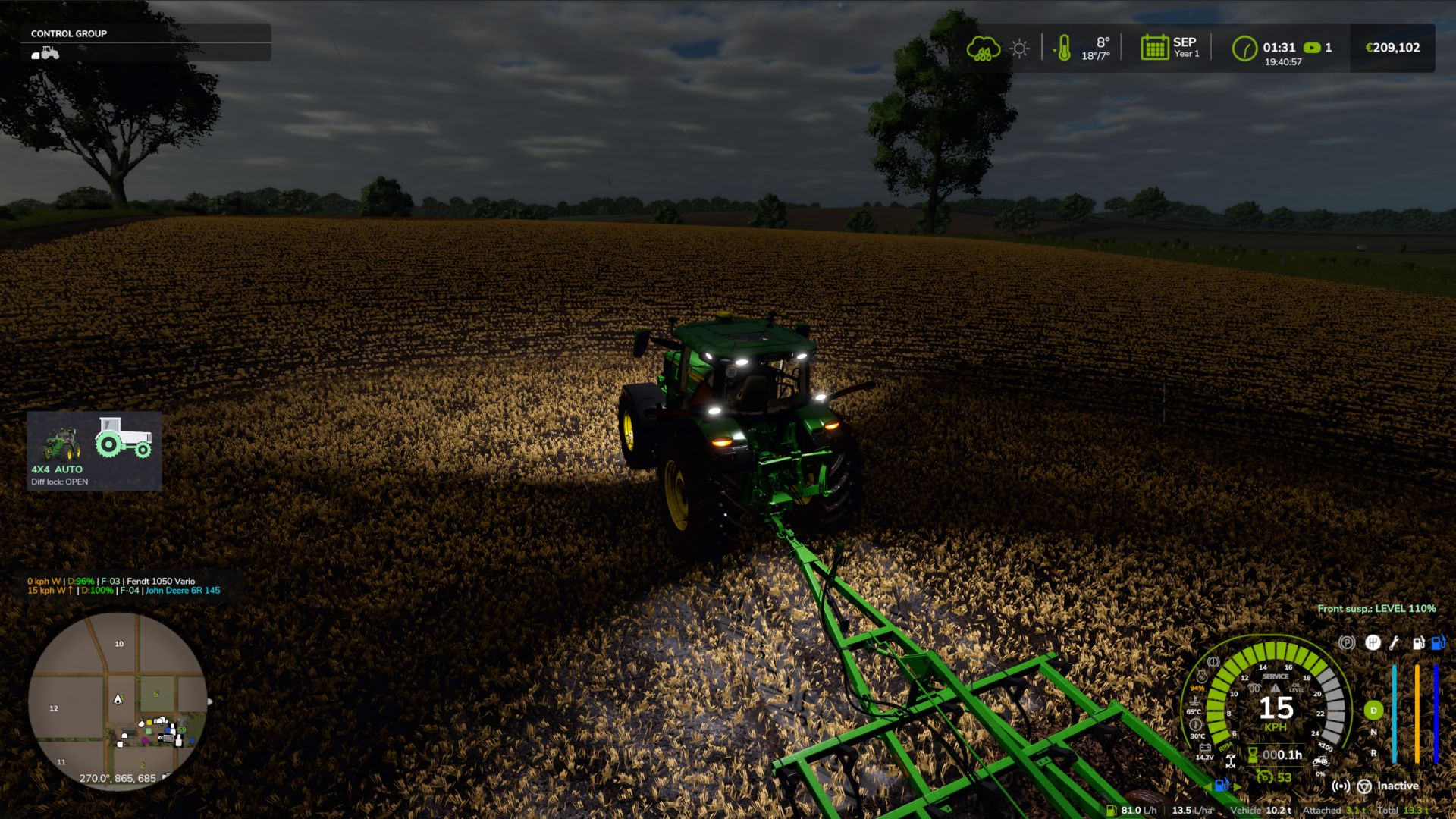
Realistic 4×4 Traction System V2.0.0.1
Realistic 4×4 Traction System V2.0.0.1 Multiplayer in development, playable but may contain bugs Take real control of your tractor’s traction — engage 4×4, lock the differential and let the system react to actual wheel slip, not just to an assigned key. This mod adds a fully switchable 4×4 traction system to compatible vehicles (tractors, trucks, harvesters, cars): engage/disengage the front axle when needed and toggle a differential lock that trades turning radius for maximum grip in mud, snow or during heavy work. Features Real rear-wheel slip detection — automatic modes react to actual wheel-slip physics, not just speed Four driving modes, assigned to each vehicle by default: Manual — always in control Semi-automatic — engages with actual wheel slip, while manual control is always available Automatic — the same logic, adjusted for vehicles with factory-fitted automatic 4WD (CVT/IVT transmissions) Intelligent — continuous, proportional engagement in the Fendt style (without abrupt switching on/off) Native tyre-pressure simulation during engagement — no dependency on any other mod On-screen HUD with real-time status and adjustable position in the game Settings menu Zero XML changes to any vehicle — the system integrates automatically into all compatible vehicles V2.0.0.1 Fix: Lua error repeating in the log (“FourWDTractionSystem.lua:2518: invalid argument #3 to ‘format'”) on vehicles with permanent 4×4 or without a 4×4 speed limit (6×4 trucks, wheel loaders, articulated tractors…). Thanks to Patrik Vendelberger for the report. Author: zasty chalk, Patrik Vendelberger, Cris669 Report bugs in the comments and help modders improve this mod. Always check the comments, you can find a solution. DOWNLOAD MOD
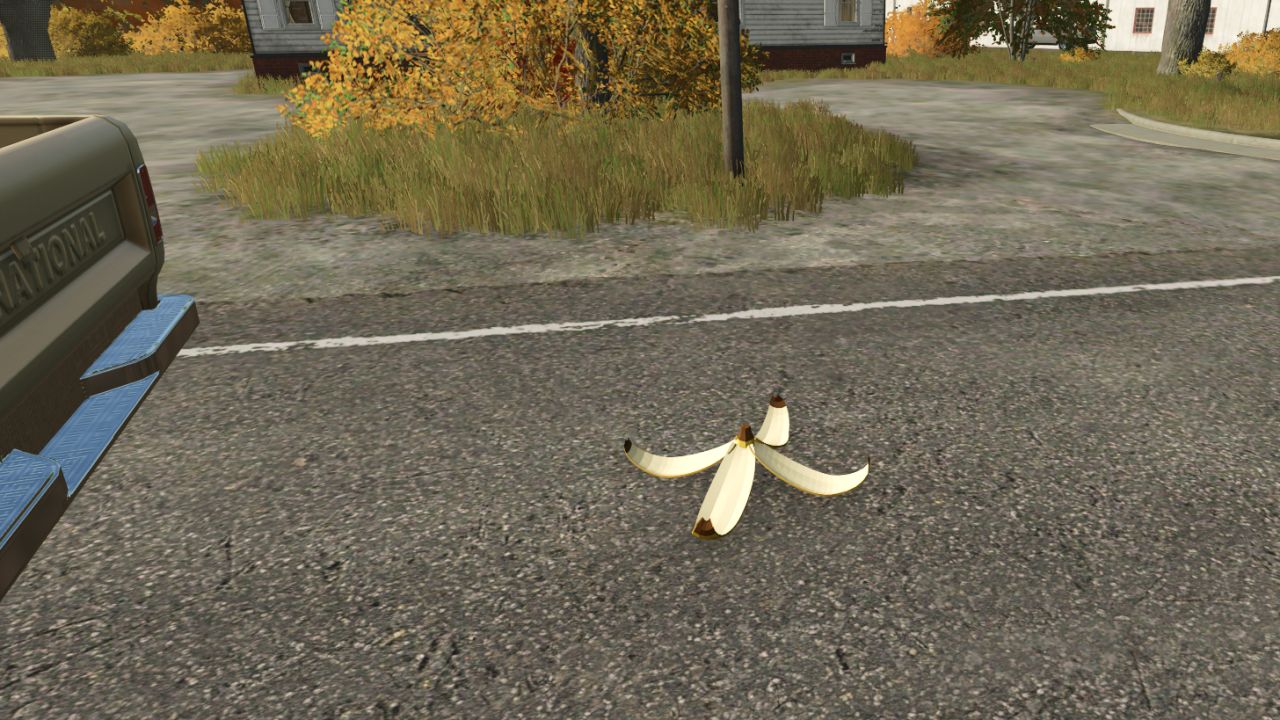
Banana Peel Spinout FS25
Toss a banana peel from your vehicle and let another player, hired worker, or passing traffic find it. It’s a separate mod, so you can bring the shenanigans to any save. https://discord.gg/ashmere Features: Toss a peel while driving with Left Ctrl + B (controls configurable) Player and hired-worker vehicles spin when they hit a peel Trailers can trigger a spin for the towing vehicle and its train Ambient road traffic gets an experimental visual spin effect Peels disappear after a hit or expire after 45 seconds Multiplayer support; the server and all players need the same mod Pedestrians, horses, and trains aren’t supported Traffic spins are visual only: traffic keeps its normal route and speed. How to install: Download the .zip. Don't unzip it. Put it in Documents / My Games / FarmingSimulator2025 / mods. Turn the mod on when you load or start a save. Find everything under Ashmere in the shop and in build mode. Found a bug? Report it in the Discord bug channel. https://discord.gg/ashmere
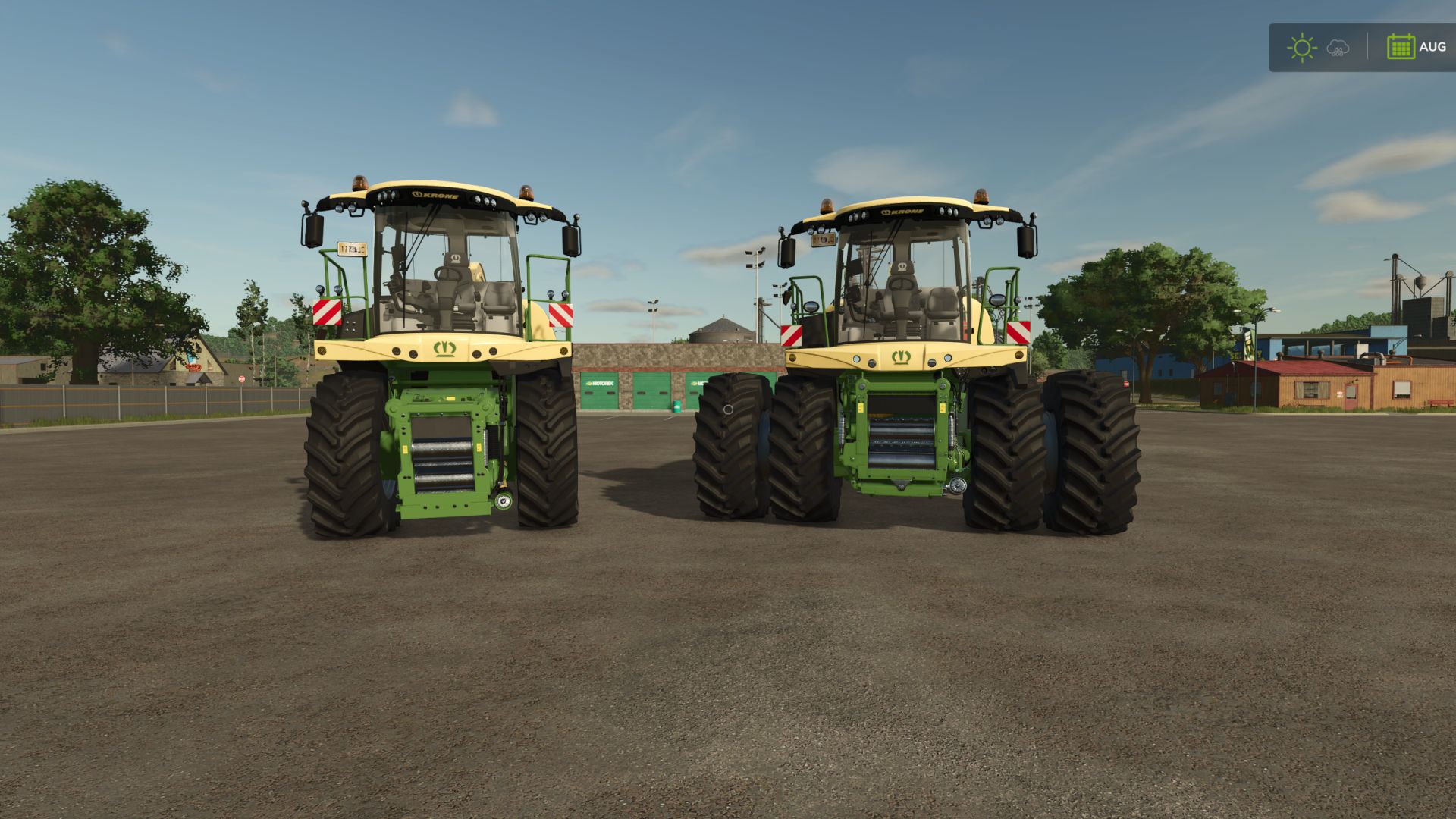
Krone BiG X Serie 480-980 V3.0.0.0
Krone BiG X Serie 480-980 V3.0.0.0 Die komplette Krone BiG X-Serie in einem Modul – zwei Maschinen im Shop: BiG X Serie 480-630 (kleine Serie) Neue Fahrerkabine mit vollständiger Innenausstattung, funktionierenden Anzeigen und Scheibenwischern, MTU Reihensechszylinder-Soundsystem. BiG X 480 – 490 PS BiG X 530 – 530 PS BiG X 580 – 593 PS BiG X 630 – 653 PS BiG X Serie 680-980 (große Serie) Aufkleber mit Modellnummer, ein Auspuff (zwei beim 980er), eigener Motorsound pro Motor. BiG X 680 – 687 PS (V8) BiG X 780 – 775 PS (V8) BiG X 860 – 843 PS (Reihensechszylinder) BiG X 980 – 979 PS (V12) Es werden keine weiteren Mods benötigt. Mehrspielermodus wird unterstützt. Fahrerhausmodell, Basismodell und Motorengeräusche: GIANTS Software. V3.0.0.0 NEU: GPS-Antenne und Kabinenanschluss als Konfiguration (beide Serien) Anlaufgeschwindigkeit, Arbeitsleistung (ha/h) und Arbeitsbreite des angebauten Schneidwerks Abgeernteter Bereich, zurücksetzen mit Alt + N NEU: Doppelrad-Vorderradkonfiguration (spieleigene Doppelfelgen und Verbindungsstück) NEU: Mittelrohrverlängerung (BiG X 680-980) BEHOBEN: Die Schläuche am mittleren Rohr folgen nun dem Rohrverlauf korrekt. BEHOBEN: Druckluftbremsanschlüsse (rot/gelb) an der hinteren Anhängerkupplung hinzugefügt – Anhänger mit Druckluftbremsen bleiben bei Verwendung des manuellen Anschlusssystems nicht mehr gebremst. BEHOBEN: Hydraulische/elektrische Anschlüsse funktionieren jetzt auch an der niedrigen Anhängerkupplung (BiG X 680-980) BEHOBEN: Die Tasten der interaktiven Steuerung wurden an die richtigen Schalter im Dachpanel verlegt (BiG X 480-630) Tags: MaschinenPS
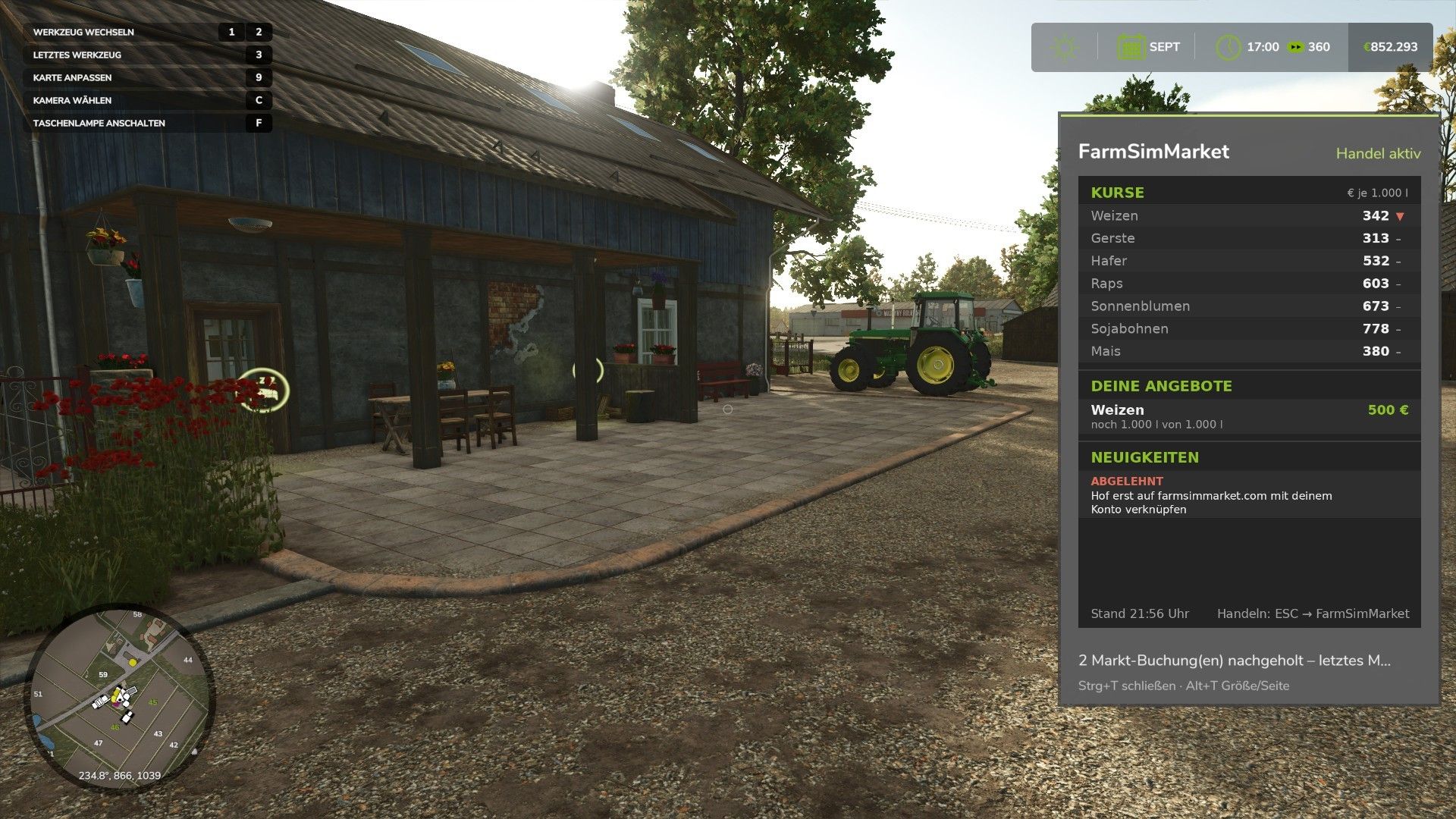
FarmSimMarket – Player Market & Rankings BETA 7 v1.0
FarmSimMarket – Player Market & Rankings BETA 7 v1.0 OPEN BETA – Trade with real players instead of only with the game! FarmSimMarket connects your farm with farmsimmarket.com – a marketplace for all LS25 players. WHAT THE MOD CAN DO – Player marketplace: Sell or buy crops, milk, pallets, bales and vehicles from other players – directly in the game (ESC → FarmSimMarket) or on the website. – Market tablet (Ctrl+T): Prices, your offers and news at the edge of the screen while you keep playing – even in a vehicle. – No extra building required: Purchased goods go into your existing silos and storage facilities, or appear as pallets/bales at the shop’s drop-off area. – Leaderboards & farm profile: Compare your farm with other players. – Contract marketplace: Post or accept contract work – with field access permissions on shared servers. – Multiplayer & dedicated servers, rented servers (G-Portal, Nitrado …) via the server bridge. HOW TO GET STARTED 1. Do not unpack the ZIP; place it in the Mods folder and activate it in your savegame. 2. Create an account at farmsimmarket.com and enter the code from the game. 3. To trade, start the small FarmSimMarket helper (farmsimmarket.com/download, Windows, no installation required). OPEN BETA – PLEASE READ FarmSimMarket is still at a very early stage. Most things work, but there may still be occasional errors or something may not work from time to time. Make a backup of your savegame before your first trade. What does not work yet or has barely been tested: – PC (Windows) only – no consoles; the helper only runs on Windows. – Trading only works with the helper or server bridge (without one, the goods remain where they are; nothing is lost). – Multiplayer and the contract marketplace’s field access permissions have barely been tested. – Rented servers via the server bridge are still being tested. – Prices move very little at first – they are generated by player trading. – Website currently available only in German. Found a bug? Please report it on Discord in #fehler-melden with a short description and the log.txt BETA 7 Version 0.32€ major update (mod + website) NEW – Delivery storage can be selected: In the ESC menu, you decide which silo, shed, stable or production facility purchased goods go to first – sales will also be made from there first – Sugar beet pulp can now be traded on the market – Cooperative contracts: A cooperative delivers or purchases as a whole – its members share the quantity, and the farm that delivers gets paid CHANGED – In-game money is unrestricted: No balance is checked anymore, money mods are allowed, and money no longer counts towards any leaderboard or achievement – In return, the daily limit decreases the more money you have (highest balance of the last 30 days), and for each commodity you can buy no more than a quarter of the available supply within 24 hours – so nobody can buy the market empty – Registration is now only possible with the linking code from the game Author: NilsDBerlin Report bugs in the comments and help modders improve this mod. Always check the comments, you can find a solution. DOWNLOAD MOD
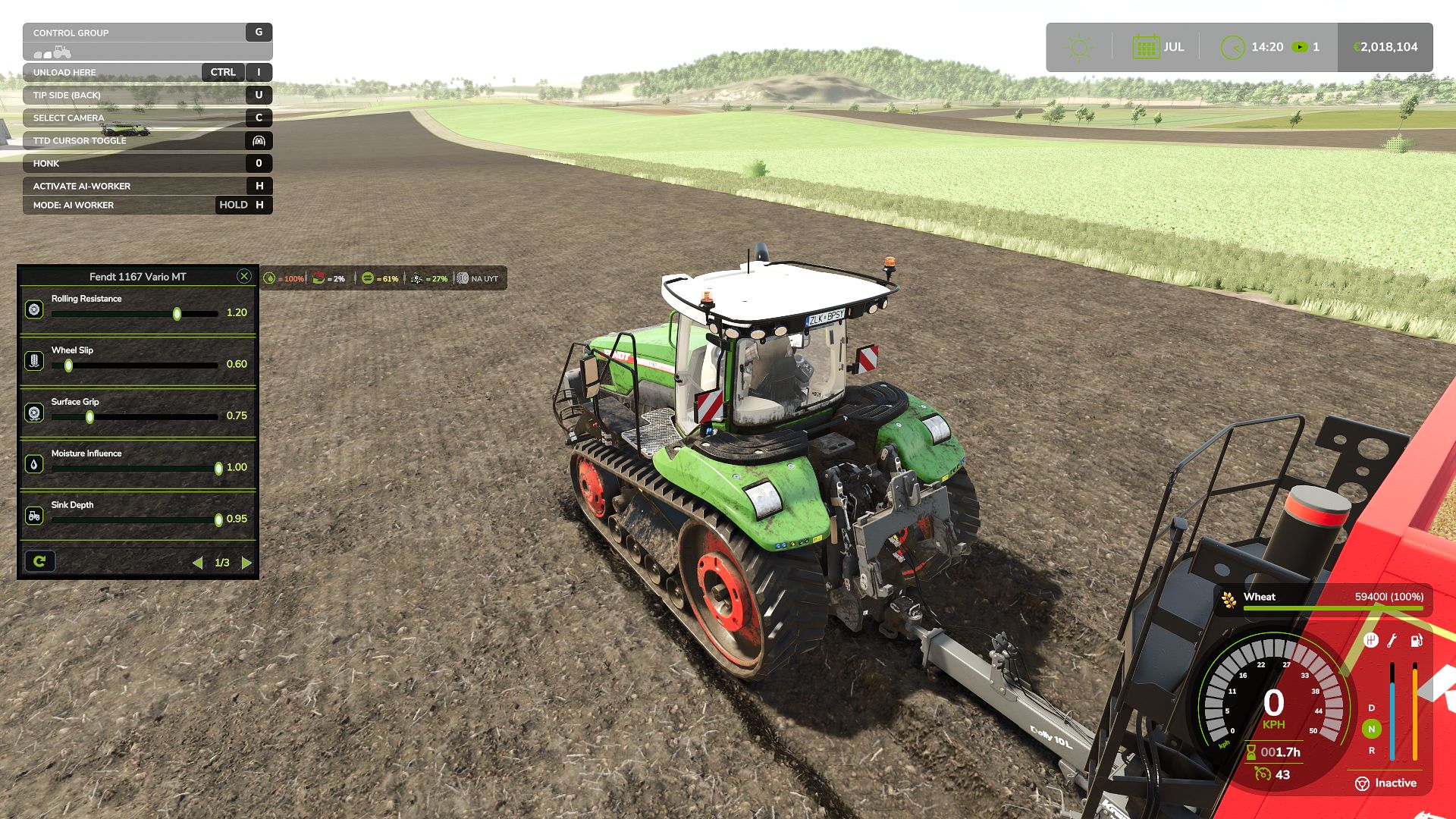
Tractor Terrain Dynamics BETA 9 v1.0.3.8
Tractor Terrain Dynamics BETA 9 v1.0.3.8 TTD — Tractor Terrain Dynamics Equipment physics, not a dirt mod. No settings required — everything works automatically. What is it? TTD changes equipment behavior depending on the weather, soil type, moisture, tire wear and tire pressure. The ground is not a target, it is a condition. The tractor is the main character. A wet field means less grip. Plowed soil means more resistance. Asphalt means everything is easy. Just like in real life. What you get: – Weather affects your work: rain — the field becomes softer, dry weather — everything is stable – Soil-type physics: 17 types, from asphalt to plowed fields. – Equipment feels different: tracks, dual tires, wide tires — everything matters. – The transmission works realistically: it holds gears under load – The HUD displays moisture, grip and resistance – Multiplayer: synchronization is handled in the code Important to understand: TTD does not add wheel slip “on demand.” Wheel slip is the result of conditions: a wet field, tire wear (if UYT is installed), a sudden start or excessive speed. If the tractor is new, the tires are new and the weather is dry, you will not notice a difference. TTD simply makes the physics fair and predictable. What TTD does NOT do: – No visual dirt – It does not only slow you down – No random penalties Compatibility: – UseYourTyres — tire wear affects road grip. – More Realistic — for maximum hardcore enjoyment Everything that happens is the result of your decisions, the weather and the ground. The mod archive includes a complete guide describing the physics and containing the author’s contact details. BETA 9 v1.0.3.8 IMPORTANT The previous version had a bug: surface states would get stuck, causing vehicles to behave strangely both on fields and on natural surfaces (grass, dirt, etc.). This has been fixed in v1.0.3.8. FIXES – The mod works on dedicated servers again. – Server and clients now correctly share surface and vehicle state data. – Switching between field / natural / road / object no longer gets stuck. – After leaving grass or dirt onto a field, the sliding gradually returns to normal over a couple of seconds no more sudden stuck slip. – Vehicles without a driver, without active work and without active surface interaction are no longer processed every frame less load. – The calibrator now shows only the pages that actually affect physics in the selected mode. No more twisting sliders that do nothing. – The calibrator now properly affects tractor slip when working with a trailer or a seeder. – Trailers and seeders now pass their resistance on to the tractor. – Tractor slip is calculated when it pulls a trailer or an implement. If the tractor drives on its own slip is minimal, since it isn’t pulling anything. NEW – Wheels now leave tracks and break up natural surfaces (grass, dirt, sand, gravel). – Breaking only works if deformation is enabled in the settings. – Broken roads are repaired manually using the normal in-game terraforming tools for in-game money. Nothing repairs itself. – Deformation on/off is in the game settings menu, right where difficulty and surface mode are. – Mod settings (difficulty, surface mode, deformation) can only be changed by the host or master user. Regular players can see them but cannot change them. – New mode: “Roads only”. On fields, TTD physics is completely turned off the game behaves like vanilla, no slip, no sinking. But on grass, dirt, sand and gravel TTD keeps working and keeps breaking them up. On fields the HUD shows values from TTD’s own settings for information only, they do not affect field physics. This mode is handy if you play with another field physics mod, or simply don’t want to slip on fields. – The calibrator also supports “Roads only” mode grass/dirt settings are available, and if deformation is on, deformation settings too. – If TTD is your main physics mod, you can use any mode. “Field” and “Field + roads” should not be used together with other physics mods. If you play with another field physics mod, switch TTD to “Roads only”. – There are more setting combinations now everyone can find what suits them. Examples: Don’t want to slip on fields “Roads only”, deformation off. Fields behave like vanilla, grass and dirt are untouched too. Want slip on grass, but don’t want to touch fields or roads → “Roads only”, deformation off. TTD stays out of fields, slip and resistance work on grass, roads stay intact. Full hardcore: fields, grass and broken roads “Field + roads”, deformation on. Everything works, grass and dirt get broken up by wheels. Playing with another field physics mod, but want grass and surface breaking from TTD → “Roads only”, deformation on. TTD doesn’t interfere with the other mod on fields, grass and roads are handled by TTD. – IMPORTANT ABOUT TIRES: tire physics always works, regardless of difficulty and mode. Narrow tires slip more they already grip the ground worse. Duals, twins and tracks grip better. This is by design from the start: tire type directly affects how the vehicle behaves. ABOUT THE CALIBRATOR AND SLIP The slip slider in the calibrator is not an “on/off for wheel spin”. It does not directly make the tractor slip or not slip. Slip depends on how much the tractor is pulling (trailer, seeder, plow), on the ground, on moisture and on the tires. The slider only adjusts how strongly all of that is applied through resistance and grip. If the tractor drives on its own it barely slips, no matter where the slider is. If it pulls a heavy trailer through wet mud it will slip, and the slider will make it stronger or weaker. Author: WDMods Report bugs in the comments and help modders improve this mod. Always check the comments, you can find a solution. DOWNLOAD MOD
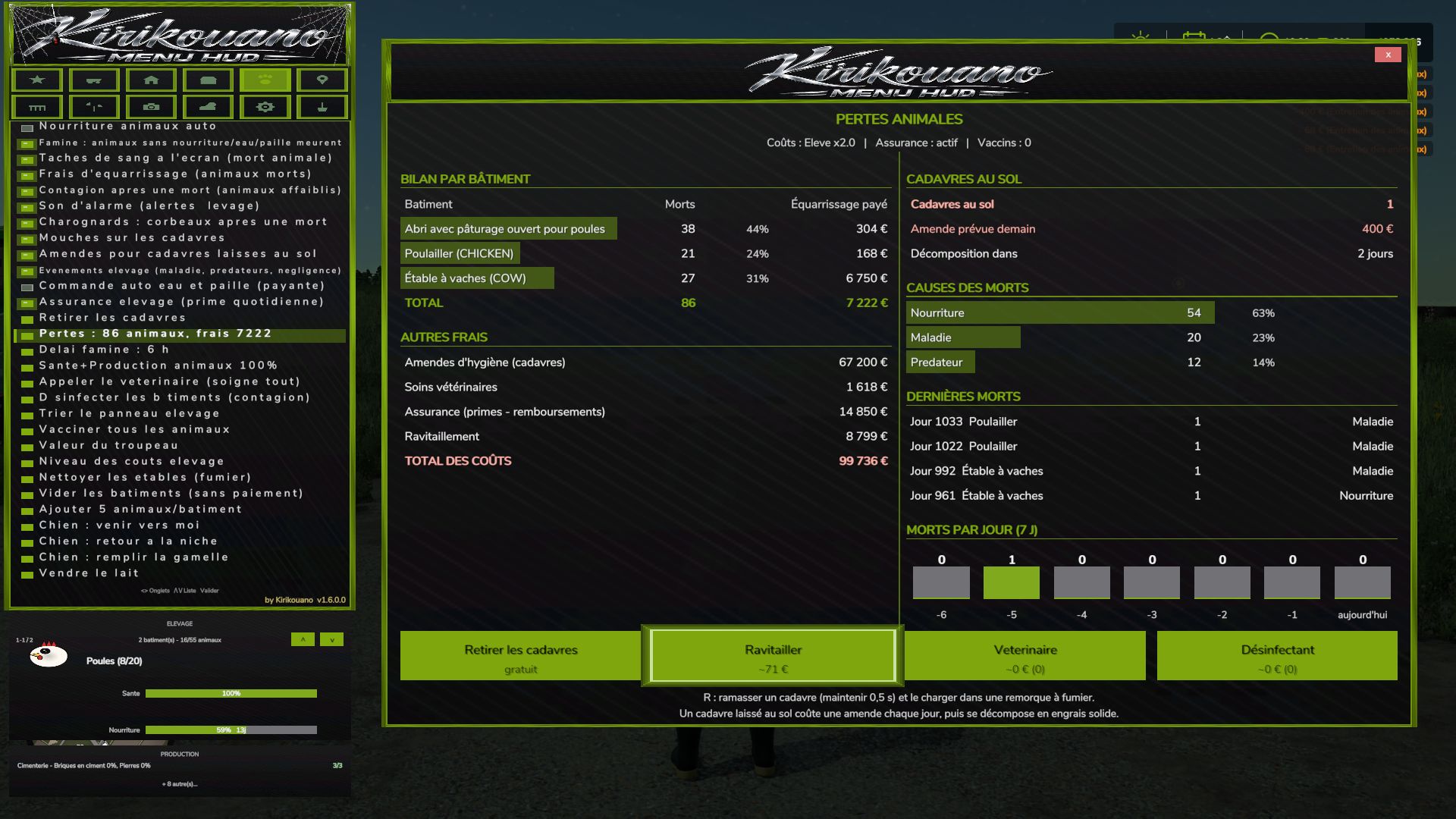
Kirikouano Menu HUD V1.7
Kirikouano Menu HUD V1.7 Kirikouano Menu HUD (FS25). Open using Left Alt + M. The menu language automatically matches the game language (FR, EN, DE, PL, IT). The Menu: 12 Tabs 1. Cheats Player: Flight mode, super speed, super strength, NoClip (walk through walls). Resources: Unlimited money, infinite fill levels, disable wear and tear, free worker wages, add or remove specific amounts, access to finance screen. 2. Vehicle Maintenance: Clean, repair, repaint, empty tanks, refuel (with fuel type selection), upright a vehicle, fill a harvester’s grain tank. Entire Fleet: Repair, clean, refuel. Driving: Adjust vehicle speed, grip, and braking; AI autopilot; crab steering; reverse driving direction; stop all AI workers. Tools: Select nearby implements and hitch points; attach/detach, fold/unfold tools; activate all attached machinery; adjust working width; control auger pipes, trailer covers, tension belts, and winches. Openings & Animations: Doors, hoods, hatches, lights, beacons, vehicle entry animations, automatic doors, interactive points. Management: Access the vehicle shop, sell vehicles, clone a vehicle, save/restore vehicle state, configure vehicle options (select options, set values, apply). Spawn any vehicle available in the game. 3. Farm Land: Buy or sell any plot of land; view field status (in French). Factories: Manage active production chains, fill all production inputs, sell finished products. Management: automatic gates and barriers; fill all silos and beehives; list, complete, or regenerate contracts; farm dashboard (also available as a separate window). Nature: automatic removal of trees and stumps; plant a tree (with a choice of species); remove nearby wildlife. 4. Buildings Open the building shop; spawn a building. Precise placement: move up, down, left, right, forward, backward; 45° rotation; adjustable step size; snap to ground; reset to flat. Free placement of fences and buildings; mouse-based placement. Fences: gates, automatic connection, snapping indicator, choice of style. Management: “my buildings” (with images); fix ownership (to resolve blocked sales); delete the currently edited building; repair damaged buildings; delete all buildings except the shop. 5. Livestock Care: set health and production to 100%; call the vet; vaccinate; disinfect; clean barns, horses, and manure on the ground; empty manure and slurry storage; remove animal carcasses. Rules: animal death, starvation (with a grace period), flies, carcass disposal fees, contagion, alarm sounds, fines, livestock events, automatic water and straw ordering, livestock insurance, animal losses. Herd: automatic feeding, herd value, cost levels, sort the livestock panel, add animals (customizable quantity), empty buildings (without payment). Mounts and animals: animal shop (mount/ride animals); dog (commands: come here, return to kennel, fill food bowl). 6. Teleport Teleport to any field or connected player. Teleport a vehicle to your current location (with the option to select the vehicle’s owner). 7. Pallets Pallet and bale shop; remove spawned pallets; emergency deletion (50m radius); delete all pallets from the map. Loading: nearby pallets, full pallets, custom system for any trailer, unloading, and cargo repacking. Cargo manipulation: move up, down, left, right, forward, and backward, with adjustable step increments. Map markers for pallets and bales. 8. Fields Field status: crop type, growth stage, weeds, stones, soil condition, soil angle, spraying, liming, plowing, rolling, cultivating—then “Apply to field.” Define new fields: draw field boundaries using an aerial camera view. 9. Camera Depth of field, camera shake, field of view (FOV), and mouse sensitivity. 10. Time and Weather Time scale (up to 120x), time of day, weather, and time freezing. Skip forward by one day, week, month, season, or year. Snow depth. Certain actions (time, weather, noclip/passing through walls) require the `-cheats` launch option. 11. System Interface: menu sounds, UI scale, menu positioning, show/hide HUD, “Kirikouano” mini-HUD, block game controls while the menu is open, and action search. Game: quick save, repeat last command, player list, farm dashboard, and cycle to the next outfit. 12. Terraforming XXL terraforming brush with a multiplier. Workshop: terraforming tools, trees, and plants (placeable individually, anywhere, with in-game audio); supports round or square shapes with adjustable sizing. Aerial camera: in-game navigation, using both mouse and controller. In-game workshop: the game’s construction screen, fully functional with a controller. Official website, help, and file verification: https://kirikouano.github.io/kirikouano-menu-hud/ V1.7.0.0 Aerial camera Navigation identical to the game’s construction screen. Mouse: move by pushing the cursor towards the edges of the screen, scroll wheel to zoom. Controller: left stick to move forward, other controls as in the game. Usable with terraforming, trees, plants, free fields and building placement. The character no longer moves when the menu is open. Escape or B exits the current tool. Plants Place one plant at a time, in the centre of a tile, without erasing the neighbouring one. Placement possible everywhere, including on concrete, using the game’s brush. Unlimited placement, round or square, with adjustable size as in the game. Game sounds when placing and erasing. Game workshop New button to open the game’s construction screen, identical to the original, with the controller. Fences Gates. Automatic connection of segments. Snap indicator. Model selection, with the real store name instead of “? ?â€. Free fields Field lines can be drawn with the aerial camera. Terraforming and trees Brush and adjustable sizes as in the game. Author: KIRIKOUANO59 Report bugs in the comments and help modders improve this mod. Always check the comments, you can find a solution. DOWNLOAD MOD
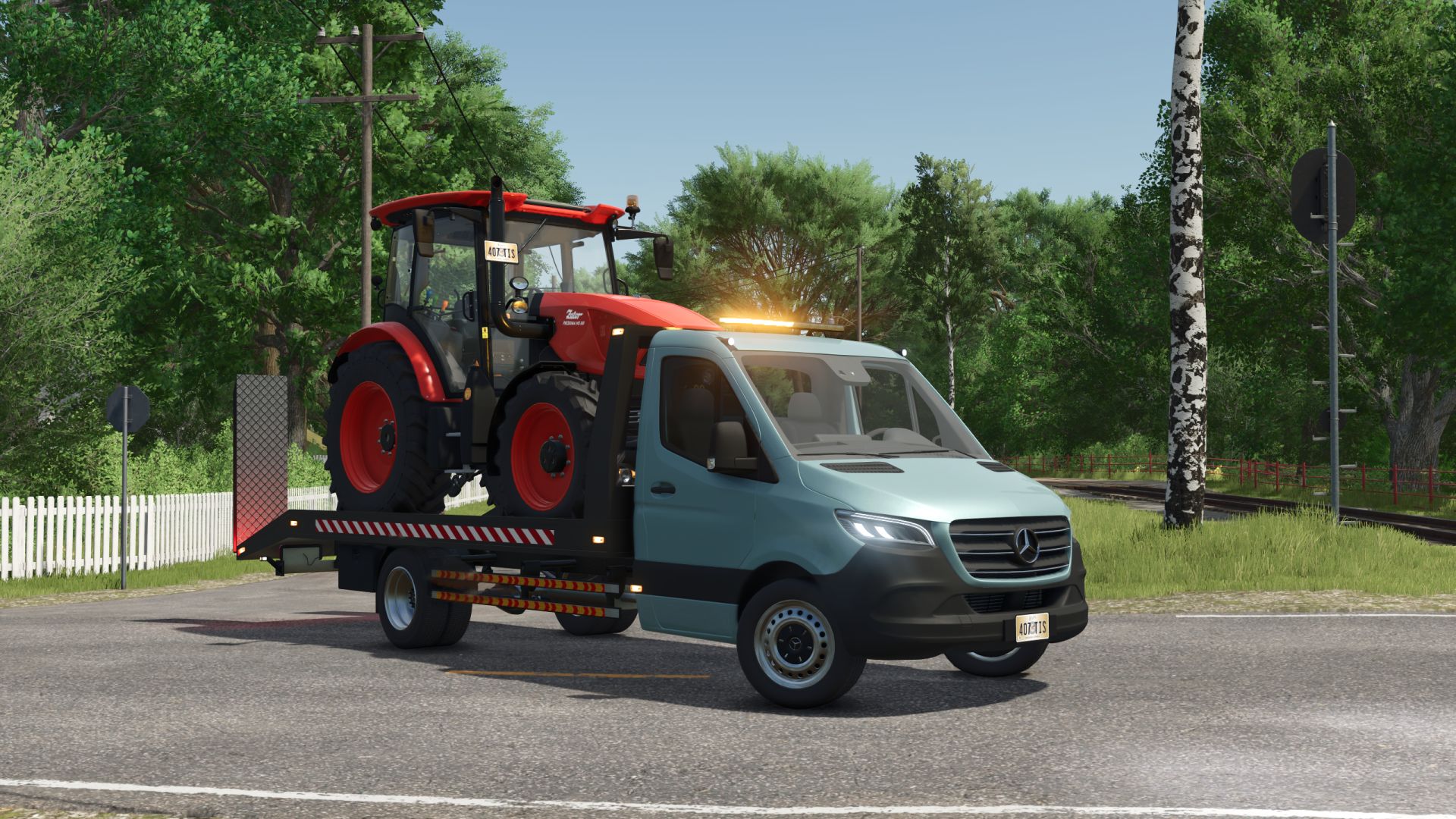
Mercedes-Benz Sprinter W910 tow truck V1.2
Mercedes-Benz Sprinter W910 tow truck V1.2 Specifications: Speed 180 km/h Selectable main, grill, bumper, rim and bed color Selectable engine Selectable design Selectable window tint Passenger support Animated suspension, drive shafts, dashboard, pedals. V1.2.0.0 Added a winch. Added wiper animation. Fixed the positioning of the side lights. Author: Canada FS, Edward`s Modding, MinewarsLP Report bugs in the comments and help modders improve this mod. Always check the comments, you can find a solution. DOWNLOAD MOD
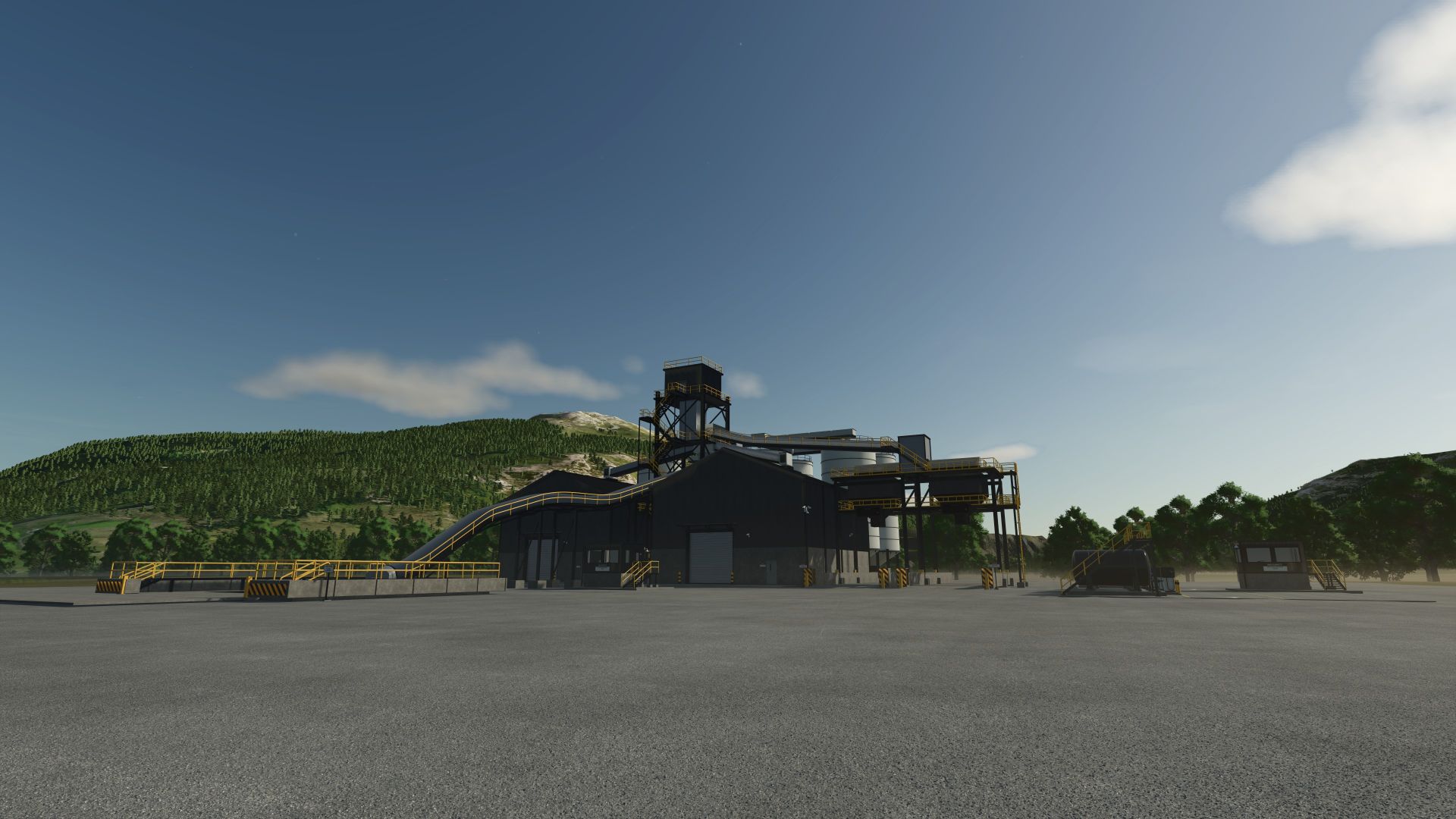
Mining Storage Terminal FS25
SCG Mining Storage Terminal | FS25 Give your mining operation a home with the SCG Mining Storage Terminal for Farming Simulator 25 on PC. Built around a busy industrial yard, it brings bulk storage, truck loading, weighbridges and diesel/DEF service together in one place. Each supported bulk fill type gets its own 5,000,000-litre capacity. Stone and wheat, for example, can each hold up to 5,000,000 litres when supported by your map. Supported mining materials are picked up from fill types already registered by your active map; the terminal does not add new fill types to a map. Use the production menu to choose storing, selling or distributing for your materials, then load your trucks through either of the two bulk outlets. Both loadouts have material streams, and the two weighbridges let you check your loads before heading out. The separate fuel area holds 100,000 litres of diesel and 35,000 litres of DEF. These are finite supplies: deliver fuel to the marked unloading points or purchase a refill at the wrench marker. Diesel and DEF dispensers refill compatible vehicles at 24 litres per second. Around the site you'll find: - Animated roller doors and personnel doors for the storage halls. - Manual indoor light switches beside the hall entrances. - Automatic night lighting for the buildings, unloading area and fuel station. - Gravel ground painting on placement and seasonal snow details. Version: 1.0.0. In-game purchase price: $320,000. Platform: PC only. Optional dependency: Diesel Exhaust Fluid Additive by Jersey Shore Modding. Install and enable it alongside the terminal. If you want a working DEF tank you will need to download his mod. Please Visit - https://jerseyshoremodding.itch.io/diesel-exhaust-fluid-system Thanks for supporting SCG and a special thank you to Jersey Shore Modding for allow his DEF mod as a support mod. https://www.patreon.com/cw/SecondChanceGaming https://secondchancegaming3709.itch.io/ Join the Discord - https://discord.gg/2yWVbAu35
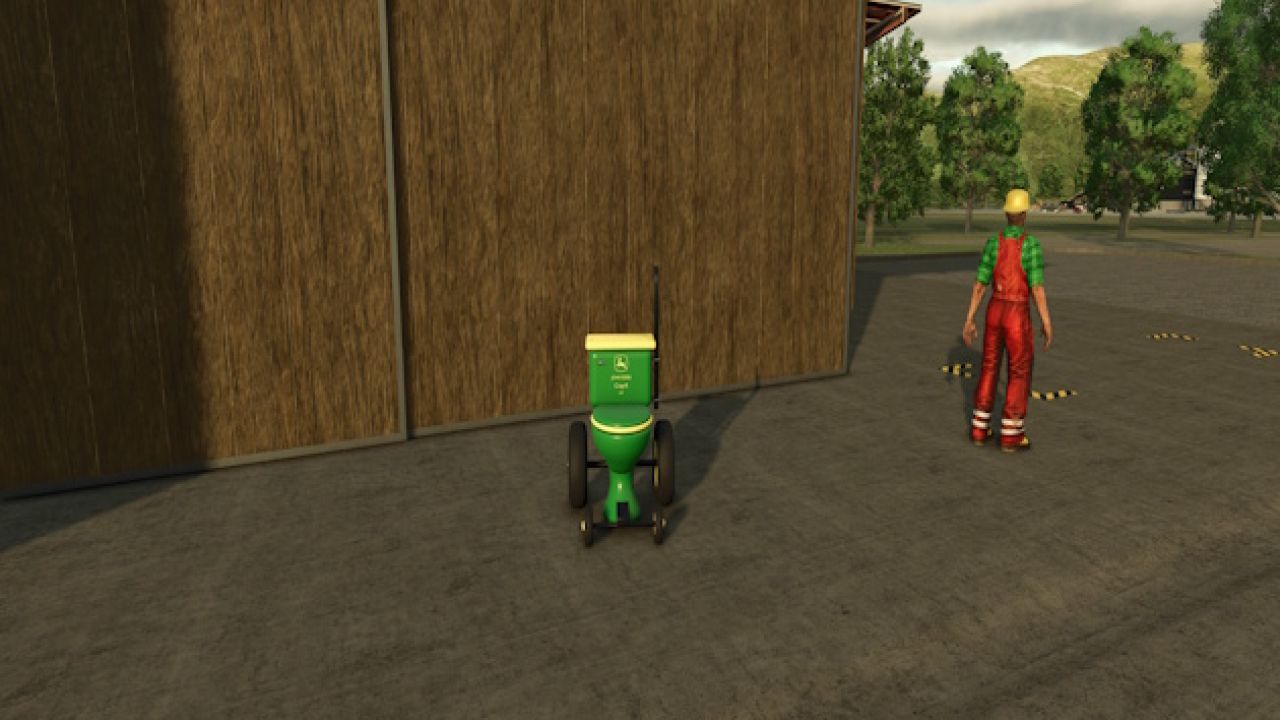
2027 John Deere Crap-R FS25
2027 John Deere Crap-R 🚜🚽 Add this American classic from John Deere’s new 2027 line-up to your farm—the Crap-R! Finished in classic John Deere green with yellow rims and its very own exhaust stack, this beauty brings a whole new meaning to getting the job done. Park it beside the workshop, outside the farmhouse, or wherever your farm needs a little extra character. A fun, fan-made parody decoration for Farming Simulator 25, created by SecondChanceGaming.
- 15 per page
- 30 per page
- 45 per page
- 60 per page
-
See more per page
Bigger pages, fewer clicks - and no ads anywhere.
Go Pro