Farming Simulator 25 mods
79,233 results- 15 per page
- 30 per page
- 45 per page
- 60 per page
-
See more per page
Bigger pages, fewer clicks - and no ads anywhere.
Go Pro

FoodPlane-Fix – Sichtbares Futter im Stall v1.0.0.0
FoodPlane-Fix – Sichtbares Futter im Stall v1.0.0.0 Diese kleine Korrektur behebt ein lästiges Anzeigeproblem auf dedizierten Servern. Beim Beitritt zu einem aktiven Server kann es vorkommen, dass das vorhandene Futter im Stall nicht im Heuraufe angezeigt wird. Die Tiere haben das Futter, aber der Futtertrog bleibt leer. Was bewirkt die Modifikation? Das vorhandene Futter wird nach dem Beitritt erneut angezeigt; dies betrifft nur die visuelle Darstellung im Stall; die Futterwerte oder der Futterverbrauch der Tiere bleiben unverändert. Getestet auf einem dedizierten Server. Wichtig: Die Modifikation zeigt nur das tatsächlich im Stall vorhandene Futter an. Sie fügt kein Futter hinzu. Tags: Beim BeitrittDie TiereWichtig Die Modifikation
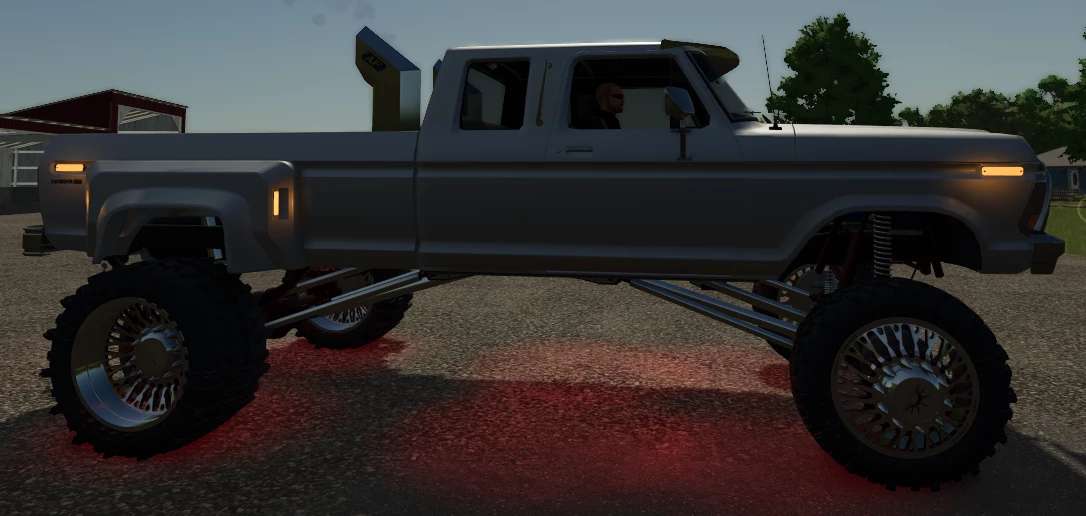
1978 savageAF f250 v1.0.0.0 FS25
Farming Simulator 22 Mods · September 28, 2026 Edit of expandables 78f250 with that SavageAf twist yall have come to love, this truck is the one your sisters bf dreams of, the one your ex secretly envys but denies. the older lady next door creams over…. anyways exhaust options wheels dynamic suspension and a few others you would expect from me, this bish is nasty. ENJOY tag me on tiktok of your version of this truck i wanna see em
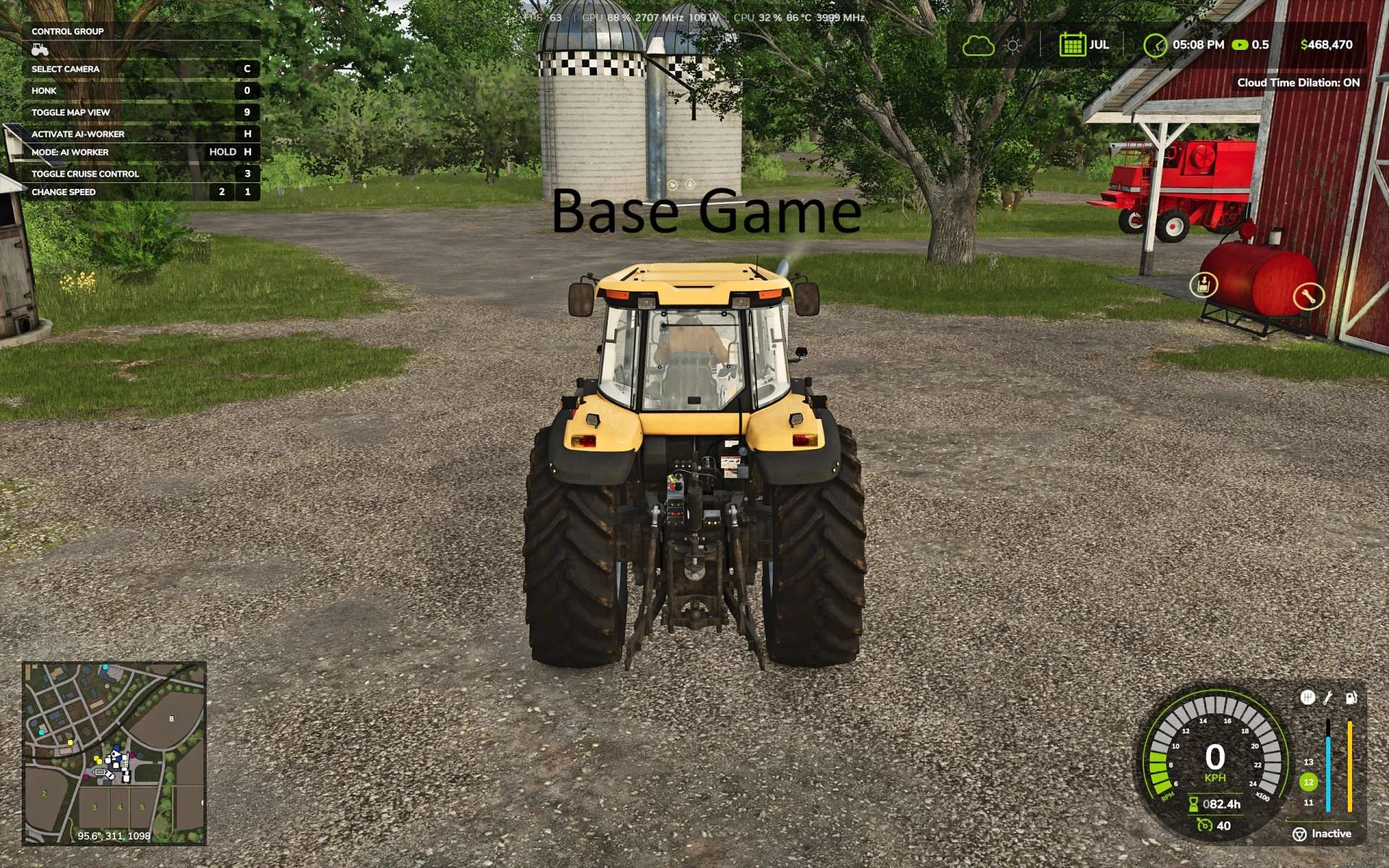
Erweiterte ChaseCam v1.0.0.0
Erweiterte ChaseCam v1.0.0.0 Die Standard-Verfolgungskamera im Spiel ist unbefriedigend. Diese Modifikation korrigiert die Kameraposition und macht sie deutlich funktionaler. Die Verfolgerkamera verhält sich nun eher wie in Rennspielen. Die Position der Verfolgerkamera in der Third-Person-Perspektive wird angepasst, ohne die Fahrerkabinenkamera zu beeinflussen. Das Verhalten der Kamera lässt sich individuell anpassen; dies erfolgt unter Allgemeine Einstellungen > Erweiterte ChaseCam. Wenn Sie nur die Kamerahöhenverstellung OHNE automatische Ausrichtung oder Rückfahrkameras wünschen, können Sie alle anderen Einstellungen deaktivieren; diese Modifikation ändert dann nur die Kamerahöhenposition. – Kamerahöhe: Die Kamera befindet sich oberhalb des Fahrzeugs, sodass dieses eher unten als mittig auf dem Bildschirm erscheint. Einstellungen: Hoch (Allround-geeignet, Standard) oder Niedrig (weniger geeignet für Mähdrescher). – Verfolgerkamera-Dynamik: Normal (Standard) hält die Richtung kurz und holt dann sanft ein, wenn Sie weiterdrehen. Entspannt ist langsamer und lässt die Kamera länger hinterherfahren. Aus entspricht der Standard-Spielkamera. – Automatische Kameraausrichtung im Freikameramodus: Schwenkt die Kamera nach dem Umschauen beim Geradeausfahren automatisch hinter das Fahrzeug. Sofort (Standard), Verzögert (ideal für manuelle Kamerasteuerung bei Seitenansichten, aber dennoch mit automatischer Ausrichtung) oder Aus (keine automatische Ausrichtung). Diese Einstellung gilt nur für den Freikameramodus (Maus, rechter Stick). Die Kamera wird auch bei aktivierter Verfolgungskamera-Dynamik automatisch ausgerichtet. – Rückfahrkamera (standardmäßig aktiviert): Die Kamera dreht sich beim Rückwärtsfahren automatisch um und richtet sich nach einer Sekunde wieder nach vorn aus. Wenn die Rückfahrkamera deaktiviert ist, sind auch alle anderen Einstellungen deaktiviert. – Rückfahrkamera-Autozentrierung: Aus (Standard) – Die Kamera zentriert sich nicht, wenn die freie Kamera verwendet wird. Ein: Die Kamera springt nach dem Umschauen mit der freien Kamera im Rückwärtsgang automatisch wieder in die Mitte zurück. – Geschwindigkeit der Rückfahrkamera: Passt an, wie schnell die Kamera in den Rückwärtsgang ein- und ausrückt. Sanft (Standard), Schnell oder Sofort. Tags: Das VerhaltenDie PositionEin Die KameraWenn Sie

FoodPlane Fix – Visible Feed in the Barn v1.0
FoodPlane Fix – Visible Feed in the Barn v1.0 This small fix resolves an annoying display issue on dedicated servers. When joining an active server, it can happen that existing feed in the barn isn’t visually displayed in the hay rack. The animals have the feed, but the feed trough remains empty. What does the mod do? Existing feed is displayed again upon joining; it only affects the visual display in the barn; it doesn’t change feed values or animal consumption. Tested on a dedicated server. Important: The mod only displays feed that is actually present in the barn. It does not add any feed. Author: Weekend Farmers Report bugs in the comments and help modders improve this mod. Always check the comments, you can find a solution. DOWNLOAD MOD
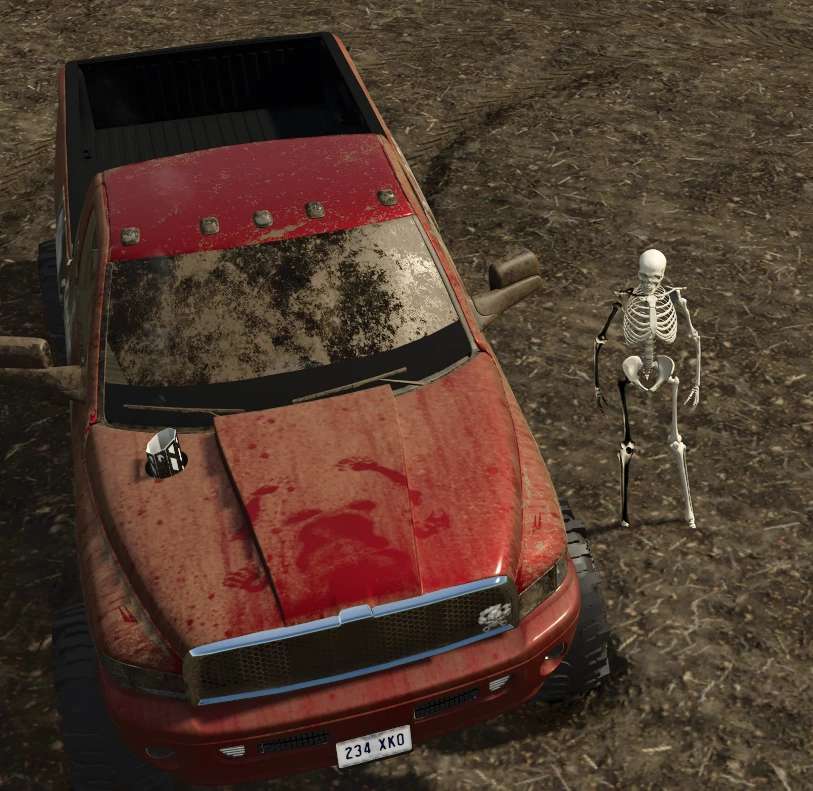
Skelettknochen v1.0.0.0
Skelettknochen v1.0.0.0 Es ist Gruselzeit! Warum einen langweiligen Skin tragen, wenn du dein Lieblingsspiel spielst und deinen coolen SavageAF-Truck fährst, wenn du den knochenharten Körper eines Skeletts haben kannst? Hier ist Skelly! Die Kleidungsstücke landen in deiner Garderobe und können dort ausgewählt werden. Nicht alle Kleidungsstücke eignen sich dafür, falls du überhaupt Kleidung tragen möchtest. Es gibt verschiedene Auswahlmöglichkeiten. Du musst einfach ein bisschen herumprobieren. Tags: Die KleidungsstGruselzeit Warum
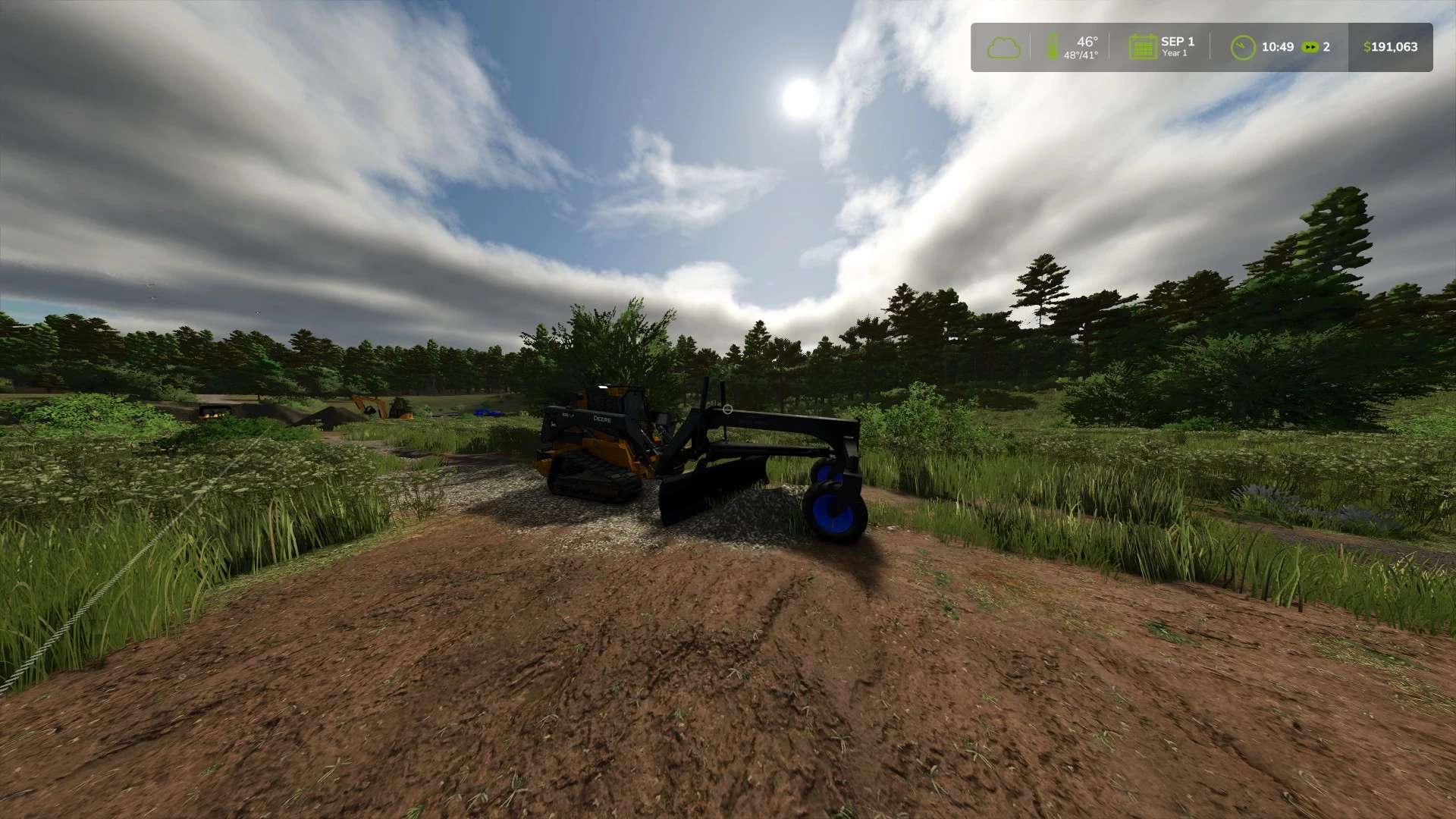
VTMD Straßengrader v1.0.0.0
VTMD Straßengrader v1.0.0.0 Dieser Straßenhobel eignet sich für schwere Planier- und Nivellierungsarbeiten. Von Einfahrten bis zur Flächenerneuerung – diese Terrafarm-kompatible Modifikation erledigt die Arbeit. Tags: Terrafarm-kompatible ModifikationVon Einfahrten
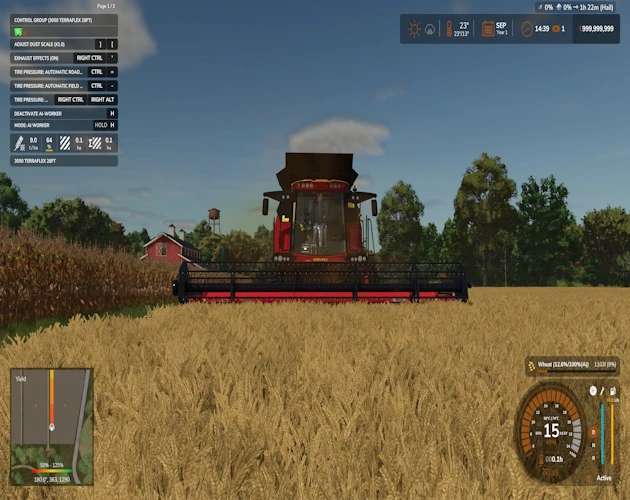
Versatile RT 520 v1.0.0.0 FS25
Farming Simulator 22 Mods · September 28, 2026 Bring the Versatile RT 520 back to the field in FS25. This conversion includes cab updates, Interactive Control features, corrected visuals, and three matching headers. Specifications Power 520 HP 11,981 L grain tank Included headers TerraFlex 3020 — 25 ft / 7.5 m TerraFlex 3050 — 28 ft / 8.5 m NorthStar 1230 FB — 9 m Additions Matrix 430 GPS and rear-camera monitor Interactive Control for engine, lighting, indicators, hazards, beacon, cruise control, header lift and unfold, grain covers, unloading pipe, radio, and cab-display visibility Damped seat suspension Wheel and crawler configurations, including DeltaTrack and Camso options Rim-color choices Required mods and DLC Real GPS Mercedes-Benz Trucks Pack DLC FS25 Interactive Control
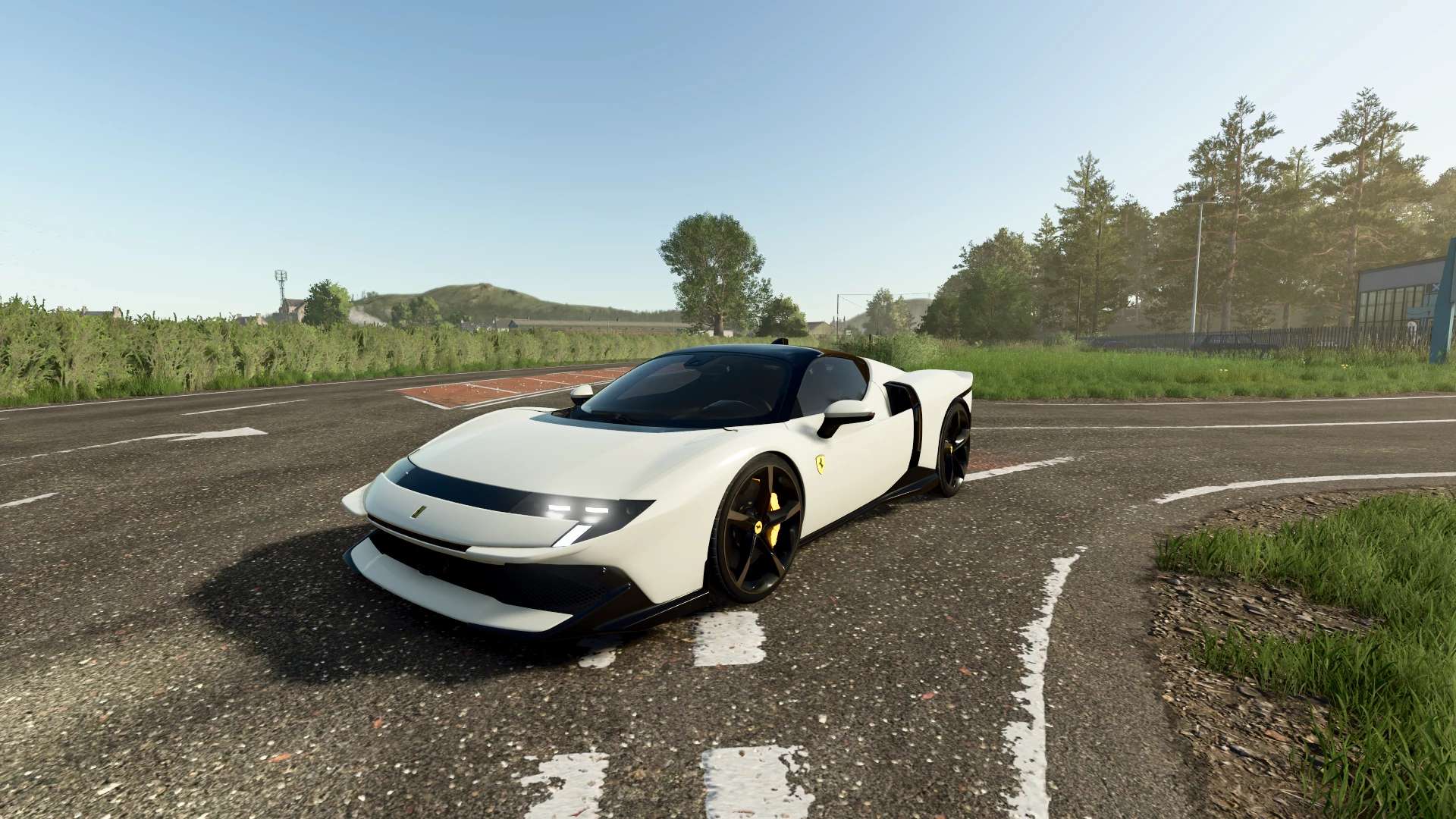
Ferrari 849 Testarossa v1.0.0.0 FS25
Farming Simulator 22 Mods · September 28, 2026 Characteristics: Selectable body color. Selectable Rim color. Selectable Rim color 2. Selectable Caliper Color. Selectable Interior Color. Selectable Seats Color. Interactive Control Support. Supports license plates. Aero Parts animated. 2 Wheels. Price: $540.000 Engine: 4.0L V8 7 SPEED 1050HP Custom Sound.
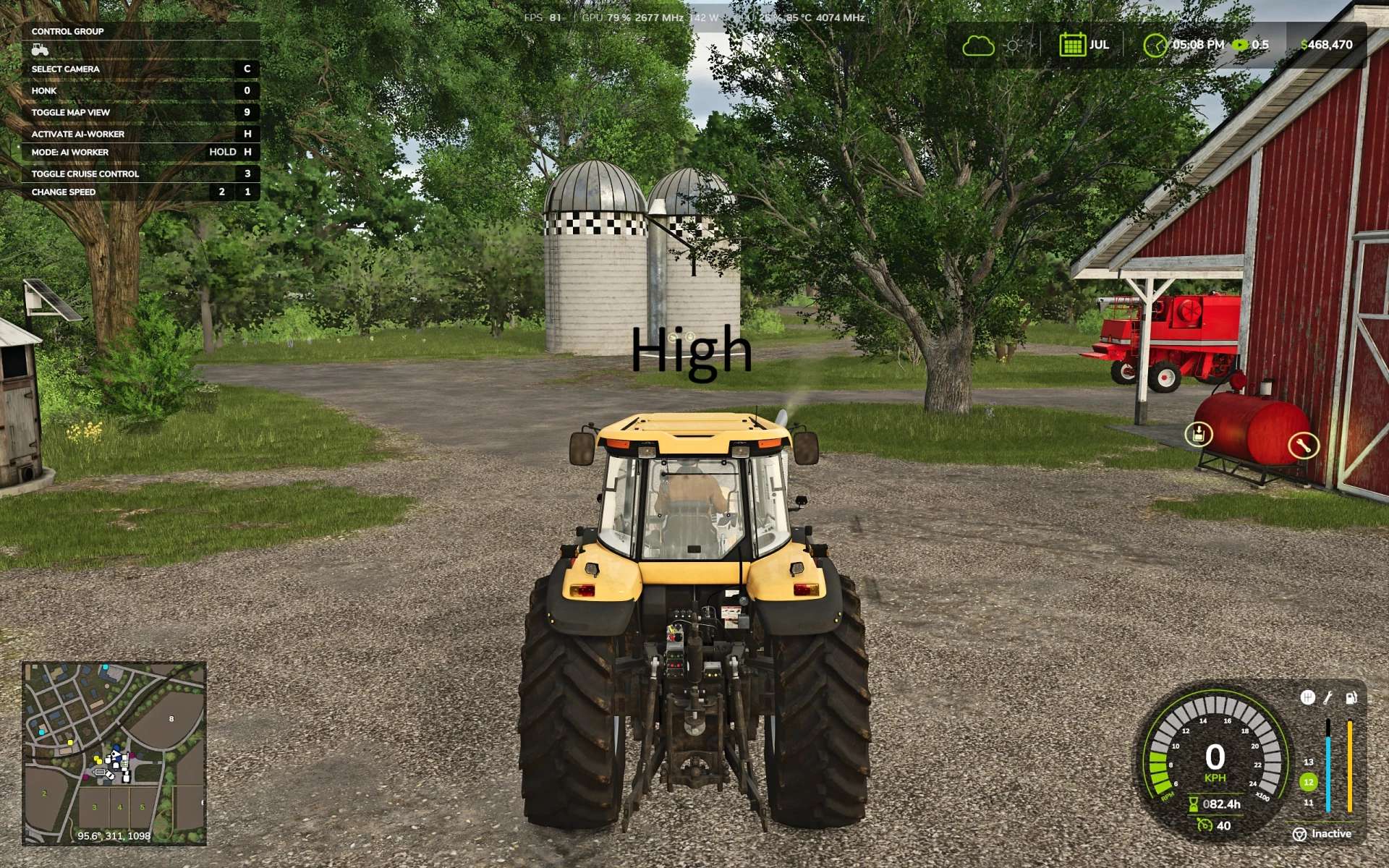
Advanced ChaseCam v1.0
Advanced ChaseCam v1.0 The base game chase camera is less than desirable. This mod fixes it the position of the camera and makes it much more functional. Changes the Chase Camera to behave more like racing games. Changes how the third person Chase Camera is positioned without effecting in the Cab camera. You can customize the behavior of the camera, all done within General Settings > Advanced ChaseCam. If you just want the camera height adjustment WITHOUT any auto-alignment or reverse cameras, you can turn all other settings off and this mod will only change the camera height position. – Camera Height: the camera sits above the vehicle so the vehicle sits low on the screen rather than the exact middle of the screen. Settings: High (Good all around, default) or Low (not great for combines). – Chase Camera Dynamics: Normal (Default) holds its heading briefly, then catches up smoothly if you keep turning. Relaxed is slower and lets the camera trail more. Off is the base game camera. – Free Cam Auto Alignment: swings the camera back behind the vehicle when driving straight after you look around. Immediate (Default), Delayed (good if you like to manually control the camera for a side profile shot but still want the camera to auto-align) or Off (no auto-align). This setting only applies to Free cam (mouse, right stick). The camera will still autoalign if Chase Camera Dynamics is on. – Reverse Camera (on by default): Automatically turns the camera around while reversing, automatically turns back facing forward 1 second after reversing ends. If turned off, other Reverse Camera settings are also off. – Reverse Camera Auto Center: Off (default)-Camera does not recenter if free cam is used, On-springs the camera back to center after look around with free cam in reverse. – Reverse Camera Turn Speed: Adjusts how quickly the camera changes in & out of reverse. Smooth (default), Fast or Instant. Author: lokiperson Report bugs in the comments and help modders improve this mod. Always check the comments, you can find a solution. DOWNLOAD MOD
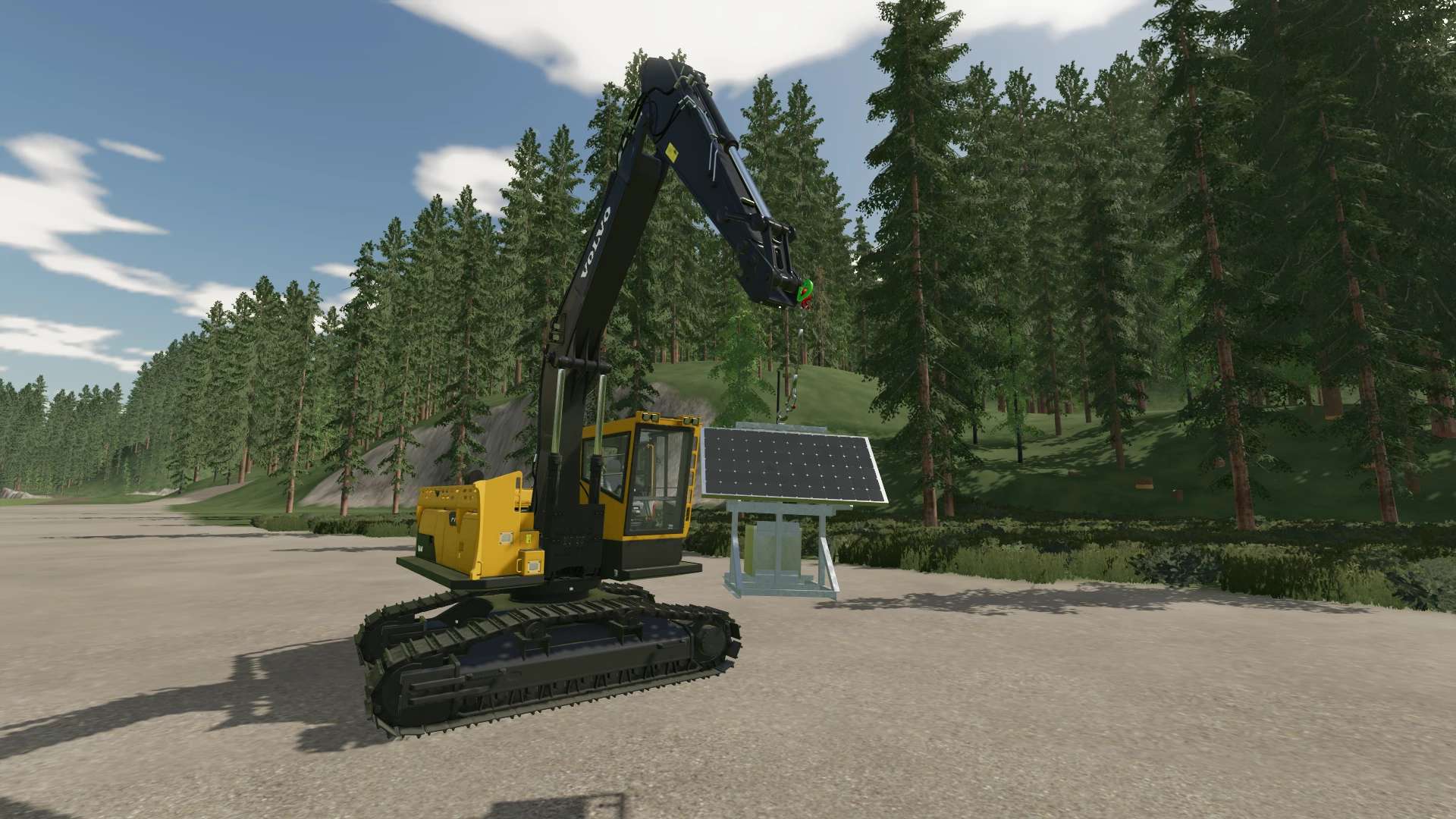
Solar Skid v1.0
Solar Skid v1.0 Small Solar Skid, two versions for now. Probably going to do up some more in the future. Placeable version can be found under the Generator tab in the Production category. Price:$7500, Daily Upkeep:$15, Income Per Hour:$125 Dynamic Version can be used for RP, can be strapped with tensions belts and bigBag attacher on D-Ring for lifting. Thanks Jonathan Buckman for the original 3D model. Author: TJ Logging Report bugs in the comments and help modders improve this mod. Always check the comments, you can find a solution. DOWNLOAD MOD
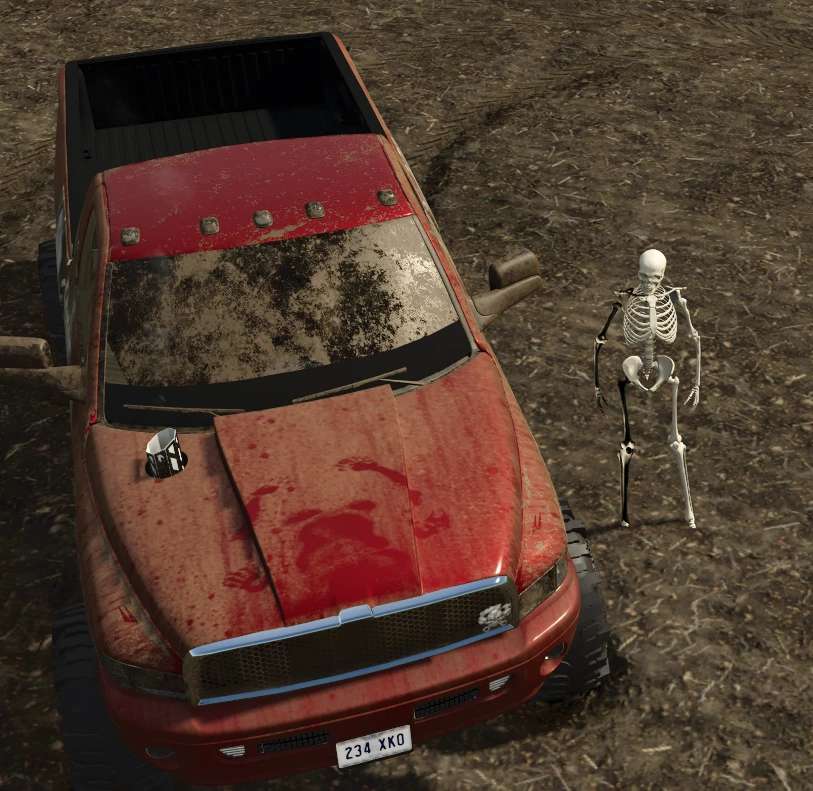
Skelly bones v1.0
Skelly bones v1.0 its spooky season, why have a boring skin when youre playing your favorite game and driving your favorite SavageAF truck when you can have the bone chilling rock hard body.. of a skeleton! meet skelly goes into your warbrode and is selectable there, not all clothes work well with it, if you even want to wear clothes that is, a few different selections. just gotta play around with it Author: SavageAFPerformance Report bugs in the comments and help modders improve this mod. Always check the comments, you can find a solution. DOWNLOAD MOD
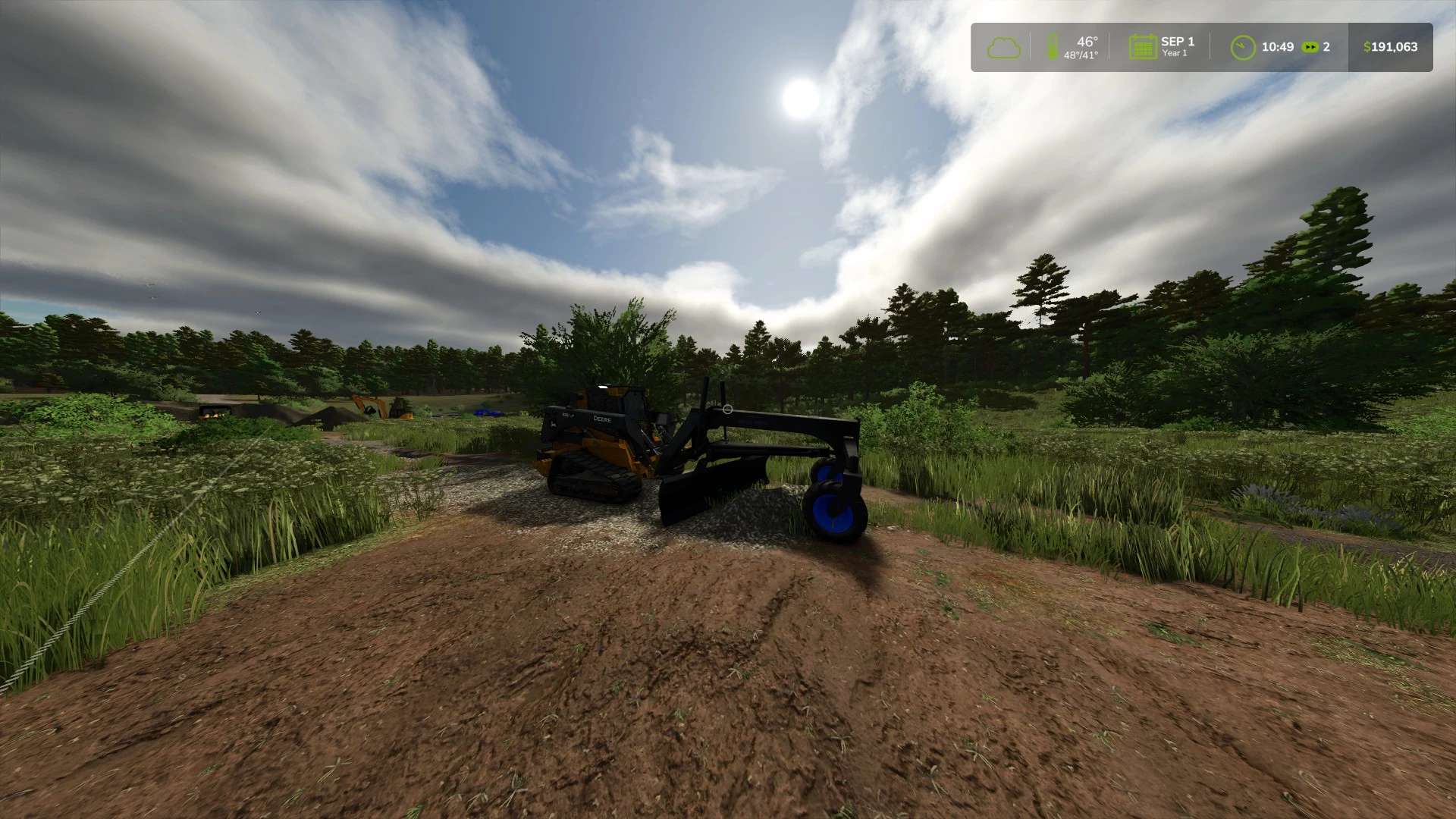
VTMD Road Grader v1.0
VTMD Road Grader v1.0 This is a road grader capable of performing heavy grading and leveling work. From driveways to resurfacing of an area, this terrafarm enabled mod will get the job done. Author: ViperTechModdingDivision Report bugs in the comments and help modders improve this mod. Always check the comments, you can find a solution. DOWNLOAD MOD
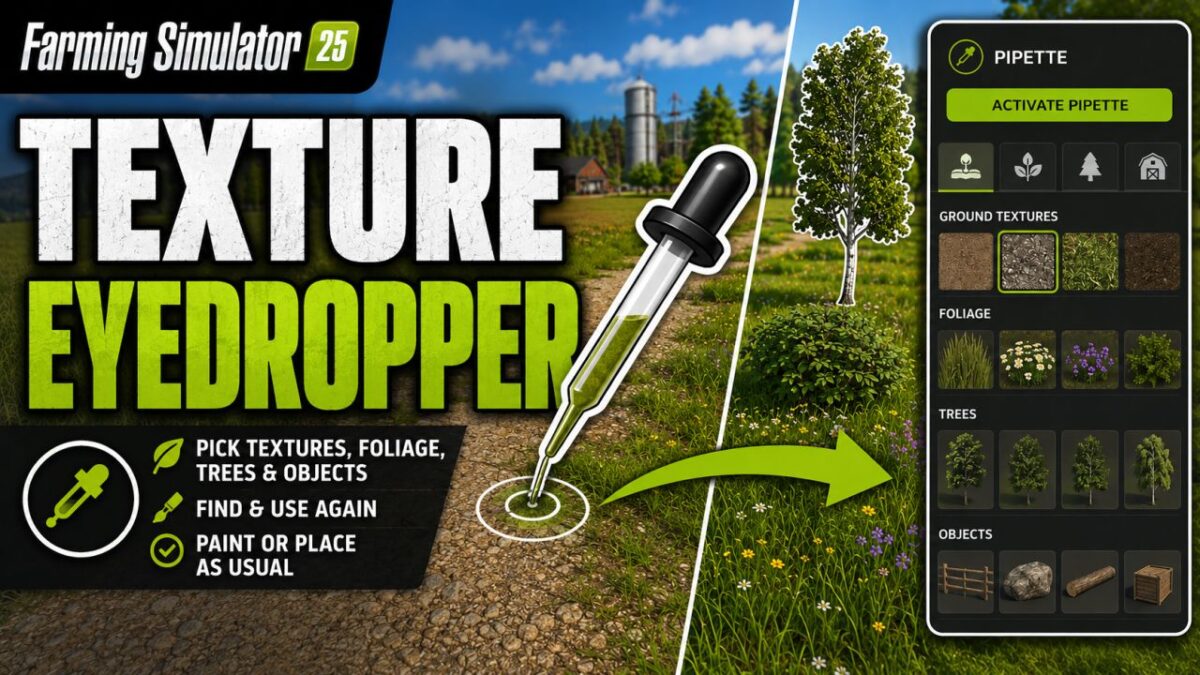
Texture Eyedropper v 2.2
Terrain Texture And Object Picker expands the build menu with an eyedropper feature for ground textures, foliage, bushes, trees and supported placeable objects. The pipette can be used to capture already used painting textures, visible foliage such as grasses, flowers and bushes, placeable trees and supported objects directly on the map and find them again in the construction menu. For mixed areas, multiple matching hits can be displayed. Application: 1. Open the “Pipette” tab in the build menu. 2. Press the “Activate pipette” button. 3. Click on a ground texture, foliage, bush, tree, or supported object. 4. Confirm the desired hit in the construction menu. 5. Paint or build as usual. The pipette can be reactivated at any time if necessary. The active brush is reset before recording. The mod takes into account available ground textures and suitable foliage of the respective map. Map foliage is recognized without loading additional entries into the normal build menu without checking. Thanks to PeterPwn247 for “All Decorative Foliage” and to modelleicher (Farming Agency) for “All The Ground Textures Ingame”. Both mods helped to understand how map content can be usefully made available in the build menu. Version 2.2: * Fixed error messages in the log during pipetting that could occur on maps with incorrectly entered foliage layers * Internal revision: removed a no longer needed diagnostic code and adapted error handling to current GIANTS specifications

Employees v 1.2
The “Employees” mod expands the game with a comprehensive personnel system. Employees can be hired, assigned to different work areas, and developed through training. They also take care of tasks such as animal husbandry and machine maintenance. Contract types, salaries, illnesses, retirement, and temporary workers ensure more realistic personnel planning. Employee Management: Up to 10 fixed employee profiles with their own name, age, and assigned AI helper. Four contract types: Casual for €600/month and 40 in-game hours, part-time for €1,600/month and 80 hours, full-time for €3,200/month and 160 hours, and temporary workers for €120 per assignment. Temporary Workers: Available for 8 in-game hours from the time of request and then automatically leave the farm. They receive no further training and work at full performance level. Job Categories: Each employee can be assigned fieldwork, transport, animal husbandry, or machinery operation. New employees start with “Unassigned.” AI Helper Linking: Fieldwork is only assigned to employees with fieldwork skills; GoTo, Delivery, Conveyor Belt, and Transport jobs require Transport. Employee Selection in Single Player: When starting a suitable AI job, a selection of available employees appears. Automatic Selection in Multiplayer: A suitable employee is automatically selected. The employee with the lowest percentage of their allocated hours is given priority. Real employee names: Instead of “AI Helper A/B/C…”, the employee’s name is displayed for managed jobs. Working hours: Regular employees use up their monthly hour allowance while performing AI tasks. Once this allowance is exhausted, the job is terminated. Monthly salaries: Salaries are deducted at the end of the month; at the same time, the hour allowance of regular employees is reset. Terminations: An employee can be terminated. Termination occurs after three month-ends; the termination can be withdrawn beforehand. Aging: Employees age over the course of the game. Retirement: Employees retire at age 65. A warning is issued three months in advance. The vacated position can then be rehired with the employee’s original starting age. Illnesses: Regular employees have a 3% monthly chance of becoming ill. Four illnesses: colds, gastroenteritis, flu, and back problems with varying recovery times. Recovery in game time: Illness expires after in-game hours. Sick employees cannot be deployed or trained; ongoing work and maintenance are terminated. Training: Fieldwork, transport, animal husbandry, and machine technology each have 3 levels. Training costs: Level 1 costs €750, Level 2 €1,500, Level 3 €2,250. Training duration: The three levels take 2, 5, and 8 in-game hours, respectively. Performance levels: Without training, a normal employee works at 25%, then at 50%, 75%, and 100%. Fieldwork and Transport: The training level affects the actual AI driving speed and the vehicle’s speed limit. Animal Husbandry and Machinery: Higher training reduces the required working time. Automatic Animal Checks: An animal caretaker automatically checks the herds at 8:00 AM and 5:00 PM. Occupied Sheds Only: Empty barns and pastures are skipped. 20% Threshold: Feed, water, and bedding are only replenished when the respective stock level falls below 20%. 95% Target: The animal caretaker then attempts to raise the stock level to 95%. Fair Feed Distribution: If there isn’t enough feed available, herds in need are considered together, instead of the first barn found receiving all the feed. Feed from Farm Stores: The mod searches for usable feed in various locations, including regular silos, silo extensions, bale storage, pallet storage, big bags, and object storage facilities. Hof Bergmann Support: The storage logic takes into account the special Hof Bergmann pallets and ObjectStorages. Pet Food: Special fill types such as dog/cat food can also be accommodated. Water: The animal caretaker fills suitable water troughs directly and free of charge; no water is taken from a farm storage area. Bedding: The mod recognizes both straw and wood shavings, depending on what the respective barn actually supports. Wood Shavings on Hof Bergmann: Even stored wood shavings pallets in the ObjectStorage can be recognized as stock and removed. Stock Protection: If feed or bedding is not accepted by the barn, the mod attempts to return the reserved stock instead of simply making it disappear. Manure: Existing manure is moved to the nearest accessible manure slab on the farm. Farm Separation: The automatic supply only accesses stocks and holdings to which the respective farm has access. Mechanical Technician: Works automatically between 8:00 AM and 5:00 PM. Repair Threshold: Vehicles are selected for maintenance when they reach approximately 20% damage. Vehicle Selection: Preference is given to a damaged vehicle belonging to the operator that is not currently being driven, is not in motion, and is not performing an active AI job. Maintenance Duration: This depends on the Mechanical Technician’s training level and only continues during working hours from 8:00 AM to 5:00 PM. Vehicle Lockout During Maintenance: The vehicle cannot be entered, tabbed through, used, or normally attached during maintenance. Repair Display: The remaining repair time is displayed in the vehicle information. Repair costs: Before and upon completion, the system checks whether the farm can afford the repair. Staff overview: The employee menu displays employees by contract type and job description, as well as status, age, available hours, and other contract information. Status indicators: These include “Available,” “On Duty,” “Training,” “Sick,” “Hours quota reached,” “Maintenance task,” and “Assign job description.” Multiplayer: The actual employee logic runs server-side. Multiplayer synchronization: Employees, contracts, working hours, age, roles, training, illnesses, active AI jobs, and maintenance are transferred to the clients. Farm security in multiplayer: A client may only perform administrative actions for employees on their own farm. Synchronized actions: Hiring, changing job descriptions, starting training, resigning, and retracting resignations are sent to the server. Multiple farms: Animal care and machinery maintenance are managed separately for each farm in multiplayer. Savegame support: Employees, development, illnesses, training, maintenance, and animal check times are saved in a separate employees.xml file.
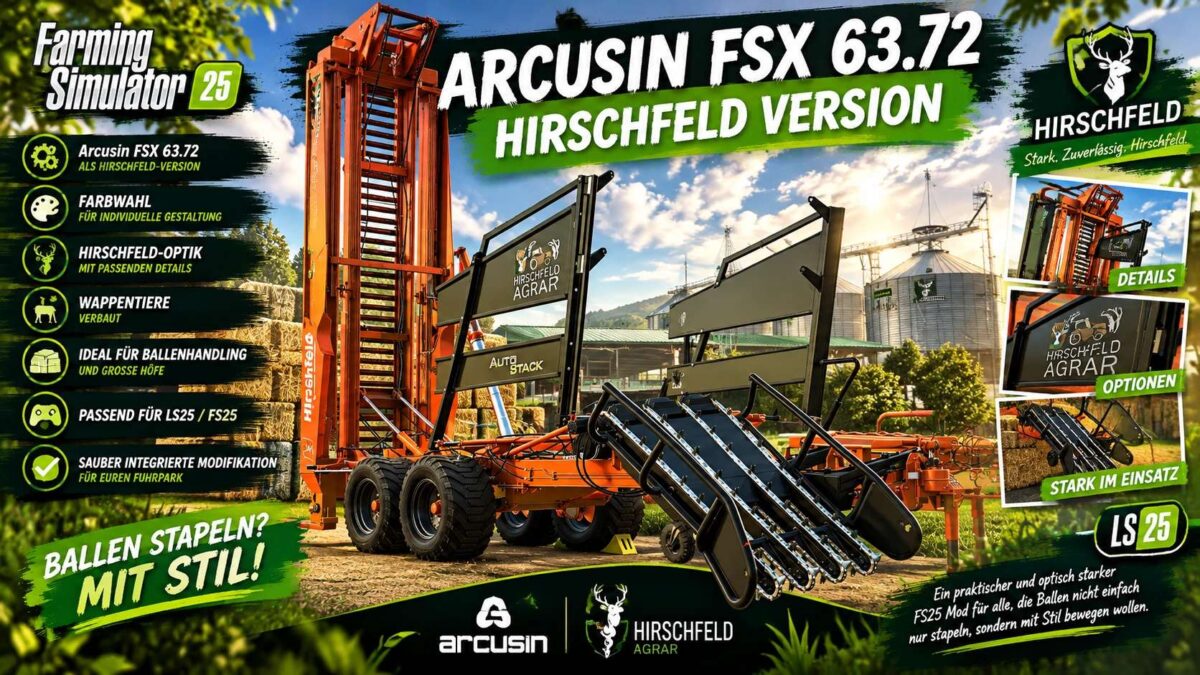
Arcusin FSX 63.72 Hirschfeld Edition v 1.0.0.1
The Hirschfeld edition of the Arcusin FSX 63.72 brings a powerful bale stacker to your farm—a machine that is both a workhorse and an eye-catcher. This LS25 mod has been reworked specifically for Hof Hirschfeld, visually customized, and finished with loving attention to detail. The bale stacker is ideal for anyone looking to move, collect, and neatly stack large numbers of bales in Farming Simulator 25. Thanks to the new color selection options, you can visually match the Arcusin to the rest of your fleet. Naturally, the machine has also been given the signature “Hirschfeld” treatment, featuring the farm’s iconic heraldic animals. Features: Arcusin FSX 63.72 Hirschfeld Edition Color selection for customization Hirschfeld visual style with matching details Heraldic animal branding included Ideal for bale handling and large farms Compatible with LS25 / FS25 Seamlessly integrated mod for your fleet A practical and visually impressive FS25 mod for those who want to move bales with style, not just stack them.
- 15 per page
- 30 per page
- 45 per page
- 60 per page
-
See more per page
Bigger pages, fewer clicks - and no ads anywhere.
Go Pro