Farming Simulator 25 mods
77,956 results- 15 per page
- 30 per page
- 45 per page
- 60 per page
-
See more per page
Bigger pages, fewer clicks - and no ads anywhere.
Go Pro
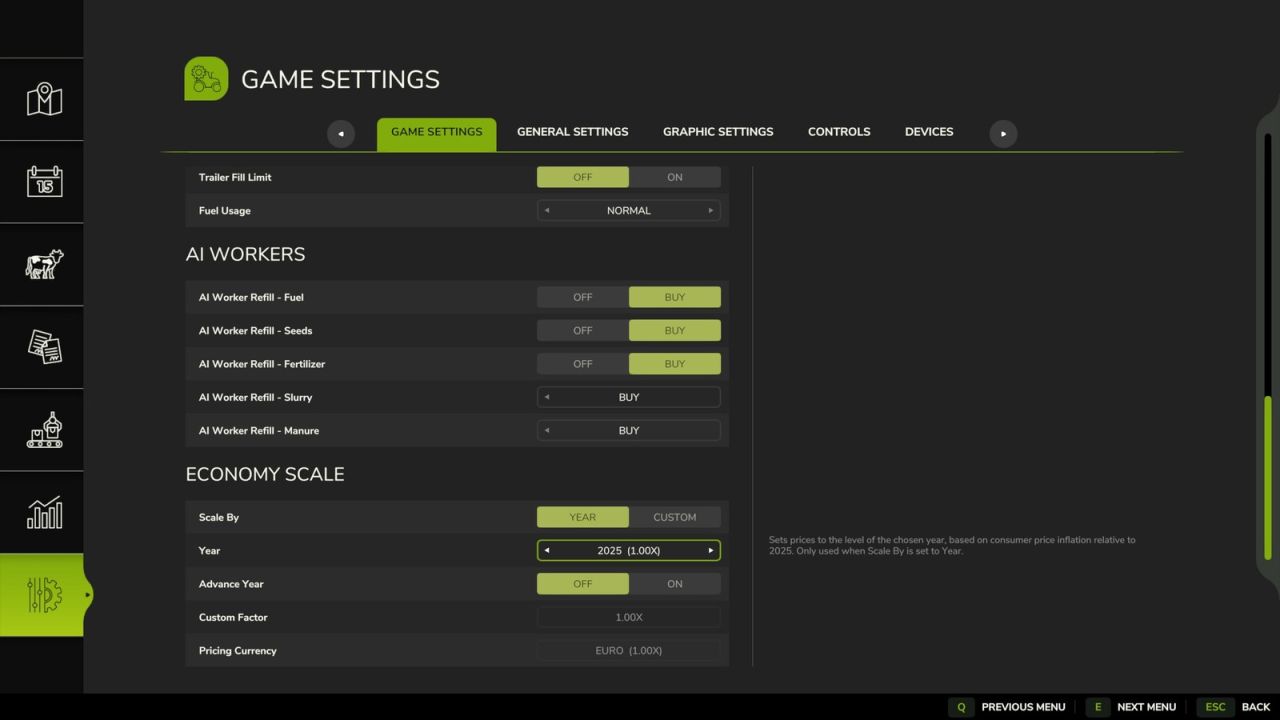
Economy Scale FS25
Economy Scale A simple mod that scales all finances in the game based on a given year, or custom factor. Designed with the idea of working alongside Vehicle Years and Through the Years mods. The year can also move forward on its own as you play, stepping on each January so that prices slowly climb over a long save. If Through the Years is installed, the year is taken from that mod automatically, and the Year and Advance Year settings are disabled. A custom factor can still be used instead. Prices can be converted to Euros, GBP or USD. In single player this follows the game's currency setting automatically. In multiplayer the host or an admin chooses it, separately from each player's display currency.

FS25 Nysa 522 v2.0.0.0
FS25 Nysa 522 v2.0.0.0 Nysa 522 is one of the most recognizable Polish delivery vans of the PRL era — a model that served the militia, emergency services, administration, agriculture and ordinary people for years. cost 5400 power 70km speed 80km/h interactive control V2.0.0.0 Added interactive controls -doors -warning triangle -oil can Fixed all errors in the log Improved the driver’s seat
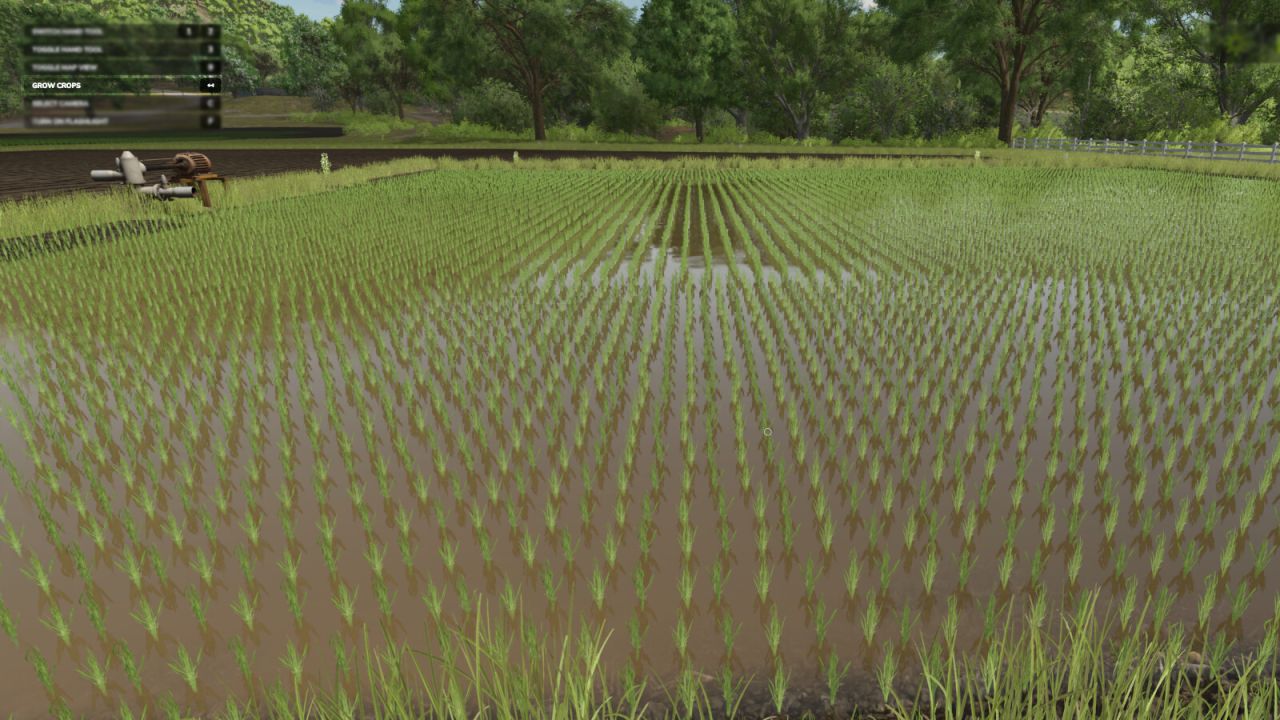
Grow Now FS25
Press a button to advance the growth of your crops, or trees. - There are 2 methods for crop growth as of version 2.0.0.0. -- Method 1 (new) : You can stand in a field or planted area of a field and it will only advance that area, and instantly.* -- Method 2 : All crops in the map are advanced in growth with a slight delay (as per previous version of mod).** Note: Some crops take two stages (button presses) per visual state advance. * Player must be at least 1 meter from the edge of the desired area for it to be detected. ** Seasonal growth setting will be changed to "off" (option 2) when used. -Default Button for current crop : Backspace -Default Button for all crops : Left Shift + Backspace -Default Button for trees : Left alt + Backspace - Added a new feature that allows you to individually advance the growth stage of a planted crop area you are standing in. - Added a new feature to advance tree growth.
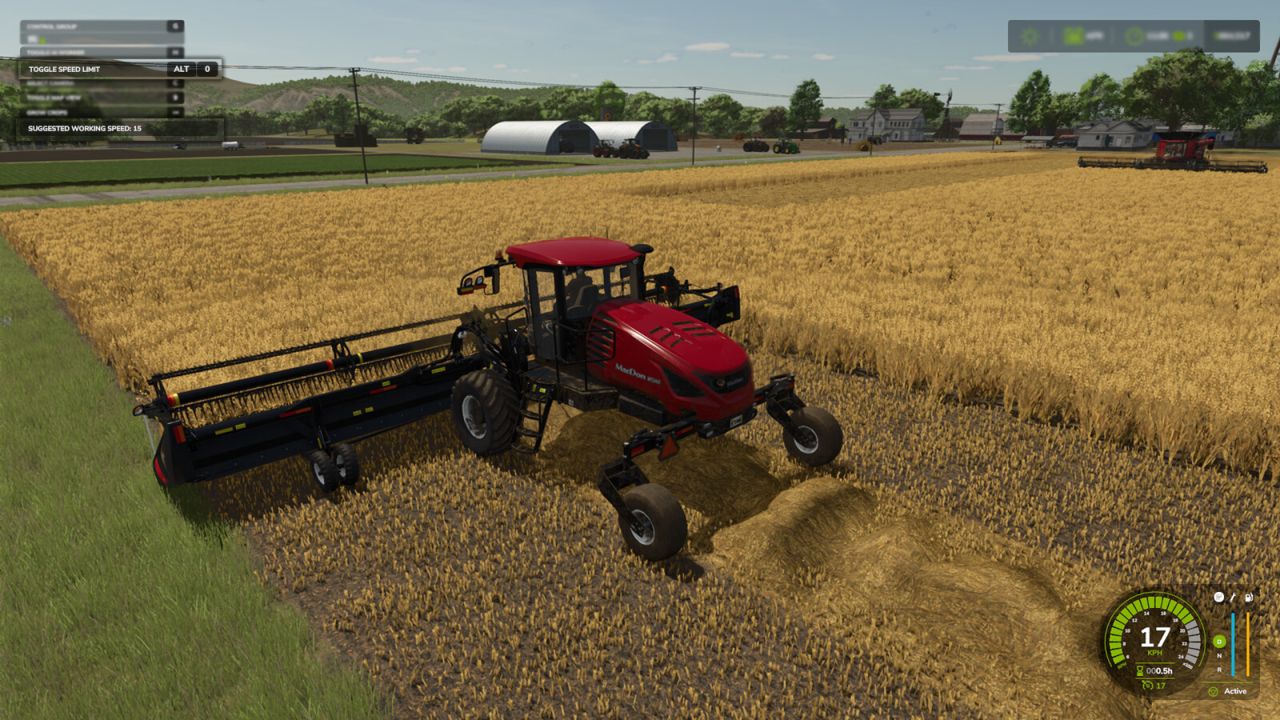
Real Speed Limit FS25
Real Speed Limit gives players the ability to disable the speed limit given to tools so they can use the cruise control speed instead. Each vehicle can have the limit disabled individually. By default the limit remains active. Useful for large fields. Horsepower and mass will still limit top speed. *Note that ai helpers will be able to drive faster than the player, due to them having cheat/unreal physics (vanilla method which is intended to prevent ai issues). Default Key: Left Alt + 0 - The vehicles speed limit override “state” is now saved with your game.
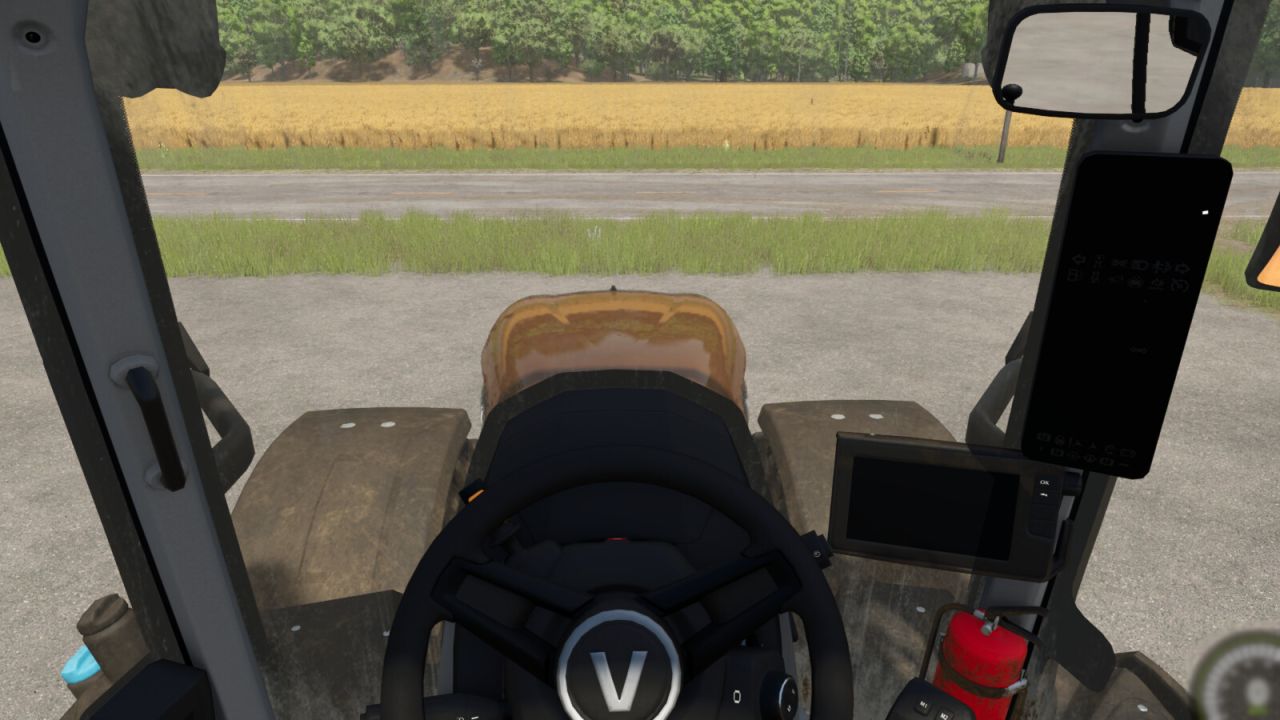
Indoor Camera Position FS25
Allows the player to change the position of the indoor vehicle camera. The mouse wheel changes the position up and down. Hold the Left Shift key while using the mouse wheel to move the camera forward and backwards. Hold the Left Ctrl key while using the mouse wheel to move the camera left and right. To reset to center easily: Press the middle mouse button (press on the mouse wheel) to reset the up and down position. Hold the Left Shift key and press the middle mouse button to reset the forward and backward position. Hold the Left Ctrl key and press the middle mouse button to reset the left and right position. - Prevented adjustments from being made with the mouse while in menus.

Farm Monitor V Beta
Farm Monitor is a mod for Farming Simulator 25 that allows you to quickly monitor the feed level of your animal husbandries directly during gameplay, without having to constantly open the animal menu. The mod offers two display modes: – Compact mode: displays only the animal icons and feed percentage at the top center, taking up very little screen space. – Window mode: displays a more complete overview with the animal husbandry name, feed percentage, visual bar, available supply and overall status. The display can be opened and closed using the Alt+L key combination. Main features: – quick monitoring of feed levels at animal husbandries – compact and unobtrusive HUD – detailed window that can be opened when needed – dynamic colors: – green = good level – yellow = attention – red = critical – displays only animal husbandries with animals – support for multiple animal types, including dedicated icons – ideal for quickly checking whether a husbandry needs to be replenished To start download click the filename. To open archive files use one of these programs: WinRAR, 7-Zip, WinZip. Some mod archives may need to be extracted before the mods will work.

Farm Vault Premium V1.0
Your Farm. Your Money. Your Control. Farm Vault Premium brings a customizable banking and savings system to Farming Simulator 25. Organize money for machinery, maintenance, land expansion, projects, companies, or anything else your farm needs. Features: – 7 Independent Savings Accounts: Create your own financial structure. – Fully Customizable Accounts: Rename accounts, choose from 80 unique icons, set individual savings goals, and select different display styles. – Easy Money Management: Deposit, withdraw, or transfer funds directly between accounts. – Quick Amounts: Customize preset amounts for faster transfers. – Daily & Monthly Automation: Automatically move fixed amounts or percentages between accounts and your Main Balance. – Activity History: Track transactions with in-game dates and timestamps. – Savegame Support: Accounts, balances, settings, and history are stored separately for each savegame. How to Use: Assign a key to “Farm Vault: Open menu” in your game’s control settings. Open Farm Vault, customize your accounts, deposit money, and create optional automation rules to manage your finances automatically. Additional Currencies Compatibility: Compatible with the separate Additional Currencies mod! Additional Currencies is optional and not required. Farm Vault works independently, but also supports its currency system. Converted amounts may round down due to FS25’s underlying currency calculations. Always check the transfer preview. Important Information: Platform: PC / Singleplayer only. Installation: Place `FS25_FarmVault.zip` directly in your FS25 mods folder without extracting it. Uninstalling: Transfer your Vault funds back to Main Balance and save before removing the mod. Back up your savegame before updating. To start download click the filename. To open archive files use one of these programs: WinRAR, 7-Zip, WinZip. Some mod archives may need to be extracted before the mods will work.

FS25 Farming Simulator 25: Beans & Alpacas Expansion
FS25 Farming Simulator 25: Beans & Alpacas Expansion Manage a coffee estate and grow a warmer kind of farm life in the Beans & Alpacas Expansion: Travel to Catuaí, a South America-inspired region where coffee and banana plantations cover rolling hills, red soil shapes the land and dense greenery stretches across mountain slopes. New crops, animals, production chains and more than 25 new machines await. Catuaí: Welcome to South America! Explore a lush, humid valley with narrow roads, dusty streets, scattered rocks and a winding river running through the landscape. A small rural town with colorful buildings, shops and agricultural depots connects the region, while stilt houses line the river shore. New Gameplay: Coffee, Bananas & Animals Cultivate coffee and bananas and expand your livestock with alpacas and Brahman cows. Bananas introduce an all-new cultivation system to design your plantation layouts, and connect transport rails to washing stations. Alpacas add new hands-on interaction through shearing, while wild animals like crocodiles and parrots bring more life to the environment. Productions, Projects & Collectibles Create new products such as pigment and resin, and repaint houses for the community, or start production chains for crop processing. Take on the Research Center construction project, find dinosaur skeleton parts and collect your discoveries in the collectible museum. Machines, Brands & Details Operate 25+ new machines from Case IH, Ford, John Deere, KUHN, Mercedes-Benz Trucks, New Holland, Valtra, and many more. Colombo Industries and Southern Spreaders join the series as new brands, while enhanced ground tool animations and improved effects increase immersion.
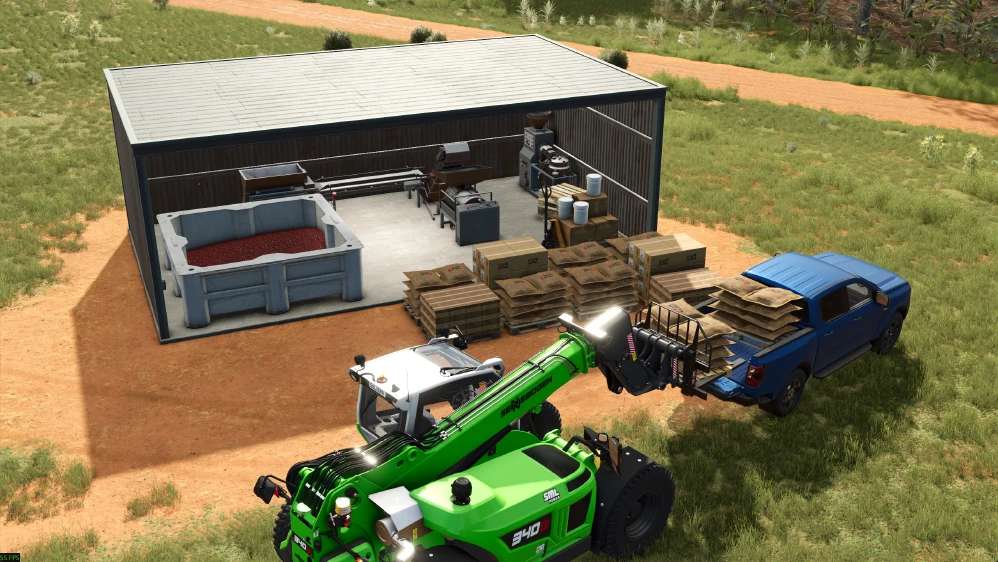
Small Coffee Production v1.0.0.0
Small Coffee Production v1.0.0.0 Starten Sie Ihr Kaffeegeschäft mit einer kompakten All-in-One-Fabrik für intelligente Landwirtschaft! Diese platzsparende Produktionsanlage ist ideal für Einsteiger und kleinere Betriebe und ermöglicht Ihnen das Reinigen von Kaffeekirschen und das Rösten von Kaffeebohnen zur Herstellung von verpackten Kaffeetüten und Kaffeekapseln. Halten Sie Ihre Produktion einfach, holen Sie das Beste aus Ihrer Ernte heraus und lassen Sie Ihr Kaffeegeschäft in Ihrem eigenen Tempo wachsen! Kleine Kaffeefabrik (Unreal) Kategorie: Fabriken Preis: 36.000 $ (180.000 $) Monatliche Unterhaltskosten: 120 $ Geschwindigkeit: 24–360 Zyklen/Monat Produktionen: Zutaten: Kaffeekirschen Produkte: Kaffeebeutel, Kaffeekapseln, abgepackter Kaffee Tags: Ihrer ErnteKategorie FabrikenMonatliche UnterhaltskostenZyklen Monat
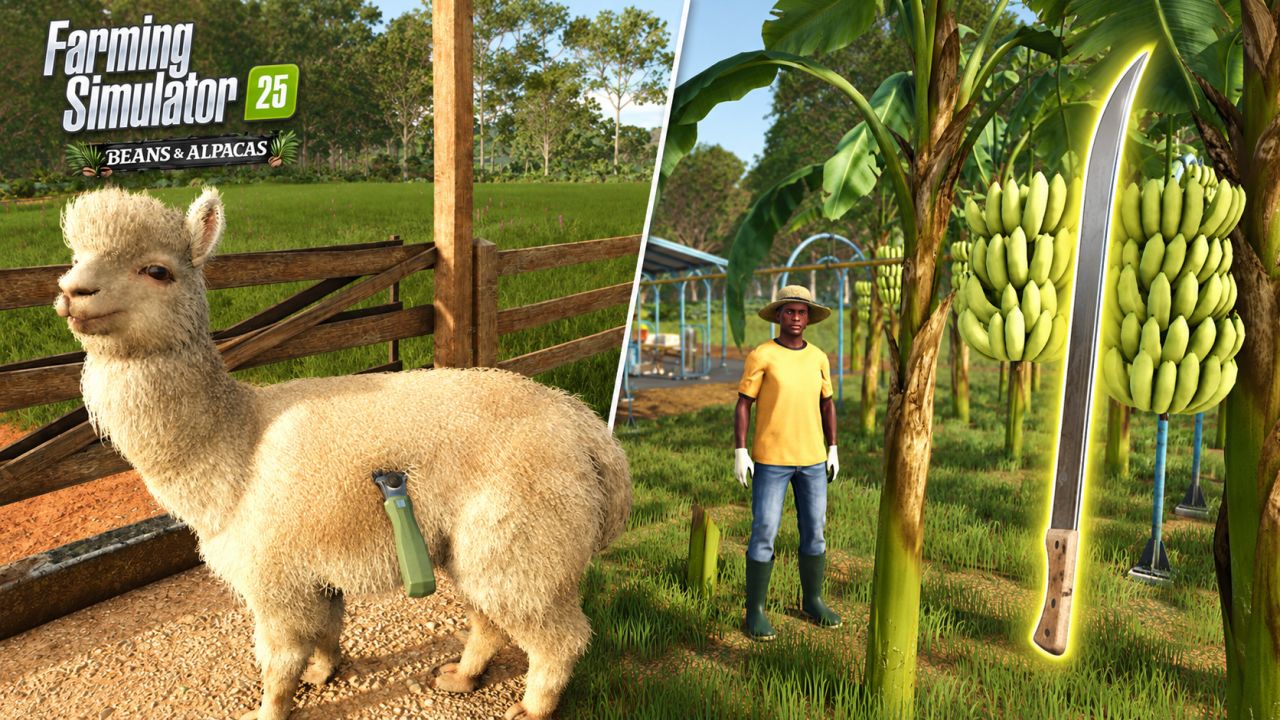
Beans & Alpacas Expansion FS25
Manage a coffee estate and grow a warmer kind of farm life in the Beans & Alpacas Expansion: Travel to Catuaí, a South America-inspired region where coffee and banana plantations cover rolling hills, red soil shapes the land and dense greenery stretches across mountain slopes. New crops, animals, production chains and more than 25 new machines await. Catuaí: Welcome to South America! Explore a lush, humid valley with narrow roads, dusty streets, scattered rocks and a winding river running through the landscape. A small rural town with colorful buildings, shops and agricultural depots connects the region, while stilt houses line the river shore. New Gameplay: Coffee, Bananas & Animals Cultivate coffee and bananas and expand your livestock with alpacas and Brahman cows. Bananas introduce an all-new cultivation system to design your plantation layouts, and connect transport rails to washing stations. Alpacas add new hands-on interaction through shearing, while wild animals like crocodiles and parrots bring more life to the environment. Productions, Projects & Collectibles Create new products such as pigment and resin, and repaint houses for the community, or start production chains for crop processing. Take on the Research Center construction project, find dinosaur skeleton parts and collect your discoveries in the collectible museum. Machines, Brands & Details Operate 25+ new machines from Case IH, Ford, John Deere, KUHN, Mercedes-Benz Trucks, New Holland, Valtra, and many more. Colombo Industries and Southern Spreaders join the series as new brands, while enhanced ground tool animations and improved effects increase immersion.

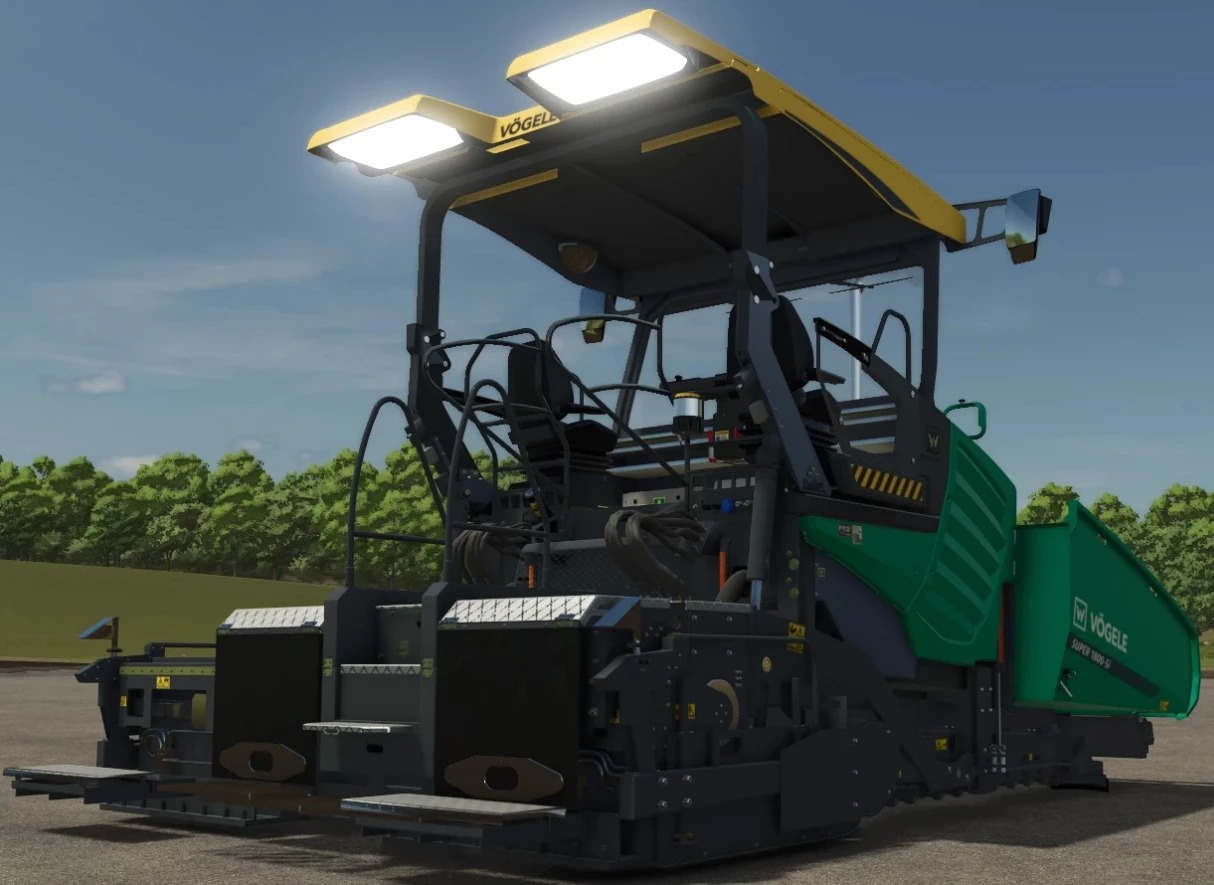
VOGELE SUPER 1800-5I v2.0.0.0
VOGELE SUPER 1800-5I v2.0.0.0 Mit dem neuen SUPER 1800-5i hebt VÖGELE das erfolgreichste Modell der 1800er-Serie auf die nächste Stufe. Der vielseitigste Fertiger der Universalklasse setzt mit nochmals verbesserter Benutzerfreundlichkeit, intelligenten Automatisierungsfunktionen und einem optimierten Antriebssystem neue Maßstäbe. Nach den Highway-Class-Maschinen hat VÖGELE nun sein beliebtestes Universal-Class-Modell in die Dash 5-Generation integriert – den SUPER 1800-5i. Mit Einbaubreiten von bis zu 10 m eignet sich der Straßenfertiger für städtische Infrastrukturprojekte sowie den Ausbau von Hauptstraßen und Autobahnen. Die neue Generation des klassischen Straßenfertigers von VÖGELE gewährleistet, dass Anwender weltweit auch in Zukunft optimale Ergebnisse bei ihren Projekten erzielen. Tags: Vogele Super
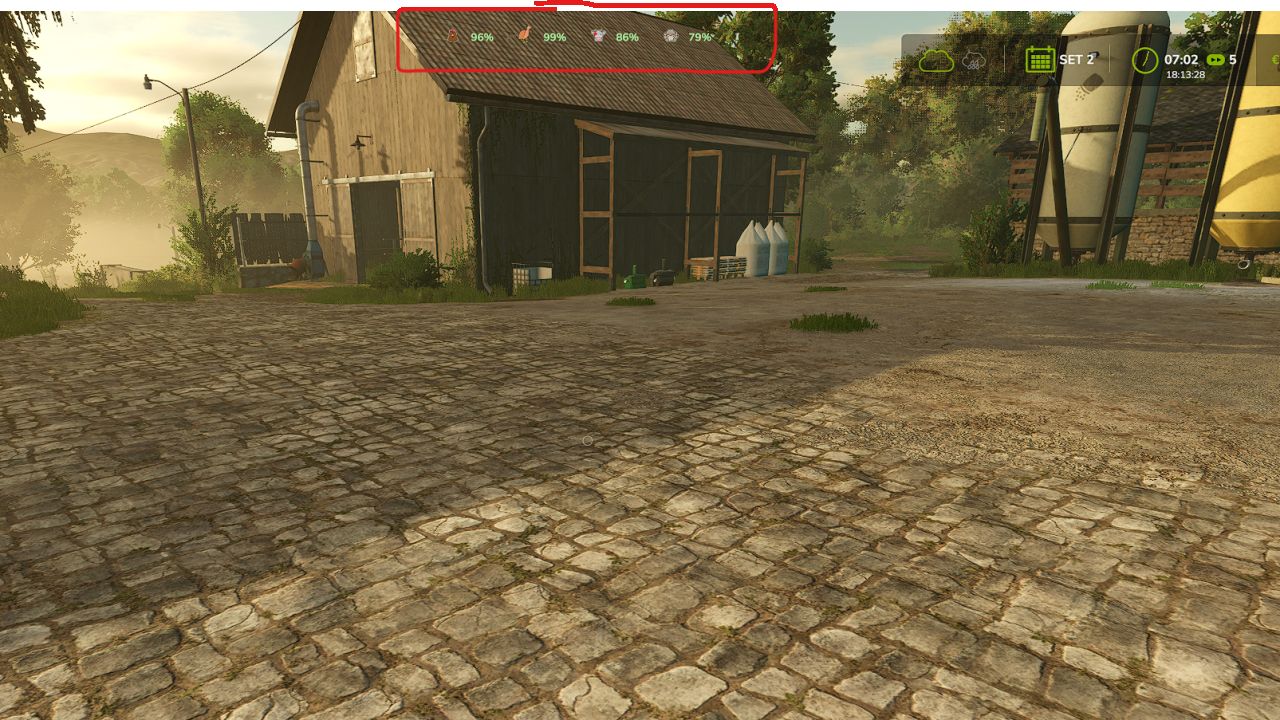
Farm Monitor v1.0.0.0
Farm Monitor v1.0.0.0 Farm Monitor ist eine Mod für den Landwirtschafts-Simulator 25, mit der Sie den Futterstand Ihrer Tierhaltung direkt während des Spiels schnell überwachen können, ohne ständig das Tiermenü öffnen zu müssen. Die Modifikation bietet zwei Anzeigemodi: Kompaktmodus: Es werden nur die Tiersymbole und der Fütterungsprozentsatz oben in der Mitte angezeigt, wodurch nur sehr wenig Bildschirmfläche beansprucht wird. Fenstermodus: Zeigt eine umfassendere Übersicht mit Tierhaltungsbezeichnung, Futterprozentsatz, visueller Leiste, verfügbarem Vorrat und Gesamtstatus. Das Display kann mit der Tastenkombination Alt+L geöffnet und geschlossen werden. Hauptmerkmale: schnelle Überwachung der Futterstände in der Tierhaltung kompaktes und unauffälliges HUD detailliertes Fenster, das bei Bedarf geöffnet werden kann Dynamische Farben: Grün = guter Zustand Gelb = Aufmerksamkeit Rot = kritisch zeigt ausschließlich Tierhaltung mit Tieren Unterstützung für mehrere Tierarten, einschließlich eigener Symbole ideal, um schnell zu überprüfen, ob ein Tierbestand aufgefüllt werden muss Tags: Das DisplayDie ModifikationFarm MonitorHUD

FS25 Belarus 892 892.2 TKP V1.0.0.0
FS25 Belarus 892 892.2 TKP V1.0.0.0 Max speed: 47 km/h Price: 13,200 Power: 95 hp Credits:kis

FS25 Realistic 4x4 Traction System v2.0.0.1
FS25 Realistic 4x4 Traction System v2.0.0.1 Multiplayer in development, playable but may contain bugs Take real control of your tractor’s traction — engage 4×4, lock the differential and let the system react to actual wheel slip, not just to an assigned key. This mod adds a fully switchable 4×4 traction system to compatible vehicles (tractors, trucks, harvesters, cars): engage/disengage the front axle when needed and toggle a differential lock that trades turning radius for maximum grip in mud, snow or during heavy work. Features Real rear-wheel slip detection — automatic modes react to actual wheel-slip physics, not just speed Four driving modes, assigned to each vehicle by default: Manual — always in control Semi-automatic — engages with actual wheel slip, while manual control is always available Automatic — the same logic, adjusted for vehicles with factory-fitted automatic 4WD (CVT/IVT transmissions) Intelligent — continuous, proportional engagement in the Fendt style (without abrupt switching on/off) Native tyre-pressure simulation during engagement — no dependency on any other mod On-screen HUD with real-time status and adjustable position in the game Settings menu Zero XML changes to any vehicle — the system integrates automatically into all compatible vehicles V2.0.0.1 Fix: Lua error repeating in the log (“FourWDTractionSystem.lua:2518: invalid argument #3 to ‘format'”) on vehicles with permanent 4×4 or without a 4×4 speed limit (6×4 trucks, wheel loaders, articulated tractors…). Thanks to Patrik Vendelberger for the report. V2.0.0.0 – All drivable vehicles now supported (except trains, boats and motorbikes). Each vehicle is recognised by its shop category and its real driveline: tractors: selectable 4×4 (as before); articulated / 4-track tractors, wheel loaders and telehandlers: permanent 4×4, locks only; 6×4 trucks: lockable inter-axle differential + locks; AWD trucks: selectable front drive; 4×2 trucks: rear lock; cars / pick-ups / UTVs: part-time 4×4 that engages on the move; combines and self-propelled: rear-axle drive on demand. – Limits per vehicle type: when 4×4 and locks can engage, top speed with 4×4, automatic lock / unlock. – New 4×4 window (Left Alt + J): top view of the driveline, 4×4, centre / inter-axle and front / rear locks with the mouse, mode per vehicle (saved with the savegame), tyre pressure (field / road / automatic / manual), telemetry and all settings. – The menu in the game’s settings was removed (it slowed down loading); everything is in the window now. – Mod and DLC tractors without a profile get their mode from the transmission (CVT / full powershift = automatic, partial powershift = semi-automatic, manual gearbox = manual). – Brand profiles now apply to tractors only (Massey Ferguson combines and the Kubota R640 were set to automatic). Challenger MT600 excluded. – Zasty HUD: with the HUD active, the 4×4 panel hides and the HUD shows 6X4 / AWD / 4X2 and the locks. – Multiplayer: driveline and mode of each vehicle reach all players; the chosen mode is checked on the server. – Keys: only Ctrl + J (4×4) and Ctrl + K (locks) remain; single locks, CTIS, tyre pressure, panel and telemetry moved to the window. – Fix: the default keys were not assigned on a new installation. KEYS (default) – Left Ctrl + J: 4×4 on / off – Left Ctrl + K: Differential locks on / off – Left Alt + J: 4×4 window (locks, tyre pressure, mode, settings) These are the default keys. If one of them is already used by the game or by another mod, go to Options > Controls and set the key you prefer, to avoid conflicts. V1.7.0.1 Fixes – AI helper: the combine could stand still reversing uphill and would not shift gear (reported by Patrik Vendelberger). The 4×4 now only works on the vehicle driven by a player; with an AI helper, stopped with nobody inside or parked, the vehicle uses the game’s original differentials, tyre radius and speed limit. – Missing translation for “Move 4WD HUD” (log warning) in 22 languages (reported by Patrik Vendelberger). – HUD textures compressed – no more “raw format” warnings in the log. – Faster game start: the settings menu section is now built only the first time you open Settings (it froze the start by ~4 s). New: Vehicle Control Addon (VCA) compatibility (suggested by Cris669) – VCA has its own 4WD and diff locks and rewrites the differentials every frame, so both mods were fighting. New option in Settings > General > 4×4 Traction System > “With Vehicle Control Addon”: – Command VCA (default): our automatic 4WD logic (slip, implement lowered, braking, tight turns, GPS prediction) switches VCA’s 4WD and diff locks; VCA handles the differentials. CTIS, tyre pressure, HUD and telemetry keep working. – Leave to VCA: only VCA works on that vehicle. – Ignore VCA: old behaviour (not recommended). – NOTE: the VCA integration should work, but it has not been tested in-game yet with VCA installed. Please test it and send feedback/log if something is not right. – Checked with Headland Management and CVT Addon (suggested by Cris669): no conflicts found. Thanks to Patrik Vendelberger and Cris669 for the reports! V1.7.0.0 New – In-game settings menu: Esc -> Settings -> General -> “4×4 Traction System”. HUD position and style, engage 4WD with implement lowered, disengage in tight turns, engage when braking, road speed limit, GPS prediction strength, locked centre torque bias, tyre pressure by hand, diagnostic log. Saved in modSettings/FS25_4x4TractionSystem.xml (kept for all savegames and when the mod is updated). No more editing files inside the zip. – New minimalist HUD (optional, choose “Icon” in the menu): the tractor seen from the side. – Green wheel = wheel with traction. The rear is always green; the front wheel and the drive shaft turn green when 4WD engages (grey in 2WD). – Padlocks = diff locks: on the rear hub (rear), on the transfer box (centre) and on the front hub (front). – A wheel that is slipping flashes green/red (each axle on its own). Both wheels flash with low field pressure at road speed. – Tyre pressure under each wheel (front / rear, in bar) on tractors with CTIS or pressure by hand. – Shop picture of the tractor you are driving next to the icon (can be switched off). – Text underneath: 4X4 / 2X4, mode and active locks. Three sizes. – Move the HUD (panel or icon) with the mouse: Ctrl+Shift+N, drag with the left button, right click / Esc / Enter to finish. The camera stays still while moving. Key can be changed in the Controls menu. Note – The new menu and icon texts are in English and Portuguese; other languages show English for now. working on translations soon V1.6.0.0 Fixes – Mod tractors whose center differential lists the REAR axle first in the XML: in 2WD the torque went to the front axle and the rear axle ran free, and the rear diff lock had no effect (it worked only with 4WD engaged). Front and rear are now detected from the real wheel positions. Thanks to fermer25 for the report and video. – Locked center now really locks on tractors with much smaller front tyres (e.g. MTZ/Belarus, front wheels turning 1.5x the rear): the rear could spin freely and 4WD seemed to do nothing. With the center locked, torque now goes to the axle that grips (up to 85% to the front when the rear spins; a wheel in the air counts as spinning). Switch off: centerLockBias = false. – HUD: the reason no longer flickers between “implement lowered” and “GPS prediction”. New – Tyre pressure by hand on every tractor: Ctrl+Alt+I inflate / Ctrl+Alt+O deflate, in 10% steps between the field and the road pressure. – Without CTIS: only with the tractor stopped (~1.5 min to inflate, ~1 min to deflate), like with a compressor and gauge. – With CTIS (Fendt VarioGrip, John Deere 8R): while driving, using the onboard compressor. Ctrl+Alt+P goes back to automatic (Fendt) / preset (8R). – On-screen message with the chosen pressure (front / rear bar). Saved with the savegame and synced in multiplayer. – John Deere 8R: real integrated CTIS with FIELD / ROAD presets (Ctrl+Alt+P), 0.8 -> 1.8 bar in ~1 min, deflate ~40 s. – Tyres flatten visibly when the pressure goes down (like Variable Tire Pressure), with a bigger contact patch. – With Soil & Draft Physics: the traction prediction uses the real implement draft force (ASABE D497), the real rear-axle load (weight transfer included) and the real tyre grip on the current soil (Brixius); tyre pressures per axle come from the real axle load; lower pressure = more grip and less wheel sinkage. – Compatible with MoreRealistic: the traction prediction uses MoreRealistic’s real implement draft force (also without Soil & Draft Physics). – Compatible with Variable Working Depth (through Soil & Draft Physics, the draft follows the depth set in VWD). – Works together with Hydraulic Suspension System. – Translations for all 25 game languages. Settings – DriveModeConfig.lua: manualTirePressure (true/false), manualInflateMs, manualDeflateMs, centerLockBias (true/false). V1.5.0.0 NEW / FIXED – Differentials now really work: rebuilt on the drivetrain node exactly like the game creates them (in FS25 the locks previously had no effect) – Separate FRONT / CENTER / REAR diff locks (Ctrl+Alt+K / Ctrl+Alt+J / Ctrl+Alt+L) + quick cycle (Ctrl+K) — all rebindable – Locked center respects the real front-axle lead (tyre size ratio + 2.5%): no more rear wheels spinning while the front axle brakes the tractor – 2WD leaves the front axle free – CTIS tyre pressure per axle from the real axle load and tyre load tables (with Soil Draft Physics); realistic -3.5% rolling radius instead of -15% (no more “flat” tyres) – CTIS automatically disabled on tracked tractors – New translations: DE, FR, ES, IT, PL, RU (plus EN, PT, BR) with google, errors are expected!!! TESTED TOGETHER (no conflicts) – Precision Farming 1.5.1.0 – Soil Draft Physics (beta) – optional; when installed, CTIS tyre pressure is calculated from the real axle load – Realistic Mechanical Systems (RMS) 0.10.0.0 – Realistic Weather 1.2.0.0 – Fendt 1000 Vario Series, John Deere 8R Pack / 6R Large / Ripper 2100, Case IH Magnum CVX, Kubota M7, JCB Fastrac 4000, CLAAS Lexion 8000 – Real Three Point Attacher, Remove Frontloader Axle Locking, Vehicle Speed Sync, DashboardLive, Real Vehicle Cams, Universal Autoload – Maps: Riverbend Springs, Redstone County NOT RECOMMENDED TOGETHER (they also change wheels/differentials) – Mud System Physics, REA Plus, Tractor Terrain Dynamics, Variable Tire Pressure – EnhancedVehicle: turn off its differential/drive-mode functions if you use both V1.4.0.0 New – Physical traction prediction (tractors with GPS): compares the required force (slope, rolling resistance, effort from LOWERED implements) with rear axle grip, according to the soil type and ground moisture. – Front axle engagement by clutch on a ramp (~0.4 s), without jolts. – Differential lock in 3 positions (Ctrl+K): open / rear / rear + front, with progressive engagement. – Auto/smart: engages with the implement lowered in the field, when wheels are slipping, downhill with a load and at low speed under load; disengages during tight headland turns and at road speed; remains engaged for at least 6 s (no “flashing on and off”). – Automatic locks while working; they release when turning, braking or above 15 km/h (in all modes, for safety). – Maximum speed with 4×4 engaged: 25 km/h (tractors/harvesters), 40 km/h (trucks/cars). – No mode engages 4×4 above 20 km/h, not even with Ctrl+J. – Tyre pressure (Fendt) follows field/road conditions, like the real VarioGrip. – New HUD: live wheel slip, padlocks on locked axles and the REASON for each decision; Fixed – The terrain prediction remained high (e.g. 27%) simply because a heavy implement was attached, even when lifted. – Braking activated 4×4 and the locks (wheel slip while braking no longer counted as a lack of traction). – Multiplayer: Ctrl+J in automatic modes was undone by the dedicated server. – Semi-automatic mode never disengages on its own (only the player can do so). V1.3.0.0 Multiplayer in development, playable but may contain bugs Compatibility tested with the MudSystemPhysics and Tractor Terrain Dynamics mods Behaviour fixes: Continuous-track tractors (only 2 tracks, e.g. John Deere 8RT, Fendt Vario MT) are no longer affected by the 2WD/4WD system — it makes no mechanical sense for them. Fixed the actual difference between “semiauto” and “auto” modes: semiauto now only engages automatically and never disengages automatically (this is always left to the player). Terrain anticipation GPS now always reads, even above road speed (previously it always stayed at 0% in this situation). Fixed implement mass reading (it was reading tonnes as if they were kg — underestimating the actual weight by 1000x). Fixed false triggering of “smart” mode when braking and shifting into reverse. Fixed being “stuck to the ground” when lowering a heavy implement (differential lock reacted too quickly to the initial spike). Automatic system (semiauto/auto) now reacts much faster to real and sustained wheel slip — previously it could take dozens of seconds. Fixed rapidly switching between 2WD/4WD when stopped in the field. Fixed false triggering of semiauto when starting from a standstill (a normal and brief wheel-slip spike at the moment of take-off). The “smart” mode (Fendt) has been isolated from the binary engagement logic — preventing interference between the smart mode’s own hysteresis and the new detections. New features: Detection of “fieldwork in progress” (via the game’s native GPS) and automatic “arming”: when stationary/almost stationary in a field with the implement lowered for more than 2 seconds, 4WD engages directly. Experimental support for engine load as an additional signal (disabled by default, available in DriveModeConfig.lua). Features from previous versions (already included in this version): Proprietary GPS/terrain-elevation anticipation system, without depending on another mod — only on each brand’s top-of-the-range tractors (Fendt VarioGuide, John Deere JDLink, Case AFS Connect, New Holland IntelliSteer, Deutz-Fahr Agrosky, CLAAS EASY) Proper 4WD terminal (Ctrl+Shift+G) — Status/Telemetry/Settings tabs, with wheel-slip thresholds and anticipation strength adjustable live, per vehicle Per-tractor telemetry (total hours, hours in 4WD, hours with differential locked, number of engagements, distance in 4WD, GPS anticipations) — saved in the savegame, with a reset button Savegame persistence of the 4WD state (engaged/differential locked) and adjusted Settings Renewed HUD — capsule-style bars with glow, pulsing halo on active elements, without text overlap Fix for the tyre-pressure conflict with FS25_MudSystemPhysics Extended support for brands/models: John Deere 6R/8R/9RX, New Holland T8/T8000, Deutz-Fahr Series 7/8, CLAAS Xerion, McCormick X8 VT-Drive V1.2.0.0 MULTIPLAYER (tested on a real dedicated server): – Differential detection on dedicated servers fixed; it previously always failed on the client side – Toggling 4×4 (Ctrl+J) now synchronizes correctly between the server and clients – Manual differential lock (Ctrl+K) now synchronizes correctly between the server and clients – Automatic modes (auto/semiauto/smart) are calculated by the server and synchronized with all clients – A player joining in the middle of a session immediately receives the correct state of every vehicle REALISM: – Ctrl+K (manual differential lock) respects a speed limit for engagement—it only locks when stationary or moving slowly, just like in a real transfer case GENERAL: – Internal diagnostic code removed – Documentation and store description reorganized V1.1.0.0 Fendt Vario Grip Smart unchanged for now. looking more details how it works New Features Automatic differential lock In “Auto” and “Smart” drive modes, the center differential lock now engages and disengages by itself under severe wheel slip, at low speed only (never on the road). “Semi-Automatic” and “Manual” modes still require Ctrl+K. Shop upgrade: Semi-Automatic → Automatic Tractors configured as “Semi-Automatic” now show a new configuration option in the store’s Customize screen, letting you pay to upgrade that specific unit to full “Automatic” behavior (automatic diff lock included). This was added because many players didn’t realize Semi-Automatic and Automatic tractors behave differently — the option is now labeled clearly: Semi-Automatic (Diff Lock Manual) — free, default Automatic (Diff Lock Automatic) — paid upgrade Known Issues there are several things that may need a tweak or fix. not all vehicles have real or near real specs this was not tested in deept with other mods including mod tractors or maintenance scripts except my maintenance mod, so compatibility not full confirmed with other mods yet Fixes Excluded 3 grape harvesters with independent hydraulic wheel motors (ERO Grapeliner Series 7000, New Holland Braud 9070L, Gregoire GL) — these vehicles are always all-wheel-drive by design (four independent hydraulic motors, no mechanical differential to switch), so the mod no longer applies to them as well as to crowlers and tracked vehicles. Crawlers and tracked vehicles no longer get 4×4 system Documentation Clarified the real difference between “Semi-Automatic” and “Automatic” modes in the in-game HUD hints, configuration comments, and readme: both engage/disengage the 4×4 itself automatically based on real wheel slip — the actual difference is that only “Automatic” (and “Smart”) also lock the differential automatically. Compatibility Singleplayer only. No changes to save-game compatibility — existing installs can update directly. V1.0.1.0 Keybinds changed to Shift+Ctrl+J/K/N to avoid conflicts with other mods Auto/semi-auto response is much faster (confirm delay cut from 2.5s to 0.9s) The 2WD↔4WD switch in manual/semi-auto/auto is now a short smooth ramp instead of an instant on/off — no more jolt or momentary speed loss when the front axle engages under load Optional soft compatibility with Hyper Realistic Maintenance 2, if you also run it (see below) — fully standalone otherwise
- 15 per page
- 30 per page
- 45 per page
- 60 per page
-
See more per page
Bigger pages, fewer clicks - and no ads anywhere.
Go Pro