Farming Simulator 25 mods
79,169 results- 15 per page
- 30 per page
- 45 per page
- 60 per page
-
See more per page
Bigger pages, fewer clicks - and no ads anywhere.
Go Pro
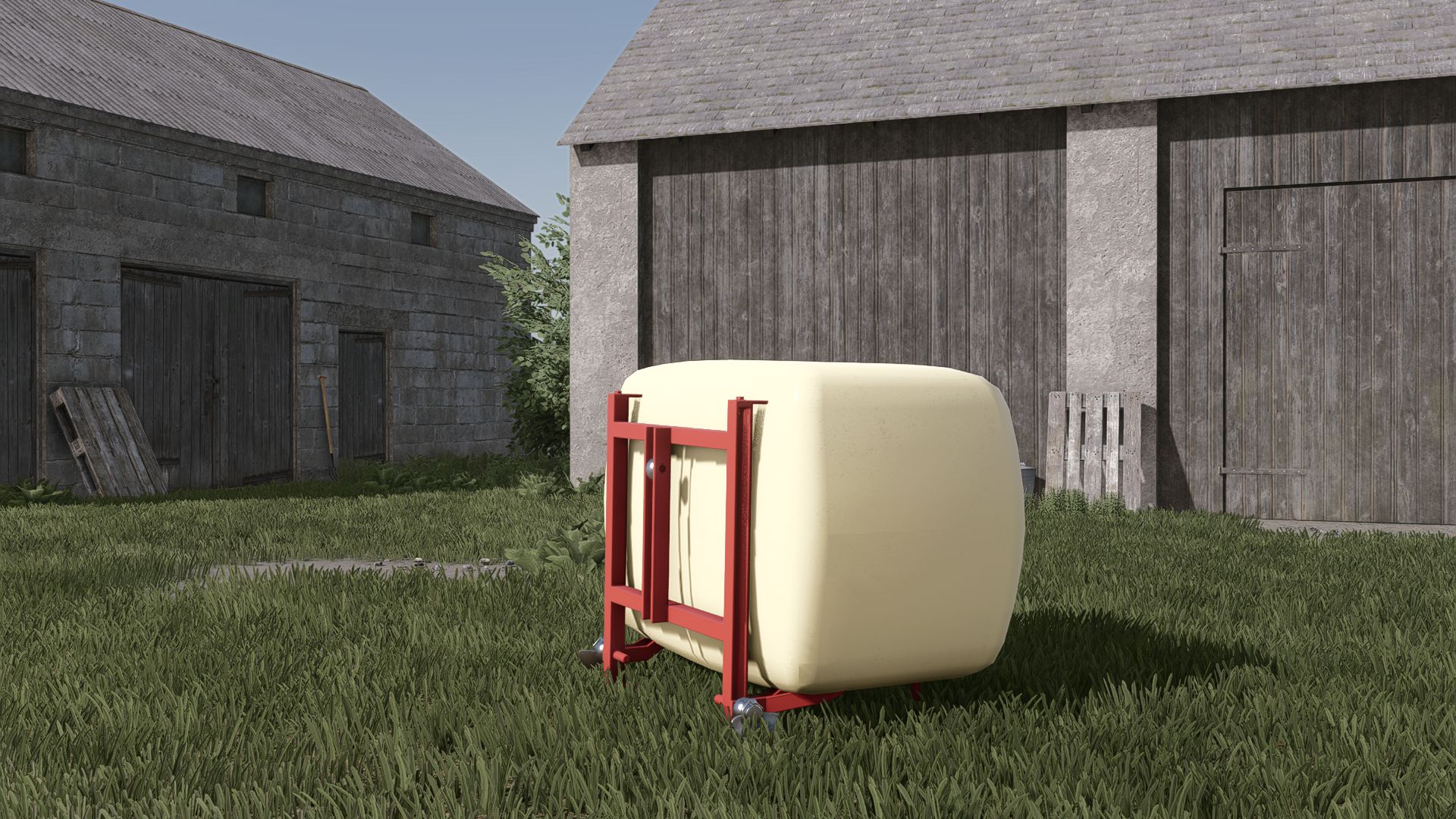
Front tank 330l V1.0
Front tank 330l V1.0 Price: 4.300 $ Capacity: 350 l Color configuration Fire extinguisher configuration Author: Agro Kamilos, Joshuaagrar, Marius_Deutz6.31 Report bugs in the comments and help modders improve this mod. Always check the comments, you can find a solution. DOWNLOAD MOD
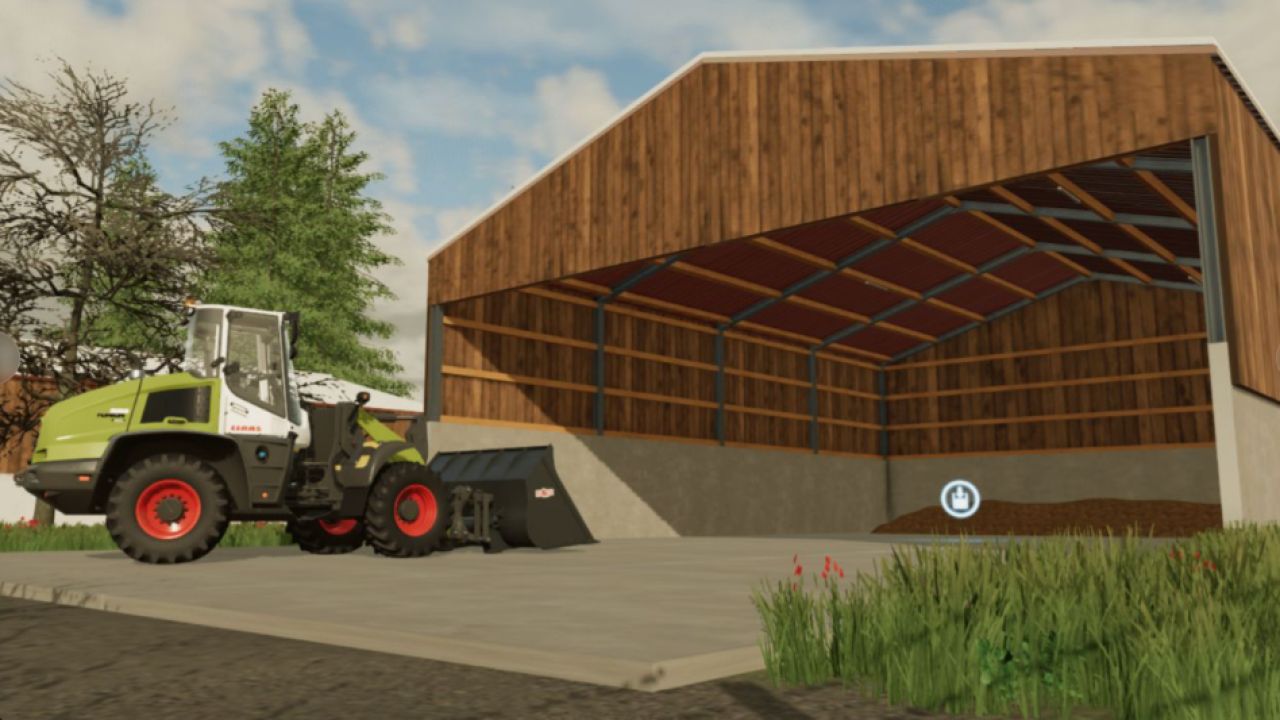
Überdachter Mistbehälter aus Holz V1.0.0.0
Überdachter Mistbehälter aus Holz V1.0.0.0 Überdachte Mistlagerung Gebäude mit realistischer Beleuchtung. Startpunkt. Preis: 25.000 € Tägliche Wartung: 10 € Kapazität: 30.000.500 l Ein großes Dankeschön an Quentin Modding, dass ich diese Mods neu erstellen durfte.
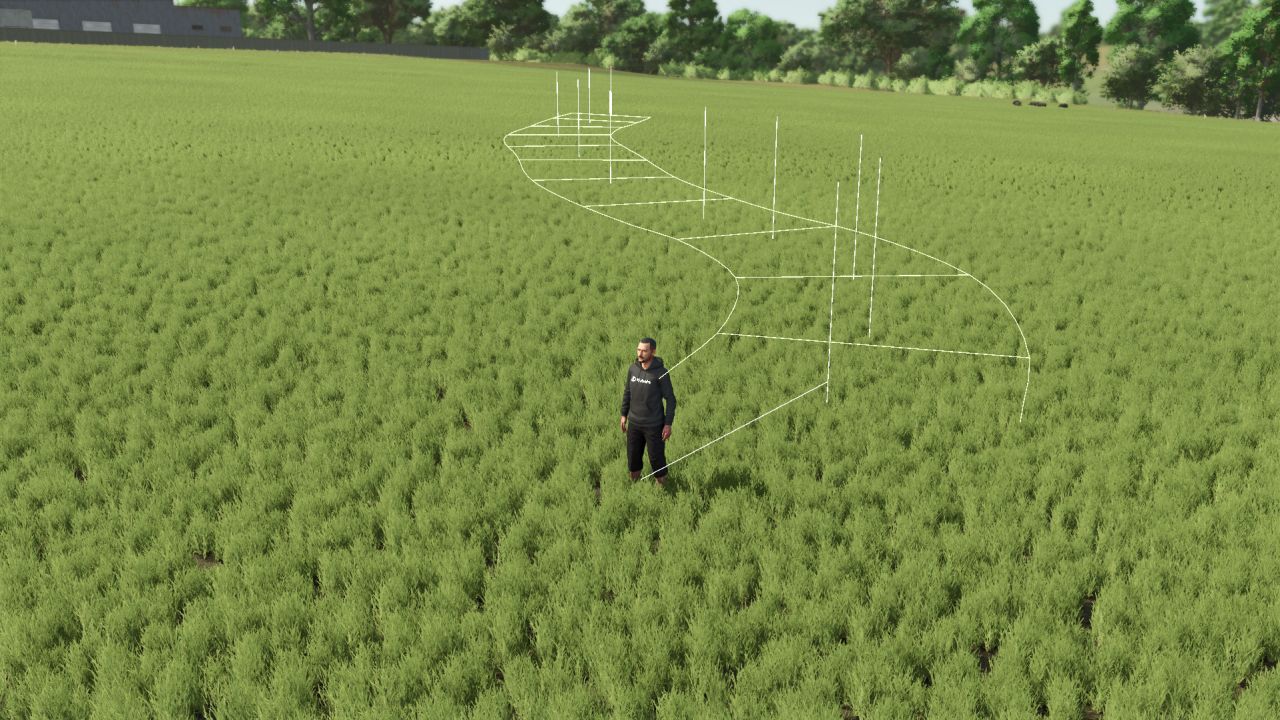
Straßenbauprogramm V1.1.0.0
Straßenbauprogramm V1.1.0.0 Straßenbau – FS25 Genug von unbefestigten Wegen? Bauen Sie Ihre eigenen asphaltierten Straßen direkt im Spiel, wo immer Sie wollen auf der Karte! Merkmale Die Straße folgt dem natürlichen Gelände mit minimalen Erdarbeiten. Flache Kurven ohne Steilkurven wie auf Rennstrecken. Verstellbare Breite von 3 bis 8 m Gras, Steine und Felder werden automatisch unter der Straße entfernt. Realistische Kosten: 1 € pro Meter Kann entfernt werden, 75 % Rückerstattung Durch das Spiel werden Straßen gerettet. Multiplayer-kompatibel (Landschaftsrechte erforderlich) Bedienelemente (im Straßenmodus) Alt+R: Straßenmodus aktivieren/beenden Alt+E: Punkt platzieren Alt+X: Letzten Punkt entfernen Alt+Z: Breite ändern Alt+B: Bauen Alt+V: Textur ändern Alt+Entf (zweimal drücken): Die nahegelegene Straße löschen Gut zu wissen Wenn eine Straße entfernt wird, bleibt das Gelände eingeebnet und der Boden wird neu mit Gras bepflanzt. Es ist nicht möglich, durch ein Gebäude hindurch zu bauen. Die Straßenführung basiert auf dem SplineToRoad-Skript von XPModder (Spline-Road-Toolkit). Vielen Dank an ihn für die Bereitstellung seiner Arbeit für die Community: Ohne ihn gäbe es diese Mod nicht. Viel Spaß euch allen! Teilt gerne euer Feedback und Screenshots eurer schönsten Straßen mit uns. V1.1.0.0 Neu: Wählen Sie die Oberfläche mit Alt+V (6 Oberflächen): dunkler oder heller Asphalt dunkler oder heller Asphalt mit Fahrbahnmarkierungen (Randlinien und gestrichelte Mittellinie) Feldweg Schotterweg Schotter- und Feldwege mit 0,50 m² Tags: Bauen Sie IhreDie StraViel SpaVielen Dank
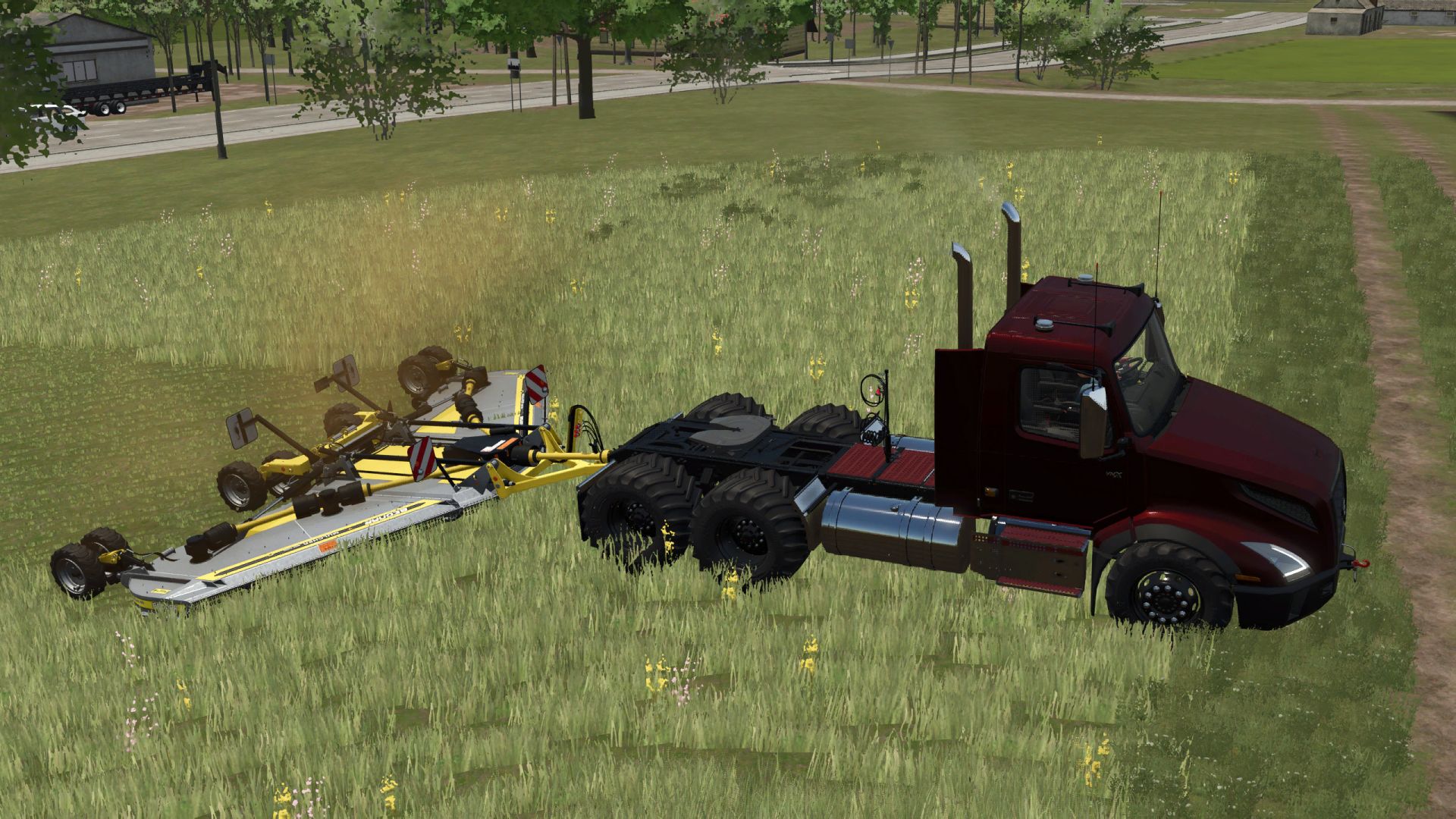
Volvo VNX 300 TNT Workhorse V1.0.1
Volvo VNX 300 TNT Workhorse V1.0.1 Updated with TNT branding and a new “Friends and Family” config option that offers a price discount equal to the base price. This is a Volvo VNX300 that has been upgraded into the ultimate farming semi. It features a gooseneck hitch, a rear hitch with PTO for powering tools, front forest winch, and a matching spare tire mounted to the back of the cab. You’ll find several configuration options when building your rig, including motor, tires, colors, and drivetrain. Tire Options: Stock – Front-wheel drive with standard Continental road tires and dual rear wheels for highway hauling. Off-Road 2×6 – Front-wheel drive with aggressive off-road tires and dual rears. Perfect for mixed terrain and logging work. Off-Road 6×6 – Full 6×6 off-road setup with power to all axles. Ideal for heavy mud, dirt, and uneven ground. Tractor 6×6 – Farm-spec tractor tires fitted to all axles. Provides maximum pulling power in fields and soft terrain. Tractor Wide Rear 6×6 – Wide rear agricultural tires on a full 6×6 drivetrain. Ultimate grip for heavy towing and field work. Motor Options: Arabian (500 HP) – A reliable 500-horsepower setup with balanced gearing. Designed for everyday hauling with solid pulling power. Belgian Draft (1500 HP) – A massive 1500-horsepower diesel with extreme torque. Built for heavy loads, logging, and oversized trailers. Thoroughbred (4000 HP) – An insane 4000-horsepower racing engine. High-revving with blistering acceleration and a 200 mph top speed. Trailer & Tool Attachments: Includes a standard semi fifth wheel, gooseneck hitch, front pin hitch, and rear lower hitch with an added PTO for powering farm tools. Author: Tiggntaz Report bugs in the comments and help modders improve this mod. Always check the comments, you can find a solution. DOWNLOAD MOD
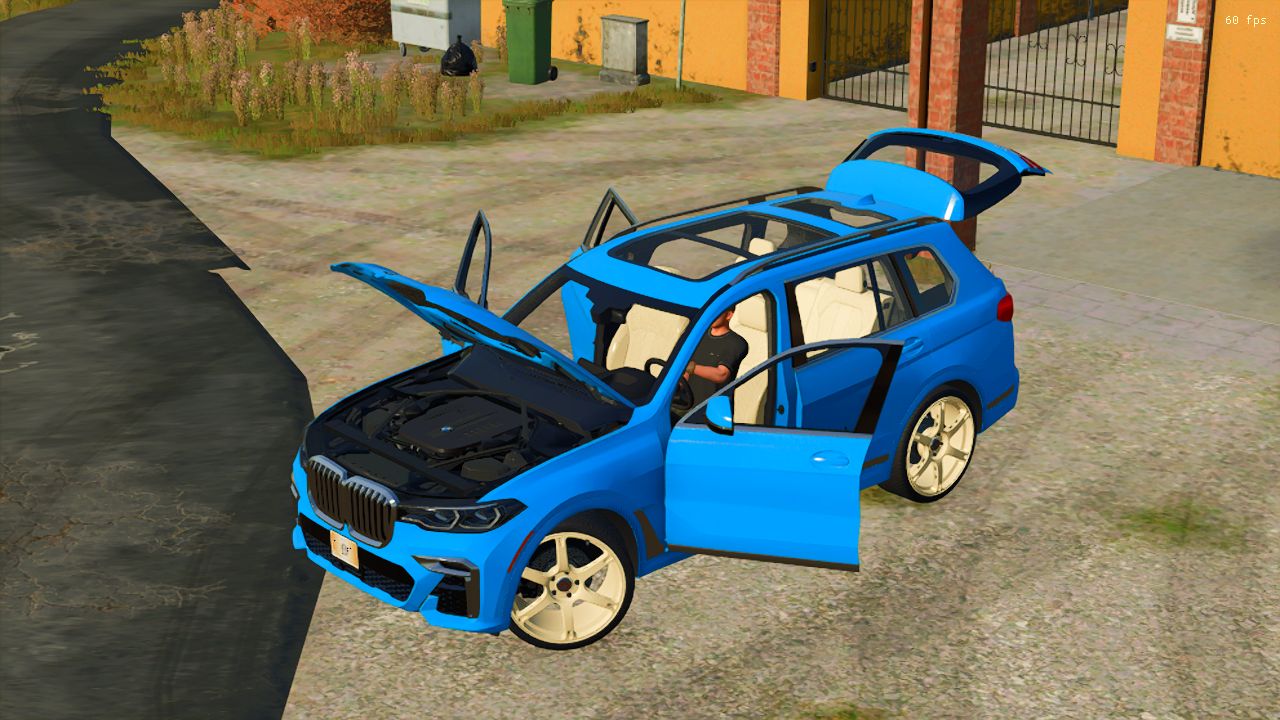
BMW X7M V1.0
BMW X7M V1.0 ALL WINDOW IC WORKING AND KEY START Price : 99.000 $ Engine :523 H.P Speed : 260 km/h 11 type rims Selectable Colors Trailer Hitch Author: RAJTHAKUR001 Report bugs in the comments and help modders improve this mod. Always check the comments, you can find a solution. DOWNLOAD MOD
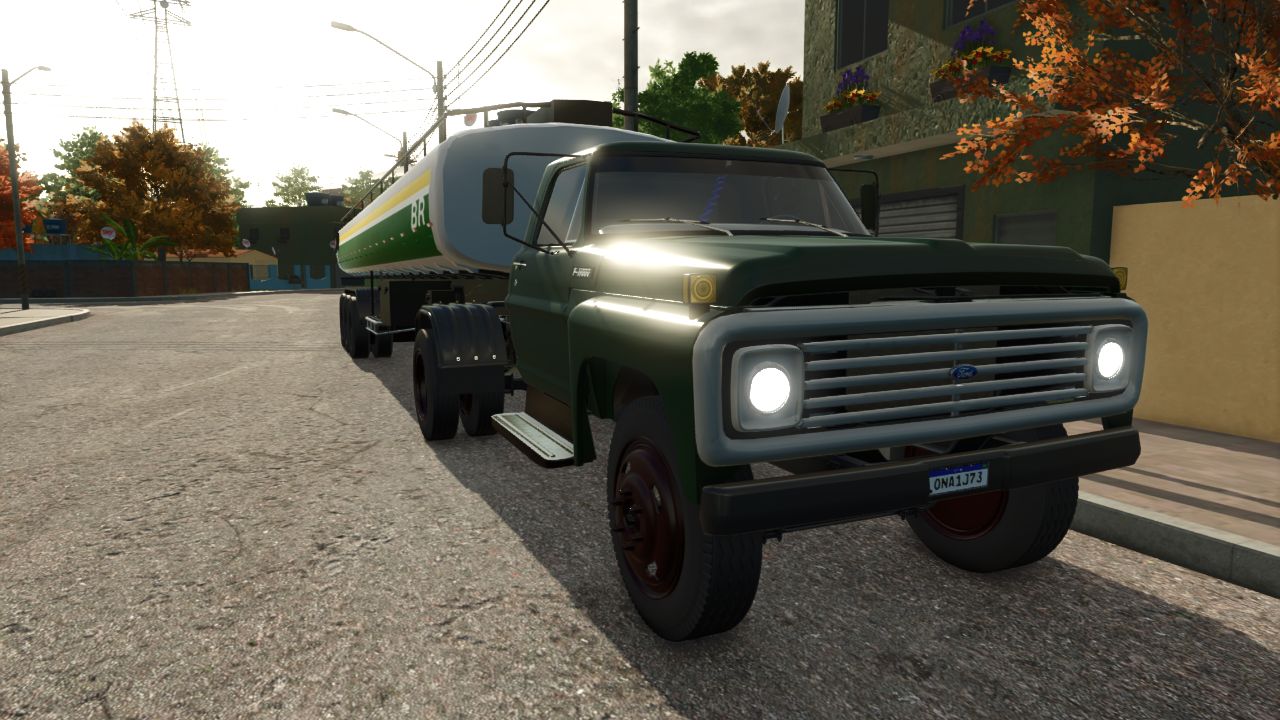
Ford F70 80s FS25
Finally, after quite a lot of work, I’m bringing my version of the **1980s Ford F70 to Farming Simulator 25!** 🇧🇷🔧 This truck is based on the original model by **[Andre Farias](https://www.kingmods.net/pt/perfil/andre-farias)**, to whom I give full credit for the original work. My version has been adapted and configured for **FS25**, with several changes to make it work better in the game. ## ⚙️ INFORMATION 🔹 **Power:** 140 kW / 190 HP 🔹 **Transmission:** Manual 🔹 **Tank:** 400 liters 🔹 **Top speed:** 80 km/h 🔹 **Category:** Trucks 🔹 **Era:** 1980s 🔹 **Game:** Farming Simulator 25 ## 🔧 WHAT WAS DONE IN MY VERSION? In this version, I aimed to give the F70 a configuration more suitable for FS25, mainly working on its functionality and gameplay. Adjustments were made to: • Engine and power • Top speed • Manual transmission • Tank capacity • Driving settings • Truck physics and behavior • Compatibility with FS25 • Settings required for the mod to work in the game • General adjustments to improve the experience during use The intention was not to turn the F70 into a modern truck, but rather to preserve that **old-fashioned, simple and rugged character** that suits trucks from this era so well. 😎🚛 It can be used for transportation, farm work, and also by anyone who simply enjoys putting classic trucks on the map. ## 📜 CREDITS **Original model:** Andre Farias **Adaptation / FS25 version:** FluffyFoxy / FyModding0FC ⚠️ **Do not remove the original author’s credits or upload the mod to other websites without permission.**
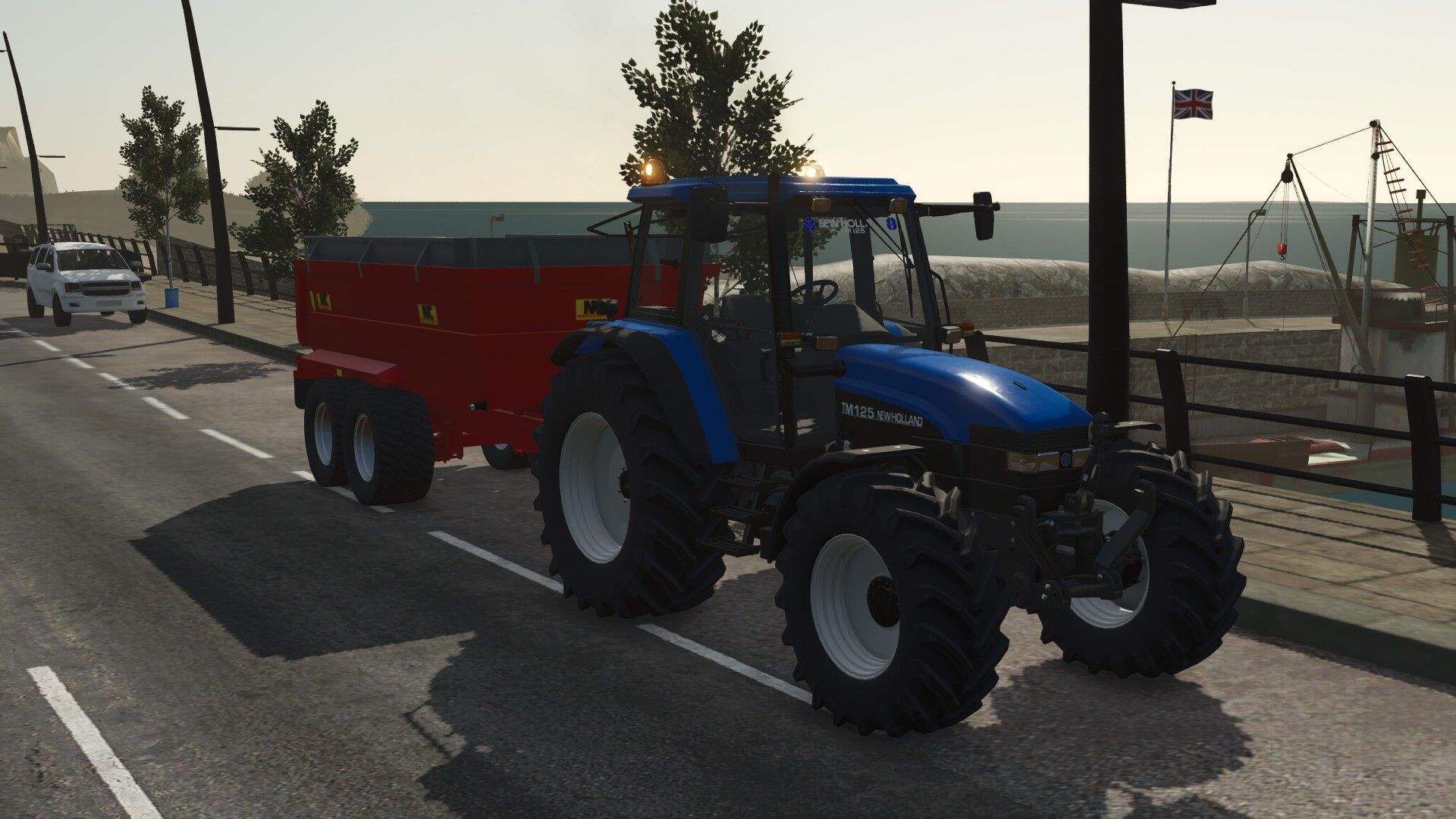
New Holland TM Edit FS25
New Holland TM 125 Edit Credits to OviC for converting and uploading Has: 2 Blue poppys New Holland TM125 window sticker 2 Irish licence plates
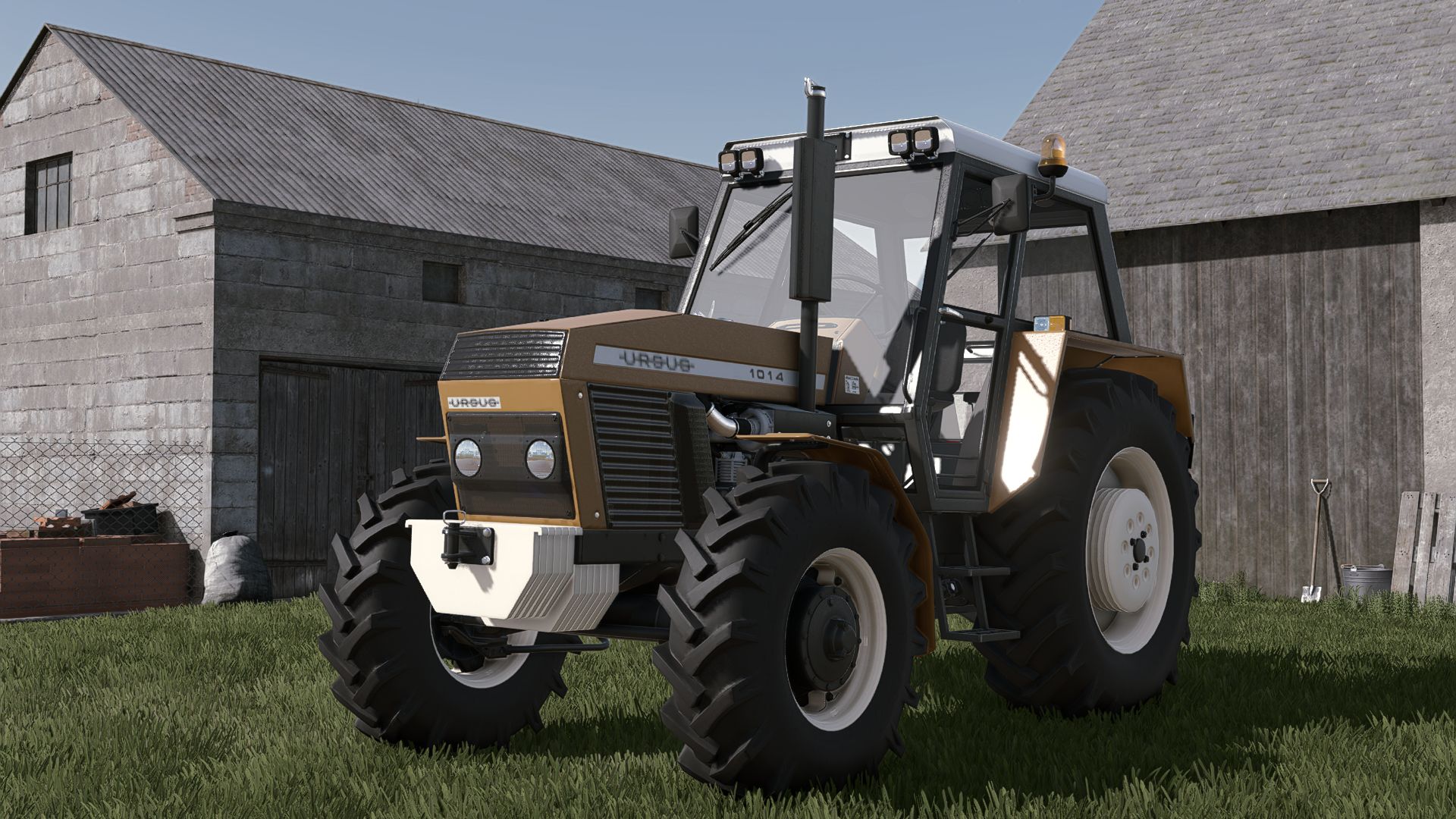
Ursus 1014 Turbo V1.0
Ursus 1014 Turbo V1.0 Ursus 1014 Turbo Category: Small Tractors Price: $24,000 Power: 96 hp Max. speed: 28/38 kph Configurations: – Tires – Transmission – Decals – Front weight – Wheel weight – Back Fenders – Front Fenders – Mud guards – Cabin – Front lights – Grill – Back attacher – Exhaust – Steering wheel – Hood – Frontloader console – tools – navigation – additions – dummy plug – turbo cover Color configurations: – Engine – Hood – Fenders – Cabin – Grill – Rims – Front weight – Wheel weights – Roof NO ERRORS IN THE LOG Required mods: Ursus 4 Pack Author: Kasztan18, Agro Kamilos, jmz, JMZ Report bugs in the comments and help modders improve this mod. Always check the comments, you can find a solution. DOWNLOAD MOD

DGFarm Decal Studio V0.5
In this video, I present the mod’s complete functionality, allowing you to add custom images and decals to FS25 vehicles. You will see how to install, configure and use the main tools available. ✅ Add custom images ✅ Adjust position, size and rotation ✅ Customize different vehicles ✅ Save your creations in the game ✅ Developed for Farming Simulator 25 ✨ NEW FEATURES IN VERSION 0.5.0: ✅ New layout inspired by DGFarm’s visual identity ✅ Reorganized and easier-to-understand interface ✅ Multilingual support in Brazilian Portuguese and English ✅ Language selected automatically according to the game settings ✅ Simplified controls during editing ✅ Updated catalog with 17 images ✅ Support for adding your own images ✅ Position, size, proportion, and rotation adjustments • Ctrl+F8: open or close the panel • F6: select the adjustment • F7: select the next applied sticker • F9: add a sticker • F10: remove the selected sticker • F11: change the image • On foot: use the mouse wheel to make adjustments • Inside the vehicle: use Ctrl + mouse wheel • Shift + mouse wheel: fine adjustment
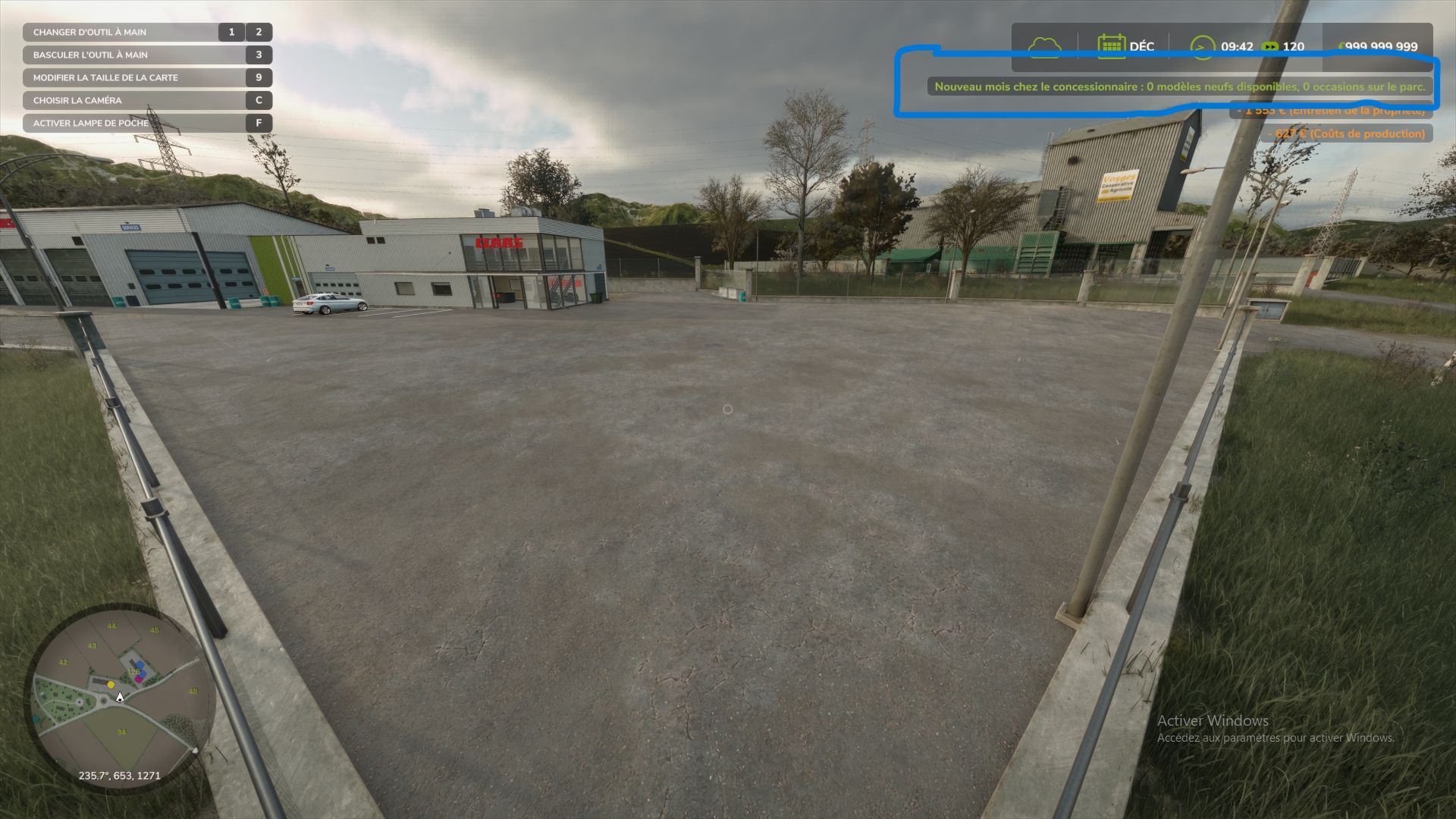
Dealer Stock (New & Used) FS25
Gone are the days of the magical dealership that delivers 50 identical tractors at the click of a button. With this mod, your dealership has actual inventory—limited in quantity and restocked monthly in-game. It also manages a used equipment lot that you can visit on foot to inspect machines before buying them. New equipment: limited stock Each month, only a selection of models is available—roughly 35% per store category—with at least one model per category included. Each model in stock has a limited quantity, ranging from 1 to 3 units. Machines costing over €250,000 have half the available quantity, with a minimum of 1. Stock levels are visible in the store: in the list, each item displays "In stock (x2)" or "Out of stock"; the purchase button indicates "Buy (2 in stock)." A model that is sold out or not currently in stock displays "Out of stock": it cannot be purchased or leased until the following month. With every delivery, the stock decreases, and a notification indicates how many units remain or if the last one was just sold. Failed purchases incur no cost. If delivery fails due to a lack of space or funds, the stock remains intact. Supported categories: tractors and vehicles, harvesters, trailers, loaders, tillage, seeding, haymaking, baling, forestry, sugar beet and potato equipment, vegetables, special crops, vineyards and olives, and precision farming. Unsupported categories (always freely available): objects, pallets, bales, animals, hand tools, weights and miscellaneous accessories, and buildings. Vehicles added by other mods are handled automatically, just like base-game vehicles. Used equipment: the dealership lot Every month, eight used machines are physically parked on the dealership lot: tractors, implements, trailers, etc. Each used item has a unique history: an age ranging from 1 to 15 years; operating hours consistent with the machine's age and type; mechanical wear, visible in the vehicle's condition; paint scratches and dirt, visible on the 3D model. The older the machine, the more wear it shows. The price is realistic: it is calculated using the game's resale formula—based on age, hours, and condition—plus a 20% dealer margin. The final price falls between 10% and 85% of the new price. To make a purchase, walk up to a machine; its name and price will appear. A detailed info sheet displays the age, hours, mechanical condition, paint condition, and price. Once you confirm, the amount is deducted, and the machine is yours. Unsold used machines are locked: you cannot board them, attach them to other equipment, or cycle to them using the Tab key until they have been purchased. At the start of each new month, unsold items leave the lot and are replaced by a new batch. Placing the used equipment lot Walk to your chosen location, stand at the front-left corner, face the area where the lot will be, and press Alt + L. The machines will align to your right in 40-meter rows. Until a lot is defined, used machines will appear in the shop's delivery zone. Be sure to set up your lot early on to avoid interfering with new equipment deliveries. Controls (on foot) Key Action Alt + L Set the used vehicle lot location (multiplayer administrator only) Alt + K Show monthly stock summary and list of used vehicles with prices Game action key Near a used vehicle: open purchase details The Alt + L and Alt + K key bindings can be changed in the game's control settings. Multiplayer The server handles everything: monthly generation, stock, purchases, and saving. Players receive the stock automatically, including those who join mid-game. Stock is shared by everyone: if a player buys the last unit, none remain for anyone else. Each used vehicle purchase is charged to the buying player's farm. If two players target the same machine, the first one to buy it wins. Only the administrator can move the used vehicle lot. Saving Everything is saved with the game session: new stock and remaining quantities, used vehicles currently on the lot (including their condition), and the lot location. Settings Upon first launch, the mod creates the file `Documents/My Games/FarmingSimulator2025/modSettings/FS25_DealerStock.xml`. In multiplayer, the server's file is the one that counts.
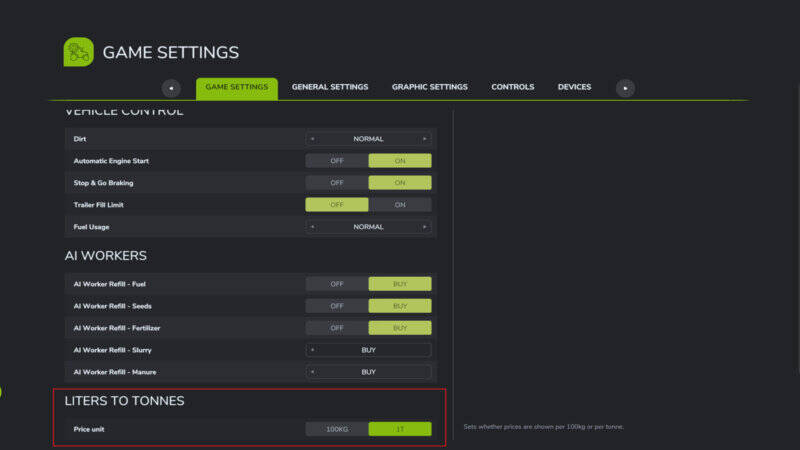
Liter In Tonnen
Zeigt Füllstände und Preise im Spiel in Tonnen statt in Litern an.Betrifft:– die Füllstands-Anzeige (HUD-Box an Fahrzeugen, Anhängern und Silos)– das Preise-Menü (Lagerbestand sowie Verkaufs- und Ankaufspreise)– das Tiermenü (Futter und Zustand)Flüssigkeiten wie Wasser, Gülle, Milch oder Diesel bleiben weiterhin in Liter.In den Spieleinstellungen lässt sich wählen, ob Preise pro Tonne (1 t = 1000 kg) oder pro 0,1 t (100 kg) angezeigt werden. Zeigt Füllstände und Preise im Spiel in Tonnen statt in Litern an. Betrifft:– die Füllstands-Anzeige (HUD-Box an Fahrzeugen, Anhängern und Silos)– das Preise-Menü (Lagerbestand sowie Verkaufs- und Ankaufspreise)– das Tiermenü (Futter und Zustand) Flüssigkeiten wie Wasser, Gülle, Milch oder Diesel bleiben weiterhin in Liter. In den Spieleinstellungen lässt sich wählen, ob Preise pro Tonne (1 t = 1000 kg) oder pro 0,1 t (100 kg) angezeigt werden.
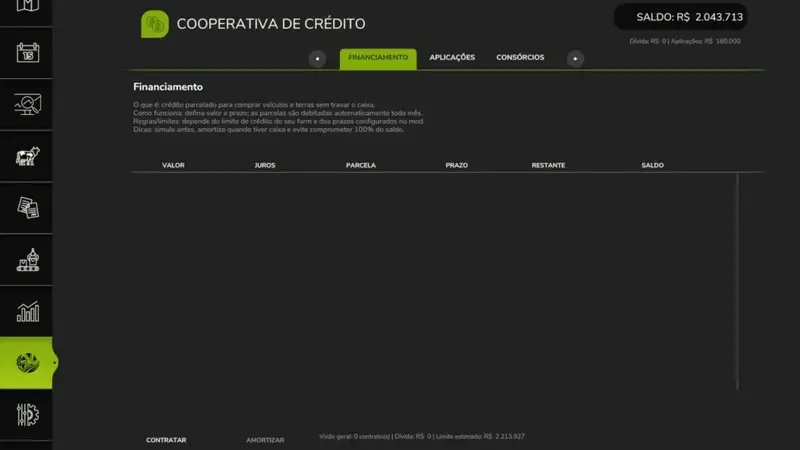
Kreditgenossenschaft
Erweitere deinen Hof um ein realistisches Finanzmanagement mit dieser Kreditgenossenschaft für ländliche Produzenten. Dieses Mod fügt eine Ebene der wirtschaftlichen Verwaltung hinzu, ohne den Spielablauf zu blockieren – du pflanzt, produzierst und verkaufst ganz normal weiter, nur jetzt mit einem Kreditsystem nach brasilianischem Vorbild. Hauptmerkmale: Vollständige Finanzierung: Standardfinanzierung, Direktfinanzierung auf der Karte und LadenfinanzierungKreditanträge (kurz- und langfristig)Konsortien: geplante Methode zur Anschaffung von Maschinen und VermögensentwicklungRealistisches Finanzsystem mit brasilianischem Touch für mehr Immersion und Managemententscheidungen Plane besser, wache intelligent und mache deinen Cashflow profitabel!
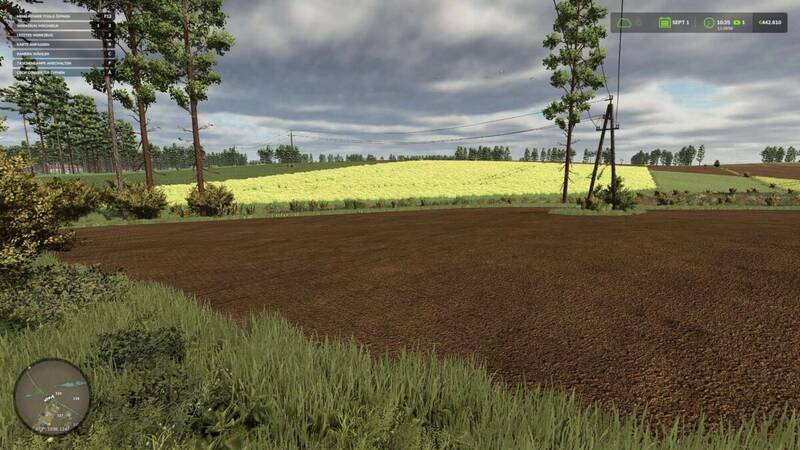
Fruchtwandler
Verwandle deine Felder ganz nach deinen Wünschen! Mit diesem Gameplay-Tool kannst du die Fruchtarten auf deinen Feldern jederzeit ändern. Wechsle zwischen verschiedenen Kulturen, räume Felder komplett ab, säe sie neu oder lass die Früchte auf der gesamten Karte zufällig verteilen. Du entscheidest, ob die Änderungen auf alle Felder, nur deine eigenen oder das aktuell aktive Feld angewendet werden sollen.Funktionen:Karten- und mod-spezifische Fruchtarten werden automatisch erkanntLive-Vorschau direkt im SpielEinfache Steuerung im SpielKeine zusätzlichen Mods oder Abhängigkeiten erforderlichFeldstatus (Düngung, Kalkung, Pflügen) bleibt erhaltenFelder mit laufenden Verträgen werden automatisch geschütztMit nur einem Tastendruck veränderst du deine gesamte FeldlandschaftNur für den Einzelspieler oder als Host verwendbar. Vor größeren Änderungen wird empfohlen, ein Backup des Spielstands zu erstellen.
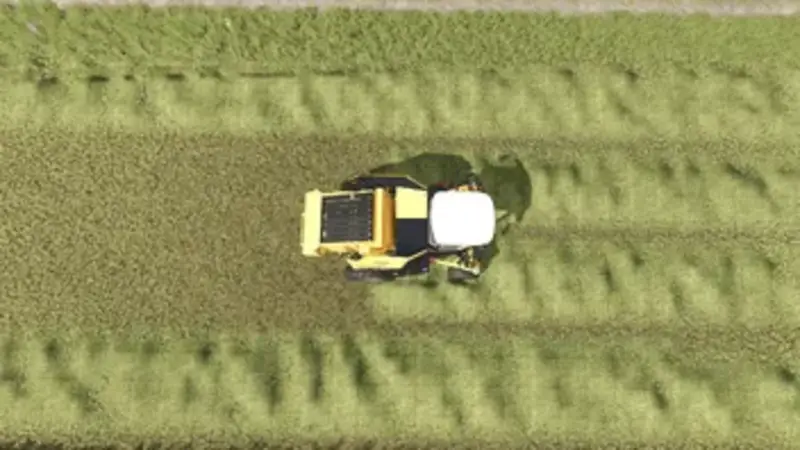
Erhöhte Aufnahmebreite der Ballenpresse
Dieser Mod erweitert die tatsächliche Aufnahmebreite von Ballenpressen um ca. 5 Meter (jeweils ca. 2,5 m pro Seite), sodass Schwadmaterial wie Gras, Heu oder Stroh auch außerhalb der physischen Pick-up-Breite aufgenommen werden kann. Funktionen: Vergrößert den realen Arbeitsbereich der Materialaufnahme Mehr Spielraum beim Ballenpressen, ohne den Pick-up unrealistisch breit darzustellen Beeinflusst weder Ballengröße, Kapazität, Geschwindigkeit noch Produktion Kompatibel mit Ballenpressen aus dem Basisspiel und den meisten Mod-Ballenpressen Viele herkömmliche Breiten-Mods ändern nur die angezeigten Werte, vergrößern aber nicht den tatsächlichen Aufnahmebereich. Dieser Mod greift direkt in den Materialaufnahmebereich ein und sorgt für ein spürbar angenehmeres und trotzdem glaubwürdiges Ballenpressen.
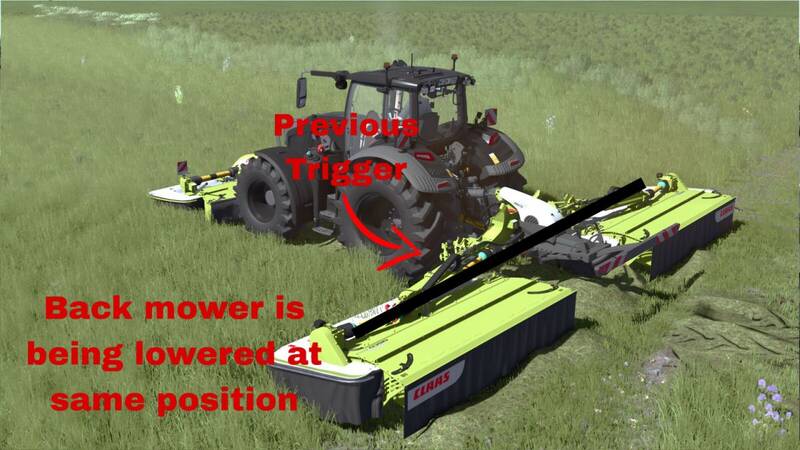
Verbundene Hydraulik
Verbundene Hydraulik synchronisiert die Hydraulik von Front- und Heckmähwerken anhand der Arbeitsposition. Senke oder hebe zuerst das Frontmähwerk an. Das kompatible Heckmähwerk führt dieselbe Aktion automatisch aus, sobald es die gleiche Arbeitsposition erreicht. Steuerung: Alt Links + K – Verbundene Hydraulik ein-/ausschalten. Alt Links + J – Absenkzeitpunkt des Heckmähwerks nach vorne verschieben. Alt Links + N – Absenkzeitpunkt des Heckmähwerks nach hinten verschieben. Antippen von J/N für präzise 0,10 m Anpassung oder gedrückt halten für kontinuierliche Anpassung. Der Absenkvorlauf ist besonders bei langsam absenkenden Mähwerken hilfreich. Er betrifft nur das Absenken; das Heben erfolgt immer ohne Vorlauf. Eine temporäre Linie zeigt die eingestellte Absenkposition an und verschwindet nach 3 Sekunden. Alle Tastenbelegungen können im Steuerungsmenü geändert werden. Verbundene Hydraulik ist standardmäßig deaktiviert.
- 15 per page
- 30 per page
- 45 per page
- 60 per page
-
See more per page
Bigger pages, fewer clicks - and no ads anywhere.
Go Pro