Farming Simulator 25 mods
79,169 results- 15 per page
- 30 per page
- 45 per page
- 60 per page
-
See more per page
Bigger pages, fewer clicks - and no ads anywhere.
Go Pro


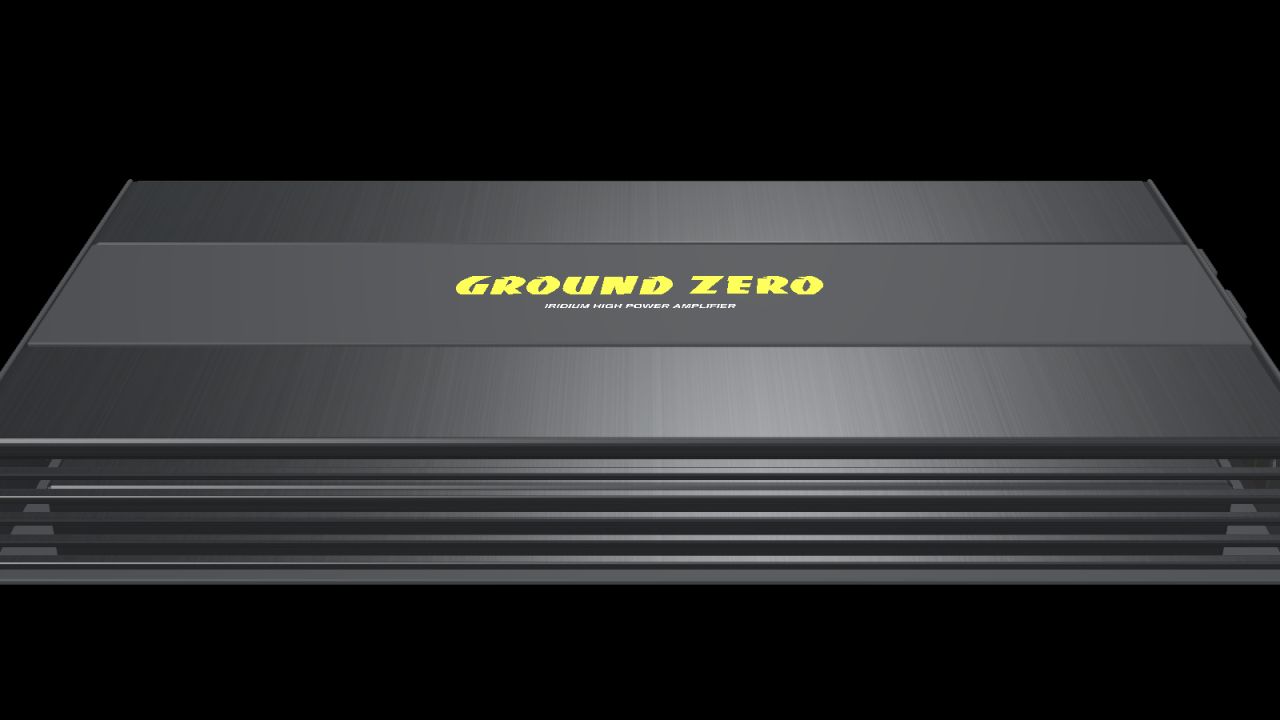
Ground Zero GZIA 1.1500D (Fertighaus) V1.0.0.0
Ground Zero GZIA 1.1500D (Fertighaus) V1.0.0.0 Rüsten Sie Ihr Fahrzeug in Farming Simulator 25 mit diesem Ground Zero Verstärker-Fertigbausatz mit einem detaillierten Car-Audio-System aus. Merkmale: Schwarzes Gehäuse mit gebürsteter Metalloberfläche. Mittelfeld mit gelbem Ground Zero-Logo. Kühlrippen an beiden Seiten. Detaillierte RCA-Buchsen, Einstellregler und Anschlussklemmen. Drei Sicherungen und vier Montagefüße mit vorgebohrten Löchern. Maßstabsgetreues Modell mit unterschiedlichen Materialien und zwei Detaillierungsgraden. Nennabmessungen des Gehäuses: Länge: 360 mm Breite: 192 mm Höhe: 49 mm Gesamtlänge inklusive Montagefüße: 388 mm Das Komplettpaket beinhaltet das I3D-Modell, DDS-Texturen, bearbeitbaren Blender-Quellcode, Vorschaubilder und Installationsanleitungen in Englisch, Schwedisch und Norwegisch. Installation: Importiere das vorgefertigte Objekt mit dem GIANTS Editor 10 in deine Fahrzeugmodifikation und folge der beiliegenden Anleitung. Dieses vorgefertigte Objekt ist speziell für Modder entwickelt und benötigt keinen separaten Shop-Eintrag. Funktion: Statische Dekoration ohne Audiowiedergabe, interaktive Bedienelemente, beleuchtete LEDs oder separate Kollisionserkennung. Kabel und externe Fernbedienung sind nicht im Lieferumfang enthalten. Überprüfen Sie nach der Installation die Position und das Aussehen in Ihrem Fahrzeug. Version: 1.0.0.0 Modell und FS25-Fertigteil: NorthernLight Modding. Die Produktdesigns, Namen und Logos von Ground Zero gehören der Ground Zero GmbH. Die GE-Vorschauen zeigen den GIANTS Editor. Die Studio-Vorschauen sind ergänzende Blender-Renderings, keine Gameplay-Screenshots. Tags: Farming SimulatorIhrem FahrzeugSie Ihr Fahrzeug
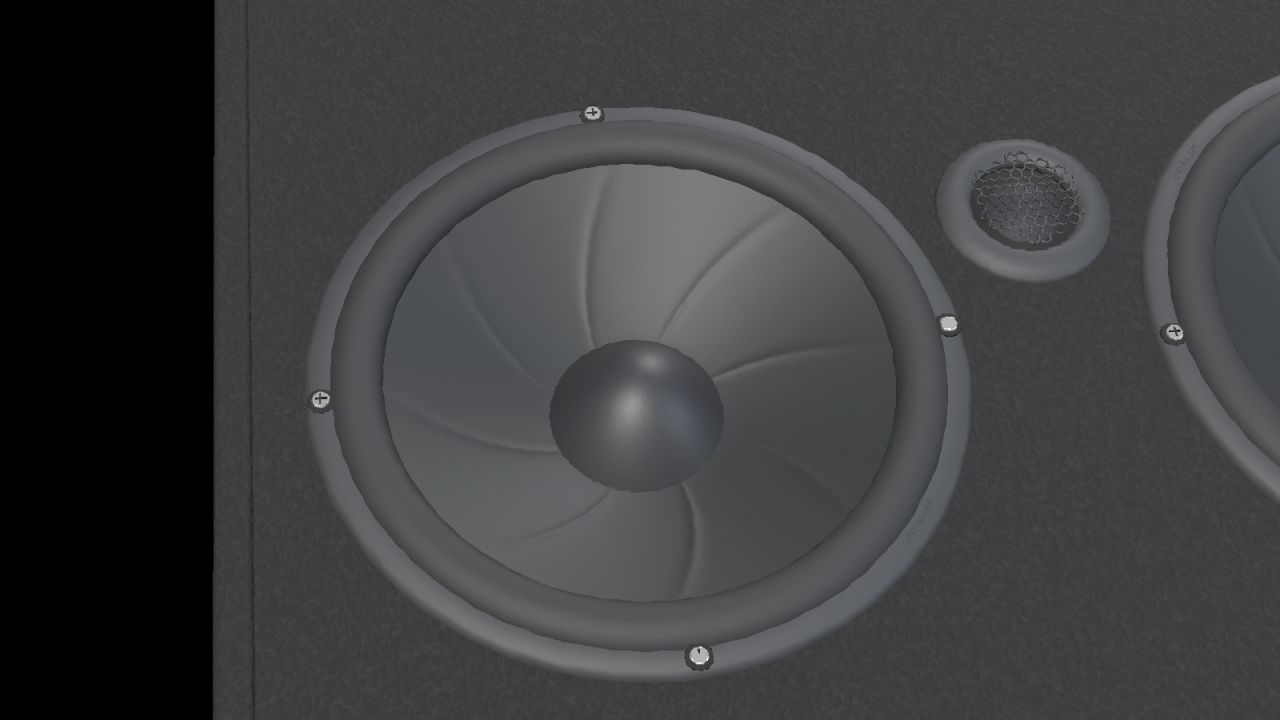
Ground Zero GZIB 2.165-TT20 (Prefab) V1.0.0.0
Ground Zero GZIB 2.165-TT20 (Prefab) V1.0.0.0 Rüsten Sie Ihr Fahrzeug in Farming Simulator 25 mit diesem Ground Zero Lautsprecherboard-Fertigbausatz mit einem detaillierten Car-Audio-System aus. Merkmale: Vier 165-mm-Mitteltieftöner. Zwei 20-mm-Hochtöner mit offenen Schutzgittern. Schwarzer Teppichboden und Ground Zero-Logo. Detaillierte Lautsprecherkegel und seitlicher Anschlussanschluss. Maßstabsgetreues Modell mit unterschiedlichen Materialien und zwei Detaillierungsgraden. Nennmaße in horizontaler Lage: Breite: 900 mm Höhe: 169 mm Tiefe: 243 mm Das Komplettpaket beinhaltet das I3D-Modell, DDS-Texturen, bearbeitbaren Blender-Quellcode, Vorschaubilder und Installationsanleitungen in Englisch, Schwedisch und Norwegisch. Installation: Importiere das vorgefertigte Objekt mit dem GIANTS Editor 10 in deine Fahrzeugmodifikation und folge der beiliegenden Anleitung. Dieses vorgefertigte Objekt ist speziell für Modder entwickelt und benötigt keinen separaten Shop-Eintrag. Funktion: Statische Dekoration ohne Audiowiedergabe, Lautsprecheranimation oder separate Kollisionserkennung. Überprüfen Sie nach der Installation die Platzierung und das Aussehen in Ihrem Fahrzeug. Version: 1.0.0.0 Modell und FS25-Fertigteil: NorthernLight Modding. Die Produktdesigns, Namen und Logos von Ground Zero gehören der Ground Zero GmbH. Die GE-Vorschauen zeigen den GIANTS Editor. Die Studio-Vorschauen sind ergänzende Blender-Renderings, keine Gameplay-Screenshots. Tags: Farming SimulatorIhrem FahrzeugSie Ihr Fahrzeug
DLSS5-Swapper V2.2.9.0
Install, tune and restore DLSS 5 in your games. The app supports native RenoDX, DLSS5-Feeder for games without DLSS, OptiScaler and multipass routes across DirectX 8/9/11/12, Vulkan, OpenGL, DirectDraw and emulators. It includes an in-game F8 overlay, automatic backups and a community page showing what works on your games and your graphics card. Features Easy installation: native DLSS games, or compatible non-DLSS games through DLSS5-Feeder. Your library: Steam, Epic, GOG, modern Xbox Game Pass folders, and manually added games/emulators. Search and filters: combine title, graphics API, DLSS status/version and add-ons; click counters to filter. Flexible layout: group by store or show everything in one list, with game artwork and light/dark themes. Controlled scanning: full-drive scanning is off by default. Added folders still scan normally; enable all-drive discovery or remove scan folders in Settings. Right-click shortcuts: open/copy folder, rescan, change cover, restore originals or hide a game. Backups and History: restore original files, keep installation records, and copy History/activity/install logs. Save diagnostics: one file with the install log, the game’s own ReShade and Feeder logs, the manifest and your driver, shown to you before it is written, and ready to attach to a report. In-game overlay: press F8 to open the app’s own panel over the running game and move the real DLSS Neural Rendering sliders while you play. Supports the DLSS5-Feeder and RenoDX routes only, and it knows both RenoDX builds the app ships, 6.5.3 and the older 4.7. Drag the grip in its bottom right corner to resize it; each game remembers its own size. Rendering API override: optional, per game, with Automatic as the default; detection is never overwritten. Custom add-ons: the Add-ons page remains available alongside the integrated installation routes. Multipass neural rendering: an installation route that runs the neural pass up to ten times per frame, on DX12, DX11 and 64-bit DX9, including games with no DLSS of their own. Community (BETA): read what worked for other people, narrowed to the games on your PC and the graphics card in it, leave your own report, and talk it over underneath it. Opt-in, and everything you leave can be edited, deleted or withdrawn. Community chat: one live room for everyone using the app, with screenshots, game cards, replies with mentions and reactions.
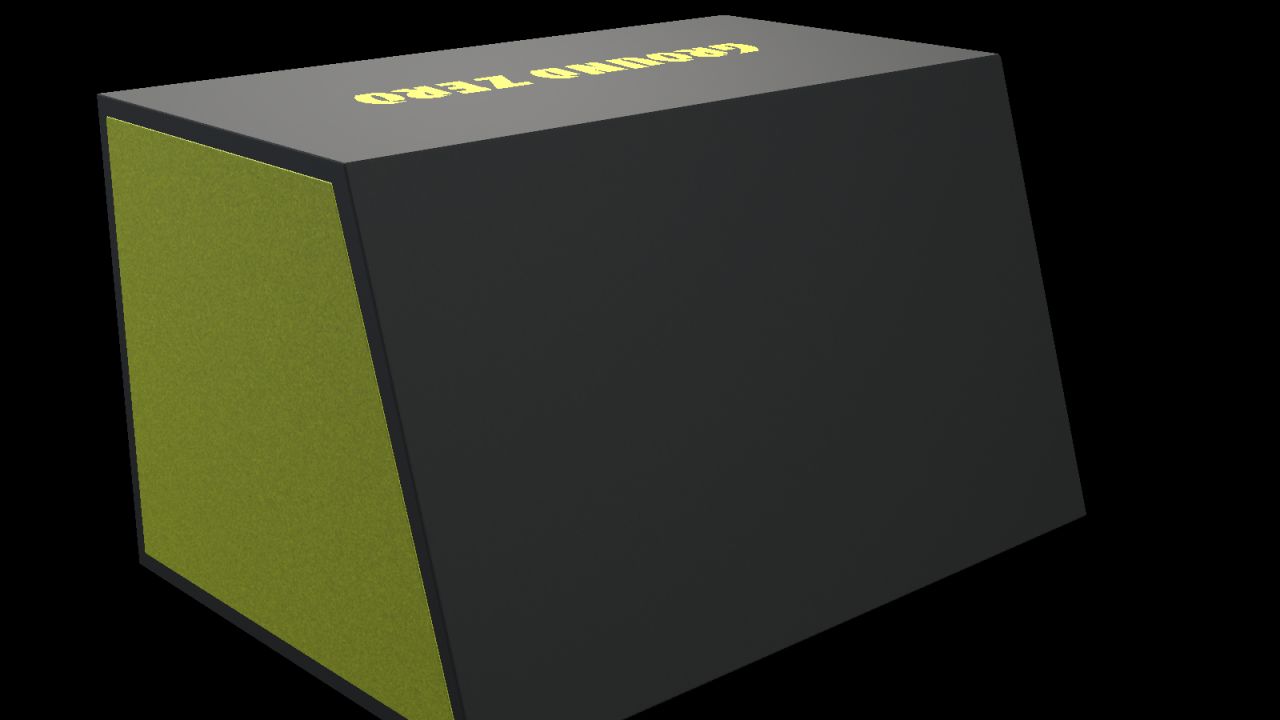
Ground Zero GZRB 30SPL (Fertigteil) V1.0.0.0
Ground Zero GZRB 30SPL (Fertigteil) V1.0.0.0 Rüsten Sie Ihr Fahrzeug in Farming Simulator 25 mit diesem Ground Zero Subwoofer-Gehäuse-Fertigbausatz auf ein detailliertes Car-Audio-System auf. Merkmale: Ein 12-Zoll-Subwoofer. Drei gelbe Schutzbalken. Offener Bassreflexkanal. Schwarzer Teppichboden, gelbe Seitenwände und Ground Zero-Logo. Seitlicher Anschlussanschluss mit vier Kontakten. Maßstabsgetreues Modell mit unterschiedlichen Materialien und zwei Detaillierungsgraden. Nennabmessungen: Breite: 650 mm Höhe: 380 mm Tiefe: 450 mm unten / 330 mm oben Das Komplettpaket beinhaltet das I3D-Modell, DDS-Texturen, bearbeitbaren Blender-Quellcode, Vorschaubilder und Installationsanleitungen in Englisch, Schwedisch und Norwegisch. Installation: Importiere das vorgefertigte Objekt mit dem GIANTS Editor 10 in deine Fahrzeugmodifikation und folge der beiliegenden Anleitung. Dieses vorgefertigte Objekt ist speziell für Modder entwickelt und benötigt keinen separaten Shop-Eintrag. Funktion: Statische Dekoration ohne Audiowiedergabe, Lautsprecheranimation oder separate Kollisionserkennung. Überprüfen Sie nach der Installation die Platzierung und das Aussehen in Ihrem Fahrzeug. Version: 1.0.0.0 Modell und FS25-Fertigteil: NorthernLight Modding. Die Produktdesigns, Namen und Logos von Ground Zero gehören der Ground Zero GmbH. Die GE-Vorschauen zeigen den GIANTS Editor. Die Studio-Vorschauen sind ergänzende Blender-Renderings, keine Gameplay-Screenshots. Tags: Farming SimulatorIhrem FahrzeugSie Ihr Fahrzeug
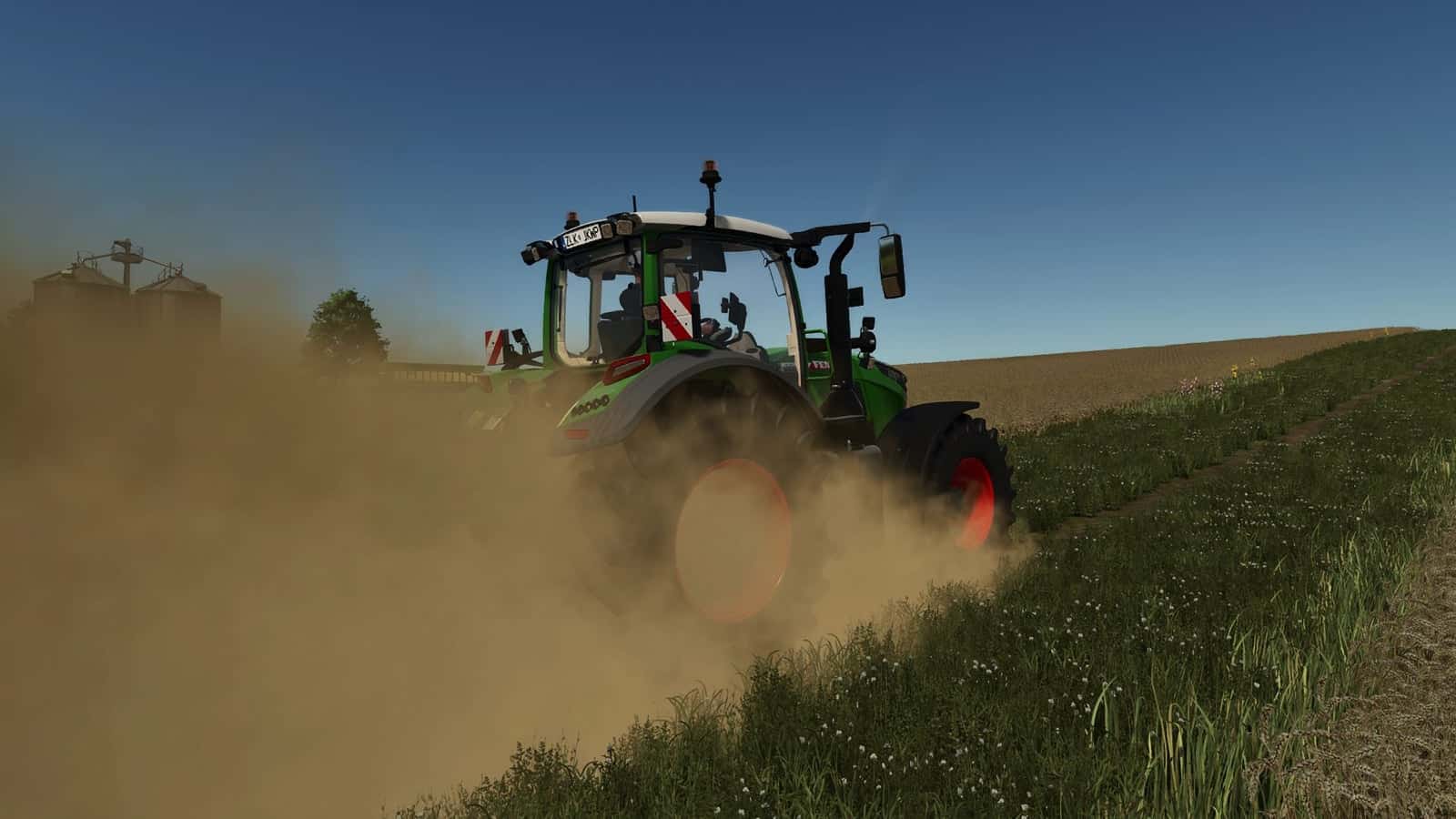
Real Dust V1.1.5.0
Real Dust is a global wheel-effect script for Farming Simulator 25. It makes dry driving feel less flat without requiring a separate XML edit for every tractor. Features Produces thicker custom dust on dry fields, dirt tracks, gravel, and off-road surfaces. Places the main dust cloud behind each active wheel and adds a lighter left-drifting wind plume. Adds a separate small-stone particle effect close to the tire path. Builds light washable dirt gradually on supported vehicle bodies and wheels. Reduces the effect when the ground is wet, so damp soil does not behave like dry dust. Provides separate controls for the full mod, dust particles, stone particles, and effect amounts. The main dust source comes from the custom effects/realDust.i3d particle file. The smaller stones are created using effects/realDustStones.i3d. The source package includes the shape files and stone textures required by the effects. The emitters are created by the script, allowing Real Dust to work across ordinary wheeled vehicles instead of being tied to one tractor model. Vehicle speed, ground conditions, wheel position, and the selected settings influence the visible effect. A lighter wind plume drifts left and behind the wheel dust, while the small-stone effect remains closer to the tire path. Wet ground reduces the dry-looking result, helping rain and damp conditions remain visually different from a hot, dusty field. In-Game Real Dust Settings Open the normal game settings screen and look for the Real Dust group. The master option turns the complete system on or off. Dust Particles and Stone Particles can then be controlled independently, which is useful when a player wants the dust cloud but prefers fewer extra particles. Dust Amount and Stone Amount are documented with a range from 25% to 200%. Start at 100% and drive the same vehicle along the same dry route before raising the value. Lower settings are the sensible first choice on older hardware, with several vehicles working in one field, or when another visual-effects mod is already active.
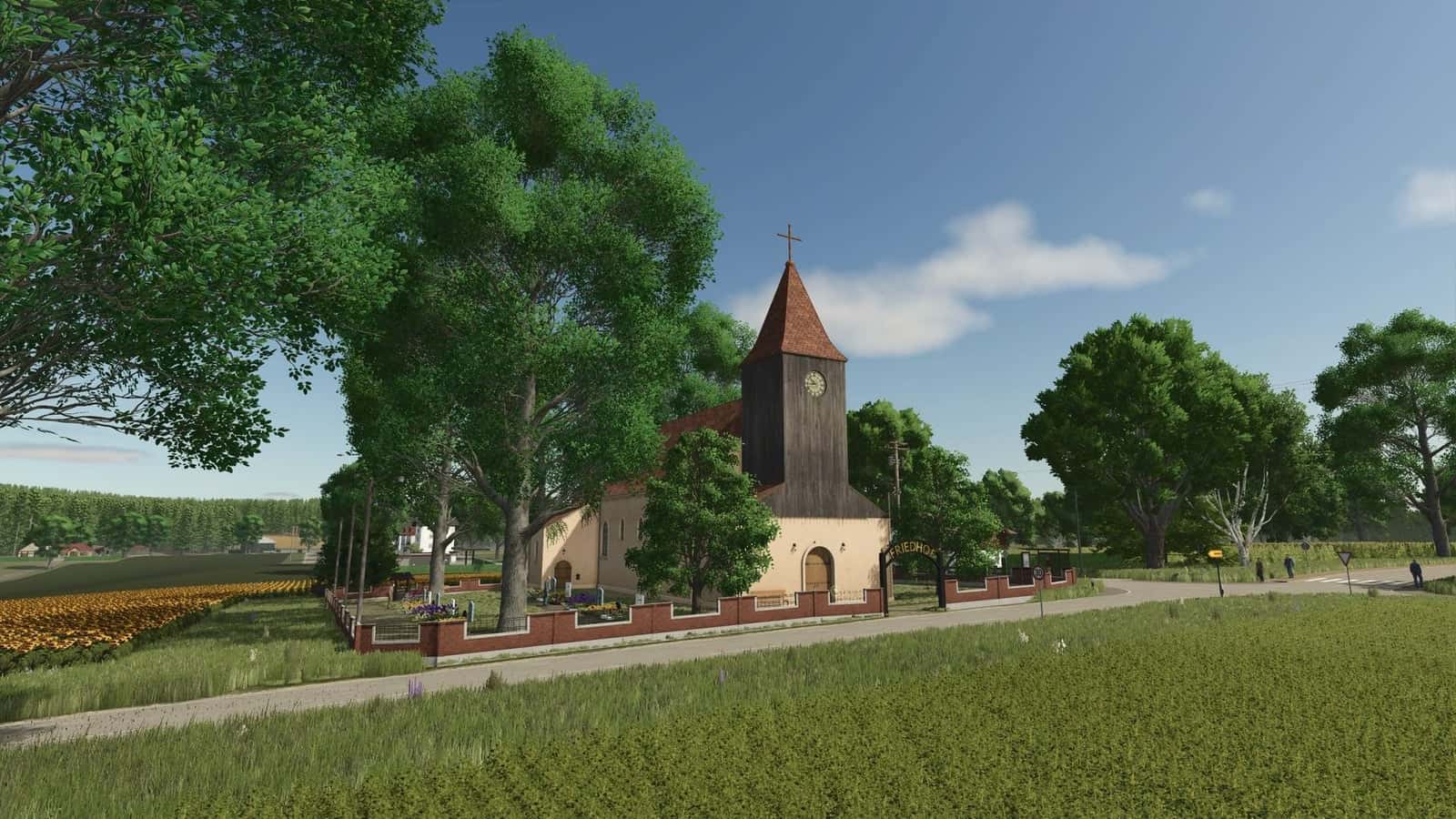
HOF GRAFENAU – Where agriculture is still done by hand V1.3.0.0
Grafenau Farm is a small, idyllic map for Farming Simulator 25 focused on micromanagement, attention to detail, and an authentic country life experience. The map includes farming, animal husbandry, productions, forestry, and expanded crop types. Features 31 fields of varying sizes Many fields can be combined and expanded by clearing forests 3 selling points and the small village of Grafenau Biogas plant and numerous production facilities Farm with pigs, cows, chickens, and shelters Horse and cow pasture included Predominantly custom buildings Flower greenhouse and smokehouse can be placed by the player Productions Cheese factory Jam Oil mill Carpenter Sawmill Bakery Tailor Juice factory Orchards Fishery Multifruit Rye Clover Forage grass Spelt Triticale Poppy Mustard, harvestable Winter wheat Spring wheat Winter barley Spring barley Hemp Linseed Alfalfa Animal species In addition to the standard animals, rabbits, geese, and ducks are included. Rabbit and goose hutches must be placed separately. Ducks can be integrated into any chicken coop. Custom animal feeding systems are available. See the help pages in the ESC menu for details. Collectibles and Secrets The collectibles can be discovered through a scavenger hunt. Instructions can be found in the village at the roundabout. Technology and Comfort Precision Farming ready with its own soil map Dedicated help pages in the ESC menu with answers to many questions Harmonious atmosphere and rural flair All farm buildings can also be placed again by the owner. Autodrive AD courses are built into the map. Please follow these instructions, otherwise the courses will be gone when you start a new game, regardless of the difficulty level and as long as you have AD in your mods folder. When you start the save game for the first time, Autodrive will ask you if it should create courses. Press NO! If you press YES, the courses created for the map will be gone, and you will have to start a new save game or create your own. If you’re wondering why the AD courses were not added individually, the answer is a clear NO, because the map already has them. The Grafenau estate has nothing in common with the town of Grafenau; it is purely a fantasy map and is derived from my name, Graf, nothing more. Changelog V1.3.0.0NEW SAVEGAME REQUIRED!!! I HAVE NOT AUTHORIZED THE ANIMALS!!! AUTHORIZATION CAN ONLY BE OBTAINED THROUGH WINGITV!!!!!!!!!!!!!– Log and sapling production– Several production branches expanded with paper, cardboard, and wooden crates– Placeable cats– Cat food– Foals added– New footpaths– Animal feeding completely reworked– CCM, CCMRAW, grain meal, and protein meal added– CCM silo placeable on the map– Animal feed adapted to CCM, grain meal, and protein meal– All map-internal hotspots changed– All map and production action markers remade– Orchard meadow added– Map expanded– Train system installed– New crops: taro and white grapes– New production branches: taro flour, bagged taro, and white wine– Placeable butcher shop on the map; a location in the village is available– Farmlands adjusted– New mixers for feed, field products, the grain mill, and pellets– Field factory removed– Several cosmetic issues fixed V1.1.0.0A new save game is needed!!! Unfortunately, I didn’t manage to make a moving video because I’m very sick at the moment.– Silo only for grain and what does not go into the halls of earth crops and bulk goods– Hay storage revised, new name grasses/straw storage– Bulk goods and earth fruit hall added– Potato cellar added– Added methane transporter– Added methane gas station– Added power storage– Some productions now need electricity– Added farm shop and milk bar sales– Completely new village and new buildings– Completely new electricity network– Pallet trigger built for compost pallets in U-shaped raised beds– Forests that could not be purchased were replaced with fences– Deco expanded across the entire map– Stones installed for sale and in field production to produce lime– Wood pellets now also in smokers and flower greenhouses– Sheep/cigarette tarpaulins fixed– Added several grass folios to paint– Small pellet production fixed– Rabbit hutch completely fixed, rabbits now need water and give manure– All stables can now be filled with either straw or straw pellets, straw pellets only loose– Added mango plantation– Added coffee plantation– Added watermelon plantation– Niki Energy Drink new branch in the juice factory– Fixed several small blemishes– Ruins area has been given a water trigger V1.0.0.3NO NEW STORAGE!!! Pigs were still stubborn about the manure, but it’s finally fixed now. I didn’t change the version number.
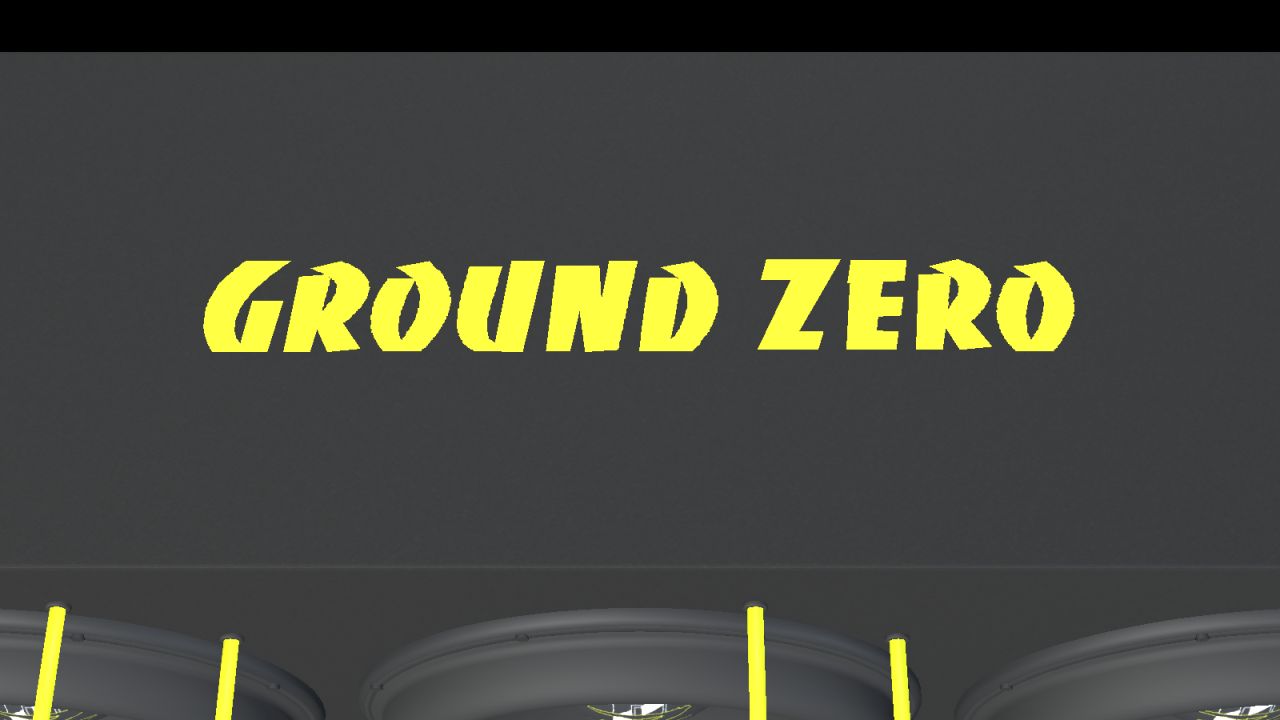
Ground Zero GZIB 3.2500SPL (Fertigteil) V1.0.0.1
Ground Zero GZIB 3.2500SPL (Fertigteil) V1.0.0.1 Rüsten Sie Ihr Fahrzeug in Farming Simulator 25 mit diesem Ground Zero Subwoofer-Gehäuse-Fertigbausatz auf ein detailliertes Car-Audio-System auf. Merkmale: Drei 10-Zoll-Subwoofer. Sechs gelbe Schutzbalken. Schwarzer Teppichboden, gelbe Seitenwände und Ground Zero-Logo. Versenkter seitlicher Anschluss. Maßstabsgetreues Modell mit unterschiedlichen Materialien und zwei Detaillierungsgraden. Nennabmessungen: Breite: 830 mm Höhe: 340 mm Tiefe: 320 mm unten / 240 mm oben Das Komplettpaket beinhaltet das I3D-Modell, DDS-Texturen, bearbeitbaren Blender-Quellcode, Vorschaubilder und Installationsanleitungen in Englisch, Schwedisch und Norwegisch. Installation: Importiere das vorgefertigte Objekt mit dem GIANTS Editor 10 in deine Fahrzeugmodifikation und folge der beiliegenden Anleitung. Dieses vorgefertigte Objekt ist speziell für Modder entwickelt und benötigt keinen separaten Shop-Eintrag. Funktion: Statische Dekoration ohne Audiowiedergabe, Lautsprecheranimation oder separate Kollisionserkennung. Überprüfen Sie nach der Installation die Platzierung und das Aussehen in Ihrem Fahrzeug. Version: 1.0.0.1 Modell und FS25-Fertigteil: NorthernLight Modding. Die Produktdesigns, Namen und Logos von Ground Zero gehören der Ground Zero GmbH. Die GE-Vorschauen zeigen den GIANTS Editor. Die Studio-Vorschauen sind ergänzende Blender-Renderings, keine Gameplay-Screenshots. Tags: Farming SimulatorIhrem FahrzeugSie Ihr Fahrzeug
DLSS5-Swapper FS25
Install, tune and restore DLSS 5 in your games with one click. Native RenoDX, DLSS5-Feeder for games without DLSS, OptiScaler and multipass routes; DirectX 8/9/11/12, Vulkan, OpenGL, DirectDraw and emulators. In-game F8 overlay, automatic backups, and a community page showing what works on your games and your graphics card. -Easy installation: native DLSS games, or compatible non-DLSS games through DLSS5-Feeder. -Your library: Steam, Epic, GOG, modern Xbox Game Pass folders, and manually added games/emulators. -Search and filters: combine title, graphics API, DLSS status/version and add-ons; click counters to filter. -Flexible layout: group by store or show everything in one list, with game artwork and light/dark themes. -Controlled scanning: full-drive scanning is off by default. Added folders still scan normally; enable all-drive discovery or remove scan folders in Settings. -Right-click shortcuts: open/copy folder, rescan, change cover, restore originals or hide a game. -Backups and History: restore original files, keep installation records, and copy History/activity/install logs. -Save diagnostics: one file with the install log, the game’s own ReShade and Feeder logs, the manifest and your driver - shown to you before it is written, and ready to attach to a report. -In-game overlay: press F8 to open the app's own panel over the running game and move the real DLSS Neural Rendering sliders while you play. Supports the DLSS5-Feeder and RenoDX routes only, and it knows both RenoDX builds the app ships (6.5.3 and the older 4.7). Drag the grip in its bottom right corner to resize it; each game remembers its own size. -Rendering API override: optional, per game, with Automatic as the default; detection is never overwritten. -Custom add-ons: the Add-ons page remains available alongside the integrated installation routes. -Multipass neural rendering: an installation route that runs the neural pass up to ten times per frame, on DX12, DX11 and 64-bit DX9 - including games with no DLSS of their own. -Community (BETA): read what worked for other people, narrowed to the games on your PC and the graphics card in it, leave your own report, and talk it over underneath it. Opt-in, and everything you leave can be edited, deleted or withdrawn. -Community chat: one live room for everyone using the app - screenshots, game cards, replies with mentions and reactions.
Real Dust FS25
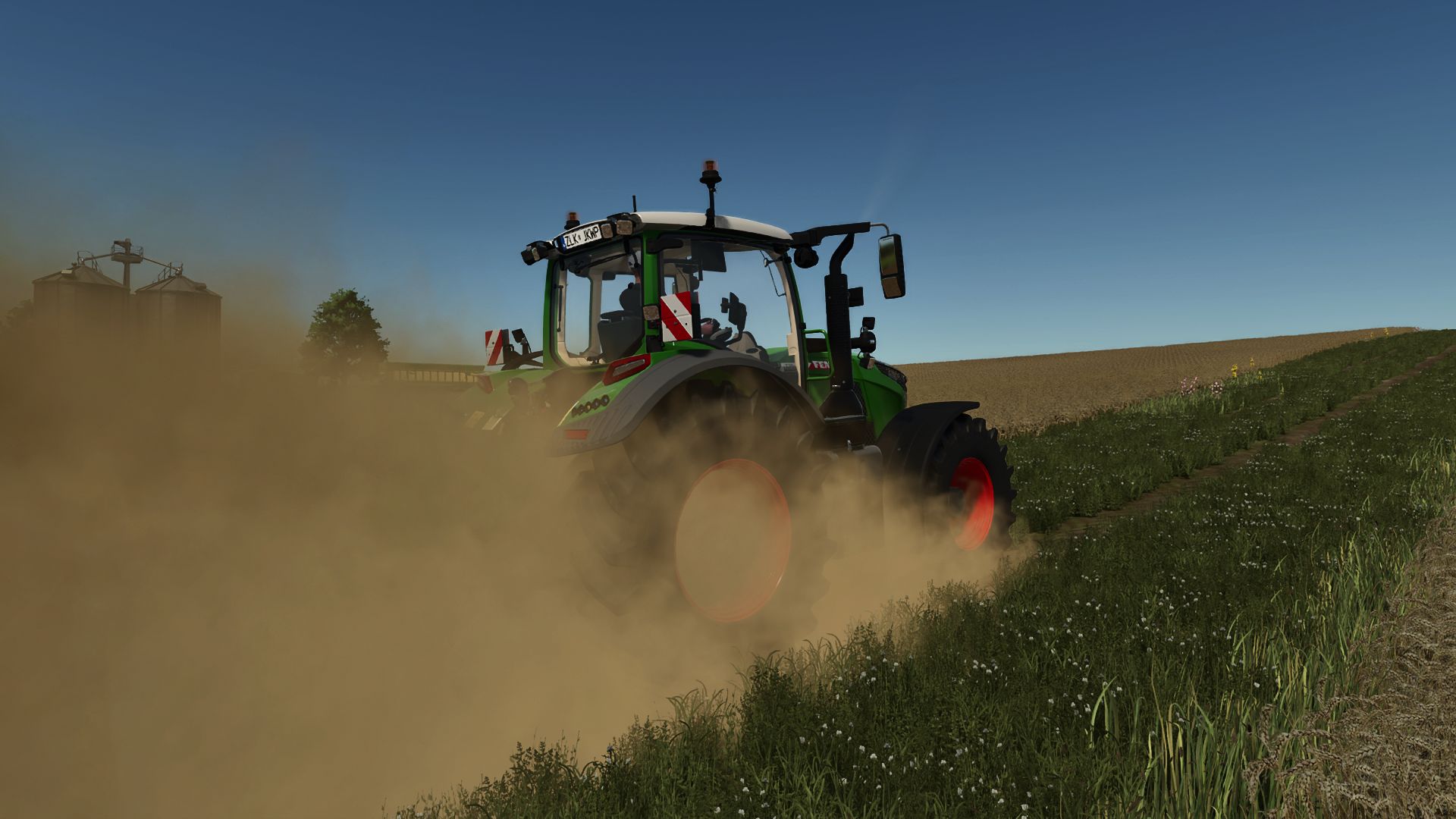
Real Dust is a global wheel-effect script for Farming Simulator 25. Its purpose is to make dry driving feel less flat without requiring a separate XML edit for every tractor. The supplied project files hook into the vehicle wheel update process and position custom particle emitters behind moving wheels. This lets normal wheeled vehicles produce a fuller dust plume while they travel across suitable ground. The effect is not designed as one constant cloud. Vehicle speed, ground conditions, wheel position, and the selected settings influence what the player sees. A lighter wind plume drifts left and behind the wheel dust, while the small-stone effect remains closer to the tire path. Wet ground reduces the dry-looking result, helping rain and damp conditions remain visually different from a hot, dusty field. What Real Dust Changes The main dust source comes from the custom effects/realDust.i3d particle file. A second source, effects/realDustStones.i3d, is used for the smaller stones thrown behind the tires. The current source package also includes the shape files and stone textures required by those effects. Because the emitters are created by the script, Real Dust can work across ordinary wheeled vehicles instead of being tied to one tractor model. Produces thicker custom dust on dry fields, dirt tracks, gravel, and off-road surfaces. Places the main dust cloud behind each active wheel and adds a lighter left-drifting wind plume. Adds a separate small-stone particle effect close to the tire path. Builds light washable dirt gradually on supported vehicle bodies and wheels. Reduces the effect when the ground is wet so damp soil does not behave like dry dust. Provides separate controls for the full mod, dust particles, stone particles, and effect amounts. In-Game Real Dust Settings Open the normal game settings screen and look for the Real Dust group. The master option turns the complete system on or off. Dust Particles and Stone Particles can then be controlled independently, which is useful when a player wants the dust cloud but prefers fewer extra particles. Dust Amount and Stone Amount are documented with a range from 25% to 200%. Start at 100% and drive the same vehicle along the same dry route before raising the value. Lower settings are the sensible first choice on older hardware, with several vehicles working in one field, or when another visual-effects mod is already active.
BriodLights Olympus 9 (Prefab) V1.1.0.0
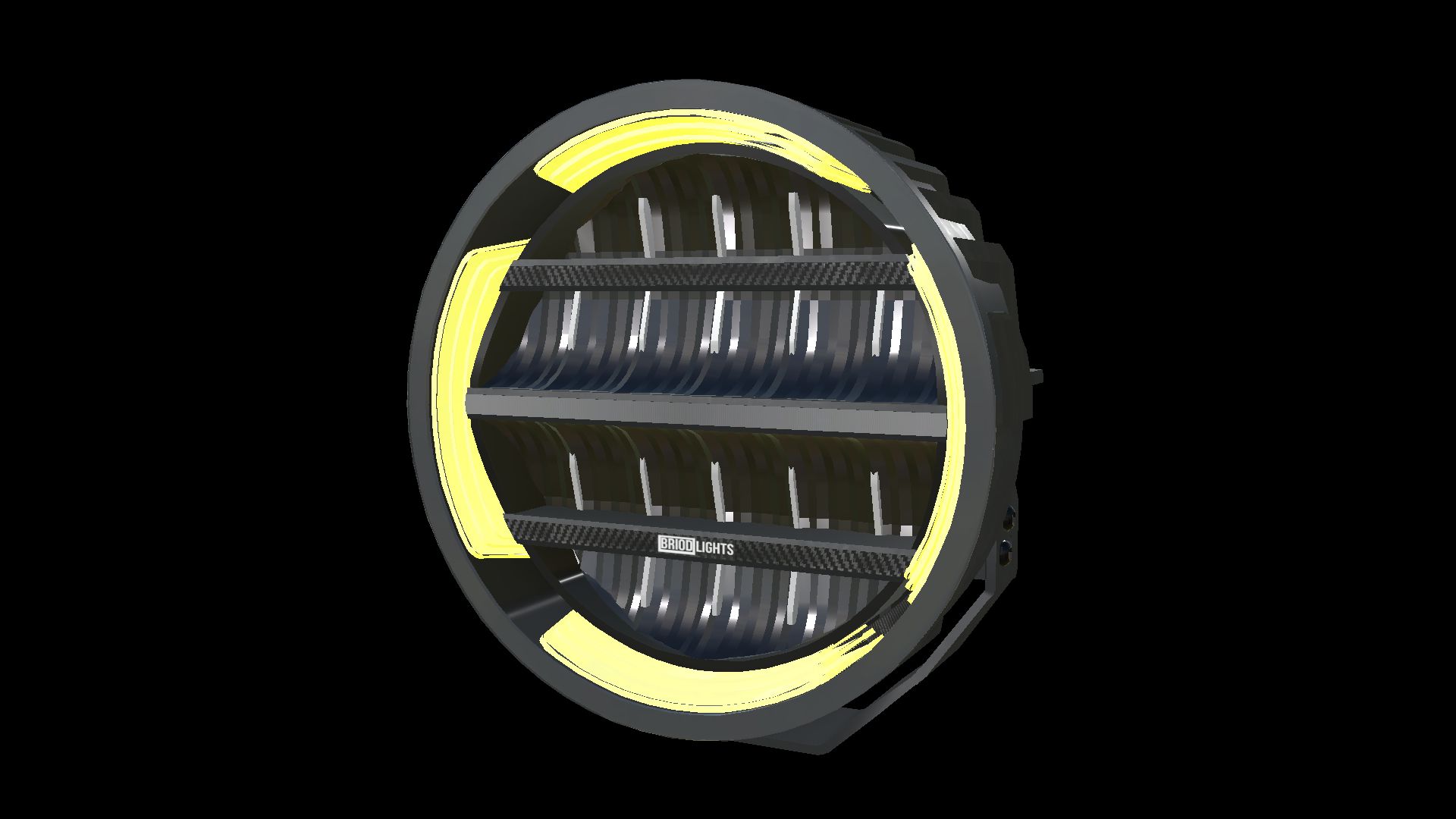
BriodLights Olympus 9 (Prefab) V1.1.0.0 BriodLights Olympus 9 – Fertigpackung Weiß & Schwarz Landwirtschafts-Simulator 25 | Version 1.1.0.0 | NorthernLight Modding Ein komplettes BriodLights Olympus 9 Fertigbausatz für Fahrzeugbauer im Landwirtschafts-Simulator 25. Wählen Sie zwischen weißen oder schwarzen Gehäusen mit bernsteinfarbenem Positionslicht und separatem weißen Fernlicht. Merkmale: – Vier vorgefertigte Gehäuse: weiße und schwarze Gehäuse, jeweils in einer linken und einer rechten Ausführung. – Pulverbeschichtung unter Beibehaltung der originalen Logos, Reflektoren, Kühlrippen und Montagehalterungen. – Bernsteinfarbene Tagfahrlicht-/Positionslichtringe und Lichtleisten mit sichtbaren Diffusorflächen im ausgeschalteten Zustand. – Separates weißes Fernlicht mit echten Lichtquellen für optimale Lichtqualität beider Lichtrichtungen (Fern- und Abblendlicht). – Positionieren Sie die Scheinwerfer der ersten Beleuchtungsstufe mit der mitgelieferten XML-Datei; das Fernlicht wird an die Fernlichtfunktion des empfangenden Fahrzeugs angeschlossen. – Fahrzeug-XML-Beispiele für alle vier Varianten und ein Offline-XML-Helfer für benutzerdefinierte Montagepfade. – Vollständige Installationsanleitungen in Englisch, Schwedisch und Norwegisch. Dies ist ein vorgefertigtes Element für Modder. Importieren und verbinden Sie die Lampen in einem Fahrzeug-Mod mithilfe des GIANTS Editors; sie sind keine separaten Shop-Artikel. Es werden keine benutzerdefinierten Lua-Skripte benötigt. Originalmodelle und Texturen: JB Modding. FS25-Konvertierung, Materialanpassung, Beleuchtungsintegration und vorgefertigtes Paket: NorthernLight Modding. Die Produktbilder zeigen die gelieferten Modelle im GIANTS Editor. Tags: Die Produktbilder
- 15 per page
- 30 per page
- 45 per page
- 60 per page
-
See more per page
Bigger pages, fewer clicks - and no ads anywhere.
Go Pro