Farming Simulator 25 mods
79,027 results- 15 per page
- 30 per page
- 45 per page
- 60 per page
-
See more per page
Bigger pages, fewer clicks - and no ads anywhere.
Go Pro
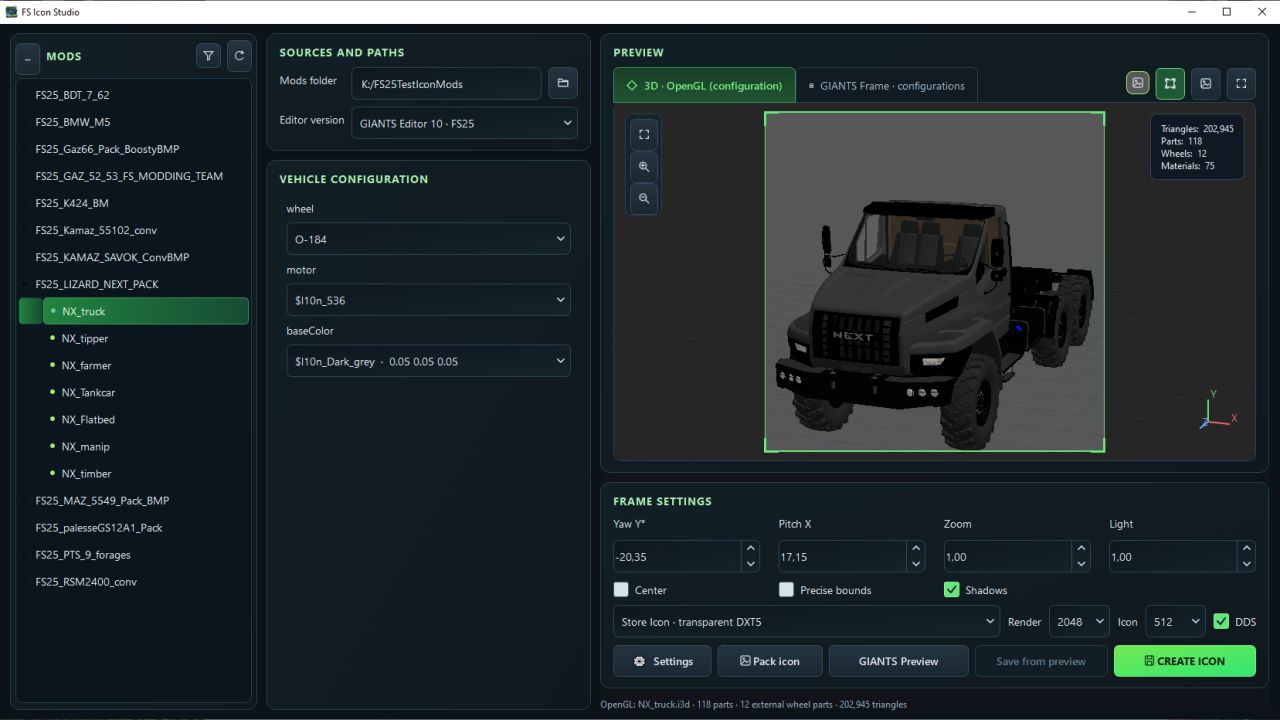
FS Icon Studio V1.0.2.0
FS Icon Studio V1.0.2.0 FS Icon Studio — a Windows utility that combines vehicle selection, equipment configuration, 3D preview and ready-to-use icon creation in one window. It helps prepare images for the in-game store and a mod cover: choose the required wheels and color, set the camera angle, check the result and save it as PNG or DDS. Features FS22 and FS25 in one application. Separate path settings for the games and GIANTS Editor 9 and 10, with switching between versions. Convenient mod list. Unpacked mods are displayed as a tree with store items. If a mod has no storeItems list, the program suggests the discovered I3D models. Interactive 3D preview. Adjust the camera angle and check supported configurations without launching GIANTS Editor after every change. Equipment selection. Colors, wheels, variants and part visibility from the mod XML. For foldable vehicles, you can choose the folded or unfolded position. Frame settings. Rotation, tilt, scale, lighting, shadows and automatic model centering. (By rotating the 3D model in space.) Rendering through GIANTS Editor. A separate tab displays the frame created with GIANTS tools, using materials and configurations loaded from the game. Two icon types. Store Icon with a transparent background and Mod Icon with a built-in ModHub background. PNG and DDS export. Store Icon uses DDS DXT5 with transparency, while Mod Icon uses DXT1. Render resolution is up to 2048 × 2048; the finished icon size ranges from 128 × 128 to 1024 × 1024. Save directly to the mod. The program uses the icon names and paths from the XML. When replacing files, it can automatically create backups. Save the finished preview. A successful GIANTS frame can be exported without launching the editor again. Settings memory. Paths, selected configurations, frame parameters and export settings are saved between launches. The interface is available in Russian and English. How does FS Icon Studio differ from GIANTS Icon Generator? The official GIANTS Icon Generator is intended for creating mod icons using GIANTS tools. FS Icon Studio uses the same approach for the final render and adds its own workspace for preparing the image. The main difference is two preview stages in one window. First, you select the equipment configuration and camera angle in the interactive OpenGL preview. Then you launch a GIANTS frame to check the materials and final appearance before saving. The Editor is launched on your command. Configuration selection and frame adjustment are also available in the official generator. (Though by entering values.) The studio’s advantage lies in its workflow: the equipment configuration is displayed next to the model, mods and items are available in a tree, FS22 and FS25 are combined in one interface, and the finished frame can be saved without rendering again. Additional convenience comes from reading paths from the XML, backups and saving settings between sessions. The program works with unpacked mods. For the final render, the corresponding installed game and GIANTS Editor are required: version 9 for FS22 or 10 for FS25. The OpenGL preview is intended for preparing the composition; complex shaders and scripted vehicle features should be checked in the “GIANTS Frame” tab. V1.0.2.0 When user names contained Cyrillic characters, an option was added to specify the temporary folder. The interface has been reworked (its styles). Added a new “Pack Icon” mode. Unloading effects are no longer displayed in the 3D preview. Fixed display issues with additionalWheel in the 3D preview. Added the ability to pan the preview camera using the middle mouse button (MMB). Added the ability to enable a mode displaying an approximate icon view in the 3D preview. Added the ability to enable a grid in Giants preview mode. Various minor fixes. Author: BMProd Report bugs in the comments and help modders improve this mod. Always check the comments, you can find a solution. DOWNLOAD MOD

Advanced Drivetrain V Beta
There’s already a 4×4 mod out there, and mine isn’t meant to replace it. I made Advanced Drivetrain because I wanted something simple, clean and compatible with the other mods I use. The mod focuses on 2WD/4WD and front and rear diff locks, without messing with tyre wear, grip, tread, tyre size, pressure or mud sink. Features so far: – 2WD and 4WD switching, including permanent 4WD for tractors that require it. – Front and rear differential locks. – Automatic 4WD and diff locks based on the game’s wheel slip. – Separate engagement and release thresholds to stop the system constantly switching on and off. – Default settings: – 4WD: On at 15% slip, off at 6%. – Rear diff lock: On at 30%, off at 16%. – Front diff lock: On at 40%, off at 20%. – Diff locks can automatically disengage when travelling too fast, braking hard or steering sharply. – Fully manual operation if you prefer to control everything yourself. – Controls shown in the F1 help menu and rebindable in the settings. – Small speedometer readout showing drive mode, wheel slip and diff lock status. – Support for different wheel setups, including twin wheels and extra axles. – Multiplayer support, with the host controlling the drivetrain state. – Per-vehicle settings in the vehicle XML for custom slip thresholds. Compatibility is a big part of this mod. Advanced Drivetrain doesn’t try to handle everything. It leaves tyre physics and mud mechanics to the mods designed for them, so it’s intended to work alongside things like Use Up Your Tyres and other mud and traction mods. If you’re already using another drivetrain mod that controls the clutches, you can leave it running or use the settings to take over where supported. I just wanted a drivetrain mod that does its job without trying to replace everything else. 🚜 To start download click the filename. To open archive files use one of these programs: WinRAR, 7-Zip, WinZip. Some mod archives may need to be extracted before the mods will work.
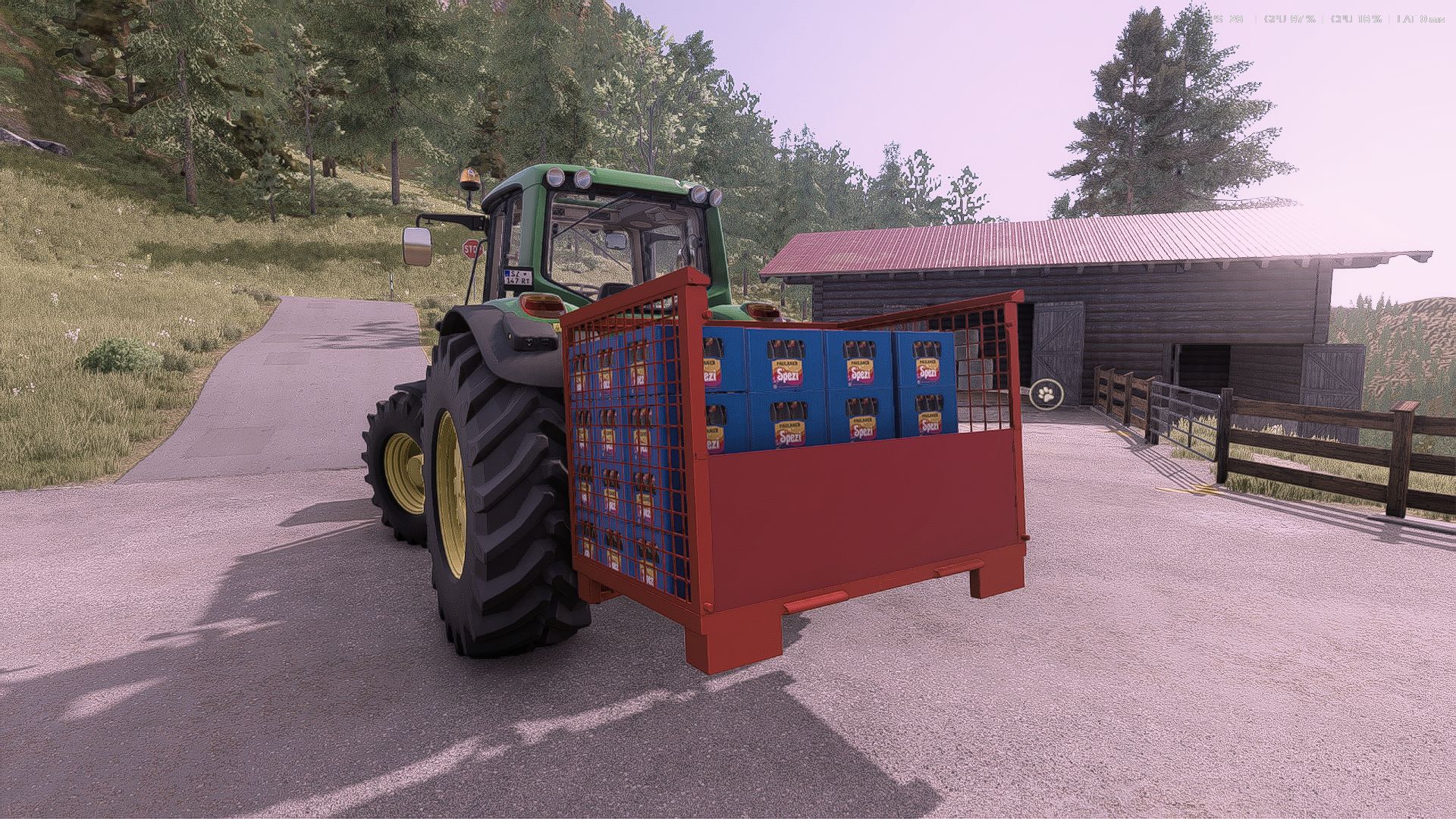
Spezi Drahtgitterbox V1.0.0.0
Spezi Drahtgitterbox V1.0.0.0 Hallo, hier ist meine erste selbstkonvertierte Mod; sie ist fehlerfrei. Preis: 150 Euro

Real fuel prices V2.9.3.1
The FS25_RealFuelPrices mod sets the diesel price in Farming Simulator 25 to the real petrol station price and shows you on the dashboard what your tractor is currently producing, consuming and costing – if desired, it also measures your fieldwork with time, area, litres and euros per hectare. We automatically upload the current prices to your server via FTP every 15 minutes – you do not need to do anything else. Prefer to use your own price? Then simply set it manually in the menu. Real diesel price The price at all petrol stations in the game is the real, current daily diesel price – difficulty level and map surcharges are ignored; you pay exactly the real price. We upload the prices to your server every 15 minutes. The mod checks the price file every 5 minutes and applies new prices without a restart. In-game notification when the price changes, and a refuelling log in the log. No price file? Then simply set the price manually – see “Price source”. Alt+T menu Show and hide the display, and dock it to the dashboard – it then moves and grows with the dashboard. HUD editor: move the driving data display, dashboard, minimap, clock/money/weather, F1 help, messages, contextual action, chat and fill-level display with the mouse, and scale them with the mouse wheel. Work measurement: start, pause, resume and reset with a status line. New Switching time for L/h and €/h via a slider (5–30 s), with selectable colours for values and icons, and optional separator lines between rows. “Reset HUD” and “Reset average” with one click. Switch the price source and set a manual price (in multiplayer, admin only). New Menu texts adapt to the in-game resolution – nothing sticks out of the buttons or gets cut off anymore. New Each player has their own layout – saved on their own PC, even after a restart. Webby0815 Monocoque80 To start download click the filename. To open archive files use one of these programs: WinRAR, 7-Zip, WinZip. Some mod archives may need to be extracted before the mods will work.
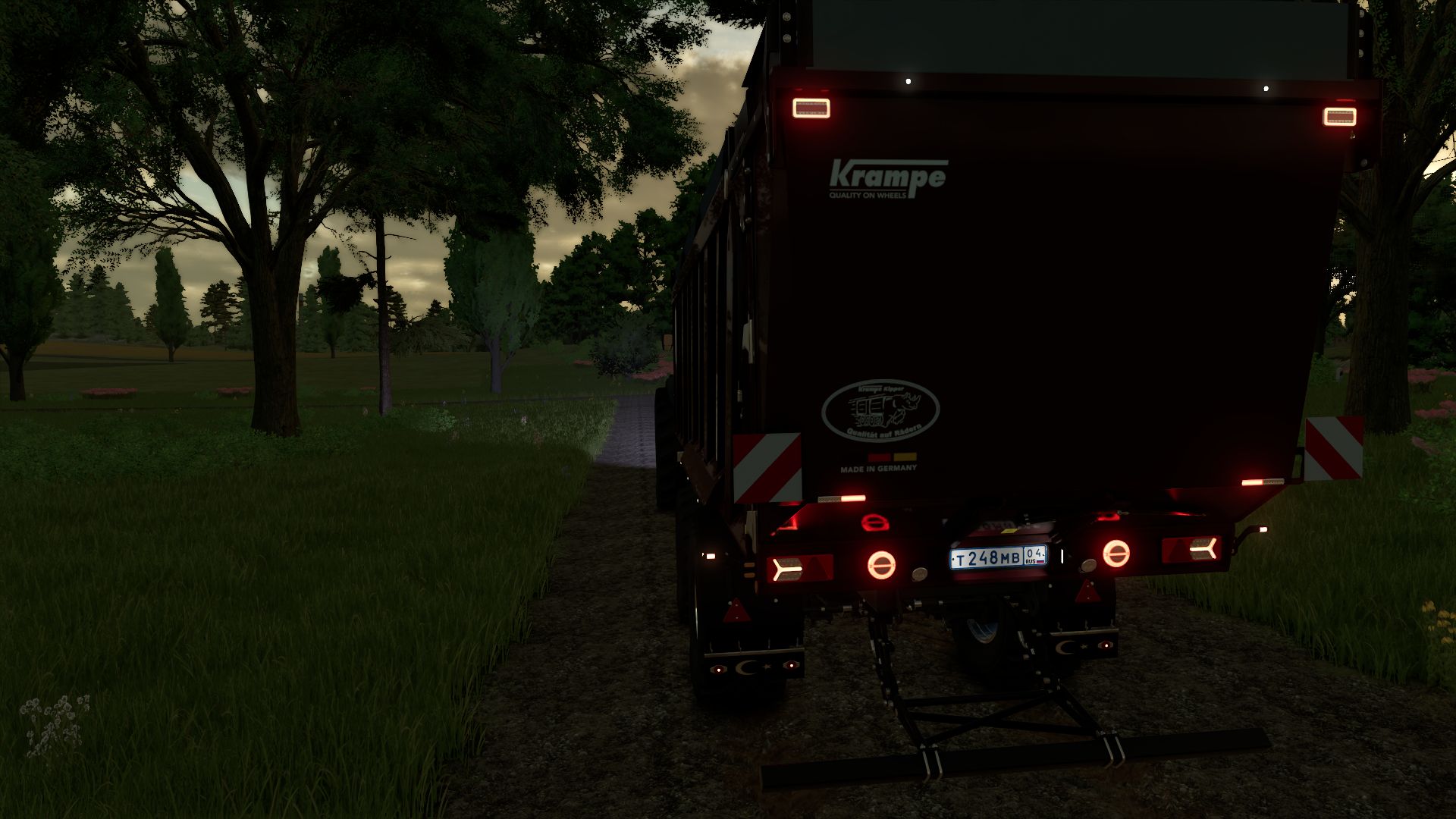
McCormick X8 Pack V1.0.0.0
McCormick X8 Pack V1.0.0.0 Modifiziertes FS25_X8_MCCORMICK_Pack V1.0.0.0. Verschiedene Motorkonfigurationen, erhöhte Motorleistung, verbesserter Bremsweg, mehr Verschleißkonfigurationen. Große Auswahl an Farben und Felgen, inklusive Breitreifen. Der Motorsound wurde überarbeitet, optionale Rundumleuchten, Positionsleuchten und Tagfahrlicht hinzugefügt, Auspuffrauchfarbe geändert. Auswahl an Innenraumfarben, Display überarbeitet. Das X8_MCCORMICK_Pack enthält jetzt den ramBodyAS750 KRAMPE-Anhänger mit mehr Verschleißkonfigurationen. Große Auswahl an Farben und Felgen, Rundumleuchten, Positionsleuchten, Tagfahrlicht und Rückfahrscheinwerfer hinzugefügt, Ladevolumen auf 74 m³ und 78 m³ erhöht. gx520 (KRONE) mit mehr Verschleißkonfigurationen. Es wurde eine große Auswahl an Farben und Felgen, Rundumleuchten, Positionsleuchten, Tagfahrlicht und Rückfahrscheinwerfern hinzugefügt, und das Fassungsvermögen wurde auf 86 m³, 156 m³ und 194 m³ erhöht. Entladung nur nach hinten. Tags: Der MotorsoundKRONEVerschiedene Motorkonfigurationen
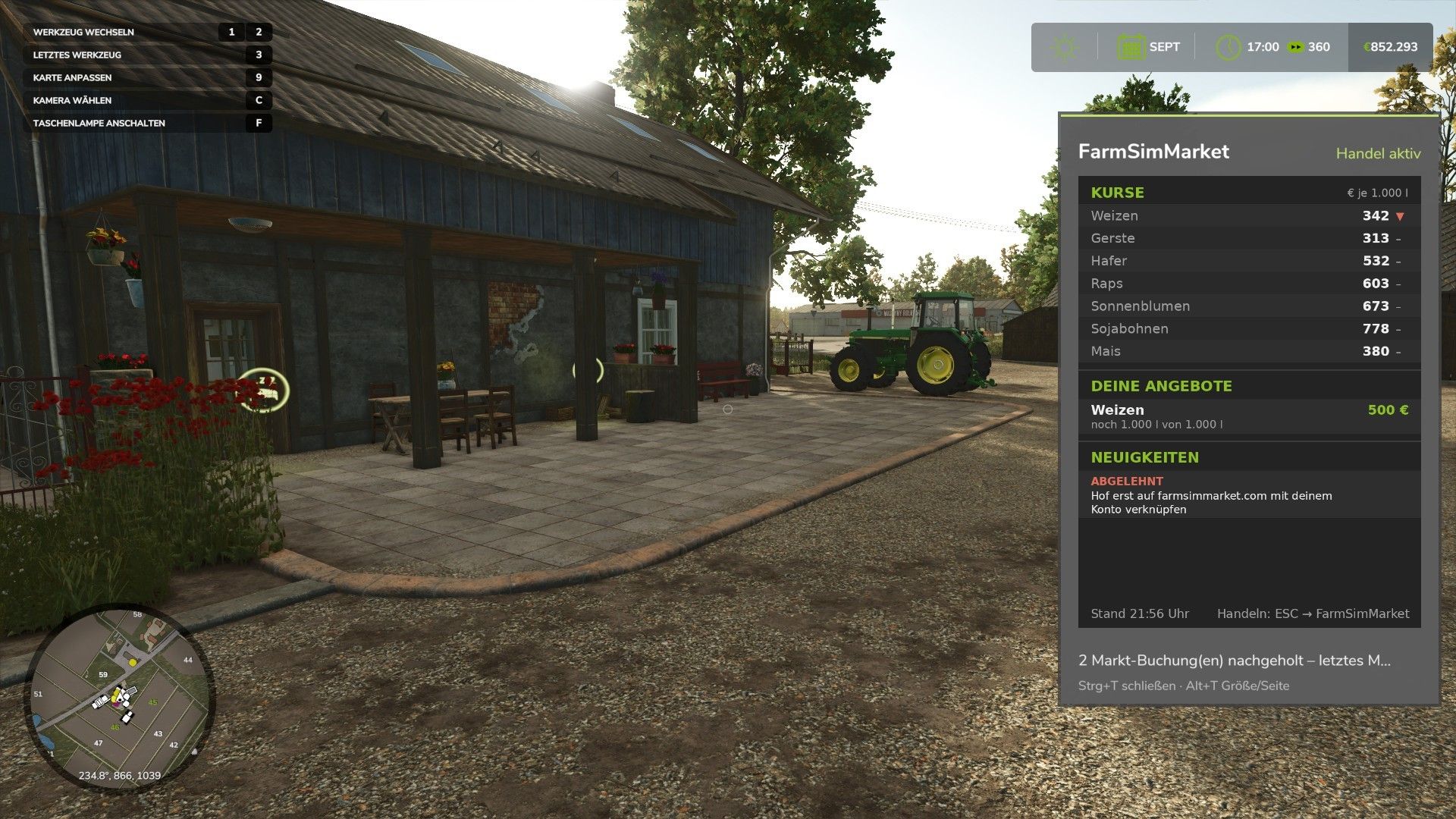
FarmSimMarket – Player Market & Rankings v1.0
FarmSimMarket – Player Market & Rankings v1.0 OPEN BETA – Trade with real players instead of only with the game! FarmSimMarket connects your farm with farmsimmarket.com – a marketplace for all LS25 players. WHAT THE MOD CAN DO Player marketplace: Sell or buy crops, milk, pallets, bales and vehicles from other players – directly in the game (ESC → FarmSimMarket) or on the website. Market tablet (Ctrl+T): Prices, your offers and news at the edge of the screen while you keep playing – even in a vehicle. No extra building required: Purchased goods go into your existing silos and storage facilities, or appear as pallets/bales at the shop’s drop-off area. Leaderboards & farm profile: Compare your farm with other players. Contract marketplace: Post or accept contract work – with field access permissions on shared servers. Multiplayer & dedicated servers, rented servers (G-Portal, Nitrado …) via the server bridge. HOW TO GET STARTED 1. Do not unpack the ZIP; place it in the Mods folder and activate it in your savegame. 2. Create an account at farmsimmarket.com and enter the code from the game. 3. To trade, start the small FarmSimMarket helper (farmsimmarket.com/download, Windows, no installation required). OPEN BETA – PLEASE READ FarmSimMarket is still at a very early stage. Most things work, but there may still be occasional errors or something may not work from time to time. Make a backup of your savegame before your first trade. What does not work yet or has barely been tested: PC (Windows) only – no consoles; the helper only runs on Windows. Trading only works with the helper or server bridge (without one, the goods remain where they are; nothing is lost). Multiplayer and the contract marketplace’s field access permissions have barely been tested. Rented servers via the server bridge are still being tested. Prices move very little at first – they are generated by player trading. Website currently available only in German. Found a bug? Please report it on Discord in #fehler-melden with a short description and the log.txt (Documents/My Games/FarmingSimulator2025). Author: NilsDBerlin Report bugs in the comments and help modders improve this mod. Always check the comments, you can find a solution. DOWNLOAD MOD
Erweiterter Antriebsstrang v1.0.0.0
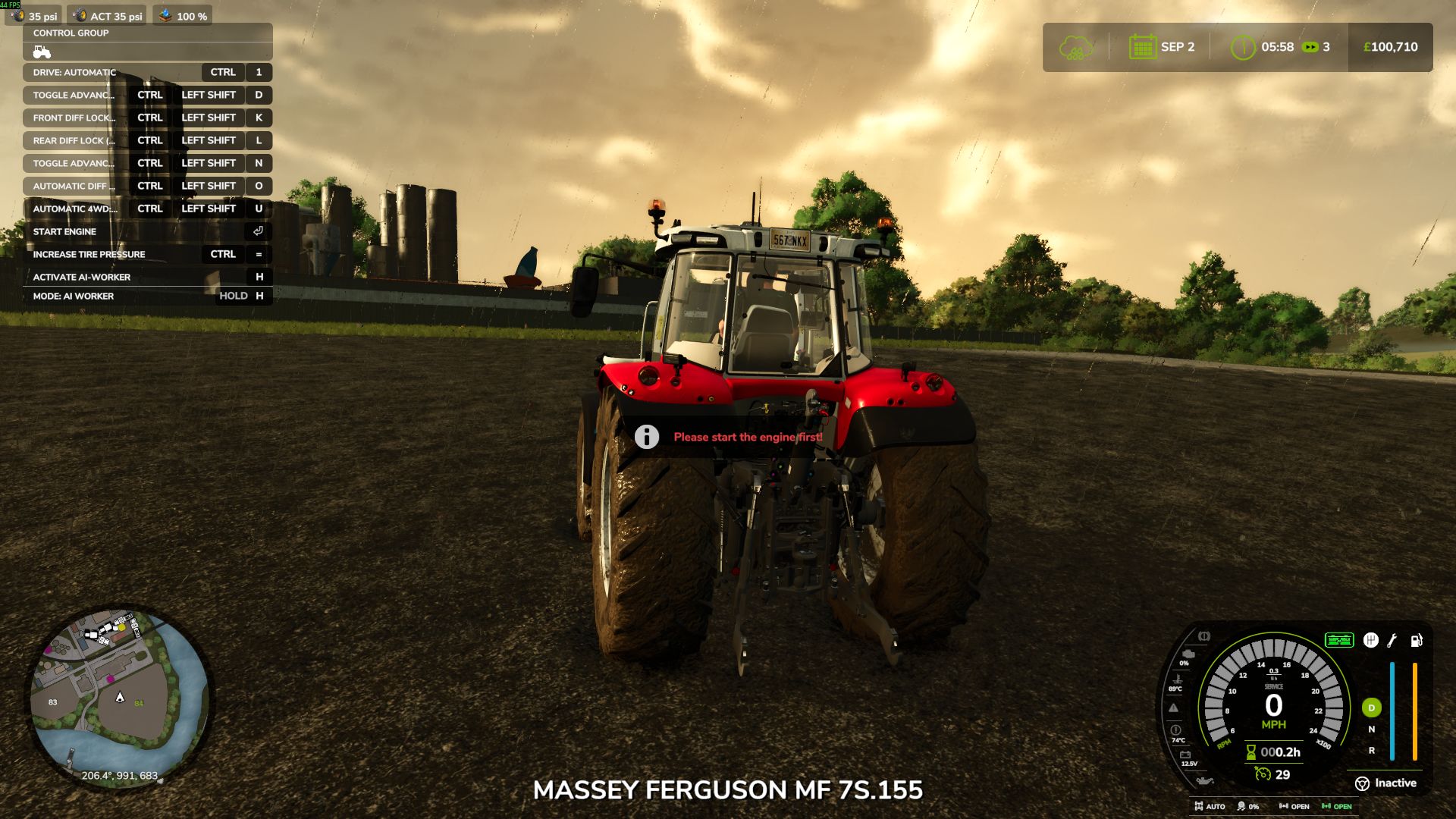
Erweiterter Antriebsstrang v1.0.0.0 Es gibt bereits eine 4×4-Modifikation, und meine soll diese nicht ersetzen. Ich habe Advanced Drivetrain entwickelt, weil ich etwas Einfaches, Übersichtliches und mit den anderen von mir verwendeten Mods kompatibles wollte. Die Modifikation konzentriert sich auf 2WD/4WD und Vorder- und Hinterachsdifferenzialsperren, ohne dabei Reifenverschleiß, Grip, Profiltiefe, Reifengröße, Reifendruck oder das Einsinken im Schlamm zu beeinflussen. Bisherige Funktionen: – Umschaltung zwischen 2WD und 4WD, einschließlich permanentem Allradantrieb für Traktoren, die dies erfordern. – Vorder- und Hinterachsdifferenzialsperren. – Automatischer Allradantrieb und Differenzialsperren basierend auf dem Radschlupf im Spiel. – Separate Aktivierungs- und Deaktivierungsschwellenwerte, um zu verhindern, dass sich das System ständig ein- und ausschaltet. – Standardeinstellungen: – Allradantrieb: Ein bei 15 % Schlupf, aus bei 6 %. – Hinterachsdifferenzialsperre: Ein bei 30 %, aus bei 16 %. – Vorderachsdifferenzialsperre: Ein bei 40 %, aus bei 20 %. – Die Differenzialsperren können sich bei zu hoher Geschwindigkeit, starkem Bremsen oder scharfen Lenkbewegungen automatisch deaktivieren. – Vollständig manuelle Bedienung, falls Sie die Kontrolle über alles selbst übernehmen möchten. – Die Steuerelemente werden im F1-Hilfemenü angezeigt und können in den Einstellungen neu belegt werden. – Kleine Geschwindigkeitsanzeige mit Anzeige von Fahrmodus, Radschlupf und Differenzialsperrenstatus. – Unterstützung für verschiedene Radkonfigurationen, einschließlich Zwillingsräder und zusätzliche Achsen. – Unterstützung für Mehrspieler, wobei der Host den Antriebszustand steuert. – Fahrzeugspezifische Einstellungen in der Fahrzeug-XML für benutzerdefinierte Schlupfschwellenwerte. Kompatibilität ist ein wichtiger Bestandteil dieser Modifikation. Advanced Drivetrain versucht nicht, alles abzudecken. Es überlässt die Reifenphysik und die Schlammmechanik den dafür vorgesehenen Mods und ist daher so konzipiert, dass es mit Mods wie „Use Up Your Tyres“ und anderen Schlamm- und Traktions-Mods zusammenarbeitet. Wenn Sie bereits eine andere Antriebsmodifikation verwenden, die die Kupplungen steuert, können Sie diese weiterlaufen lassen oder, falls unterstützt, die Einstellungen nutzen, um die Steuerung zu übernehmen. Ich wollte einfach nur eine Antriebsmodifikation, die ihren Zweck erfüllt, ohne dabei alles andere ersetzen zu müssen. Sollten Sie Fehler feststellen, lassen Sie es mich bitte wissen. Danke. Tags: Advanced DrivetrainBisherige FunktionenDie ModifikationWenn Sie
Diesel Fuel System V1.0
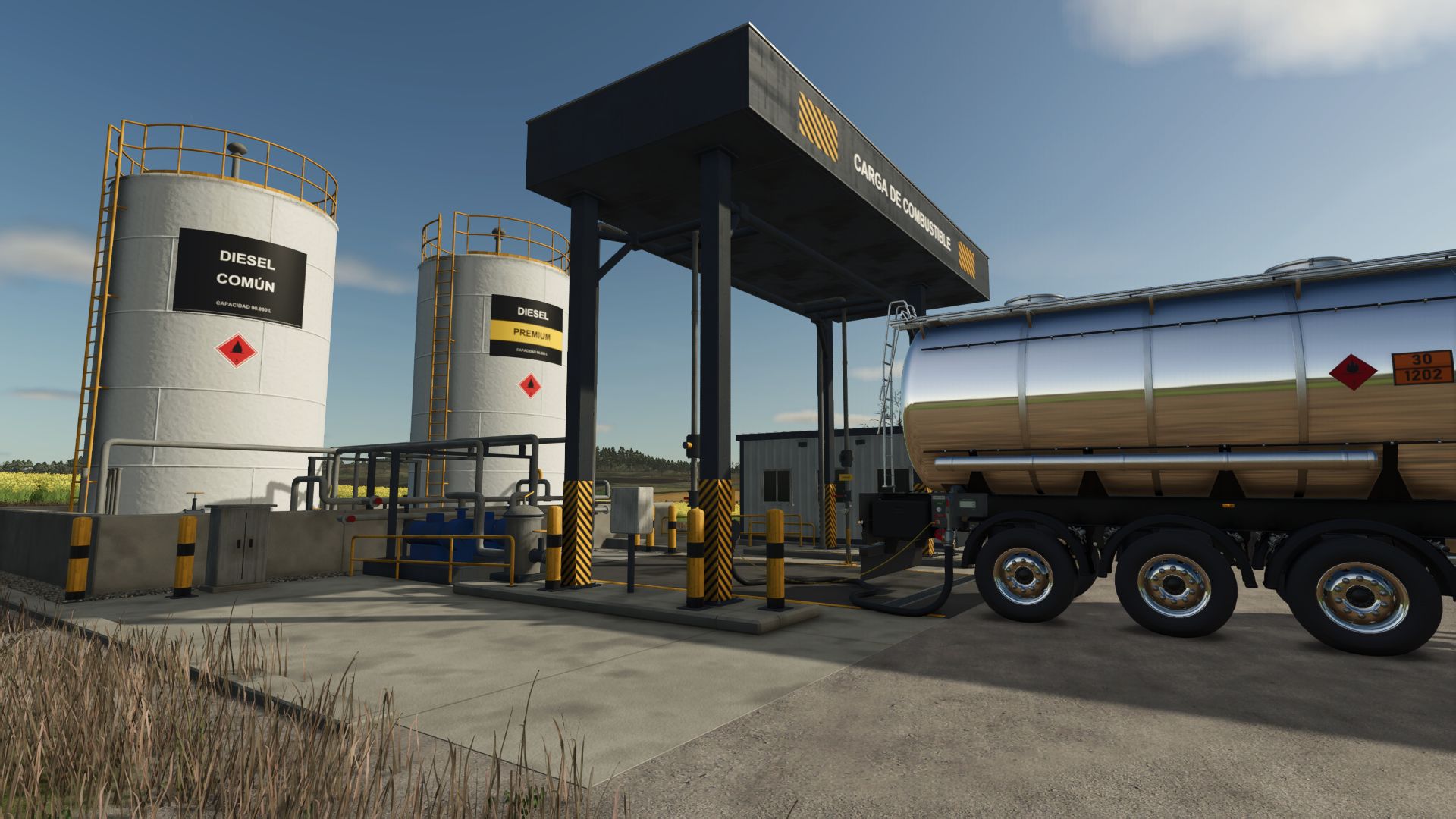
Diesel Fuel System V1.0 Diesel Fuel System: Diesel Is No Longer Just a Number in Your Tank Does your machine run forever on any diesel, even fuel stored for months with water at the bottom and a filter never changed? No real diesel engine works that way. This mod brings real diesel management to the game: fuel degrades, water gets in, filters clog, and the engine lets you know. How to get it 10,000 L farm tank ($13,900): order regular (Grade 2) or premium (Grade 3) diesel, delivered with freight. Prices change daily. 32,000 L diesel tanker ($90,000): the MKS 32 with pump, hose, 3″ Camlock coupling, earth lug, valve, litre meter and ADR plates. Fuel terminal ($5,000): a loading island to fill the tanker like at a real depot. Tool shop: band filter wrench, water-finding paste dipstick, OEM or aftermarket filters. What it does Every litre has its own condition: quality, age, water, sediment and microbes. Machines refuelled from your tank inherit it; base-game stations still give fresh diesel. Refuel by hand with the nozzle: 8.5 m hose, 2 L/s. Hold the trigger at the filler, or leave it latched and it shuts off when full. Pick it back up with K. Premium is not a power bonus: higher cetane, detergents, demulsifier and stabiliser. Better cold starts, cleaner injectors, longer storage. Regular is fine in old mechanical engines; in a common rail it fouls the injectors. Stored diesel ages and collects water. Test it with the dipstick in the sample jar, drain the bottom, treat it with stabiliser and biocide, or order fuel polishing. Clogged filter: it restricts flow. Fine with no load, weak uphill, then it surges and finally won’t start. Real service life: 350–500 h on tractors, 400 h on combines, scaled to your calendar: at 1 day per month, a machine working daily needs a filter every 4–5 in-game days. Sediment bowl on every machine: if water reaches the injection pump, the engine misfires and stalls. Step-by-step filter change with the band wrench. The dirty old filter stays in your hand and sells as scrap. Air in the lines: hand primer on mechanical engines, ignition on for the electric lift pump on common rail. Won’t start? The starter cranks while you hold the key and the real cause is shown: air, clogged or missing filter, gelled or degraded fuel. Engine off to refuel: at stations, with the nozzle and at the terminal. Loading island: earth clamp, hose to the outlet, valves, START, automatic cut-off and a receipt with the metered litres. Emergency stop included. Features and compatibility Base-game and modded tractors and combines, no XML editing. Everything with K: tap for the next step, hold for the service menu. Multiplayer and dedicated server; any farm can use the terminal. Compatible with Real Fuel Consumption, Realistic Diesel Start, Advanced Damage System, Interactive Control. With Agricultural Financial System, diesel goes to your current account. English, Spanish, German and French. Note: the nozzle attaches to the filler point each vehicle’s creator marked on the model. If it looks odd on a machine, that comes from the vehicle, not the mod. Created by GN Realism for a realistic agricultural simulation. Required mods: Interactive Control Author: GN Realism Report bugs in the comments and help modders improve this mod. Always check the comments, you can find a solution. DOWNLOAD MOD
HTZ T-150K Paket v1.0.0.0
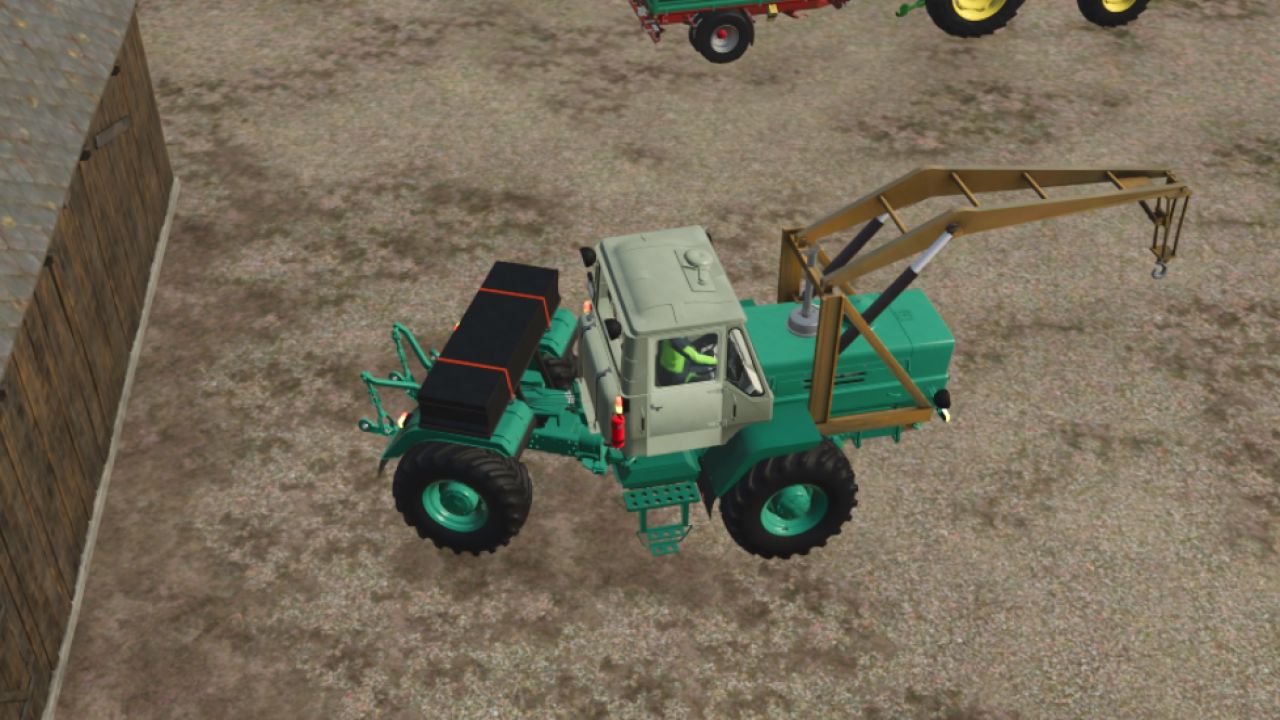
HTZ T-150K Paket v1.0.0.0 Spezifikationen und Optionen des HTZ T-150K: Hersteller: HTZ Modell: T-150K Motoren: YaMZ-236, SMD-62, YaMZ-238M-2, YaMZ-238ND4, D-260.4 Preis: 30.150 Euro Motorleistung: 175–240 PS Höchstgeschwindigkeit: 33 km/h Weitere Optionen umfassen: Reifenauswahl (KAMA, Belshina, ROSAVA, Dneproshina, Michelin) Spark-Räder Auswahl an Anbaugeräten (Bulldozer-, Kran- und Laderausrüstung inklusive) Klimaanlage Zusätzliches Gewicht Kennzeichen Auswahl der Scheinwerferkonfiguration Auswahl der Motorhaube Hochwertiger Klang Schaltgetriebe Tags: PSWeitere Optionen
Krone BiG X Serie 480-980 V1.0.0.0
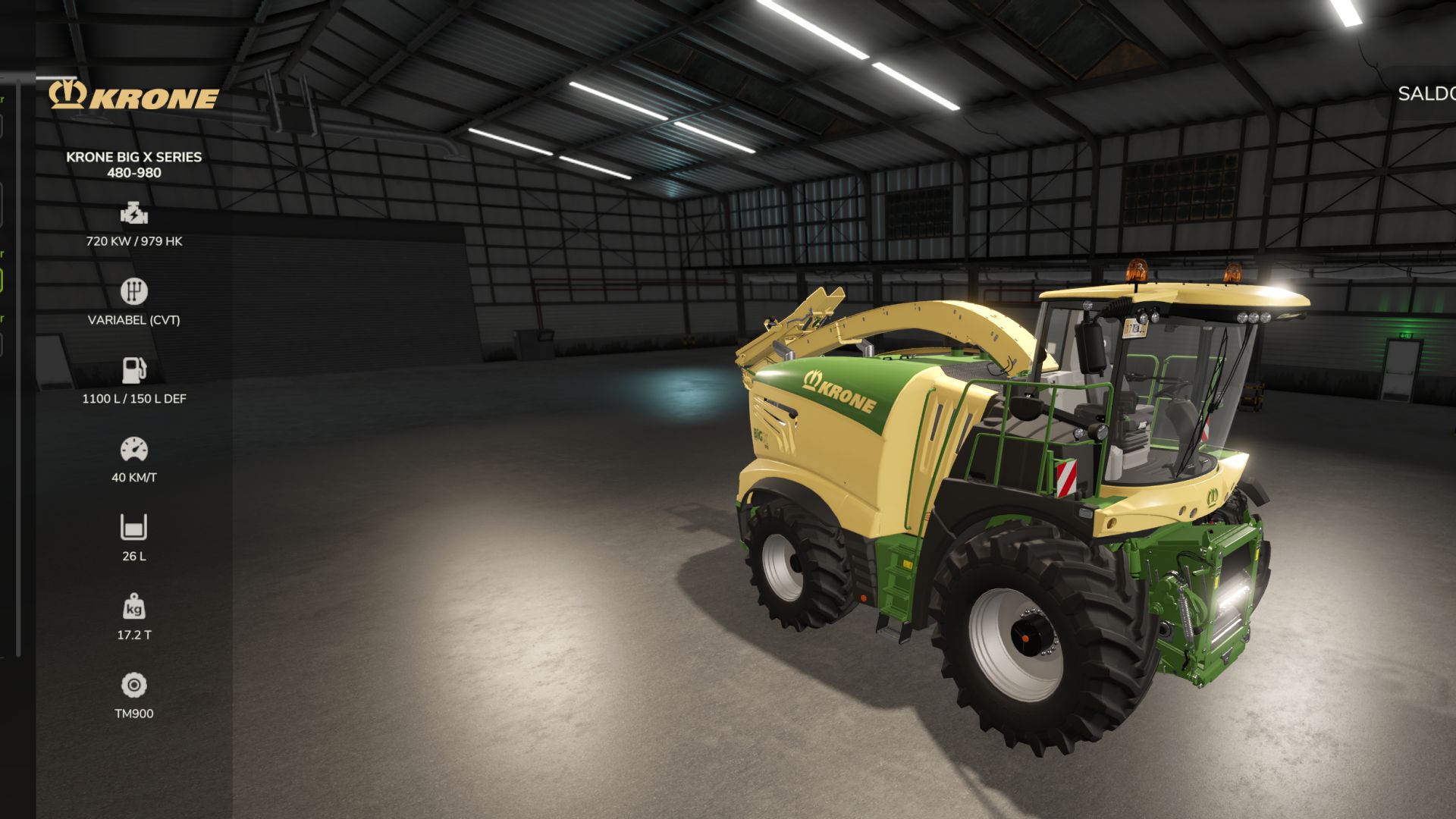
Krone BiG X Serie 480-980 V1.0.0.0 Wählen Sie zwischen 8 Motorkonfigurationen: BiG X 480 BiG X 530 BiG X 580 BiG X 630 BiG X 680 BiG X 780 BiG X 860 BiG X 980
Ostrowek K162 v1.0
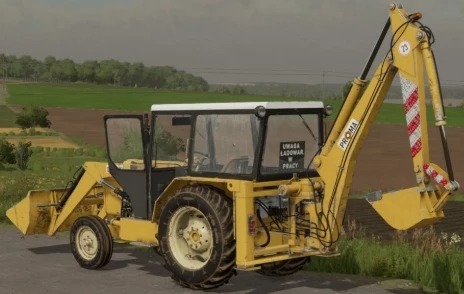
Ostrowek K162 v1.0 Power: 52 Max Speed: 25 Price: 11000 Author: KasztanOfficial Report bugs in the comments and help modders improve this mod. Always check the comments, you can find a solution. DOWNLOAD MOD
Ford 3000/3600 Edit V1.0.0.0
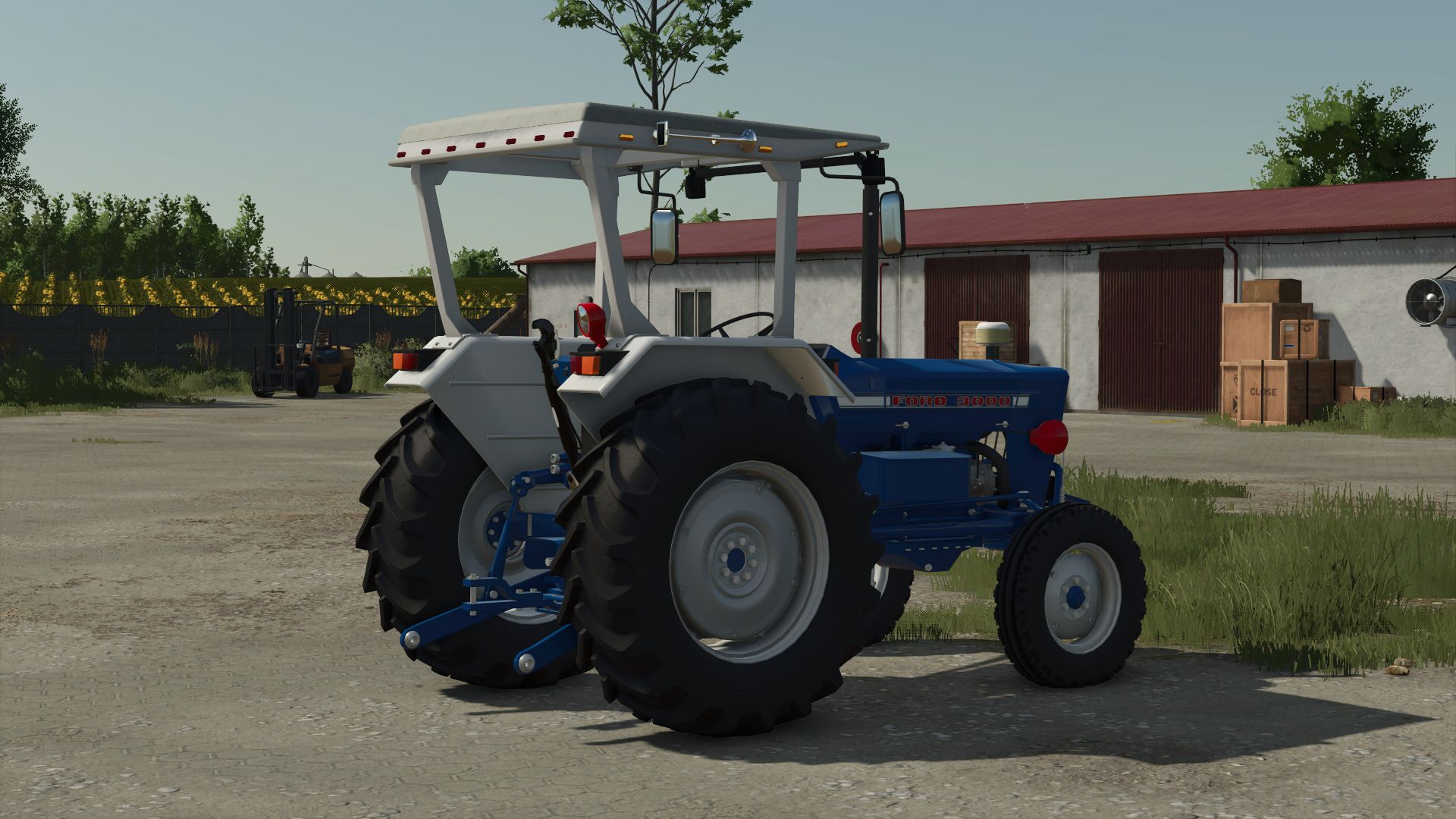
Ford 3000/3600 Edit V1.0.0.0 Ford 3000/3600 Leistung 47 PS/52 PS Reifenoptionen Kotflügeloptionen Optionen mit Verdeck, Kabine und ohne Kabine Optionen für Luftfilter Werkzeugkastenoptionen Abgasoptionen Leuchtfeuer Tags: PS
Lizard-Kraftstofftank V1.0.0.0
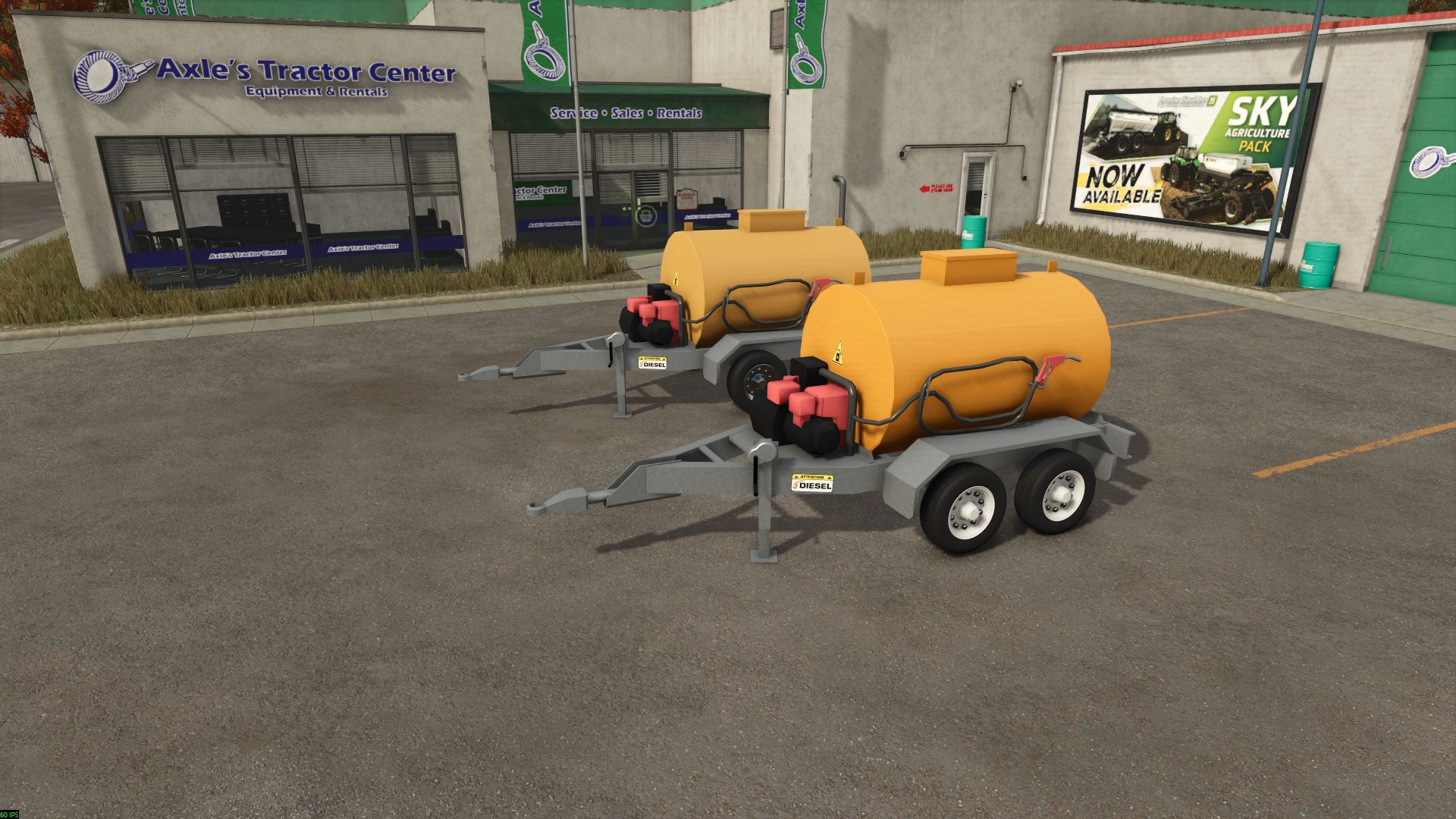
Lizard-Kraftstofftank V1.0.0.0 Ich teile mir einen Treibstoffanhänger als Alternative zum Standardanhänger. Es kostet 4.500 Euro und hat ein Fassungsvermögen von 5.700 Litern. Mehrere Farbkombinationen für Felgen und Tank Kann an Autos und Traktoren mit einer Zugstange mit Löchern befestigt werden. Tags: Mehrere Farbkombinationen
Französischer landwirtschaftlicher Schuppen V1.0.0.0
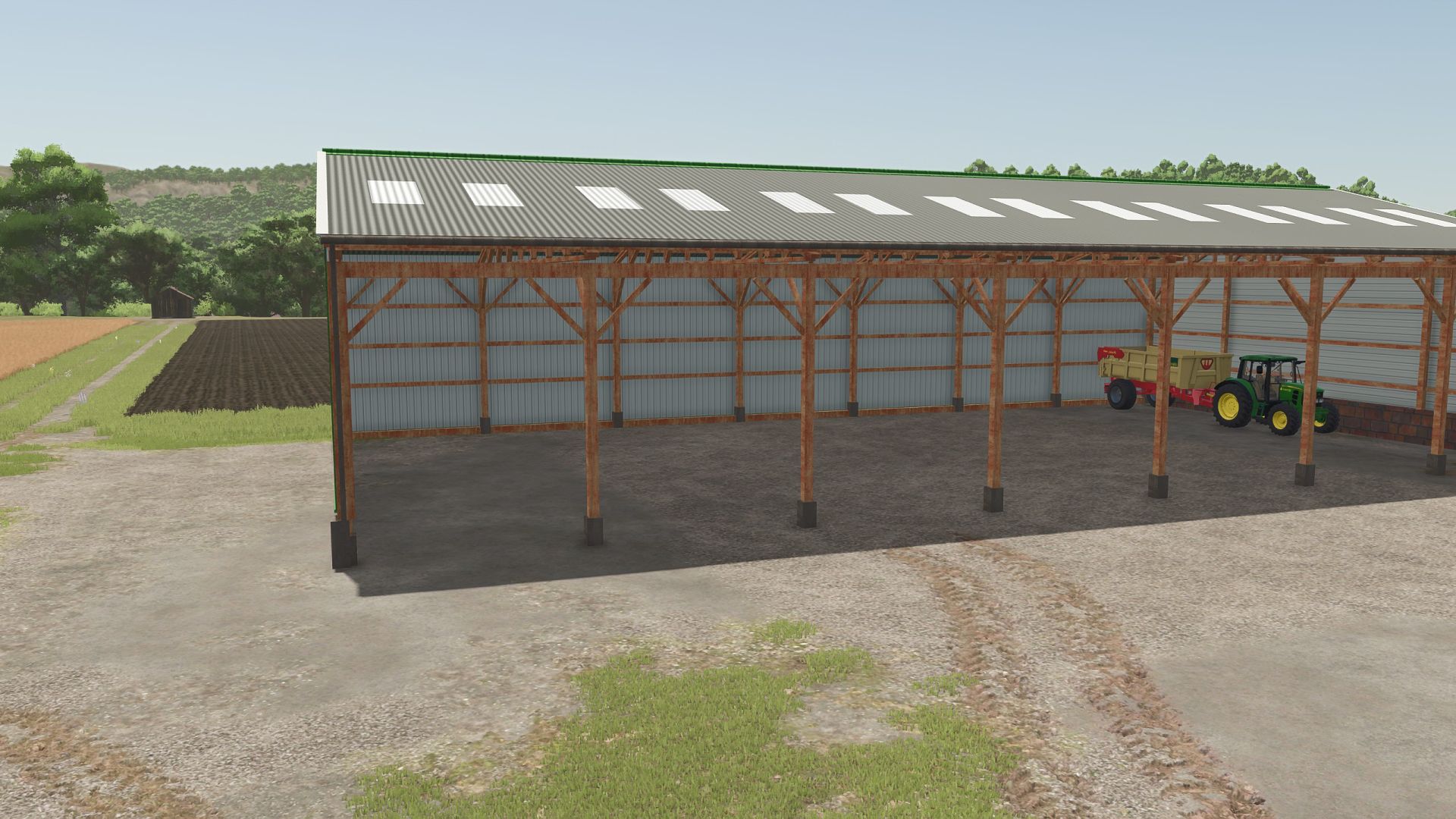
Französischer landwirtschaftlicher Schuppen V1.0.0.0 Hallo zusammen, ich präsentiere euch meinen französischen Landwirtschaftsschuppen Dekoratives Gebäude (ohne Lagerfunktion). Teilen Sie mir gerne mit, wenn Sie konstruktive Ratschläge haben. 3D-Modell von mir selbst erstellt Preis: 30.000 € – Wartung: 20 €/Tag Kategorie: Gartenhäuser Multiplayer-kompatibel Tags: Kategorie GartenhTeilen Sie
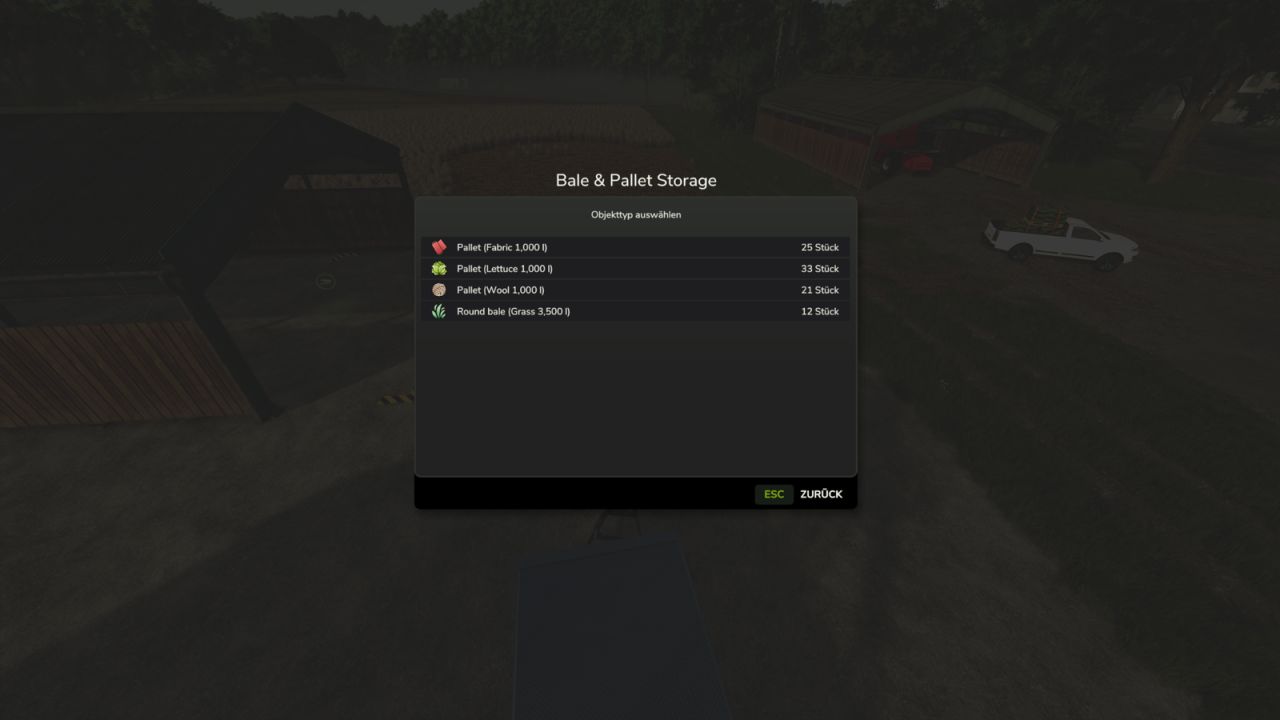
Intelligenter Speicher-Hub V1.0.0.0
Intelligenter Speicher-Hub V1.0.0.0 Mehr Überblick. Mehr Kontrolle. Weniger Aufwand. Smart Storage Hub verbessert das Lagermanagement im Farming Simulator 25 mit einer modernen, intuitiven Benutzeroberfläche für Silos, Paletten und Ballen. Behalten Sie den Überblick über Ihren Lagerbestand, wählen Sie genau das aus, was Sie benötigen, und verwalten Sie Ihre Lagereinrichtungen effizienter. Intelligentes Silomanagement Klare Übersicht über verfügbare Füllarten und aktuelle Mengen. Passende Symbole zur einfachen Identifizierung. Präzise Mengenauswahl in Litern. Lassen Sie das Mengenfeld leer, um Ihren Anhänger normal zu befüllen. Live-Bestandsinformationen während des Be- und Entladens. Farbcodierte Indikatoren für Restbestand und verfügbare Kapazität. PALETTEN- UND BALLENLAGERUNG Übersicht aller gelagerten Paletten- und Ballentypen. Aktuelle Lagerbestände für jedes Produkt. Bequeme Mengenauswahl zum Entladen. Pro Vorgang können bis zu 25 Objekte abgerufen werden. Die Lagerbestandszahlen werden automatisch aktualisiert, solange das Lagermenü geöffnet ist. DIREKTER LAGERZUGRIFF VOM FAHRZEUG AUS Zugang zu nahegelegenen Paletten- und Ballenlagerplätzen direkt vom Fahrersitz eines geeigneten stationären Transportfahrzeugs aus. Sie brauchen Ihr Fahrzeug nicht zu verlassen! Bitte beachten Sie: Die entnommenen Paletten und Ballen befinden sich im regulären Ausgabebereich des Lagergebäudes. Sie werden nicht automatisch auf Ihr Fahrzeug verladen. ZUSÄTZLICHE FUNKTIONEN Moderne Benutzeroberfläche, die perfekt zum Landwirtschafts-Simulator 25 passt. Klar abgestimmte Lagerbestände. Integration mit bestehenden Speicherfunktionen. Deutsch- und englischsprachiger Support. Bestehende Kassen und unbegrenzte Abfüllmöglichkeiten behalten ihre normale Funktionalität. Die Multiplayer-Funktionalität wurde noch nicht separat in einem praktischen Multiplayer-Test überprüft. Smart Storage Hub – Ihr Lager. Ihr Inventar. Ihre Wahl. Tags: Behalten SieFarming SimulatorIhr FahrzeugLassen Sie
- 15 per page
- 30 per page
- 45 per page
- 60 per page
-
See more per page
Bigger pages, fewer clicks - and no ads anywhere.
Go Pro