Farming Simulator 25 mods
79,027 results- 15 per page
- 30 per page
- 45 per page
- 60 per page
-
See more per page
Bigger pages, fewer clicks - and no ads anywhere.
Go Pro
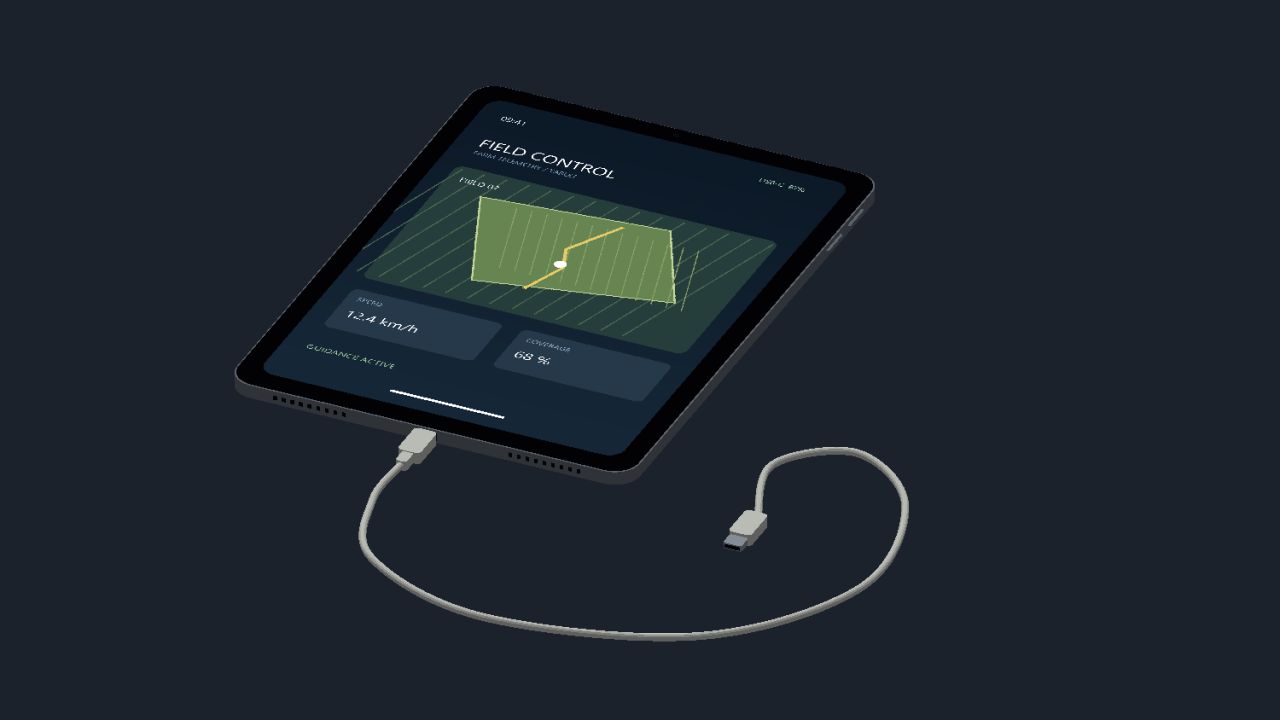
IPad (Prefab) V1.0
IPad (Prefab) V1.0 Here I’m making my iPad available to you, have fun with it The iPad is for you to install/build yourself, it is not a mod!!! Author: Thorben28 Report bugs in the comments and help modders improve this mod. Always check the comments, you can find a solution. DOWNLOAD MOD

Field creation FS25
Field Creator Plus allows you to create new fields, merge several fields and expand existing ones directly through the construction menu. Draw the outline of the future field using points and confirm its creation. You can use free-form construction or the game's standard snapping for straighter edges. Before creating a field, open “Configurations” using the F key. Without Precision Farming, the following are available: - soil type: “Plowed” or “Cultivated” - crop: “No crop” or any crop available for sowing on the current map. - fertilizer level. - lime level. With Precision Farming, only the soil type and crop are available. Nitrogen and pH levels remain under the control of Precision Farming and are not changed by the mod. Each new area is considered fully plowed. If the soil type “Cultivated” is selected, the field will look cultivated, but the need for plowing will already be cleared. If a crop is selected, it is created at the first growth stage, and the new area is immediately considered rolled. Existing fields inside the outline are not changed. Their crop, soil condition and already cultivated area are preserved. If several existing fields are enclosed with a single outline, the mod will create a field only in the sections between them where there was no field before. This allows you to merge several existing fields into one large field without destroying growing crops or changing the condition of the original sections. Creation cost: $1,500 per service + $30,000/ha of new area. If part of the outline passes over an existing field, that area is not created again and no fee is charged for it. The mod supports large and complex outlines, works on uneven terrain and preserves the standard behavior of fields. Supported in single-player, multiplayer and on dedicated servers. Maximum area of a single outline: 10,000 ha. Note for dedicated servers: Sometimes, after creating a field or selecting the tool repeatedly, the standard game message “Item not sold / Failed to sell” may appear. The same behavior can be observed with the standard rice field tool. This message does not affect the created field—just close it and continue playing. - Added a new “Expand Field” tool. - Expansion starts from an existing field and applies only to the newly added area. - The new part inherits the crop, growth stage and cultivation state of the original field, while the existing part of the field remains unchanged. - When expanding, you cannot cross other unrelated fields. A minimum distance of 3 m is maintained between them. - Added a mode for removing standing trees when creating and expanding a field. Toggle it with the B key. - Added the ability to undo the last placed point with the Backspace key. - Improved the standard contour creation for the field creation and expansion tools. - Fixed the behavior of lines on uneven terrain, as well as snapping and automatic contour closure. - Removed the limitations of the standard rice field editor that should not apply to regular field creation. - Removed the artificial limitation on the number of contour points. - The 10,000 ha limit is now calculated only from the actually newly created area. - Improved obstacle detection when drawing the field boundary. - Processing very large and complex contours may take a little longer when creating or expanding a field. Note: The main features of version 1.2.0.0 were tested in single-player, multiplayer and on a dedicated server without any errors being detected. If you encounter a problem, please report it and, if possible, indicate the tool and the conditions under which it occurs. Until the problem is fixed, you can temporarily revert to version 1.1.0.0 if necessary. - Added a configuration menu for the “Create Field” tool. - To configure a new field, select “Create Field”, press F, set the desired parameters, then press F again to close the configuration menu and continue creating the field. - Added a soil type selection: “Plowed” or “Cultivated”. - Regardless of the selected soil type, the new field is considered fully plowed. The selection only affects the displayed surface state. - Added crop selection from those available on the current map, including crops from mod maps. - Newly sown fields are created already rolled. - Without Precision Farming, fertilizer and lime level selection has been added. - Existing fields within the outline retain their crop and state. The new configuration menu and the application of the selected parameters in version 1.1.0.0 were not tested on a dedicated server because the test server rental had expired by the time final testing was carried out. If the selected soil, crop, fertilizer or lime parameters are not applied correctly on a dedicated server, please report it. Until this is fixed, you can temporarily revert to version 1.0.0.0.

Maehler snowplow for wheelloader V1.0
Snowplow for wheelloader attachment. To start download click the filename. To open archive files use one of these programs: WinRAR, 7-Zip, WinZip. Some mod archives may need to be extracted before the mods will work.
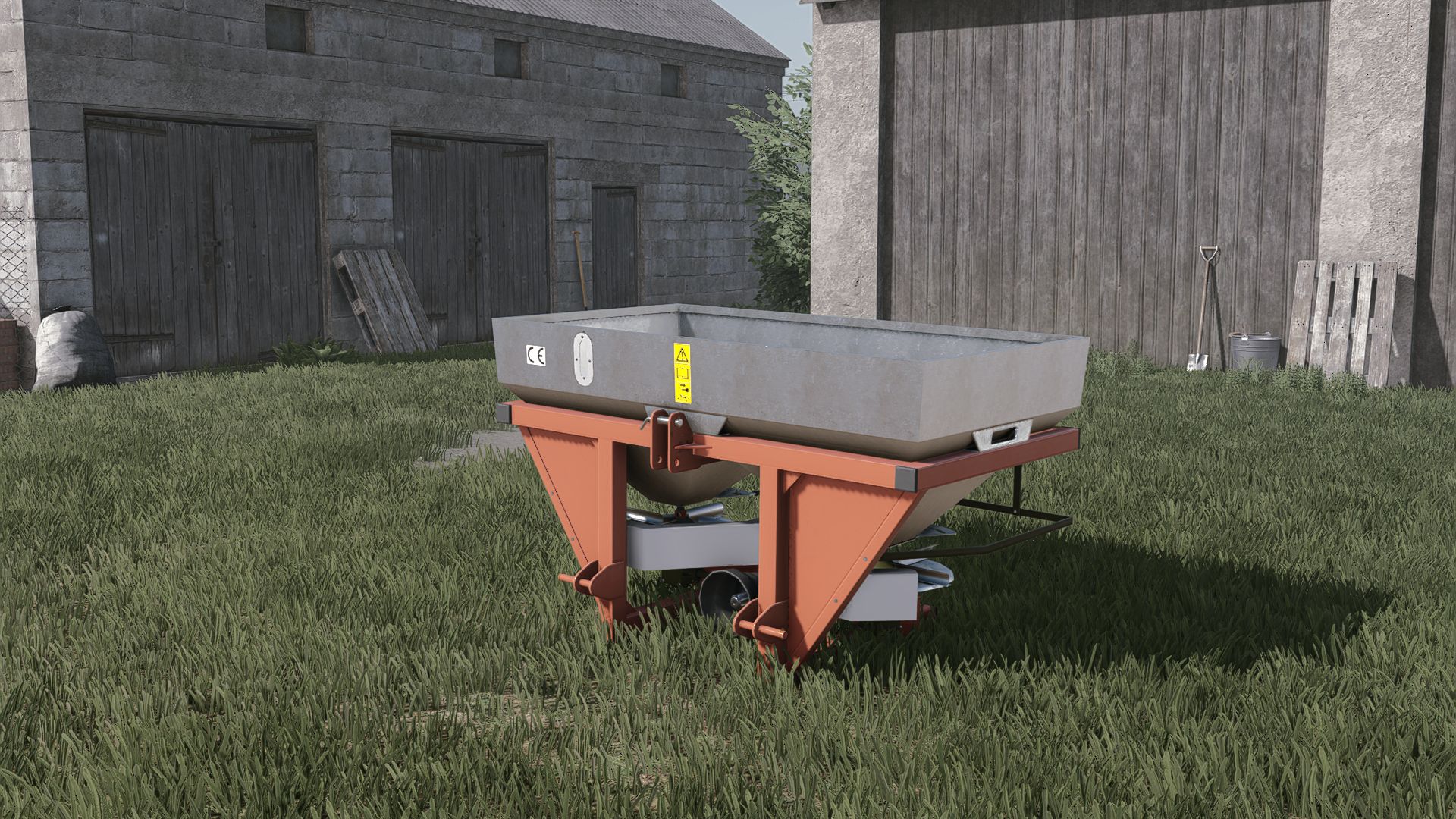
GrassRol 600L V2.0.0.0
GrassRol 600L V2.0.0.0 Kosten 4500 Arbeitsbreite 18 m Konfigurationen Kapazität Farbe V2.0.0.0 Der Streuer verwendet nun FS25-Materialien Der enthaltene Dünger wurde verbessert Farbkonfigurationen wurden hinzugefügt. Tags: Der Streuer

Realistic Harvesting V1.6.3.2
Realistic Harvesting V1.6.3.2 Realistic Harvesting for FS25 Transform your harvesting experience into true agricultural simulation! Combines can no longer unrealistically sprint at full speed through dense crops without consequences. Working speed, engine load, and yield efficiency are dynamically driven by crop density, cutting width, moisture, and your machine’s mechanical calibration. Key Features Physics-Based Engine Load & Speed: Ground speed dynamically adapts based on harvested crop mass (t/h), header width, and vehicle horsepower. Overloading the engine or using incorrect settings results in real grain loss. All Machine Types Supported: Fully calibrated physics for Grain Combines, Forage Harvesters (chaff/silage), Root & Vegetable Harvesters (potatoes, beets, carrots, parsnips, spinach, peas), Cotton, and Sugarcane. Interactive Combine Calibration (`RShift + K`): Calibrate Rotor/Drum RPM, Concave Clearance, Fan Speed, and Sieves for each crop. Correct settings ensure maximum yield and minimum loss. Workshop Upgrade Packages (Tiers 1–4): Upgrade your combine at the shop: Level 1 (Standard): Fully manual operation. Level 2 (Sensor Kit): Displays calibration guidance hints (low / optimal / high). Level 3 (Yield Monitor): Real-time yield (t/ha, bu/ac), area rate (ha/h), and moisture telemetry. Level 4 (Opti-Harvest AI): Automatic settings calibration and automated speed management. AI & Courseplay Compatibility:** AI helpers and Courseplay workers automatically utilize your saved profiles or optimal calibrations. Draggable HUD: Clean, movable on-screen display showing live Engine Load, Productivity (t/h, ha/h), Crop Loss %, and Moisture. Global Crop Profiles: Save your favorite tuning once — profiles automatically load across your combines and savegames. 3 Difficulty Modes (ESC Settings): Choose between Arcade (relaxed), Normal (balanced), or Realistic (strict physical limits and penalties). V1.6.3.2 Headland Speed Governing: Fixed an issue where harvesters remained speed-locked at harvesting crawl speeds (5 km/h) during headland turns; lifting the header now immediately releases the motor to full maneuvering speed (15€ 20 km/h). Implement Chain & Hydraulic Verification: Prioritized authentic feeder house hydraulics (getJointMoveDown, getIsImplementChainLowered) over unfolded header states (Foldable:getIsLowered), preventing wide and draper headers from falsely reporting a lowered cutting state when lifted. Dedicated Server Live Telemetry Sync: Replaced unsupported bitwise operations with native GIANTS Engine 10 methods, fully restoring real-time network stream replication for engine load, throughput (t/h), yield, and recommended speed on multiplayer clients. Automated Helper Synchronization: Added synchronized header start/stop for helpers when separate header launch is active, and resolved live driver handover telemetry resets. Author: exekx Report bugs in the comments and help modders improve this mod. Always check the comments, you can find a solution. DOWNLOAD MOD
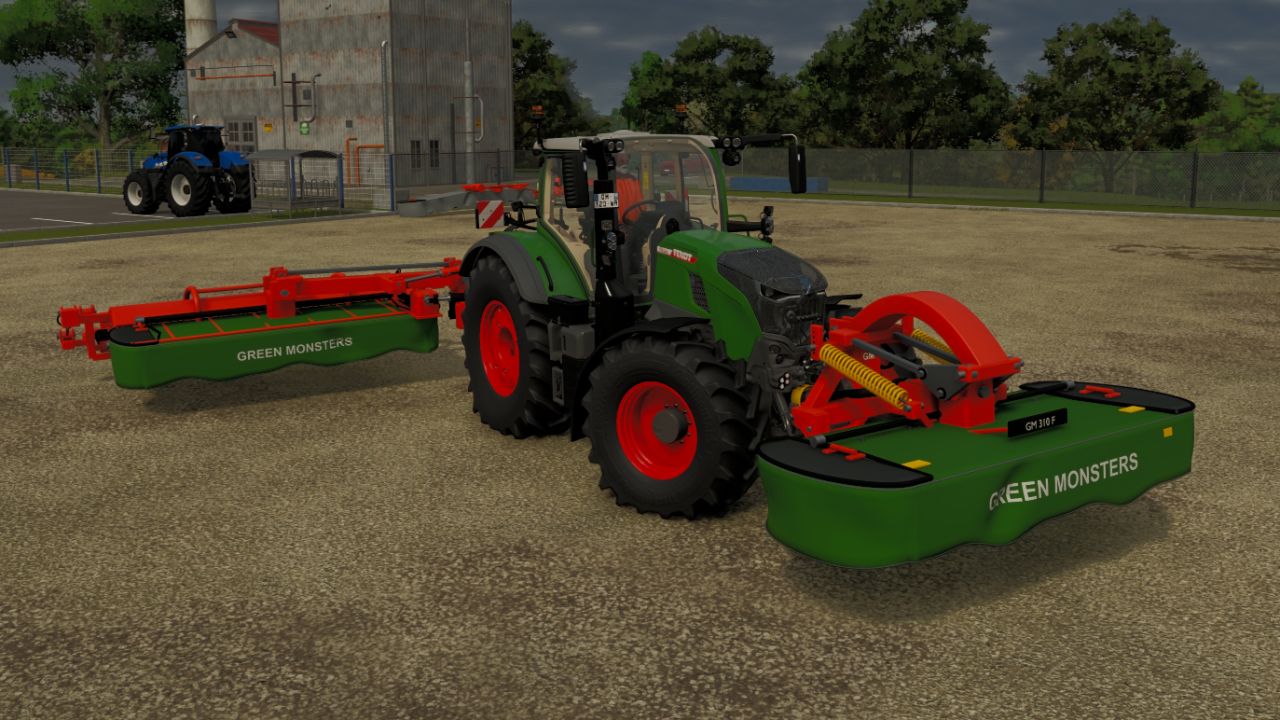
GM Green Monsters Pack V1.0
GM Green Monsters Pack V1.0 GM Green Monsters Pack The Green Monsters pack has been created and installed in version 1.0.0.0. It contains two items in the shop: GM 300C / 350C rear: working width of 3.00 m or 3.50 m, conditioner and optional conveyor belt. GM 310F front: working width of 3.10 m. Customizable colors, dirt, prices and weights depending on the equipment, as well as the controls for the liftable conveyor belt with left, right or rear unloading, have been retained. Each mower recommends the other in the shop. Author: nofanaticlive22 Report bugs in the comments and help modders improve this mod. Always check the comments, you can find a solution. DOWNLOAD MOD
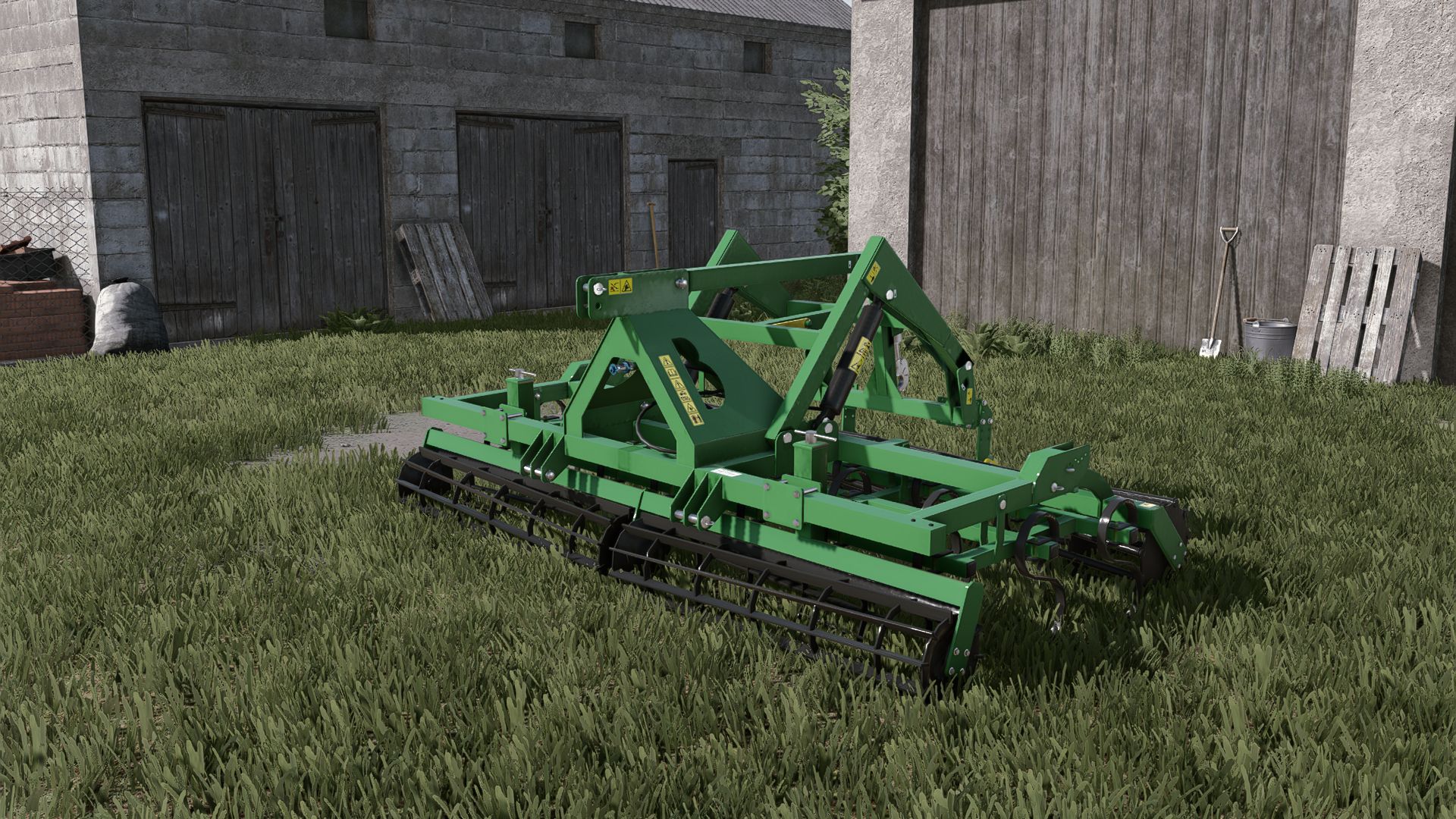
Bomet Herkules V1.0
Bomet Herkules V1.0 Price: 10000 $ Maximum working speed: 15 km/h Required power: 80 hp Working width: 3.0 m Configurations: Roller (front) Author: ScaauttE39, FarmerLS, Agro Kamilos Report bugs in the comments and help modders improve this mod. Always check the comments, you can find a solution. DOWNLOAD MOD

Pumpkin Hunt Hallowen FS25
🎃 Halloween Pumpkin Hunt Mod for Farming Simulator 25 Get ready for a spooky farming experience! The Halloween Pumpkin Hunt mod automatically spawns 50 collectible Halloween pumpkins across any map the moment you load in. Explore every corner of the map, hunt down the hidden pumpkins on foot, and collect them using the interaction key (R). ✨ Key Features: Dynamic & Intelligent Spawning: Pumpkins are scattered randomly across open areas and paths upon map load, automatically avoiding all cultivated fields and obstacles so they never interfere with your farming operations. Collision & Safety Check: Uses advanced spatial filtering and raycasting to ensure pumpkins are placed cleanly on the ground without overlapping buildings, trees, or vehicle physics. Interactive Collection: Simply walk up to a pumpkin (within 1.5 meters) on foot, and the R key interaction prompt will appear. Custom Halloween Soundscape: Enjoy a unique, spooky custom sound effect (halloween.ogg) every time you pick up a pumpkin, completely replacing the default game sounds. Generous Rewards: Each pumpkin rewards your farm with 20,000 €, adding up to a grand total of 1,000,000 € if you manage to find all 50! Grand Finale & Surprise: When you collect the final (50th) pumpkin, a special victory sound (halloween2.ogg) plays, a celebratory message lights up your screen, and a special secret surprise awaits the player! Tip: It’s worth collecting the pumpkins in the evening, as that’s when you can see them best—they glow in an orange light. Full Savegame & Multiplayer Support: Fully synchronized for multiplayer servers and saved automatically in your savegame (halloweenPumpkins.xml), ensuring your collected progress is never lost.
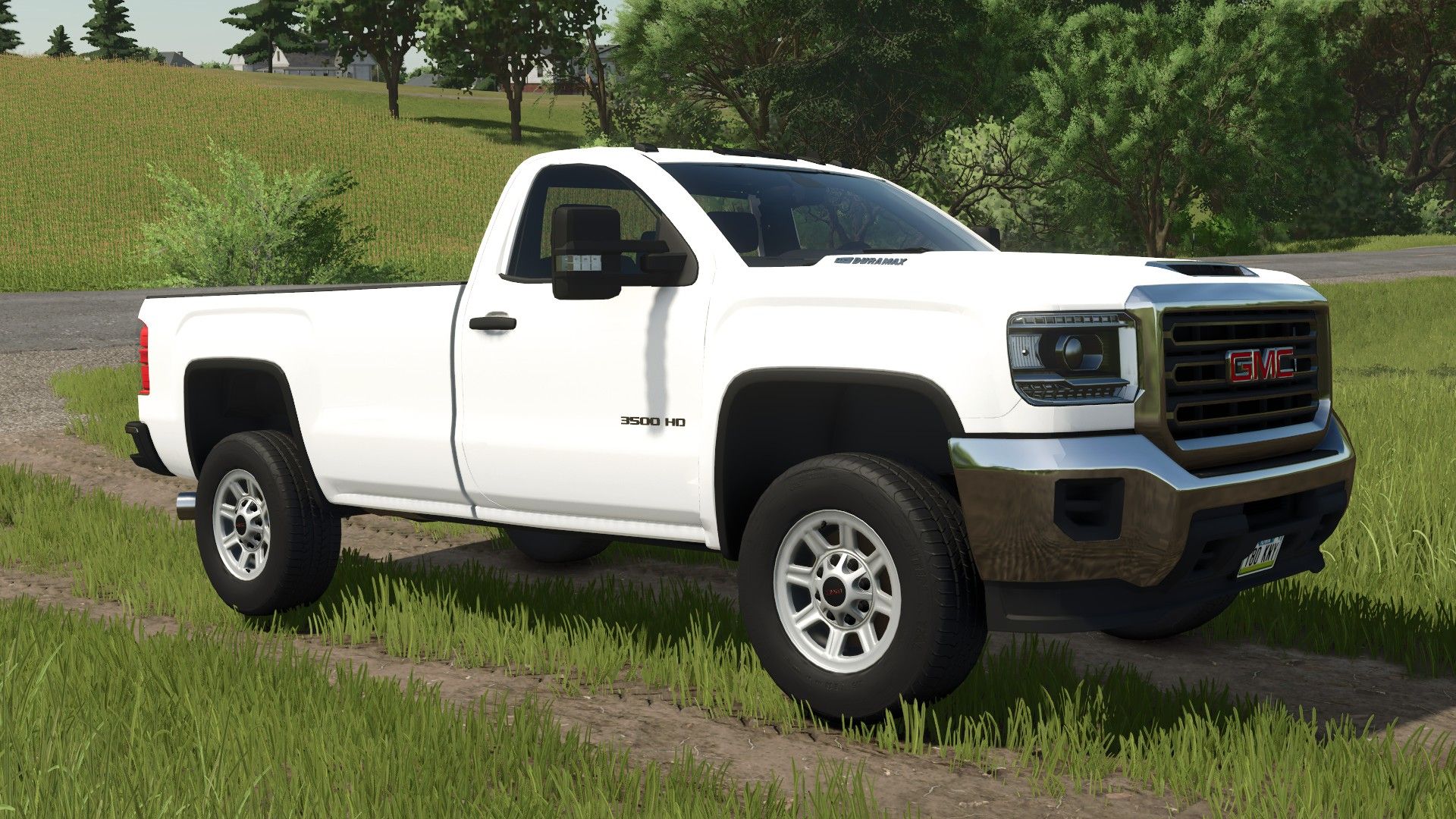
2017 GMC Sierra 3500HD Single Cab Long Bed V1.0
2017 GMC Sierra 3500HD Single Cab Long Bed V1.0 I converted this mod from FS 22. Has options for: Trim levels Plow mount Strobe lights Tailgate (yes or no) (for salter) Sport rack Winch Drop hitch / Gooseneck hitch This truck works with the Western Tornado salter, Western Wide Out plow and a bunch of other plows out there. Required mods: Western / Fisher Plow Pack FisherV plow Western Tornado salt shaker Author: RWRModding Report bugs in the comments and help modders improve this mod. Always check the comments, you can find a solution. DOWNLOAD MOD
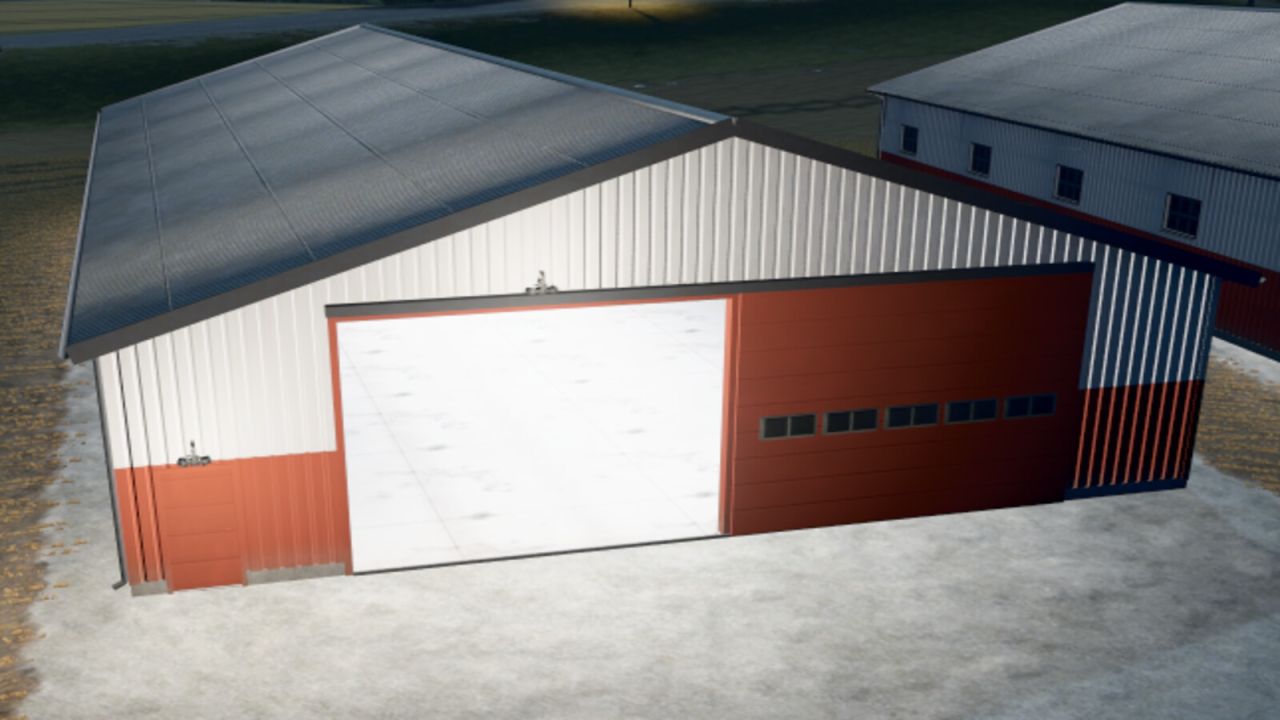
Danish machine sheds FS25
Classic Danish machine sheds in three sizes, modelled on real Danish farm buildings. Sizes: - Machine shed 24 x 15 m - sliding gate 5.0 x 4.2 m in the gable - 145,000 - Machine shed 36 x 18 m - sliding gate 6.0 x 4.5 m in the gable - 240,000 - Machine shed 48 x 20 m - sliding gates 6.5 x 4.8 m in both gables (drive-through) - 360,000 Features: - Grey corrugated fibre cement roof with skylights, moss and lichen - Steel cladding, red below and white above, with rust streaks and weathering - Sliding gate with windows in the gable and a service door - Wired glass windows, concrete floor and galvanised steel frame - Lights outside and inside switch on in the evening (17:30-7:30) - Selectable colour for the lower cladding and gates (8 colours) - Optional solar panels Feedback: https://discord.gg/GMZABmgM7x

Employees V2.5
Employees V2.5 The “Employees” mod expands the game with a comprehensive personnel system. Employees can be hired, assigned to different work areas, and developed through training. They also take care of tasks such as animal husbandry and machine maintenance. Contract types, salaries, illnesses, retirement, and temporary workers ensure more realistic personnel planning. Employee Management: Up to 10 fixed employee profiles with their own name, age, and assigned AI helper. Four contract types: Casual for €600/month and 40 in-game hours, part-time for €1,600/month and 80 hours, full-time for €3,200/month and 160 hours, and temporary workers for €120 per assignment. Temporary Workers: Available for 8 in-game hours from the time of request and then automatically leave the farm. They receive no further training and work at full performance level. Job Categories: Each employee can be assigned fieldwork, transport, animal husbandry, or machinery operation. New employees start with “Unassigned.” AI Helper Linking: Fieldwork is only assigned to employees with fieldwork skills; GoTo, Delivery, Conveyor Belt, and Transport jobs require Transport. Employee Selection in Single Player: When starting a suitable AI job, a selection of available employees appears. Automatic Selection in Multiplayer: A suitable employee is automatically selected. The employee with the lowest percentage of their allocated hours is given priority. Real employee names: Instead of “AI Helper A/B/C…”, the employee’s name is displayed for managed jobs. Working hours: Regular employees use up their monthly hour allowance while performing AI tasks. Once this allowance is exhausted, the job is terminated. Monthly salaries: Salaries are deducted at the end of the month; at the same time, the hour allowance of regular employees is reset. Terminations: An employee can be terminated. Termination occurs after three month-ends; the termination can be withdrawn beforehand. Aging: Employees age over the course of the game. Retirement: Employees retire at age 65. A warning is issued three months in advance. The vacated position can then be rehired with the employee’s original starting age. Illnesses: Regular employees have a 3% monthly chance of becoming ill. Four illnesses: colds, gastroenteritis, flu, and back problems with varying recovery times. Recovery in game time: Illness expires after in-game hours. Sick employees cannot be deployed or trained; ongoing work and maintenance are terminated. Training: Fieldwork, transport, animal husbandry, and machine technology each have 3 levels. Training costs: Level 1 costs €750, Level 2 €1,500, Level 3 €2,250. Training duration: The three levels take 2, 5, and 8 in-game hours, respectively. Performance levels: Without training, a normal employee works at 25%, then at 50%, 75%, and 100%. Fieldwork and Transport: The training level affects the actual AI driving speed and the vehicle’s speed limit. Animal Husbandry and Machinery: Higher training reduces the required working time. Automatic Animal Checks: An animal caretaker automatically checks the herds at 8:00 AM and 5:00 PM. Occupied Sheds Only: Empty barns and pastures are skipped. 20% Threshold: Feed, water, and bedding are only replenished when the respective stock level falls below 20%. 95% Target: The animal caretaker then attempts to raise the stock level to 95%. Fair Feed Distribution: If there isn’t enough feed available, herds in need are considered together, instead of the first barn found receiving all the feed. Feed from Farm Stores: The mod searches for usable feed in various locations, including regular silos, silo extensions, bale storage, pallet storage, big bags, and object storage facilities. Hof Bergmann Support: The storage logic takes into account the special Hof Bergmann pallets and ObjectStorages. Pet Food: Special fill types such as dog/cat food can also be accommodated. Water: The animal caretaker fills suitable water troughs directly and free of charge; no water is taken from a farm storage area. Bedding: The mod recognizes both straw and wood shavings, depending on what the respective barn actually supports. Wood Shavings on Hof Bergmann: Even stored wood shavings pallets in the ObjectStorage can be recognized as stock and removed. Stock Protection: If feed or bedding is not accepted by the barn, the mod attempts to return the reserved stock instead of simply making it disappear. Manure: Existing manure is moved to the nearest accessible manure slab on the farm. Farm Separation: The automatic supply only accesses stocks and holdings to which the respective farm has access. Mechanical Technician: Works automatically between 8:00 AM and 5:00 PM. Repair Threshold: Vehicles are selected for maintenance when they reach approximately 20% damage. Vehicle Selection: Preference is given to a damaged vehicle belonging to the operator that is not currently being driven, is not in motion, and is not performing an active AI job. Maintenance Duration: This depends on the Mechanical Technician’s training level and only continues during working hours from 8:00 AM to 5:00 PM. Vehicle Lockout During Maintenance: The vehicle cannot be entered, tabbed through, used, or normally attached during maintenance. Repair Display: The remaining repair time is displayed in the vehicle information. Repair costs: Before and upon completion, the system checks whether the farm can afford the repair. Staff overview: The employee menu displays employees by contract type and job description, as well as status, age, available hours, and other contract information. Status indicators: These include “Available,” “On Duty,” “Training,” “Sick,” “Hours quota reached,” “Maintenance task,” and “Assign job description.” Multiplayer: The actual employee logic runs server-side. Multiplayer synchronization: Employees, contracts, working hours, age, roles, training, illnesses, active AI jobs, and maintenance are transferred to the clients. Farm security in multiplayer: A client may only perform administrative actions for employees on their own farm. Synchronized actions: Hiring, changing job descriptions, starting training, resigning, and retracting resignations are sent to the server. Multiple farms: Animal care and machinery maintenance are managed separately for each farm in multiplayer. Savegame support: Employees, development, illnesses, training, maintenance, and animal check times are saved in a separate employees.xml file. V2.5.0.0 Courseplay did not include the staff quota in its calculations. V2.4.0.0 Dedicated server storage fixed Employee quota linked to days per month (thanks smartys 1809, I hope I can accommodate you a little with the update) Starting salary added: Employees without further training now receive lower pay; this increases again with each training course. Reduced training costs: Employees receive a higher salary after successful further training. Don’t be surprised that the moderator’s statistics, for example, show a quota of 5.71 hours for 1 day per month for full-time work. This is due to the “day per month” conversion. With 28 days per month, it would show 160 hours. I’ve left it like this for clarity. V2.3.0.0 Added vehicle assignment for employees (thanks Creck) V2.2.0.0 Compatible with AutoDrive version 3.0.1.4 No changes to the RC version Author: Marcus (Cobra Modding) Report bugs in the comments and help modders improve this mod. Always check the comments, you can find a solution. DOWNLOAD MOD
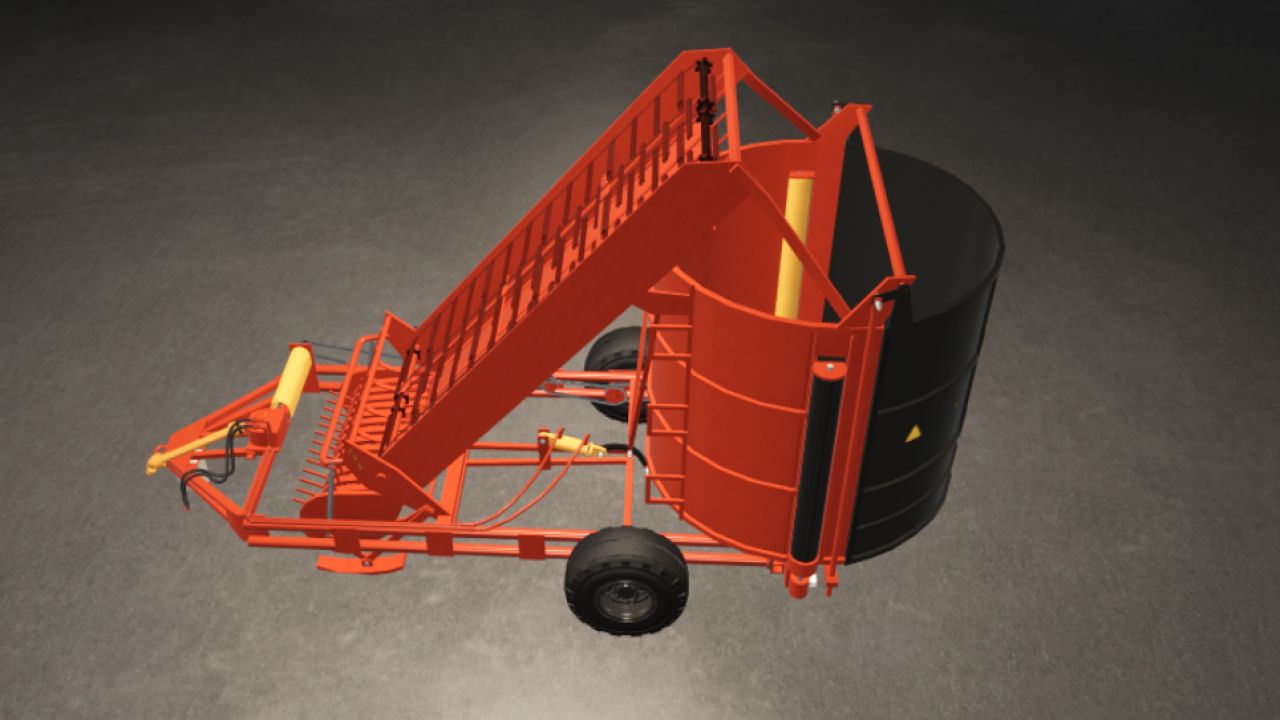
PK-1.6 FS25
🌾 ПК-1.6 Hay Pickup Stacker (Pack) for Farming Simulator 25 The universal Soviet trailed implement is now fully adapted and optimized for FS25! This pack offers unique harvesting mechanics for small farms and enthusiasts of authentic classic machinery. The machine's main components are the pickup, conveyor and stacker, mounted on a sturdy welded frame. In the working position, the implement rests on its own support wheels and the tractor hitch [1.1]. 🛠️ Available pack modifications (2-in-1): 1. 📦 Classic hay pickup stacker (ПК-1.6): Collects hay or straw from windrows, forms a large cylindrical stack in the 12,000 / 20,000-liter hopper and automatically unloads it in the field [1.1]. 2. 🪙 Baler / Tukovshchik (PK-1.6 Baler): A special modification that works on the principle of a classic baler. It is currently configured to form compact round bales/stacks with a capacity of 180 liters (perfect for convenient manual loading or use with small machinery). ⚙️ Technical specifications: • Shop price: from $12,000 [1.1] • Maximum working speed: 10 km/h [1.1] • Working width: 1.6 m [1.1] • Shop category: Balers or Forage Wagons 🎨 Tuning and customization configurations: • Full separate painting: choice of main color, design color and lettering/brand color [1.1]. • Wheel configuration (choice of different tire and rim types) [1.1]. • Design choice: version with protective shields or completely without them [1.1]. • Integration with the new FS25 material system (realistic dirt, wear and gloss). ✨ FS25 update features: • A fully functional standard Walterscheid PTO shaft and dynamic hydraulic hoses have been added [1.1]. • The operation of the sound signals has been fixed and optimized (hopper-full alert trigger). • The log is completely clean! All particle-script, LUA-call and outdated FS22 shader errors have been successfully eliminated.
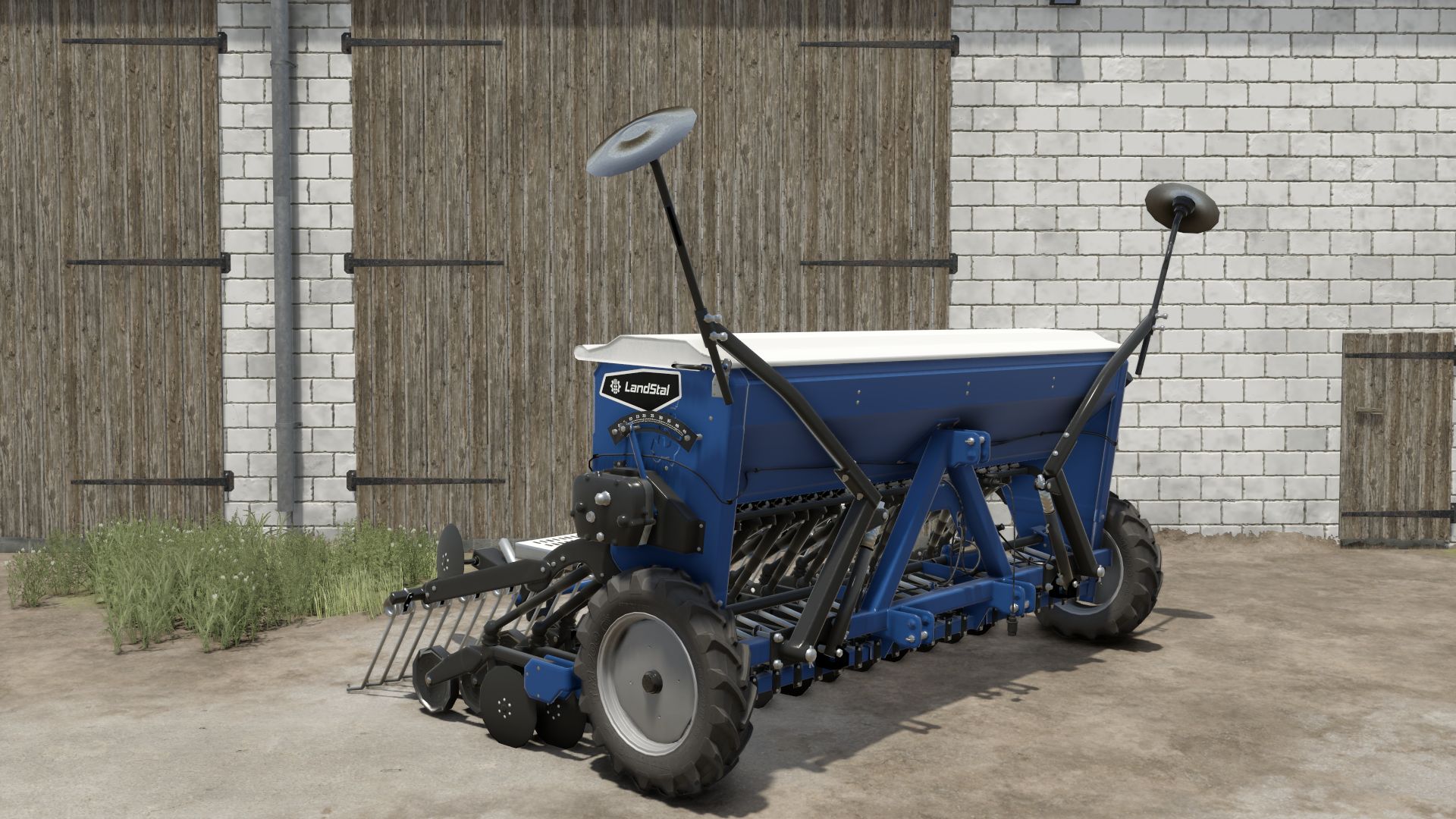
Landstal Vivo 300 FS25
Specifications: *Price: 7,500 € *Capacity: 550l *Max. working speed: 15 kph *Required power: 80 hp *Working width: 3.0 m Configurations: *Lights *Ridge Marker *Rear discs

Real Tire Wear V1.8
Real Tire Wear V1.8 This mod adds significantly more realistic tire wear to Farming Simulator 25. Tires visibly wear down, and the wear is also visually represented on the tire itself. Each wheel is calculated separately and can wear at different rates. Tire wear depends on several factors: distance traveled wheel slippage load on the wheel speed surface driven on Tires can burst unexpectedly, which can cause tire damage during work. Tire changes are done axle by axle – for example, both tires on an axle are replaced together, not each tire individually. The mod includes a workshop function for changing tires. There is a specific sound for air loss/tire damage. The mod also supports tracked/crawler chassis. Also suitable for Hof Bergmann (visual tire wear is not possible on Farmer_Andy’s railcar). V1.8.0.0 New tire service HUD Translation fixed V1.7.0.0 : Three wear zones: the inside, middle and outside wear down separately. (Road driving puts more strain on the center, field work and curves on the outer edges) Three-zone wear for supported rubber tracks New tire service menu: Tire passport: Individual tire ID, mileage, operating hours, road/field use, slippage distance, and repairs. Tire storage: Store removed tires and remount them later. Used tire trade: Buy, sell, or dispose of tires. Tire condition and history are retained during storage and exchange. Axle-wise tire change and a dedicated button for changing flat tires. Storage filters and alerts for unsuitable, damaged, or excessively worn tires. Author: Marcus (Cobra Modding) Report bugs in the comments and help modders improve this mod. Always check the comments, you can find a solution. DOWNLOAD MOD
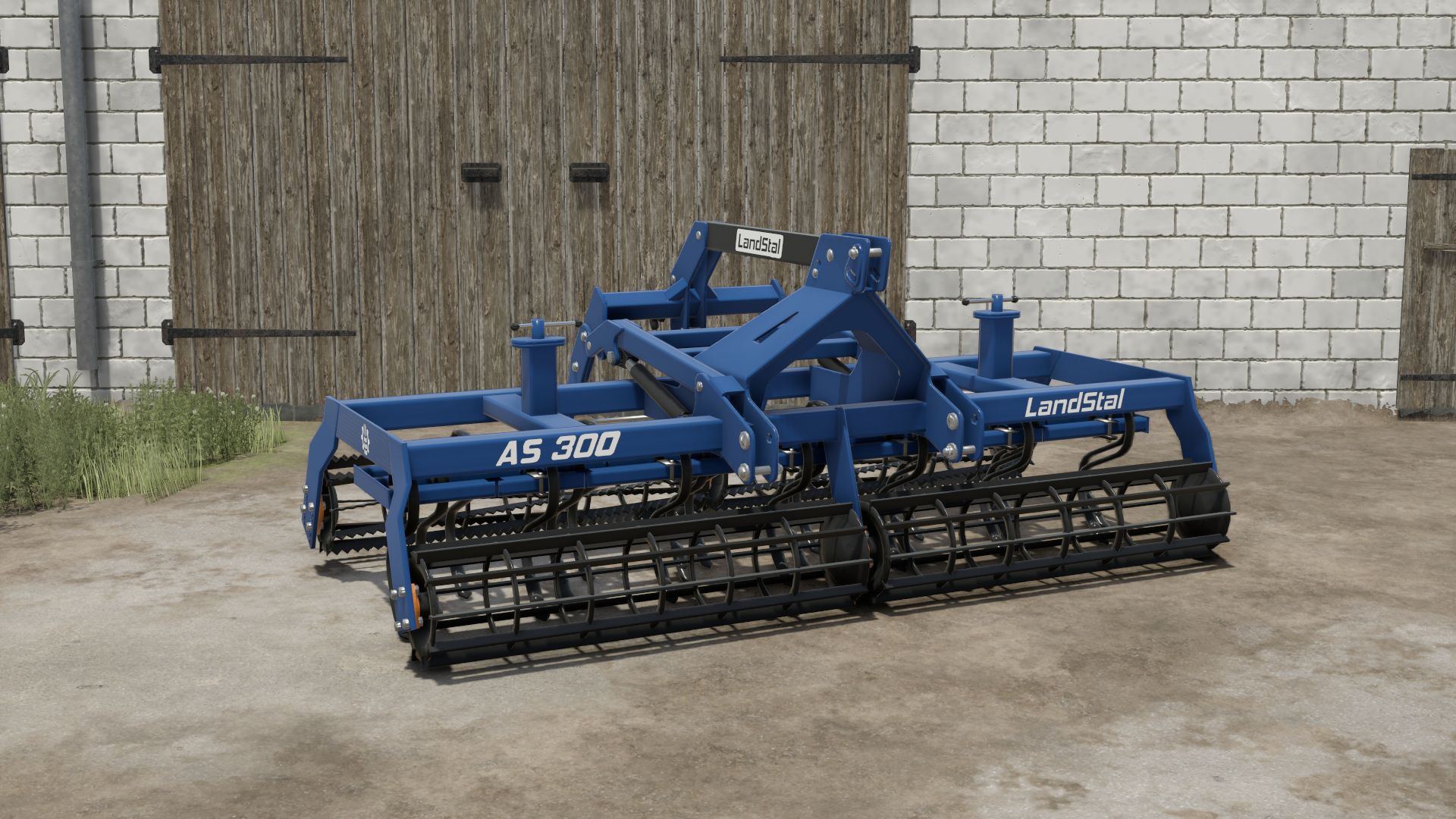
Landstal AS300 FS25
Specifications: *Price: 6,000 € *Max. working speed: 15 kph *Power requirement: 80 hp *Working width: 3.0 m *Tine lift via control lever Configurations: *Tine Type *Rear Roller Type *Front Roller Type
- 15 per page
- 30 per page
- 45 per page
- 60 per page
-
See more per page
Bigger pages, fewer clicks - and no ads anywhere.
Go Pro