Farming Simulator 25 mods
79,027 results- 15 per page
- 30 per page
- 45 per page
- 60 per page
-
See more per page
Bigger pages, fewer clicks - and no ads anywhere.
Go Pro
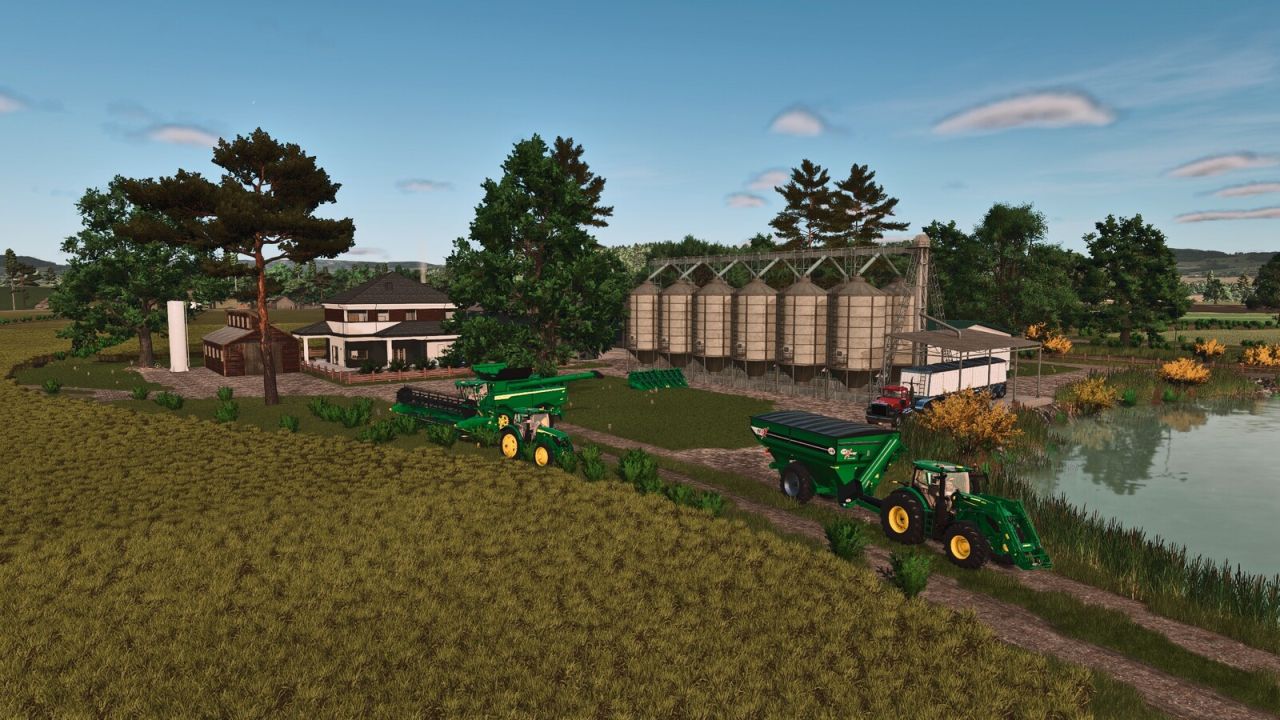
Louisiana Map FS25
This map features the real terrain of a region in the state of Louisiana, United States, known for its strong agricultural tradition. With extensive areas dedicated to rice cultivation, the region also features livestock farming and corn production for silage. The detailed environment accurately reflects the local geography, providing an authentic and immersive experience for players who want to explore agricultural activities in this part of the country. - There are 53 purchasable areas, some of them located within the town and others consisting of forestry land. - There are 27 fields, with missions available on 26 of them. - Average field size: approximately 9.20 hectares (22.73 acres). - In addition, there are two purchasable forestry areas. - Water can be collected from all rivers and streams across the map to fill your trailers and supply your animals. * Added missions to all fields that previously did not have contracts available. * Reworked the following textures: * Soil * Seeded soil * Plowed soil * Direct drilling * All crops on the map * Implemented Crop Destruction for players who have this feature enabled. * Fixed distance rendering (LOD) issues in several areas of the map. * Fixed an issue where asphalt was not displayed on consoles. * Reworked all road markings. * Reworked all snow markings to improve the appearance of the map during winter. * Important A new savegame is required for all these changes to take full effect. Thank you to everyone who provided feedback and helped identify these issues. Enjoy the update!
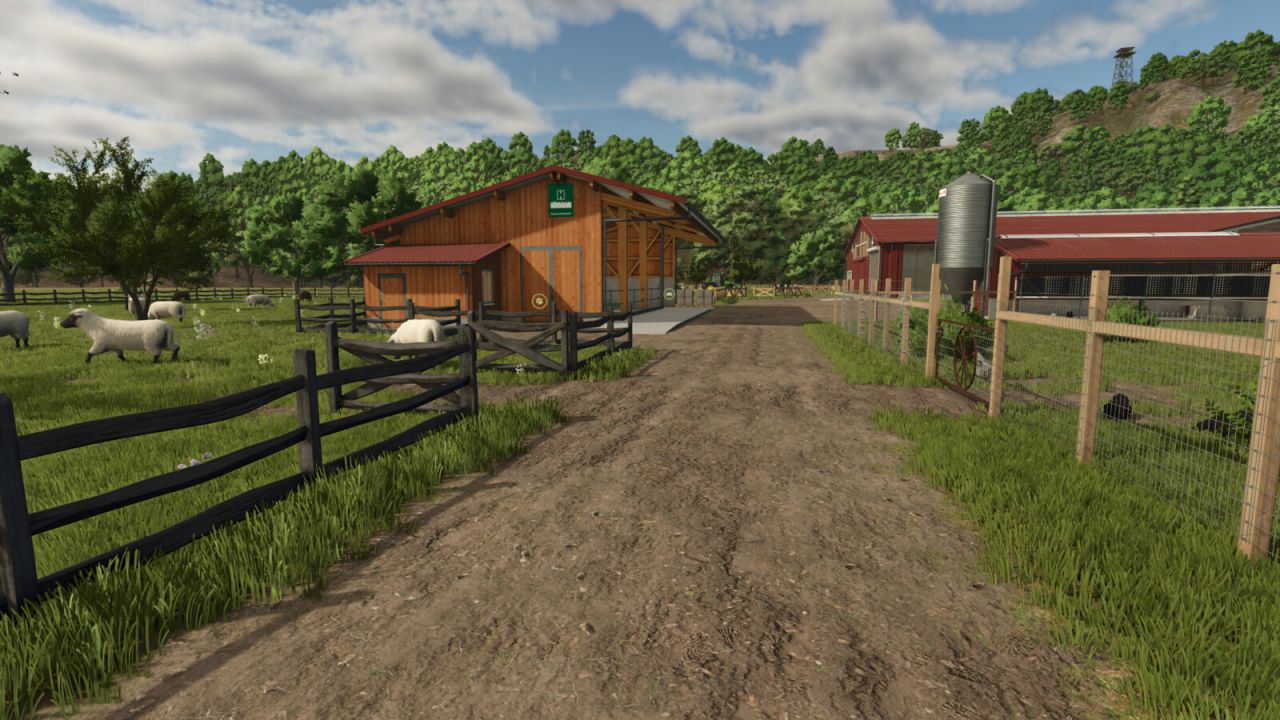
Husbandry Fence Manager FS25
Singleplayer only! Choose your style and build animal pastures that fit your farm. Husbandry Fence Manager allows you to choose a compatible base-game fence for animal husbandries and edit their pastures after placement. The mod works with both new and existing husbandries. There is no need to sell or replace a husbandry to change its fence or adjust the pasture layout. Features: - Choose a fence from the Customize menu when placing a new husbandry - Browse compatible base-game fences in the graphical Fence Browser - Change the fence style of an existing husbandry - Edit, redraw and resize pastures after placement - Animal capacity changes according to the size of the pasture - Supports compatible base-game husbandries - Supports compatible mod husbandries that use the standard Farming Simulator 25 pasture fence system How to use: New husbandry: - Select a compatible animal husbandry from the construction menu - Open Customize and select Fence - Choose a fence style from the Fence Browser - Continue placing the husbandry and build the pasture using the normal in-game fence tools Existing husbandry: - Open the husbandry information window - Select Edit Pasture to redraw or resize the pasture using its current fence style - Select Change Fence to choose a different fence style before redrawing the pasture The size of the pasture determines how many animals the husbandry can hold. Enlarging the pasture increases its capacity, while making it smaller reduces it. Helpful tip: - Different fence styles use different segment lengths - If the fence does not connect correctly to the final anchor point, adjust or redraw only the last few fence sections until it connects - Some fence styles may fit certain husbandries and pasture layouts better than others Compatibility: Using Husbandry Fence Manager together with other mods that edit or rebuild pasture fences after placement is not recommended. Different editing and anchor systems may conflict and create incorrect fence layouts. The mod supports compatible base-game husbandries and mod husbandries that use the standard Farming Simulator 25 pasture fence system. Husbandries with fixed fences built directly into the building model cannot be edited. Only fence styles included in the base game are available in this release. Please note: Open gates do not allow animals to escape. Animal containment is handled by the husbandry system, so gates can be left open for vehicle access. Husbandry Fence Manager is currently singleplayer only. Multiplayer support is planned for a future update. - Fixed pasture navigation after cancelling a fence style change. - Animals now correctly remain inside the restored pasture area. - Fixed pasture fence editing for the Hörmann cow barn. - Additional stability and compatibility improvements.
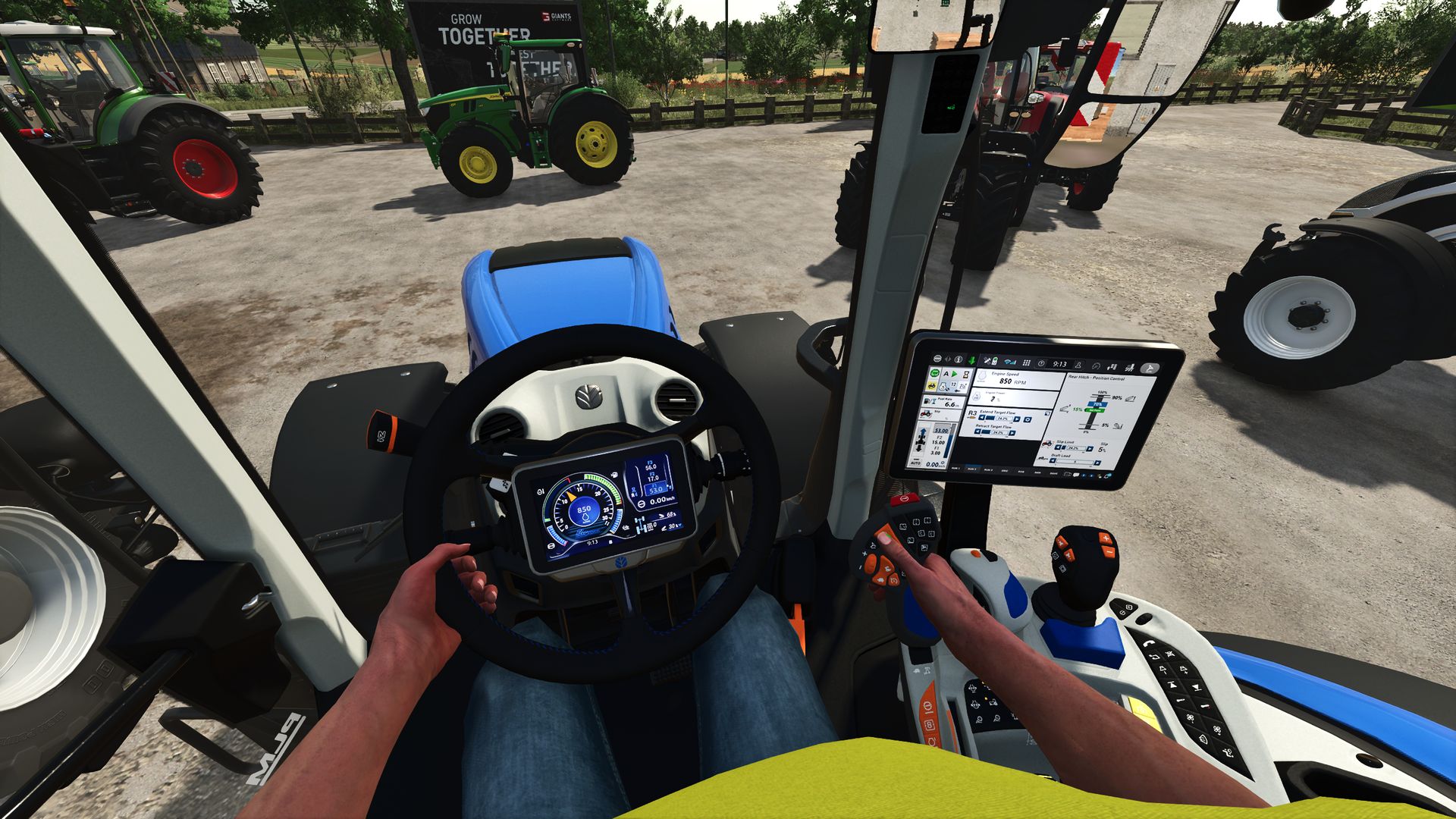
Perspektivische Kamera deaktivieren V1.0.0.0
Perspektivische Kamera deaktivieren V1.0.0.0 Die Option „Perspektivkamera deaktivieren“ sorgt dafür, dass unterstützte Fahrzeuge im Landwirtschafts-Simulator 25 nur die Innenansicht (Kabine) nutzen können. Ist die Option aktiviert, werden Außen- und Perspektivansichten ausgeblendet; ist sie deaktiviert, steht die normale Kameraauswahl des Fahrzeugs wieder zur Verfügung. Überblick über „Disable Perspective Cam“: „Perspektivkamera deaktivieren“ ist ein Skript für die Ego-Perspektive im Landwirtschafts-Simulator 25. Es richtet sich an Spieler, die Traktoren und andere unterstützte Fahrzeuge vom Fahrersitz aus steuern möchten, ohne zwischen Außen-, Orbital- oder anderen Perspektivansichten wechseln zu müssen. Die Mod überprüft die Kameraeinstellungen jedes geladenen Fahrzeugs, behält die Innenansichten bei und deaktiviert vorübergehend die anderen Kameraoptionen, solange die Einstellung aktiv ist. Die Änderung ist reversibel. Das Skript speichert die ursprünglichen Kameraansichten des Fahrzeugs vor der Filterung; daher werden durch Deaktivieren der Option die normalen Außen- und Perspektivansichten wiederhergestellt. Dies macht die Mod ideal für Spielstände, die durchgehend die Fahrerkabinenansicht verwenden, und ermöglicht dem Spieler gleichzeitig, bei Bedarf schnell zum Standard-Kamerasystem von LS25 zurückzukehren. Was die Modifikation bewirkt: Beim Beladen eines Fahrzeugs identifiziert das Skript die Kameras mit Innenraumansicht und erstellt eine auf den Fahrgastraum beschränkte Kameraliste. Dasselbe Prinzip wird für die Kameralisten der unterstützten Beifahrersitze angewendet, sodass die Passagiere nicht automatisch eine Außenansicht behalten, die von der Hauptkamera des Fahrzeugs entfernt wurde. Wenn diese Option aktiviert ist, werden nur die verfügbaren Innenraumansichten (Kabinenansichten) unterstützt. Es entfernt Außen- und Perspektivansichten aus dem aktiven Kamerazyklus des Fahrzeugs. Wenn der Spieler sich gerade in der Außenansicht befindet, wenn die Option aktiviert wird, wechselt er zur ersten verfügbaren Innenansicht. Es filtert sowohl die Kameralisten für unterstützte Passagiersitze als auch die Hauptkameras des Fahrzeugs. Es stellt die ursprünglichen Kameralisten des Fahrzeugs wieder her, sobald die Einstellung deaktiviert wird. Die geänderten Einstellungen werden auch auf bereits im aktuellen Spiel geladene Fahrzeuge angewendet. Diese Mod fügt die Option „Perspektivkamera deaktivieren“ zu den allgemeinen Spieleinstellungen hinzu. Diese Option hat zwei Zustände: „Aktiviert“ und „Deaktiviert“. Standardmäßig ist diese Funktion aktiviert, daher ist unmittelbar nach Aktivierung der Mod nur die Kabinenansicht verfügbar. Der ausgewählte Zustand wird in den Speichereinstellungen des aktuellen Spielstands gespeichert und später geladen. Im Mehrspielermodus wird die Unterstützung in den Projektmetadaten deklariert, und der Code beschränkt die Bearbeitung auf den Server oder den Master-Benutzer. Alle Teilnehmer eines Multiplayer-Tests sollten die gleiche Mod-Version verwenden, und der Host sollte die Option bestätigen, nachdem der Spielstand geladen wurde. Tags: Das SkriptDie ModDiese ModIm Mehrspielermodus
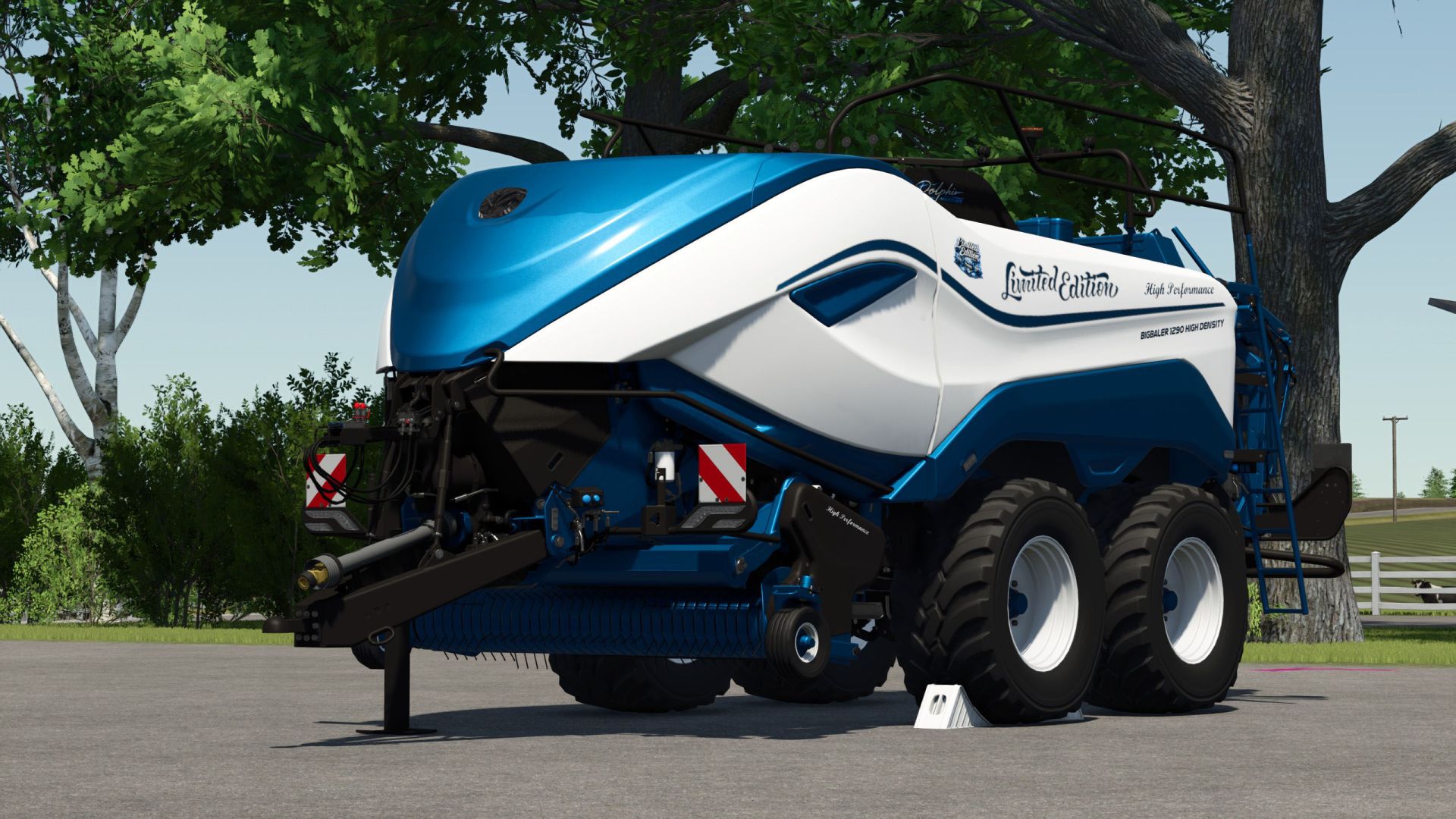
New Holland Big Baler 1290 Limited Edition V1.0
New Holland Big Baler 1290 Limited Edition V1.0 And New Holland BigBaler 1290 Limited Edition Configurations are free TestRunner public 0.9.22 checked Beacon light renewed Marker lights renewed PTO shaft, wheel chocks and bracket color-matched Pickup attachment raised Shop category: Square balers Price €150,500 Working width 5m Working speed 19 km/h Chrome logo option Lettering option Logo option Color selection for main color, design color, frame color, decal, lettering, inner/outer reflector triangle and rim color Repair interval increased Author: Dolphin Report bugs in the comments and help modders improve this mod. Always check the comments, you can find a solution. DOWNLOAD MOD
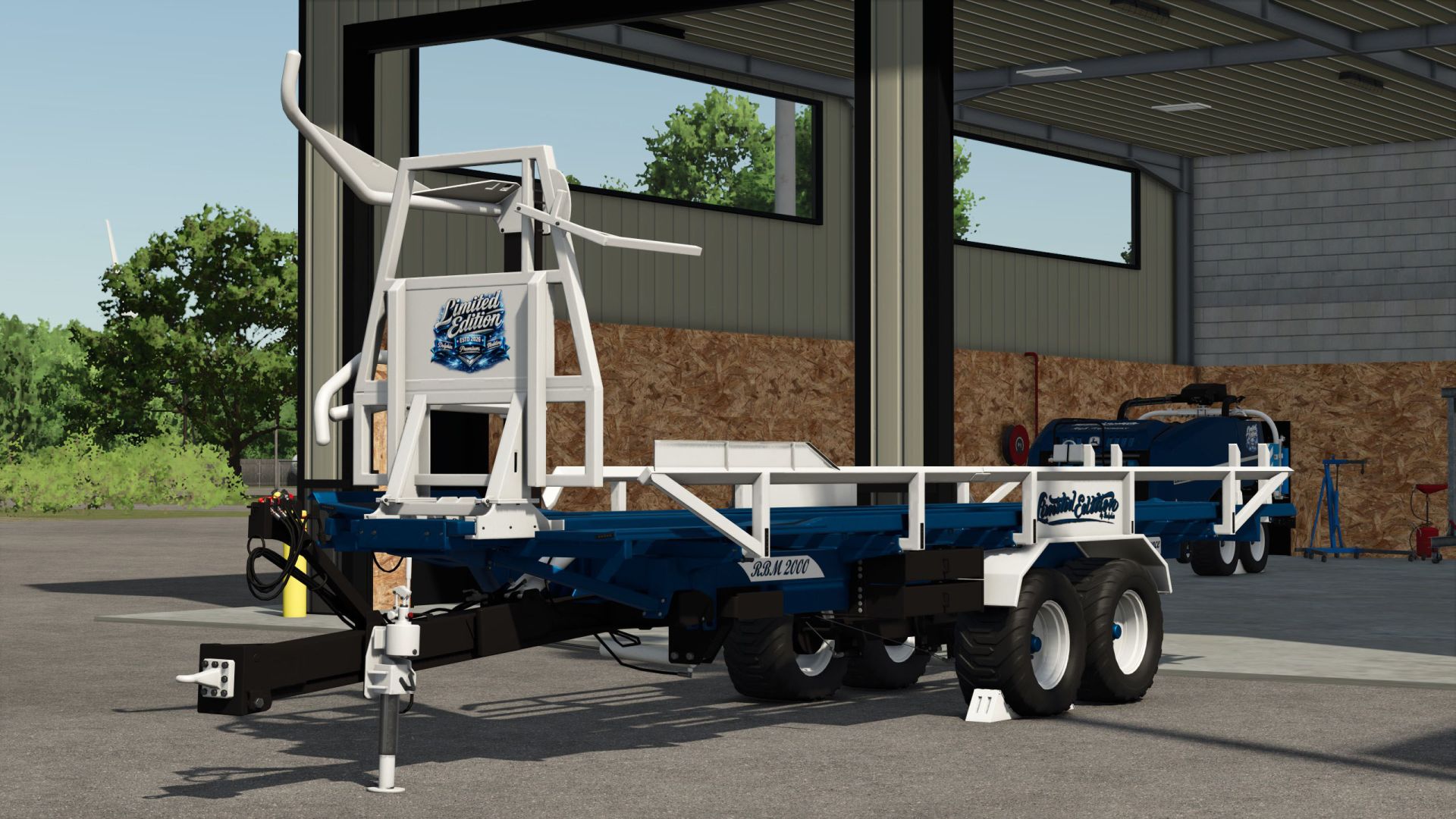
Anderson RBM2000 Limited Edition V1.0
Anderson RBM2000 Limited Edition V1.0 An Anderson RBM2000 Limited Edition Configurations are free. TestRunner public 0.9.22 checked. Brake marker lights installed. Taillights renewed. Shop category: Bale transport. Price 45500. Selection of lettering on sides. Selection of logo. Color selection for main color, design color, grid, frame, decal, lettering and rim color. Repair interval increased. Author: Dolphin Report bugs in the comments and help modders improve this mod. Always check the comments, you can find a solution. DOWNLOAD MOD

Disable Perspective Cam V1.0
“Disable Perspective Cam” ensures that supported vehicles in Farming Simulator 25 are limited to their interior views (cab views). When the option is enabled, exterior and perspective views are removed from the selection; when disabled, the vehicle’s normal camera list is available again. Overview of “Disable Perspective Cam”: “Disable Perspective Cam” is a script for first-person driving in Farming Simulator 25. It is aimed at players who want to control tractors and other supported vehicles from the driver’s seat without having to switch between external, orbital, or other perspective views. The mod checks the camera list of each loaded vehicle, retains the interior views, and temporarily removes the other camera options while the setting is active. The change is reversible. The script saves the vehicle’s original camera views before filtering them; therefore, disabling the option restores the normal external and perspective views. This makes the mod ideal for a savegame that consistently uses the cab view, while still allowing the player to quickly revert to the standard LS25 camera system if an external view is needed. What the mod does: When a vehicle is loaded, the script identifies the cameras marked as having an interior view and creates a camera list limited to the cabin. The same principle is applied to the camera lists for supported passenger seats, so passengers don’t automatically retain an exterior view that was removed from the vehicle’s main camera. When this option is enabled, it restricts supported vehicles to the available interior views (cabin views). It removes exterior and perspective views from the vehicle’s active camera cycle. If the player is currently using an exterior view when the option is enabled, it switches to the first available interior view. It filters both the camera lists for supported passenger seats and the vehicle’s main cameras. It restores the vehicle’s original camera lists once the setting is disabled. It also applies changed settings to vehicles already loaded in the current game. This mod adds the “Disable Perspective Cam” option to the general game settings page. This option has two distinct states: “Enabled” and “Disabled.” By default, it is enabled, so only the cabin view is available immediately after activating the mod. The selected state is saved in the current save game’s memory settings and loaded later. In multiplayer, the project metadata declares support, and the code restricts editing to the server or the master user. All participants in a multiplayer test should use the same mod version, and the host should confirm the option after the game save has been loaded. To start download click the filename. To open archive files use one of these programs: WinRAR, 7-Zip, WinZip. Some mod archives may need to be extracted before the mods will work.

Arcusin FX63 Limited Edition V1.0
Configurations are free. TestRunner public 0.9.22 checked. Brake marker lights renewed. Taillights renewed. PTO shaft, tire chocks and bracket color-matched. Shop category: Bale transport. Price 81.000€ Selection of decals. Selection of logo platform. Selection of logos on pages. Color selection for main color, design color, hydraulic hoses, decal, decal pages, reflector inside/edge and rim color. Repair interval increased. To start download click the filename. To open archive files use one of these programs: WinRAR, 7-Zip, WinZip. Some mod archives may need to be extracted before the mods will work.
Disable Perspective Cam FS25
"Disable Perspective Cam" ensures that supported vehicles in Farming Simulator 25 are limited to their interior views (cab views). When the option is enabled, exterior and perspective views are removed from the selection; when disabled, the vehicle's normal camera list is available again. Overview of "Disable Perspective Cam": "Disable Perspective Cam" is a script for first-person driving in Farming Simulator 25. It is aimed at players who want to control tractors and other supported vehicles from the driver's seat without having to switch between external, orbital, or other perspective views. The mod checks the camera list of each loaded vehicle, retains the interior views, and temporarily removes the other camera options while the setting is active. The change is reversible. The script saves the vehicle's original camera views before filtering them; therefore, disabling the option restores the normal external and perspective views. This makes the mod ideal for a savegame that consistently uses the cab view, while still allowing the player to quickly revert to the standard LS25 camera system if an external view is needed. What the mod does: When a vehicle is loaded, the script identifies the cameras marked as having an interior view and creates a camera list limited to the cabin. The same principle is applied to the camera lists for supported passenger seats, so passengers don't automatically retain an exterior view that was removed from the vehicle's main camera. When this option is enabled, it restricts supported vehicles to the available interior views (cabin views). It removes exterior and perspective views from the vehicle's active camera cycle. If the player is currently using an exterior view when the option is enabled, it switches to the first available interior view. It filters both the camera lists for supported passenger seats and the vehicle's main cameras. It restores the vehicle's original camera lists once the setting is disabled. It also applies changed settings to vehicles already loaded in the current game. This mod adds the "Disable Perspective Cam" option to the general game settings page. This option has two distinct states: "Enabled" and "Disabled." By default, it is enabled, so only the cabin view is available immediately after activating the mod. The selected state is saved in the current save game's memory settings and loaded later. In multiplayer, the project metadata declares support, and the code restricts editing to the server or the master user. All participants in a multiplayer test should use the same mod version, and the host should confirm the option after the game save has been loaded.
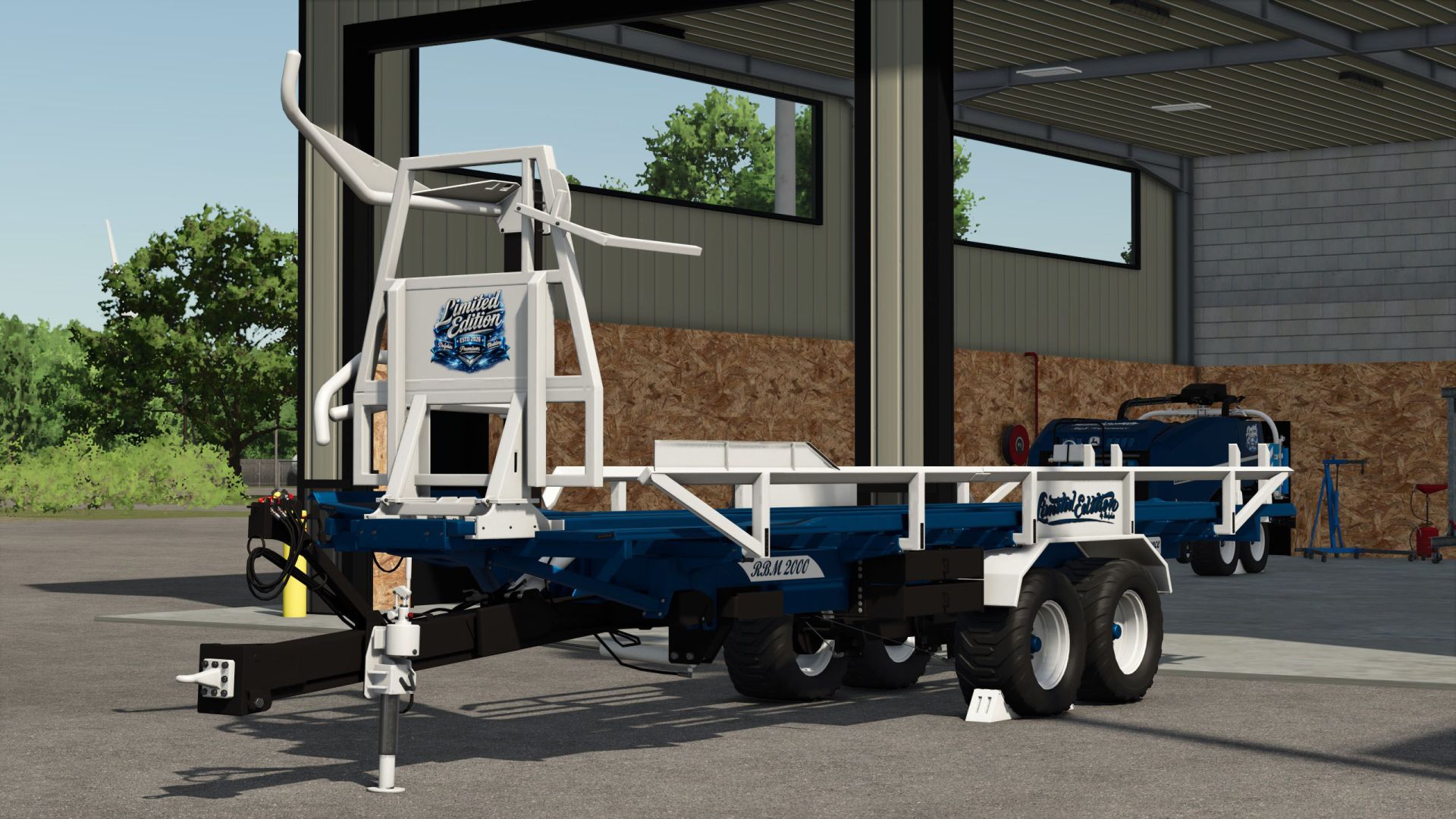
Anderson RBM2000 Limited Edition FS25
An Anderson RBM2000 Limited Edition Configurations are free. TestRunner public 0.9.22 checked. Brake marker lights installed. Taillights renewed. Shop category: Bale transport. Price 45500. Selection of lettering on sides. Selection of logo. Color selection for main color, design color, grid, frame, decal, lettering and rim color. Repair interval increased.
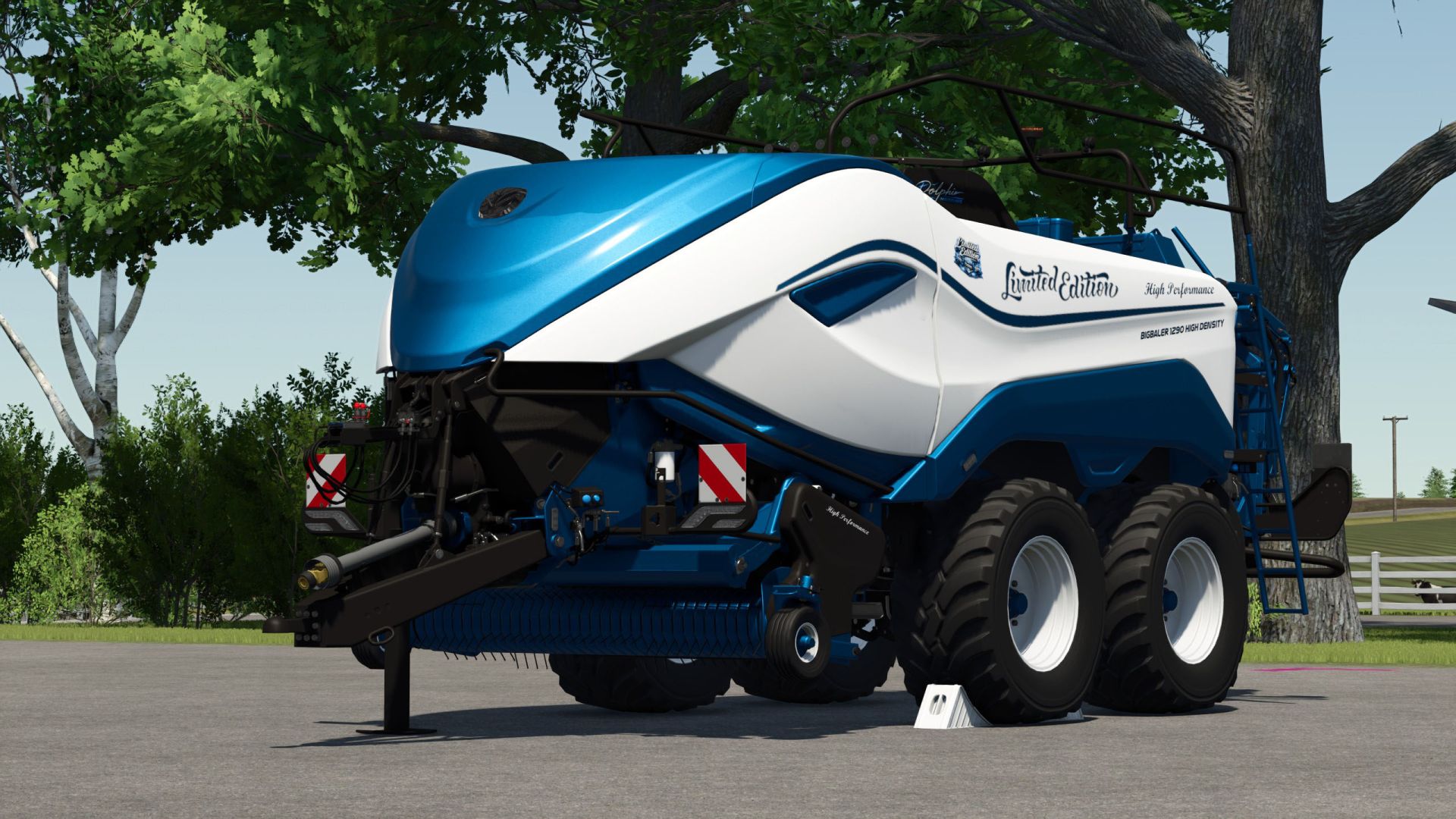
New Holland Big Baler 1290 Limited Edition FS25
And New Holland BigBaler 1290 Limited Edition Configurations are free TestRunner public 0.9.22 checked Beacon light renewed Marker lights renewed PTO shaft, wheel chocks and bracket color-matched Pickup attachment raised Shop category: Square balers Price €150,500 Working width 5m Working speed 19 km/h Chrome logo option Lettering option Logo option Color selection for main color, design color, frame color, decal, lettering, inner/outer reflector triangle and rim color Repair interval increased
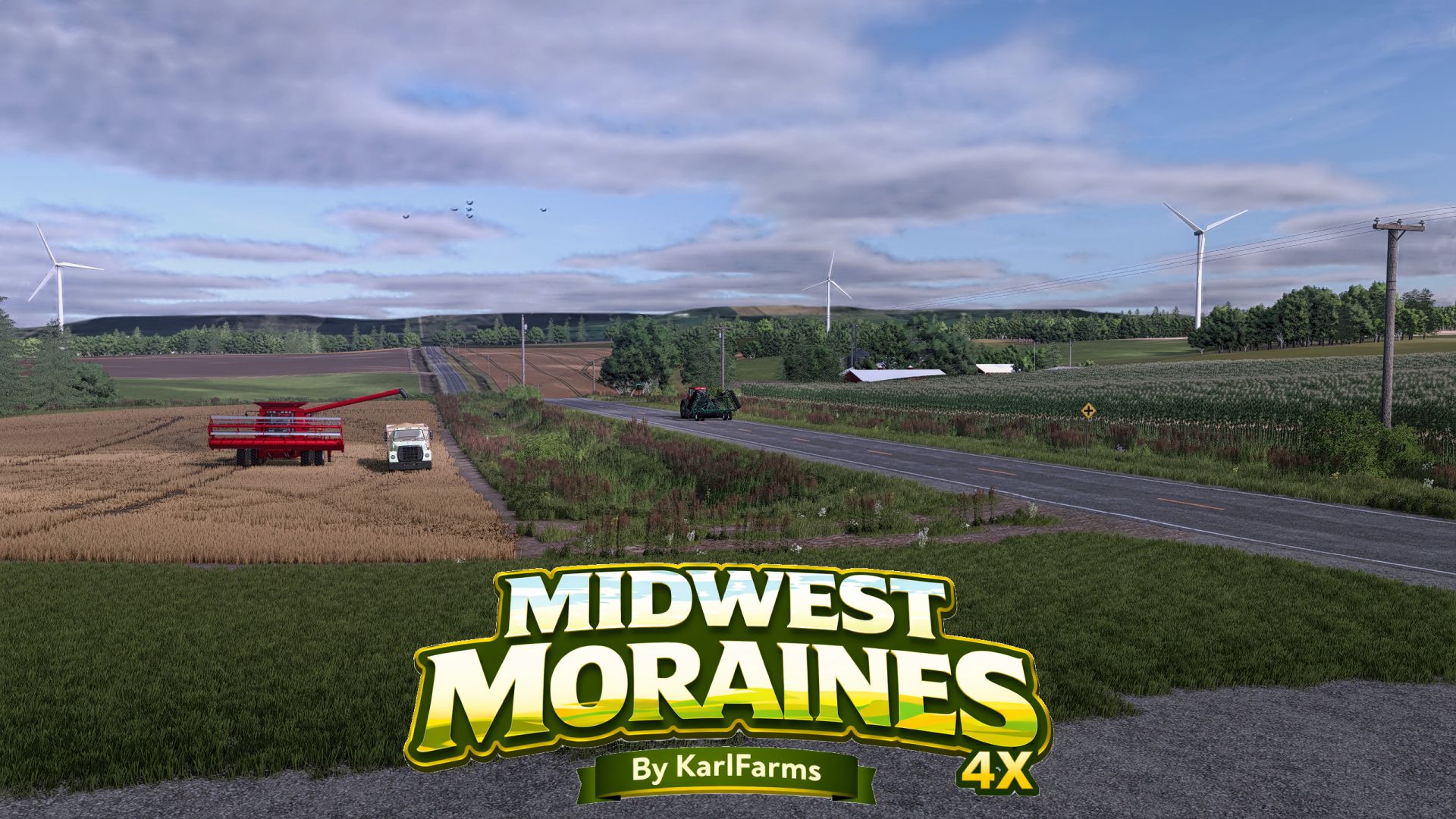
Midwest Moraines 4X FS25
Welcome to Midwest Moraines, the first-ever map by KarlFarms—a highly detailed 4X American farming map and a complete reimagining of the FS19 map Seneca County, rebuilt for FS25 and inspired by the rolling agricultural landscapes of the Midwest. Shaped by the region's glacial past, Midwest Moraines combines rolling hills, winding creeks, ponds, wooded ridges, shelterbelts, and large stretches of productive farmland to create a landscape that feels distinctly Midwestern. Rather than endless flat fields, the terrain constantly changes around you, with farms, roads, waterways, and fields naturally following the contours of the land. The map was built with an emphasis on realism, atmosphere, detail, and long-term gameplay. From small family farms and older rural infrastructure to large modern operations, Midwest Moraines is designed to support a wide variety of farming styles. Features • Large 4X map with varied terrain, including creeks, ponds, wooded areas, shelterbelts, and rolling moraine landscapes. • RCS and standard versions included. Selectable at the map selection screen • 106 fields ranging from smaller irregular plots to large commercial fields • 20 starting farm locations, offering a wide variety of locations, layouts, and farm sizes to choose from when establishing your operation. • Every farm building and decoration can be removed, allowing players to customize or completely rebuild their farms. Wind turbines can also be sold if players prefer the landscape without them. • Extensive grid-style network of realistic country roads, field approaches, and drainage ditches • A large, highly detailed town “Moraine”, bringing additional life and character to the surrounding rural landscape and adds some productions and roleplay elements • Multiple sell points on all corners of the map (somewhat literally) • Added Crops: Alfalfa, Clover, and Black Beans. (Black beans must use silos that accept FARMSILO filltype category, so no dryer bin setups will accept them) • Added Strawtypes: Corn Stalks and Soybean Straw for additional options for bedding and TMR creation • Anhydrous Ammoina compatibility, including buy point • A customized ground and soil system, combining custom dirt and field textures with enhanced soil darkening behavior for freshly worked ground • Custom rock and stone gameplay, including more natural stone behavior and hand-picking functionality, allowing individual field stones to be picked up and physically put into a trailer rather than relying solely on base game rock-picking equipment • Expanded environmental enhancements with custom sounds (church bells and music, lawnmowers in the summer, and shotguns in November, to name a few), seasonal atmosphere, detailed vegetation, and other touches designed to make the countryside feel more alive and immersive • Carefully placed trees, vegetation, utility infrastructure, signage, businesses, and roadside details • Plenty of room to build, expand, and create your own farming operation • There is 1 collectable, worth 1 million hidden on the map. It will be tough to find naturally. Goodluck :) Midwest Moraines is intended to feel like a place that existed before the player arrived. Fields follow the landscape, roads rise and fall with the terrain, older infrastructure sits alongside newer agricultural development, and the town of Moraine and its surrounding countryside help give the map a sense of history and purpose. Whether you want to operate a small family farm, manage livestock, run a large grain operation, build your own farm from the ground up, or work hundreds of acres with friends, the map leaves the direction of your operation up to you. Take your time exploring the back roads, rolling fields, wooded hills, the town of Moraine, and the surrounding countryside of Midwest Moraines. Welcome to the Midwest.

Dacia Duster 2019 V1.0.0.8
Dacia Duster 2019 V1.0.0.8 V1.0.0.8 Konvoi-Kennzeichenkonfiguration hinzugefügt Textkonfiguration für Konvoi-Kennzeichen hinzugefügt Fahrersitz eingestellt Wenige visuelle Verbesserungen Dacia Duster 2019 Preis: 20.000 $ Auswählbare Farben Anhängerkupplung Passagiersitze für Mehrspieler V1.0.0.7 Position der Haltegriffe an den Beifahrersitzen korrigiert Die herausstehenden Hüte der Beifahrersitze wurden korrigiert Erforderliche Mods: Interaktive Steuerung Fahrzeugjahre Tags: Erforderliche ModsInteraktive Steuerung

FS25 Ursus C-355 C-360 4x4 Turbo GPS v1.0.0.1
FS25 Ursus C-355 C-360 4x4 Turbo GPS v1.0.0.1 The package contains 15 elements with separate sounds. Ursus C-Series: -Price: 18,000 -Power:50-100 -Version: C355 [4×2/4×4],C355M [4×2/4×4],C360 [4×2/4×4],C360-3P [4×2/4×4] -Category: small tractors -Real sounds Configurations: -Cab -Motor -Reflectors -Rear mudguards -Front splashbacks -Type of tail lamps -Type of front lamps -Type of searchlight -Seat configuration -Type of steering wheel -Wheel attachments -Knob on steering wheel -Stickers -Weights -Silencer type -Compressor type -Oil filter type -Loading type -Air filter type -Front axle type -Bonnet type [Removed|Installed] -Fenders -Type of grilles -Fender box -Cables on Lights -Additions on rear short flaps -Warning lights -Additional lighting -Type of supplementary lighting -Rear attachments -Registration plate -Colors Front loaders: -Tur T-261 V1 -Tur T-261 V2 -Bale forks -Pallet forks -Manure forks -Shovel -Rear weight -Turbo added -License plate added to the hood -GPS navigation added to the Naglak V2 cab V1.0.0.1 I added 4 exhaust pipes and the Ursus CHCNAV logo.

FS25 Keep Speed
FS25 Keep Speed KeepSpeed — Simple & Dynamic Speed Hold (Forward & Reverse) KeepSpeed provides a simple and intuitive way to control your vehicle speed in FS25. Accelerate forward or in reverse: release the pedal and the vehicle automatically maintains that exact speed! Instantly cuts off drive when braking or pressing the opposite direction. How It Works (Simple Concept): 1. Accelerate: Drive forward (W) or in reverse (S) until reaching your target fieldwork speed. 2. Release the pedal / key: KeepSpeed immediately locks in and holds that exact constant speed automatically! 3. Brake or counter-steer: Tapping the brake or pressing the opposite direction key instantly cuts active drive, bringing the vehicle to a smooth and safe halt. 4. Seamless resumption: Ready to move again? Just accelerate normally; once you release the throttle, the newly reached speed is immediately maintained. 5. Toggle on/off anytime: The entire system can be quickly enabled or disabled with a single hotkey. Direct Functions & Hotkeys: – Left Alt + V — Toggle KeepSpeed On / Off (authentic dual-tone console chime) – Right Shift + Up Arrow — Increase Target Speed (+0.5 km/h) (hold to scroll) – Right Shift + Down Arrow — Decrease Target Speed (-0.5 km/h) (fine step-tuning) – Left Alt + B — Toggle Camera Look Direction (flips view 180° for easy reversing)

FS25 John Deere 3650 (rusty version)
FS25 John Deere 3650 (rusty version) Added rust, new specular maps, and new dirt textures Engine power: 110 hp Weight: 6128 kg Wheelbase: 258 cm Length: 489 cm Height: 288 cm Fuel tank: 170 l
- 15 per page
- 30 per page
- 45 per page
- 60 per page
-
See more per page
Bigger pages, fewer clicks - and no ads anywhere.
Go Pro