Farming Simulator 25 mods
79,027 results- 15 per page
- 30 per page
- 45 per page
- 60 per page
-
See more per page
Bigger pages, fewer clicks - and no ads anywhere.
Go Pro
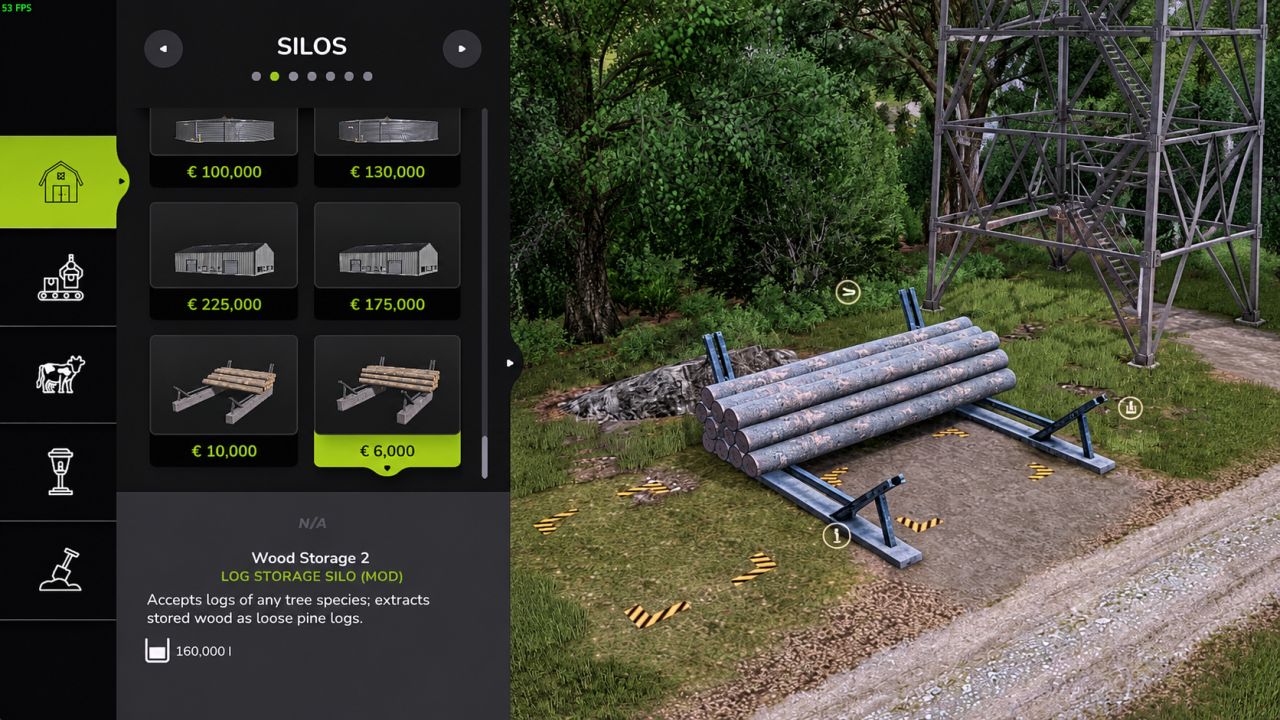
Log Storage Silo V1.0.0.3
Log Storage Silo V1.0.0.3 Store trees and logs of every species as wood in a silo and take them out again as real, loose pine logs. Features Put any tree or log in the storage area and press “Store Logs” at the input marker: all species are stored as wood Extract logs at the output point: choose the length (7, 8, 10 or 12 m) and how many logs (up to 40 at once) Info box shows the amount of wood and how full the storage is Two sizes Storage 1: price 10,000, upkeep 20 / day, capacity 300,000 liters Storage 2: price 6,000, upkeep 10 / day, capacity 160,000 liters Tip: long logs (10 and 12 m) stick out at the side of the building where you put the trees in. Keep that side free. Translations: English, Dutch, German, French. Building and textures based on Wood Storage by Kastor [D-S-Agrarservice], used with permission. Scripts and silo conversion by Nozem_Oil_1982. V1.0.0.3 Fixed missing or invisible logs on dedicated servers: logs are now spawned one by one Fixed the number of extracted logs not matching your choice in multiplayer Removed an invisible collision left behind after extracting logs Extracting many logs now takes a few seconds (about 0.4 s per log) Author: Nozem Oil 1982, Kastor [D-S-Agrarservice] Report bugs in the comments and help modders improve this mod. Always check the comments, you can find a solution. DOWNLOAD MOD

Lemken Solitair DT V1.0.0.3
Lemken Solitair DT V1.0.0.3 V1.0.0.3 Unterstützung für zusätzliche Fahrzeugjahre hinzugefügt Preis: 132.000 US-Dollar Gewicht: 8915 kg Kapazität: 3060 Liter Saatgut + 2040 Liter Dünger Arbeitsbreite: 6 Meter Erforderliche Leistung: 200 PS Konvertiert von FS22 Version FS25 Shader Neues Symbol und neue Ladenfotos hinzugefügt V1.0.0.2 ModDesc-Änderungen DescVersion geändert Version geändert Tags: Erforderliche LeistungLiter SaatgutPS
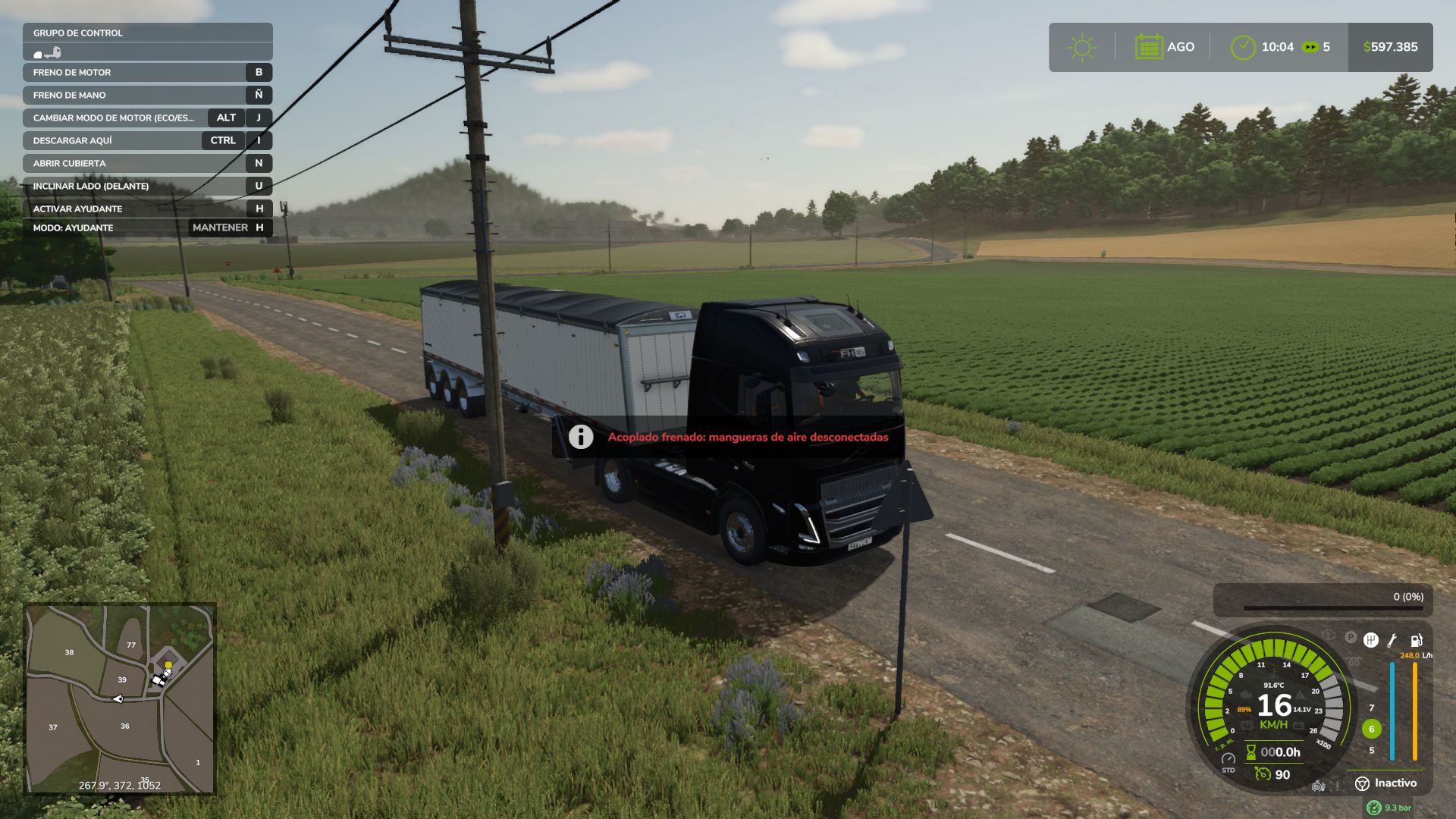
Realistic Brakes V1.4
Realistic Brakes V1.4 Realistic braking for trucks and tractors. A companion to Realistic Diesel Start (GN Realism), but it works perfectly on its own. REAL PARKING BRAKE Its holding force depends on the vehicle’s weight (trailers included) and the slope. Leave a loaded truck on a steep downhill with more weight than the brake can hold and it rolls away, just like in real life. Released, the vehicle rolls on a slope even with you inside. HILL START AID Stop on an uphill with the parking brake released and the brakes stay applied for up to 3 seconds or until you accelerate. DYNAMIC ENGINE BRAKE Engine braking depends on the gear: in a high gear the vehicle keeps rolling when you lift off; shift down and the engine really holds it back. EXHAUST BRAKE (Jake Brake) Automatic when you release the throttle, or manual with the B key. It only works with the engine running, no throttle and enough rpm. Its light turns green only while it is actually braking. BRAKE FADE Brakes heat up at their own rate for each vehicle type: a car cools quickly, a tractor with oil-immersed brakes is hard to overheat, and a loaded truck on a long descent can fade in a few minutes. Kept too hot for too long, the linings are damaged until you visit the workshop. If they start to heat up, a message tells you to use the engine brake or shift down. TRAILER AIR HOSES A trailer with air brakes stays braked while its hoses are disconnected, like a real truck (with FS25_manualAttach or Interactive Control; with automatic attaching they connect by themselves). SOUNDS Exhaust brake, brake squeal when the brakes are too hot, the truck’s air parking valve or the tractor’s lever ratchet, and the air exhaust when releasing the brake pedal. DISCREET HUD Small lights next to the speedometer, the same size as Advanced Damage System’s: parking brake, engine brake, brake temperature (with a small number on trucks) and a brake failure light that only appears when there is damage. One layout with ADS and another without it. Never drawn over menus. SETTINGS (ESC > Game Settings) Engine brake mode, brake fade, the mod’s parking brake, hill start aid, engine brake advice and show/hide the HUD. COMPATIBILITY Advanced Damage System (it handles brake condition, this mod adds the heat), Realistic Diesel Start (air brakes), Enhanced Vehicle, Continue Driving After Exit, CVT Addon, AutoDrive, FS25_manualAttach and Interactive Control. The AI helper is not affected. Multiplayer and Dedicated Server supported. Translated into Spanish, English, German and French. Made with passion for realistic farming simulation. V1.4.0.0 Update over the published 1.3.0.0. Includes 1.3.0.1 and 1.3.1.0, which were never uploaded. NEW Hill start aid: when you stop on an uphill with the parking brake released, the brakes stay applied for up to 3 seconds or until you accelerate. After that it rolls: to keep it still, use the parking brake. With the parking brake released, the vehicle now rolls on a slope even with you inside, and a parked truck without its parking brake rolls away. An engine brake does not hold a stopped vehicle. Engine brake advice: if the brakes heat up on a descent, a message tells you to use the engine brake or shift down before they start to fade. On trucks, the brake temperature as a small number under its warning light, so you can watch it rise. New, smaller brake failure light: it only appears once the linings start to get damaged, in amber, next to the temperature light. FIXED Dedicated server: the parking brake and the engine brake did nothing, because the server did not see who was driving. With Advanced Damage System, burnt brake linings could never be repaired at the workshop. Brake condition is now handled by ADS, and this mod only simulates the heat. The AI helper no longer jerks on slopes when you left the parking brake released. Warning lights no longer draw over menus and dialogs (such as Real Fuel Consumption’s report). COMPATIBILITY Continue Driving After Exit: the vehicle no longer brakes by itself while that mod keeps driving it. CVT Addon: on tractors with its transmission, the wheels no longer lock when you release the accelerator. AutoDrive: if you are seated while AutoDrive drives, the mod no longer releases its brake at stops. SETTINGS The mod’s parking brake, the hill start aid and the engine brake advice can be turned off. Fewer options: “Engine brake level” (stays at 2) and “Trailer air hoses” (always on) are gone. Warning lights the same size as Advanced Damage System’s, with one position when ADS is installed and another when it is not. SOUNDS (trucks) Air exhaust when releasing the brake pedal, louder the harder you braked. Releasing the parking brake has its own sound, and applying it is louder. The engine brake is quieter, especially inside the cab. Compatible with savegames from 1.3.0.0: no new game is required. Multiplayer and Dedicated Server supported. Author: GN Realism Report bugs in the comments and help modders improve this mod. Always check the comments, you can find a solution. DOWNLOAD MOD
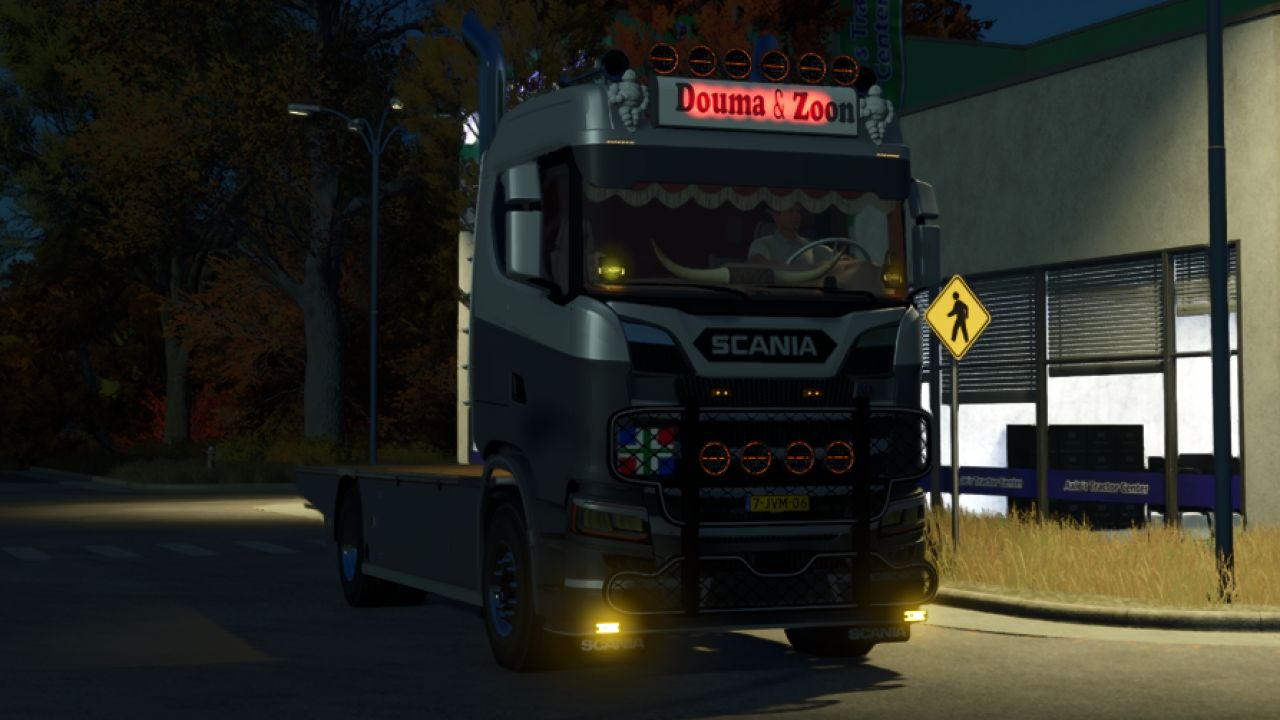
Scania S620 Pritschenwagen V1.0.0.1
Scania S620 Pritschenwagen V1.0.0.1 V1.0.0.1 Habe es auf 300 MB statt 1000 MB verkleinert. Scania Pritschenwagen S620 Leistung: 620 PS Preis: 69.700 Pritschenwagen Leicht zu häuten Tags: PS
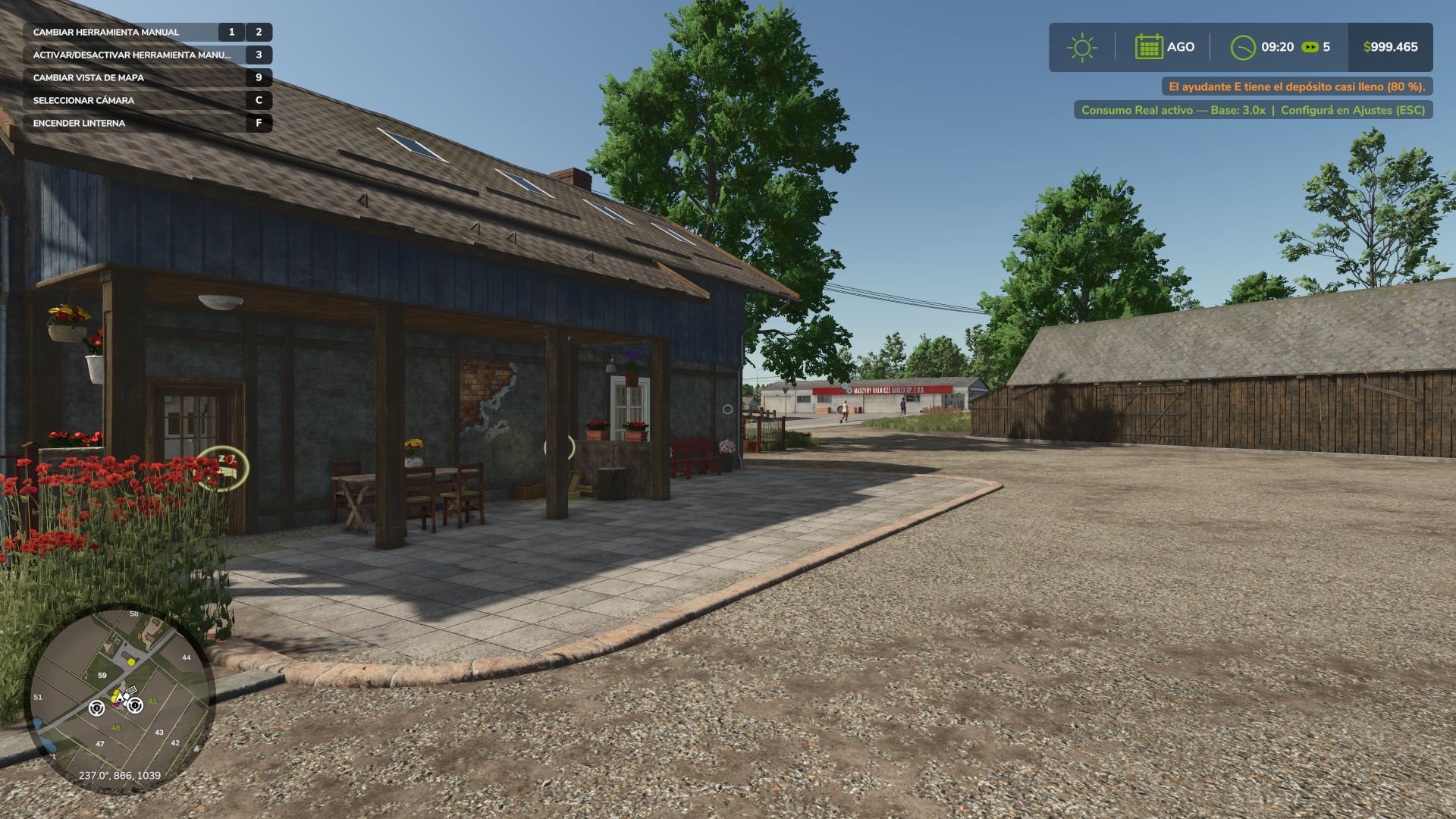
Real Fuel Consumption V1.6
Real Fuel Consumption V1.6 Real Fuel Consumption makes every tractor, combine, self-propelled machine and truck burn the diesel it really would, according to the power its engine is delivering. Not a fixed multiplier. HOW IT WORKS Fuel depends on the power the engine delivers (PTO, slopes, weight and draft included) and on engine speed: with the same load, fewer rpm burn less. Real draft of plows, cultivators, disc harrows, subsoilers and seeders, by working width, speed and depth (compatible with Variable Working Depth). Rolling resistance of each wheel by the ground it is on and its moisture: mud costs more. Trucks: their own truck engine plus air drag and road rolling resistance. Loaded and uphill you will notice it. It is only charged in fuel: it does not slow the vehicle down or change how it drives. AdBlue keeps its ratio to diesel. Cars, electric and methane vehicles use the game’s calculation. ENGINE MODES (Alt+J) ECO: limits rpm to each engine’s peak-torque speed and smooths the throttle. It saves when there is power to spare; at full load it barely saves. STANDARD: the factory engine. POWER: faster throttle, and +10 % power in transport and with the PTO working, like John Deere’s IPM. It burns what that power costs. A dashboard switch click when you change mode. HUD Fuel use under the fuel gauge, the same size as Advanced Damage System’s reading, with the number in the mode’s color (l/h; kW on electric; kg/h on methane). Mode icon next to the speedometer, with one position with ADS and another without it. Both follow the game’s HUD scale. REPORT (Ctrl+J) Liters, engine hours, average l/h, mode split and estimated cost, per vehicle and per farm. Liters per hectare in the field, liters per 100 km on the road, and time stopped with the engine running. SETTINGS (ESC > Game Settings) Consumption: Real, or x1.25 to x3 for a harder game. Real draft and rolling resistance, engine modes, notifications, fuel HUD and mode HUD. COMPATIBILITY Multiplayer and Dedicated Server. Advanced Damage System: the surcharge of its breakdowns is added to the real consumption. Variable Working Depth. Made with passion for realistic farming simulation. V1.6.0.0 NEW Trucks: they now burn fuel with a truck engine and pay for air drag and road rolling resistance, which the game did not have. Loaded and uphill you will notice it: a 40 t truck at 80 km/h uses about 32 l/100 km, and about 23 empty. Subsoilers and seeders use what they really use (in the game a 6 m seeder barely pulled anything). POWER gives more power, like John Deere’s IPM: +10 % in transport and with the PTO working, and it burns what that power costs. Changing the engine mode plays the click of a dashboard switch. rfcConsumo shows liters per hectare while working, and liters per 100 km on trucks. FIXED The icons no longer draw over the fuel report. CHANGED The mode icon has one position with Advanced Damage System and another without it, and comes without letters or a message when changing mode. Compatible with savegames from 1.5.0.0. Multiplayer and Dedicated Server supported. Author: GN Realism Report bugs in the comments and help modders improve this mod. Always check the comments, you can find a solution. DOWNLOAD MOD
Realistic Diesel Start V1.4.1
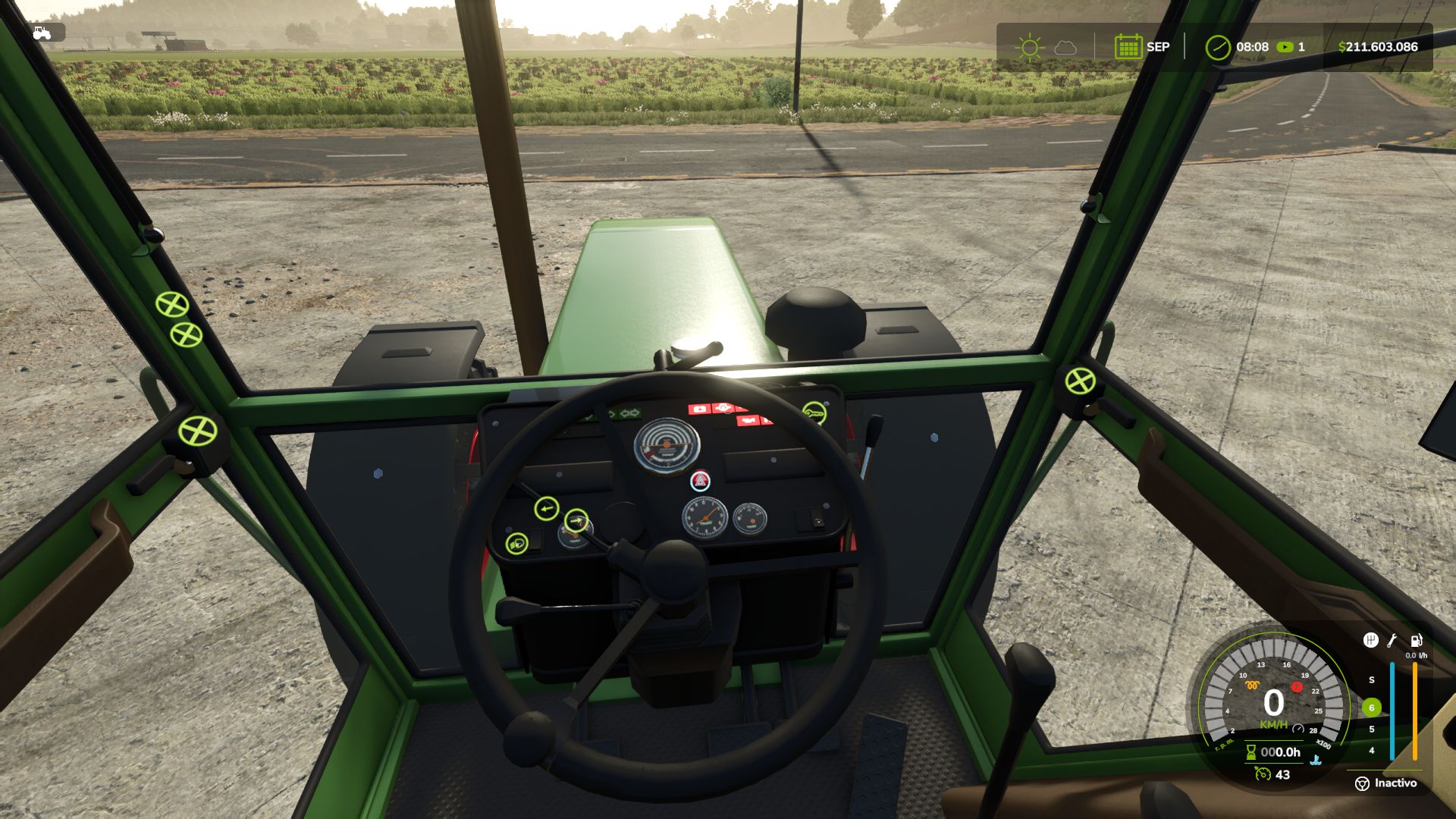
Realistic Diesel Start V1.4.1 Tired of starting an engine with a single key press? Realistic Diesel Start turns ignition into a real diesel sequence, for every motorized vehicle. MULTI-STAGE STARTING Short press of the engine key: ignition ON, the dashboard powers up, with the sound of a real ignition key. Glow plug pre-heating, with a small light next to the speedometer. It depends on the weather AND the engine temperature: in deep winter it takes a while, with a warm engine it is almost instant. Hold the mod clutch (Alt+L) and the engine key to crank. Crank before the glow plugs are ready and it may not start and take slight damage: the starter keeps turning while you hold the key, and insisting can make it catch. After a cold start the engine idles a few seconds before responding to the throttle. The thermometer is blue while cold and fades out at working temperature. COMPRESSED AIR (trucks) HUD pressure gauge. The compressor builds air while the engine runs. Pressure bleeds off while parked: leave the truck sitting and you will have to build air before leaving. Out of air, the spring brakes engage and lock the truck: you don’t lose your brakes, you get stuck. Low-pressure buzzer. With Realistic Brakes, a trailer with air brakes fills from the truck’s air. INTERACTIVE CONTROL The dashboard key follows the same sequence: a click switches the ignition on, holding the click starts the engine. SETTINGS In ESC > Game Settings: clutch to start, and lights without ignition. Console: rdsConfig (damage, air system, timings) and rdsHudPos / rdsHudSinADS / rdsHudReset to move the HUD. COMPATIBILITY Advanced Damage System, Realistic Brakes, Diesel Fuel System (bad fuel makes starting harder, with the same starter sound) and Interactive Control. Keyboard and gamepad. Multiplayer and Dedicated Server. AI workers are not affected. Not compatible with other ignition / cold start mods (Real Ignition, Cold Start System, RVB’s glow plug module): disable them. Credits: the ignition/contact concept was inspired by “Real Ignition” by Guner348. Made with passion for realistic farming simulation. V1.4.1.0 Update over the published 1.4.1.0. NEW When the engine does not start, the starter keeps cranking while you hold the key, instead of the old cough. Every 2.5 s of cranking is a new attempt: with warmer glow plugs, insisting can make it catch. Release the key and it stops. The sound of a real ignition key when switching the ignition on and off, and a soft pedal sound when pressing the mod clutch. Interactive Control: the dashboard key follows the mod’s sequence. A short click switches the ignition on, holding the click starts the engine, and a click with the engine running stops it. Before, it started with a single click, skipping the glow plugs. FIXED A failed cold start no longer runs the engine for a moment and kills it: the starter turns and the engine does not catch. The glow plug light looked dim next to Advanced Damage System’s: it was drawn under the speedometer background. It now shines the same. The icons no longer draw over menus and dialogs (such as Real Fuel Consumption’s report). HUD Warning lights the same size as Advanced Damage System’s, and the air gauge background in the same black as the game’s HUD. The idle icon is gone. The thermometer is blue while the engine is cold and fades out once it reaches working temperature. Default positions placed for Advanced Damage System 0.10, and others for when it is not installed. Compatible with savegames from 1.4.0.0. Multiplayer and Dedicated Server supported. Author: GN Realism Report bugs in the comments and help modders improve this mod. Always check the comments, you can find a solution. DOWNLOAD MOD
Gehl 9000HB v1.0.0.0
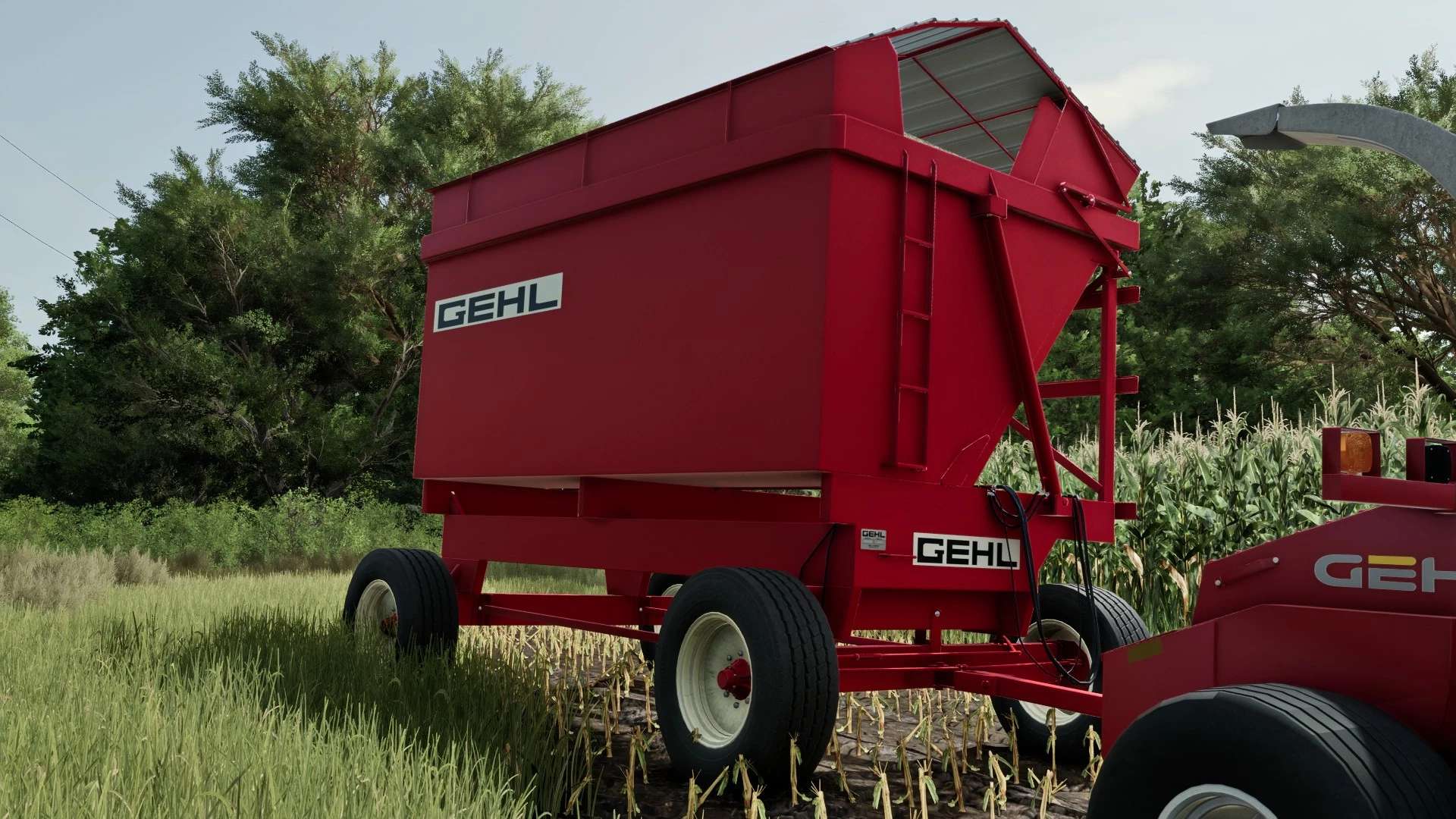
Gehl 9000HB v1.0.0.0 Gehl 9000HB Hydra-Tilt Box für FS25! Melden Sie mir bitte alle auftretenden Probleme. Tags: Melden Sie
Chcebuz v1.0.1.0
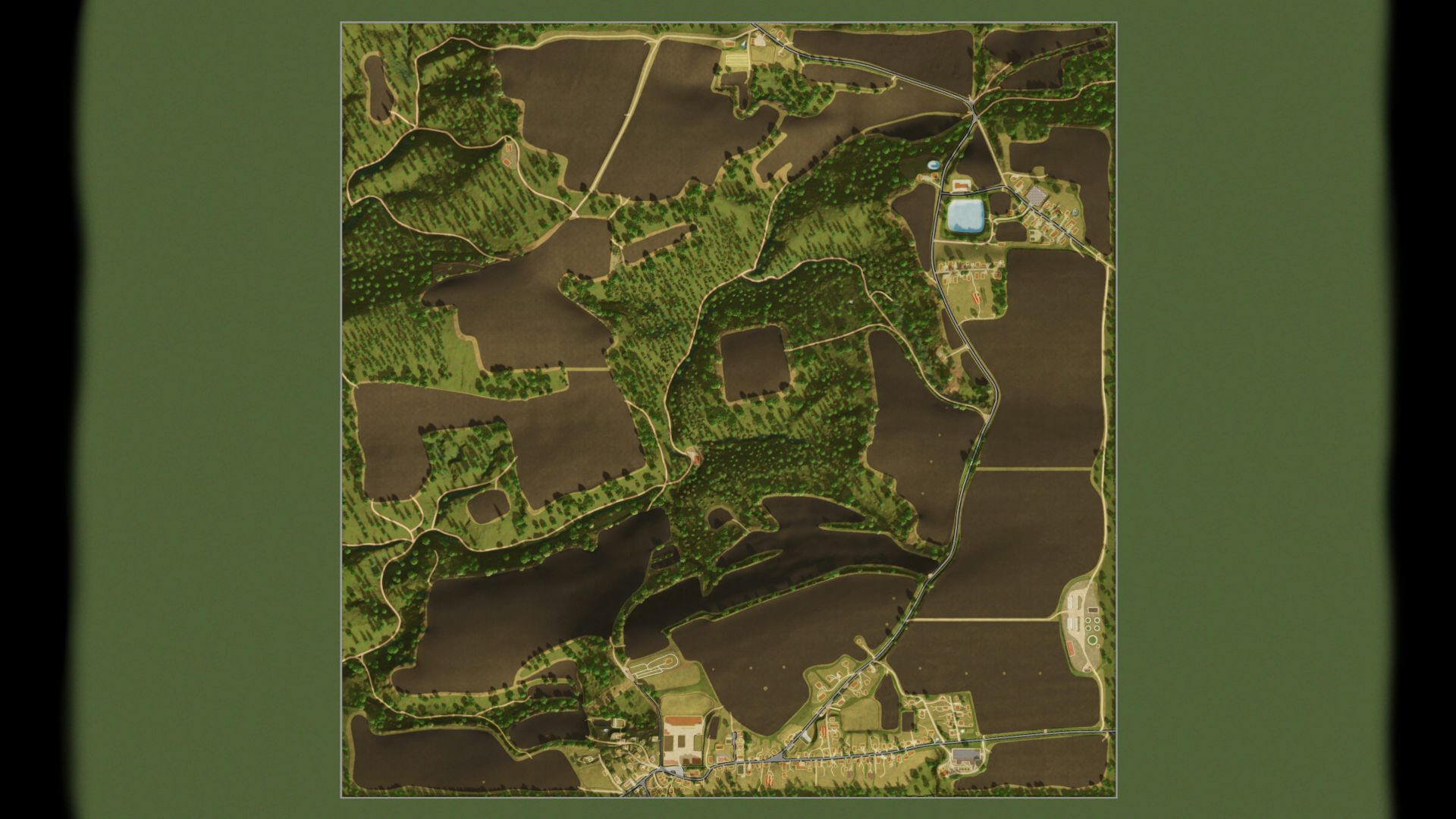
Chcebuz v1.0.1.0 V1.0.1.0 Erfordert einen neuen Spielstand Ein Problem mit der Besitzberechtigung von Feld 5 wurde behoben. Es wurde ein Problem behoben, bei dem die Getreidemühle nicht über die Verkaufsstelle erworben werden konnte. Ein Problem beim Kauf von Obstgärten und Gärten wurde behoben. Bäume von den Feldern entfernt. Statische NPCs wurden versetzt. Diverse Verbesserungen und kleinere Fehlerbehebungen. Willkommen bei Chcebuz! Die Karte basiert auf realen Kartendaten und deckt ein Gebiet von 2 × 2 km ab. Sie wurde an die Spielmechanik angepasst (Produktionsanlagen wurden hinzugefügt, Wälder sind weniger dicht und Straßen wurden im Vergleich zum realen Layout verbreitert). Überblick: Landschaft: Ein hügeliges, bewaldetes Gebiet der Region Kokořínsko. Anzahl der landwirtschaftlichen Parzellen: 71 Unterstützt alle DLCs, Precision Farming und viele Skript-Mods. Die Karte ist für kleine bis mittelgroße Maschinen optimiert. Landwirtschaft: 31 Felder 7 Wiesen Zahlreiche Waldparzellen 1 Weinberg 3 Obstgärten Realismus: Unterschiedliche Geländewinkel für eine natürlichere Bodenbearbeitung. Unterstützung für Präzisionslandwirtschaft. Wettereinstellungen angepasst. Anbauflächen hinzugefügt. Alfalfa Klee Roggen Dinkel Triticale Silomais Senf Humusaktiv Wiesengras Wicken-Roggen-Mischung Sommer-/Winterweizen Sommer-/Wintergerste Saflor Hirse Mohn Trockene Erbsen Hanf Linsen Minze Kichererbsen Produktion: Kompostherstellung Getreidemühle Biogasanlage (BGA) Molkerei Konservenfabrik und Verpackungsanlage Zuckerfabrik Spinnerei Bäckerei Papierfabrik Sägewerk Tischlerei Obstgärten Gärten Gewächshäuser Tiere: Schafweide Pferdekoppel Kuhweide Kaninchen Gänse Enten Andere: Großes Silo zur Lagerung von Ernteprodukten (muss auf der Karte erworben werden). Großer Bauernhof. Rund 8.000 Bäume stehen zur Holzernte zur Verfügung. Die Felder werden für Käferbänke/Blütenstreifen vorbereitet. Hinweis : Die Karte ist überall schneebedeckt (außer unter Schutzhütten und an Produktions-/Verkaufsstellen); daher schneit es auch auf Straßen und im Verkehr. Die Karte ist für Winterdienst und Schneeräumung vorbereitet (der Schnee behindert den KI-Verkehr nicht, Fahrzeuge können jedoch im Schnee einsinken). Tags: Die FelderHinweis Die KarteMaschinenPrecision Farming

Kiselevka 4x V1.0.1.5
Kiselevka 4x V1.0.1.5 V1.0.1.5 Was ist neu in Version 1.0.15? Aktualisiertes PDA – die Kartendarstellung wurde geändert. Veränderungen auf dem Bauernhof – das Gelände wurde verbessert und es wurden Modernisierungen vorgenommen. Änderungen an den Kuhställen – die Viehhaltungsanlagen wurden modernisiert und verbessert. Verkauf von Produktionsanlagen – Produktionsanlagen können jetzt verkauft werden, ohne dass der bisherige Fortschritt verloren geht. Verschmutzte Ausrüstung – wenn die Ausrüstung stark verschmutzt ist, können Sie keine Produkte ausliefern. Halten Sie Ihre Ausrüstung sauber! Störungen in Produktionsanlagen – ein neuer Mechaniker für Störungen in Produktionsanlagen wurde hinzugefügt. Neue Felder – erweiterte Möglichkeiten für die Landwirtschaft. Diverse Verbesserungen – Fehlerbehebungen, Erweiterungen und Gameplay-Optimierungen. V1.0.1.4 Der Fehler, der das Überspringen von Tagen verursachte, wurde behoben. Der Nebel löst sich um 9 Uhr auf. Der Betriebsplan für die Verkaufsstellen wurde hinzugefügt. Eine Fabrik für Fleischkonserven und Pasteten wurde hinzugefügt. Einige Eingänge und Grundstücke wurden erweitert. Fehlerbehebungen Neue Sounds hinzugefügt Der Anhänger für den Transport von Enten und Truthähnen muss separat heruntergeladen werden. V1.0.1.3 Neu hinzugekommene Tiere: Enten und Truthähne. Neu hinzugekommene Anbaukulturen: Luzerne und Buchweizen. Neue Produktionsanlagen wurden hinzugefügt: eine neue Produktionsstätte und eine Reinigungsanlage. Automatische Toröffnung hinzugefügt. Sonderverträge hinzugefügt. Dem Menüpunkt „Ю“ wurde ein neues Menü hinzugefügt. Schneeverträge aktualisiert. Der Angel-DLC wurde überarbeitet und verbessert. Das Harvest Pack wurde überarbeitet und verbessert. Diverse Fehler und Mängel wurden behoben. V1.0.1.2 Neue Produktion hinzugefügt Neue Grundstücke hinzugefügt Fehlerbehebungen Neubau Änderungen am Handwerk V1.0.1.1 Der Steinbruch wurde aktualisiert und ist nun noch interessanter zu nutzen. Bestimmte Elemente wurden verbessert, Fehler behoben und das Erscheinungsbild überarbeitet. Neuproduktion Es wurde eine neue Produktion hinzugefügt, die die Möglichkeiten der Karte erweitert und eine weitere Option zum Geldverdienen und zur Entwicklung der Wirtschaft bietet. Gewächshäuser Gewächshäuser sind auf der Karte erschienen. Jetzt könnt ihr einen zusätzlichen Produktionsbereich erschließen und das gewohnte Gameplay abwechslungsreicher gestalten. Aktualisierte Datenbank Die einzelnen Elemente der Datenbank wurden vollständig aktualisiert und verbessert. Es wurden Verbesserungen hinzugefügt, Fehler behoben und Änderungen vorgenommen, um die Nutzung komfortabler zu gestalten. Fehlerbehebungen Version 1.0.1.1 behebt zahlreiche Fehler und kleinere Probleme. Zudem wurden weitere Optimierungen und Anpassungen der Karte vorgenommen. Und vieles mehr Zusätzlich zu den Hauptänderungen enthält das Update viele kleine Verbesserungen und Fehlerbehebungen, die nicht immer sofort erkennbar sind, aber die Karte schöner und stabiler machen. V1.0.1.0 Änderung des Check-ins Übersetzung Bearbeitungen Diese Karte ist nicht russisch. Sie wurde auf Grundlage des realen Geländes der Ukraine erstellt und bewahrt die charakteristische Landschaft, das Straßennetz, die Felder und die allgemeine Atmosphäre der ukrainischen Landschaft. Die Karte zeigt ein hochentwickeltes Produktionssystem mit einem vollständigen Rohstoffverarbeitungszyklus. Alle Betriebe sind günstig gelegen und miteinander vernetzt, was eine effiziente Logistik ermöglicht. Verfügbare Produktionen: Mühle Bäckerei Sägewerk Zuckerfabrik Molkerei Samenpflanze Papierfabrik Fischproduktion Brauerei Fleischverarbeitungsbetrieb Molkerei Fertigwarenfabrik Verkaufsstellen Es gibt viele Verkaufsstellen für Produkte: Geschäfte Gemüsebasis Aufzug Verarbeitungsanlagen Industriehallen Und andere Gegenstände. Steinbruch Auf der Karte befindet sich ein Steinbruch, in dem man Schüttgüter abbauen und transportieren kann. Traktorbasis Direkt neben landwirtschaftlichen Flächen befindet sich ein praktischer Startpunkt für Traktoren, sodass Sie schnell mit der Arbeit beginnen können. Forstwirtschaft Tags: Alle BetriebeDie KarteFischproduktion BrauereiUkraine
Oakridge Equipment Pack v1.2.0.3
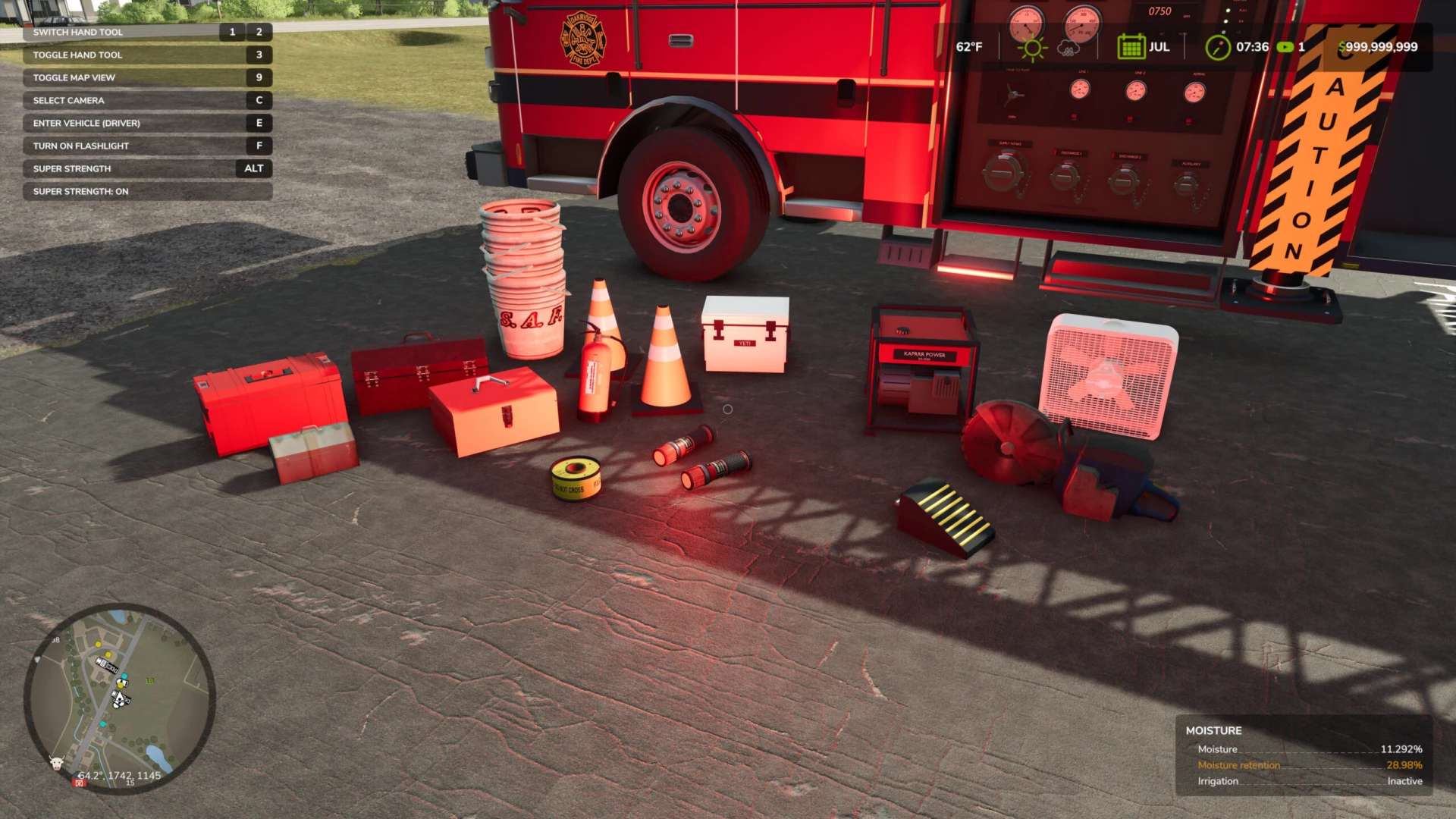
Oakridge Equipment Pack v1.2.0.3 Portable emergency gear for your roleplay scenes: 20 individual items for fire, EMS, police and roadside work. Pick them up by hand, set them where you need them, and carry them in your emergency vehicles. Everything is in the shop under Tools / Miscellaneous, or filter the store by this mod. Scene tools Crime-scene tape roll ($45): Pick up the roll and aim at a tree, vehicle or building within about 10 ft. Press Left Alt+T to tie off the first end, walk to your second anchor and press Left Alt+T again. Each roll runs up to eight sections, each up to about 82 ft. Left Alt+Y cancels a pending end or removes the last section. The tape follows its anchors and drops if an anchor leaves or pulls it too tight. It marks a scene visually; it doesn’t physically stop traffic. Reusable red road flare ($30): Toss or drop it and it lights up red when it lands. It stays lit until you pick it up, with no burnout timer, so you can reuse it all day. Flares stay dark while they’re on a vehicle or stowed. Single road traffic cone ($100) Single wheel chock ($75) Medical Red medical response bag ($175) Blue medical bag ($125) Small medical pouch ($50) Portable medical monitor ($175) Rescue monitor ($200) Single oxygen cylinder ($125) Fire and rescue Portable fire extinguisher ($175) Portable rescue saw ($300) Portable ventilation fan ($375) Utility bucket stack ($100) Power Kaprrr Power KR-3500 generator ($600) Portable power unit ($450) Storage Red equipment toolbox ($200) Compact equipment box ($150) Compact utility case ($150) White hard cooler ($175) Features Stands up on its own: knock something over and it rights itself once it settles. Real weight and size: from a 1.5 lb flare to a 53 lb generator. Rides safely in Oakridge vehicles: the Oakridge ambulance’s side lockers and the Oakridge police Yukons secure the gear for travel. It also works on any trailer that supports tension belts. Saves with your game. Good to know: the equipment is roleplay props. The saw, extinguisher and generator don’t actually run, but they look the part and move like the real thing. Author: Kaprrrr Modding Report bugs in the comments and help modders improve this mod. Always check the comments, you can find a solution. DOWNLOAD MOD
Volunteer Crops and Weeds V1.3.1
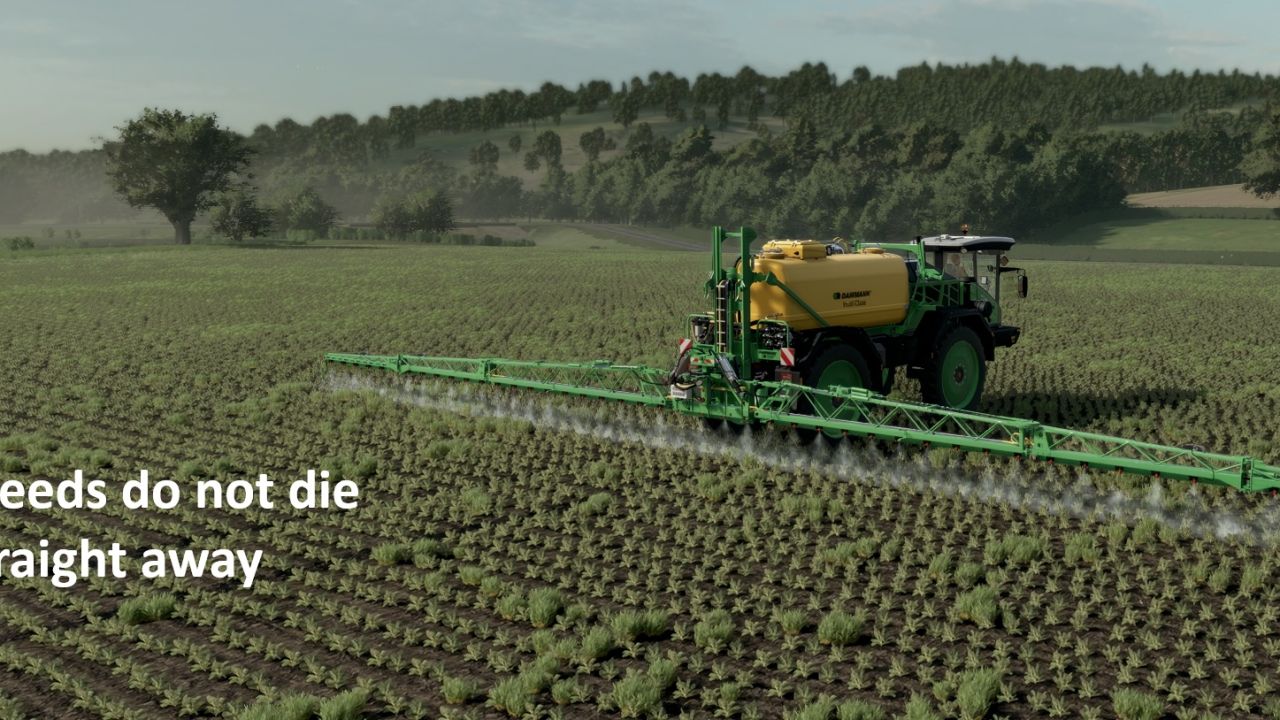
Volunteer Crops and Weeds V1.3.1 V1.3.1.0 Update with weed file. v1.3.0 Weeds are now removed as any crop other than wheat, barley or oats is harvested, such as sugar beet, potatoes and maize. New setting: HARVEST_CLEARS_WEEDS. v1.2.0 Normal weeds are now also cleared from the stubble of every other harvested crop, so weeds only stay in seeded fields. New settings: SWEEP_ALL_STUBBLE and SWEEP_CROPS_PER_HOUR. v1.1.0 Weeds and volunteers are kept out of tramlines made by the Automatic Tramline System mod. New setting: TRAMLINE_PROTECT. After a combine harvests wheat, barley or oats, a stripe of volunteer grain comes up behind it, just like in real life. The following month, it appears as young green wheat down the line of each combine pass, and it keeps growing until you deal with it. Volunteer crop also grows in preceding crops such as sugarbeet and maize, which need to be sprayed off (this is a replacement for the normal weed system) – Volunteers only come from combines harvesting wheat, barley and oats. Stubble is left untouched. – They appear at the start of the next in-game month, as a smooth line that follows the combine’s path. – They grow from small to big (wheat by default) – Spray them with any normal herbicide. They stay green for a day, then turn golden yellow, and disappear two months later. – Cultivating, ploughing or sowing removes them straight away. – Normal weeds can’t grow on wheat, barley or oat stubble, so only volunteers appear there. If you switch the game’s Weeds setting on, normal weeds still appear elsewhere and are sprayed off the same way. – Volunteer data is saved with your savegame. IMPORTANT: For the volunteers to look like wheat, the map’s weed layer has to be drawn as wheat. On a map that still uses the standard weed look, the mod still works, but the volunteers look like ordinary weeds and the yellow sprayed look is missing. See the setup guide that comes with the mod for how to prepare any map, which takes a few minutes. To INSTALL: 1. Add the FS25_VolunteerCrops in the zipped file. Place in the mod folder 2. Add the weeds folder to the map you need to edit; add a foliage folder if needed 3. Add Weed.xml (from the downloaded Zip) to your map’s config file 4 Edit. Point the map.i3d to the Weeds folder using Notepad. For example Witcombe would become 5. Edit. In map.xml, you need to point to the Weeds folder xml. For example, Witcombe would become (Make sure the correct path is set for the weed.grle file. Any issues, let me know. The aim is to add realism. Author: Melrose Report bugs in the comments and help modders improve this mod. Always check the comments, you can find a solution. DOWNLOAD MOD
Scania S620 Flatbed V1.0.0.1
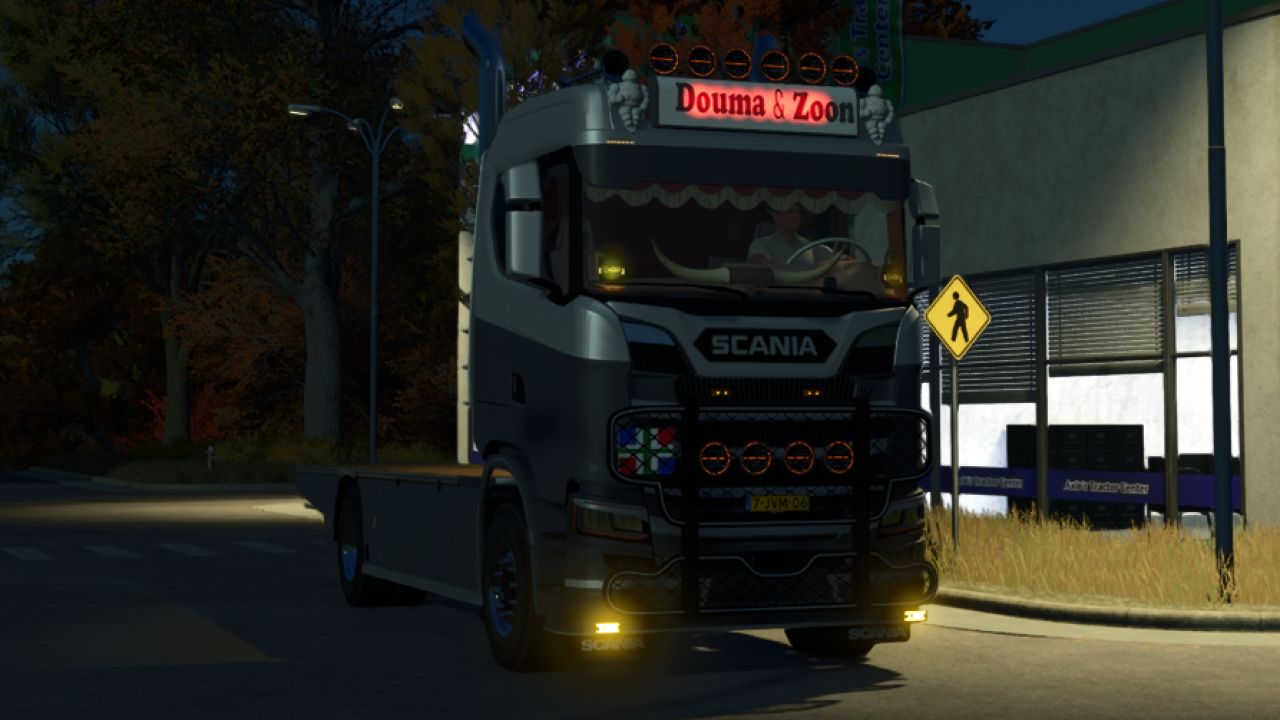
Scania S620 Flatbed V1.0.0.1 V1.0.0.1 Made it 300mb instead of 1000mb Scania Flatbed S620 horsepower: 620Hp price: 69,700 Flatbed Easy skinnable Author: DaanDouma Report bugs in the comments and help modders improve this mod. Always check the comments, you can find a solution. DOWNLOAD MOD
Realistic fuel consumption FS25
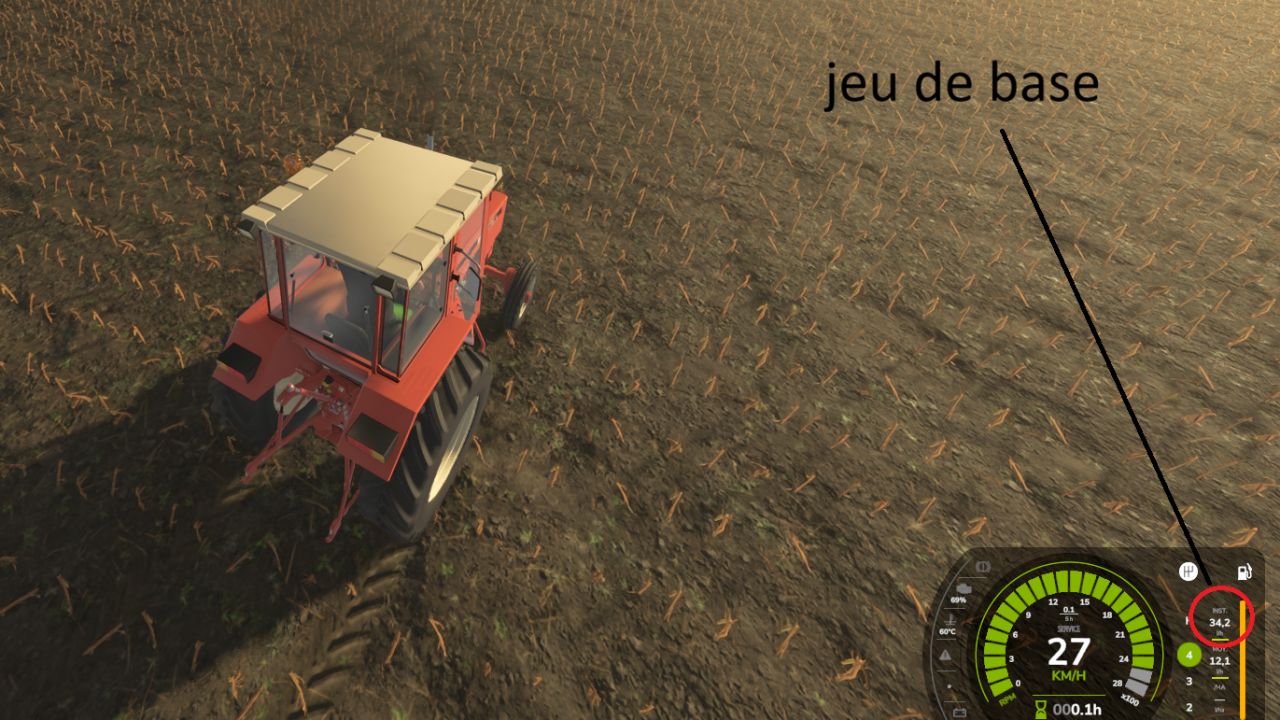
The game's tractors consume far too much diesel when working. This mod reduces consumption only under load, while keeping the game's consumption at idle. How it works At idle (0% load), consumption remains the same as in the base game. At full load (100%), it is multiplied by a coefficient, ×0.50 by default (approximately half as much). In between, consumption varies proportionally to the engine load. Example with the default settings 0% load: ×1.00 50% load: ×0.75 100% load: ×0.50 In my tests, a tractor travelling at 27 km/h consumed 34.2 l/h without the mod and 18.3 l/h with it. In-game settings In Settings → Game, a “Realistic consumption” section allows you to adjust: the consumption at full load, from ×0.30 to ×1.00; the consumption at idle, from ×0.50 to ×1.00. The settings are saved with each game. Features Compatible with all motorized vehicles, including those added by other mods. Only affects diesel: other consumables remain unchanged. Multiplayer compatible: the host or server sets the coefficients, while other players see the options greyed out. No new objects and no price changes. New: consumption display on the speedometer. It replaces the damage bar at the bottom right of the HUD with a small panel containing three lines: INST.: instant consumption in l/h AVG.: average consumption in l/h /HA: consumption per hectare in l/ha When you select an implement (top left), the damage bar reappears and the panel is hidden. INST. and AVG. are calculated continuously, not only when you are working. Consumption per hectare is calculated based on the width of the attached implement, the travelling speed and the hourly consumption. It only takes lowered and switched-on implements into account, and stabilizes over approximately 30 seconds. The panel blends into the speedometer’s grey background, with no additional background. The consumption settings (full load and idling) and multiplayer remain unchanged.
Tramline System FS25
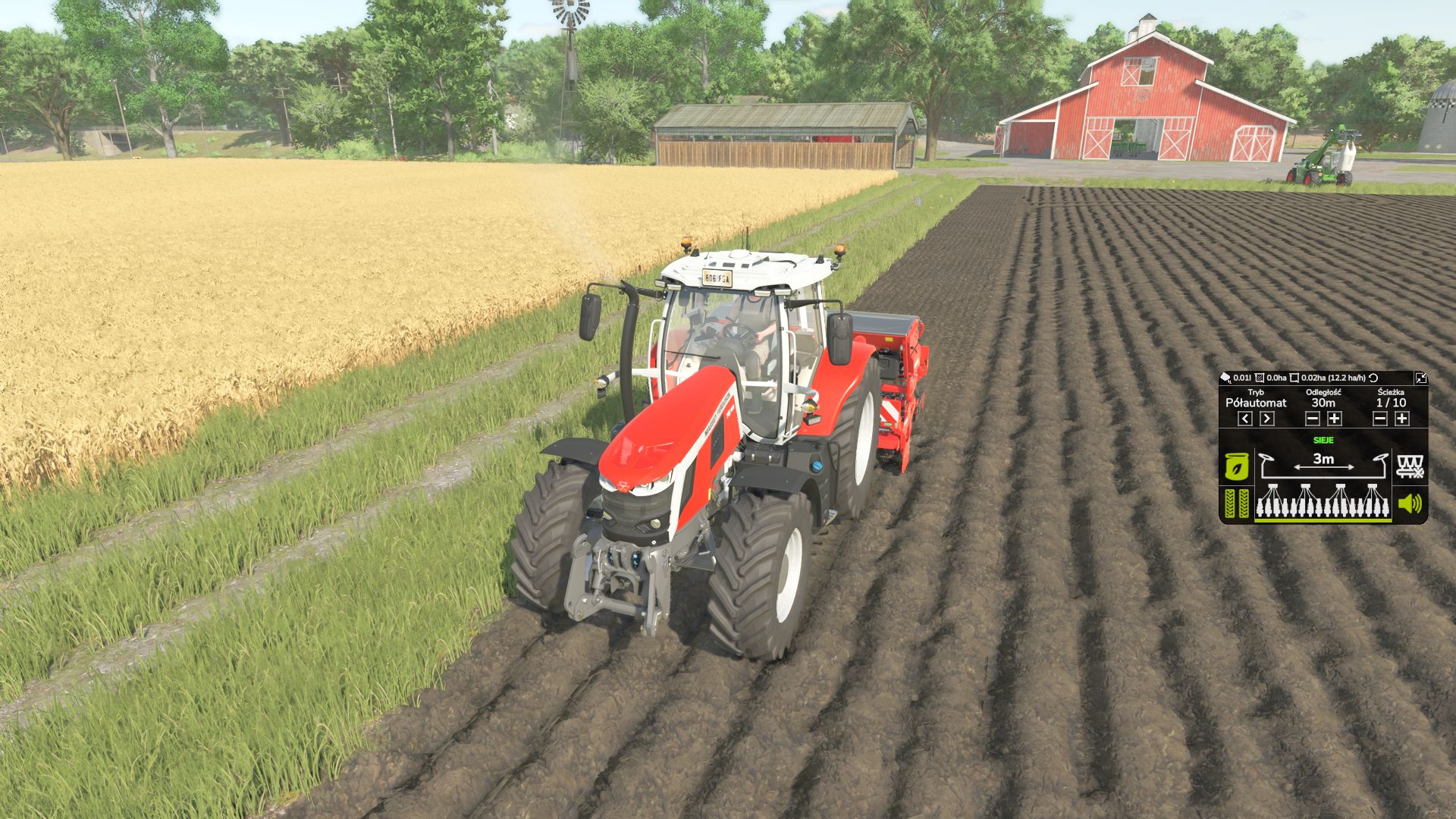
Tramline System is an advanced tramline management system for compatible seeders in Farming Simulator 25. The mod allows you to adjust tramline settings to the machine's working width and the way you work in the field. The integrated HUD provides quick access to the most important functions directly during seeding. Mod features: - Manual mode (MANUAL) - Semi-automatic mode (SEMI) - Automatic mode (AUTO) - Adjustable spacing between tramlines - Adjustable width of a single tramline from 0.3 m to 1.0 m - Integrated HUD with clear work information - Tramline control - Half working width shutoff function - Support for compatible seeders Author: AGRO_TYTAN -Optimized the updating of HUD elements. -Improved interface performance and prepared further performance optimizations. -Fixed FPS drops. -Fixed other bugs. -Fixed an issue with the seed hopper at the front of the tractor. -Fixed FPS drops -Fixed other errors
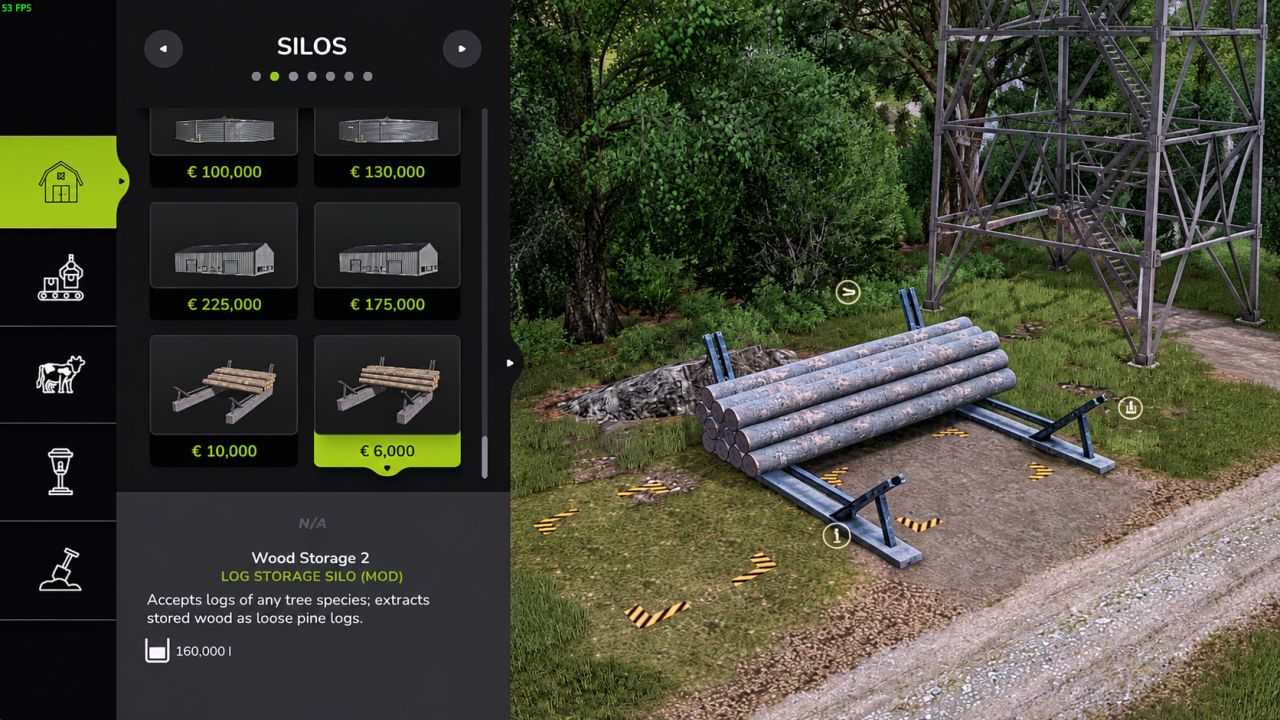
Log Storage Silo FS25
Store trees and logs of every species as wood in a silo and take them out again as real, loose pine logs. Features - Put any tree or log in the storage area and press "Store Logs" at the input marker: all species are stored as wood - Extract logs at the output point: choose the length (7, 8, 10 or 12 m) and how many logs (up to 40 at once) - Info box shows the amount of wood and how full the storage is - Two sizes Storage 1: price 10,000, upkeep 20 / day, capacity 300,000 liters Storage 2: price 6,000, upkeep 10 / day, capacity 160,000 liters Tip: long logs (10 and 12 m) stick out at the side of the building where you put the trees in. Keep that side free. Translations: English, Dutch, German, French. Credits Building and textures based on Wood Storage by Kastor [D-S-Agrarservice], used with permission. Scripts and silo conversion by Nozem_Oil_1982. - Fixed missing or invisible logs on dedicated servers: logs are now spawned one by one - Fixed the number of extracted logs not matching your choice in multiplayer - Removed an invisible collision left behind after extracting logs - Extracting many logs now takes a few seconds (about 0.4 s per log)
- 15 per page
- 30 per page
- 45 per page
- 60 per page
-
See more per page
Bigger pages, fewer clicks - and no ads anywhere.
Go Pro