Farming Simulator 25 mods
78,883 results- 15 per page
- 30 per page
- 45 per page
- 60 per page
-
See more per page
Bigger pages, fewer clicks - and no ads anywhere.
Go Pro

Volvo S60/V60 2019 V1.0.0.2
Volvo S60/V60 2019 V1.0.0.2 V1.0.0.2 Hands position of steering wheel fixed Player seat adjusted for First Person Player Body users Emitters corrections Price: 43200 / 52900 Power: 310hp Max. Speed: 250kph Configurations: Trailer Hitch Base-Color Design-Color (Interior) V1.0.0.1 Car trailer type for hitch added Required mods: Vehicle Years Author: Starlexs, Jonas2203 Report bugs in the comments and help modders improve this mod. Always check the comments, you can find a solution. DOWNLOAD MOD
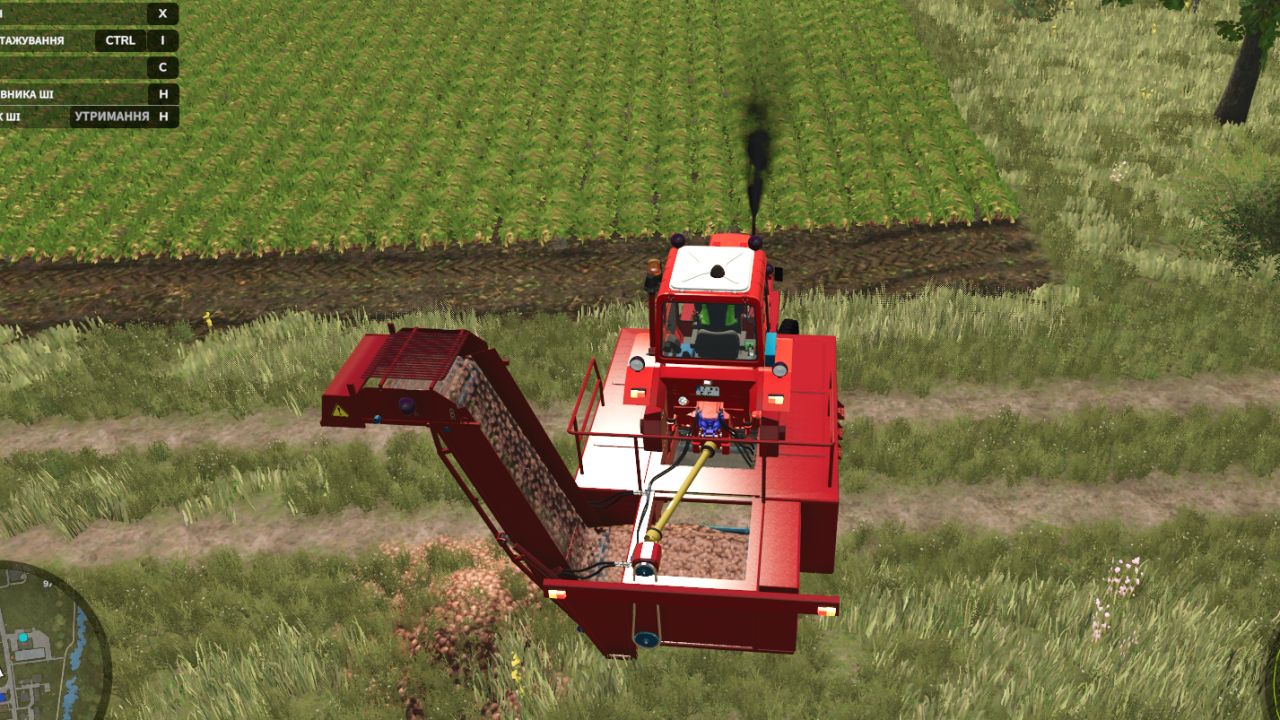
MTZ RKS-6 UK FS25
🚜 6-Row Self-Propelled Harvester RKS-6 for Farming Simulator 25 The Soviet 3-wheeled legend returns to the fields of FS25 with significantly expanded capabilities! The RKS-6 is a highly efficient self-propelled root crop harvester designed to dig crops from six rows simultaneously. The machine carefully lifts the root crops, thoroughly cleans them from soil residues in the shaking conveyor, and loads them via the elevator directly into a trailer driving alongside. In this special modification, the harvester has received a major upgrade, transforming it into a fully universal multi-crop complex for modern vegetable farming! 📦 Supported Crops (What does RKS-6 harvest now?): Thanks to the modernization of the digging toolsets, the harvester is now capable of collecting not only beets but also the highly demanded vegetable crops of FS25 directly from the rows: • 🍠 Sugar Beet • 🔴 Red Beet / Fodder Beet • 🥕 Carrot (New for this model!) • 🧅 Onion (New for this model!) ⚙️ Technical Specifications: • Engine Power: 150 hp (authentic SMD-21 engine sound). • Working Speed: 8–10 km/h. • Shop Price: from $26,000. • Shop Category: Beet Harvesting or Vegetable Harvesting. 🛠️ Available Store Configurations: • 🎨 Color Customization: Separate color selection for the body (cabin), frame, wheel rims, and unloading elevator. • 🛞 Tire Configuration: Standard options or high-flotation tires for better stability and lower ground pressure on wet vegetable fields. • 💡 Design & Tuning: Configuration of work lights, exhaust pipes, beacons, and license plate attachments. ✨ Main Features & FS25 Adaptation: • Full UDIM: Support for realistic dirt (soil/dust), material wear, and paint scratch textures on the metal body. • 100% Animated: Fully animated digging discs, moving shaking conveyor chains, loading elevator, and interior cabin controls. • Optimization: Brand new sound templates integrated, node indexes fixed, and the log is completely clean and error-free! • The log is completely clean! All critical errors related to XML, custom coloring, and particle systems have been fixed. • Animation: The functionality of all moving parts, beaters, cleaning animations, and topper animations has been fully restored and corrected to meet FS25 standards. • Particle System: Soil and dust particle emitters (cpuMesh) have been rewritten. Dirt and dust now behave realistically, with no FPS drops or log errors. • Optimization: Mandatory parameters for the calculation range of moving part animations (`maxUpdateDistance`) have been added. This technical update focused primarily on improving the mod’s stability, cleaning up the code, and significantly increasing the performance of the machinery in the game. What has been done in this version: • 🧹 Complete resource cleanup: All unused and unnecessary textures left over from the conversion from the previous game version have been completely removed from the mod folders. • 💾 Reduced file size: Thanks to deep optimization and the removal of digital “junk,” the overall size of the mod archive (the .zip file size) has been significantly reduced. The mod now loads faster, and the game log is cleaner. 📢 Plans for the next update: Work on the loader is ongoing! The next major patch will include: 1. Physics fixes: All missing collisions will be added for the parts, bucket/pickup and wheels, so the machinery interacts correctly with the terrain and beet piles. 2. More dynamics: New realistic movement animations will be added for the conveyors, augers, unloading elevator and internal cab controls. 3. Visual tuning: It will receive a major cosmetic update, including authentic decorations, small details, updated lights and license plate mounts. Thank you for your support! Stay tuned for updates to the mod!
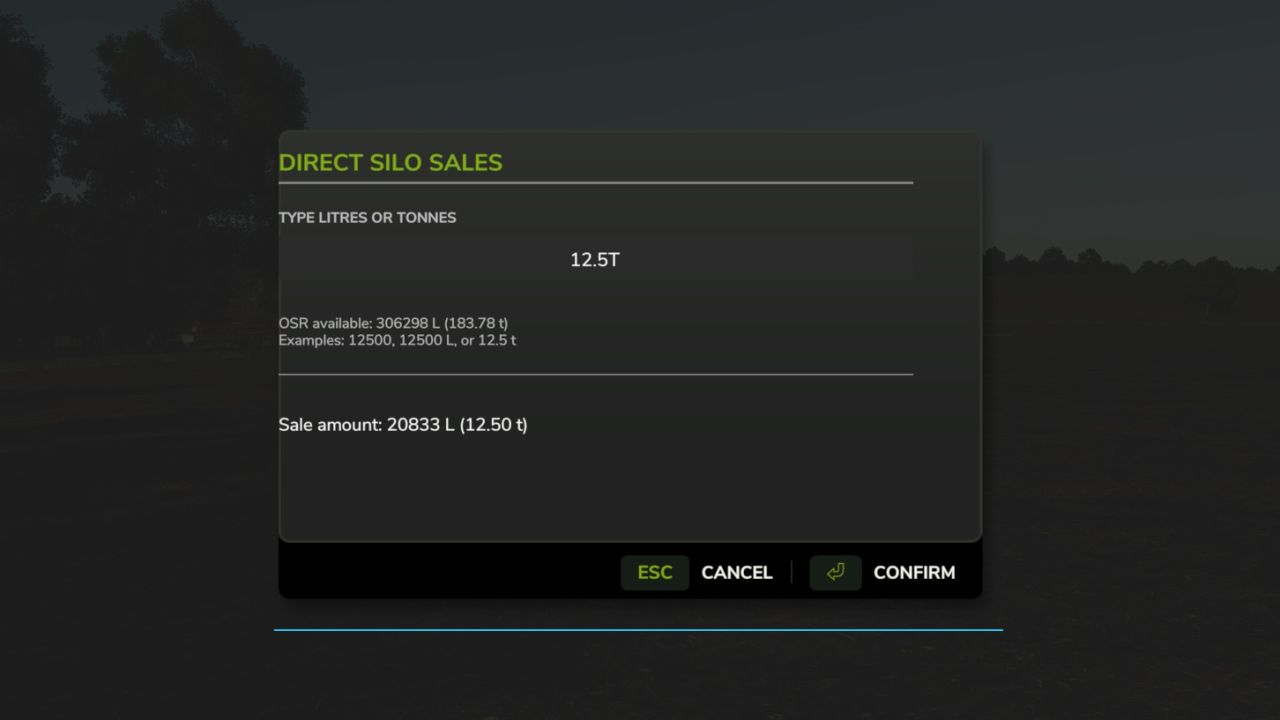
Direct Silo Sell FS25
Direct Silo Sales for Farming Simulator 25 (PC, single-player) Install: Copy FS25_DirectSiloSales.zip into Documents\My Games\FarmingSimulator2025\mods. Enable the mod for your save. Press Left Shift + S to open the sale menu (or rebind in game). You must be on foot for this keyboard shortcut. You can also use dssMenu in the developer console. Choose a silo, crop, selling point, and 25%, 50%, or all of the stored crop. The menu shows each selling point's current price per 1,000 L and asks for confirmation. The developer console commands remain available as an alternative: Commands: dssList Lists your owned silos, stored crops, and all selling points. dssSell Sells the entire stored amount if liters is omitted. Example: dssSell 1 WHEAT 3 10000 Fully compatible with Market Dynamics. Adds realism by selling grain forward for better price. Good for large scale farming. Now includes sell spawn pallets to any sell point you select. Added ability to type in exact litres OR tonnes to sell.
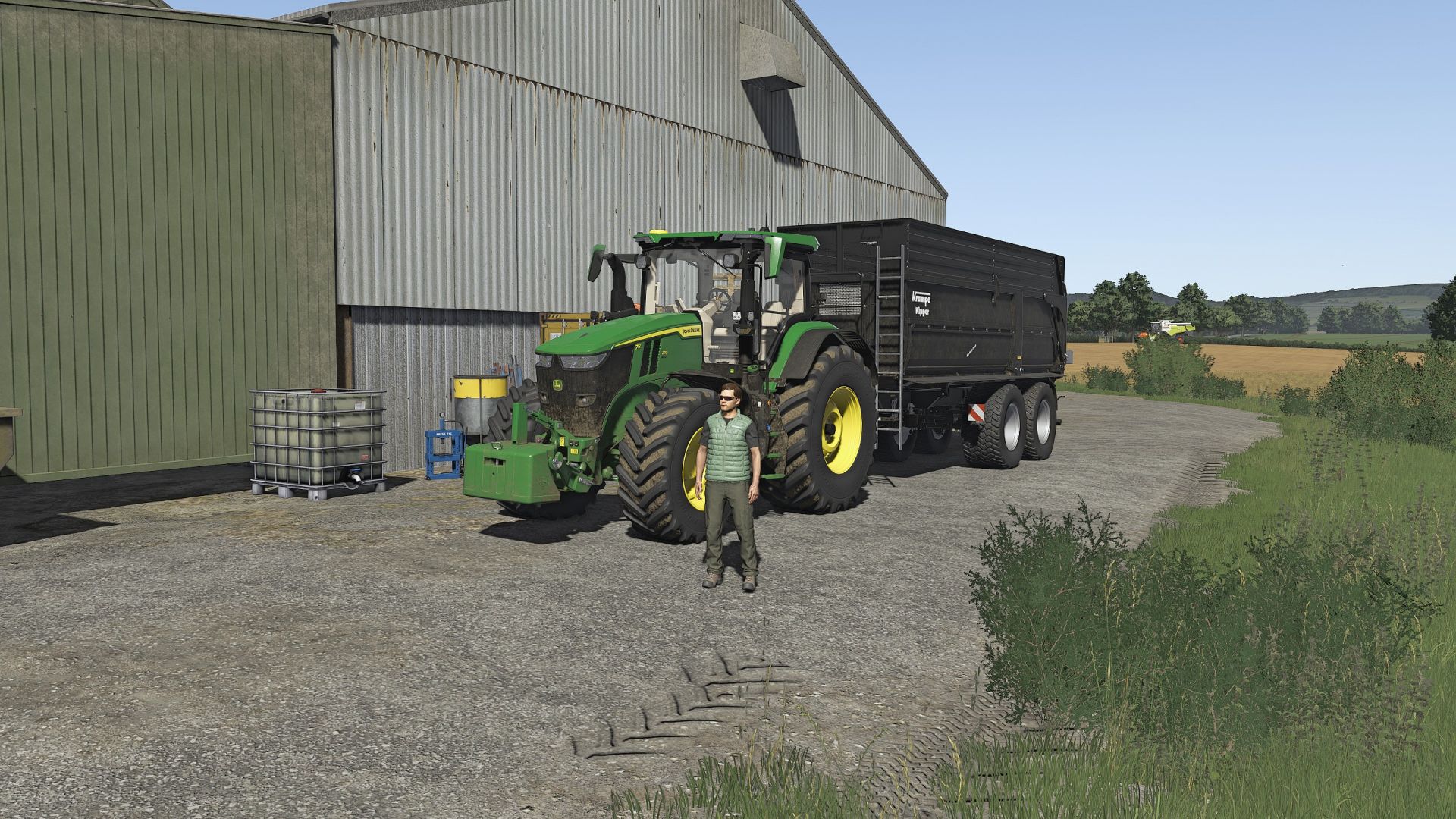
Chem´s Shader FS25
I created this shader with the goal of maintaining the game's natural look but making it a little darker. I don't like the glossy menus in other shaders, so this one doesn't have them. I hope you enjoy it. Don't forget to use Czarny317's custom lighting to get the most out of it, along with DLSS set to maximum quality. I use brightness at 0.7. Photos were taken at 1440p More blue tones were added
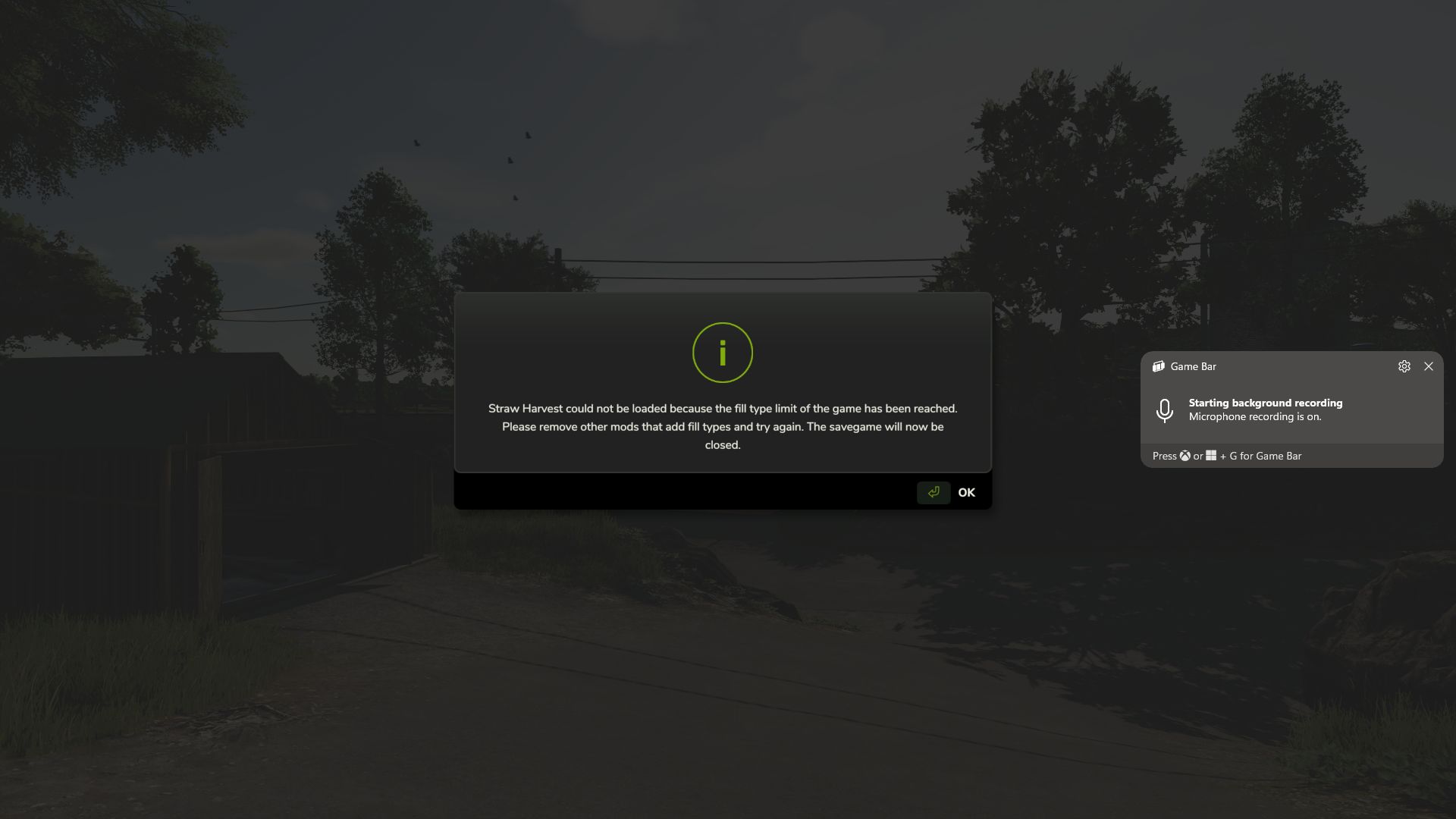
Straw Harvest Height Priority FS25
FS25_StrawHarvestHeightPriority Version: 1.0.0.0 Game: Farming Simulator 25 Tested With: FS25 v1.24.0.0+ What this fix does After the FS25 1.24 update, some heavily modded saves began failing to load with a message stating that the fill type limit had been reached, even when a FillType Extender was installed. In the affected saves tested, the actual problem was not the normal FillType limit. The map had reached its DensityMap HeightType limit, preventing Straw Harvest from registering the ground materials it requires. This fix gives priority to: HAY_PELLETS STRAW_PELLETS That allows Straw Harvest to register its required pellet materials and lets the savegame continue loading instead of being closed during startup. Important: This is a workaround This mod does not truly increase the map's DensityMap HeightType capacity. It: does not edit the map does not edit the savegame does not convert a 63-HeightType map into a 127-HeightType map does not change the physical density-map channels stored in the map Instead, it changes which materials receive priority when the available ground HeightType slots are already full. What happens to the other fill types? Because Straw Harvest is being given priority, some other custom materials may lose their DensityMap HeightType slot. This does not normally mean the FillType itself is removed from the game. A dropped material can generally still work in systems that support that FillType, including: trailers silos productions storage facilities sell points fill triggers supported machinery and fill units The main thing it loses is the ability to exist as a loose physical pile on the ground. For example, a material may still be loaded into a trailer, transported, stored in a silo, and used by a production, but you may not be able to dump it directly onto the terrain as a loose pile and later scoop it back up. Any mod or gameplay feature that specifically depends on that material existing as a ground pile may therefore be affected. Materials seen losing ground HeightType support during testing Depending on the map and mod setup, affected materials may include things such as: MAIZESTALKS_PELLETS SILO_GRASS SILO_CLOVER SILO_ALFALFA GRASS_FERMENTED ALFALFA_FERMENTED CLOVER_FERMENTED LIMESTONE COAL SOIL DIRT GRAVEL_FINE GRAVEL_COARSE GRAVEL_MIXED GRAVEL_TUMBLED SAND TOPSOIL POTSOIL CHARCOAL IRONORE SEPARATED_MANURE The exact materials affected will depend on the map and which mods are loaded. Recommendation If you do not use the Straw Harvest Pack, the better option for now is to leave Straw Harvest disabled instead of using this workaround. That avoids reserving HeightType slots for HAY_PELLETS and STRAW_PELLETS, leaving those limited ground-material slots available for the other custom materials used by your map and mods. If you do need Straw Harvest, this fix allows the save to load, but the tradeoff is that some lower-priority custom materials may no longer be able to form loose piles on the terrain. Installation Place ZZZ_FS25_StrawHarvestHeightPriority.zip directly into your Farming Simulator 25 mods folder. Do not rename the mod. The ZZZ_ prefix is intentional and helps ensure the mod loads at the correct point in the mod-loading order. When you should use this mod Use this fix if: your save stopped loading after the FS25 1.24 update Straw Harvest reports that the FillType limit has been reached you already have a FillType Extender installed the save closes during loading because Straw Harvest cannot register its pellet materials you need Straw Harvest enabled you understand that some other custom materials may lose ground-pile support When you probably should NOT use it Do not use this workaround unless you need it. If you do not use Straw Harvest, disabling Straw Harvest is currently the cleaner option because it avoids sacrificing DensityMap HeightType slots used by other custom materials. Tested successfully Tested successfully on Farming Simulator 25 v1.24.0.0 with Straw Harvest enabled on a heavily modded save that previously failed during startup. With this fix enabled: the save loaded successfully Straw Harvest no longer closed the save during loading HAY_PELLETS and STRAW_PELLETS were able to register other custom FillTypes remained available for normal fill systems, although some lost loose-ground-pile support due to the map's existing HeightType limit Final note: This is intended as a temporary compatibility fix until a better solution is available from GIANTS, Straw Harvest, the map author, or another method that safely increases the actual DensityMap HeightType capacity without modifying the map. Pumps & Hoses / Straw & Bale Compatibility Fix This update addresses fillType registration and loading conflicts involving the Pumps & Hoses DLC, Straw Harvest, and custom straw and bale configurations. What's Fixed Addresses fillType conflicts that could prevent Pumps & Hoses from loading correctly. Corrects compatibility issues involving Straw Harvest and custom straw/bale mods. Adjusts straw and bale registration priorities to reduce conflicts between mods. Addresses loading conflicts caused by multiple mods modifying or registering the same fillTypes. Helps prevent maps and DLC content from failing to initialize due to conflicting fillType registrations. Preserves existing straw and bale functionality without intentionally changing gameplay mechanics. Important: Known Limitations This is a workaround, not a permanent fix. Due to limitations with the game's fillType registration system, some fillTypes may not visually appear when dumped directly onto the ground. However, these fillTypes will still function and remain visible inside trailers, buckets, and other supported equipment. This is primarily a ground-material visibility issue and does not mean the fillType itself is missing or unusable. The goal of this workaround is to allow Pumps & Hoses, Straw Harvest, and affected maps to load and function together without the fillType conflicts preventing gameplay. Installation Remove any previous version of this compatibility fix. Place the updated ZIP file directly into your FS25 mods folder. Enable the mod in your savegame. Restart the game and verify that Pumps & Hoses, Straw Harvest, and your custom bale configurations load correctly. Final Notes This fix prioritizes gameplay functionality and compatibility over ground material visuals. While some materials may not render correctly when dumped onto the ground, they should continue to work normally when transported or handled using supported equipment. This is an interim solution until a more complete fix can be developed.
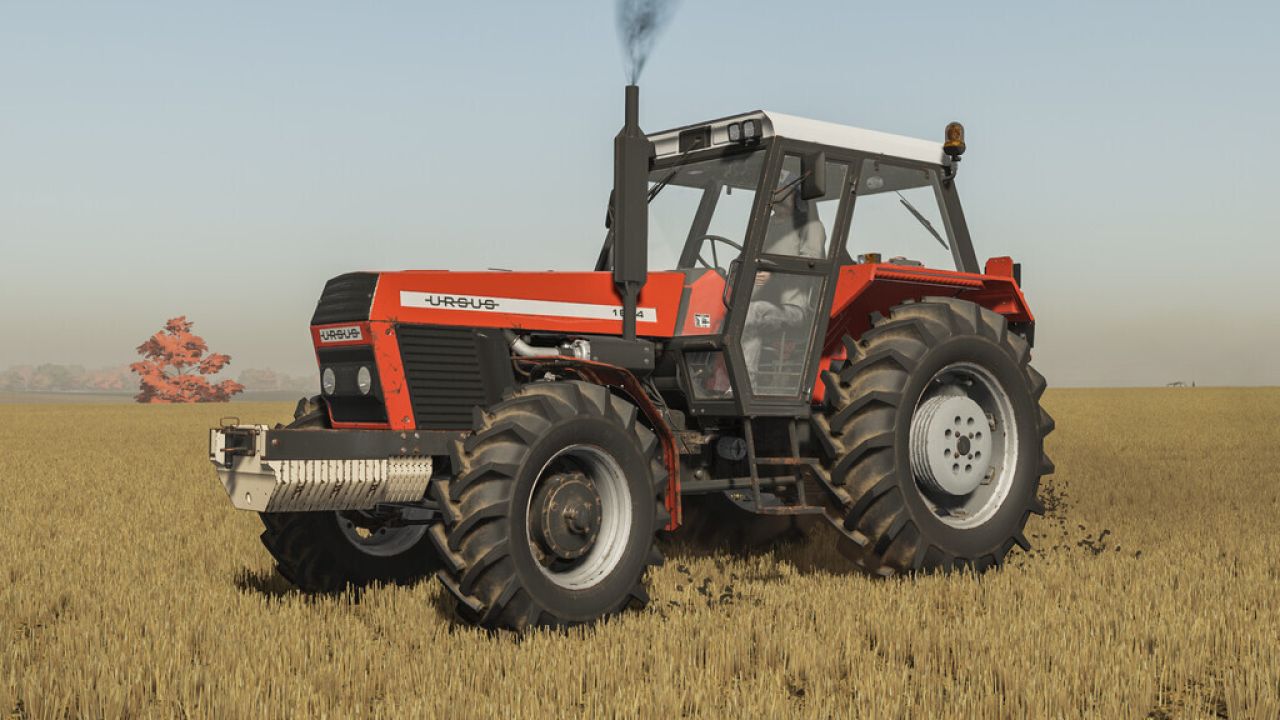
Ursus 6 Cylinder Pack FS25
---All Derbiis 6 cylindered packs turned out to just be edits of my convert which isnt mentioned on his page--- The tractor was developed at the Polish-Czechoslovak Research and Development Center for Tractors in Brno, then produced at the ZM Ursus plant in Poland in 1984–2009. Produced in 4857 copies. Many of them still work on Polish farms and in less quantity in many other countries. Price: 58000 $ Power: 155 hp Max. speed: 28/38 kph Confiurations: - Tires - Transmission - Decals - Front weight - Wheel weight - Back fenders - Front fenders - Mud guards - Cabine - Front lights - Grill - Back attacher - Exhaust - Steering wheel - Hood - Frontloader console - Animations: IC/MC Color confiurations: - Engine - Hood - Fenders - Cabine - Grill - Rims - Front weight - Wheel weights Unofficial conversion of six-cylindered Ursus by Kasztan18. I contacted the original author but didn't get a response yet, but I hope its okay with him and you. Initially made it for my own use but thought that there is large demand for it so I might as well share it with you. If you find any errors or occur any wierd behaviour of the mod it would be much appreciated if you comment exact issue. Thank you for understanding. - Fixed issues with right side stickers; - Fixed right side mirror not changing color, and being white instead; - Fixed all remaining warnings in log; - Reduced file size and loading times; - Small HotFixes; - All visible changes are on 4th picture; - Fixed cocpit shader - Fixed michelin wheels setup - Fixed rear window animation - Added support for FS25 shader for both roofs - Added roof color configuration - Fixed rear trailer attacher - Fixed radio textures (roof 4-12) - Partially fixed license plate light (now the license plate is in fact light but there is an off center light which i couldn't menage to find node of) - Visual changes are shown on pictures 4-5 ----CHANGELOG---- * Coudn't find/ see/ replicate "issues" with decals. Would appreciate more detailed description of this issue/ error * Big shoutout to all commenters for quick and fairly detailed reports of errors/ things that could have been done better, and overall positive reactions. * Further updates are expected (for both URSUS mods from my profile)
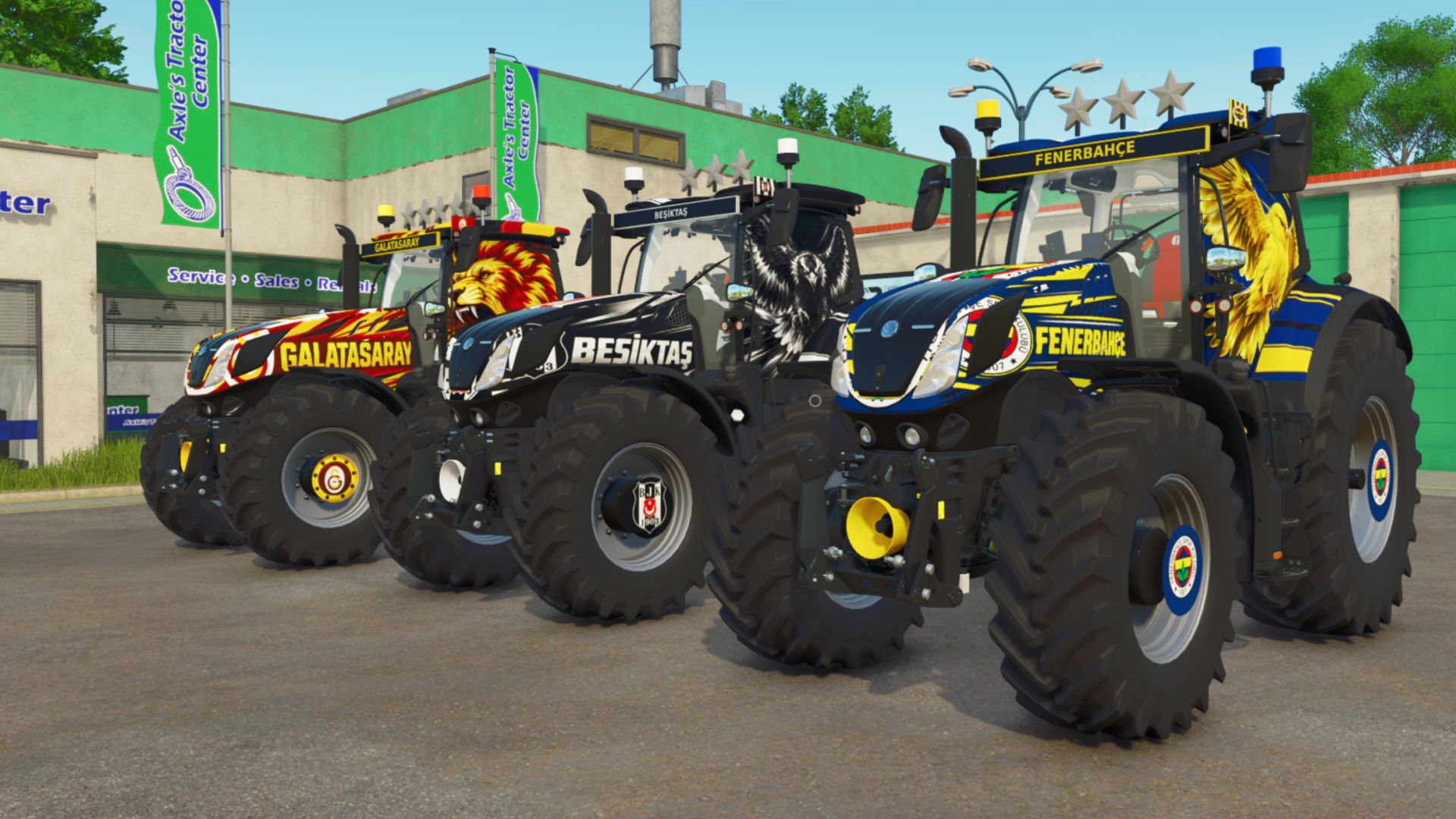
New Holland T7 Turkey 127 Team FS25
🚜 **FS25 – NEW HOLLAND T7 TURKEY 127 TEAMS 🇹🇷** ⚽ **127 different team liveries** from Türkiye on a single tractor! 🔹 New Holland T7 🔹 127 different team options 🔹 T7.275 HD – **273 HP** 🔹 T7.290 HD – **288 HP** 🔹 T7.315 HD – **313 HP** 🔹 Maximum speed: **50 km/h** 🔹 Different tire and wheel options 🔹 Team-specific colors and liveries 🔹 Left/right roof beacons matching the team colors 🔹 Beacon system optimized to be FPS-friendly 🔹 Real ground lighting 🔹 **Multiplayer support available ✅** 🔥 **V38 Beacon FIX** 💰 Price: **€227,500** 🎮 **Farming Simulator 25** 🌐 **Singleplayer + Multiplayer compatible** ⚠️ When playing multiplayer, everyone joining the server must have the same mod version installed. ⚠️ The mod was not created by me; only the liveries are my design. Have fun and enjoy farming! 🚜🇹🇷⚽ You can contact me through my TikTok channel for suggestions https://www.tiktok.com/@by.sky.gaming https://discord.gg/rUFgzXFz3n
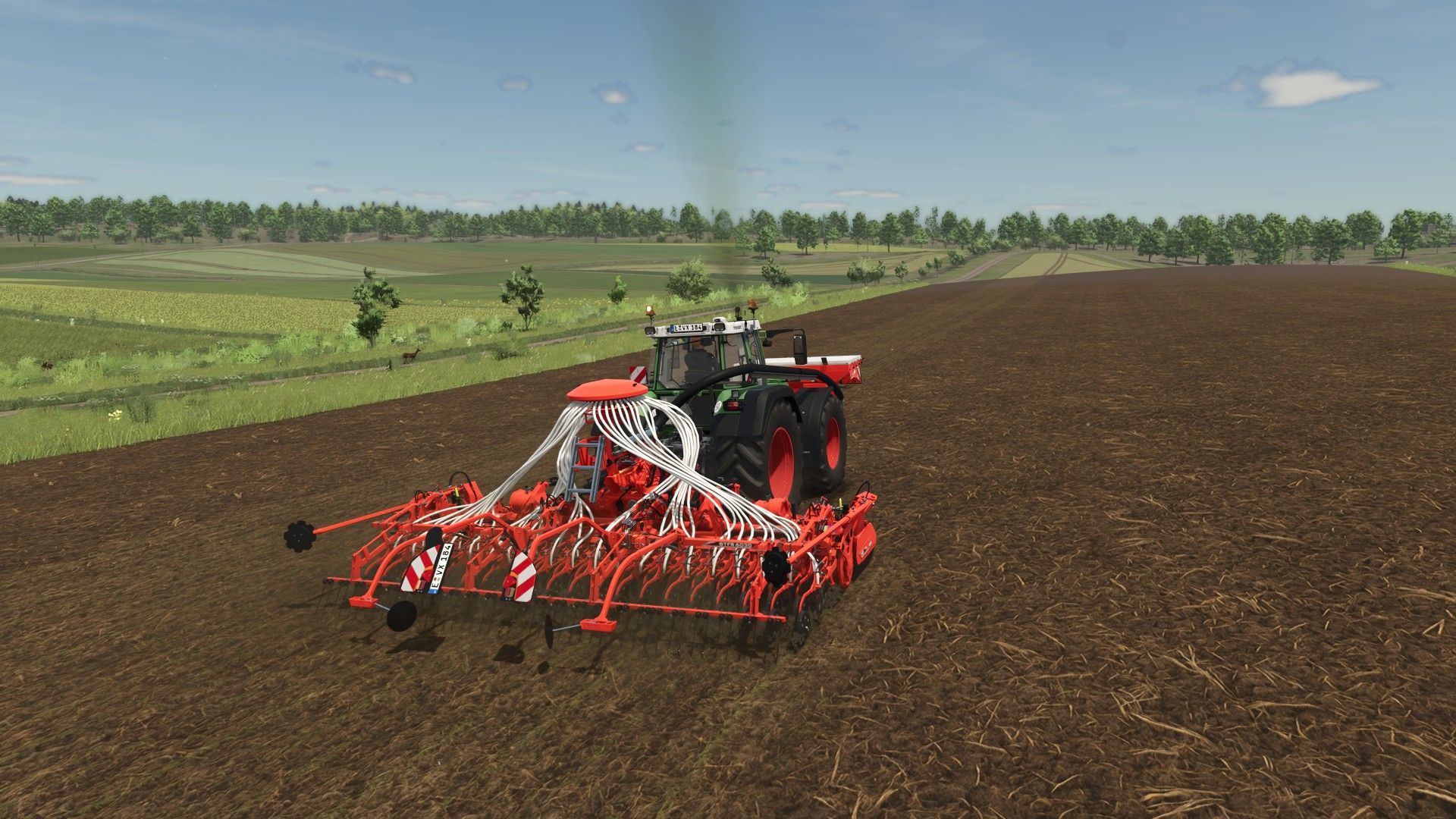
All-in-One Easy-to-Install Texture Pack FS25
-> This is an All in One and Easy to Install Texture Pack. -> It makes the Game look better and more realistic by changing the Textures. -> How to Install / Uninstall: https://youtu.be/CRpDzbfUXrs -> Help / Support: https://discord.gg/VhtyW9Gw2c -> If you´re playing Multiplayer everyone should install it to avoid complications. ❗In some Cases need the Textures to be Implemented in the Map-File itself to work! Join the Discord!❗ ❗VERSION: 1.25.3.9❗ => Compatable with GameVersion 1.25.x => Small Error/Bug Fix ❗VERSION: 1.24.3.8❗ => Compatable with GameVersion 1.24.x ❗VERSION: 1.23.3.8❗ => Compatable with GameVersion 1.23.x ❗VERSION: 1.21.3.8❗ => Compatible with GameVersion 1.21.x ❗VERSION: 1.20.3.8❗ => Compatible with GameVersion 1.20.x ❗VERSION: 1.19.3.8❗ => Compatible with GameVersion 1.19.x ❗VERSION: 1.18.3.8❗ => Compatible with GameVersion 1.18.x ❗VERSION: 1.17.3.8❗ => Compatible with GameVersion 1.17.x -> Added better crop spawning -> Many bugfixes => Big Update! - All NEW more REALISTIC Ground Textures - New Textures - Many Fixes -> New Cultivation Texture -> New FillPlane Texture => Very IMPORTANT Update! -> New Textures -> Many Bugfixes => Complete Texture Auverhaul -> All new Ground, FillPlane and Foliage Textures -> New Tutorial coming soon! -> Added new Textures - Grass - Chaff - Cultivated - Directsown + Small Bugfixes -> Added realistic Temperatures -> Added realistic Temperatures for Europe -> Added realistic Temperatures the US (Asia coming soon) -> Update for Patch 1.10! -> Added new Textures -> Added new Straw Texture -> Added new Hay Texture -> Added new Features -> Added new wild Animals -> Added Wolfs Bears Crows Deers Foxes Storks -> Bug Fixes -> Fixed Files => Update for Game Version 1.9 -> New Textures -> Performance Improvements -> New Pictures -> Updated Storepage => Updated Textures -> New StubbleTillage Texture -> Fixed Issues -> Fixed invisible Ground Textures on most Maps => The Problem can still occur on ModMaps even without the Pack! -> HD-Resolution Texture Update -> Compatable with Game-Version 1.7 -> Performance Improvements -> New Pictures -> Updated Storepage -> Added new Grass Textures -> Removed Tire-Physics (Use Realistic-Weather-Mod instead) -> Updated the StubbleTillage-Texture to a higher Resolution => Updated Textures for even more Realism -> Added new Textures (Ground, FillPlane and Foliage) -> Improved old Textures -> Added Hight and Normal Maps for realistic 3D-Effect => From now only Updates when new Textures are added, the Pack is done so far! -> Enjoy! -> Fixed Ground Deformation in Uninstall-File -> Fixed Mud Tracks on Roads -> Added new Textures -> Fixed some Problems -> Updated Ground Deformation
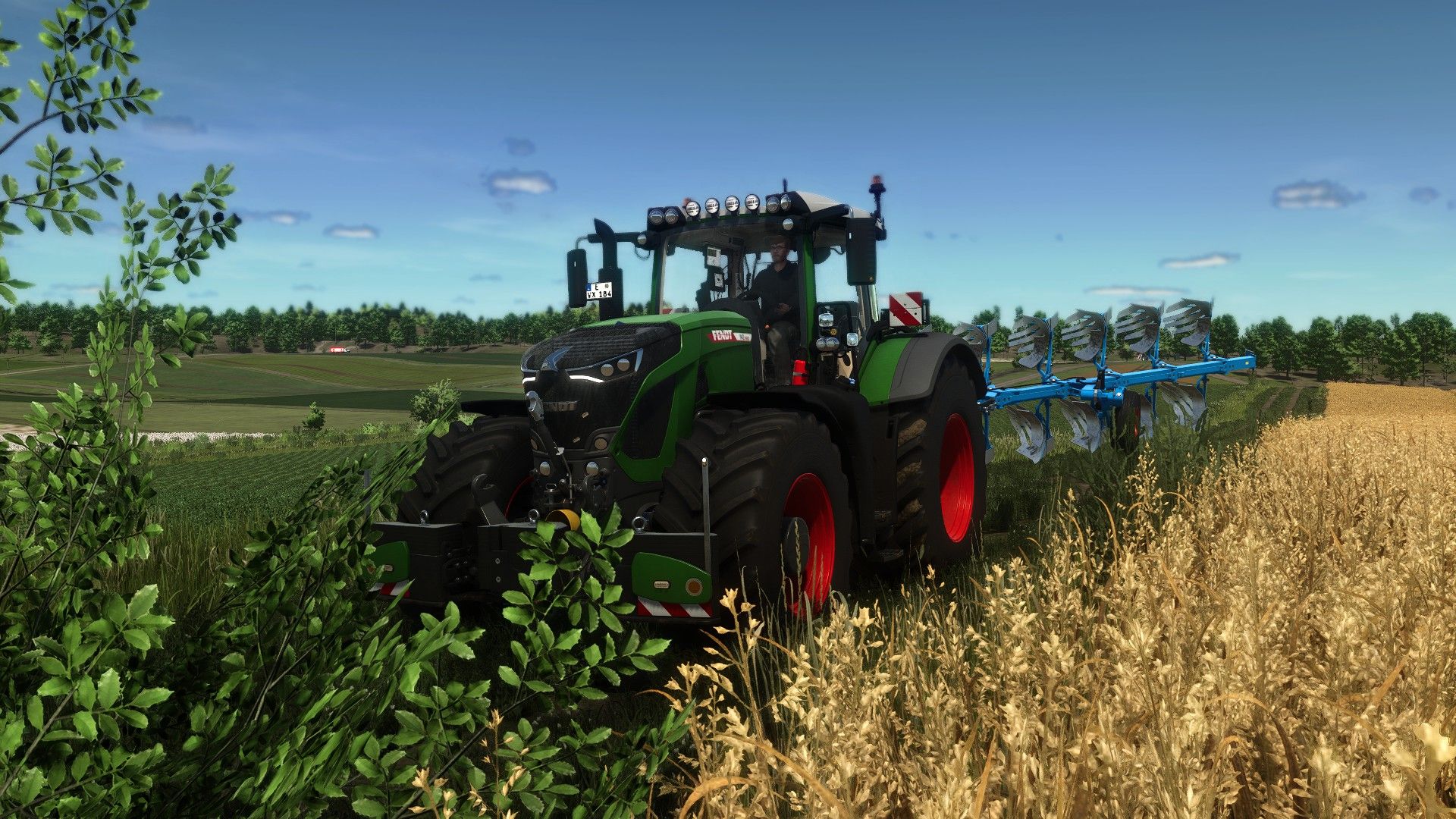
Realistic RayTracing Reshade Preset FS25
-> This is a Reshade Preset that makes the Game look much more Realistic. -> How to Install: https://youtu.be/KVh4A48hVy8 -> Help / Support: https://discord.gg/VhtyW9Gw2c -> Use Reshade 6.8.0 or Newer with NiceGuyLighting ❗Everytime you restart your Game you need to Select the right Resolution❗ ❗VERSION: 1.25.6.2❗ => Compatable with GameVersion 1.25.x ❗VERSION: 1.24.6.2❗ => Compatable with GameVersion 1.24.x ❗VERSION: 1.23.6.2❗ => Compatable with GameVersion 1.23.x => Compatable with ReShade 6.8.0 ❗VERSION: 1.21.6.2❗ => Compatible with GameVersion 1.21.x ❗VERSION: 1.20.6.2❗ => Compatible with GameVersion 1.20.x ❗VERSION: 1.19.3.8❗ => Compatible with GameVersion 1.19.x ❗VERSION: 1.18.6.2❗ => Compatible with GameVersion 1.18.x ❗VERSION: 1.17.6.2❗ => Compatible with GameVersion 1.17.x => Compatible with ReSahde 6.7.3 => New Look! -> More realistic Colors -> Better Lighting -> New Pictures -> Updated Storepage -> Updated Shaders for Game Version 1.9 and ReShade 6.5 -> Added and Modifyed Effects -> Added new Pictures -> Updated Storepage => Updated Shaders for even more Realism -> Better Colors -> New Effects => Added New Photo Shaders -> Bokeh / DoF Effect -> Better Light -> Added new Pictures -> Updated Storepage -> Added new Pictures -> Updated Storepage -> Added more Features -> More realistic Colors for more Realism => Updated Shaders for even more Realism -> Added Godrays / Sunrays and More -> Enjoy! => Updated Shaders for even more Realism - Updated Storepage - Updated Mod-Files - Updated Storepage - Minor Bugfixes -> NEW: Updated Shaders to be even more realistic => Probably FINAL UPDATE ENJOY 😁👍 - Updated Storepage -> NEW: Added better installation Tutorial -> Updated Storepage -> Added new Pictures - Fixed Lagg and Flickering - Tweaked Shader for more Realism -> NEW: Added Rainy Shader Preset
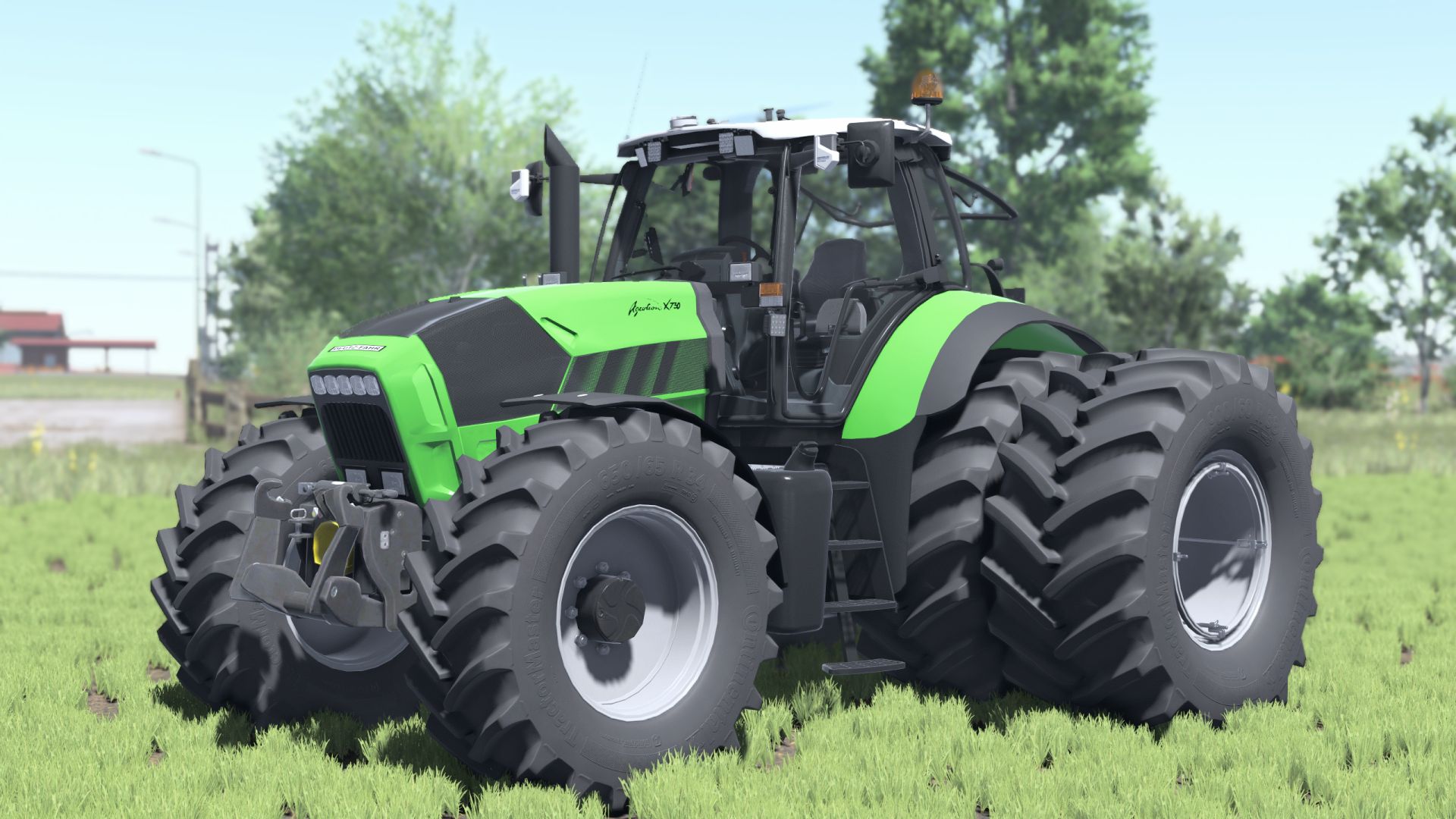
Deutz Agrotron X710-30 Reworked FS25
Price 85000 Power 250-305hp Weight 10.4t Speed 50 kph Wheels configurations Gps configuration Rim color configurations --------------------------------- - Added Interactive Control support - Added new icon and store photos - Added Realgps support - Configuration for "Precision Farming" crop sensors corrected - Added Interactive Control support - Edit salon black and windows - Added Real sound - Added Rear Camera Display - Added Variable Tire Pressure mod support - ModDesc changes - DescVersion changed - Version changed - Added wheels - Added Dashboard live support - Added CCI1200 support ***Added Added BaseColor and interior
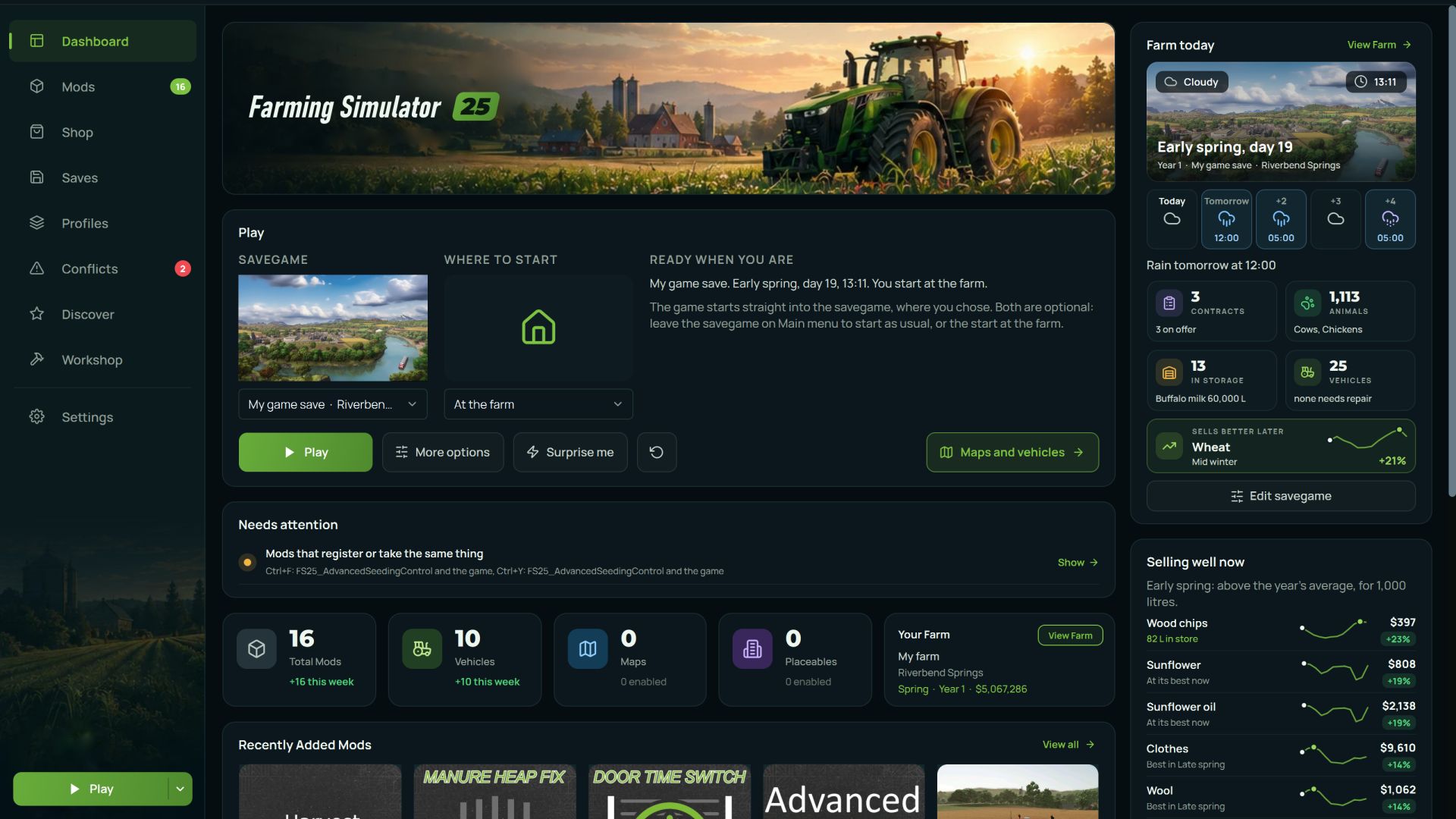
AVA Mod Manager FS25
A mod manager for Farming Simulator 25. It installs and removes mods, keeps your mods folder tidy, finds conflicts before they stop the game from loading, reads the game log, edits savegames, and shows you exactly what every mod adds to the in-game shop. Free, no ads, no bundled third-party software. ————————————————————————————————— Why you would want it Anyone running more than twenty mods knows the stories. The game stopped loading and there is no telling which mod did it. Two mods added the same fill type and now the shop is a mess. You updated a mod, the old one was better, and the old one is gone. You want to switch half your mods off for one savegame and switch them all back afterwards. The manager solves this by reading the same files the game reads and telling you what is in them in plain language. ————————————————————————————————— General features - Installing mods. Drop an archive on the window or pick a file. It handles zip, 7z and rar, and works out where the mod belongs on its own. - Enable and disable. Disabled mods are not deleted. They move to a separate folder and come back with one click. The game does not see them, you do not lose them. - Mod profiles. Named sets of mods you can switch between. One set for multiplayer, another for singleplayer, another for a specific map. Switching swaps the contents of the mods folder as a whole. - Version archive. When you update a mod, the old version is kept rather than overwritten. If the new one turns out worse, rolling back takes two clicks, and the version you are replacing is archived too, so the rollback is itself reversible. - History. What was installed, enabled, disabled or removed, and when. When the game suddenly breaks, the first question is always "what did I change yesterday", and now there is an answer. - One-click install from ModsFire. Press the button on the site and the mod arrives in the manager. For now, several authors are supported, but going forward it'll be easy to auto-install almost any mods from this file-sharing service. - Seven interface languages: English, Russian, Ukrainian, German, French, Spanish and Portuguese. - Several games in one window. Besides FS25 it supports FS22, FS19, BeamNG.drive, Euro Truck Simulator 2 and American Truck Simulator, each with its own folder and its own settings. ————————————————————————————————— What it does specifically for FS25 This is where most of the work went. Everything below reads the game's real files rather than guessing. 1) Conflict detection Finds the things that make mods fight each other, and explains what each one will actually break: - The same fill type (`fillType`) declared by two different mods - The same vehicle type (`vehicleType`) registered twice, where the second registration overrides the first and the displaced mod's vehicles fail to load - Two shop items with the same name, which leaves you two near-identical entries in the store - Key binding clashes, with the exact list of which mod bound which action to that key - The same script file loaded by more than one mod - Duplicates and older copies of the same mod 2) Mod health checks Separately, it finds mods that are broken on their own: - An archive inside an archive, which the game cannot unpack - A missing or corrupt `modDesc.xml` - Files wrapped in an extra folder, so the game never sees the mod at all - DescVersion problems, including mods built for a newer game version - Internal paths too long to extract, which is why vehicles or textures later go missing in game - Corrupt archives and leftover junk files 3) Log analysis Reads the game's log.txt and turns it into a readable list: what the error is, which mod caused it, and what to do about it. Repeated errors collapse into a single entry with a counter, so one message repeated two hundred times does not bury everything else. It recognises missing files and textures, Lua errors with their call stacks, missing translations, uncompressed textures, vehicles that fell through the map, and rejected mod filenames. 4) Shop browser Shows everything your installed mods add to the in-game store, in one list. Search, filters by brand, category and type, eight sort orders and a tile view. Each item shows its price, specifications, capacity, engine power, working width, attacher types, wheel sets and which mod it came from. It will also tell you what buying one of everything would cost. 4) 3D preview. Spin the model right inside the manager, with the textures and factory colours from the mod itself. It reads the native `.i3d` format directly, so there is nothing to convert. 5) Savegame editor Edits a savegame directly, without launching the game: - Money and loan, per farm - Difficulty and time scale - Autosave interval, fuel usage, growth mode and period length - Game rules: stones, weeds, lime, snow, plowing, crop destruction, traffic, automatic motor start - Helpers: whether they buy their own fuel, seeds and fertiliser 6) Vehicles in the savegame. A separate screen listing every vehicle you own, with its position on the map and its operating hours, each one editable. Useful when a tractor has ended up outside the map and there is no way to reach it in game. A backup is written before any change, and the manager tells you where it put it. 7) Savegame mod check Compares the mods recorded in a savegame against what is actually installed. It separates the ones the save genuinely needs to load from the ones that are merely listed and do not matter. ————————————————————————————————— Installation Download AVAModManager-v0.9.5-setup.exe and run it. No administrator rights are needed, it installs into your own user folder. Both the installer and the application are code-signed, so Windows shows a real publisher rather than "unknown". It does not touch the game itself. It only works with your mods folder and with the savegames you point it at. AVA Mod Manager 0.9.5.1 Missing mods handled right from their rows, the game's DLCs listed above the mods, health checks that stop crying wolf, and a backup store that no longer copies the whole mods folder before every switch. New - Missing mods from their rows: a mod that's on disk but switched off gets Switch on (plus a button above the list to switch them all on at once), a mod you don't have gets Find on ModHub and Install from file. - DLCs above the mods on the Mods and Saves pages, read from both pdlc folders. A savegame's DLC is never flagged as a missing mod: installed ones show as installed, the rest say Not installed instead of being offered for download. - Profile from checked mods: Select all, then Add to profile on the selection bar, or right-click any checked tile. - After Play the manager notices when the game closes and reads the mods again, so a mod updated by the in-game ModHub shows its new version without a restart. Fixed - Health checks: the game's own log has the final say, so a mod the last run loaded is never called unloadable. XML mistakes the game forgives, misspelt elements and missing files are warnings, not "corrupt". Duplicates: a trailing number is a model, not a version, and same-named mods from different authors are two mods. - Backup store on a diet: a restore point before a switch, profile change or redeploy now records where the archives stand instead of copying the whole mods folder (on a 6,000-mod library that was 190 GB, kept ten times over). Removals go to the Recycle Bin, dropped copies free their space at once, and archive-heavy restore points from earlier versions are cleaned out on first start. Backups you made yourself stay. - Profiles from unpacked mods: folder mods were all reported as "could not be copied" because the library took archives only. Folders go in now, and the notice is a dialog with a scrolling list instead of a message box taller than the screen. - Profile editor search matches author and category too, not just title and file name, same as the Mods page. - Mods page: the checked-mods action bar sits above the list next to Select all, check marks survive a switch, the buttons on a mod's column act on the checked mods, card top corners are rounded, and the intro-video toggle is on the Settings page too. New version - 0.9.5.1. A patch on top of 0.9.5, mostly from what you wrote to us in the first days: folders with thousands of mods are read once and remembered, conflicts tell real clashes from notes, and a mod goes into a savegame or out of it right from the list. - Big mod folders: the folder is read once and remembered, so the next starts take a second or two and a rescan touches only the files that changed. The first read of a big folder shows a bar with the count. On 6,000 mods the first read went from 81 to 23 seconds, the next starts from 28 seconds to one or two, the conflict check from three minutes at every start to a third of a second, the Health page from 12 seconds to half a second. The same for BeamNG.drive and ETS2/ATS. - Conflicts tell real clashes from notes: two maps never load together, a library script two mods share is the same code, two shop items with one name are a note. The badge on the menu counts only what needs you. - Saves: put a mod into a savegame or take it out right from the mod list of the save, with a dated copy of the file first. - A profile can simply be a folder of yours: the manager points the game at it, nothing is copied. - Mods: a Duplicates filter next to Favourites, Select all for every mod the list shows, Shift click ranges on the checkboxes, a cross in the search field. AVA Mod Manager 0.9.5: the Farming Simulator HUGE update. Version 0.9.5 rebuilds the whole Farming Simulator section from scratch. Your mods, your savegames and your farm in one place, with one-click install. Full release notes: https://avamodmanager.com/updates.php - BeamNG.drive has been rebuilt from scratch with a new dashboard, dark interface, card-based layout and a much shorter menu. All existing functions remain available. - Drive window. Pick a map, vehicle and spawn point, configure time, weather, traffic, gravity, wind, fog, season, camera and other launch conditions, then start the game directly from AVA. - Drive presets and recent sessions. Save complete launch setups, repeat recent drives in one click, or use Surprise me to generate a random map, vehicle, spawn point and conditions. - Scenarios and vehicle comparison are built into the Drive window. Scenarios can be launched directly, while Compare shows two vehicles and their configurations side by side. - Build window. Assemble a vehicle part by part, tune available parameters with sliders, and save the result as your own BeamNG.drive configuration. - Mods are shown as picture tiles by default, with optional list view, tile size controls, search, categories, favourites, filters and bulk enable, disable and remove actions. - Mod details now show what is actually inside each archive, including vehicles, configurations, skins, maps, UI apps, scripts, textures, models and sounds. - The dashboard shows mod, vehicle, map and scenario counts, quick launch controls, recent mods and a Needs attention section for conflicts, missing dependencies and other problems. - Garage loads faster and vehicle pages include more information about configurations, performance and installed content. - Cheats page with 56 console commands and the game's own hotkeys. Hotkeys are read directly from the installed game files so they match your version. - Health now combines mod conflicts, broken vehicle mods, BeamNG.drive log errors and manager history, with errors linked back to the mod that caused them where possible. - BeamNG.drive now has its own Settings page for game and mod paths, startup behaviour, Play button behaviour, mod view options, Drive window preferences, conflict scanning and maintenance tools. - A guided tour walks new users through the rebuilt BeamNG.drive section page by page. - The Storage window no longer breaks when the billing server is unavailable and now shows an appropriate message instead. - Everything added in this update is available in all six supported AVA translations. The next update will fully rebuild Farming Simulator 25 with new design and functionality! - Added support for a new game - The Sims 4. The category has its own unique design and functionality; - Significantly expanded functionality for ETS, ATS, and BeamNG Drive. Design updates for these game pages are planned for future releases; - Improved mod installation logic and modpack (profile) management; - Improved automatic path detection; - Fixed various visual bugs; - Improved translations; - Added a profile system and the ability to sign in via Modsfire; - Added a snapshot and backup system, allowing you to save mods, save files, and other data both locally and to cloud storage; - Added an auto-update system. From now on, you won't need to download the EXE installer again to install new updates - simply update directly from the application when a new version is available. (This does not apply to this version - this version must be installed the same way as before); - Various fixes and improvements. - Fixed the bugs that were found - Globally expanded the ETS 2 and ATS categories: 3D model preview, logs, mod conflicts, health check, changed mod installation logic (mods are now embedded into the save), save management, load order, and many other features - Improved the auto-detection logic for folders - Improved the mod installation logic for most games
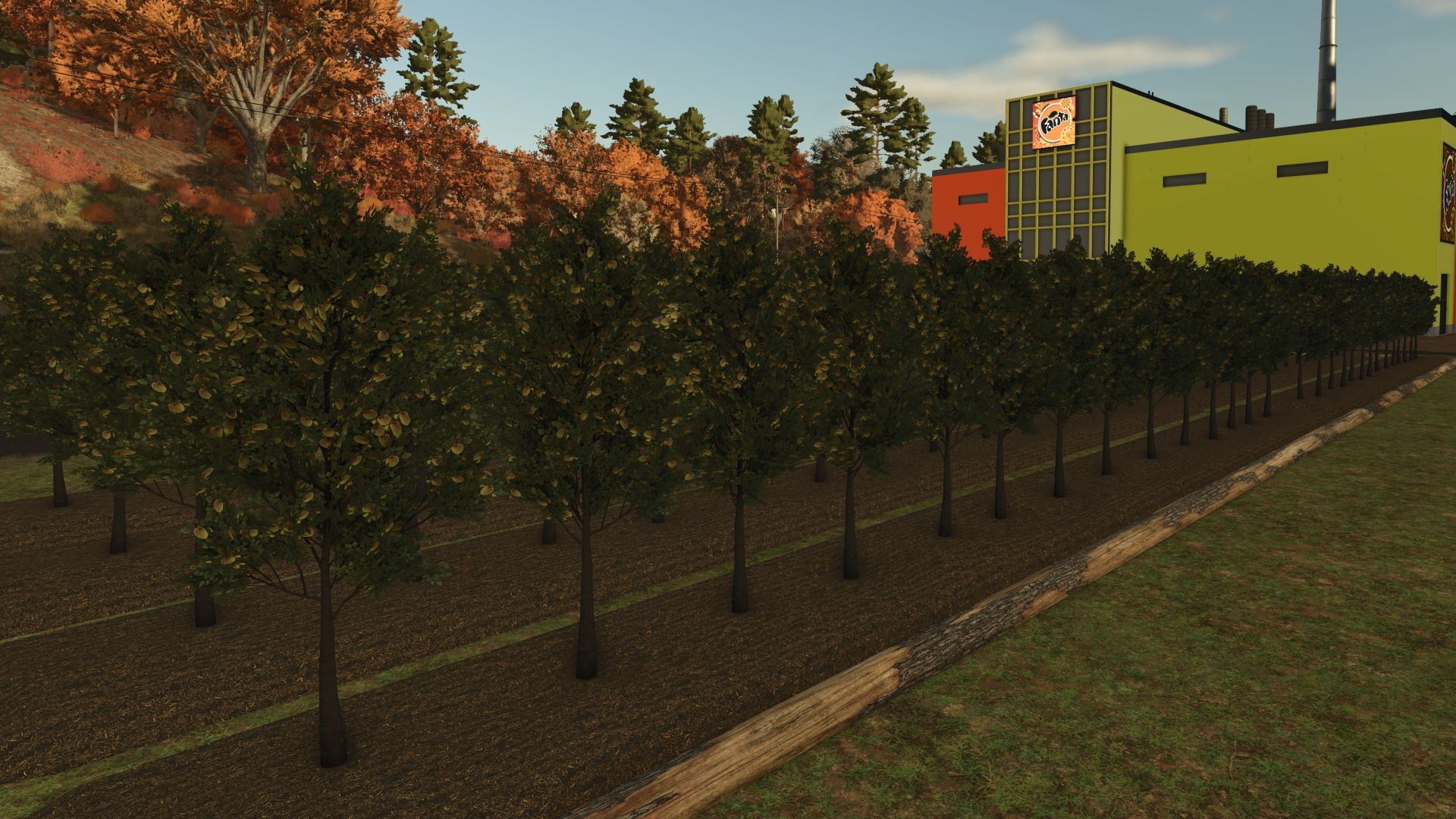
Fruit orchards FS25
🍇 Presentation of the new fruit greenhouse 1.2.2.0 🍉 Hello everyone! 👋 We are pleased to present our brand new fruit greenhouse. You will soon be able to grow a wide variety of tasty fruits there: 🍋 Lemon 🍊 Orange 🍌 Banana 🍒 Cherry 🍈 Melon 🍉 Watermelon 🍎 Apple 🍑 Plum 🌰 Almond 🍑 Apricot 🫐 Blueberry 🥭 Khaki 🥝 Kiwi 🥥 Coconut 🥭 Mango (New) 🌟 New to come A store will be available in a few days to sell your fruit and develop your business! 🔗 Join our Discord community to follow the progress of the project, ask your questions and exchange with other members: 👉 https://discord.gg/hEsGUSvuvv See you soon to make your harvests grow! 🌿 Correction and translation available in the following languages: - 🇬🇧 English - 🇵🇹 Portuguese - 🇫🇷 French - 🇵🇱 Polish add new fruit Mango bug fix mango palette Just a correction of the 🍈 melon and the 🍉 watermelon. We have added the following languages: 🇧🇷 Brazilian (Brazilian Portuguese) 🇮🇹 Italian 🇵🇹 Portuguese 🇪🇸 Spanish 🇵🇱 Polish If you want other languages or the addition of new products, Don’t hesitate to join our Discord community! https://discord.gg/zBpKPYVpUW💬✨ 🍇✨ Add 🍇Red grape 🍇White grape 🍓raspberry, with texture correction 🎨🧩 🍏 New update - New fruit available! We have expanded our selection to offer you even more exotic flavors! 🌟 New: 🥭 Khaki - Soft and melting, perfect for dessert. 🥝 Kiwi - tangy and refreshing, rich in vitamin C. 🥥 Coconut - Tropical and gourmet taste, ideal for your sweet or savory recipes. Prepare to fill up on colors and freshness! 🍹✨ - Add Apricot Amande and Blueberry - Invisible fruit correction and correct Here is the new video of the new update https://www.youtube.com/watch?v=5inf_lpijva - Bug correction - Add new plum fruit

Settings Search V1.1
Search through all tabs in the settings menu: Game, Graphics, Audio, Controls, Additional Settings, Accessibility, and whatever else other mods add. Simply go to the desired tab and type, or search first and see which tab the result is in. One exception: with AutoDrive and Courseplay, searching for “AD” or “CP” yields nothing. You need to know the actual setting name. To start download click the filename. To open archive files use one of these programs: WinRAR, 7-Zip, WinZip. Some mod archives may need to be extracted before the mods will work.
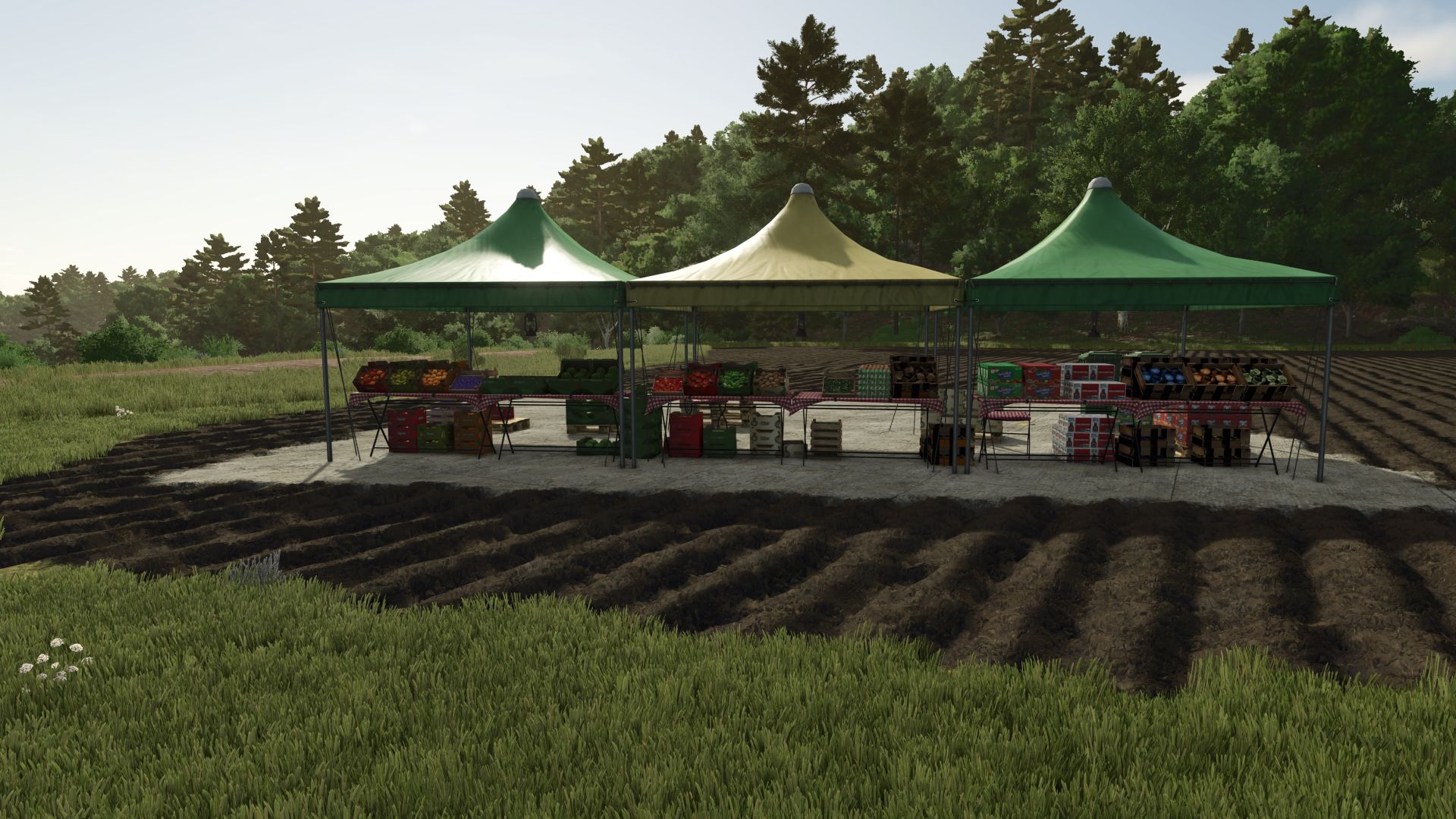
Farm Market FS25
Hello everyone ! We are pleased to present our new point of sale for the resale of fresh and quality products. Products currently available for sale: Milk, eggs, flour, butter, sugar, honey, cereals, sunflower oil, olive oil, rapeseed oil, grapes, olive, grape juice, salad, tomato, strawberry, apple, peach, apricot, plum, green pepper, cucumber, onion, watermelon, apple juice, apricot jam, plum juice, thread, Banana, blueberry, cherry, lemon, melon, orange. Join our community on Discord! 👉 https://discord.gg/hesgusvuvv add jam sales 🍑 Apricot jam 🍒 Cherry jam 🍓 Strawberry jam 🫐 Raspberry jam 🍈 Melon jam 🫐 Blueberry jam 🍎 Apple jam 🟣 Plum jam 🍇 Grape jam correction of sales pallets language correction sale red and white grapes New products added to the sale: 🍇 White grape 🧃 Orange juice 🧃 Watermelon juice 🧃 Melon juice 🧃 Raspberry juice Added: 🌻 Sunflower oil 🌽 Corn oil 🌱 soy oil 🫒 Olive oil 🌼 rapeseed oil Add the sale of fruit juices 🧃 Lemon juice 🧃 apple juice 🧃 Apricot juice 🧃 Cherry juice 🧃 Plum juice - SELLINGSTATION CORRECTION - Add Pallettrigger - Product sales correction - Modification for the sale of cleaning to correct You can sell everything that is possible in the mod
Farmers Market FS25
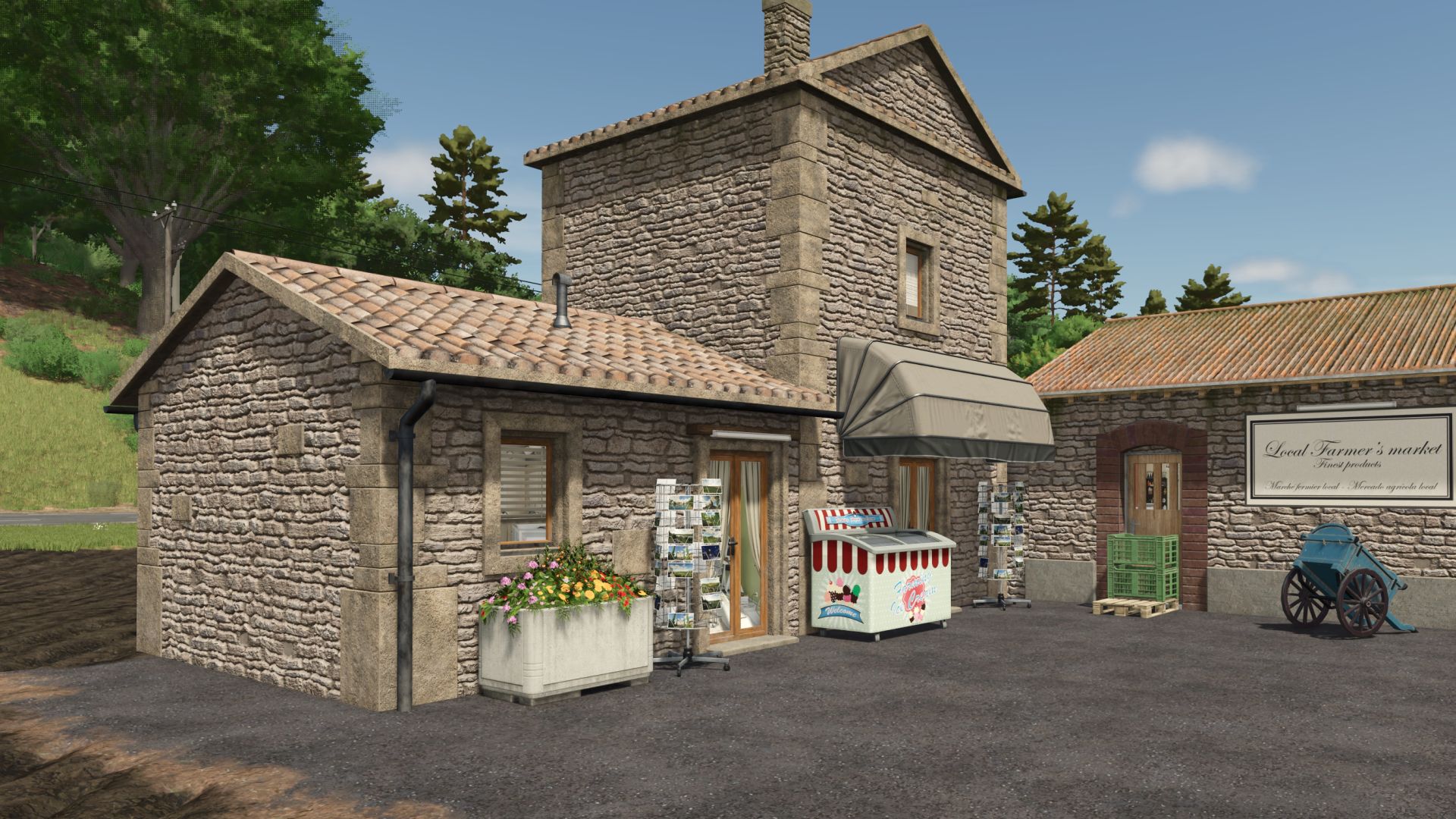
🌾 **FARMERS MARKET – NEW FS25 MOD** 🌾 Hello everyone! 👋 Today I present to you **Farmers Market**, a new mod initially available on **Farming Simulator 22 (FS22)** and now **converted for Farming Simulator 25 (FS25)**! 🚜 🛒 **Farmers Market** allows you to **sell all in-game goods** directly at this point of sale. A practical mod to facilitate the sale of your productions and goods! 💰🌾 💬 **Feel free to join my Discord :** https://discord.gg/zBpKPYVpUW 📺 **Also remember to follow me on my channels:** ▶️ **YouTube** Don’t hesitate to subscribe and leave a little 👍 🎮 **Twitch** https://www.twitch.tv/maxxer_1050 🙏 **Thank you so much for your support!** Enjoy the game everyone and see you soon on **Farming Simulator 25**! 🚜🌾 Add sale 🍑 Apricot jam 🍒 Cherry jam 🍓 Strawberry jam 🫐 Raspberry jam 🍈 Melon jam 🫐 Blueberry jam 🍎 Apple jam 🟣 Plum jam 🍇 Grape jam Fix the warningtrigger, which is no longer invisible Fix a few bugs
- 15 per page
- 30 per page
- 45 per page
- 60 per page
-
See more per page
Bigger pages, fewer clicks - and no ads anywhere.
Go Pro