Farming Simulator 25 mods
78,766 results- 15 per page
- 30 per page
- 45 per page
- 60 per page
-
See more per page
Bigger pages, fewer clicks - and no ads anywhere.
Go Pro

Sulky Master V Beta 2
Perfect seeder for your parties working width:3.0m capacity:600l switch to colors fs25 Leminicaseih Jagamaschin To start download click the filename. To open archive files use one of these programs: WinRAR, 7-Zip, WinZip. Some mod archives may need to be extracted before the mods will work.
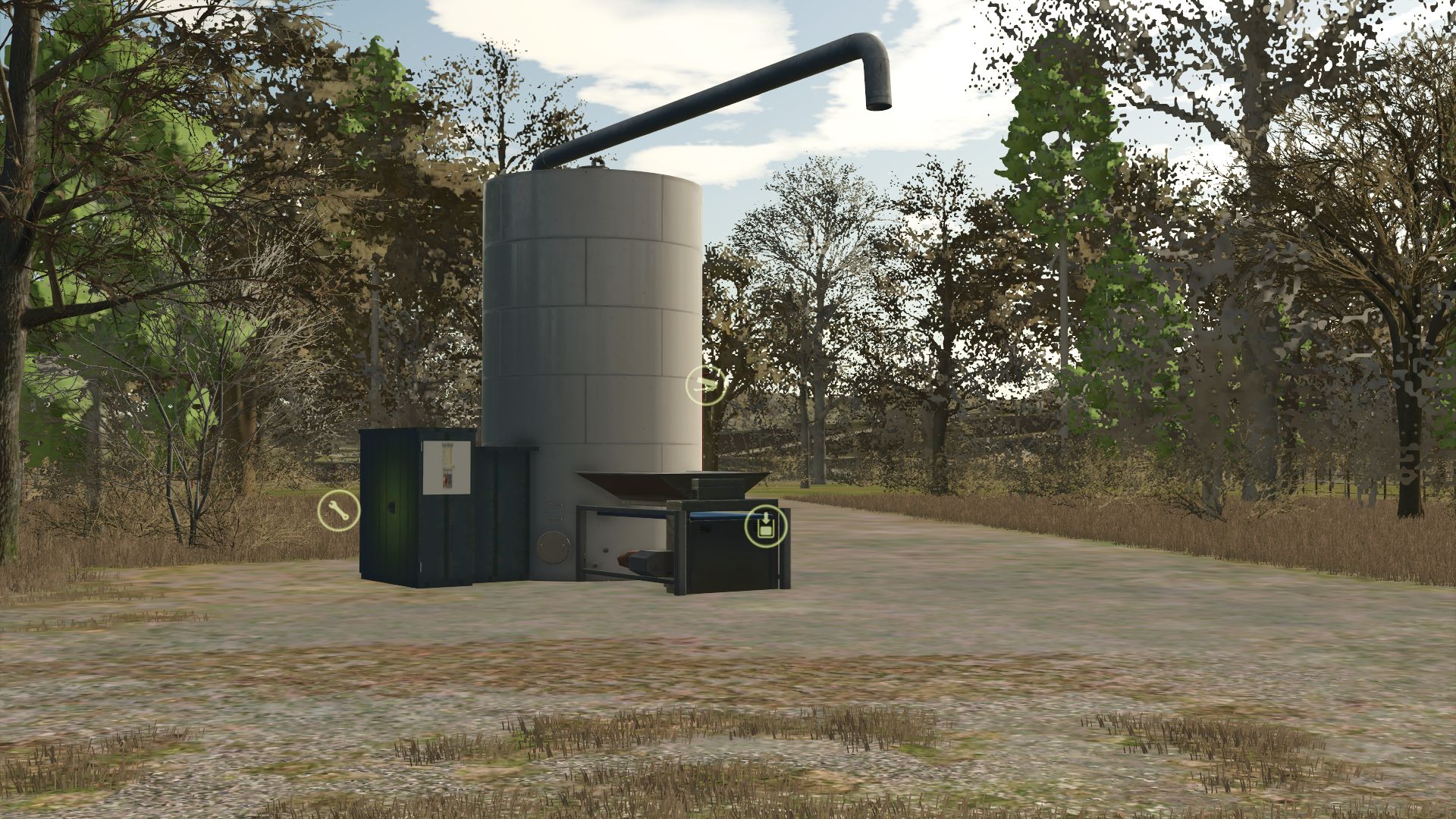
Production of feed for pigs FS25
Pork food production: Machine to transform the crops into feed for the pigs of your farm. Category: Production - Factories Price: € 25,000
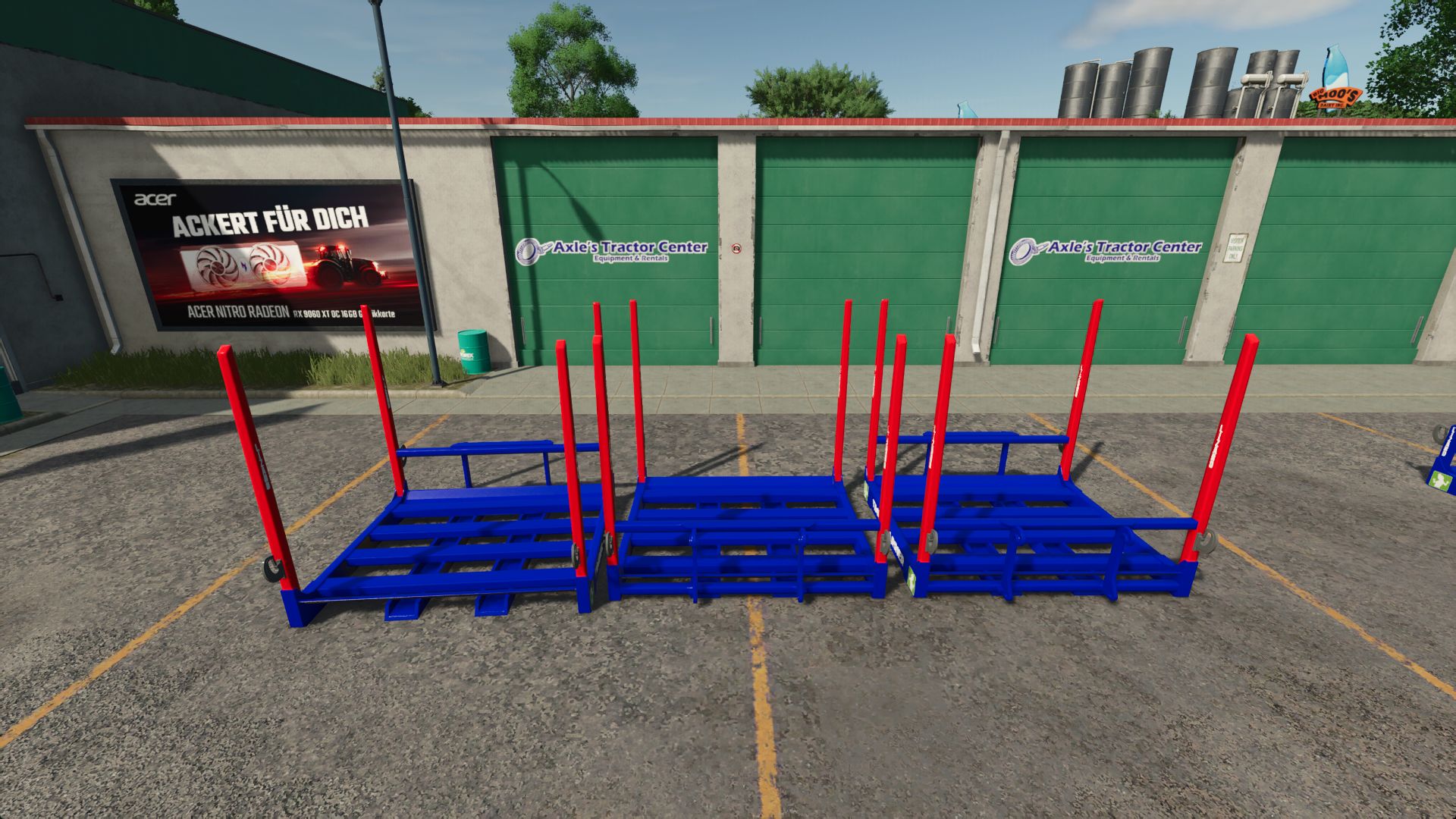
Timber Carrier FS25
I converted the Lizard Timber Carrier into the LS25 and immediately added an adjustment. Both carriers can be lifted with the crane. The Reine Carrier is for example for attachments of excavators or other devices. Can be attached using a wheel loader, hook and three-point hitch. Fixed tension strap and trigger errors in both Carrier variants. Corrected material assignments and color configuration. Cleaned up texture paths and integrated the external texture. Adjusted the shop category for LS25.
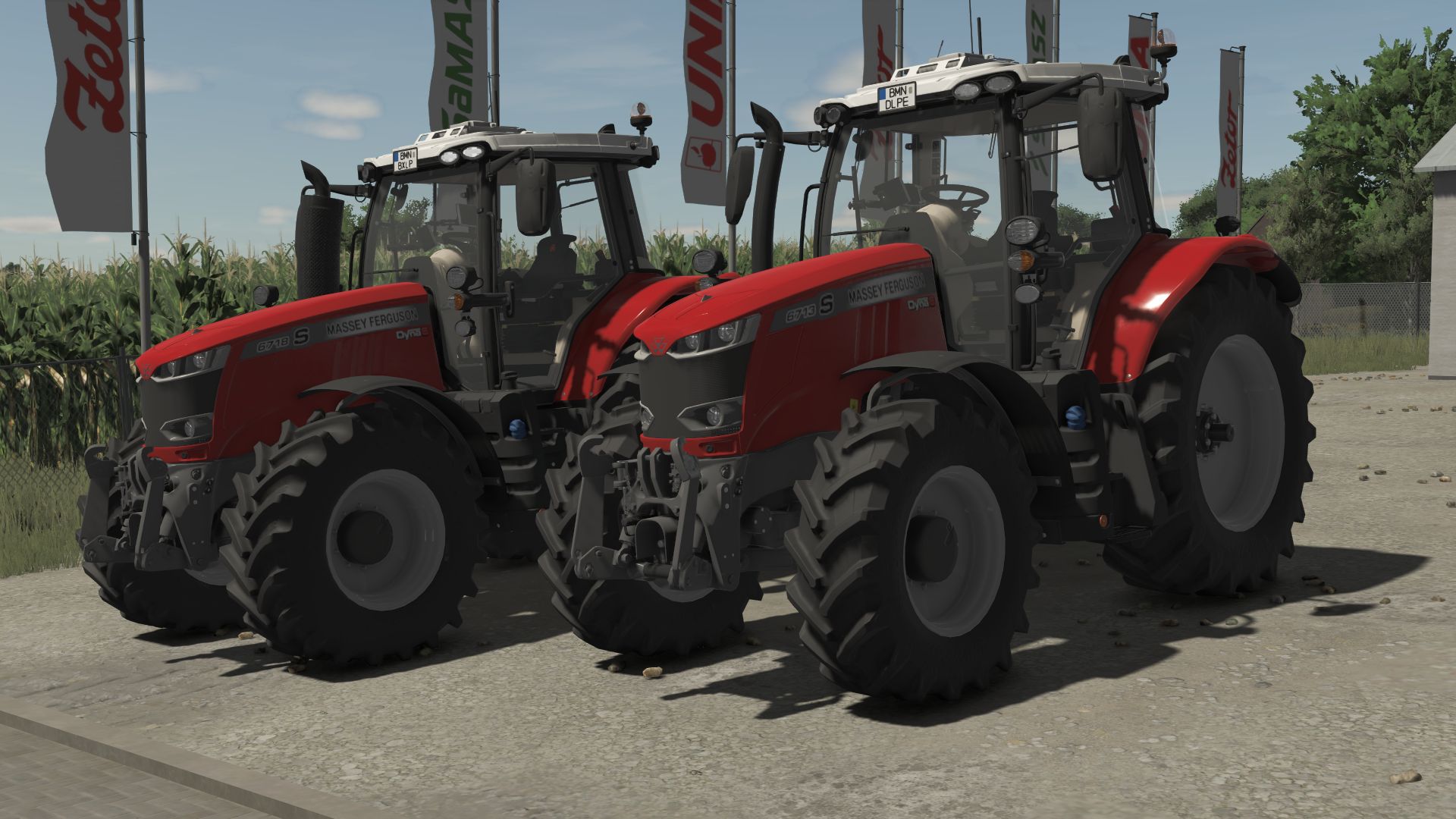
Massey Ferguson 6700S FS25
Massey Ferguson 6700S Price: 122.000$ Power: 150HP Engine configuration: - MF 6713 S (150 hp) - MF 6714 S (160 hp) - MF 6715 S (175 hp) - MF 6716 S (185 hp) - MF 6718 S (200 hp) - Rim Color Configurations - Warning Signs - Terminal - Exhaust - Increased modDesc version - Color corrected - Minor bug fixes - Increased modDesc version
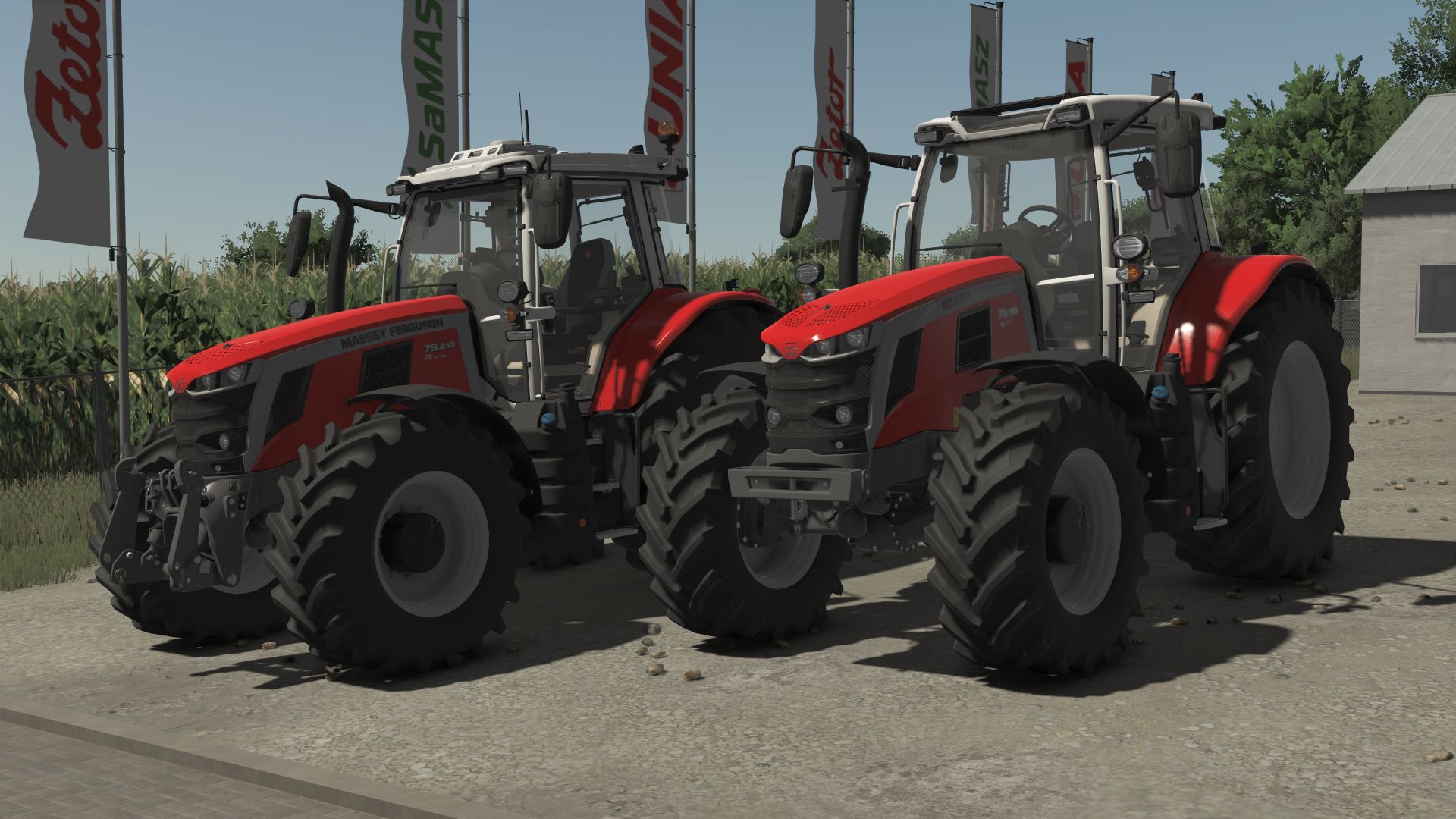
Massey Ferguson 7S FS25
MF 7S: Price: $125,500 Power: 155 HP Engine Configurations: - MF 7S.155 (155 HP) - MF 7S.165 (165 HP) - MF 7S.180 (180 HP) - MF 7S.190 (190 HP) - MF 7S.210 (210 HP) Configurations: - Rim Color - Beacon Lights - Speed Decal - Front Mounting - Frontloader - Increased modDesc version - Color corrected
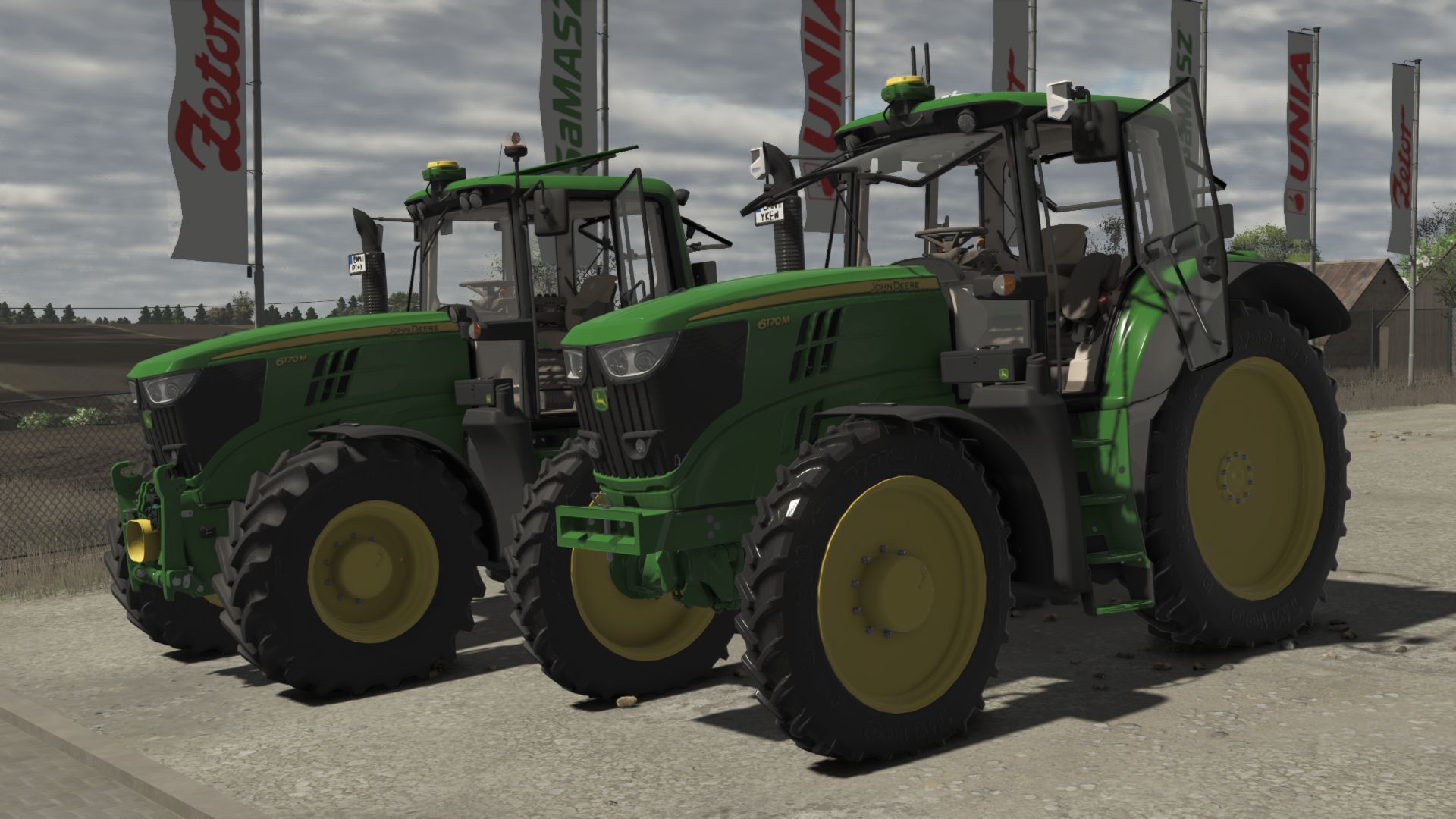
John Deere 6170M FS25
JOHN DEERE 6170M Model: 6170M Year of production: 2011-2016 Transmissions: PowerQuad-AutoQuad Engine: John Deere PowerTechTM PVS 6 cylinder Max speed: 40 km/h Price: 92500 $ Power: 175HP - Custom sounds - Worklights configuration - Front window configuration - StarFire configuration - SCV configuration - Beacons configuration - Cabin controls configuration - Roof configuration - Interior configuration - Fenders configuration - Wheel configuration - Frontloader configuration - Front attacher configuration - Precision Farming configuration **NO ERRORS** - Increased modDesc version - Color corrected - Increased modDesc version - Increased modDesc version - Minor bug fixes
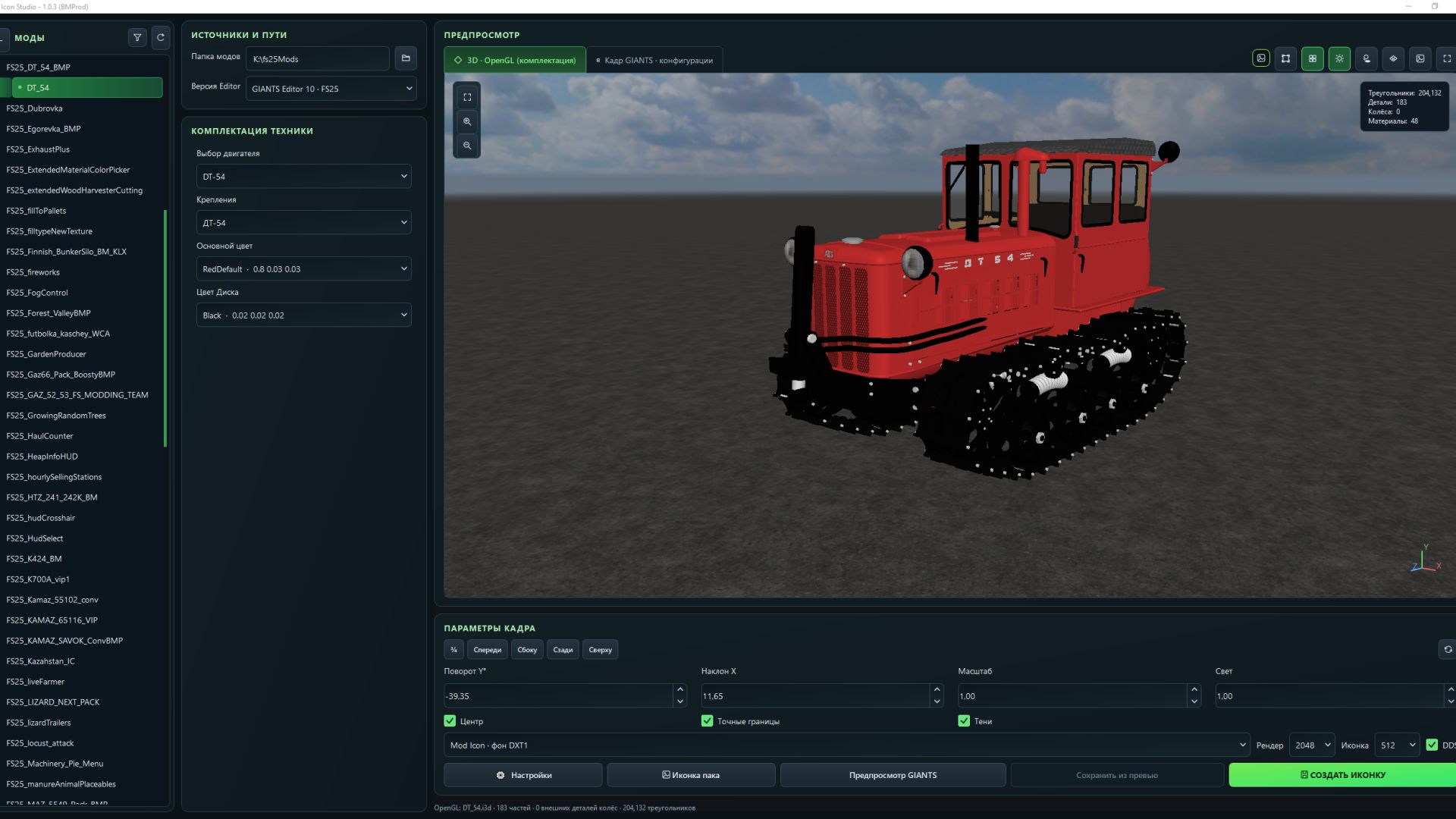
FS Icon Studio FS25
FS Icon Studio — a Windows utility that combines vehicle selection, equipment configuration, 3D preview and ready-to-use icon creation in one window. It helps prepare images for the in-game store and a mod cover: choose the required wheels and color, set the camera angle, check the result and save it as PNG or DDS. Features - FS22 and FS25 in one application. Separate path settings for the games and GIANTS Editor 9 and 10, with switching between versions. - Convenient mod list. Unpacked mods are displayed as a tree with store items. If a mod has no storeItems list, the program suggests the discovered I3D models. - Interactive 3D preview. Adjust the camera angle and check supported configurations without launching GIANTS Editor after every change. - Equipment selection. Colors, wheels, variants and part visibility from the mod XML. For foldable vehicles, you can choose the folded or unfolded position. - Frame settings. Rotation, tilt, scale, lighting, shadows and automatic model centering. (By rotating the 3D model in space.) - Rendering through GIANTS Editor. A separate tab displays the frame created with GIANTS tools, using materials and configurations loaded from the game. - Two icon types. Store Icon with a transparent background and Mod Icon with a built-in ModHub background. - PNG and DDS export. Store Icon uses DDS DXT5 with transparency, while Mod Icon uses DXT1. Render resolution is up to 2048 × 2048; the finished icon size ranges from 128 × 128 to 1024 × 1024. - Save directly to the mod. The program uses the icon names and paths from the XML. When replacing files, it can automatically create backups. - Save the finished preview. A successful GIANTS frame can be exported without launching the editor again. - Settings memory. Paths, selected configurations, frame parameters and export settings are saved between launches. The interface is available in Russian and English. How does FS Icon Studio differ from GIANTS Icon Generator? The official GIANTS Icon Generator is intended for creating mod icons using GIANTS tools. FS Icon Studio uses the same approach for the final render and adds its own workspace for preparing the image. The main difference is two preview stages in one window. First, you select the equipment configuration and camera angle in the interactive OpenGL preview. Then you launch a GIANTS frame to check the materials and final appearance before saving. The Editor is launched on your command. Configuration selection and frame adjustment are also available in the official generator. (Though by entering values.) The studio’s advantage lies in its workflow: the equipment configuration is displayed next to the model, mods and items are available in a tree, FS22 and FS25 are combined in one interface, and the finished frame can be saved without rendering again. Additional convenience comes from reading paths from the XML, backups and saving settings between sessions. The program works with unpacked mods. For the final render, the corresponding installed game and GIANTS Editor are required: version 9 for FS22 or 10 for FS25. The OpenGL preview is intended for preparing the composition; complex shaders and scripted vehicle features should be checked in the “GIANTS Frame” tab. - Added graphics settings for the OpenGL preview render. - Fixed an issue where some paint configurations were missing. - Expanded the materials displayed in the OpenGL 3D preview. - Added a window on first launch with brief information. If you want to read the full information, click More details. - Full instructions have also been added to the settings. - Fixed issues where there was no choice of color configuration. - The OpenGL preview now supports dynamicallyLoadedParts. - Fixed an issue where the icon DDS file was not saved when replacing it. - Camera rotation data from the XML for the icon is no longer applied. - Fixed some issues for FS22 mode (editor 9.0.6). - Fixed missing icons in icon pack mode. - Added buttons to the camera positioning settings for viewing from different angles. - Added a button to enable smooth model rotation in the 3D preview. - Optimized the 3D preview code (it is now even smoother and more enjoyable). - Configurations in Vehicle Equipment now load translations when available. - Fixed issues with white hoses in the 3D preview. - Added an option to enable or disable the floor plane. - Added the Dark Concrete Floor texture by default. - Added the option to select the floor color or assign it a texture. - Added an option to enable or disable the floor grid. - Improved the settings window interface. - Added a sky to the background by default (you can configure everything). - When user names contained Cyrillic characters, an option was added to specify the temporary folder. - The interface has been reworked (its styles). - Added a new "Pack Icon" mode. - Unloading effects are no longer displayed in the 3D preview. - Fixed display issues with additionalWheel in the 3D preview. - Added the ability to pan the preview camera using the middle mouse button (MMB). - Added the ability to enable a mode displaying an approximate icon view in the 3D preview. - Added the ability to enable a grid in Giants preview mode. - Various minor fixes. - Added language selection to the settings - Added a Save button in the preview. (In this case, there is no need to wait for giantEditor to load a second time) - Added a checkbox to the settings to choose whether to save icon backups
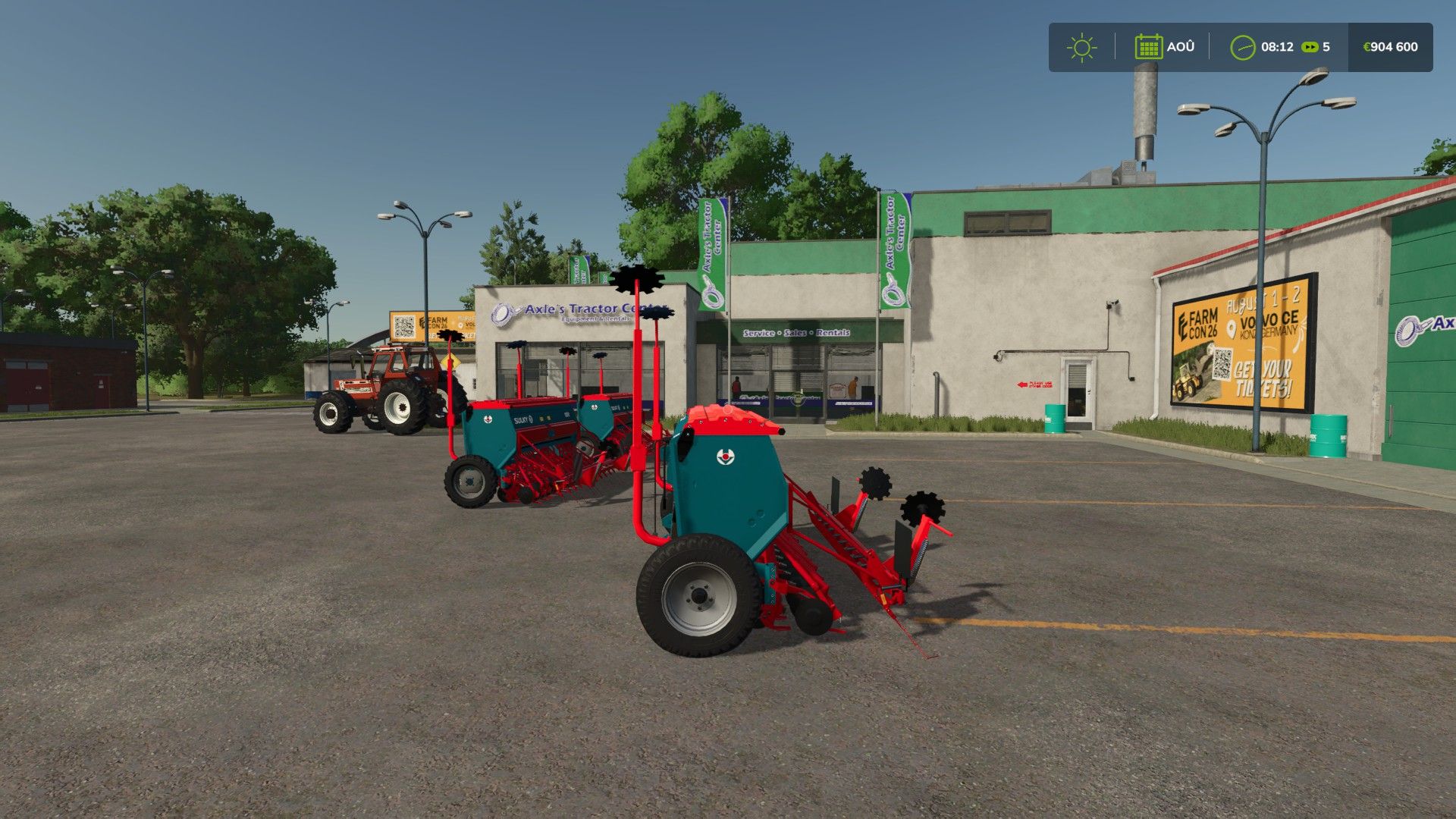
Sulky Master FS25
perfect seeder for your parties working width:3.0m capacity:600l switch to colors fs25 There was just the filling bug, which has been fixed.
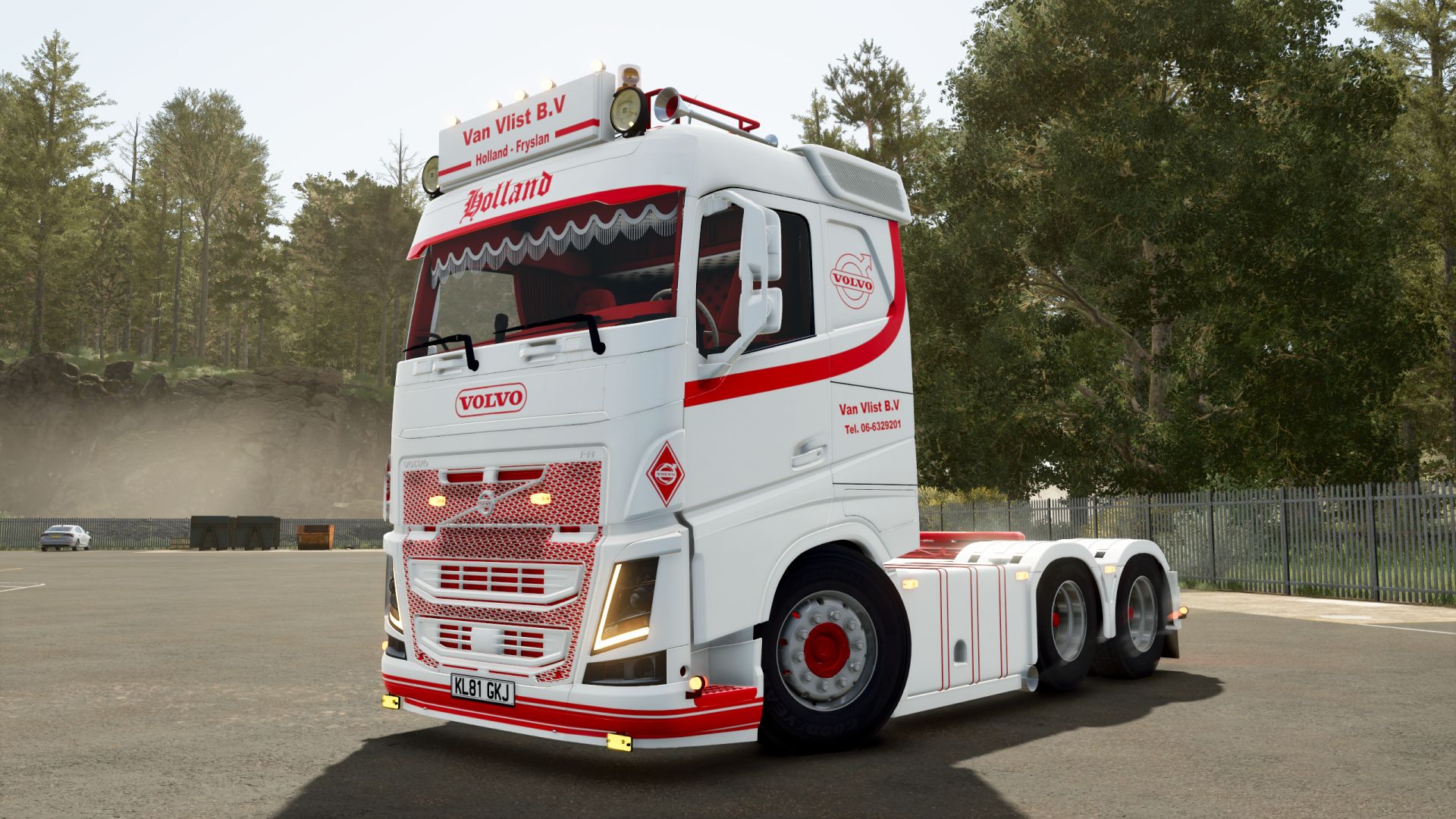
Volvo FH500 FS25
- Starting price 96.000$ - Power 500hp - Speed 90 km/h - Selectable Bullbar - Selectable Wind deflector - Connecting hoses have been added. - Lighting has been improved. - The engine, transmission, and differential have been improved; all-wheel drive has been removed. - Fixed license plate configuration. - Fixed turn signals. - Added wind deflector configuration. - Fixed attacher position. - Fixed warning about excessive part weight.
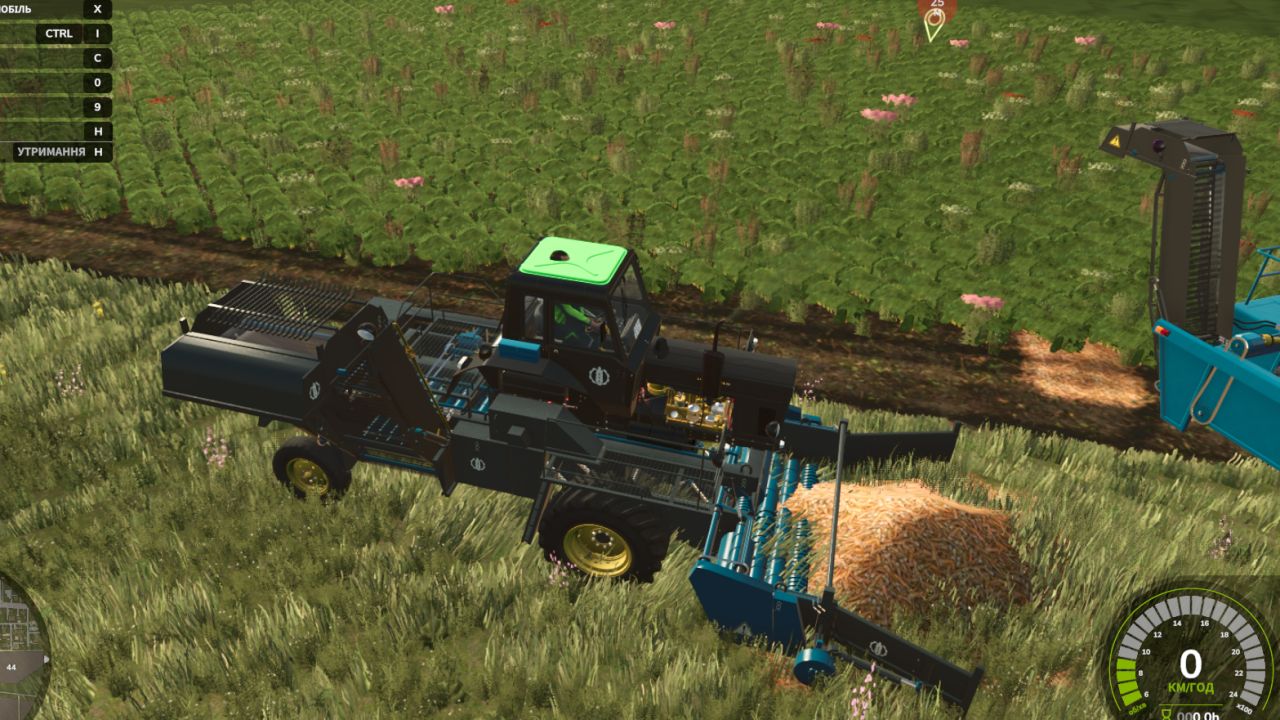
MTZ SPS-42 FS25
🚜 Self-Propelled Cleaner-Loader MTZ SPS-42 for Farming Simulator 25 A unique and extremely useful modification for large-scale vegetable farming! The MTZ SPS-42 is a self-propelled cleaner-loader designed to pick up root crops and vegetables from pre-laid windrows (swaths). Thanks to its built-in system of cleaning separating rollers and star-wheels, the machine effectively filters out soil, stones, and haulm residues, loading only clean crops into trailers. Previously, this machine specialized only in beets, but in this version, its functionality has been significantly expanded to support the new crops of FS25! 📦 Supported Crops (What does SPS-42 pick up?): Thanks to the modernization, the loader is now completely universal and supports: • 🧅 Onion (New for FS25! Picks up from windrows after the digger) • 🥕 Carrot (Picks up from windrows) • 🍠 Sugar Beet • 🔴 Red Beet / Fodder Beet ⚙️ Technical Specifications: • Engine Power: 105 hp • Max Speed: 25 km/h (Working pickup speed: 8–10 km/h) • Shop Price: from $32,000 • Shop Category: Beet Harvesting or Vegetable Harvesting 🛠️ Available Store Configurations: • 🎨 Full Separate Painting: Choose your own colors for the cabin/body, frame, cleaning mechanism, and wheel rims. • 🛞 Wheel Configuration: Standard tires, wide flotation tires (for wet fields), or narrow vegetable tires. • 💡 Design & Lights: Optional extra working lights for night shifts, mirrors, beacons, and license plates. ✨ Main Features & FS25 Adaptation: • Full UDIM: Support for realistic dirt textures (soil/dust), material wear, and paint scratches. • Advanced Animation: Fully animated pickup table, moving conveyor belts, rotating cleaning augers, and unloading elevator. • Clean Log: Optimized scripts for the new vegetable crops of the game, completely error-free! We are pleased to present a complete technical update to FS25 standards! The mod has undergone extensive optimization for Giants Engine 10, along with the adaptation of all cab scripts and animations. 📋 What was done in this update: • Completely clean log: Emitter dashboard shape errors and other material conflicts have been fully eliminated. The game runs stably without crashes. • Dashboard adaptation: Instrument lighting, indicators and cabin emitters have been fully transferred to the new FS25 lighting system (lightStatus and lightControl). • All animations fixed: All moving elements inside and outside the cab now work correctly and smoothly, without delays. • Fully functional: The tractor is ready for any fieldwork and supports all standard functions and mechanics of the new game. Enjoy the game and clean logs on your farms! 🌾 This technical update focused primarily on improving the mod’s stability, cleaning up the code, and significantly increasing the performance of the machinery in the game. What has been done in this version: • 🧹 Complete resource cleanup: All unused and unnecessary textures left over from the conversion from the previous game version have been completely removed from the mod folders. • 💾 Reduced file size: Thanks to deep optimization and the removal of digital “junk,” the overall size of the mod archive (.zip file size) has been significantly reduced. The mod now loads faster, and the game log is cleaner. 📢 Plans for the next update: Work on the loader is ongoing! The next major patch will include: 1. Physics fixes: All missing collisions will be added for the parts, bucket/pickup and wheels, so that the machinery interacts correctly with the terrain and beet piles. 2. More dynamics: New realistic movement animations will be added for the conveyors, augers, unloading elevator and internal control mechanisms in the cab. 3. Visual tuning: The loader will receive a major cosmetic update — authentic decorations, small details, updated lights and license plate mounts will be added. Thank you for your support! Stay tuned for updates to the mod!
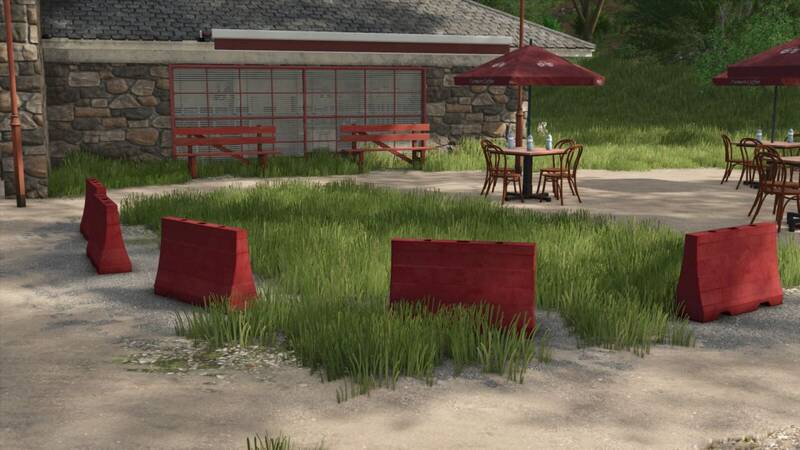
Kunststoff-Baustellenbarrieren
Fügt vier verschiedene Modelle aus Kunststoff-Baustellenbarrieren als platzierbare Dekorationsobjekte hinzu.Kategorie: Dekoration > SonstigesPreis: $200Tägliche Unterhaltskosten: $0 Fügt vier verschiedene Modelle aus Kunststoff-Baustellenbarrieren als platzierbare Dekorationsobjekte hinzu.
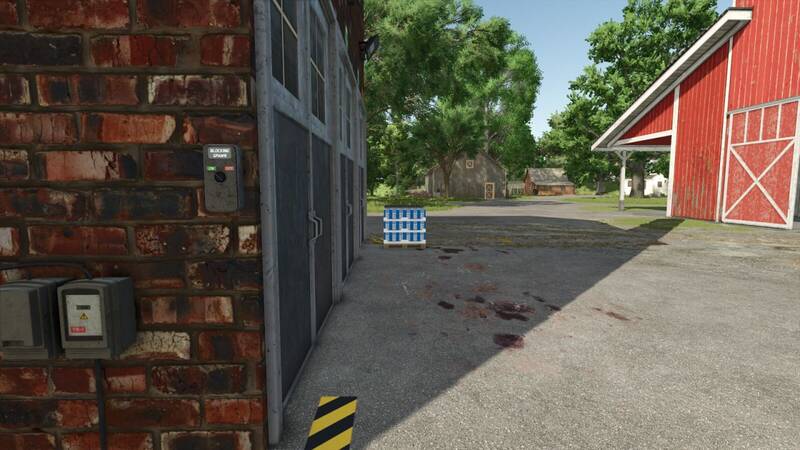
Kompakte Zuckerfabrik
Erweitern Sie Ihren Betrieb mit einer kompakten Zuckerfabrik im Stil einer traditionellen mitteleuropäischen Industrieanlage. Zuckerrüben, Rübenpülpe und Zuckerrohr werden unter Verwendung von Wasser zu Zucker verarbeitet. Bei der Verarbeitung von Zuckerrüben entsteht Rübenpülpe als Nebenprodukt, die in anderen Produktionsketten weiterverwendet werden kann.Verarbeitung von Zuckerrüben, Rübenpülpe und ZuckerrohrHerstellung von ZuckerRübenpülpe als NebenproduktPalettenausgabe kann deaktiviert werdenRealistisch gestaltetes IndustriebauwerkFür Betriebe jeder Größe geeignetAuf einfache Logistik und einen reibungslosen Produktionsablauf ausgelegtMit dem DLC Straw Harvest Pack stehen zusätzliche Rezepte mit Melasse als Nebenprodukt zur Verfügung.Zuckerrüben + Wasser → Zucker + Melasse + RübenpülpeZuckerrohr + Wasser → Zucker + MelasseOhne das Straw Harvest Pack:Zuckerrüben + Wasser → Zucker + RübenpülpeZuckerrohr + Wasser → Zucker Erweitern Sie Ihren Betrieb mit einer kompakten Zuckerfabrik im Stil einer traditionellen mitteleuropäischen Industrieanlage. Zuckerrüben, Rübenpülpe und Zuckerrohr werden unter Verwendung von Wasser zu Zucker verarbeitet. Bei der Verarbeitung von Zuckerrüben entsteht Rübenpülpe als Nebenprodukt, die in anderen Produktionsketten weiterverwendet werden kann. Mit dem DLC Straw Harvest Pack stehen zusätzliche Rezepte mit Melasse als Nebenprodukt zur Verfügung. Ohne das Straw Harvest Pack:
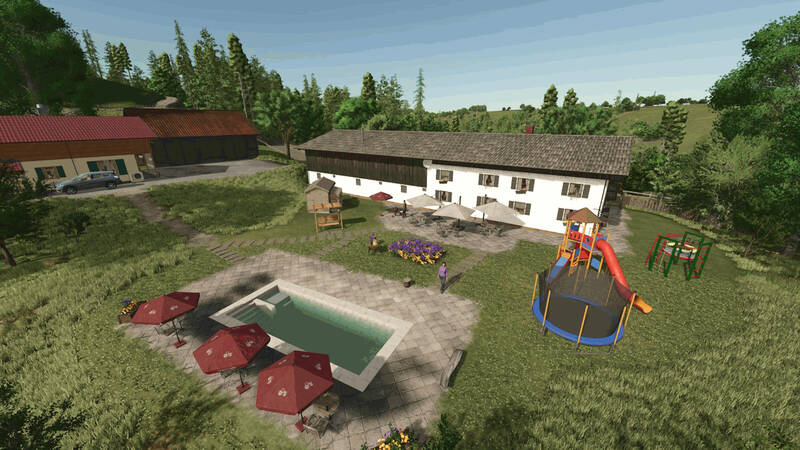
Oedberg am Tegernsee
Willkommen in Oedberg, einer idyllischen bayerischen Landschaft im Miesbacher Raum, die von der Gemeinde Gmund am Tegernsee inspiriert ist. Die Karte verbindet traditionelle Landwirtschaft mit der charakteristischen Landschaft rund um den Tegernsee.Kleine Höfe, größere landwirtschaftliche Betriebe, Forstwirtschaft und verschiedene regionale Produktionsstätten bieten vielfältige Möglichkeiten. Egal, ob Du einen kleinen Familienbetrieb, einen modernen Lohnunternehmer oder einen großflächigen Agrarbetrieb führst – auf Oedberg ist für jeden Platz.MerkmaleEigenständig gestaltete Höfe auf Basis realer VorbilderUnterstützung für mehrere Fruchtarten sowie Biogasanlagen, Bunker-Silos und ProduktionsstättenRund 100 Felder, Wiesen und GrünlandflächenUnterschiedliche Feldgrößen und Flurstücke für verschiedene BetriebsgrößenLandwirtschaft, Tierhaltung, Forstwirtschaft, Biogasproduktion und LohnarbeitenZahlreiche regionale Verkaufsstellen und ProduktionsbetriebeAuthentisches Straßen-, Feld- und WegenetzFeld-IDs: 1–69, Grundstücks-IDs: 100–139, Höfe und Produktionsstandorte: 200–215, übrige Kartenbereiche: 254Abwechslungsreiche Feldgrößen und Flurstücke für kleine wie große BetriebeRegionale Unternehmen und funktionierende WirtschaftskreisläufeIndividuelle Kartenobjekte, Dekorationen und angepasste GebäudeZahlreiche weitere Details und Entdeckungen rund um die KarteViel Spaß auf Oedberg!Hinweis zur Konsolenversion: Für die Veröffentlichung auf Konsolen musste ein Teil der bemalten Vegetation im Wald und an den Kartenrändern entfernt werden. So bleibt die Karte nun auch Konsolenspielern zugänglich.Dank an: „Modding Keller“ für den Baukran, „ Patti“ für die Tests und „Jogi“ für die Präsentation der Karte. Fragen, Wünsche und Anregungen sind willkommen – konstruktive Kritik besonders auf den üblichen Plattformen. Willkommen in Oedberg, einer idyllischen bayerischen Landschaft im Miesbacher Raum, die von der Gemeinde Gmund am Tegernsee inspiriert ist. Die Karte verbindet traditionelle Landwirtschaft mit der charakteristischen Landschaft rund um den Tegernsee. Kleine Höfe, größere landwirtschaftliche Betriebe, Forstwirtschaft und verschiedene regionale Produktionsstätten bieten vielfältige Möglichkeiten. Egal, ob Du einen kleinen Familienbetrieb, einen modernen Lohnunternehmer oder einen großflächigen Agrarbetrieb führst – auf Oedberg ist für jeden Platz. Viel Spaß auf Oedberg! Hinweis zur Konsolenversion: Für die Veröffentlichung auf Konsolen musste ein Teil der bemalten Vegetation im Wald und an den Kartenrändern entfernt werden. So bleibt die Karte nun auch Konsolenspielern zugänglich. Dank an: „Modding Keller“ für den Baukran, „ Patti“ für die Tests und „Jogi“ für die Präsentation der Karte. Fragen, Wünsche und Anregungen sind willkommen – konstruktive Kritik besonders auf den üblichen Plattformen.
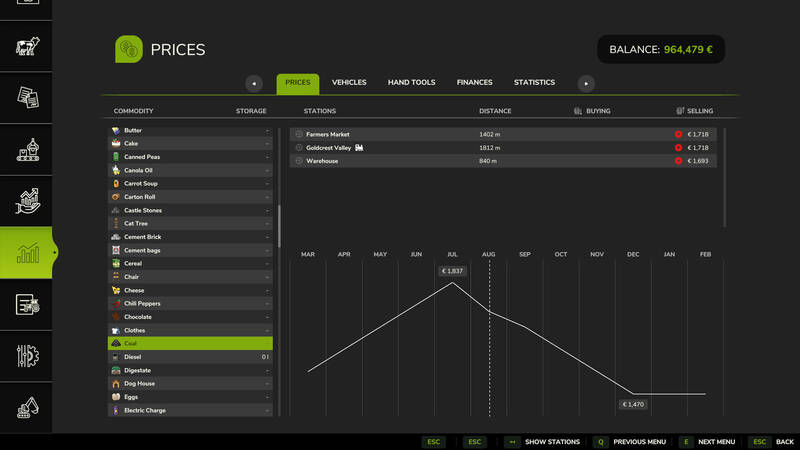
Kleiner Standort zur Kohleproduktion
Ein kompakter Produktionsstandort, der Steine in Kohle umwandelt. Die Anschaffung kostet 36.000 $, die tägliche Wartung 15 $.Eingangsstoff: Steine, bis zu 120.000 LiterAusgangsstoff: Kohle, bis zu 43.000 LiterProduktionszyklus: 500 Liter Steine ergeben 143 Liter KohleLeistung: 24 Zyklen pro Monat für 60 $Kohlepaletten können nur mit aktivem Highland Fishing DLC hergestellt werden. Ohne das DLC lässt sich Kohle ausschließlich über den Ladepunkt der Produktion im lose Zustand ausladen. Der Kohlepreis unterliegt saisonalen Schwankungen.
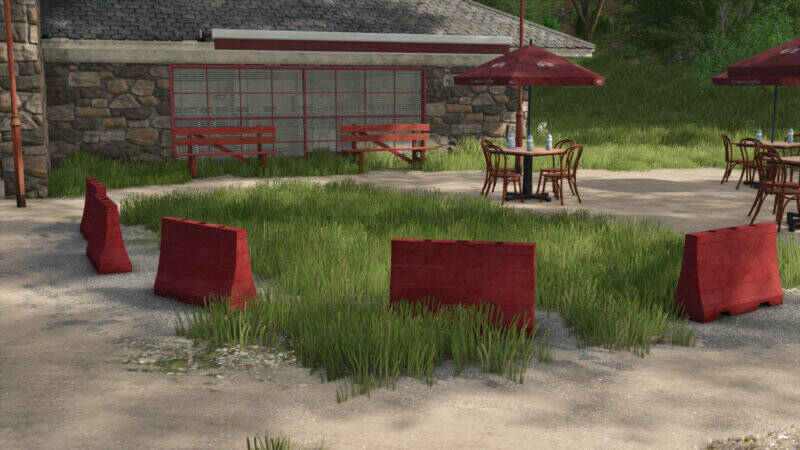
Kunststoff-Bauabsperrungen
Vier verschiedene Modelle aus Kunststoff, die als dekorative Bauabsperrungen auf Flächen und Baustellen platziert werden können.Platzierung: Dekoration > SonstigesPreis: 200 €Tägliche Unterhaltskosten: 0 € Vier verschiedene Modelle aus Kunststoff, die als dekorative Bauabsperrungen auf Flächen und Baustellen platziert werden können. Platzierung: Dekoration > SonstigesPreis: 200 €Tägliche Unterhaltskosten: 0 €
- 15 per page
- 30 per page
- 45 per page
- 60 per page
-
See more per page
Bigger pages, fewer clicks - and no ads anywhere.
Go Pro