Farming Simulator 25 mods
78,272 results- 15 per page
- 30 per page
- 45 per page
- 60 per page
-
See more per page
Bigger pages, fewer clicks - and no ads anywhere.
Go Pro
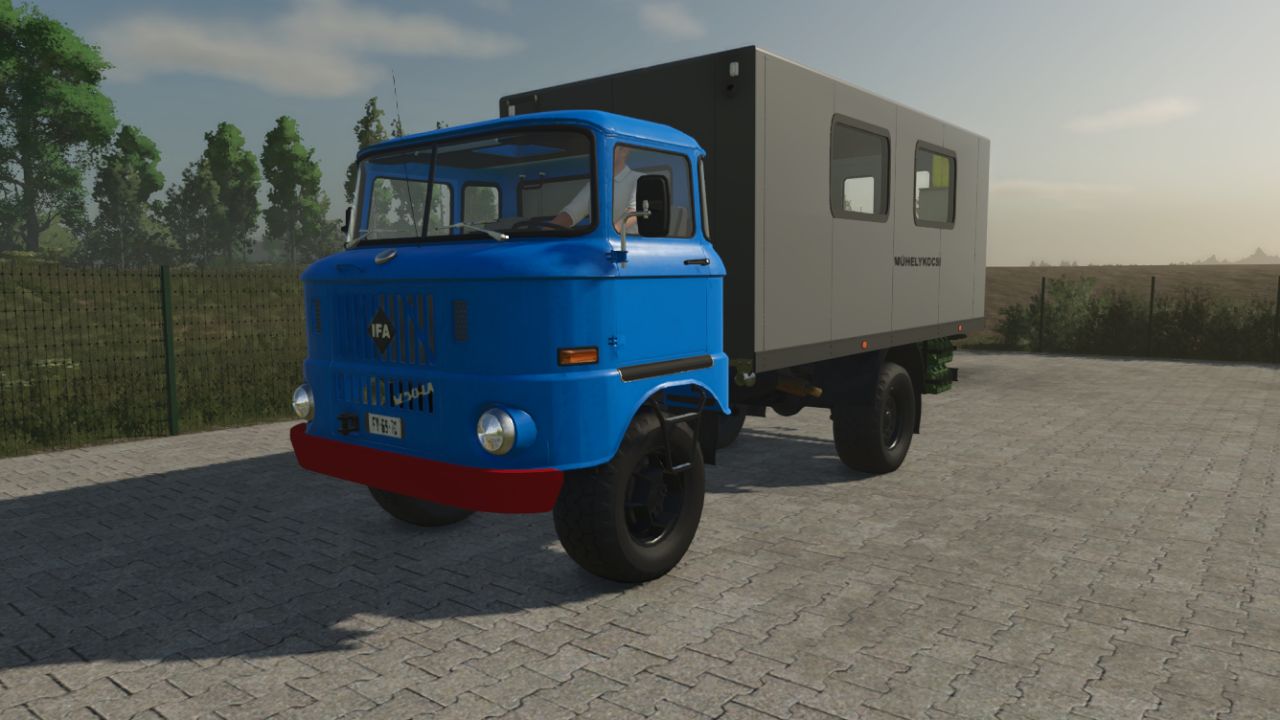
IFA W50 Service Truck FS25
IFA W50 Service & Fuel Truck Are your tractors stranded in the middle of the field with an empty tank, or in need of urgent repairs? The classic IFA W50 Service Truck is here to the rescue! This versatile support vehicle is designed for remote assistance, ensuring your farm operations never have to stop. Whether you need to repair a broken-down harvester or refuel a tractor miles away from the farm, this truck does it all. Key Features: Mobile Fuel Trailer: Comes equipped with a massive 4000-liter diesel capacity to keep your fleet running all day long. Mobile Workshop: Fully functioning service capabilities to repair, repaint, or configure your machinery directly in the field. Remote Assistance: Perfect for large maps where driving back to the main farm or shop takes too much time. Bring the workshop and fuel station directly to your workers! How It Works (Fully Operated with the 'R' Key): Filling the Truck: Drive the IFA W50 to any standard gas station on the map and press the R key to fill up its 4000L tank. Servicing Vehicles (Rear): To repair or customize a tractor, simply drive it up to the rear of the IFA W50 and press the R key to open the service menu. Refueling Vehicles (Right Side): To transfer diesel to an empty vehicle, park it on the right side of the truck and press the R key to start pumping fuel. Specifications: Vehicle Type: Service & Fuel Support Truck Fuel Capacity: 4000 Liters Controls: 'R' key for all triggers (filling, refueling, and servicing) At Erobos' request, I made a serviceable Ifa truck - Wheels texture fix.
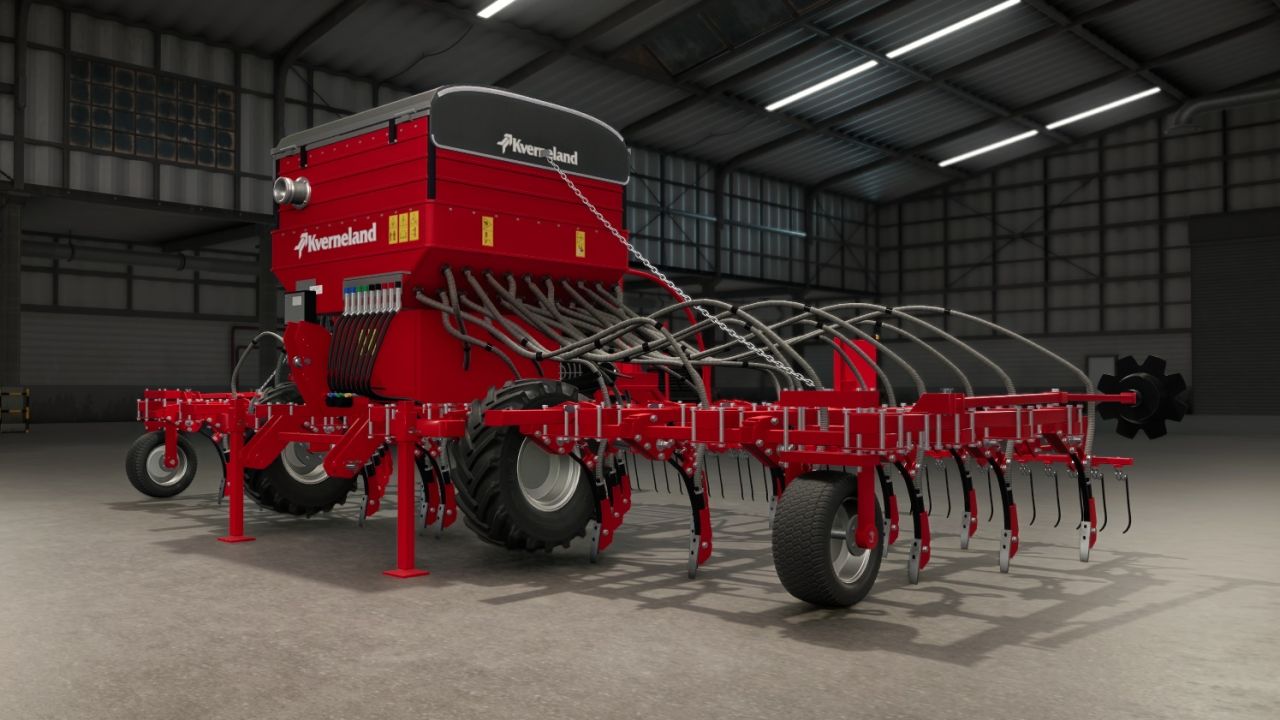
Kverneland TS-Drill V1.0.0.1
Kverneland TS-Drill V1.0.0.1 V1.0.0.1 Radnaben Kennzeichen hinten Technische Daten: Arbeitsbreite: 6,0 m 40 Schare bei 15 cm Reihenabstand Behälterkapazität: 1350 l Erforderliche Leistung: 160 PS Dreiteilige hydraulische Faltung für den Transport Zinkenbohrer Merkmale: Federzinkenschare mit nach vorne gerichteten Verschleißpunkten und Bodeneffekten Abdeckteile für Eggen, die sich an ihren Halterungen drehen und dem Boden folgen. Hydraulischer Trichterdeckel mit sichtbarem Saatgutfüllstand Hecktreppe mit klappbarer unterer Stufe, die sich beim Öffnen des Deckels absenkt. Gratmarkierungen an beiden Flügeln Saatguteinlass für einen Fronttank (z. B. Kuhn TF 1512, Horsch Partner 1600 FT) Rückfahrkamera Funktionierende Rücklichter, Bremslichter und Blinker Abnutzung und Verschmutzung an den Stellen, wo die Maschine den Boden berührt Kompatibel mit dem DF2-Frontbehälter zur Erhöhung der Saatgutkapazität. Tags: Erforderliche LeistungPSTechnische Daten

Timber Carrier V2.0.0.2
Timber Carrier V2.0.0.2 V2.0.0.2 Fixed tension strap and trigger errors in both Carrier variants. Corrected material assignments and color configuration. Cleaned up texture paths and integrated the external texture. Adjusted the shop category for LS25. I converted the Lizard Timber Carrier into the LS25 and immediately added an adjustment. Both carriers can be lifted with the crane. The Reine Carrier is for example for attachments of excavators or other devices. Can be attached using a wheel loader, hook and three-point hitch. Author: grotten Report bugs in the comments and help modders improve this mod. Always check the comments, you can find a solution. DOWNLOAD MOD
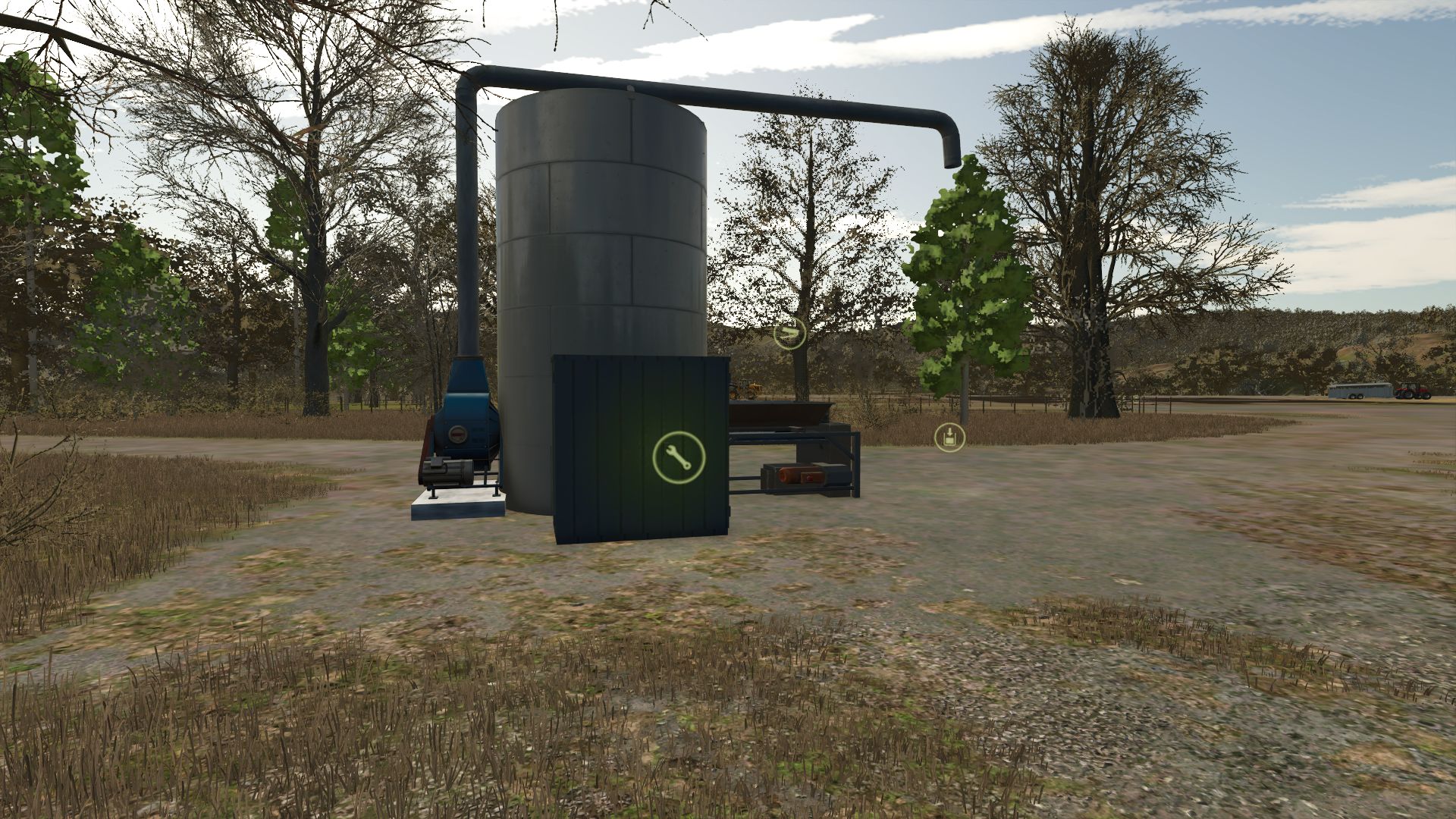
Herstellung von Futtermitteln für Schweine V1.0.0.1
Herstellung von Futtermitteln für Schweine V1.0.0.1 Schweinefleischproduktion: Maschine zur Umwandlung von Feldfrüchten in Futter für die Schweine Ihres Bauernhofs. Kategorie: Produktion – Fabriken Preis: 25.000 € V1.0.0.1 Neue Rezepte hinzugefügt.
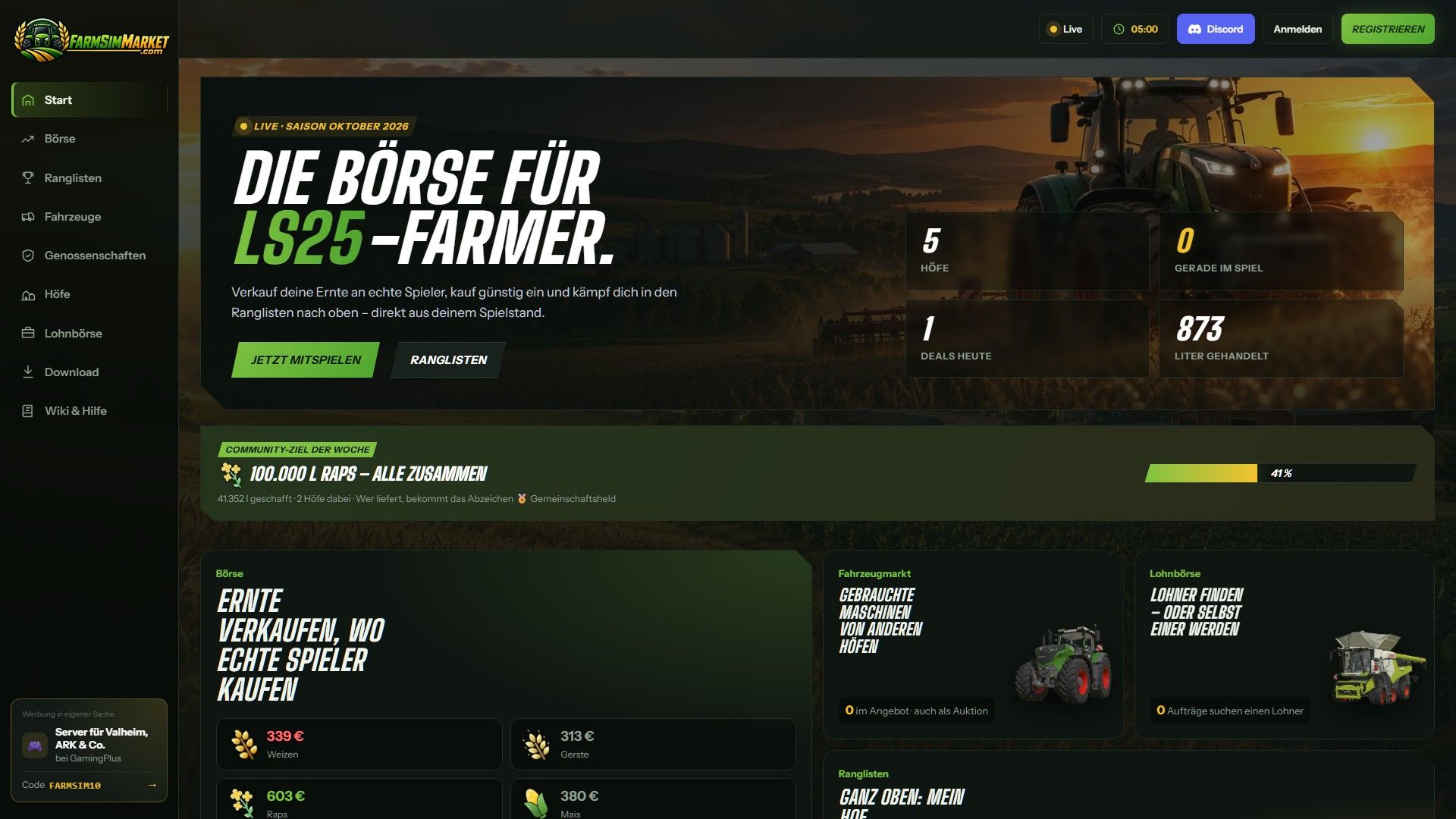
FarmSimMarket – Spielermarkt & Ranglisten BETA 6 v0.31.1
FarmSimMarket – Spielermarkt & Ranglisten BETA 6 v0.31.1 OFFENE BETA – Handle mit echten Spielern statt nur mit dem Spiel! FarmSimMarket verbindet deinen Bauernhof mit farmsimmarket.com – einem Marktplatz für alle LS25-Spieler. WAS DIE MODIFIKATION TUN KANN – Spielermarktplatz: Verkaufen oder kaufen Sie Feldfrüchte, Milch, Paletten, Ballen und Fahrzeuge von anderen Spielern – direkt im Spiel (ESC → FarmSimMarket) oder auf der Website. – Markt-Tablet (Strg+T): Preise, Ihre Angebote und Neuigkeiten am Bildschirmrand, während Sie weiterspielen – sogar im Fahrzeug. – Kein zusätzlicher Bau erforderlich: Die gekauften Waren werden in Ihre bestehenden Silos und Lagereinrichtungen eingelagert oder erscheinen als Paletten/Ballen im Abladebereich des Geschäfts. – Bestenlisten & Farmprofil: Vergleiche deine Farm mit anderen Spielern. – Vertragsmarktplatz: Auftragsarbeiten veröffentlichen oder annehmen – mit Zugriffsberechtigungen auf gemeinsam genutzten Servern. – Multiplayer- und dedizierte Server, gemietete Server (G-Portal, Nitrado …) über die Serverbrücke. SO GEHT'S LOS 1. Entpacken Sie die ZIP-Datei nicht; legen Sie sie in den Mods-Ordner und aktivieren Sie sie in Ihrem Spielstand. 2. Erstellen Sie ein Konto auf farmsimmarket.com und geben Sie den Code aus dem Spiel ein. 3. Um zu handeln, starten Sie den kleinen FarmSimMarket-Helfer. OFFENE BETA – BITTE LESEN FarmSimMarket befindet sich noch in einer sehr frühen Entwicklungsphase. Die meisten Funktionen sind zwar vorhanden, es kann aber gelegentlich zu Fehlern kommen oder etwas funktioniert ab und zu nicht. Erstellen Sie daher vor Ihrem ersten Handel eine Sicherungskopie Ihres Spielstands. Was noch nicht funktioniert oder kaum getestet wurde: – Nur für PC (Windows) – keine Konsolen; das Hilfsprogramm läuft nur unter Windows. – Der Handel funktioniert nur mit dem Helfer oder der Serverbrücke (ohne diese bleiben die Waren an ihrem Platz; es geht nichts verloren). – Der Mehrspielermodus und die Zugriffsberechtigungen für den Vertragsmarktplatz wurden kaum getestet. – Gemietete Server über die Serverbrücke werden noch getestet. – Die Preise bewegen sich anfangs kaum – sie entstehen durch den Handel der Spieler. Die Website ist derzeit nur auf Deutsch verfügbar. BETA 6 0.31.1.0 Neu: Paletten und Ballen in einem Einzellager (Ballen- und Palettenlagerung) werden jetzt gezählt und können auf farmsimmarket.com unter „Lagerung“ eingesehen werden. Sie können nach der Entnahme aus dem Lager wieder eingestellt werden. Tags: BETAEntpacken SieErstellen SieIhrem Spielstand

John Deere 8020 Serie V1.1
John Deere 8020 Serie V1.1 V1.1.0.0 Erhöhte modDesc-Version Farbkorrigiert Motorkonfiguration. 8120-8220-8320-8420-8520 mit Optionen für ein wirklich funktionierendes PowerShift-Getriebe bei allen Modellen Versionskonfiguration (EU1-EU2) Konfiguration der Warnschilder. (Nein-EU1-EU2) Konfiguration der Radmarke. Trelleborg, Mitas, Michelin, Continental, BKT, Vredestein Radkonfiguration. (Standardbreite)(+)(Mit Radgewichten)(+)(Zwillingsräder hinten)/(Zwillingsräder)/(Zwillingsräder (hinten) + Gewichte) Konfiguration des vorderen Anbauteils. (Keine Halterung-300 kg-500 kg-700 kg-900 kg-1000 kg-Hydraulik vorne) Konfiguration der vorderen Kotflügel. Nein-Ja1-Ja2 EU Konfiguration der hinteren Kotflügel. (Nein-Ja) GreenStar-Konfiguration. (Ohne Halterung – Star Fire 3000 – SF3000 + Druckknopf – SF 6000) Konfiguration von Rundumleuchten und Lenkradknauf. (Ohne linke Rundumleuchte, Lenkradknauf – beide Optionen) Konfiguration der vorderen Kabinenarbeitsscheinwerfer. (Nein-Ja) Konfiguration der seitlichen Kabinenarbeitsleuchten (Nein-Ja) Die Mod ist bereit für Präzisionslandwirtschaft (Konfiguration der Pflanzensensoren ist eingerichtet) und interaktive Steuerung! V1.0.0.1 – Kleinere Fehlerbehebungen – Erhöhte ModDesc-Version Erforderliche Mods: Interaktive Steuerung Präzisionslandwirtschaft Tags: BKTDie ModErforderliche ModsJohn Deere
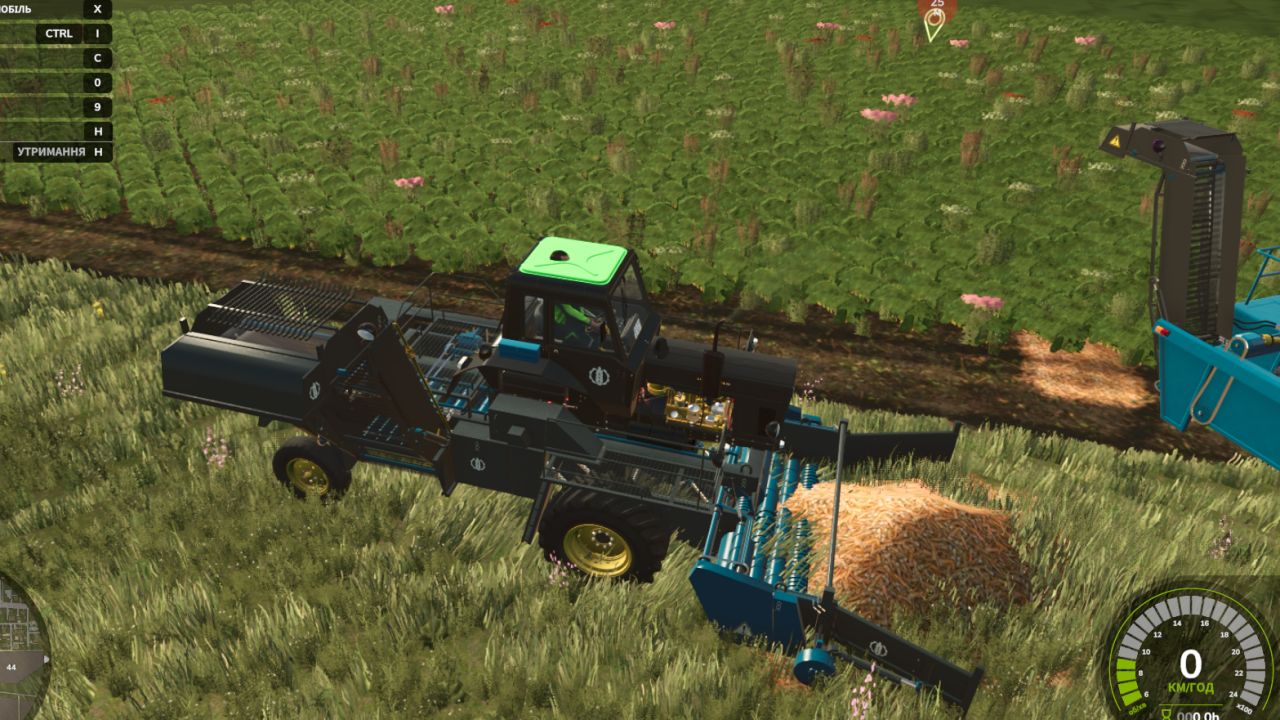
MTZ SPS-42 BETA 3 v1.0
MTZ SPS-42 BETA 3 v1.0 BETA 3 We are pleased to present a complete technical update to FS25 standards! The mod has undergone extensive optimization for Giants Engine 10, along with the adaptation of all cab scripts and animations. What was done in this update: Completely clean log: Emitter dashboard shape errors and other material conflicts have been fully eliminated. The game runs stably without crashes. Dashboard adaptation: Instrument lighting, indicators and cabin emitters have been fully transferred to the new FS25 lighting system (lightStatus and lightControl). All animations fixed: All moving elements inside and outside the cab now work correctly and smoothly, without delays. Fully functional: The tractor is ready for any fieldwork and supports all standard functions and mechanics of the new game. Enjoy the game and clean logs on your farms! Self-Propelled Cleaner-Loader MTZ SPS-42 for Farming Simulator 25 A unique and extremely useful modification for large-scale vegetable farming! The MTZ SPS-42 is a self-propelled cleaner-loader designed to pick up root crops and vegetables from pre-laid windrows (swaths). Thanks to its built-in system of cleaning separating rollers and star-wheels, the machine effectively filters out soil, stones, and haulm residues, loading only clean crops into trailers. Previously, this machine specialized only in beets, but in this version, its functionality has been significantly expanded to support the new crops of FS25! Supported Crops (What does SPS-42 pick up?): Thanks to the modernization, the loader is now completely universal and supports: 🧅 Onion (New for FS25! Picks up from windrows after the digger) 🥕 Carrot (Picks up from windrows) 🍠 Sugar Beet 🔴 Red Beet / Fodder Beet Technical Specifications: Engine Power: 105 hp Max Speed: 25 km/h (Working pickup speed: 8–10 km/h) Shop Price: from $32,000 Shop Category: Beet Harvesting or Vegetable Harvesting Available Store Configurations: Full Separate Painting: Choose your own colors for the cabin/body, frame, cleaning mechanism, and wheel rims. Wheel Configuration: Standard tires, wide flotation tires (for wet fields), or narrow vegetable tires. Design & Lights: Optional extra working lights for night shifts, mirrors, beacons, and license plates. Main Features & FS25 Adaptation: Full UDIM: Support for realistic dirt textures (soil/dust), material wear, and paint scratches. Advanced Animation: Fully animated pickup table, moving conveyor belts, rotating cleaning augers, and unloading elevator. Clean Log: Optimized scripts for the new vegetable crops of the game, completely error-free! Author: superwowa, BearFarm Report bugs in the comments and help modders improve this mod. Always check the comments, you can find a solution. DOWNLOAD MOD
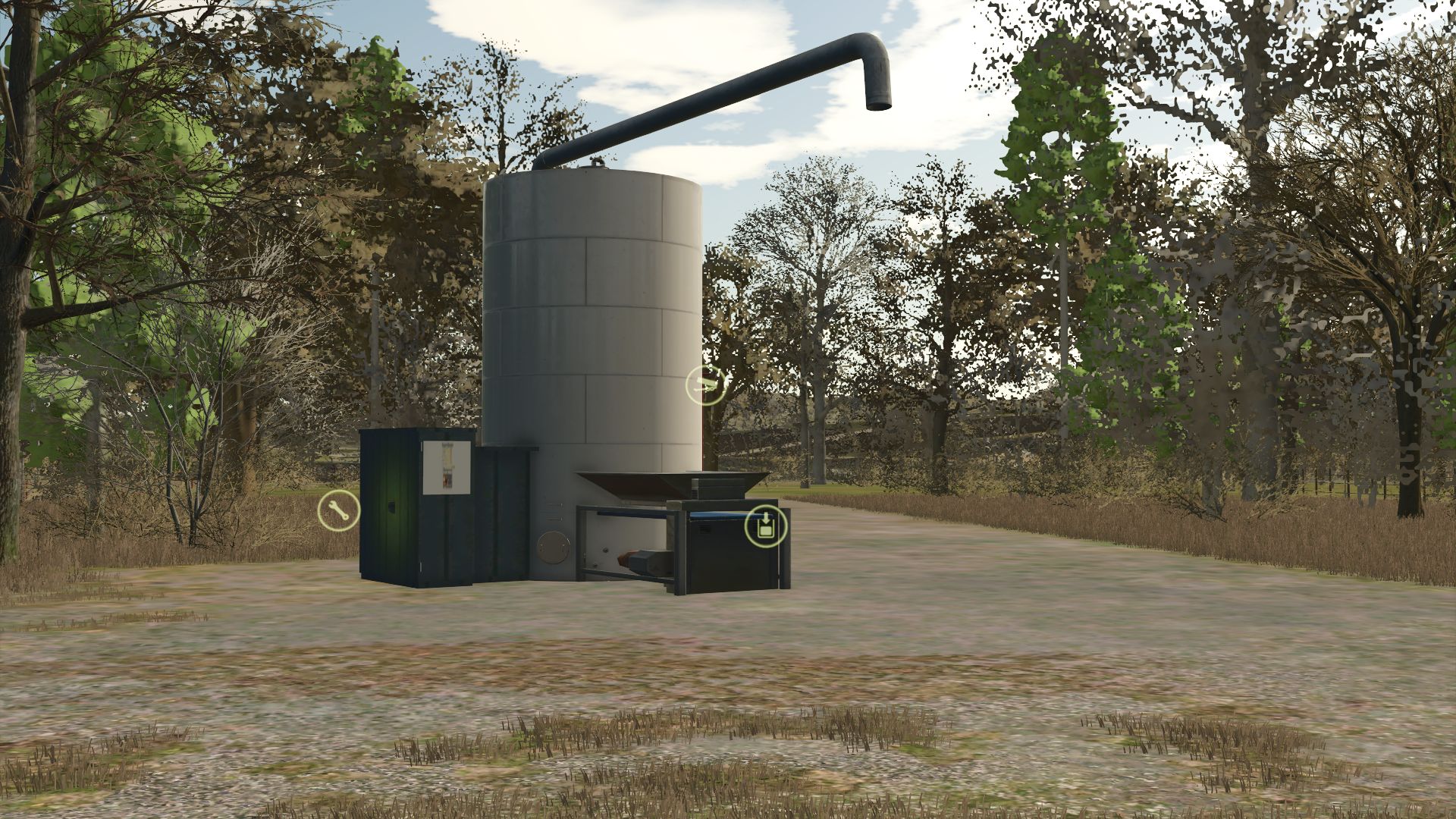
Production of feed for pigs V1.0.0.1
Production of feed for pigs V1.0.0.1 Pork food production: Machine to transform the crops into feed for the pigs of your farm. Category: Production – Factories Price: € 25,000 V1.0.0.1 Added new recipes. Author: Agritruckteam Report bugs in the comments and help modders improve this mod. Always check the comments, you can find a solution. DOWNLOAD MOD
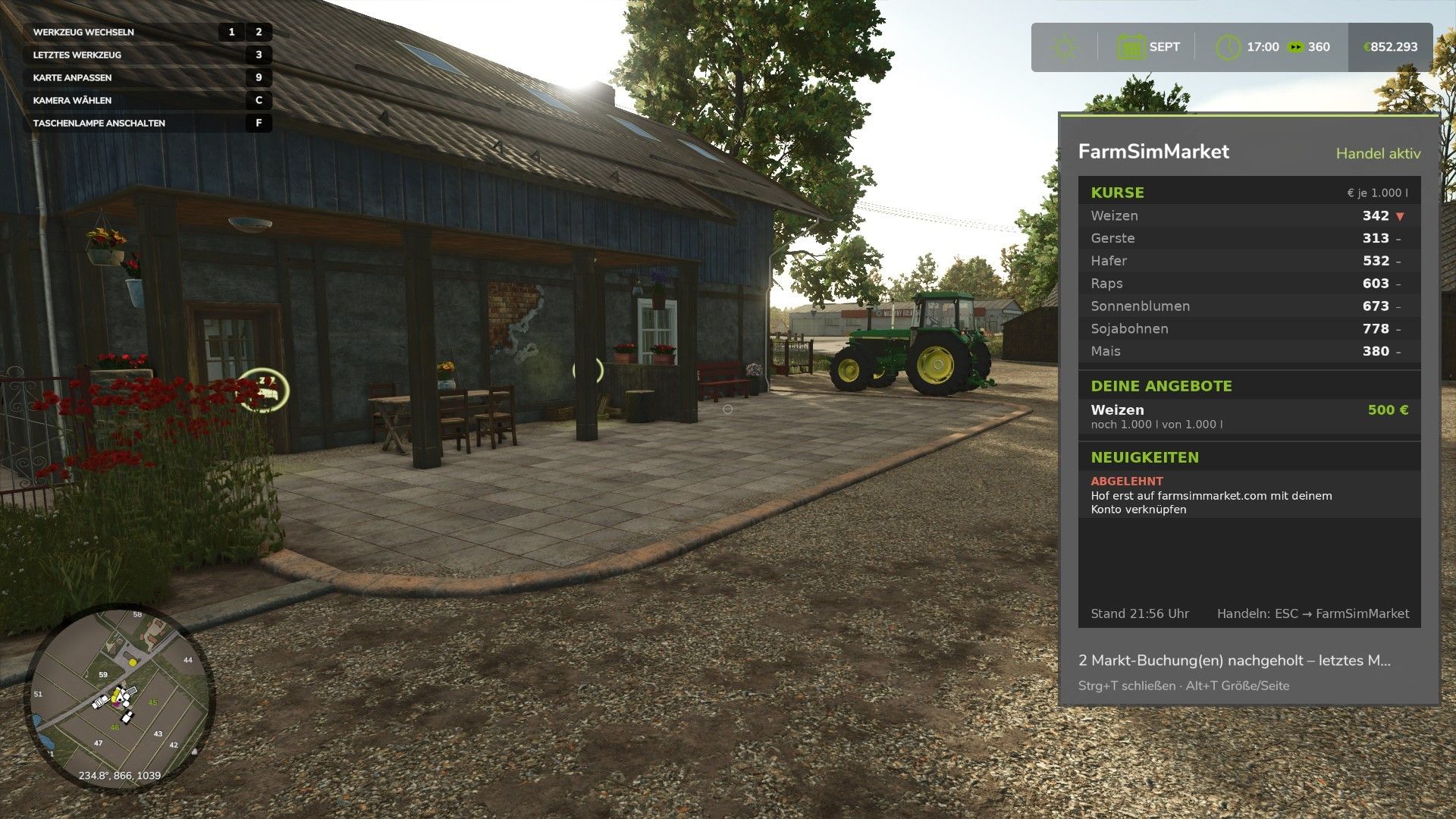
FarmSimMarket – Player Market & Rankings BETA 6 v0.31.1
FarmSimMarket – Player Market & Rankings BETA 6 v0.31.1 OPEN BETA – Trade with real players instead of only with the game! FarmSimMarket connects your farm with farmsimmarket.com – a marketplace for all LS25 players. WHAT THE MOD CAN DO – Player marketplace: Sell or buy crops, milk, pallets, bales and vehicles from other players – directly in the game (ESC → FarmSimMarket) or on the website. – Market tablet (Ctrl+T): Prices, your offers and news at the edge of the screen while you keep playing – even in a vehicle. – No extra building required: Purchased goods go into your existing silos and storage facilities, or appear as pallets/bales at the shop’s drop-off area. – Leaderboards & farm profile: Compare your farm with other players. – Contract marketplace: Post or accept contract work – with field access permissions on shared servers. – Multiplayer & dedicated servers, rented servers (G-Portal, Nitrado …) via the server bridge. HOW TO GET STARTED 1. Do not unpack the ZIP; place it in the Mods folder and activate it in your savegame. 2. Create an account at farmsimmarket.com and enter the code from the game. 3. To trade, start the small FarmSimMarket helper OPEN BETA – PLEASE READ FarmSimMarket is still at a very early stage. Most things work, but there may still be occasional errors or something may not work from time to time. Make a backup of your savegame before your first trade. What does not work yet or has barely been tested: – PC (Windows) only – no consoles; the helper only runs on Windows. – Trading only works with the helper or server bridge (without one, the goods remain where they are; nothing is lost). – Multiplayer and the contract marketplace’s field access permissions have barely been tested. – Rented servers via the server bridge are still being tested. – Prices move very little at first – they are generated by player trading. – Website currently available only in German. BETA 6 0.31.1.0 New: Pallets and bales in a single-object storage facility (bale and pallet storage) are now counted you can see them on farmsimmarket.com under Storage. They can be listed after being taken out of storage. Author: NilsDBerlin Report bugs in the comments and help modders improve this mod. Always check the comments, you can find a solution. DOWNLOAD MOD
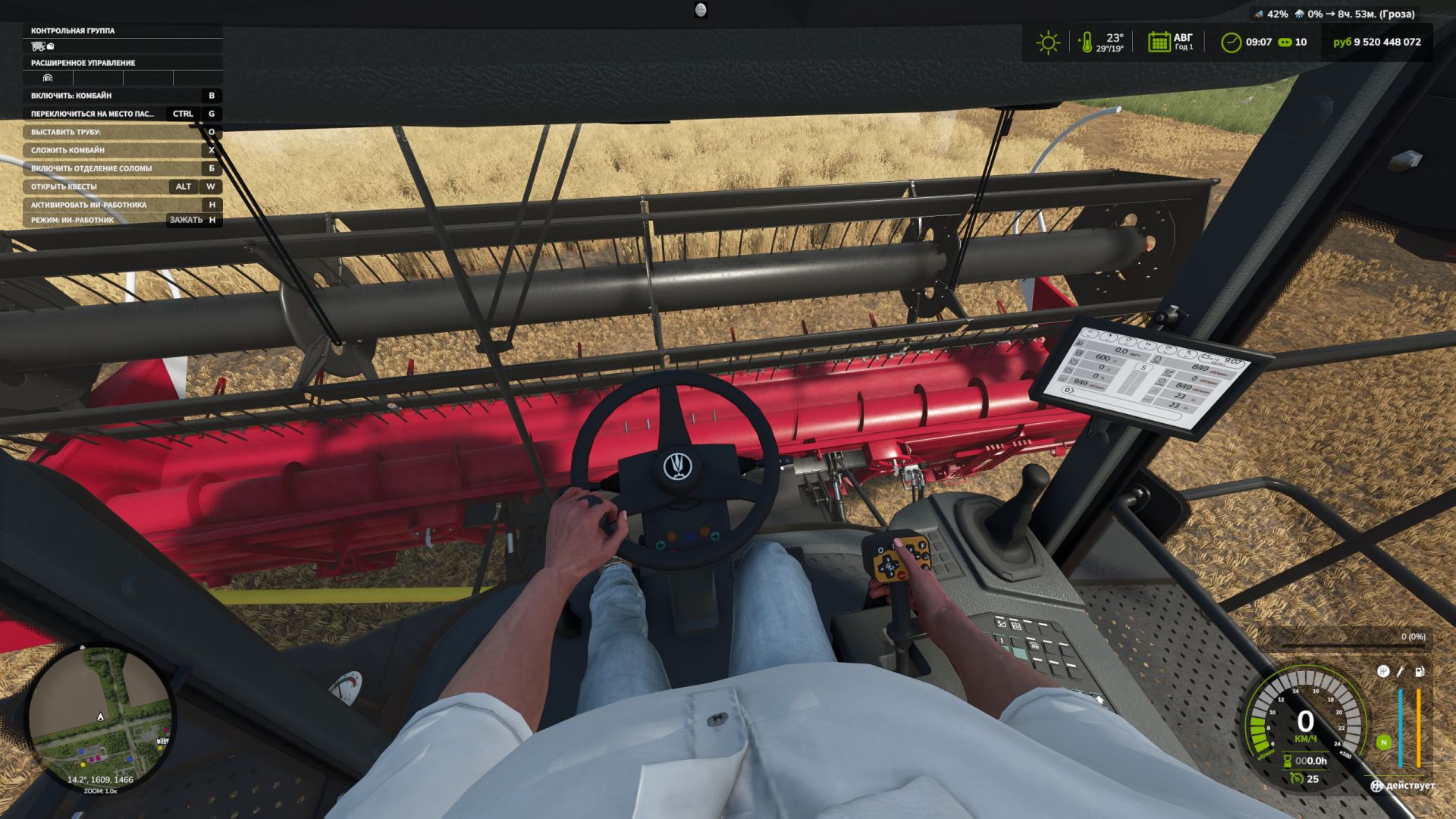
First-Person-Spielerkörper V1.1.0.0
First-Person-Spielerkörper V1.1.0.0 Die Erweiterung „First-Person Player Body“ fügt in Farming Simulator 25 eine „vollständige“ Charakterdarstellung im Ego-Modus hinzu. Beim Blick nach unten sieht der Spieler nun seinen animierten Körper, Beine und Arme, und die Bewegungen der Spielfigur werden korrekt zusammen mit der Kamera dargestellt. Der Kopf bleibt hinter der Kamera, sodass er die Sicht nicht behindert, aber dennoch zum Schattenwurf beiträgt. Die Mod verbessert außerdem die Ego-Perspektive in Fahrzeugen. Bei Verwendung der Innenraumkamera wird das Standardmodell des sitzenden Fahrers angezeigt. Die Kamera kann die Augenanimation und die Bewegungen der sitzenden Figur verfolgen. Die Mod-Einstellungen umfassen: Zu Fuß – Sichtbarkeit des Spielerkörpers. – Seitliche Kamerabewegung. In Fahrzeugen – Sicht auf den Fahrerkörper. – Kameraposition – Standard- oder Augenhöhe. – Die Kamera folgt den Bewegungen des Fahrers. Um die Kamera im Standardmodus oder die gesamte Figur im Augenhöhe-Modus zu bewegen: Strg + Pfeiltasten RAlt + Pfeiltasten V1.1.0.0 Spanische Übersetzung hinzugefügt (Pericops) Der Fehler im Handübernahmemodus wurde behoben, der auftrat, wenn eine Hand einen Hebel betätigte und nach der Rückkehr nicht die Lenkradsteuerung übernahm. (Dieses Problem sollte nun nicht mehr auftreten.) Tags: Bei VerwendungDie ModDieses ProblemFarming Simulator
Inventar-Rucksack V1.0.0.1
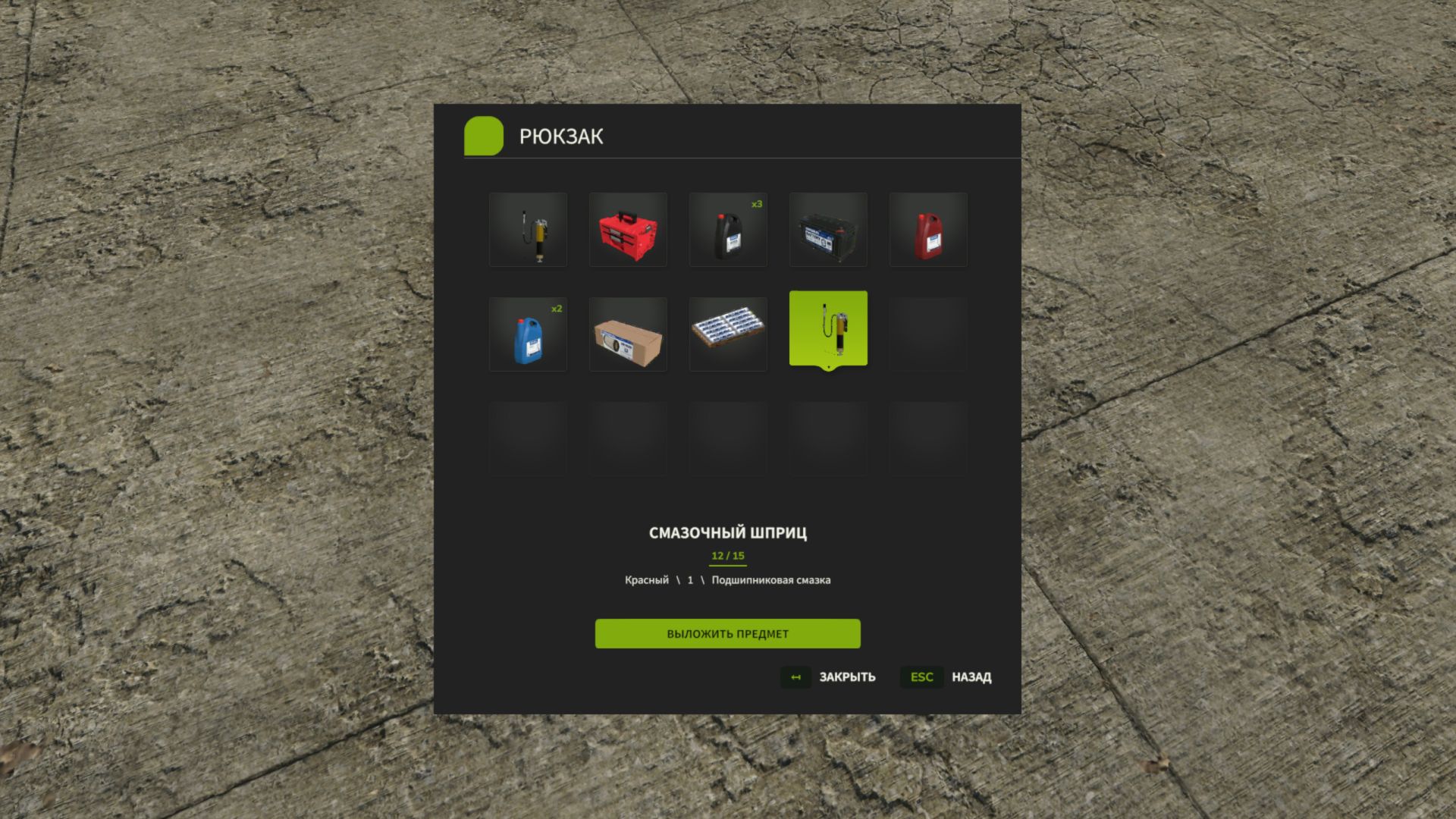
Inventar-Rucksack V1.0.0.1 Inventar-Rucksack – Bewahren Sie alle wichtigen Dinge bei sich auf! Sind Sie es leid, Gegenstände einzeln zu tragen? Ständig zurücklaufen zu müssen, um vergessene Dinge zu holen? Ein ganzes Fahrzeug nur für den Transport einiger kleiner Gegenstände zu benötigen? In Farming Simulator 25 hast du jetzt deinen eigenen Rucksack! Inventory BackPack fügt dem Spiel ein persönliches Inventarsystem mit 15 Slots hinzu, mit dem Sie kompatible Gegenstände sammeln, lagern, tragen und wiederfinden können, wann immer Sie sie benötigen. Arbeiten Sie auf dem Feld? Warten Sie Ihre Maschinen? Transportieren Sie kleine Werkzeuge und Zubehör? Oder möchten Sie Ihre Ausrüstung einfach nur griffbereit haben? Sie müssen nicht mehr jedes Mal zum Bauernhof zurückkehren! Was ist neu in Version 1.0.0.1? Neue Sprachen hinzugefügt! Die Benutzeroberfläche wechselt nun automatisch zwischen Russisch, Englisch und Deutsch, je nach den Spracheinstellungen Ihres Spiels. Überarbeitetes Steuerungssystem! Die Tastenbelegung für „I“ und „Y“ wurde angepasst, um Konflikte mit den Fahrzeugsteuerungen zu minimieren. Die Fahrzeugsteuerung hat Vorrang, solange man sich in der Maschine befindet; die Rucksackfunktionen werden wiederhergestellt, sobald man aussteigt. Zusätzliche Optimierungen, um eine reibungslose Steuerung im Mehrspielermodus zu gewährleisten. Das aktualisierte Steuerungssystem wird derzeit auf dedizierten Servern getestet. Hauptmerkmale 15 Inventarplätze – mehrere Gegenstände gleichzeitig tragen. Persönlicher Rucksack – jeder Spieler verfügt über sein eigenes, individuelles Inventar. Multiplayer-Unterstützung – ausgelegt für Einzelspieler- und Koop-Gameplay, inklusive dedizierter Server. Permanente Speicherung – das Inventar jedes Spielers wird in jedem Spielstand einzeln gespeichert. Intuitive Benutzeroberfläche – zeigt Symbolik, Namen und Konfigurationen der Elemente an. Artikelstapelung – identische Artikel werden zusammengefasst, wobei die Menge deutlich angezeigt wird. Benutzerfreundliche Steuerung – Gegenstände mit Maus oder Tastatur auswählen. 🔧 Unterstützung für andere Mods – ermöglicht das Speichern kompatibler, tragbarer Objekte aus Drittanbieter-Mods. Keine Tricks – du kannst keinen Traktor, LKW oder ein großes Gerät in deinen Rucksack stopfen! Ein Rucksack – viele Einsatzmöglichkeiten! Sie fahren zu einem Arbeitseinsatz weit weg vom Bauernhof? Nehmen Sie alles mit, was Sie brauchen. Sie müssen mehrere kleine Gegenstände transportieren? Dann müssen Sie nicht mehr für jeden einzelnen Gegenstand hin und her laufen. Nutzt du das Advanced Damage System? Der Rucksack hilft dir, kompatible Filter, Werkzeuge und Verbrauchsmaterialien zu transportieren. Inventory BackPack ist eine komplett eigenständige Mod. Sie benötigt weder das Advanced Damage System noch irgendeine andere zusätzliche Mod, um zu funktionieren! Bedienelemente I — Rucksack öffnen / schließen (zu Fuß). Y — Lege einen Gegenstand in den Rucksack. Maus / Pfeiltasten — Element auswählen. Eingabe – Ausgewähltes Element entfernen. Esc — Menü schließen. Unterstützte Sprachen Russisch Englisch Deutsch Die Sprache der Benutzeroberfläche wird automatisch anhand Ihrer Spieleinstellungen bestimmt. Installation Laden Sie die Datei `FS25_InventoryBackPack_for_Multiplayer.zip` aus dem Abschnitt „Assets“ unten herunter. Platziere das ZIP-Archiv in deinem Farming Simulator 25 `mods`-Ordner. Aktiviere die Mod in deinem Spielstand. Für den Mehrspielermodus muss sichergestellt werden, dass sowohl auf dem Server als auch auf den Computern aller Spieler die gleiche Version installiert ist. Hinweis: Die Kompatibilität mit bestimmten Drittanbieterprodukten kann variieren. Die Arbeiten an der Objektphysik und der Tastenbelegung für dedizierte Server laufen noch. Weniger Herumlaufen. Mehr Farmen! Unterstützung & Feedback Inventory BackPack befindet sich in aktiver Entwicklung! Haben Sie einen Fehler gefunden? Haben Sie eine Idee für eine neue Funktion? Teilen Sie uns Ihr Feedback gerne über GitHub Issues mit. Die Mod wird ständig weiterentwickelt! Falls Sie einen Fehler gefunden haben oder Verbesserungsvorschläge haben, teilen Sie uns dies bitte im GitHub-Issues-Bereich mit. Vielen Dank für das Herunterladen und die Unterstützung von Inventory BackPack! Vielen Dank für Ihre Unterstützung! V1.0.0.1 Lokalisierung in drei Sprachen hinzugefügt: Englisch, Deutsch und Russisch. Gelegentliche Konflikte bei der Tastatursteuerung auf dedizierten Mehrspielerservern wurden behoben. Die Stabilität der Rucksacktasten (I und Y) wurde verbessert. Fälle, in denen die Tasten in Mehrspieler-Spielen nicht mehr reagierten, wurden behoben. Tags: Advanced Damage SystemEntwicklung Haben SieKeine TricksVielen Dank
FS Icon Studio V1.0.4
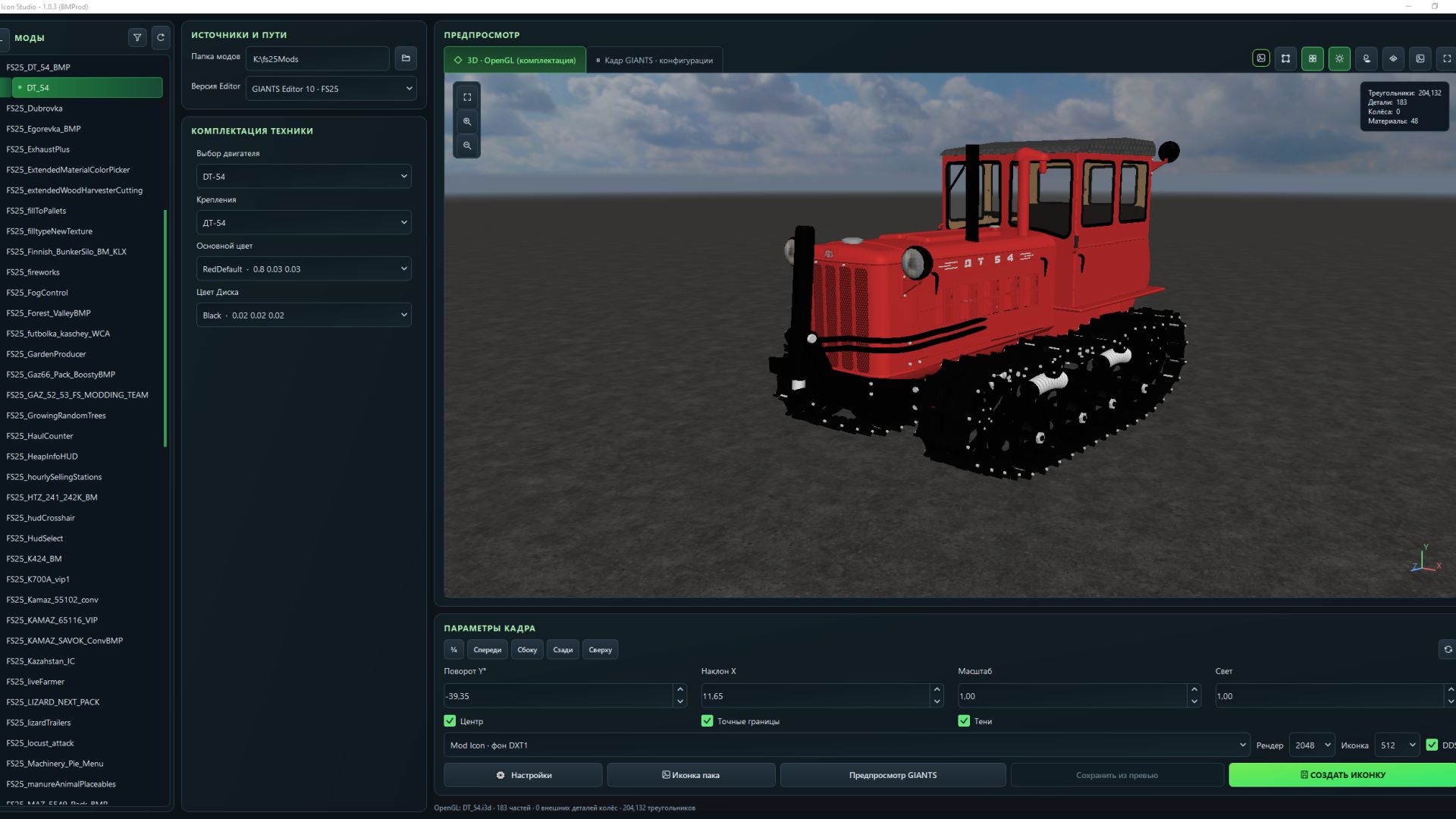
FS Icon Studio V1.0.4 V1.0.4.0 Added graphics settings for the OpenGL preview render. Fixed an issue where some paint configurations were missing. Expanded the materials displayed in the OpenGL 3D preview. Added a window on first launch with brief information. If you want to read the full information, click More details. Full instructions have also been added to the settings. Fixed issues where there was no choice of color configuration. The OpenGL preview now supports dynamicallyLoadedParts. Fixed an issue where the icon DDS file was not saved when replacing it. Camera rotation data from the XML for the icon is no longer applied. Fixed some issues for FS22 mode (editor 9.0.6). FS Icon Studio — a Windows utility that combines vehicle selection, equipment configuration, 3D preview and ready-to-use icon creation in one window. It helps prepare images for the in-game store and a mod cover: choose the required wheels and color, set the camera angle, check the result and save it as PNG or DDS. Features – FS22 and FS25 in one application. Separate path settings for the games and GIANTS Editor 9 and 10, with switching between versions. – Convenient mod list. Unpacked mods are displayed as a tree with store items. If a mod has no storeItems list, the program suggests the discovered I3D models. – Interactive 3D preview. Adjust the camera angle and check supported configurations without launching GIANTS Editor after every change. – Equipment selection. Colors, wheels, variants and part visibility from the mod XML. For foldable vehicles, you can choose the folded or unfolded position. – Frame settings. Rotation, tilt, scale, lighting, shadows and automatic model centering. (By rotating the 3D model in space.) – Rendering through GIANTS Editor. A separate tab displays the frame created with GIANTS tools, using materials and configurations loaded from the game. – Two icon types. Store Icon with a transparent background and Mod Icon with a built-in ModHub background. – PNG and DDS export. Store Icon uses DDS DXT5 with transparency, while Mod Icon uses DXT1. Render resolution is up to 2048 × 2048; the finished icon size ranges from 128 × 128 to 1024 × 1024. – Save directly to the mod. The program uses the icon names and paths from the XML. When replacing files, it can automatically create backups. – Save the finished preview. A successful GIANTS frame can be exported without launching the editor again. – Settings memory. Paths, selected configurations, frame parameters and export settings are saved between launches. The interface is available in Russian and English. How does FS Icon Studio differ from GIANTS Icon Generator? The official GIANTS Icon Generator is intended for creating mod icons using GIANTS tools. FS Icon Studio uses the same approach for the final render and adds its own workspace for preparing the image. The main difference is two preview stages in one window. First, you select the equipment configuration and camera angle in the interactive OpenGL preview. Then you launch a GIANTS frame to check the materials and final appearance before saving. The Editor is launched on your command. Configuration selection and frame adjustment are also available in the official generator. (Though by entering values.) The studio’s advantage lies in its workflow: the equipment configuration is displayed next to the model, mods and items are available in a tree, FS22 and FS25 are combined in one interface, and the finished frame can be saved without rendering again. Additional convenience comes from reading paths from the XML, backups and saving settings between sessions. The program works with unpacked mods. For the final render, the corresponding installed game and GIANTS Editor are required: version 9 for FS22 or 10 for FS25. The OpenGL preview is intended for preparing the composition; complex shaders and scripted vehicle features should be checked in the “GIANTS Frame” tab. Author: BMProd Report bugs in the comments and help modders improve this mod. Always check the comments, you can find a solution. DOWNLOAD MOD
First Person Player Body V1.1
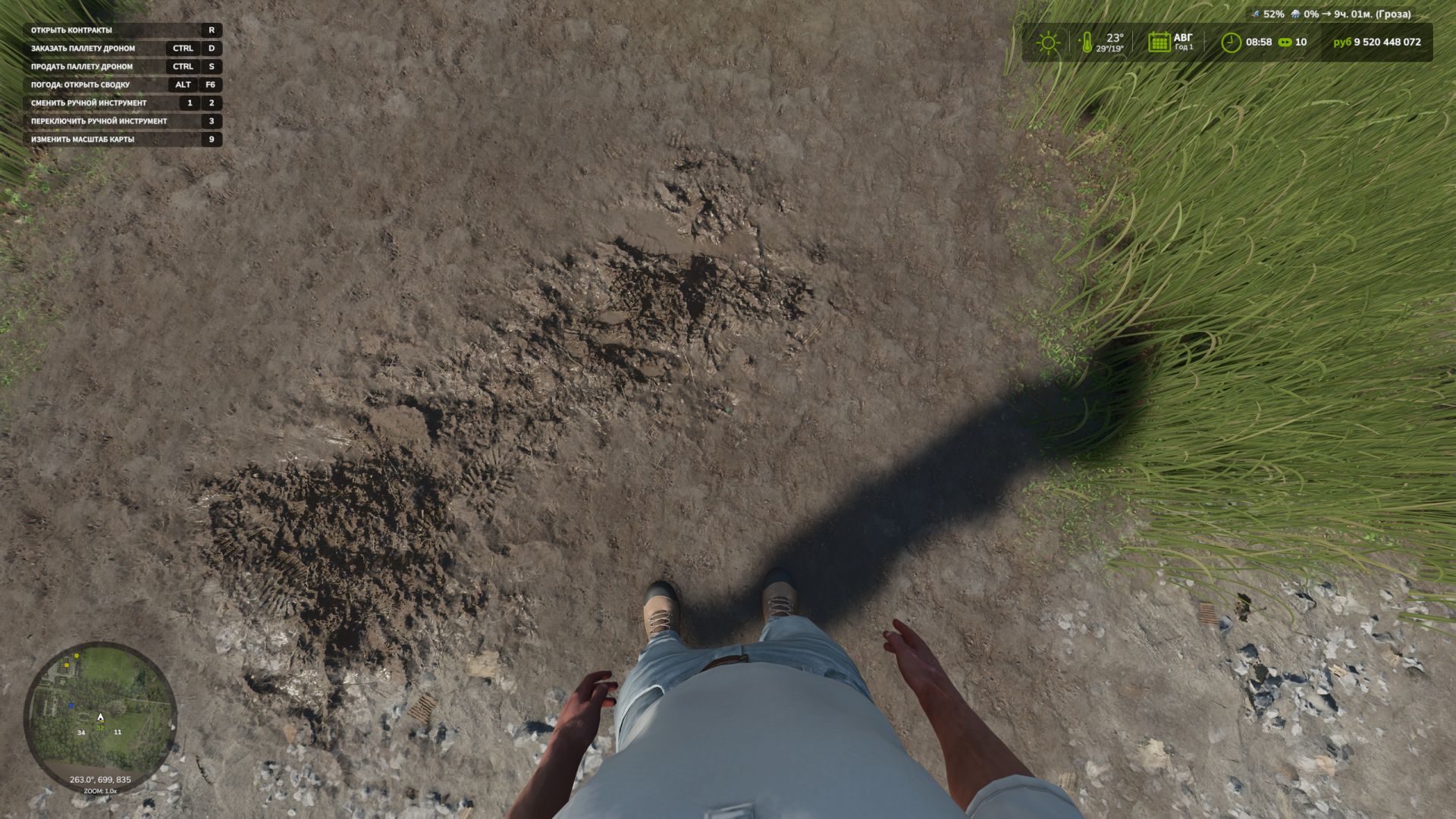
First Person Player Body V1.1 First-Person Player Body adds a “full” character display in first-person mode in Farming Simulator 25. Now, when looking down, the player can see their animated body, legs and arms, and the character’s movements are correctly displayed together with the camera. The head remains behind the camera so that it does not obstruct the view, while still contributing to the shadow. The mod also improves the first-person view inside vehicles. When using the interior camera, the standard seated driver model is displayed. The camera can follow the eye animation and movements of the seated character. The mod settings include: On foot – Player body visibility. – Camera side-to-side movement. In vehicles – Driver body visibility. – Camera position — standard or eye level. – Camera following the driver’s animation. To move the camera in standard mode, or the entire character in eye-level mode: Rctrl + Arrow keys RAlt + Arrow keys V1.1.0.0 Added Spanish translation (Pericops) Fixed the hand takeover mode when one of the hands switches a lever and, upon returning, does not take over the steering wheel. (This issue should no longer occur) Author: BMProd Report bugs in the comments and help modders improve this mod. Always check the comments, you can find a solution. DOWNLOAD MOD
Kalk- und Düngemittelsilos v1.0.0.0
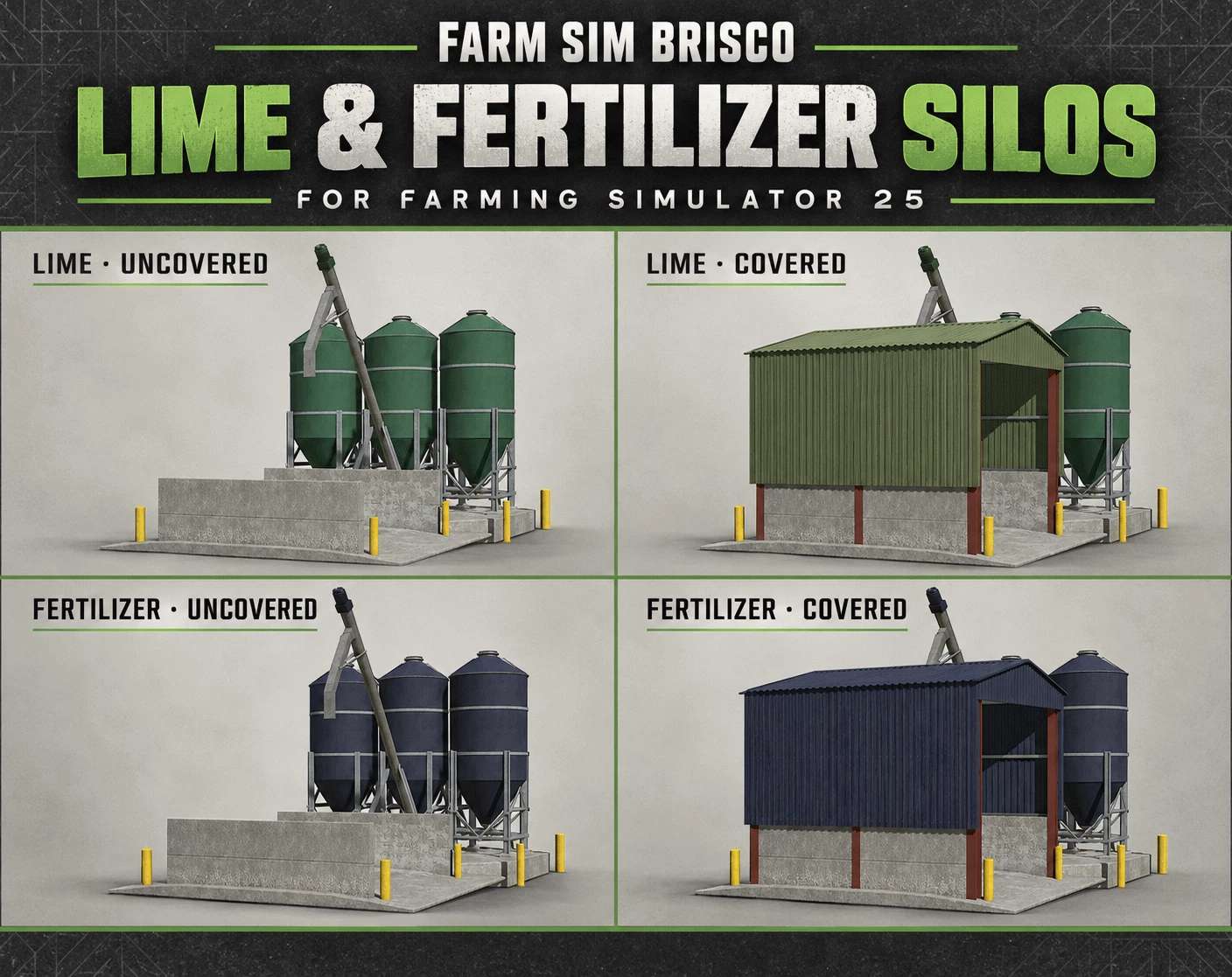
Kalk- und Düngemittelsilos v1.0.0.0 Ursprünglich habe ich diese Kalk- und Düngemittelsilos für Saxlingham 4x erstellt, aber ich dachte, es wäre schön, sie schon jetzt zu teilen, damit ihr sie auf euren eigenen Höfen nutzen könnt, während die Arbeit an der Karte weitergeht. Das Paket enthält sowohl eine überdachte als auch eine offene Version der Kalk- und Düngemittelsilos für den Landwirtschafts-Simulator 25. Hier schon mal ein kleiner Vorgeschmack auf die kommende Karte, bevor sie veröffentlicht wird. Viel Spaß damit! Tags: Das PaketViel Spa
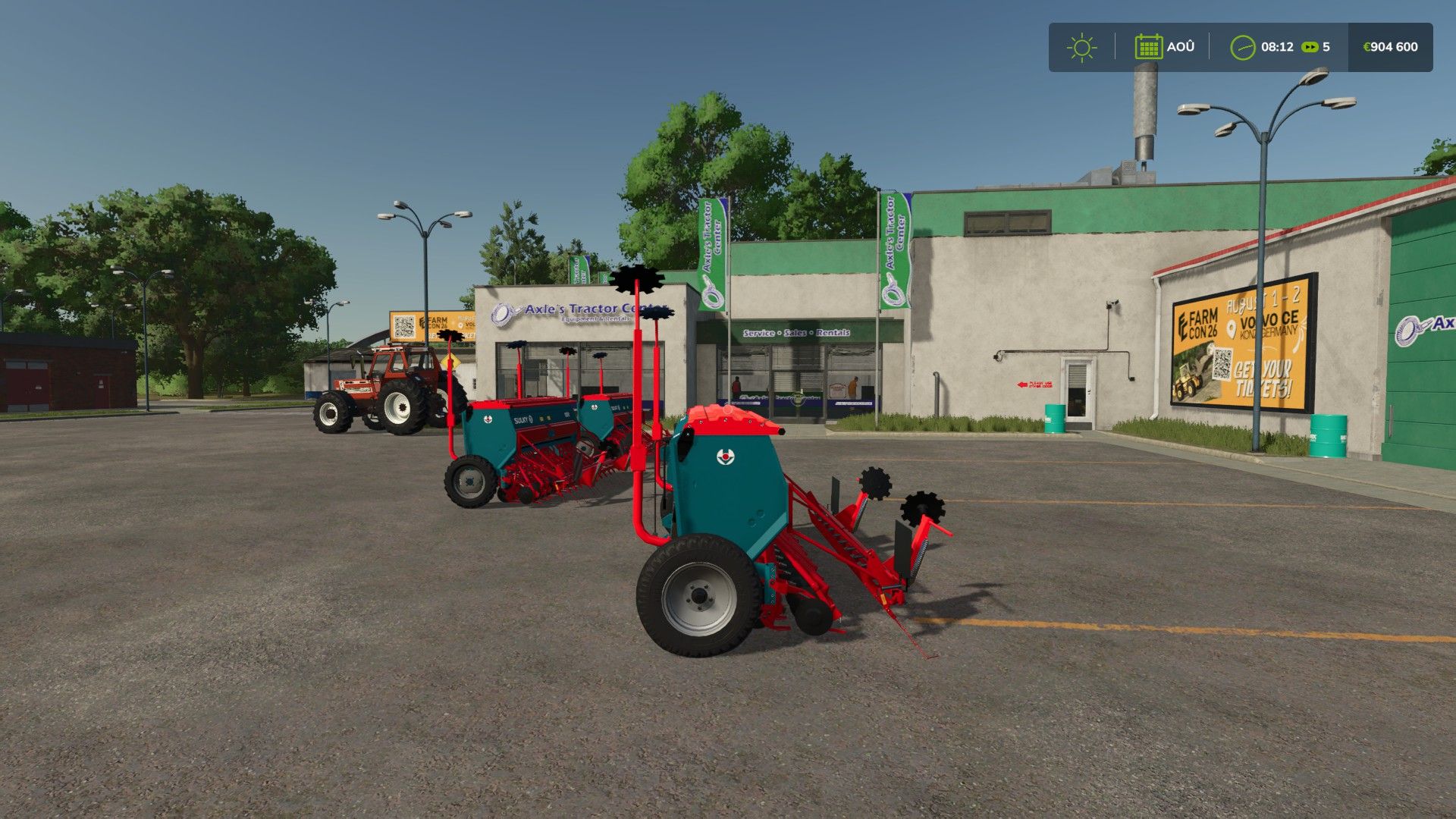
Sulky Master BETA 2 v1.0
Sulky Master BETA 2 v1.0 BETA 2 There was just the filling bug, which has been fixed. Perfect seeder for your parties Working width:3.0m capacity:600l Switch to colors fs25 Author: Leminicaseih, Jagamaschin Report bugs in the comments and help modders improve this mod. Always check the comments, you can find a solution. DOWNLOAD MOD
- 15 per page
- 30 per page
- 45 per page
- 60 per page
-
See more per page
Bigger pages, fewer clicks - and no ads anywhere.
Go Pro