Farming Simulator 22 mods
50,266 results- 15 per page
- 30 per page
- 45 per page
- 60 per page
-
See more per page
Bigger pages, fewer clicks - and no ads anywhere.
Go Pro
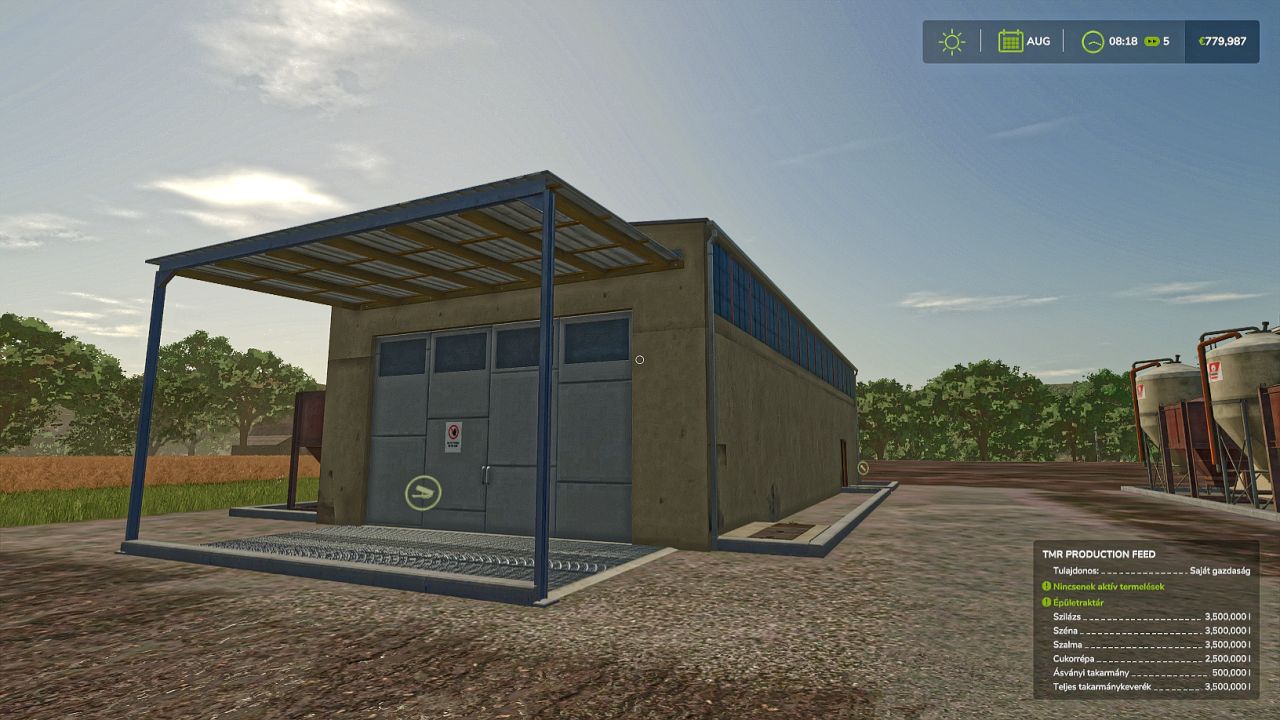
Pig Feed Production FS25
Pig Feed production capacity in 1 000 000 capacity out 1 000 000 price 110 000€ TMR Feed production price 110 000€ Production Recipes: 75 Hay 75 Silage to 150 total mixed ration with 200 cycles per hour 75 Hay 75 Silage 45 Straw to 195 total mixed ration with 200 cycles per hour 75 Hay 75 Silage 45 Sugarbeet 45 Straw to 240 total mixed ration with 200 cycles per hour 75 Hay 75 Silage 45 Sugarbeet 45 Straw 25 Mineral Feed to 265 total mixed ration with 200 cycles per hour
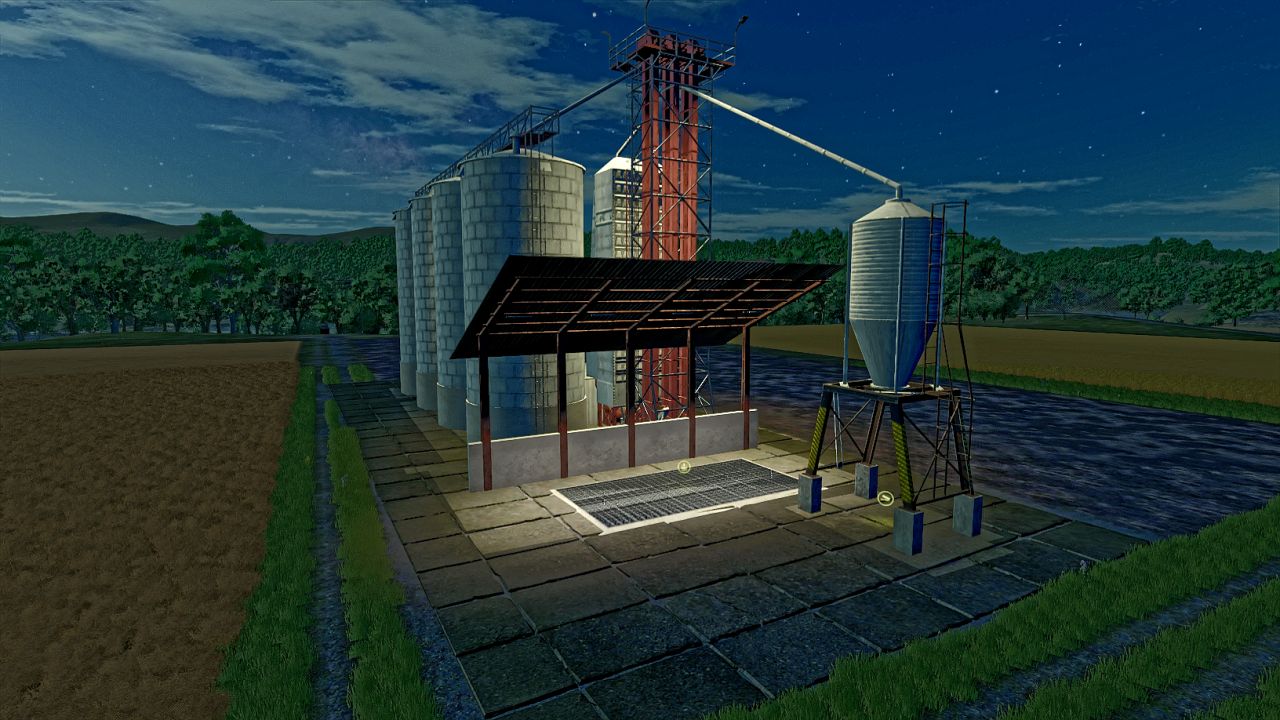
KS 67 multifruit silo FS25
filltype: WHEAT BARLEY OAT CANOLA SORGHUM GRAPE MAIZE POTATO SUGARBEET SUGARBEET_CUT BEETROOT CARROT PARSNIP RICELONGGRAIN RICE GREENBEAN PEA SPINACH SOYBEAN SUNFLOWER SUGARCANE PIGFOOD OLIVE capacity 4 000 000 liter price 80 000 €
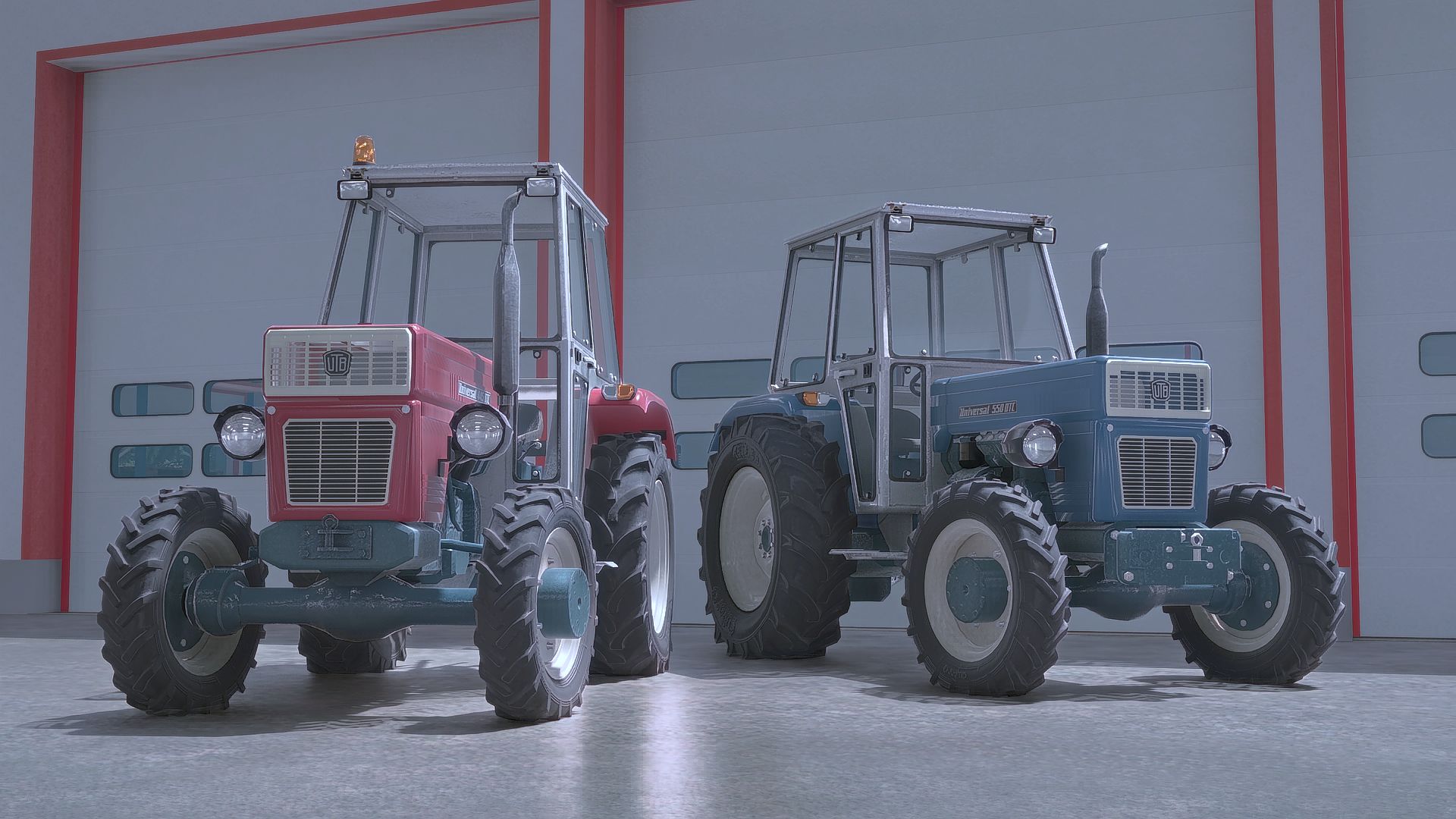
Universal 445-550 DTC Series FS22
Universal 445-DTC and 550-DTC are old classic tractors from Romania, made between 1972 and 1981. This mod is resembling Slovenian version of it from year 1981. Features: 1. Two tractors: 445-DTC & 550-DTC 2. Wheel configurations 3. Design configurations 4. All original FS22 features + Reworked tire pressure shader 5. IC (Interactive Control) for doors and rear window 6. Animated engine belt and cooler ventilator 7. Interior animations: RPM, Fuel, Operating Time 8. Sounds using capabilities presented in FS22 9. DynamicHoses support: 2x hydraulic, 2x air, 1x electric Mod was converted from fs17 by me Original Author : 50keda Original link to the mod : https://www.farming-simulator.com/mod.php?mod_id=117422&title=fs2017
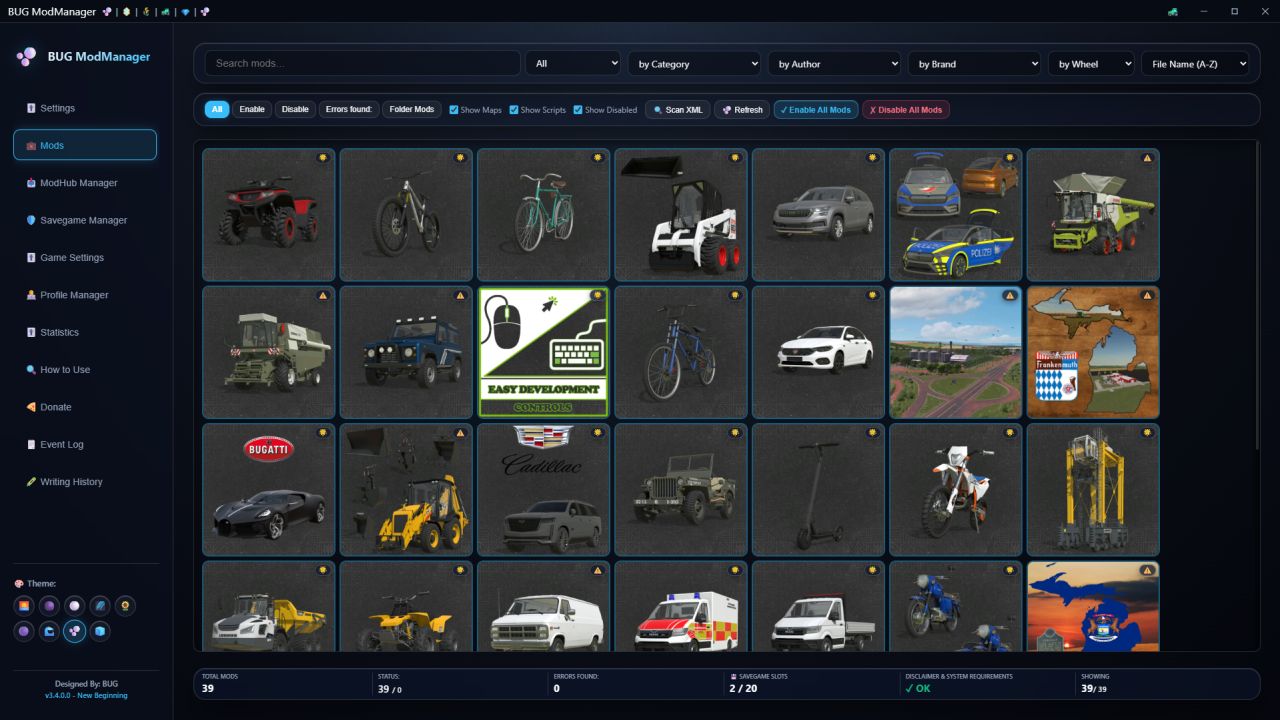
BUG ModManager FS25
There are no changes to the previous versions. You can continue using them for free. From now on, I will be making improvements on this version. This is not a MOD! It is a program that allows you to manage your mods before launching the game. License system: You must purchase a license to use the program. You can make your purchase at https://buggub.itch.io/bug-mod-manager. After purchasing your license, you need to run the program, log in with your itch.io account, and confirm the license.! NOTE: Once the license system is activated, the program can be used offline for 14 days. It will not work without verification after 14 days. The installation process is simple; you can easily install it by clicking “Next” repeatedly. First Launch: On the Settings screen, make sure you’ve entered the correct paths for the game’s EXE and other files. The default paths are listed below. The entire game’s functionality depends on this setup. Steam/Epic Paths: SavePath : Documents\My Games\FarmingSimulator2025 ModPath : Documents\My Games\FarmingSimulator2025\mods GamePath Steam : C:\Program Files (x86)\Steam\steamapps\common\Farming Simulator 25 GamePath Epic : C:\Program Files\Epic Games\FarmingSimulator25 Xbox Paths: SavePath : Documents\My Games\FarmingSimulator2025 ModPath : C:\Users\\AppData\Local\Packages\GIANTSSoftware.FarmingSimulator25PC_\LocalCache\Local\mods GamePath Xbox : C:\Users\\AppData\Local\Packages\GIANTSSoftware.FarmingSimulator25PC_\LocalCache\Local\ IMPORTANT! : I’ve tested everything, but it’s not possible for me to test every possible scenario. Therefore, if you encounter an error, please share the program’s log file along with the error output, the mod (if any) that caused the error, and a screenshot of the error. Contact: [email protected] 1. A "Non Installed Mods" filter has been added to ModHub. It only shows mods that are not installed. 2. A filter has been added to the main menu to only show mods with added notes. 3. Performance and Speed Optimizations (Freezing Issues Fixed): Heavy disk operations such as saving, backing up, opening/compressing ZIP files, and editing details of large mod files will no longer cause the application screen to drop to "Unresponsive". Additionally, the mouse cursor will show the waiting status. 4. Most crashes due to unexpected errors have been prevented. The application will no longer crash completely when searching on ModHub, switching between categories, pressing the refresh button, or when the internet connection is lost. In such cases, the application will now continue to work safely and will show you the error in the status bar or in an alert box. 5. Folder refresh errors have been fixed. If a problem occurs when refreshing your mod folder, such as a locked file, permission issue, or inaccessible folder, the application will detect the situation without giving an error and inform you. 6. Some theme and translation errors have been corrected. # Bug Fixes and Improvements 1. In-App Crashes Resolved: Unexpected crashes when quickly scrolling through the mod list or closing windows have been completely resolved. 2. Corrupted Mod Protection: Prevents incorrectly written or incomplete mod files from freezing or crashing the application. 3. Non-Freezing Fast Backup: Backup and restore processes are moved to the background, preventing interface freezing and speeding up large mod backups. 4. File Locking Protection: Prevents application crashes caused by (locked) mod files during download or copying. 5. Seamless ModHub Connection: Automatic background switching has resolved lags and slowdowns in the browser engine when pulling information from ModHub. 6. Prevention of Startup Errors: Prevents corrupted or faulty profile/configuration files from preventing the application from starting. 1. ModHub: Improvements have been made to the general working logic. 2. ModHub: An additional setting has been added to Settings to hide mods belonging to the "Prefab" category. 3. ModHub: The working logic of the "Installed Mods" section has been improved. 4. ModHub: The working logic of automatic mod updates has been improved. 5. ModHub: A new button "Check Mod Updates" has been added to check only the "Installed Mods" section. 6. ModHub: A new button "Scan/Cache All ModHub" has been added. Its purpose is to scan the entire ModHub site and create a permanent and continuously updated cache. It takes time, but it speeds up update and uploaded mod detection. 7. ModHub: Mod rating systems are now visible. 8. Main: Several adjustments have been made to the filtering logic. 9. Global: A problem that caused pop-up windows to open in the background has been fixed. 10. Global: Changes were made to all themes and 2 new themes were added. 11. Global: Some potential security vulnerabilities were fixed. 12. Global: Some potential performance issues were fixed. 13. Global: Italian language was added. 1. The necessary editing systems for "Animal Husbandry" have been integrated into the Edit window. 2. Five new filters have been added to the main window. You can now filter by Author, Brand, Wheel, Map, and Script. 3. An issue in the ModHub Manager that prevented users from performing other actions while downloading has been resolved. You can now use the store while a download is in progress. 4. In the main window, an issue causing subsequent actions to fail during quick actions—due to the previous action not completing—has been resolved. 5. In the main window, an issue causing the page not to refresh when all currently displayed mods were deleted has been resolved. 6. An information section has been added to the status bar area in the main window, showing the number of modes currently displayed, the number of modes selected, and the total size for multiple selections. 7. Portuguese, Chinese, Japanese, Hindi, and Polish languages have been added. 8. The issue of the download limit not working in the Settings area of the ModHub Manager has been resolved. 9. The issue of having both disabled and enabled mods in the Mods folder, resulting in duplicate file conflicts, has been fixed. 10. A "_BAK" feature has been added to the ModHub Manager to detect disabled mods. 1. The issue where the name of the relevant XML file was changed to “ZIP” during the XML Export process in the Edit window has been resolved. A folder named “ZIP” is now created, and the XML file is backed up inside it under its original name. 2. An issue that caused the previous Drag/Drop fix to break when Refresh was triggered has been resolved. 3. The Refresh logic has been updated. Now, only changed files are monitored and updated. 4. A bug in the Update mod logic within ModHub has been fixed. 5. A "Copy" button has been added to the XML Error window for each error. It copies the file/line number and the description. 1. Fixed an issue where dragging a mode within the same window and dropping it back into the window would cause the mode to be deleted. 1. Fixed an error where the profile deletion process was not being saved. 1. Added missing translations for the Spanish language and made some general fixes. 1. A fix was implemented so that the "Relocate Mods Folder" function reads the Mods Folder path in Settings. 2. A minor fix was implemented to ensure that all windows open in the center of the screen. 1. ModHub integration has been added. You can now download and update FS25 mods from the Farming Simulator website directly within the program. Settings for enabling ModHub Manager and configuring the download process are available in the Settings window that appears when you first launch the program. If you enable it, the feature will be activated. These settings can be changed later through the Settings menu. 2. Various bug fixes and performance improvements have been maded. 3. Four potential security vulnerabilities have been addressed. 1. RAM usage has been reduced by up to 75% at the default 50% Image Scale setting. 2. The animal capacities of Animal Transport vehicles can now be adjusted. 1. 14 security vulnerabilities have been fixed. 2. A disclaimer has been added to the program startup screen. 1. A critical error that occurred upon program exit has been fixed. 2. French has been added. 3. Spanish has been added. 1. Optimization improvements have been added for scenarios involving a large number of high-resolution models. The program used to crash in such cases, but this should no longer occur. 2. The system requirements check has been expanded to account for situations that might prevent the program from opening. 1: How to use? section was added, which explains the program in general in terms of features and usage. 2: I added a donation information section. I had to spend money for this version. If you want to support, you can donate to the development of the program. 3: The mod folder discovery system at startup was removed. Instead, a section was created where you must enter Game location, save, and mod locations. You must fill this area; otherwise, the window will not close. Also, make sure you select the locations correctly. The entire working structure of the program depends on these locations! 4: 2 new languages added: Russian and German. 5: Theme system added; there are 6 theme options in total. 6: The interface has completely changed. Now mods are loaded only visually. 7: Right-click menu added. You can perform some functions from the right-click menu. For example, add/remove mods to a profile or save file, etc. 8: The working structure of the Mod Profiles system has been improved. Also, some interface updates were made. 9: The statistics section was generally overhauled and some arrangements were made. 10: The Edit window was reorganized. Now the first window lists the store items content. There is a new interface that opens with a double-click for the detailed edit window. You can always take a backup of all XML content on this screen. In this window, there are 3 separate sections to update StoreData, fillable system adjustments, and Engine data in vehicles if available. 10.1: The Store Data section updates the Name, Brand, Category, Price, Lifetime, Max Speed, and Power information sections and its category in the store. 10.2: The Fill Types section updates the Liter-based Capacity, Fuel, Air, and AdBlue data of vehicles or fillable items in the XML. 10.3: The Engine section is used to update the engines of moving vehicles and is the most comprehensive part. 10.3.1: When you press the Configuration button, the readable engine data in the vehicle is read first. Engines are listed in the upper area. You can change the following information for the selected engine: # Engine Name # Price # Vehicle Type (Default calculation systems change according to the vehicle type, so take care to select data suitable for the vehicle.) # Vehicle Generation (Can decrease or increase data by a percentage as very old, standard, and new. Standard selection is the original calculation. The purpose of this data is to produce appropriate engine performance if there is a very old, very new, or fast vehicle.) # In the Engine parameters area, you can choose whether the vehicle will use Fuel or Electricity. If you select Electric, the Electric motor type data field will open. Additionally, there is a special field for adding electric sound. If the box is checked, separate sound data is created for all engines, and the LUA code file + Sound files are written into the ZIP. # When driving speed is entered, the calculation system calculates HP, Torque, and RPM for that speed by calculating vehicle weight + towing capacity data and default first tire data in the background. You can adjust other data such as HP, Torque, RPM, Forward/Reverse gear numbers, and vehicle acceleration coefficient using the slider. # The maximum towing capacity field is calculated automatically. It is based on realistic data but customized to calculate up to 50% more specifically for the game. You can change it; in this case, the engine data will be updated according to that towing capacity. # The recommended settings button was placed to automatically pull HP, Torque, and RPM data to an ideal point based on other current data. # All calculated data can be seen in the information section below. There is also an XML preview area. # You can add additional new engines or delete them. # You will use the NEC button when your work is finished. Then you need to use the Save button to apply the settings. During the first save process, a backup of the original file is taken; afterwards, you will see a button next to the save button to load the original file. 11: The XML error scanning system was rewritten. It no longer sees everything as an error. Additionally, automatic fix systems were removed; it only provides detailed information. It can be ignored! 12: The Savegame Manager area was created to create a new save without entering the game. Regardless of whether it's a game or a mod, you can select your map, make the relevant settings, add mods and DLC additions, and create a new save. I created this area to perform the loading process directly without dealing with any settings by entering the game. Some language translation errors have been corrected. # Version 1.0.1 changes: # You can now change the “category” data for mods in the EDIT window. For example, you can move your mod from the Small Tractor category to the Medium Tractor category. # Mod window names were not being translated during language changes; now they are displayed in the current language. # Version 1.0.2 changes: # The default language is now English. I should have thought globally from the start. :D # If there are faulty modules, an additional window has been added for this, and some changes have been made to how the code works. If there are files causing ERRORS on the first read, you will now receive a warning window when the loading process is complete. Here you can see the names of the faulty files. You can now export these files to a TXT file by name, move them to a folder named ERROR_FILES, or delete these files directly. Also, when you close the window, you can reopen it by clicking on the ERROR warning area below. # Two more buttons have been added to the mod cards. I added a “FOLDER” button to go directly to the file's relevant folder with the selected file. Also, if desired, there is now a “DELETE” option in the main menu. # Version 1.0.3 changes: #Performance improvements. The application now runs faster. #Date option added for the Sort function. Modes can now be sorted by modification date. # Version 1.0.3.1 changes: # Visual issue with mod cards in the main menu has been fixed. # Version 2.0.0.0 changes: # The main mod catalog has been changed. Now, to EDIT a mod, simply click on the relevant mod. Mods that don't have an EDIT function have a red X in the left corner. # There are now various functions in the top bar: Statistics, Backup, Export, and Batch Operations. # The Statistics window displays the total number of mods, the number of active and inactive mods, the total number of items visible in the store, and the total size. # The Statistics window has 3 main sections: how many mods are in each category, non-category mods (generally script mods), and an area where you can see the item content of all mods in the store (search function and clickable items are active). # The backup function is useful for backing up all mods to a desired location. Similarly, there is a restore option, and both functions work comparatively (whether similar mods exist or not). # The export option outputs all mods as TXT and JSON files, including their names, creators, versions, and sizes. You can use this to send it to someone else. # Currently, the Bulk Operations menu only offers the function to activate or deactivate mods in bulk. More options may be added in the future based on requests. # The search function now works more thoroughly in all fields. # You can now only enter numbers in the Maximum Speed, Price, Lifespan, and Power sections of the EDIT window. I added this control mechanism to prevent potential accidents. Also, the Name section now allows you to change entries in different languages separately. # I added a Refresh button next to the Load Files button. It only adds the changes to the list without completely reloading the mods. # The program can now remember the location of the latest folder. # Version 2.0.0.1 changes: # Initially, searching for the default mod folder location and related processes were added. # Version 2.9.0.0 Changes: # An error scanning mechanism has been added to run automatically after the initial loading process is complete. If you approve, it performs a minor XML error check and, should any issues be found, identifies the problem along with the relevant file and line numbers. An automatic correction feature has been added, though it may not always function correctly; manual correction is always recommended. # A "Mod Profiles" option has been added. You can now save your desired mods into specific profiles and activate only those mods with a single click. # An option to move your default mod folder to a different location has been added under "Batch Operations." This feature utilizes symbolic links (symlinks). # A new feature named "Image Scale" has been added to the main menu. Its purpose is to reduce RAM usage by lowering the quality (on a percentage basis) of the image files displayed within the Edit and Statistics windows. This proves beneficial—even if only slightly—when a large number of mods are installed. The default value is set to 50%. # The Statistics window has been updated to display the item count for the "Store Items Gallery." Additionally, a new section titled "Hidden Store Items" has been added to the left-hand menu to list mods that are either invisible or currently lack content; this feature is provided for informational purposes only. # The Edit window now displays the item count specific to each individual mod. # New options have been added to the sorting functions. # The issue with the expanding list in the "Restore Backups" menu has been resolved. # General performance and security improvements have been implemented. # Initially, searching for the default mod folder location and related processes were added. # The main mod catalog has been changed. Now, to EDIT a mod, simply click on the relevant mod. Mods that don't have an EDIT function have a red X in the left corner. # There are now various functions in the top bar: Statistics, Backup, Export, and Batch Operations. # The Statistics window displays the total number of mods, the number of active and inactive mods, the total number of items visible in the store, and the total size. # The Statistics window has 3 main sections: how many mods are in each category, non-category mods (generally script mods), and an area where you can see the item content of all mods in the store (search function and clickable items are active). # The backup function is useful for backing up all mods to a desired location. Similarly, there is a restore option, and both functions work comparatively (whether similar mods exist or not). # The export option outputs all mods as TXT and JSON files, including their names, creators, versions, and sizes. You can use this to send it to someone else. # Currently, the Bulk Operations menu only offers the function to activate or deactivate mods in bulk. More options may be added in the future based on requests. # The search function now works more thoroughly in all fields. # You can now only enter numbers in the Maximum Speed, Price, Lifespan, and Power sections of the EDIT window. I added this control mechanism to prevent potential accidents. Also, the Name section now allows you to change entries in different languages separately. # I added a Refresh button next to the Load Files button. It only adds the changes to the list without completely reloading the mods. # The program can now remember the location of the latest folder. # Version 1.0.1 changes: # You can now change the “category” data for mods in the EDIT window. For example, you can move your mod from the Small Tractor category to the Medium Tractor category. # Mod window names were not being translated during language changes; now they are displayed in the current language. # Version 1.0.2 changes: # The default language is now English. I should have thought globally from the start. :D # If there are faulty modules, an additional window has been added for this, and some changes have been made to how the code works. If there are files causing ERRORS on the first read, you will now receive a warning window when the loading process is complete. Here you can see the names of the faulty files. You can now export these files to a TXT file by name, move them to a folder named ERROR_FILES, or delete these files directly. Also, when you close the window, you can reopen it by clicking on the ERROR warning area below. # Two more buttons have been added to the mod cards. I added a “FOLDER” button to go directly to the file's relevant folder with the selected file. Also, if desired, there is now a “DELETE” option in the main menu. # Version 1.0.3 changes: #Performance improvements. The application now runs faster. #Date option added for the Sort function. Modes can now be sorted by modification date. # Version 1.0.3.1 changes: # Visual issue with mod cards in the main menu has been fixed.
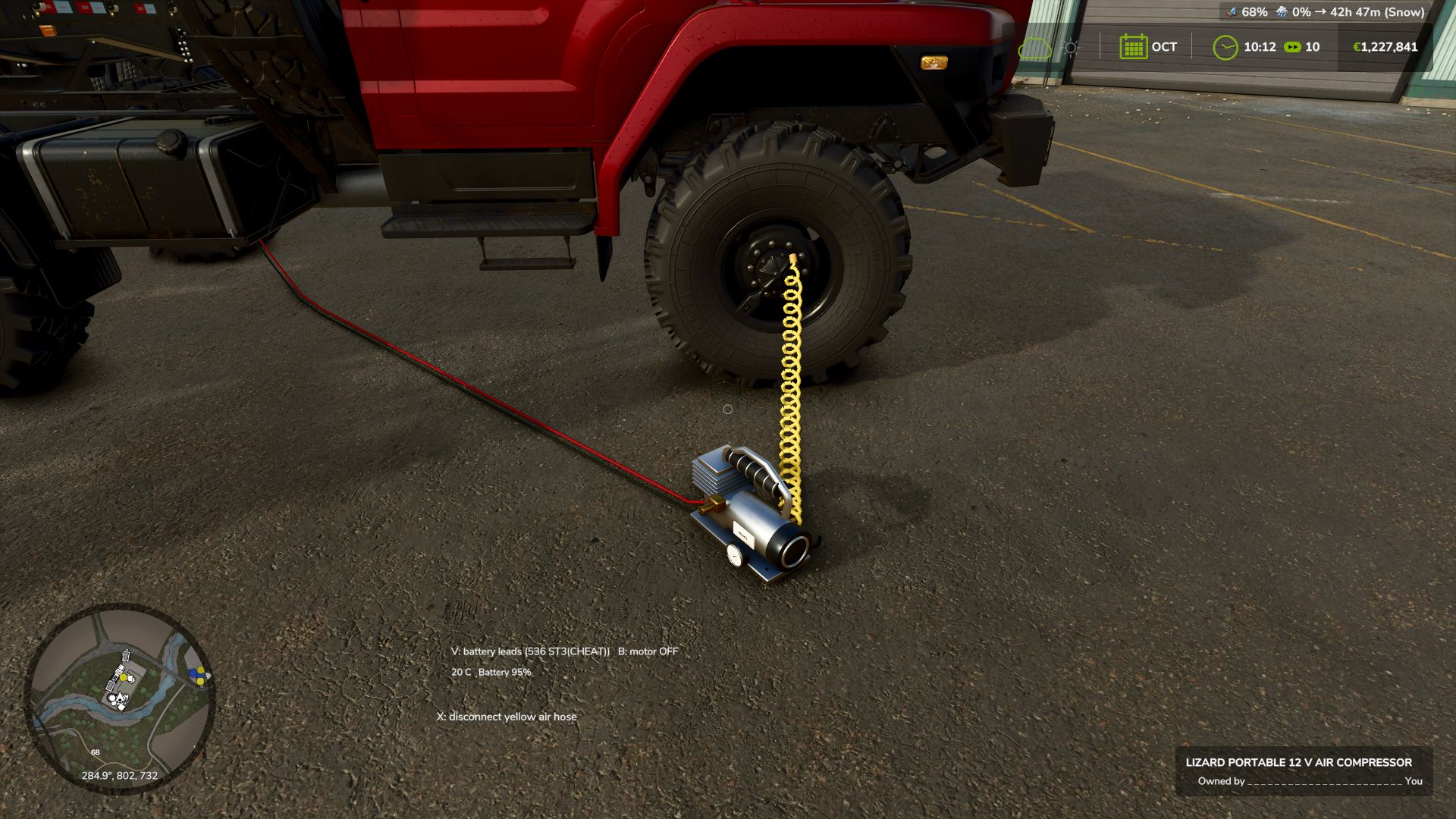
Adaptive Tire Dynamics FS25
Adaptive Tire Dynamics expands FS25 with individual tire pressure for each wheel, load-dependent tire deformation, tire temperature and wear, punctures, run-flat damage, realistic service equipment, and a complete manual repair process. KEY FEATURES - Each wheel reacts independently to air pressure, carried load, cargo, attached implements, engine load, steering angle, slip, and terrain. - Standard road pressure: 2.50 bar. - Field pressure: 0.85 bar. - Manual adjustment range: 0.0 to 2.8 bar. - Tires at standard pressure maintain a rounded upper profile. - At low or fully deflated pressures, the contact patch expands as the loaded lower sidewall rolls outward. - Overloaded tires deform even at standard air pressure. - Low field pressure improves the usable contact patch and traction on soft ground. - Live telemetry for temperature, wear, pressure, ground contact, and surface type. - States for damaged, debeaded, and completely removed tires. - Driving on the rim alone results in severely reduced traction, increased resistance, heat buildup, and rim damage. - Audio effects for tire squeal, low-pressure sidewall flexing, punctures, bead seating, tools, and wheel mounting. - Handling in fast road corners responds to load, wet conditions, and vehicle height. - Dedicated load and debeading mechanics for crawler tracks. REALISTIC WHEEL REPAIR - Position a low-profile trolley jack or bottle jack under the axle or vehicle frame. - Hold the handle and perform a full manual pumping stroke. - Loosen and retighten wheel nuts using the impact wrench. - Remove the wheel and place it on the ground. - Weld and grind a damaged, exposed rim. - Purchase a suitable replacement tire for road vehicles or tractors in the shop. - Mount the tire carcass, seat the beads, and inflate while monitoring the visible pressure gauge. - Heavy, fully assembled tractor wheels require a round bale grabber. - After removing the jack, repaired wheels revert to normal pressure control. MANUAL PRESSURE CONTROL For vehicles without PTG/CTIS, the player operates the system directly at each tire valve. To inflate, the portable ATD compressor must be selected and held in hand. Air can be released directly at the valve. The compact pressure gauge menu includes: - FLAT: 0.0 bar - FIELD: 0.85 bar - NORMAL: 2.50 bar - MAX: 2.80 bar - Fine adjustment: 0.10 bar per key press REMOTE CONTROL / PTG CONTROL - Right Alt + [: Set selected vehicle to 0.85 bar field pressure. - Right Alt + ]: Set selected vehicle to 2.50 bar road pressure. - Right Ctrl + Shift: Open ATD pressure/settings menu. - K: Show or hide live tire telemetry. - Remote control for vehicles without PTG can be enabled in the ATD settings. - The camera remains stationary while an ATD mouse menu is open. SHOP ITEMS - Low-profile trolley jack - Pneumatic bottle jack - Portable handheld compressor - 220-liter petrol workshop compressor - Mobile service unit - Handheld impact wrench - Handheld welder - Handheld angle grinder - Wheel chock - Spare tire for road vehicles - Spare tire for tractors COMPATIBILITY - Performance Upgrades: fully supported and compatible. ATD only reads published load/stress data and does not alter or block PUs. - Mud System Physics: standard mud and soil physics remain compatible. ATD disables MSP tire pressure and MSP tire puncture logic so that only one system controls the wheel. - Advanced Damage System: optional load, slip, and temperature inputs. - Use Your Tyres and Tire Sound: optional. - Variable Tire Pressure: not supported; do not use alongside ATD. - An in-game notification confirms when ATD disables the overlapping MSP systems. INSTALLATION 1. The file must be named FS25_AdaptiveTireDynamics.zip. 2. Copy the ZIP file to Documents/My Games/FarmingSimulator2025/mods. 3. Remove any older unzipped folders named FS25_AdaptiveTireDynamics. 4. Activate Adaptive Tire Dynamics when loading the savegame. VERSION 1.0.0.0 - Manual inflation using the portable compressor now works. - Pressure range per wheel extended to 0.0–2.8 bar. - FIELD pressure changed to 0.85 bar; NORMAL pressure changed to 2.50 bar. - Repaired wheels no longer revert to the "Place Jack" state after completion. - Tire deformation logic rebuilt for both inflated and deflated tires. - MSP pressure and puncture barriers re-enabled. - Performance upgrades remain explicitly enabled. - One-time compatibility notice added in-game. Recommended categories/tags: Gameplay, Realism, Physics, Vehicles, Tires, Workshop, Tools, Multiplayer. - Initial release of Adaptive Tire Dynamics. - Added tyre pressure, temperature, load, wear and damage simulation. - Added punctures, bead separation and progressive tyre failure. - Added manual tyre, wheel and rim repair equipment. - Added crawler-track wear, damage and derailment. - Added multiplayer synchronisation and saved tyre condition.
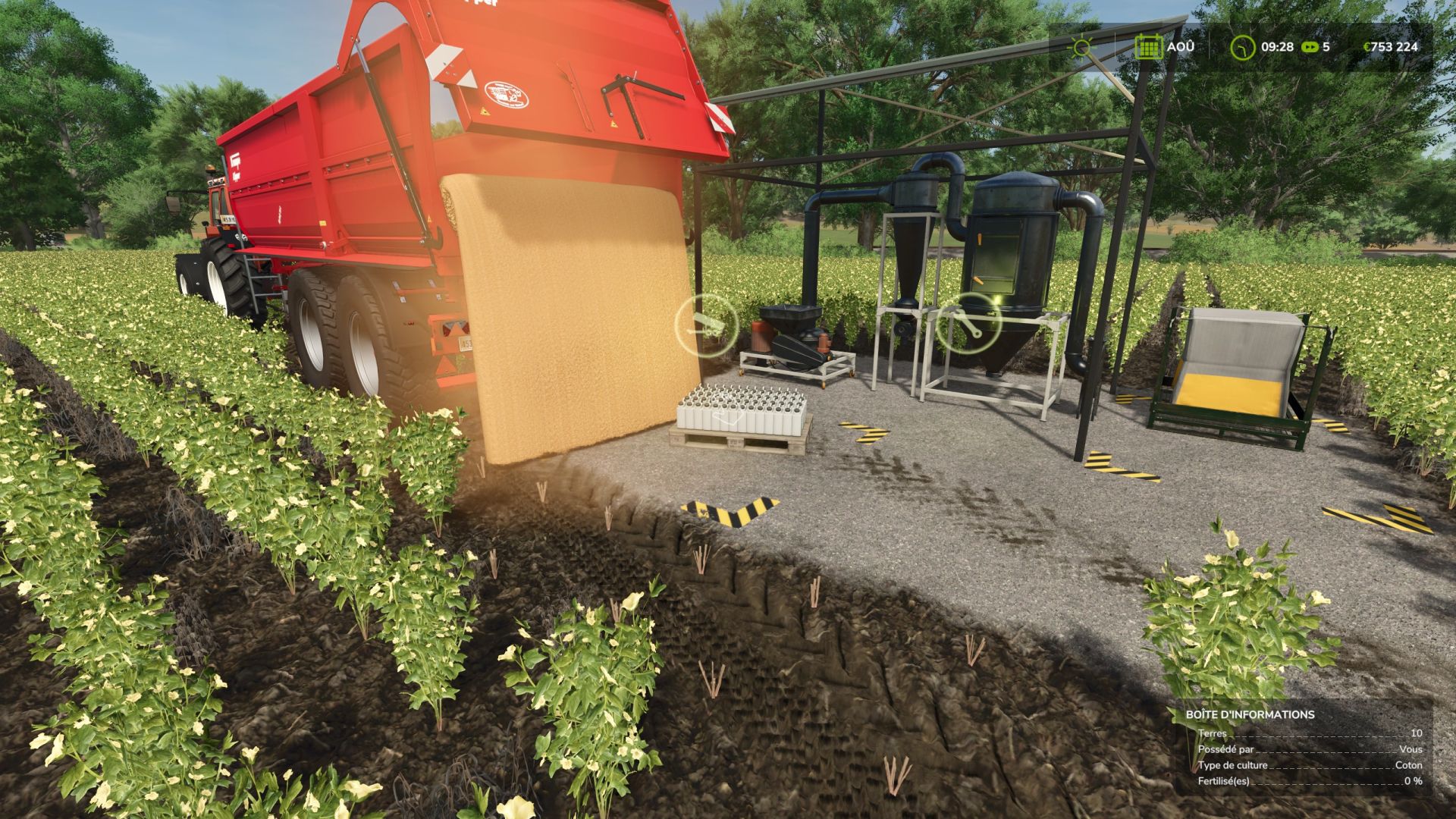
Seeds Factory FS25
Factory for producing seeds. Includes two versions (Standard and Fast): Standard version: - Price: €36,000 - Production: 400 L / hour (economical) - Reduced operating costs (€20/h) Fast version (Fast): - Price: €50,000 - Production: 5,000 L / hour (5 t/h) - Operating cost: €250/h Recipes (wheat, barley, oats or corn): - 100 grain + 0.78 liquid seed treatment = 100 seeds - Added translations. - Added a slower and cheaper factory. - Deskversion spent at 101 (version 1.11 of the game). - Dependence on the AGE PACK MOD removed, you can now use the palettes of the basic game (although that of the AGE Pack are always usable).
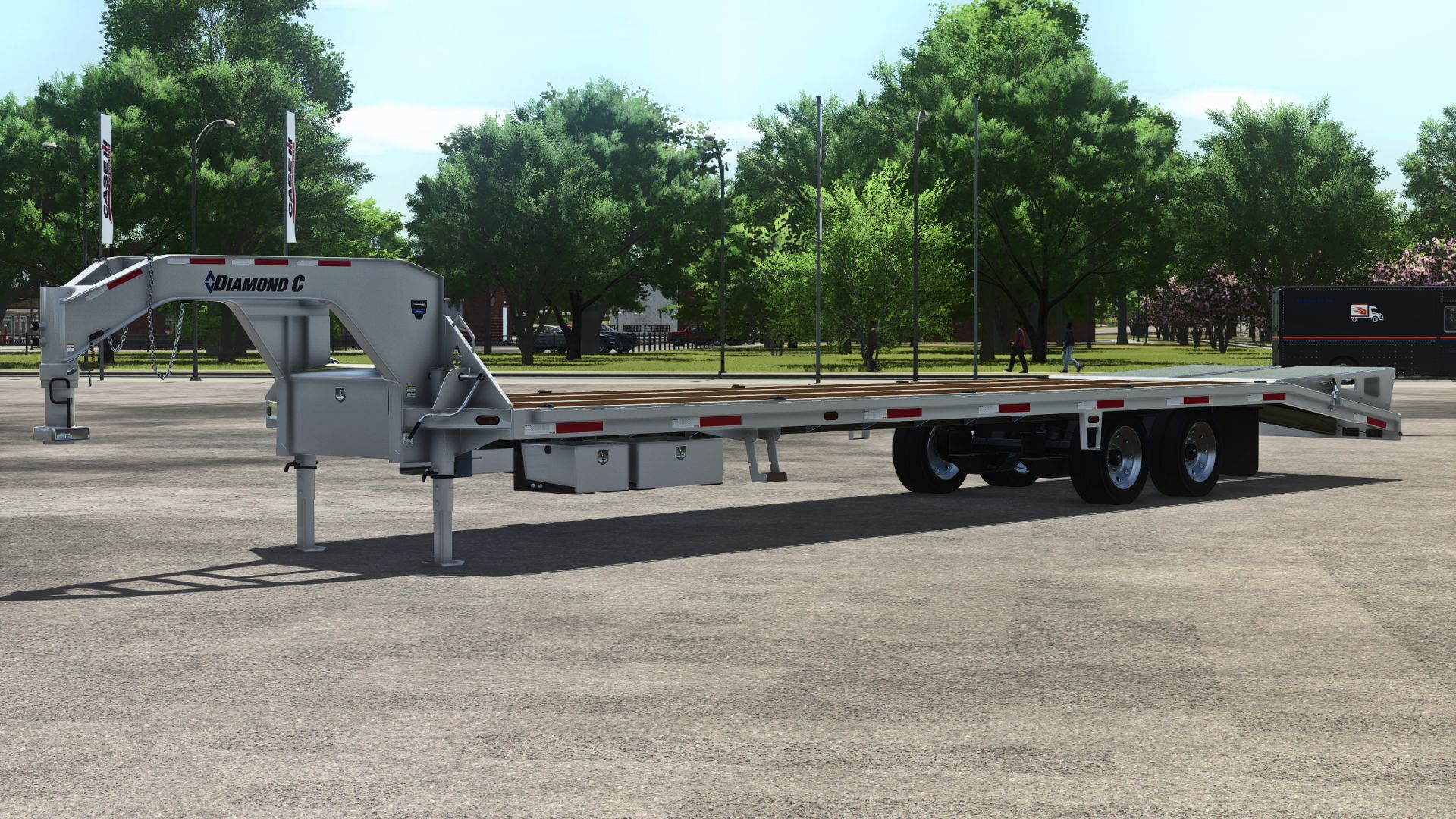
Diamond C FMAX210 40′ Gooseneck Trailer FS25
Brand: DiamondC Model: FMAX210 Price: 24500 Configurations - Exterior color Wheel color Wheel options Deck options Upper deck Upper deck ramps Upper deck options Landing gear options Extra light options Animations - IC control (doors, ramp, jacks, steps) Animated exterior (doors, ramps, jacks, handles, steps, chains) Needed Mods - IC control Store category - Added chain animations - Fixed deck belt - Removed trailer sounds - Updated moddesc version - Clean log - Added to store category - Turned down trailer sounds - Updated moddesc version - Updated mod title - Updated store icon
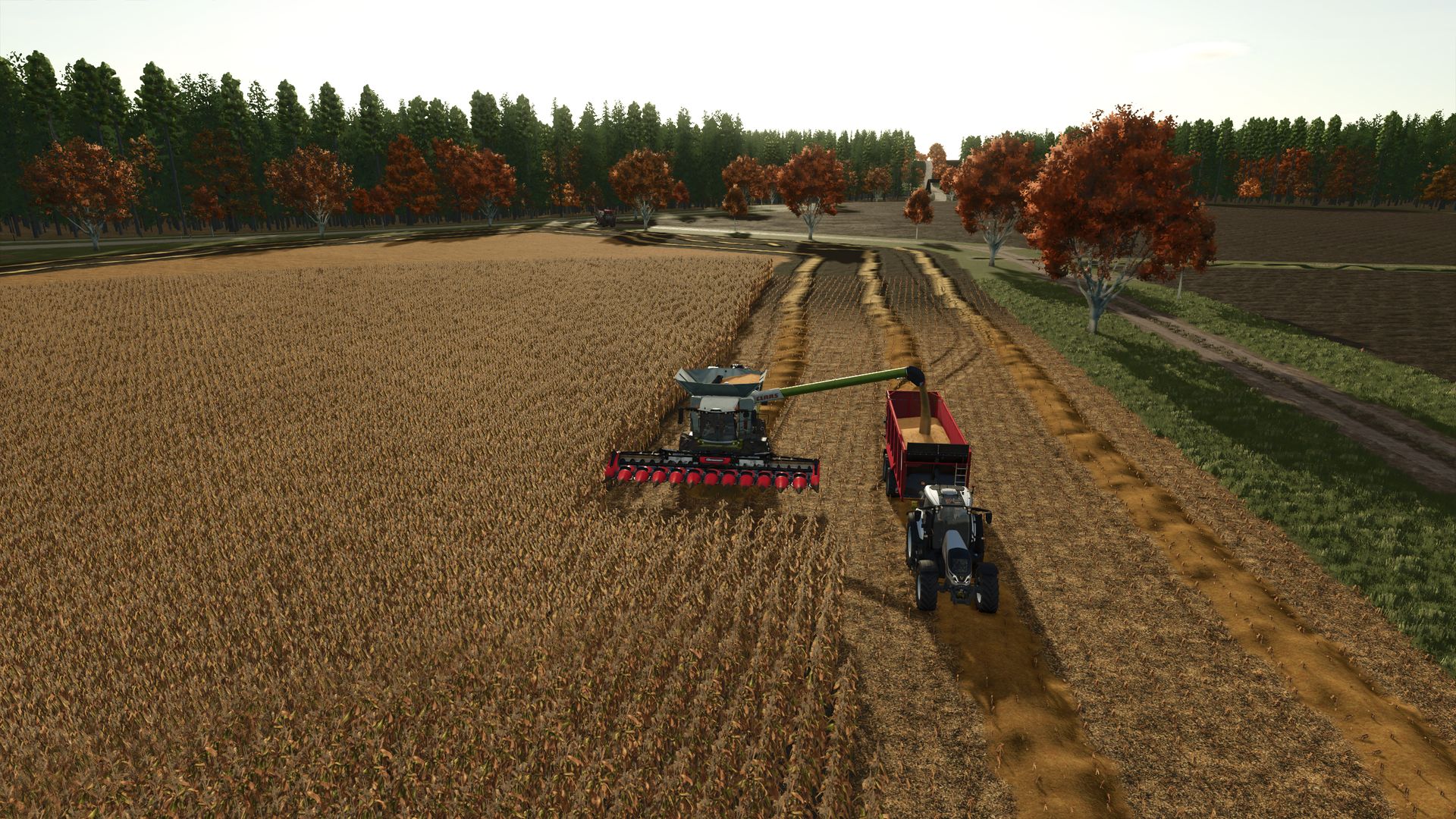
Birkental FS25
Welcome to Birkental—a diverse farming map that offers plenty of freedom, allowing you to build your farm exactly the way you envision it. 🌾 FIELDS & CUSTOMIZATION Birkental features 28 fields and 14 wooded areas ready for logging. Many fields can be expanded or merged by clearing forests and removing trees along the edges. This also creates space for new animal enclosures, pastures, or your own farmstead. Grab your chainsaw and shape the map to your liking! 🌱 MULTI-CROP In addition to the standard crops, numerous other varieties are available: Alfalfa, buckwheat, clover, edamame, field grass, hemp, lavender, flax, mustard, okra, peanuts, poppies, rye, spelt, triticale, taro, tobacco, spring wheat, winter wheat, and winter barley. 🚜 SPECIALIZED HARVESTERS The harvesters required for taro, peanuts, and lavender are integrated directly into the map; no additional harvester mods are needed. 🌱 TARO Taro requires a specific cultivation method and can only be grown in rice paddies: • The paddy must not be flooded during sowing. • Wait until the first plants appear after sowing (approx. 1 day). • The field must then be flooded. • Afterward, the taro requires daily watering until the plants are ready for harvest. 🏭 PRODUCTION & PROCESSING Birkental offers a wide range of production facilities: Bakery, carpentry workshop, sawmill, paper mill, delicatessen factory, large mill, heating plant, jam factory, juice factory, BGA (biogas plant), tobacco factory, and butcher shop. Production chains are more complex: factories require electricity to operate. In addition, packaging materials such as paper and cardboard are required for various production processes. A well-planned energy supply and the timely provision of raw materials and packaging materials are therefore crucial. 🌻 GARDENS & VEGETABLES In open gardens, you can grow peppers, pumpkins, watermelons, and cucumbers alongside standard crop varieties. Several greenhouses are also available for purchase in Birkenbach, allowing you to further expand your vegetable production. 🍎 ORCHARDS You can establish your own orchards featuring apples, plums, apricots, cherries, and peaches. Operations require wooden baskets, which are produced by the carpenter: Wood → Carpenter → Wooden Baskets → Orchard → Fruit 🛒 SALES POINTS You can sell your goods at EDEKA, the farmers' market, the grain selling point, and the livestock dealer's bale selling point. Additionally, you can load and sell goods via train. ⚡ ELECTRICITY GENERATION Electricity is a key component of production chains. Factories cannot operate without an adequate power supply. Electricity can be generated via: • Biogas plant • Thermal power plant • Placeable solar panels • Solar farm The solar installations are designed to generate less electricity than the biogas plant and thermal power plant. 🎢 ROLLER COASTER A roller coaster is available as a special buildable object. You can place and construct it wherever you like. 🚜 YOUR FARM – YOU DECIDE! The map intentionally avoids a fully pre-set starting farm. At the beginning, you have a farmhouse, two open gardens, and a few fruit trees at your disposal. There is also a wooded area right at the starting point that you can clear to create extra space. Whether it’s a small farm, a large agricultural operation, stables, pastures, or an entirely custom farm complex—Birkental gives you the freedom to shape your farming experience however you like. So: grab your chainsaw, fell some trees, and get started! 🌲🪚🚜 ⚠️ IMPORTANT NOTE It is recommended not to delete the pigsty with the farm shop from the XML file. It has been intentionally set as non-sellable; removing it would leave a sales point floating in mid-air. All additional animals are provided by WingiTV; permission for their use has been obtained. Further use is permitted ONLY with WingiTV's express consent. Have fun playing and shaping Birkental! 🌾🚜
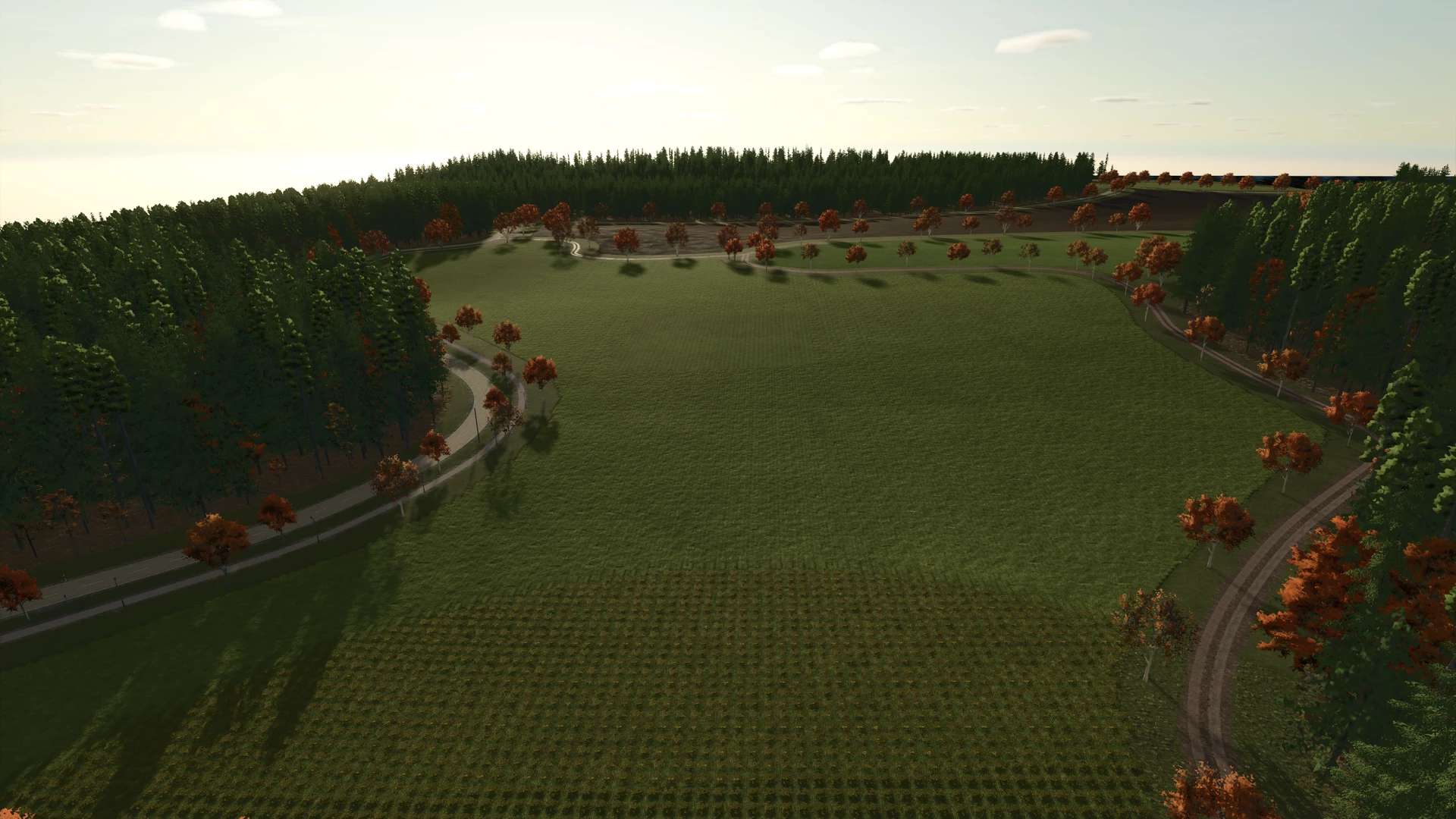
Birkental Map v1.0.0.0
Birkental Map v1.0.0.0 Welcome to Birkental – a varied and customisable farming map where you can build your farm exactly as you wish. Birkental – LS25 Welcome to Birkental – a varied and customisable farming map where you can build your farm exactly as you wish. Birkental offers 28 fields and 14 areas of woodland that can be felled. Many of the fields can be expanded or connected to one another by clearing woodland and trees along the edges. You can also create additional barns or pastureland in this way. Just grab your chainsaw and make way for your own ideas! Multi-crop At Birkental, there are numerous additional crops available: Alfalfa Buckwheat Clover Edamame Field grass Hemp Lavender Linseed Mustard Okra Peanuts Poppy seeds Rye Spelt Triticale Taro Tobacco Spring wheat Winter wheat Winter barley Special harvesting equipment The harvesting machines required for the specific crops – taro, peanuts and lavender – have been integrated directly into the map. You therefore do not need to download any additional harvesting machine mods. The technology required to harvest these three crops is already included in Birkental. Special feature: Taro The taro plant has a specific cultivation method in Birkental and can only be grown in rice paddies. Important when growing: The rice paddy must not yet be flooded when sowing. After sowing, you must wait until the first plants are visible. This usually happens about one day after sowing. Only then should the field be flooded or watered. From this point onwards, the taro must be watered daily until it is ready for harvest. So plan your taro cultivation accordingly and keep a close eye on the water supply. Production & Processing There are numerous production options available for processing your produce: Bakery Joinery Sawmill Paper mill Delicatessen factory Large mill Combined heat and power plant for electricity generation Jam factory Juice factory BGA for electricity generation Tobacco factory Slaughterhouse In Birkental, the production chains are structured on a somewhat larger scale. Electricity is required to run the factories. Electricity generation is therefore a key component of your economic cycle. Without a sufficient electricity supply, the factories cannot operate. You should therefore ensure a reliable energy supply at an early stage. Packaging materials are also required for various production chains. These include, amongst other things, paper and cardboard, which must be produced and made available accordingly. You should therefore plan your production chains carefully and ensure that the necessary raw materials and packaging materials are available in good time. Garden & Vegetables An open garden is available for growing garden plants and vegetables. In addition to the standard varieties, you can also grow the following there: Peppers Pumpkins Watermelons Cucumbers In Birkenbach, there are also several greenhouses available for sale. This gives you the opportunity to further expand your vegetable and plant cultivation according to your own ideas. Orchards Fruit cultivation is also catered for. In Birkental, you can set up your own orchards with the following fruit varieties: Apples Plums Apricots Cherries Peaches Wooden baskets are needed to run the orchards. These can be made from wood by the carpenter. This creates a small production chain for fruit growing too: Wood → Carpenter → Wooden baskets → Orchard → Fruit Sales outlets There are various sales outlets available for selling your goods: EDEKA Farmers’ market Grain sales Bale sales at the livestock dealer’s Another option available to you is a train. You can load your goods onto the train and sell them. This gives you various options for profitably marketing your agricultural produce and products. Electricity generation The electricity supply plays a central role in Birkental. As the factories require electricity to operate, a sufficient energy supply is urgently needed. Without electricity, the production chains come to a standstill. There are several options available to you for electricity generation: BGA Combined heat and power plant Individual, placeable solar collector Solar farm The solar installations deliberately generate less electricity than the BGA and the combined heat and power plant, and thus represent an additional, albeit somewhat smaller, option for energy generation. You should therefore plan your energy supply with foresight and ensure that your production facilities are supplied with sufficient electricity at all times. Rollercoaster A rollercoaster is available as a special buildable object in Birkental. Build it wherever you like and turn your farm or surroundings into a truly special place. Your farm – you decide! We have deliberately chosen not to provide a fully pre-designed starting farm. At the start of the game, you’ll have a farmhouse, two open gardens and a few fruit trees at your disposal. You’re responsible for the further design and expansion of your farm. Right at the start, there’s also another patch of woodland, which offers you extra space to expand your farm. Whether you build a small, cosy farm, a large agricultural enterprise, additional stables and pastures, or an entirely unique farm complex – Birkental gives you the freedom to design your farm exactly as you wish. So: grab your chainsaw, fell some trees and get started! Free Design A large part of the map is designed to give you as much creative freedom as possible. Expand fields, clear forests, connect areas, build new stables or completely redesign your farm – in Birkental, you decide for yourself what your farm should look like. Have fun playing and designing Birkental! I’d advise against deleting the pigsty with the farm shop from the XML file (there’s a reason it isn’t for sale). Otherwise, you’ll end up with a shop floating in mid-air. All additional animals are from WingiTV. Permission has been granted. Use ONLY with the express permission of WingiTV

Lexion Pack Limited Edition v1.0.0.1
Lexion Pack Limited Edition v1.0.0.1 Version 1.0.0.1 Fixed decals: now colorable on both sides and the front Added FBM Edition to the pack Configurations are free of charge Pack completely overhauled Logos updated to the new design Added clearance lights Updated rotating beacons Increased repair interval Design configurations Color configurations – Checked with TestRunner public 0.9.20 LEXION 8900 Limited Edition / FBM Edition Price: 588,000 Speed: 45 km/h CONVIO FLEX 1080 Price: 95,000 Working speed: 15 km/h Working width: 11.8 m CONVIO FLEX 1380 Price: 122,000 Working speed: 15 km/h Working width: 14.8 m MiloStar 1630 Price: 103,000 Working speed: 18 km/h Working width: 13 m NorthStar 1230 FB Price: 97,000 Working speed: 15 km/h Working width: 10 m NorthStar 1830 Price: 140,000 Working speed: 15 km/h Working width: 14 m SunLite 40 Price: 102,000 Working speed: 18 km/h Working width: 13 m

Kimera EVO 37 2022 V1.0.0.0
Kimera EVO 37 2022 V1.0.0.0 Characteristics: Selectable body color. Selectable caliper color. Selectable Interior color. Selectable Rim color 2. Selectable Rim color. Supports license plates. Interactive Control Support. 2 Rims. Price: $430.000 Engine: 2.1L I4 505HP.
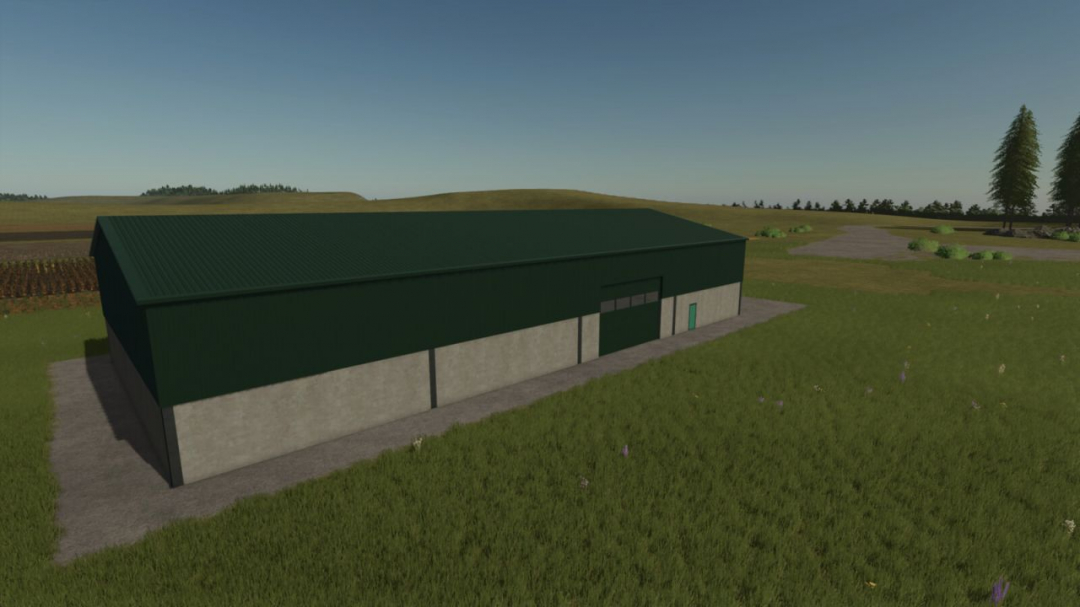
Hoermann Building Pack 2 v2.0
Höermann Agrarbau & Gewerbebau Cold Storage Category: Sheds Price: £80,000 Daily upkeep: £0Höermann Agrarbau & Gewerbebau Grain Store Category: Sheds Price: £210,000 Daily upkeep: £0Höermann Agrarbau & Gewerbebau Bale Shed Category: Sheds Price: £90,000 Daily upkeep: £0Höermann Agrarbau & Gewerbebau Open Bale Shed Category: Sheds Price: £90,000 Daily upkeep: £0Höermann Agrarbau & Gewerbebau Large Storage Category: Sheds Price: £150,000 Daily upkeep: £0Höermann Agrarbau & Gewerbebau Large Storage with Bale Storage Category: Sheds Price: £175,000 Daily upkeep: £0Höermann Agrarbau & Gewerbebau Large Storage with Outside Storage Category: Sheds Price: £175,000 Daily upkeep: £0Höermann Agrarbau & Gewerbebau Large Covered Bunker Category: Grain Silos Price: £95,000 Daily upkeep: £0Configuration: Solar panels Color options
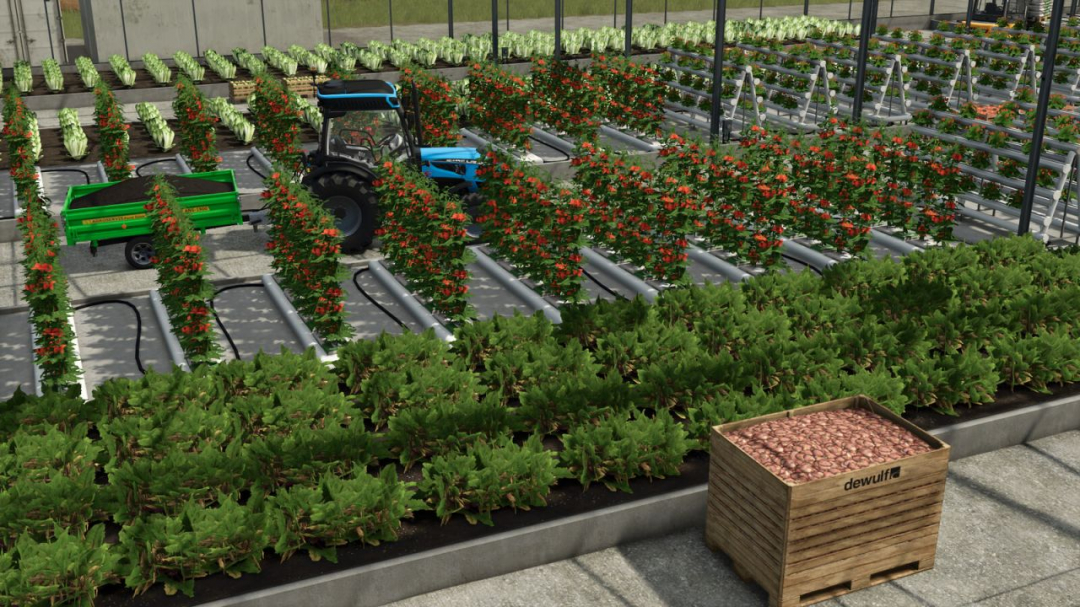
Greenhouse Modular v1.0
With the Modular Greenhouse Pack, elevate your vegetable cultivation to new heights. Create customized, fully drivable large-scale facilities and oversee a complete closed-loop cycle from planting to harvest.Features & Cycles Fully drivable: Use narrow-track tractors and compact vehicles inside the greenhouse and transport finished pallets with forklifts. Closed nutrient cycle: Supply your plants with seeds, fertilizer, and substrate. Harvest residues can be processed into compost within the included bunker silo (dump, compact, cover) and reused as a substrate substitute. Bulk logistics: Direct buying stations enable easy loading of substrate and compost as bulk material, avoiding handling individual pallets. Flexible heating: Maintain optimal climate conditions using either a CHP (methane-powered, e.g., from the modular BGA) or the Heizomat wood chip heating system.Building Notes 18 modules available: A closed facility requires at least 4 modules, including a gate (see module plan). Precise placement: Components are designed for a fixed 90° grid. Preparation: The terrain must be leveled beforehand and covered with the desired ground layer. Activate free build mode (default key V) to assemble modules seamlessly and accurately.Greenhouse Module (Production) Category: Greenhouses Price: $85,000 Daily Upkeep: $145 Dimensions: approx. 14 m × 12 m Input Capacities (Inputs / Raw Materials) Seeds: 20,000 L Substrate: 30,000 L Fertilizer: 20,000 L Hot Air: 50,000 L Raw Material Acceptance & Conversion Rates: Substrate: Direct delivery of substrate or compost (converted to substrate at 60%) Fertilizer: Direct delivery of mineral fertilizer or liquid fertilizer (converted at 75%) Manure: Converted to mineral fertilizer at 20% Seeds & Hot Air: Direct supply Output Capacities (Outputs / Products) Fine vegetables / pallet crops (60,000 L each): Lettuce, Tomato, Strawberry, Spring Onion, Chilli, Garlic, Napa Cabbage Root & bulk crops (100,000 L each): Carrot, Beetroot, Spinach Byproduct: Organic waste: 50,000 L Product Output & Loading Pallet spawner: Produces all vegetable varieties as pallets. Bulk loading (2,000 L/sec): Carrots, beetroot, spinach, and organic waste can be loaded directly into trailers via the loading trigger.Thermal Generator (Methane Heating Plant) Category: Production Price: $120,000 Daily Upkeep: $90 Input Capacities (Inputs / Fuel) Methane: 20,000 L Output Capacities (Outputs / Heat) Hot Air: 20,000 L Logistics & Function BGA coupling: Converts supplied or delivered methane (e.g., from the modular BGA or other biogas plants) directly into usable hot air for greenhouses. Automated supply network: The generated hot air is routed directly and losslessly to your greenhouse modules via distribution mode in the production menu.Heizomat (Biomass Heating Plant) Category: Production Price: $75,000 Daily Upkeep: $100 Input Capacities (Inputs / Fuel) Wood Chips: 20,000 L (bunker capacity) Fuel flexibility & bale handling: Wood Chips: Delivered directly as bulk or bales. Straw: Can be burned loose or in bales (converted to wood chip fuel at a 2:1 ratio or 50%). Integrated bale trigger: Bales (straw/wood chips) are accepted and processed directly at the trigger. Output Capacities & yields (Outputs) Hot Air: 30,000 L Electricity: Continuously generated and automatically sold for ongoing income. Logistics & features Automated supply network: Hot air is routed directly to greenhouse modules via distribution mode in the production menu.Heizomat Large (Biomass Heating Plant) Category: Production Price: $189,000 Daily Upkeep: $145 Input Capacities (Inputs / Fuel) Wood Chips: 100,000 L (bunker capacity) Fuel flexibility & bale handling: Delivered as bulk or bales. Straw: Burned loose or in bales (converted at 2:1 ratio or 50%). Bale trigger: Bales are accepted and processed directly. Output Capacities & yields (Outputs) Hot Air: 100,000 L Electricity: Continuously produced and automatically sold. Logistics & features Automated supply network: Hot air routed directly to greenhouse modules via distribution mode.Compost Silo (Bunker Silo) Category: Silos Price: $28,000 Daily Upkeep: $5 Raw Materials Accepted Greenhouse & harvest residues: Organic waste, raw compost, straw, chaff, grass windrow Vegetables & root crops: Carrot, beetroot, spinach, lettuce, spring onion, grape, parsnip, pea, green bean, potato, sugar beet, sugar beet cut Grains & crops: Wheat, barley, oat, maize, soybean, sunflower Final Product Compost: Finished nutrient carrier ready for reuse as a substrate in greenhouse modules. Function & Handling Classic bunker silo operation: Dump organic waste or harvest surplus, compact with a tractor or roller, and cover. Biological fermentation: Once fermentation completes, remove finished compost with front loaders, wheel loaders, or conveyor belts.Buying Silo for Compost & Substrate Category: Containers Price: $10,000 Daily Upkeep: $0 Bulk Goods Available Substrate: Loose bulk material Compost: Loose bulk materialSubstrate Pallet Price: $950 Capacity: 810 litersSeeds Pallet Price: $1,200 Capacity: 585 liters
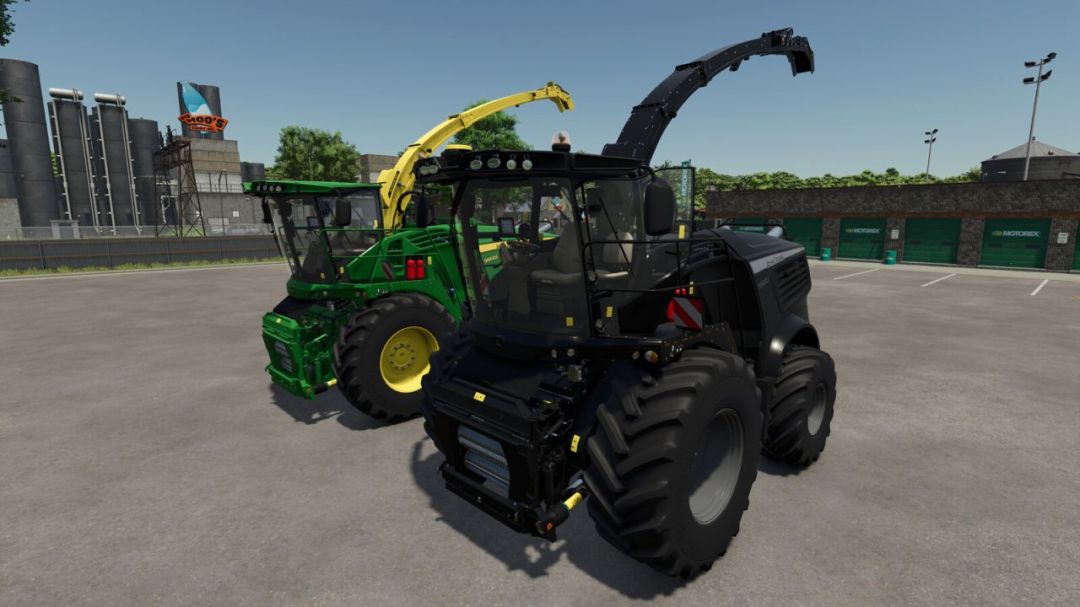
John Deere Series 9000 V1.2.0.1
Price: $499,500 Power: 800 hp – 970 hp Top speed: 40 km/h - Main color customizable - Rim color customizable - Pipe color customizable - Yellow and gray decals - Rotating beacon optional - Animated doors - Compatible with interactive control by Vertex Design - Added mouse control - Passenger seat included - Front flasher - Side marker lightsV1.2.0.1 - Side flaps are now visible when opened - Minor bug fixes
- 15 per page
- 30 per page
- 45 per page
- 60 per page
-
See more per page
Bigger pages, fewer clicks - and no ads anywhere.
Go Pro