Farming Simulator 22 mods
50,152 results- 15 per page
- 30 per page
- 45 per page
- 60 per page
-
See more per page
Bigger pages, fewer clicks - and no ads anywhere.
Go Pro


FS25 Mud on the road v2.3.2.0
FS25 Mud on the road v2.3.2.0 MUD ON THE ROAD – Tyres only drop mud when there is real mud on them – the mud the game shows on your tyres after field work. Clean or washed tyres leave nothing. – On roads, yards and tracks muddy tyres leave tyre-print smears and throw off clods. Faster driving flings clods further across the road. – The tyres shed their mud as they go, so the tyres clean up as the trail fades over a few hundred metres. – Smears bend with the wheels through corners. – Mud builds up: driving over old mud freshens and thickens it, and new layers go on top. – Works for every vehicle and trailer with wheels, including AI helpers. CLEANING UP – Rain washes mud off the road: heavy rain clears it in about 5 in-game hours, light rain in around half a day. – In dry weather mud dries and turns pale, and is gone after about three in-game days. – Sweepers clean it up: any sweeper brush that is turned on removes the mud it passes over. – Scrape it up with a bucket: put a loader, telehandler or wheel loader bucket down with its lip on the road and push forward. The mud goes into the bucket (as manure in the base game, or as mud/dirt/soil if another mod adds that fill type). MUD ON ROAD SIGN – A small A-frame “Mud on road” warning sign in the UK road-sign style. – Shop: Decorations. Price: 25. GOOD TO KNOW – Mud is saved with your savegame. – Multiplayer: the mud is purely visual and worked out on each PC, so it adds no network traffic. – Settings: modSettings/FS25_MudOnRoad.xml is created on first start. Change how long mud lasts, how far it is carried, how many clods are thrown, the maximum amount of mud on the map and more. Console commands (press ~): – mudOnRoadLoadTyres – covers your tyres in mud (for testing, single player or host) – mudOnRoadClear – cleans every road – mudOnRoadInfo – shows how much mud is lying around – mudOnRoadToggle – turns mud dropping on or off – mudOnRoadBucketInfo – shows why your bucket is or isn’t scraping mud V2.3.2.0 Tyre marks – Tyre marks are now one continuous trail instead of patchy prints. – Prints have torn, overlapping ends, so the trail looks natural rather than blocky. – Darker, more realistic mud colour. – Smears stay on smooth roads, yards and flat painted tracks. Grass verges, gateways, gravel and uneven ground get lumps of mud only, so smears no longer look like planks on rough ground. When mud appears – Mud only comes off vehicles that have just left a worked field (ploughed, cultivated, sown etc.). Grass fields don’t count, and muddy vehicles driving out of the yard no longer leave mud. – The trail stops 600 m after the field, or sooner once the tyres are clean. Lumps – Around twice as many lumps are thrown off the tyres, and more crumbs sit in the tyre prints. Settings – New options: maxTrailDistance (trail length after the field), smearsOnTerrain (smears on all ground), hardGroundSmears (smears on hard painted ground) and flatTolerance (how flat painted ground must be for smears). – The settings file is reset to the new defaults on first start.

FS25 Respect your Neighbors v1.1.0.0
FS25 Respect your Neighbors v1.1.0.0 Respect Your Neighbors adds a new consequence and reward system to Farming Simulator 25, encouraging you to respect other farmers’ land and avoid driving through their crops. Driving through crops that do not belong to you can result in fines. Stay respectful throughout the month and you may earn a reward instead! Crop Trespassing & Fines Driving through crops on fields you do not own will trigger the penalty system. The fine is calculated at a rate equivalent to 1,000 per minute while trespassing on another farmer’s crops. To prevent unfair penalties when simply driving close to a field, the system includes a 5-meter tolerance zone around crop edges. Notifications The mod uses an in-game phone-style notification system to inform you about: Trespassing violations Monthly results Reward eligibility Warnings for repeated bad behavior Monthly Reward Roulette Respect your neighbors for an entire month and you can unlock the monthly reward roulette. Possible rewards range from 0 to 20,000. Starting with V1.1.0.0, you must also have at least 3 hours of active gameplay during that in-game month to qualify for the roulette. Sleeping or using time acceleration/time-skipping does not count toward the required active playtime. This prevents players from simply skipping through the month to collect the reward. Contract Protection Working on another farmer’s field as part of a contract will not unfairly trigger the trespassing system. After completing a contract, you receive a 5-minute grace period, giving you enough time to remove your vehicles and equipment from the field before trespassing penalties can begin. Repeat Offenders Repeatedly disrespecting your neighbors has additional consequences. After repeated monthly violations, you will receive a warning. If the bad behavior continues into the third consecutive month, an additional 50,000 penalty can be applied. Play fair, respect other farmers’ crops, and your neighbors may reward you for it! Changelog V1.1.0.0 Added a 5-meter crop-edge tolerance to prevent unfair fines near field borders. Monthly reward roulette now requires at least 3 hours of active gameplay during the in-game month. Sleeping and time-skipping do not count toward the 3-hour requirement. Added a 5-minute grace period after completing contracts, allowing players to leave the contracted field without receiving fines. Improved crop trespass detection around field edges. Improved overall gameplay balance and protection against exploiting the monthly reward system. V1.1.0.0 – Added 5-meter crop-edge tolerance to prevent unfair fines near field borders. – Monthly roulette now requires at least 3 actively played in-game hours during the month. – Sleeping and time-skipping do not count toward the 3-hour requirement. – Added a 5-minute grace period after completing contracts, allowing time to leave the contracted field without receiving fines. – Improved crop trespass detection around field edges.

FS25 Realistic RayTracing Reshade Preset v1.9.6.2
FS25 Realistic RayTracing Reshade Preset v1.9.6.2 -> This is a Reshade Preset that makes the Game look much more Realistic. -> How to Install: https://youtu.be/KVh4A48hVy8 -> Help / Support: https://discord.gg/VhtyW9Gw2c -> Use Reshade 6.8.0 or Newer with NiceGuyLighting Everytime you restart your Game you need to Select the right Resolution V1.9.6.2 VERSION: 1.25.6.2 => Compatable with GameVersion 1.25.x V1.9.6.2 VERSION: 1.24.6.2 => Compatable with GameVersion 1.24.x V1.9.6.2 VERSION: 1.23.6.2 => Compatable with GameVersion 1.23.x => Compatable with ReShade 6.8.0 V1.9.6.2 VERSION: 1.21.6.2 => Compatible with GameVersion 1.21.x V1.9.6.2 VERSION: 1.20.6.2 => Compatible with GameVersion 1.20.x V1.9.6.2 VERSION: 1.19.3.8 => Compatible with GameVersion 1.19.x V1.9.6.2 VERSION: 1.18.6.2 => Compatible with GameVersion 1.18.x V1.9.6.2 VERSION: 1.17.6.2 => Compatible with GameVersion 1.17.x => Compatible with ReSahde 6.7.3 V1.9.6.2 (Actual Version: 1.16.6.2) => Compatable with ReShade 6.7.2 => Fixed Effect Error V1.9.6.1 (Actual Version: 1.16.6.1) => Now compatable with the newest Game-Version 1.16 => Now compatable with the newest ReShade-Version 6.7.1 -> Improved Performance V1.9.6.0 (Actual Version: 1.15.6.0) => New Shader Version 6.0! -> Completely new Shader and new Look -> Better Colors and Lighting for more Realism V1.9.5.4 (Actual Version: 1.15.5.4) => Made some important Changes to the Lighting and Sharpness for a clearer Picture => Added a V6.0 Beta Version for You to try V1.9.5.3 (Actual Version: 1.15.5.3) => Made some Adjustments to the Colorgrading for a more realistic Look -> Added new Pictures V1.9.5.2 (Actual Version: 1.15.5.2) => Added Tutorial for the Installation of NiceGuyLighting V1.9.5.1 (Actual Version: 1.15.5.1) => Made the Rainy-Shader look way more natural and realistic! V1.9.5.0 (Actual Version: 1.15.5.0) => Complete Shader Overhaul! -> More realistic Look -> 2x better Performance -> Installation-Guide for NiceGuyLighting -> … V1.9.4.3 (Actual Version: 1.15.4.3) => Changed Colorgrading for more realistic Coloring V1.9.4.2 (Actual Version: 1.15.4.2) => Compatible with Game-Version 1.15.X => Compatible with ReShade 6.2.2 V1.9.4.2 (Actual Version: 1.14.4.2) -> Added new Pictures V1.9.4.2 (Actual Version: 1.14.4.2) -> Some small Changes for more natural Lighting V1.9.4.1 (Actual Version: 1.14.4.1) => Added Support for NiceGuyLighting (If you have NiceGuyLighting, the Preset will use it to look even better!) V1.9.4.0 (Actual Version: 1.14.4.0) => Compatable with Patch 1.14 V1.9.4.0 (Actual Version: 1.13.4.0) => Complete Shader Overhaul -> More realistic V1.9.3.5 (Actual Version: 1.13.3.5) => Compatable with Patch 1.13 => Edited Shaders for more realistic Visuals V1.9.3.0 (Actual Version: 1.11.3.0) => ColorGrading Improvements V8.1.0.0 (Actual Version: 1.11.2.0) => Small Changes V8.0.0.0 => New Look! -> More realistic Colors -> Better Lighting V7.4.0.0 -> Small Fixes V7.3.0.0 -> New Pictures -> Updated Storepage V7.2.0.0 -> Updated Shaders for Game Version 1.9 and ReShade 6.5 -> Added and Modifyed Effects V7.1.0.0 -> Added new Pictures -> Updated Storepage V7.0.0.0 => Updated Shaders for even more Realism -> Better Colors -> New Effects => Added New Photo Shaders -> Bokeh / DoF Effect -> Better Light V6.2.0.0 -> Added new Pictures -> Updated Storepage V6.1.0.0 -> Added new Pictures -> Updated Storepage V6.0.0.0 -> Added more Features -> More realistic Colors for more Realism V5.0.0.0 => Updated Shaders for even more Realism -> Added Godrays / Sunrays and More -> Enjoy! V4.0.0.0 => Updated Shaders for even more Realism V3.3.0.0 – Updated Storepage – Updated Mod-Files V3.2.0.0 – Updated Storepage V3.1.0.0 – Updated Storepage V3.0.0.0 – Updated Storepage – Minor Bugfixes -> NEW: Updated Shaders to be even more realistic => Probably FINAL UPDATE V2.2.0.0 – Updated Storepage -> NEW: Added better installation Tutorial V2.1.0.0 -> Updated Storepage -> Added new Pictures V2.0.0.0 – Fixed Lagg and Flickering – Tweaked Shader for more Realism -> NEW: Added Rainy Shader Preset


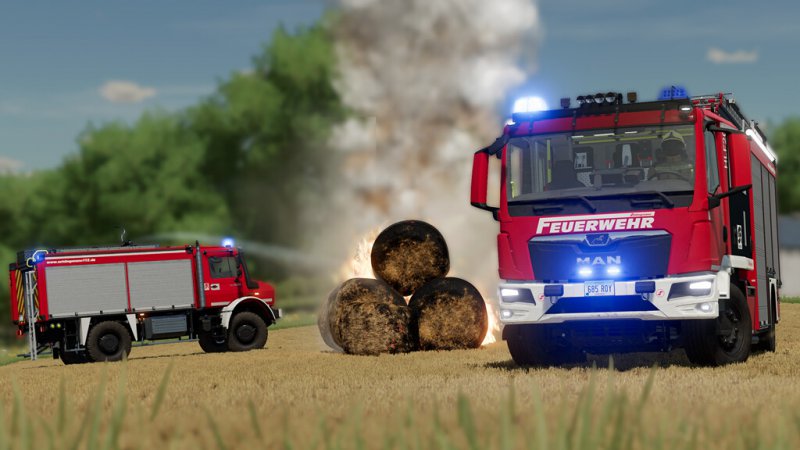
FS22 Emergency Pack
FS22 Emergency Pack This is an emergency situation! As a resident farmer who is involved in the local community, you support your neighbours by dispatching two multifunctional fire trucks and a variety of professional tools whenever the pager starts to beep. There are ten emergencies from four different scenarios on and around local farmlands. Fire Suppression & Rescue Services Your responsibilities include firefighting, removing obstructive materials from the road, technical rescue and saving cats! Extinguish rising flames by hand or from the safety of the fire engine when pallets, containers, bales or fields catch fire. When oil is spilled, trees block the road or a car crash occurs, remember to secure the area. Authentic Firetrucks & Specialized Tools Operate the authentically digitised HLF20 and TLF3000 from German manufacturer Schlingmann and you will always be prepared when you arrive at the scene. Grab specialised tools to eliminate dangerous materials or obstacles and free passengers trapped in cars. If you need multiplayer reinforcements, the trucks can seat up to nine firefighters and volunteers.


FS25 Chopped Corn Flow v1.0.2.0
FS25 Chopped Corn Flow v1.0.2.0 In the base game, most harvesters only eject dust from the chopper when harvesting corn. This mod makes chopped corn visibly fly out of the chopper, as already happens with some harvesters. What the mod does: – Makes chopped corn visible when the central chopper is operating on all harvesters – Works with harvesters from the base game and with harvesters from other mods – Only changes the visual effect: gameplay, yield, prices and save data are not affected – Can be added to or removed from an existing save at any time – Does not replace or overwrite any vehicle or game files V1.0.2.0 Some bugs fixed V1.0.1.0 – Fixed minor bugs
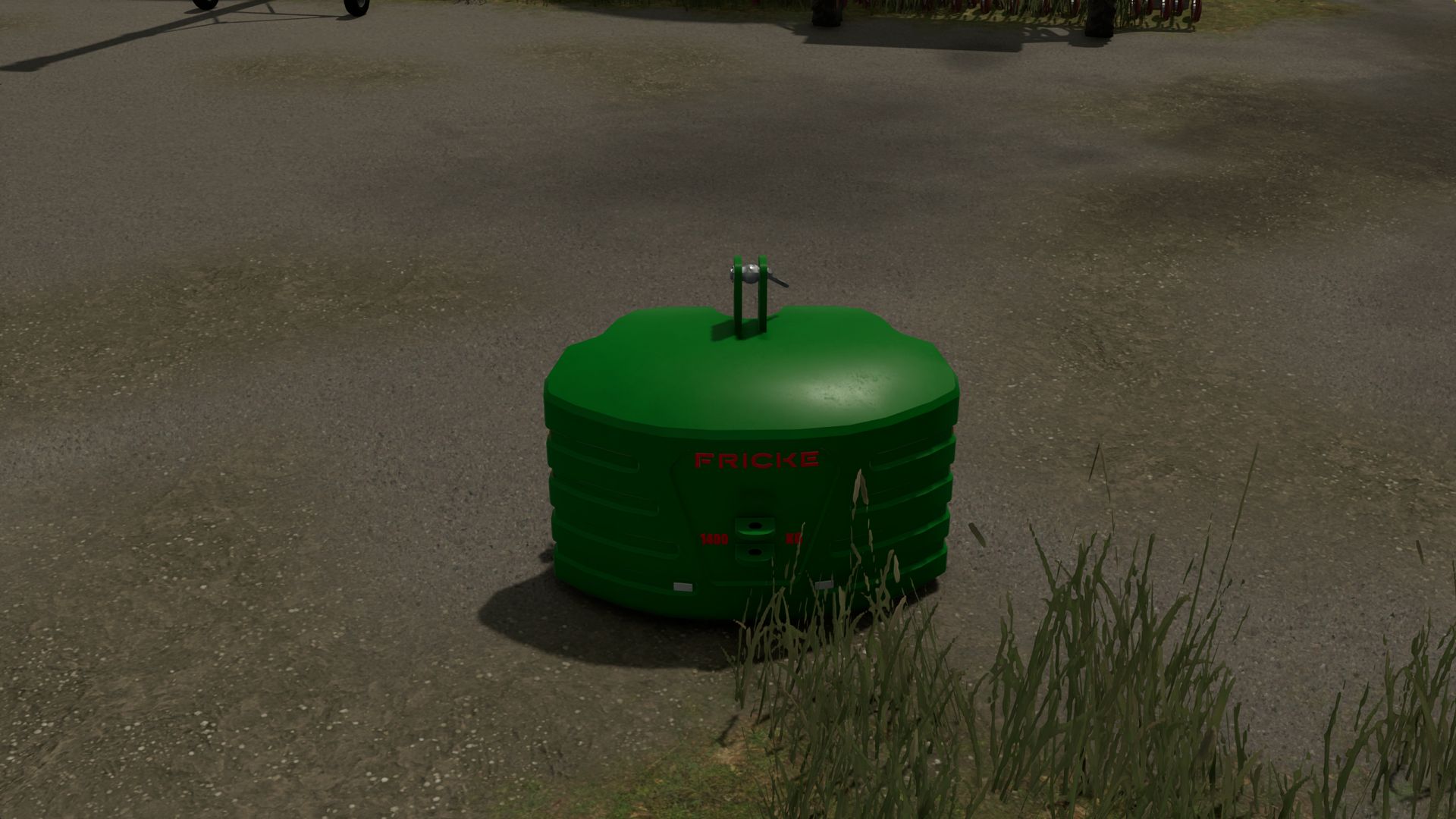
FS-Log Assistant FS25
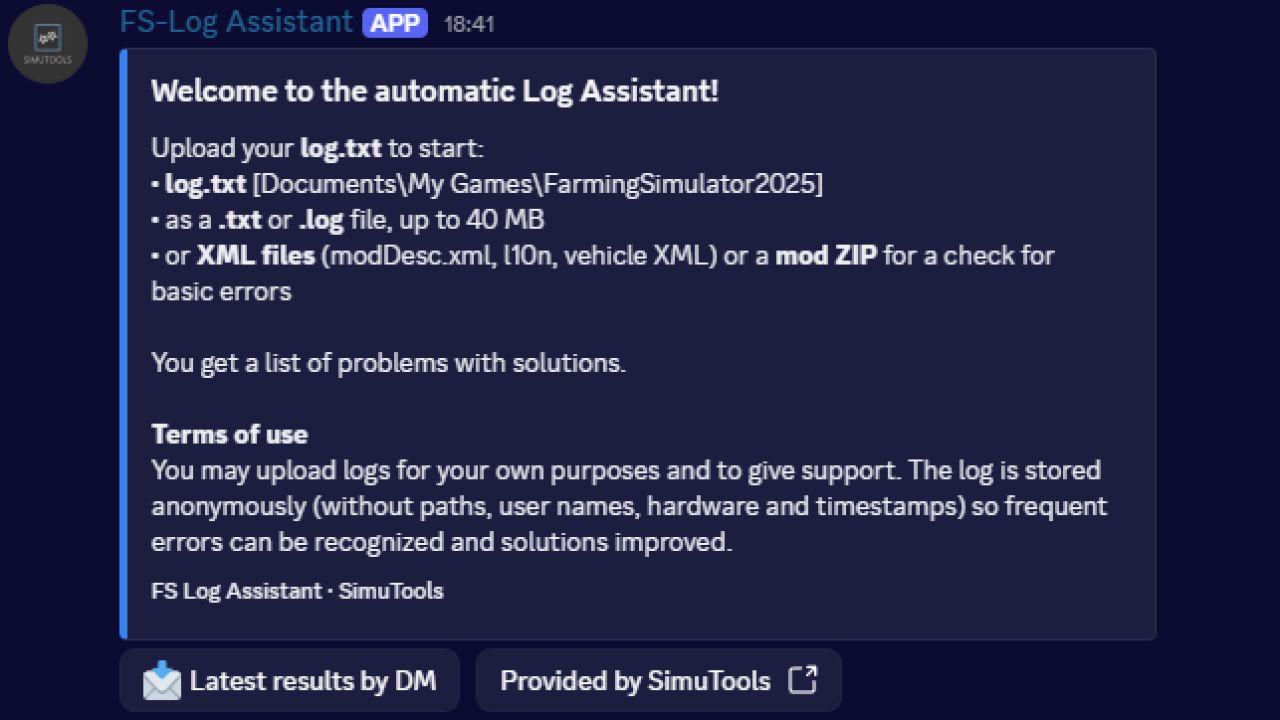
FS Log Assistant is a Discord bot that reads your Farming Simulator log files, finds errors and warnings automatically, and tells you what they mean and how to fix them – based on a constantly growing solutions database. WHAT IT DOES Upload your log.txt and the bot sends back a clear list of problems. Every entry explains: - what the problem is - how to fix it, step by step - where it appears in your log (line number and the affected log line) - which mod is affected, when the log names one Harmless messages are separated from real problems, so you can see at a glance what actually matters. Messages without a known solution are collected anonymously, so they can be explained soon. HOW TO USE IT - Drop your log.txt (or any .txt / .log file) into an upload channel – the bot replies right there. - Or send the file to the bot in a direct message. - Or use /log with the file as an attachment – only you can see the answer. - Long results can be sent to you by direct message with one click. XML & MOD CHECK The bot also checks XML files and mod ZIPs for basic errors, including the exact line and a solution: - syntax errors (unclosed tags, a stray "&", missing quotes, wrong encoding) - modDesc.xml problems (descVersion, version, title, icon, l10n) - language files (duplicate or empty texts) - file paths (backslashes, absolute paths) - mod ZIPs: invalid file name, modDesc.xml one folder too deep, and all XML files inside Use /xml or just upload the files in an upload channel. SET UP ON YOUR SERVER Server managers set the bot up with /logsetup: - addchannel / removechannel – choose the upload channels - language – German or English for your server - deletemessage – optionally delete the uploaded log after the analysis - status – show your settings After setup the bot posts a panel with instructions in the channel and keeps it at the bottom after every analysis. Users can change their own language with /loglanguage. PRIVACY Logs are cleaned before anything is stored: paths, your Windows user name, hardware details and timestamps are removed. Only the cleaned report is kept, to recognize frequent errors and improve the solutions. Uploaded XML files and ZIPs are checked and not stored. BETA The system is still in beta. If something is not correct, please let SimuTools know. Provided by SimuTools.
Overburden FS25
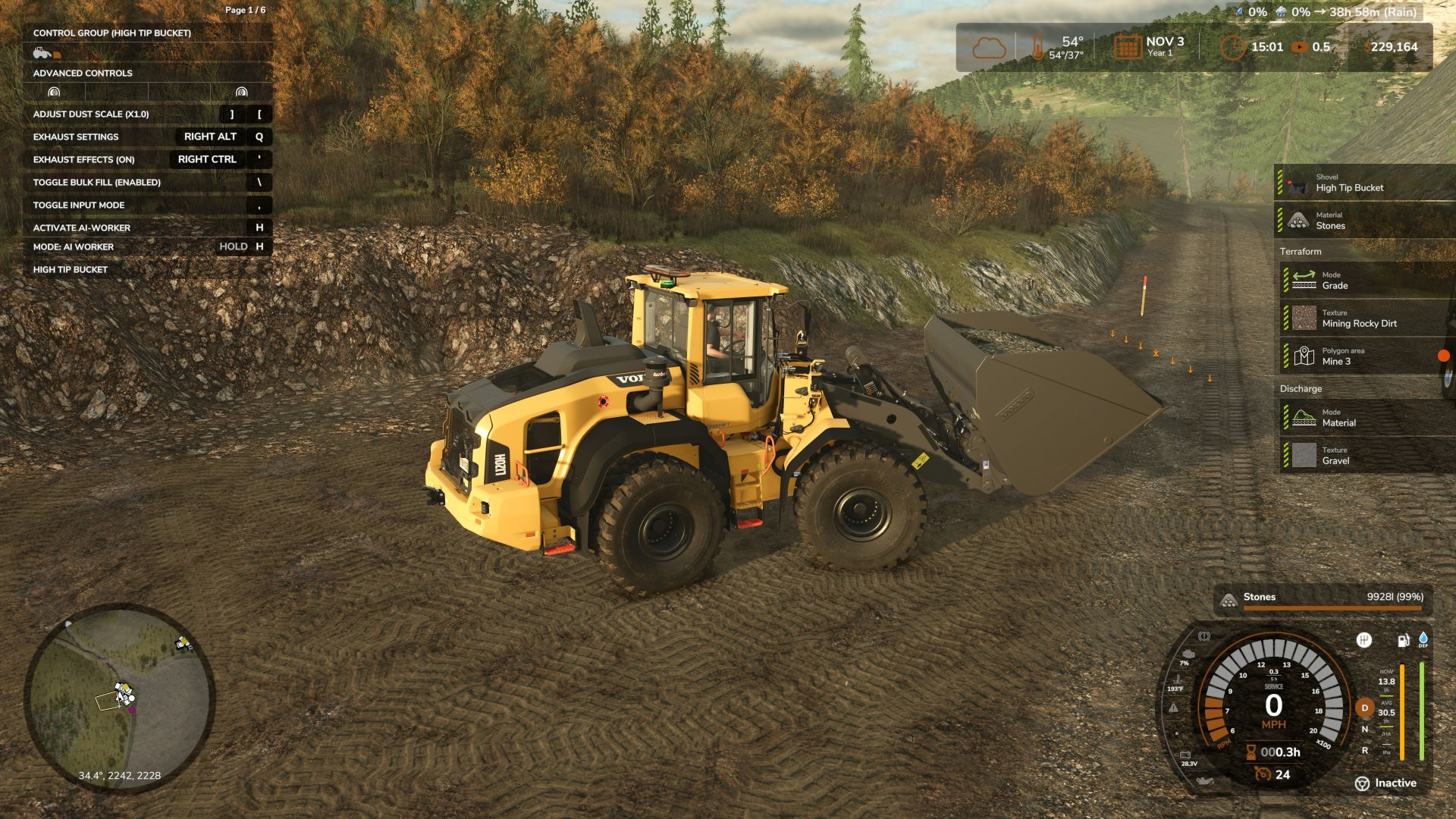
Stake your claim. Survey the ground. Work down to the pay layer. Overburden brings a stake-and-survey mining workflow to TerraFarm. Mark a mine, name it, choose what lies above and below the pay boundary, and pay for a survey. Your compatible equipment works inside the surveyed area using TerraFarm's existing controls. A small depth display tells you how far remains to the pay layer. https://secondchancegaming3709.itch.io/overburden-mod
Your Nickname in Multiplayer Game FS25
A very simple script for multiplayer games. Your nickname instead of checkboxes.
Aspöck Agricultural Lighting Pack (Prefab) FS25
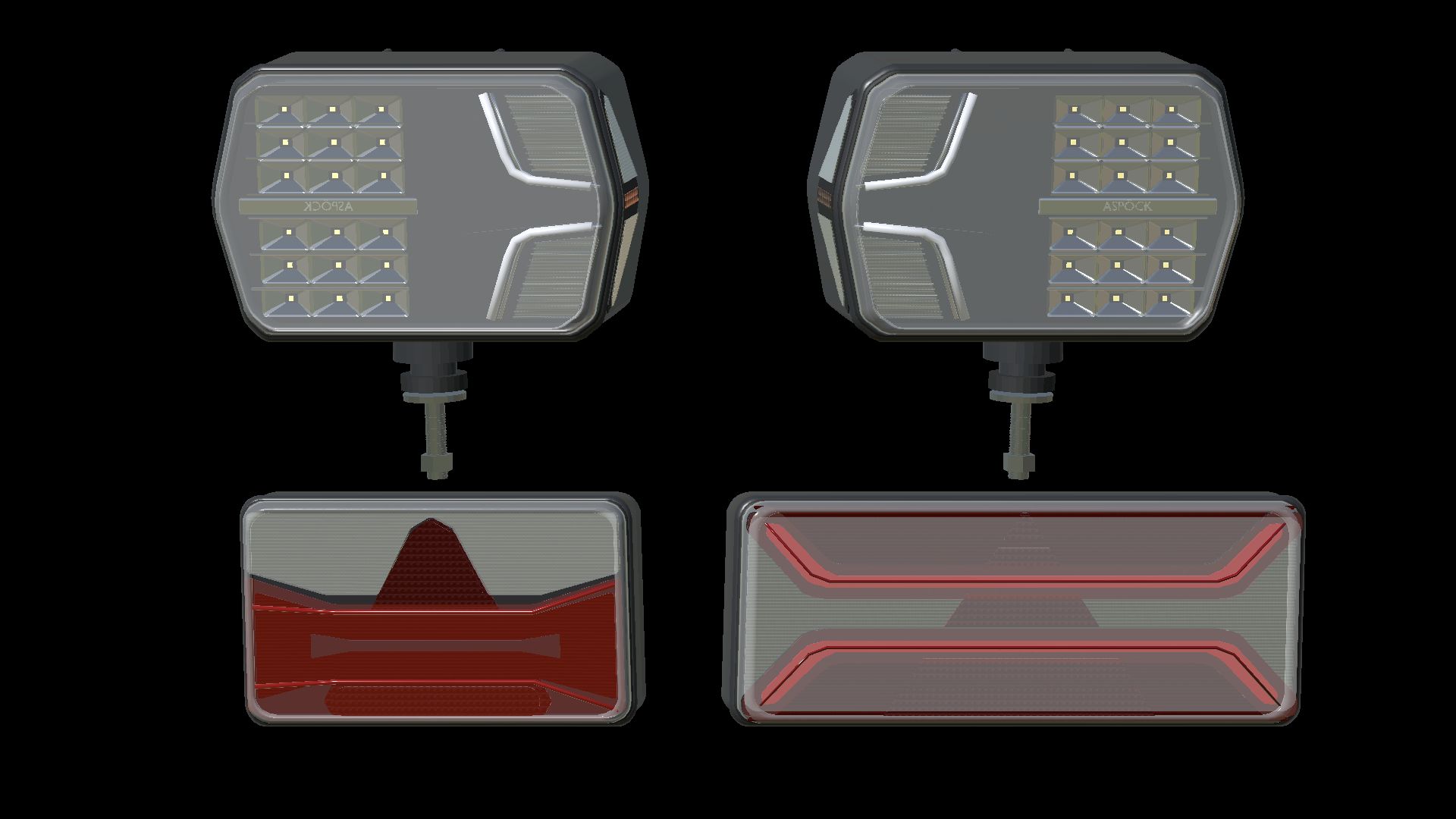
Aspöck Agricultural Lighting Pack — Prefab Bring matching front and rear lighting to your Farming Simulator 25 vehicle projects with three Aspöck-inspired agricultural lamp designs by NorthernLight Modding. LuxLED II Left and right combination headlights with separate low and high beams, white position lights, front and side indicators, and amber side markers. The housing and light beams can be aimed together while the mounting stud remains fixed. High beam has a stronger visible reflector glow. AGRILED I Compact rear lamps with red tail and brake lighting, amber indicators and a triangular reflector design. Tail and brake functions use different brightness levels. AGRILED II Wide rear lamps with distinctive upper and lower red light guides, separate brake lights and amber indicators. Switching on the position lights starts a 1.2-second sequence: the upper guide fills from the centre towards both ends, followed by the lower guide from the ends towards the centre. Both then remain steadily lit. Included - All three lamp designs, with separate left/right LuxLED II models. - Two detail levels, shaped covers, optical chambers, mounting hardware and rear connectors. - Complete left/right connection XML for every lamp. - Offline XML helper with English, Norwegian and Swedish interfaces. - Full installation guides in English, Norwegian and Swedish. - AGRILED II startup script and its registration example. - Editable Blender source and original texture sources. This is a prefab pack for vehicle creators. Import and connect the lamps to a vehicle using GIANTS Editor and the supplied guides; it is not a standalone vehicle or a shop item. Position lights follow the normal vehicle light switch. Version: 1.1.1.0 Author: NorthernLight Modding Product designs and trademarks: Aspöck Systems. Independent game recreation.
HELLA Truck Rear Lights (Prefab) FS25
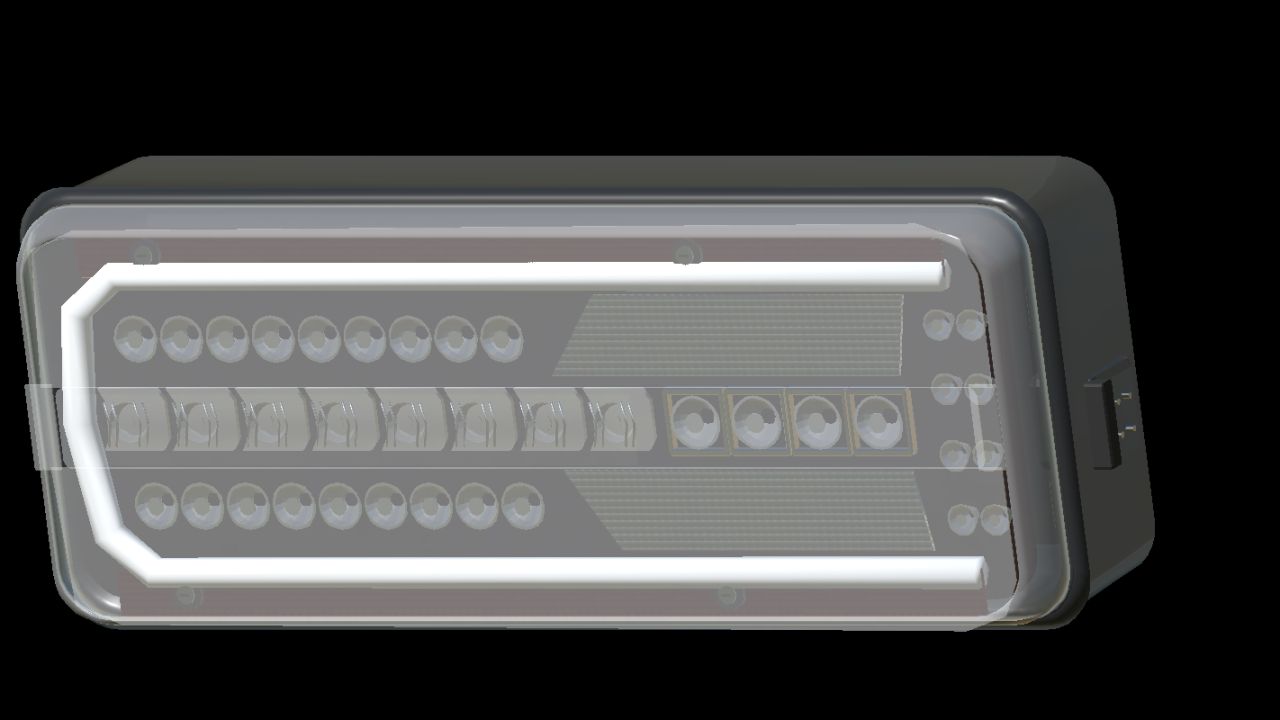
HELLA Truck Rear Lights Prefab pack with Hella rearlight, clear, original, and smoked glass. Author: NorthernLight Modding - Corrected excessive dirt buildup on housing and exterior parts and outer lenses using GIANTS dirt-mask data. - Corrected dirt mapping for gradual, varied coverage instead of a uniform coating.
- 15 per page
- 30 per page
- 45 per page
- 60 per page
-
See more per page
Bigger pages, fewer clicks - and no ads anywhere.
Go Pro