Farming Simulator 22 mods
50,154 results- 15 per page
- 30 per page
- 45 per page
- 60 per page
-
See more per page
Bigger pages, fewer clicks - and no ads anywhere.
Go Pro

FS25 Realistic Clouds
FS25 Realistic Clouds unpack RealisticClouds.fx add to Farming Simulator 25\reshade-shaders\Shaders And that’s it—enjoy the realistic clouds.
Lights Symbol HUD FS25
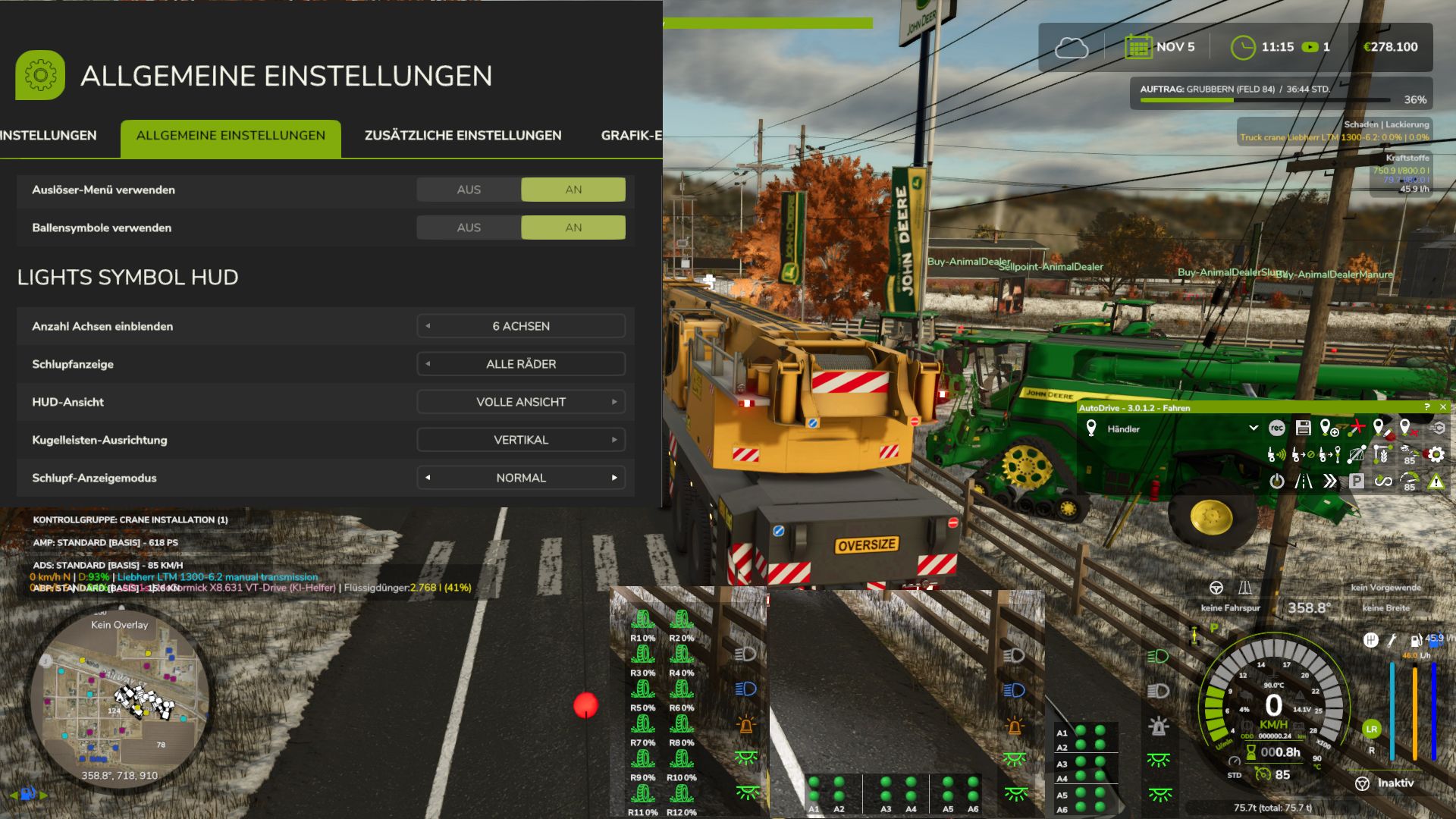
The Lights Symbol HUD displays the vehicle’s most important lighting and chassis information clearly in a separate HUD. Low beam, high beam and work lights Beacon light Left/right indicators and hazard warning lights Indicator arrows follow the active indicator rhythm Slip indicator for driven axles and wheels Automatic chassis and axle detection, even with complex multi-unit, belt and tracked undercarriages Dynamic display of up to 6 driven axles Selectable axle pairs or individual driven wheels Three HUD views: Full view, Compact view and Minimal view Minimal view optionally with a vertical or horizontal dot-light bar Dot-light bar with separate slip states and a clear axle assignment Adjustable slip display: Direct, Normal or Reduced Adjustable number of displayed axles: 0, 2, 4 or 6 Separate black background for the minimal dot-light bar Other publications on external sites that have not been expressly permitted or made by me are not allowed. I also provide no support for third-party uploads. Displays for the Tire Wear mod implemented https://github.com/duesterelegende/LS25_Real_Physik_Reifenverschleiss/releases/tag/LS25 The mod is not strictly required, but is recommended and can be completely hidden in-game I have added Cobra Modding as a blocked author because parts of my mod were used without permission or consultation. There is now a clear warning message in which you must choose which mod you want to use. All functions of my mod will be disabled as long as the mod by Cobra Modding is also active. You are free to decide which mod you want to use in the future. But I will not tolerate Cobra Modding! - New engine torque display as a live bar, toggle in the settings to show/hide - Torque display on the speedometer as a live bar / option in the settings to turn it on/off - further optimizations for axle displays and detection of motorcycles and trikes Integration for the Real Physics Tire Wear MOD -Various displays added for tire wear, belts and tracked vehicles, trailers, etc. - Display options Version 1.0.1.4.9 some language entries updated Before - only a light symbol display and a 2-axle slip display Update 1.1.0.44 - Various HUD display modes - Multiple-axle detection up to 6 axles and corresponding display for up to 6 axles - Individual wheel and axle-pair display - Improved wheel-slip display and analysis for up to 6 axles and 12 wheels - Several wheel-slip display modes - Options menu entries with multiple selection switches
Farm Life Plus FS25
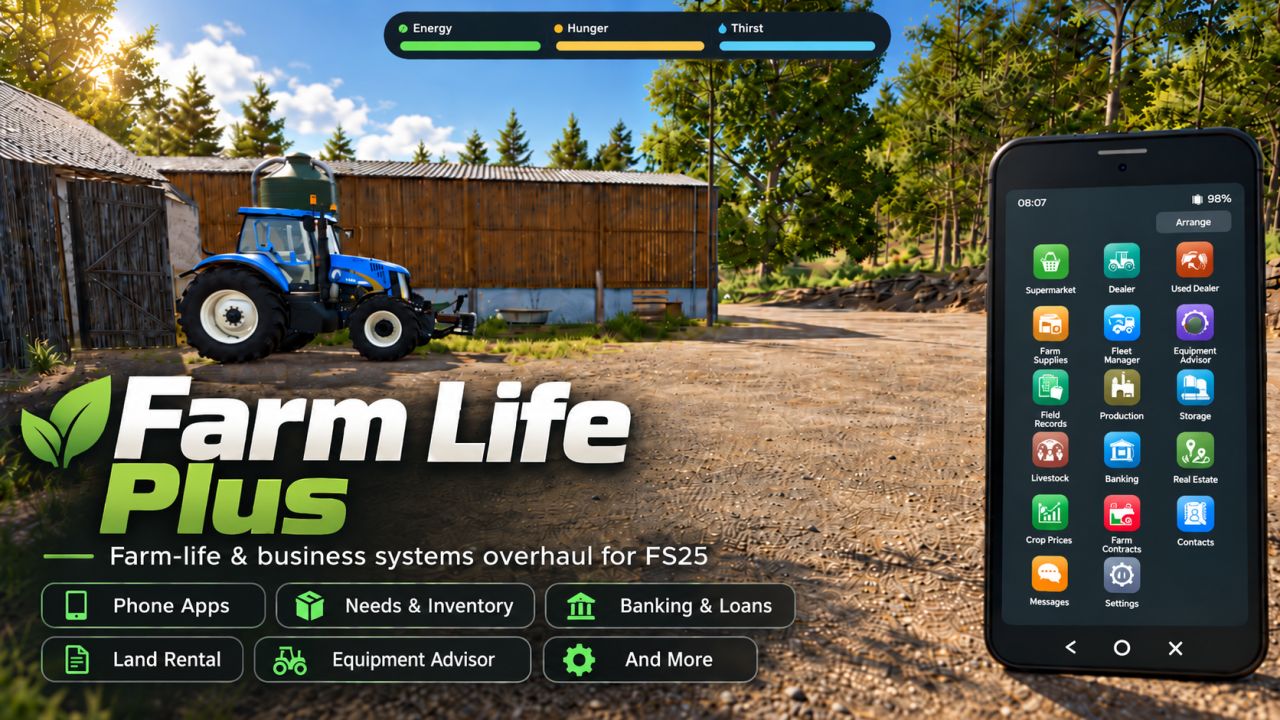
Official Distribution Notice Farm Life Plus is officially uploaded and distributed through KingMods only. Any copy of Farm Life Plus found on another website, file host or mod-sharing service has not been uploaded or authorised by me. Please only download Farm Life Plus from the official KingMods page. Farm Life Plus expands Farming Simulator 25 with deeper personal life, farm management, finance and progression systems. The goal is to make your farm feel more like a real business and your character feel like someone actually living and working in the world. Farm Life Plus is currently in Beta. Bugs, balance issues, compatibility problems and unfinished features may still be present. Player Needs Your farmer now has personal needs: - Hunger - Thirst - Energy - Activity-based drain - Movement penalties - Sleep and recovery Food & Drink More than 100 food and drink items are included, with different hunger, thirst and energy effects, shelf life, expiry and packaging. Personal Inventory Carry food, drinks and other supported items in a dedicated personal inventory. Smartphone Most Farm Life Plus systems are managed through an in-game smartphone with 17 apps. Apps can be rearranged or disabled. The phone also supports notifications and Do Not Disturb. Banking & Finance Manage your farm finances with: - Transaction history - Monthly cash-flow - Credit score from 0-999 - Personalised borrowing limits - Interest rates - Loan repayments - Arrears - Overpayments - Early settlement Field Renting & Real Estate Expand your farm without buying every field. You can: - Rent fields from NPC landowners - Advertise your own fields for rent - Receive rental offers - Manage tenancy agreements - Pay deposits and monthly rent - Give or receive notice - Benefit from reputation-based discounts Contracts & Reputation Receive job offers through messages, accept or decline work, complete contracts, collect payment and build reputation. Reputation can influence opportunities, rental offers and land deals. Equipment Advisor & Setup Builder Find compatible tractors, implements and machinery combinations based on the job and your budget. Build and save complete equipment setups before spending money. Machinery & Farm Management Farm Life Plus includes: - New machinery dealer - Used machinery dealer - Farm supplies - Fleet Manager - Field records - Crop rotation guidance - Crop prices - Storage management - Production management - Livestock management - Farm calendar and reminders Fleet Manager Manage your machinery from the phone: - View vehicle information - Locate vehicles - Switch to vehicles - Recover vehicles - Sell owned equipment - Return leased equipment One Connected System Farm Life Plus is designed as one connected experience. Your finances affect borrowing. Your reputation affects opportunities and land deals. Your fields build history. Your machinery can be planned and managed through the phone. Contracts arrive through messages. Your farmer still needs to eat, drink and rest. The goal is to turn Farming Simulator 25 into a deeper farm-life and farm-business simulation while keeping farming at the centre. Beta Notice Farm Life Plus is in active development. You may encounter bugs, UI issues, balance problems, compatibility issues and features that change in future updates. Backing up important savegames before using Beta versions is recommended. Feedback and bug reports are welcome. Farm Life Plus is officially distributed through KingMods only. Any copies hosted elsewhere are unauthorised.
RP-Tablet – The Business Tablet FS25
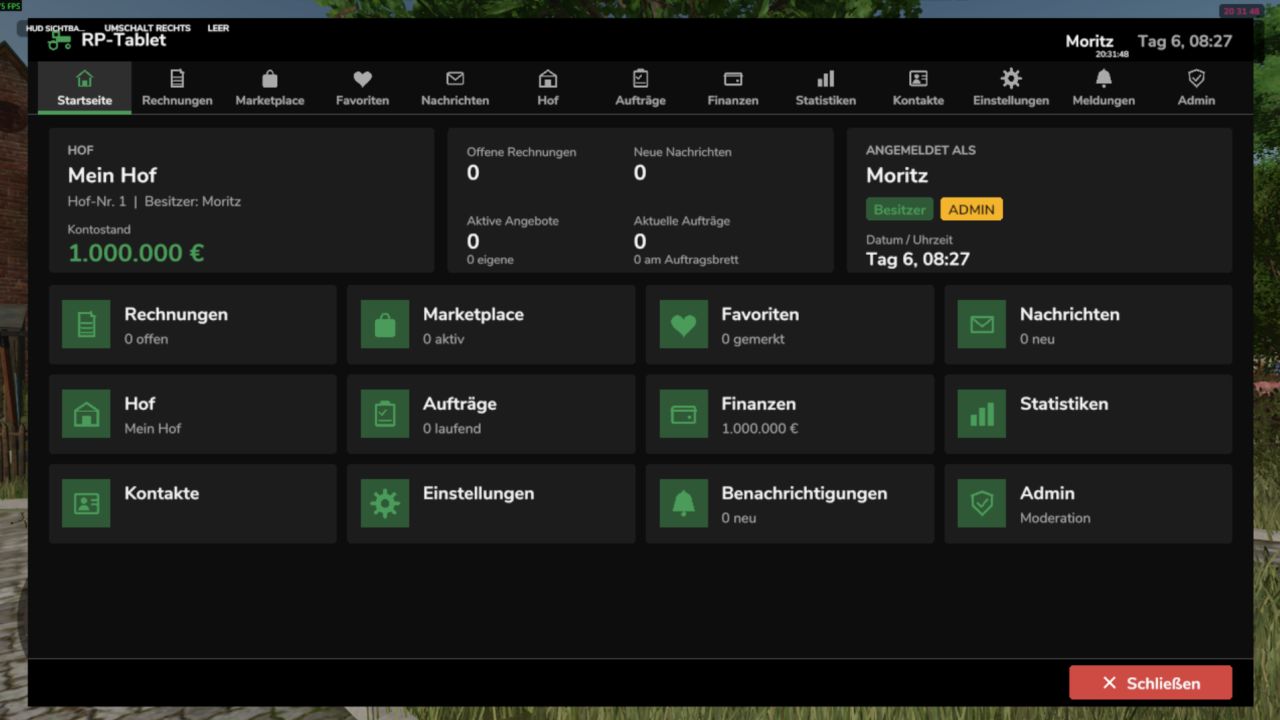
The RP Tablet brings a business tablet into your multiplayer session. With the press of a button, you open a menu styled like the game's own interfaces, where your farm manages its business: issuing and paying invoices, listing machinery and goods, negotiating, holding auctions, assigning contracts, sending messages, and monitoring finances. Everything runs via the server—money, permissions, and contracts cannot be manipulated on the client side. Screenshots Home – Account balance, outstanding invoices, messages, offers, and contracts at a glance; app bar at the top. Invoices – Line items, tax, payment deadline, status; options to pay, reject, or report. "Back," "Home," and "Close" buttons always at the bottom. Marketplace – Offers and auctions featuring search, categories, filters, favorites, and negotiation options. Finances – Account balance, income and expenses by category, recent transactions, receipts, and pending reviews. The images are rendered from the mod's test setup (using sample data, without the in-game background) and illustrate the layout and feature set. Fonts and details may vary slightly in-game. What can the RP Tablet do? Invoices Invoices with multiple line items, optional tax, payment deadlines, and notes Custom invoice numbers (INV-YYYY-NNNNNN); statuses: Open / Overdue / Paid / Cancelled Recipient can pay, reject, or report the invoice; funds are transferred immediately between farms Every payment automatically generates a receipt (TX-YYYY-NNNNNN) Marketplace Vehicles, machinery, trailers, tools, animals, crops, products, bales, timber, services, etc. m. Search, categories, price range, sorting, "My Offers," and favorites Buying, negotiating (price proposals, counter-offers), reserving, and auctions with minimum bid increments Optional market fee; notifications for sellers, buyers, and watchers Messages and notifications Messages to players or entire farms, inbox and sent items, search, replies Centralized notifications with counters (new invoice, sale, outbid, job completed, etc.) Brief alerts visible even when the tablet is closed Farm and roles Farm profile, members, and farm vehicles/machinery Roles with configurable permissions (e.g., owner, manager, employee)—users see only what they are authorized to see Revoke and restore tablet access for individual members Jobs Job board with description, payment, deadline, and optional restriction to a specific farm Open → Accepted → In Progress → Completed → Finalized Automatic payment upon acceptance; If funds are insufficient, an invoice is issued Finances, statistics, contacts Account balance, income/expenses/fees by category, transaction history with filters, receipts Statistics with 7-day chart Contacts, farm profiles, and ratings (1–5 stars; only for genuine, completed transactions) Administration Moderation area for server admins: users, farms, invoices, offers, transactions, reports, logs Configurable (fees, auctions, negotiations, limits, accent color, debug) via the in-game interface or config.xml Controls Action How Open / close tablet Left Alt + T (customizable under Settings → Controls) Back "Back" button or Esc (dialog first, then sub-page, then app) Home "Home" button or first entry in the app bar Close "Close" button, same key, or Esc on the home screen The tablet is linked to the farm: You only see your own farm's data and the apps your role is authorized to access. Multiplayer and security Server-authoritative: Money, marketplace, invoices, contracts, permissions, messages, and transactions reside exclusively on the server. The client only sends requests. Identity never originates from the client—player, farm, and role are determined server-side. Validation of every action (permissions, price, status, funds), protection against duplicate execution and spam, audit log. Works on dedicated servers, as a host, and in single-player mode. Data is saved along with the game save (rpTablet.xml in the savegame folder, with backup). Installation Place RP_Tablet.zip (unzipped) into the mods folder (Windows: Documents\My Games\FarmingSimulator2025\mods). Load your savegame or start the server, then activate the mod. Press Alt + T in-game. On a dedicated server, the mod must be active on both the server and all players' clients. Notes The tablet manages money, permissions, and documentation. Vehicles and goods are not transferred automatically; the handover is part of the roleplay. Transactions use the in-game currency (base: €). The tablet is a 2D overlay (not a 3D handheld device). The mod has been tested in a simulated game environment (89 automated tests). Details regarding engine integrations are listed in the README under "API Assumptions." Please report errors by providing the relevant excerpt from the log.txt file.
Vehicle Control Addon (VCA) FS25
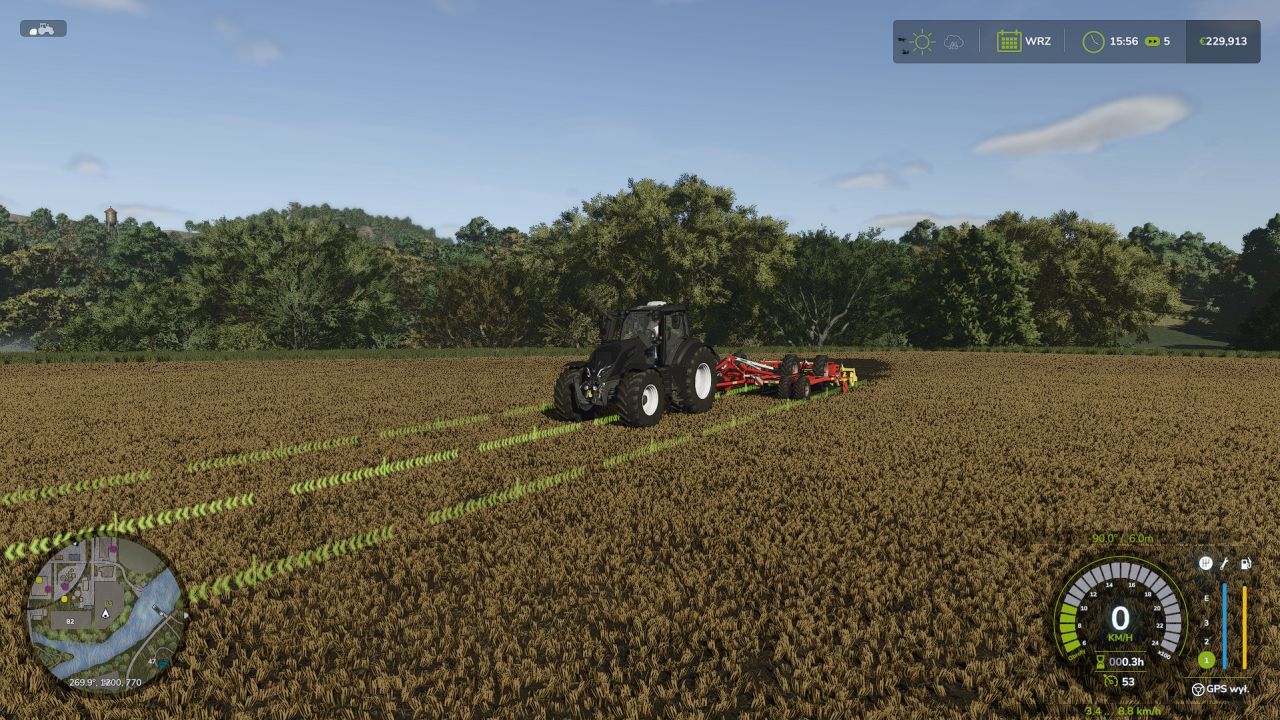
Vehicle Control Addon (VCA) is a set of features that make driving vehicles in Farming Simulator 25 easier and more customizable. Choose the settings that suit your play style, keyboard, or controller. - Adaptive steering adjusts the steering response to the vehicle's speed. - The camera can rotate according to the direction of travel and steering; quick glances in a selected direction are also available. - GPS guidance helps maintain direction and drive the vehicle along parallel tracks. You can set the working width, offset, and the track selected when turning around. - Two GPS line styles: classic VCA and new. The new line adapts its height to the terrain and crop growth stage, fades smoothly at the ends, and can be occluded by vehicles and buildings. - Refreshed VCA menu, with the HUD and GPS line accent color matching the game's active HUD color. - Speed control: additional options for cruise control, speed limiter, speed holding, and manual throttle. - Transmission and drivetrain: settings for automatic shifting, clutch, and Powershift, as well as manual control of the drivetrain and differential locks — if supported by the vehicle. - Additional options, including traction control, handbrake, and transmission HUD. Most features are disabled by default. The vehicle settings menu opens by default with Left Ctrl + C, while GPS guidance is activated with Left Ctrl + W. The remaining shortcuts can be checked and changed in the game's controls menu under the name Vehicle Control Addon.

FS22 John Deere 8R Series Edit v1.8.0.5
FS22 John Deere 8R Series Edit v1.8.0.5 Price:250`000 Power: 290-450hp Configurations: Engine Wheels Carpet BeaconLights realGPS Rimscolor Interactive control for doors and back window Passenger seat for multiplayer Ledbar light is made as “high beam” (CTRL+F to turn it on) Animated wunderbaum inside V1.8.0.5 LED Flashers configuration added LED Bar replaced with new model Few visual improvements V1.8.0.4 Left front wheel issue fixed V1.8.0.3 Wheels configuration changes V1.8.0.2 Variable Tire pressure mod support added V1.8.0.1 modDesc changes descVersion changed Version changed V1.8.0.0 IC Functions update Ignition added Lights toggle added Radio toggle added Radio next added Radio previous added Steering base folding/unfolding added Lower/turn on/off / folding added V1.7.0.0 Added Dashboard live support Added FS22 version DashboardLive configuration with: Lemken, Zunhammer, Kuhn, Krone, Amazone with support to FS25 Dashboard live version Fixed loading screen animation for seat dashboard V1.6.0.0 Fixed textures issue Hubs color now copy color of rims color configuration V1.5.0.0 Added main color configuration Added sound modifier for IC Added interior configuration for “dark interior” V1.4.0.0 New IC Icons added Sound modifier added V1.3.0.0 Interactive control mod support corrected for FS25 version V1.2.0.0 Precision farming crop sensors configuration added V1.1.0.0 Textures issue fixed
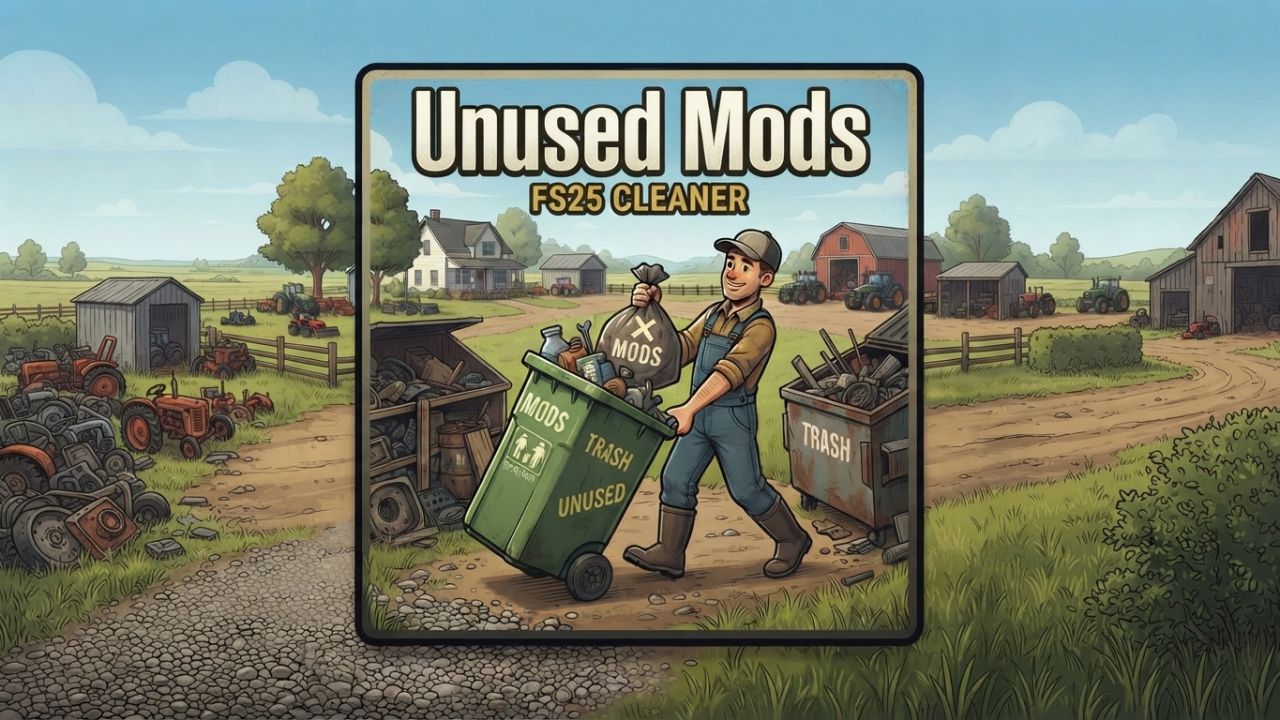
Unused Mods FS25
This mod finds downloaded mods (e.g. a tractor you have as a mod but have never purchased in any save) that you aren't actually using in any of your savegames. When a savegame starts, it checks every savegame for owned vehicles, placeables, hand tools and items and lists the mods that have none. Maps, mods without store items, and script mods enabled in a savegame are ignored. The list, with each mod's file path, is written to: * the log (search for ) * modSettings/FS25_UnusedMods/unusedMods.xml. It includes a summary of what it found and other details. If you find an issue, throw a comment or find me on github: https://github.com/BenOberholzer/FS25_UnusedMods
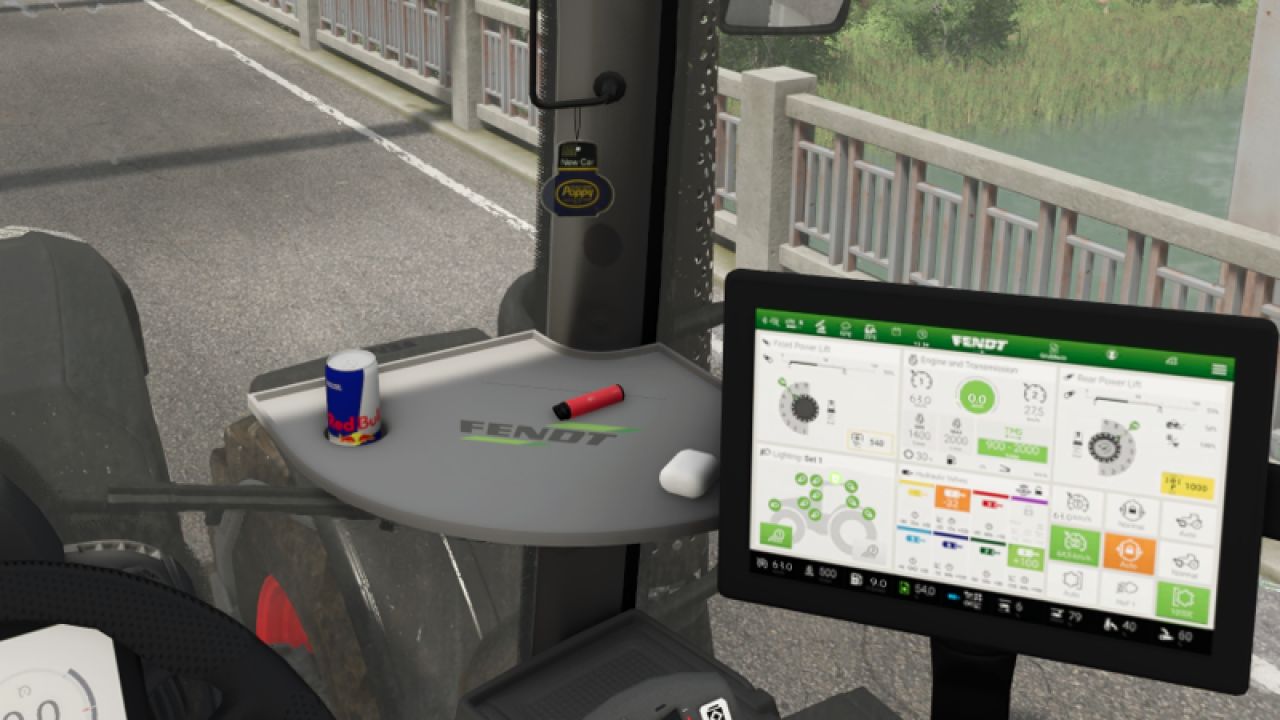
Poppy air freshener (Prefab) FS25
A small air freshener from Poppy/New Car. The air freshener must be installed manually in GE.
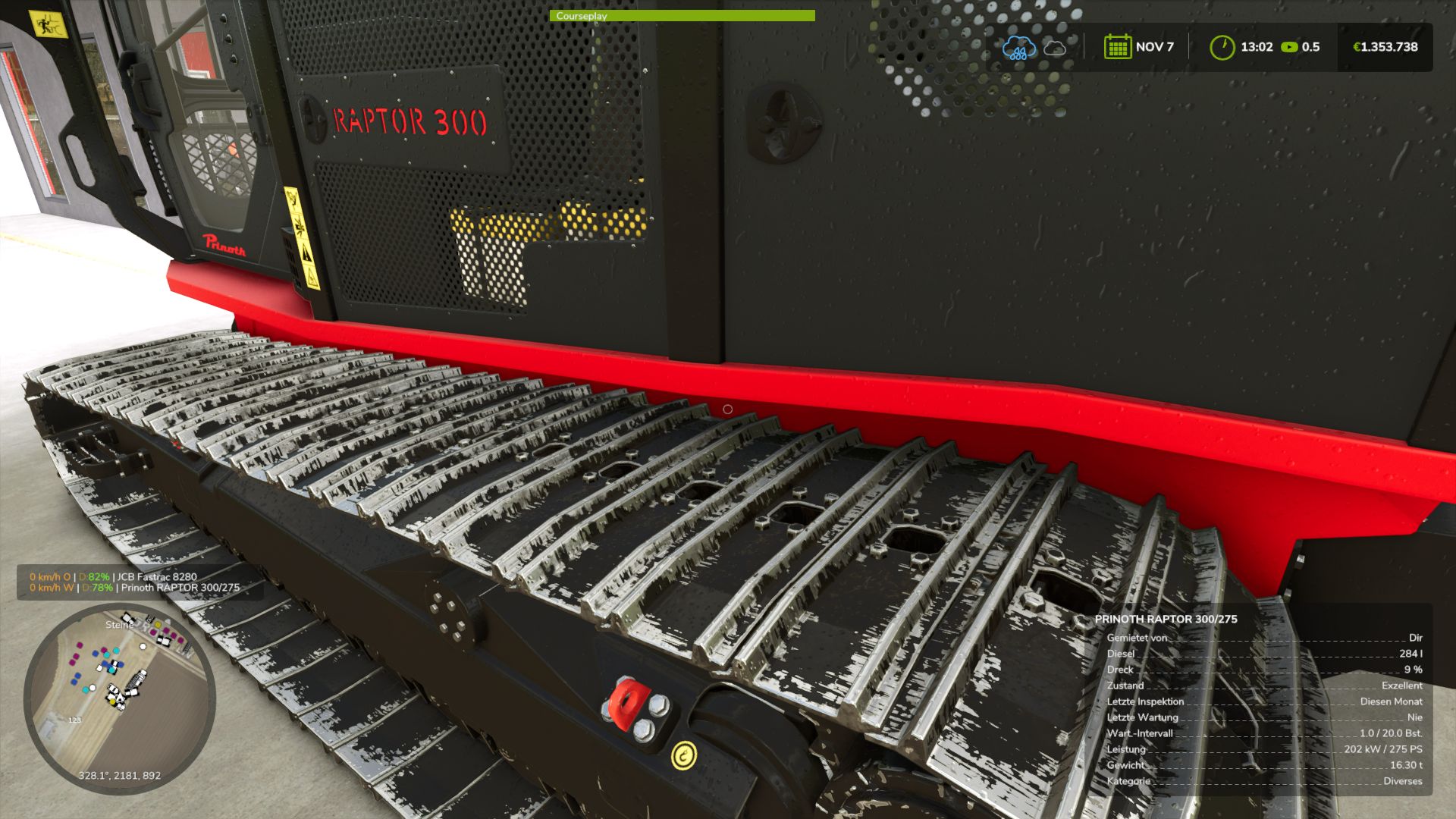
Real Physics Tire Wear FS25
This mod expands Farming Simulator 25 with a standalone and significantly more detailed wear system for tires, rubber tracks, and steel tracks. The next generation—the next stage of evolution: 2.0! Tires and track systems (rubber or steel) wear down based on the actual distance traveled, stress caused by wheel slip, and various other factors. Your driving style, the type of ground you are driving on, weather conditions, the weight you are hauling, and the dynamic load distribution across your wheels or tracks all play a role. Wear is tracked and saved individually for every vehicle and every wheel or track unit, making it independent of the standard GIANTS vehicle wear system. This applies to all vehicles owned by your farm—whether purchased, rented, or leased. AI traffic vehicles, vehicles from other farms, or machinery "rented" specifically for a mission are not tracked. The goal of this mod is to visually display realistic wear on wheels, rubber tracks, and steel tracks, accurately reflecting the actual level of wear. It supports conventional wheeled vehicles as well as machines with rubber tracks or steel tracks. Trailers and implements with their own wheels are also included and tracked. For rubber and steel track systems, the wear of road wheels is calculated based on their actual design and displayed separately via a combined icon. Most in-game vehicles and many mods have been tested; while 100% compatibility isn't guaranteed, it is well over 90%. There may be isolated cases where tracking isn't possible—such as with two-wheelers, three-wheelers, or specialized machinery mods—but work on compatibility is ongoing. For specific mods, however, I require the mod itself, including its i3d files, UV masks, i3d mappings/shapes, and vehicle XML files. Only then can I determine whether it is feasible to implement. As wear increases, the visual appearance isn't the only thing that changes; heavily worn tires lose traction, thereby affecting handling. This introduces a shift in momentum or a lag that causes the vehicle to slide—whether accelerating, braking, or turning. Tires, suspension systems, and track rollers can be replaced at the workshop; costs depend on factors such as the vehicle type, the number and size of tires or track components, and a small multiplier based on the selected reference mileage. The desired reference lifespan can be adjusted in the settings. Options include 350, 500, and 750 km for smaller or classic 2×2 maps, and 1,000, 1,500, and 2,000 km for larger 4×4 maps and correspondingly longer periods of use. It is important to note that a 1,000 km setting does not guarantee the tire or suspension will last at least 1,000 km; the reference value simply serves as the basis for calculating wear. Consequently, the tire might last less time—or potentially longer—depending on driving style, the nature of the work, and the load. Furthermore, the mod supports wear calculations for AI-controlled vehicles—specifically those using Courseplay, AutoDrive, or the built-in Giants AI. To ensure this functions smoothly, I developed an electronic immobilizer designed to lock the vehicle until the startup phase and system initialization are complete, preventing any external input during that time. This is necessary because Courseplay and AutoDrive bypass the standard startup sequence intended by Giants, which could otherwise lead to inconsistent states or unintended issues. Simply think of it as a "Parking Brake 2.0": once the vehicle is ready to drive, the immobilizer disengages, and everything operates as usual. The mod introduces three specific penalties. First, there is a loss of traction for tires and running gear depending on their wear level. However, it remains possible to drive the vehicle to the workshop—albeit with a performance penalty and potentially without a trailer. Second, there is a speed penalty for AI-controlled vehicles. The AI cruise control speed is throttled down to as low as 20 km/h, depending on wear, to ensure the vehicle can still be steered and follow its route. At normal speeds, the AI driver (AD) is unable to compensate for the tire slippage and loss of traction. If you drive the vehicle manually, there is no speed restriction, though the corresponding performance penalties still apply. Third, there is a penalty affecting the maximum speed of rubber tracks and steel tracks. Depending on the wear of the inner rollers, the maximum speed can be reduced by up to 50%. Once the rollers are replaced, the penalty is removed. Current wear levels can be displayed directly in the HUD when using the "FS25 Lights & Symbol HUD" mod. It is therefore recommended to install the Lights & Symbol HUD alongside this mod. https://www.kingmods.net/de/ls25/mods/81022/lichtsymbol-hud I've added Cobra Modding as a blocked author because parts of my mod were used without permission or consultation. There is now a clear warning message that forces you to choose which mod you want to use. All features of my mod will be disabled as long as the Cobra Modding mod is also active. You are free to choose which mod you want to use in the future. But I will not tolerate Cobra Modding! 4.10.26 cooperation with the “real mud physic mod” in coordination - API integration and compatibility update - Going forward, a standardized mod file name: "Reifenverschleiss.zip"; only internal version numbers in the description - Language packs (German/English/Spanish/French/Russian) on l10n 10/04/2026 cooperation with the “real mud physic mod” - API integration and compatibility update - Going forward, a standardized mod name: “Reifenverschleiss.zip”; only internal version numbers in the description - Language packs (German/English/Spanish/French/Russian) on l10n 1.2.2.67 update for mod update mud physics 1.2.265 small fix for "saving" 1.2.2.64 Optimizations to the calculations following the long-term test, selector in the settings to switch on/off Version 1.2.2.51 I have made a few optimizations to the performance and code so the mod runs a little leaner and faster..., no functional changes The Real Mud Physics mod is now supported -various adjustments for the Mud Physics mod
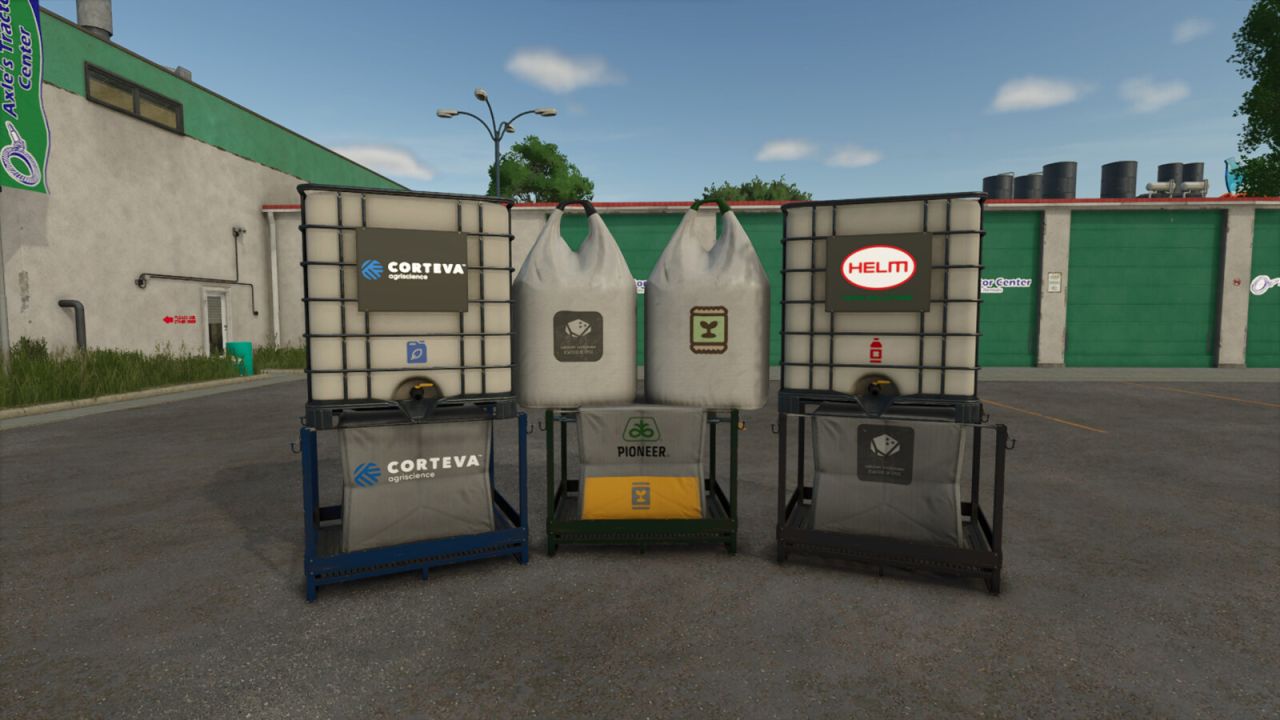
Enhanced Filling FS25
Enhanced Filling improves filling and pallet unloading while keeping the normal Farming Simulator fill system. Continuous Fill automatically continues to another compatible nearby source when the current bag, pallet, tank, or other source becomes empty. Instant Fill is optional and makes compatible sources transfer material almost instantly. Instant Fill: Field Equipment Only can limit that speed boost to spreaders, sprayers, seeders, and planters using field-input materials. Instant Dumping is optional and makes trailers, tanks, and other dischargeable equipment unload almost instantly while preserving normal discharge targets and storage/selling rules. Lowest Source First prioritizes the compatible source with the least material remaining, helping clear partially used bags and pallets before full ones. Auto Cycle Fill Units automatically continues through compatible fill units on the same vehicle or implement as each one becomes full. Fill Type Choice automatically asks which compatible material you want when more than one fill type is available nearby. Left Alt + R can still be used to cycle the preferred type manually. Partial Pallets First improves the unload-pallet function. Nearby compatible partially filled pallets, crates, boxes, or big bags are topped up before a new container is created. Extended Refill Range can increase compatible refill-source detection to 10, 20, 30, or 50 meters, including compatible silos and filling/loading stations. Limit Range to Field Equipment restricts this extra distance to spreaders, sprayers, seeders, and planters using field-input materials. Instant Fill remains independent of the range restriction. Compatibility: If Bulk Fill is loaded, Bulk Fill continues to handle continuous source switching while Enhanced Filling can still ask which material to use. Instant Fill, Auto Cycle Fill Units, and Partial Pallets First remain available. Hotkeys: Left Alt + R - Cycle Preferred Fill Type. The action can be changed in the Controls menu.
PTO Load System FS25
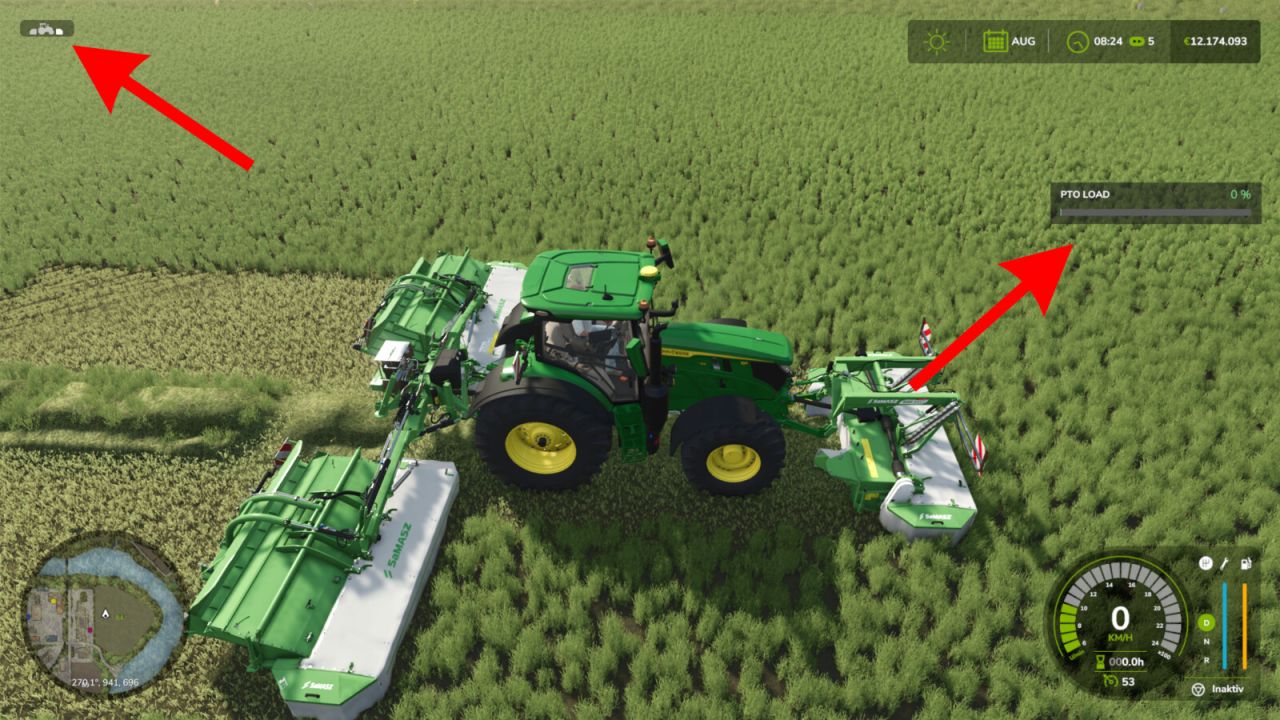
PTO Load System adds a dynamic and more realistic power take-off load system to Farming Simulator 25. The mod calculates the current PTO load while working based on the vehicle, the attached implement and the current working conditions. This makes tractor horsepower much more important when choosing and operating PTO-driven equipment. Switched-on implements are assessed using at least their stated power requirement, including while idling. For headers without a stated requirement, the working power of the harvesting combination is estimated from the least powerful recommended compatible harvester. The display shows modeled working demand, rather than measured engine output. PTO load changes dynamically during operation. A powerful tractor can handle large implements without problems, while an underpowered tractor may reach its limits under heavy load. Features Dynamic PTO load calculation Automatic detection of compatible PTO-driven implements Available engine power is taken into account Support for multiple active implements PTO load can exceed 100% Effects during high and extreme overload Warnings when PTO load becomes critical Clear PTO load display in the HUD Support for modded vehicles and implements Multiplayer support The goal of the PTO Load System is to make the choice between tractor and implement more meaningful while adding another layer of realism to everyday machinery operation. A larger tractor is therefore no longer only useful for additional weight or speed – its extra horsepower is actually required when operating demanding PTO-driven equipment.
Southern Hemisphere Seasons FS25
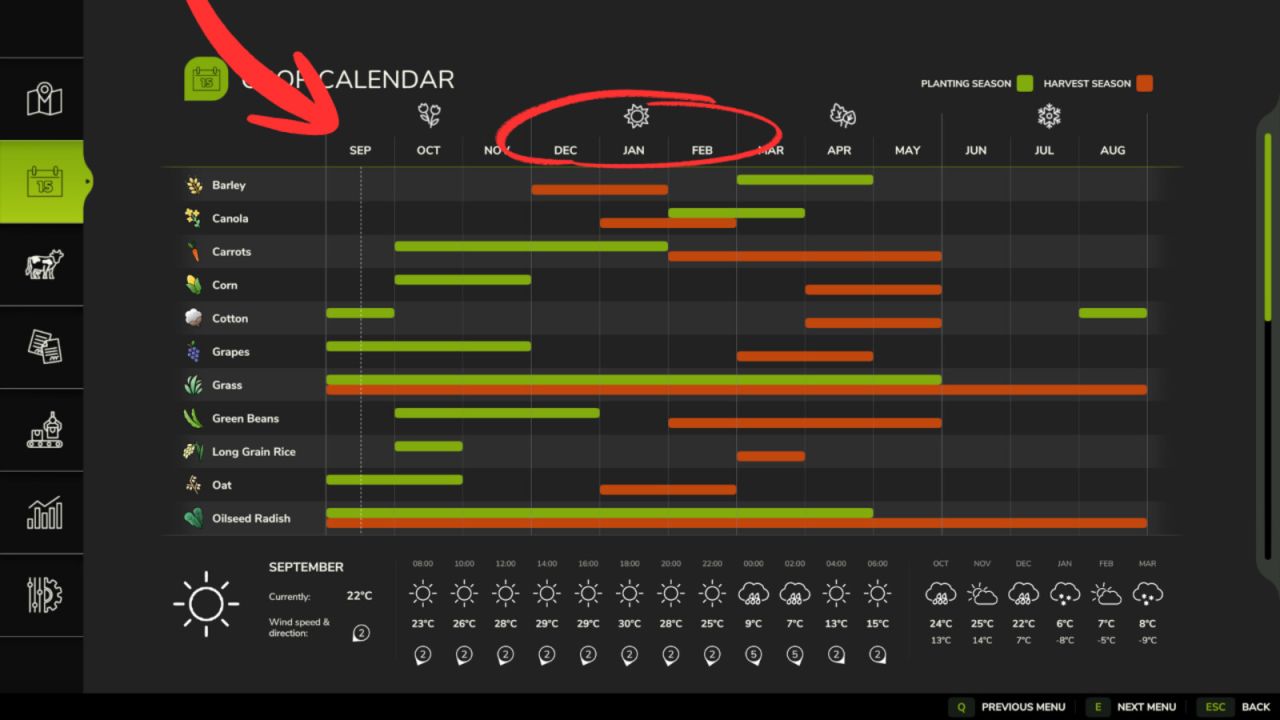
Adapt Farming Simulator 25's climate and lighting to the reality of the Southern Hemisphere! This mod adjusts solar latitude and season cycles so sun trajectories and temperatures match the Southern Hemisphere accurately. Features: - Realistic Southern Hemisphere solar latitude adjustment (-25.75°). - New savegames start in September (Early Spring). - Fully compatible with any standard or modded map. Notes: - Singleplayer and Multiplayer supported. - Compatible with existing savegames.
TOP Weight Pack FS25
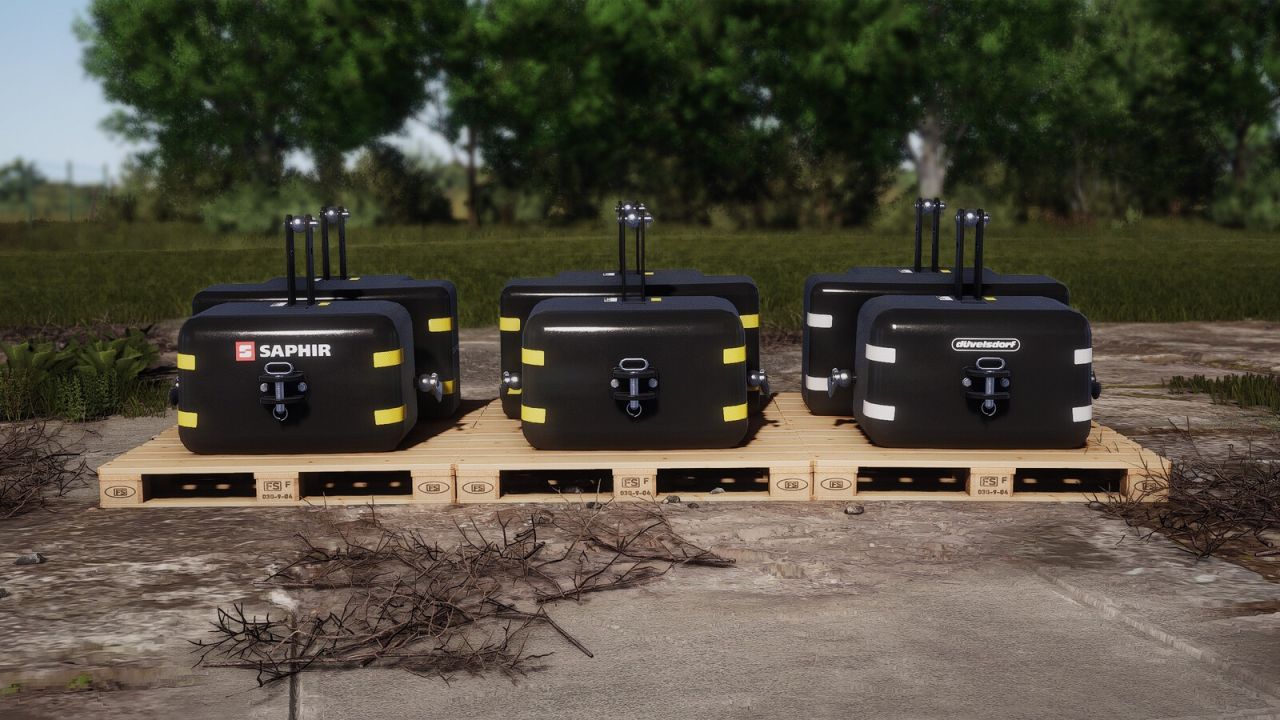
Top 1050 Category: Weights Price: $1,050 Top 450 Category: Weights Price: $450


- 15 per page
- 30 per page
- 45 per page
- 60 per page
-
See more per page
Bigger pages, fewer clicks - and no ads anywhere.
Go Pro