Farming Simulator 22 mods
50,154 results- 15 per page
- 30 per page
- 45 per page
- 60 per page
-
See more per page
Bigger pages, fewer clicks - and no ads anywhere.
Go Pro
Delivery Points FS25
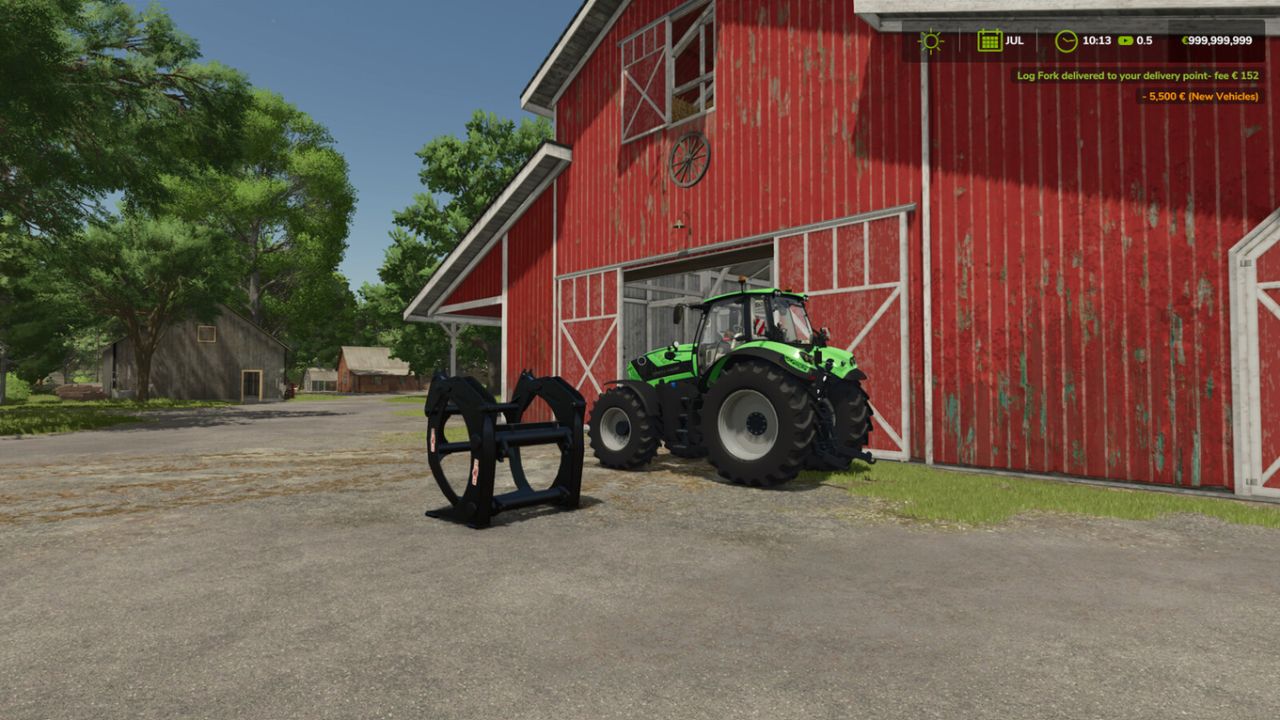
This mod adds a delivery system for shop items: bought goods end up at the points you set. In multiplayer every farm can set its own points. Two points per farm are possible, the size of the delivery area can be chosen when setting a point: - Standard: for everything - Pallets and bales Delivery costs a fee based on distance (2.5 % + 0.4 % per km, max. 7500), the estimated cost is shown in the shop below the price. With economy delivery the fee is halved, but vehicles arrive with a low fuel level only. Default key bindings: - Hold Left Shift + Left Alt: show delivery areas - Left Shift + Left Alt + S: set a point where you are looking - Left Shift + Left Alt + O: change the options of your points - Left Shift + Left Alt + X / C: remove standard point / pallet point Console commands (host / single player): - sdStatus: shows the settings and all points - sdFee on/off: switch the fee on or off - sdSetFee : e.g. sdSetFee 2.5 0.4 7500 - sdSetEconomy : e.g. sdSetEconomy 0.5 12
Norwegian Bigbags FS25
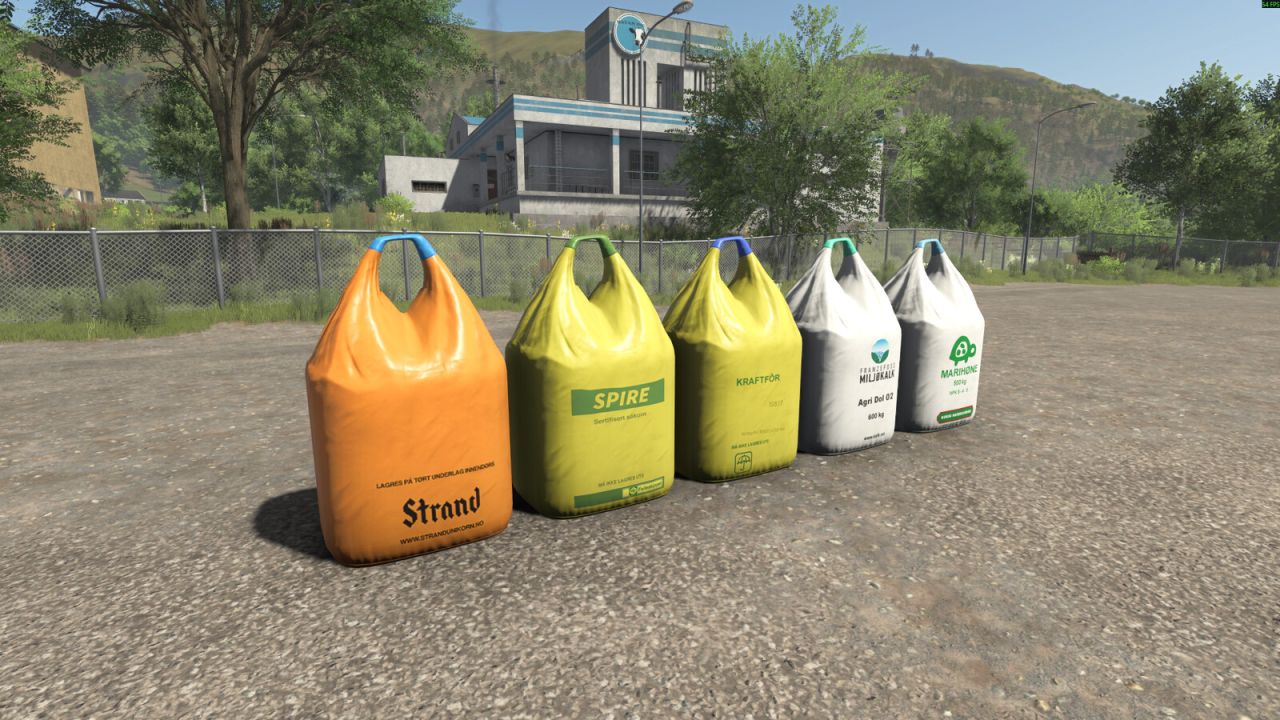
This pack contains 5 different BigBags from Norwegian brands. - Spire (Seeds) Price: 800€ Capacity: 1000L - Strand Unikorn (Seeds) Price: 800€ Capacity: 1000L - Franzefoss Miljøkalk (Lime) Price: 350€ Capacity: 1000L - Marihøne Naturgjødsel (Fertilizer) Price: 1820€ Capacity: 1000L - Felleskjøpet Kraftfôr (TMR) Price: 1000€ Capacity: 1000L
Swath Router FS25
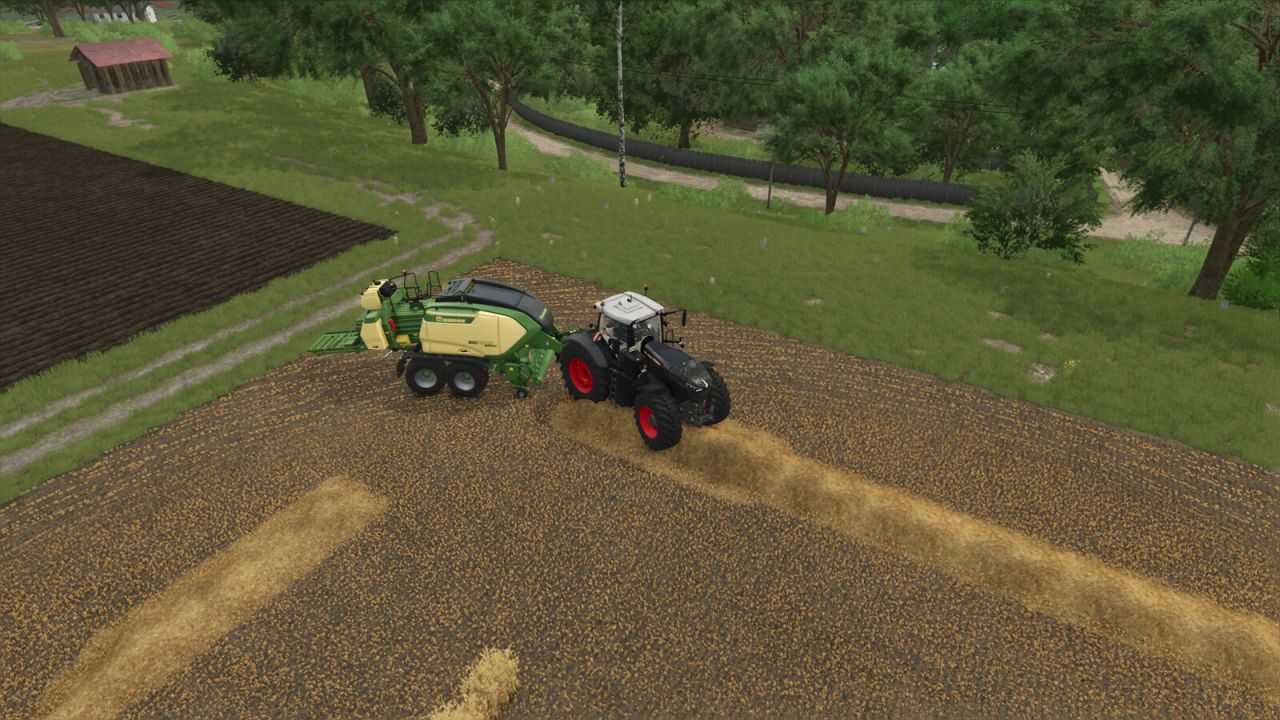
A hired helper bales, or picks up with a forage wagon, by driving along the swaths themselves instead of a generated course. When it starts, the helper looks over the field for swaths and plans a route over them, nearest first. It follows each swath as it lies - straight, curved, at any angle, or round and round where the field was cut in rounds - and turns only where a swath ends. When the route is done it looks over the field again and carries on until there is nothing left to pick up. Straw, hay and grass swaths, with round or square balers and forage wagons. Field work only, single player only. A game saved in the middle of a job starts that job again when it is loaded. The way round is not always the shortest one, and a little straw can be left for the next pass. Also included, for every helper: square balers no longer slow down to a crawl before each bale. Round balers are unchanged. Hotkeys: none. Hitch a baler or a forage wagon on its own and hire a helper for field work as usual.
Precision Track FS25
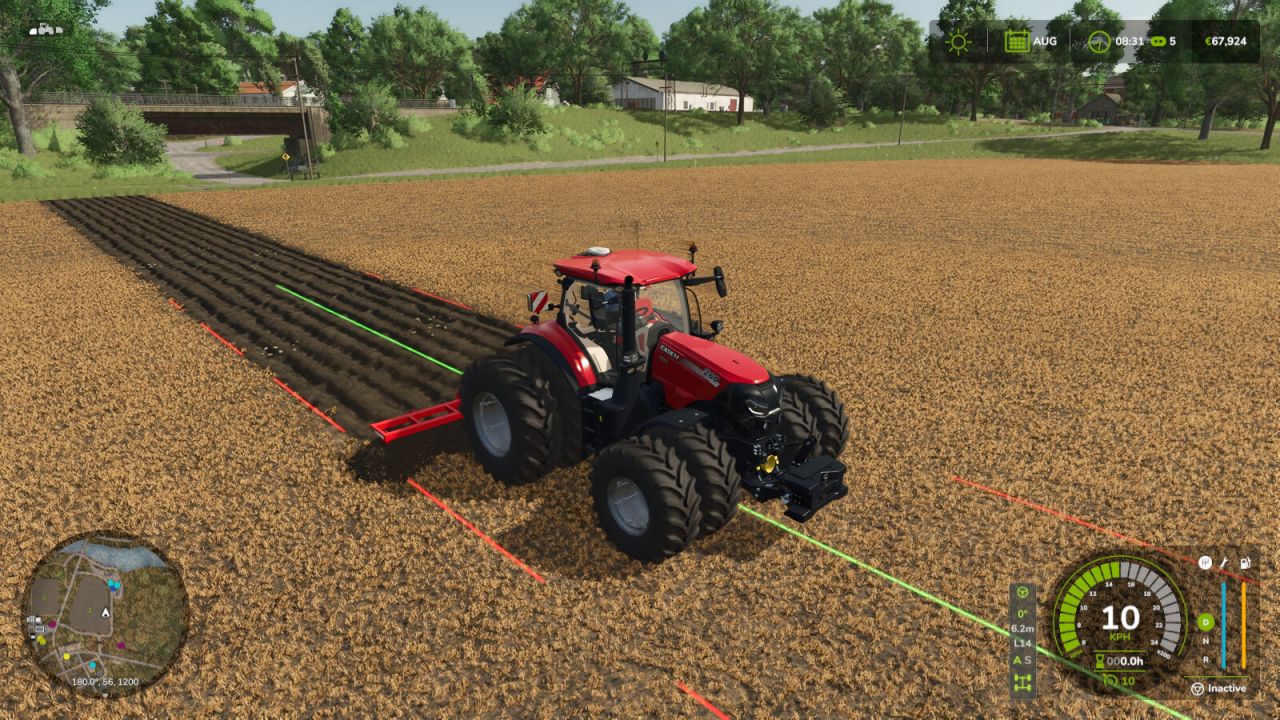
Create your fields with precision. Switch gears and differential locks with a single shortcut. Precision Track is an easy-to-use guidance and vehicle-control mod, designed to help you create new fields from scratch. It guides your vehicle along straight, parallel lines at your chosen angle, without scanning fields or relying on existing field boundaries. AUTOMATIC / SEQUENTIAL: Right Shift + 0 switches between automatic and sequential shifting on compatible geared vehicles. The selected A or S indicator lights up green. In sequential mode, change gears with the game's shift controls. DIFFERENTIAL LOCKS: Right Shift + 9 cycles through factory settings, front lock, rear lock, both axle locks and back to factory settings. Locked wheels turn red on the HUD. Unsupported axle modes are skipped; the centre differential is not changed. GPS MADE SIMPLE Choose a native angle or Manual (1°). In Manual mode, point the tractor in the desired direction. Press Left Ctrl + W to engage or disengage guidance, and use Left Alt + W to forget the reference before defining a new one. - Guidance lines have uniform width and rounded ends: the continuous center line is bright green while guidance is engaged and pale yellow while the reference is ready, with bright red dashed side lines marking the current working width. Line display can be Always, Temporary (1–20 s), or Hidden. - Steering tolerance for wheels and analog sticks is adjustable from 0% to 20% in the settings menus, with a default of 8%. Each player saves their own preference. - Adjustable line height: ground level, 0.5 m, 1 m or 1.5 m above the terrain. This visual preference is saved per player. - Automatic working width, or manual adjustment. Without a working implement, the vehicle width is used. - Native terrain angles: 0°, 22.5°, 45°, 67.5°, 90°, 112.5°, 135° and 157.5°. Manual mode adjusts the direction in 1° steps. Straight guidance works forward and in reverse, and the optional 90° preview can be switched on or off. - Smooth, player-triggered headland turns spanning 1 to 15 working widths. Enable the turn option, engage the GPS and use Left Alt + A/D. - Compact HUD aligned with the bottom of the speedometer, with larger text and indicators for guidance, angle, working width, lane, transmission and differentials. It follows the game's HUD scale. - Short notification sounds with adjustable volume. - Compact settings menu and a Precision Track tab in the game's settings. Actions can be rebound to keyboard, controller or steering-wheel buttons recognized by the game. IMPORTANT Creating new ground still requires an appropriate plow, the game's Allow create fields option and land-use permissions. Precision Track controls steering, not throttle, brakes or implement operation. Turns do not detect field ends or avoid obstacles: the driver chooses when and where to turn. Transmission and differential controls require compatible vehicles. The mod does not add gears or axle differentials to vehicles that lack them. Its differential controls are disabled on vehicles controlled by Enhanced Vehicle, Vehicle Control Addon or Vehicle Dynamics Control. No external mod dependencies. DEFAULT SHORTCUTS — remappable in Controls Right Ctrl + P: Open Precision Track settings Left Ctrl + W: Enable / disable Precision Track Left Alt + W: Forget guidance reference Left Ctrl + Left Alt + W: Refresh guidance width Left Ctrl + ←: Shift guidance left Left Ctrl + →: Shift guidance right Left Ctrl + ↑: Increase guidance angle Left Ctrl + ↓: Decrease guidance angle Left Shift + Numpad +: Increase GPS working width Left Shift + Numpad -: Decrease GPS working width Left Ctrl + Numpad +: Increase turn lane count Left Ctrl + Numpad -: Decrease turn lane count Left Alt + A: Automatic turn left Left Alt + D: Automatic turn right Right Shift + 9: Cycle differential locks Right Shift + 0: Automatic / sequential transmission
Advanced Seeding Control FS25
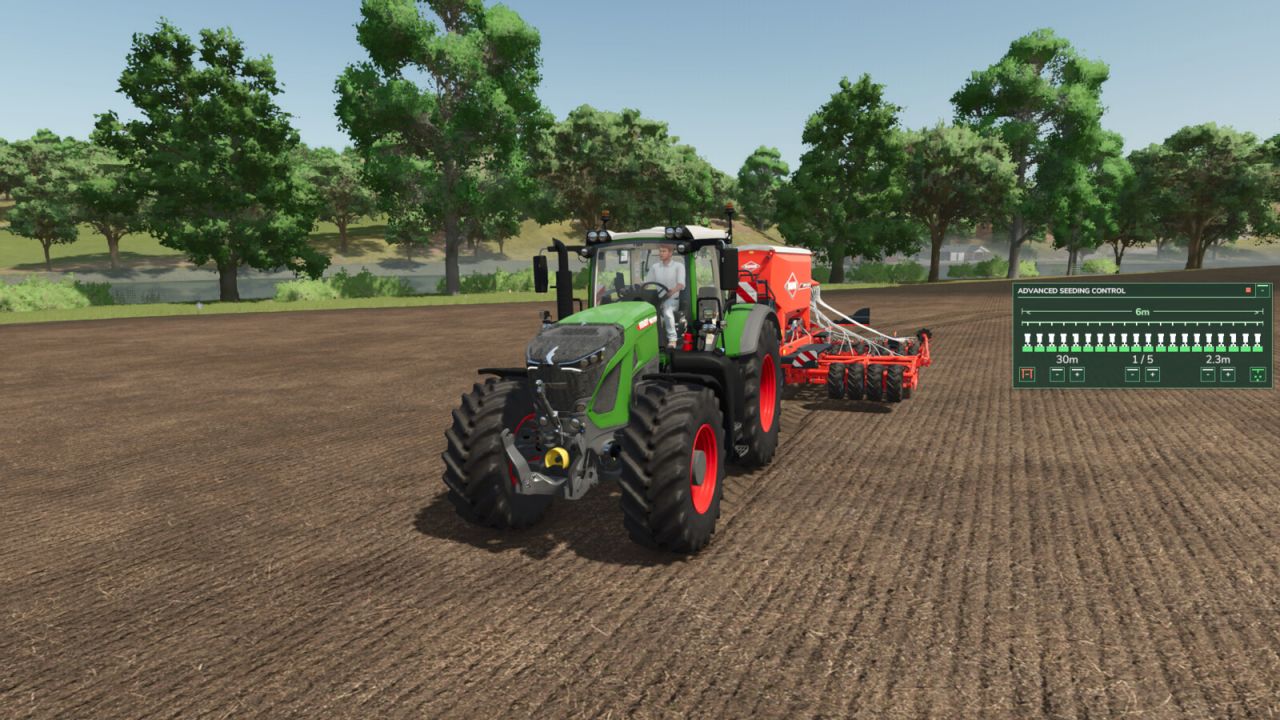
Advanced Seeding Control expands seeders and planters in Farming Simulator 25 with an advanced tramline and seeding management system. The mod calculates tramlines based on the working width of the seeder and the desired follow-up working width, for example for sprayers or fertilizer spreaders. The tramline counter can be controlled automatically or manually and ensures that the required seeding areas are disabled at the correct time. Advanced Seeding Control is also designed to work together with Universal Section Control. When Section Control is installed, the required sections can automatically be controlled for tramline creation without overwriting sections that were manually disabled by the player. Features Automatic tramline calculation Adjustable follow-up working width Automatic tramline counter Manual tramline counter Automatic and manual operating modes Support for even and odd tramline rhythms Manual tramline override Separate fertilizer control for combined seeders Support for pre-emergence markers on compatible machines Audio feedback for important state changes Compact and easy-to-read HUD Support for seeders and planters Compatible with base-game and modded machines Compatible with Universal Section Control Multiplayer support No additional shop configuration required Universal Section Control Integration When used together with Universal Section Control, Advanced Seeding Control uses the machine's available sections to create tramlines. Sections that have been manually disabled by the player remain disabled. Advanced Seeding Control only controls the sections required for the current tramline and releases them again once the tramline is finished. This allows both mods to work together without interfering with each other's section states. Advanced Seeding Control makes seeding more precise, convenient and realistic while providing a modern tramline management solution for Farming Simulator 25.
Door Time Switch FS25
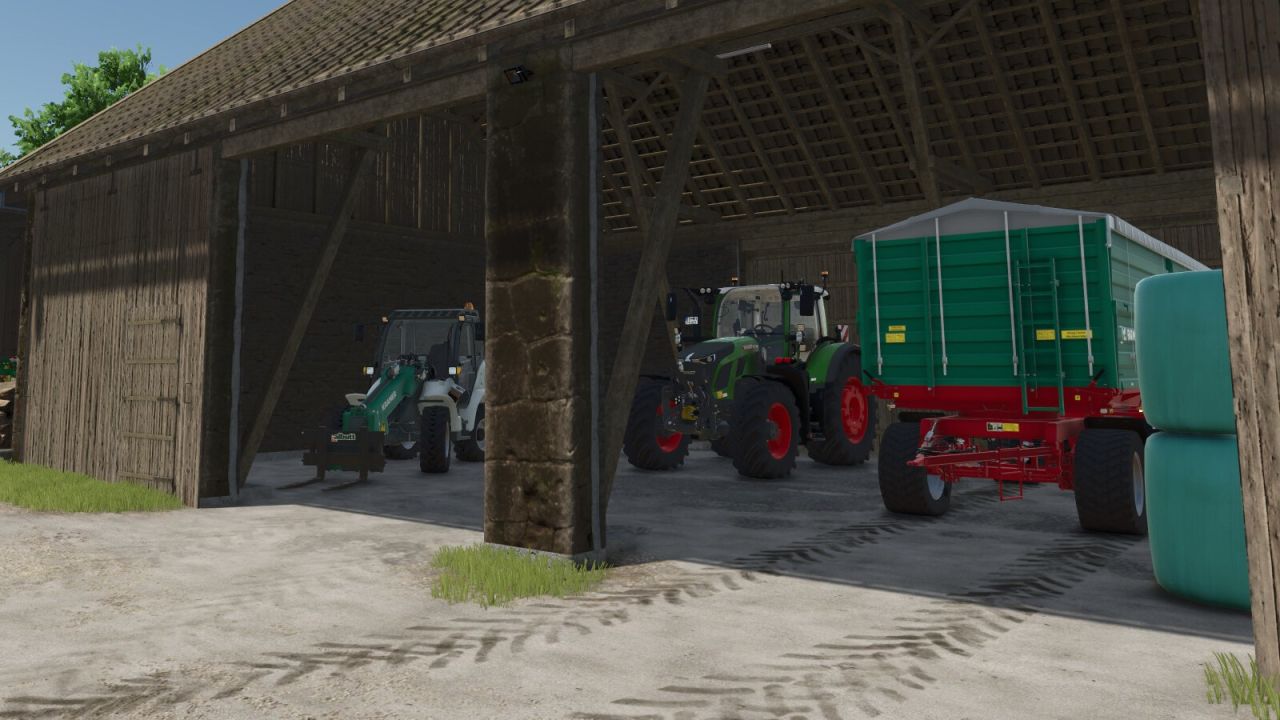
Add a time switch to the doors and gates of your sheds and animal barns. Only buildings on land owned by a player farm are included. Shed doors and gates are closed from 22:00 and reopened from 05:00. Animal barns use different switching times for each animal type (cows: 21:30–05:30; sheep: 18:30–07:30; pigs: 21:00–07:00; chickens: 19:00–05:00; horses: 19:00–07:00). At opening time, only doors and gates that a player previously opened manually and left open are reopened. This selection remains saved until the respective door or gate is closed manually.
Manure Heap Fix FS25
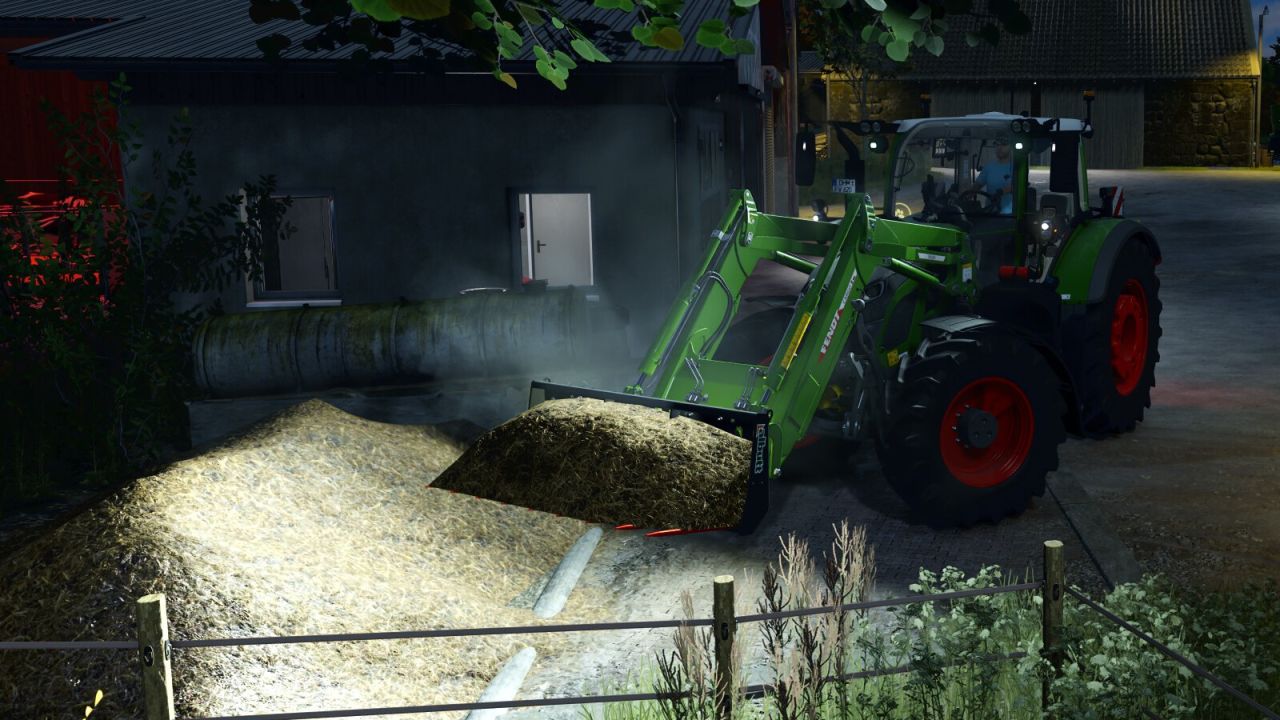
Adds temperature- and wind-dependent steam to manure heaps and vehicles loaded with manure. A change in the amount of manure activates the effect for ten in-game minutes; it then gradually fades out over five in-game minutes. Each player can enable or disable the steam effect separately in the General Settings. In addition, the mod prevents negative fill levels in manure heaps when they are completely emptied manually.
Harvestmission Creator FS25
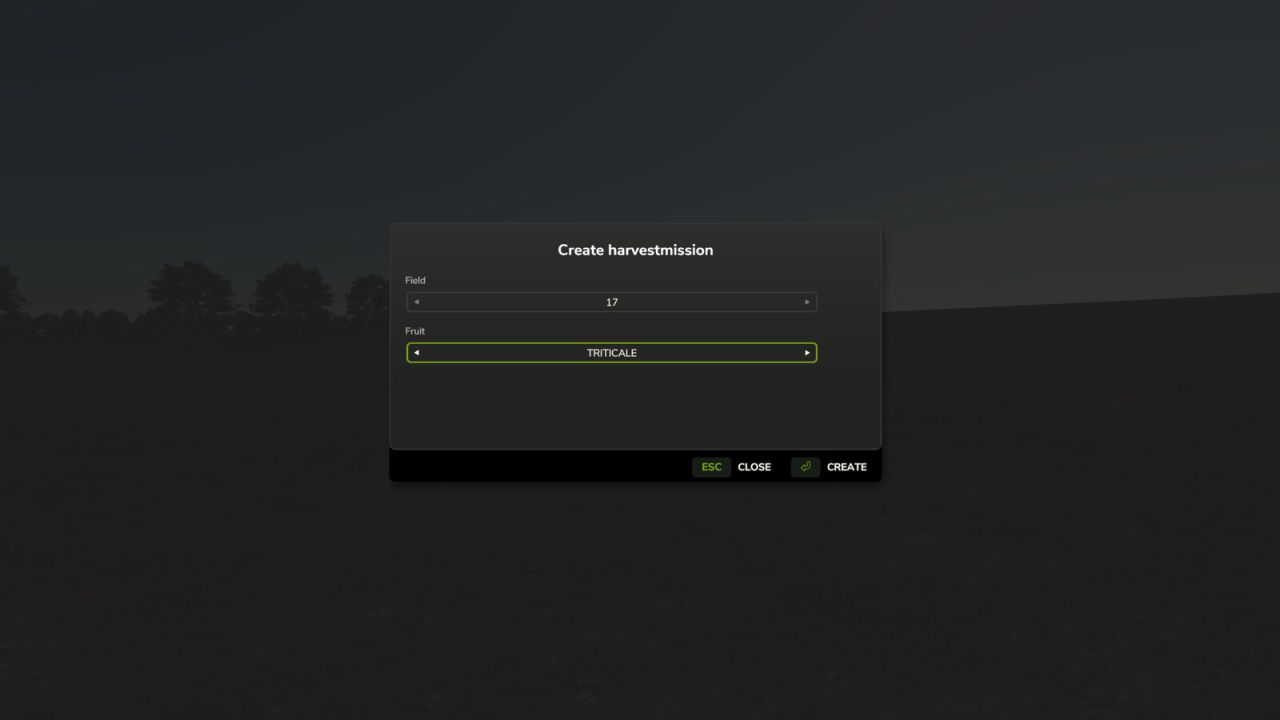
This script allows you to specifically create a harvesting contract for a field and crop of your choice. The script is operated via a dedicated menu that can be opened using a customizable key (default: SHIFT+H). Within the menu, you can select the desired field and crop using dropdown lists. A harvesting contract must not already exist for the selected field. To ensure maximum map compatibility, the script automatically detects which crops are available on the current map. If a harvesting contract cannot be created for a specific crop—such as cover crops, grass, or poplars—a corresponding message is displayed in the menu. Note: If Precision Farming is in use, the script removes tramlines from NPC fields (but not from your own fields). This is necessary to prevent calculation errors on large fields. Multiplayer mode is supported; however, the script can only be executed by the host.
Storage Dialog Plus FS25
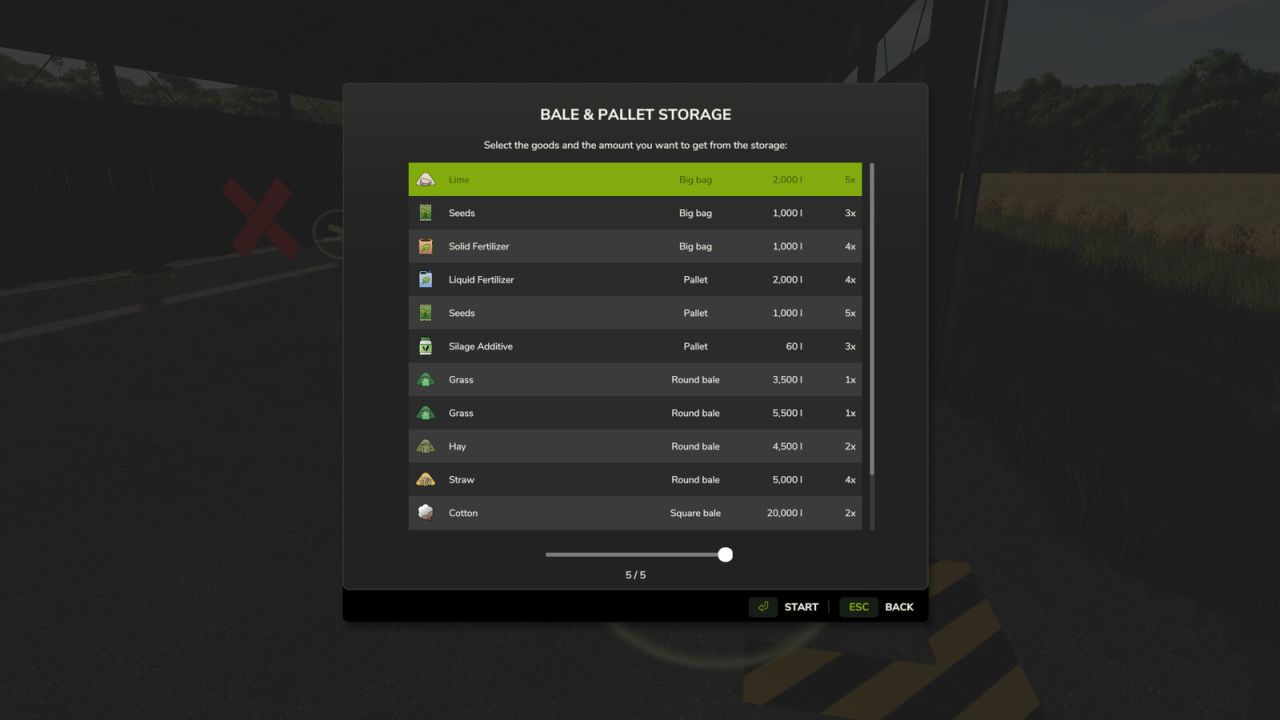
Storage Dialog Plus enhances the default object storage dialog by adding a clean, scrollable list view that displays everything stored inside your object storage. Easily see all pallets, bales, and stored items in one organized table. Features - Adds a scrollable list view to the object storage dialog - Clearly displays all stored products - Separates identical products with different fill levels - Allows you to choose the exact quantity/version you want to spawn - Clean and intuitive UI that matches the base game style This makes managing large storages much easier, especially on busy farms with mixed pallet and bale quantities. - Reject outdated unload selections when another player changes the storage. - Validate farm access and unload quantities on the server. - Support more than 255 storage groups in multiplayer. - Fixed filtered storage selection and multiplayer farm ownership display. - Fixed localized amounts, icons, and dialog loading. - Updated to work better with keyboard and controllers.
Net Worth Tracker FS25
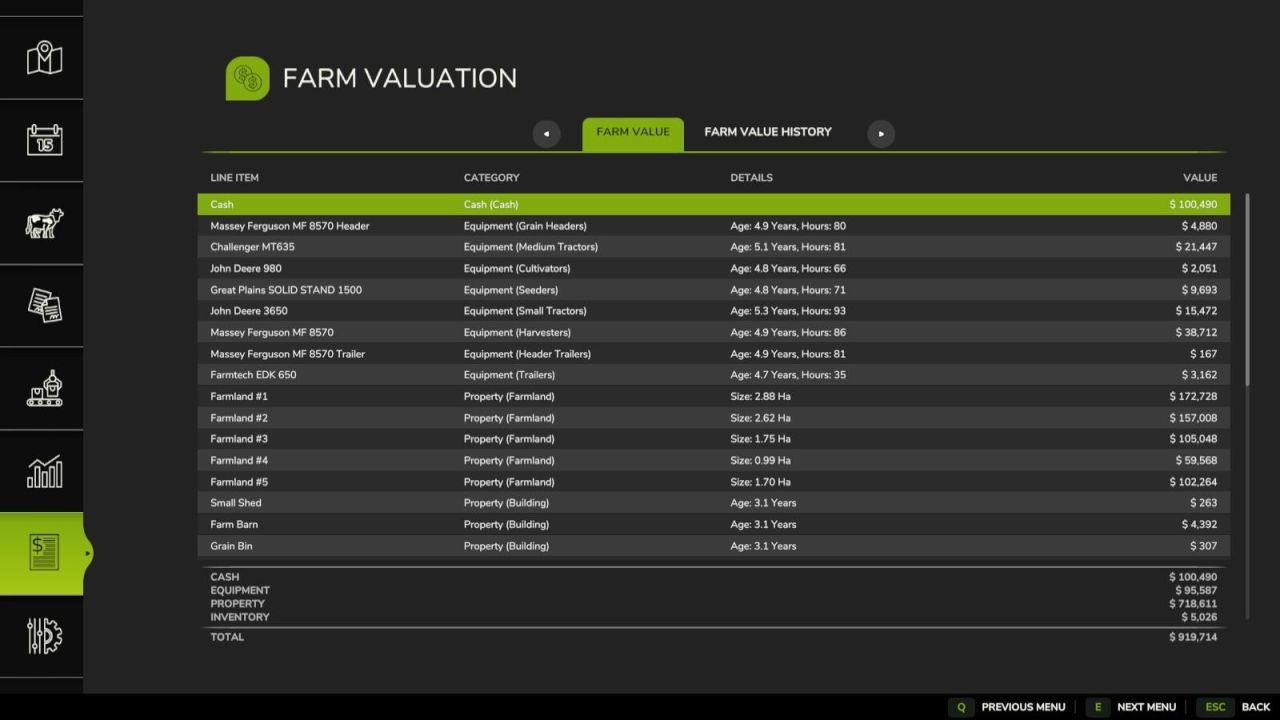
Adds menu screen with a tab to sumarize your farms total value in a balance sheet and a history tab to summaries the history of your farms value. Farm Value: This is the summary of the current day's farm value. Each line item in the balance sheet contains a name, catagory, additional details and a value and are sortable by name, catagory and value. The line items are summaized into four subtotals: - Cash: cash and loans - Equipment - Property: land and buildings - Inventory: fill and livestock Farm Value History: This is a history of farm values recorded at the end of each day. Each line item notes a day and the value of the farm at the end of the day. It is sortable by date. Dev Console Commands: - `nwtBuildHistory` - rebuilds fake value history from previous day - `nwtToggleDebug` - toggles debug mode for the mod - `nwtGetFarmValue` - calculates the current farm value - `nwtFarmValueToCSV ` - exports the farms current value to CSV. Optional param of the absolute file location of the file to be saved. The defualt save location is `/nwt_farm_value.csv` - `nwtFarmValueHistoryToCSV ` - exports the farms value history to CSV. Optional param of the absolute file location of the file to be saved. The defualt save location is `/nwt_famr_value_history.csv` GitHub link: https://github.com/EvanKirsch/fs25_nwt --- - Adds Farm Value History graph with date range filtering - Localizes farmland name and size strings - Adds fill type icons to entry list rows - Fixes error when deriving vehicle category - Fixes cash amount lookup for multi-farm saves - Fixes date string operator precedence when year is null --- - Corrects animal value when health or fitness is less than 100% - Fixes error when generating files before game has been saved --- - Adds PL translation - Removes GIANTS `Object` superclass from instantiated data objects to reduce object clutter resulting in reduced server performance --- - Adds Farm Value History tab - Adds console commands `nwtBuildHistory`, `nwtToggleDebug`, `nwtGetFarmValue`, `nwtFarmValueToCSV`, `nwtFarmValueHistoryToCSV`
Farm Reputation FS25
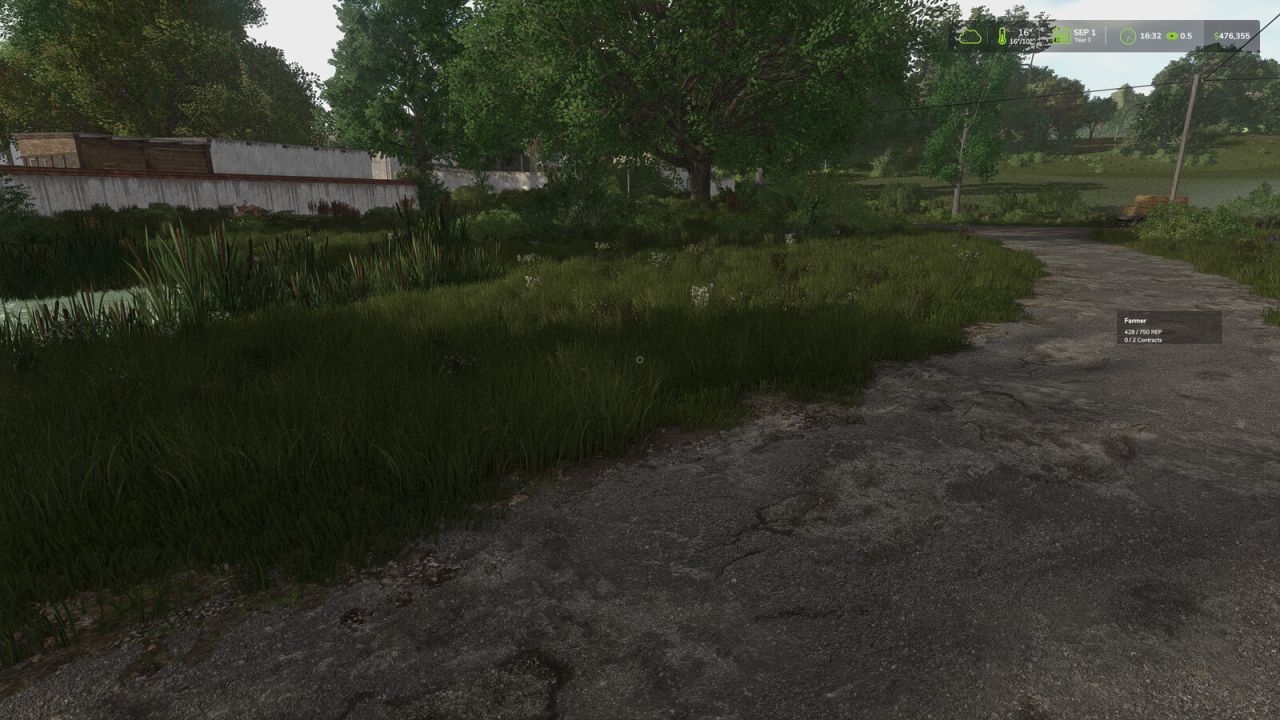
Farm Reputation extends Farming Simulator 25 and Better Contracts with a complete reputation and career progression system, adding long-term progression and a more realistic contract experience. Develop your reputation both as a farmer and as a reliable contractor to unlock better opportunities throughout your career. Features: • Complete career progression with multiple ranks • Individual reputation for every contractor • Contractor-specific contract value bonuses • Farm reputation system with long-term progression • Quarterly farm evaluations • Field analysis • Unlock new rewards as your reputation grows • Increase the number of active contracts • Unlock higher maximum contract values • Earn additional contract payment bonuses How it works: • Earn reputation by successfully completing contracts. • Earn additional reputation through positive quarterly farm evaluations. • Lose reputation by cancelling contracts or receiving poor farm evaluations. • Every contractor has an individual reputation. • Higher contractor reputation unlocks higher contract value limits for that specific contractor. • Your career rank determines your base contract limits, reward bonuses and the maximum number of active contracts. • Farm evaluations are based on weed management, stone management, fertilization, liming and plowing. Controls: • F9 - Move the reputation HUD • A - Previous page • D - Next page • Arrow Up - Select previous contractor • Arrow Down - Select next contractor Requirements: • Better Contracts (latest version) is required. Compatibility: • Multiplayer supported • Existing savegames supported o IMPROVED: - Contractor-specific contract value limits now use the contractor's individual reputation - Contract value bonuses are now applied consistently when accepting contracts and starting missions - Contract value limits no longer rely on the Better Contracts NPC job counter - Reputation values are now correctly synchronized between the server and multiplayer players - HUD positions are now saved per player and synchronized between the server and multiplayer players - Savegame data is now written as part of the Farming Simulator save process to prevent farmReputation.xml from being lost during savegame replacement o FIX: - Fixed contractor reputation bonuses not being applied correctly to contract value limits - Fixed leasing contracts using the farm-wide base limit instead of the contractor-specific limit - Fixed reputation not being displayed or synchronized correctly for multiplayer players after joining - Fixed saved HUD positions not being correctly restored after restarting or reloading o NEW: - Information display for blocked contracts - Display of the reputation still required for the next rank o IMPROVED: - Mission limit handling - Leasing contract limit handling - Active mission detection - Contract limit information o FIX: - Fixed the mission limit not correctly blocking additional contracts - Fixed completed missions being counted as active - Fixed leasing contracts bypassing the active mission limit - Removed duplicate localization entries o NEW: - Contractor Reputation page - Spanish localization - Italian localization - Dutch localization - Portuguese localization - Czech localization - Polish localization - Russian localization - Turkish localization o IMPROVED: - UI refresh - Reputation save handling - HUD - Translations - Farm evaluation o FIX: - Various bug fixes - General optimizations
Collision Damage FS25
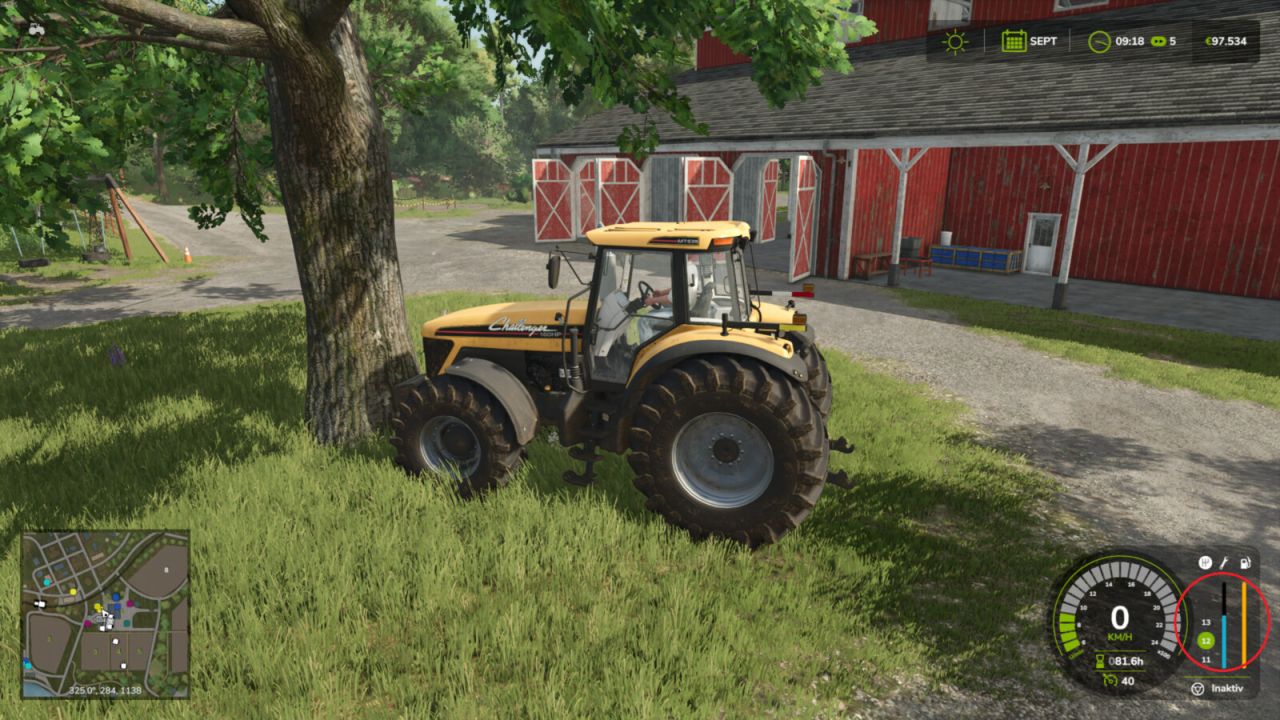
Adds additional vehicle damage after stronger collisions. The mod uses the existing Giants damage system. There are no visible deformations, but the normal damage value of the vehicle increases and can be repaired as usual. Stronger impacts are detected when the sensor-based check can confirm an external contact in the travel or sensor area. When two usable vehicles, trailers or tools collide, the hit object can also receive the same additional damage value if it has its own damage system. Static obstacles such as buildings or trees are not damaged. The driven vehicle combination's own attached tools or trailers are not counted as a second crash participant. Damage calculation runs on the server side and uses the game's existing saving and synchronization. - Added damage profiles and advanced settings - Settings are now stored per savegame - The server controls settings in multiplayer - Server settings are synchronized with joining players - Collision detection completely reworked - Impact damage is now detected more reliably - Collisions involving front loaders, buckets and other attached equipment are better taken into account - Fewer false triggers while braking, steering, attaching or detaching equipment - Improved performance and stability - Stability improvements - The damage amount can now be adjusted in the game settings. 100 percent corresponds to the standard effect.
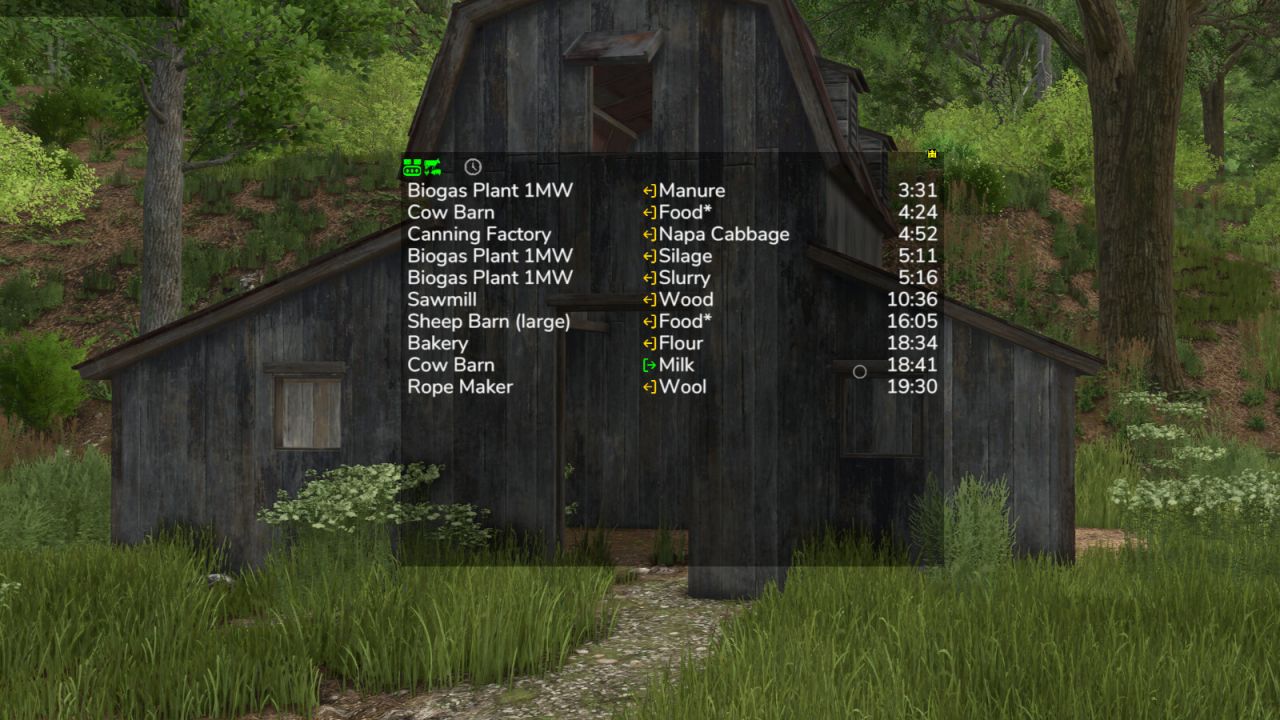
Production Info Hud FS25
Keep an eye on your productions and husbandries without clicking through menus. The mod shows a small list on screen telling you where things are about to get tight: which raw material is running out and which output storage is about to be full. The list is sorted by remaining time, so the most urgent entry is always on top. What the list shows - Column 1: name of the production or husbandry - Column 2: the fill type - Column 3: switchable between remaining time, amount (for raw materials how much still fits in, for products how much is in there) and production per hour Symbols and words in the list - Full, Empty: the storage is at its limit right now - Missing: the production creates something but has no storage for it - Pallets: the product is only placed as a pallet - ~ in front of the time: the value fluctuates, for example because the production speed depends on the weather, the recipe uses random amounts, or the storage fills itself depending on the weather - > 100 days: the mod does not look further ahead than that - A * behind the fill type: the husbandry accepts several kinds, for example hay, silage or grass - Several fill types in one line, such as "Wheat, Barley": the production can use any one of them Filters in the filter line - Show or hide productions, animals and storages separately, storages only appear with the cargo filter - Time filter: only show what runs empty or full within 24 hours or within a month - Hide distributed products that are collected automatically anyway - Cargo filter: matching places for the current vehicle - delivery points for the loaded cargo, and for seeders, spreaders or sprayers the places to refill, even when the tank is empty Mouse controls - Move the window with the arrow icon in the top left corner - Open the filter line with the down arrow in the top left corner - Switch the filter line to settings with the gear wheel in the bottom left corner, where font size and line spacing can be set - Only show while the mouse cursor is active: the lock in the bottom left corner - Change the window size with the arrow icon in the bottom right corner - Save changes with the disc in the top right corner - Left-click on a production or a fill type filters the list by it and the filtered entry turns green. Clicking again removes the filter - Right-click on a production opens it in the menu - Left-click on column 3 switches the display Production consumption in the menu A separate page in the menu shows for each crop and fill type which productions produce and consume it, and how much of it is kept, distributed or sold. The time unit can be switched between hour, day, month and year. If a crop falls short, the page also shows the additional area needed per year. Some icons only appear while you hover over them with the mouse. Feeding robots are not supported, the husbandries themselves are. Next to your money at the top you can right-click the wrench icon to open the settings of the display system. Those apply to every mod using this system, including automatic saving. Have a look in there. Uploading to sites other than the ModHub is prohibited and therefore illegal, links only with the original download link. NO mirror links! Modifying or re-uploading, in whole or in part, is not permitted! Please report bugs and suggestions on GitHub: https://github.com/Achimobil/FS25_ProductionInfoHud - New page in the menu: shows for each fill type what your productions produce and consume, and how much is stored, distributed, or sold - New cargo filter: only shows the delivery points that match the current vehicle and its load - The cargo filter shows refill points for seeders, spreaders, and sprayers, as well as pickup points for empty vehicles when something is ready for collection - The cargo filter now also shows your own storages, silo extensions, and pallet storages - Prepared for Revamp - The display now requires noticeably less computing time, especially with many productions - Productions hidden by the GTX production script are no longer shown here either - Fixed error in manure production calculation - Added total row for manure type filter and production per hour at the bottom - Added translations for FR and PL - Display of arrows corrected - Display full and empty improved - Filter for removing outputs that are set to distribute - Production per hour in the display corrected for more than 1 day per month - Update HL display system updated
First Person Cameras FS25
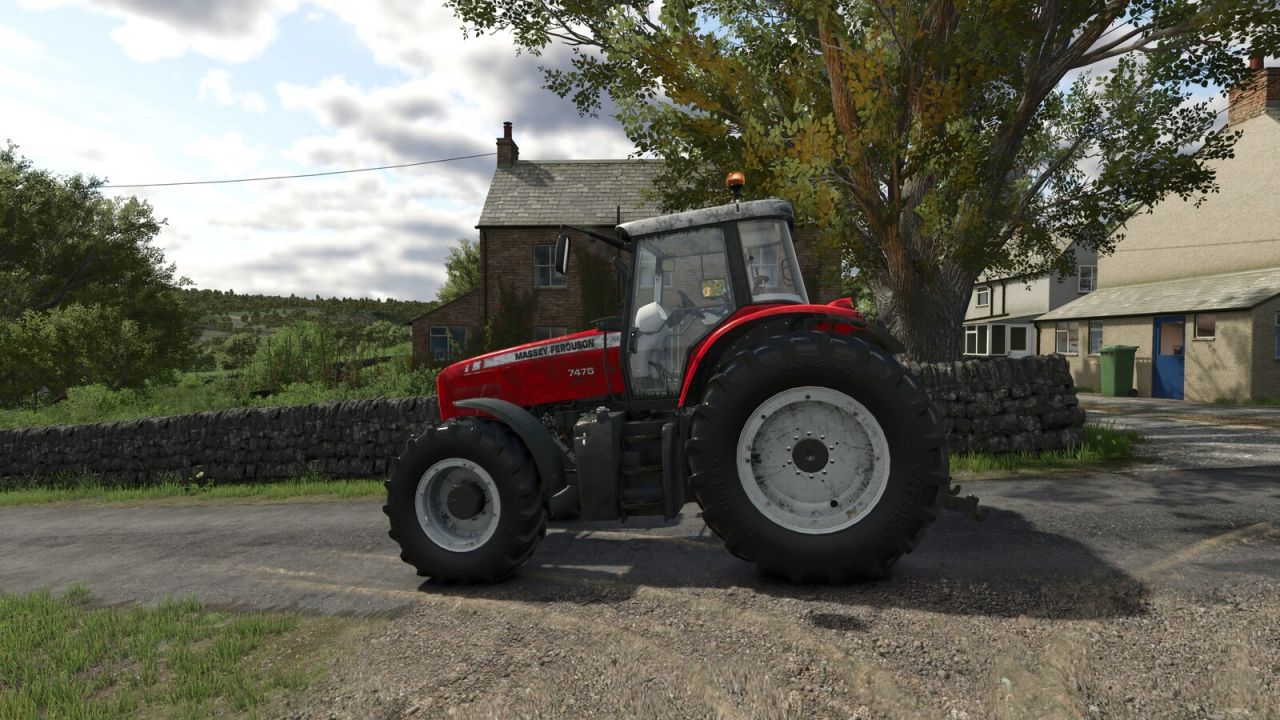
First Person Cameras Adds effects to the on-foot first person camera, and in-cab first person camera. - Breathing effect for on-foot camera - Multiple in-cab effects, simulating engine rumbling and the impact of motion and forces on the player point of view, for a more realistic experience. All effects can be tuned or disabled using settings. GitHub: https://github.com/Ozz-Modding/FS25_FirstPersonCameras - Settings moved to the General tab, so every player can change their own settings in multiplayer (previously only the admin could)

- 15 per page
- 30 per page
- 45 per page
- 60 per page
-
See more per page
Bigger pages, fewer clicks - and no ads anywhere.
Go Pro