Farming Simulator 22 mods
50,512 results- 15 per page
- 30 per page
- 45 per page
- 60 per page
-
See more per page
Bigger pages, fewer clicks - and no ads anywhere.
Go Pro
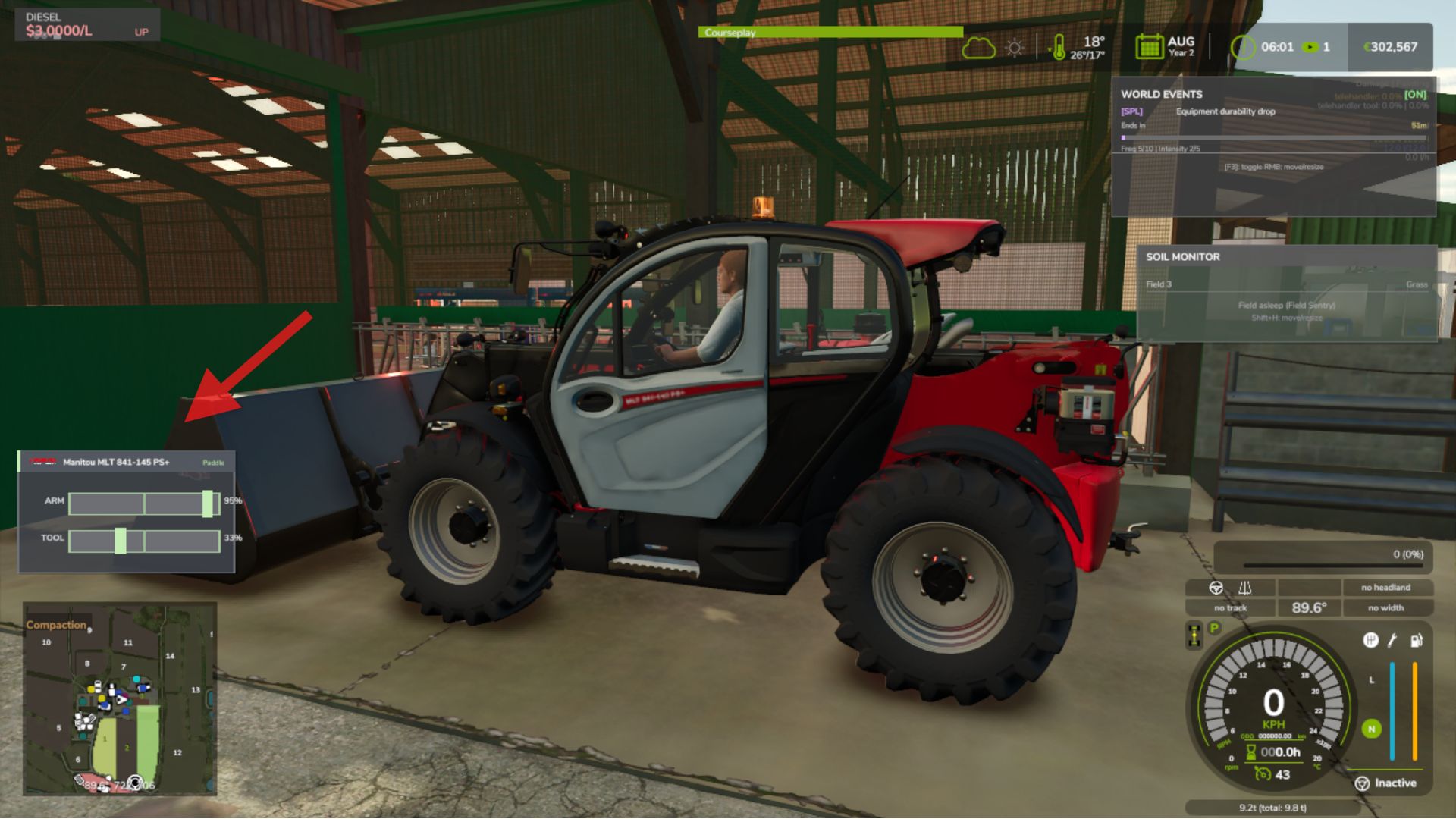
Loader Control Overlay V1.0.1.0
Loader Control Overlay V1.0.1.0 A live on-screen panel that reads your front loader’s actual moving parts and animates them as you work. Raise, lower, curl and dump, and the overlay moves with you. The control style restyles itself to match the tractor brand, and it wears the real brand badge straight from the game. Features Live Loader Readout Brand-Aware Styles Real Brand Badge Controls Toggle overlay: Alt + L Move / resize: Alt + K Cycle style: Alt + J Cycle position : Alt + H Note that only the settings panel can be open both on foot and inside a vehicle! V1.0.1.0 Polish for the in-game settings panel. What’s fixed The settings panel (Alt+O) no longer clips Alt+O now opens the panel on foot as well as in the loader Full 26-language support for the settings panel No save migration needed. Existing saves load as normal.
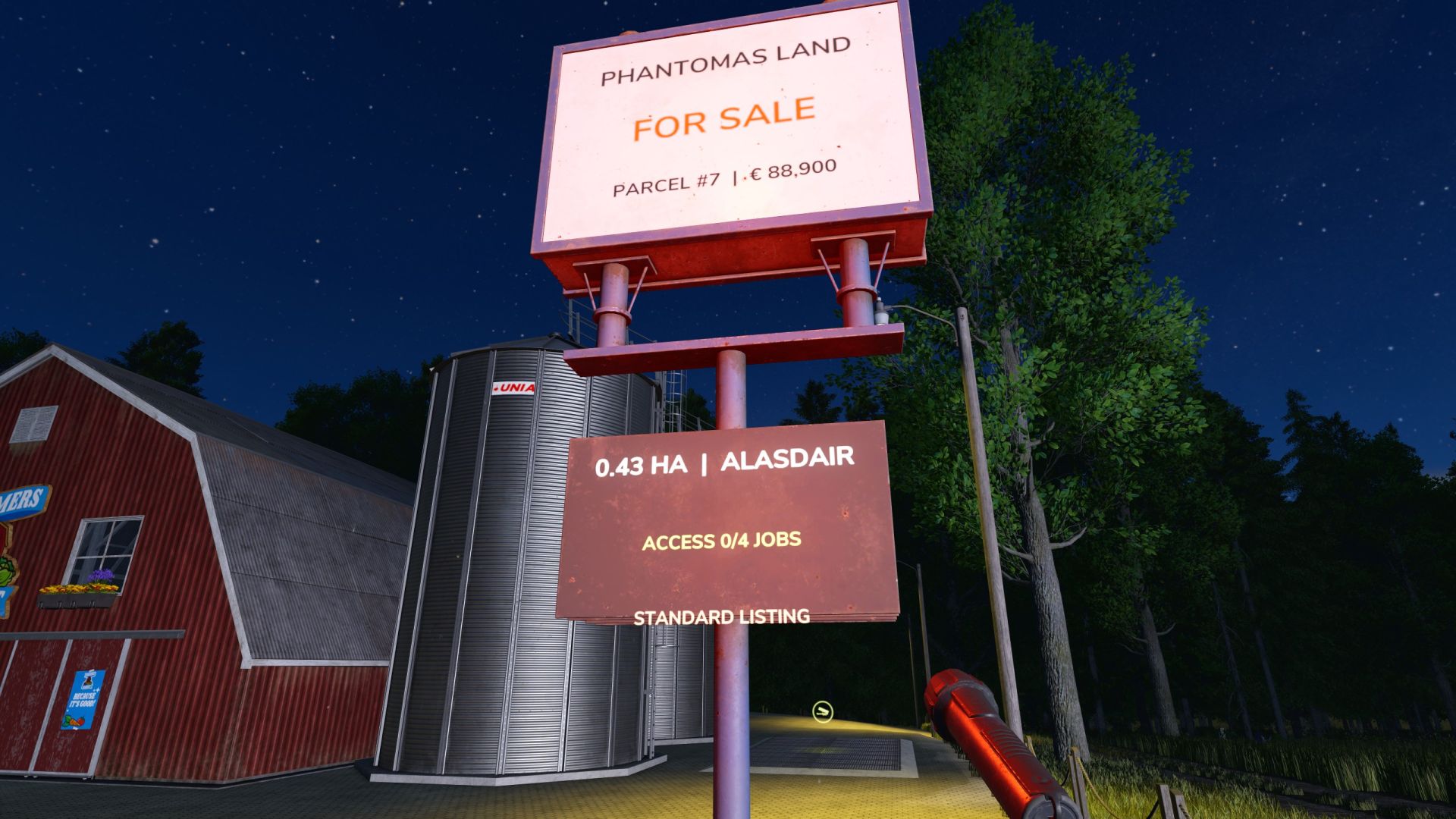
Land Survey & Claims V1.0.4.1
Land Survey & Claims V1.0.4.1 Create new farm yards in normally unbuyable areas by surveying a custom parcel on foot. Features: – Place physical survey stakes from Build Mode > Production > Cultivation – Remove any misplaced active stake with Construction Mode’s normal Demolish tool – Closing Build Mode automatically closes and lists a valid parcel – Completed parcel stakes and temporary boundary lines disappear, leaving an illuminated registry sign – Physical FOR SALE sign with parcel number, area, asking price and market status – Live boundary, area and estimated asking-price preview – Polygon validation: minimum spacing, self-intersection, native farmland and parcel overlap checks – NPC seller and deterministic market RNG: seller mood, local demand, parcel size, terrain buildability and rare Lucky Find listings – Wide high-value RNG tiers can create High Demand, Strategic Site and rare Developer Bidding War valuations – Stronger premium custom-land valuation and a fixed registration fee keep special construction parcels meaningful before loyalty discounts – Every listed parcel requires a stable RNG total of 1-5 completed jobs for its NPC seller before purchase – Job-gate progress appears on the physical sign, map marker and interaction; completed NPC jobs persist as spendable credits – Buying a parcel consumes the seller’s complete NPC job-credit balance in sync with Better Contracts, forcing fresh missions before another purchase from that NPC – Better Contracts loyalty discounts use the parcel seller NPC, show on the sign and are consumed after purchase – Buy a completed parcel beside its FOR SALE sign with the normal R interaction and a detailed confirmation dialog – Sell an owned parcel back to the market from the same sign; resale value is always below its saved purchase basis – After purchase the smaller sign remains as a PRIVATE PROPERTY registry marker – Native main-map markers identify listed and owned custom parcels at their polygon centre – Selecting a parcel marker shows its area, value, seller and Better Contracts discount; owned land is labelled MY PARCEL – Map markers are rebuilt cleanly after loading and update immediately after purchase or resale – Parcel markers use validated native icons and are skipped safely if the game cannot initialize one, so map controls remain available – Custom red FOR SALE and green MY PARCEL icons distinguish surveyed land from every native map hotspot – Selecting a parcel marker provides the native VISIT action and places the player safely in front of its registry sign – Purchased parcels grant land access, construction and landscaping ownership checks – Buying land never transfers an existing factory, production, shop or other placeable; those remain separate purchases – Independent savegame persistence; no map files are modified – Completely independent from Farmland Market Controls: – No survey hotkeys are required: place the corner stakes and leave Build Mode – Before leaving Build Mode, use Demolish on any misplaced survey stake – R beside a FOR SALE sign: buy the surveyed parcel Important limitations: – Use only in normally unbuyable areas; existing native farmland is deliberately protected – The physical sign uses a shared base-game model with surface-fitted one-sided lettering: red while listed and green after purchase – A short transaction chime confirms a successful parcel purchase – Automatic map scanning is not included; manual surveying deliberately allows roads, rivers and other custom projects – Single-player proof of concept; multiplayer synchronization is not implemented yet better contracts mod recomended for discount system Fixed a conflict that could block the normal interaction key at productions, greenhouses, fuel pumps, object storages and other map triggers Survey signs now use Farming Simulator’s native contextual interaction system The interaction key is active for PHANTOMAS Land Survey only while standing beside a surveyed parcel sign Native map and placeable triggers retain their normal interaction priority Existing savegames, registered parcels, NPC job progress and purchased properties remain compatible Fixed a conflict that could block the normal interaction key at productions, greenhouses, fuel pumps, object storages and other map triggers Survey signs now use Farming Simulator’s native contextual interaction system The interaction key is active for PHANTOMAS Land Survey only while standing beside a surveyed parcel sign Native map and placeable triggers retain their normal interaction priority Existing savegames, registered parcels, NPC job progress and purchased properties remain compatible VERSION 1.0.4.1 — INTERACTION HOTFIX Fixed a conflict that could block the normal interaction key at productions, greenhouses, fuel pumps, object storages and other map triggers Survey signs now use Farming Simulator’s native contextual interaction system The interaction key is active for PHANTOMAS Land Survey only while standing beside a surveyed parcel sign Native map and placeable triggers retain their normal interaction priority Existing savegames, registered parcels, NPC job progress and purchased properties remain compatible V1.0.4.1 INTERACTION HOTFIX – Fixed a conflict that could block the normal interaction key at productions, greenhouses, fuel pumps, object storages and other map triggers – Survey signs now use Farming Simulator’s native contextual interaction system – The interaction key is active for PHANTOMAS Land Survey only while standing beside a surveyed parcel sign – Native map and placeable triggers retain their normal interaction priority – Existing savegames, registered parcels, NPC job progress and purchased properties remain compatible
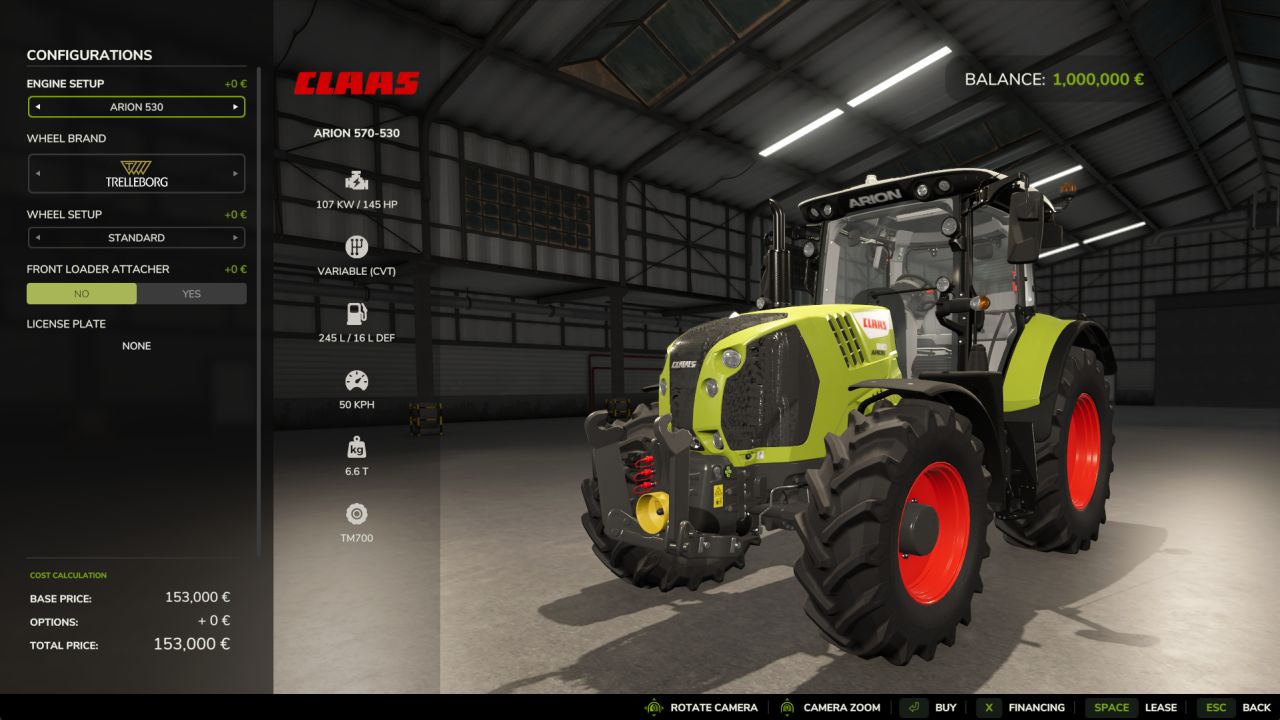
Financing v1.0.0.0
Mod who can finance your vehicle and your tools during 6 months, 2, 5, and 10 years. In the finish version there will a gui for follow your financement of your vehicle. If you have suggestion don’t hesitate.
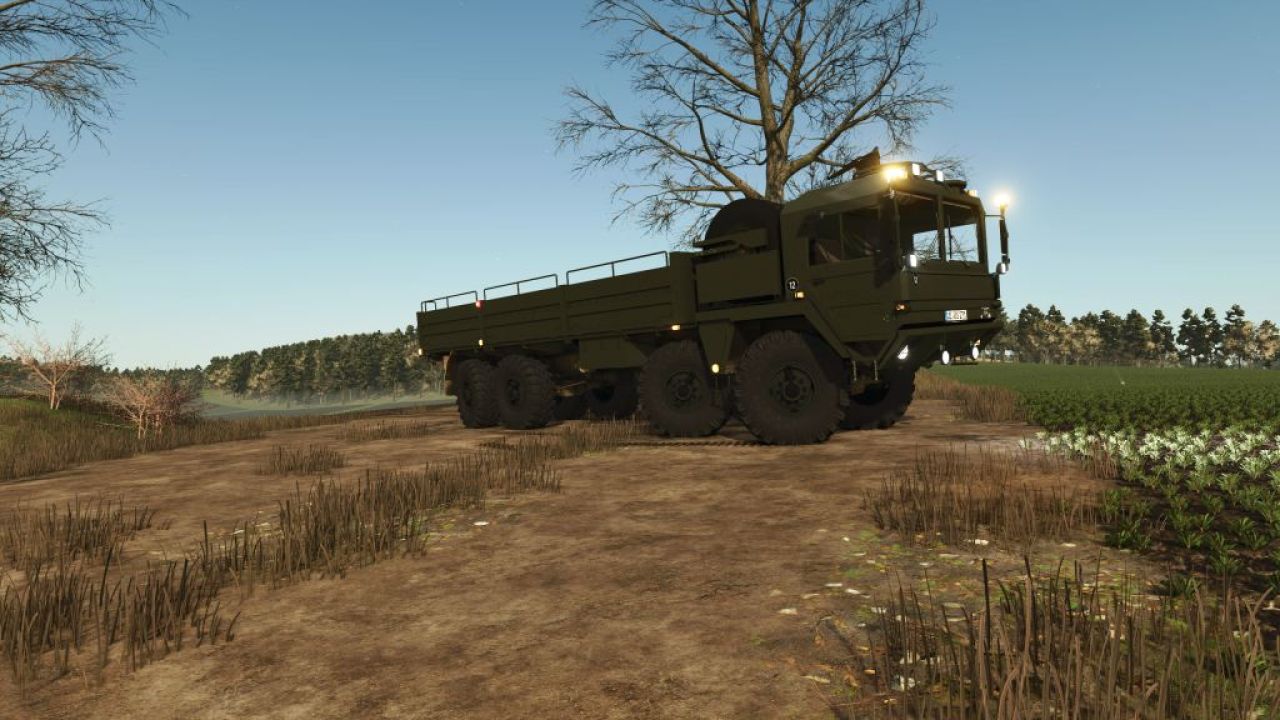
MAN 8×8 Utility Truck V1.0.0.0
MAN 8×8 Utility Truck V1.0.0.0 MAN 8×8 Utility Truck (Farming Simulator Mod): Technical and Operational Analysis Technical Characteristics High-Mobility Chassis Architecture: Built upon a heavy-duty 8×8 configuration chassis of MAN origin, engineered with reinforced axles and robust suspension to handle heavy loads across rough virtual terrain. Drivetrain and Traction: Features permanent all-wheel drive across all eight wheels, delivering maximum grip in muddy fields, unpaved tracks, and steep inclines. Covered Cargo Bed: Equipped with a large cargo utility bed protected by a canvas tilt (tarpaulin) cover, ideal for hauling bulk farm produce, equipment, or supplies. Military-Styled Cab: Utilizes a distinctive heavy-duty cab design with high-visibility glazing and custom lighting configurations suited for specialized transport mods. Utility Heavy Farm Logistics: Serves as a heavy-capacity transport vehicle for moving large quantities of crops, seeds, fertilizer, or pallets across expansive maps. All-Terrain Cargo Delivery: Capable of bypassing standard roads to deliver supplies directly to remote fields, construction sites, or operational zones on the map. Roleplay and Immersion: Acts as a specialized military-to-civilian conversion mod that adds unique visual variety and robust hauling capabilities to gameplay sessions. Importance Modding Versatility: Highlights custom vehicle conversion work (such as the Karl Zu modifications), bringing heavy tactical utility platforms into agricultural simulation environments. High-Capacity Efficiency: Bridges the gap between standard agricultural tractors and heavy-duty logistics trucks, drastically cutting down the number of trips required for large-scale harvests. Objective Streamline Heavy Virtual Logistics: Its core purpose in-game is to provide reliable, high-volume cargo transport with superior cross-country mobility, ensuring seamless farm supply chains regardless of terrain conditions.
MAN 8×8 Air Defense and Ballistic Missile System V1.0.0.0
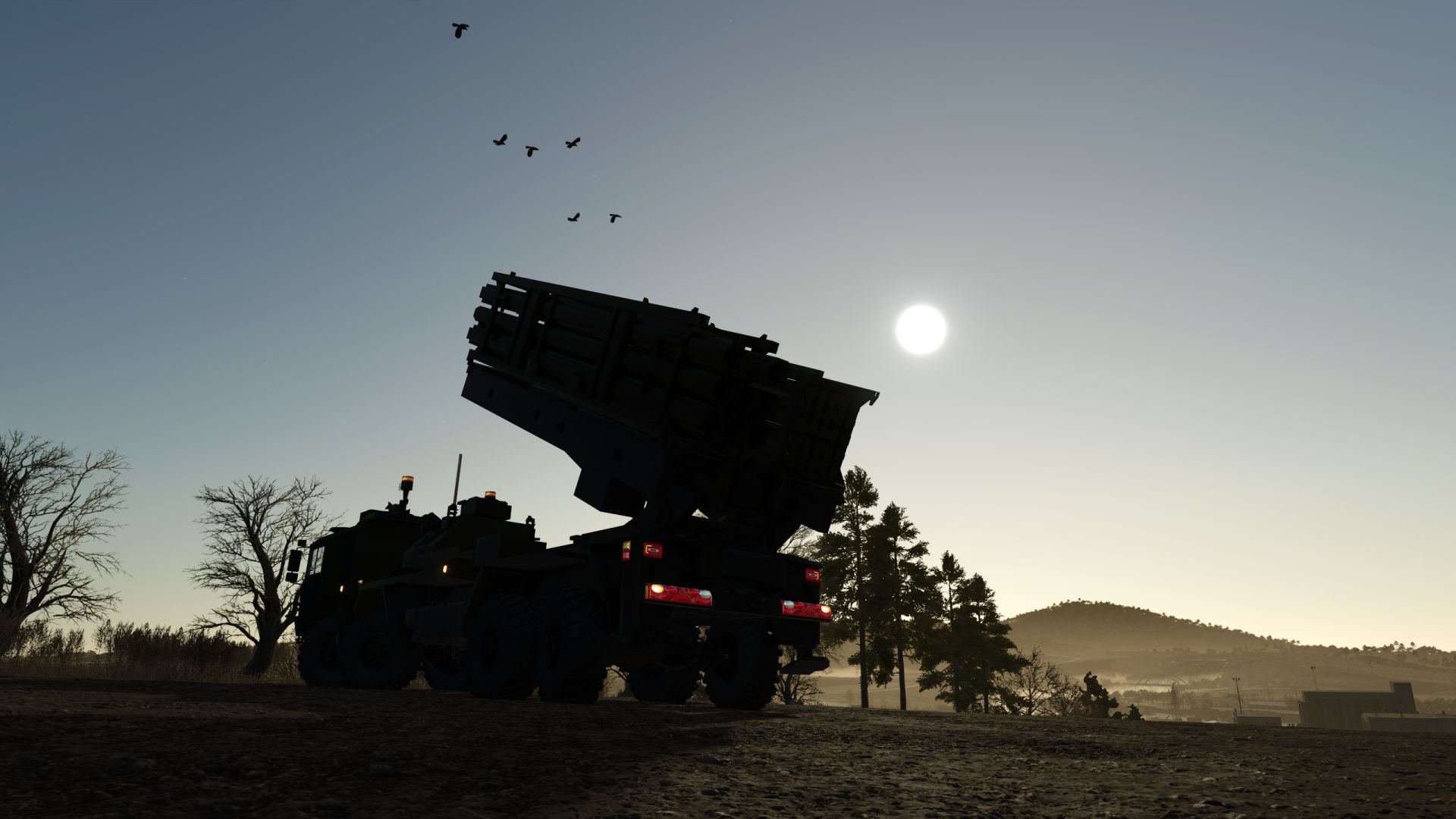
MAN 8×8 Air Defense and Ballistic Missile System V1.0.0.0 MAN 8×8 Air Defense and Ballistic Missile System: Technical, Operational, and Strategic Analysis Detailed and Extended Description High-Mobility Chassis Architecture: Built upon a heavy-duty 8×8 configuration chassis of MAN origin, engineered with superior torsional rigidity and reinforced axles to support massive payloads without compromising stability across rugged terrain. Advanced Traction and Propulsion Systems: Incorporates an ultra-high-output diesel engine optimized for exceptional torque delivery, paired with all-wheel drive across all eight wheels and advanced tire inflation systems that allow the vehicle to conquer mud, sand, and severe gradients. Integrated Launcher and Radar Platform: Functions as a highly versatile Transporter-Erecter-Launcher (TEL) vehicle capable of integrating surface-to-air missile launchers or ballistic defense systems alongside high-frequency target acquisition radars. Rapid Deployment Capability (Shoot-and-Scoot): Its design prioritizes speed in positioning, leveling via hydraulic jacks, and launching, enabling the unit to vacate its position within minutes to evade potential enemy counter-attack strikes. Crew Protection and Survivability: Features a modular armored cabin capable of resisting small-arms fire, artillery shrapnel, and mine threats, while also integrating nuclear, biological, and chemical (NBC) protection systems. Strategic Role in Contemporary Defense: Its fundamental objective is to provide a highly adaptable mobile air defense shield, protecting mechanized columns, forward operating bases, and critical infrastructure against airborne attacks and tactical missiles.
Gosa Kamionka V1.0.0.1
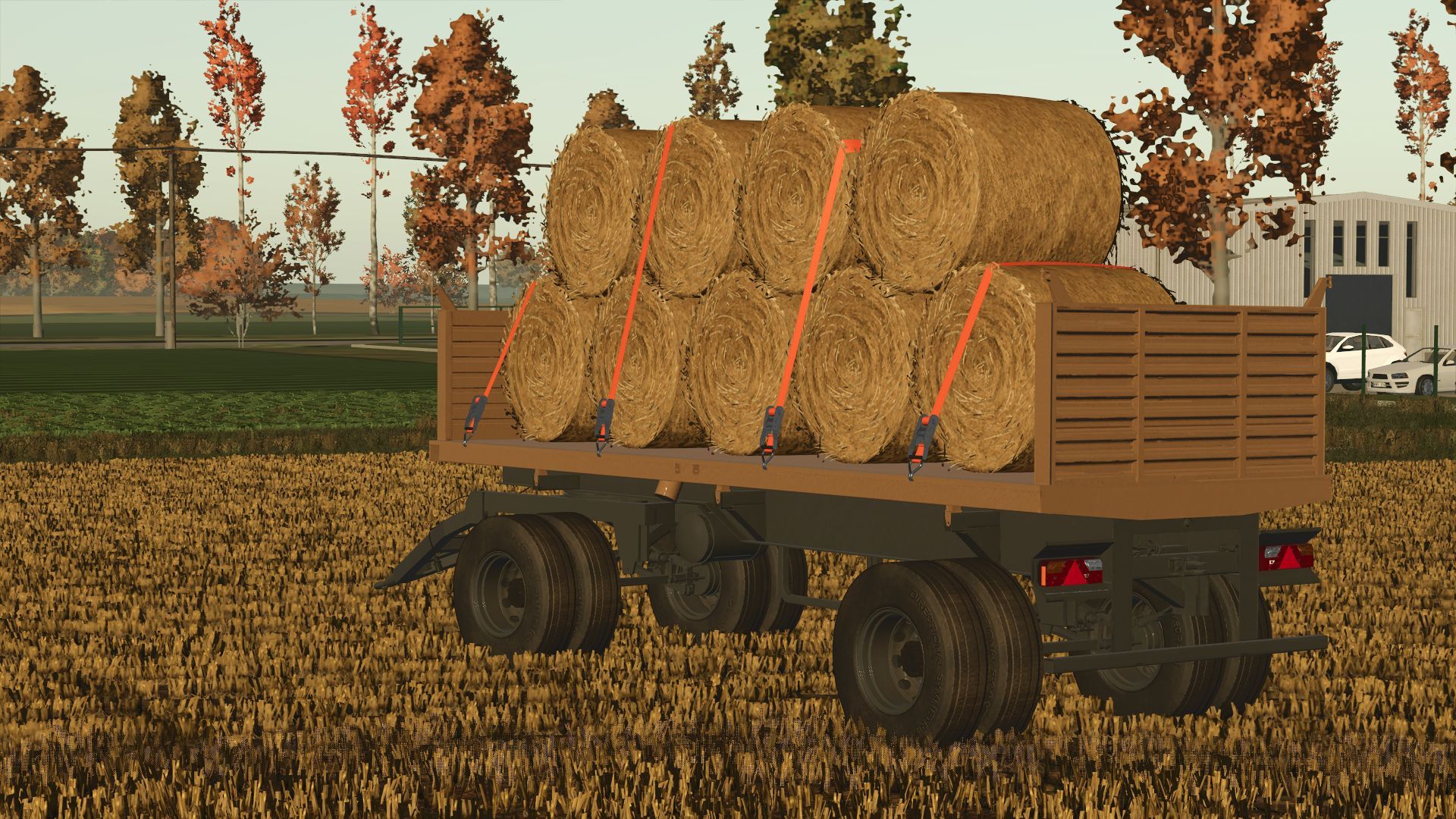
Gosa Kamionka V1.0.0.1 Gosa Kamionka Category: Trailers Price: 5000-7200 € Capacity: 15000-20000 l (bale trailer also) Rims color configurations V1.0.0.1 solved the problem with loading the trailer with grain from the silo
TPF-45 V1.0.0.1
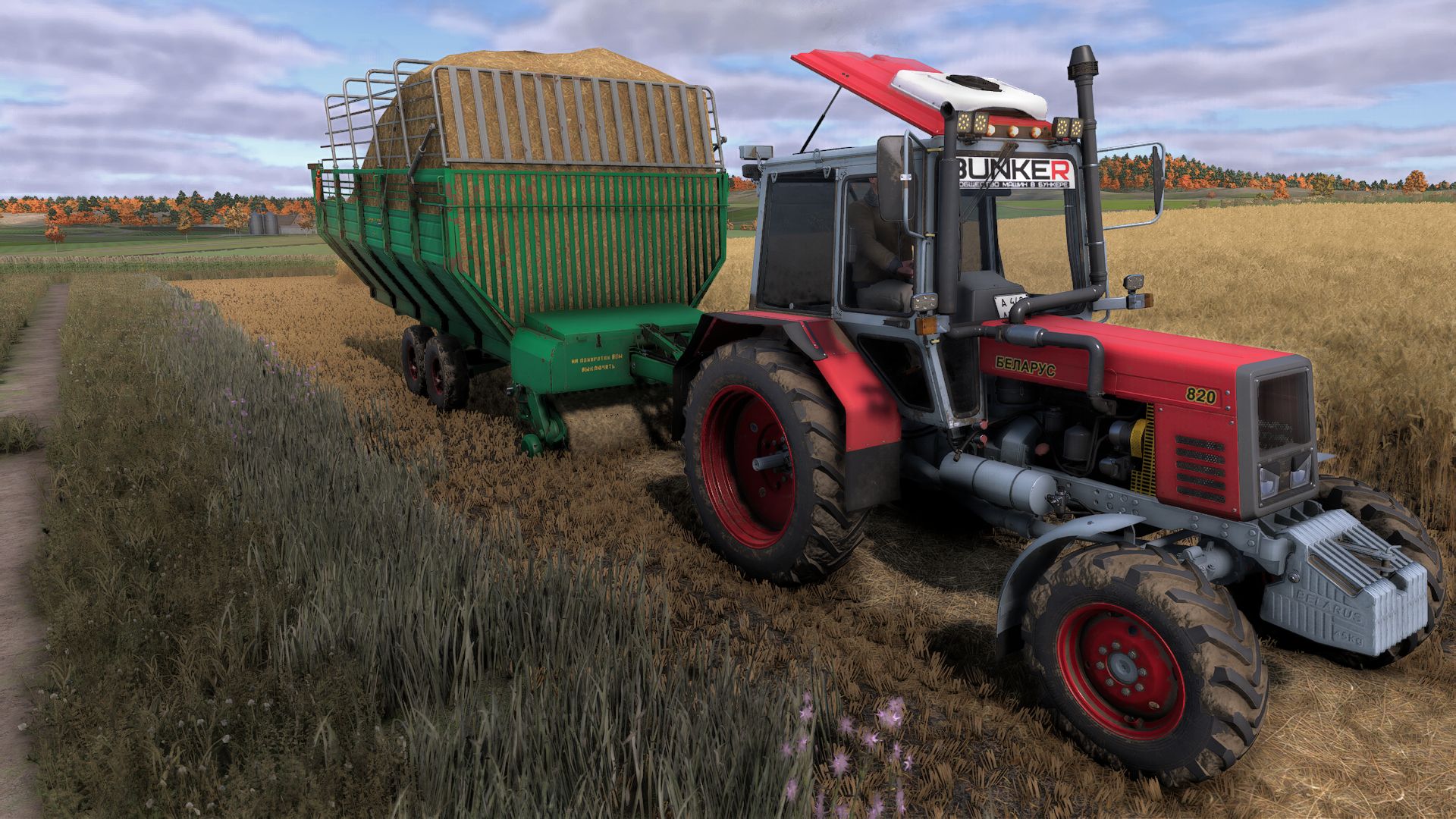
The TPF-45 is a front pickup semi-trailer developed by Selmash LLC (Syzran). It is designed for picking up hay, straw and wilted grass from windrows and then transporting them to the storage location. It can also be used to transport silage and other feed. Conversion from FS22 by Loopol mods Color selection in the store Wheel discs Cylinders Frame Sideboards Wheel selection
Vehicle XML Previewer FS25
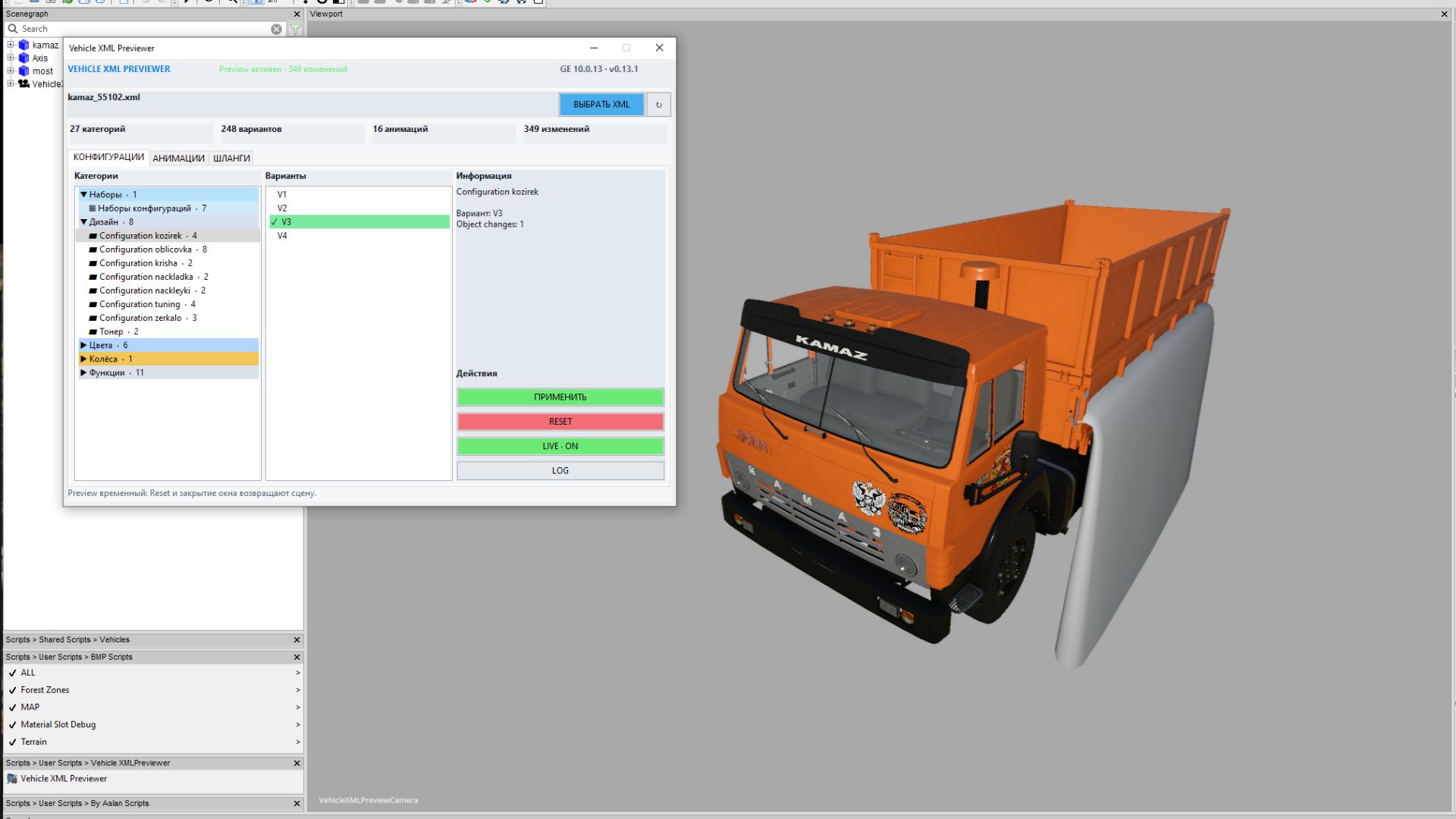
# Vehicle XML Previewer for GIANTS Editor 10 **Vehicle XML Previewer** is a handy script for Farming Simulator 25 modders that allows you to preview and configure vehicle XML settings directly within **GIANTS Editor**, without having to constantly launch the game. The script automatically detects the XML file associated with the currently open I3D model, displays available configurations, animations, and hoses, and applies selected options immediately in the viewport. This significantly speeds up the process of configuring vehicles—including cabs, hoods, wheels, colors, doors, dynamically loaded parts, hoses, and other visual elements. ## Script Features - Automatically loads the XML file sharing the same name as the open I3D file. - Displays all detected vehicle configuration categories. - Allows for quick option switching with immediate visual feedback in GIANTS Editor. - Supports `configurationSets` and automatic dependencies between configurations. - Applies `objectChange` logic: hides unselected parts and displays selected ones. - Supports color and material configurations defined in the XML. - Loads external I3D parts via `dynamicallyLoadedParts`. - Displays wheel configurations, external wheel XMLs, additional wheels, and tracks. - Allows previewing XML-defined animations directly in the editor. - Enables editing of animation parts and saving changes back to the XML. - Supports previewing and editing `connectionHoses` and `localHose` elements. - Allows creating, modifying, and saving hoses within the XML. - Highlights selected hoses and connection points for easy identification in the scene. - Can automatically set up a working camera and lighting for optimal model viewing. - Features a compact, tabbed interface: **Configurations**, **Animations**, **Hoses**. Instead of the tedious "open game, check, close, edit XML" cycle, you can view most visual changes directly within the GIANTS Editor. ## Installation (your folder paths may vary, but the installation method is standard: simply place the files in the `scripts` folder) Extract the **VehicleXMLPreviewer** folder into the GIANTS Editor scripts directory: ```text C:\Users\Username\AppData\Local\GIANTS Editor 64bit 10.0.13\scripts ``` Once installed, the script will appear in the menu: ```text Scripts > User Scripts > VehicleXMLPreviewer > Vehicle XML Previewer ``` ## How to use 1. Open the vehicle's I3D file in GIANTS Editor. 2. Run the **Vehicle XML Previewer** script. 3. If an XML file with the same name exists alongside the I3D file, it will load automatically. 4. Select the desired configurations, animations, or hoses within the script's tabs. 5. View the changes immediately in the viewport. 6. Save edited animations or hoses back to the XML file if necessary. ## Important It is recommended to back up your project before saving changes to the XML file. The script interacts with numerous game XML blocks; therefore, with complex mods featuring non-standard structures, there may be slight discrepancies compared to actual in-game behavior.
Ursus 6cyl Pack Mokrzyn V1.2.0.0
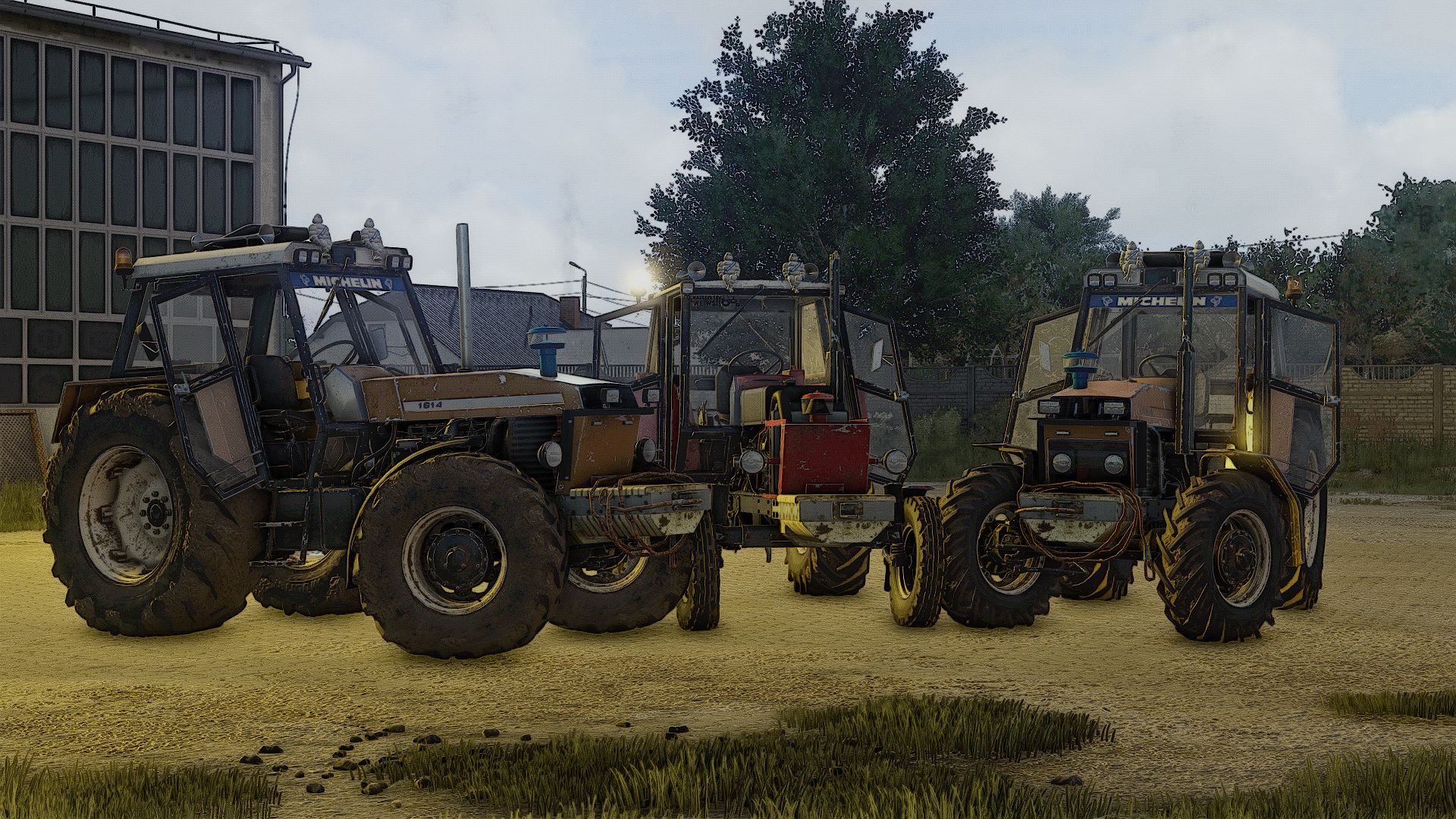
Ursus 6cyl Pack Mokrzyn V1.2.0.0 This is version 1.0.0.0, many more will be added here, best regards I MAKE SURE THE LOG IS CLEAN, unless your mods are to blame models-1201 1204 1214 1222 1224 1604 1614 fs22-chestnut18m fs25-Derbia URSUS 6-cyl pack Mokrzyn Addons are 6-cylinders, 100% working, they have a clean log with 0 errors and 0 warnings why mokrzyn addons and not mokrzyn? because I decided to leave this 10-year-old model of Mokrzynów with FS15, I added the characteristic physical features of Mokrzynów to the previously repaired 6cyl Ursus cars (the only clean one and working in FS25) I added e.g Swamp lamps wetland filter wetland sinker Configurations: Swamp lamps wetland filter wetland sinker airhorn flashled stciker Tires Transmission Decals Front weight Wheel weight Back Fenders Front Fenders Mud guards Cabin Front lights Grill Back attacher Exhaust Steering wheel Hood Frontloader console Animations: IC/MC Color configurations: Engine Hood Fenders Cabin Grill Rims Front weight Wheel weights Roof V1.2.0.0 Fixed the bug causing the ballast weight to appear together with the three-point hitch.
Ursus 6cyl Pack Mokrzyn (Rust Edition) V1.4.0.0
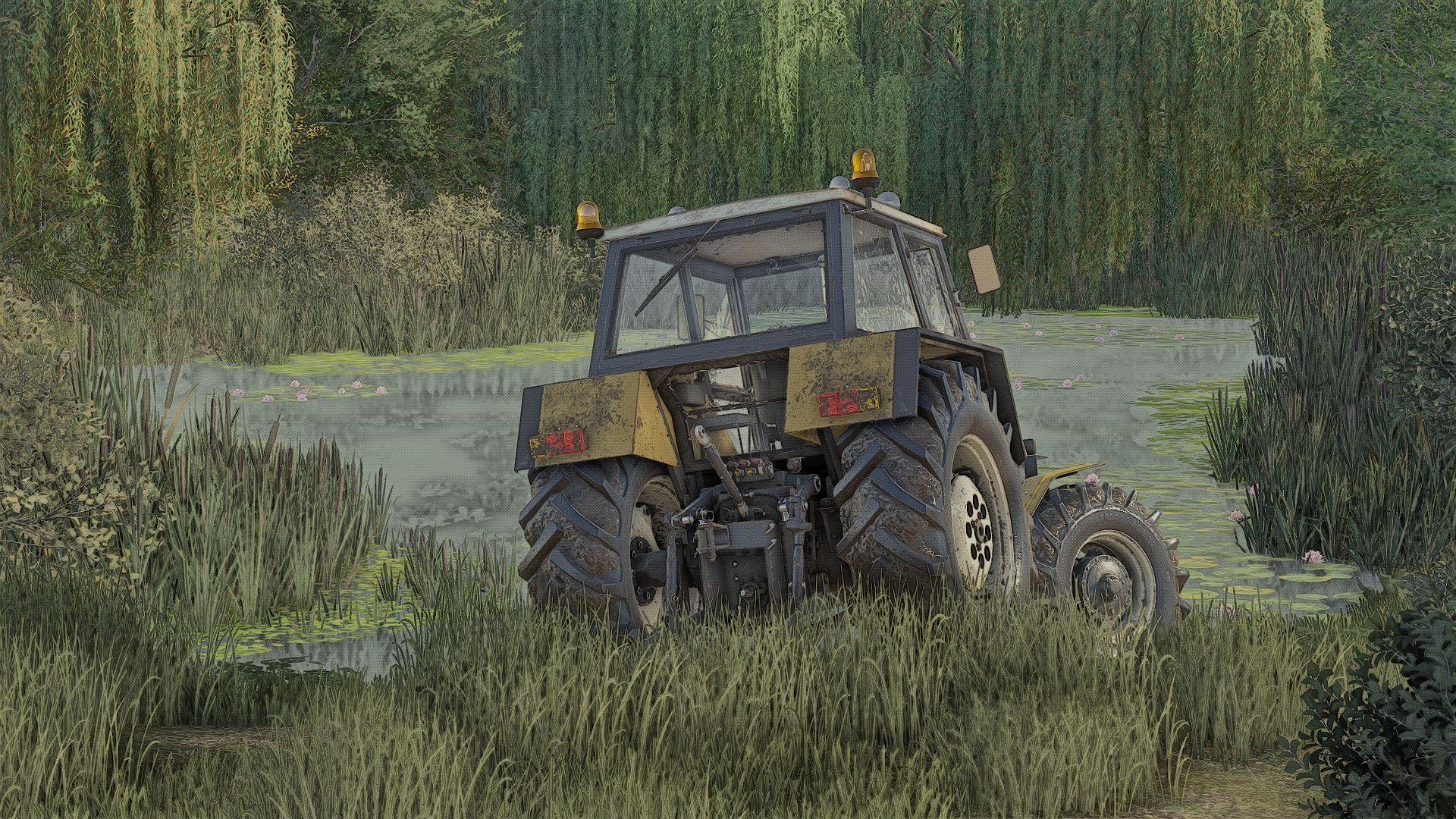
Ursus 6cyl Pack Mokrzyn (Rust Edition) V1.4.0.0 I added, for example: Mokrzyn-style lights Mokrzyn-style air filter Mokrzyn-style front weight Roof Realistic sounds + Turbo This is version 1.1.0.0; there are still many things to add. Cheers! I GUARANTEE A CLEAN LOG; if that is not the case, the problem lies with your other mods. Models: 1201, 1204, 1214, 1222, 1224, 1604, 1614 fs22-kasztan18m fs25-Derbii “Mokrzyn Addons” 6-cylinder URSUS package – these are 6-cylinder models that work 100% correctly; they have a clean log (0 errors, 0 warnings). Why “Mokrzyn Addons” and not simply “Mokrzyn”? Because I decided to keep the 10-year-old “Mokrzyn” model from FS15, but I added the distinctive visual features of the Mokrzyn version to the 6-cylinder Ursus tractors I repaired (which are the only clean and functional ones in FS25). Configurations: Mokrzyn-style lights Mokrzyn-style air filter Mokrzyn-style front weight Air horn Strobe lights Decal Tires Gearbox Stickers Front weight Wheel weights Rear fenders Front fenders Mudguards Cab Front lights Grille Rear hitch Exhaust Steering wheel Hood Front loader console Animations: IC/MC Color configurations: Engine Hood Fenders Cab Grille Rims Front weight Wheel weights Roof V1.4.0.0 Fixed a bug causing the ballast to be displayed together with the three-point hitch.
SaveSaver — Automatically creating smart backups FS25
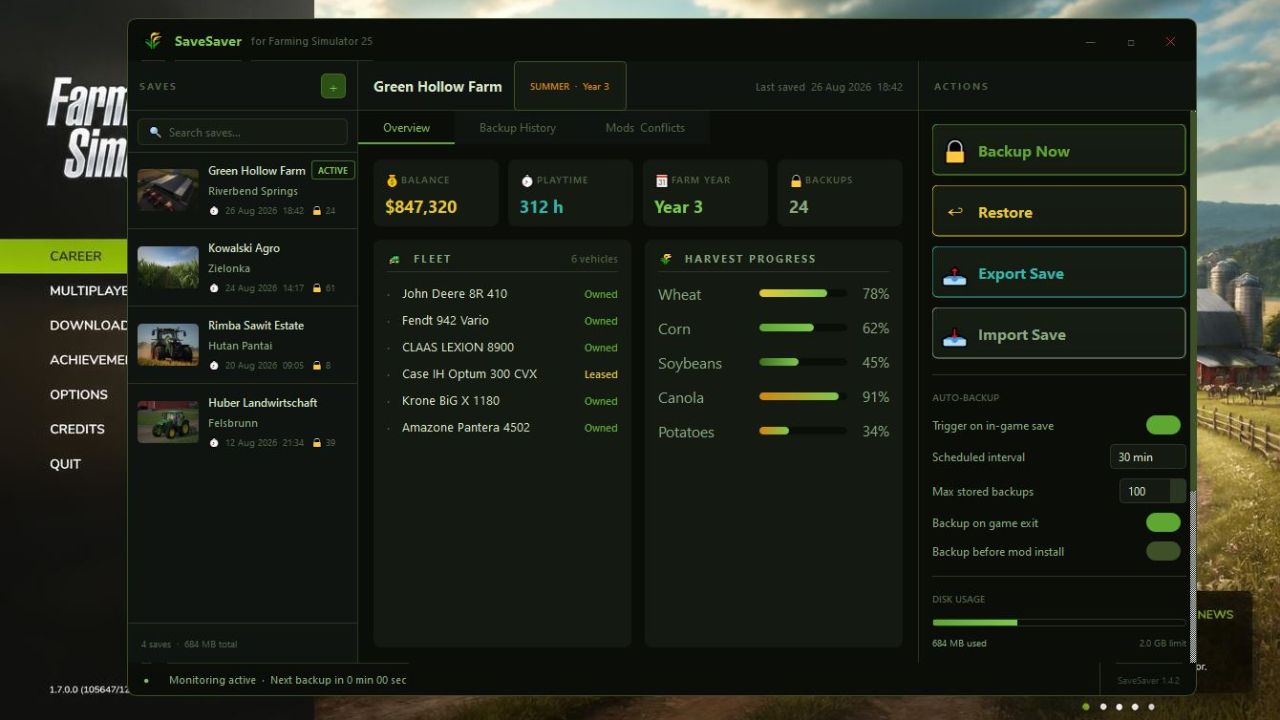
SaveSaver — a standalone Windows application for automatically creating intelligent backups of savegames in Farming Simulator 25. Unlike simply copying folders, only the changes between backups are saved (incrementally), allowing you to return to any point in time with minute-by-minute precision. No more “What if I break something?” — just play, and SaveSaver will take care of your progress.**
Old Italian Iron Shed FS22
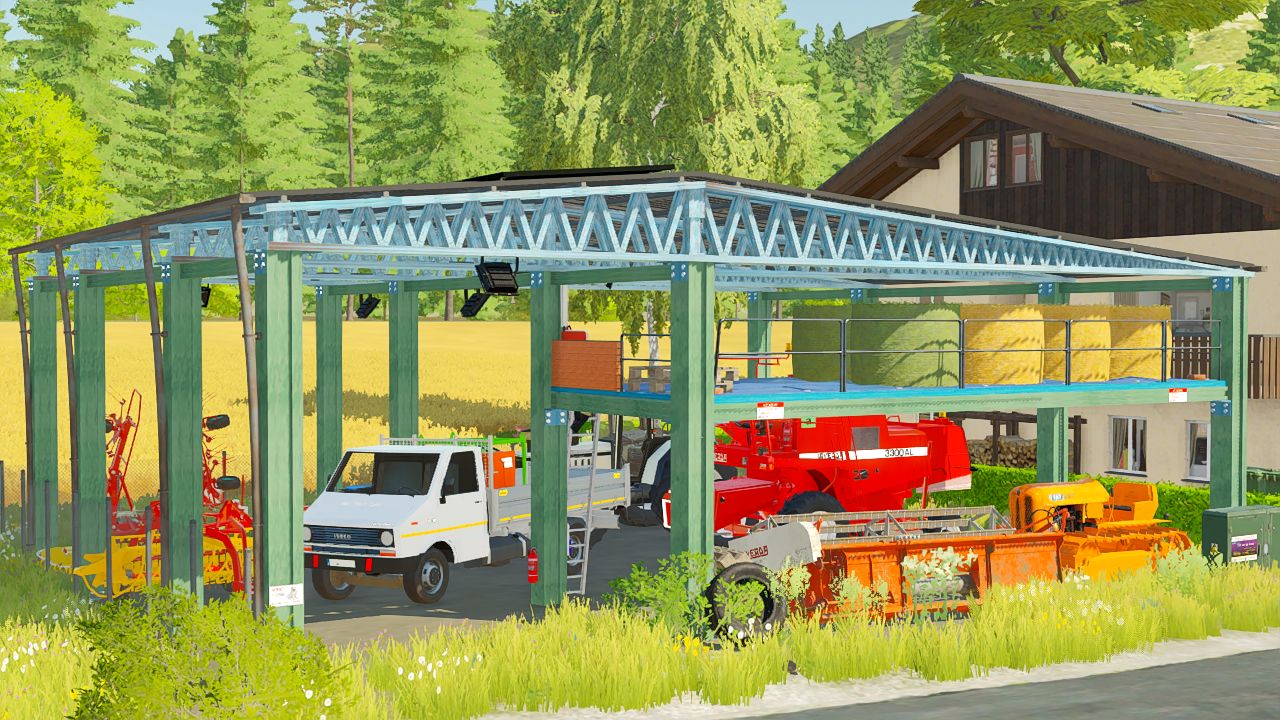
Italian iron shed with an automatic lighting management system. Collisions have been used optimally to ensure smoother use of the mod without issues. A shelf is provided for storing objects. Working winter system.
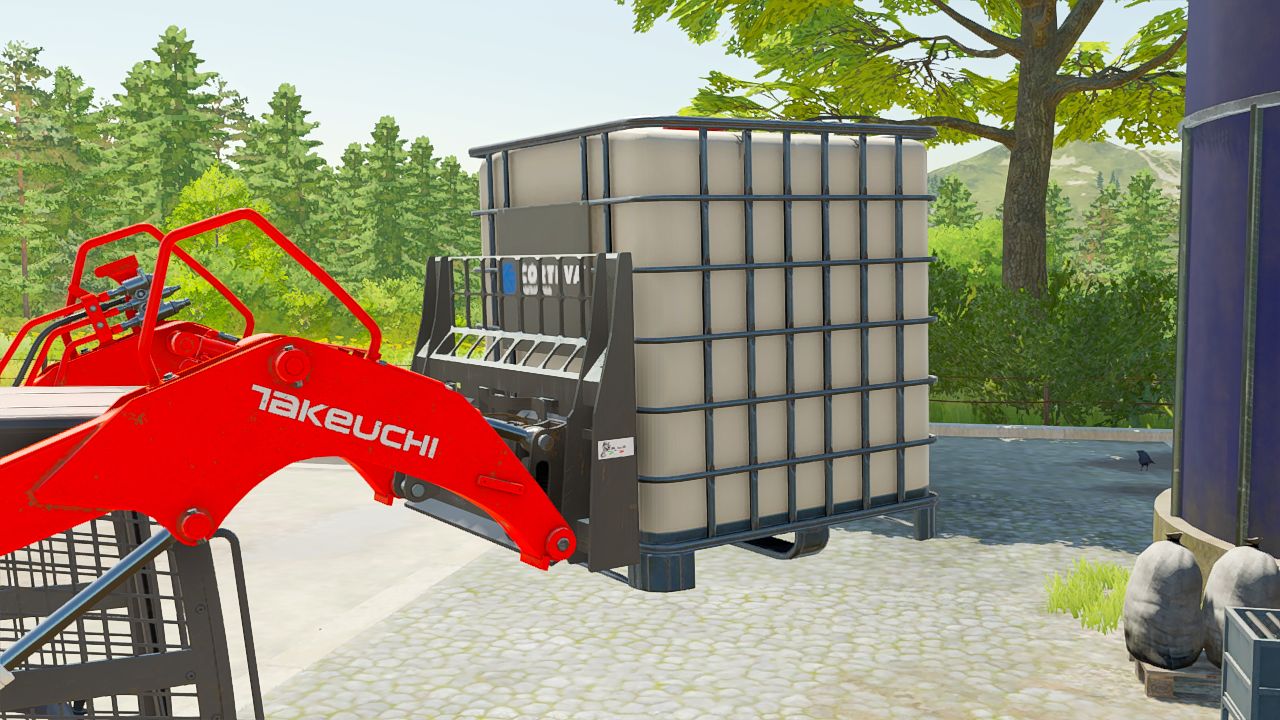
Italian pallet fork FS22
Italian-style pallet forks, available for every skid steer loader. Expandable forks.
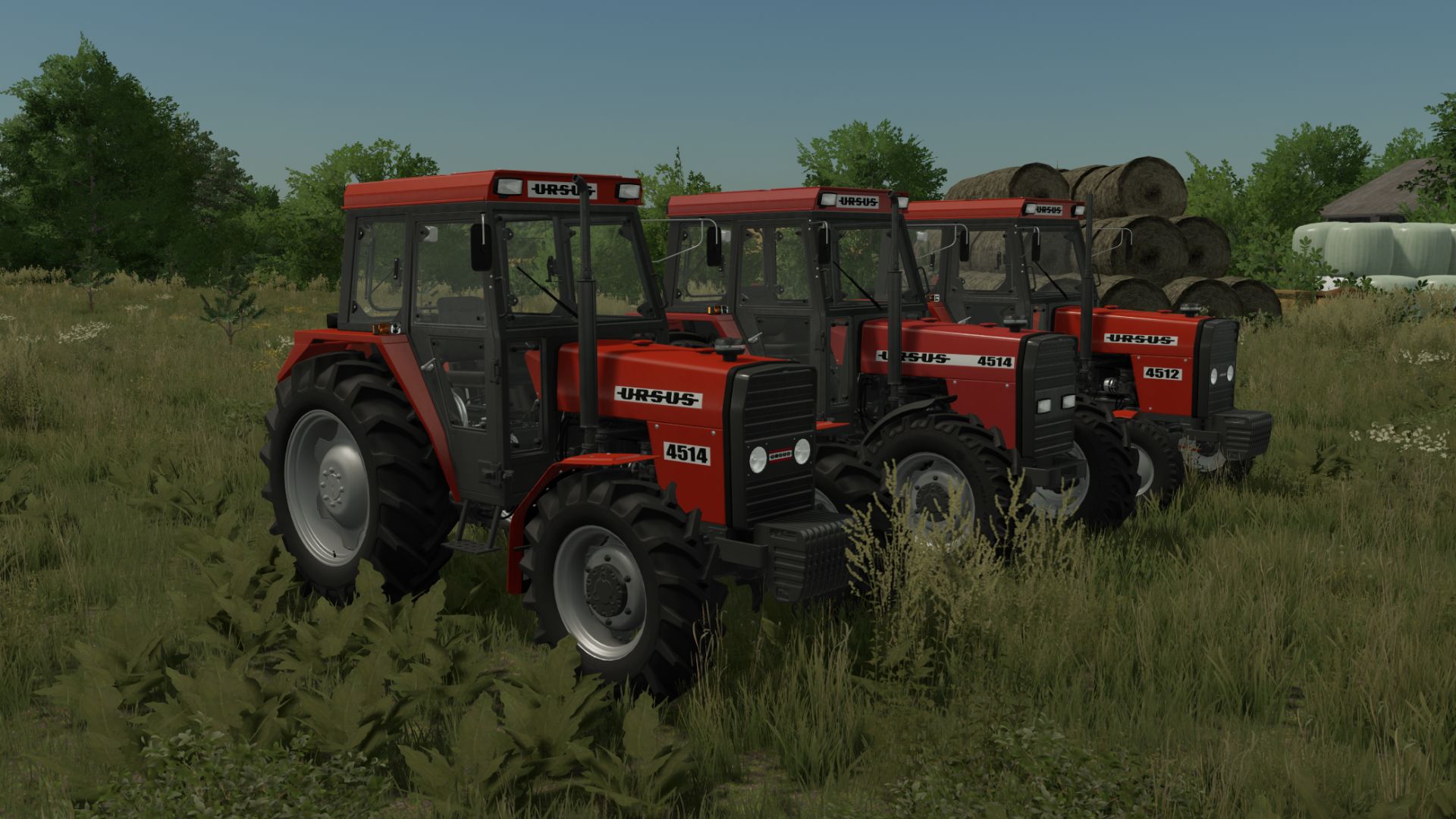
Ursus 4512-4514 Edit FS22
Price: 4512 - 31000 $ 4514 - 41000 $ Power: 60 hp Max. speed: 28 kph Options: - Front weight - Rims - Tires brand - Exaust - Hood - Lights - Fenders - Body Color options - Starter Configuration - Rear Wheel Weights Configuration new tires and more configurations
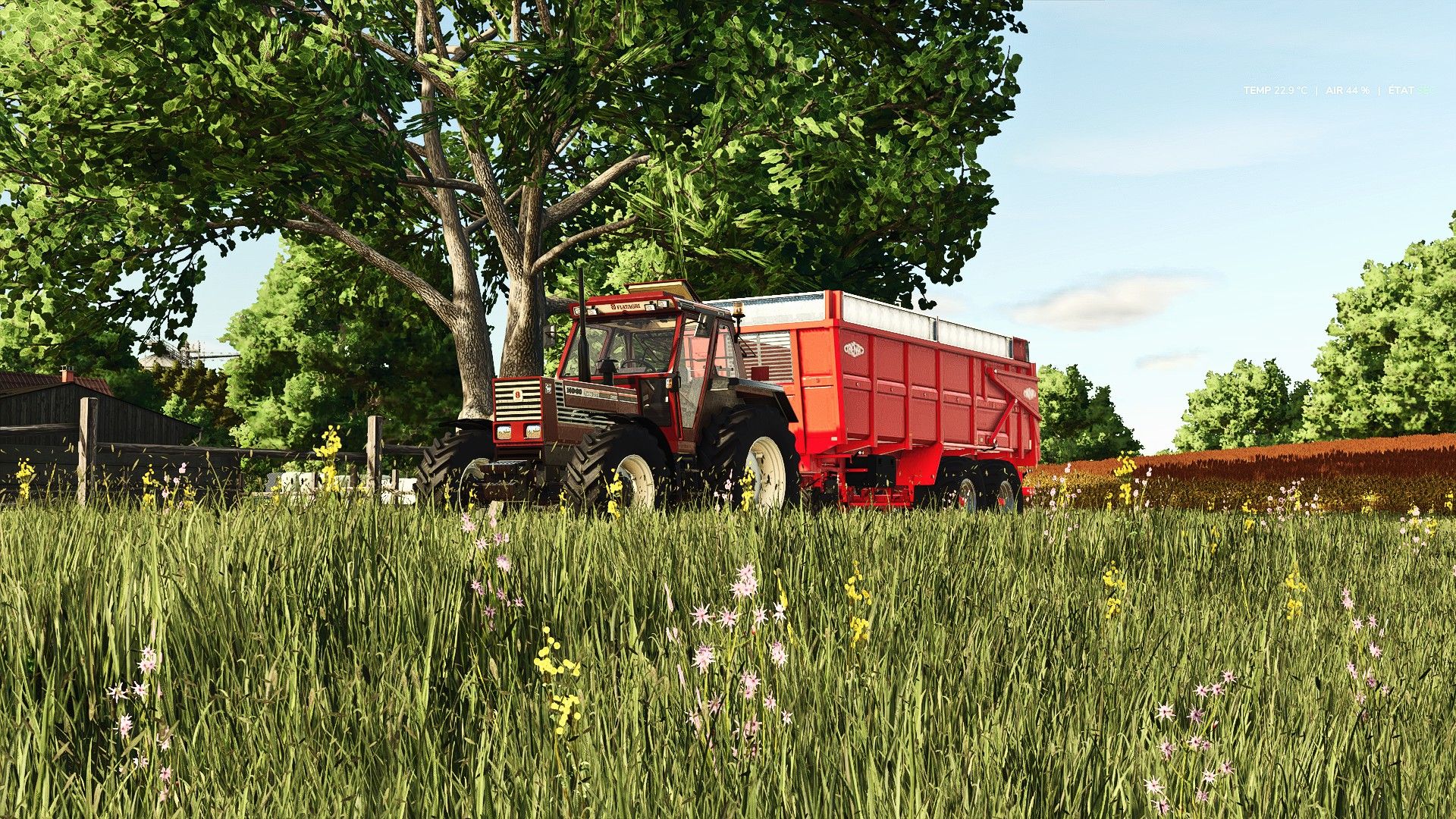
Realistic Reshade Preset by Ricchi98 FS25
Realistic Reshade by Ricchi98 I present my realistic Reshade preset.
- 15 per page
- 30 per page
- 45 per page
- 60 per page
-
See more per page
Bigger pages, fewer clicks - and no ads anywhere.
Go Pro