Farming Simulator 22 mods
50,512 results- 15 per page
- 30 per page
- 45 per page
- 60 per page
-
See more per page
Bigger pages, fewer clicks - and no ads anywhere.
Go Pro
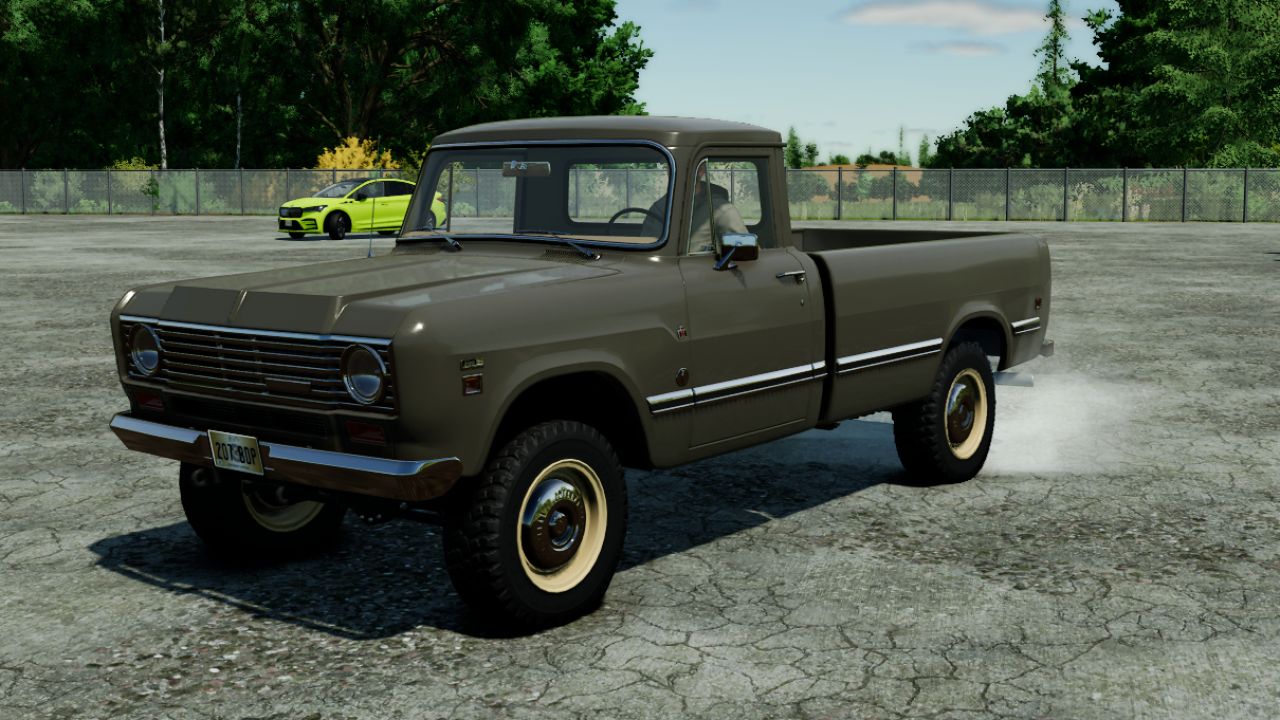
Vehicle Burnout V1.0.0.0
Vehicle Burnout V1.0.0.0 Ever wish you could lay a nasty burnout while playing, well now you can! Hold BRAKE + THROTTLE together to perform a brake-stand burnout. Release the brake while holding throttle for a smooth rollout. Features: Global gameplay script for compatible motorized wheeled vehicles Automatic-transmission friendly burnout control Temporary rear-wheel-drive burnout behavior Reduced rear tire grip and first-gear hold during burnout Smooth drivetrain and traction rollout after brake release Surface-aware tire smoke, dirt, wet-ground and snow effects Analog controller input support Multiplayer support
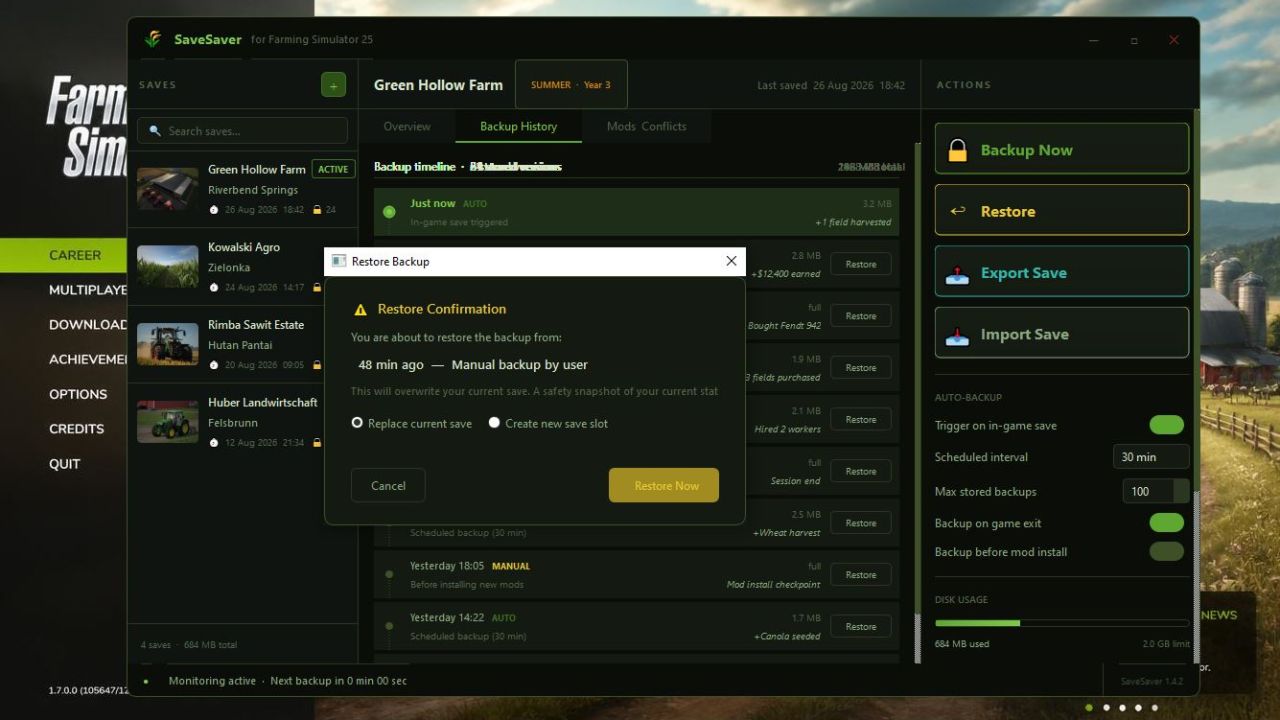
SaveSaver Automatically creating smart backups V1.0.0.0
SaveSaver Automatically creating smart backups V1.0.0.0 SaveSaver a standalone Windows application for automatically creating smart backups of Farming Simulator 25 saves. Unlike simple folder copying, it saves only the changes between backups (incrementally), allowing you to roll back to any moment with minute precision. No more “what if I break something” — just play, and SaveSaver takes care of your progress.
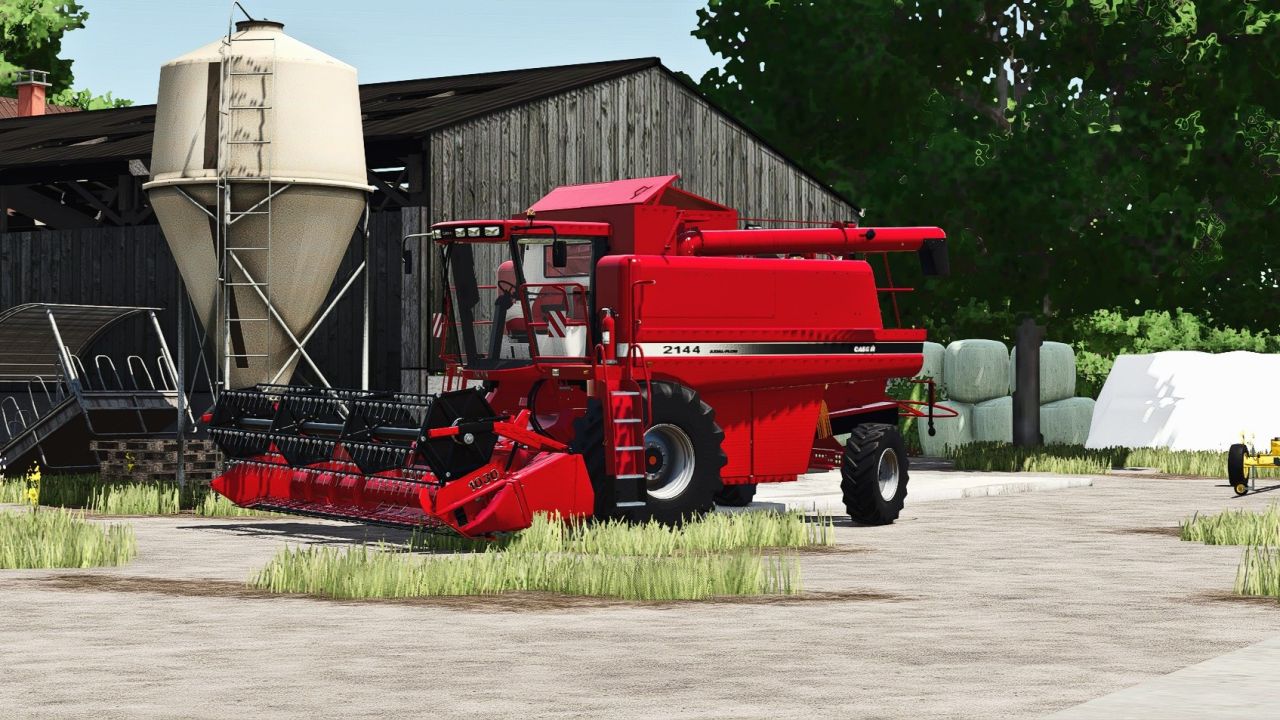
Realistic Reshade Preset by Ricchi98 V1.0.0.0
Realistic Reshade Preset by Ricchi98 V1.0.0.0 Realistic Reshade by Ricchi98 I present my realistic Reshade preset.

Polish Flag (Prefab) V1.0.0.0
Polish Flag (Prefab) V1.0.0.0 Polish flag I3D ready to be added to your vehicle/machine, with waving animations that make it look realistic.
Weather Guard V1.0.0.0
Weather Guard V1.0.0.0 Shared weather truth for the Realistic Farming mod ecosystem. One reading of the sky the whole suite agrees on: current conditions, the forward forecast, and one world-climate dial. It publishes the weather and never decides what a mod does about it.
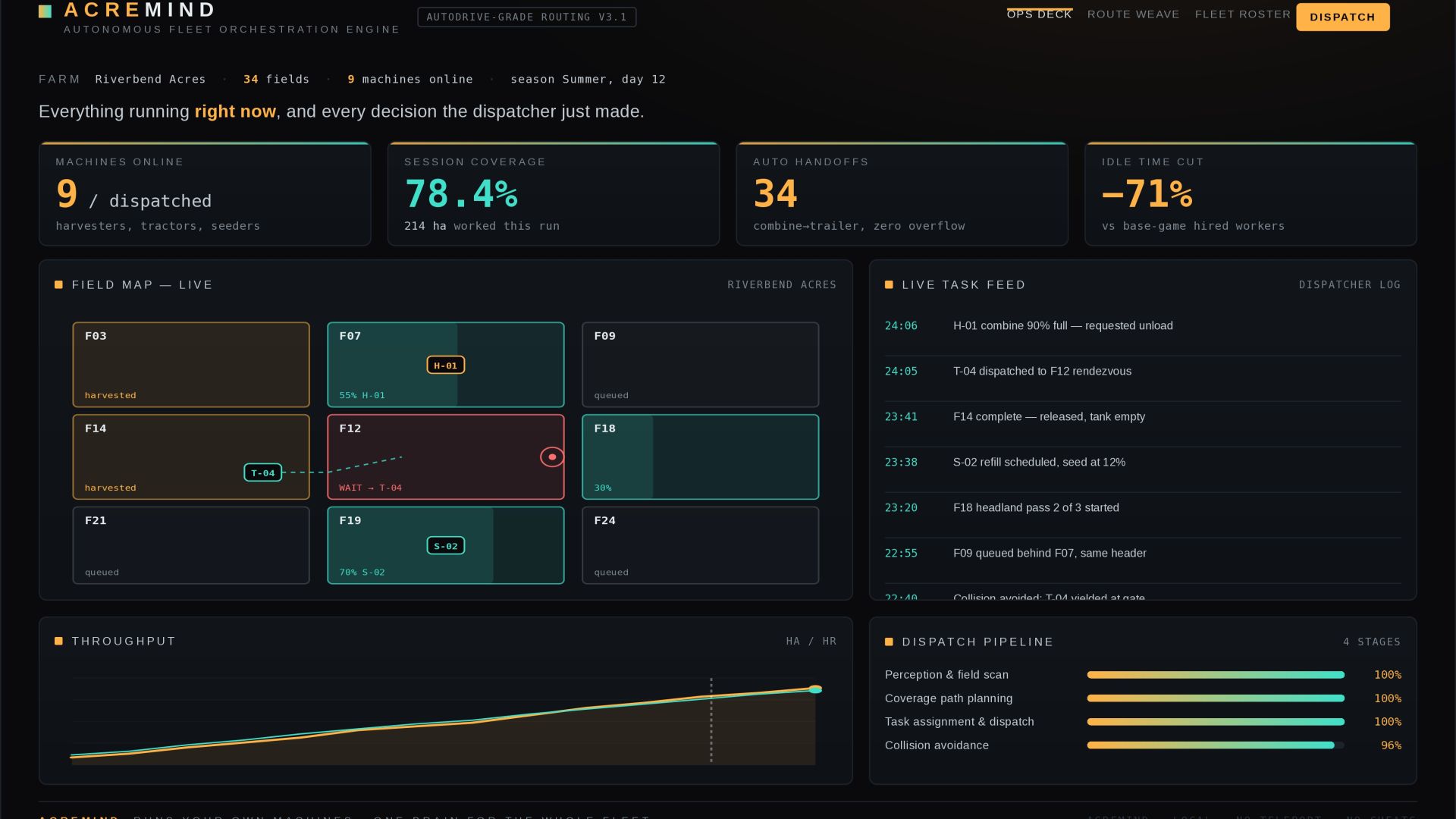
ACREMIND — Autonomous Fleet Orchestration Engine V1.0.0.0
ACREMIND — Autonomous Fleet Orchestration Engine V1.0.0.0 Tired of babysitting one vehicle at a time? ACREMIND turns FS25’s hired workers into a real fleet under a single brain. Point it at your farm and it plans coverage paths for every field, assigns the right harvester, tractor and trailer to each job, and coordinates the handoffs between them — the combine calls an empty trailer before it fills up, seeders auto-return to refill, and machines route around each other instead of stalling in a gateway. It drives the equipment you already own. No teleporting, no cheats, no magic money — just the workers doing their jobs the way a real crew would. Features Whole-fleet dispatch — coordinates harvesters, tractors, seeders and trailers together, not one unit at a time. Smart coverage routing — serpentine, headland-first and spiral patterns picked per field shape. Predictive handoffs — trailers are dispatched to a combine before it’s full, so harvest never pauses. Collision-aware pathing — vehicles yield and reroute around each other automatically. Confidence gating — low-confidence fields are flagged for you instead of being auto-started blind. Live Ops Deck — see every machine, task and route in real time. Compatibility: Farming Simulator 25 · works alongside your existing vehicles · originals untouched.
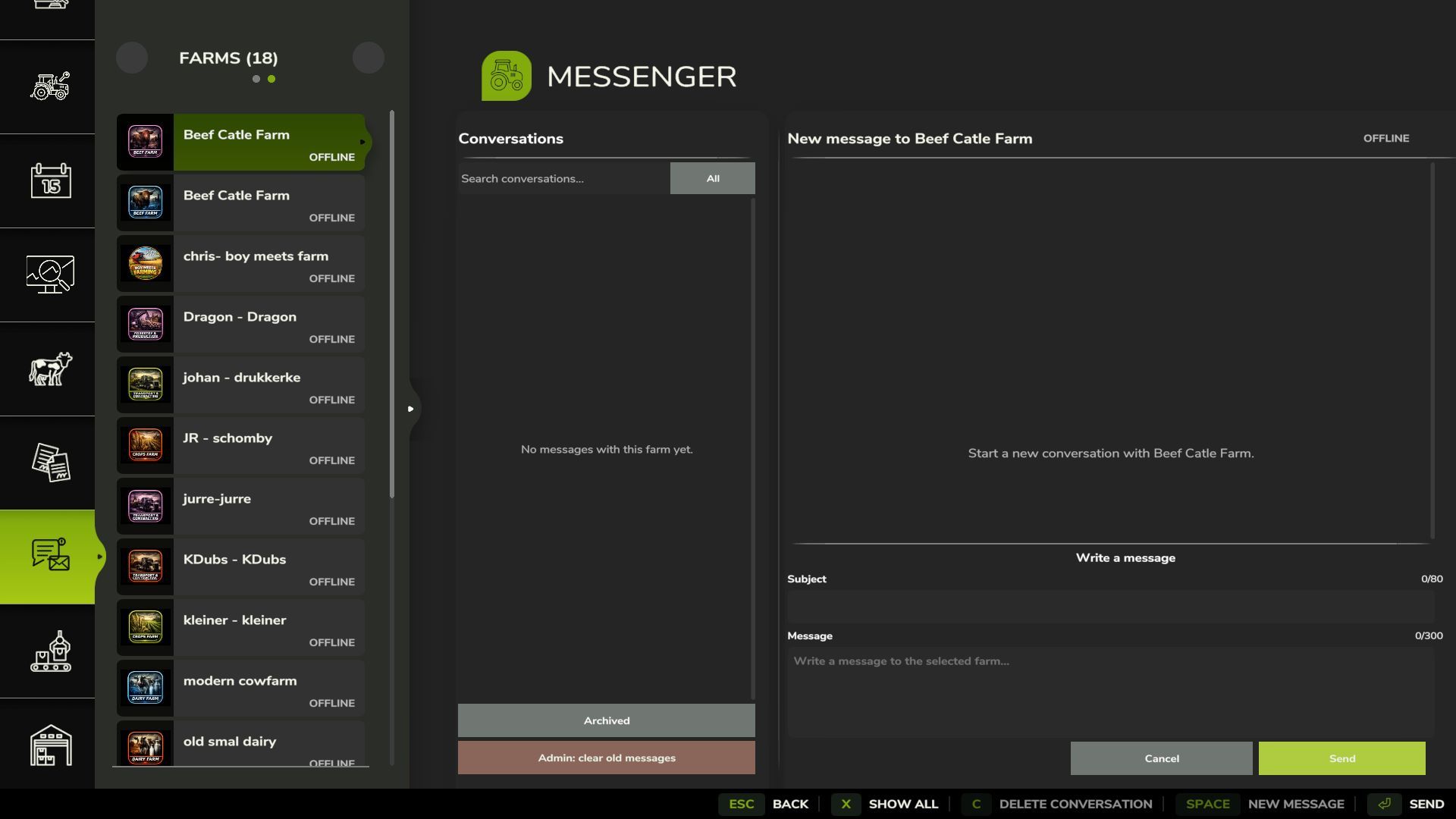
Messenger V1.0.0.4
Messenger adds a server-managed mailbox for messages between farms in Farming Simulator 25. Features: Send messages with a subject between farms. Persistent offline delivery after reconnecting or restarting the server. Uses actual server time for message ordering, with the newest messages shown first. Farm online status and unread message notifications. Search conversations and filter by unread messages. Pin, mute, archive, restore, and delete conversations. Farm members can manage their own conversations. Server admins can clean up old messages. Server admins can send a persistent announcement to every valid player farm. Scalable interface styled after the native GIANTS menus. Multiplayer and dedicated server support. Mailbox data is stored in the savegame. PC/Mac only. V1.0.0.4 Fixed an issue where message text and chat boxes could overlap. Message rows now resize correctly when messages are received or deleted. Improved the display of long incoming and outgoing messages. Existing conversations and saved messages remain fully compatible. Improved overall stability of the Messenger interface.
Master HUD V1.0.1.0
The UI renderer bedrock of the Realistic Farming mod ecosystem. MasterHUD is mod 3 in the load order. It owns the single draw loop that renders every companion mod’s overlay, in a pull model: companions flip a dirty flag instead of rebuilding HUD strings every frame, and MasterHUD calls their fetch callback only when the data actually changed. It also handles menu-suspend, corner stacking, and unload cleanup once for all of them. There are no settings and nothing to configure. Install it, keep it loaded, and let the companion mods use it. V1.0.1.0 This update gives Master HUD proper on-off and edit controls and wires it into the suite Control Center, so you can manage your HUD without digging through menus. What’s new Toggle all HUDs with Right Shift + G Enter HUD edit mode with Right Shift + B to move and arrange elements Control Center support (with SettingsHub installed): toggle and edit your HUD straight from the Control Center What’s fixed HUD controls now respond while you are seated in a vehicle General stability fixes for showing, hiding, editing, and cleaning up HUD overlays No save migration needed. Existing saves load as normal.
State Ledger V1.0.1.0
State Ledger V1.0.1.0 The disk I/O bedrock of the Realistic Farming mod ecosystem. StateLedger is mod 1 in the load order: it collapses every companion mod’s savegame data into one atomic XML write and one atomic load. Without it, each mod writes its own file in one save window, and a crash or force-quit mid-window can corrupt the later files and lose progression permanently. StateLedger removes that failure mode by batching everything into a single file. There are no settings and nothing to configure. Install it, keep it loaded, and let the companion mods use it. V1.0.1.0 A small but important fix for how State Ledger remembers information between play sessions. What’s fixed Saved state no longer carries over incorrectly between separate career sessions No save migration needed. Existing saves load as normal.
Time Guard V1.0.1.0
The economic-time bedrock of the Realistic Farming mod ecosystem. Time Guard is mod 5 in the load order. The economy mods each used to hand-roll their own day and month detector off the frame loop, only one respected the days-per-month setting, and their timing did not agree. Time Guard gives them one shared in-game calendar clock: it fires on the game’s own day, month and year changes, normalizes the days-per-month setting in one place so a game month and a game year always carry the same economic weight on any save, and tells each companion mod exactly when to settle its money, once, at the right moment, even across a save and reload. It never moves money itself. It only schedules the cadence and hands each mod its own turn to pay or charge, server-side and once. There are no settings of its own to worry about. Install it, keep it loaded, and let the companion mods use it. V1.0.1.0 Reliability fixes for the shared timing service the suite runs on. What’s fixed No more duplicated hooks when a mission reloads Fixed an interrupted setup retry so the service comes up cleanly No save migration needed. Existing saves load as normal.
Network Sync V2.0.1.0
Network Sync V2.0.1.0 The multiplayer network bedrock of the Realistic Farming mod ecosystem. NetworkSync is mod 2 in the load order (after StateLedger). It replaces each companion mod’s own network event classes with one batched sync cycle: companions register a schema and call markDirty, and NetworkSync serializes, batches at 1Hz, and delivers. This cuts multiplayer traffic and stops the cross-mod rubber-banding that comes from many mods each syncing on their own timer. There are no settings and nothing to configure. Install it, keep it loaded, and let the companion mods use it. V2.0.1.0 Fixes for players joining multiplayer sessions. What’s fixed A blank join filename no longer aborts the rest of the sync The join handshake now waits on the server’s reply, so clients connect more reliably No save migration needed. Existing saves load as normal.
Hydroponic Greenhouse – Herb Cultivation V1.0.0.0
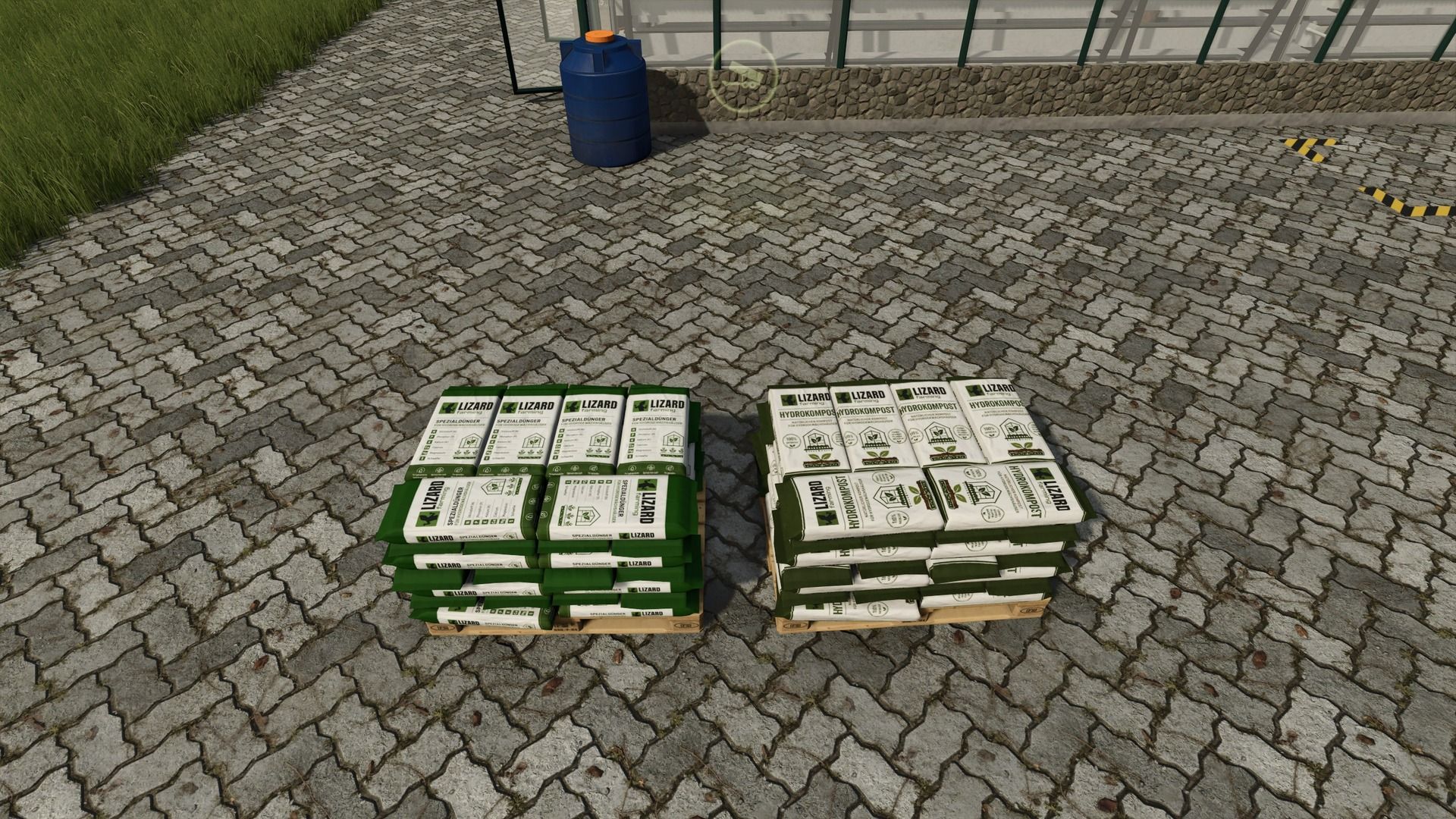
Hydroponic Greenhouse – Herb Cultivation V1.0.0.0 With the Hydro Greenhouse, you can bring a modern and sustainable form of herb cultivation to your farm. Here, you can grow various popular culinary and spice herbs under controlled conditions and then process or sell them. Required materials To operate the Hydro Greenhouse, you need: Water Hydromineral Seeds Compost With the right ingredients, you can ensure optimal growing conditions and continuous production. Produceable herbs In the Hydro Greenhouse, you can grow the following herbs: Basil Parsley Rosemary Sage Chives Thyme Lemon balm The harvested herbs can then be sold directly. Sustainable & versatile The Hydro Greenhouse is particularly suitable for farms that focus on small-scale production and diverse product cycles. The combination of water, Hydromineral, seeds and compost creates a modern production chain that adds a varied branch of business to your farm. Have fun growing and harvesting! A suitable production for further processing is planned
Military Control and Radar Tower V1.0.0.0
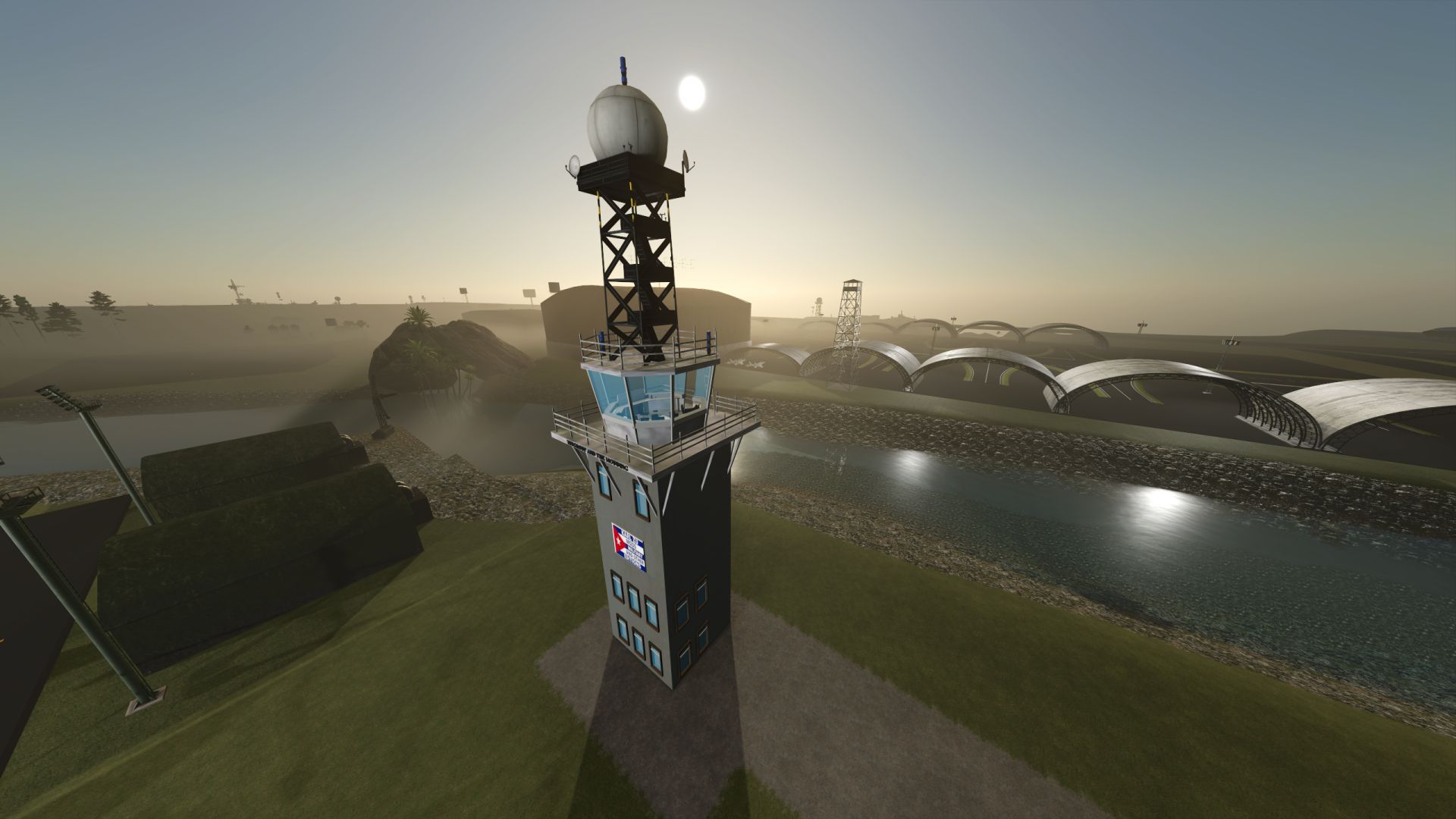
Military Control and Radar Tower V1.0.0.0 Military Control and Radar Tower (Farming Simulator Mod): Analysis and Description Detailed Description Tower Architecture: Features a traditional airport control structure with a panoramic glass surveillance cabin, mounted on a solid base decorated with custom emblems (Karl Zu Mods) and collaborative signage (TFSGroup and The Modding). Upper Radar System: Includes an elevated metal lattice turret supporting a spherical radome tracking dome, designed for air traffic control and long-range surveillance functions. Lighting and Beaconing: Incorporates strobe lights and blue perimeter beacons along adjacent fields and the upper structure, optimizing visibility during nighttime or low-visibility operations. Scenario Integration: Strategically located in the vicinity of reinforced arch-style hangars and runway zones, contributing an advanced tactical military atmosphere to the simulation environment. Utility and Importance in Modding Tactical Immersion: Transforms the standard agricultural environment into a militarized base of operations or a controlled airfield, ideal for themed maps and custom projects. Co-authorship and Design: Reflects community editing and customization work focused on the expansion of unique structural elements for vehicle simulators and virtual maps.

Settings Hub V1.0.1.0
Settings Hub V1.0.1.0 The settings bedrock of the Realistic Farming mod ecosystem. SettingsHub is mod 4 in the load order. Companion mods hand it their settings and one callback; SettingsHub owns a throttled async queue so heavy setting changes (rebuilding a large array on a slider tick) apply smoothly in the background instead of freezing the Lua thread, and it routes admin-only changes through the server so multiplayer stays consistent. There are no settings of its own to configure. Install it, keep it loaded, and let the companion mods use it. V1.0.1.0 Adds the Control Center, a single place to see and trigger the actions your Realistic Farming mods provide. What’s new Open the Control Center with Right Shift + A See live key bindings and run registered actions (toggle HUDs, open reports, and more) from one dialog Companion mods can hook their own actions into it No save migration needed. Existing saves load as normal.
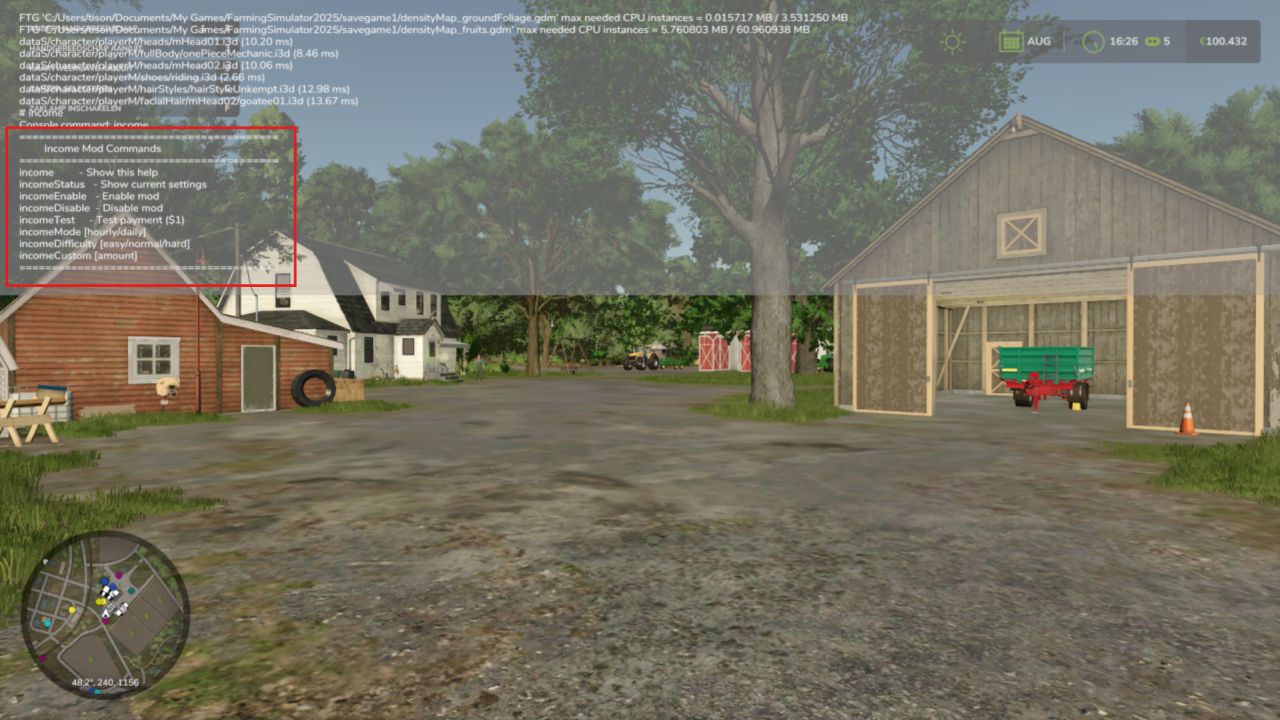
Income Mod V2.1.8
Converted from FS22_IncomeMod Income Mod provides players with a simple, balanced way to receive passive income. Automatically earn money either hourly or daily, based on your chosen difficulty or a custom amount. Perfect for players who want steady cash flow without relying solely on missions or selling goods. Features: Easy / Normal / Hard difficulty presets Custom income amount option In-game notifications Fully configurable via console commands or in the pause menu Settings saved automatically Works in singleplayer and multiplayer Lightweight and stable Please be aware: You need to have developer mode enabled in order for you to open the console. This can be done in your FS game folder, then look for the “game.xml”. Change to “true” Enjoy you farming experience with my Income Mod V2.1.8.0 Quality-of-life additions for managing your income display. What’s new Toggle the income HUD with Right Shift + I, and enter edit mode with Right Shift + J Open your income report from the suite Control Center (with Settings Hub installed) HUD and settings styling improvements No save migration needed. Existing saves load as normal.
- 15 per page
- 30 per page
- 45 per page
- 60 per page
-
See more per page
Bigger pages, fewer clicks - and no ads anywhere.
Go Pro