Farming Simulator 22 mods
50,404 results- 15 per page
- 30 per page
- 45 per page
- 60 per page
-
See more per page
Bigger pages, fewer clicks - and no ads anywhere.
Go Pro
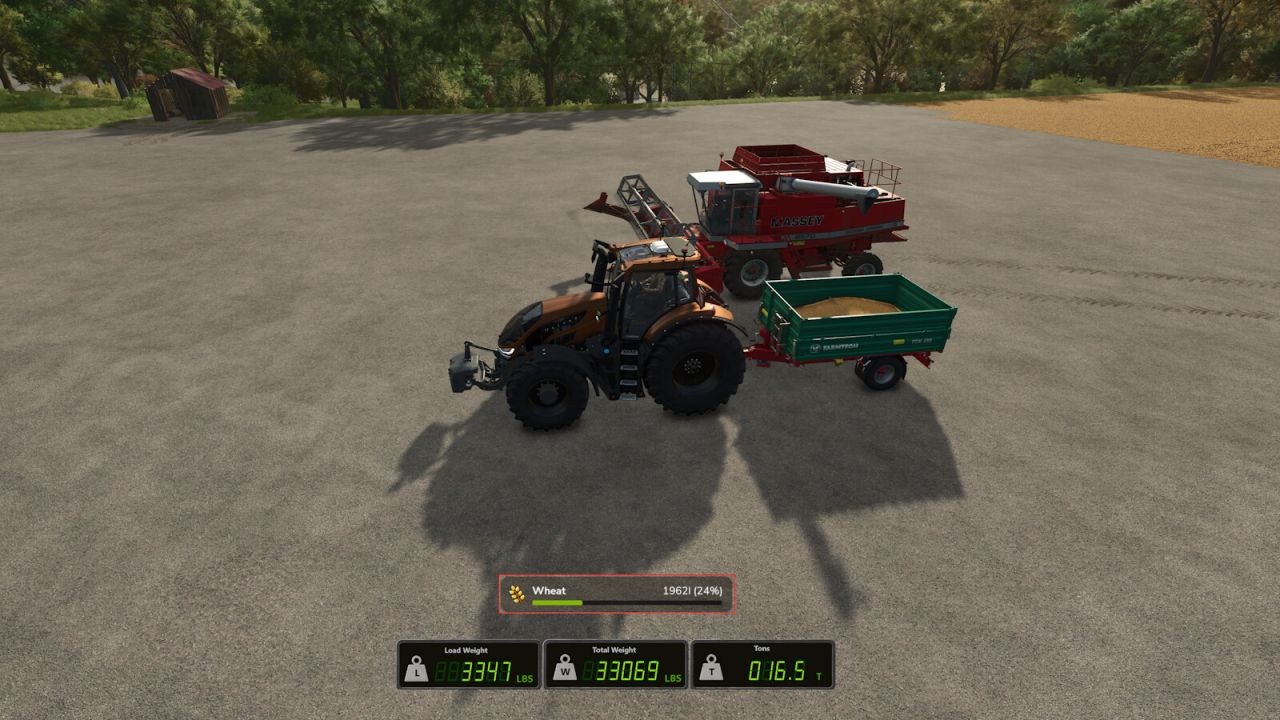
Wood And Weight Info V1.0.1.0
Wood And Weight Info V1.0.1.0 A lightweight HUD overlay built for wood/forestry data and weight information – shows your strapped wood volume/piece count, as well as any strapped pallets/machinery and bulk materials at a glance while driving, so you always know exactly what you’re hauling, and how much it weighs. Primary display function (wood): Wood pieces: live count of physically strapped logs Wood volume (L): total volume of strapped wood As an added feature, the HUD also includes full cargo weight information for all vehicles: Total Weight: Weight of the bare vehicle and attached implements + Load mass. Load: Current “load/cargo” mass across the entire current vehicle chain: (Fill units, and all strapped down vehicle attachments, wood, pallets, vehicles, and more!) Weight shown in metric (kg) or imperial (lbs), plus short tons (t) available in imperial! You can choose any size and any position! Use the keybinds (unbound by default) to resize and reposition the display, and switch it between vertical and horizontal in the settings menu! Completely customizable! Any mass data (non fill-unit, i.e. wood logs, bales, pallets, vehicles, etc) are only displayed when cargo is strapped down with tension belts. Fill unit mass is calculated automatically. The entire HUD hides automatically when on foot, and can be toggled on and off when in a vehicle with a keybind. Settings: Open the in-game Settings menu and look for the “Wood and Weight Info” section under General Settings: Orientation: Show the HUD boxes stacked vertically, or side by side horizontally. Mass Units: Metric (kg) or Imperial (lbs and short tons). Keybinds: Toggle HUD: Show or hide the overlay Reposition HUD: Move the HUD display using the mouse cursor Increase HUD Size: Make the HUD larger Decrease HUD Size: Make the HUD smaller All keybinds are unbound by default. Assign them in the in-game Controls menu under “Wood and Weight Info”. HUD Reposition: Press the Reposition HUD key to enter reposition mode. The mouse cursor appears automatically, with the reposition box. Move the mouse to place the HUD, then LEFT-CLICK to save. Note: Total mass numbers may differ with the readout from any in-game scalehouse due to the math giant’s uses to calculate the mass on the scales. This issue is only apparent in very specific cases (multi-vehicle and fillunit chains loaded onto the back of a trailer), and should not be a problem otherwise. Note: The wood information box will not display for some autoload trailers. Autoload trailers in general may not be fully compatible with this mod, and may not provide results as accurate as using base game equipment. V1.0.1.0 HUD labels now display in your game language (English, German, French) Reposition mode text is now localized as well The wood volume and piece count box now appears for logs that are not strapped down, including logs simply resting on a trailer Note: wood weight still requires the load to be secured with tension belts, just like pallets, vehicles, etc. Note: autoload trailers may provide inaccurate or unexpected results, and the wood information box will not be displayed for some autoload trailers.
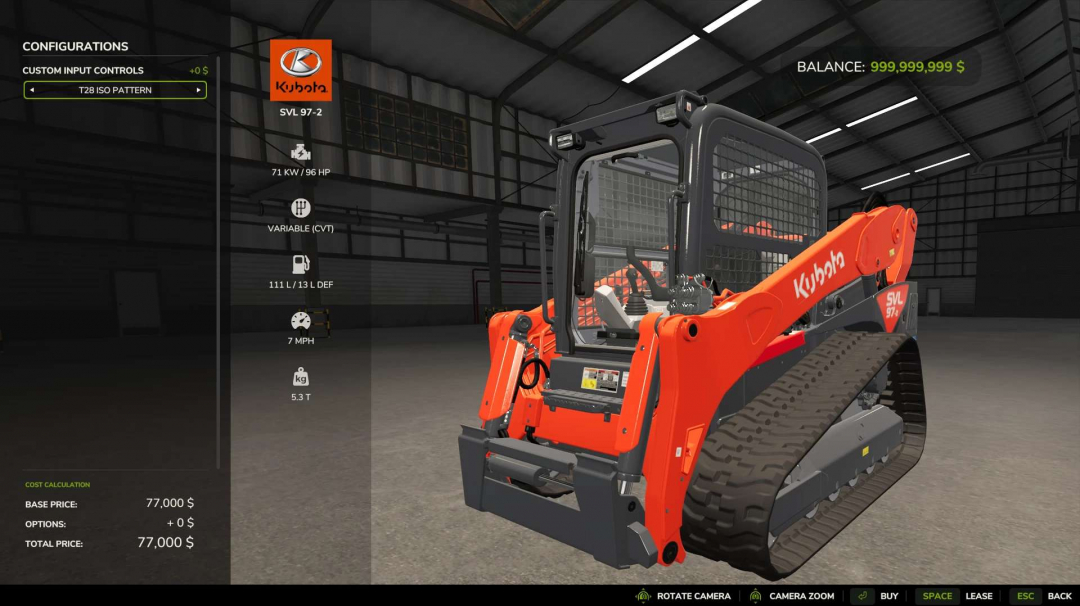
Separate Driving Controls v1.0
Custom Input Controls adds selectable control profiles to drivable vehicles in Farming Simulator 25. Choose between the standard game controls, a H Pattern, or an ISO Pattern directly from the vehicle configuration menu. Each purchased vehicle can use its own control setup, allowing identical machines to have different control layouts. This is useful when running dual joysticks; you can operate a skid steer with the left stick, then seamlessly switch to an excavator or crane controls vehicle, with the left joystick controlling that and not the driving axis. The mod provides custom routing for driving, steering, boom, and bucket inputs designed for equipment such as skid steers and loaders. ISO controls can include preset keyboard and Xbox controller bindings, while all custom inputs can still be modified through the normal FS25 Controls menu. You will need to set up your bindings in control settings for this to work. Features include: - Standard, H Pattern, and ISO control profiles - Per-vehicle control configuration - Independent left/right drive controls for H Pattern - ISO forward/reverse and left/right steering - Boom raise/lower controls - Bucket curl/dump controls - Keyboard, Xbox controller, and joystick-compatible input actions - Compatible with base-game and modded drivable vehicles - Does not alter vehicles when Standard Controls are selected This is a standalone mod that adds functionality to all drivable vehicles, activated via a menu option in the shop. Tested on keyboard/mouse, Thrustmaster T16000M, and Xbox One controller. If you encounter issues with other control devices, please contact me so I can fix it. My Discord is spicytaco28. Feel free to reach out with any errors, issues, suggestions, or functions you'd like to see added.
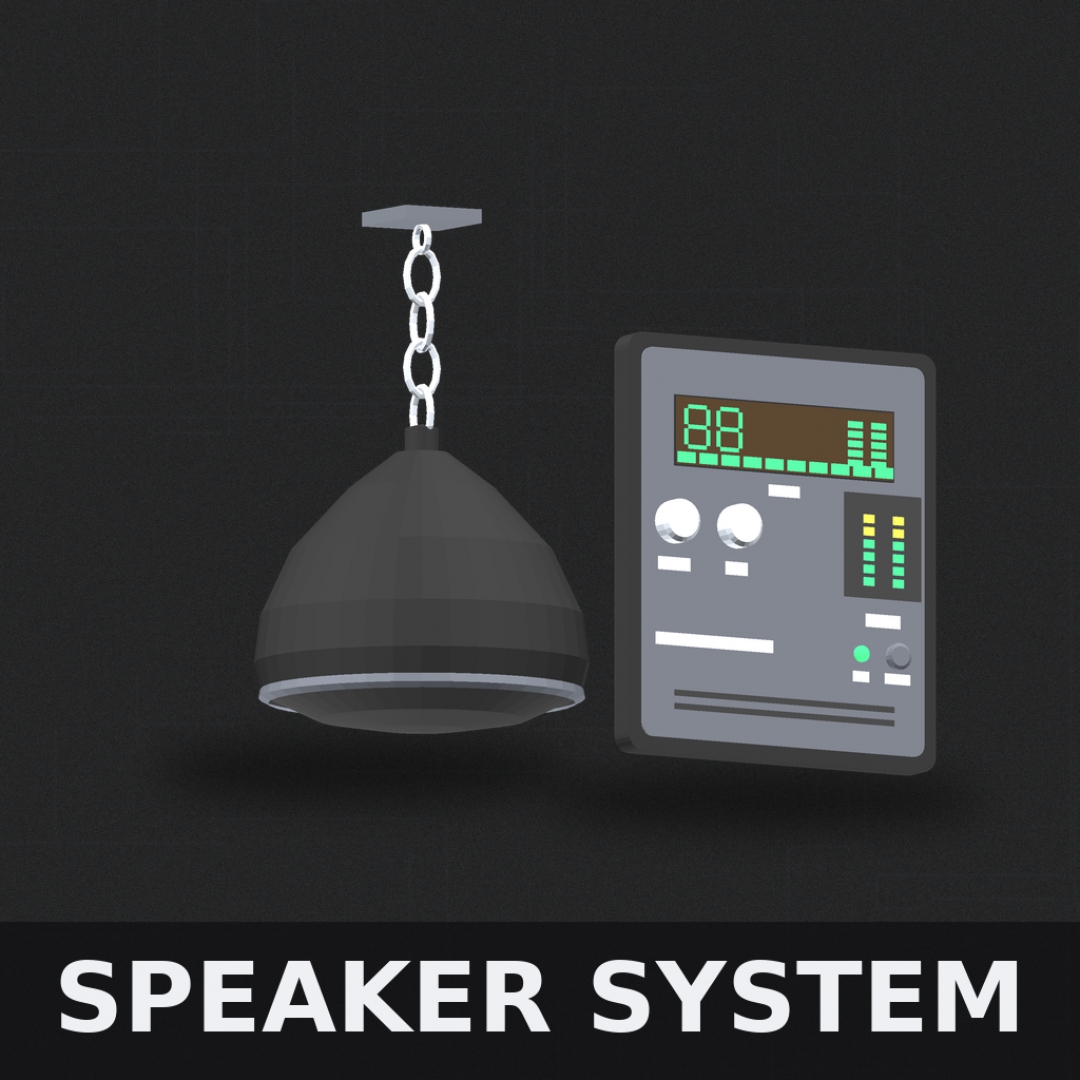
FS25 Speaker System
Speaker System — Bluetooth Audio & Amplifier Mod Version 1.0.0.0 | Farming Simulator 25 Bring your farm to life with a fully functional speaker system. Place speakers and an amplifier anywhere on your property and stream radio stations or your own music library directly into the game world — complete with real 3D spatial audio, bass and treble control, and a physical amplifier panel you can interact with. INCLUDED ITEMS - Pendant Ceiling Speaker — circular hanging speaker that mounts from ceiling beams via chain, projects audio downward into the room. - Wall Speaker — compact unit that mounts flush to any wall surface. - Amplifier Panel — wall-mounted amp with physical controls, LED meters, VU display, and a live LCD screen showing current playback status. HOW TO USE 1. Purchase any speaker or the amplifier from the Buildings/Placeables shop. 2. Place the amplifier on a wall — all speakers on your property connect automatically. 3. Walk up to the amplifier and press R (or X on controller) to open the settings panel. You must be within arm's reach to interact. 4. Use B/N to navigate settings rows. Use , / . to adjust values. Press R/X to close. SETTINGS & CONTROLS - Power — turns the entire system on or off. The amplifier LCD screen powers on and off with it. - Volume — master volume control, 0-100%. - Bass — low frequency boost/cut for a fuller or tighter sound. - Treble — high frequency boost/cut for brightness or warmth. - Station — cycle through available radio stations or switch to your local music playlist. - Speaker Range — adjusts the 3D audio radius. Increase for larger coverage, decrease to keep audio contained. - Wall Muffling — simulates audio dampening when you're on the other side of a wall from the speaker. NOTES - The amplifier LCD screen passively displays the current station, song, volume, and EQ levels at all times while powered on. - All controls are disabled while in build/demolish mode. - Speakers can be removed in build mode like any standard placeable.
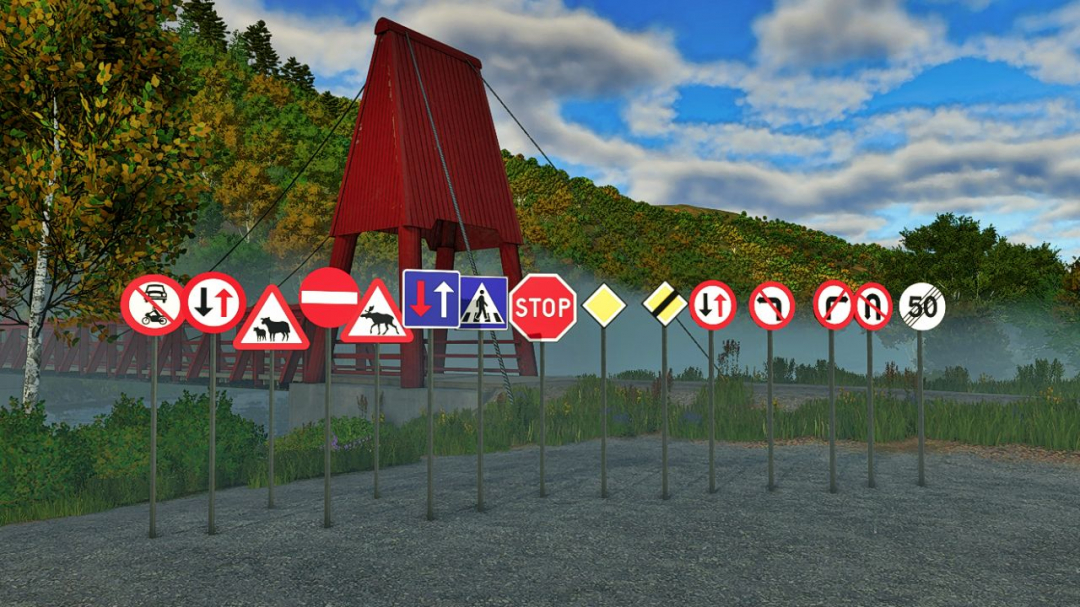
Norwegian Road Sign Pack Placeable V1.0
Original mod by: FippeM123 Norwegian edit/version by: gaukeen Published with permission from FippeM123. Placeable Norwegian road signs for Farming Simulator 25. Category: Decoration Price: $25
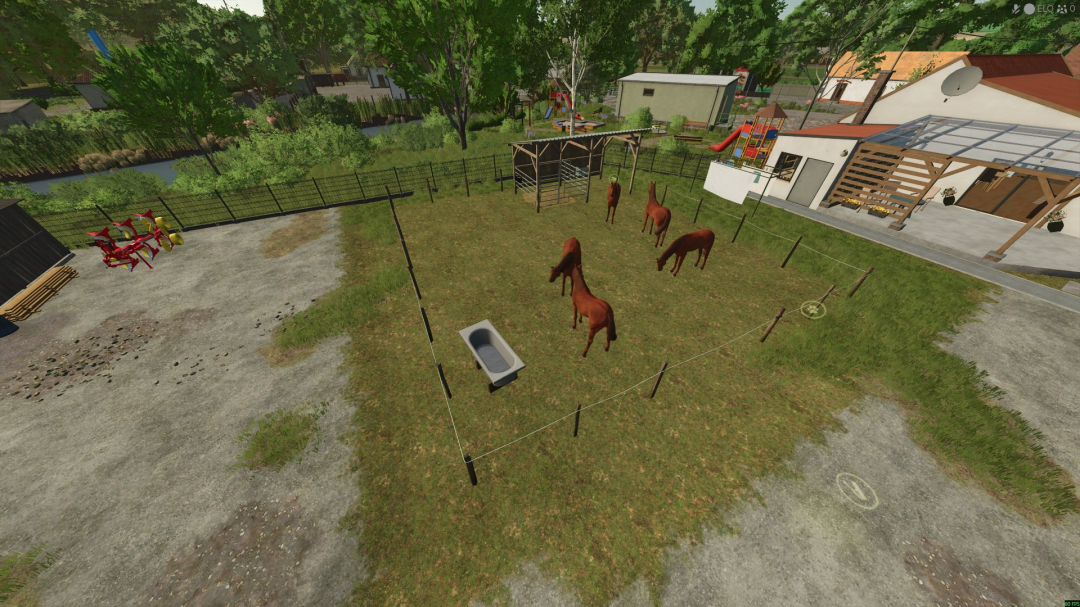
Home made horse stable V1.0
Horse capacity: 5 Horse croop Straw Hay Manure Automatic water supply
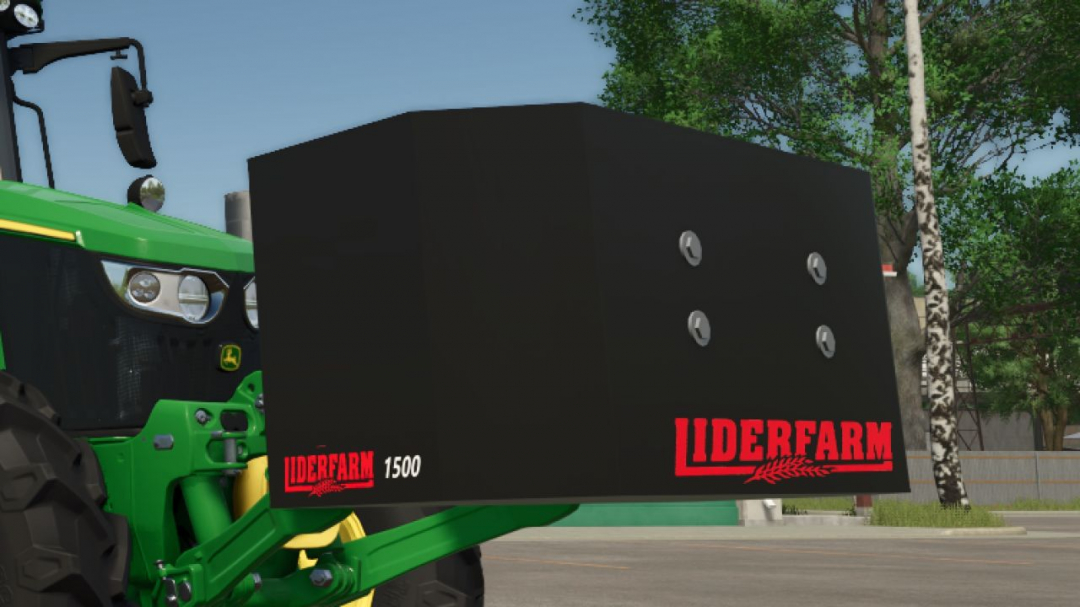
Weight LiderFarm 1500 V1.0
LiderFarm 1500 Front Weight Add simple and effective equipment to your farm with the LiderFarm 1500! This 1,500 kg front weight is perfect for enhancing your tractor’s stability during heavy-duty tasks. Its straightforward and realistic design ensures it fits seamlessly on all types of farms. Weight: 1,500 kg Price: €2,000 Category: Weights Use: Ideal for working with heavy tools and improving tractor traction. A sturdy and essential weight for farmers seeking reliable and economical equipment!
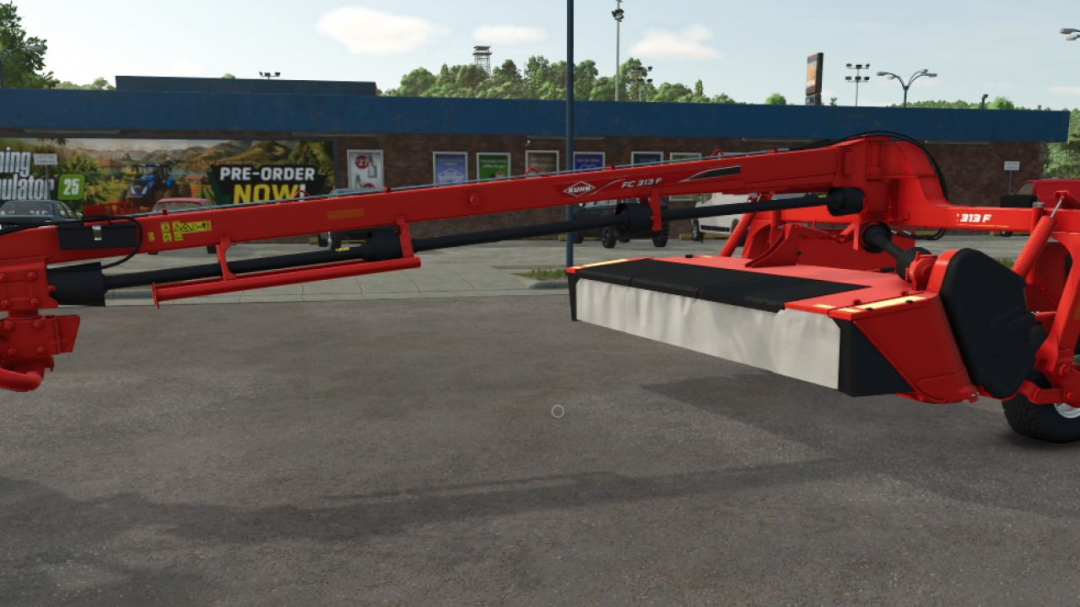
Kuhn FC313F V1.0
I'm sharing details about the KUHN FC313F trailed mower: Price: €20,500 Required power: 90 hp Working width: 4.0 m Working speed: 22 km/h KUHN color options available.
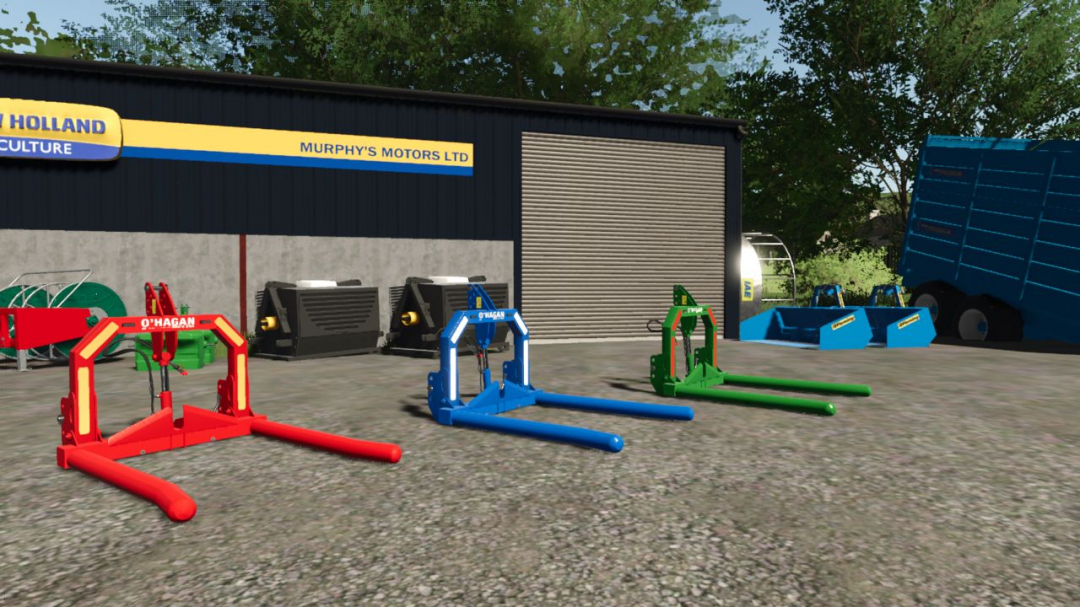
O’Hagan Engineering Folding Bale Lifter V1.0
This is my O’Hagan Engineering folding bale lifter Price: 1750 Configurations: Main Color, Reflectors (red, orange, or white), and strobes
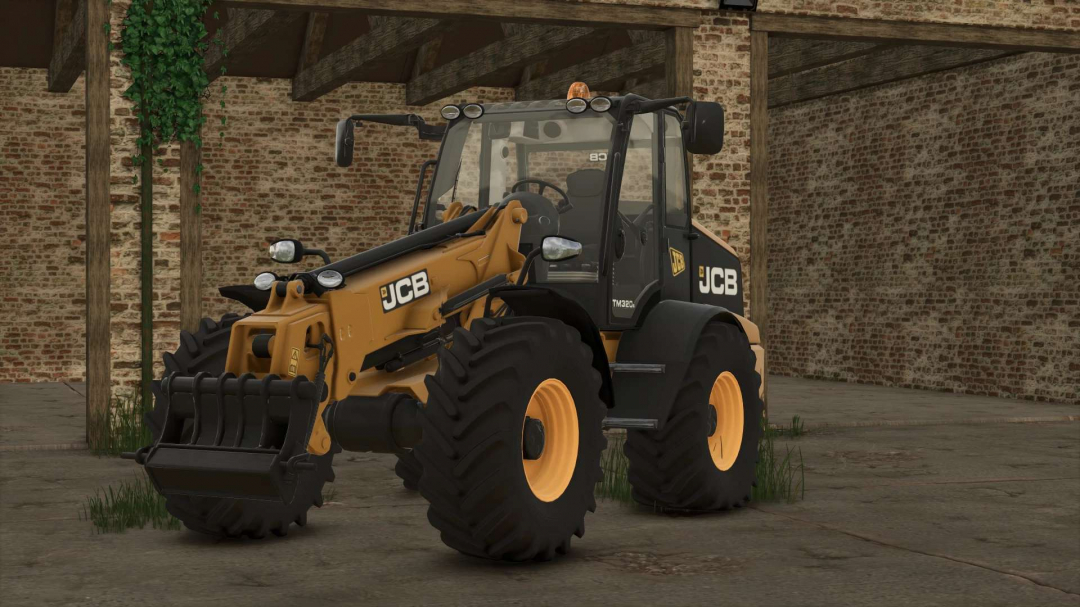
Jcb 320s v1.0
JCB 320s Mod for FS25 Price: $112,000 Power: 145 HP Speed: 43 KM/h I wanted to add JCB attachments but I don't know how — something for the future.
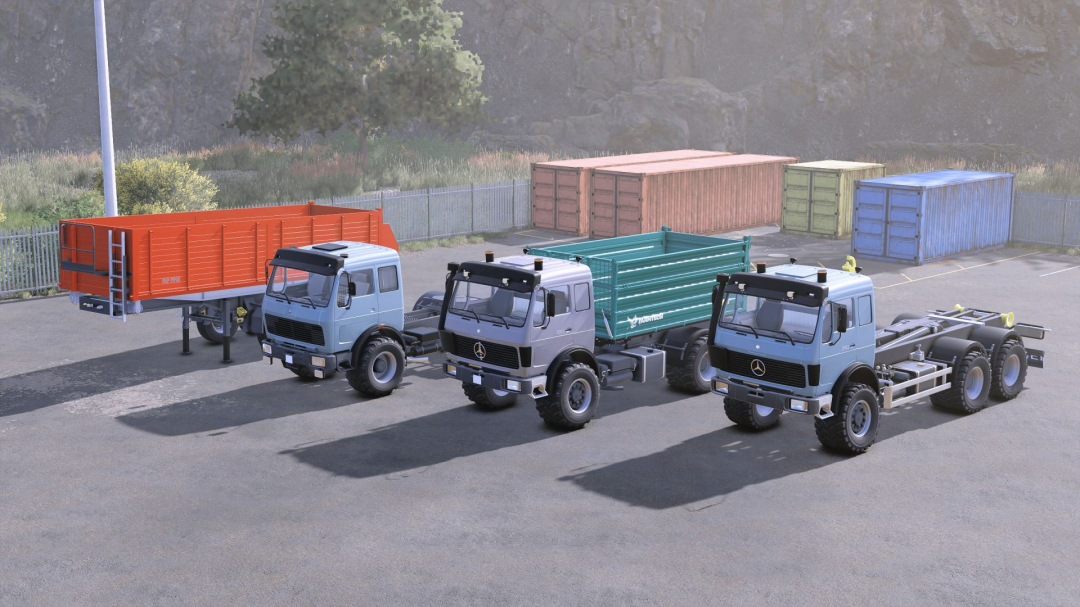
Mercedes Benz NG Pack V1.0
Mercedes-Benz NG model pack, directly converted from FS19 with updated materials, sounds, animations, and attributes, and upgraded from SimpleIC to Interactive Control for FS25. It includes the following vehicles: **Mercedes-Benz NG 1835** Category: Trucks Price: $15,000 Power: 354 hp Max. speed: 90 kph **Lizard Trailer PP60** Category: Trailers Price: $10,000 Capacity: 48,100 **Mercedes-Benz NG TDK900** Category: Trucks Price: $162,000 Power: 320 hp Capacity: 12,000 **Mercedes-Benz NG ITRunner** Category: Trucks Price: $162,000 Power: 320 hp
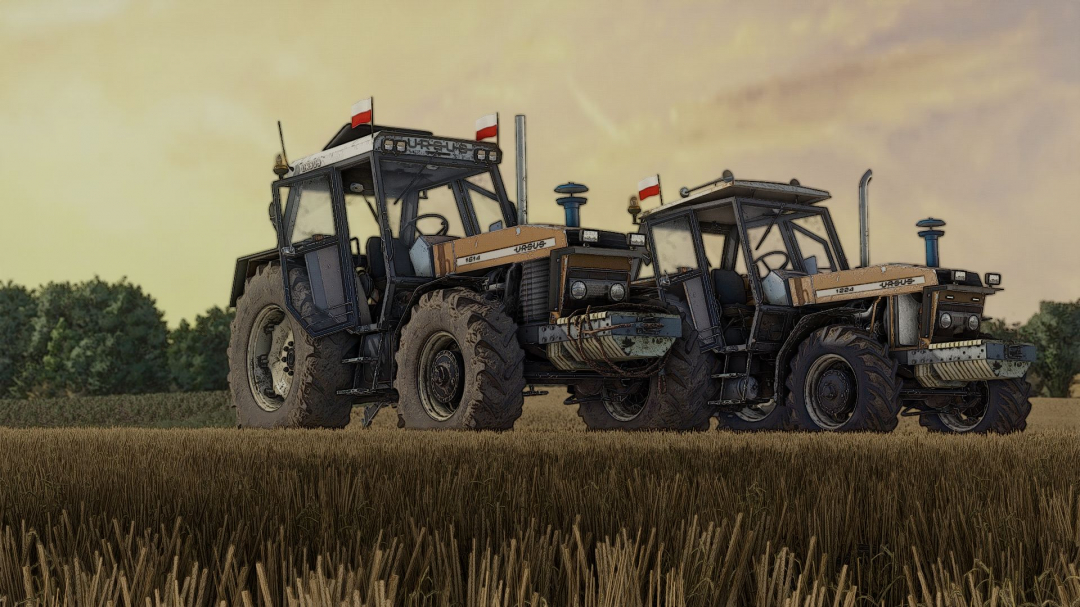
Ursus 6cyl Pack Mokrzyn V2.0
I assure you that the log is clean; if there are issues, they are caused by your mods. Models: 1201, 1204, 1214, 1222, 1224, 1604, 1614. fs22-kasztan18m. fs25-DerbiiURSUS 6-cylinder pack Mokrzyn Addons includes 6-cylinder tractors that operate flawlessly and have a clean log with zero errors and warnings. Why Mokrzyn Addons and not Mokrzyn? Because I decided to retain this 10-year-old Mokrzyn model from FS15 and added characteristic visual features of Mokrzyn tractors to the 6-cylinder Ursus tractors I repaired (the only ones that are clean and functional in FS25). For example, I added: - Mokrzyn lights - Mokrzyn filter - Mokrzyn weight Configurations include: - Mokrzyn lights - Mokrzyn filter - Mokrzyn weight - Airhorn - Flash LED - Sticker - Tires - Transmission - Decals - Front weight - Wheel weight - Rear fenders - Front fenders - Mud guards - Cabin - Front lights - Grille - Rear hitch - Exhaust - Steering wheel - Hood - Front-loader console Animations: IC/MC Color configurations: - Engine - Hood - Fenders - Cabin - Grille - Rims - Front weight - Wheel weights - Roof V2.0.0.0: - Added new filters - Included the whistling sound of a spooling turbocharger in turbocharged versions 1224, 1614, 1604 - Removed the nonsensical turbo sound from models without a turbocharger - Fixed horn sounds - Fixed Michelin Man model - Added a turbocharger to the 1224 - Added a new roof Required mods: - Interactive Control
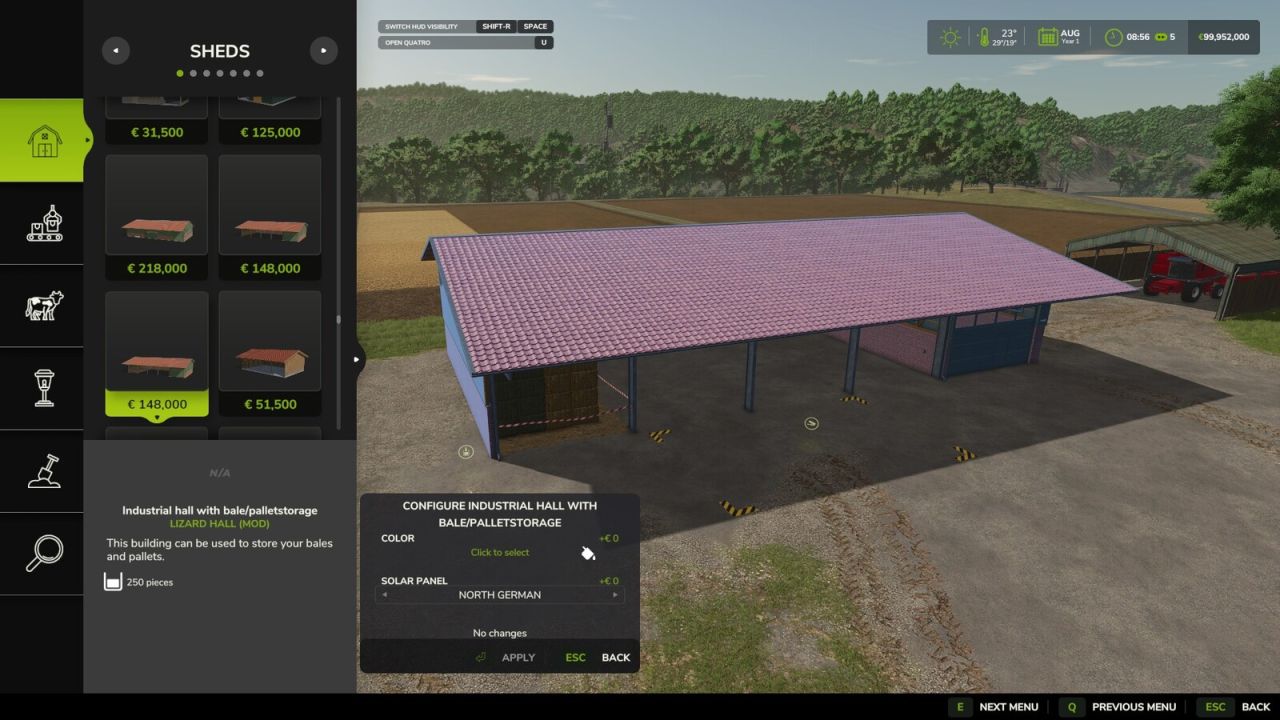
Configure Placeables Again V1.0.0.0
Configure Placeables Again V1.0.0.0 This mod allows you to reconfigure already built placeables without having to sell and rebuild them. In build mode, click on one of your buildings. There is now a “Configure” button that allows you to change its color and solar panels as often as you want. You see every change on the building straight away, and only pay when you press Apply. The price is the same as in the shop and you pay it only once per building. After that you can switch back and forth for free. For the colour, click the bar to open the usual colour selection.
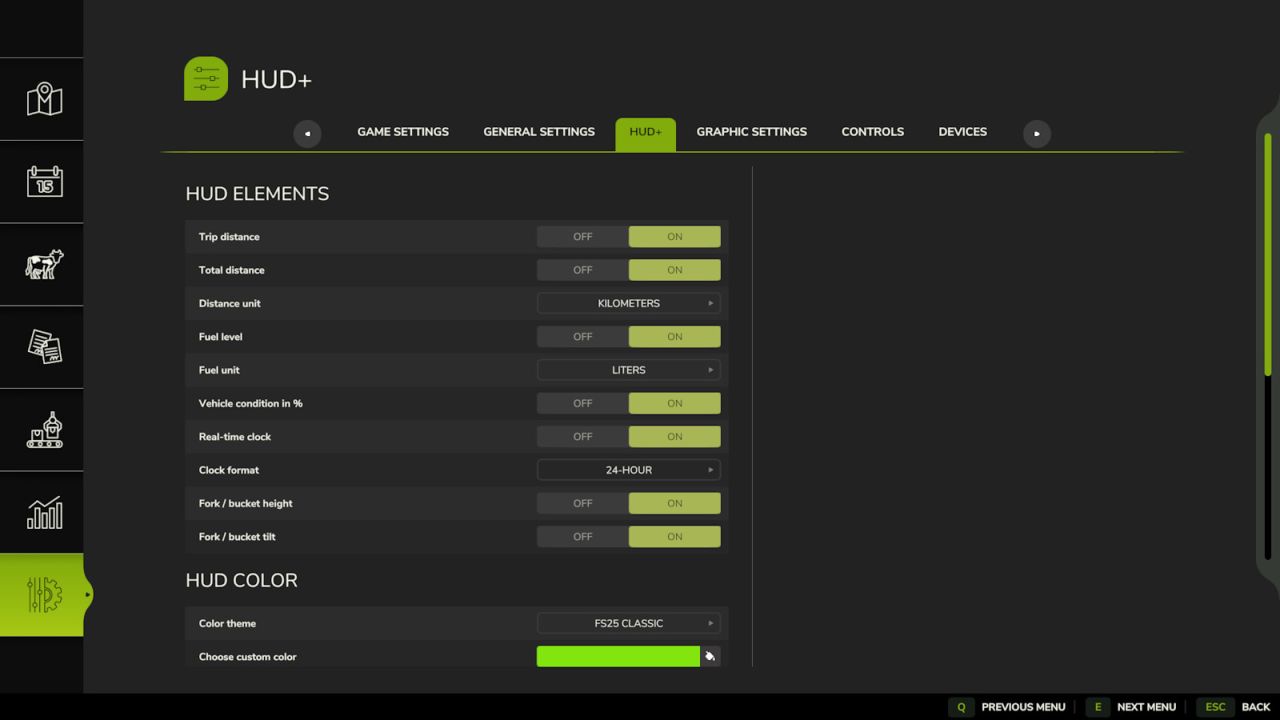
HUD+ V1.0.0.0
HUD+ expands the original Farming Simulator 25 interface while preserving the game’s visual style. Features: – trip distance and permanently stored vehicle total distance, – fuel or battery level, – vehicle condition percentage, – real-time clock, – loader tool height and tilt indicators, – options to hide the speedometer, top information panel and F1 help, – ready-made color themes and a custom HUD color, – mouse-controlled HUD position editor. HUD+ settings are available in the ESC pause menu under Settings. Reset trip distance: Right Alt + period HUD editor: Right Alt + H
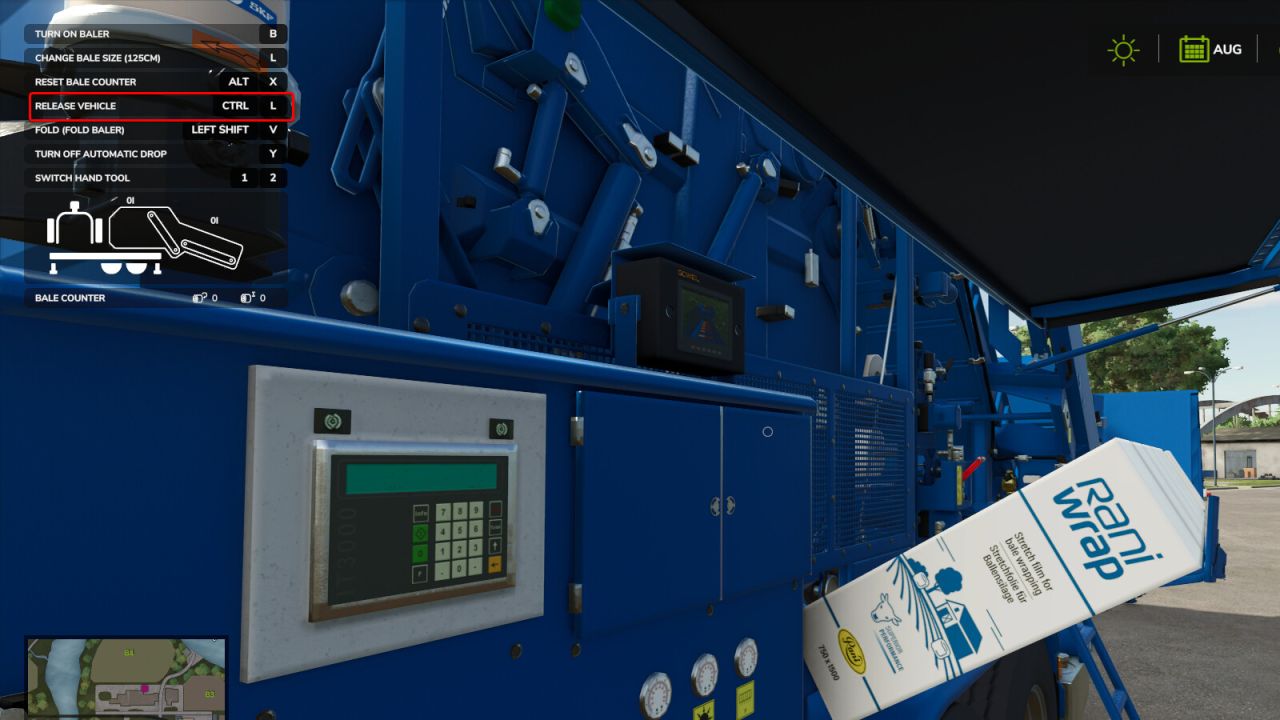
Vehicle Anchor V1.0.0.0
Vehicle Anchor V1.0.0.0 This mod puts an end to conveyor belts shifting out of place. It allows you to securely lock conveyor belts, the Göweil Vario Master V-140, and the Göweil G4010 Q Profi in position. On vehicles and equipment with external interaction, the anchor can also be engaged and released directly at the machine. Additional vehicles and equipment can be added through the mod settings XML file. The English and German configuration guides are available through the support link. Key: CTRL + L
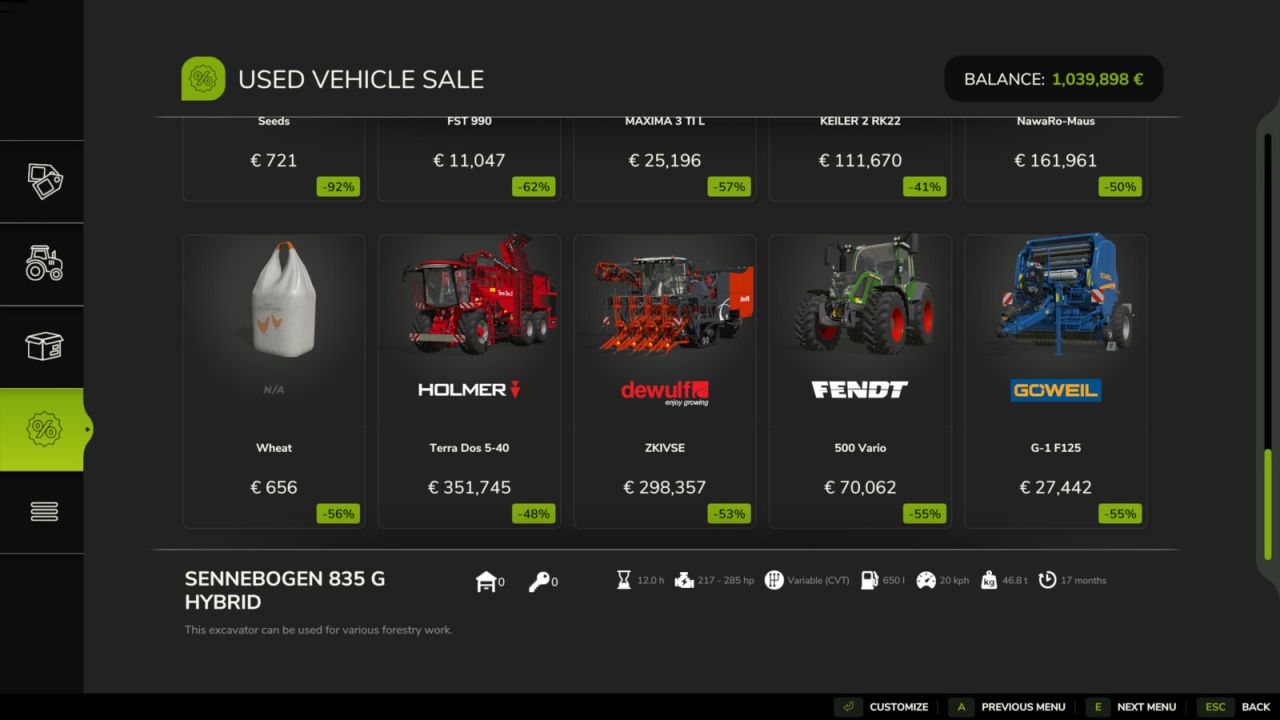
Configurable Sales V1.0.0.0
Configurable Sales V1.0.0.0 This mod for Farming Simulator 25 unlocks a large number of used vehicles and machines in the store menu. All settings can be configured directly in-game via the pause menu > Settings > Configurable Sales section.
- 15 per page
- 30 per page
- 45 per page
- 60 per page
-
See more per page
Bigger pages, fewer clicks - and no ads anywhere.
Go Pro