Farming Simulator 22 mods
50,152 results- 15 per page
- 30 per page
- 45 per page
- 60 per page
-
See more per page
Bigger pages, fewer clicks - and no ads anywhere.
Go Pro


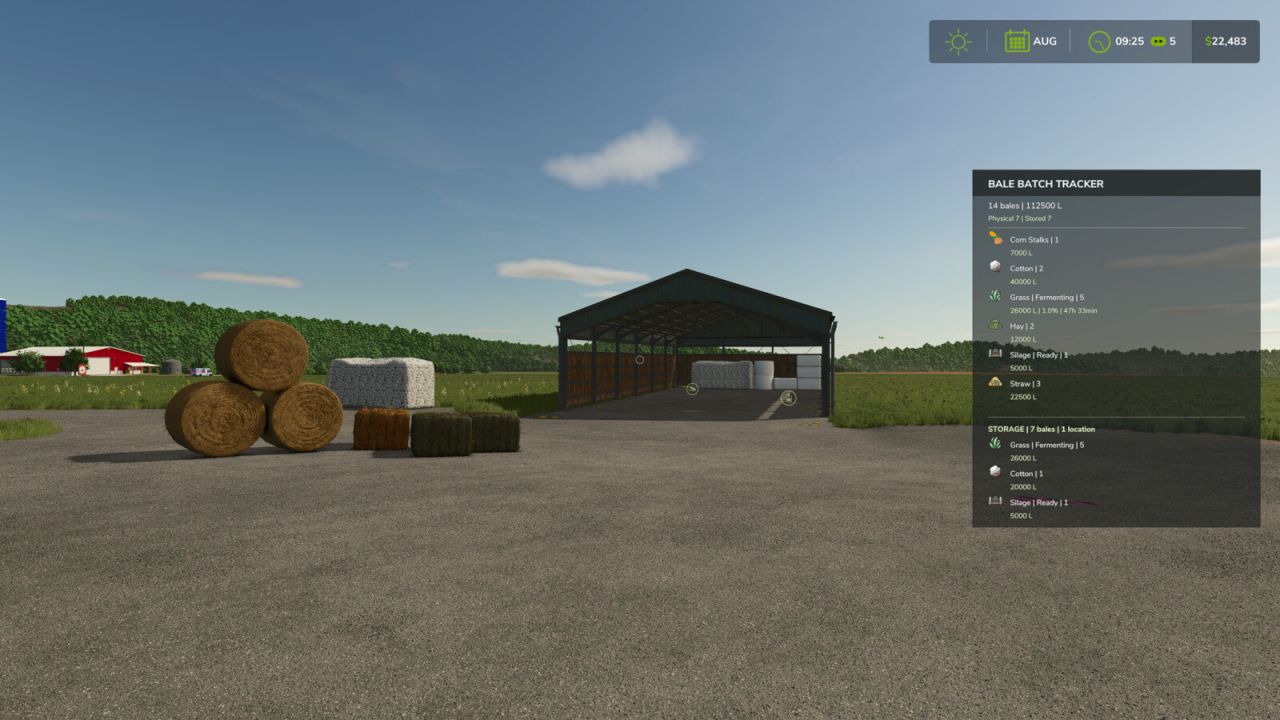
Bale Batch Tracker FS25
Keep track of your bales with a clear and compact HUD. Bale Batch Tracker shows the number and total volume of your physical and stored bales, grouped by material and status. For fermenting bales, the mod displays fermentation progress and estimated remaining time. Optional notifications can alert you when fermentation reaches a configurable threshold. Main features: - Tracks physical and stored bales - Shows bale count and total volume - Groups bales by fill type and status - Displays fermentation progress and remaining time - Configurable fermentation warning threshold - Optional fermentation notifications - Supports grass, hay, straw, silage, cotton and other compatible bale types - Automatically excludes contract and mission bales - HUD can be shown or hidden - Key binding can be changed in the game controls menu PLEASE NOTE: Bales are not displayed on the minimap.
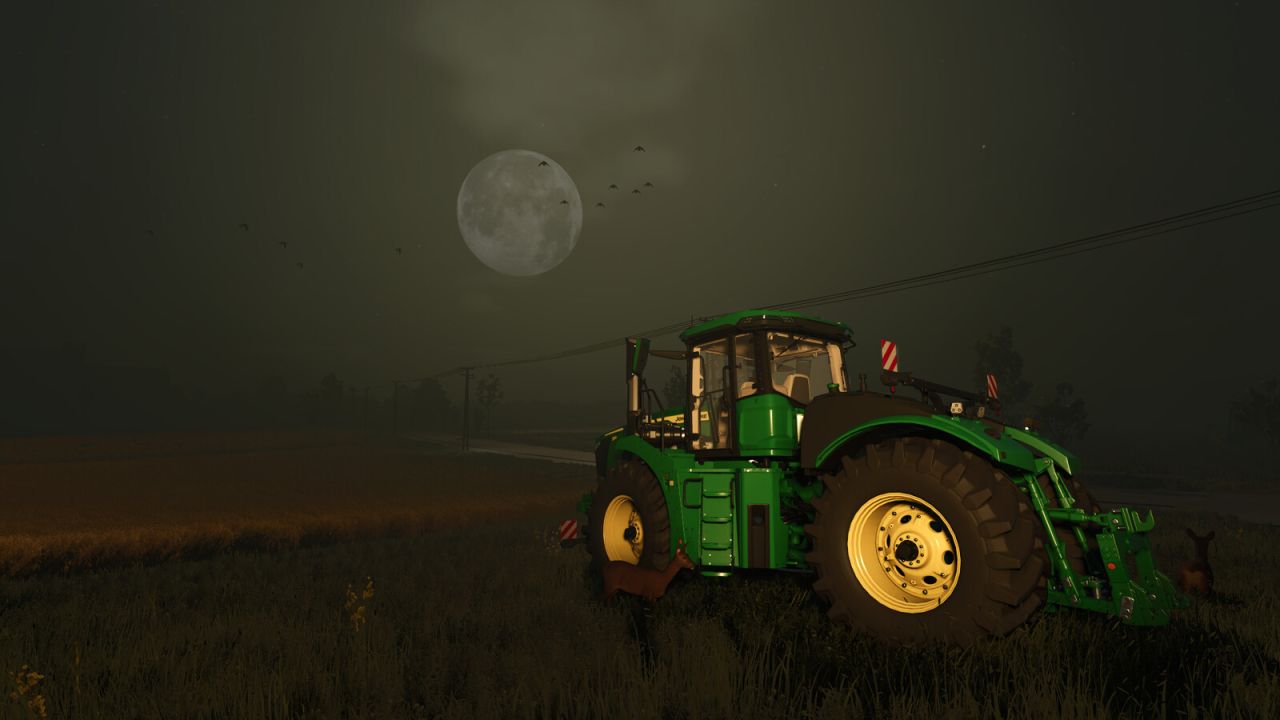
Pro Shot FS25
To take a good photo, you need to take your time. This mod lets you pause time, while you set up and frame the perfect shot. With advanced quality and lighting options, and much more, you're sure to take a Pro Shot! - Pause the game using your assigned Pause control (PAUSE by default) to activate Pro Shot and take screenshots - Free-roaming camera, including roll/tilt, via mouse and keyboard controls - Activate High Quality mode, and adjust other detail settings - Change the camera exposure, Field of View, and a whole lot more - Change the direction of the sunlight, and adjust the colour of the light (temperature or red-green-blue) - Use photo lights to brighten your shot (Place unlimited flashlights, each with their own colour, intensity, beam angle, and focus, to highlight your shot the way you want) - Change the weather, or season, including snow/frost/fog/haze/hail - Adjust the time, for natural sun/moon progression - Apply lighting effects for black and white, sepia tone, and other filters - Adjust the Depth of Field, to highlight areas in your picture - Make the Sun and Moon larger or smaller, and adjust atmospheric light scattering - Screenshots are saved into their own folder, inside the regular screenshots folder Features for modders: - Great for inspecting models with unlimited, precision control of the camera - Press alt+R to reload active vehicle. alt+shift+R to reload all vehicles within 10m. alt+shift+ctrl+R to reload all vehicles within 100m - Press alt+P to reload all placeables on the map New since FS22 - Composition aids (thirds, Golden Ratio, centre, diagonal, Diagonal Method and Golden Triangles grids, plus aspect-ratio overlays) - Depth of Field focus assist, to easily target objects - Fog and haze adjustment - Ground wetness - Hail added to environment menu - Save and restore up to ten named favourite settings, with selectable components (Camera, Quality, Sky, Ground lighting, Effects, Season, Weather, and Time) - Save and restore up to eight named flashlight favourites - Custom colour-grading controls, with 10 favourite save slots (including replaceable presets) - Expanded live settings/info displays. - Menu-level reversion, so you can play around and reset to previous state if you make a mess - Tone mapping controls - Independent sky-brightness and ground-light colour/intensity controls - Show traffic, pedestrians, and parked vehicles... or not. It's up to you. - Place wildlife, flying birds, and posed farm animals in your shot. Adjust rotation and offset for precise placement, with automatic surface placement for crows and farm animals. - Add or remove snow wherever you want, with adjustable radius and strength controls - Remove tyre tracks - Optional HDR image output, with or without a depth map. Use CTRL+ENTER for HDR, or CTRL+SHIFT+ENTER to include a depth map image as well. Notes - Due to the nature of the pause screen activation and global settings changes, this mod does not support multiplayer. - All changes are reverted after leaving the pause screen, with the following two exceptions: - Once tyre tracks are removed, they don't come back unless you drive them there again - Snow is restored to the previous level, which may overwrite non-standard snow. If you have non-standard snow and experience issues, let me know.
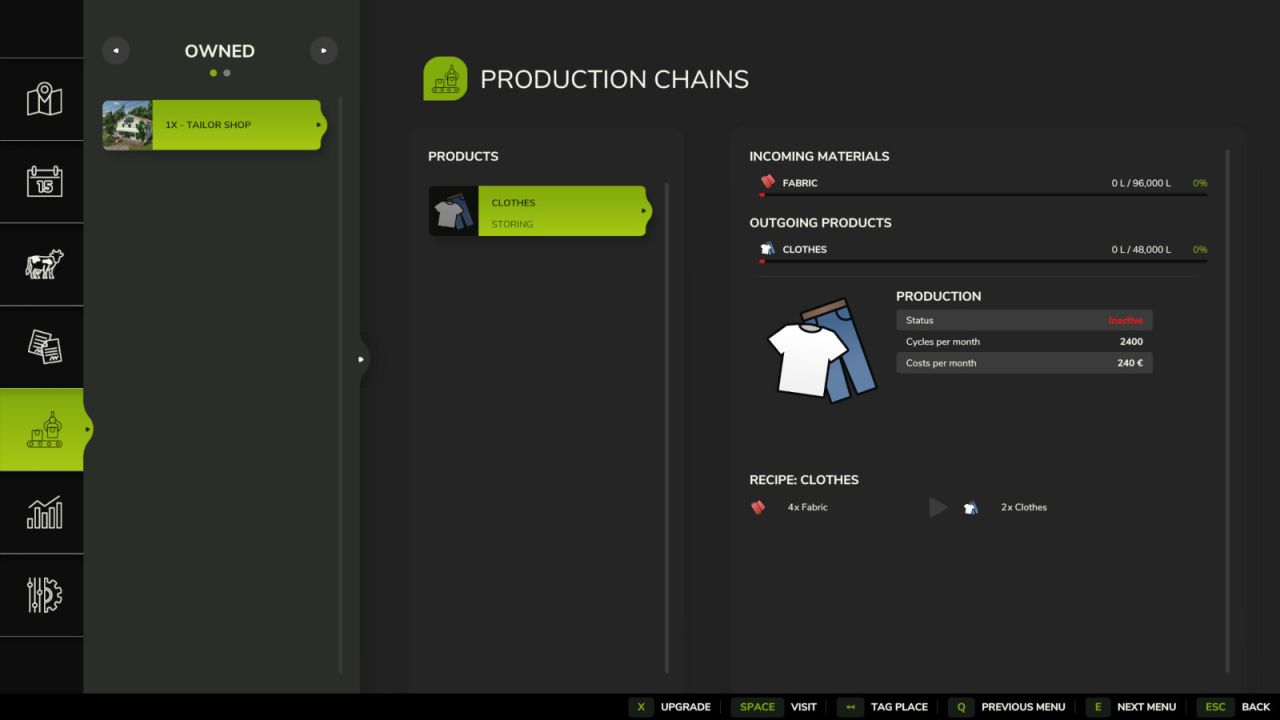
Upgrade Your Factory MP 60x FS25
Upgrade factories in single-player or multiplayer without placing many copies of the same production. Progression: 1x, 2x, 3x, 5x, 10x, 20x, 30x, 40x, 50x, 60x. Each additional +1x of throughput costs 5% of the factory's original purchase price. Storage capacity and discharge speed use the same multiplier, with MP-safe storage synchronization. Operating costs also scale with throughput, preserving the base cost per produced unit. Upgrade payments, ownership validation, saving and level synchronization are server-authoritative in multiplayer. Excluded base-game productions: Playground maker hall, Wagon builder and Piano manufacture.
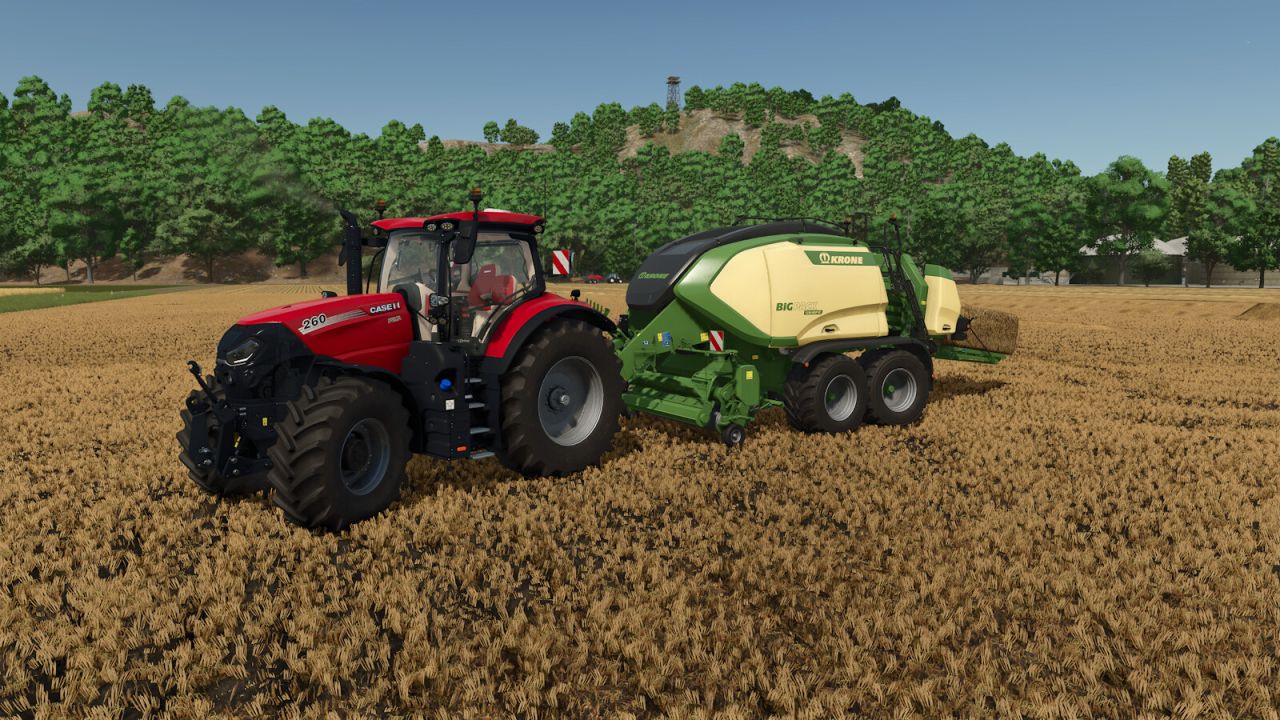
Baler Power Pulse FS25
This script adds realistic behavior to all square balers. From now on, you will feel, as well as your tractor, each piston stroke made by the baler. Each piston stroke simulates an increase in the power required by your baler from the tractor. There is no actual increase in power demand because that would compromise gameplay, especially when using a tractor with a manual gearbox or powershift. You will therefore hear the engine speed decrease and increase in volume to simulate extra effort, and the color of the exhaust gases will also become darker. Thus, every second, only during forage collection, this cycle repeats with progressive rises and falls of these effects so that they appear more natural.
Better Outdoor Camera FS25
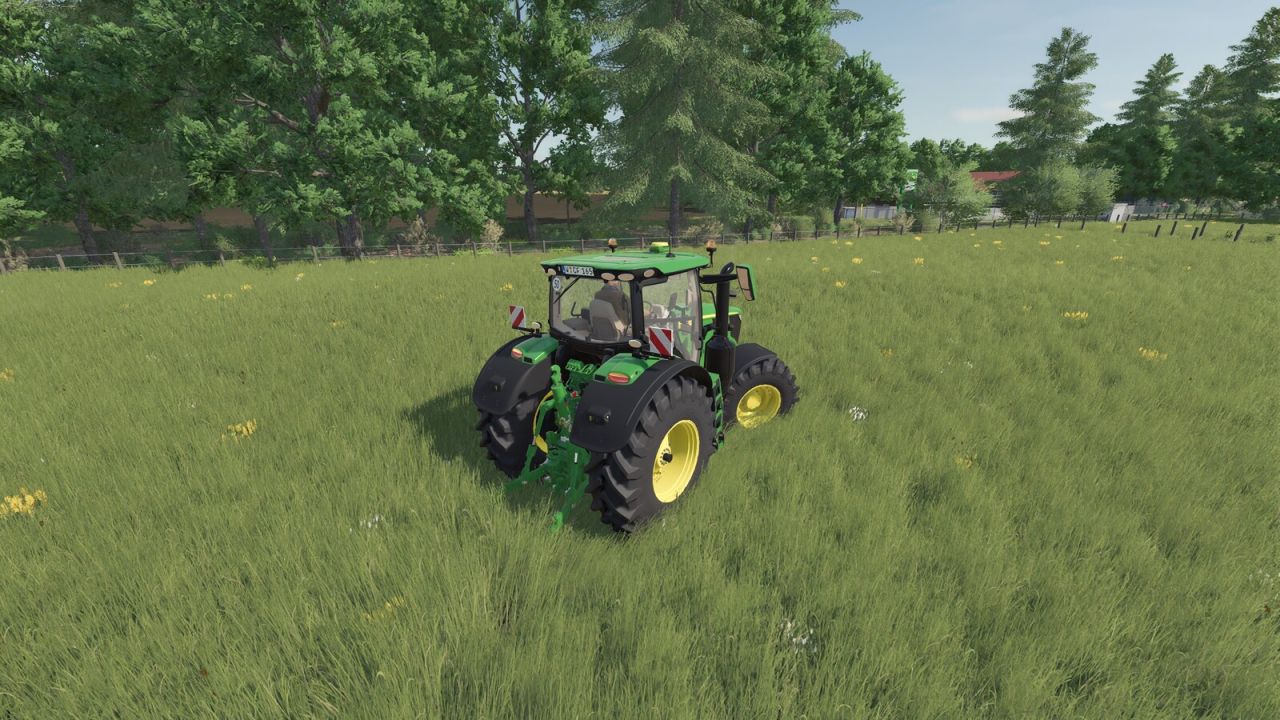
This mod improves the vehicle's outdoor camera by no longer keeping it rigidly attached to the vehicle. Instead, the outdoor camera dynamically follows the direction of travel and the vehicle's movement, giving a noticeably better driving feel. After a manual adjustment with the mouse, the camera also re-centers behind the vehicle after an adjustable delay. The mod can be turned on and off at any time while playing.
Invoice VAT Account FS25
Adds a selectable VAT recipient farm for FS25_Invoices. When an invoice containing VAT is paid, the VAT amount is credited to the farm selected in the Game Settings. The selected farm is saved with the savegame and is available in multiplayer. FS25_Invoices is required and remains unchanged.
Grain Volume HUD FS25
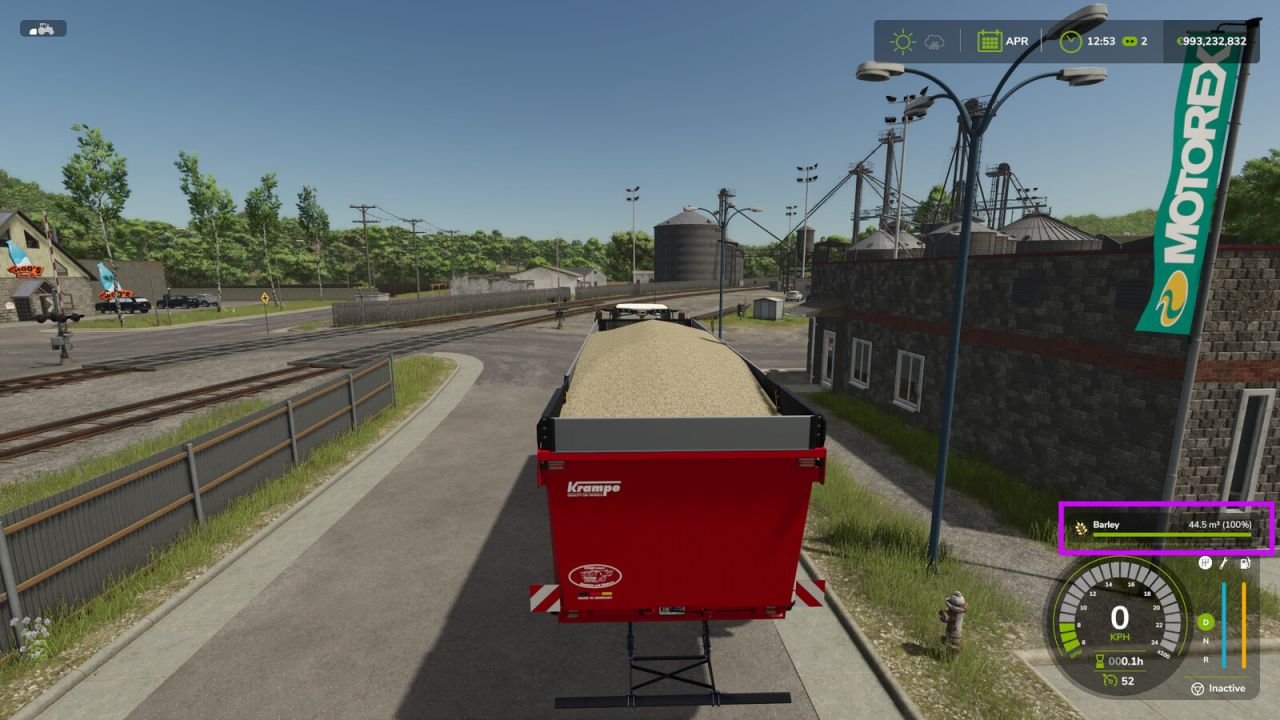
Ever noticed this? You pull up with a trailer filled to the brim, glance at the display – and it reads: 42,000 litres of wheat. Litres? For wheat? Who measures a whole heap of grain in litres! Water, milk, diesel – sure, you can pour those and measure them in litres. But grain, silage, woodchips? That's a heap, not a drink. And a heap is measured in cubic metres. Just like moving house: you don't say „I've got 12,000 litres of boxes", you say „twelve cubic metres". And that's all this mod does. It looks at what's sitting in your trailer. Bulk goods? It quickly turns the litres into cubic metres on the display – 42,000 litres becomes 42.0 m³. A liquid instead – water, slurry, diesel? Then everything stays in litres, because that's exactly where litres belong. Sounds complicated? It really isn't. Nothing to set up, nothing to press. Load as always, look at the display – and see at a glance how much is really on there. And so your fill-level HUD now shows cubic metres where cubic metres belong. What the mod does: – Bulk goods (grain, silage, grass, woodchips, root crops …) shown in m³ – Liquids (water, milk, diesel, slurry, liquid fertiliser …) stay in litres – Nothing to configure, just runs – Multiplayer-friendly (display only, no changes to gameplay)
Lely Luna (Prefab) FS25
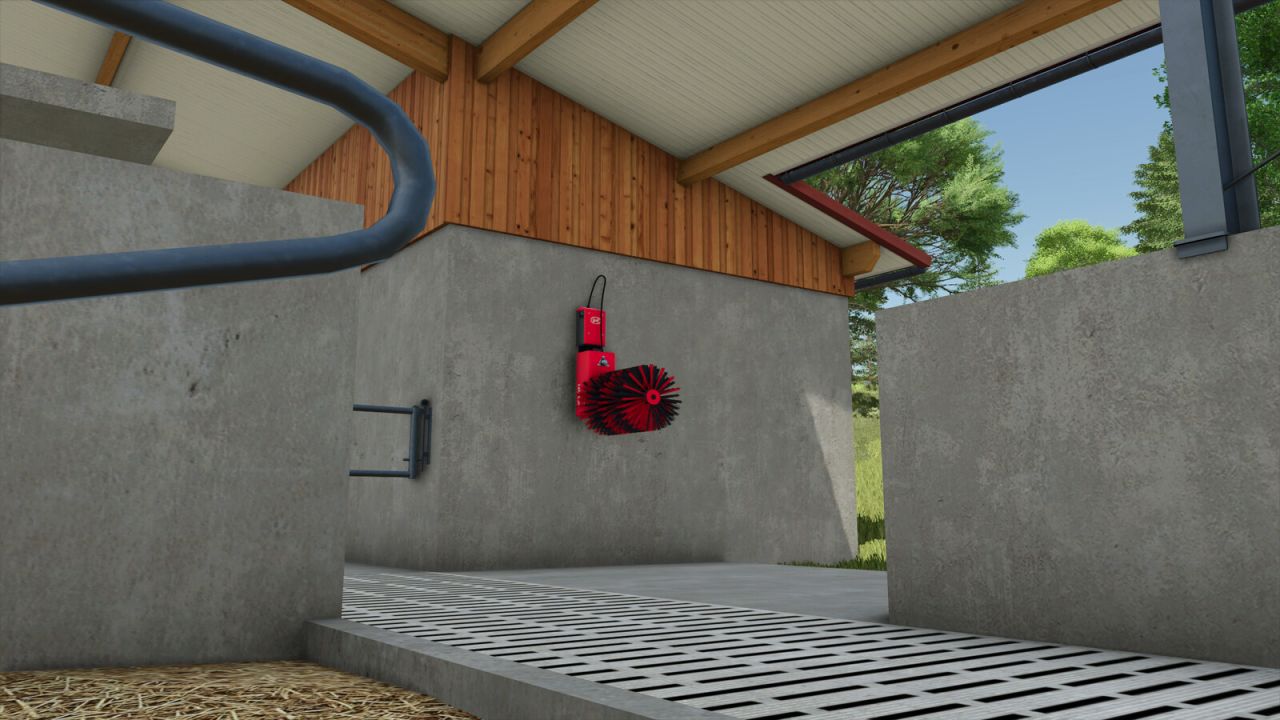
This prefab serves as decoration for a map. - Material adjustments - Brush texture adjustments - ClipDistance adjustments
Real Dirt Color FS25
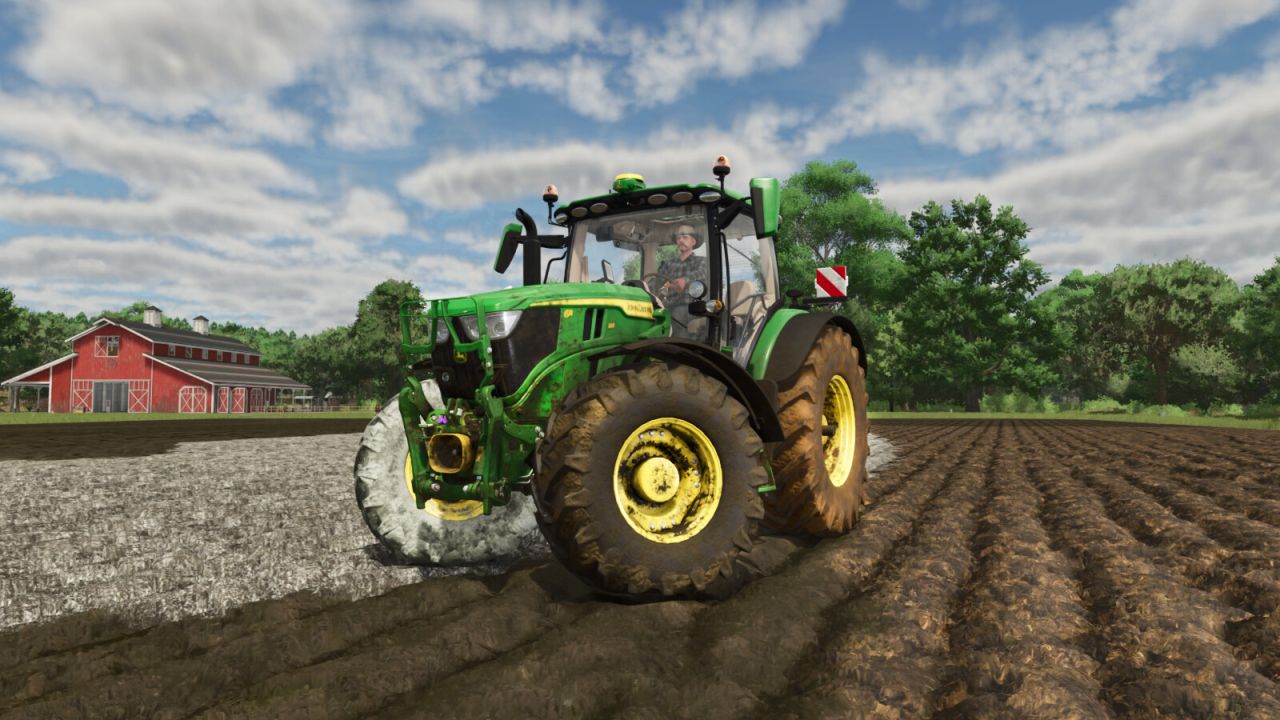
Real Dirt Color changes all vehicles/tools dirt color to the surrounding enviroment. - 10 color variations including: Brown Dirt, Brown Mud, Red Dirt, Red Mud, Grass, Chaff, Manure, Slurry/Digestate, Lime, and Snow. - Slurry and Digestate covered fields will make the tires wet, this setting can be limited or disabled via xml settings file. - Uses a map's default dirt color as the default color. (Useful for southern maps with red dirt). - Any map detected with a name set in the settings file's "Red Dirt Maps" section will use both red dirt and mud colors. - Colors are blended back and forth using a variable speed. - 2 modes available via xml settings file: "Simple mode" and "Independent wheel mode". - Tweakable color change speed. - See files in your game's "modSettings folder" for modding options / information. - Real time snow melting detector changes the snow on your vehicles back to the normal dirt color. - Added a wet tire effect for slurry/digestate. - Slightly greener slurry/digestate color to better match the color sprayed on the field. - Re-added the old method for detecting maps with red soil; both methods now work (method 2: the custom map’s default color setting). - Fixed detection areas for vehicles with more than one wheel (duals, triples, etc.). - Fixed new bugs affecting vehicle parts. Bug fixes; updated the checks performed on vehicle parts . - Added support to check the parts of vehicles which will prevent errors if the game removes any during gameplay.
Dynamic Molehills FS25
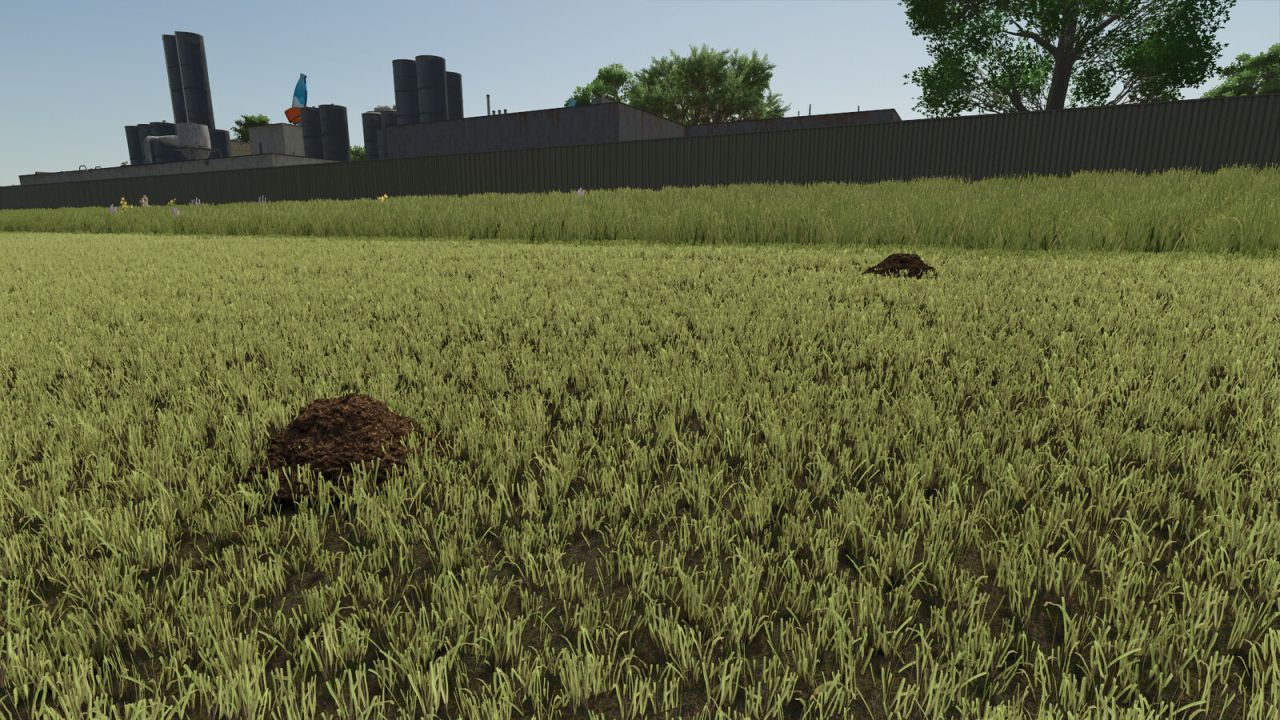
Dynamic molehills on grasslands in three sizes, with seasonal regrowth and moisture from rain and hail. Tires and grass rollers flatten the hills, while mowers and supported soil-working tools clear intact and flattened hills. Density, winter activity, precipitation wetness, performance mode, multiplayer synchronization and savegame persistence are configurable. Functions: - Three molehill sizes with natural seasonal regrowth on grasslands. - Adjustable initial density, density limit, regrowth, maximum number and grassland scope. - Winter activity and precipitation wetness from rain and hail. - Tires compress and permanently flatten molehills without deleting them. - Grass rollers can flatten only molehills without changing grass or field state. - Mowers clear intact and flattened molehills; flattened hills cause no additional wear. - Supported mulchers, grassland weeders and harrows, cultivators, disc harrows, subsoilers, power harrows, plows, sowing machines and stone pickers clear molehills. - Fast, Balanced and Gentle performance profiles, with Balanced as the default. - Persistent storage of settings and molehill states in the savegame. - Multiplayer synchronization for settings and molehill states. - Molehills now appear only on genuine meadows and fields growing field grass, clover or alfalfa. They no longer appear on other cultivated or sown arable land. - The polygon count of the 3D models has been reduced. - Molehills remaining on former meadows are now automatically removed when those areas have been converted to arable land. - Fixed distorted single-wheel tire impressions by preserving the actual contact position. - Tire profiles no longer inherit mound scaling and are rendered in world space. - All tire contacts now use the broad, flattened mound shape, ensuring that front and rear tires flatten consistently.
Dairy Core FS25
Bedrock Mod for the Realistic Farming suite (its not a standalone mod and should be used together with to other bedrock mods) A per-barn dairy management layer for the Realistic Farming ecosystem. It tracks herd health, milk quality, spoilage timing, collection scheduling and dairy contracts, all riding the shared in-game economic clock (Time Guard). In standard mode it reads the base game herd values; when Ritter's Realistic Livestock is present it switches to a per-animal genetics and health calculation. Contracts settle on the calendar, with the base game paying the income and Tax Mod keeping the audit line. Every connection to another mod is optional. If a companion is not installed, that part simply sleeps and the rest keeps working. Zero Precision Farming. Install it alongside the core services and let it run. Added - With Soil & Fertilizer installed, harvested grain now feeds your dairy: organic harvests count toward the organic milk premium, and diseased grain in the farm's feed gives your barns a mycotoxin penalty from the next day. - The farm office page in the Esc menu now explains a refused milk collection: for each barn it says when a scheduled collection was refused and why, and when the next one is due while a worker is assigned. This works for every player in multiplayer. - When Soil & Fertilizer reports the crop's nutrient window for a feed field, the balanced-feed bonus needs all three nutrients inside or above that window. Changed - The office milk sale charges a fixed handling fee per litre instead of a share of the market price, and a sale whose fee would meet or beat the price is refused before any milk leaves the tank. The setting is now a fee per 1,000 L; existing saves start at the new default. Fixed - With Realistic Livestock 1.4, a barn's herd health score counts one disease penalty per sick animal again; animals in the hidden early phase, recovered animals and leftover records no longer drag it down. - Multiplayer: the feed flush and other farm actions reach the server correctly, and a player who leaves no longer leaves a stale collection record behind. - The Dairy Help screen closes with Escape and Enter again. - Translations: the Esc pages, the dairy manager and the Field Guide fall back to English instead of showing raw text keys, the page legend shows a plain dot between page names (a stray "Â" is gone), and the mod's description reads correctly in the mod manager in every language.

Advanced Vehicle Functions FS25
Advanced Vehicle Functions Note: Four-wheel drive and differentials must be purchased separately in the shop for each desired vehicle. Important: The key bindings must be configured; nothing has been preset. Analog joystick control for throttle and brake Switchable analog drive lever Glow plug system for cold engines Display of engine speed and engine temperature in the HUD Functional handbrake Sounds when applying and releasing the handbrake Sounds from the four-wheel drive and differentials Selectable four-wheel drive Separate differential locks for the front and rear axles Four-wheel drive and differential can be purchased in the shop. Realistic compressed-air braking system for vehicles Simulated air pressure from 0 to 10 bar Speed-dependent compressor output Air consumption when braking and using the handbrake Air consumption when connecting a compressed-air trailer The handbrake cannot be released if the air pressure is too low. Reduced braking performance at low tire pressure Load-dependent vehicle center of gravity Dynamic load shifting in curves and on slopes Increased risk of tipping due to loaded trailers and raised implements Increased pushing force from heavy trailers on downhill sections Load loss with covers open and at higher driving speeds (minor) Detection of rollovers and vehicle accidents Spillage or loss of bulk material after an accident (must be loaded with a front loader) Towing service for damaged vehicles Towing costs are calculated based on the distance to the repair shop. Joint lifting and lowering of front-mounted implements Joint lifting and lowering of rear-mounted implements Simultaneous lifting and lowering of all attached implements Separate activation and deactivation of front and rear implements Simultaneous activation and deactivation of all implements Separate folding and unfolding of front and rear implements Simultaneous folding and unfolding of all implements The camera automatically rotates in the interior view when reverse gear is engaged. This can be disabled in the general settings. The helper automatically applies the handbrake in helper mode. Automatic drivetrain (intelligent automatic control of four-wheel drive and differential). The four-wheel drive has 2 systems and can be engaged at any time. The slight vibration of the interior camera is intended to simulate the running engine. The front loader can be raised and lowered faster at idle by increasing the throttle (engine speed). When starting the engine, the key or button (ignition switch) must be held down for 0.8 seconds; otherwise, the vehicle will not start (this is intended to simulate a real ignition switch). Added DieselExhaust.lua Fixed air pressure consumption when the handbrake is engaged Manual all-wheel drive is automatically deactivated from 20 km/h Automatic all-wheel drive (from 40 km/h) is only activated when braking above 40 km/h

FS25 Manual connection system v2.0.0.0
FS25 Manual connection system v2.0.0.0 Get even more realism in FS25! Supported compressed-air, hydraulic and electrical lines can be connected and disconnected individually via Interactive Control (IC). If a vehicle or implement uses additional or different hose definitions that cannot be reliably operated via IC, the hose function of Manual Attach remains available as a fallback. Headers and comparable harvesting attachments are deliberately operated exclusively via Manual Attach. Trailers and header trailers behind harvesters can continue to use the IC connection system, provided the connections are supported. IMPORTANT: Starting with V2, Manual Attach by Wopster is required; it no longer works with Bayerngamers’ Manual Attach! Features: – Manually connect/disconnect supported lines via IC – Realistic implementation of the compressed-air brake – Fallback to Manual Attach for unsupported hose definitions – Multiplayer compatible V2.0.0.0 – Support for BayernGamers Manual Attach removed – Wopster’s FS25_manualAttach is now required – Y fallback for hoses available again – Unsupported vehicles/equipment can therefore continue to be used normally – IC connections remain the preferred method – Improved behavior for unrecognized or unusually configured hose connections – Improved compatibility with various modded vehicles and equipment – Headers and special harvesting attachments are still not fully handled via the IC system – Improved error handling for hose nodes that cannot be found – Note: With some mods, IC points may be missing if the hose nodes are not placed directly on the coupling – Minor internal adjustments and clean-up Important: If a connection does not work via IC, you can still connect the hoses using Y / Manual Attach and use the equipment normally.
- 15 per page
- 30 per page
- 45 per page
- 60 per page
-
See more per page
Bigger pages, fewer clicks - and no ads anywhere.
Go Pro