Farming Simulator 22 mods
50,377 results- 15 per page
- 30 per page
- 45 per page
- 60 per page
-
See more per page
Bigger pages, fewer clicks - and no ads anywhere.
Go Pro


FS25 Blackstack’s Wheelie Extension
FS25 Blackstack’s Wheelie Extension This mod adds a universal wheelie system to most ALL FS25 vehicles. Designed to work across everything from bikes and cars to larger trucks, the script applies controlled lift to bring the front end up and stable. Works with bikes, trucks & other compatible vehicles Dynamic wheelie assistance based on vehicle size Keyboard & controller support Controlled lift with reduced jumping Plug-and-play script extension Controls Keyboard: Hold O while accelerating to activate the wheelie. Controller: Hold LSB (Left Stick Button) while accelerating to activate the wheelie. Release the wheelie control to bring the front end back down. Changing Your Keybinds Don’t like the default controls? You can change them directly in-game. Go to: ESC → Settings → Controls Find the Blackstack Wheelie Extension controls, select the Wheelie action, and assign whatever keyboard key or controller button you want. Keybinds can be changed at any time without editing the mod files.

FS25 DLSS 5 in Farming Simulator 25 – Installation Guide
FS25 DLSS 5 in Farming Simulator 25 – Installation Guide Want to run DLSS 5 in Farming Simulator 25? The videos below show you step-by-step how to install and configure this technology in Farming Simulator 25. DLSS 5 uses generative artificial intelligence and 3D-Guided Neural Rendering technology to improve graphical realism, including lighting, materials, shadows, and vegetation. The videos will show you which files are needed, where to place them, and how to run DLSS 5 in Farming Simulator 25.
Script Sentry v1.0.0.0
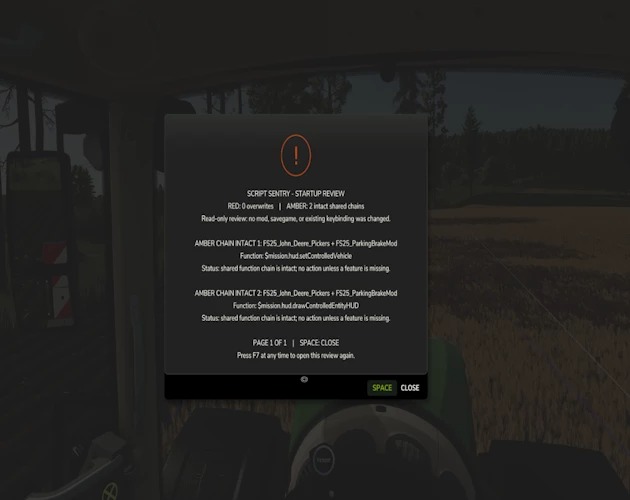
Script Sentry v1.0.0.0 Script Sentry is a free mod. All mods released by SecondChanceGaming3709 are free. If you enjoy my work and would like to donate, it is always appreciated, but donations are never required. Script Sentry – FS25 Mod Conflict Notifications Version 0.3.2.0 — Public Beta Have you ever installed a new mod and then discovered that another mod’s feature or control mysteriously stopped working? Script Sentry is a read-only diagnostic utility for Farming Simulator 25. It observes live Lua function chains during startup and provides an easy-to-read in-game review—no developer console or log reading required. How the review works GREEN: No broken function chains were found. AMBER: Multiple mods share a function, but the official function chain remains intact. No action is usually required unless a feature is missing. RED: A later mod replaced a function without preserving the previous implementation. Script Sentry identifies the mods involved, the affected function, and a recommended next step. The review opens shortly after gameplay begins and remains visible until you close it. Controls Space: Close the review. Right Alt + top-row 1: Reopen the review at any time. Longer reports are divided into numbered pages. Close the current page with Space and press Right Alt + 1 to open the next page. Script Sentry leaves no permanent icon, badge, or message covering the gameplay HUD. Features In-game startup review Detects observed Lua function-chain overlaps and replacements Names the mods and functions involved Separates intact shared chains from likely overwrites Native FS25 popup menu Review can be reopened whenever needed No developer console required No manual log reading required No savegame changes No keybinding-file changes No automatic conflict resolution No mod disabling or load-order changes No persistent gameplay HUD clutter Script Sentry is a notification and diagnostic tool. It is not a mod manager or generic log extractor. It reports what it observes and leaves every decision with the player. Optional companion mod Script Sentry is fully compatible with FS25 FillType Monitor. The two mods can be installed together: Script Sentry reviews Lua function chains. FillType Monitor tracks fill-type usage and remaining capacity. Each mod works independently. Neither mod is required for the other to function. Important: Do not rename the ZIP Keep the exact filename: AAA_FS25_ScriptSentry.zip Farming Simulator loads script mods according to their filenames. The AAA prefix places Script Sentry near the beginning of the load order so it can begin observing function activity before most other script mods make their changes. If the ZIP is renamed, Script Sentry may load too late and miss an overlap or overwrite, resulting in an incomplete startup review. Do not: Remove the AAA prefix. Add words or version numbers to the filename. Allow Windows to rename it with additions such as (1). Unzip the mod into the mods folder. Keep multiple copies of Script Sentry installed. When updating, remove or replace the older copy so only one file named AAA_FS25_ScriptSentry.zip remains in the mods folder. Public beta notice Script Sentry reports observable function-chain activity, but no automated detector can identify every possible incompatibility. An amber result does not automatically mean that two mods are incompatible. It means both mods are using the same function while the function chain remains intact. Results should be treated as diagnostic guidance. If everything is working correctly, an amber result may require no action. Please report unexpected results and include your FS25 log.txt when possible. Platform: PC/Mac Multiplayer: Not currently supported Created by: SecondChanceGaming3709

FS25 Reset + Look Back Cam Position
FS25 Reset + Look Back Cam Position If you play with the “Reset camera on vehicle switch” setting turned off, the camera keeps whatever position and zoom you left it in. This mod adds keys you can press at any time to snap the currently active vehicle camera (interior or exterior) back to its default position, rotation and zoom – without changing the game setting itself. Default keys: – Left Shift + C: reset camera to its default position – Left Shift + S: reset camera to its default position but rotated 180° to look backwards Both keys can be freely rebound in Options > Controls.

FS25 Herbicide Weed Cleanup
FS25 Herbicide Weed Cleanup After spraying herbicide, dead weeds normally remain visible as withered plants on the field until the ground is worked again. This mod clears that withered weed foliage in the background, so sprayed areas end up looking clean again. A game setting (“Immediate” / “Delayed”) lets you choose between clearing within a couple of seconds or only once a month. The delayed option further reduces the load, which is already small since it only covers the sprayed area, and is useful on busy dedicated servers. Works exactly like the base game’s herbicide effect otherwise: spot spraying, Precision Farming, environmental score, etc. are unaffected, and only the leftover withered weed graphics are cleared. Fully compatible with dedicated servers and multiplayer. GitHub: https://github.com/Nalathan01/FS25_HerbicideWeedCleanup/issues
Husbandry Fence Manager V1.0.0.0
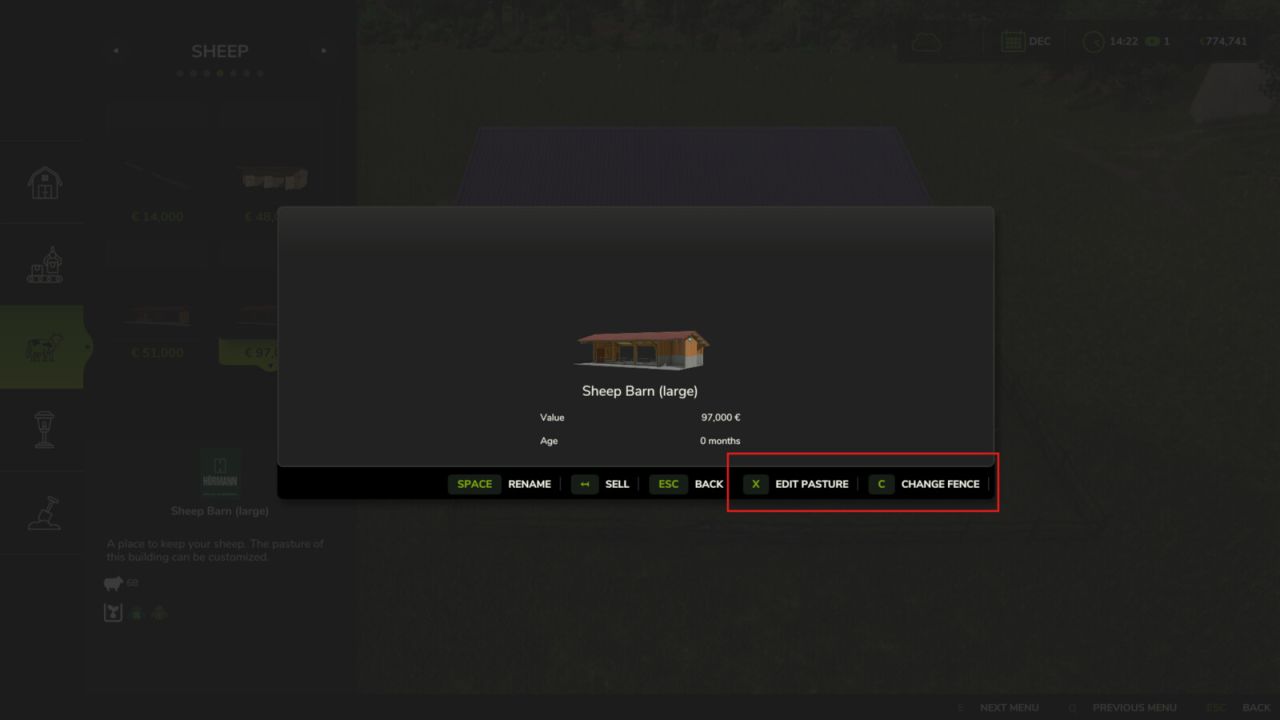
Husbandry Fence Manager V1.0.0.0 Singleplayer only! Choose your style and build animal pastures that fit your farm. Husbandry Fence Manager allows you to choose a compatible base-game fence for animal husbandries and edit their pastures after placement. The mod works with both new and existing husbandries. There is no need to sell or replace a husbandry to change its fence or adjust the pasture layout. Features: – Choose a fence from the Customize menu when placing a new husbandry – Browse compatible base-game fences in the graphical Fence Browser – Change the fence style of an existing husbandry – Edit, redraw and resize pastures after placement – Animal capacity changes according to the size of the pasture – Supports compatible base-game husbandries – Supports compatible mod husbandries that use the standard Farming Simulator 25 pasture fence system New husbandry: – Select a compatible animal husbandry from the construction menu – Open Customize and select Fence – Choose a fence style from the Fence Browser – Continue placing the husbandry and build the pasture using the normal in-game fence tools Existing husbandry: – Open the husbandry information window – Select Edit Pasture to redraw or resize the pasture using its current fence style – Select Change Fence to choose a different fence style before redrawing the pasture The size of the pasture determines how many animals the husbandry can hold. Enlarging the pasture increases its capacity, while making it smaller reduces it. Helpful tip: – Different fence styles use different segment lengths – If the fence does not connect correctly to the final anchor point, adjust or redraw only the last few fence sections until it connects – Some fence styles may fit certain husbandries and pasture layouts better than others Compatibility: Using Husbandry Fence Manager together with other mods that edit or rebuild pasture fences after placement is not recommended. Different editing and anchor systems may conflict and create incorrect fence layouts. The mod supports compatible base-game husbandries and mod husbandries that use the standard Farming Simulator 25 pasture fence system. Husbandries with fixed fences built directly into the building model cannot be edited. Only fence styles included in the base game are available in this release. Please note: Open gates do not allow animals to escape. Animal containment is handled by the husbandry system, so gates can be left open for vehicle access. Husbandry Fence Manager is currently singleplayer only. Multiplayer support is planned for a future update.
Storefront Stable Options For Husbandry V1.0.0.0
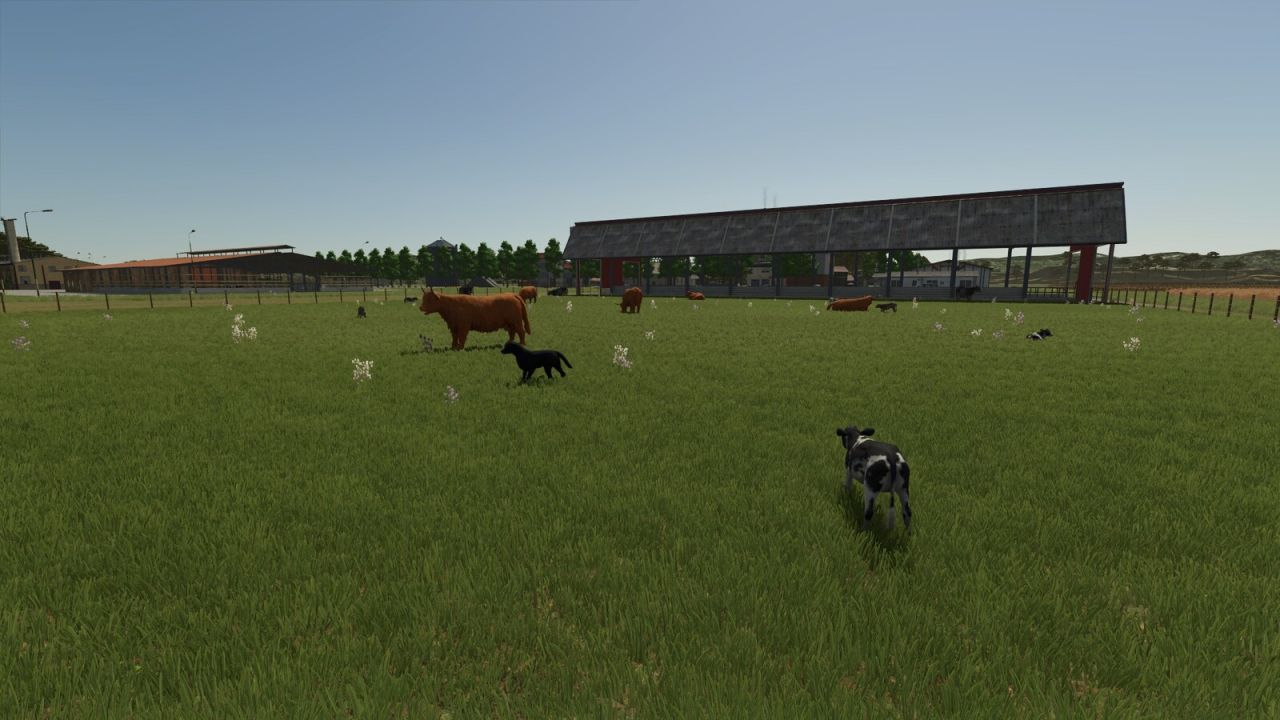
Storefront Stable Options For Husbandry V1.0.0.0 NEVER SUFFER RANDOM CALVES ON YOUR SHOWCASE PASTURE AGAIN! Tired of your animals shamelessly revealing their TRUE age out on the pasture? Not anymore! With Storefront Stable, YOU decide – per stall, per breed – exactly which growth stage gets shown off outside. 50% calves and 50% stately adults? Only the tiny ones? Make an entire breed invisible? All possible, all included! And the best part: breeding, aging, milk, wool and every other production, plus your real animal count, remain COMPLETELY UNTOUCHED. We only redecorate the shop window – the business running behind it stays exactly as it was. One exception in our lineup: horses. They look equally majestic at every age, so there is simply nothing left to redecorate. Not available in stores. Just open the animal screen at your stall, set the displayed breeds and growth stages, and you’re done. Works with the following animal species: Cows / Cattle Pigs Goats Sheep Chickens
Small Rescue Station V1.0.0.0
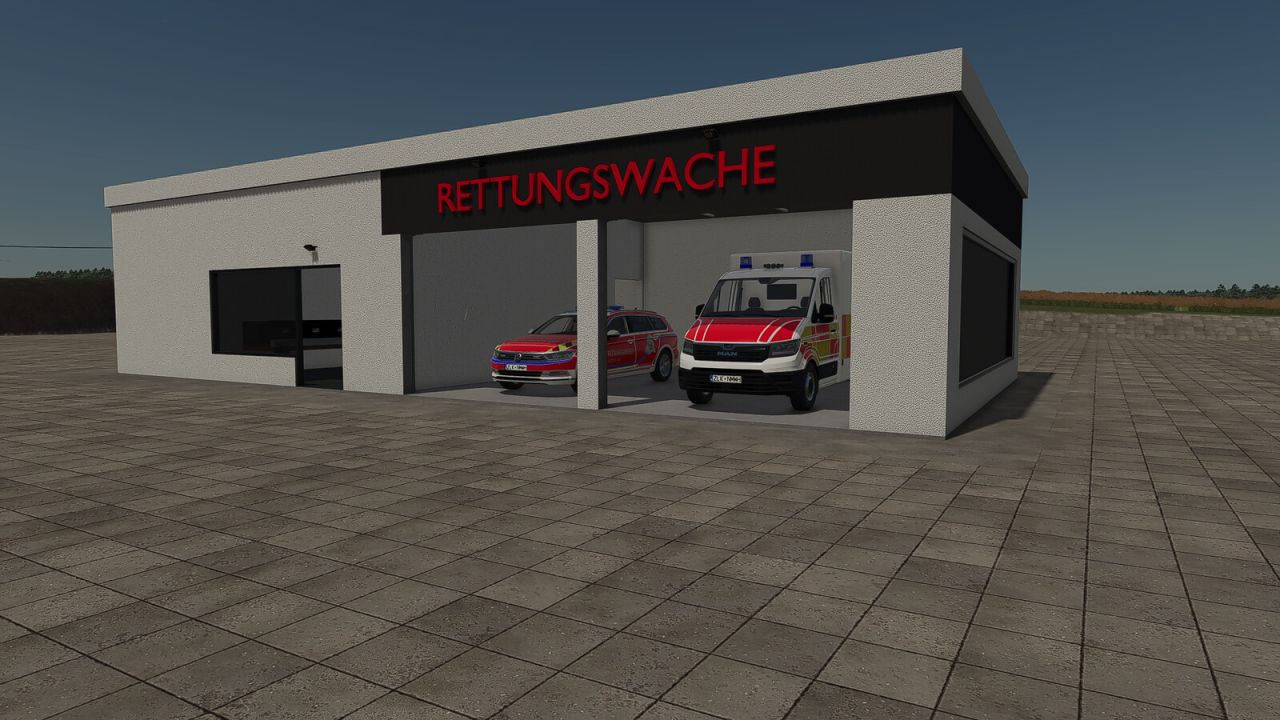
Small Rescue Station V1.0.0.0 Small Rescue Station: This compact rescue station is the perfect addition to small farms, villages and roleplay projects in Farming Simulator 25. Despite its space-saving design, the station features a fully accessible interior. The gates and doors can be opened, while the switchable lighting creates the perfect atmosphere for emergency operations at night. Whether used as a base for rescue vehicles, as part of a village or to expand a realistic emergency scenario, this small rescue station fits perfectly into a wide variety of game worlds. Category: hall Price: $400,000 Monthly maintenance costs: $40
Ornamental Pond V1.0.0.0
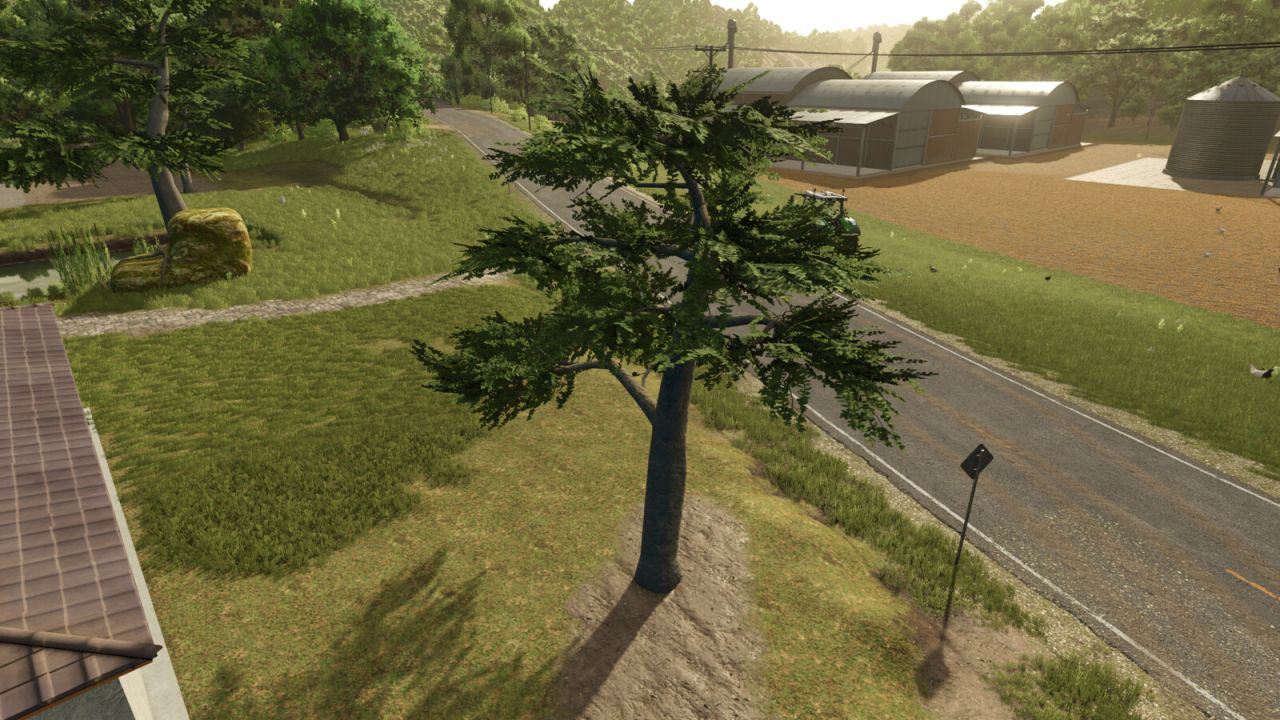
Ornamental Pond V1.0.0.0 Ornamental pond – a pond that adds more visual realism to your farm. Category: Decoration Pond price: 27,000 $ Tree price: 800 $
Helper Silage Compacting V1.0.0.0
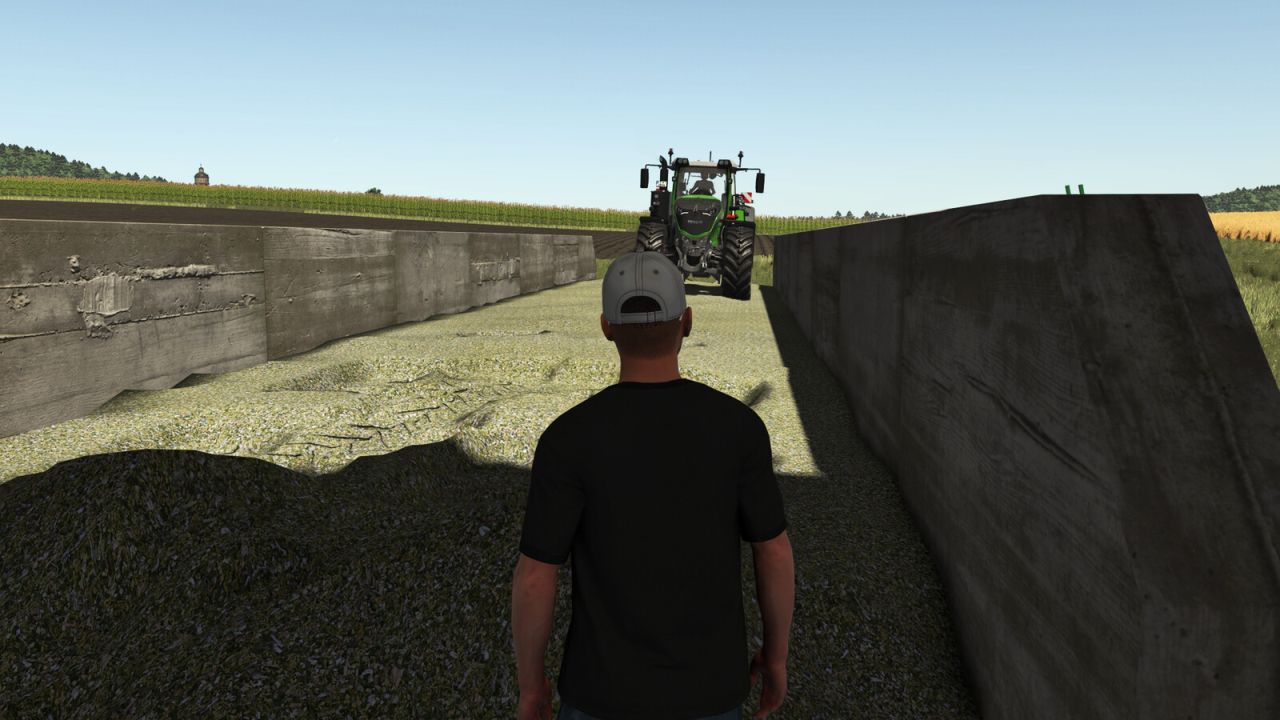
Helper Silage Compacting V1.0.0.0 Helper Silage Compacting uses the normal FS25 helper to compact silage in a bunker silo with a tractor. Place a tractor without attached implements inside the bunker silo and press the normal Hire Worker key (default: H). The helper drives back and forth, shifts sideways between passes, waits when another vehicle is inside the silo, and keeps compacting until stopped or fully compacted. Only tractors are supported. Trailers, harvesters, foldable tools, covers, and tip/unload animations are not controlled by this mod. Visible tyre tracks are created by True AI Track when that mod is enabled.
- 15 per page
- 30 per page
- 45 per page
- 60 per page
-
See more per page
Bigger pages, fewer clicks - and no ads anywhere.
Go Pro