Farming Simulator 22 mods
50,377 results- 15 per page
- 30 per page
- 45 per page
- 60 per page
-
See more per page
Bigger pages, fewer clicks - and no ads anywhere.
Go Pro
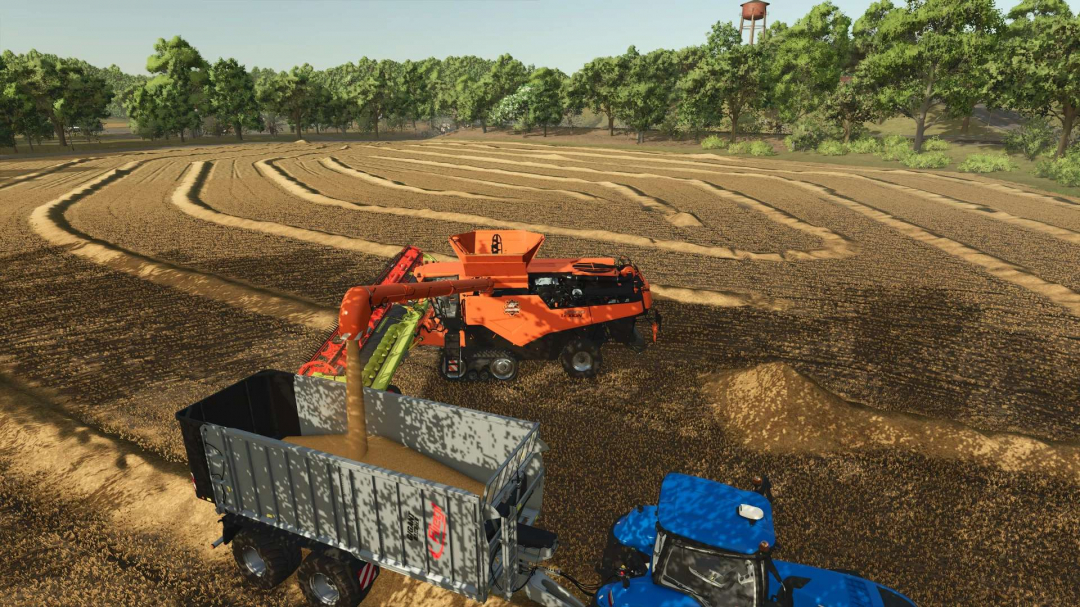
Claas Lexion 8000 – DF Industries Edition v1.0
An absolute masterpiece for large-scale operations is joining the DF Industries fleet! In close collaboration with the FBM team, an exclusive luxury thresher has been created that, on large fields (such as the NF Marsch), is not only a real showstopper visually but has also been technically optimized to handle the rigors of everyday use. A huge, heartfelt thank you and the utmost respect go out to Dolphin! The attention to detail here from the razor-sharp, glowing DF gear logo to the elegant leather seats in the cab is sure to make any modder’s heart race. Thank you so much for this amazing support and the brilliant design! Feature List & Highlights: Exclusive DF Industries Design: Eye-catching custom paint job in glowing orange. Premium Cab: Full-size, premium leather seats for maximum comfort during long harvest days. 3D Branding: Crystal-clear, mechanically engraved DF Industries gear logo on the side. Optimized for Large-Scale Operations: Customized settings for hopper volume and unloading speed, perfectly matched to DF trucks and trailers. 100% Error-Free: The log file is absolutely clean! Changelog v1.0.0.0 (Release): Initial release of the DF Industries Edition. Design: Custom paint job and visual cabin upgrade (leather seats) added by Dolphin. Logos: New, glowing DF Industries industrial logo integrated. XML Tuning: Capacities and throughput for large cards adjusted. Store: Custom store Icon with new logo and clean shop category added.
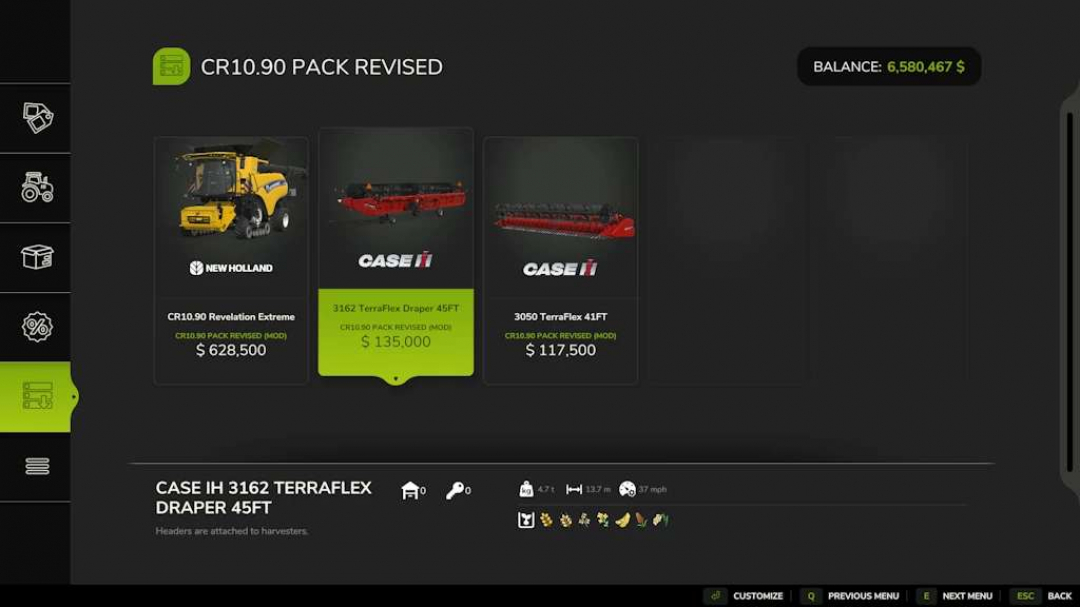
CR10.90 Pack Revised v1.7
New Holland CR10.90 Revelation Category: Harvesters Price: $628,500 Power: 700 hp Max. speed: 30 kph Capacity: 145,000, 1,450,000, 2,000,000New Holland Varifeed 41FT Category: Grain Headers Price: $117,500 Working width: 12m Working speed: 10 kphNew Holland 3162 Superflex Draper 45FT Category: Grain Headers Price: $135,000 Working width: 13.7m Working speed: 10 kphFree configs Increased harvest speed Increased harvester capacity and unloading speed New Holland and CaseIH Headers Added rust for wear shader Optimized the fileChangelog 1.7.0.0 Updated the mod description
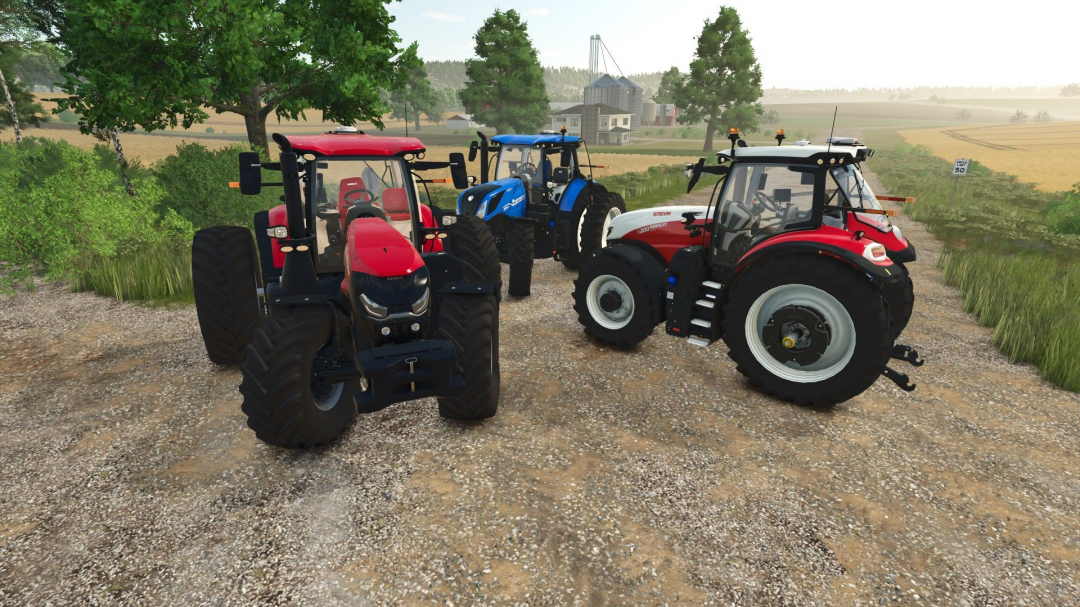

FS25 Speed Limitation With Cruise Control
FS25 Speed Limitation With Cruise Control Limits the vehicle’s maximum speed to the speed set on the cruise control. Useful when driving a tractor with a trailer alongside a forage harvester or for maintaining a low, constant speed without keeping the engine at high RPM.

FS25 DLSS MFG 5X / 6X Unlocker
FS25 DLSS MFG 5X / 6X Unlocker FS25 DLSS MFG 5X / 6X Unlocker is a tool that adds the ability to select DLSS Multi Frame Generation 5X and 6X directly in the graphics settings of Farming Simulator 25. The program supports GeForce RTX 40 and RTX 50 Series cards. It also allows you to unlock the FPS cap by automatically enabling FS25 developer controls. KEY FEATURES • DLSS Multi Frame Generation 5X and 6X directly in the game settings • Native RTX 50 Series support • RTX 40 Series support using the additional Ada MFG Helper • FPS cap unlock • Automatic detection of Farming Simulator 25 installation • Automatic detection of game.xml file • Automatic detection of NVIDIA graphics card • Automatic detection of game version • Automatic backup creation • Restore Original feature allowing you to restore original files • Standalone program for Windows, no installation required SUPPORTED FS25 VERSIONS • 1.19.0.0 – tested • 1.20.0.0 – supported • 1.21.0.0 – supported The program also has a mechanism for checking compatibility with newer versions of Farming Simulator 25. INSTALLATION 1. Download and run FS25_MFG_Unlocker.exe 2. Verify that the program has correctly detected the FS25 installation and game.xml. 3. Click ENABLE 5X / 6X + FPS UNLOCK. 4. Launch Farming Simulator 25. 5. Go to graphics settings. 6. In the DLSS Frame Generation setting, select 5X or 6X. After applying the mod, the following options are available in the game: OFF, 2X, 3X, 4X, 5X, 6X RTX 50 SERIES GeForce RTX 50 Series cards have native NVIDIA Multi Frame Generation support. No additional helper installation is required. Simply apply the mod and select 5X or 6X in the game settings. RTX 40 SERIES For GeForce RTX 40 Series cards, additional Native DLSS Multi Frame Generation for Ada GPUs is required: https://www.nexusmods.com/site/mods/2038 The files for this project are NOT included or redistributed with my program. Once the RTX 40 card is detected, the program allows you to open the original mod page and automatically install the previously downloaded file or archive. RTX 20 / 30 SERIES RTX 20 and RTX 30 Series cards are not supported because they do not support NVIDIA DLSS Frame Generation / Multi Frame Generation. FPS UNLOCK The program automatically modifies the appropriate settings in game.xml and enables Farming Simulator 25 developer controls. This allows the game to run above the standard FPS limit. The original game.xml is automatically saved before making changes. BACKUPS AND RESTORE The program automatically creates file backups before making changes. The Restore Original function allows you to restore the original FarmingSimulator2025Game.exe and game.xml. If the program installed Ada MFG Helper for RTX 40, it can also restore the state before its installation. FARMING SIMULATOR 25 UPDATES Updating Farming Simulator 25 may restore the original game executable, thus removing 5X/6X support. In this case, simply run the latest version of the unlocker again. If an update significantly modifies a game file, the program may detect an unknown version and offer an experimental attempt to apply the modification. A copy of the original file is always created before this operation. IMPORTANT The program does not contain or distribute modified files belonging to GIANTS Software. The modification is performed locally on files located on the user’s computer. NVIDIA Profile Inspector is not required for normal use of the unlocker. SOURCE CODE The project is fully open source: https://github.com/Bartek16194/FS25-MFG-5X6X-Unlocker Issues and new, unsupported versions of FS25 can be reported here: https://github.com/Bartek16194/FS25-MFG-5X6X-Unlocker/issues Author: Bartek16194


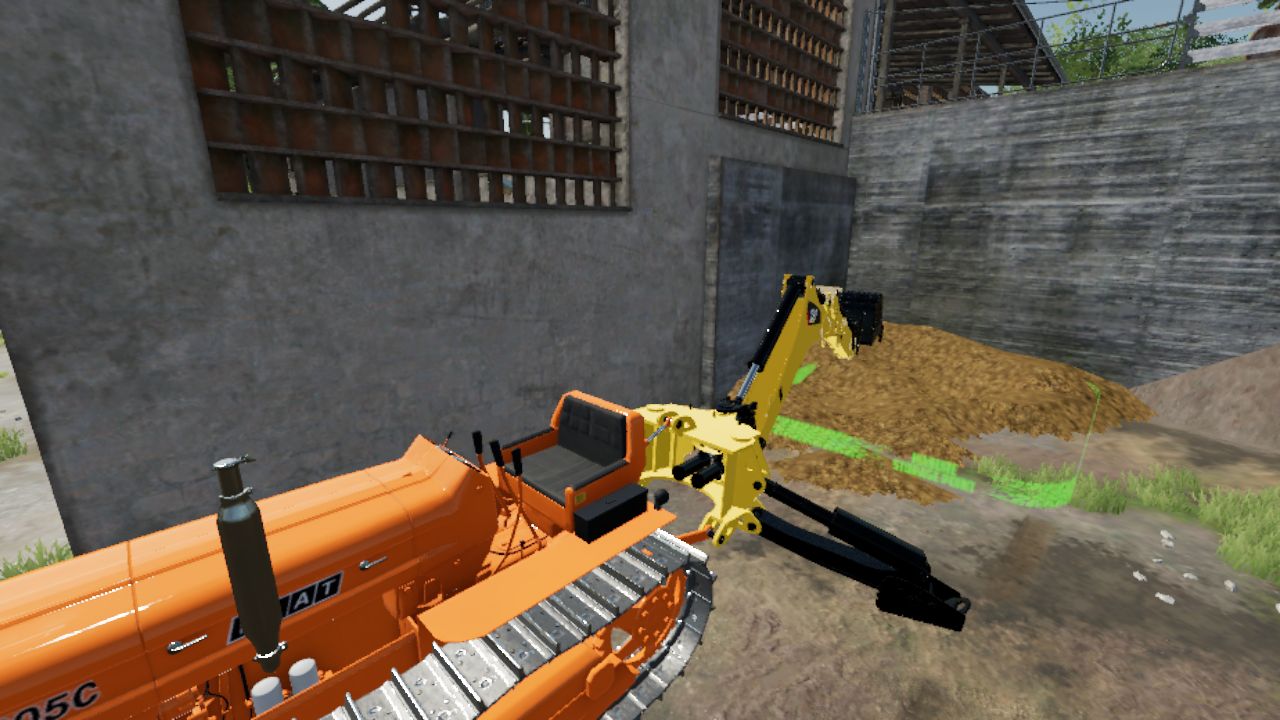
CAT Backhoe FS22
I converted this excavator from FS19 to FS22 because I couldn't find a decent excavator to use behind a tractor. ⚠️⚠️⚠️I DID NOT CREATE THE MOD, I ONLY CONVERTED IT FOR FS22⚠️⚠️⚠️ Features: Price: 7,000 Bucket capacity: 1300

Realistic Graphics Preset By GUSTAVO GATI V1.0
Hey, King Mods community! I present my Graphics Preset for Farming Simulator 22, developed to completely transform the game’s lighting and colors, bringing the realism you can see in these photos. Graphics Preset Highlights Natural Lighting: Advanced contrast and exposure adjustments to simulate real sunlight, removing the “washed-out” and grayish appearance of the base game. Vibrant and Authentic Colors: The shades of green in the vegetation, the soil, and the colors of the machines (such as the green and yellow of this John Deere) become much more vivid and true to life. Enhanced Shading: Improved ambient occlusion and contrast, deepening the shadows on vehicle parts, the cab, and the implements. Extra Sharpness: Texture details and metallic reflections become much more defined and sharper on screen. (How to Install) Make sure you have ReShade (or the equivalent program you are using) installed in your Farming Simulator 22. Download the preset file and place it in the root folder of your game. Open the ReShade menu in-game and select the preset. This Is Only the First Version of This Preset Credits: Gustavo Gati 5/5 - (2 votes) Download mod File File size Preset REALISTA V1 By GUSTAVO GATI 14 KB

FS25 Reshade with DLSS5
FS25 Reshade with DLSS5 I’m releasing a personally made reshade that fits well with the new DLSS5 options. To get the same effect as in the photos, you need: – Download my reshade – Download the black light – Download the reshade application. I downloaded RHI in this case. Graphics settings: High, Ultra, Terrain I recommend brightness between 0.7-1.2 I’m uploading photos here that show the most important moments in the game, shadows, lighting, and so on. Reshade includes: – Game sharpening, which really gives a powerful effect – HDR and better shadows – Shadows on vegetation and infrastructure I don’t play on a powerful computer, but on a gaming laptop: RTX 4060, 8v RAM, I7 13Gen, 16GB RAM So, even though I’m using a laptop, the FPS stays between 60 and 100 FPS. I recommend In the Nvidia application, enable the smooth motion option, which will, so to speak, unlock the fps and make it easier and smoother to play on high and ultra settings.
Realistic Graphics Preset By GUSTAVO GATI FS22
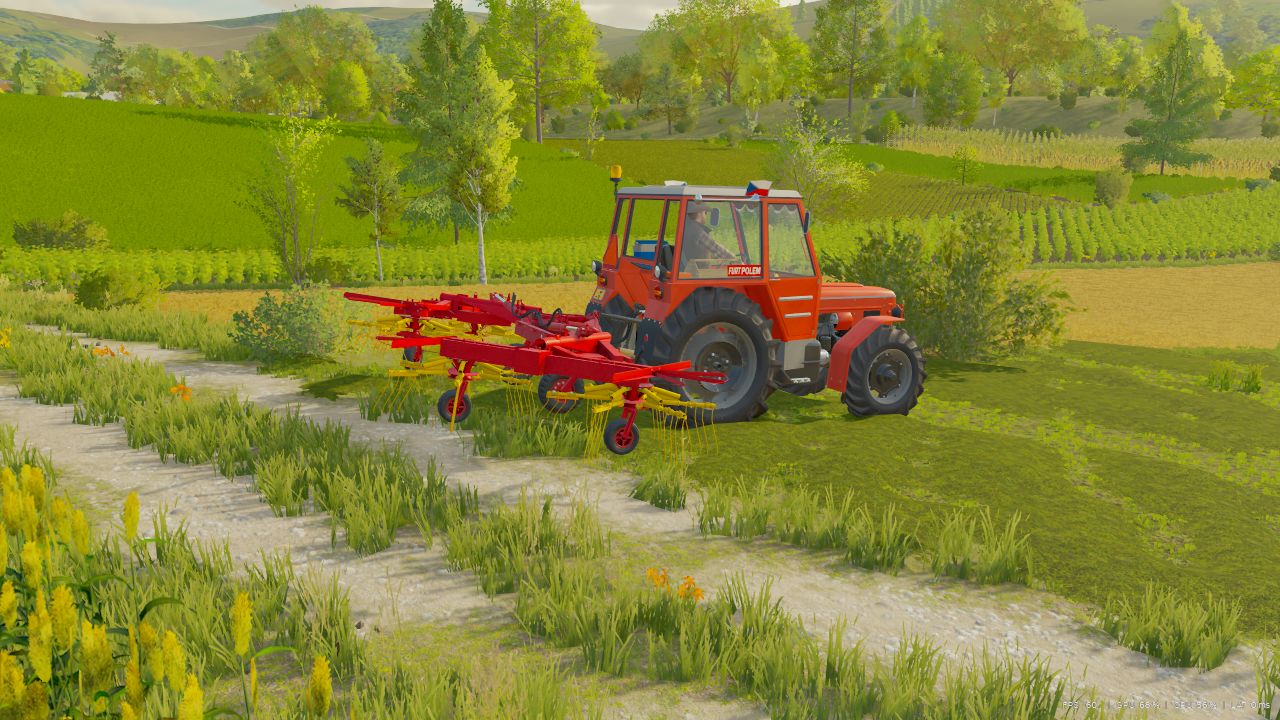
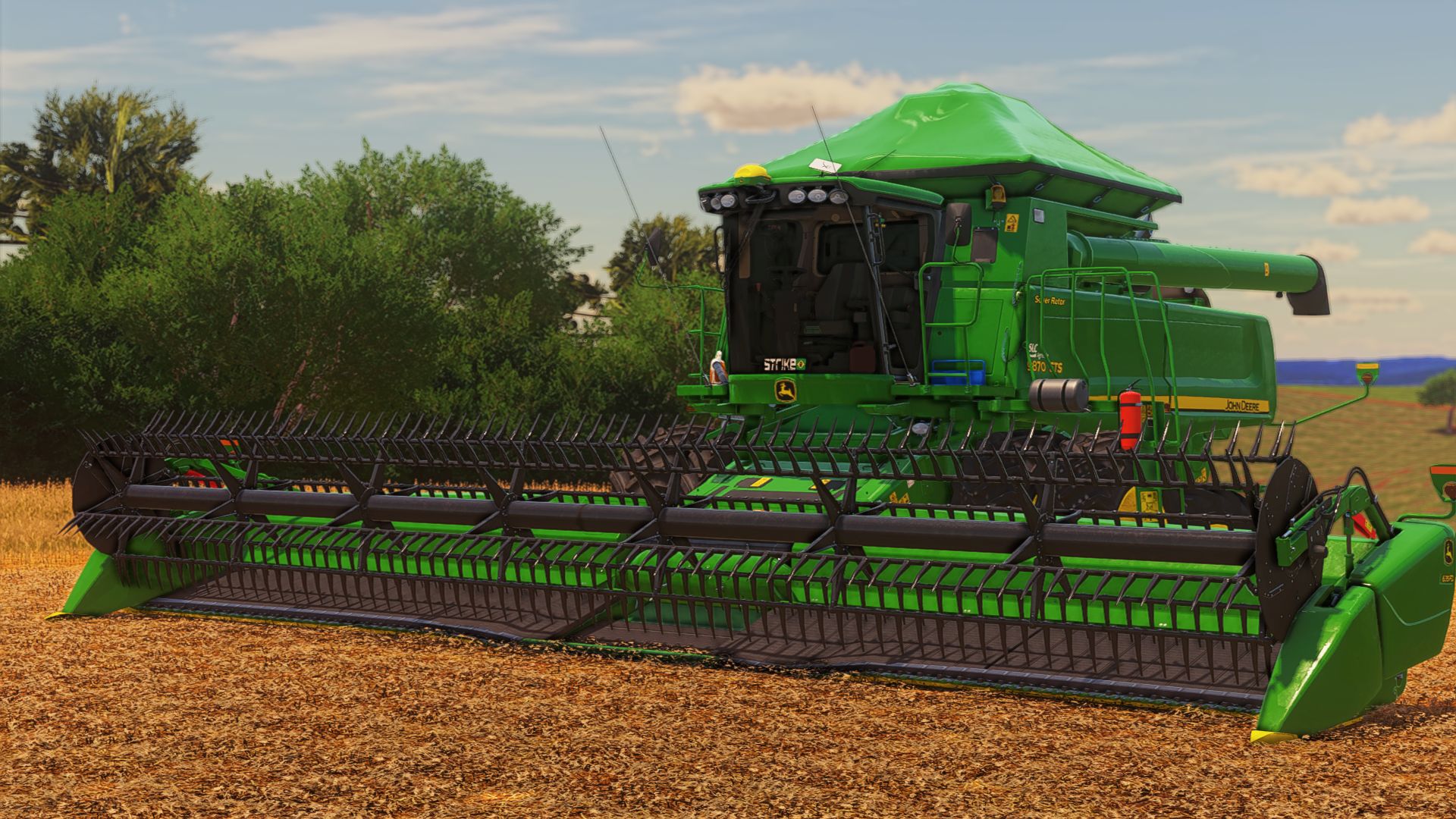
Hey, King Mods community! I present my Graphics Preset for Farming Simulator 22, developed to completely transform the game's lighting and colors, bringing the realism you can see in these photos. Graphics Preset Highlights Natural Lighting: Advanced contrast and exposure adjustments to simulate real sunlight, removing the "washed-out" and grayish appearance of the base game. Vibrant and Authentic Colors: The shades of green in the vegetation, the soil, and the colors of the machines (such as the green and yellow of this John Deere) become much more vivid and true to life. Enhanced Shading: Improved ambient occlusion and contrast, deepening the shadows on vehicle parts, the cab, and the implements. Extra Sharpness: Texture details and metallic reflections become much more defined and sharper on screen. (How to Install) Make sure you have ReShade (or the equivalent program you are using) installed in your Farming Simulator 22. Download the preset file and place it in the root folder of your game. Open the ReShade menu in-game and select the preset. This Is Only the First Version of This Preset Preset Made By (Gustavo Gati)
Script Sentry – Mod Conflict Notifications FS25
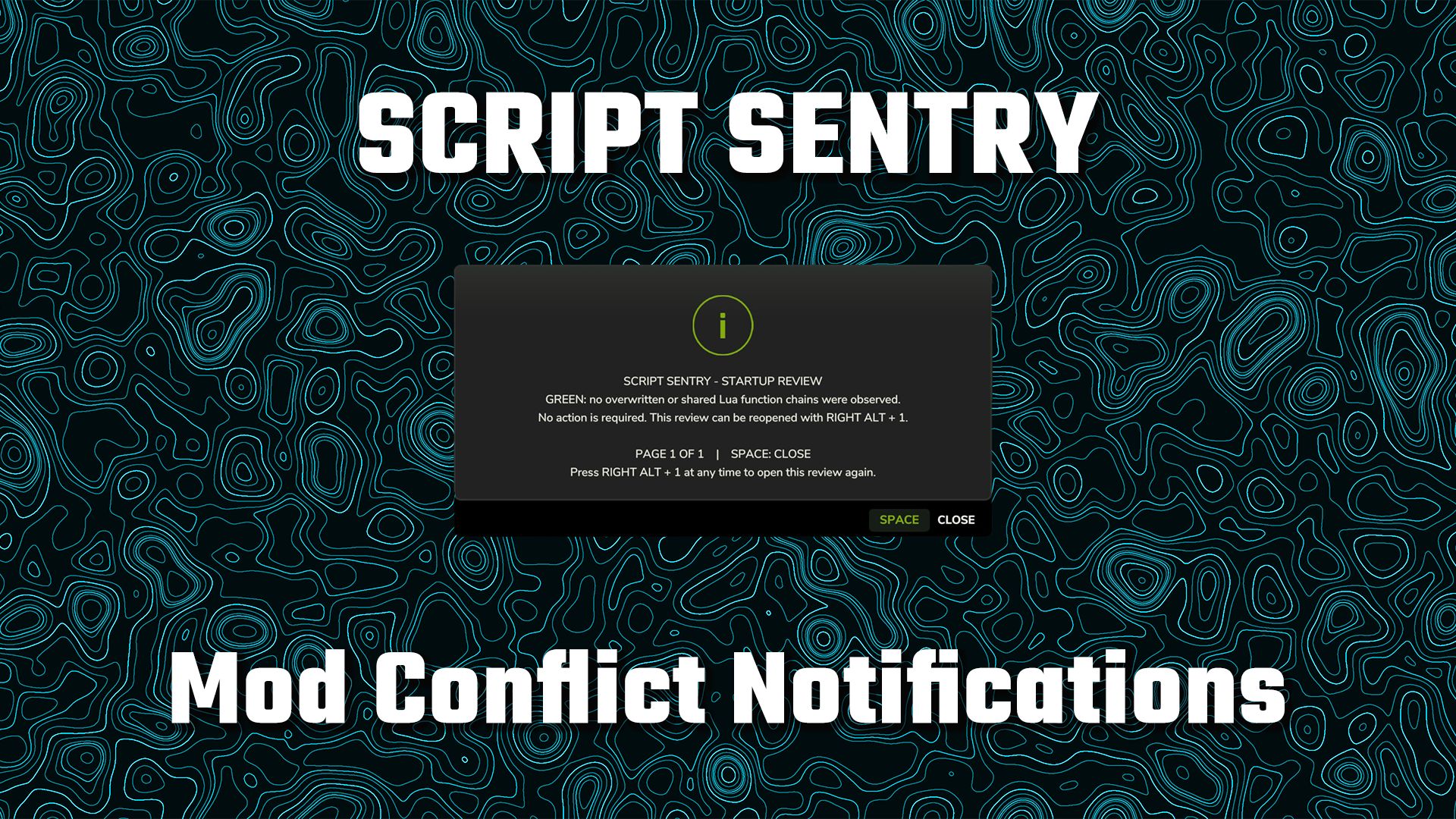
Script Sentry – FS25 Mod Conflict Notifications Have you ever installed a new mod and then discovered that another mod’s feature or control mysteriously stopped working? Script Sentry is a read-only diagnostic utility for Farming Simulator 25. It observes live Lua function chains during startup and provides an easy-to-read in-game review—no developer console or log reading required. How the review works GREEN: No broken function chains were found. AMBER: Multiple mods share a function, but the official function chain remains intact. No action is usually required unless a feature is missing. RED: A later mod replaced a function without preserving the previous implementation. Script Sentry identifies the mods involved, the affected function, and a recommended next step. The review opens shortly after gameplay begins and remains visible until you close it. Controls Space: Close the review. Right Alt + top-row 1: Reopen the review at any time. Longer reports are divided into numbered pages. Close the current page with Space and press Right Alt + 1 to open the next page. Script Sentry leaves no permanent icon, badge, or message covering the gameplay HUD. Features In-game startup review Detects observed Lua function-chain overlaps and replacements Names the mods and functions involved Separates intact shared chains from likely overwrites Native FS25 popup menu Review can be reopened whenever needed No developer console required No manual log reading required No savegame changes No keybinding-file changes No automatic conflict resolution No mod disabling or load-order changes No persistent gameplay HUD clutter Script Sentry is a notification and diagnostic tool. It is not a mod manager or generic log extractor. It reports what it observes and leaves every decision with the player.


- 15 per page
- 30 per page
- 45 per page
- 60 per page
-
See more per page
Bigger pages, fewer clicks - and no ads anywhere.
Go Pro