Farming Simulator 22 mods
50,366 results- 15 per page
- 30 per page
- 45 per page
- 60 per page
-
See more per page
Bigger pages, fewer clicks - and no ads anywhere.
Go Pro
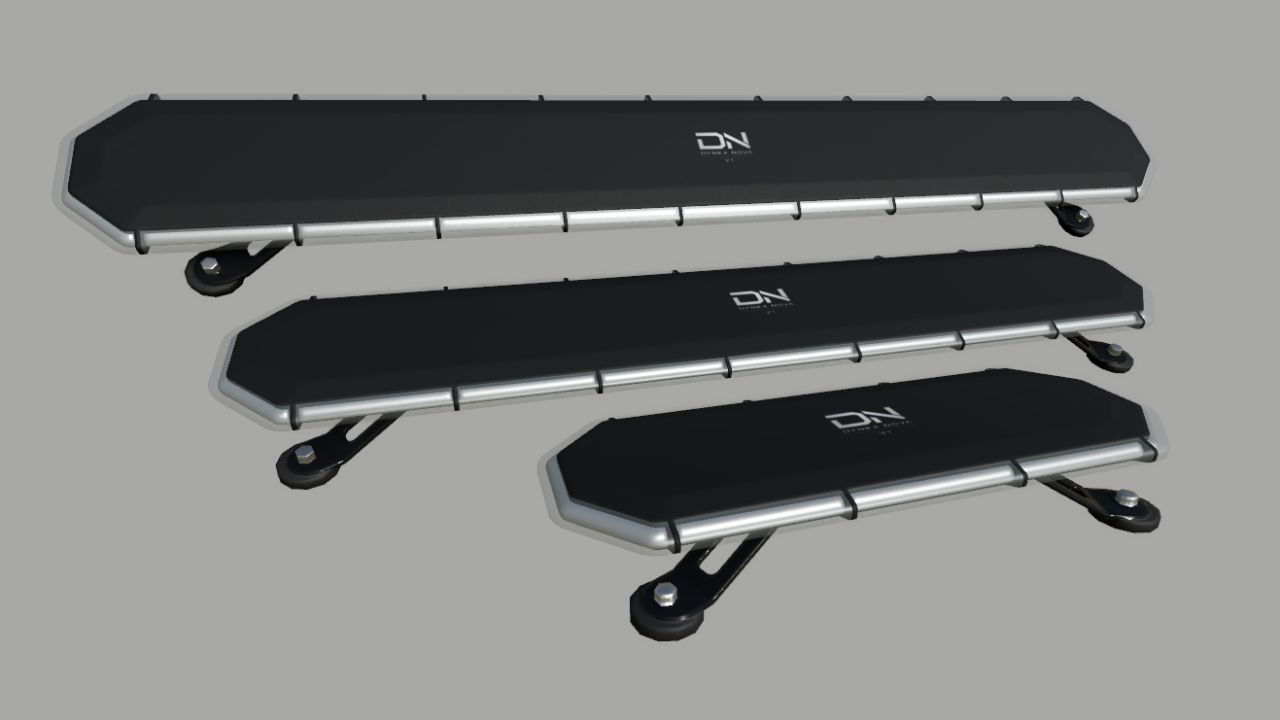
Dynex Nova V1 (Prefab) FS25
The Dynex Nova V1 is a modern and realistically designed LED strobe bar for Farming Simulator 25. It features a slim and robust design and is suitable for a wide range of vehicles and machinery. Three different sizes are included: - 631 mm - 1223 mm - 1519 mm The package also includes XML help files and a written installation guide. The guide explains step by step how to correctly install the strobe bar into your vehicle and set it up in the vehicle XML. Please read the included installation guide carefully before installing the strobe bar. Dynex Nova V1 – designed for Farming Simulator 25.
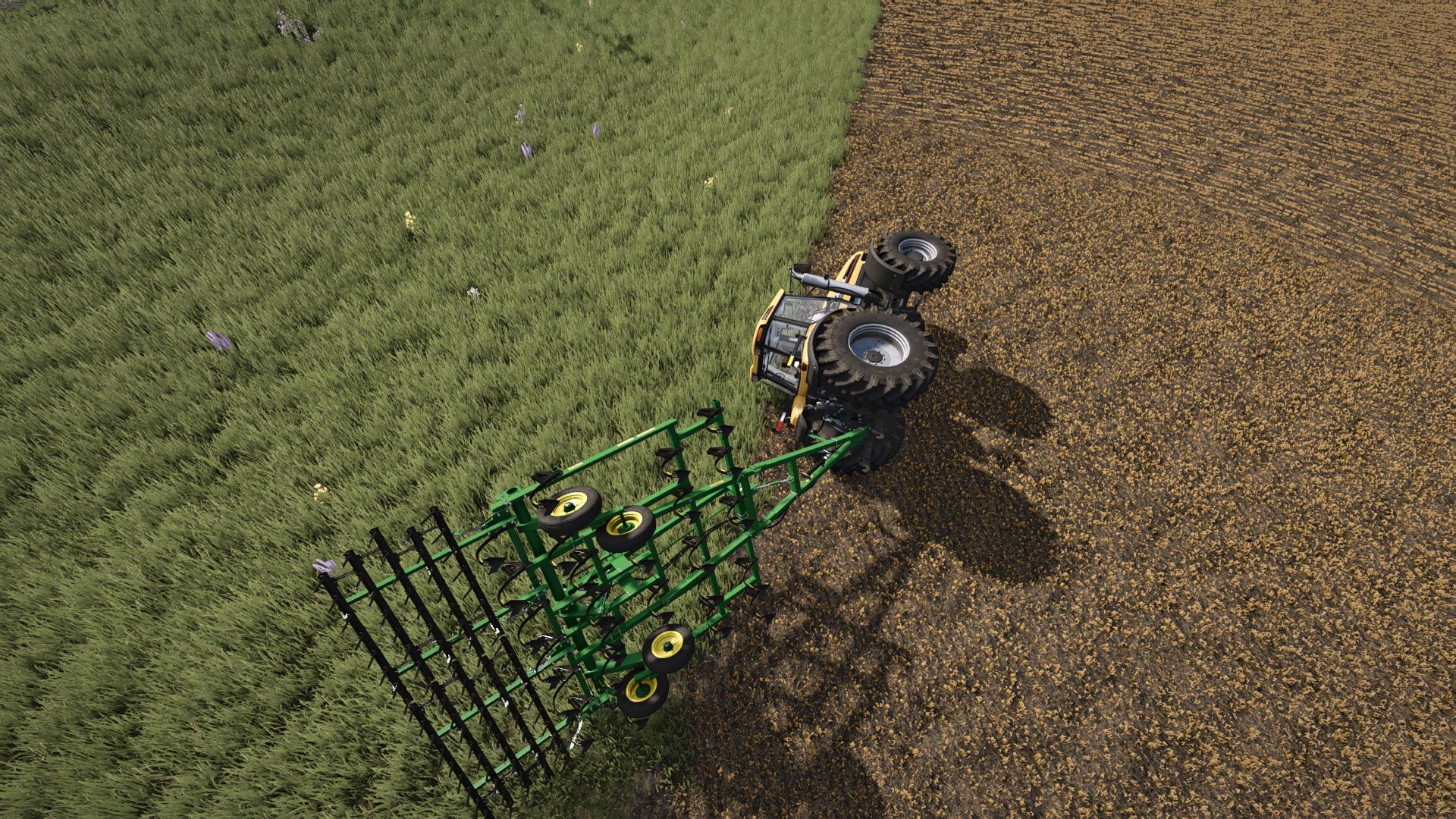
Vehicle Recovery FS25
Vehicle Recovery - allows you to remotely recover your equipment while on foot, without using the standard reset, which can lead to cargo loss or disruption of the attached combination. FEATURES: - Remote recovery of your own equipment. - Moving tractors, harvesters, trailers and implements together with the entire attached combination. - Preservation of attachments, configurations, fuel, contents and equipment condition. - Support for transported cargo: pallets, bales, logs, big bags and other objects. - Support for dynamically attached equipment, such as a header on a transport trailer. - Finding a suitable free space while taking the dimensions of the entire combination into account. - Recovery to the nearest AI road, the machinery shop or a created point. - Correct placement of equipment on bridges. - Recovery of equipment after falling into deep water. - Temporary blocking of equipment switching with "Tab" during recovery. - In-game notifications about the recovery result. - Recovery is completely free. CONTROLS: While on foot, press F9 to open the Vehicle Recovery menu. - Space - recover to the nearest suitable road. - C - recover to the machinery shop. - X - recover to the selected point. - Backspace - create or delete a point. - Esc - back. The F9 key can be changed in the game's standard control settings. NEAREST ROAD: - The mod searches for a suitable free space on the nearest AI road. - If the road crosses a bridge, the equipment is placed directly on the bridge surface. MACHINERY SHOP: - The standard equipment spawn zones on the map are used. - For long combinations, the mod may choose an additional free space to avoid intersections between equipment and cargo. TO POINT: - Allows you to choose the recovery point yourself. - The point is created at the player's current position and is used as the center for searching for free space. - The point is saved until the end of the game session. IMPORTANT: - Works only in single-player. - Recovery is available only while on foot. - To recover to a road, the map must contain functional AI splines. - To recover to the shop, a valid equipment spawn zone is required. - The root vehicle of the combination should be selected for recovery - usually a tractor or harvester. Trailers and implements are moved together with it. - Loose cargo that is not attached to a trailer usually remains in place. - A large amount of tightly packed cargo secured with tension belts may behave unstably after being moved. - The mod does not repair equipment or change its fuel, configurations or contents. - The standard destructive equipment reset is not used. - Very large or non-standard modded equipment may require a different recovery location. - Compatibility with cargo may depend on other mods that change autoloading, tension belts or object physics. The mod was tested with various types of equipment, trailers, implements and transported cargo. This is the first public version of the mod. When using large amounts of modded equipment, non-standard maps or third-party mods, individual compatibility issues may occur. If you encounter an error or unusual behavior, please report it and include the name of the equipment, map or mod where the problem occurred.
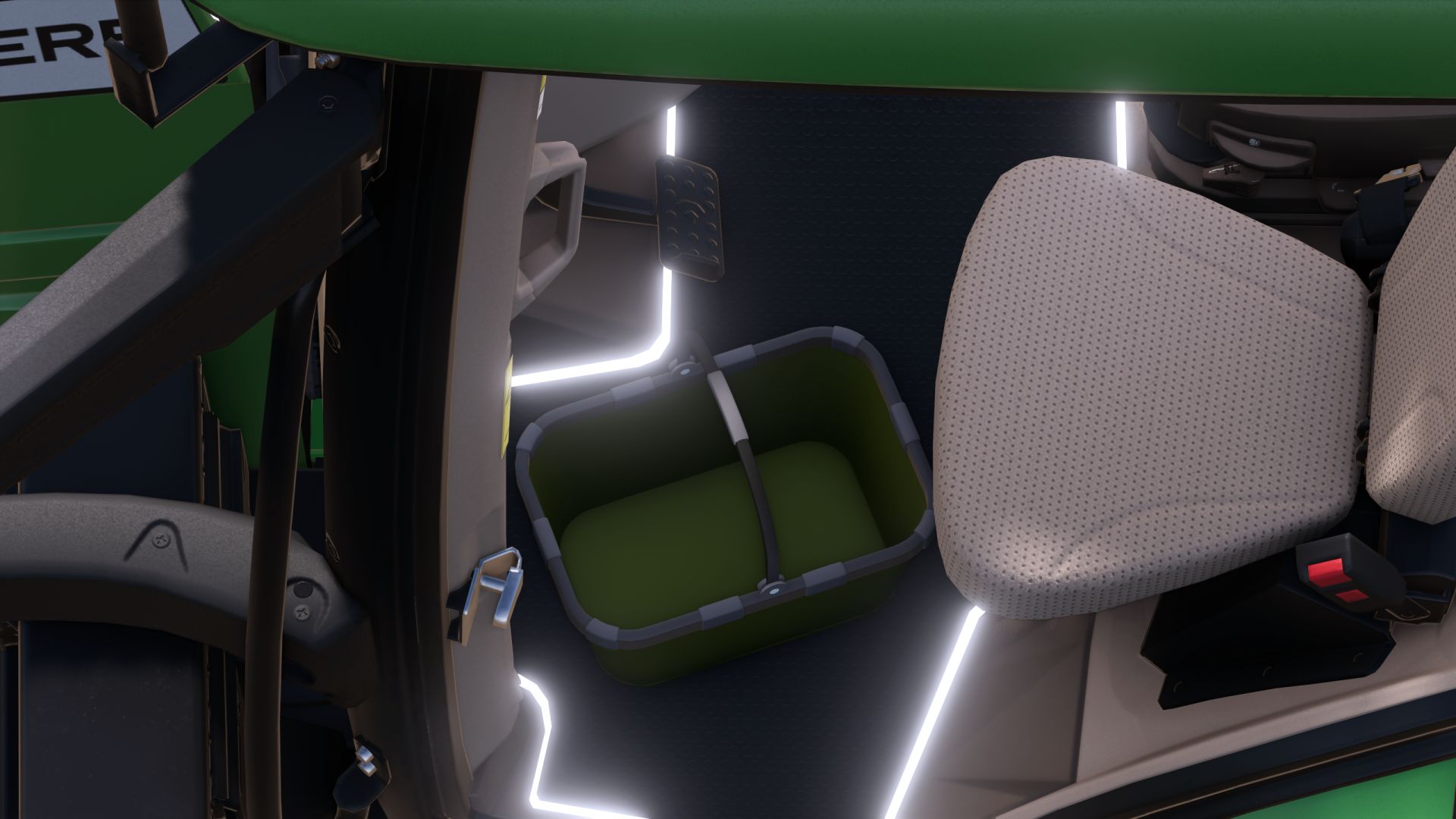
Basket Lohnerkorb (Prefab) FS25
This time, I’m offering a Lohner/shopping basket with the option to animate the handle as needed. You can also choose the suitable one from 2 variations. 2 New Variations of the Shopping Basket
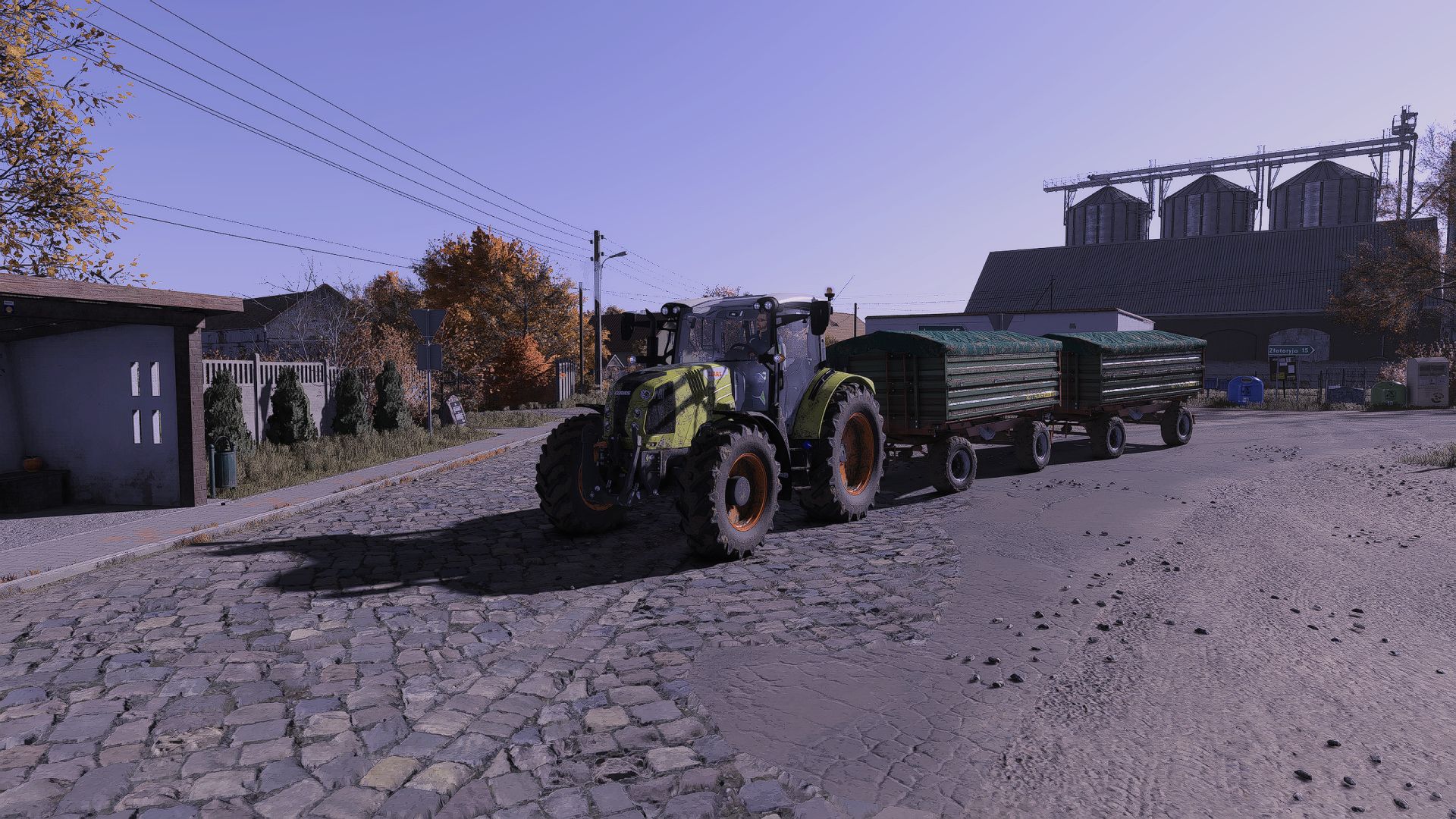
Shaders by Kaka537 FS25
Basically, I created a preset for myself and noticed it looked good, so I decided to release it. It might not for everyone, but I use it myself. Just a heads-up: the settings were for November at 12:00 when I took the screenshots, and looking at them now, they do actually look a bit different than in the game. How to install: To install and use the shaders, first scroll down and click the DOWNLOAD button. Once the .rar file downloads, extract it (using WinRAR is recommended); inside the extracted folder, locate the .ini file and place it in the `x64` folder found within the game's installation directory (the .rar file also contains lighting files and a ReShade folder—using them is recommended). Next, visit https://reshade.me and download the latest version. Install it, select FS25 and your preferred options, then click the "Finish" button.After launching the game, press the HOME key on your keyboard to bring up the ReShade menu, then select the installed preset "Kaka537Preset.rar". Now, all that's left is to enjoy the effects. -New better look -new better link (less ads) New, brighter colors that also look better in other months.
3D Attitude Compass FS25
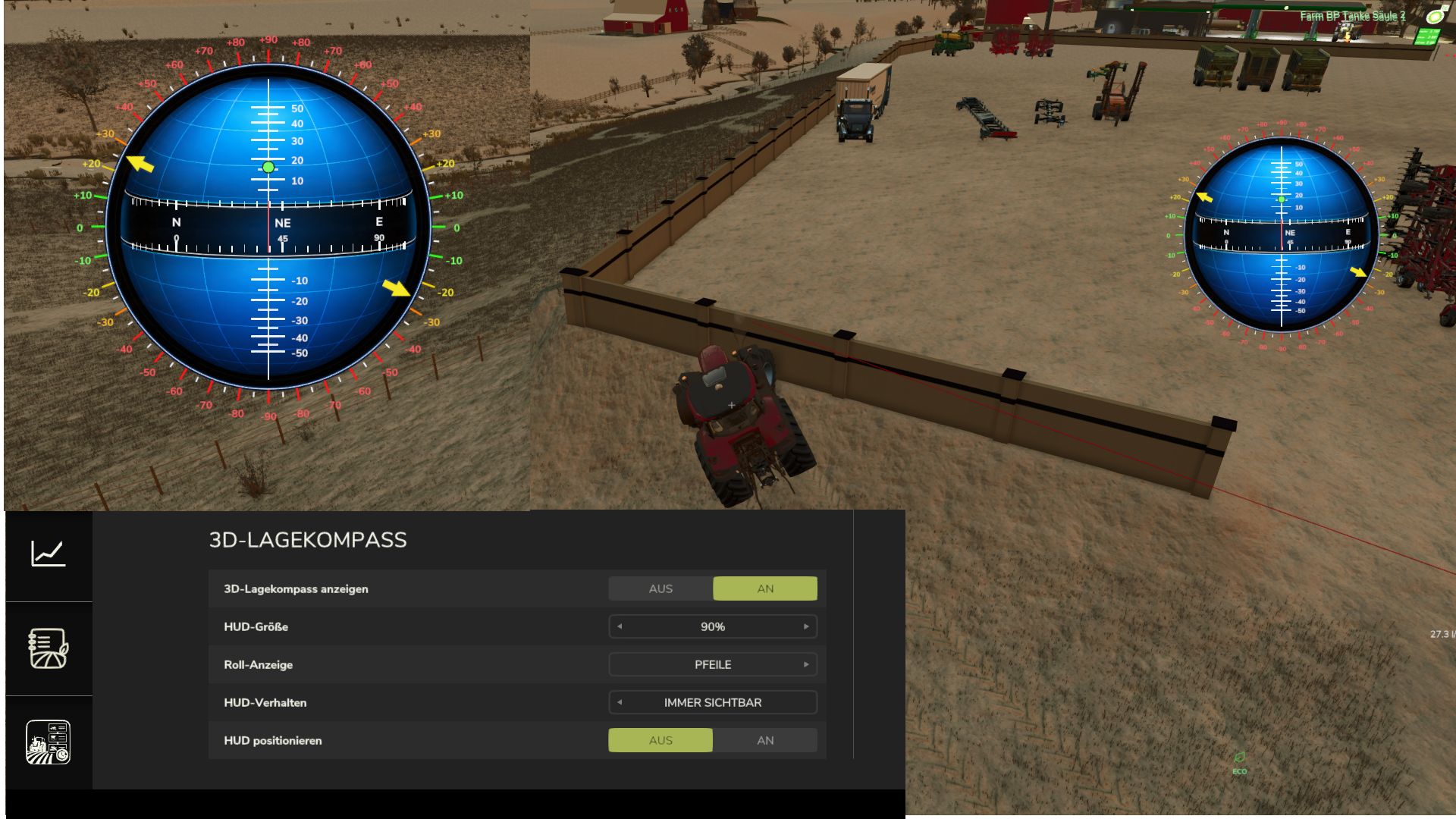
Displays all of a vehicle’s inclinations as a separate compass. The compass values are shown in the center, while the pitch angles up and down are displayed above and below the center, with positive angles above and negative angles below. The vehicle’s roll angle is displayed along the outer edges. The angles can be shown with arrows at the degree values or, alternatively, as dots. The compass can also be freely repositioned and scaled, and you can choose whether it is hidden together with the UserInterface Global or remains visible. All corresponding options are available in the settings. - while movable = camera lock disabled - movable on/off additionally assigned to Ctrl+0 visual fix compass display options selection: show compass every 15 degrees / every 45 degrees
Time Guard FS25
The economic-time bedrock of the Realistic Farming mod ecosystem. Time Guard is mod 5 in the load order. The economy mods each used to hand-roll their own day and month detector off the frame loop, only one respected the days-per-month setting, and their timing did not agree. Time Guard gives them one shared in-game calendar clock: it fires on the game's own day, month and year changes, normalizes the days-per-month setting in one place so a game month and a game year always carry the same economic weight on any save, and tells each companion mod exactly when to settle its money, once, at the right moment, even across a save and reload. It never moves money itself. It only schedules the cadence and hands each mod its own turn to pay or charge, server-side and once. There are no settings of its own to worry about. Install it, keep it loaded, and let the companion mods use it. This is a small under-the-hood fix for mods that rely on TimeGuard's scheduled events (things like recurring fees, contracts, or reports). It doesn't change anything you'll see directly in TimeGuard itself. What's changed: - A scheduled recurring event set up with a missing or incorrect timing setting could silently run every day instead of the monthly or yearly schedule it was meant to use. Events like that are now rejected outright instead of quietly running on the wrong schedule. If you use other Realistic Farming mods that depend on TimeGuard, they are already set up correctly and this fix does not change anything for you. No save migration needed. Reliability fixes for the shared timing service the suite runs on. What's fixed - No more duplicated hooks when a mission reloads - Fixed an interrupted setup retry so the service comes up cleanly No save migration needed. Existing saves load as normal.
AutoDrive Hawkeye Creek FS25
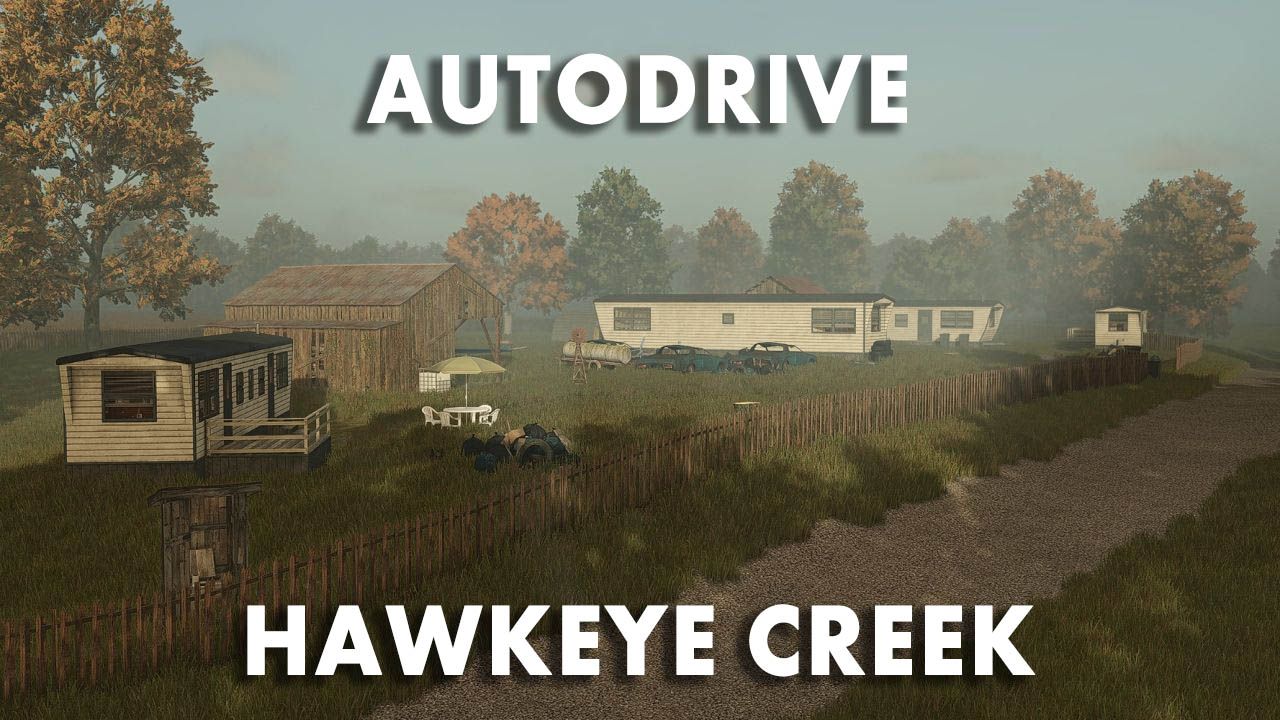
A full AutoDrive course for the Hawkeye Creek, Iowa map It's being constantly improved, of course. Everything has been mapped out
AutoDrive Bilk FS25
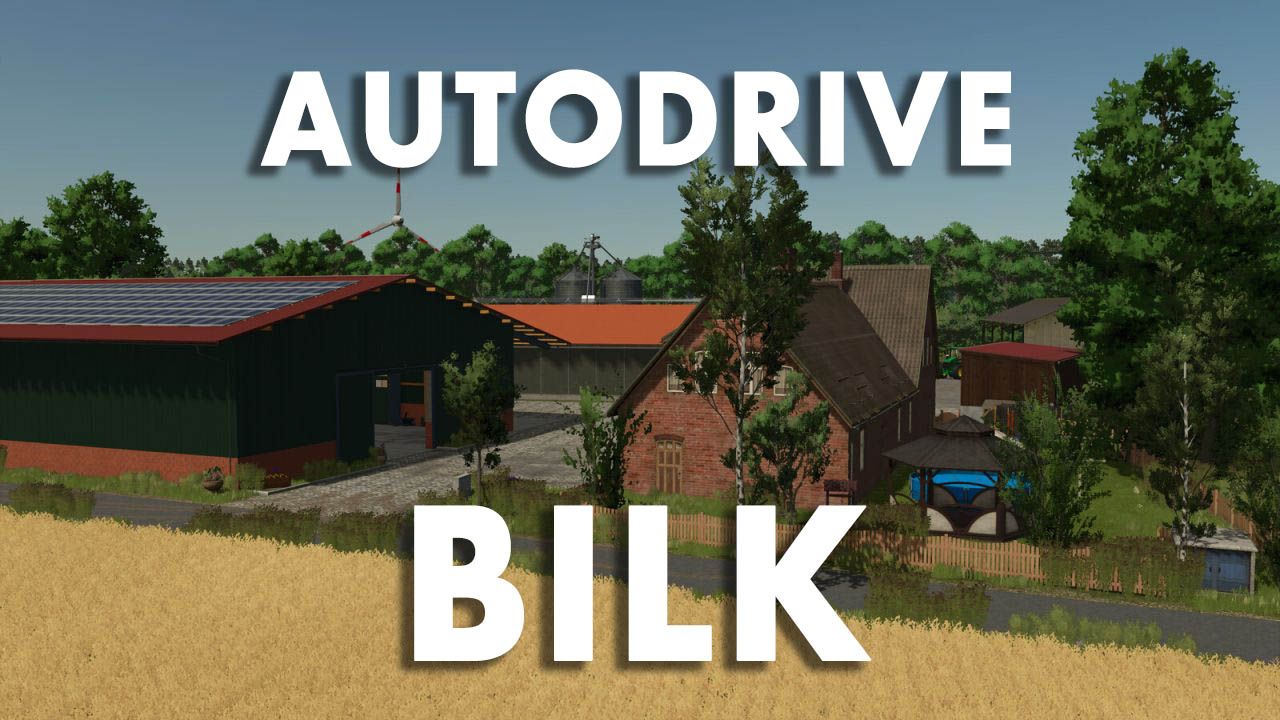
AutoDrive course for the "Bilk" map, completely self-driven and tested. Designed for larger tractor-trailer combinations like the Fendt 1052 + Fliegl ASW 391. Includes roads, field access points, production facilities, and points of sale. Enjoy! AutoDrive course for Bilk Good morning! Thank you for your interest in my AutoDrive course for the beautiful map "Bilk" . Having been able to use countless mods thanks to this website, it's now time to give something back. I personally drove the entire course myself and then tested it extensively. I used a Fendt 1052 tractor with a Fliegl ASW 391 as a reference vehicle . Why this particular combination? Quite simply: it's one of the tractor-trailer combinations I've used most frequently in my game and will likely use regularly on this map as well. At the same time, the size of the combination provides a good basis for creating sufficiently spacious routes even for larger machines. I can't recommend combine harvesters with dual wheels here, partly because I haven't tested that scenario. installation Copy the included .xmlfiles into the folder of the respective save game. Back up any existing AutoDrive configuration beforehand, just to be safe. Replace existing files if necessary. Start the game and drive off. The corresponding save game folder is usually located at: Dokumente\My Games\FarmingSimulator2025\savegameXX When creating a new game save, the automatic course creation feature of AutoDrive should not be used if this course is subsequently to be imported. Information on the route network When creating the course, I tried to keep as many different vehicle combinations in mind as possible. However, since my reference vehicle combination is relatively large, long, and wide, there are a few special considerations: Vehicle size and curves Some curves and field entrances are designed for my aforementioned vehicle combination and are therefore driven in with a correspondingly generous amount of clearance. With significantly smaller vehicles – for example, a compact tractor with a small cultivator – AutoDrive may take an unnecessarily large line. This is intentional and, conversely, ensures that larger vehicles can also navigate the route with minimal problems. Field entrances and field work I created the course the way I play myself: I let AutoDrive bring my vehicle combination to the respective field entrance, take over there myself, work the field and then reactivate AutoDrive on the road. Some field entrances are therefore designed as one-way streets . Therefore, my recommendation is: After working in the fields, drive back onto the road and only activate AutoDrive there. Sometimes the system gets a little confused, causing AutoDrive to pick the wrong waypoint. Try enabling developer mode and have a look around. Narrow field entrances Some field entrances on the Bilk are quite narrow. For larger vehicles, I've therefore sometimes set the target points so that the vehicle comes to a stop sideways or across the field. This is not a bug, but is intended to prevent AutoDrive from attempting to drive with a large trailer into areas where there simply isn't enough space. Several access roads to a field Many fields have two or even more possible access points. In most cases, I limited myself to what I considered the most conveniently located entrance. However, for some larger fields or special local conditions, I included additional access points. Some of these routes lead through forests or along smaller side roads. I found some of these access routes simply too beautiful or interesting not to include in the route network. Sales outlets and production facilities Space is also very limited at some retail outlets and production facilities. Where a safe automatic entry and exit with my reference vehicle combination was not practically possible, I therefore simply set a target point in front of or on the respective site. In some cases, the site must be exited in reverse after unloading. A biomass power plant is one example of this . With a smaller tractor-trailer combination – for example, a John Deere 6820 with a Kröger trailer of approximately 29 m³ – forward travel should be possible in some sections. However, I haven't created a separate course for smaller combinations. Course test After completion, I drove the route network again in detail. In doing so, I deliberately chose some rather unusual routes or routes that make little sense in normal gameplay, in order to test as many combinations of track sections as possible. The goal was, in particular, to find the following errors: unconnected points on the route incorrectly set directions of travel problematic intersections Collisions unfavorable curves Unattainable goals other errors in the route network As things stand, the network should be fully functional. Most traffic signs and similar objects on the map do not have collision detection. Therefore, I largely ignored them when entering the map and navigated the route accordingly. Should you nevertheless discover collisions, unconnected points, incorrect directions, problematic destinations or other errors , I would appreciate a constructive comment with the most precise possible indication of the affected area.
![[Blender Add-on] Texture-Bake-Machine FS25](https://www.kingmods.net/uploads/fs25/mods/blender-add-on-texture-bake-machine-fs25-ygrB4.jpg)
[Blender Add-on] Texture-Bake-Machine FS25
A Blender add-on for preparing and packing texture maps for GIANTS Farming Simulator 25 workflows. It combines recurring channel-packing and texture-atlas tasks in one compact Blender sidebar tool. Tested with Blender 4.0.2, 4.5.9 LTS, 5.1.2, and 5.2.1 LTS. Features -Building Shader mMask creation -Vehicle Shader vMask creation -Custom Specular channel packing -Automatic Ambient Occlusion baking -Texture Array | Atlas creation -Native Blender progress display -Automatic and custom PNG export names -English interface with German translation -Read-only detection of official GIANTS shader files -Channel packing -mMask and vMask -Red: Wear / Gloss -Green: Ambient Occlusion -Blue: Dirt Alpha: Optional additional channel -Custom Specular -Red: Gloss -Green: Ambient Occlusion -Blue: Metallic -Alpha: Not used Compatibility Tested with: Blender 4.0.2 Blender 4.5.9 LTS Blender 5.1.2 Blender 5.2.1 LTS Version 1.0.2 extends the FS25 Texture Bake Machine with the new "I3D Export" profile. BuildingShader, placeableShader, and vehicleShader are supported. For buildings, the "None" and "customParallax" variations are available. Existing mMask, Height, and vMask textures can be used to match the selected shader. Export is performed using the official GIANTS I3D Exporter. The texture atlas now supports two to four source textures. Textures 1 and 2 are required, while textures 3 and 4 can be enabled individually. The size of the generated atlas adjusts automatically. In addition, the German and English documentation and the accompanying images have been updated. The download archive now also includes both README files, the image folder, and the GPL 3.0 license. Here is the update and the fixes. Fix: Textures created via the add-on now have the correct color values. New: All "New" buttons have been corrected accordingly. New: The AO bake area indicates when Cycles needs to be activated. New: The most important AO bake settings, including Margin Type, are available directly in the add-on. New: "Save" has been changed to "Save Image". An asterisk (*) indicates unsaved changes. New: “BAKE AO” will only be released once an AO texture has been created or selected. New: AO is baked directly into the selected texture and its existing resolution. Improved: Newly created textures are more reliably enabled for Texture Paint. Have fun, new features are planned.

Crop Insurance FS25
Protect your crop investment with **Midwest Ag Insurance**, a dedicated crop insurance management system designed for realistic farm management. Midwest Ag Insurance brings policy management, covered-loss notifications, manual claim filing, claim review, and indemnity payouts into one streamlined system. There are 2 files when you click download now, one is the mod, the other is a pdf with instructions on policy purchasing and claim submission along with other policy information. --- ## 🚜 V1 Features - Crop insurance policies - 50%, 60%, 70%, and 80% coverage options - Coverage tied to the life of the current crop year - Policy countdown toward the start of the applicable crop's harvest season - **Hail coverage** - Covered-loss claim notifications - Manual claim submission through the **Submit Claim** wizard - Field selection and claim review - Claim determination and indemnity processing - Claim history - $500 minimum payout threshold - Coverage-specific indemnity factors - Dedicated **Midwest Ag Insurance** interface -Live insured value updating --- ## 📋 How to File a Claim When the system identifies a potential covered loss: **1. Claim Notification** The system notifies you that a claim may be available. **2. Submit Claim** Select **Submit Claim** to open the claim wizard. **3. Select the Field** Choose the field associated with the potential loss. **4. Review the Claim** Review the information presented by the claim wizard. **5. Submit** Submit the claim for processing. Approved claims are processed according to the policy's coverage and applicable V1 claim rules. --- ## 🌩️ V1 Covered Event ### **HAIL** Hail is the **only documented covered weather event in Version 1.0.0.0**. Future versions may expand the insurance system with additional loss events and more advanced claim calculations. --- ## 📊 Coverage Levels | Coverage | V1 Indemnity Factor | |---|---:| | 50% | 50% | | 60% | 60% | | 70% | 70% | | 80% | 80% | Coverage level and loss-event severity are separate components of the V1 claim calculation. --- ## 💰 Claim Processing Claims are **not automatically paid** when a covered event occurs. A covered event makes a potential loss **claim-eligible**. The player must submit the claim through the claim wizard before the claim can be reviewed and processed. Claims that fall below the **$500 minimum payout threshold** are denied. --- ## 🏢 Midwest Modding Studio **Midwest Ag Insurance** is a Midwest Modding Studio product and part of a broader agricultural management ecosystem for Farming Simulator. Version 1 focuses on providing a straightforward foundation for crop insurance while leaving room for future expansion. **MIDWEST MODDING STUDIO** *Agricultural Systems • Simulation • Technology* --- ## 📦 Version Information **Mod:** Midwest Ag Insurance **Studio:** Midwest Modding Studio **Game:** Farming Simulator 25 **Version:** 1.0.0.0 > **V1 is intentionally focused. Hail is the only documented covered weather event at release.** **There are a few known issues that are cosmetic and one gameplay issue. The cosmetic issue: when loading into your game, you open the insurance menu and all the text will be scrambled. Just exit the menu, then reopen and it will be fine. This will be addressed in a future update. Also, as of now it will allow you to purchase insurance on fields not owned by you, this will also be addressed in the next update.**
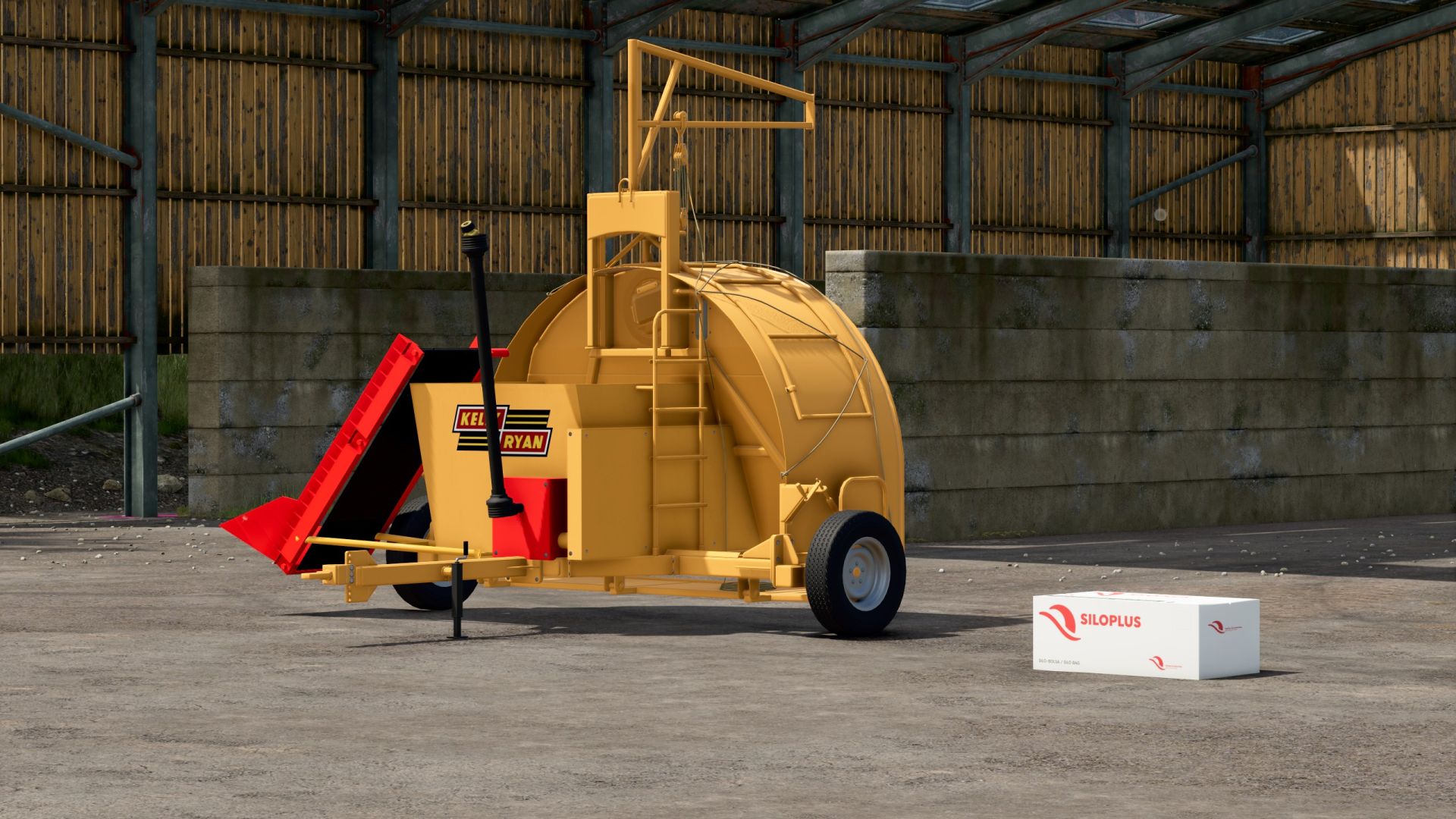
Kelly Ryan Silage Bagger FS25
Time for the yearly mod release, amirite? Exactly as it appears, the Grazmec bagger by Connect Modding adapted into a silage bagger. All credit goes to the Connect Modding crew for the fantastic work of making the bagger work realistically. Be sure to support them by downloading the Grazmec pack from the ModHub! I reworked the bagger unit to resemble a bagger used for silage products. Nothing realistic, but if you want perfection, go subscribe to a Patreon. Converts a variety of inputs into silage, and corn and soybeans into mineral_feed. There’s a filltypes.xml in the mod containing the list of conversions; add your own or edit it to suit your play style. Unhook the bagger from the bag, then use a bucket (a shovel for some of you) near the end of the bag, and it will magically fill. Beats using the extractor.
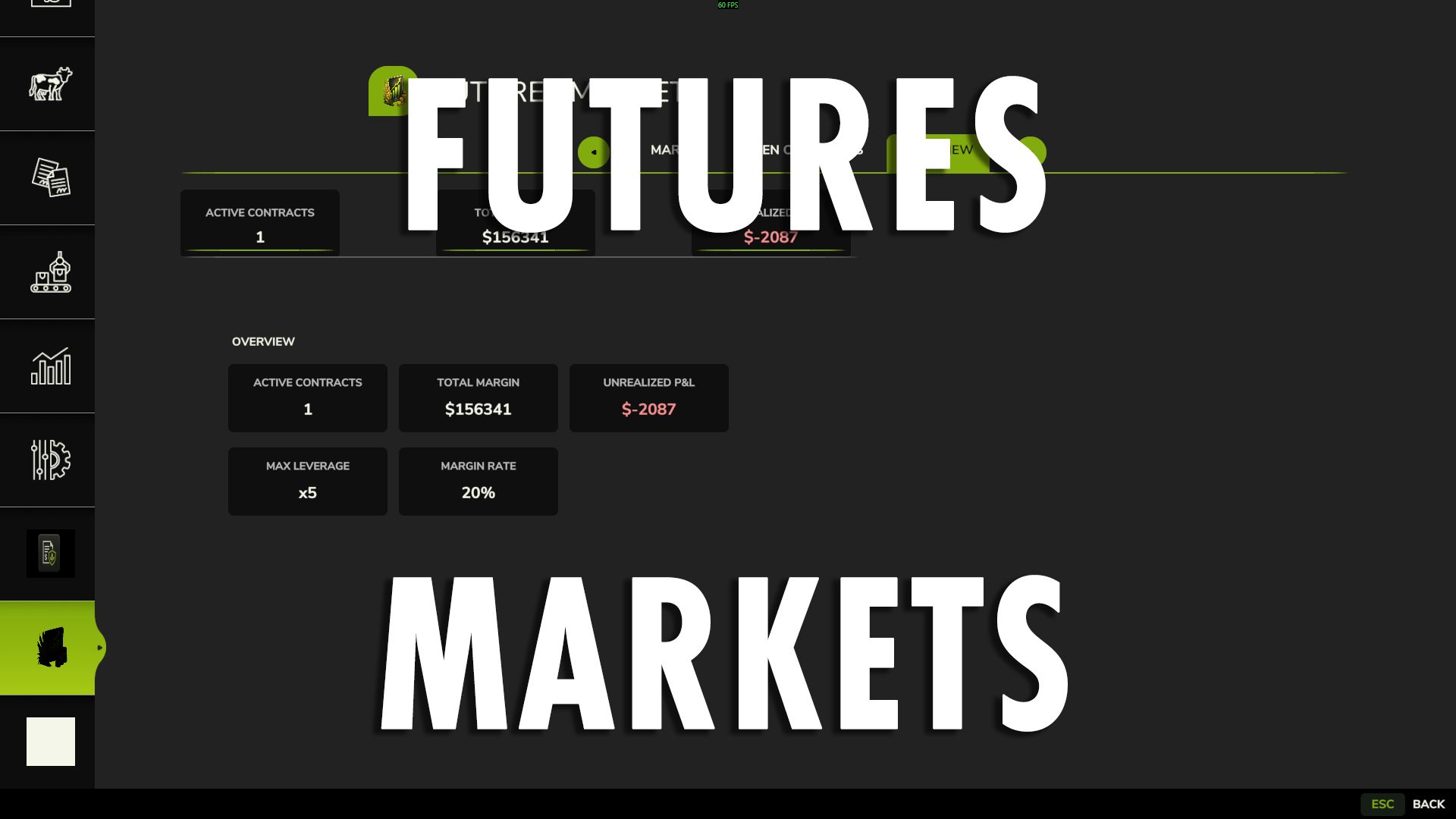
FUTURES MARKET FS25
Bring commodity futures trading directly to your farm with Futures Market, a fully integrated financial trading system built for Farming Simulator 25. Futures Market lets you trade simulated commodity contracts directly through the game's native interface. Take LONG or SHORT positions, use leverage, manage margin and unrealized P&L, and let contracts settle automatically at the end of their term. This is financial futures trading, not a physical delivery or crop-sales contract. Your crops remain yours to grow, harvest, store, and sell normally. ## 📈 WHAT IT DOES Futures Market creates a simulated commodity market where tracked products continuously fluctuate in price. Use the market to: • Speculate on commodity price movements • Take LONG positions when expecting prices to rise • Take SHORT positions when expecting prices to fall • Use futures as a hedge against physical crop price risk • Manage leveraged positions through a margin system • Monitor open contracts and unrealized P&L • Close positions early or allow them to settle automatically ## 🌽 DYNAMIC COMMODITY MARKET The market is designed to dynamically discover producible fill types rather than relying on a fixed list of supported crops. This allows the market to work with the commodities available in your game and map environment instead of requiring every product to be manually added to the mod. ## 💰 MARGIN & LEVERAGE Futures Market uses a 20% margin system and supports leverage of up to 5×. You are not paying the full notional value of the position when opening a contract. Instead, the required margin is committed against the position. Leverage increases your market exposure, but it also increases the impact of price movement on your position. ## ↕️ LONG & SHORT LONG Take a LONG position when you expect the commodity price to increase. If the market rises, the position gains value. If the market falls, the position loses value. SHORT Take a SHORT position when you expect the commodity price to decrease. If the market falls, the position gains value. If the market rises, the position loses value. SHORT positions can also be used to hedge physical production against falling commodity prices. ## 🌾 USING FUTURES TO HEDGE Futures Market can be used alongside normal farming operations. For example: You expect to harvest a large corn crop later in the season, but you're concerned that corn prices could fall before you sell it. You can open a SHORT corn futures position. Your physical corn is still harvested and sold normally. The futures position exists separately and produces a financial gain or loss based on the simulated market movement. The goal of the hedge is to offset some of the financial impact of a declining commodity price. No physical crop is delivered through the futures contract. ## ⚠️ MARGIN CALLS Positions are monitored against their available margin. If a position moves too far against the account, the margin system can trigger an automatic force-close. Leverage can increase potential gains, but it also increases potential losses. ## 📅 CONTRACT TERMS & SETTLEMENT Every contract has a defined term. At the end of the contract term, the position automatically settles. You can also close an open position manually before the contract reaches its expiration. ## 🖥️ NATIVE GIANTS UI Futures Market is integrated directly into the game's native menu system. The dedicated Futures Market interface includes: MARKET • Live commodity prices • Market movement • Available commodities OPEN CONTRACTS • Active positions • Direction • Quantity • Leverage • Margin • Unrealized P&L • Contract expiration OVERVIEW • Active contracts • Total margin • Unrealized P&L A guided order wizard walks you through: Direction → Commodity → Size & Leverage → Review & Confirm No external applications or tools are required. ## 🌐 MULTIPLAYER & DEDICATED SERVER Futures Market is designed for multiplayer and dedicated-server environments. Trading actions are server-authoritative, including opening and closing positions, keeping shared-farm trading synchronized between players. ## 💾 SAVEGAME PERSISTENCE Open futures positions are saved with the game. Your contracts, trading information, and active positions survive a save and reload. ## 📊 IMPORTANT TO UNDERSTAND Futures Market is a simulated financial market inside Farming Simulator 25. It is not connected to the real Chicago Board of Trade, CME, or any external financial market. Contracts do not represent physical crop deliveries. Your normal farming operation remains completely separate from your futures positions.

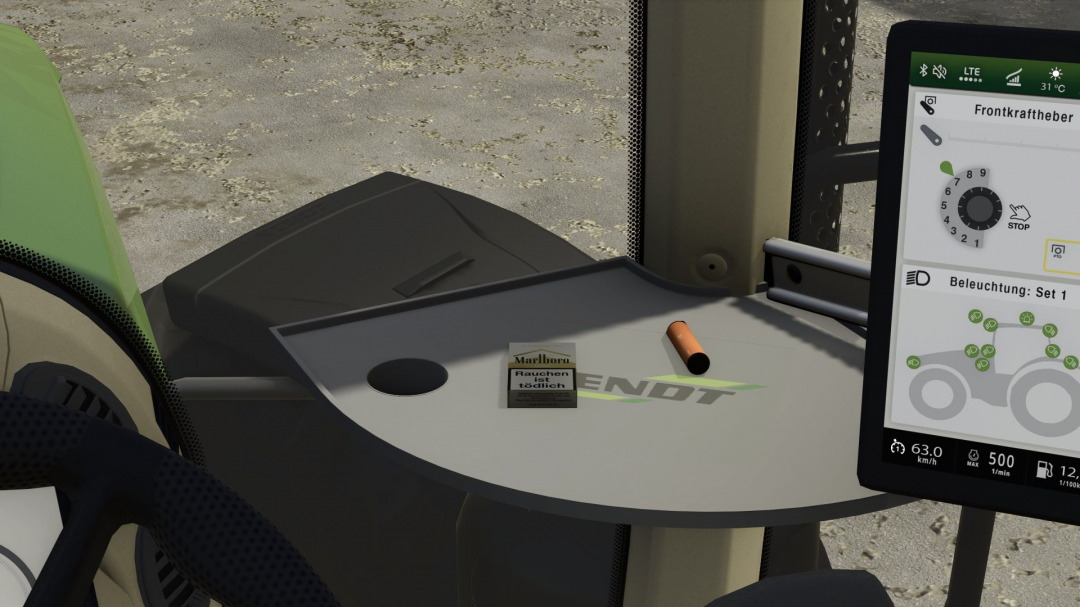
Marlboro Gold (Prefab) V1.0
Here’s the box again in gold and in German. Have fun with it.

- 15 per page
- 30 per page
- 45 per page
- 60 per page
-
See more per page
Bigger pages, fewer clicks - and no ads anywhere.
Go Pro