Farming Simulator 22 mods
50,366 results- 15 per page
- 30 per page
- 45 per page
- 60 per page
-
See more per page
Bigger pages, fewer clicks - and no ads anywhere.
Go Pro
GPS Lite V1.2.0.7
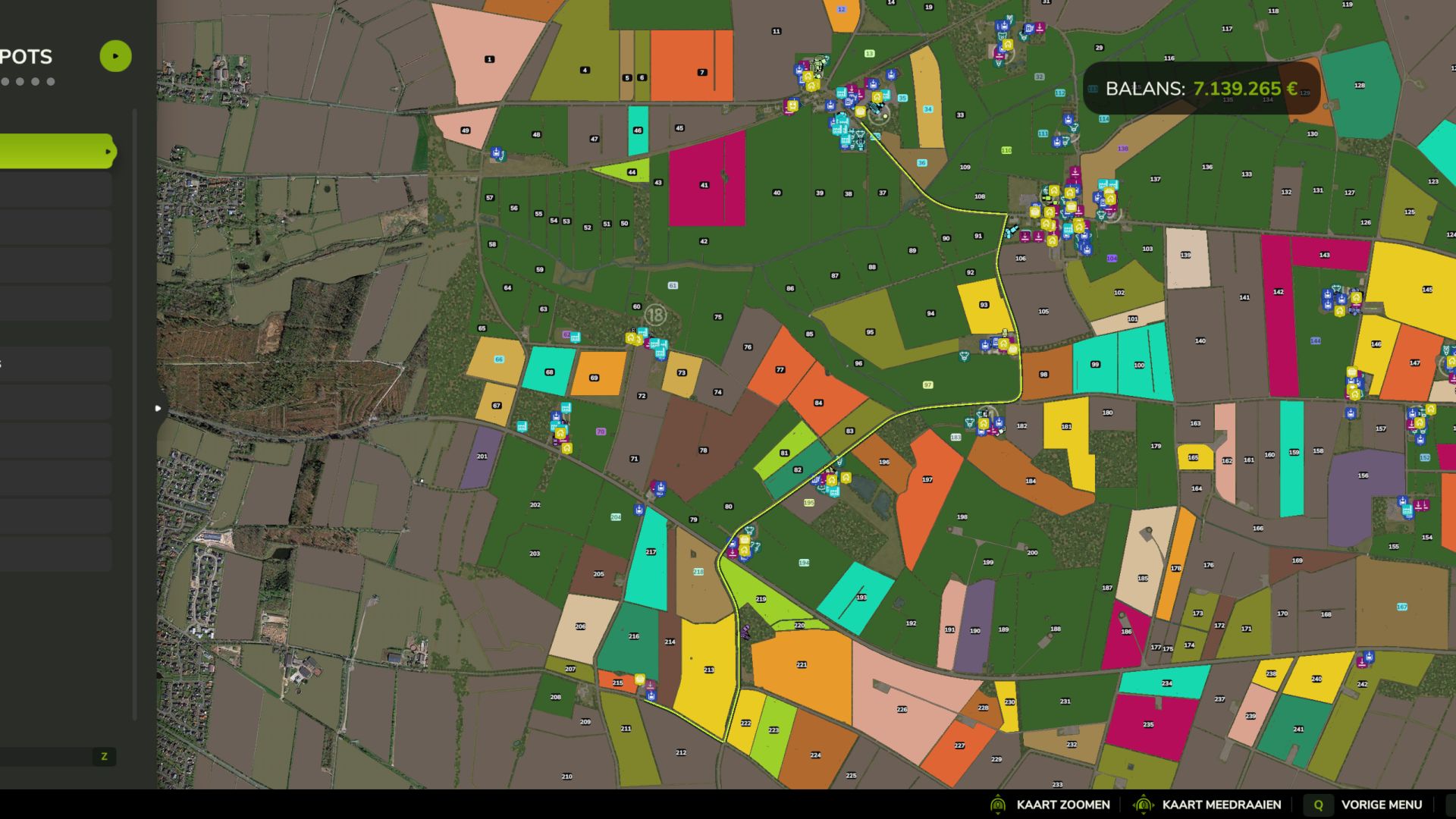
GPSLite is a lightweight navigation mod for Farming Simulator 25. Select a destination using the standard map marker, and GPSLite calculates a route using the roads provided by the map. The complete route is shown on the large map, while the minimap displays the nearby section of the route. A small optional information bar provides simple instructions such as Ahead, Next Left, Next Right, or Turn Around. The road network is cached locally for faster loading. Navigation, the route line, and the information bar can each be enabled or disabled under ESC > General Settings. Your choices are saved automatically and everything is enabled by default. Features: – Lightweight, clean-room implementation – No keybindings required – Uses native FS25 map targets and road splines – Route display on the large map and minimap – Locally cached road network – Persistent player settings – Suitable for multiplayer and dedicated-server environments – Available in English, German, Dutch, and French Compatibility depends on the map providing usable native traffic or AI road splines. Maps containing only painted roads without navigation splines cannot provide accurate street routing. V1.2.0.7 Added – Strict client/server separation for dedicated-server environments. – GPS runtime activation only when a real local player and HUD are available. – Delayed client activation after map loading for hosted multiplayer sessions. Fixed – Dedicated servers no longer initialise client-only settings, HUD, routing, or road-cache work. – Hosted dedicated runtimes no longer enter the client GPS path accidentally. – Client routing remains available after the player and map HUD finish loading. Preserved – Large-map route planning with minimap guidance. – Local road-cache support for faster repeat loading. – General Settings controls with saved preferences. – Four-language interface and documentation. – No additional keybinds required. Notes – GPSLite is designed as a lightweight client feature; the dedicated server carries the mod but does not run client HUD or route rendering. – Route quality depends on the native road and navigation data provided by the selected map.
Reinke Irrigation System V2 V1.1.0.0
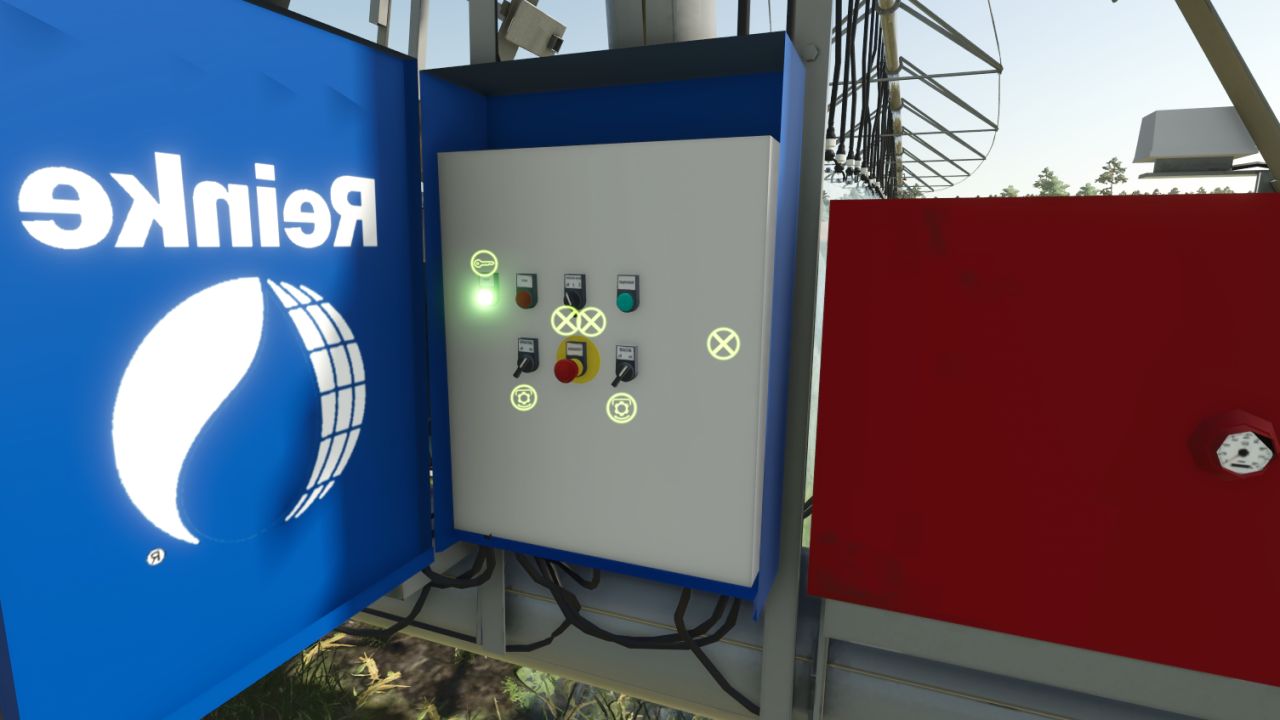
Reinke Irrigation System V2 V1.1.0.0 Reinke Linear Irrigation System Pack Bring realistic linear irrigation to your flatlands! This pack offers realistically priced Reinke linear move irrigation systems—smaller models are budget-friendly, while the larger setups scale accordingly. Available Widths You can place the following sizes under the placeables menu: 37 meters (Affordable entry model) 75 meters 115 meters 223 meters Placement & Terrain Requirements Flat and Clear Land: Reinke linear systems are designed for flat, obstacle-free terrain. Do not use them on hilly or sloped ground. Clear Path: Ensure there are no trees, utility poles, or obstacles in the field that the machine could collide with during operation. Placement Delay: When placing the main 228-meter pipe and hydrant, expect a short delay of about 6 seconds for it to spawn. (Note: The game may log a warning for these components, but this is entirely normal and does not affect gameplay—everything is 100% functional!) Pipes & Extensions If the default 228-meter pipe and hydrant setup is not long enough, you can extend the length using 50-meter pipe add-ons. Towing & Connection: You can tow the pipes easily using a tractor via the 3-point hitch. For the best experience handling and connecting pipes, we recommend using the Easy Development Control mod with “Super Strength” turned on. Attaching: Connect the pipes to the Reinke simply by pressing the Q key. Quick Removal Tool: A special pipe wrench tool is included. By clicking on a single pipe piece with it, you can instantly delete and clean up the entire connected pipe network for maximum convenience. Operation & Controls Guide Water Valve: Open the water valve using the Interactive Control mod before entering the Reinke. Vehicle Switch: Press the G key to switch into vehicle control mode so Interactive Control inputs take effect. Engine Setting: Make sure Automatic Motor Start is set to No (disabled). Power Up: Turn on the Reinke using the Key icon. Interactive Control Panel: Via the panel, you can now activate: Spraying / Irrigation Beacon lights Engine GPS-like alignment corrector (This aligns the machine straight based on your set angle once cruise control is engaged). Speed Settings: Stage 1: 1 km/h Stage 2: 2 km/h Stopping Procedure (Important!) Recommended Method: When the Reinke finishes its run, turn off only the engine first. This instantly engages the brakes and holds it securely in place. Alternative (Not Recommended): If you turn off the cruise control/GPS before the engine, the machine will roll backward for a short distance. Always shut down the engine first to park it properly! Pumps and hoses compatibility has been removed; it now includes only my own piping system and the Reinke irrigation unit equipped with a control panel, plus a 228-meter pipe, a 50-meter pipe extension, and a pipe tool that allows you to delete pipes with a single click. Enjoy realistic and efficient crop watering on your flat fields! V1.1.0.0 – Pump and hose compatibility has been removed. – I only use my own piping system and equipment. – A control panel has been installed on the Reinke irrigation system (specifically the model with 1, 2, 3, and 6 spans); it is located on the right-hand side relative to the direction of travel. – Realistic prices have been set. – With the wrench, which is actually a hose tool, a left-click on the pipe allows you to delete the entire connected piping system in a single click. – It has been integrated such that the valve must be opened using the Interactive Control to operate the Reinke system; therefore, the Interactive Control is required. – Another useful feature is “Easy Developer Control”; by enabling this, you can easily drag the pipes around. Required mods: Easy Development Controls Interactive Control
Direct Silo Sell V1.0.0.1
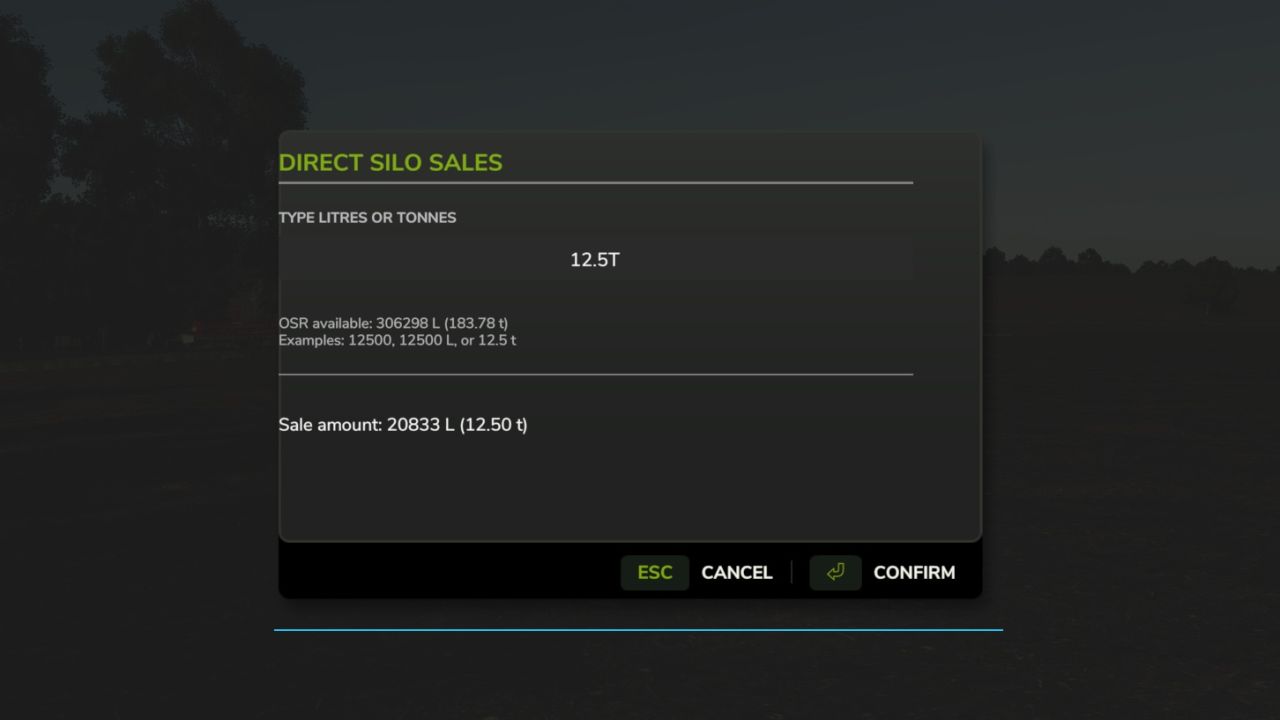
Direct Silo Sell V1.0.0.1 Direct Silo Sales for Farming Simulator 25 (PC, single-player) Install: Copy FS25_DirectSiloSales.zip into Documents/My Games/FarmingSimulator2025/mods. Enable the mod for your save. Press Left Shift + S to open the sale menu (or rebind in game). You must be on foot for this keyboard shortcut. You can also use dssMenu in the developer console. Choose a silo, crop, selling point, and 25%, 50%, or all of the stored crop. The menu shows each selling point’s current price per 1,000 L and asks for confirmation. The developer console commands remain available as an alternative: Commands: dssList Lists your owned silos, stored crops, and all selling points. dssSell Sells the entire stored amount if liters is omitted. Example: dssSell 1 WHEAT 3 10000 Fully compatible with Market Dynamics. Adds realism by selling grain forward for better price. Good for large scale farming. V1.0.0.1 Added ability to type in exact litres OR tonnes to sell.
Horsch Grubber isoBUS Screen (Prefab) V1.0.0.1
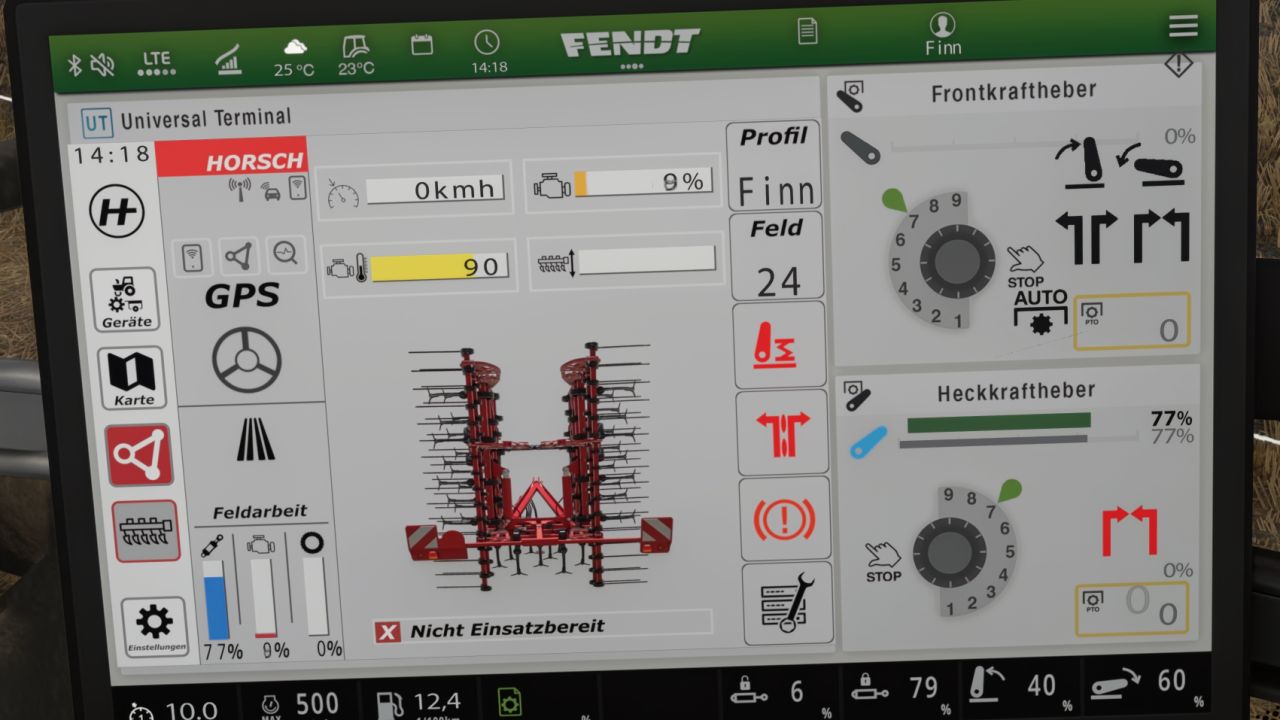
Horsch Grubber isoBUS Screen (Prefab) V1.0.0.1 Horsch Cultivator ISOBUS Screen (Prefab) I am providing you with my Horsch cultivator ISOBUS screen. It displays all the important information for a cultivator. The screen is intended for a Horsch Finer 6SL cultivator, but it can also be used for other cultivators. I have included instructions for the installation itself, as well as the corresponding entry for the implement’s XML. If you notice any bugs, I would be very grateful if you could let me know so that I can fix them. V1.0.0.1 Improved Guide Required mods: Dashboard Live
Krone EasyCut isoBUS Screen (Prefab) V1.0.0.1
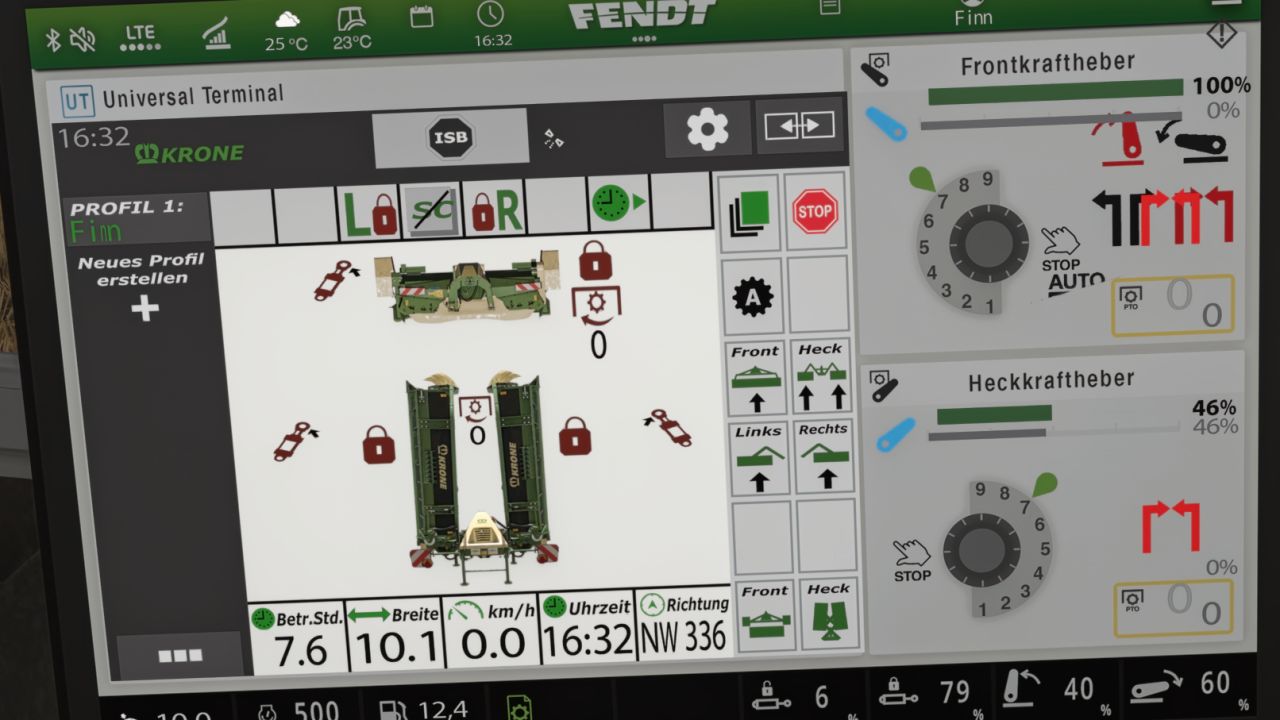
Krone EasyCut isoBUS Screen (Prefab) V1.0.0.1 Krone EasyCut isoBUS Screen (Prefab) I hereby provide you with my Krone EasyCut isoBUS screen. It displays all the important information for mowers. The screen is intended for the Krone EasyCut mower, but it can also be used for other mowers. For the installation itself, I have included instructions as well as the corresponding entry for the implement’s XML. If you notice any bugs, I would greatly appreciate it if you let me know so that I can fix them. V1.0.0.1 Improved Guide Required mods: Dashboard Live
Realistic 4×4 Traction System V1.3.0.0
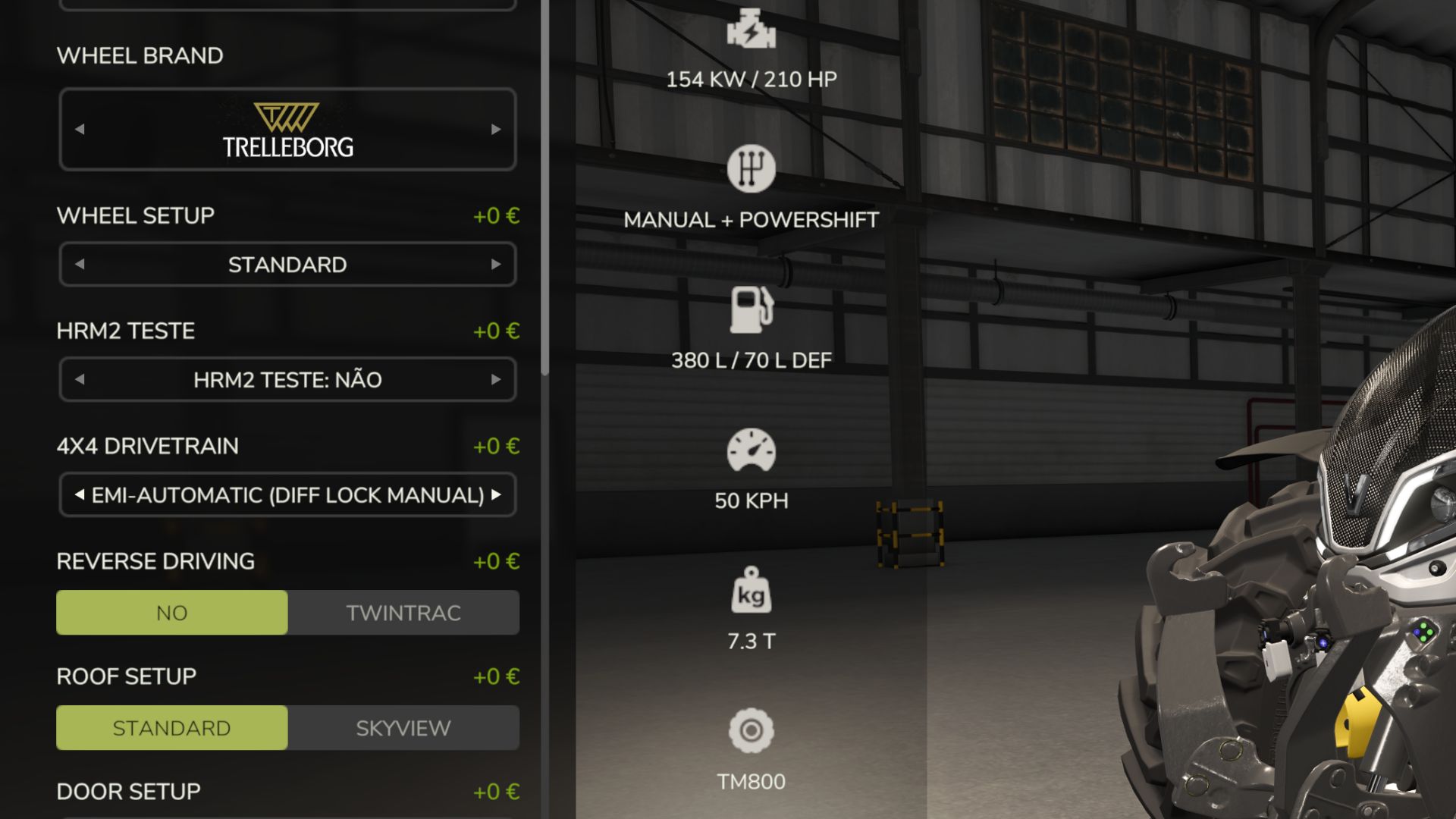
Realistic 4×4 Traction System V1.3.0.0 Multiplayer in development, playable but may contain bugs Take real control of your tractor’s traction — engage 4×4, lock the differential and let the system react to actual wheel slip, not just to an assigned key. This mod adds a fully switchable 4×4 traction system to compatible vehicles (tractors, trucks, harvesters, cars): engage/disengage the front axle when needed and toggle a differential lock that trades turning radius for maximum grip in mud, snow or during heavy work. Features Real rear-wheel slip detection — automatic modes react to actual wheel-slip physics, not just speed Four driving modes, assigned to each vehicle by default: Manual — always in control Semi-automatic — engages with actual wheel slip, while manual control is always available Automatic — the same logic, adjusted for vehicles with factory-fitted automatic 4WD (CVT/IVT transmissions) Intelligent — continuous, proportional engagement in the Fendt style (without abrupt switching on/off) Native tyre-pressure simulation during engagement — no dependency on any other mod On-screen HUD with real-time status and adjustable position in the game Settings menu Zero XML changes to any vehicle — the system integrates automatically into all compatible vehicles V1.3.0.0 Multiplayer in development, playable but may contain bugs Compatibility tested with the MudSystemPhysics and Tractor Terrain Dynamics mods Behaviour fixes: Continuous-track tractors (only 2 tracks, e.g. John Deere 8RT, Fendt Vario MT) are no longer affected by the 2WD/4WD system it makes no mechanical sense for them. Fixed the actual difference between “semiauto” and “auto” modes: semiauto now only engages automatically and never disengages automatically (this is always left to the player). Terrain anticipation GPS now always reads, even above road speed (previously it always stayed at 0% in this situation). Fixed implement mass reading (it was reading tonnes as if they were kg underestimating the actual weight by 1000x). Fixed false triggering of “smart” mode when braking and shifting into reverse. Fixed being “stuck to the ground” when lowering a heavy implement (differential lock reacted too quickly to the initial spike). Automatic system (semiauto/auto) now reacts much faster to real and sustained wheel slip previously it could take dozens of seconds. Fixed rapidly switching between 2WD/4WD when stopped in the field. Fixed false triggering of semiauto when starting from a standstill (a normal and brief wheel-slip spike at the moment of take-off). The “smart” mode (Fendt) has been isolated from the binary engagement logic preventing interference between the smart mode’s own hysteresis and the new detections. New features: Detection of “fieldwork in progress” (via the game’s native GPS) and automatic “arming”: when stationary/almost stationary in a field with the implement lowered for more than 2 seconds, 4WD engages directly. Experimental support for engine load as an additional signal (disabled by default, available in DriveModeConfig.lua). Features from previous versions (already included in this version): Proprietary GPS/terrain-elevation anticipation system, without depending on another mod only on each brand’s top-of-the-range tractors (Fendt VarioGuide, John Deere JDLink, Case AFS Connect, New Holland IntelliSteer, Deutz-Fahr Agrosky, CLAAS EASY) Proper 4WD terminal (Ctrl+Shift+G) Status/Telemetry/Settings tabs, with wheel-slip thresholds and anticipation strength adjustable live, per vehicle Per-tractor telemetry (total hours, hours in 4WD, hours with differential locked, number of engagements, distance in 4WD, GPS anticipations) saved in the savegame, with a reset button Savegame persistence of the 4WD state (engaged/differential locked) and adjusted Settings Renewed HUD capsule-style bars with glow, pulsing halo on active elements, without text overlap Fix for the tyre-pressure conflict with FS25_MudSystemPhysics Extended support for brands/models: John Deere 6R/8R/9RX, New Holland T8/T8000, Deutz-Fahr Series 7/8, CLAAS Xerion, McCormick X8 VT-Drive
Direct Silo Sell FS25
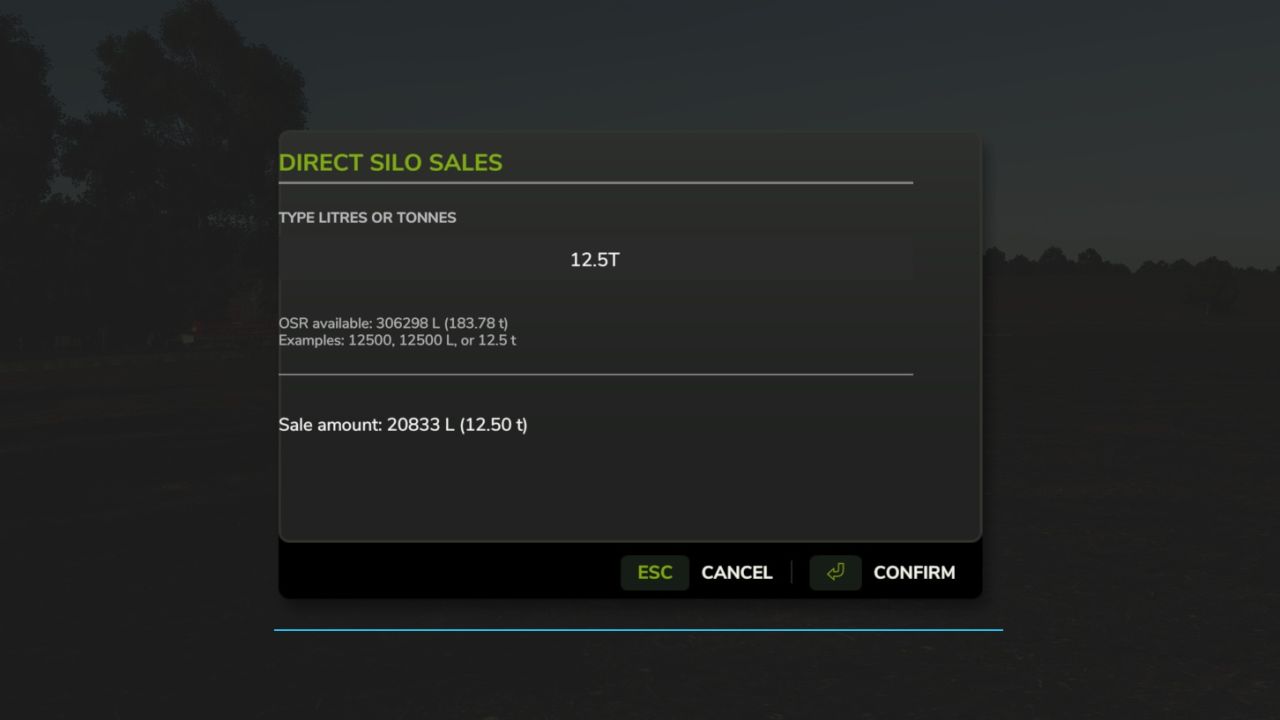
Direct Silo Sales for Farming Simulator 25 (PC, single-player) Install: Copy FS25_DirectSiloSales.zip into Documents\My Games\FarmingSimulator2025\mods. Enable the mod for your save. Press Left Shift + S to open the sale menu (or rebind in game). You must be on foot for this keyboard shortcut. You can also use dssMenu in the developer console. Choose a silo, crop, selling point, and 25%, 50%, or all of the stored crop. The menu shows each selling point's current price per 1,000 L and asks for confirmation. The developer console commands remain available as an alternative: Commands: dssList Lists your owned silos, stored crops, and all selling points. dssSell Sells the entire stored amount if liters is omitted. Example: dssSell 1 WHEAT 3 10000 Fully compatible with Market Dynamics. Adds realism by selling grain forward for better price. Good for large scale farming. Added ability to type in exact litres OR tonnes to sell.
Hyper Realistic Maintenance 2 FS25
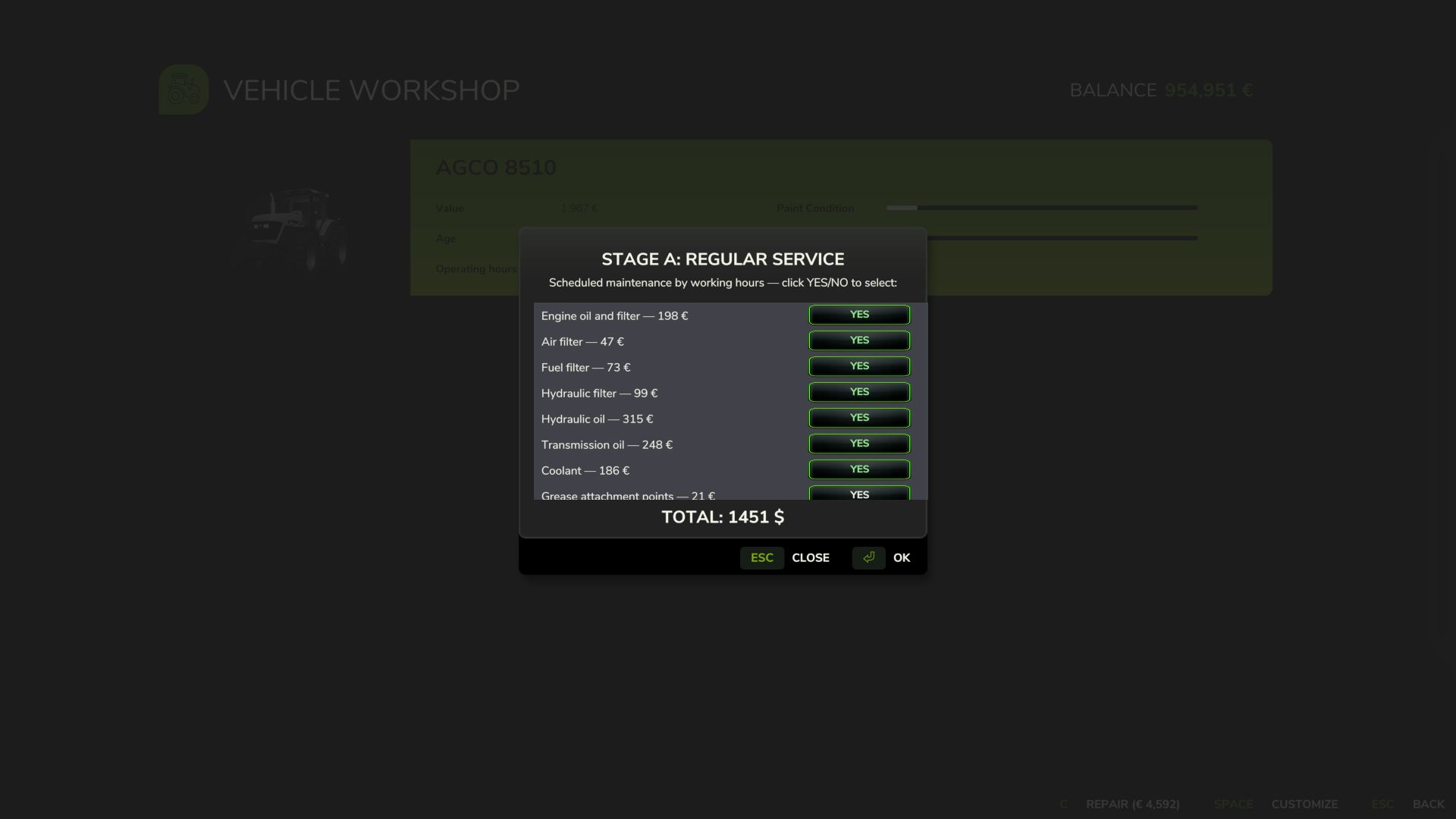
Uploading to other websites without my consent is prohibited!! The DEF Pack mods and Variable Tire Pressure can be used together without compatibility issues. Two photos have been added with mods tested on a multiplayer server. More translations in development. Your engine wears out. Your oil gets dirty. Your turbo fails if you never maintain it. This is what “realistic maintenance” should have meant from the beginning. Hyper Realistic Maintenance 2 adds deep, continuous mechanical simulation to all motorized vehicles in your saved game — tractors, trucks, harvesters and cars — with real gameplay consequences, not just cosmetic numbers. What is simulated Engine: 5 independent components (cylinder, piston, bearings, crankshaft, valves) that affect one another — cylinder wear increases blow-by, which contaminates the oil and accelerates wear even further Thermal: coolant temperature increases under load and the engine overheats if the radiator is degraded Fluids: oil level/contamination and coolant level, both of which can be checked and require maintenance Transmission: clutch, gearbox, turbo and battery/starter motor wear over time Failures: probabilistic failures that increase sharply above around 35% wear in the relevant component — critical overheating above 118 °C is guaranteed and does not depend on luck Behavior by vehicle type: tractors, trucks, harvesters and cars wear at different, realistic rates Real effects, not cosmetic ones Actual power loss — reduces the engine’s effectively available torque; you will feel it in the field Actual no-start conditions — a dead battery or worn starter motor can genuinely prevent the engine from turning over, with a warning displayed on screen Harvesters suffer a real loss of threshing efficiency as engine condition deteriorates Scheduled maintenance, just like in real life 10 maintenance items (engine oil, filters, hydraulic/transmission oil, coolant, grease, belts and much more), each with its own interval and a real cost for the farm — automatically adjusted to the vehicle’s actual power. If you neglect maintenance for too long, wear accelerates by up to +120%. Vehicle HUD with 3 pages — overview, detailed engine diagnostics and maintenance status — with an adjustable position in the Game Settings menu. The game’s repair screens themselves (shop, farm workshop, mobile workshop) now also perform a complete HRM2 service. Compatibility: works completely standalone. If you also have the 4x4 Traction System mod, the two mods detect each other automatically, and driving with 4WD/differential lock now has a real additional effect on the transmission. Significantly improved multiplayer and tested on a real dedicated server (see the changelog for details and known limitations). Maintenance progress is saved in the saved game. Move the HUD with the mouse A new way to position the HRM2 panel, requested by the community: press Ctrl+Shift+H to activate HUD editing mode (this shows the mouse cursor), click and hold on the panel, and drag it wherever you want. Release the button to confirm the new position, then press Ctrl+Shift+H again to exit editing mode. The position is saved for the player, not the savegame — configure it once and it will remain the same across all savegames; you do not need to repeat it for each save. If the shortcut does not respond, check under Settings → Controls that the "HRM2 — Edit HUD" action is actually assigned to a key (in some cases, the game may leave it unassigned by default). Small internal stability and code-cleanup adjustments have also been made. 1.1.1.0 ⚠️ Multiplayer compatibility warning This mod's multiplayer support has been significantly improved in this update, but it is not yet fully validated in MP. Most actions (services, detailed inspection, state sync on entering a vehicle) now go through proper network events and have been tested on a real dedicated server — but at least two known path still needs fixing (the emergency jump-start), the maintenance bug where server do not sent all information to client side if tou start a maintenance and leave the server, do not leave server if you have any vehicle under maintenance and other edge cases may still exist. Use on a server with that in mind, and please report any issue you find, ideally with a log. Fixes in 1.1.1.0 Critical — game freeze on save (fixed): Fixed the bug present in 1.1.0.0 where saving the game while a vehicle's maintenance/repair was in progress could leave that vehicle permanently stuck — engine refusing to start, with no way to recover short of reloading. Root cause: the code responsible for lifting the "immobilized" state after a repair finished only ran on the client, never on the authoritative side in multiplayer (or after certain save/reload sequences), so the lock was never cleared. Critical — maintenance progress lost on save/reload (fixed): Maintenance progress (service intervals, engine/drivetrain wear, active failures, and in-progress repairs) now correctly survives saving and reloading the game. Previously this data only lived in memory and was lost on every reload — vehicles would appear freshly re-aged and any in-progress repair would silently vanish. Fixed by moving persistence to a dedicated save file, identifying each vehicle by its stable unique ID rather than its in-memory object. Maintenance hours not accumulating correctly (fixed): Service-interval hours now use their own internal counter, correctly scaled to the game's time-acceleration setting (x1, x60, x360...), instead of only counting real-world seconds. This also fixes hours appearing stuck or barely moving during accelerated play. Native odometer bridge (added): The vehicle's native operating-hours field can now also be kept in sync with the game's time scale directly by this mod, for consistency even without a separate time-scale mod installed. Automatically steps aside if such a mod is already active, to avoid double-counting. Multiplayer — actions only applying on the requesting client (fixed): Simple service, periodic maintenance, full overhaul, and the detailed technical inspection now correctly apply on the server (money, component state, immobilization) instead of silently only affecting the client who triggered them — the most common cause of "I paid but nothing happened" and vehicles getting stuck in multiplayer. Multiplayer — state not refreshing after reconnecting (added): A vehicle's full maintenance state (hours, wear, active failures, remaining repair time) is now requested from the server automatically the moment a player starts controlling it, keeping the on-screen display and engine-start behavior consistent even after reconnecting to the server. Stability fixes: Fixed a crash in the new state-sync system that could occur when the server sent a vehicle's state to a connecting client. Fixed a console command (hrm2MaintStatus) that referenced a non-existent field and always errored when used. NEW FEATURES Custom in-workshop selection windows Every maintenance and repair stage now opens as its own window with a scrollable, selectable list — pick exactly which items to fix with individual Yes/No toggles, instead of an all-or-nothing confirmation. New stage: periodic maintenance by calendar time A second maintenance track now runs alongside the hours-based one, covering items that degrade with age rather than use — belt/hose aging, corrosion protection, fuel system stabilization, and battery health checks. New: Detailed Technical Inspection A paid, time-based inspection (parts + hourly labor) that reveals specific internal wear — piston condition, compression loss, bearing wear, crankshaft wear, valve wear, ring blow-by, carbon buildup, turbo wear, clutch wear, gearbox wear — instead of a generic health percentage. Full Overhaul rebuilt: 12 individually selectable repairs The general overhaul stage now lists every component separately — pistons, compression, bearings, crankshaft, valves, blow-by, carbon buildup, turbo, clutch, gearbox, axles/differentials, and battery — each with its own cost. Realistic, game-clock-synced repair time Repairs take realistic amounts of time (1 hour minimum, up to a full day for a major overhaul) and are synced to the in-game clock — waiting scales naturally with the game's time speed setting. A HUD countdown shows time remaining. Labor costs Every repair stage now charges an hourly labor rate on top of parts. Customization locked during repairs The vehicle's configuration screen is now disabled while a repair is in progress, preventing accidental loss of repair progress from mid-repair reconfiguration. FIXES - Critical: a scoping mistake meant several core functions (applying repairs, deducting money, advancing to the next stage) silently failed when called from the new selection windows. Now fixed. - General overhaul pricing was capped unrealistically low regardless of vehicle value. Now scales with the vehicle's actual price. - Scheduled maintenance intervals were based on real factory service intervals (many over 900–1000 operating hours), effectively unreachable in a normal save. Recalibrated to a 5–20 hour scale. - Engine temperature now resets to ambient when a repair finishes. - Downtime from consecutive repair stages now correctly stacks instead of overwriting. - The detailed inspection report now always appears, and waits for confirmation, before the stage it's relevant to. - Selection windows could render unstyled and full-screen due to a shared-resource loading order issue. Fixed. - The engine is now explicitly stopped when a repair begins, even if another mod tries to restart it. - All HUD readouts (engine, oil, temp, coolant, pressures, transmission, turbo, battery, power, page names, vehicle class) now respect the selected game language — previously several were hardcoded in Portuguese regardless of language setting. - The repair button no longer shows a stale native price once repairs are handled through the mod's own windows. COMPATIBILITY No changes to save-game compatibility. MP not SUPPORTED YET
Machine Drive Controls FS25
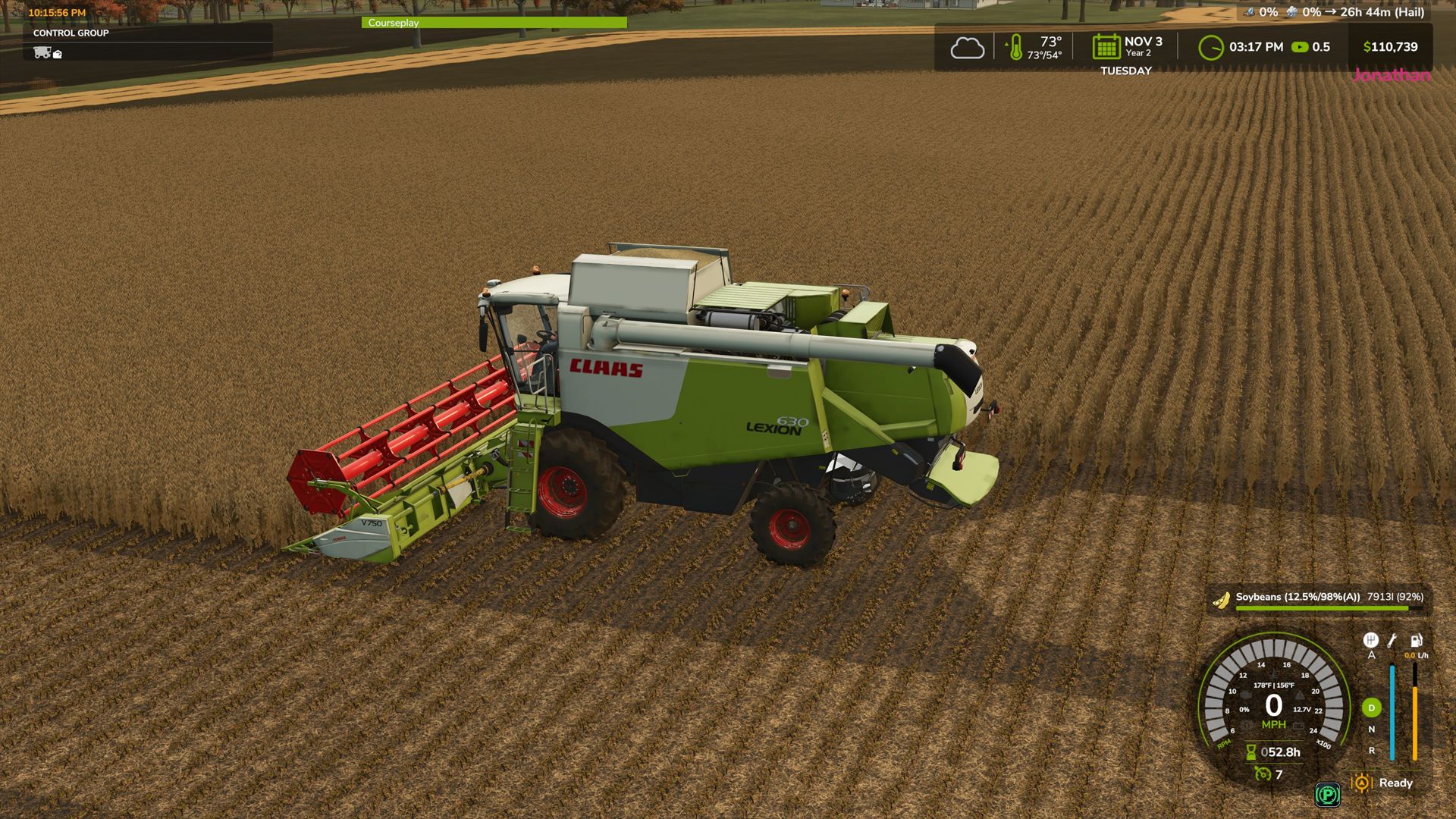
This mod is to designed to make better use of controller hardware with the Moza Farming Control System specifically in mind but should work with similar hardware and or peripheals that contain toggle switches etc. MAIN FEATURE: Provides a shop configuration that makes Hydrostatic drive an option. Perfect for vehicles like combines or forage harversters, it enables stop and go braking with automatic direction change to make full use of the throttle control on the FCS controller while standard mode keeps those options turned off for non-hydrostatic vehicles. Additional features: This mod configures how the toggle switches to work like true toggle switches. It provides configurable keybinds in the control menu to separate on and off functions. For example, PTO switch, up is on, down is off. This can also apply to the rotary switches onthe FCS. Propulsion and throttle have been separated to make the stick more realistic. Vehicle can be moved at the engine speed you set instead of increasing or decreasing with the propulsion lever. Throttle can be controlled via the encoder dials or other keybindings of your choosing. Increase or decrease with a twist of the knob, pressing the knob will activate the throttle to hold at idle or reset to idle from a higher rpm. Includes a small hud to show the stick input to help find true center along with an indicator to show if the throttle control is active or inactive. Raise and lower commands have been separated into separate commands. Controls are configurable in the keybind menu IMPORTANT NOTE : Currently when selecting the toggle keybinds, when trying to set the down position the game will register the command as both positions. for example if the toggle is 45 and 46 it will natively set 45 but 46 registers as 45 + 46. After setting the keybinds to your liking save and quit the game then restart, The mod corrects the dual key on restart. Same applies to the rotary switch setting but if you set it from high to low it will register as one control. ( to set 34, start with switch on 35 and turn to 34. 33 to 34 results in 33 + 34. ) IF CONTROLS DO NOT WORK CHECK FOR CONFLICTING KEYBINDINGS. Please feel free to give suggestions for command settings you need toggles or support for. Added separate On / Off commands for Combine thresher and header to support Realistic Harvesting mod Fix to raise / lower commands where some mods did not respond
Bull Milk Production v1.0.0.0
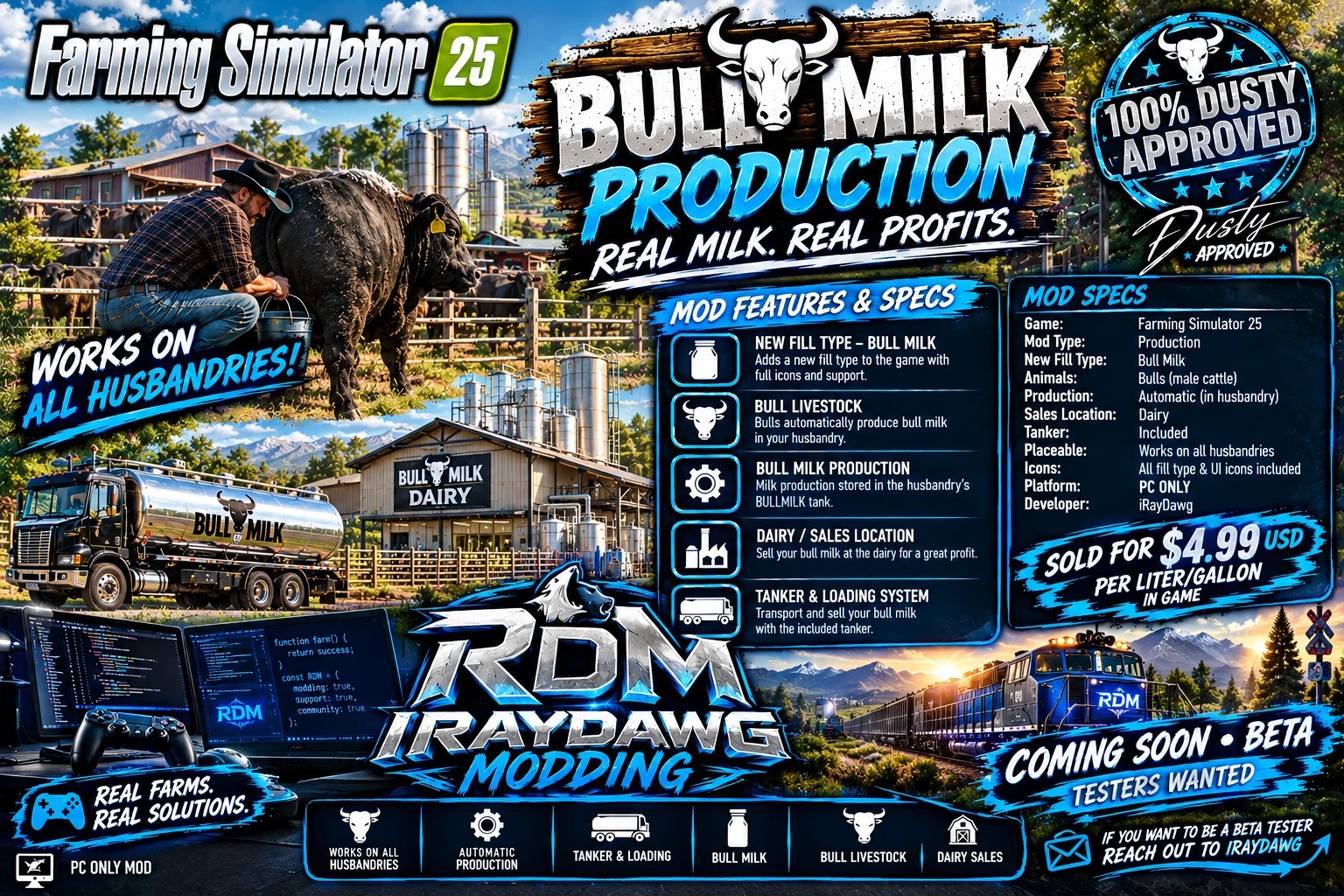
Bull Milk Production v1.0.0.0 This mod adds bull milk into Farming Simulator 25 as a produced product from cows that you can sell for a profit. It currently does not have any other use in the game. Adds Bull Milk to Farming Simulator 25. Notes: – Works with existing/previous FS25 saves; a new save is not required but recommended. – On an existing save, enable this mod when loading the save and let the map finish loading once so existing cow husbandries can be upgraded automatically. – Existing save progress is not reset or replaced. – May cause conflict with other mods that alter animals in any way. Not tested! Mod Prices and Production Rates: – Production rate is currently set at 200% x2 over the normal production rate of milk. – Price of Bull Milk is currently set at $4.99 USD per liter/gallon sell price. Required Additional Mods: – A truck or trailer that will support the transportation of the Bull Milk. – Or use the provided trailer in the mod. This version has a dependency on Animal Package Vanilla Edition on the ModHub. BULLMILK is a non-bulk liquid fill type and is included in the LIQUID category. It integrates with male COW subtypes supplied by the Animal Package – Vanilla Edition and automatically adds Bull Milk storage to standard cow husbandries on the map. Functions of this mod: – Injects the filltype Bull Milk and makes some modifications to storage of husbandries. – Adds Bull Milk to husbandry loading triggers and refreshes the husbandry loading station so Bull Milk appears when filling compatible milk tankers. – Does not alter the female cow milk production so both can be in the same husbandry. – Bull milk can be sold any where regular milk is sold on the map. – Can be used on new saves and existing saves. – With the help of Animal Package Vanilla Edition, it adds bulls cows into the game. This mod was built special for Dusty! Developed and coded by iRayDawg PC ONLY MOD This is just a simple drag and drop mod that depends on the “Animal Package – Vanilla Edition” Mod from the in-game mod hub to function correctly.


- 15 per page
- 30 per page
- 45 per page
- 60 per page
-
See more per page
Bigger pages, fewer clicks - and no ads anywhere.
Go Pro